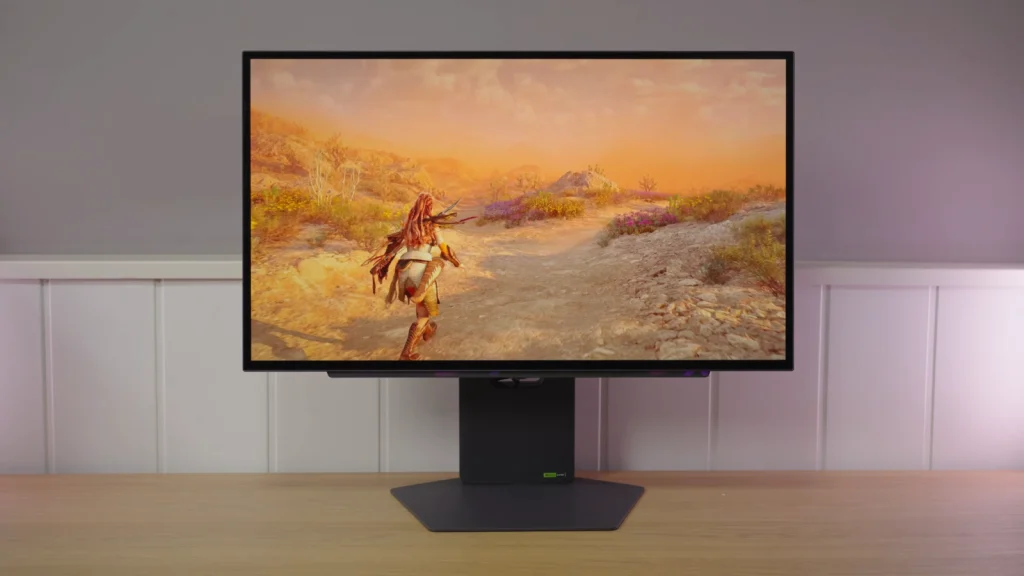
The LG 27GX790A-B focuses on a 480 Hz, 27-inch 1440p WOLED. Response and hardware calibration are strong arguments, while the matte finish and some operating details deserve more attention than a simple specification comparison.
Testing separates three decisions: maintaining stable desktop brightness, choosing an HDR mode, and choosing a connection if VRR problems appear. Its final appeal also depends on the price gap to alternatives.
Assembly, ergonomics, and equipment
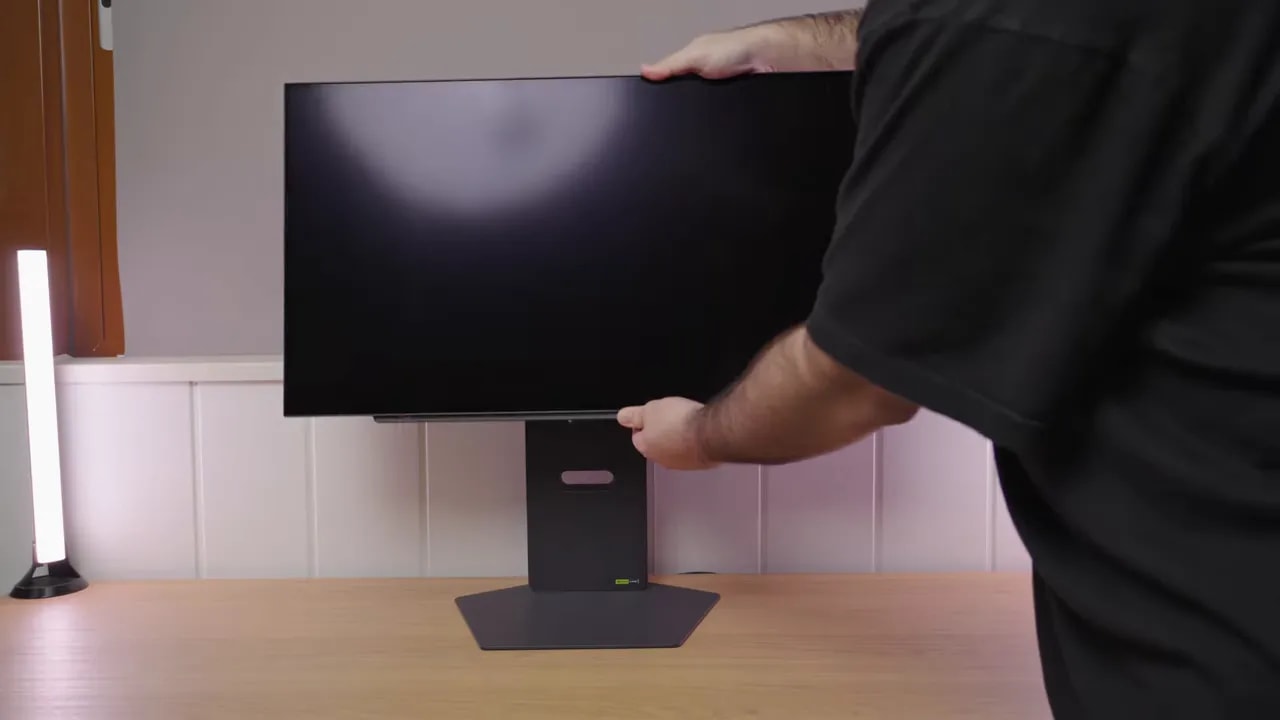
I found the stand quite good. The base is entirely metal. Yes, it occupies considerable space, but you can place things on it without problems. The upright is bulky too. The exterior is plastic, but overall quality feels solid.
Ergonomics are well covered:
- Adjustment for height, with considerable upward travel
- Tilt and backward tilt
- Ability to rotate into portrait orientation in one direction
- Swivel, though with a somewhat more limited range
All necessary cables are included:
- HDMI
- DisplayPort
- Cable to power the USB hub
It also includes a 4-pole audio jack, supporting surround sound and a microphone. Not spectacular on paper, but not every monitor includes it, and it can be useful.
Matte finish and WOLED characteristics
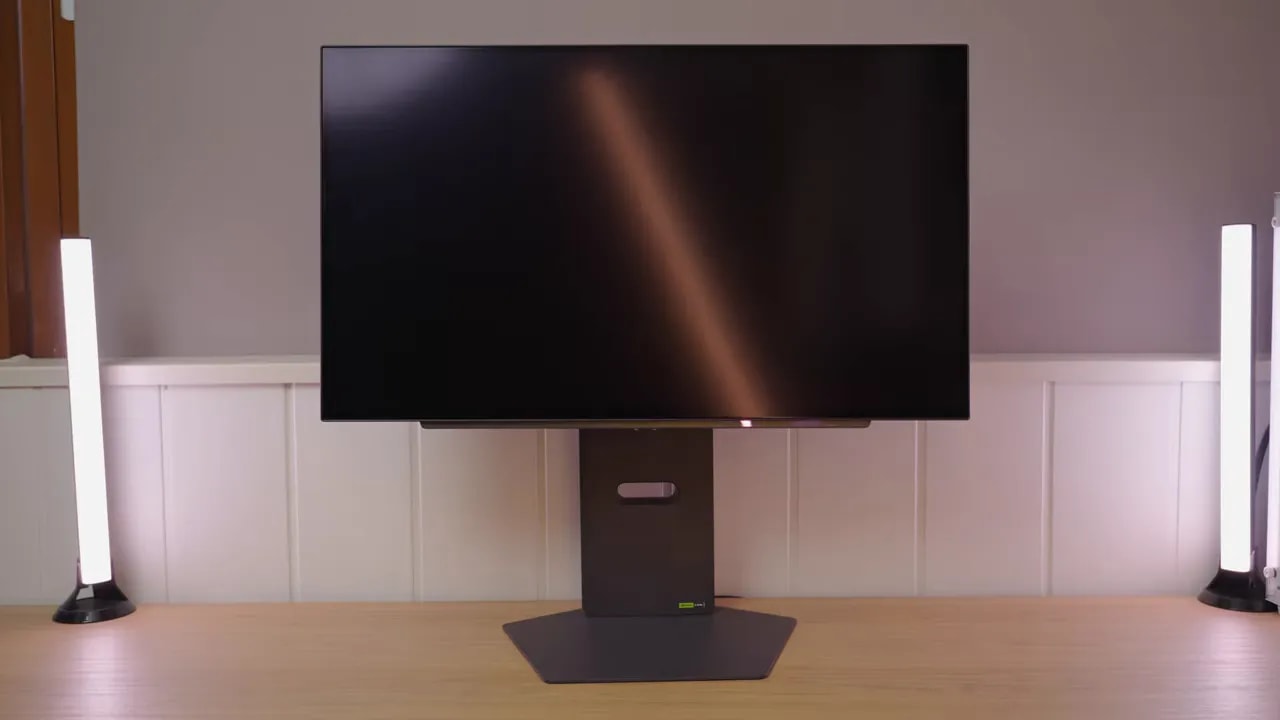
An important part of the visual experience goes beyond calibration. The surface finishalso matters greatly. Here, the LG 27GX790A uses a matte.
In fact, it is not particularly light matte. I have tested IPS monitors with less aggressive treatment. What does that mean?
- Reflections are better diffused and less bothersome
- The surface introduces some grain
- The image can look slightly blurrier or less clean than glossy
You know I am firmly on team glossy, so this is a downside for me. But in a difficult ambient-light environment, the opposite may be true and it could help you.
WOLED has a clear advantage over QD-OLED here. Blacks remain purer under ambient light. The typical magenta tint seen on some illuminated QD-OLEDs does not appear, or is far less obvious.
The less pleasant part is the familiar grid effect or certain grayscale-gradient issues. Many people mention it, and yes, it is here.
If you initially see especially poor gradients or unusual banding, it is worth forcing a pixel cleaning cycle, even twice if needed, particularly when first unboxing the monitor. This can substantially reduce some initial marks or lines.
The grid effect will not disappear entirely. It is part of the technology.
Another characteristic of this third-generation WOLED is that in dark grays and blacks in SDR some detail can be crushed. If shadow information is hard to distinguish, you can use the black equalizer or a picture mode that slightly raises black level.
And no, calibration does not entirely remove this behavior. It is another technological limitation.
SDR color and hardware calibration
In this LG 27GX790A Technical Review, one of the first things worth examining is the panel’s color foundation. The monitor performs quite well here.
- DCI-P3: 98,5%
- Adobe RGB: 95,5%
- sRGB: ample coverage
On paper, these are figures expected of a well-implemented modern OLED. The interesting part is how picture modes are implemented.
Out of the box, with gamma set to Mode 2 and color temperature set to User, overall tuning is quite good.
- Grays are reasonably accurate
- Whites deviate slightly
- Color temperature is close to 6500K
- Gamma tracks reasonably well with the 2.2
- 98.5% DCIP3 coverage
Color accuracy is quite close to P3 and produces an average Delta E of 2.12. Not excessive, but not reference-grade calibration either. The main weakness is yellow, which deviates somewhat.
DCI-P3 mode reduces oversaturation and improves color accuracy slightly. The problem is its association with an unusual kind of gamma 2.4 , with a pronounced drop that cannot be corrected in the menu.
Brightness and color temperature remain adjustable, but that gamma behavior does not. If you dislike it, the sensible choice is returning to Gamer 1.
sRGB mode clamps the gamut to approximately 97,4%, which is not bad at all. It generally works well, but several details appear:
- Some white-point deviation
- Better-tuned blacks
- The sRGB gamma curve is not followed entirely accurately
- A sharp drop near the end of the curve, similar to P3 mode


sRGB mode provides useful coverage, but grayscale shows that a gamut clamp alone does not solve white-point and gamma issues. The hardware calibration discussed in the review provides another way to refine this unit.
LG includes a more interesting feature than usual here. The monitor supports hardware calibration. That is uncommon among gaming monitors in this range, especially a relatively inexpensive OLED.
Using LG’s calibration software with a colorimeter lets you save calibration inside the monitor itself. There are two internal presets, something like Calibration 1 and Calibration 2, for different profiles.
The software lets you specify:
- Target color space
- Gamma
- Color temperature
- General calibration parameters
The process is quite simple. Place the calibrator in the center, follow the wizard, and the system installs an ICC profile while loading settings into the monitor. Everything suggests LG uses some form of internal 3D LUT, more typical of TVs than gaming monitors.
Even before calibration, those internal calibrated modes were not bad, though they had gamma issues. After refining it with external software, my recommendation is clear:
- Use it in Gamer 1
- Lower green by one point in color temperature
- Load an ICC profile for a little extra accuracy
Even then, some things are not fully corrected, especially yellow, which remains slightly inaccurate. White balance improves more clearly.
I also encountered an unusual bug. After calibrating with LG’s software and leaving Calibration 1mode active, a vertical mark appeared in the center. It turned out the monitor was showing the calibrated image on one side and what looked like Gamer 1 on the other.
Switching picture modes restored normal behavior. If this happens, it seems less a panel fault than a temporary software or internal profile-storage glitch.
SDR brightness: stability or more intensity
In SDR, the monitor reaches around 250 to 260 nits in a full-screen window, varying somewhat by colorimeter. That is expected for this WOLED type.
The interesting part is an OSD setting called Peak Brightness, which changes the behavior of ABL.
With this off, brightness is quite uniform. There is an unusual small variation where 100% APL can slightly exceed lower APL values, but the difference is minor.
If you will use the monitor for work, image editing, or video editing, this is the most sensible configuration because it reduces luminance variation and improves stability.
Enabling this setting increases brightness in lower-APL scenes. For content consumption it can be useful because the image feels more impactful. The tradeoff is less uniform brightness behavior.
HDR: interpreting each setting through its curve
Brightness remains uniform, but this is not recommended for HDR because it removes part of the format’s appeal.
This is the most balanced mode. Expect a peak close to 600 nits at 2% APL, alongside better calibration of both the PQ EOTF curve and luminance.
Inaccuracies become more noticeable from 25% APL, worsening at 100% APL. This is exactly the usual pattern for these panels.


On Low, tracking remains fairly close to the reference in small windows, though it slightly lifts shadows and midtones. Comparing 10% and 25% shows the change as illuminated area grows, something peak brightness alone cannot describe.
With Peak Brightness on High, the 10% capture shows midtones above the reference and highlight compression at the panel’s limit. It therefore does not indicate overall image darkening. This setting’s higher peak does not mean more faithful signal tracking: Low is the more conservative of the two.
There is no significant color reproduction loss versus SDR. Figures are approximately:
- BT.2020: 73,8%
- UHD / P3: 98,82%
Color volume, not to be confused with gamut volume since brightness also factors in here, shows figures very typical of this OLED panel type.

Measured luminance exceeds the reference across much of the midtone range. High increases impact there and compresses highlights; this capture does not support describing the mode as darkening the image overall.
480 Hz, VRR, and the DisplayPort issue
Response times hold little mystery. As expected from OLED, transitions are instantaneous and the image is very smooth. Add 480 Hz, and the result is what you expect from a competitive gaming monitor.
The important question is not whether it is fast—we know that. It is whether 480 Hz is worth it over 240 Hz for you. That entirely depends on:
- Your hardware
- The games you play
- How demanding you are about motion clarity
Where I noticed something different was overshoot, which seems somewhat higher here than on other OLEDs I have tested. The graphs show it, though practical and UFO-style tests make it hard to notice clearly, so I would not call it a major drawback.
Like any modern gaming monitor, it supports Adaptive Sync, G-Sync, FreeSync, and VRR. But it still has a familiar OLED drawback: flickering when using variable refresh rate.
It has two modes, Basic and Extended, the latter with a slightly wider range. Flicker can occur in both, especially with large frame-rate fluctuations.
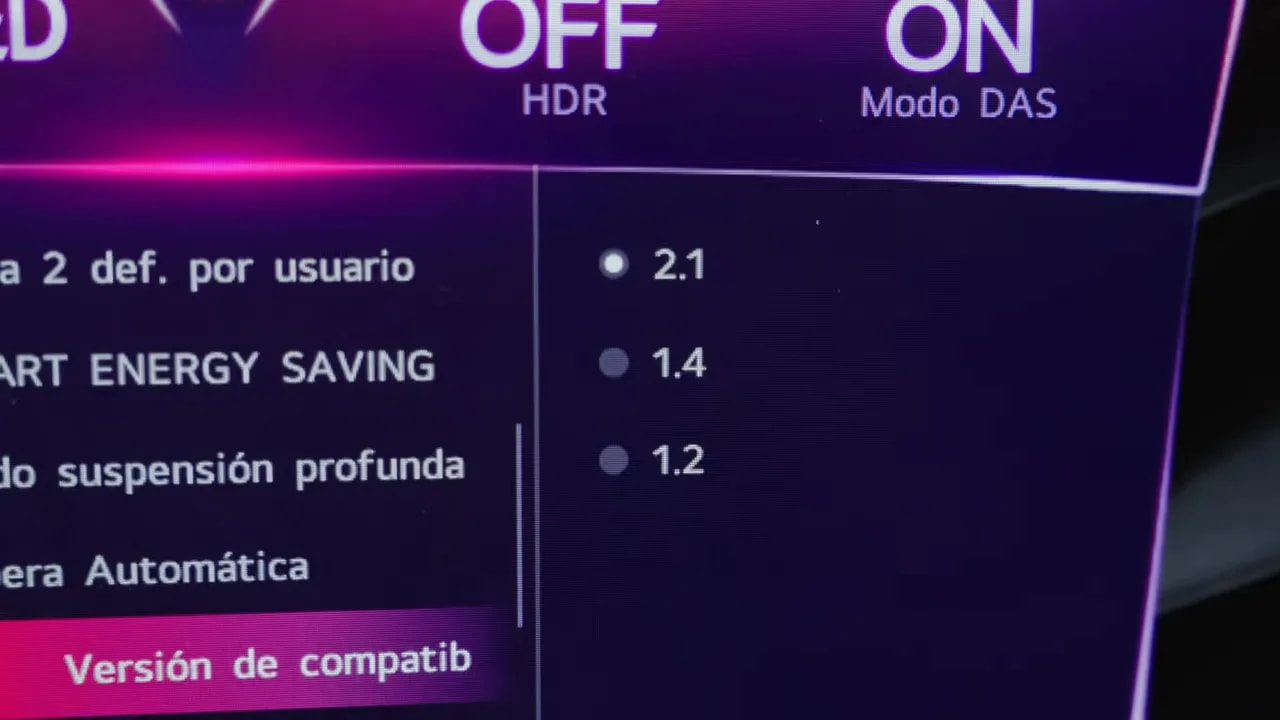
Here comes another bug. Mainly in Basic, though also in Extended, the monitor sometimes lost the image. Some investigation suggests a link to the implementation of DisplayPort 2.1.
Be careful, because marketing can mislead here. Yes, DisplayPort 2.1 is prominently advertised, but it is not full bandwidth. It is UHBR 13.5, still insufficient for 1440p at 480 Hz, even at 8 bits, without compression. So it still relies on DSC.
Interestingly, entering the monitor menu and forcing DisplayPort version to 1.4eliminated the image-loss issue in my G-Sync tests. So the simplest recommendation is:
- If you use VRR and encounter issues, try DisplayPort 1.4
- For simplicity, disable G-Sync
Honestly, I do not usually recommend G-Sync on OLED because of flicker. Personally, I prefer a light V-Sync setup and leave it at that. Flicker bothers me more than VRR benefits me.
The input lag is quite good, especially with DAS enabled. That is LG’s low-latency mode, and with my most recommended preset, Gamer 1, it is enabled automatically.
This configuration provides lower latency than other non-gaming modes. No surprises here: it delivers what a monitor of this type should.
It allows 24-inch mode emulation, useful if you prefer a smaller play area for competitive games.
PS5 and panel maintenance
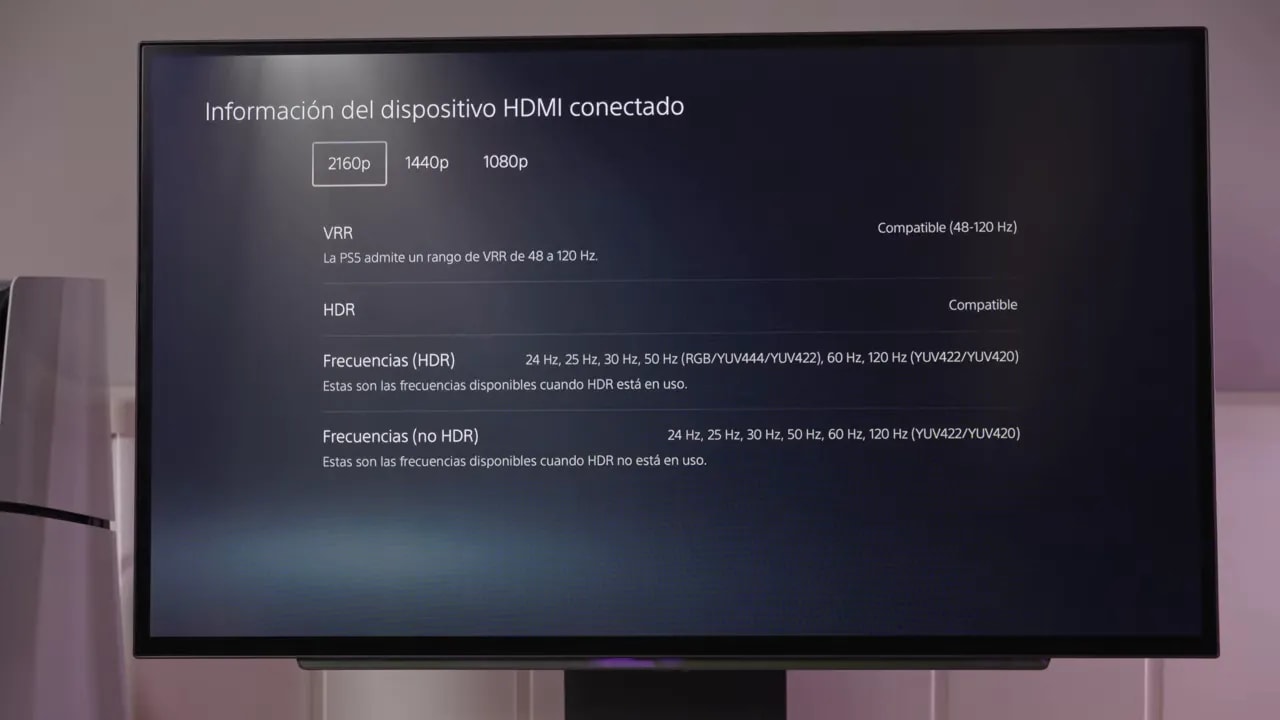
I would not buy this monitor specifically for PlayStation 5, but since that is an option, its behavior is worth checking.
Full-bandwidth HDMI 2.1 allows:
- 4K
- 120 Hz
- VRR
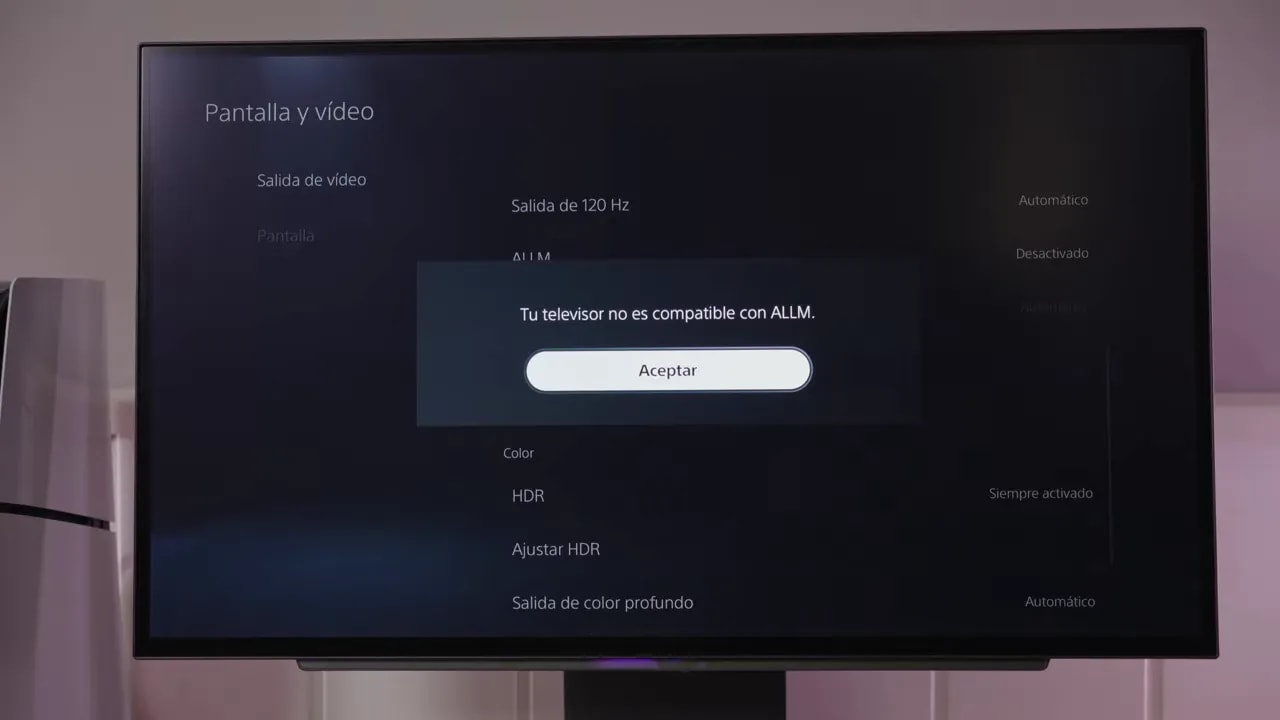
The drawback is ALLM. I could not enable it. After adjusting settings and trying configurations, the system still reported no support. I am unsure whether it conflicts with the low-latency mode automatically active in Gamer 1, but it certainly did not work as expected.
Protection features are nothing exotic: somewhat limited, but sufficient. There are no presence sensors or unusual additions. It includes the usual basics:
- Pixel Shift
- Pixel refresh
- Other typical maintenance routines
Price and alternatives: where it makes sense
Price is what makes this monitor truly interesting. Regular retailers often list it below 700 euros, but LG’s own official store often makes the most sense, particularly with a coupon.
With the additional discount from the LGIMARTZ coupon on its website, it can come to around 630 euros. That changes things, putting it in a price range with few direct competitors at these specifications.
The coupon is an affiliate code; LG is not sponsoring this or any review you see here.
You can also check Amazon: I have seen a similar price there, though it usually costs slightly more.
Against the Asus model using the same panel, this LG fares better in value for money. The Asus is slightly more polished, though. It has extras such as:
- A more refined overall feel
- Features such as OLED anti-flicker
- Black Frame Insertion
But it also omits things such as:
- Hardware calibration
- 4-pole audio jack
Since it normally costs considerably more, honestly, I would not pay that extra under any circumstances.
If spending significantly more, I would prefer moving to another category:
- A 500 Hz QD-OLED
- Or the 540 Hz tandem WOLED with dual mode from Asus
But that is another league of price and availability.
After considering everything, the conclusion of this LG 27GX790A Technical Review is quite simple: seems highly recommendable to me if you want an OLED monitor with an extremely high refresh rate at the lowest possible price.
It is not perfect. It has:
- A matte finish
- Some avoidable bugs
- Calibration details needing improvement
- Typical WOLED limitations in blacks, grays, and SDR/HDR
But none seems serious enough to rule it out, especially for the price. That says a lot for such a niche product as a 480 Hz 1440p OLED.
If you find the LG 27GX790A at the right price, it is a very solid purchase. It is not the perfect 480 Hz OLED, but may suit many people best because it costs less than it should for what it offers.
Quick summary:
- Best: 480 Hz, good color, hardware calibration, low latency, very competitive price
- Worst: matte finish, VRR flicker, occasional bugs, typical WOLED limitations
- Recommended purchase: yes, especially if refresh rate and price are priorities