Tested by IMartz
Gigabyte G27Q3
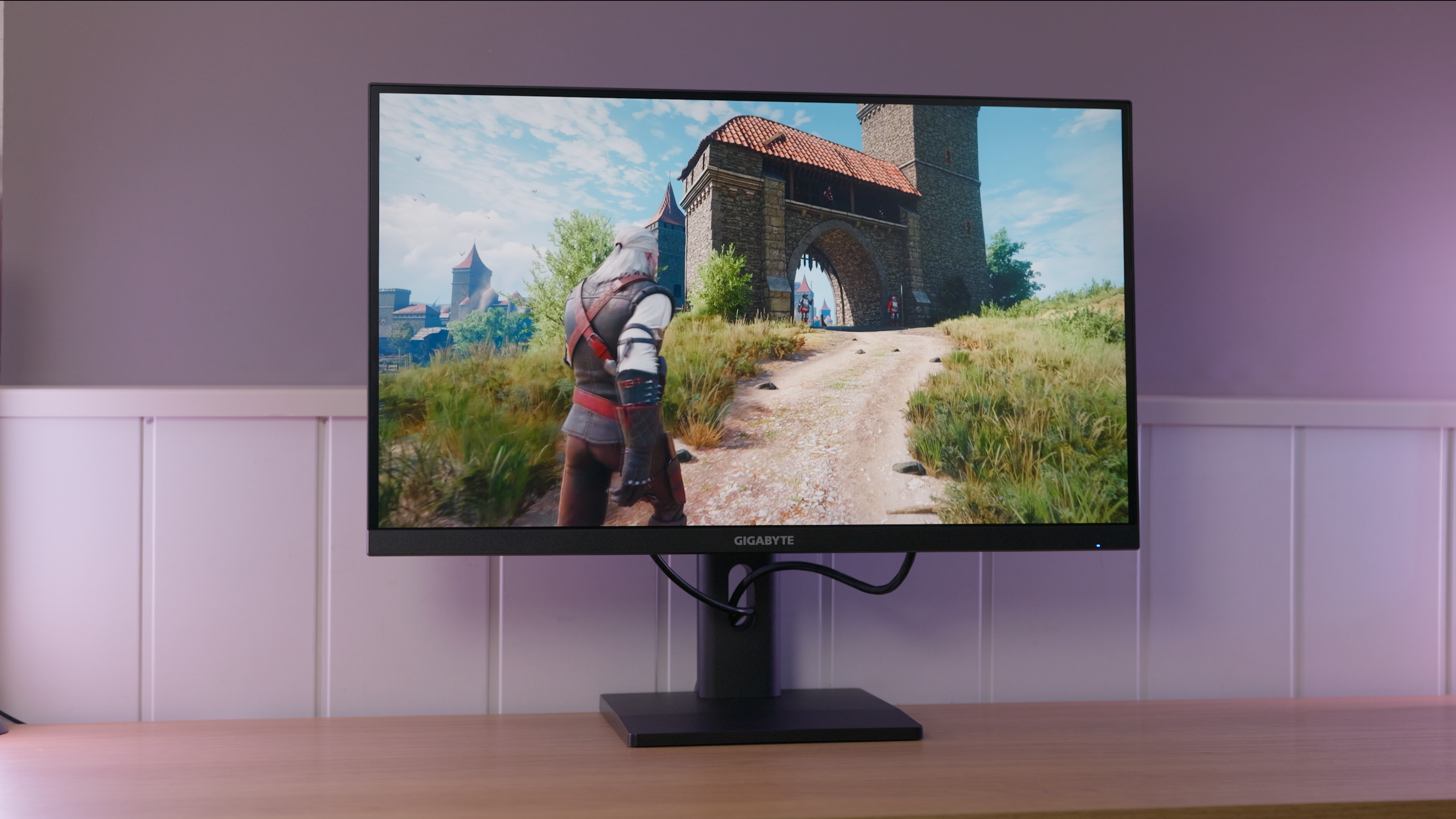
A 27-inch, 1440p, 320 Hz IPS with very good colours for its price. On the tested unit, poor brightness uniformity and colour balance that drifts during use undermine an otherwise attractive specification.
PanelIPS
IMartz verdict
Pros
- Very good colours for the price.
- An appreciably smooth gaming experience at 320 Hz.
- Strong specifications for the price and an adjustable stand.
Things to consider
- Very poor brightness uniformity on the tested unit.
- Colour balance drifted noticeably after a short period of use.
- Image retention during the UFO test and a plasticky-feeling stand.
A good fit if…
- You want very smooth motion and good colours on a tight budget.
- You prioritise PC gaming performance over build quality.
Consider another option if…
- You need even brightness and stable colour for image work.
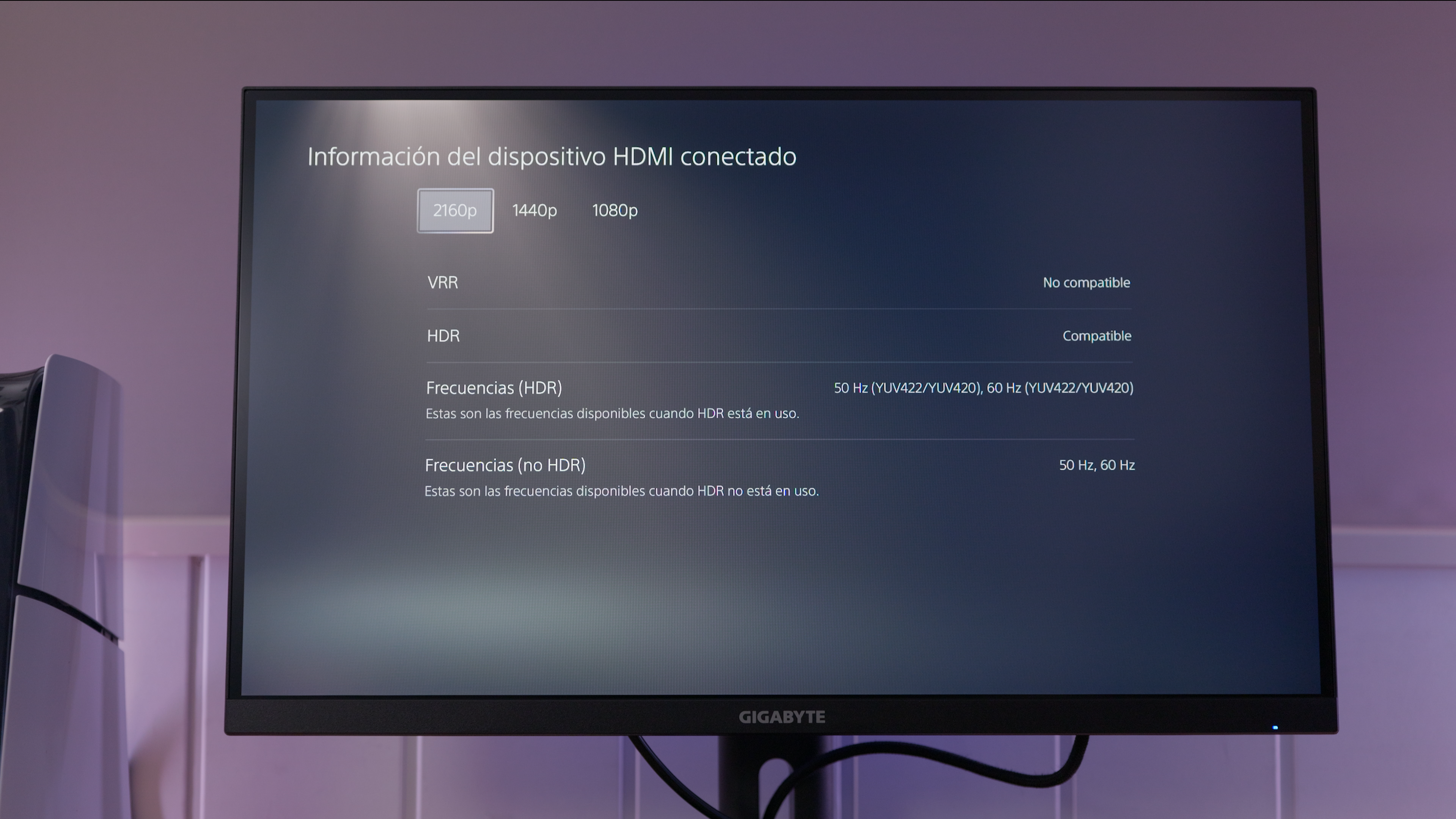
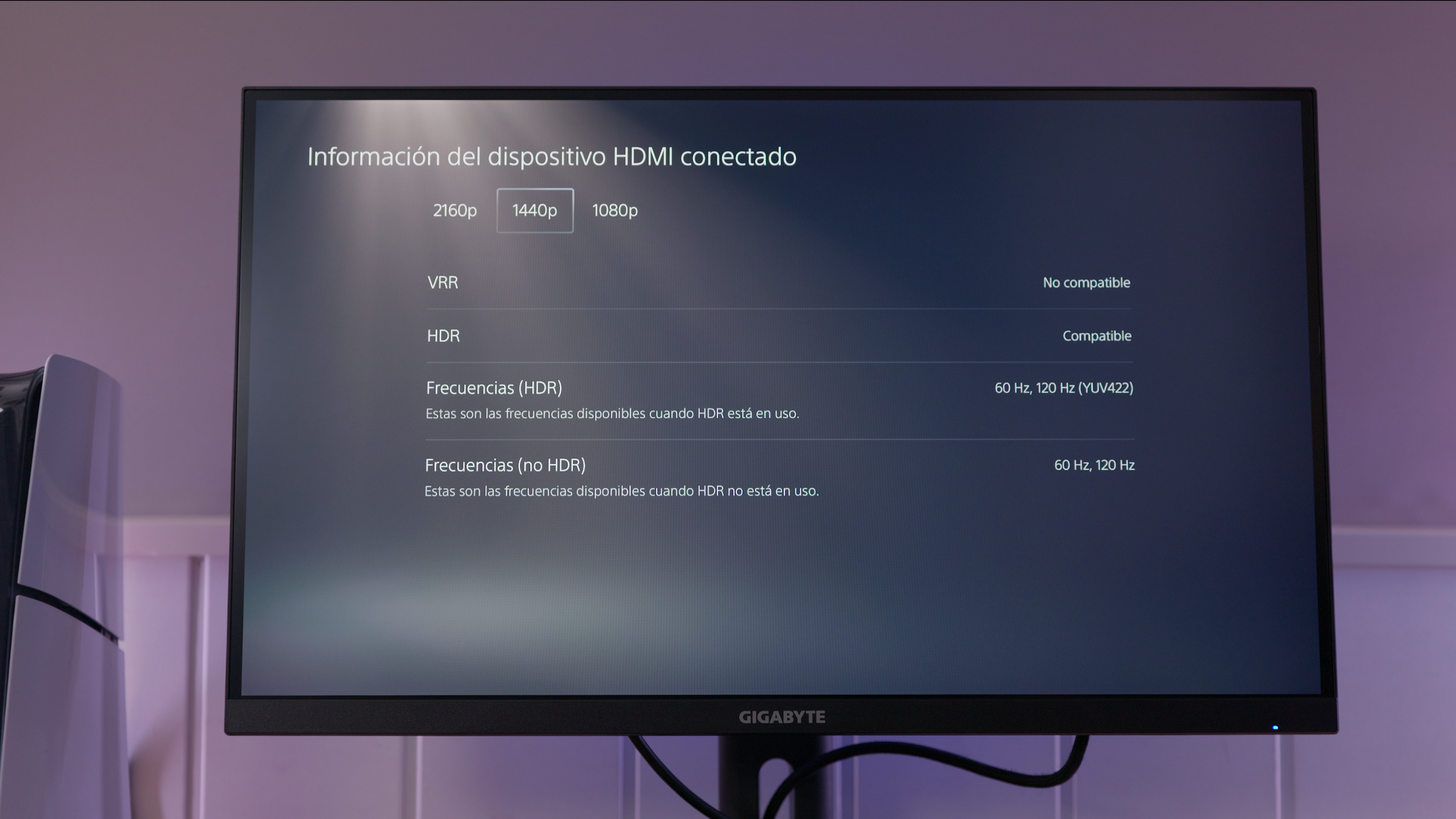
- You want HDR with deep blacks or VRR on PS5.
Measurements and specifications
IMartz test results. See each section for the measurement conditions.
Display and format
SDR performance
Color, brillo, contraste y comportamiento básico fuera de HDR.
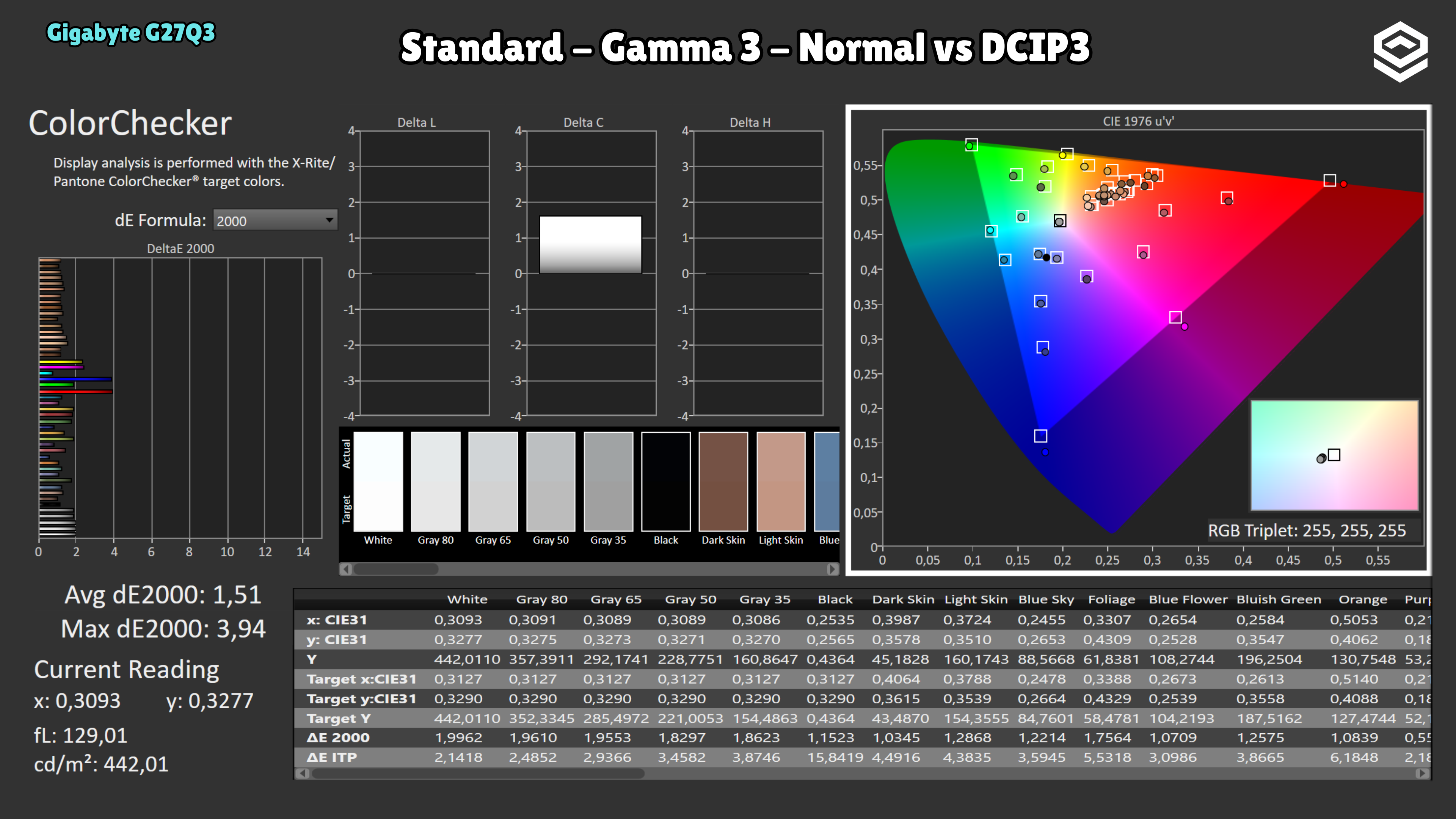
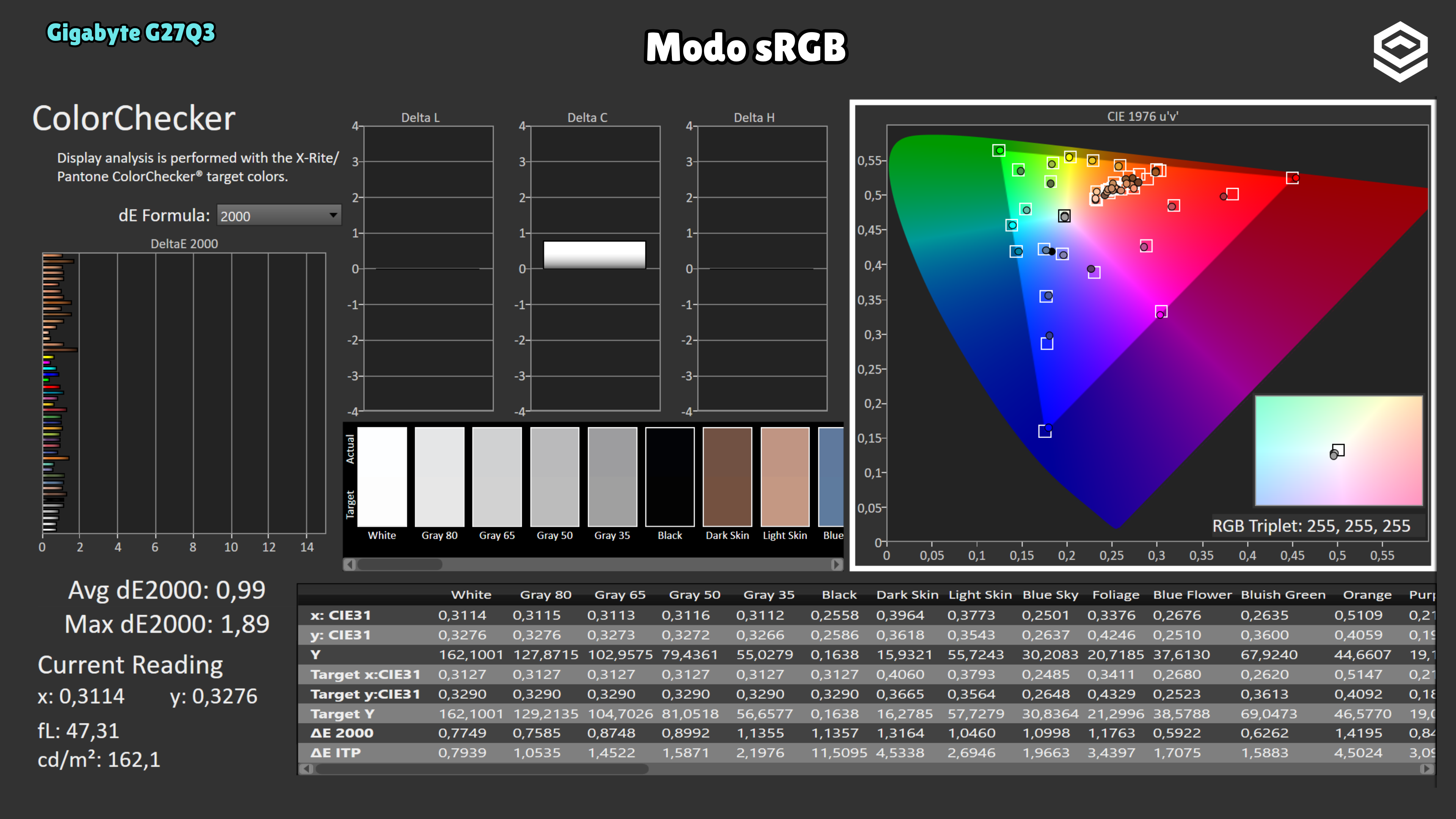
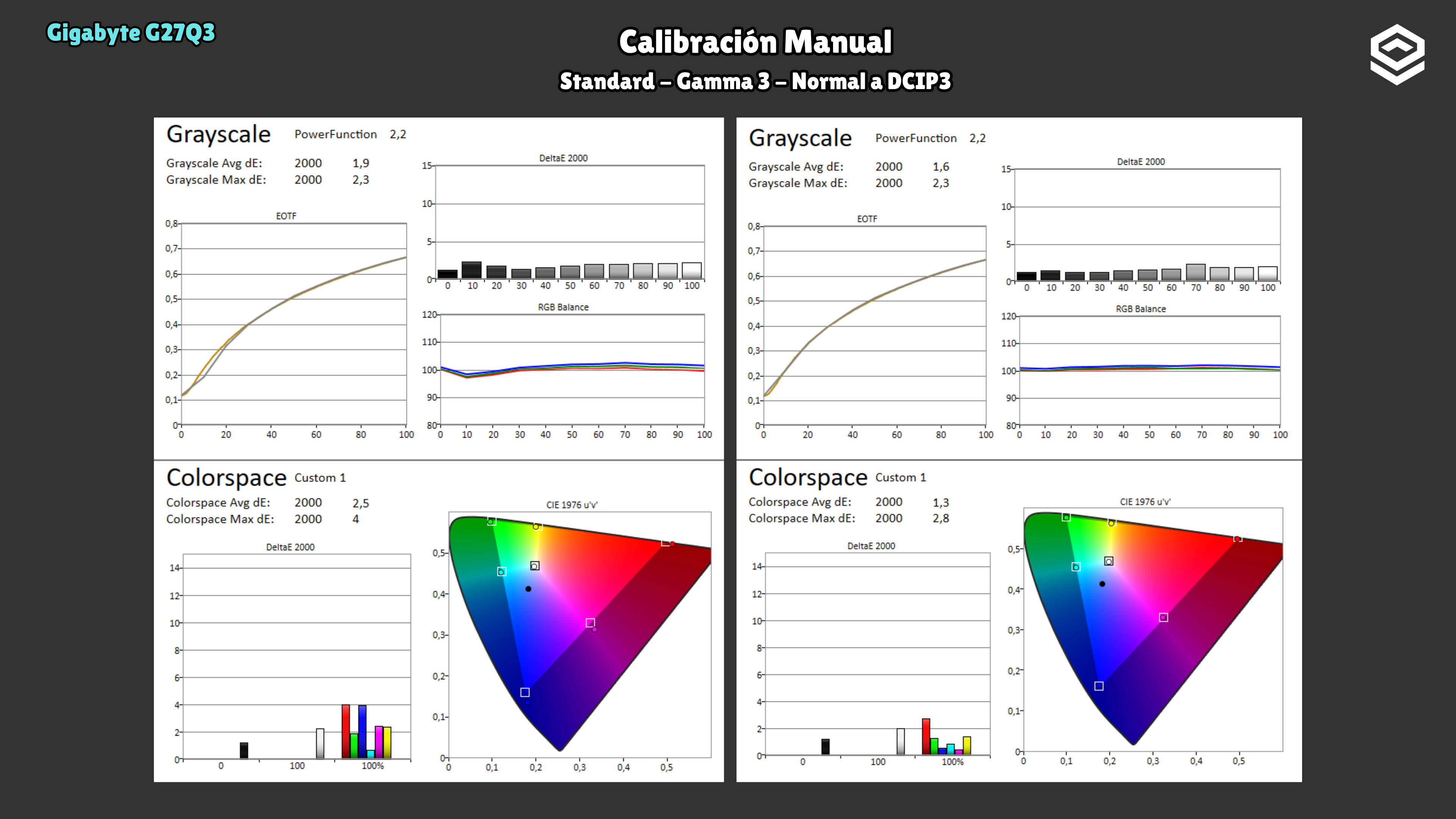
Test note · DCI-P3 accuracy
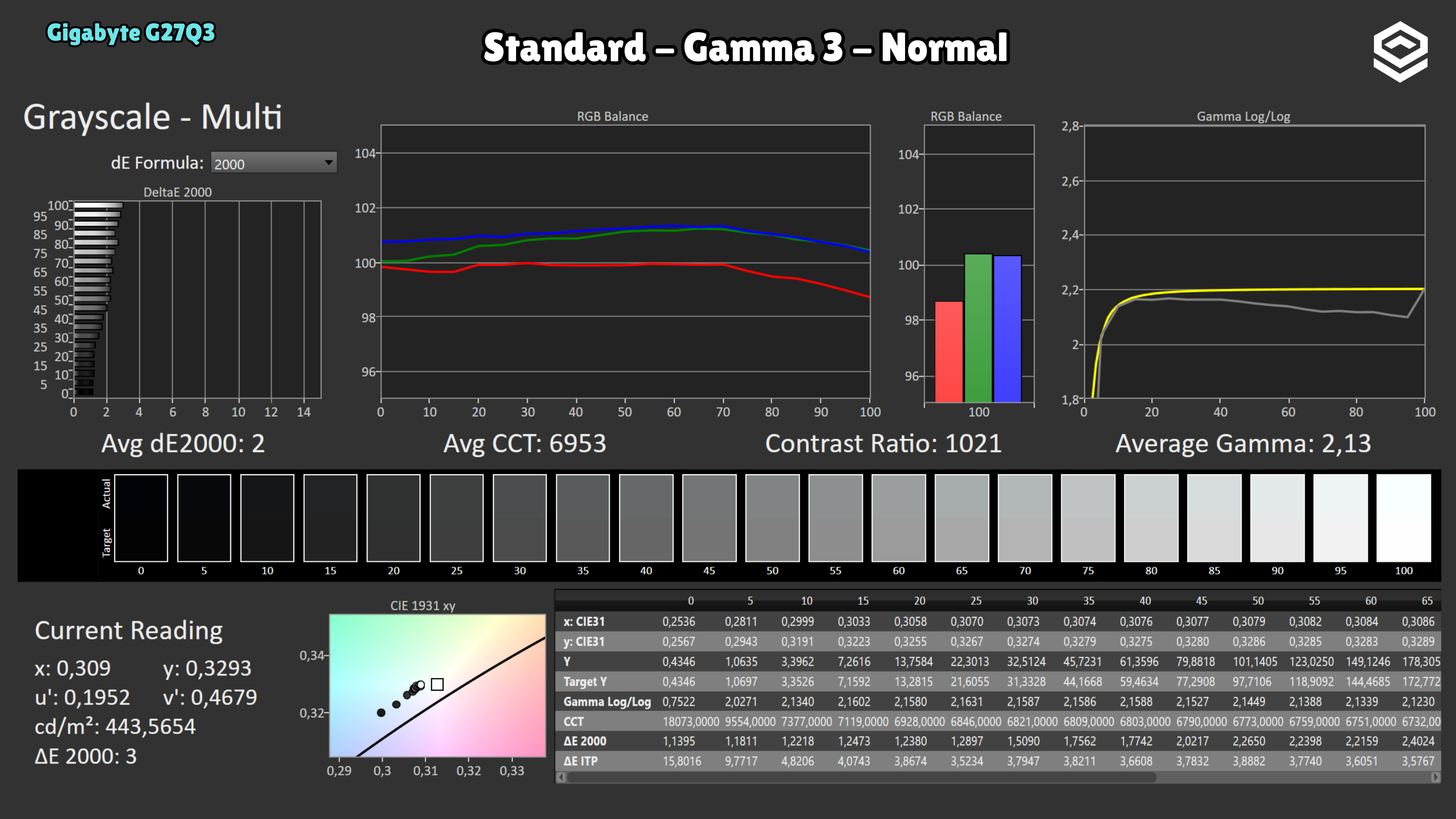
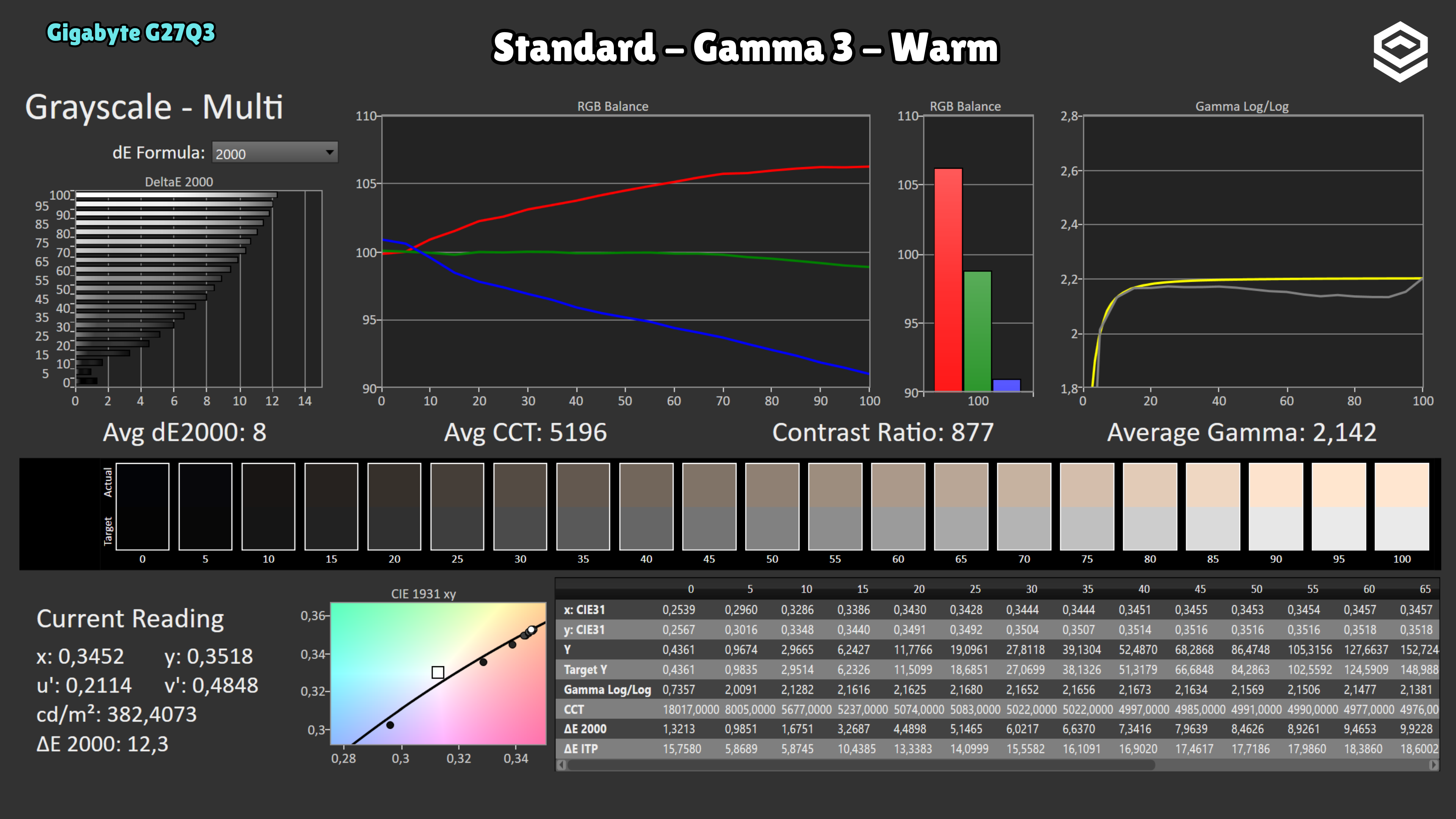
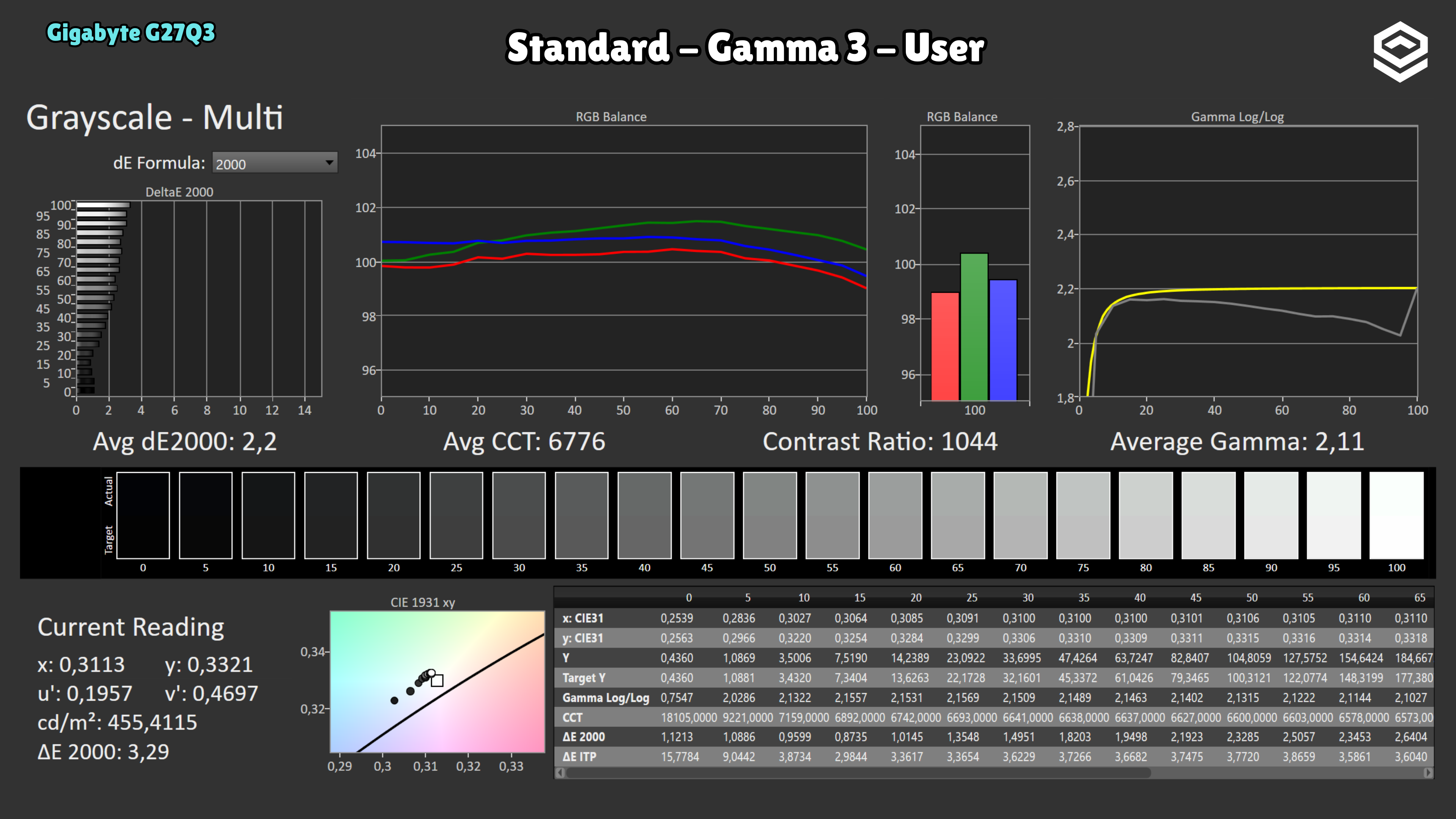
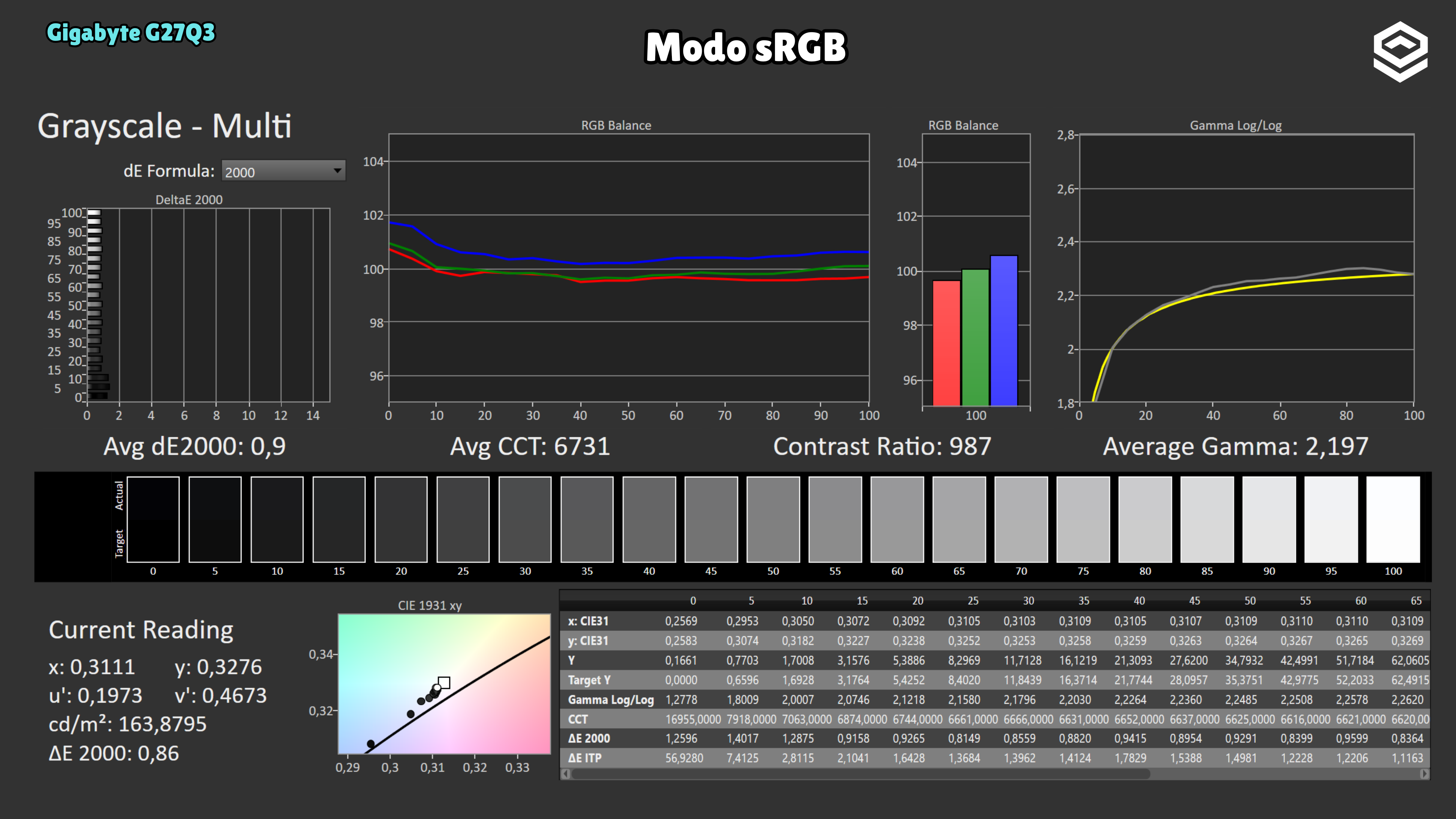
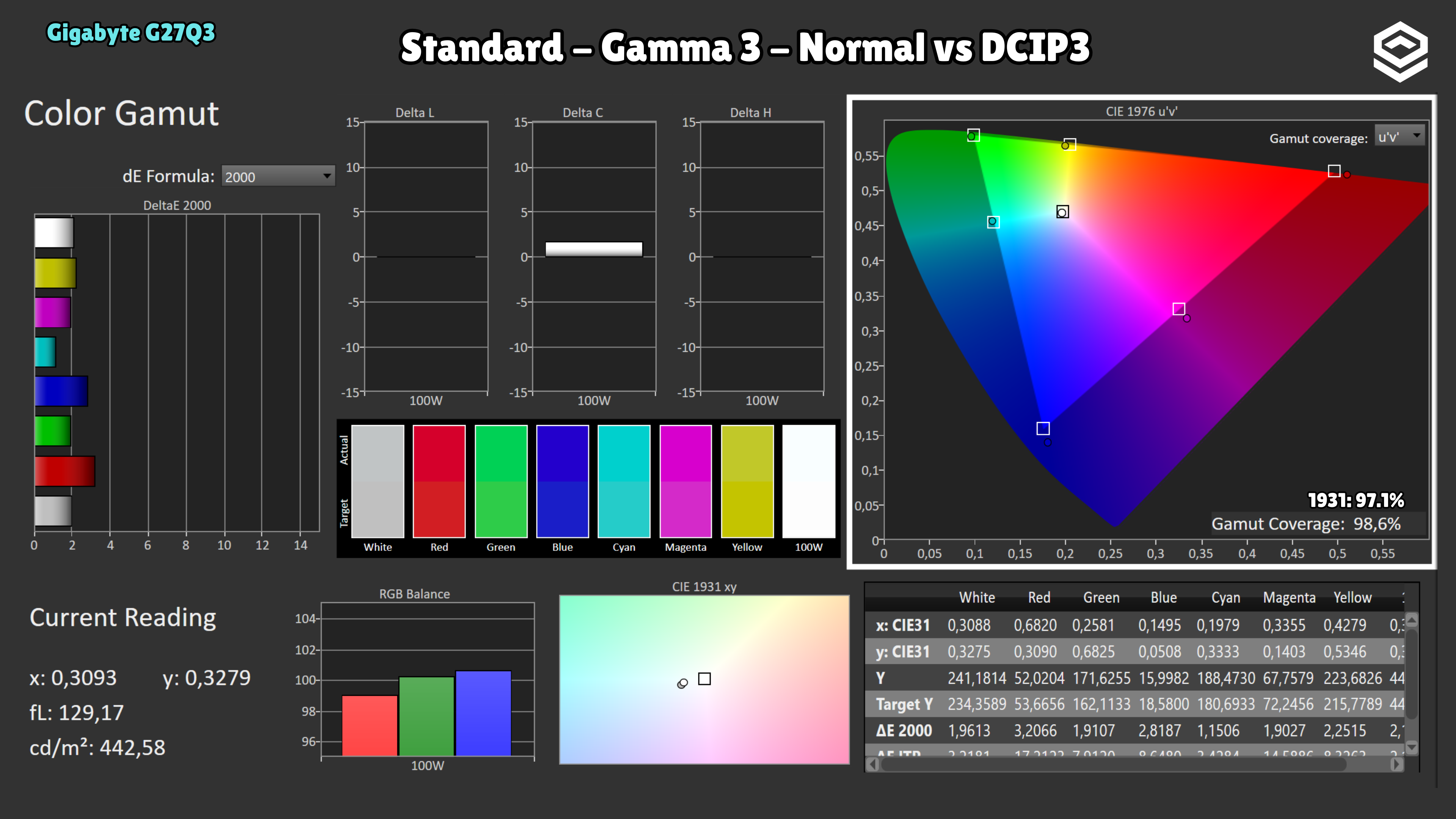
Initial calibration measures well, but after a short period of use I observed a substantial shift in colour balance. This unit appears unstable in that respect; these initial measurements do not guarantee that it will maintain the same result during use.
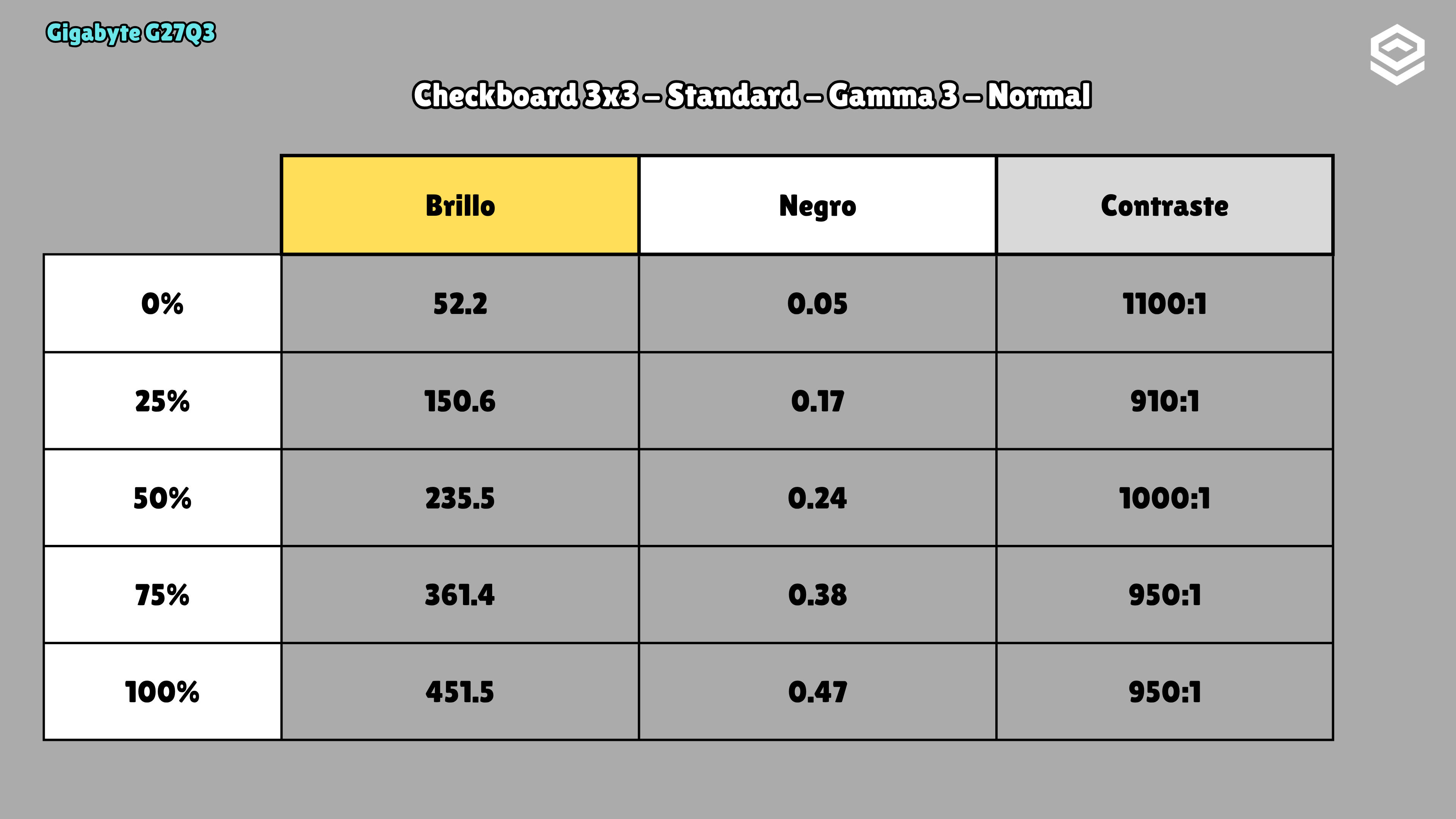
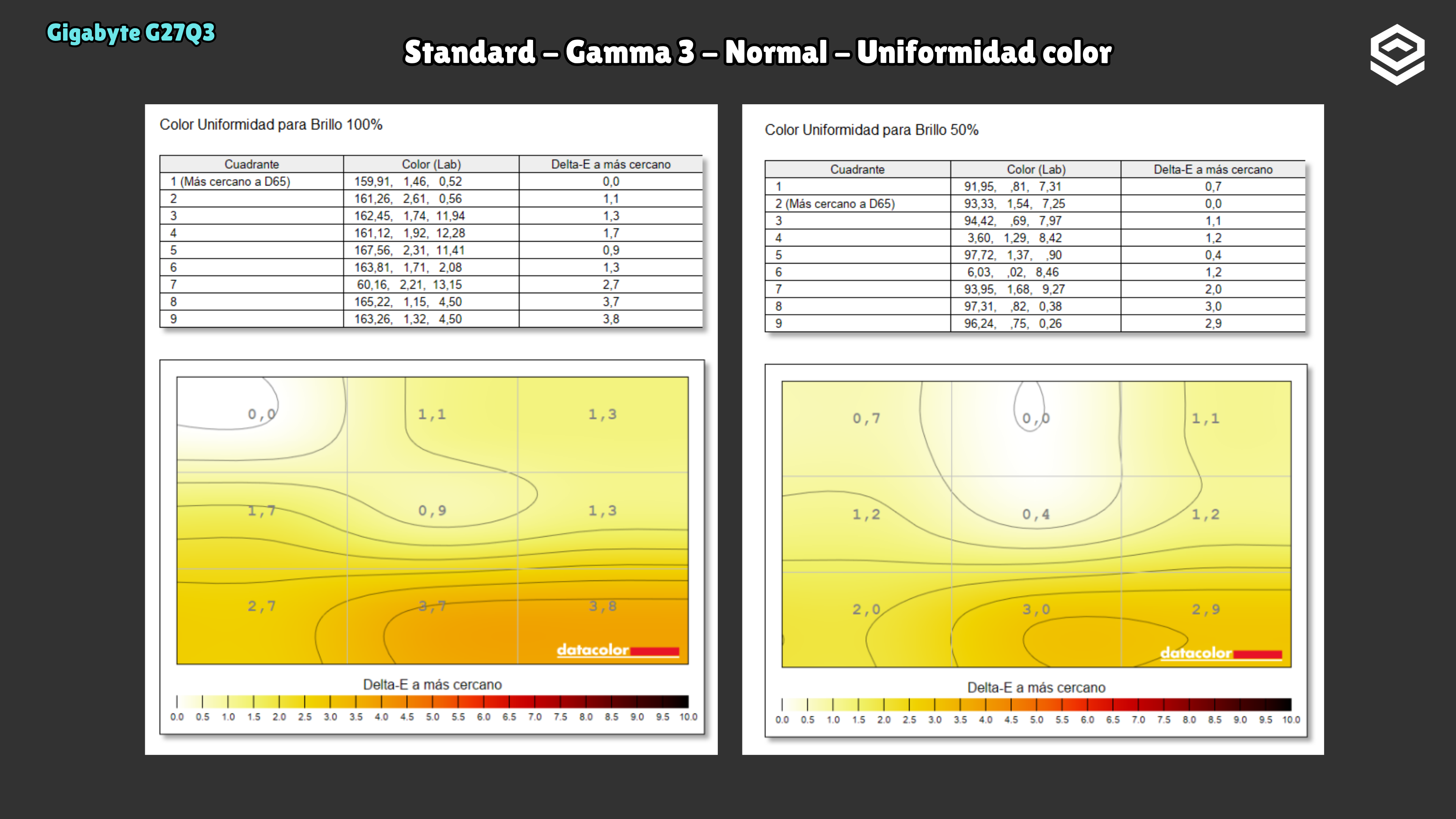
Test note · SDR brightness
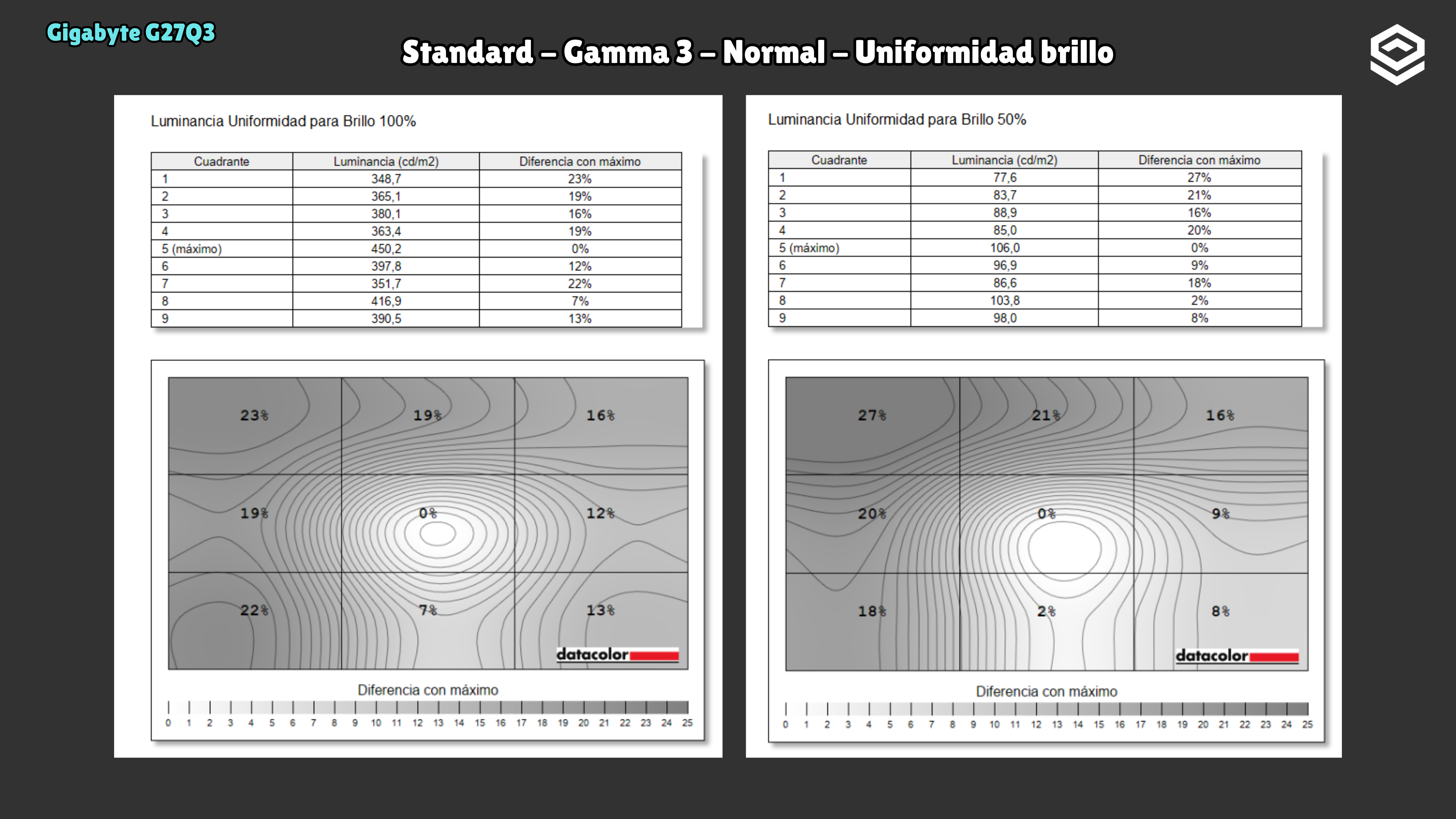
Brightness uniformity is very poor on this unit: the largest difference between areas reaches 23% at 100% white and 27% at 50% grey.
HDR performance
Brillo pico, volumen de color, EOTF y experiencia HDR real.
Test note · EOTF tracking
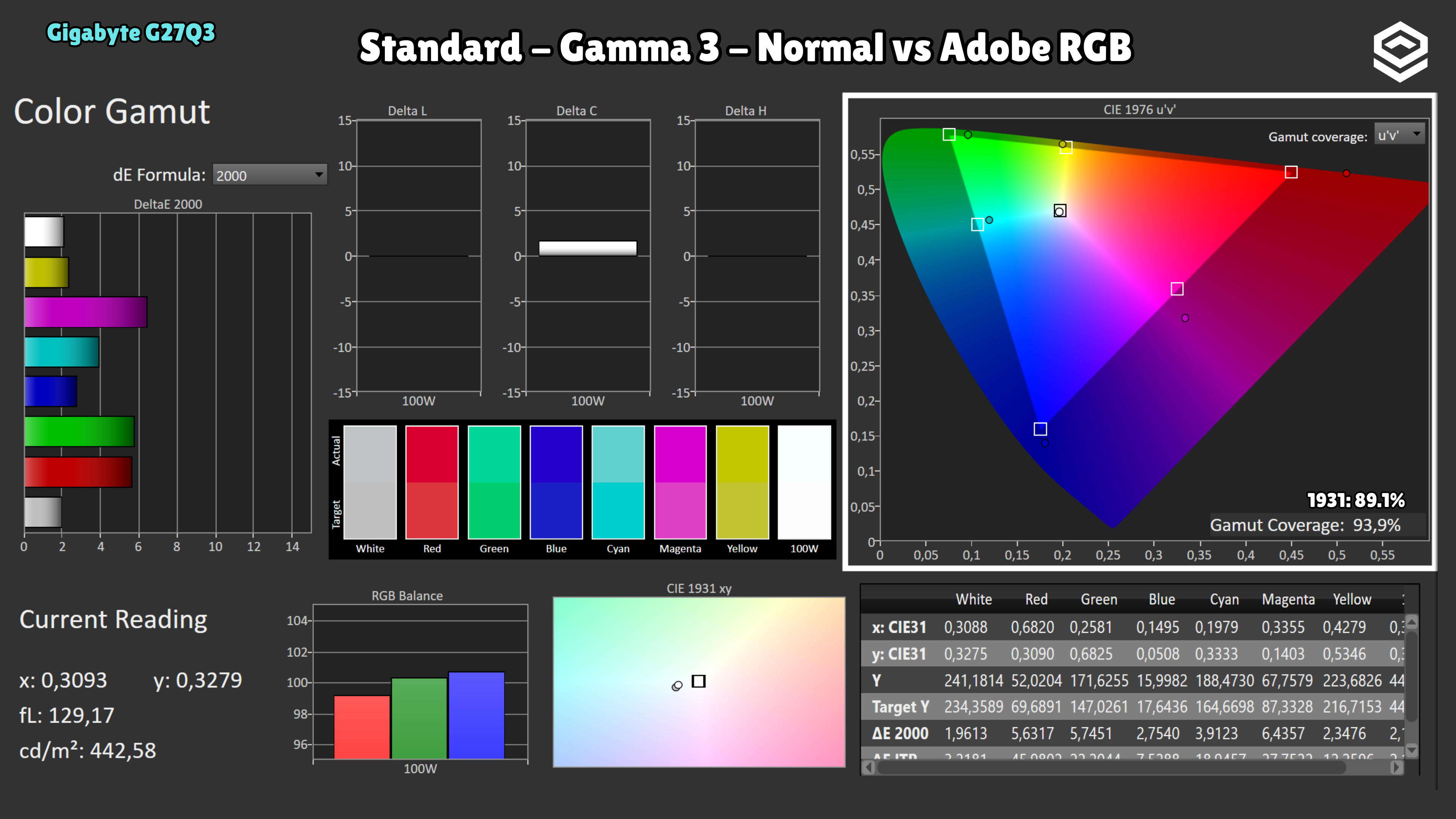
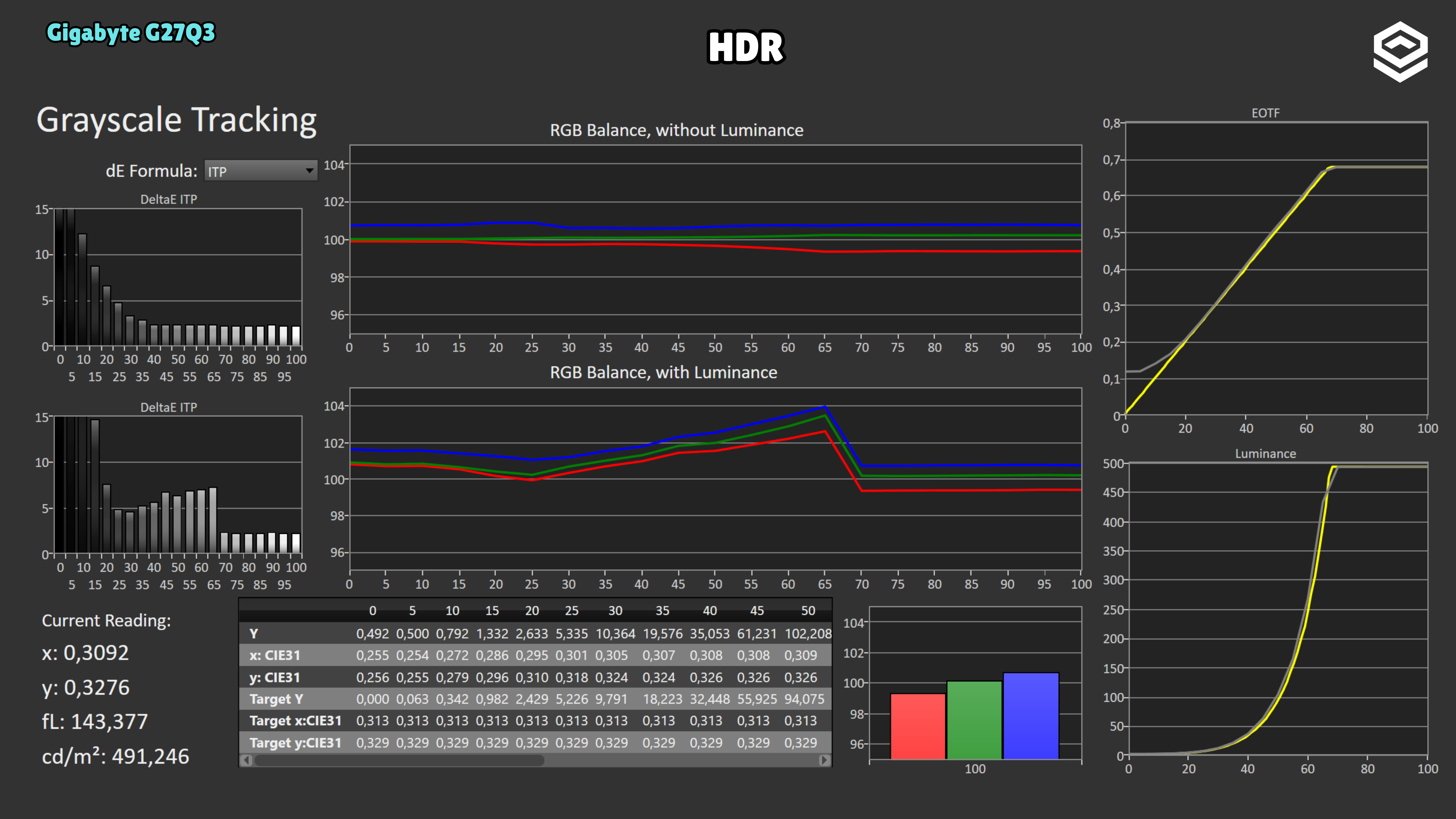
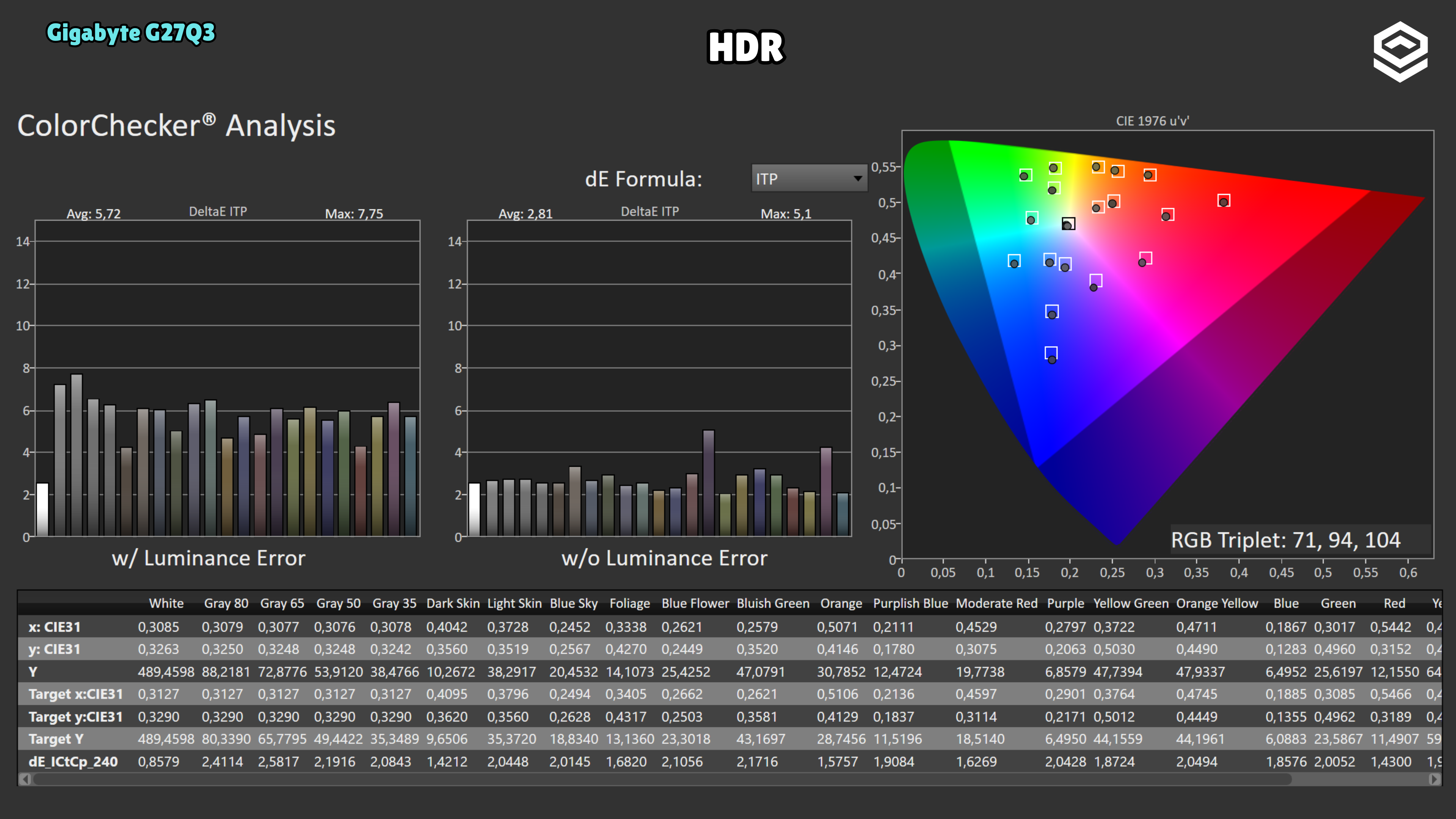
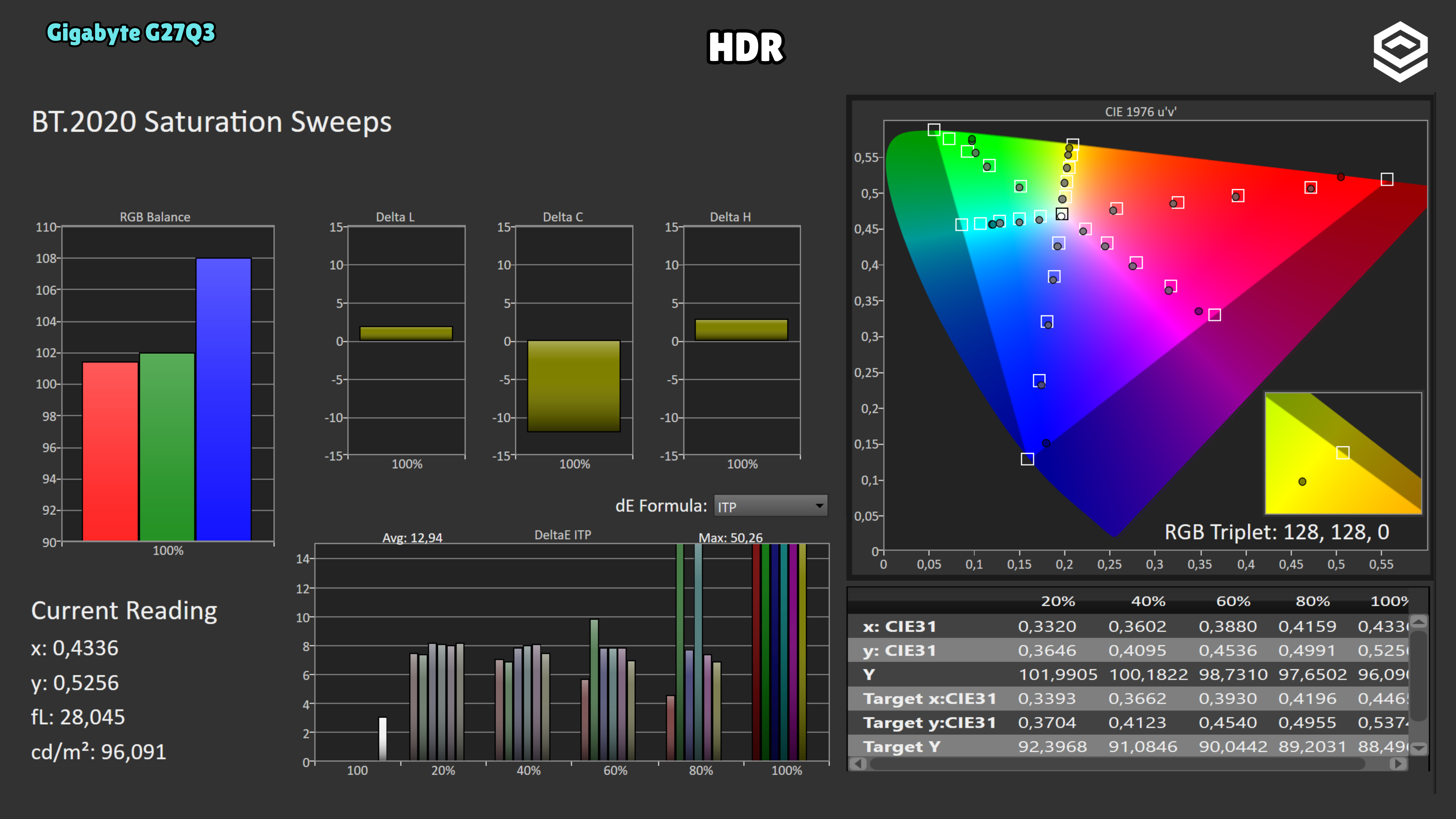
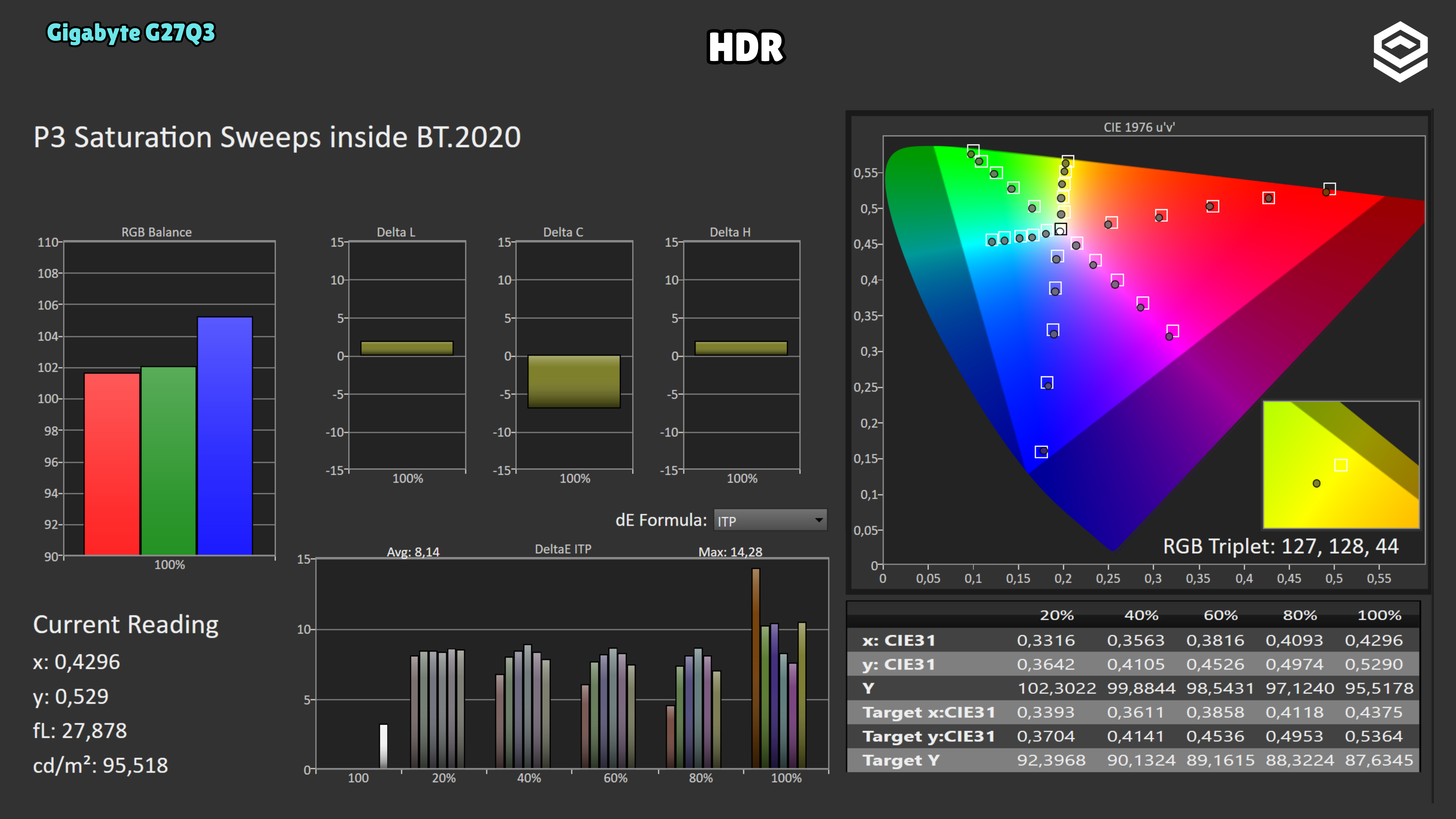
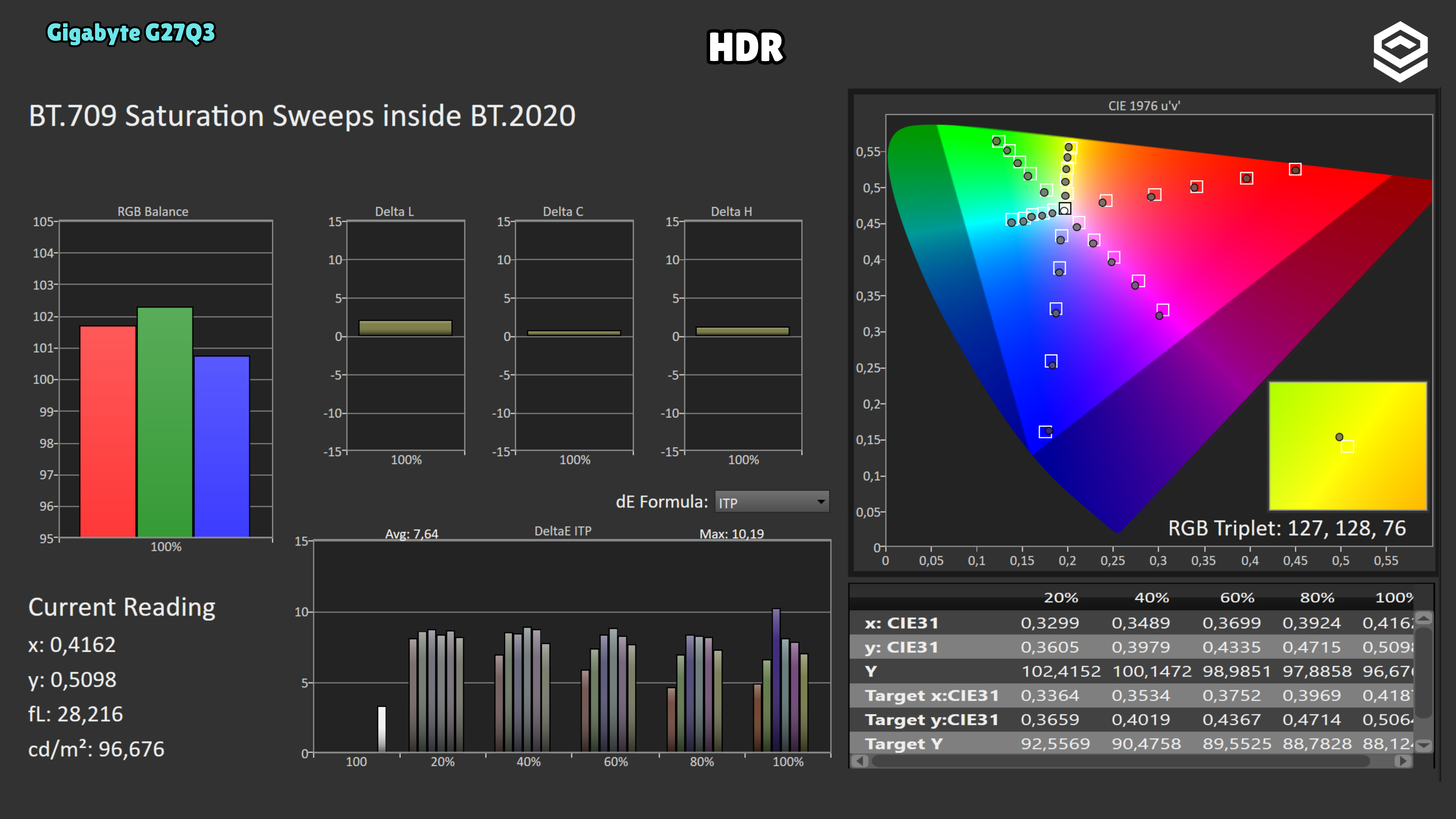
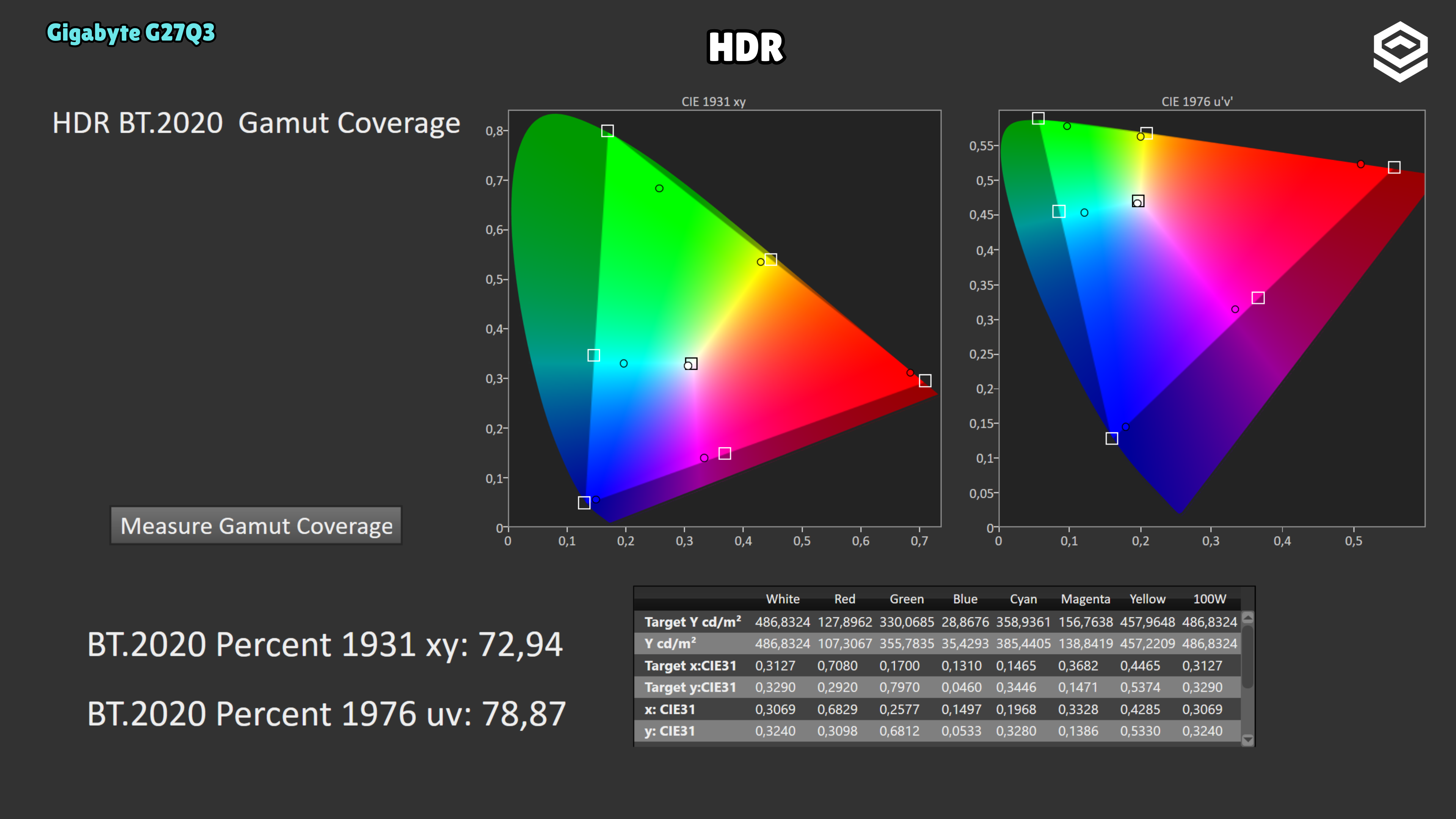
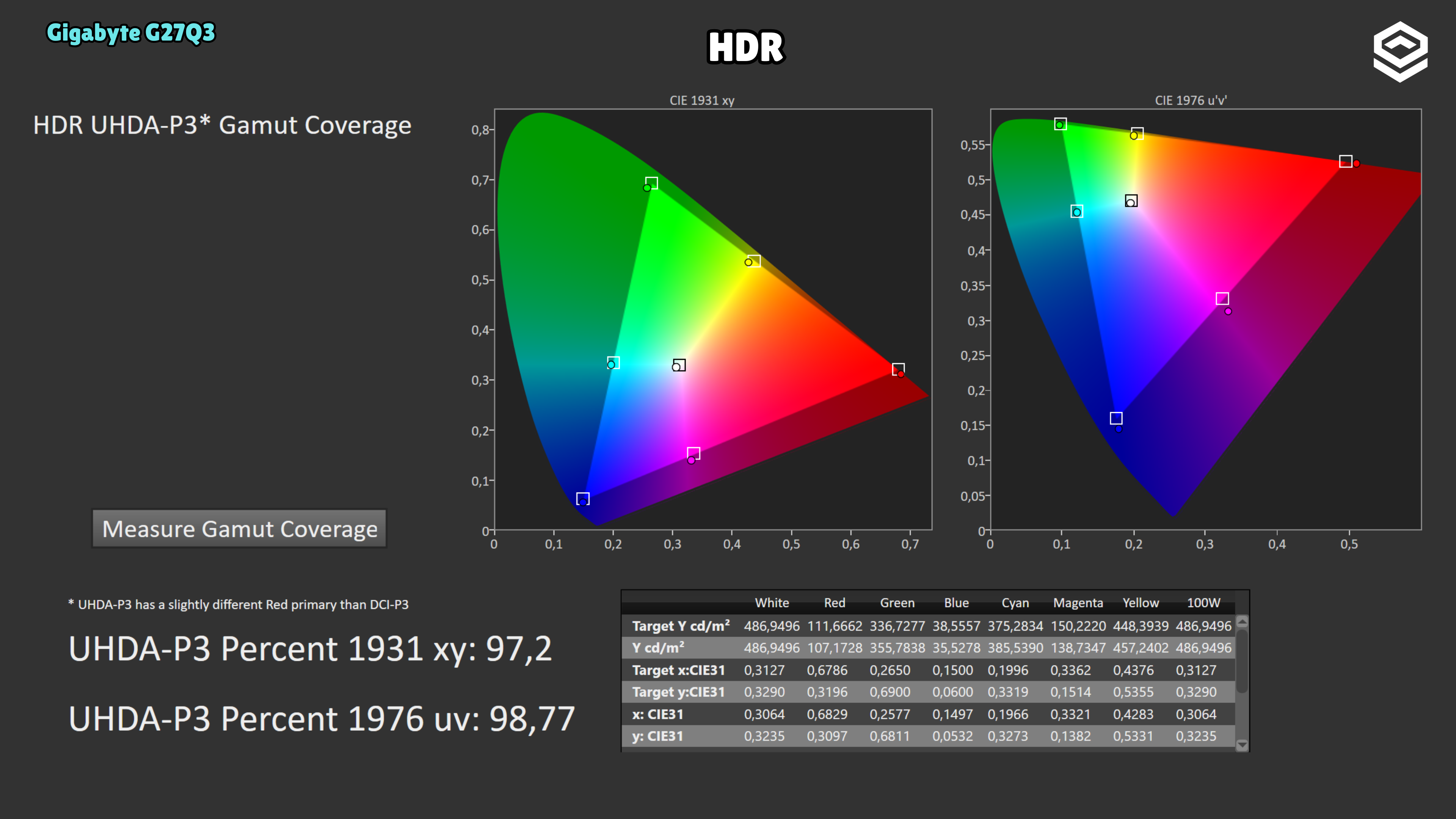
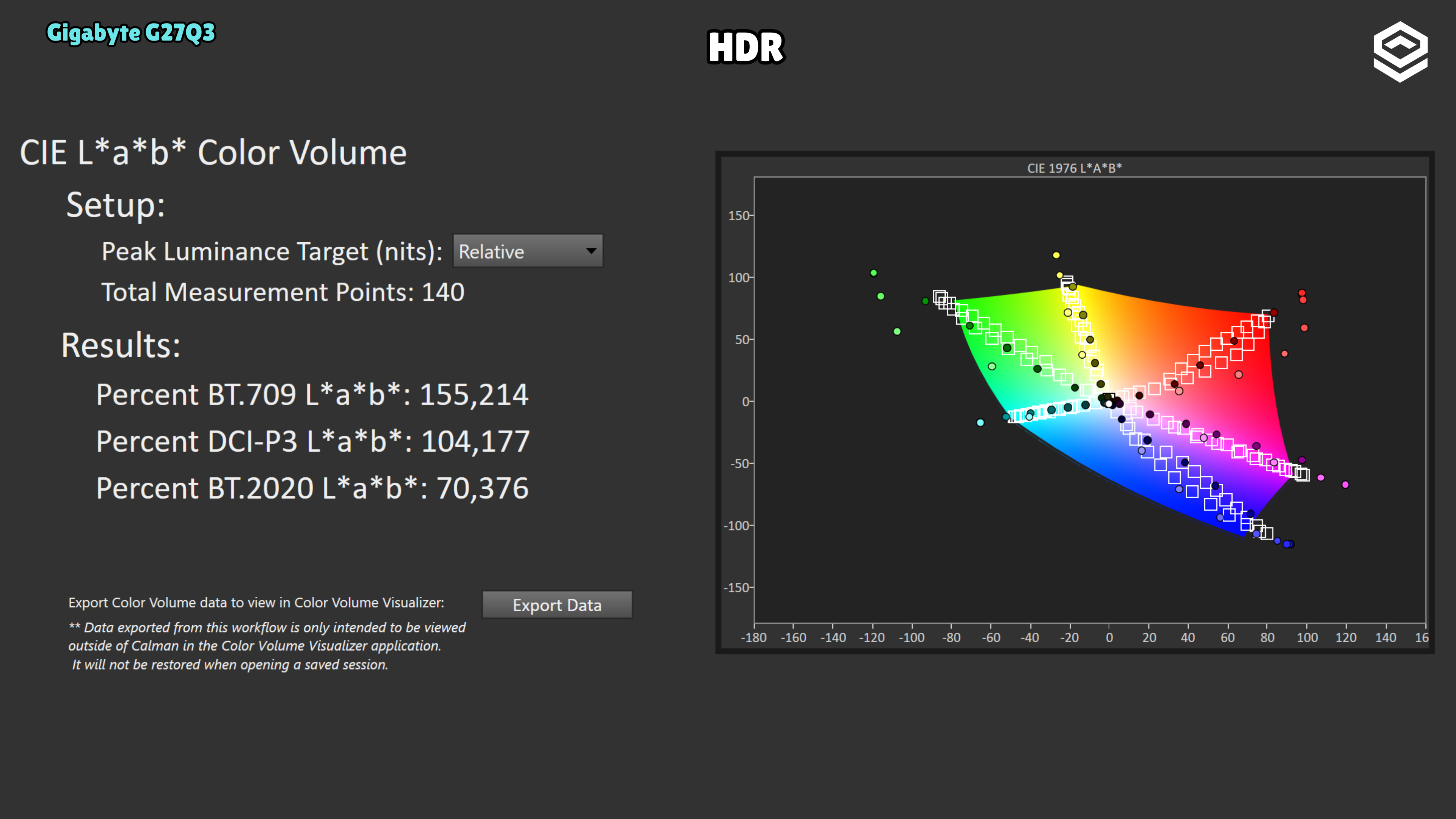
The measured curve raises shadows: black level is around 0.49 nits and dark steps sit above the reference. Midtones also show small upward deviations, and brightness plateaus near 491 nits at the upper end. The wide colour gamut is good, but panel contrast limits black depth and HDR impact.
Response time and PC gaming
Overdrive, tiempo de respuesta, overshoot, VRR e input lag.
Test note · Response time
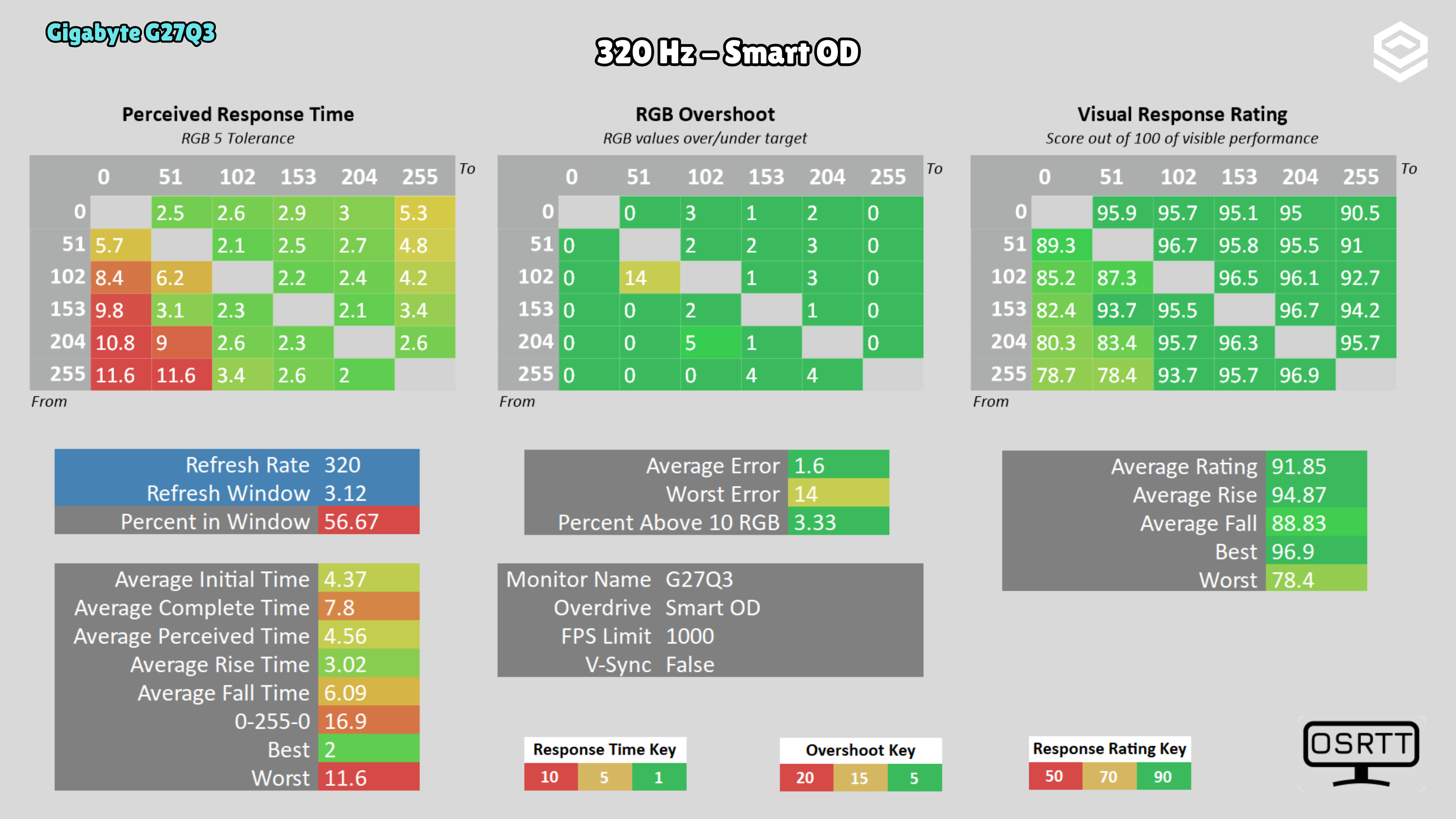
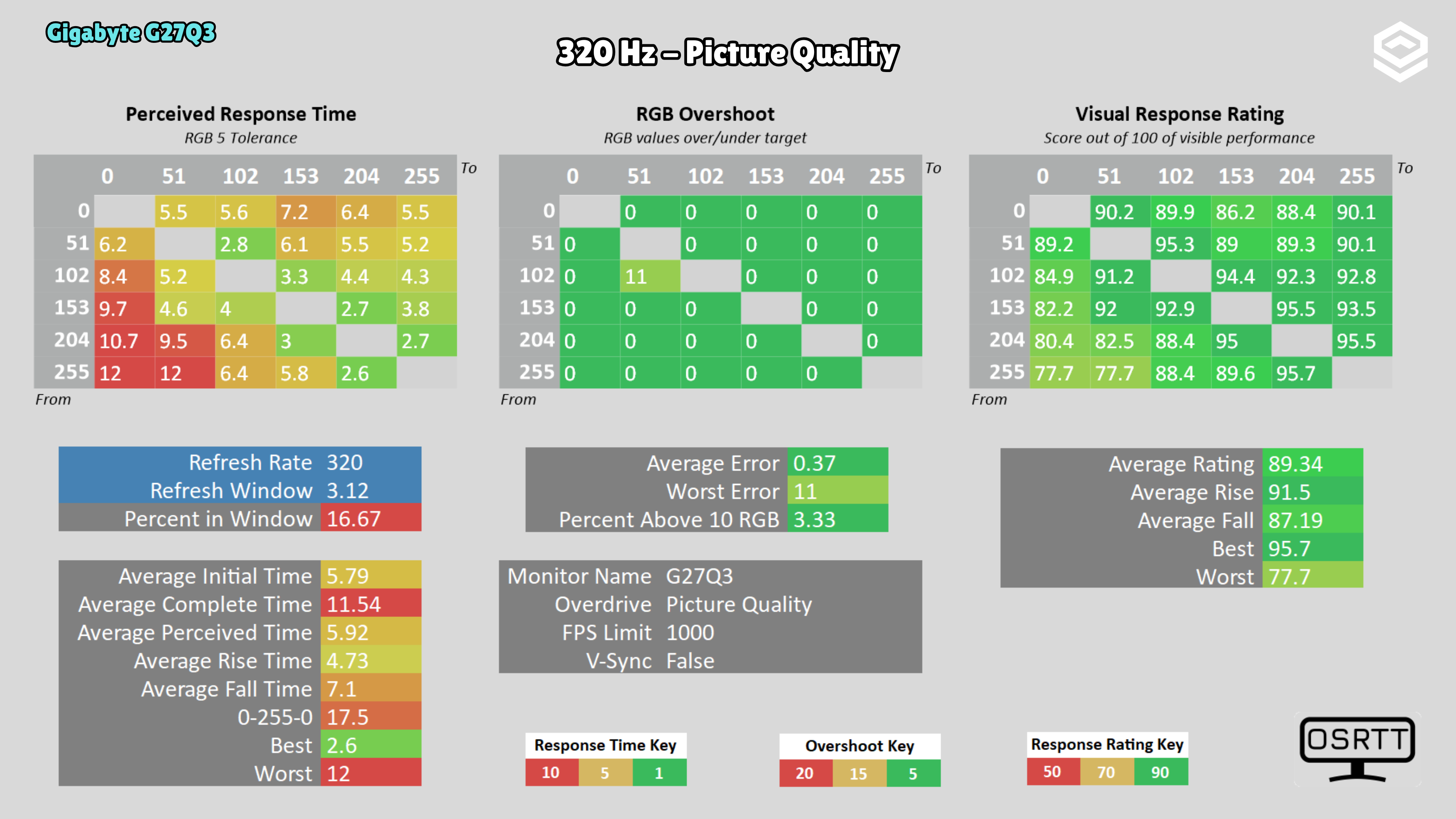
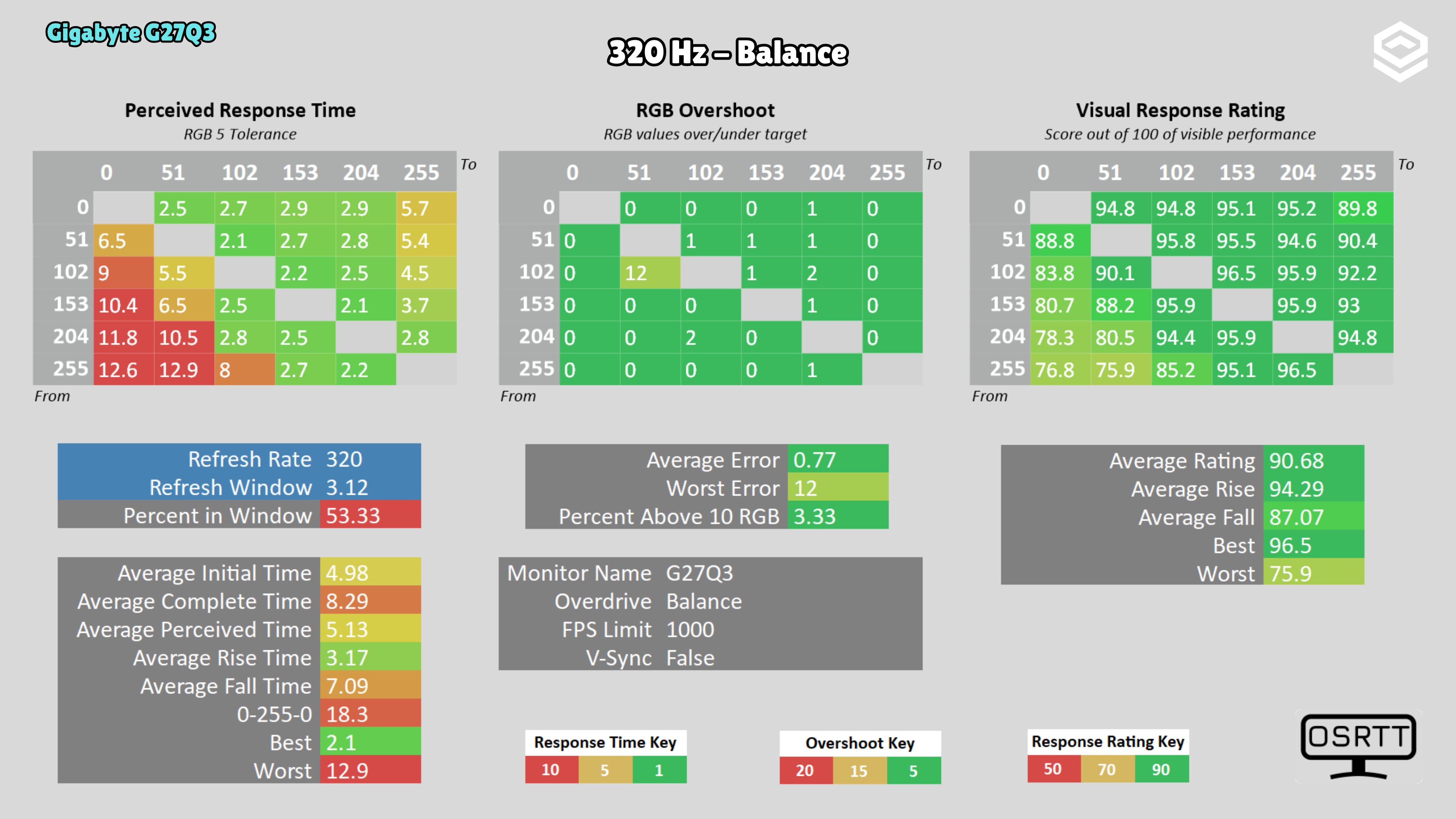
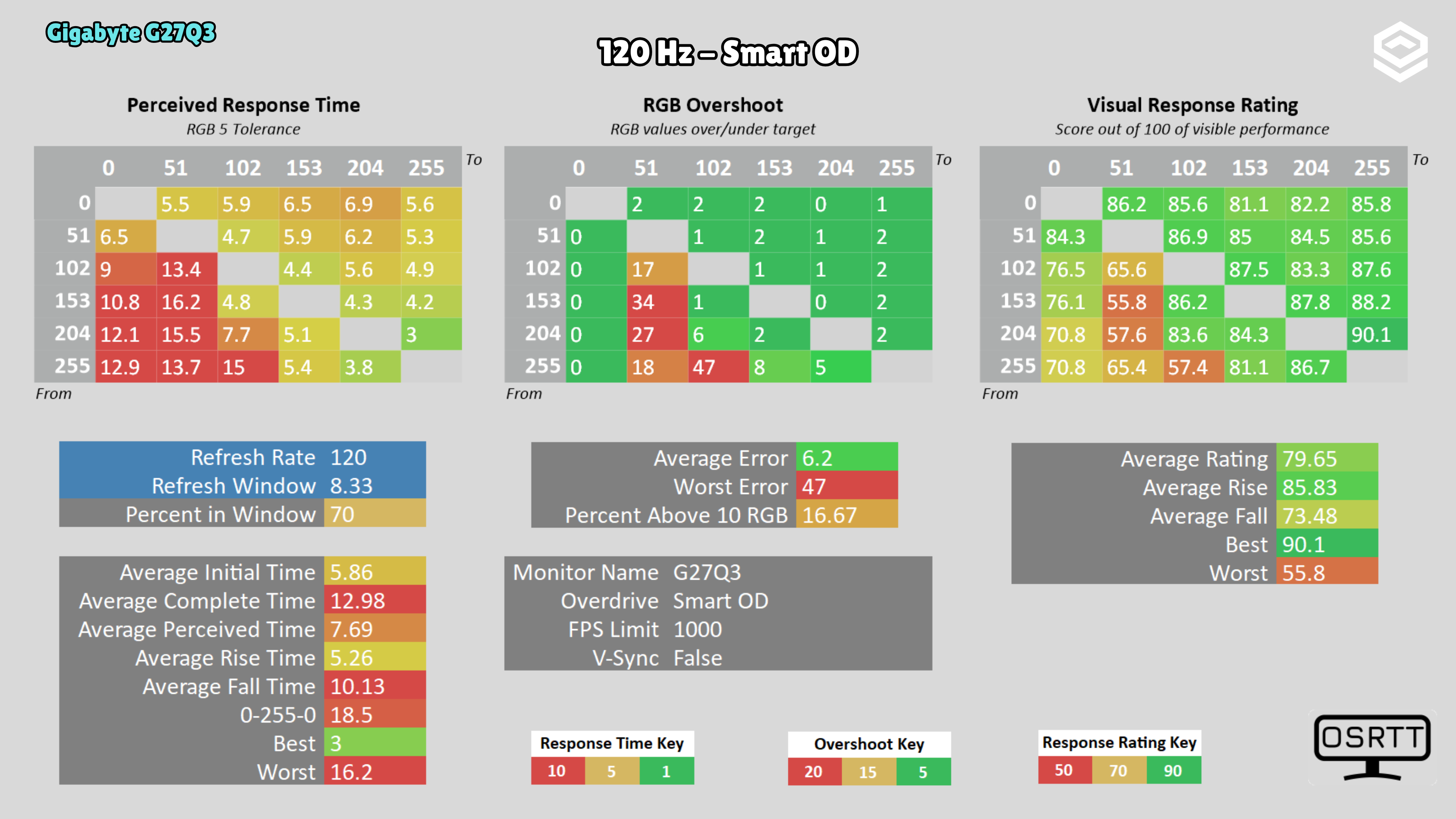
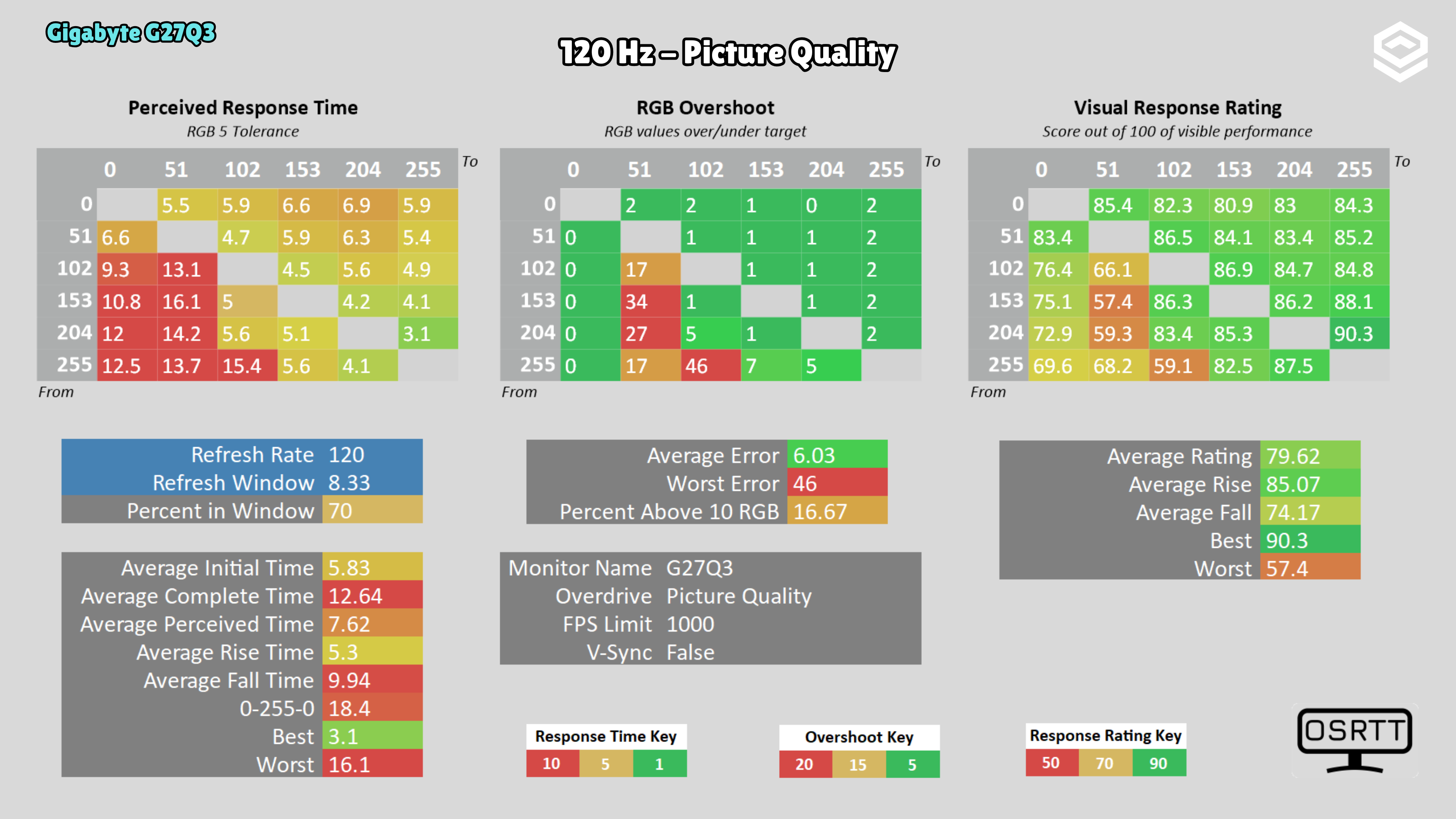
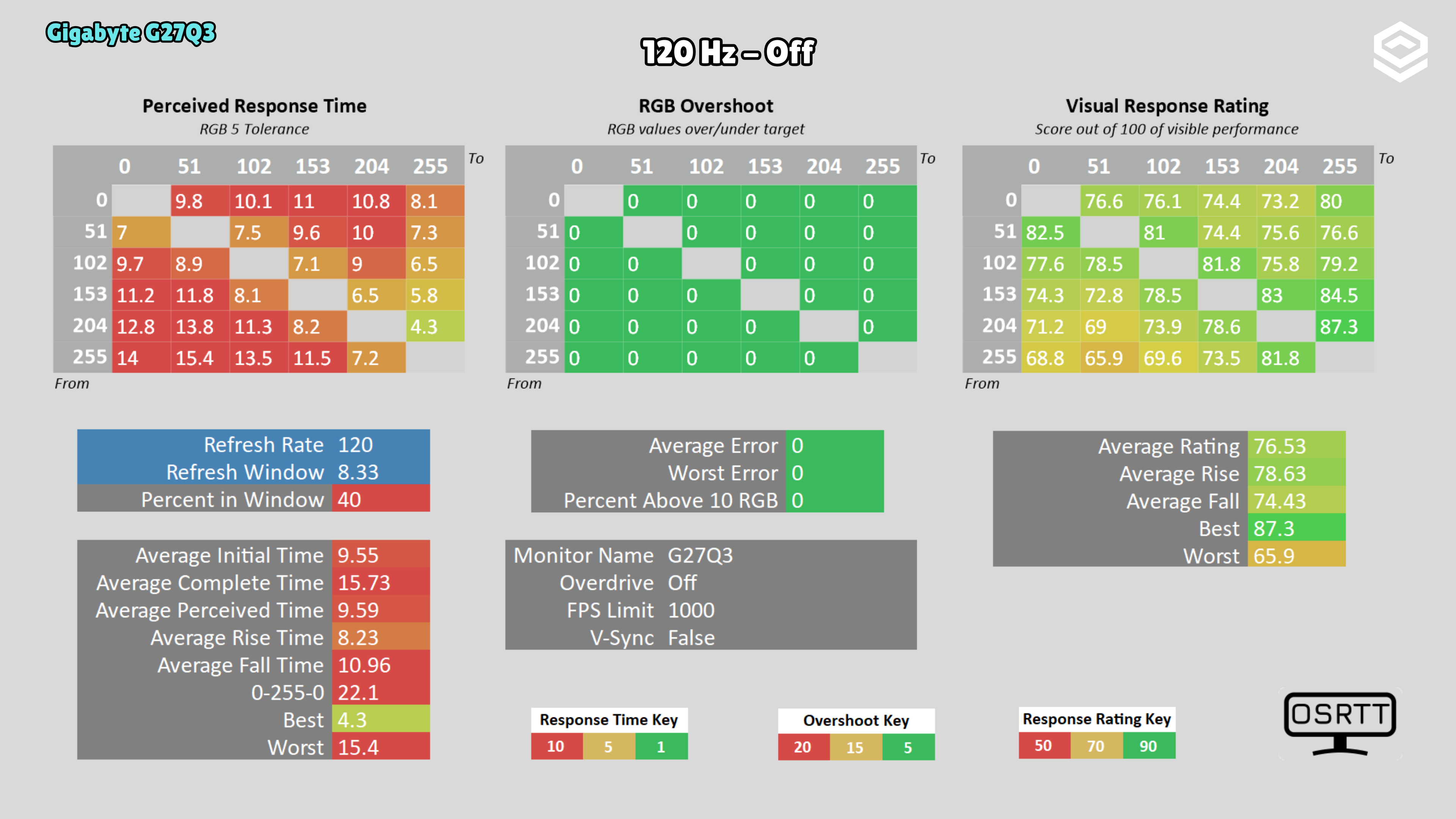
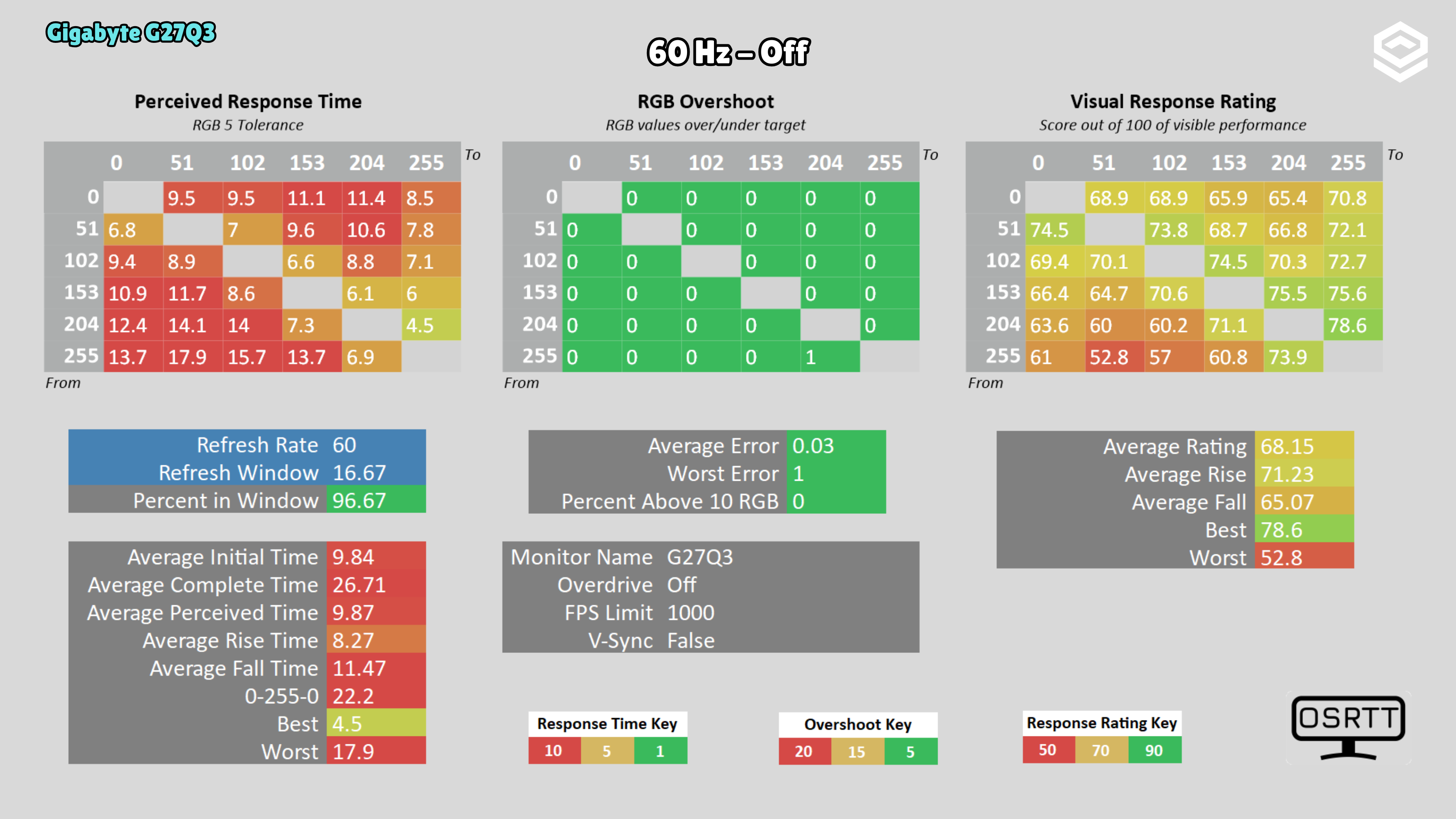
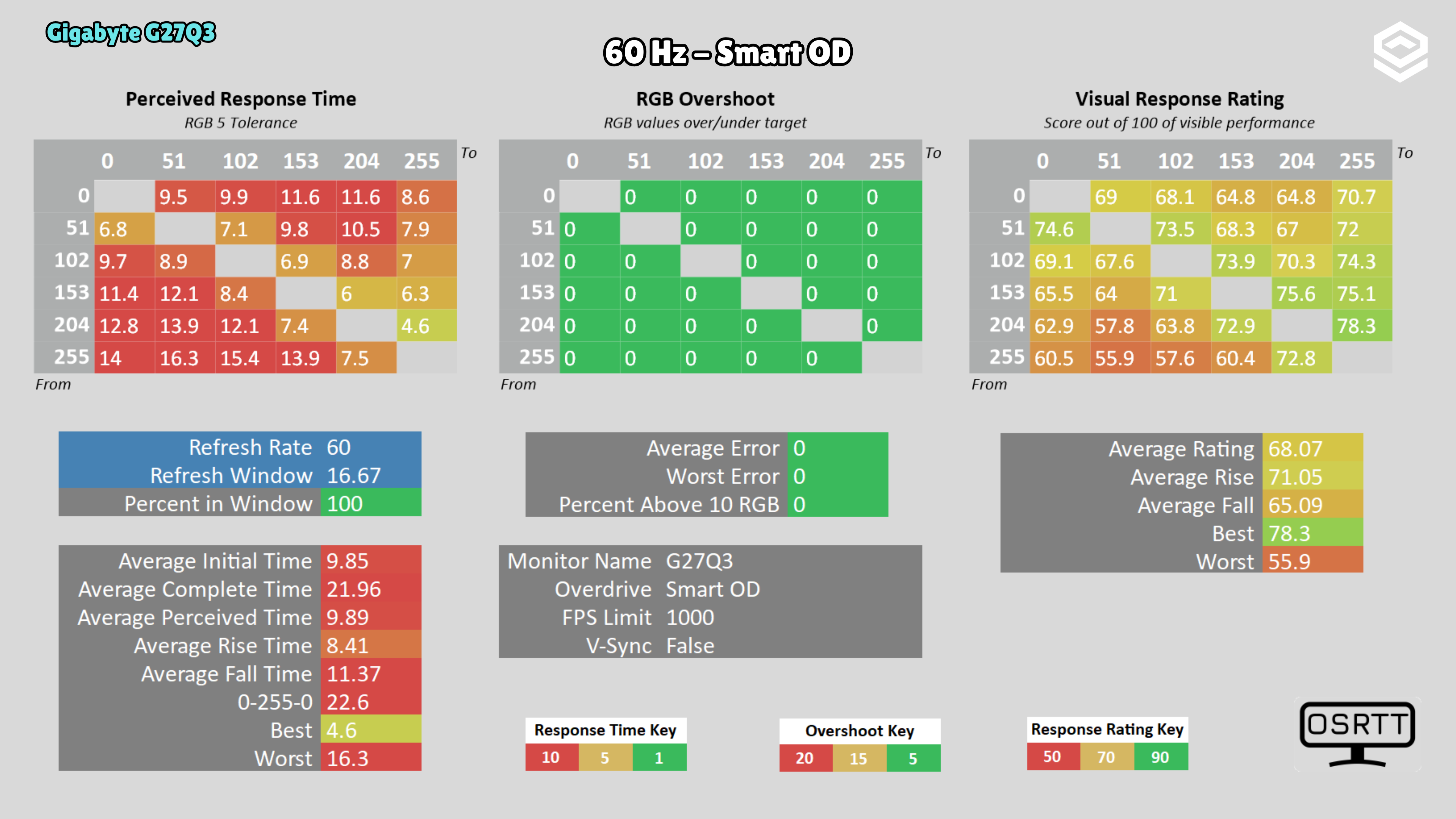
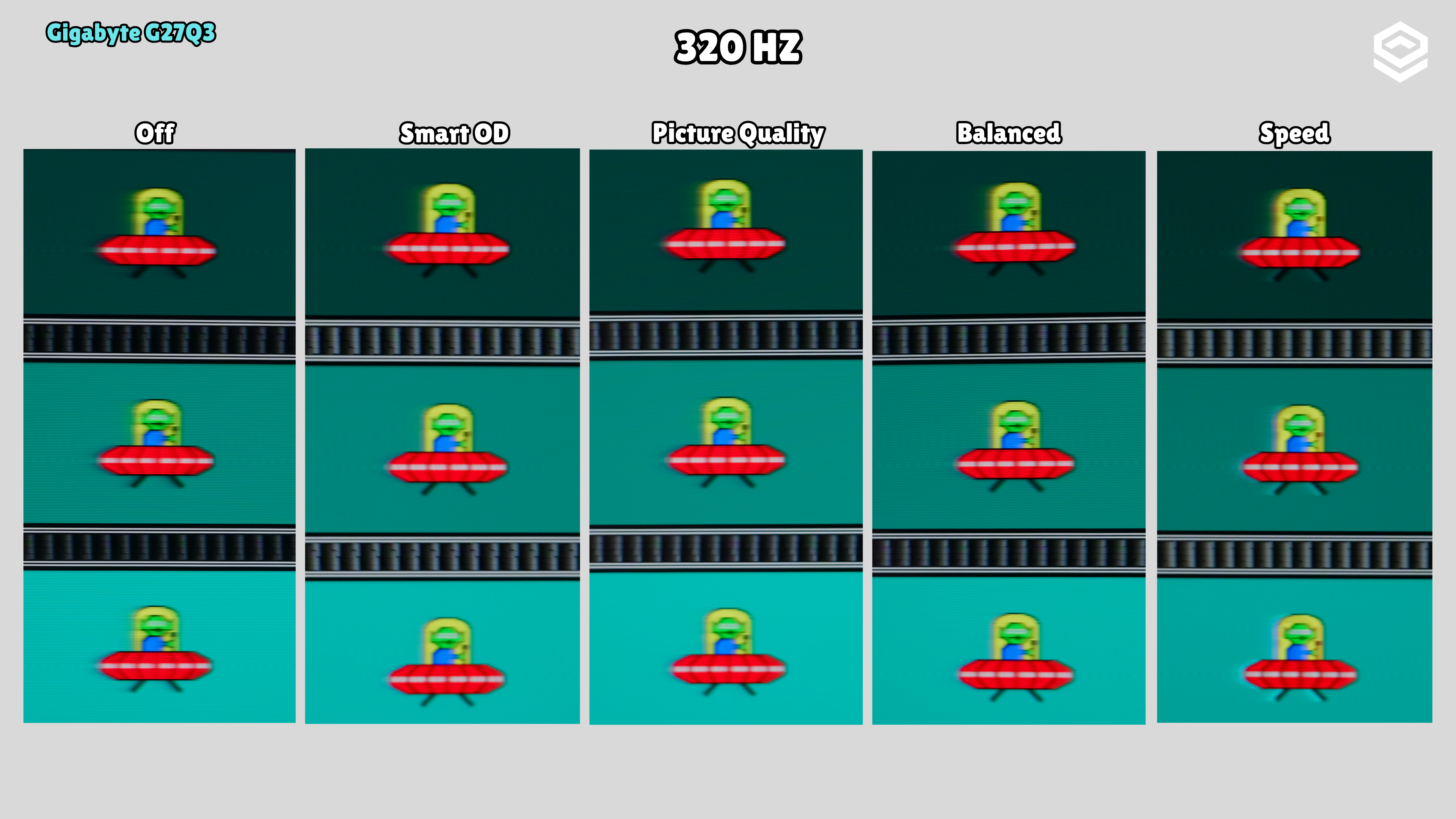
I observed image retention after running the UFO test for a while. At 120 Hz, disabling overdrive avoids the overshoot seen with Smart OD and Picture Quality, at the cost of slower transitions. Off is also a conservative choice at 60 Hz.
PS5 and consoles
Compatibilidad con VRR, ALLM y resoluciones permitidas.
4K 60 Hz
Connectivity
Entradas de vídeo, USB-C, KVM, hub USB y extras de conexión.
Stand, mounting and extras
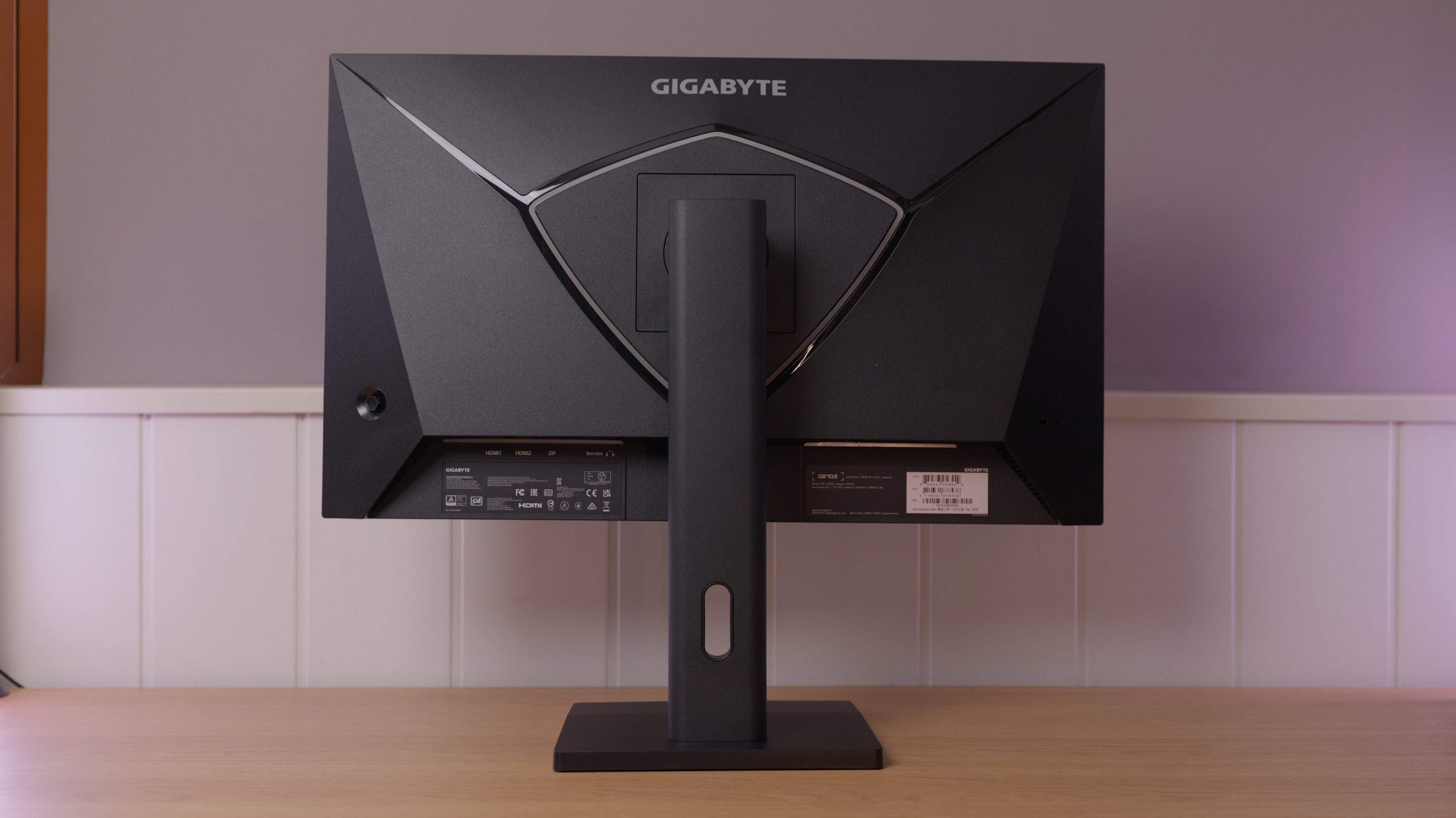
Calidad física, ergonomía, VESA y detalles destacables.
Photos and test results
Open an image to view the full-size charts and browse the tests.
Grayscale and gamma
Colour gamut and accuracy
Brightness and contrast
Brightness and uniformity
Luminance and EOTF
HDR colour
Response time, motion and latency
Motion clarity
Alternatives
Other options, each with its own specifications and test results.