The Gigabyte GS27QA is one of those monitors that grabs your attention as soon as it goes on sale. It looks appealing on paper: 27 inches, 1440p resolution, an IPS panel, and 180 Hz for a price usually somewhere in the 170-something euro range, although it sometimes costs a little more on Amazon. Looking at the specifications, it is easy to see why it has attracted so much interest.
The question is whether this Gigabyte GS27QA is just a monitor that looks good on paper or is actually worth buying. The short answer is yes, it makes plenty of sense, especially if your top priority is gaming with good sharpness and very well-controlled ghosting. That said, it also has some limitations worth spelling out before buying it, especially in color, HDR, and console features.
What the Gigabyte GS27QA offers at this price
What the Gigabyte GS27QA offers is very easy to understand:
- 27 inches
- 1440p
- 180 Hz
- IPS panel
- Very competitive price
It is part of Gigabyte’s budget GS series, so it shares quite a few things with other models in the same family. You can see that in the packaging, overall construction, and OSD menu.
Design, assembly, and build quality
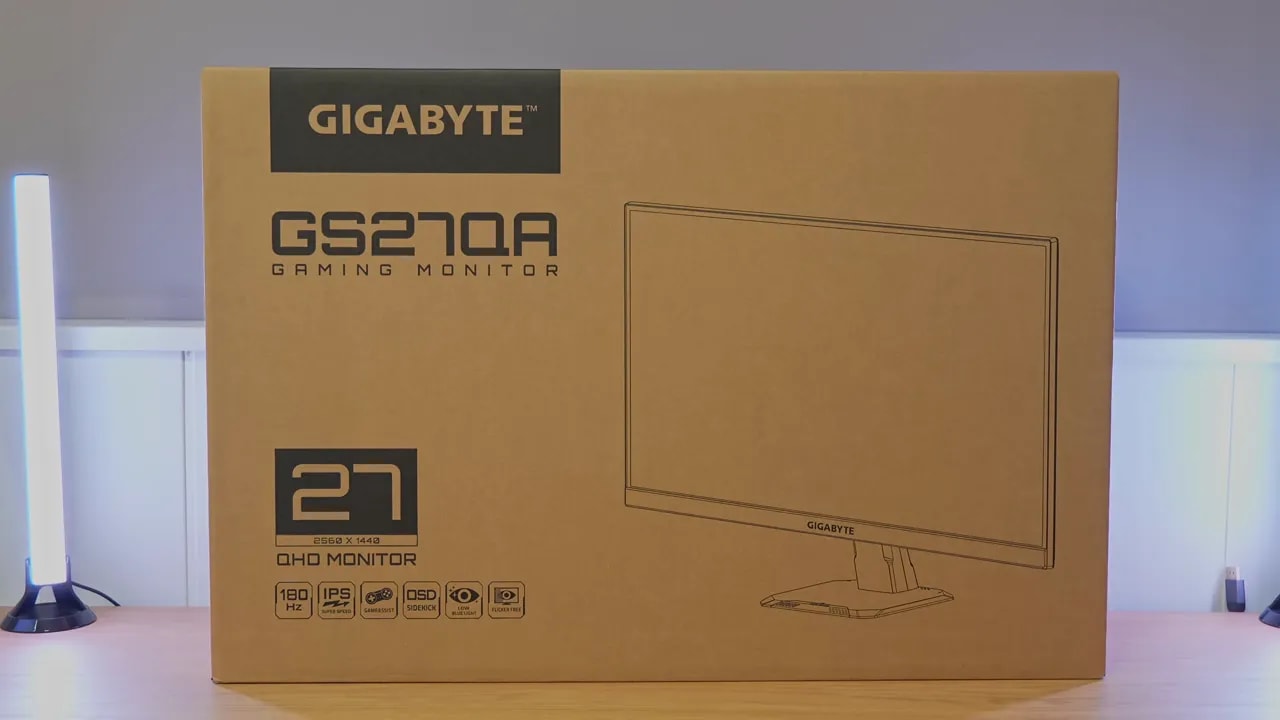
The packaging is very similar to that of previous GS models. Inside are the basics, which are all you need:
- Power cable
- DisplayPort cable
- Included stand


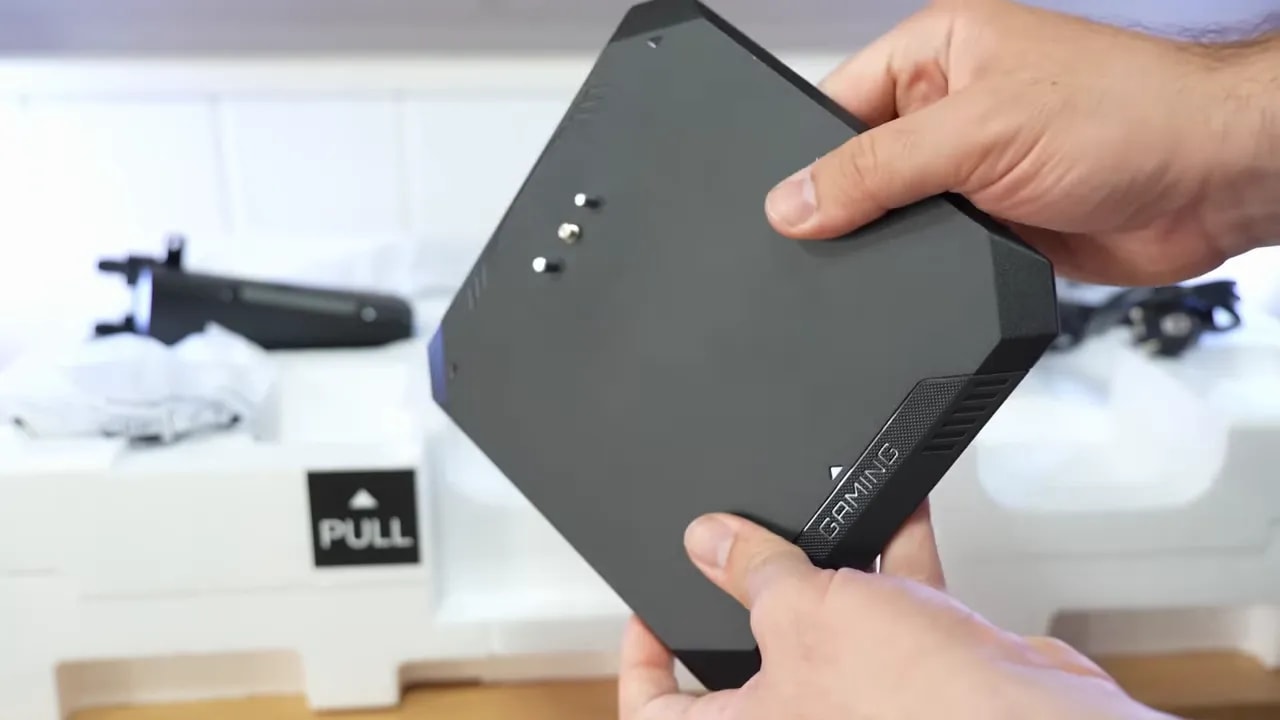
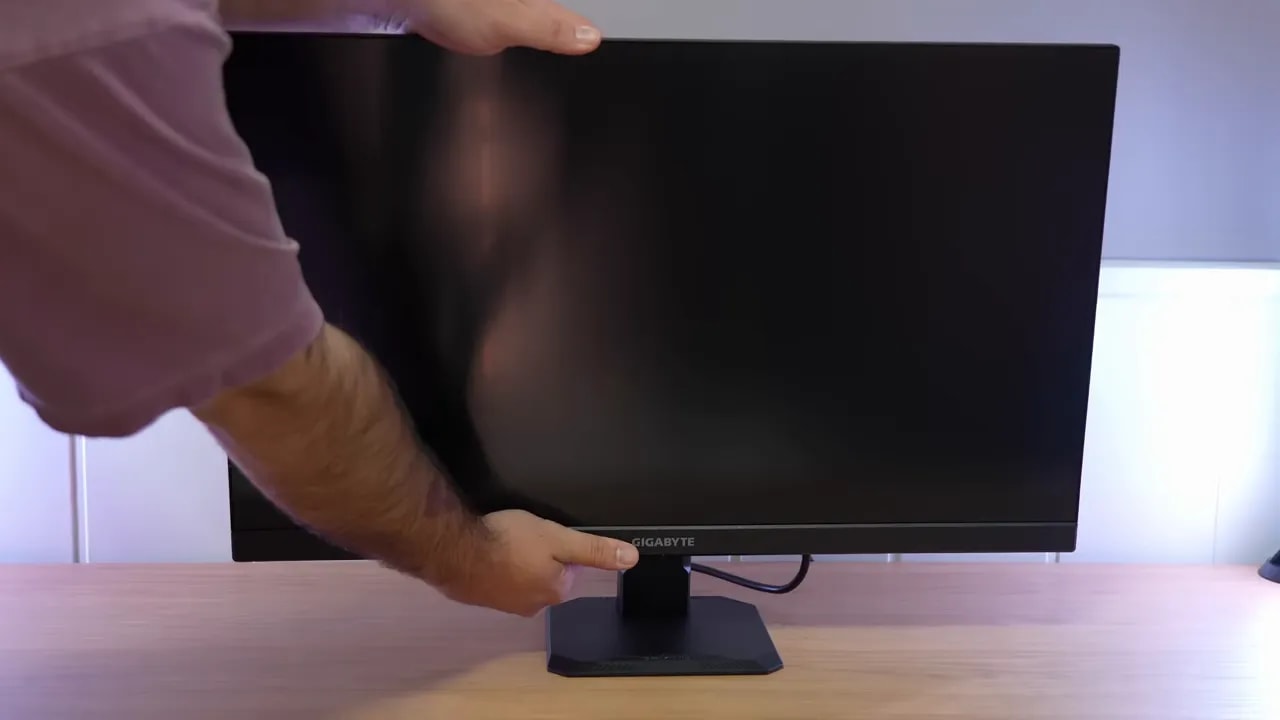
The stand is simple and no-frills, but it is not badly built. In fact, it is better than what you usually get from aggressively priced brands such as Titan Army. The issue is less its sturdiness than its ergonomics: there is no height adjustment, only tilt.


If that matters to you, keep it in mind from the outset, because you notice it in everyday use. Otherwise, overall build quality feels decent. It does not feel luxurious, but it does not feel cheap and nasty either.
Joystick and connections
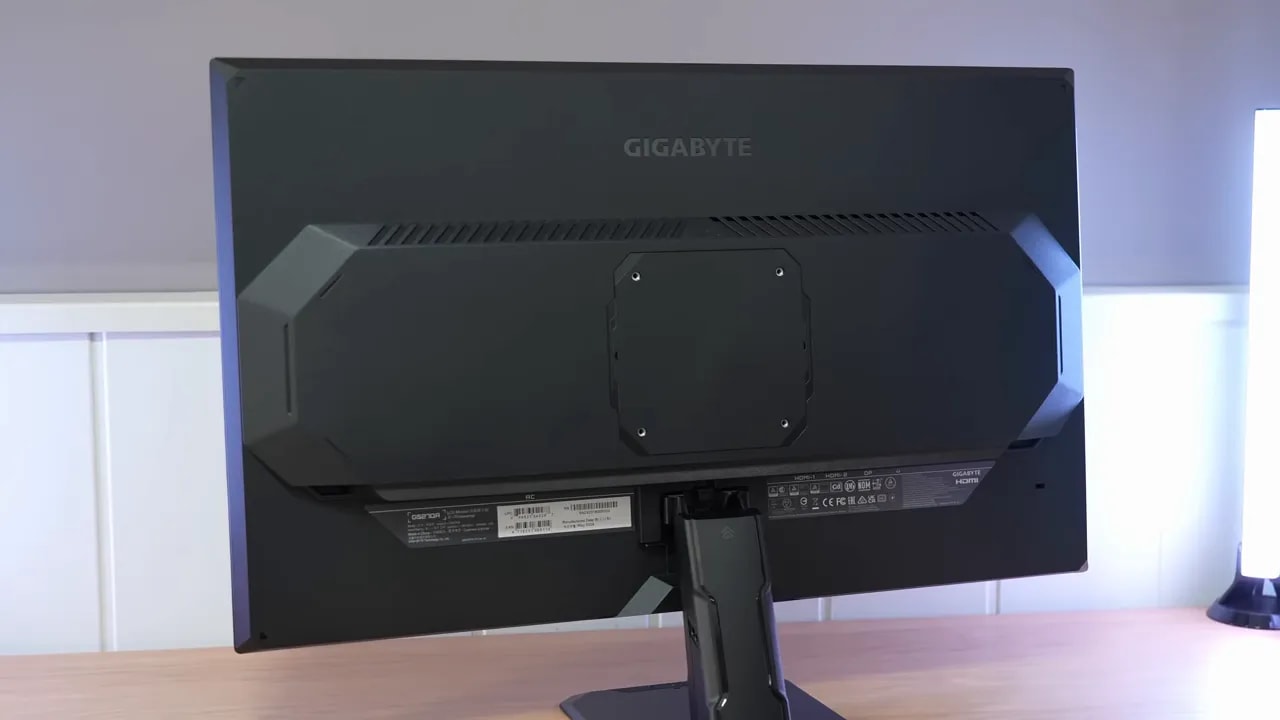
There is a joystick on the back for navigating menus, which is always welcome compared with poorly placed conventional buttons. For connectivity, the Gigabyte GS27QA comes with:
- 1 x DisplayPort
- 2 x HDMI
- Audio jack
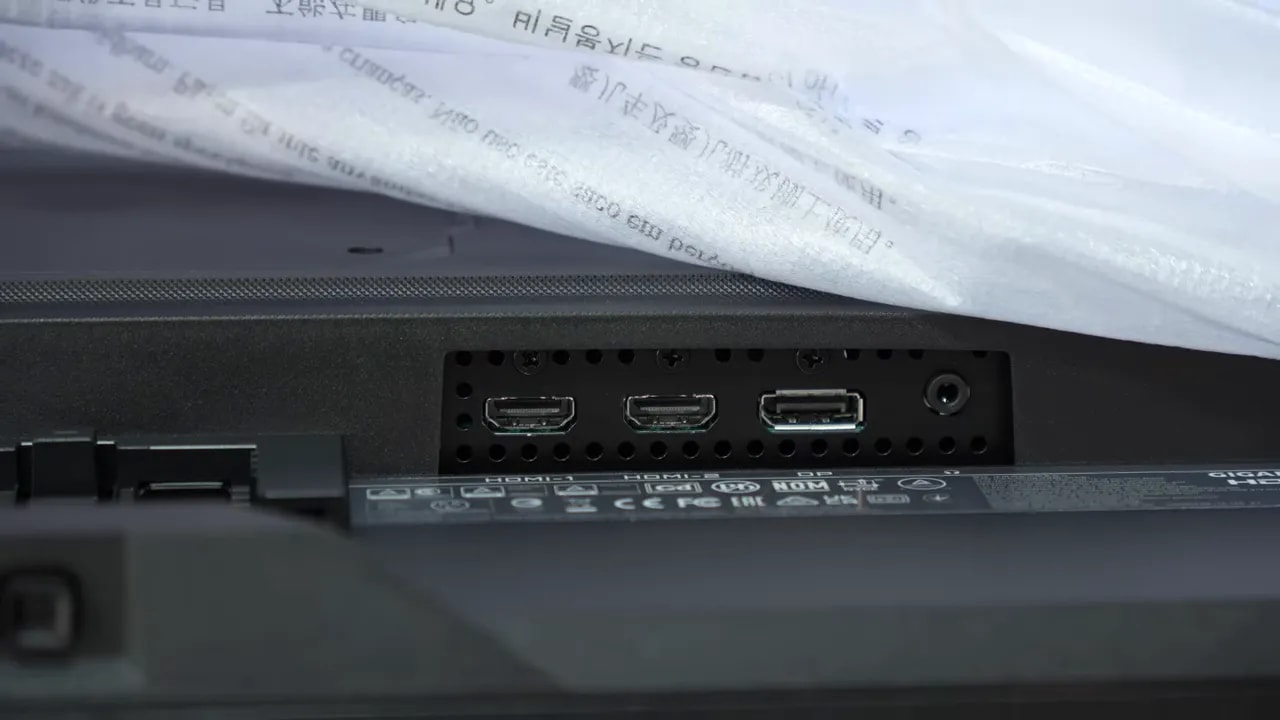
Connectivity is typical for its class. There is no USB, KVM, or unusual extra. It sticks to the basics.
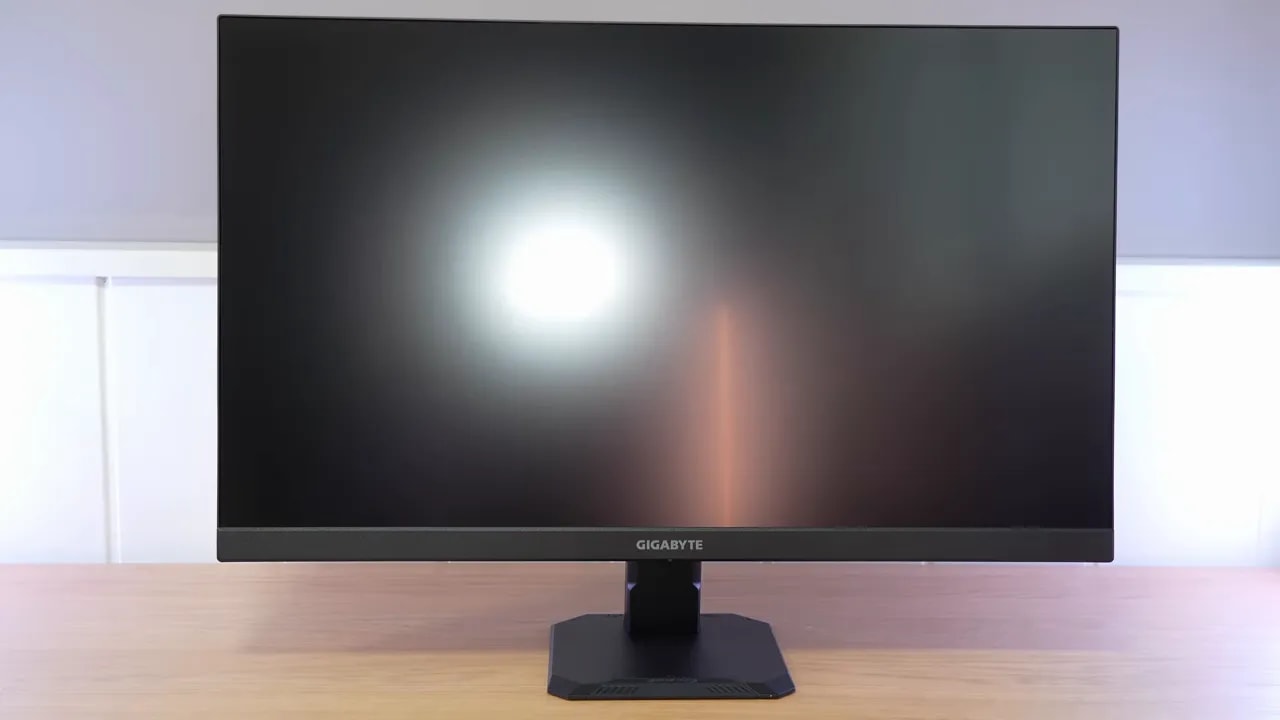
Matte finish and reflections: Gigabyte takes a slightly different approach here
The panel has a matte finish, but not the heavy kind that blurs the image. Gigabyte has opted for a lighter coating here, which has two clear consequences.
The upside is that colors look a little cleaner and more striking. The downside is that reflection handling is worse than on other monitors in this price range.
In fact, if you have a light or an LED strip behind you, its reflection is quite easy to make out. Monitors with a more textured finish diffuse that reflection much more. Personally, I tend to prefer this type of light coating, but it depends a lot on your desk lighting.
OSD menus: familiar, simple, and functional
The menus are virtually the same as on other Gigabyte GS models. If you have used one before, there are no surprises here. They are easy to use, relatively clear, and sufficient for adjusting what matters: picture modes, overdrive, adaptive sync, and color temperature.
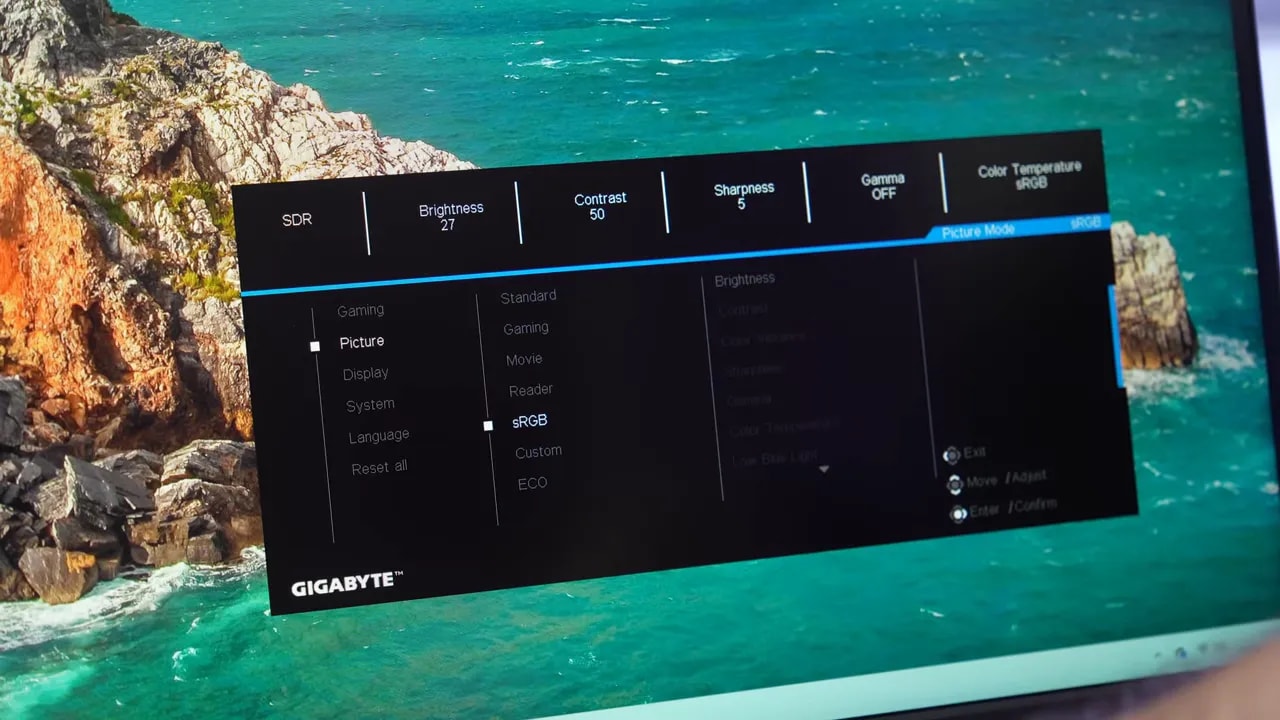
What matters is less the OSD design than the implementation of certain picture profiles, because this monitor behaves in an interesting way there.
Color on the Gigabyte GS27QA: well calibrated, but do not expect an eye-catching wide gamut
This is one of the key points about the Gigabyte GS27QA. Although its specifications may make it look similar to other, more ambitious Gigabyte models, this is not a wide-gamut monitor that fills the screen with intense color.
It delivers around 120% sRGB volume, with approximately 99.6% sRGB coverage in Standard mode. That means there is some slight oversaturation, yes, but nothing extreme. In DCI-P3, it comes in at around 85%, putting it below other similarly priced monitors that aim for more vivid color.
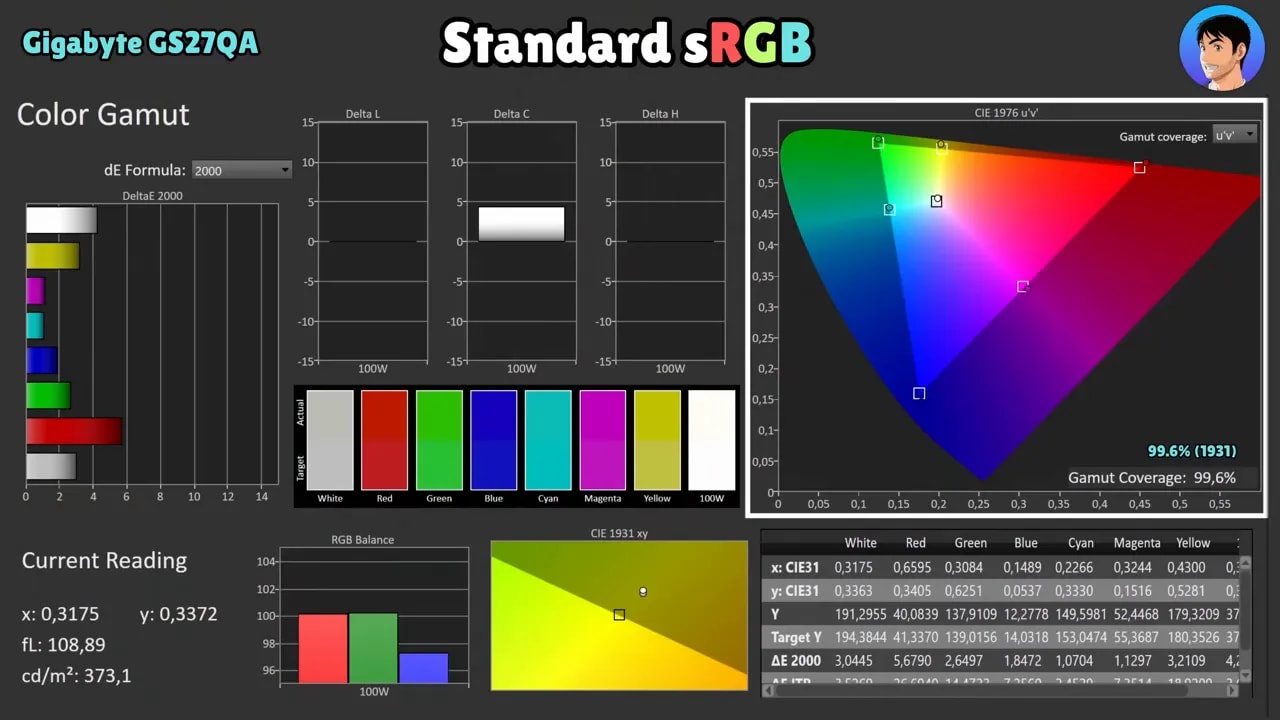
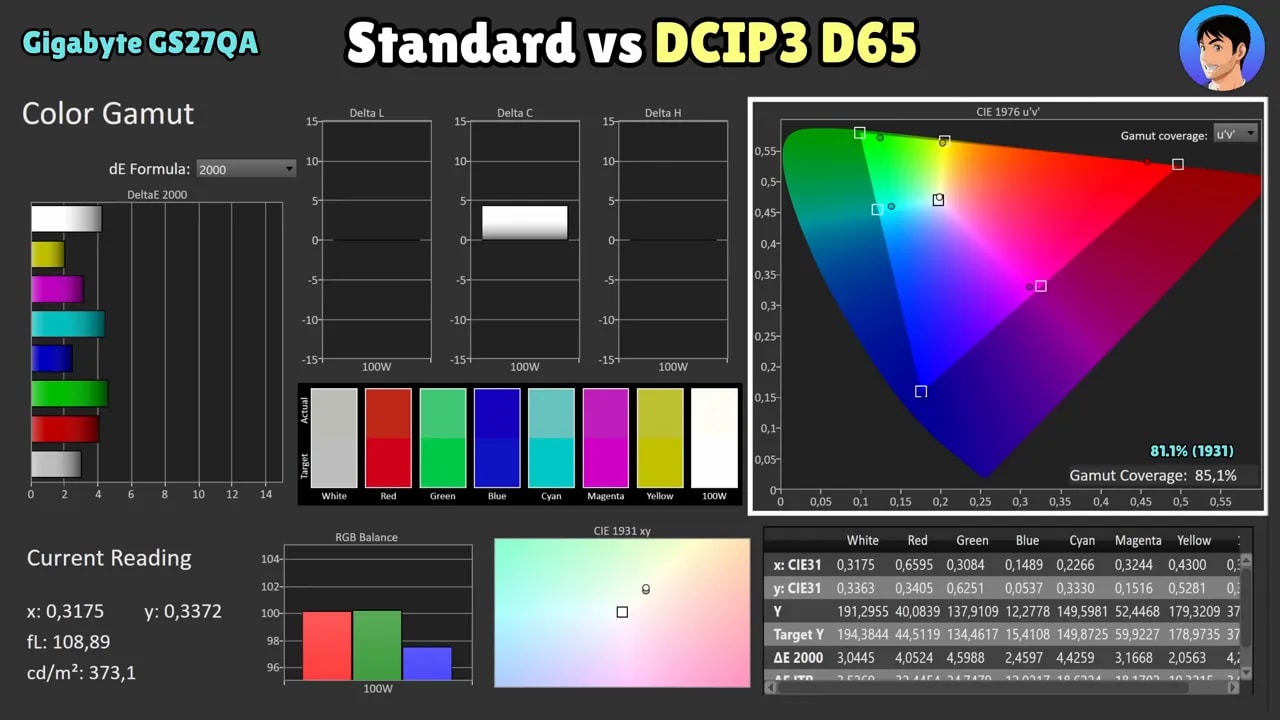
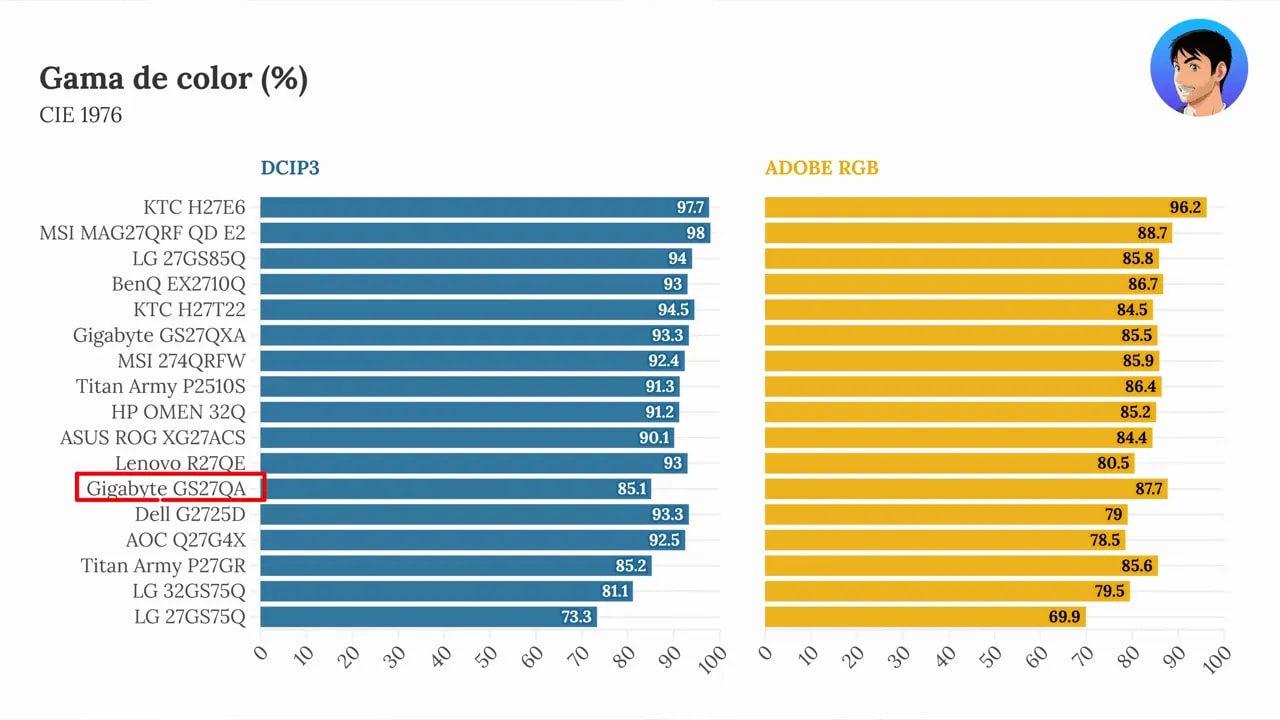
In terms of the actual experience: if you want punchier, more striking colors with that extra vibrancy common on some gaming IPS monitors, this model may fall a little short of certain alternatives.
sRGB mode: one of the monitor’s best surprises
Where the Gigabyte GS27QA gets interesting is its sRGB mode. The slight excess saturation in Standard mode is corrected quite well here, and overall calibration is frankly impressive for the price.
In this mode, coverage is around 98.2% sRGB, a very good figure. In addition:
- Gamma 2.2 tracking is decent
- RGB balance could be refined further, but it does the job
- Grays are handled quite well
- Overall color accuracy is very good
- Deviation from the white point is well controlled
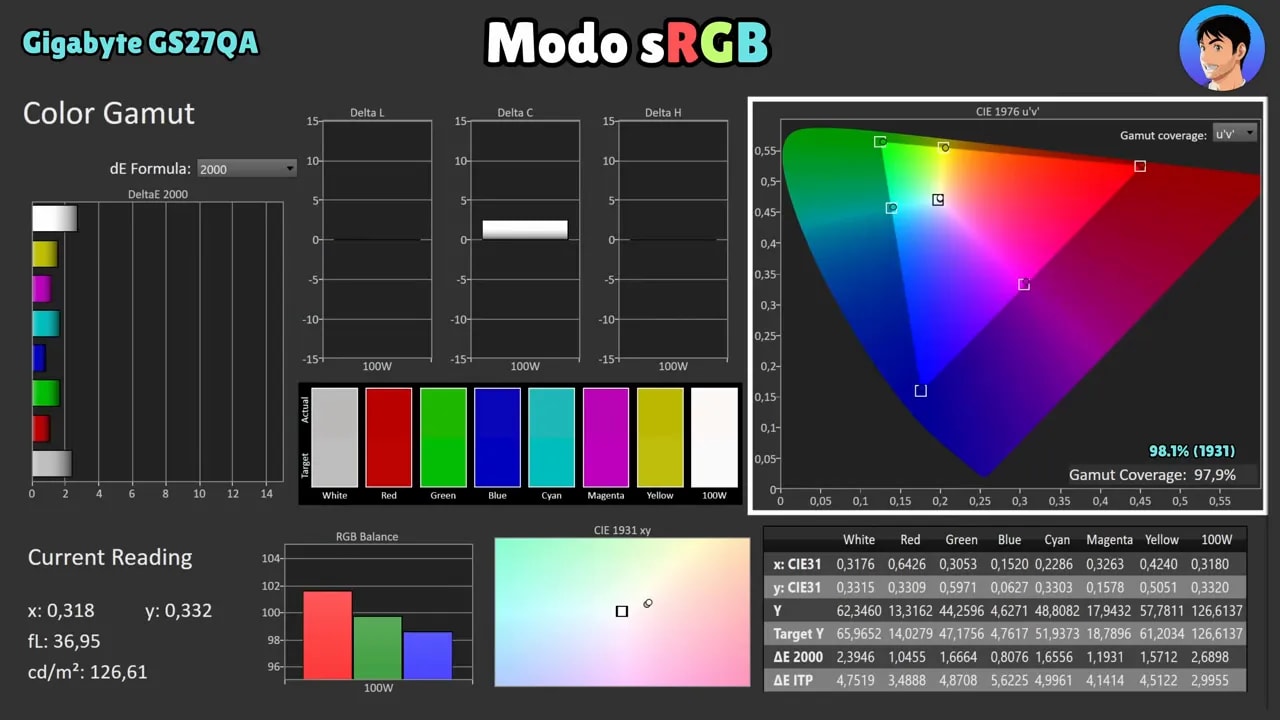
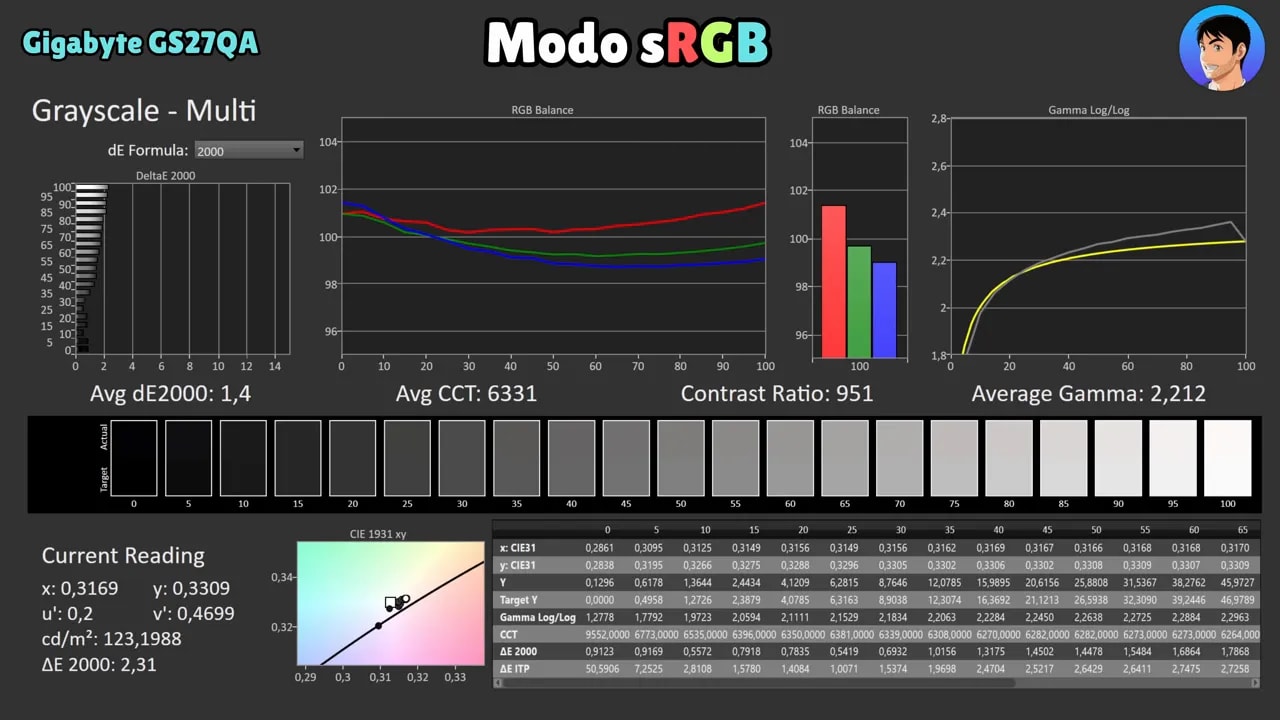
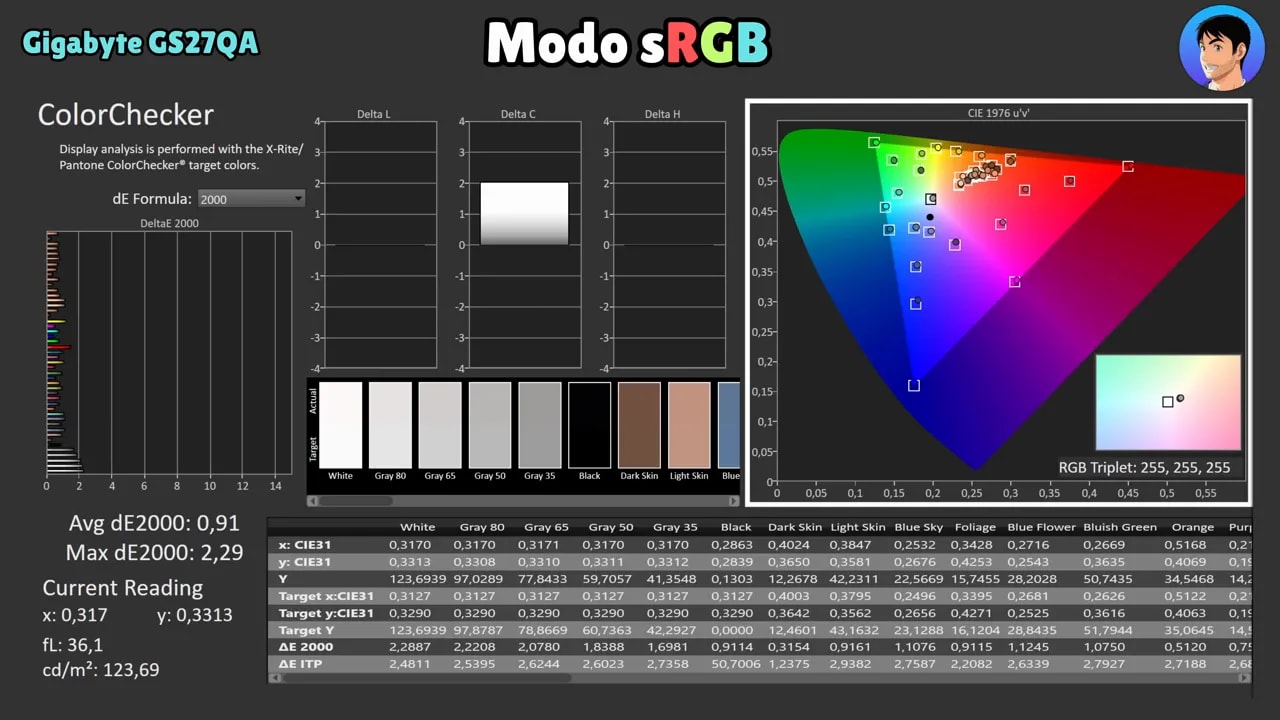 Average Delta E is below 1, and the maximum is around 2.2, which is really good for this price range. Without exaggeration, it is one of the best sRGB modes I have seen on budget monitors.
There is another important detail: you can still adjust brightness in this mode. That is always a plus.
The drawback of sRGB mode
It was never going to be perfect. When you enable sRGB mode, overdrive can no longer be adjusted. That makes this profile very good for work or general use with more accurate color, but not ideal if your priority is getting the best gaming performance.
My recommendation here is very simple:
- For work: use sRGB
- For gaming: use Standard mode
Standard mode: less accurate, but more appealing for gaming
Behavior changes in Standard mode. Grayscale is a little less accurate, gamma 2.2 tracking is less precise, and, as expected, color accuracy suffers from that extra oversaturation.
Red, for example, tends to look considerably more saturated than it should. Even so, that slight exaggeration of color is often appealing for gaming, and many people will prefer it to a more neutral profile.
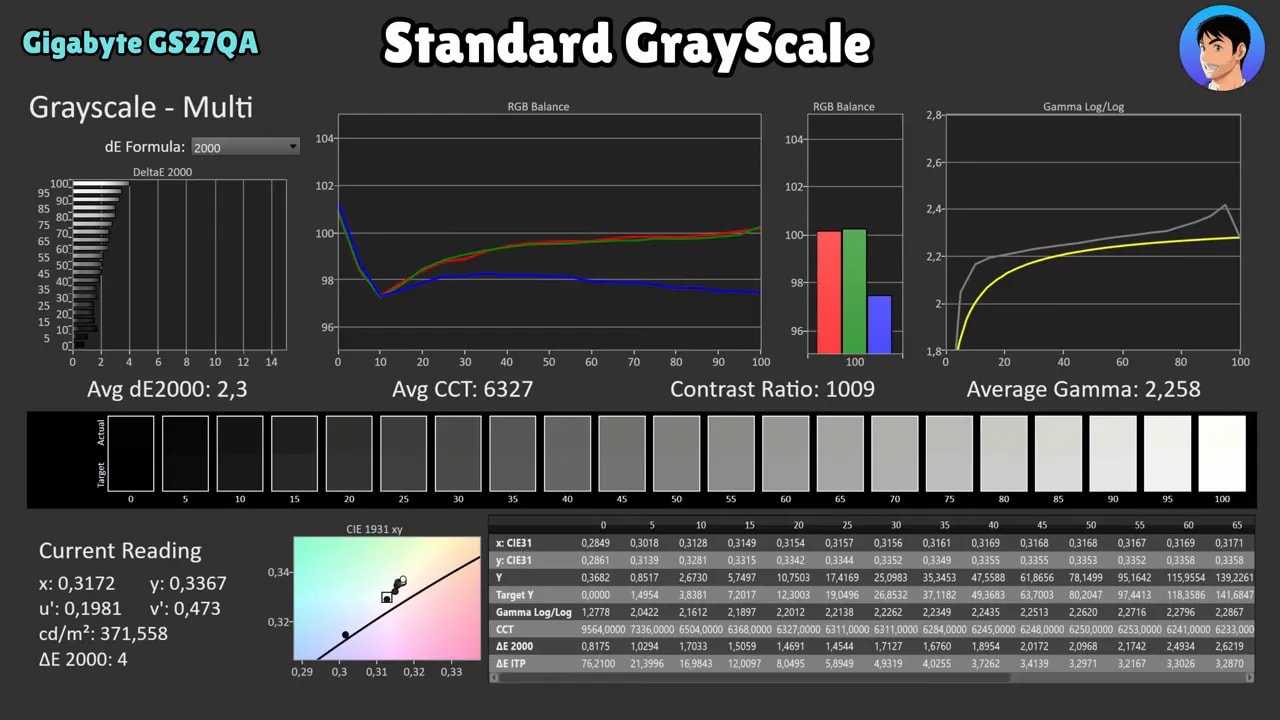
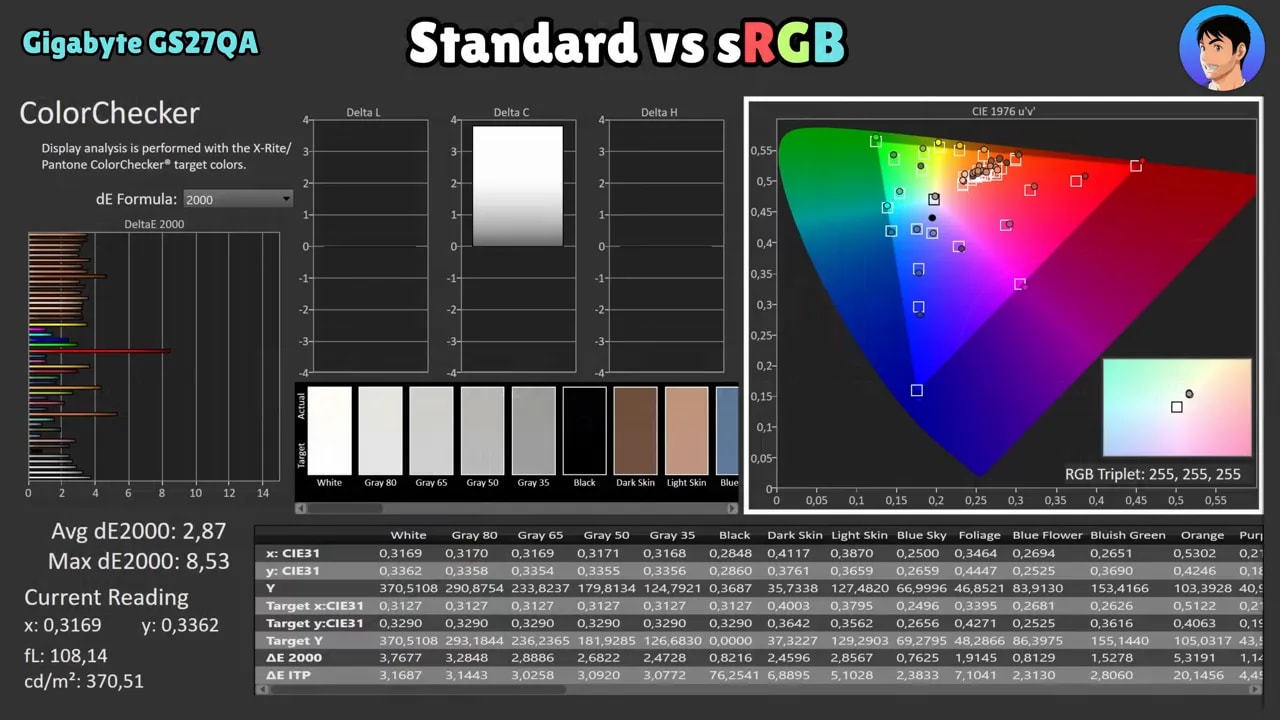
The good news is that this mode can be improved through manual calibration using a custom color temperature and an ICC profile. With proper adjustments, quite a few things improve, particularly grayscale balance and Delta E.
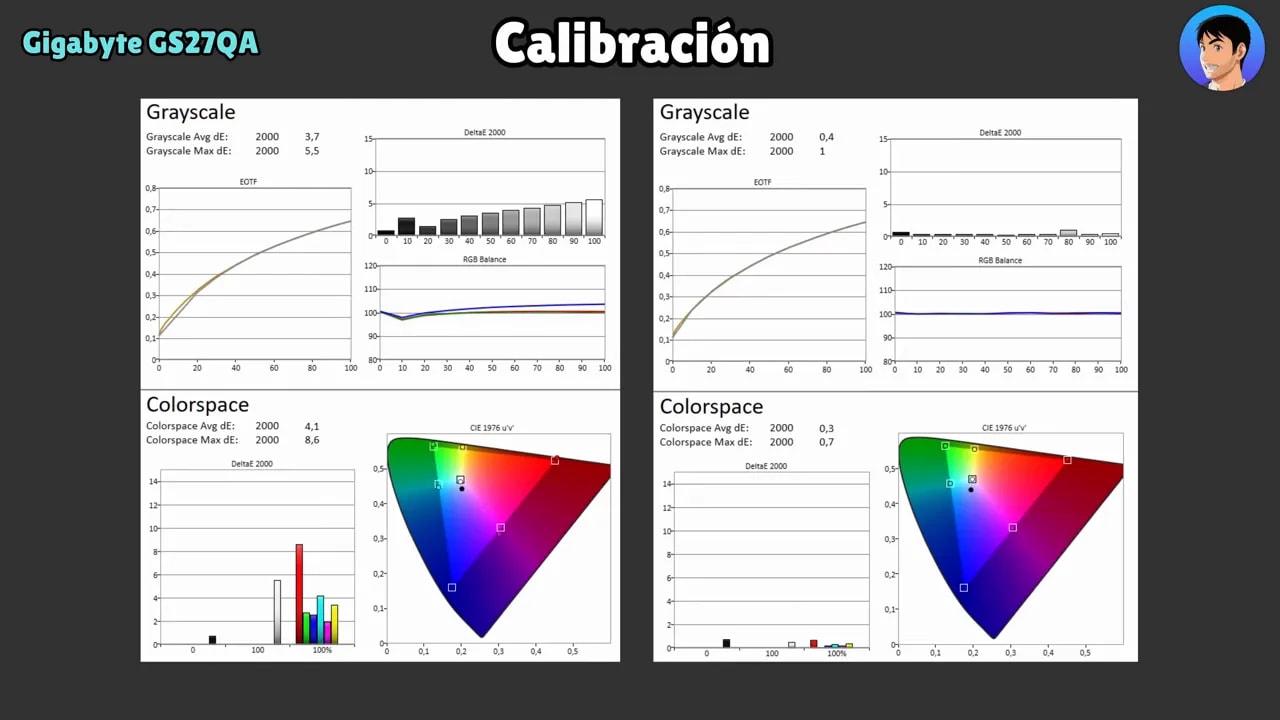
That said, if you do not do color-critical work, I would not spend too much time on ICC profiles. They are not especially relevant for gaming, and sRGB mode already handles more serious color needs quite well if you need it.
Brightness, contrast, and uniformity
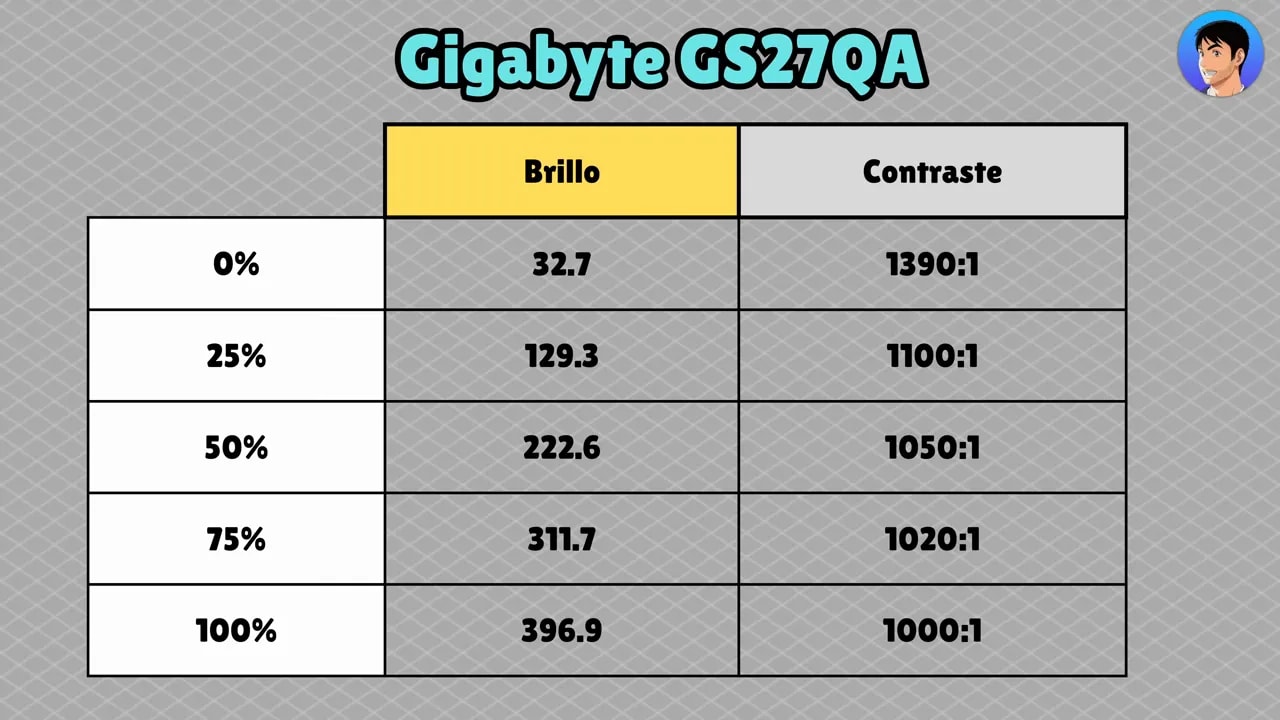
In SDR, the Gigabyte GS27QA gets the job done without being dazzling. It reaches close to 400 nits, a pretty respectable figure for its price. Contrast is around 1000:1, which is typical for IPS.
It is true that more IPS panels have recently been approaching 1200:1 or even slightly higher, so it does not stand out here, but it does not fall short either.
Panel uniformity
Brightness and color uniformity are not bad, although they are not excellent either. Two areas are somewhat weaker:
- Brightness uniformity drops a little at the bottom
- Color uniformity deviates more than ideal at the top
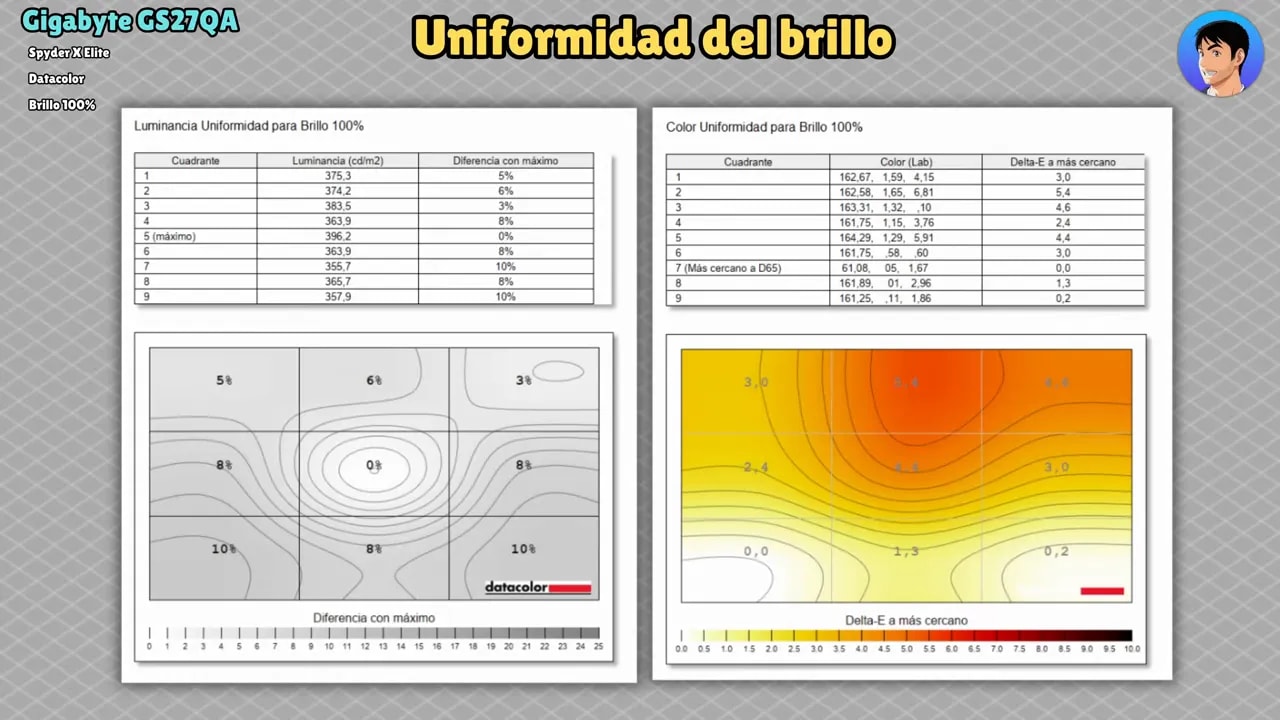
This unit is nowhere near disastrous, but it is not one of those that surprises you with its consistency either.
Backlight bleed and IPS glow
On the unit tested, bleed and glow are not particularly severe. That is good news. Even so, glow is a little more noticeable than on other IPS panels with slightly higher contrast, such as those around 1300:1.

This is a typical case of a panel that is decent without working miracles. If you are very particular about deep blacks in dark rooms, you will notice it, because it is still an IPS panel with IPS-level contrast.
HDR: supported, yes; recommended, no
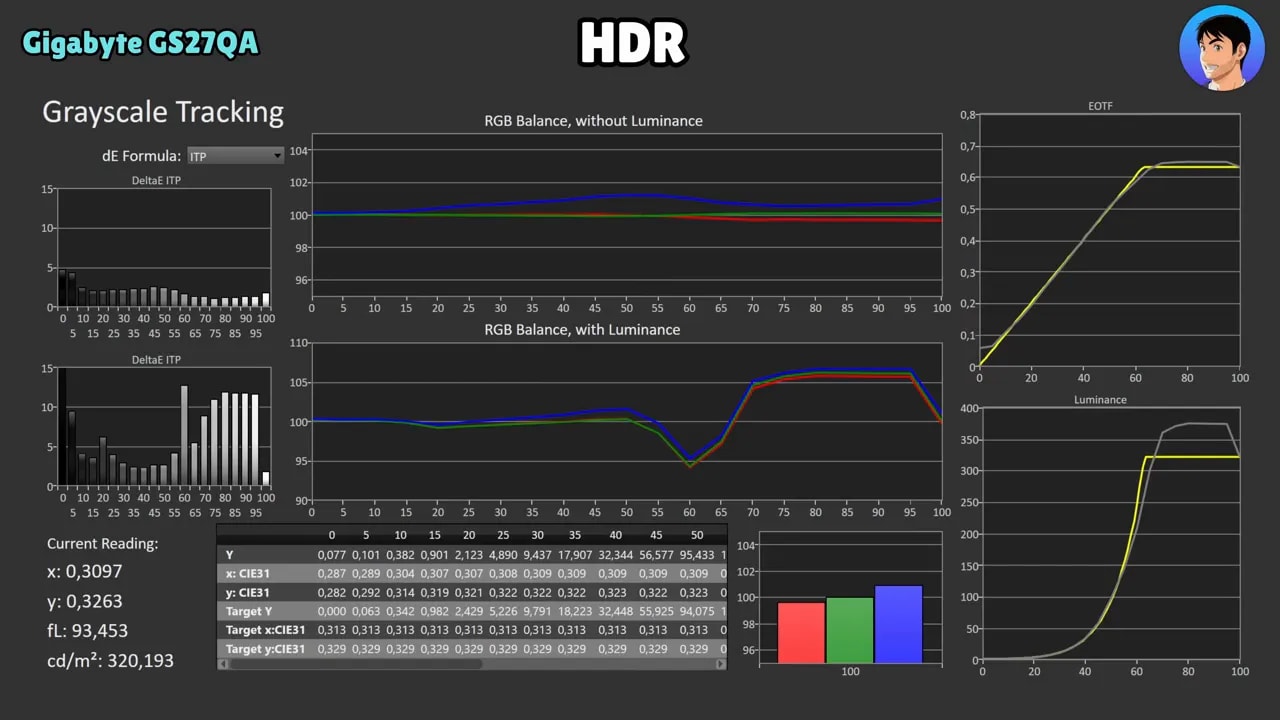
The Gigabyte GS27QA accepts an HDR signal, but we need to be very clear here: HDR is quite weak.
The reasons are the usual ones in this class:
- Color coverage is not especially wide
- Contrast is not high
- HDR brightness is virtually the same as SDR
As a result, it falls short and does not deliver the visual leap you expect when enabling true HDR.
The only positive is that PQ EOTF tracking is reasonably good. It is not perfect, but it fares somewhat better than other budget monitors. Even so, this is not a monitor to use primarily in HDR.
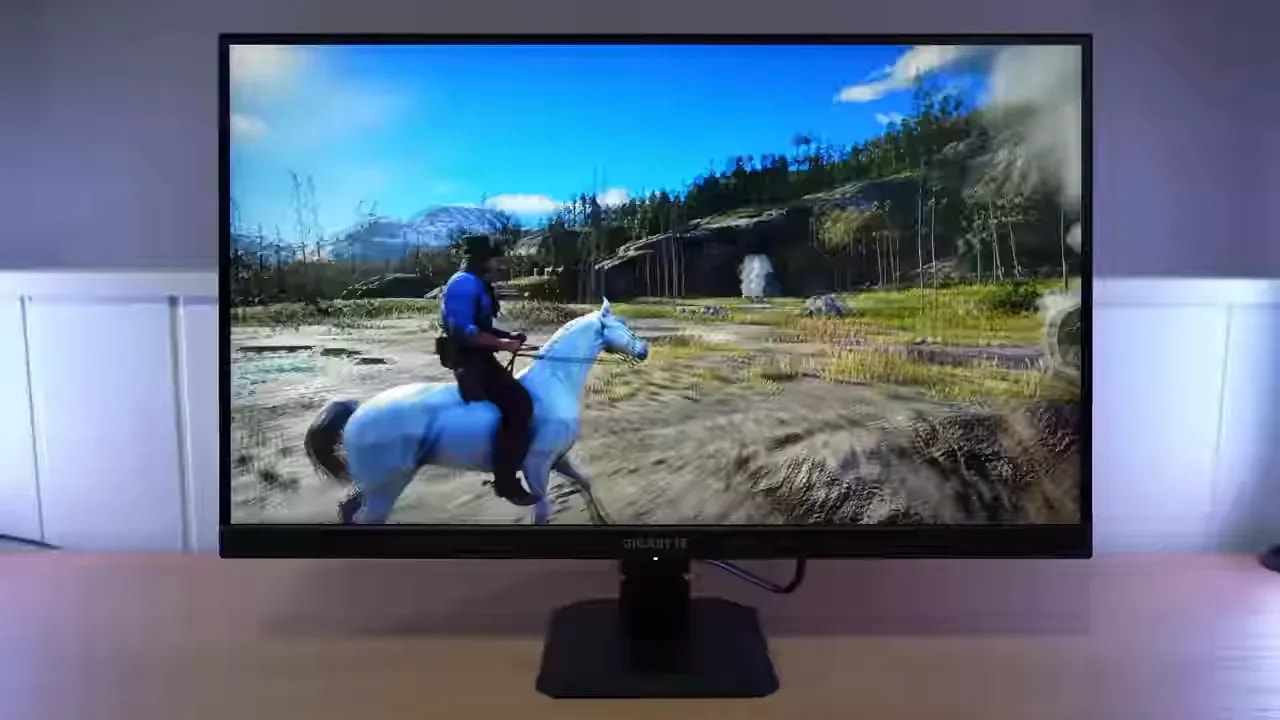
Response times and ghosting: this is where the Gigabyte GS27QA shines
If color is decent rather than spectacular, motion performance is the exact opposite. Here, the Gigabyte GS27QA means business.
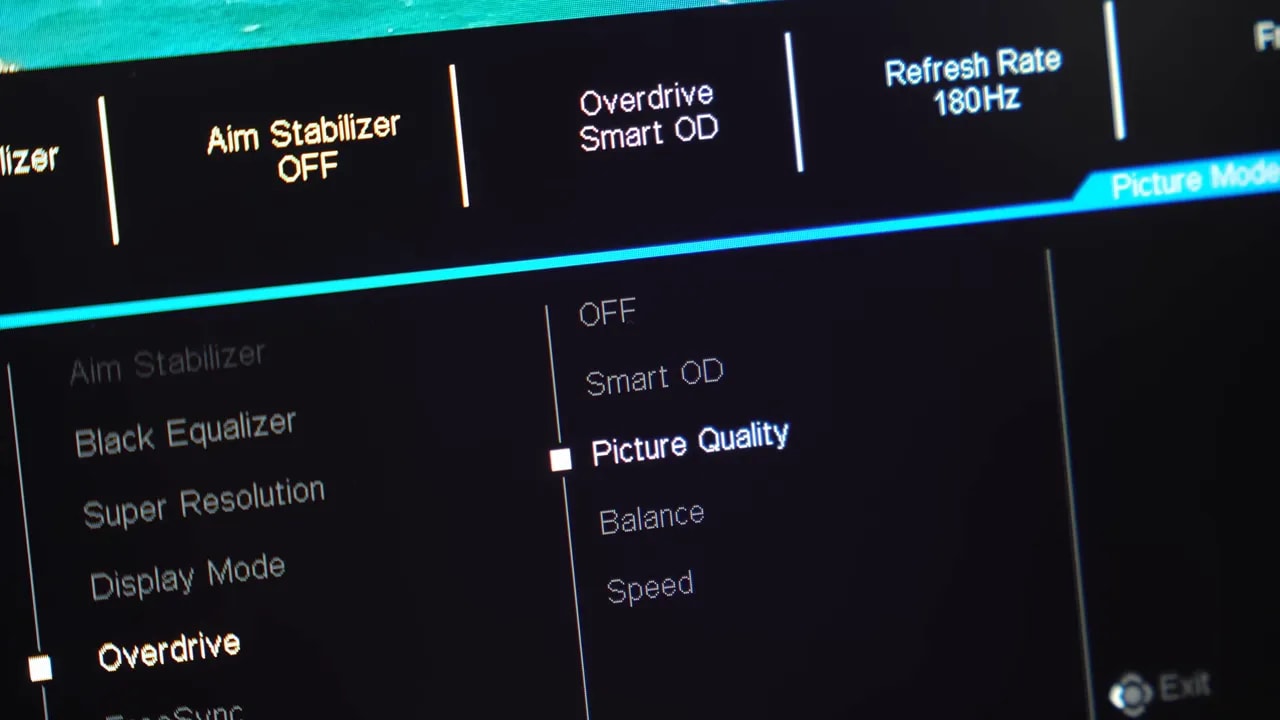
Gigabyte includes several of its usual overdrive modes. At 180 Hz, three settings make plenty of sense.
Picture Quality
If you want to minimize overshoot as much as possible, the mode Picture Quality works quite well. Response times are around 5 ms and it introduces virtually no strange artifacts.
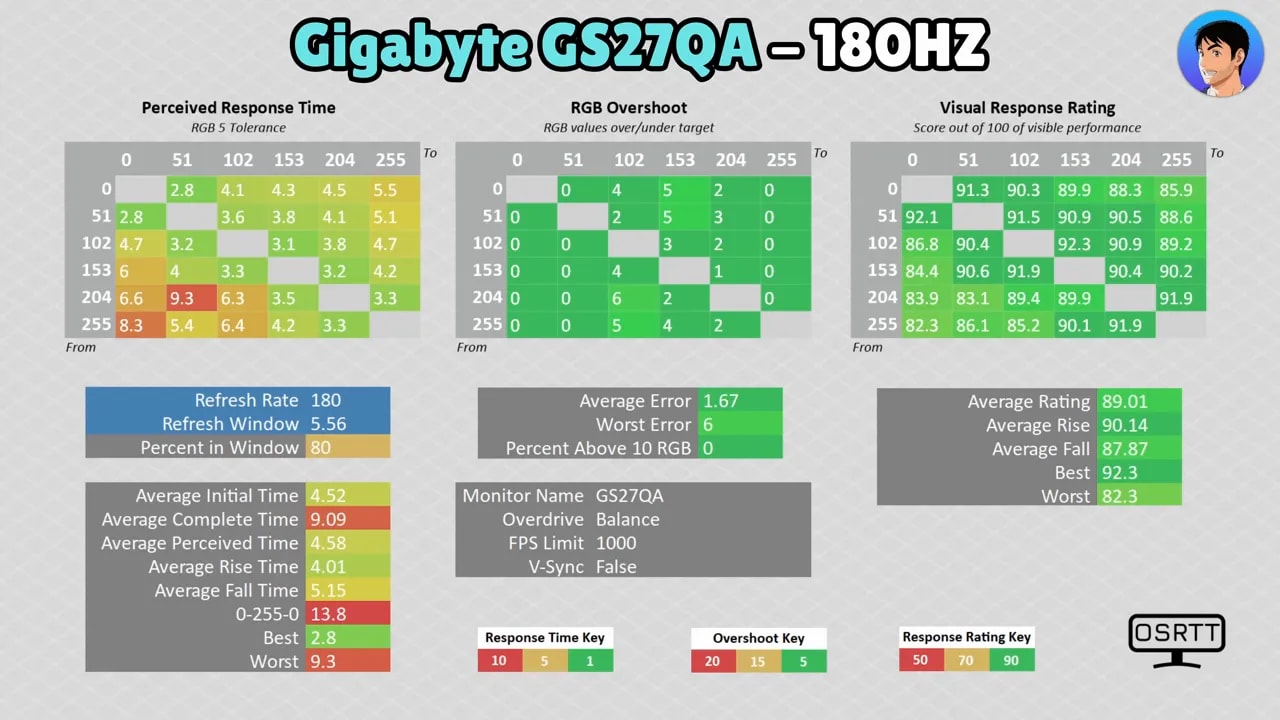
Balance
The mode Balance is probably the sweet spot for many people. Yes, it introduces some overshoot, but it is fairly restrained, and in return gray-to-gray times fall to approximately 4.5 ms.
Smart OD
The mode Smart OD pushes a little harder. Overshoot rises slightly, but remains under control, and response times fall further, to around 3.88 ms for initial response.
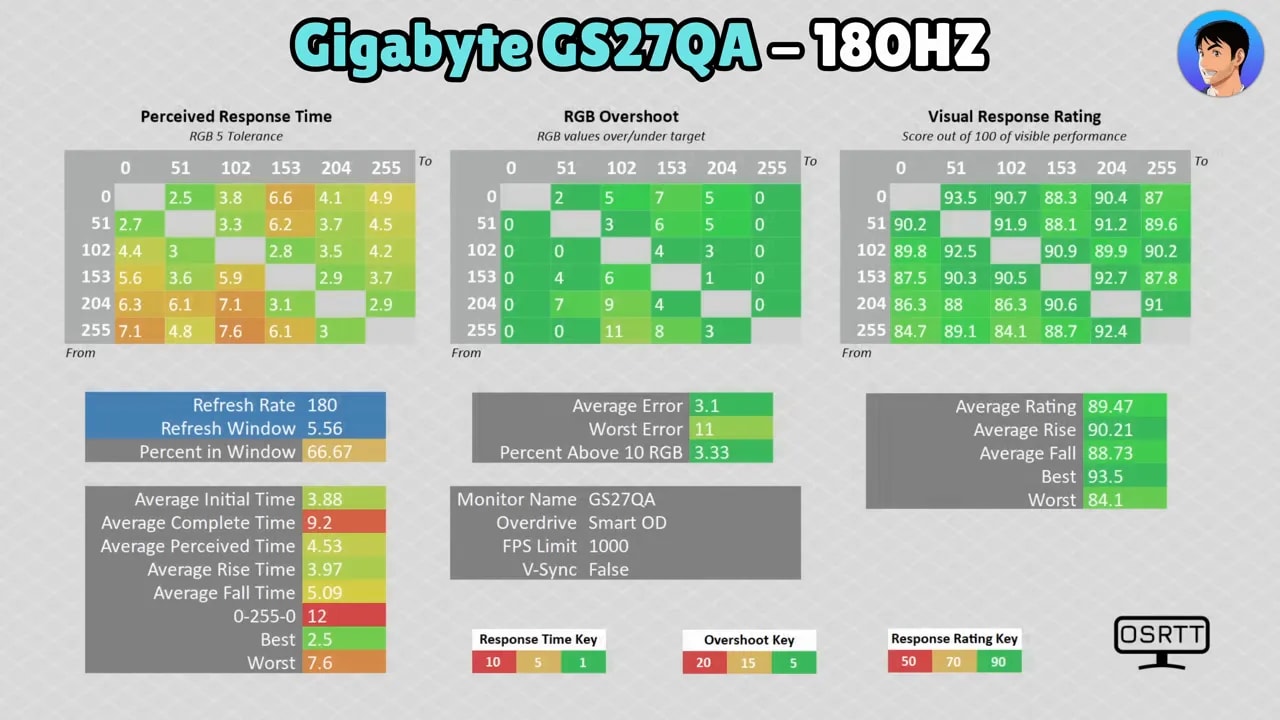
Here is the main takeaway: this is one of the fastest monitors in gray-to-gray response to appear on the channel, and probably the best under 200 euros in this respect.
Between Balance and Smart OD is where the best choice lies. Both are very well implemented and make it clear that Gigabyte has done an excellent job on response performance.
UFO Test and real-world motion performance
Looking at motion tests such as the UFO Test, the results back up the numbers. Motion clarity is very good for the price, and ghosting is very low.
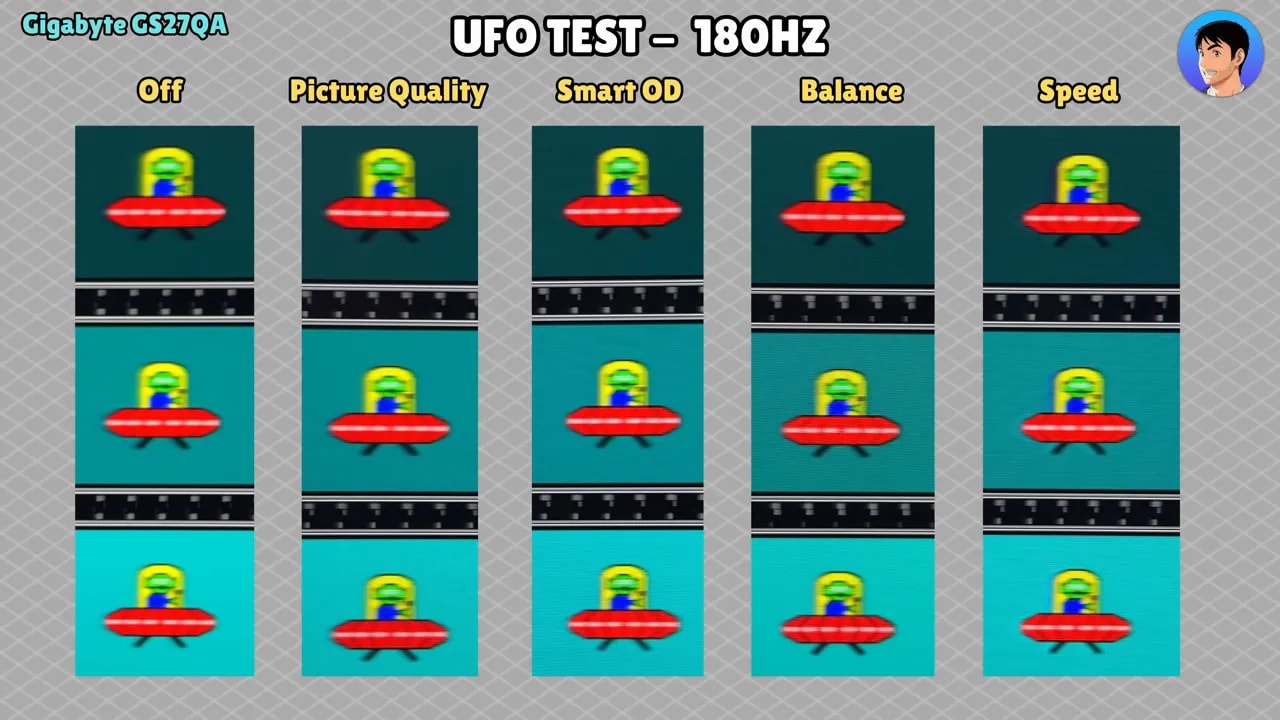
If your priority is shooters, esports, or fast-paced games where panel smearing really bothers you, the Gigabyte GS27QA is among the best you will find in its price range.
Input lag
Input lag is decent. At 180 Hz and 120 Hz, the numbers are perfectly acceptable, and at 60 Hz, although a little worse than some other models, it remains within the normal range.
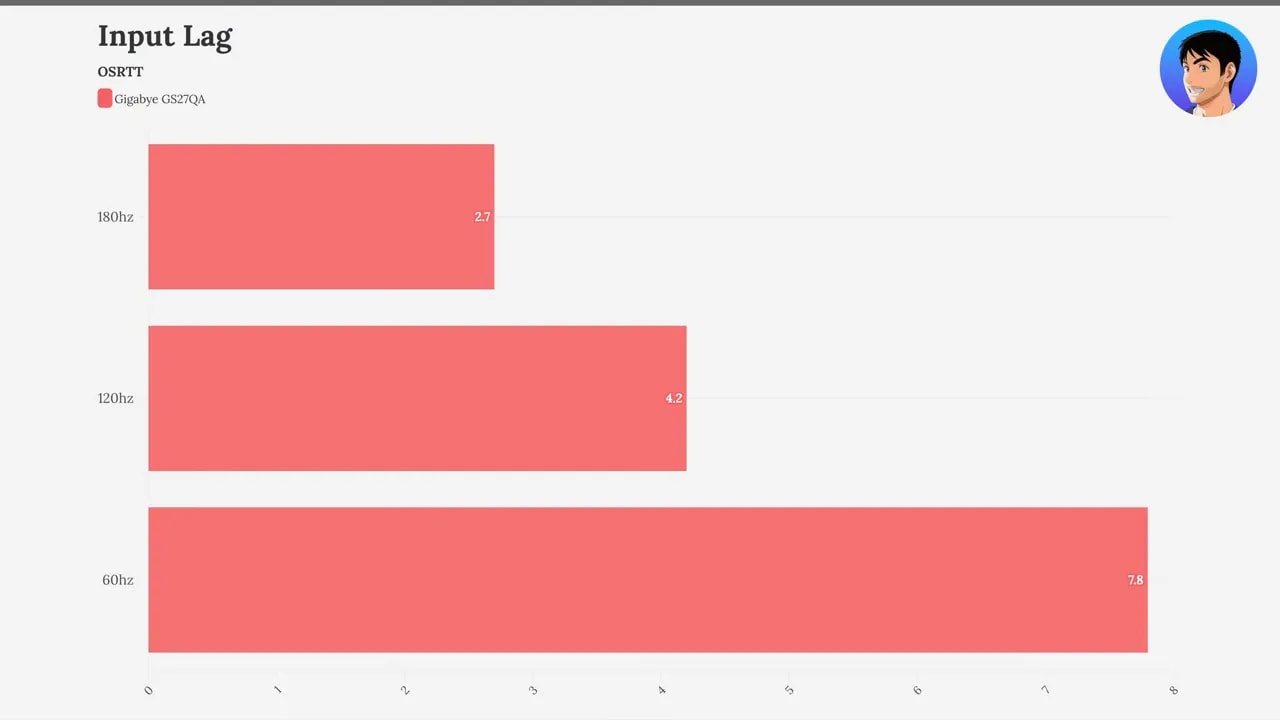
In practice, it is not worth worrying about. There is no real issue here.
FreeSync, G-Sync Compatible, and VRR on PC
On PC, the Gigabyte GS27QA performs well. It supports FreeSync and also lets you enable G-Sync Compatible in the Nvidia control panel, even without official Nvidia certification.
That has not caused any issues in use. There is no unusual flickering or odd behavior with adaptive sync enabled.
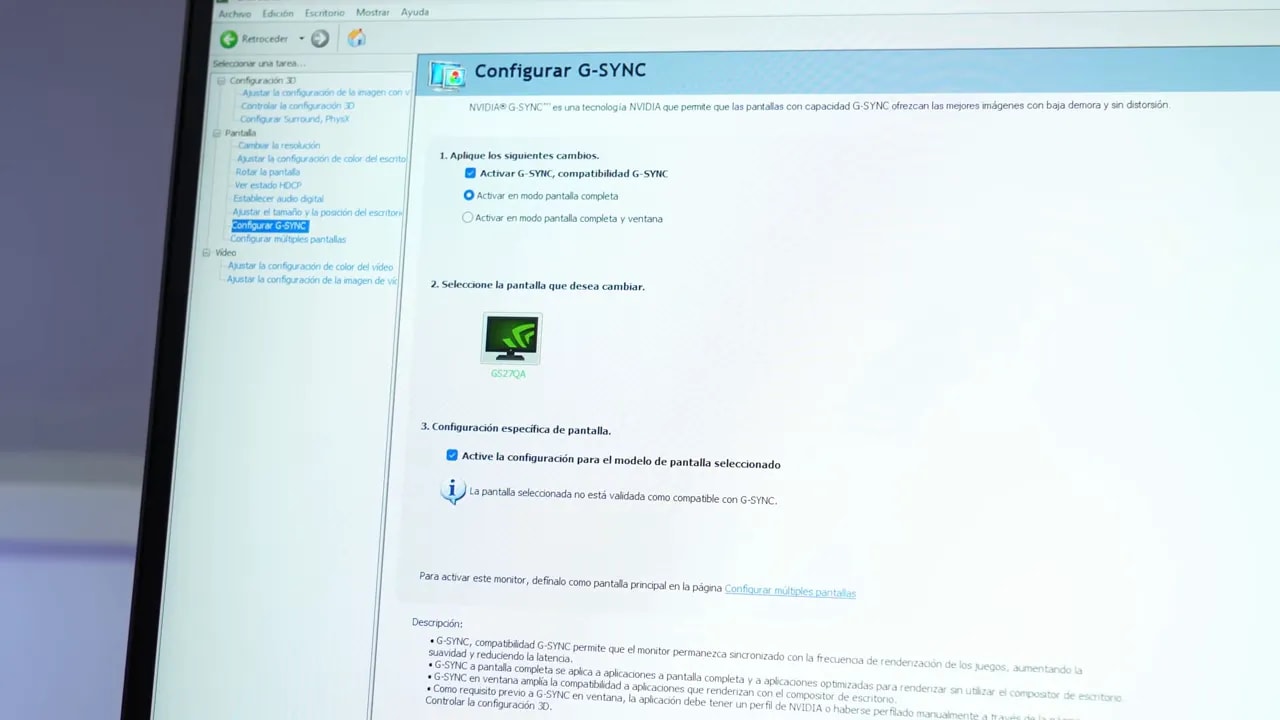
So there is no need to worry on that front. It works well for PC use.
PS5 compatibility: functional, but very basic
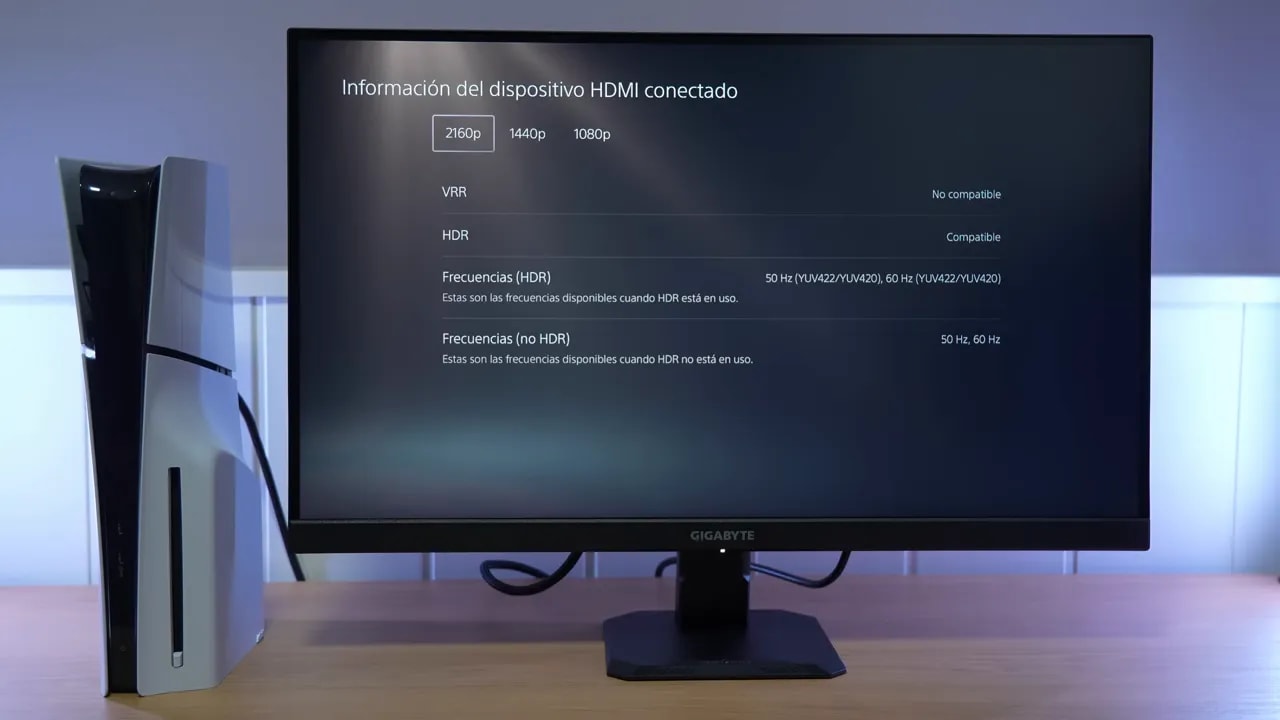
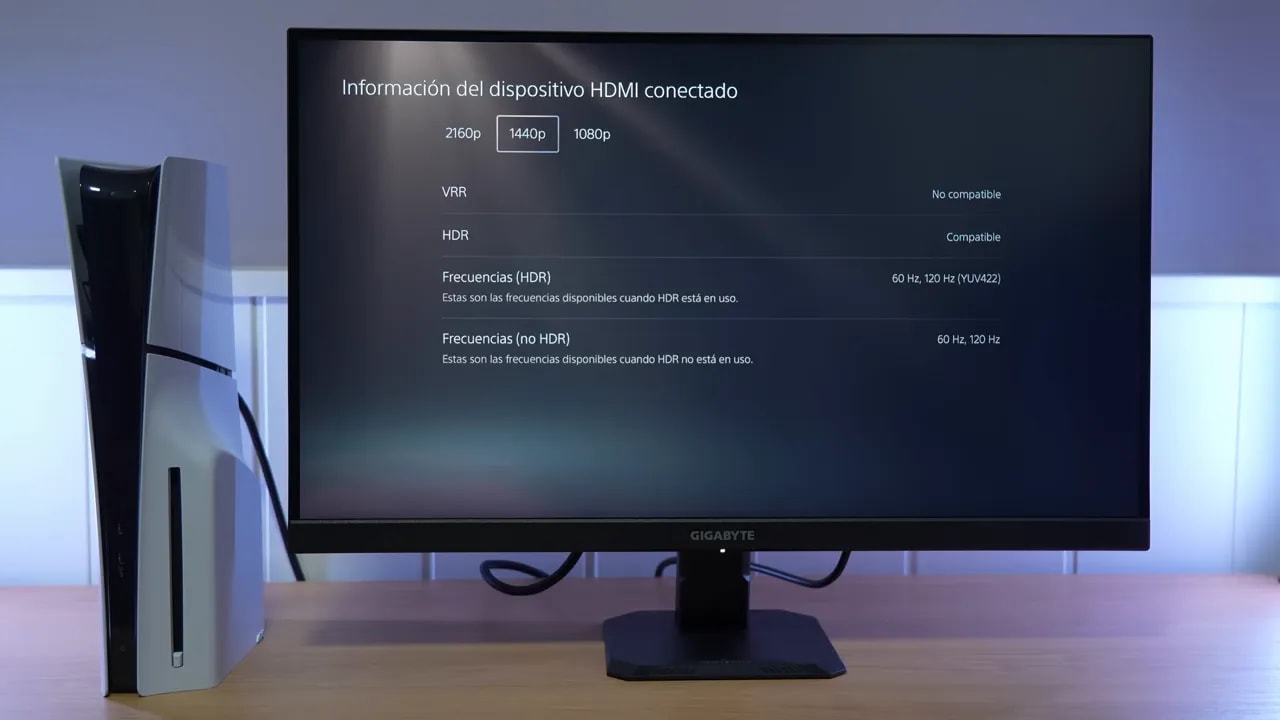
On consoles, especially PlayStation 5, compatibility is more limited. You can use it at 1440p and 120 Hz, which is good, and it also offers an interesting extra: it accepts a 4K setting so the PS5 can use supersampling and the image looks a little sharper when downscaled.
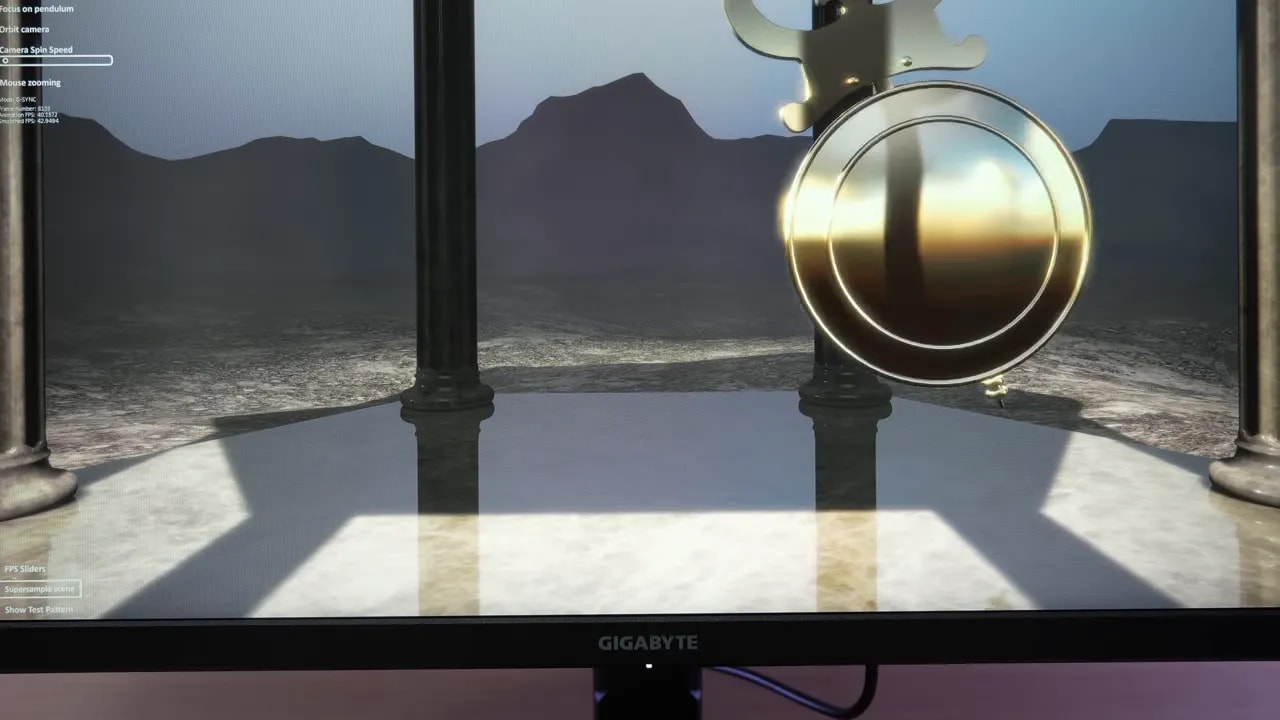
That is good, but the good news ends there. There is no:
- VRR
- ALLM
- Advanced features typical of HDMI 2.1
That is not particularly unusual for a monitor at this price, but it is a clear limitation if you are buying primarily for console use.
Recommended setting for PS5
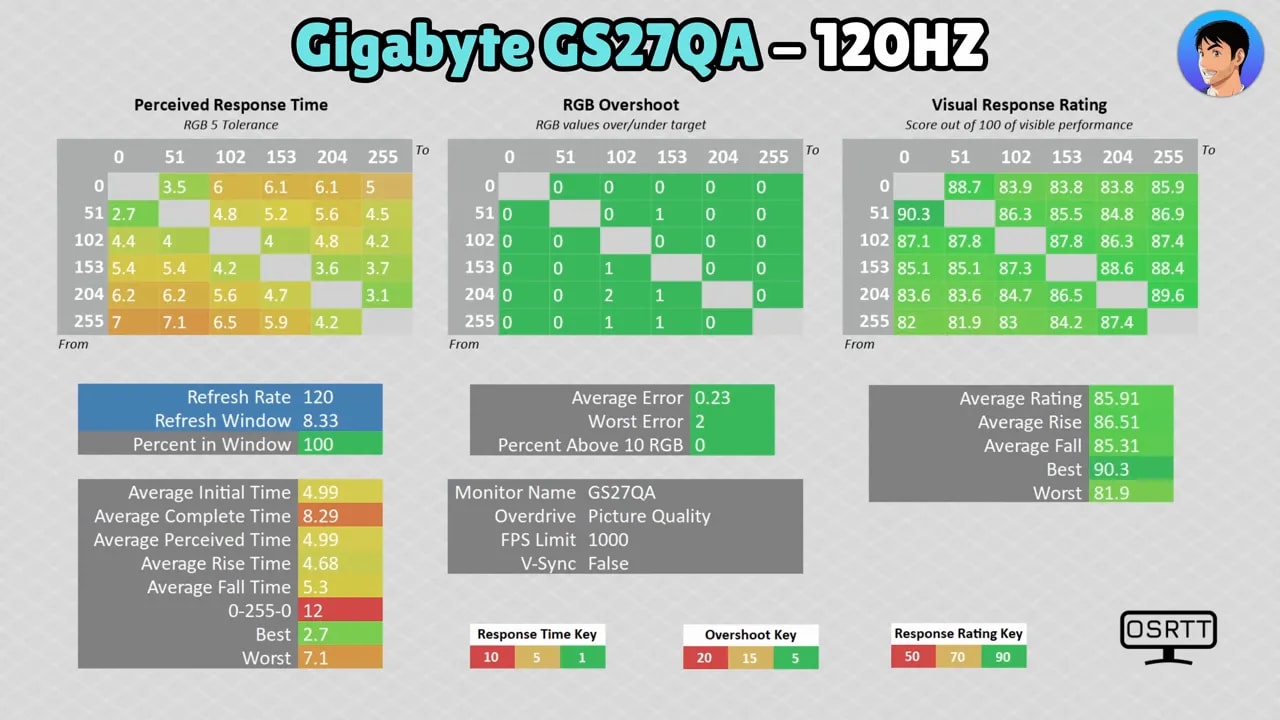
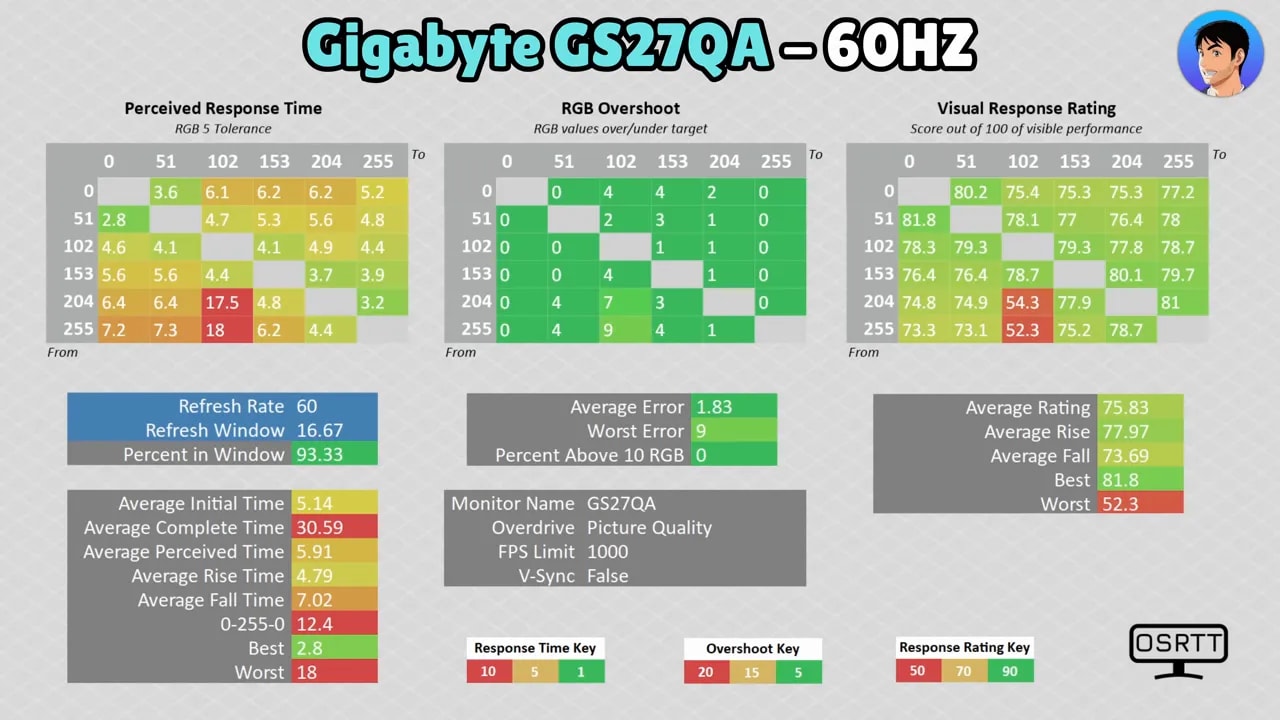
For use with PS5, I recommend setting overdrive to Picture Quality, at both 120 Hz and 60 Hz. At those refresh rates, gray-to-gray times remain very good, and ghosting is still among the best I have tested in this range.
The best and worst of the Gigabyte GS27QA
The best
- Outstanding ghosting performance for the price
- Very fast response times, especially in Balance and Smart OD
- Very well-calibrated sRGB mode
- Decent SDR brightness, close to 400 nits
- FreeSync and G-Sync Compatible support without practical issues
- Excellent value for money when it is around 170 euros
The worst
- It is not wide gamut and falls a little short if you want very vivid colors
- Weak HDR
- Stand without height adjustment
- No Motion Blur Reduction
- Fairly basic PS5 compatibility, without VRR or ALLM
- Light matte finish, with worse reflection handling than some rivals
Is the Gigabyte GS27QA worth buying?
If your goal is to find a budget-friendly, fast 27-inch 1440p monitor with very little ghosting, the Gigabyte GS27QA makes a lot of sense. In fact, that is its biggest selling point. Response and motion clarity are better than what you typically see under 200 euros.
That said, it is not a well-rounded monitor. If vivid colors are a priority, you want a convincing HDR experience, or you need more complete PS5 compatibility, other alternatives will probably suit you better.
But if you want to game on PC at 1440p and 180 Hz with a panel that responds really well without spending a fortune, the Gigabyte GS27QA is one of those models that really earns a recommendation.