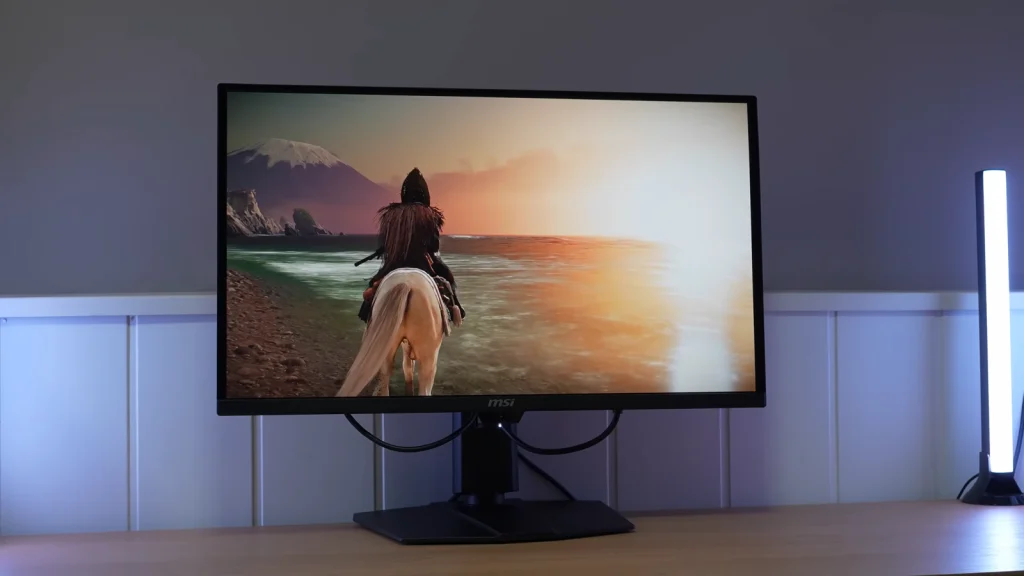
The MSI MPG 271QR X50 combines 1440p and 500 Hz with a QD-OLED panel that is also useful for color work. Its sRGB mode is one of its best-implemented settings, and connectivity expands the possibilities for use with multiple computers.
Speed is its main selling point, but it does not tell the whole story. The three HDR modes, MPRT behavior, and presence sensor introduce practical differences worth understanding before paying for the extras.
Packaging, assembly, and connections
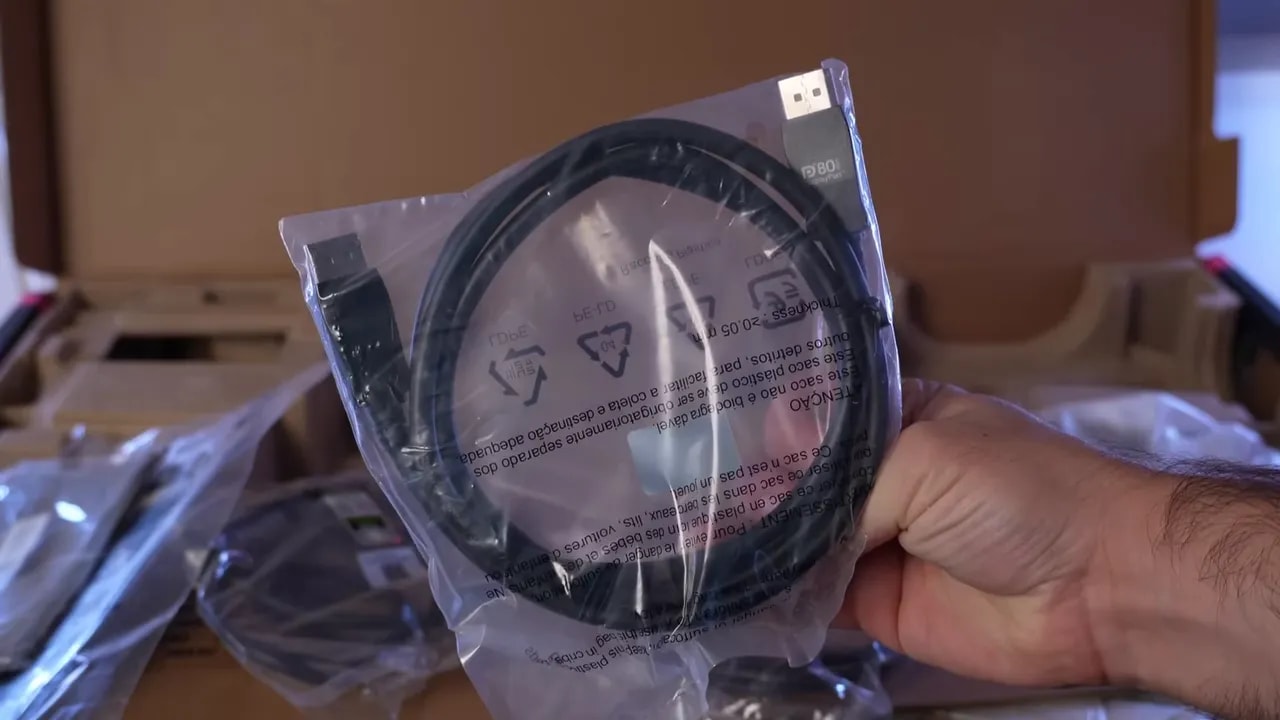
Before getting into measurements, it is worth discussing the package. MSI includes quite a lot as standard, which is always welcome:
- HDMI 2.1 cable
- DisplayPort 2.1 cable
- USB-A to USB-B/USB cable
- Power cable
- Documentation and calibration report
- Screws
- Cleaning cloth
- Stand
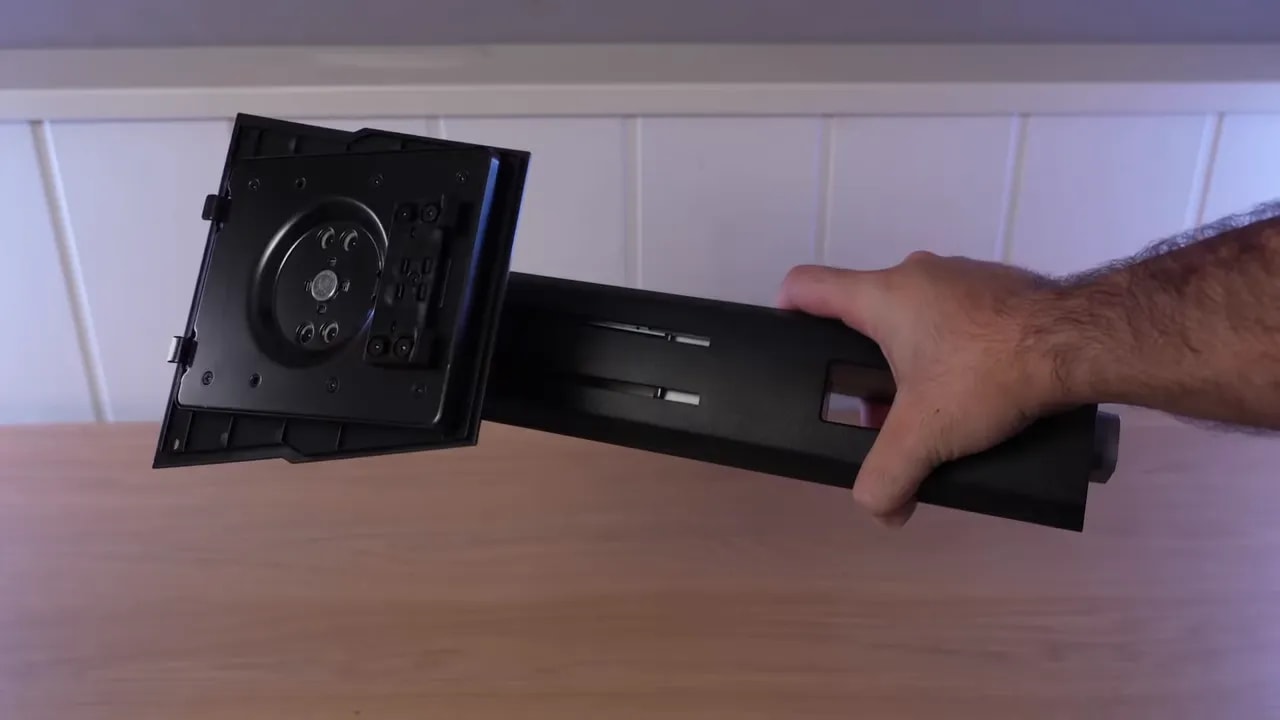
The stand is well designed. It feels sturdy and fairly heavy, and although the exterior is plastic, it feels well built. Ergonomics are extensive: height, tilt, swivel, pivot, and you can also rotate it without moving the base. Very good in this area.
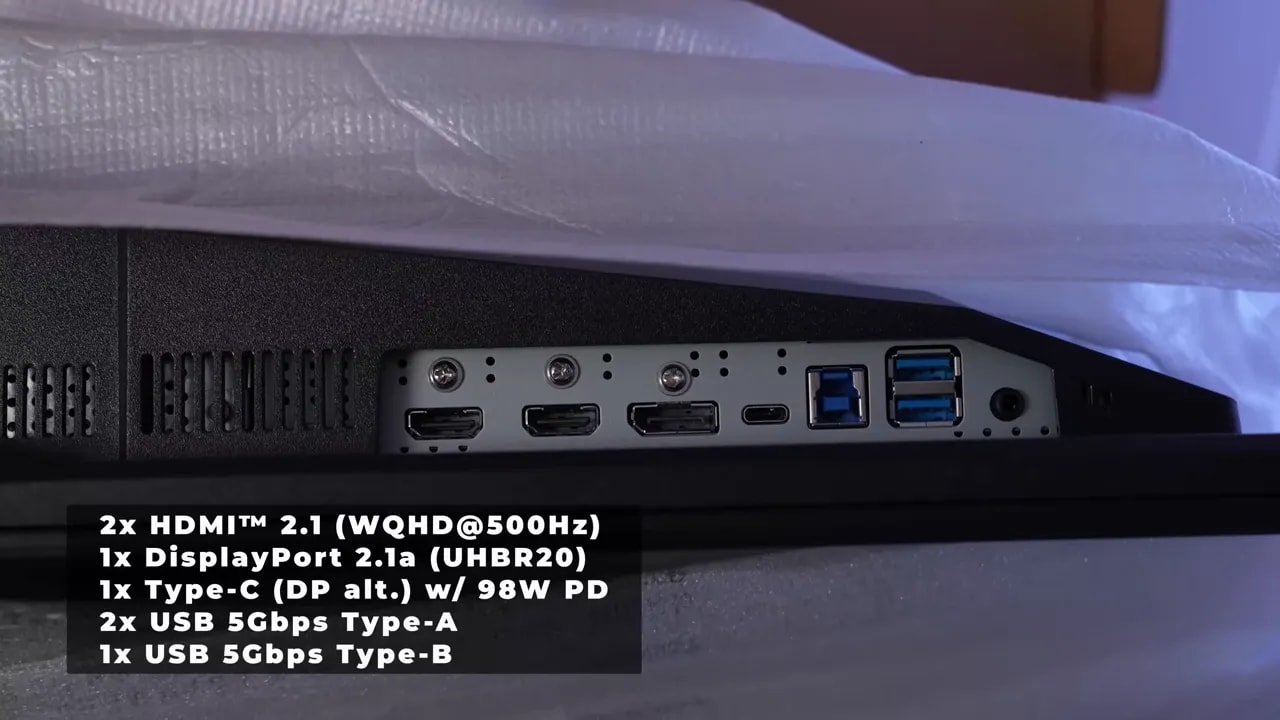
There is a subtle touch of RGB on the back, nothing excessive. The OSD is controlled with a joystick and two buttons, a classic but convenient approach. Connectivity on the MSI MPG 271QR X50 is well covered.
One of this model’s key features is the glossy finish. There are two sides to that:
- The good: colors come through better, and the image has that punch people tend to love in OLED.
- The bad: reflections are more defined and considerably more noticeable than on a matte screen.
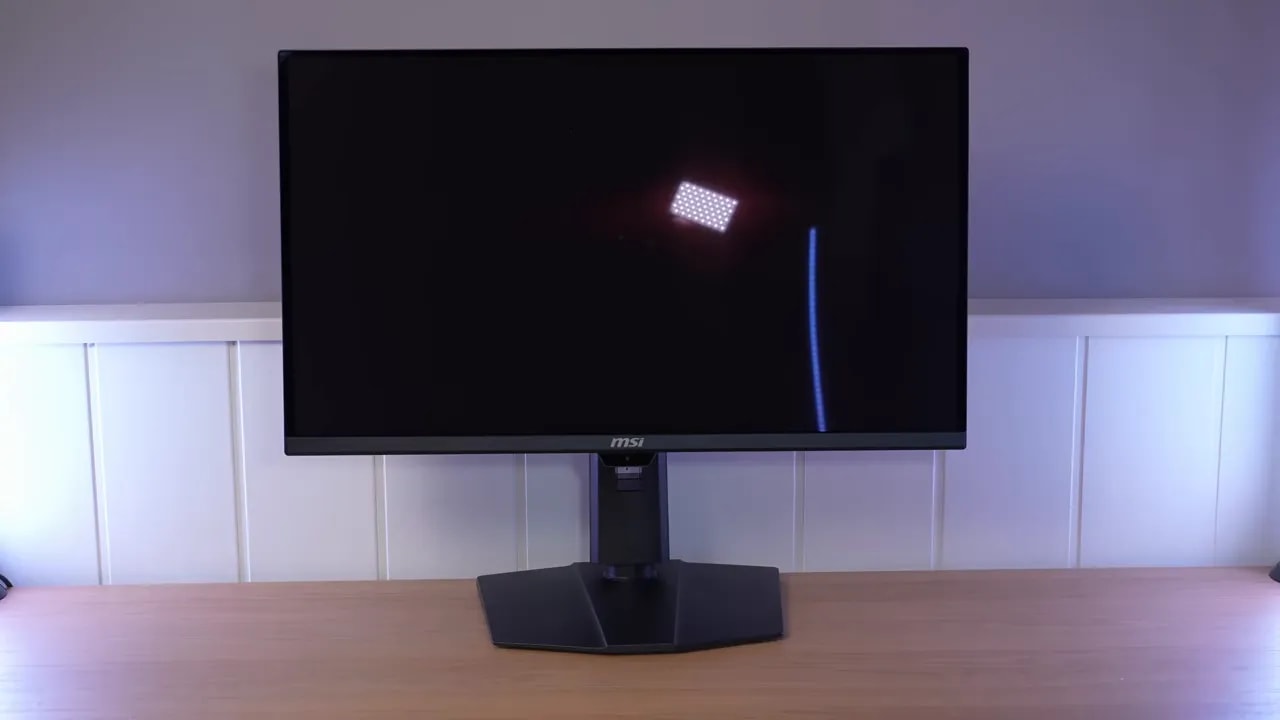
Also, as happens with QD-OLED panels, direct light produces the characteristic magenta tint. Another important warning: the surface is delicate, so avoid casually touching it with your fingers.
SDR color: a particularly useful sRGB mode
The OSD offers plenty of adjustments and several picture presets. To take full advantage of the panel’s capabilities, User mode is the most interesting starting point. There are also dedicated gamut-clamped modes for more specific work.
It is important to distinguish two scenarios here:
- General use, gaming, and media consumption
- Color-managed use or editing
The panel has enormous gamut volume, which is great for visual impact, but also means oversaturation if not properly controlled.
In User mode, grayscale performance on the MSI MPG 271QR X50 is very good. Delta E is below 1, color temperature is around 6500 K, and overall tracking is convincing. RGB balance is not bad, though there is a small dip, and gamma more or less follows the 2.2 standard, with the typical difficulties OLEDs show in this area.
Gamut coverage is where things start getting impressive:
- DCI-P3: practically 100%, with even a little extra volume
- Adobe RGB: around 97.4%
- sRGB: gamut volume close to 141%
The problem? Color accuracy when those modes are compared directly with their color spaces is not particularly good because of oversaturation. It is the typical case of an extremely wide-gamut panel that produces a striking but less faithful image if not properly clamped.
DCI-P3
The clamp is implemented quite well, with around 98.4% coverage. Accuracy improves over the unrestricted mode, although there is still room for improvement, particularly in certain yellows that deviate more than they should. Grayscale behavior remains very similar to User mode.
Adobe RGB
Coverage is around 96%. Overall behavior follows the P3 mode: usable and reasonable, but with room to improve absolute accuracy. It is not bad, but it is not one of those modes that makes you say, “Perfect, I would not change a thing.”
sRGB
This is the one. The sRGB mode on the MSI MPG 271QR X50 is very well executed. The clamp achieves around 98.6% coverage, and color accuracy is excellent, with maximum Delta E below 2. Grayscale performance even improves over other modes thanks to better gamma tracking, although color temperature rises slightly.
In practice, if you want accuracy without much effort, this is the most well-rounded factory mode.


The sRGB mode retains almost the entire target gamut and maintains very good color accuracy. That combination makes it useful out of the box: wide coverage alone does not guarantee correct color reproduction.
DCI-P3 and Adobe RGB modes could improve somewhat, but they offer a clear advantage: adjustable color temperature. That makes the monitor relatively easy to fine-tune with a colorimeter. Calibrating DCI-P3 mode and applying an ICC profile improves results considerably.
One important point, though: ICC profiles make much more sense for media consumption and editing than for gaming. Those scenarios should not be treated as exactly the same.
Stable brightness and three ways to display HDR
In SDR, brightness is uniform across different APL levels, which is great for editing. I do miss a brightness-unlocking option like those other brands offer, but there is still good news: this panel improves high-APL scenes over other previously reviewed QD-OLEDs.
On a full white screen, the MSI MPG 271QR X50 approaches 300 nits, which is positive for an OLED of this type.
There are three main HDR modes:
- True Black 500
- Peak 1000
- EOTF Boost
All reach around 300 nits at 100% APL, meaning a full white screen. The real difference appears as APL decreases.

The brightness graph plots the three modes against illuminated area. TrueBlack 500 and Peak 1000 follow the reference fairly well, with slightly darker midtones; EOTF Boost brightens them and compresses highlights. The choice changes the image as well as the available peak brightness.
True Black 500
This mode behaves similarly to the familiar True Black 400, but with greater brightness. PQ EOTF and luminance calibration are quite good at 2% and 10% APL. At 25%, accuracy starts falling more clearly, and at 50% or 100%, the limitation becomes much more noticeable, but it remains the most balanced mode.
Peak 1000
This mode reproduces behavior familiar from many QD-OLEDs on the market. At 2% APL, it approaches 960 nits, and some models go a little further, but that brightness is concentrated in very small areas. At 10% APL, it already starts losing considerably more detail than True Black 500, and as you move to 25%, 50%, and 100%, the problem gets worse.
The result is the familiar one: yes, you get high peaks, but at the cost of darkening the rest of the image. In many scenes, the overall result may look darker even than True Black 500.
EOTF Boost
Here MSI tries something different. The EOTF Boost mode aims for dynamic, hybrid behavior: preserving high peaks when the scene calls for them without darkening the overall image as much when individual areas do not need to be pushed so hard.
The idea is good, and in real use, I find it useful. Overall, this mode can look brighter than Peak 1000 in many scenes while maintaining similar peaks when needed. The problem is that this improvement comes at the expense of accuracy. The PQ EOTF and luminance curves shift slightly, and detail is lost. The higher the APL, the more obvious it becomes.
It does not solve the underlying problem, far from it, but it is an interesting approach. Some people may find it ideal because it avoids constantly switching between True Black 500 and Peak 1000.
In HDR, the panel on the MSI MPG 271QR X50 also delivers good figures:
- BT.2020: around 82%
- UHDA-P3: full coverage, with color volume even exceeding it
- Color volume: 75% of BT.2020 and 111% of DCI-P3
There is a slight improvement in color range and brightness over some earlier QD-OLED and WOLED panels, especially in True Black 500 and at high APL. It is not a huge difference, but it exists.
500 Hz and MPRT: clarity depends on the settings
All right, now for what makes this monitor special. The most striking thing about the MSI MPG 271QR X50 is not just that it is QD-OLED, but that it combines that with 500 Hz at 1440p.
There were already 480 Hz WOLED options, but here is a QD-OLED alternative that is simply fantastic in motion. OLED’s practically instantaneous response times deliver incredible clarity.
Comparing 500 Hz with 360 Hz and 240 Hz, the improvement is there. And yes, it is noticeable. Some people may find it harder to isolate the difference in overall smoothness beyond a certain point, but once you focus on details in motion, enemies, fine elements, or rapid visual tracking, the advantage becomes apparent.
I would not call the jump from 360 Hz revolutionary, but it is real. If you regularly play competitively and have a trained eye, it is more noticeable than many people online claim.
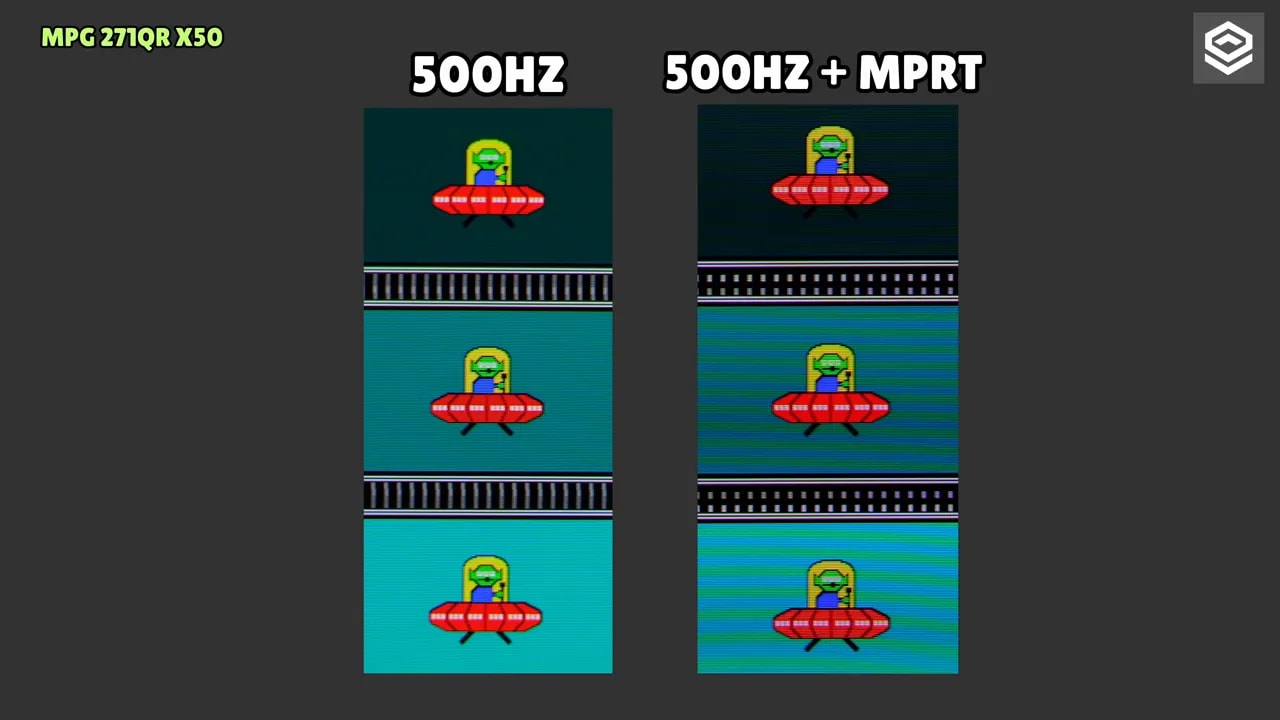
One of the features that caught my attention most was MPRTmode. The unusual part is that it can be enabled at 500 Hz, which is very rare on OLED. Normally, when an OLED includes a form of Black Frame Insertion, you need to halve the refresh rate to use it.
Curiously, simply enabling it seems to do absolutely nothing. Motion clarity looks the same. But when testing games capped at 250 FPS, the expected effect appears: you get clarity similar to running the game at 500 FPS.
Essentially, it works similarly to Asus ELMB. It is useful, but MSI should explain its operation more clearly in the OSD, because at first it can leave you thinking, “This does nothing.”
At 500 Hz, input lag on the MSI MPG 271QR X50 is extremely low. It also feels like MSI has refined this considerably compared with older OLEDs.
For VRR, there is Adaptive Sync, FreeSync, and G-Sync Compatible support depending on your GPU. The problem is the usual OLED issue: VRR flicker. In some tests it is barely noticeable, but certain grayscale patterns reveal it more clearly. In real use, it tends to appear mainly on loading screens or when frame rates move in and out of the LFC range.
Personally, this is exactly why I do not usually use it on OLED. And remember, it happens on VA too. It tends to be least bothersome on IPS.
PS5, productivity, and OLED protection
It was also tested with PlayStation 5, and there is an important detail: full compatibility requires going into the monitor settings and changing the HDMI mode from PC to Console.
Once that is done, you can even set it to 4K 120 Hz with VRR and ALLM, along with the full color configuration PS5 allows, even though the panel is 1440p. And of course, at 1440p you can also use 120 Hz, VRR, and the other supported features.
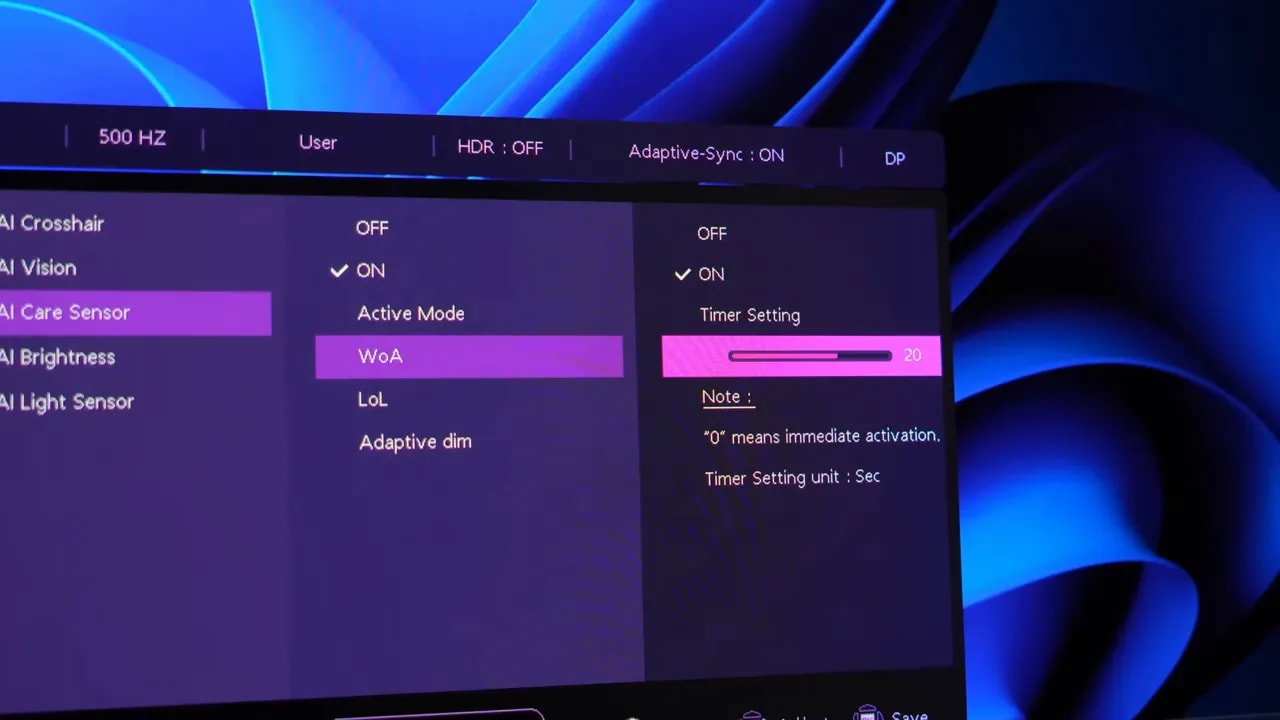
MSI includes the usual burn-in prevention systems now standard on OLED monitors, but the most interesting new addition is the presence sensor.
This sensor differs from other manufacturers’ because, in addition to configuration through the monitor itself, it is also supposed to integrate with Windows. In practice, at least during testing, the Windows side was not entirely clear. What could be verified is that it can be configured from the monitor, although the mode names are somewhat confusing.
Based on testing:
- LOL appears to be the time until the screen turns off
- WA appears to be the time it takes to turn on
Most interestingly, the system has an integrated NPU that recognizes people. Putting a chair or another object in front of it does not activate the screen. Sitting in front of it does. That makes it a genuinely useful feature, not just marketing.
More things to keep in mind about the MSI MPG 271QR X50:
- Text clarity: better than WOLED
- Flicker: still present, as on all OLEDs
- KVM: included
- USB-C: up to 98 W
- DisplayPort 2.1: 80 Gbps
When it is worth choosing over alternatives
The MPG’s value lies in its connections and features as well as its 500 Hz refresh rate. Before choosing it over a simpler MAG option, consider which extras you will use: USB-C charging, KVM, DisplayPort 2.1, and the presence sensor may justify the difference for someone switching between multiple computers.
Compared with the 480 Hz WOLEDs already on the market, these are the clearest advantages of this QD-OLED implementation:
- Better text clarity
- Better colors
- Better brightness at high APL percentages
- Glossy finish, something unusual in this category
That said, keep an eye on what is coming. Early next year, we should start seeing 540 Hz tandem WOLEDs, in both matte and glossy versions, promising improvements in brightness and color as well as refresh rate.
The MSI MPG 271QR X50 impressed me a lot. The panel implementation is quite refined, the extras make sense, and overall, MSI has done a very solid job. I have not tested every 500 Hz QD-OLED on the market, but this version leaves a very good impression.
Its strengths are quite clear:
- Incredible motion clarity
- True 500 Hz at 1440p
- Very good sRGB mode
- Good color and wide coverage
- Improved brightness at high APL
- Cleaner text than WOLED
- Glossy finish for those who want it
And so are its drawbacks:
- High price
- VRR flicker typical of OLED
- HDR with the usual limitations depending on the mode
- Pronounced reflections from the glossy finish
If you want some of the best available right now for competitive gaming on OLED, the MSI MPG 271QR X50 belongs firmly in the conversation. If you are not in a hurry, waiting to see how the upcoming 540 Hz models arrive and how the market adjusts may be the most sensible choice.
And if you want the best balance between panel performance and price, the MAG version at around 650 euros seems especially attractive to me, because it cuts extras rather than the parts of image quality that really matter.
To sum up, the MSI MPG 271QR X50 is a competitive gaming beast, a very capable QD-OLED, and one of the most interesting high-refresh-rate 1440p options available. Expensive, yes. But also very powerful.