Tested by IMartz
KTC M27P6S
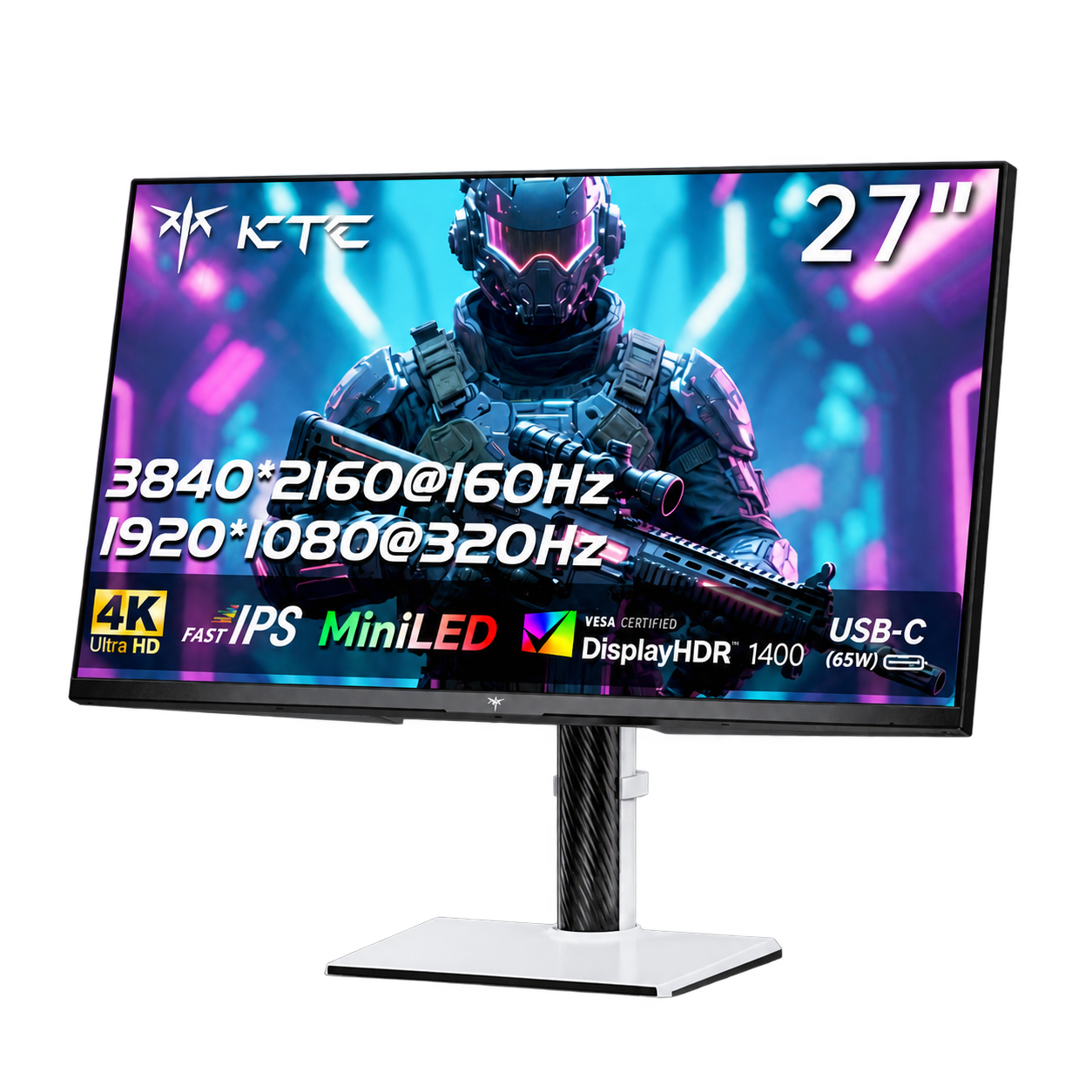
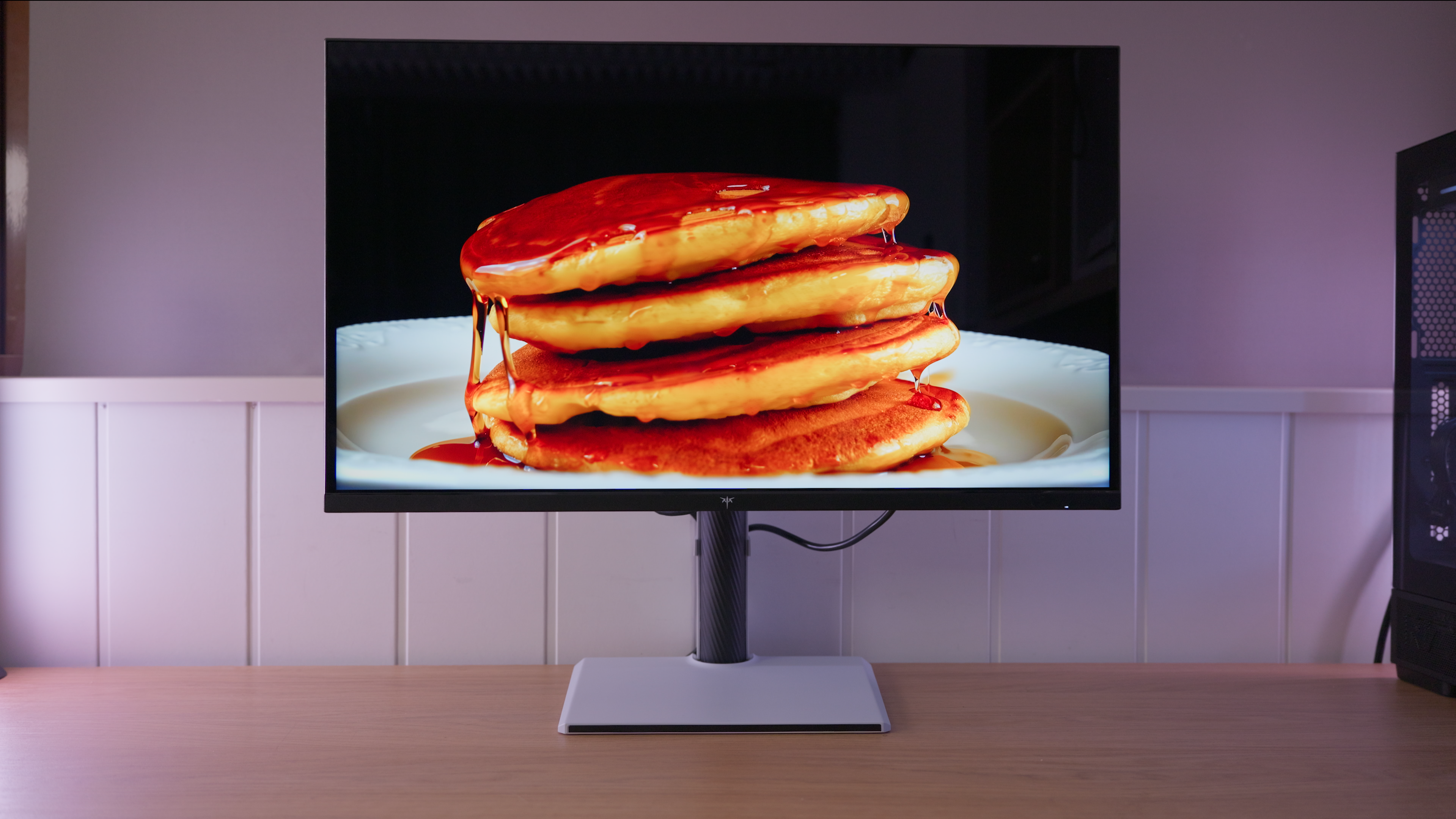
A glossy 27-inch QD Mini LED IPS with 4K at 160 Hz and 1080p at 320 Hz in Dual Mode. It offers good image quality and versatility, but factory calibration, blooming and several firmware 1.01 issues limit its promising hardware.
PanelQD Mini LED IPS
Choose between two resolution and refresh-rate modes: one prioritises detail and the other a higher refresh rate. See the specifications for the available combinations.
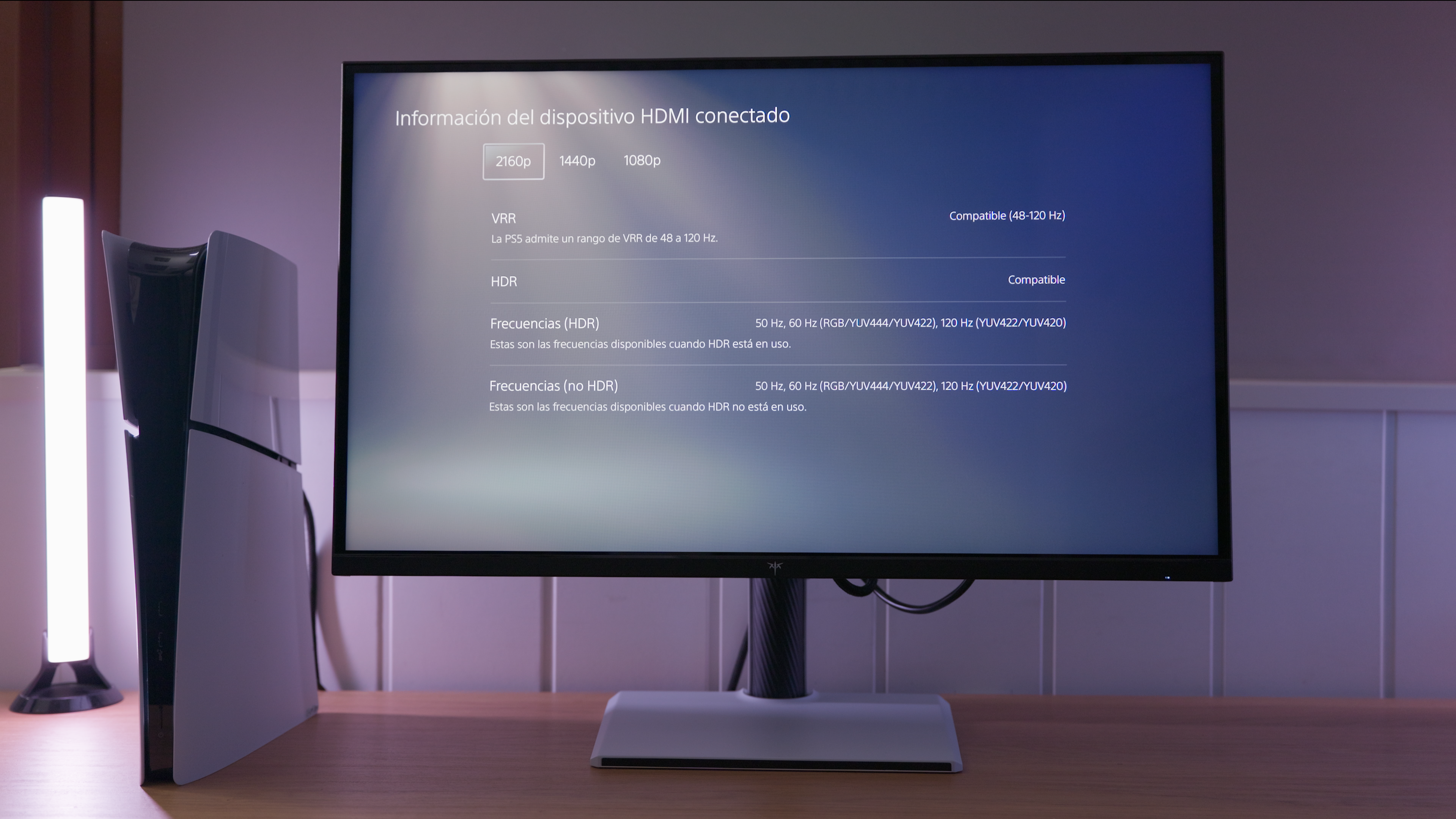
This monitor is listed as supporting variable refresh rate on PS5. See the console section for supported resolutions and refresh rates.
IMartz verdict
Pros
- Good image quality, high brightness and a wide colour gamut.
- Versatile for 4K gaming, 320 Hz Full HD gaming and PS5 use.
- Smart Uniformity greatly improves evenness while retaining ample brightness.
Things to consider
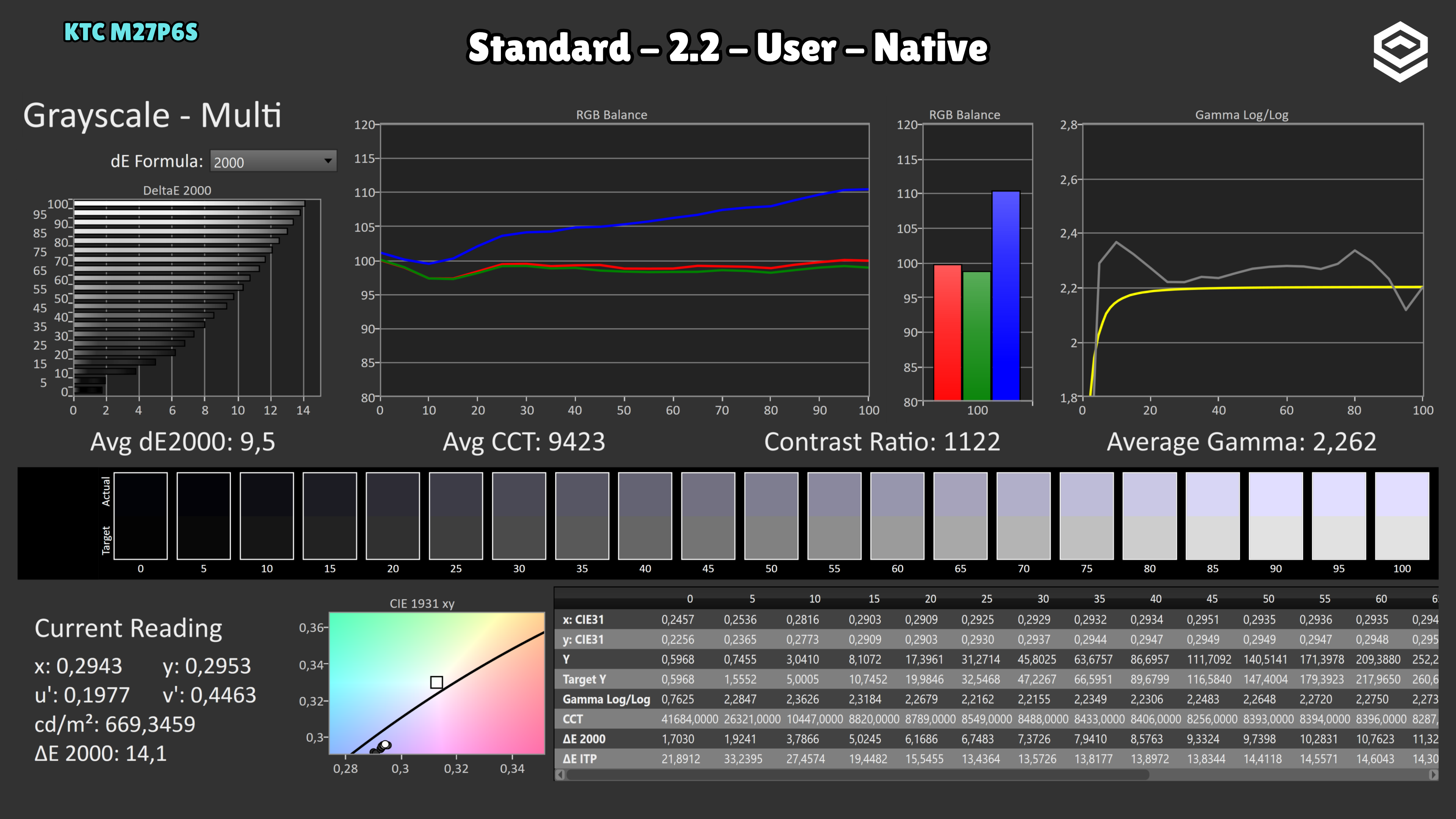
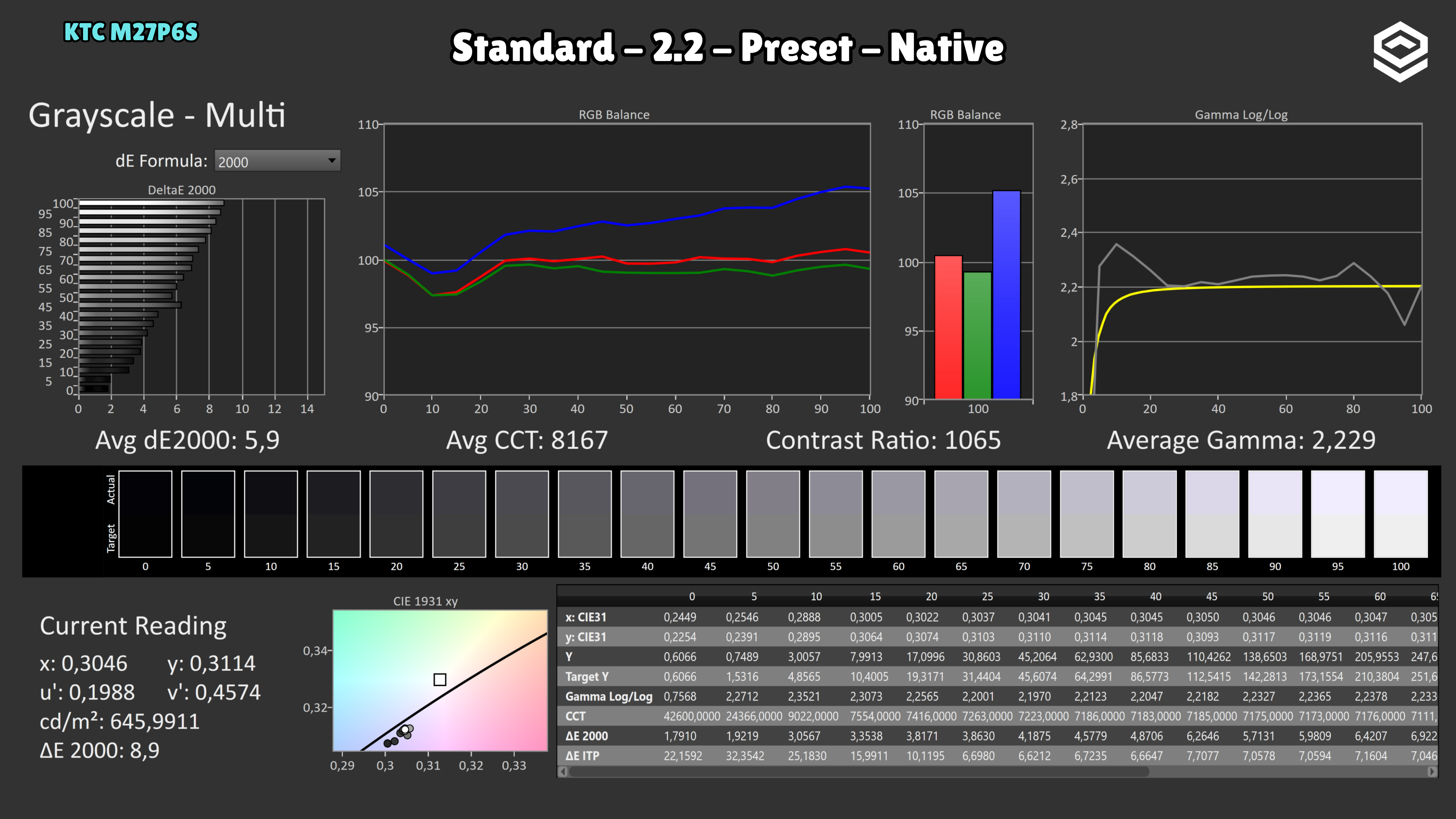
- Cool factory calibration even in Warm: manual adjustment is needed.
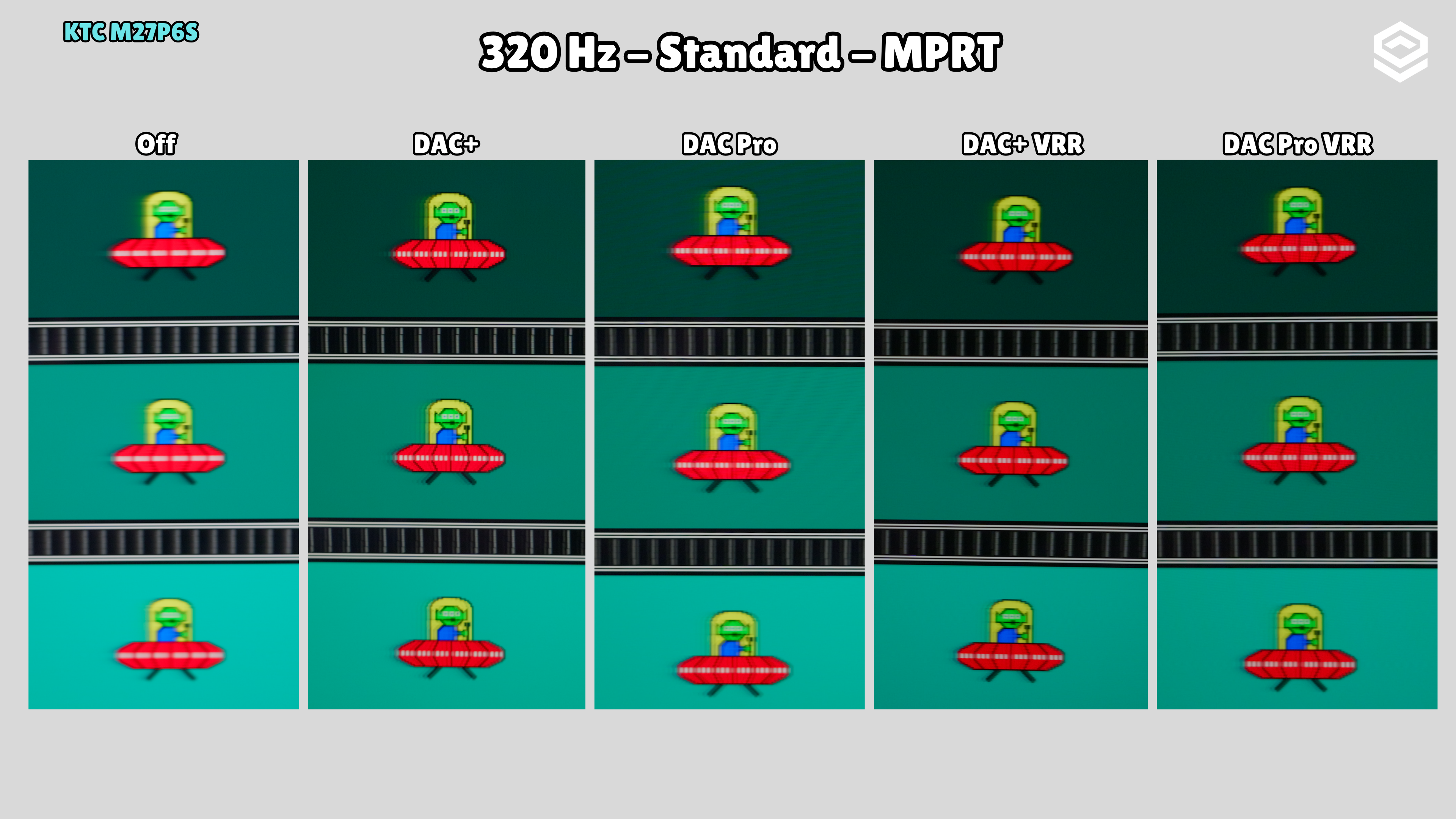
- Firmware issues complicate overdrive control and using MPRT with VRR.
- Visible blooming and vignetting, with a glossy finish that reflects a lot.
A good fit if…
- You want sharp 4K images, HDR and fast gaming on one monitor.
- You accept adjusting colour and living with firmware limitations in exchange for its features.
Consider another option if…
- You need accurate colour out of the box or want to edit with local dimming enabled.
- You want halo-free blacks, few reflections and trouble-free settings.
Measurements and specifications
IMartz test results. See each section for the measurement conditions.
Display and format
SDR performance
Color, brillo, contraste y comportamiento básico fuera de HDR.
Test note · DCI-P3 accuracy
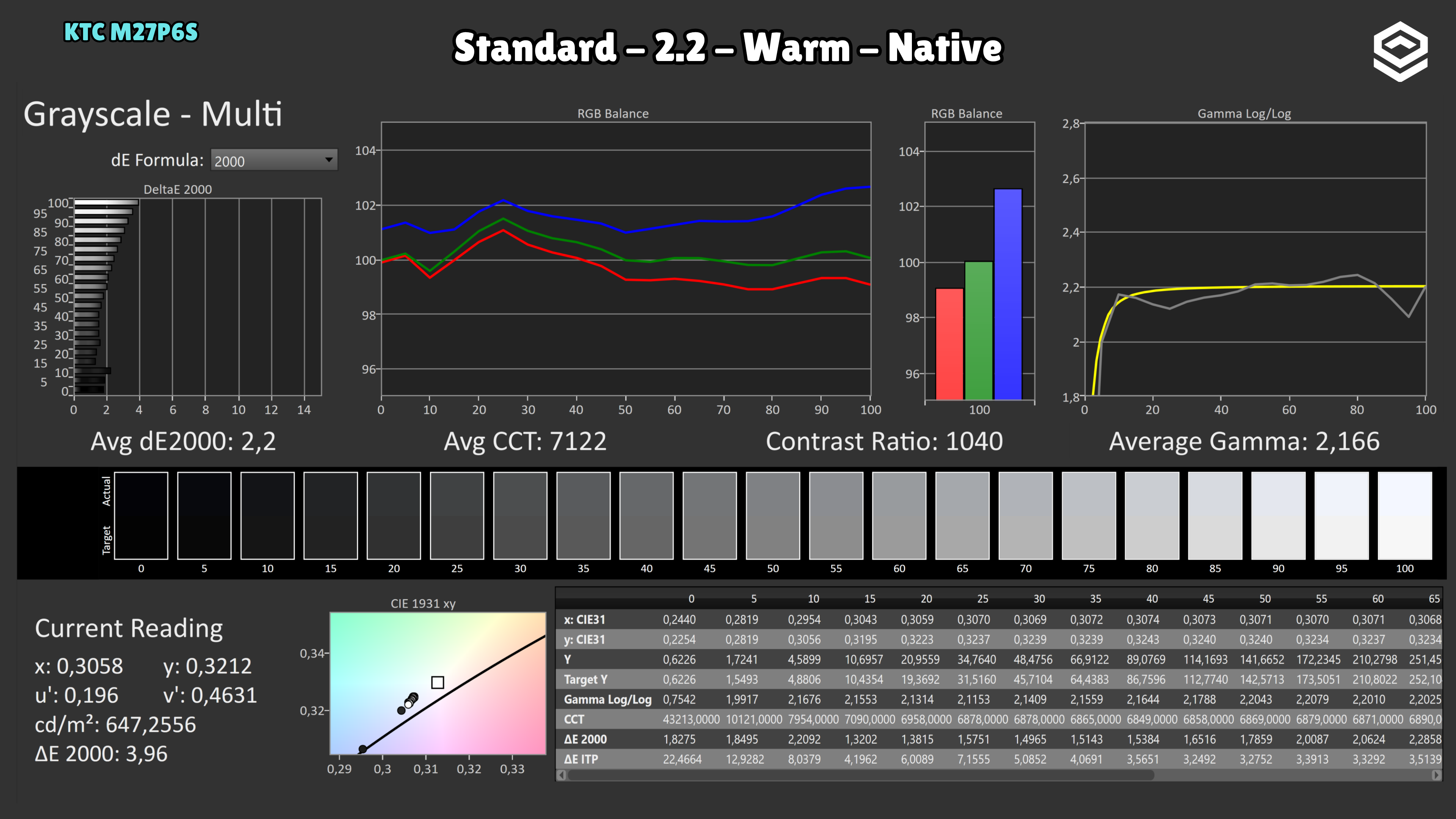
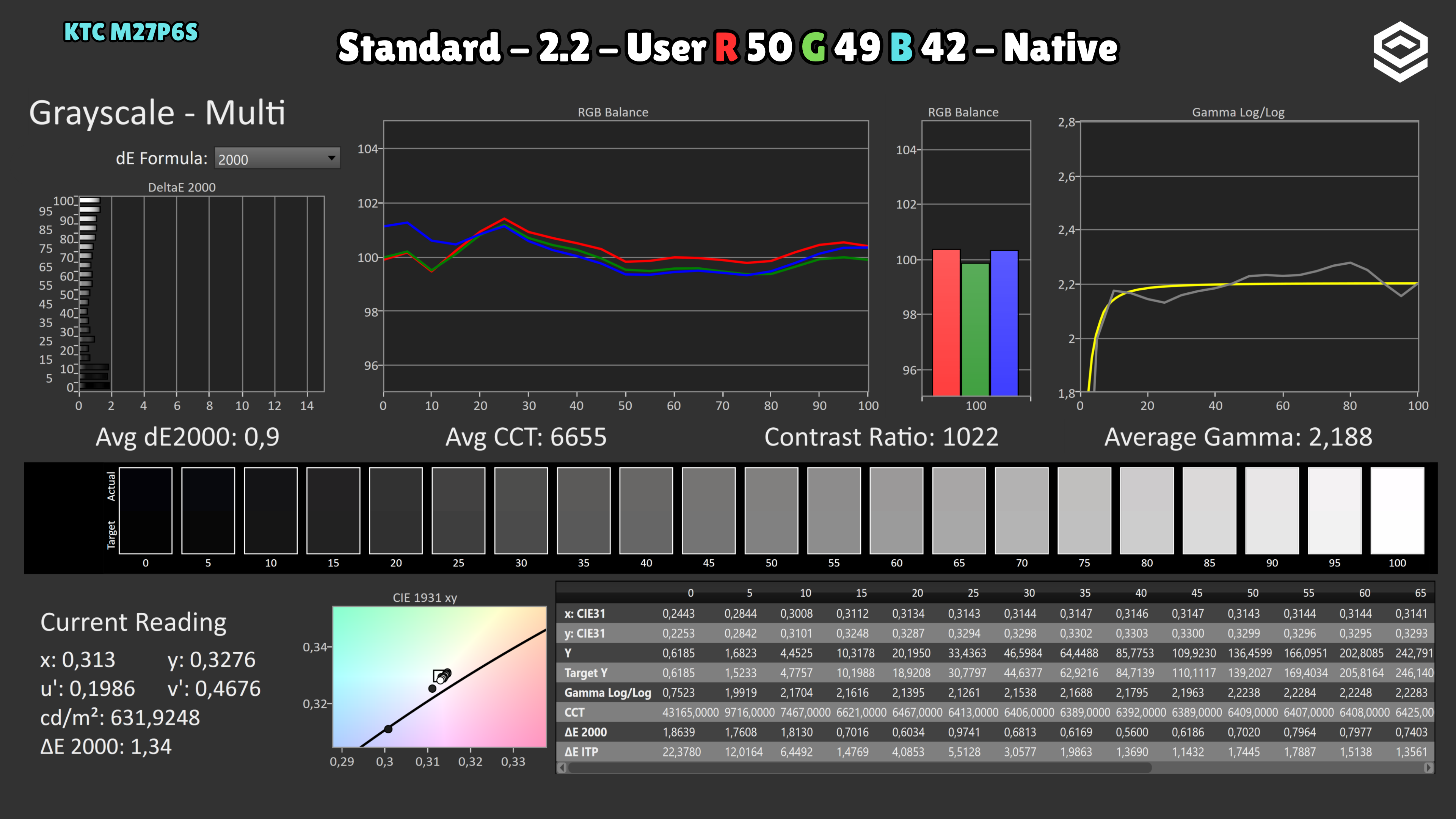
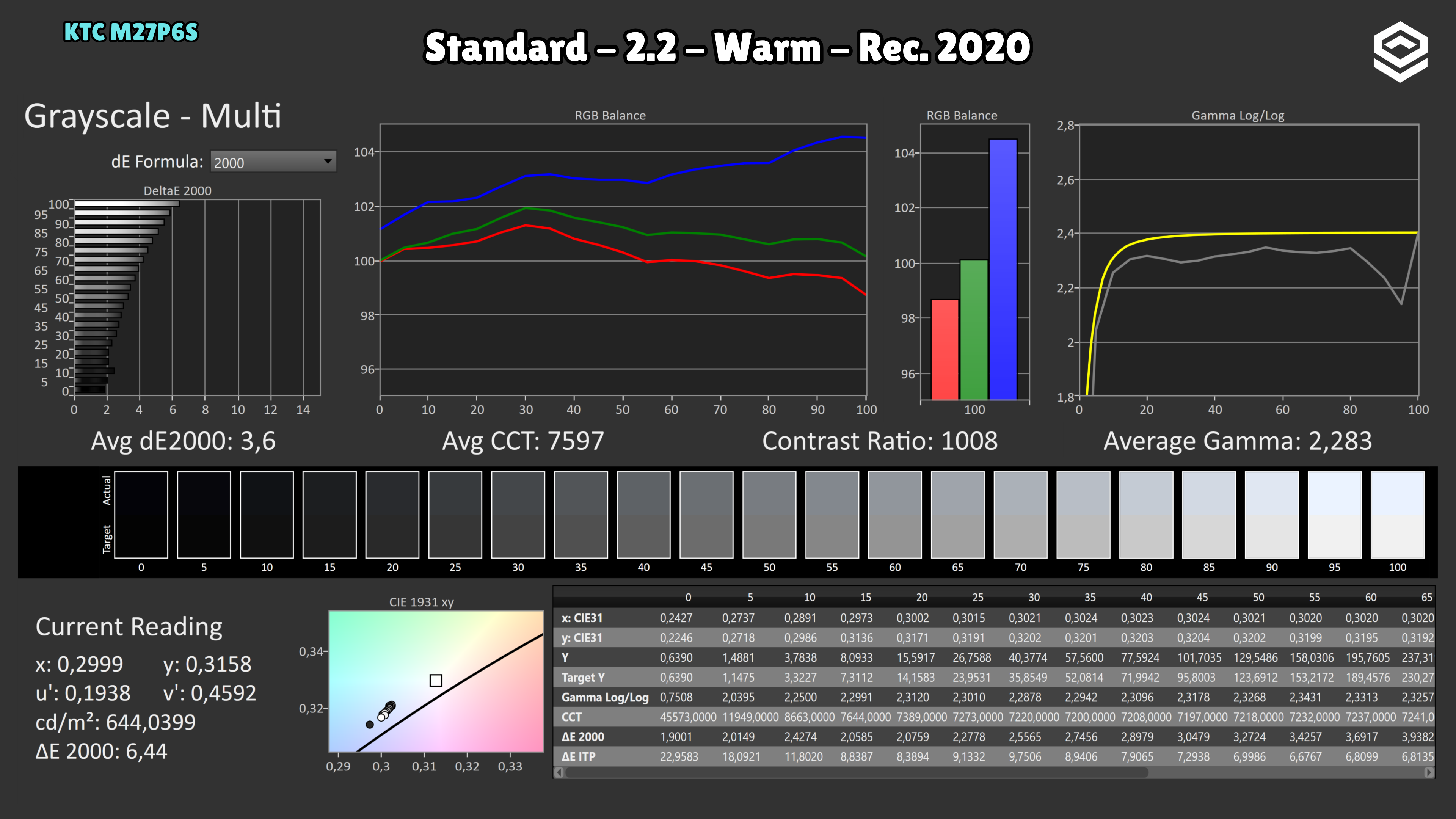
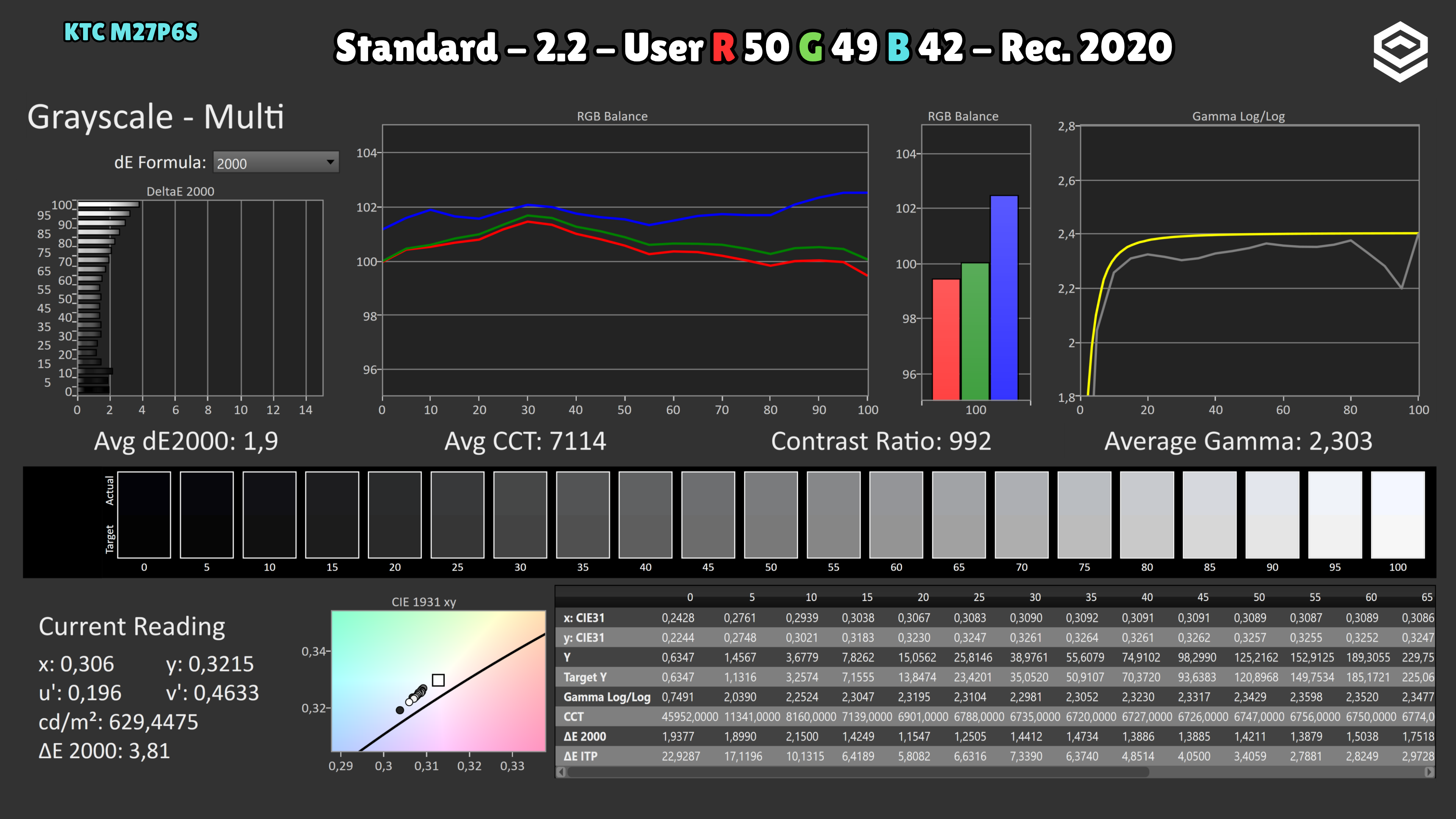
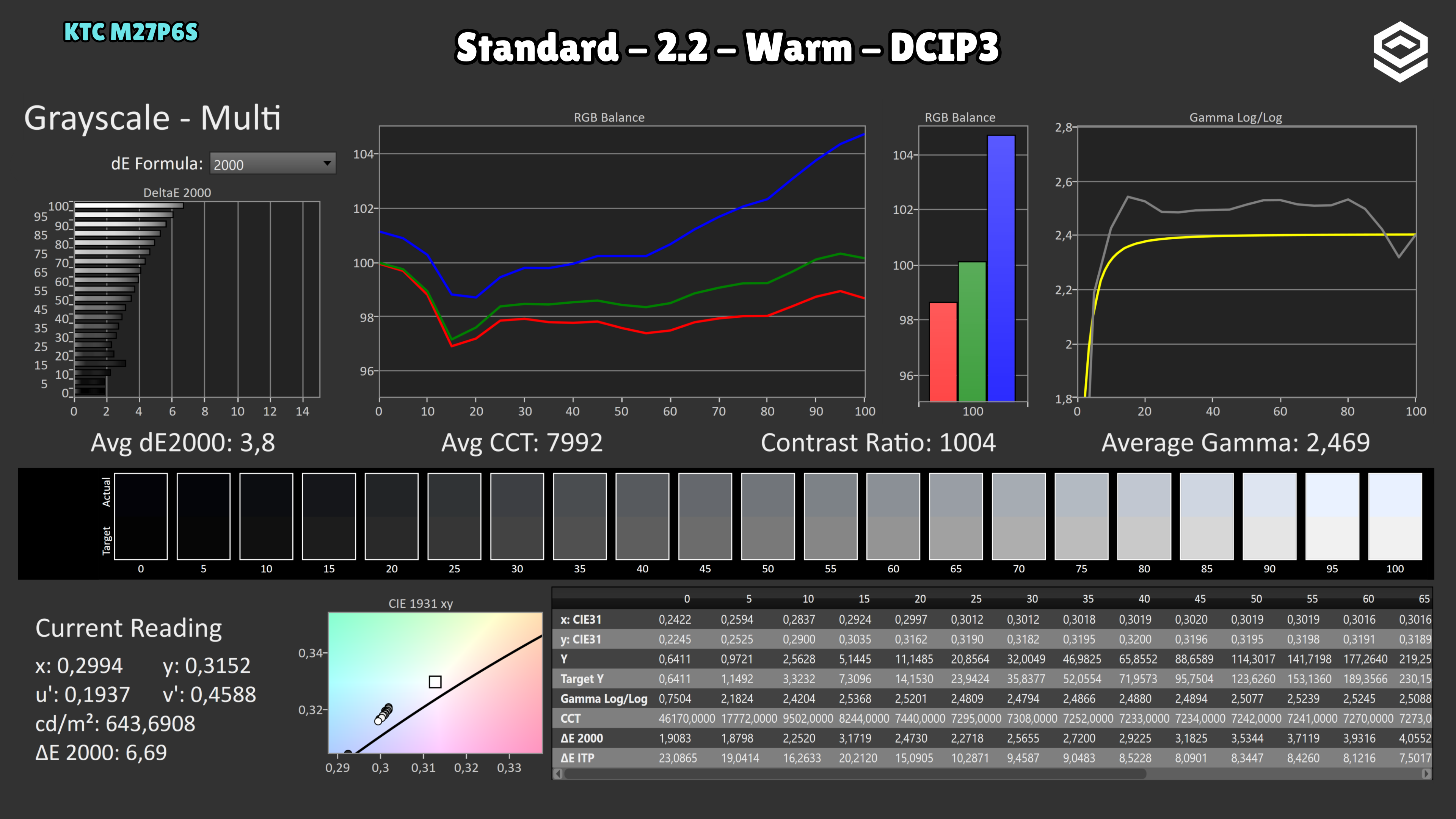
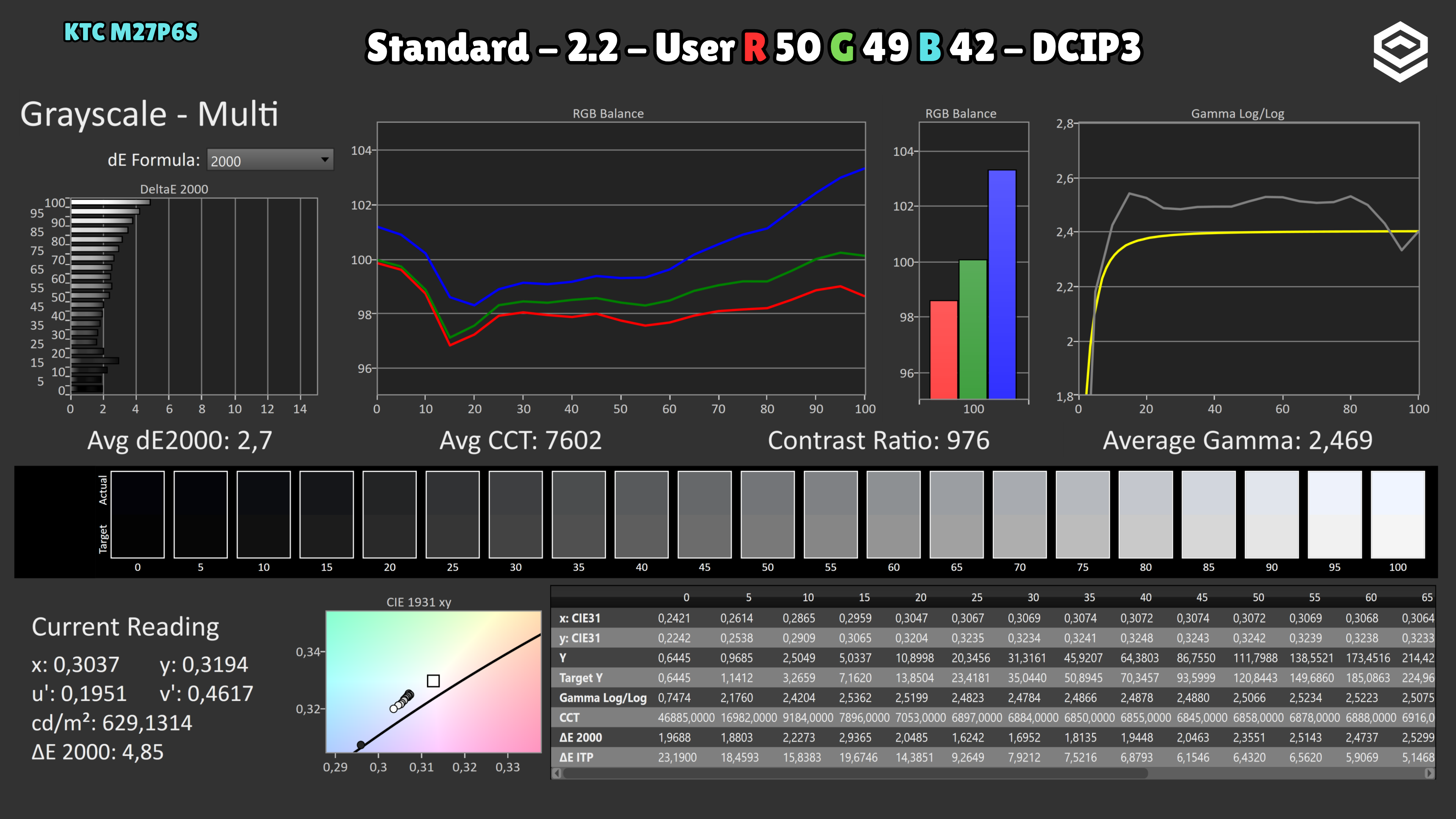
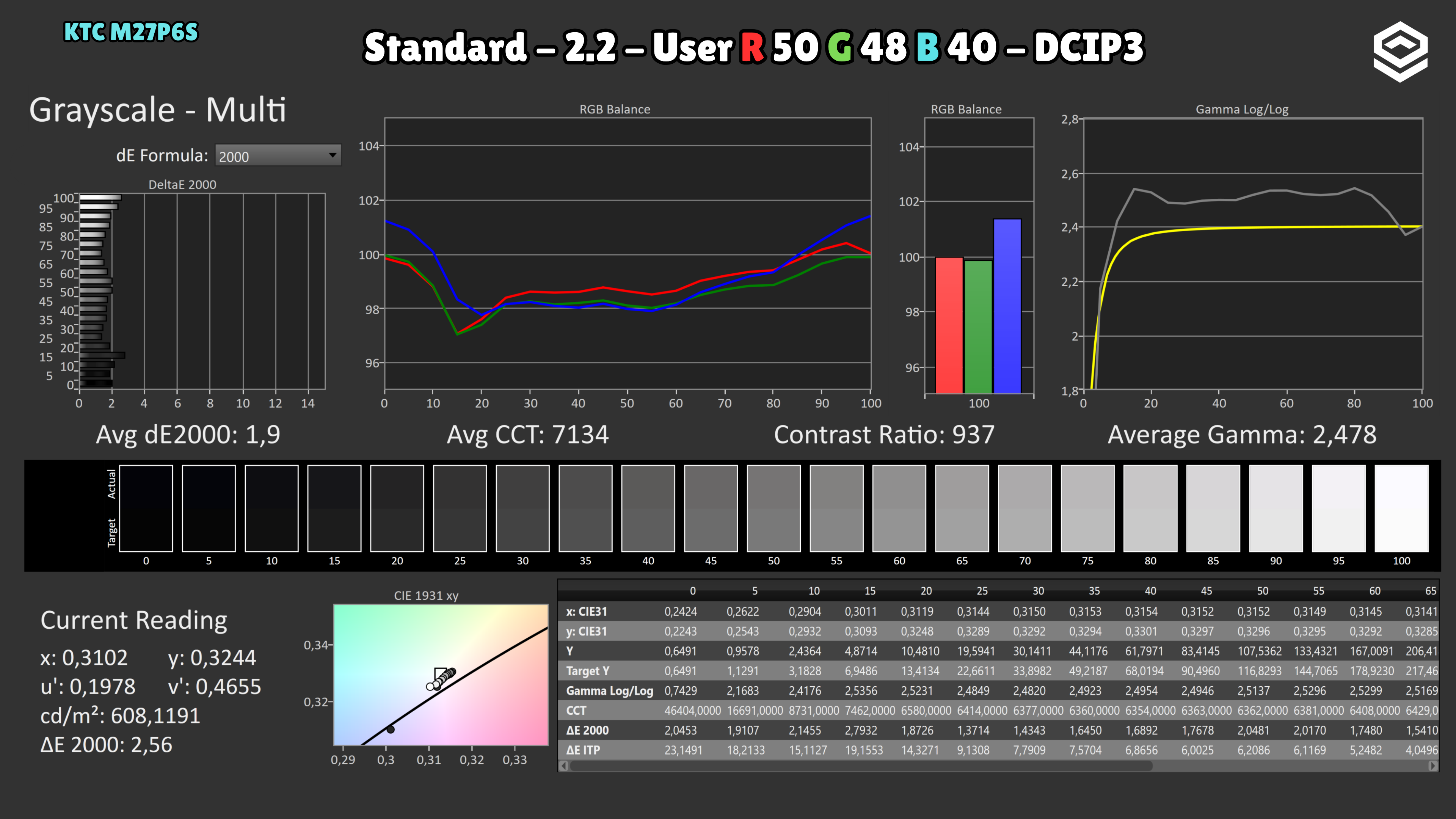
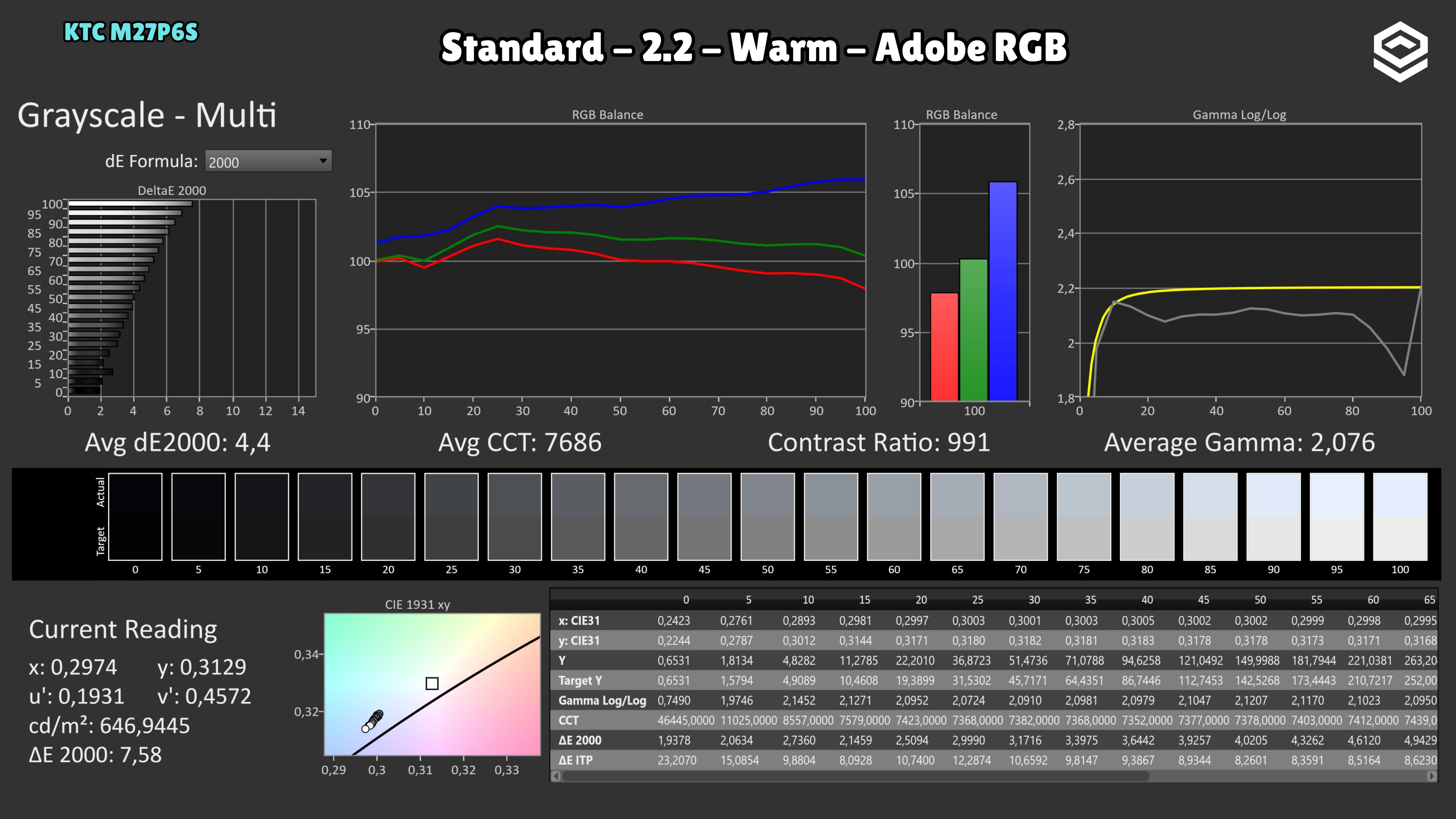
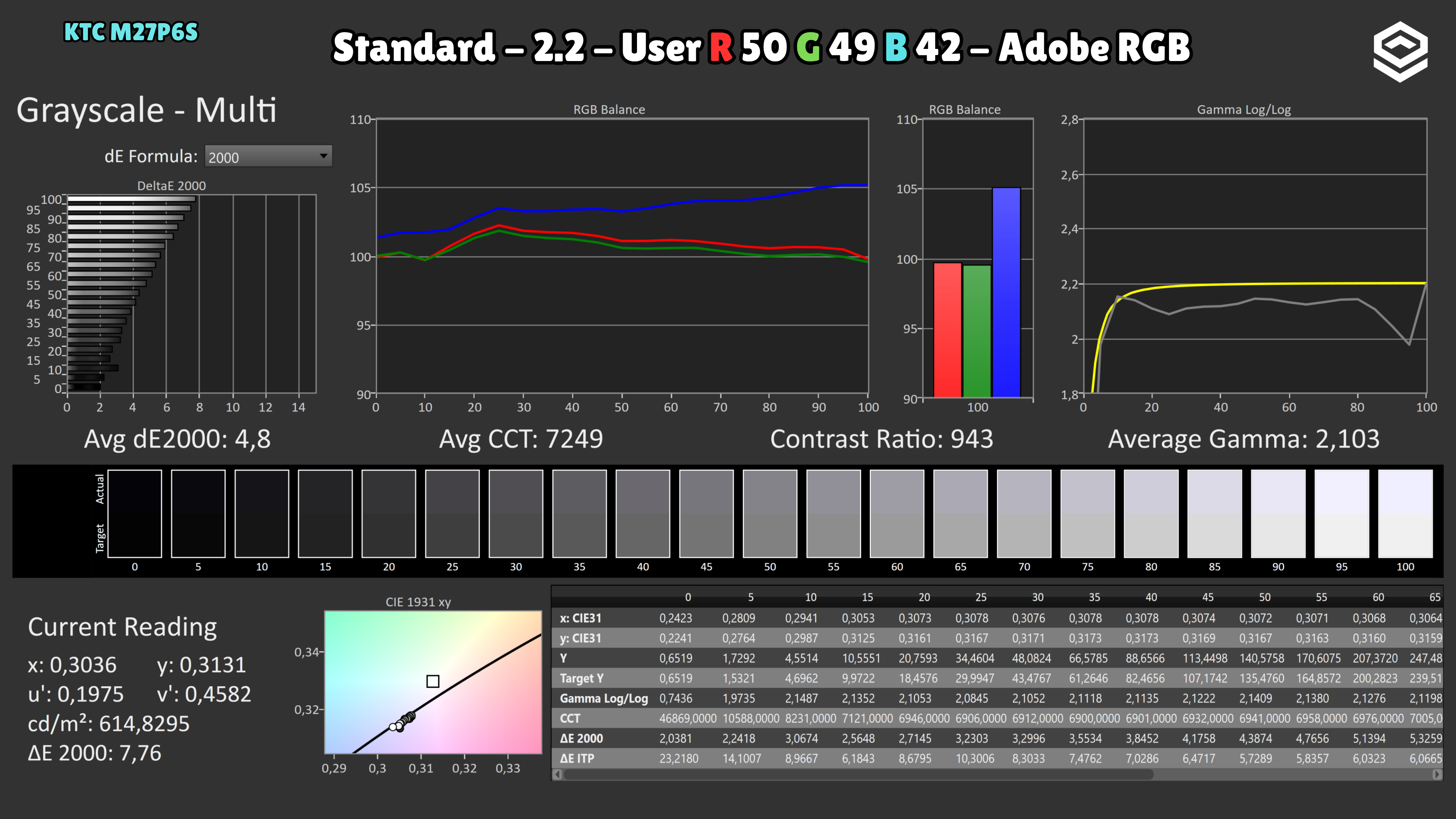
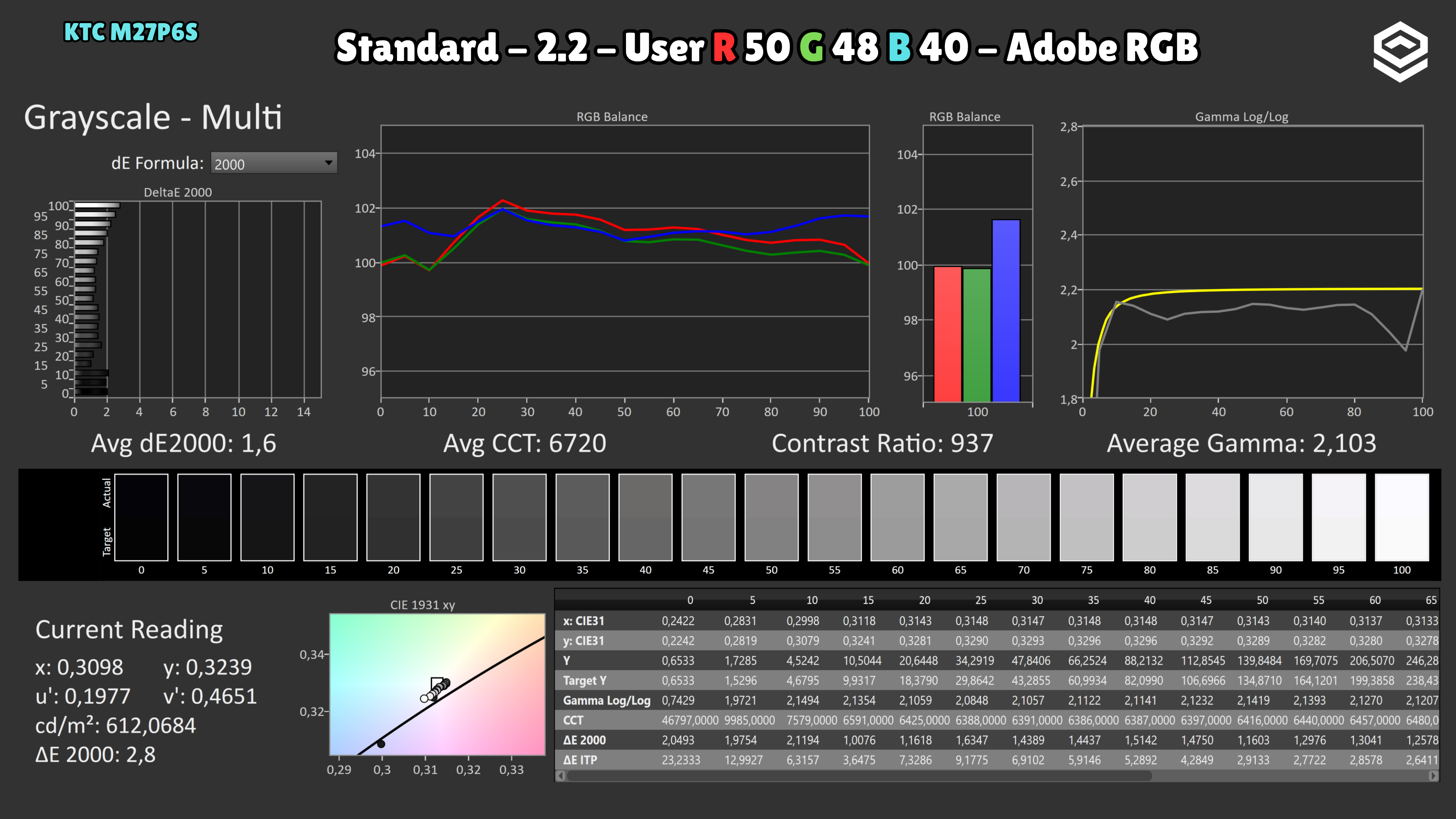
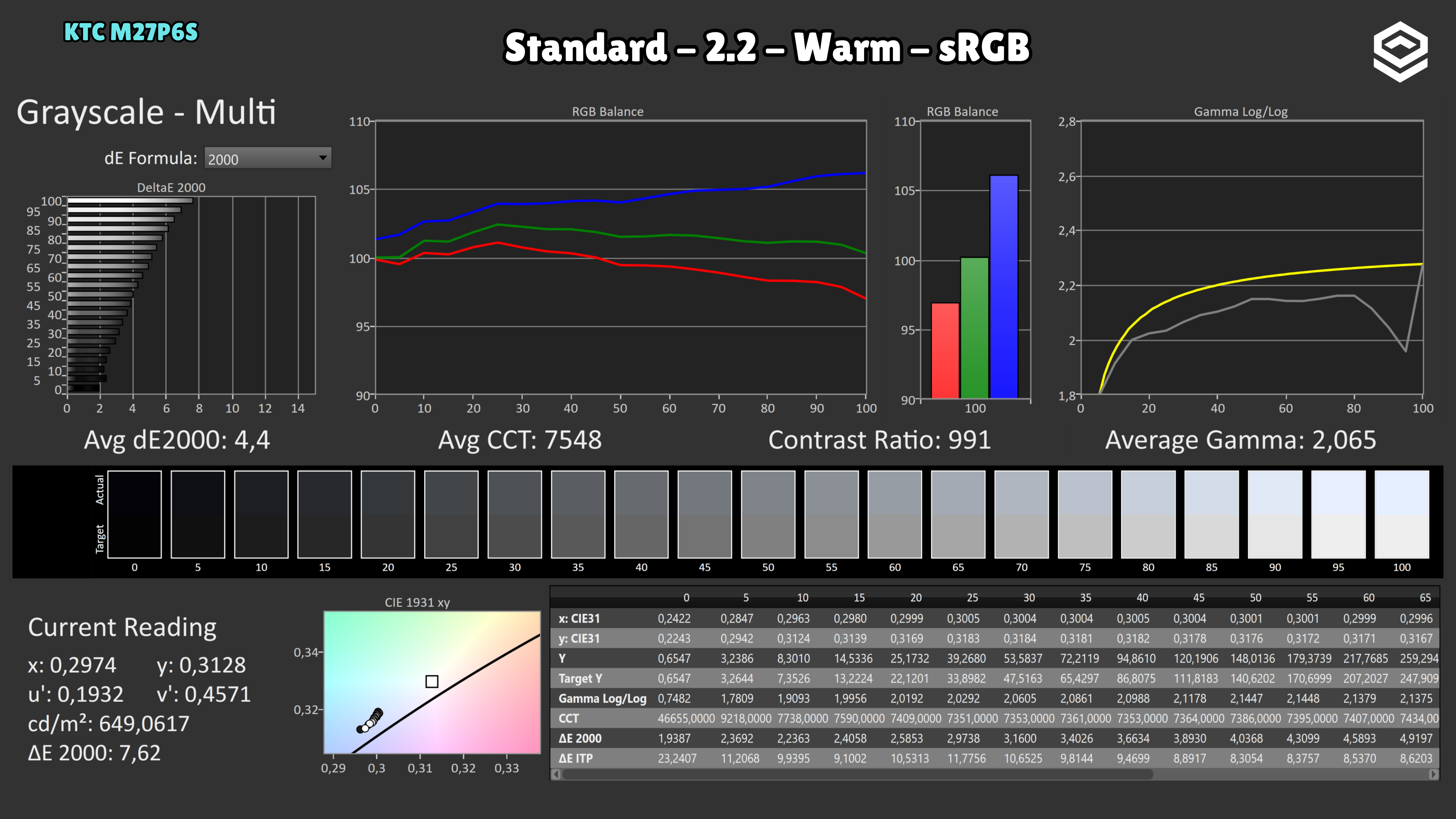
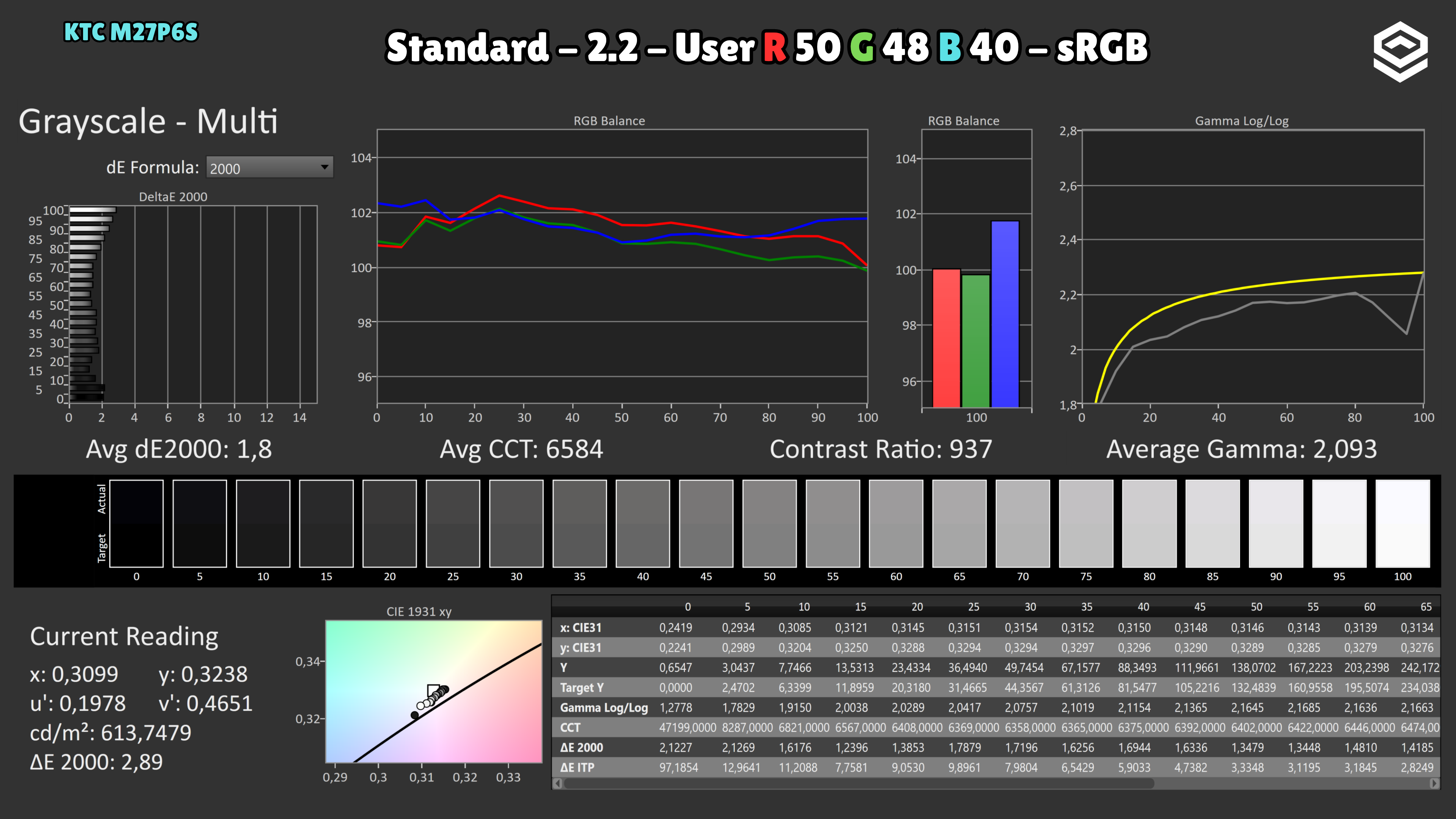
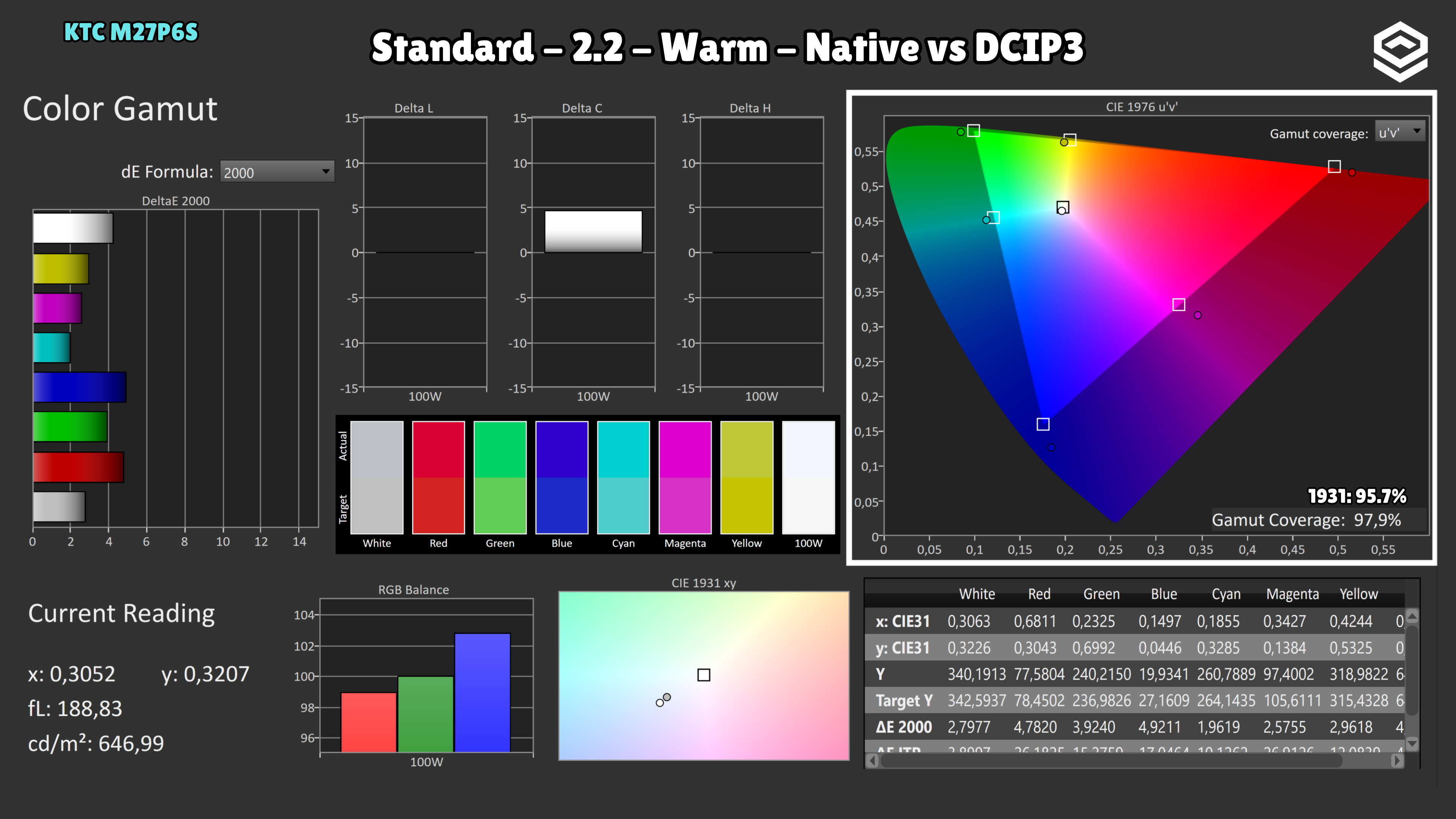
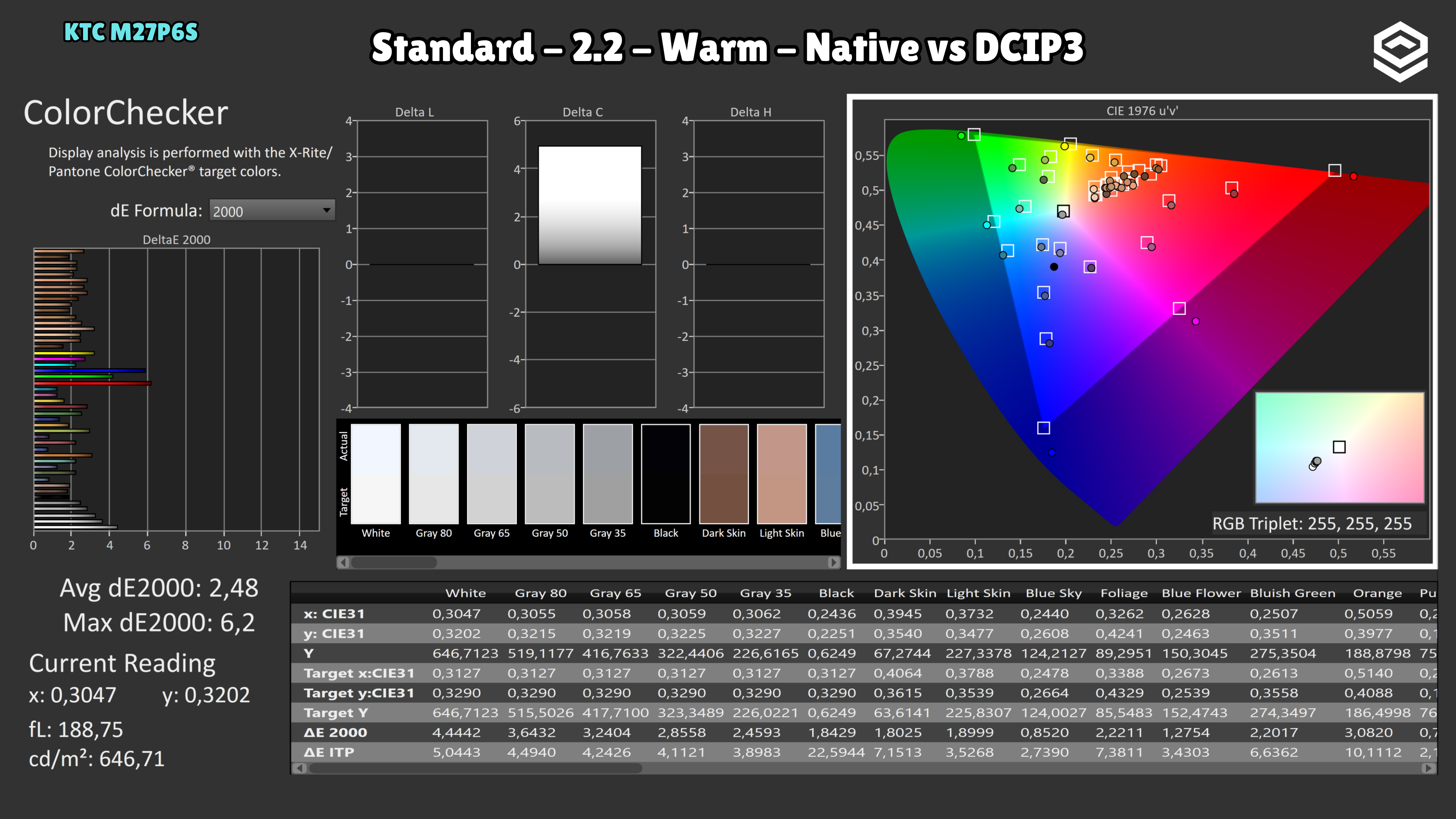
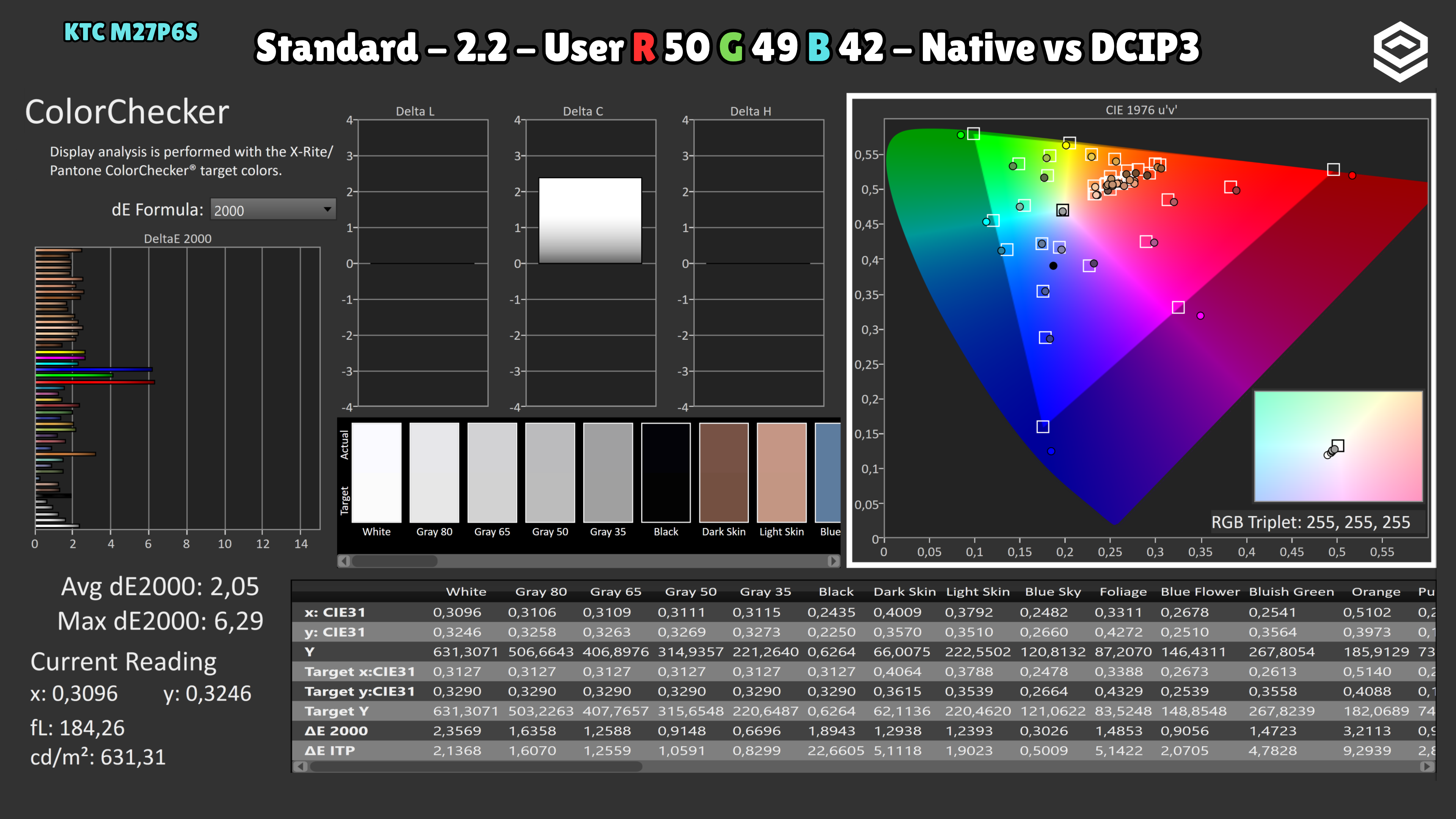
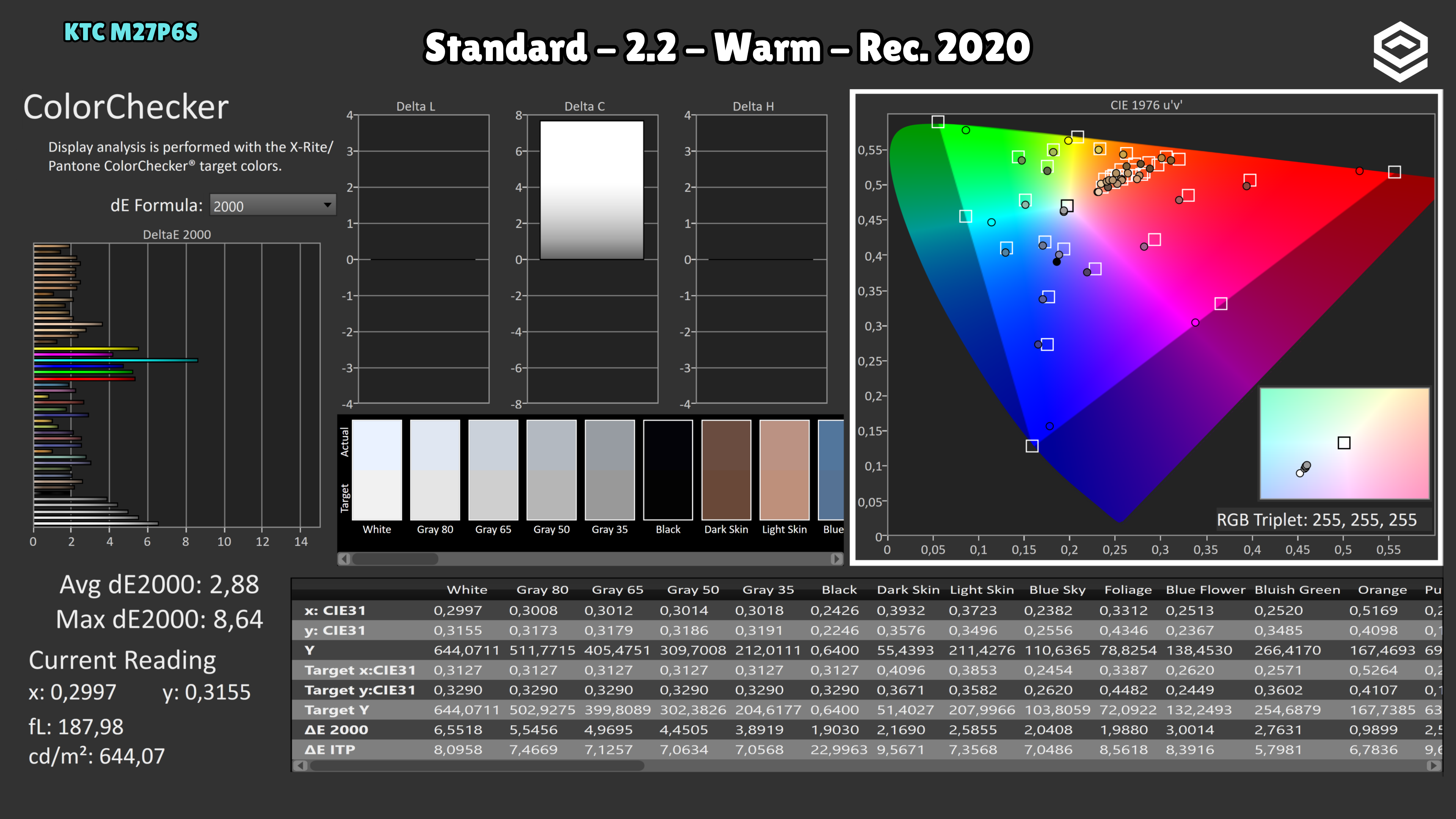
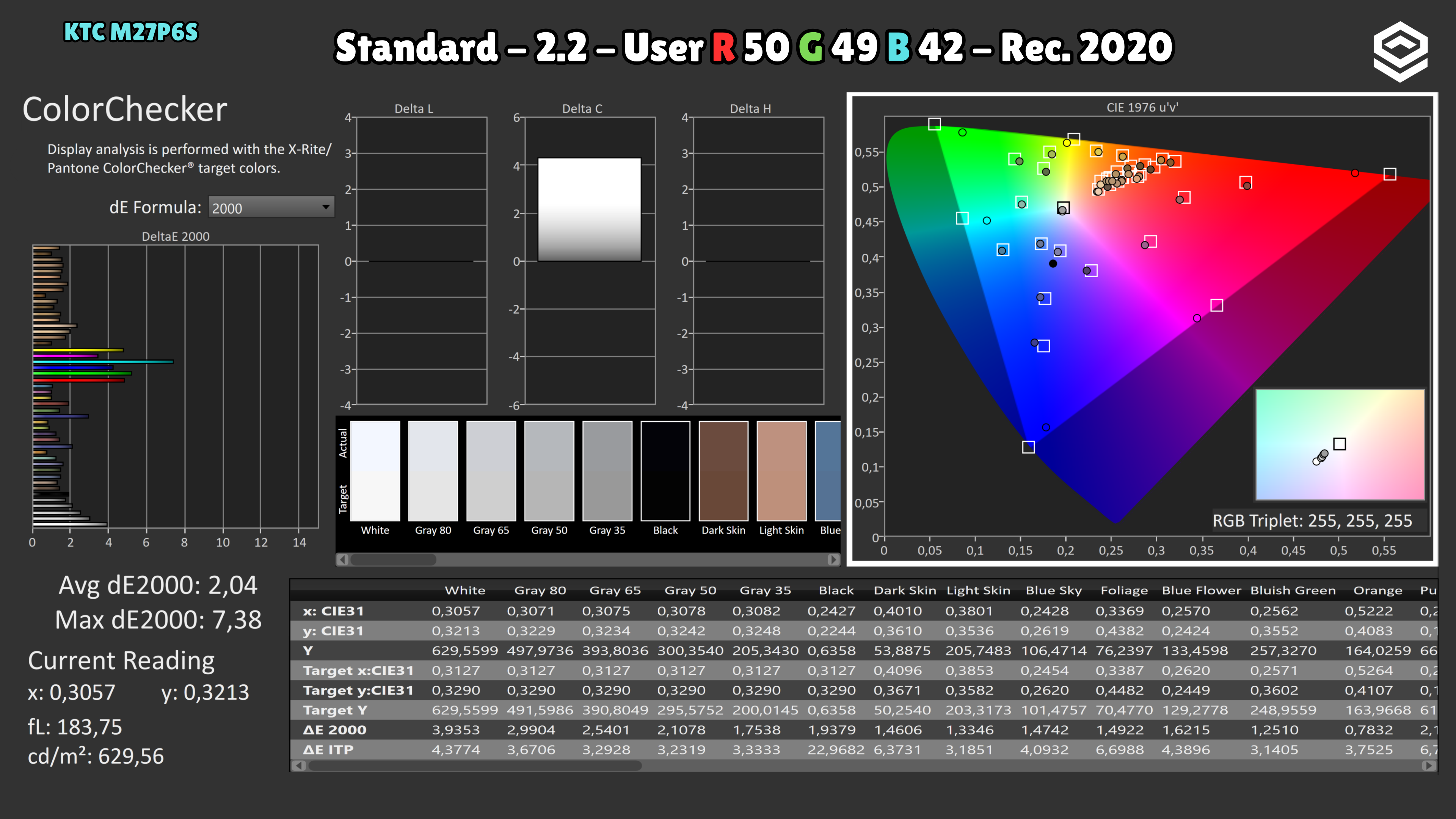
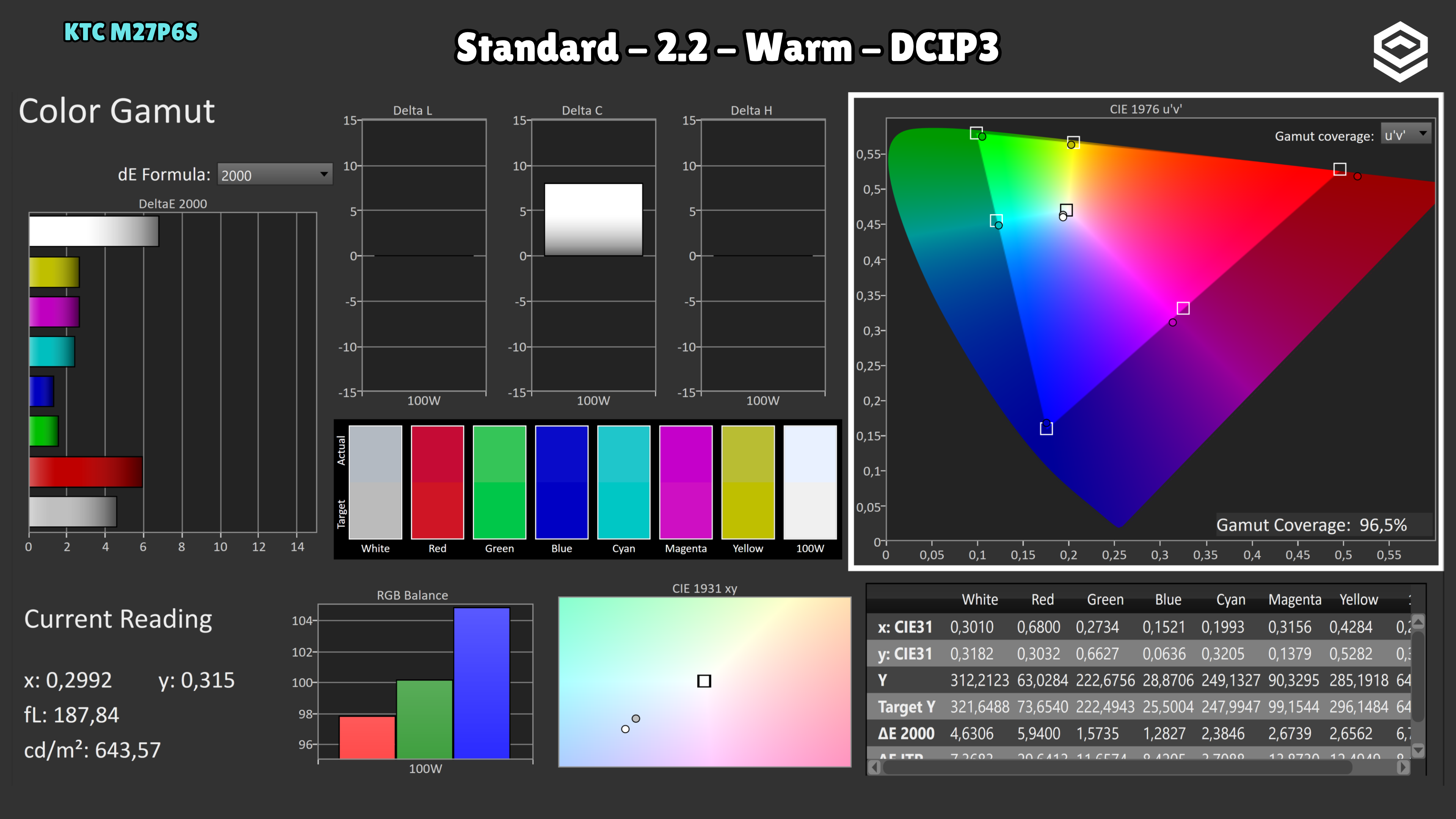
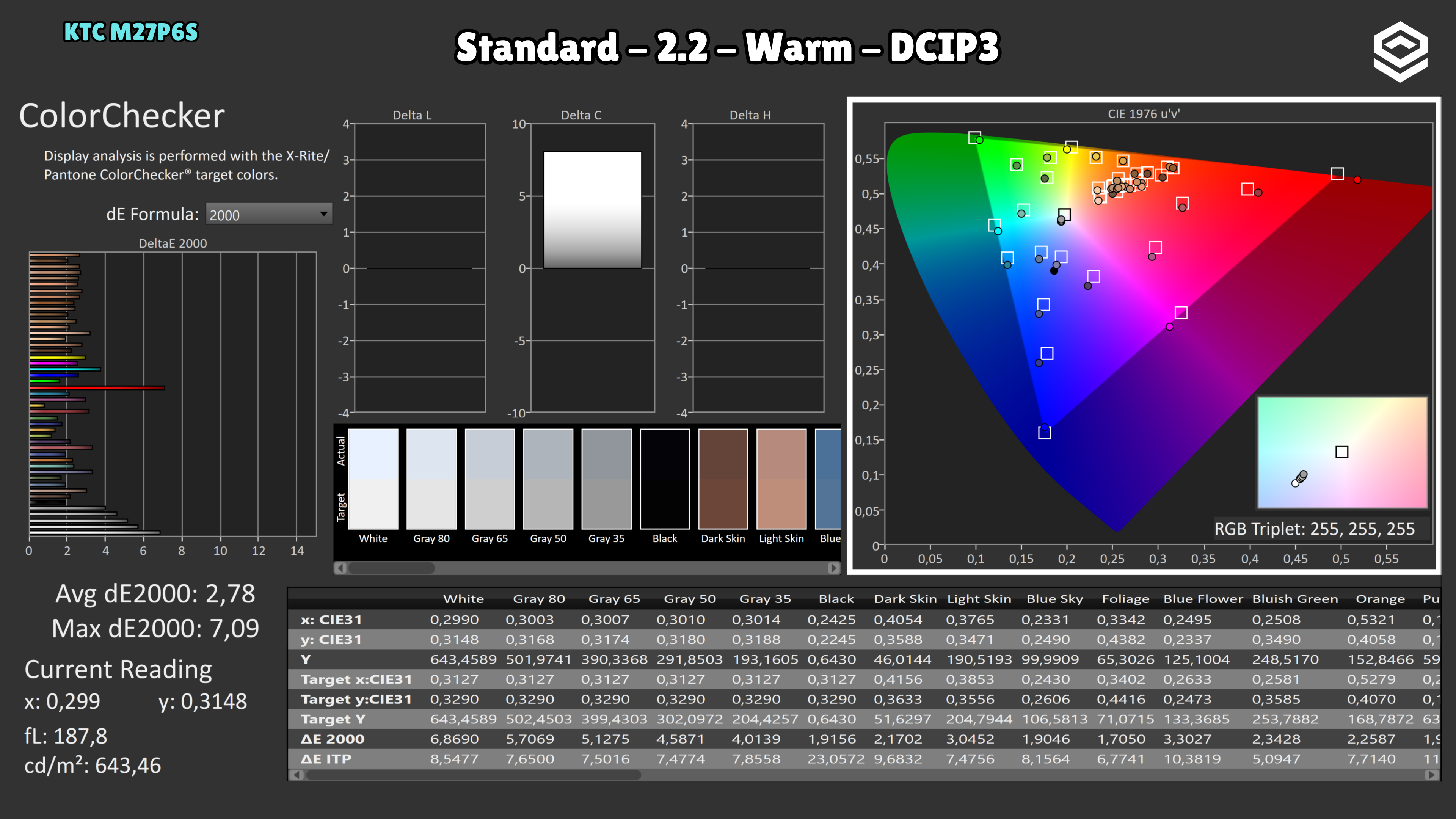
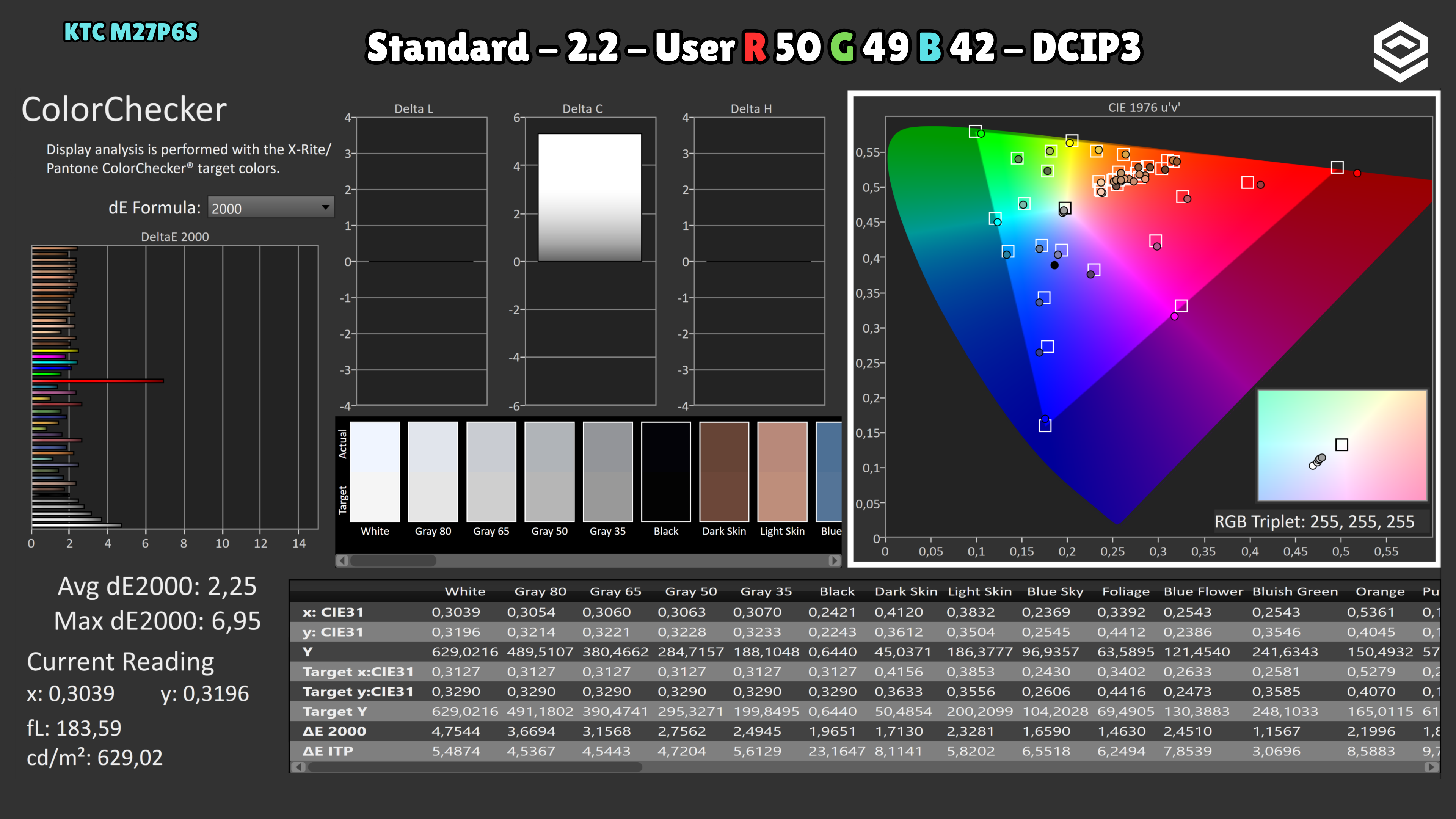
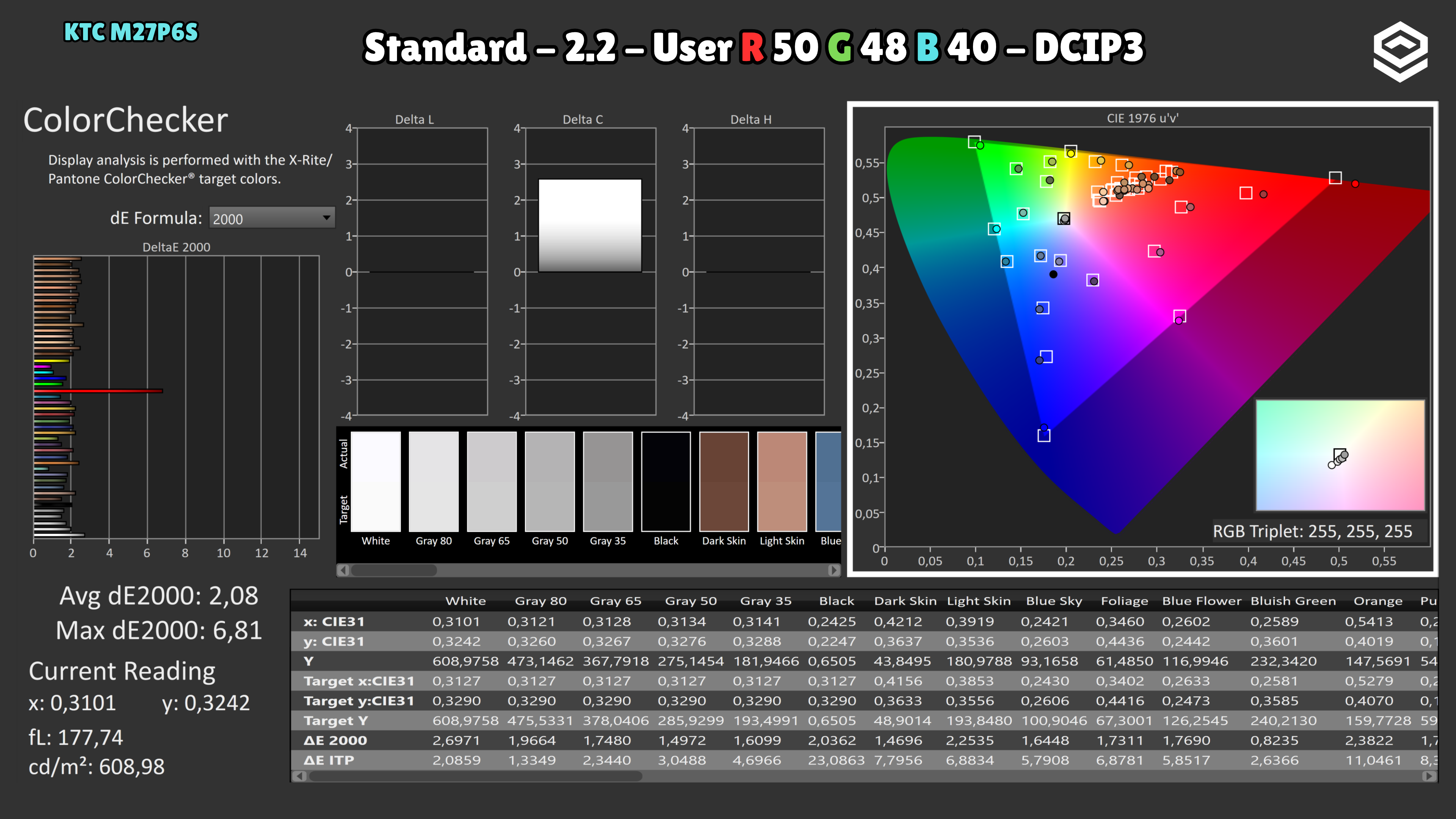
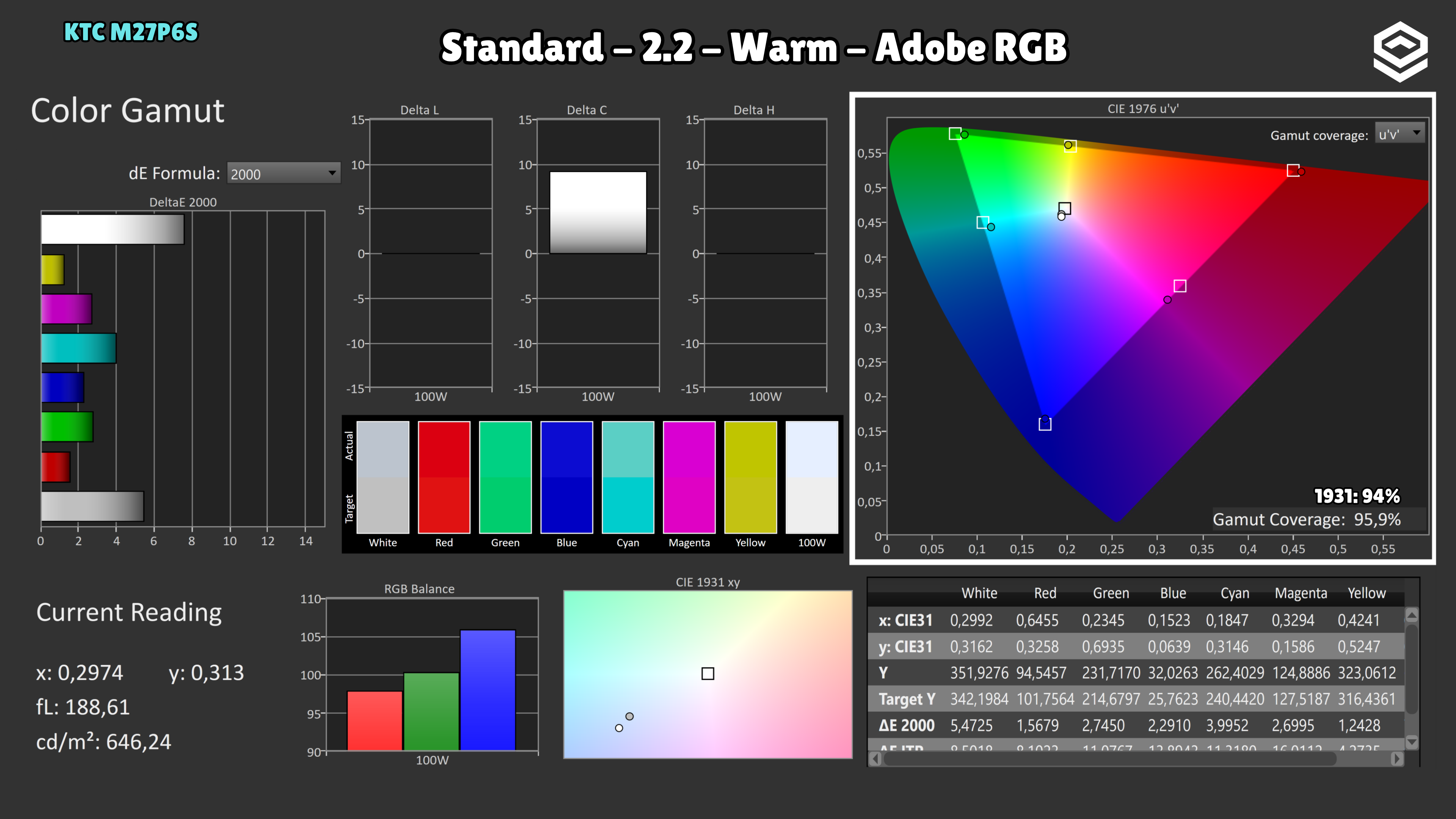
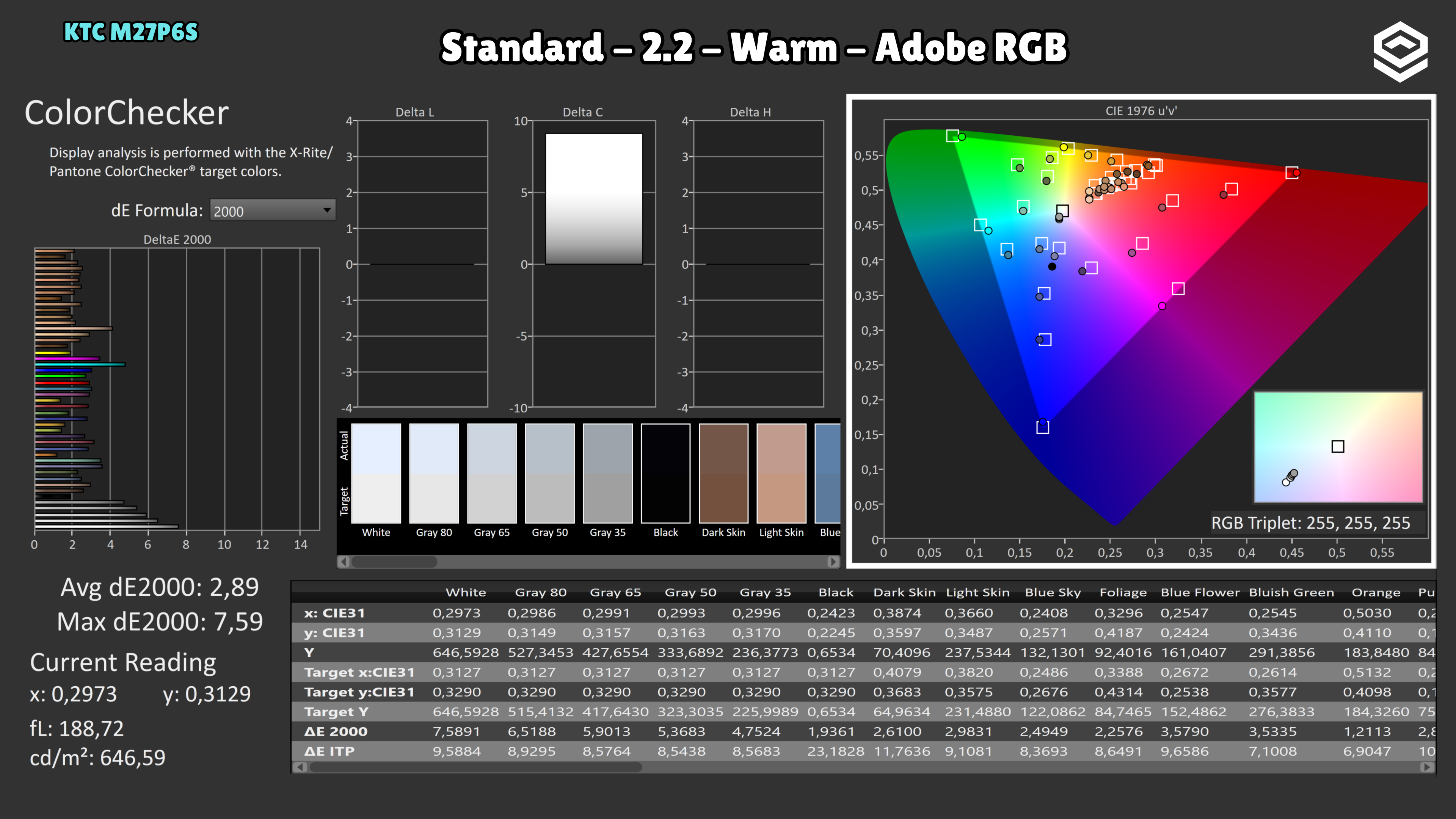
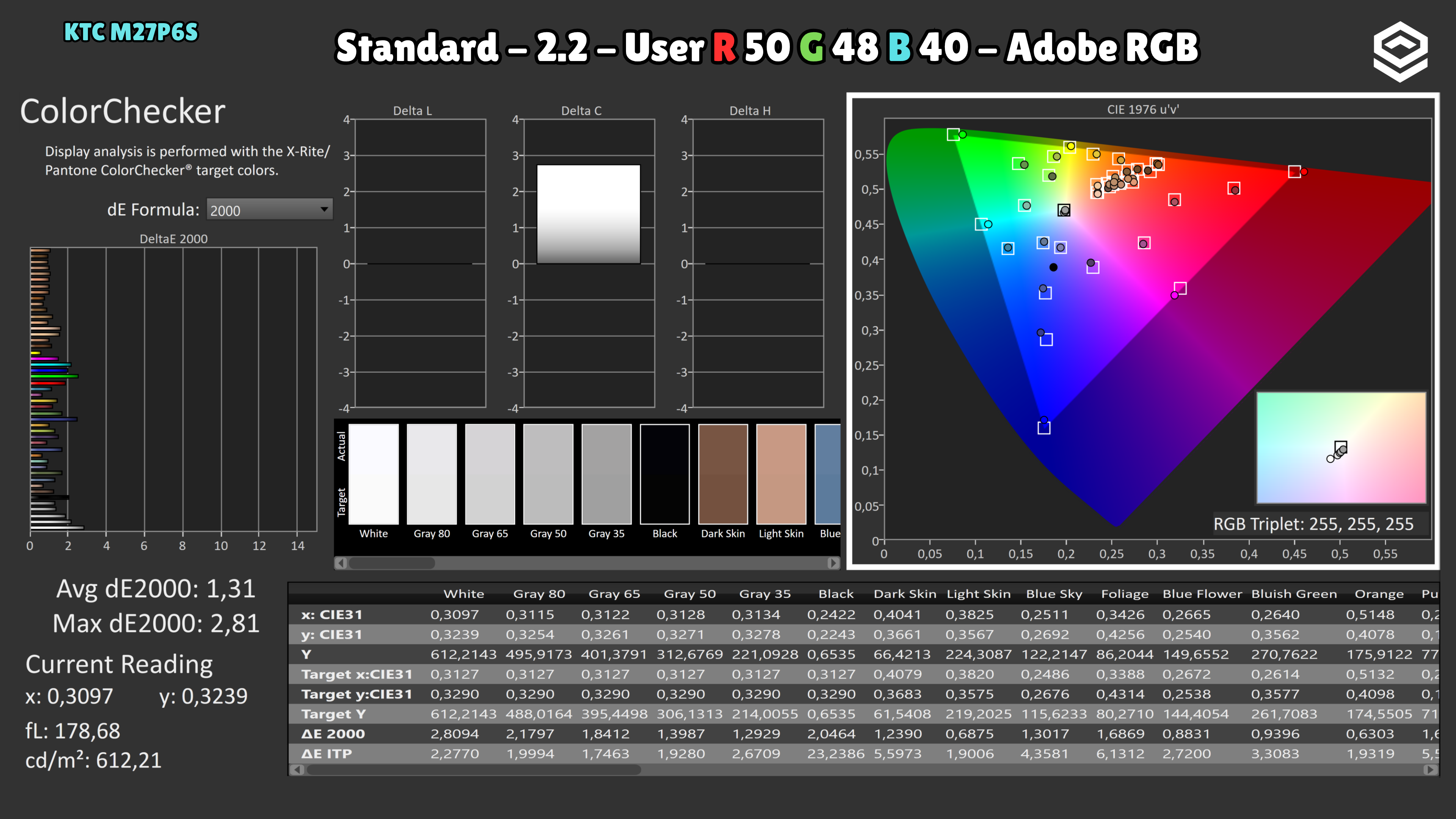
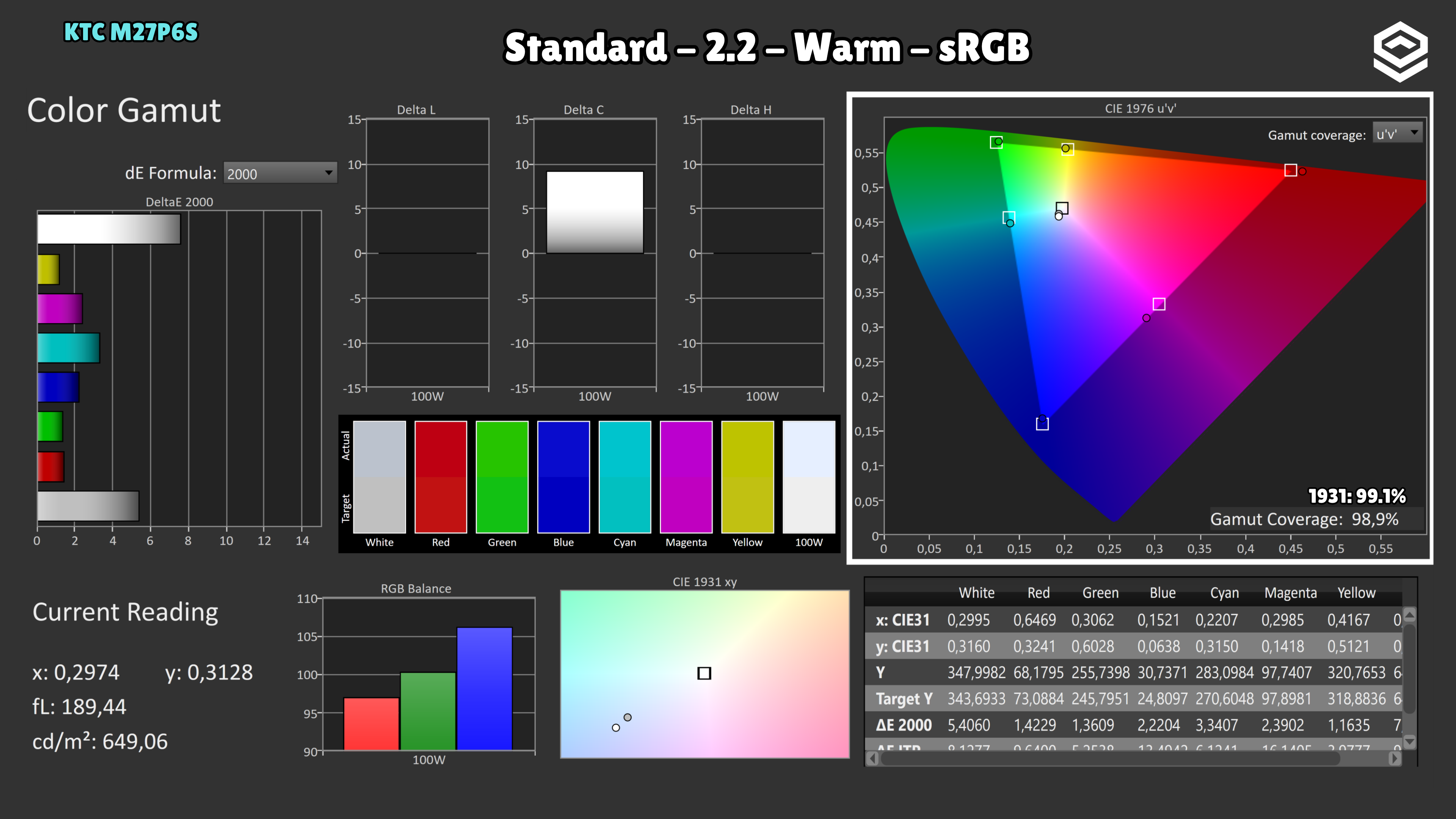
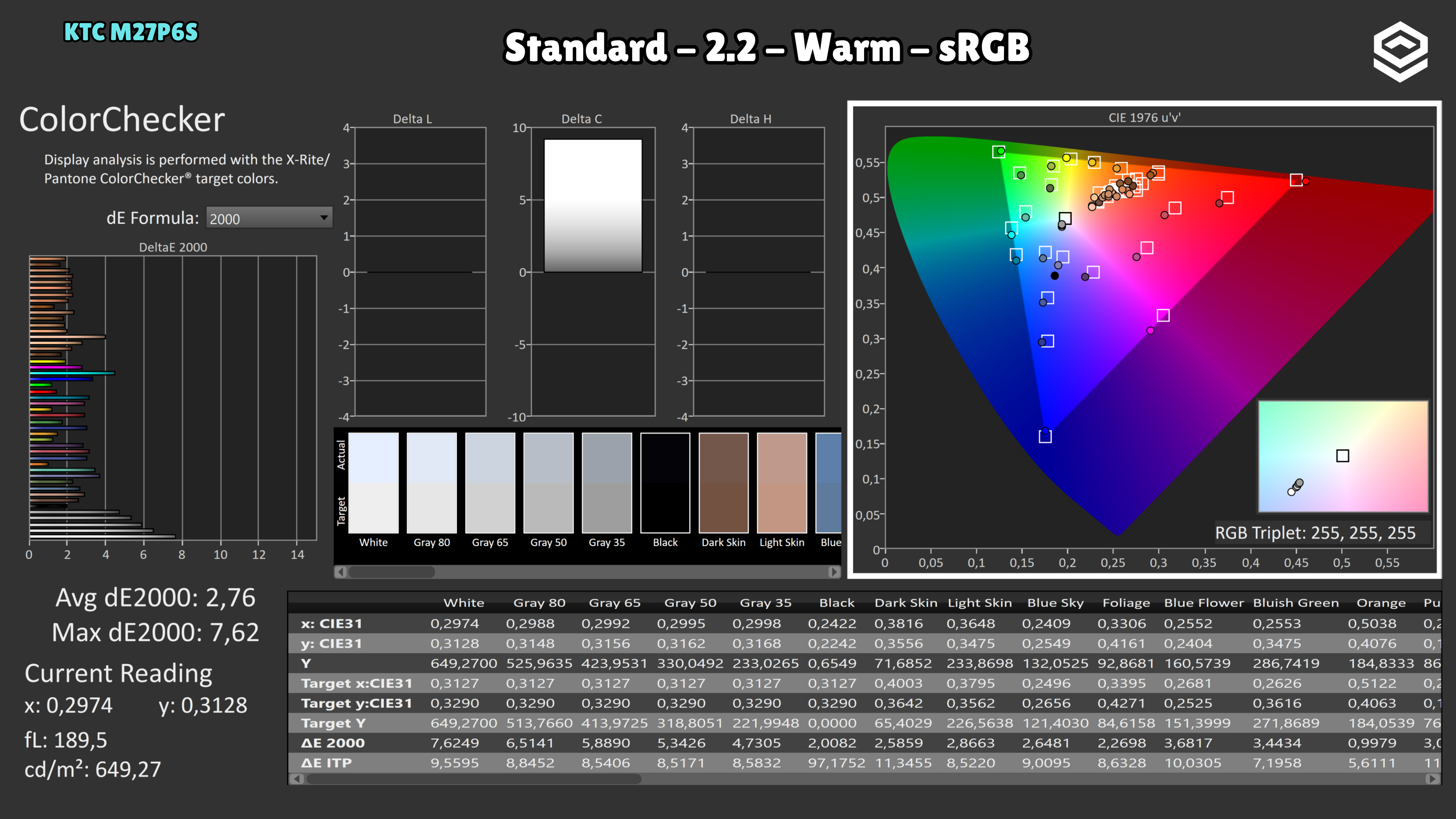
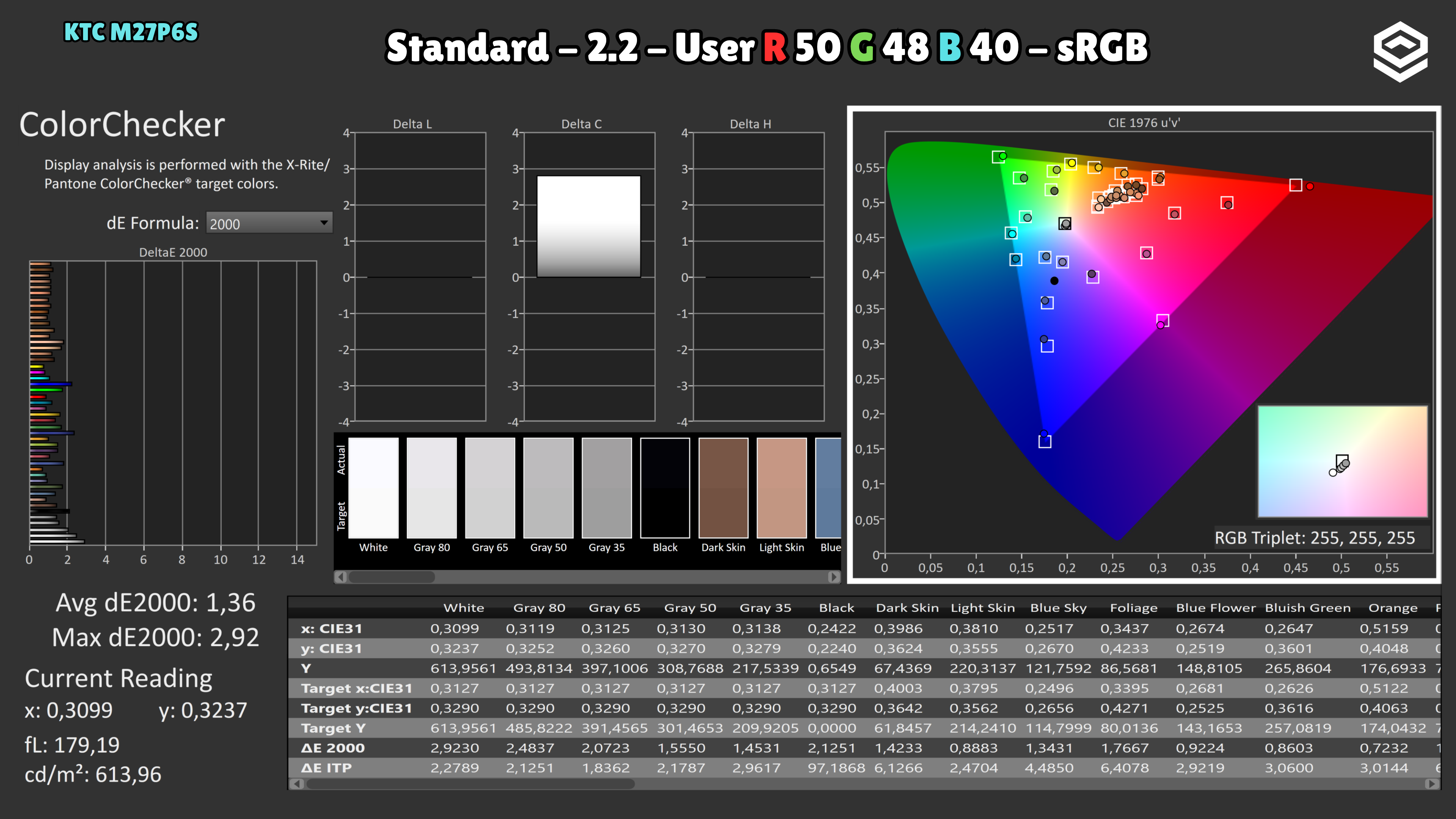
The reference uses factory Warm without custom RGB adjustments. Native mode produces a lower P3 error than the DCI-P3 preset (2.48 versus 2.78). Even Warm is cool: average colour temperature is 7,122 K in native, 7,548 K in sRGB and 7,992 K in DCI-P3, well above the 6,500 K target. The manual adjustments shown in the captures improve the result, but do not represent factory calibration or guarantee the same result on another unit.
Test note · SDR brightness
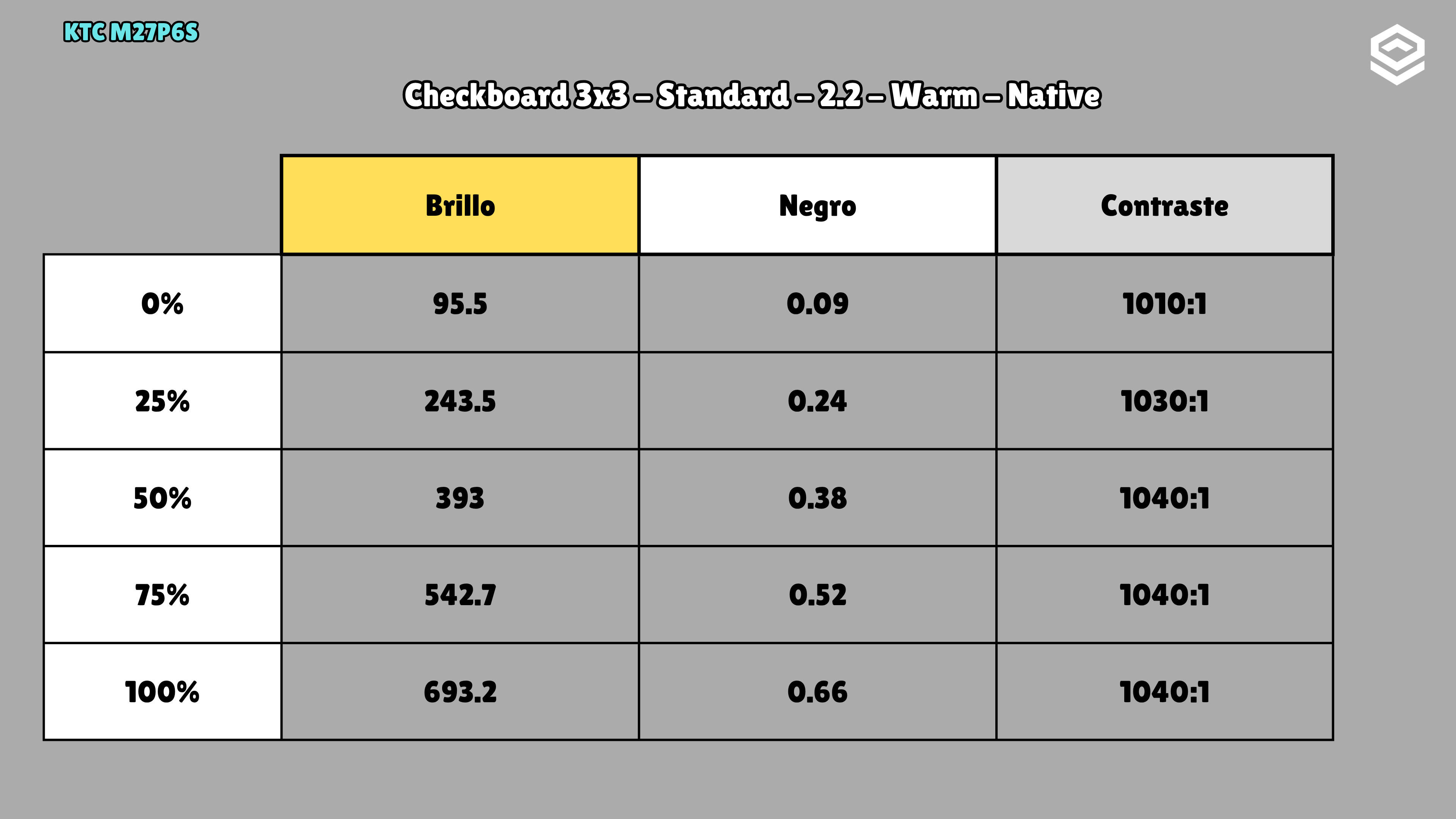
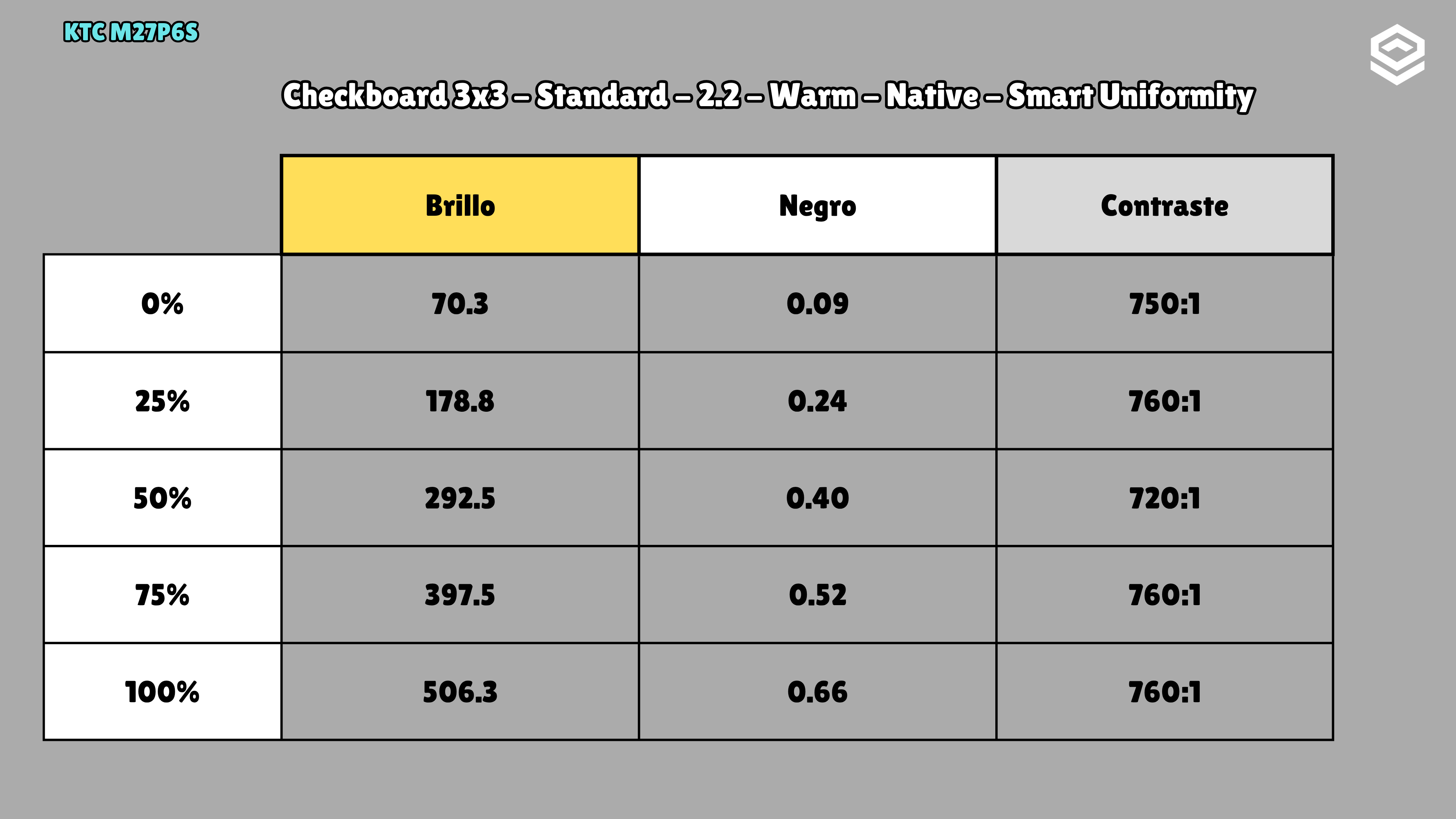
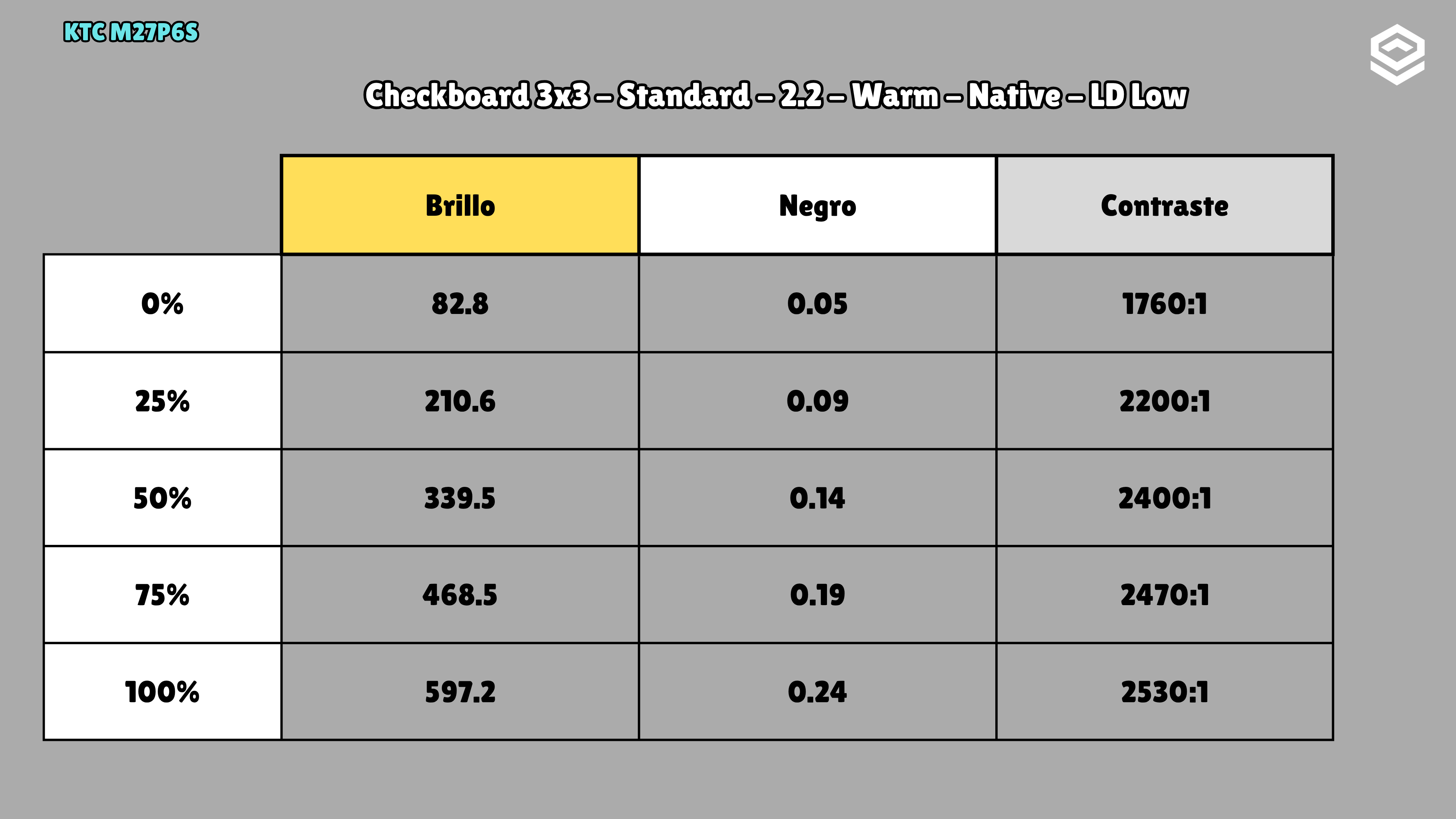
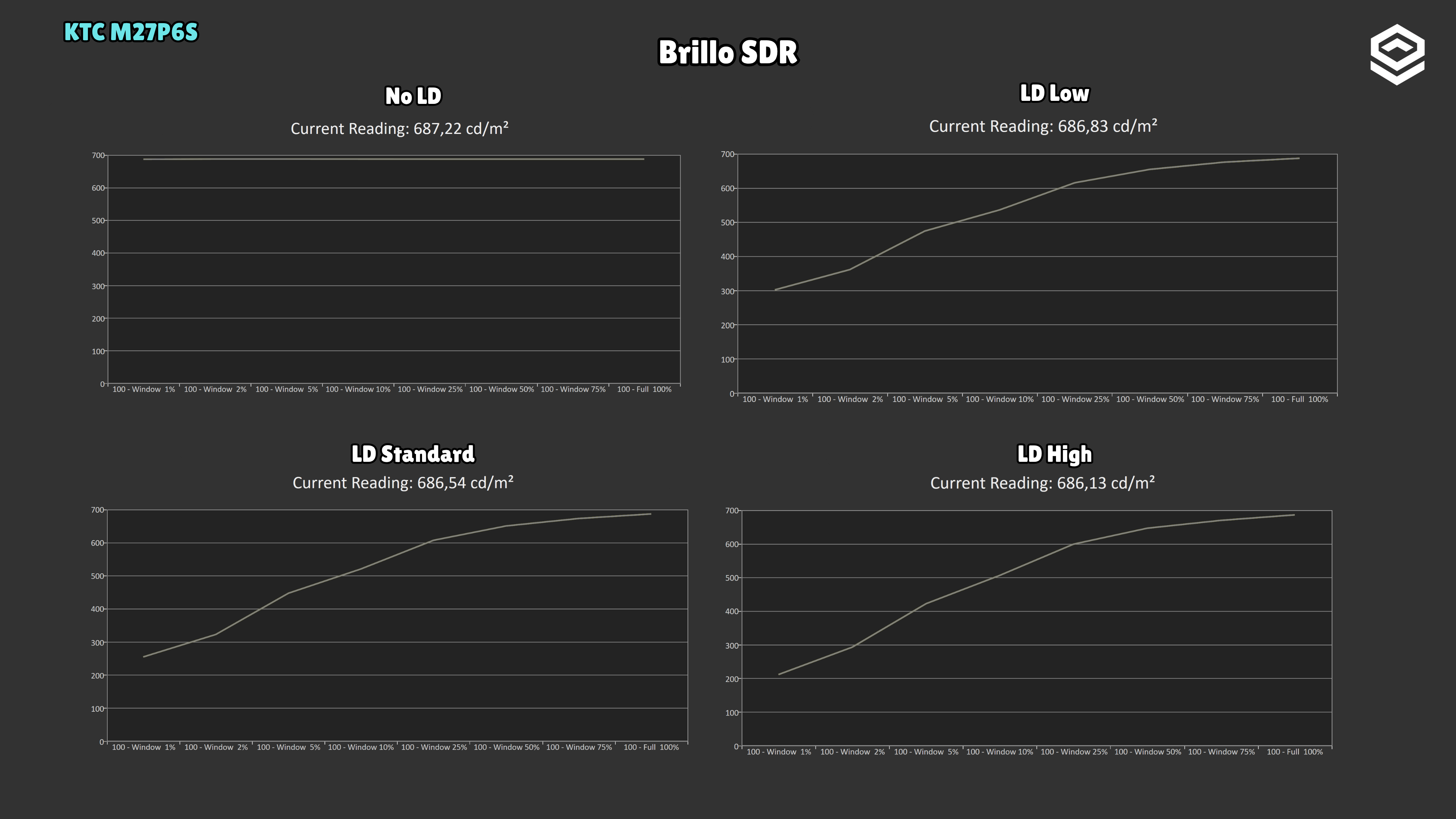
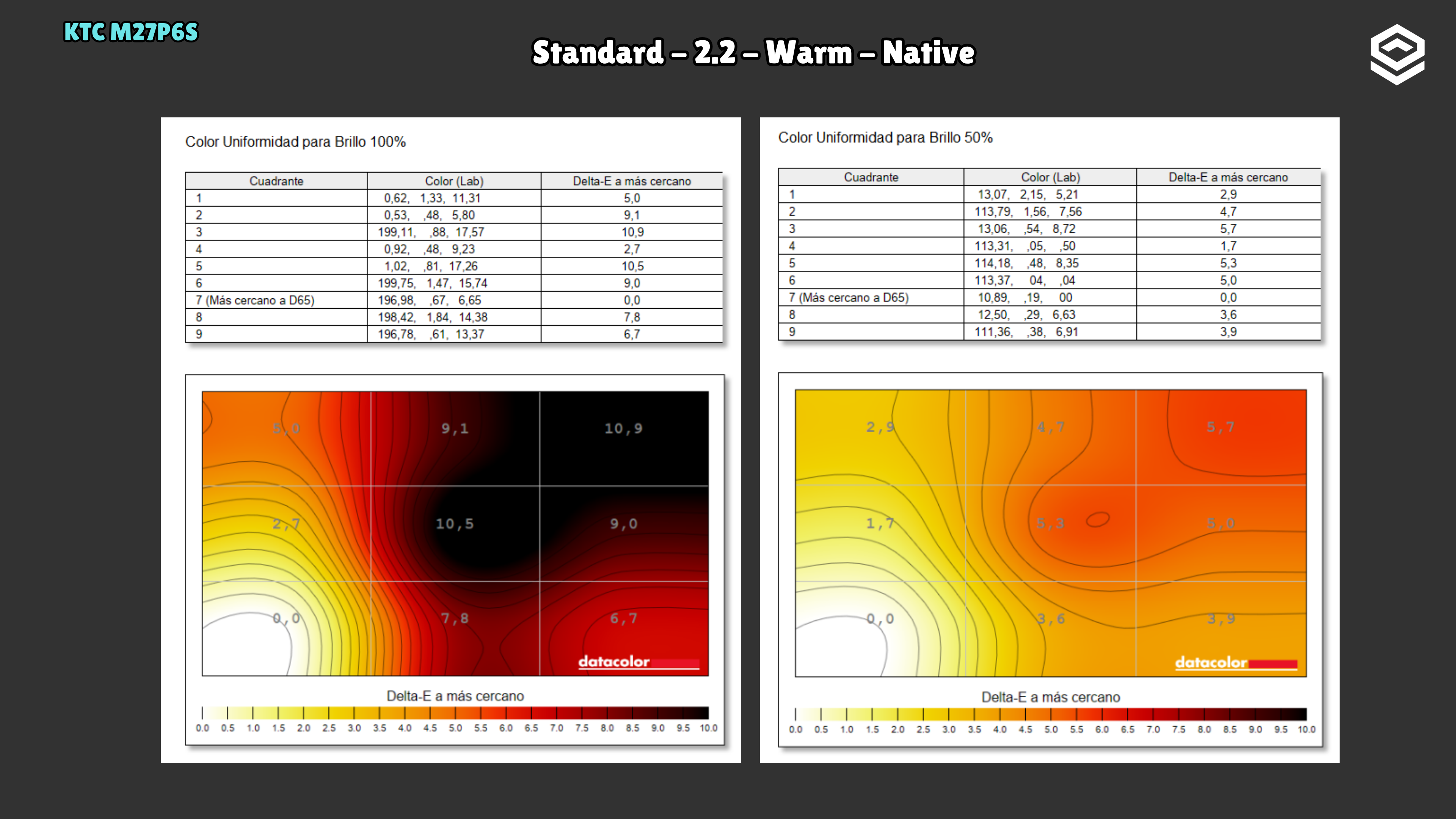
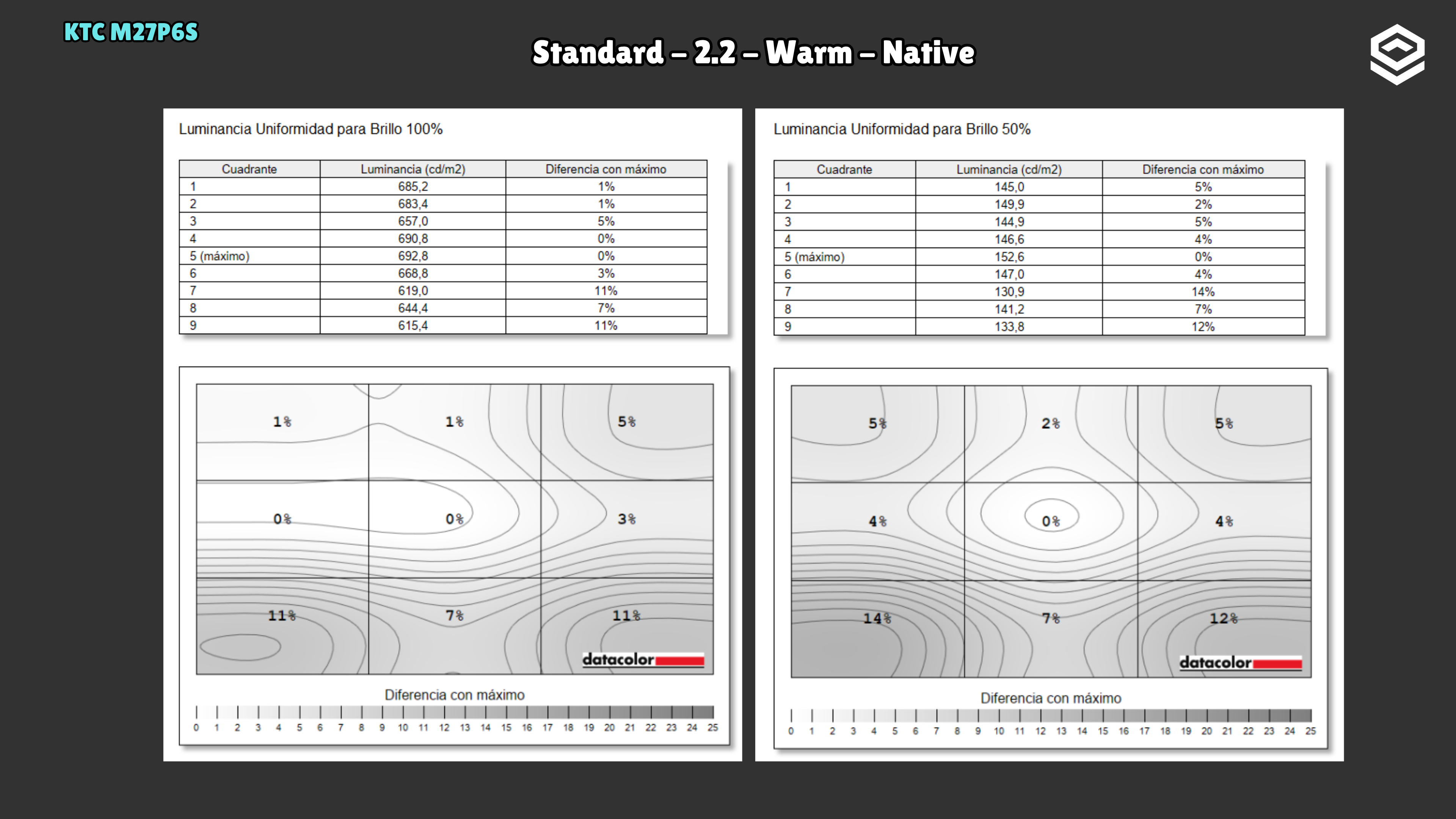
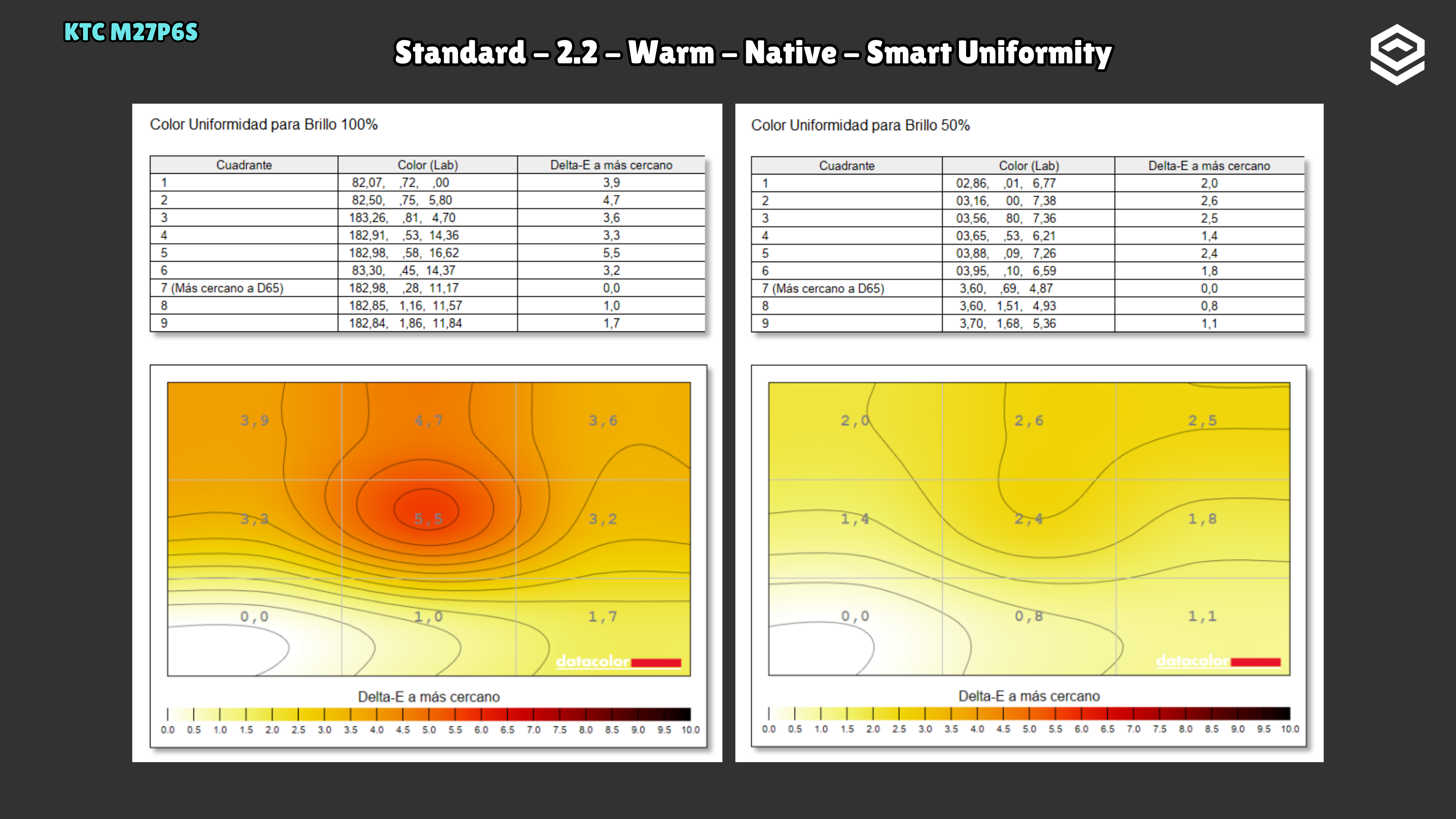
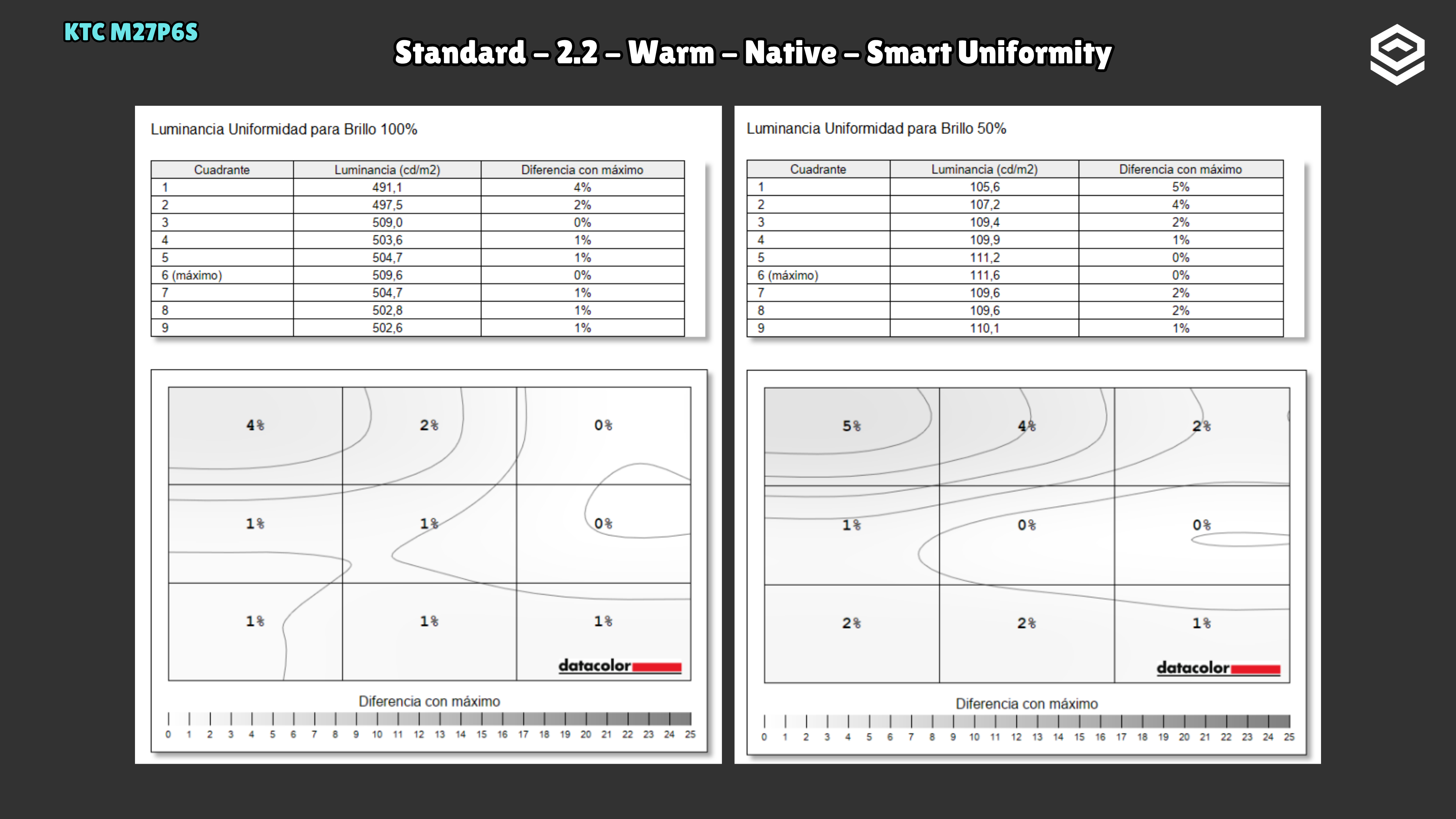
Factory uniformity looks poor to me. Smart Uniformity improves it greatly and is the selected reference: the maximum brightness deviation falls from 14.2% to 5.4% across the tested levels, with acceptable colour uniformity (maximum ΔE 5.5). Maximum checkerboard brightness drops from 693 to 506 nits and contrast from 1,040:1 to 760:1, but brightness remains ample.
HDR performance
Brillo pico, volumen de color, EOTF y experiencia HDR real.
Test note · BT.2020 colour volume
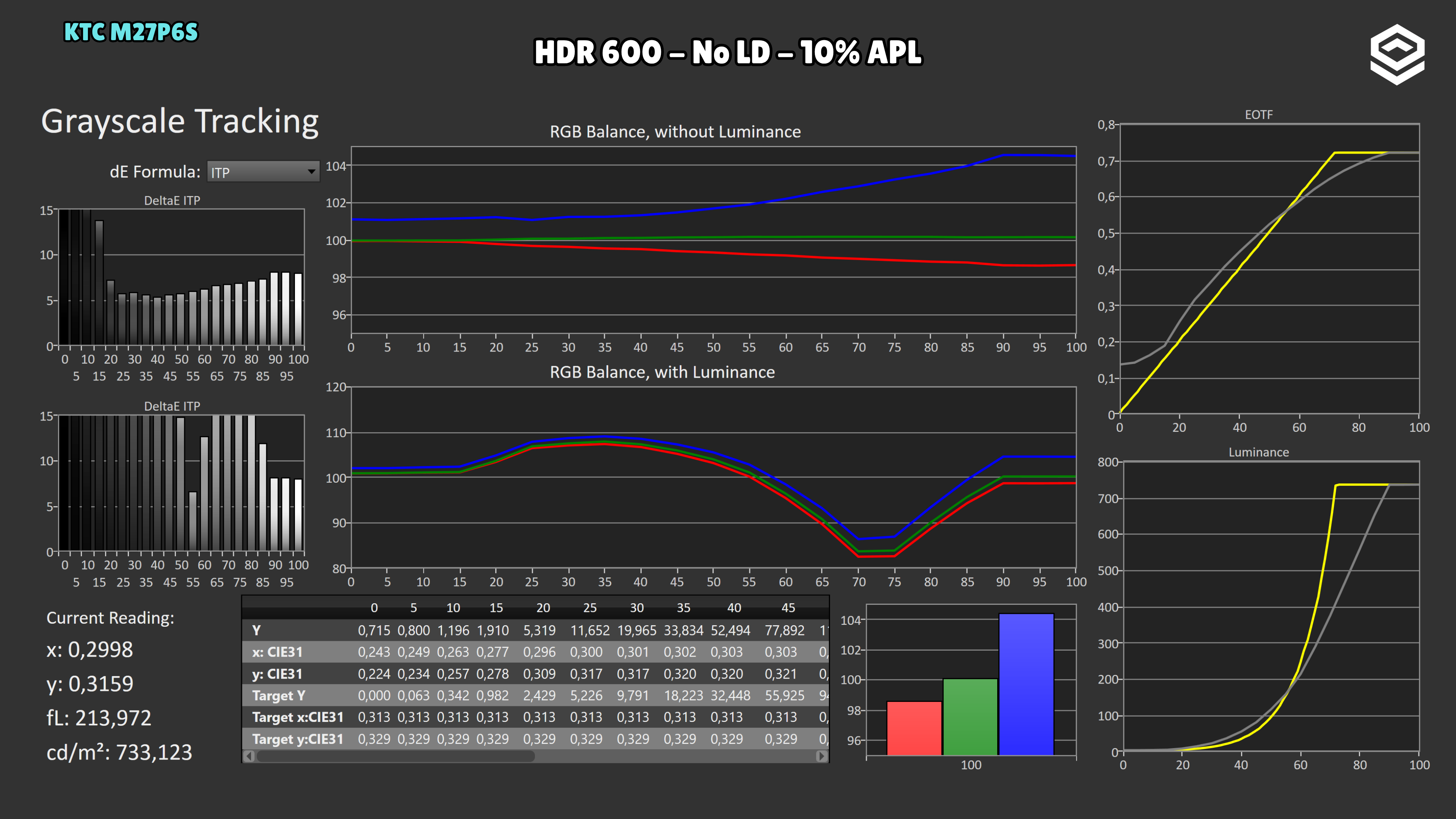
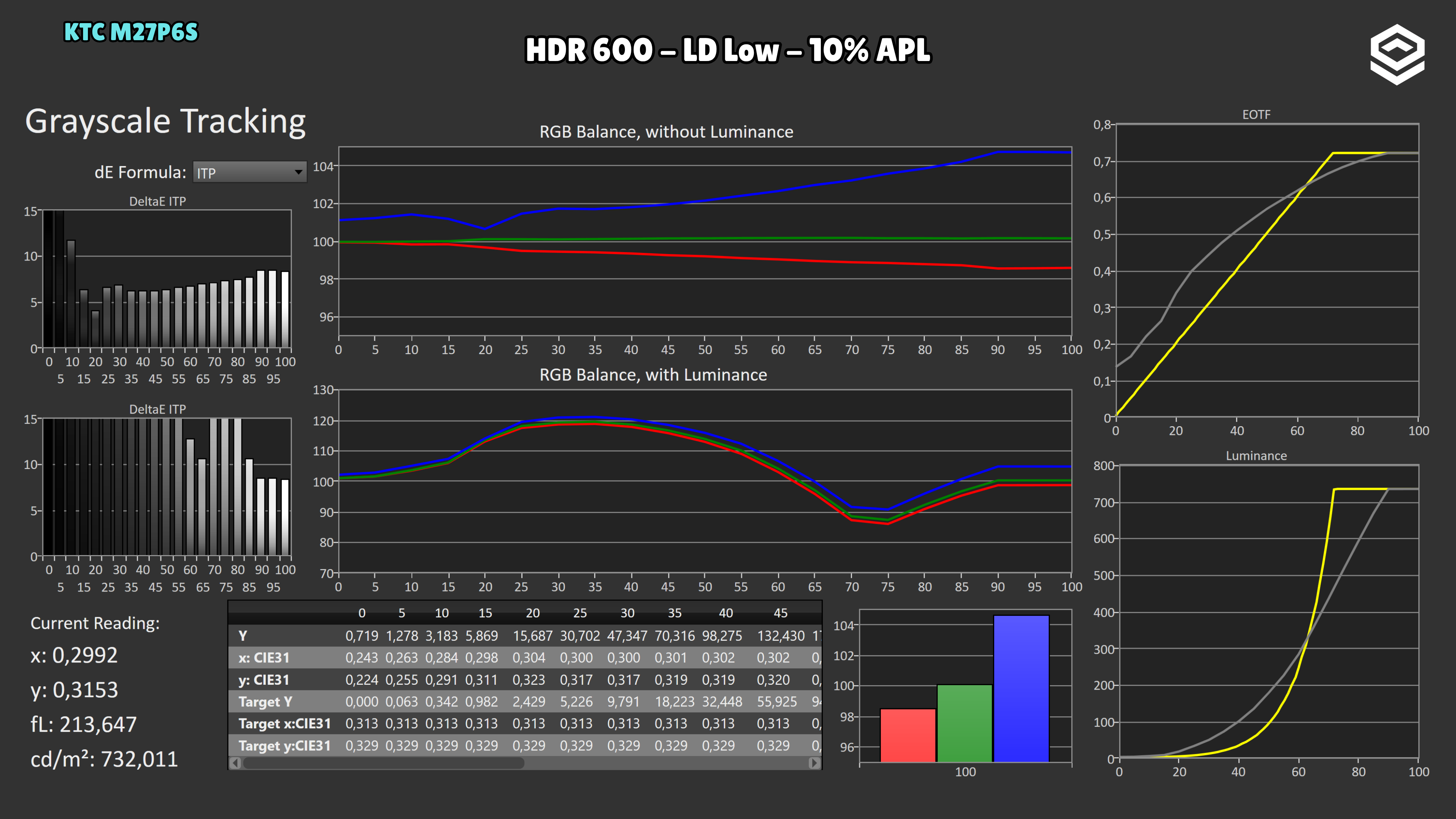
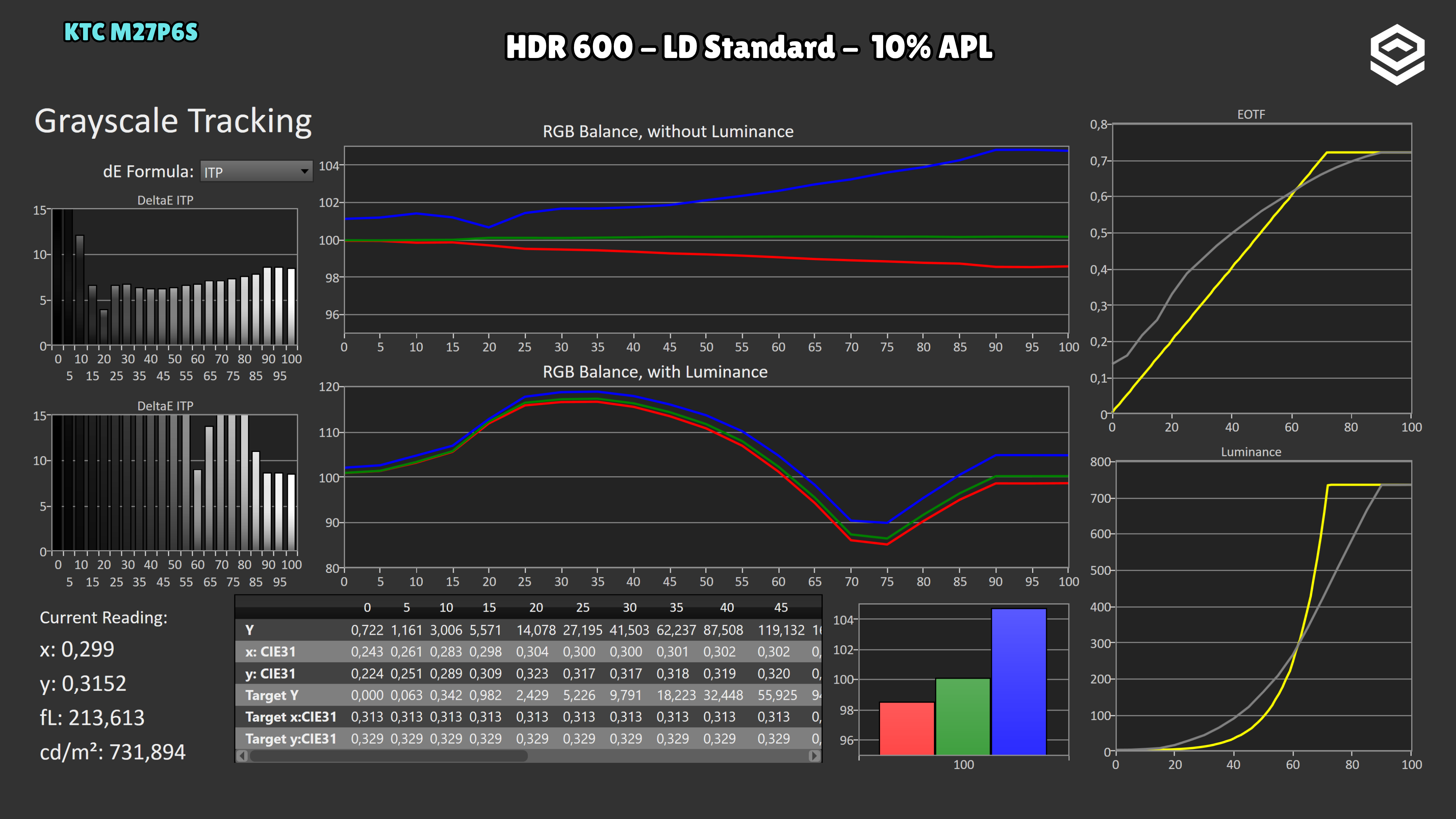
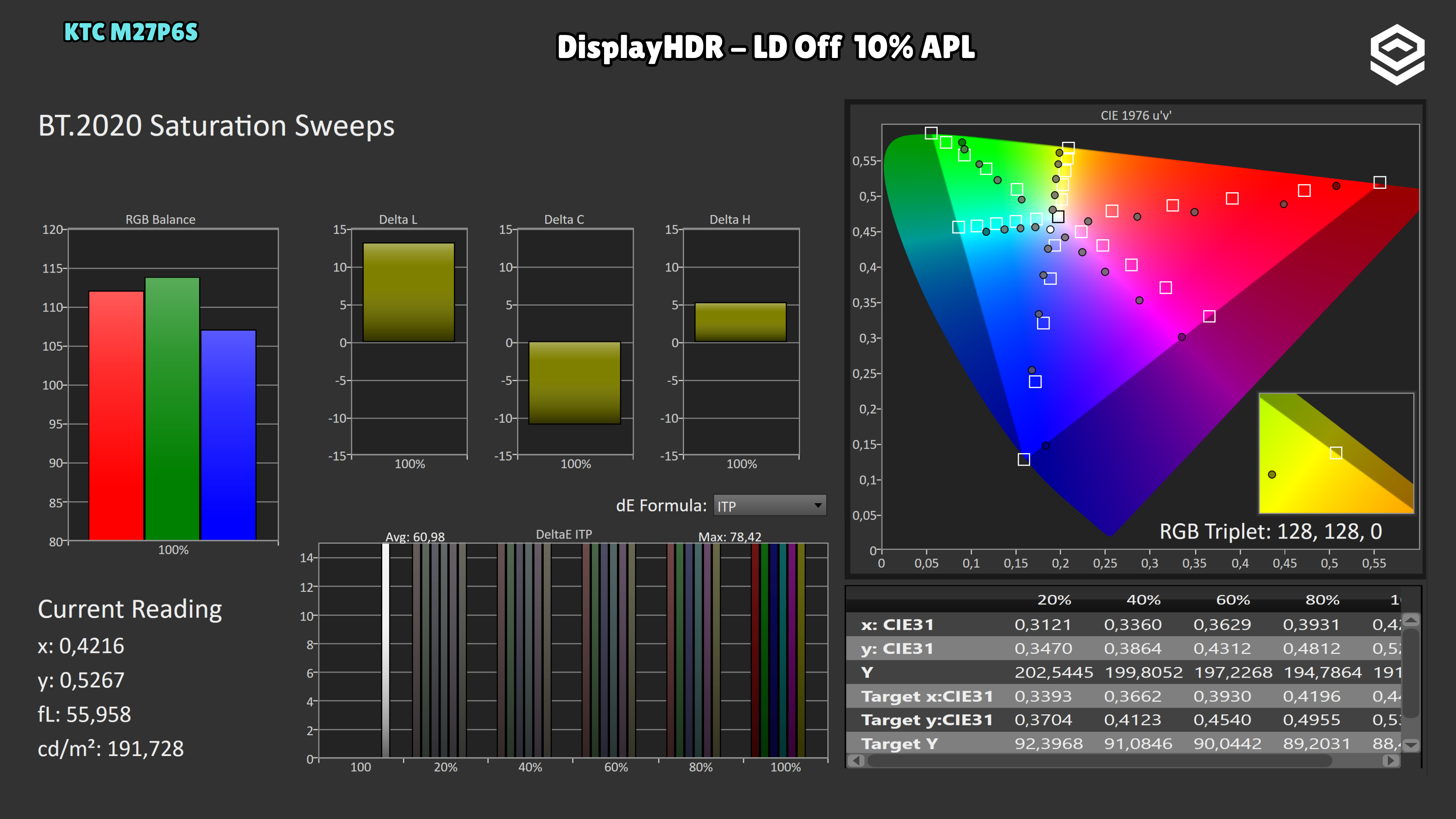
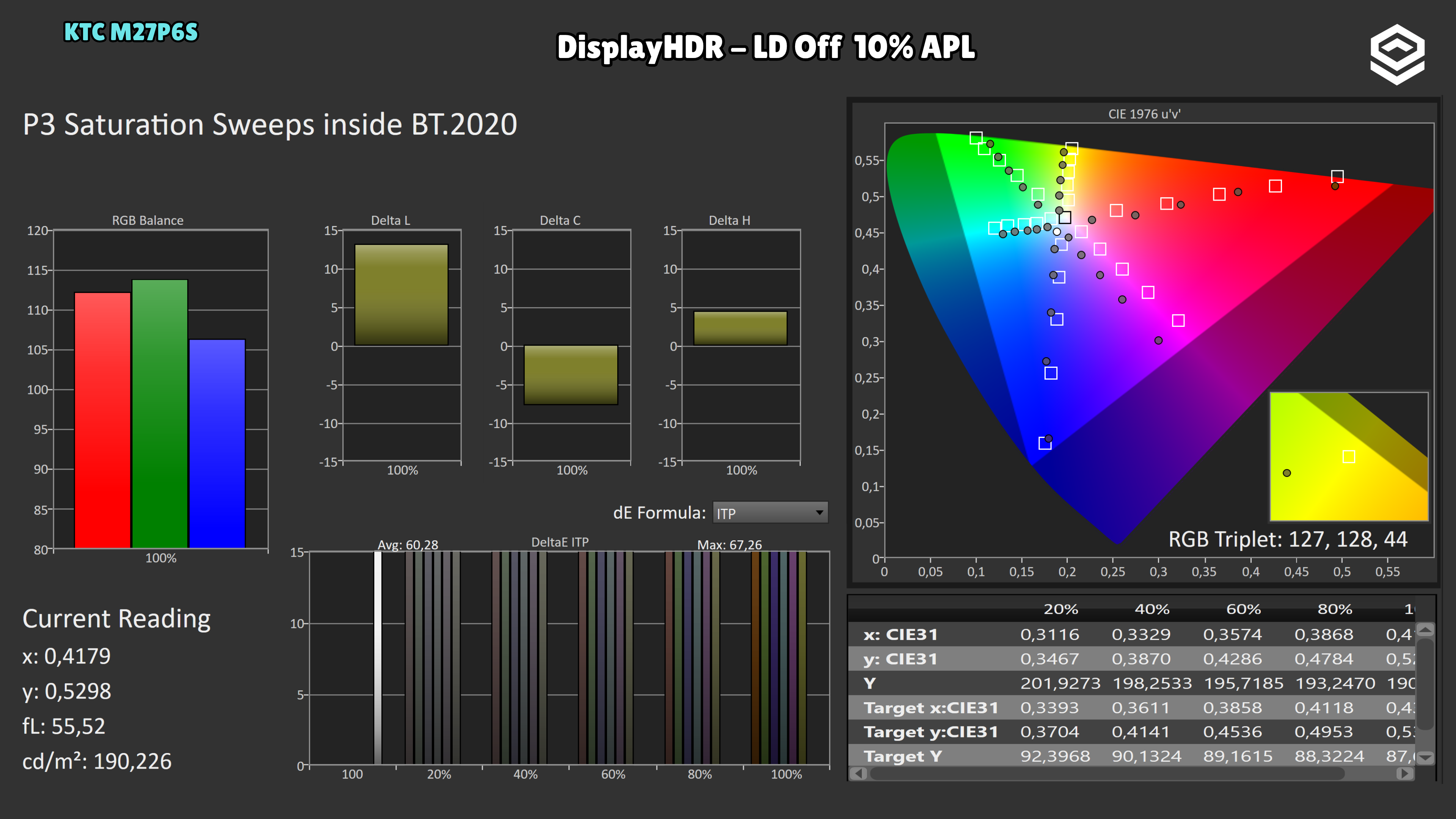
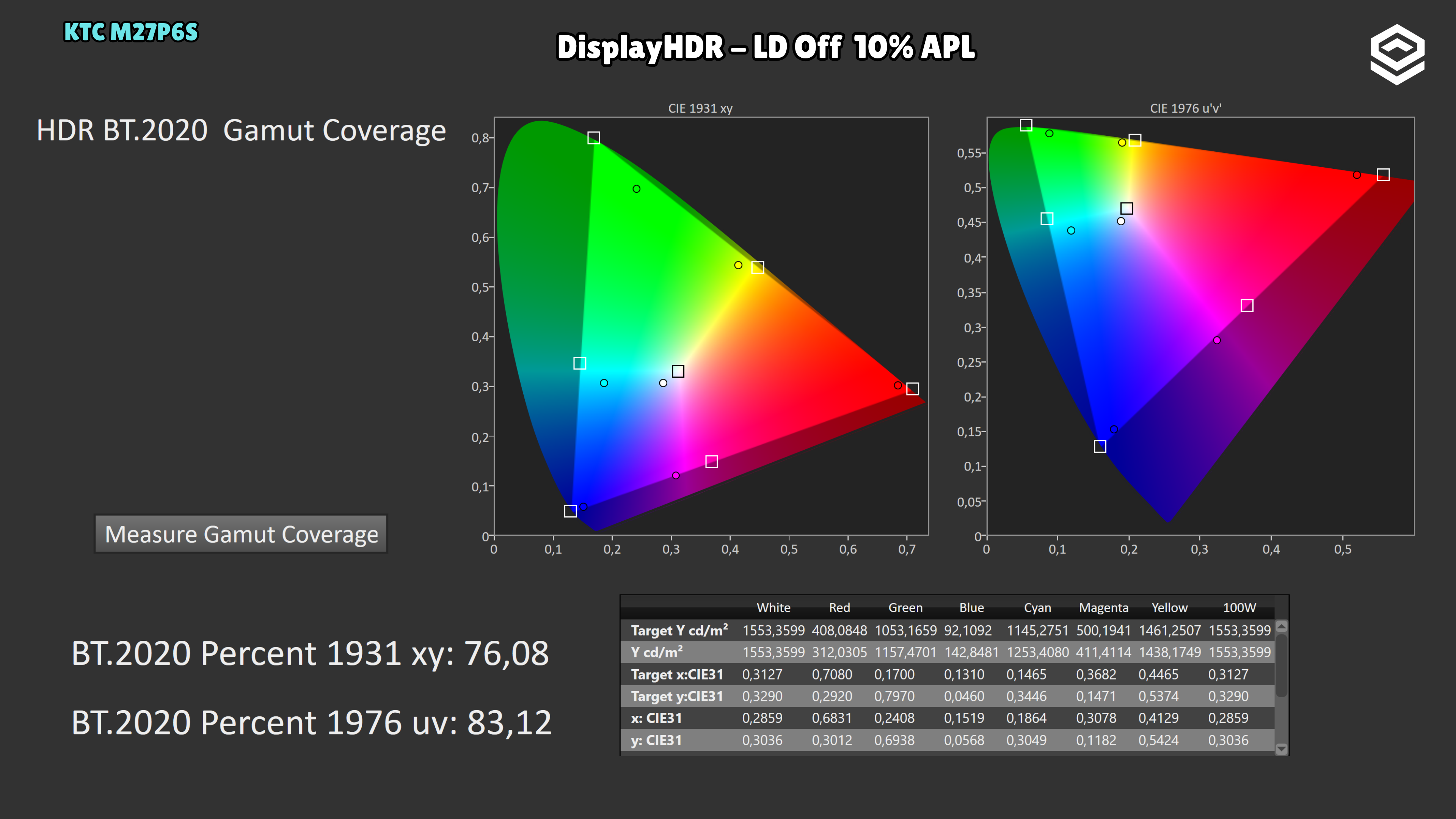
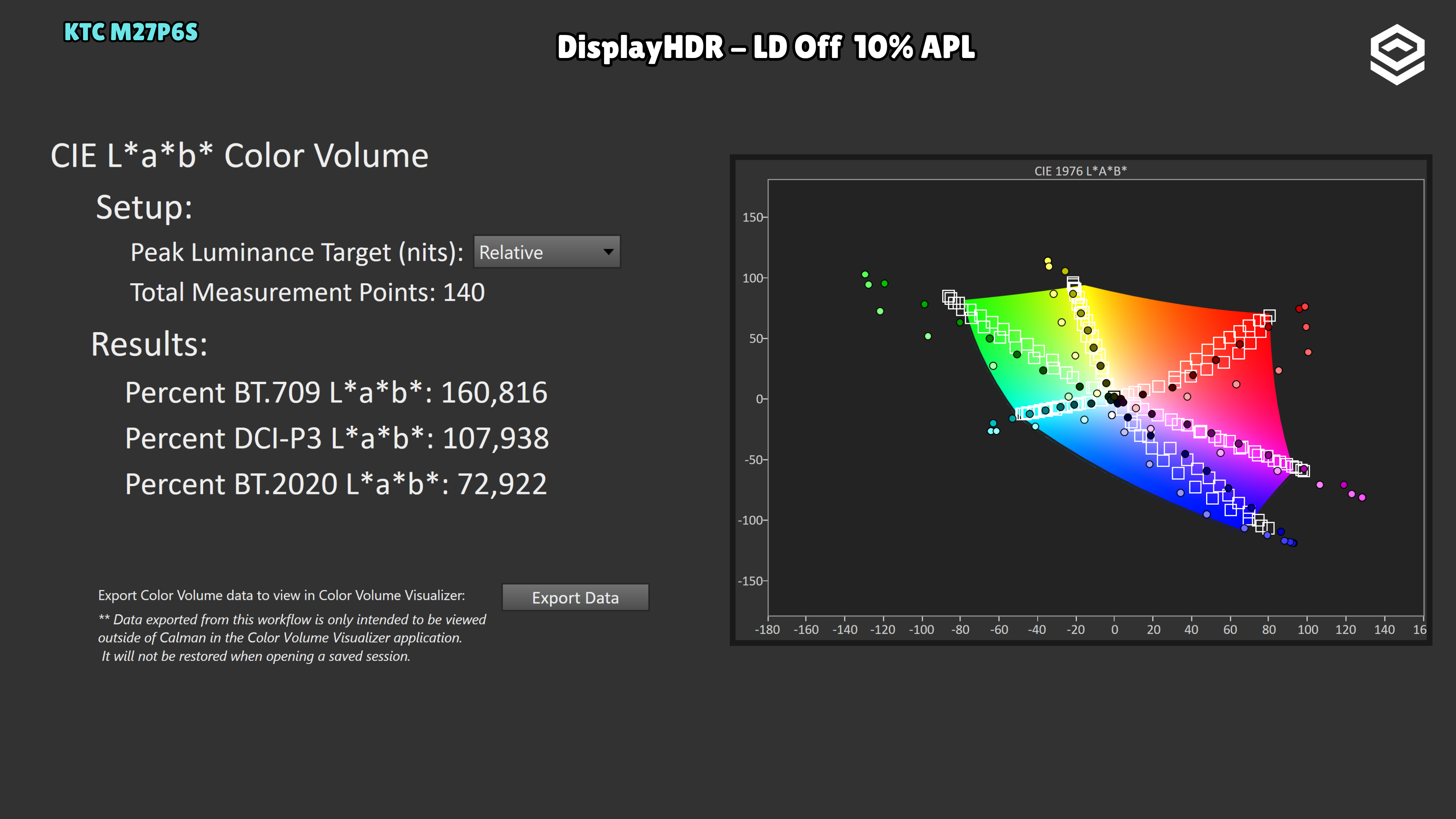
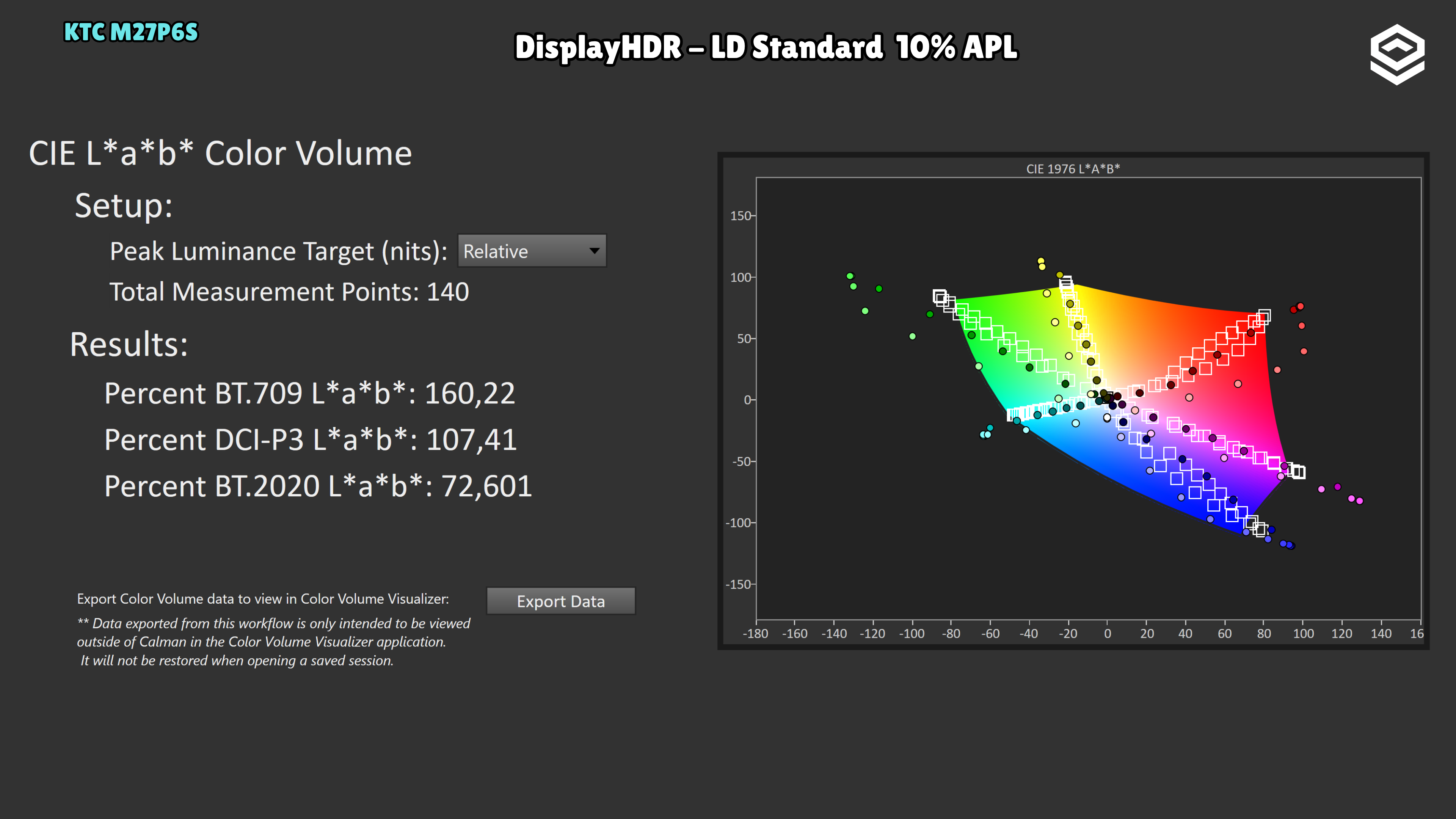
Colour volume barely changes with local dimming in this 10% APL test: 72.922% BT.2020 with LD Off and 72.601% with LD Standard.
Test note · ΔE ITP HDR
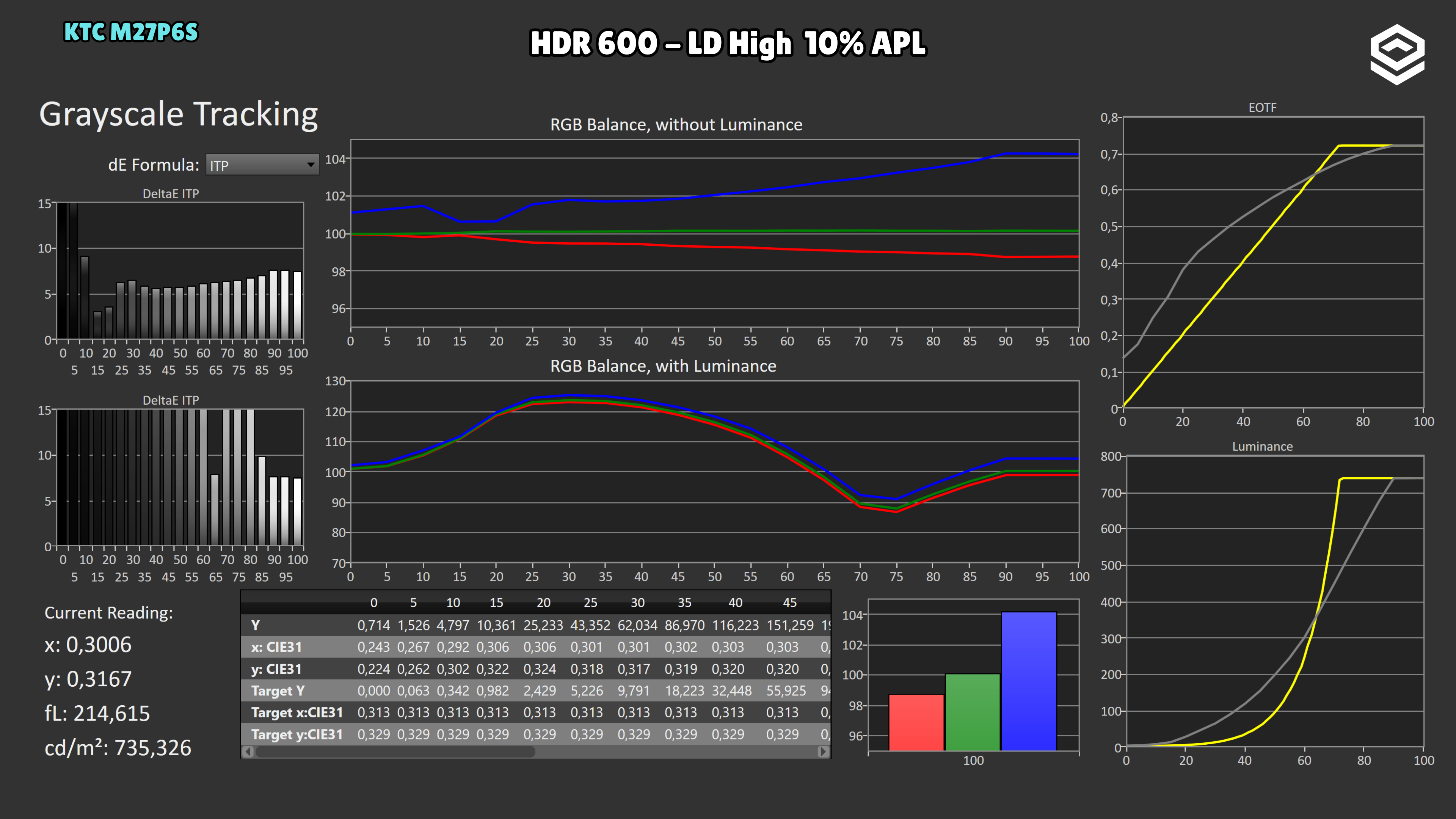
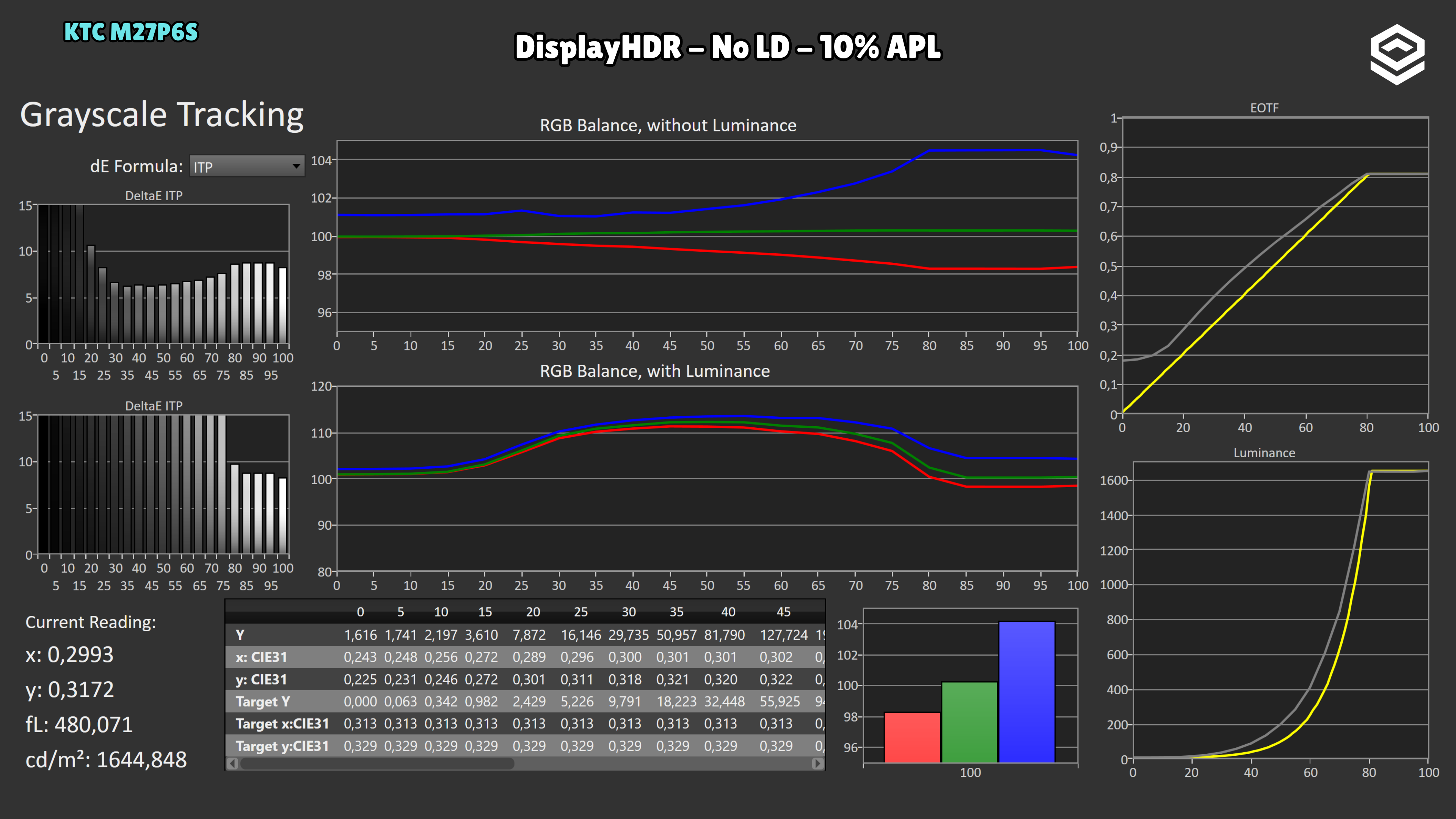
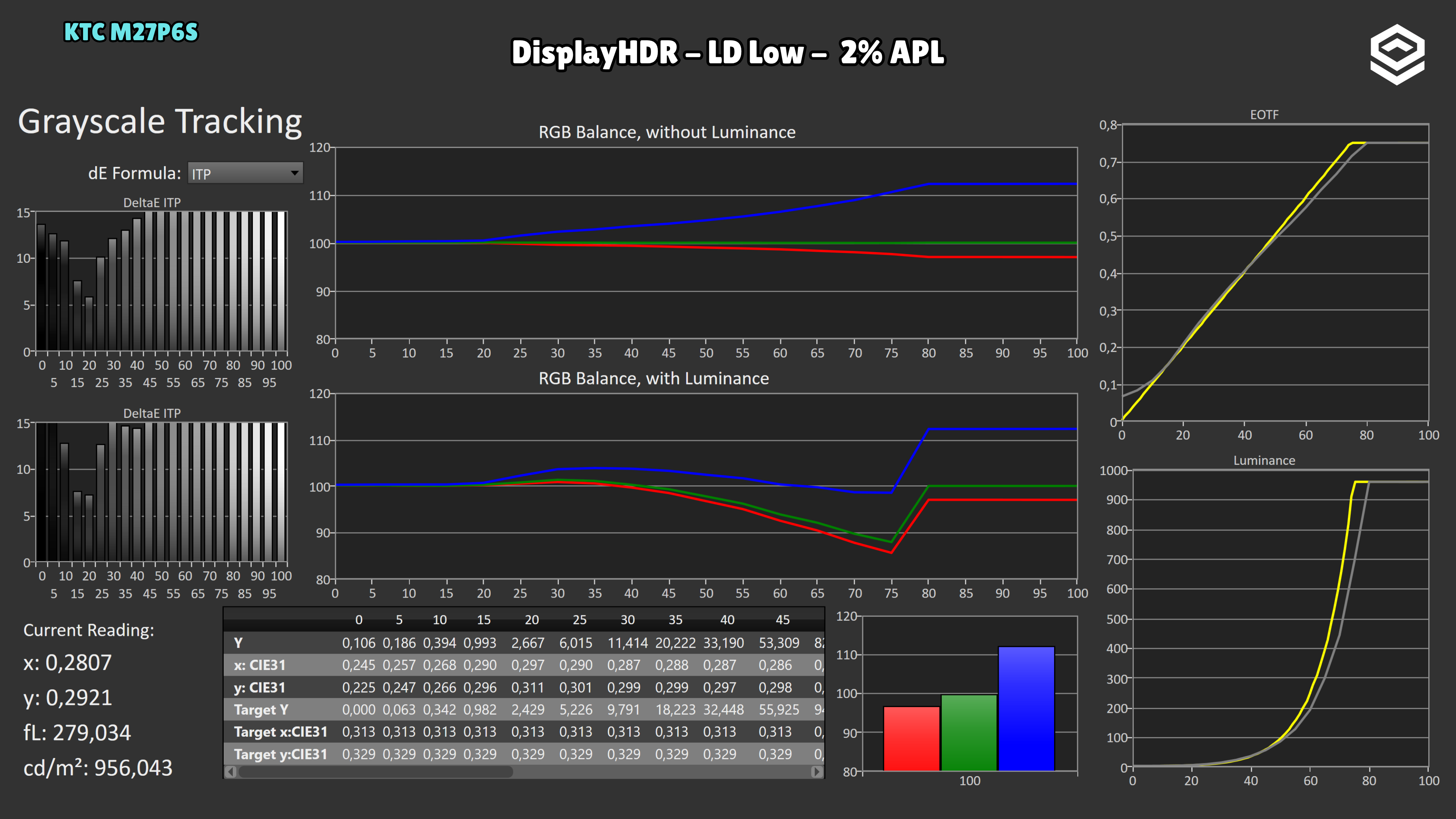
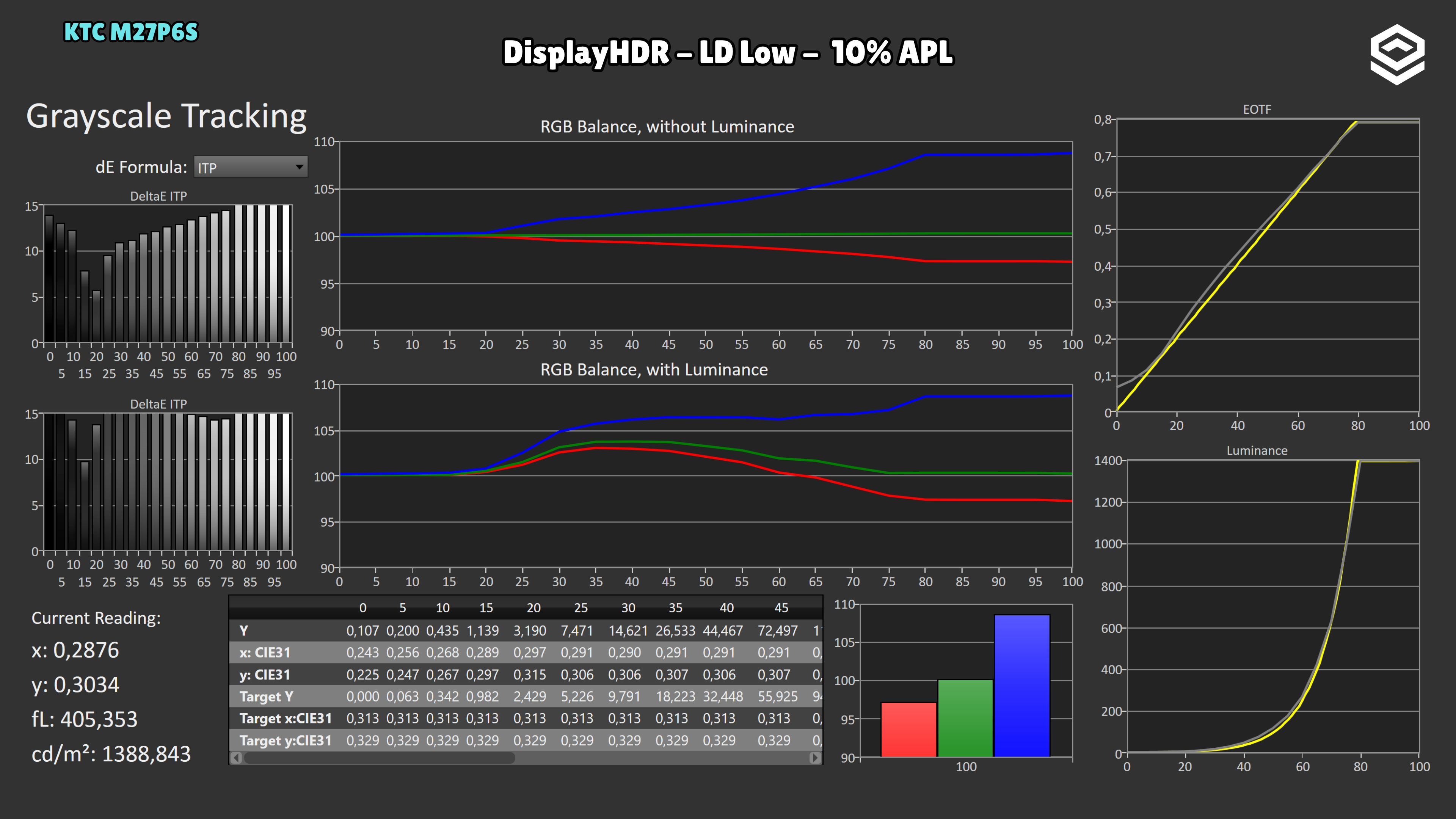
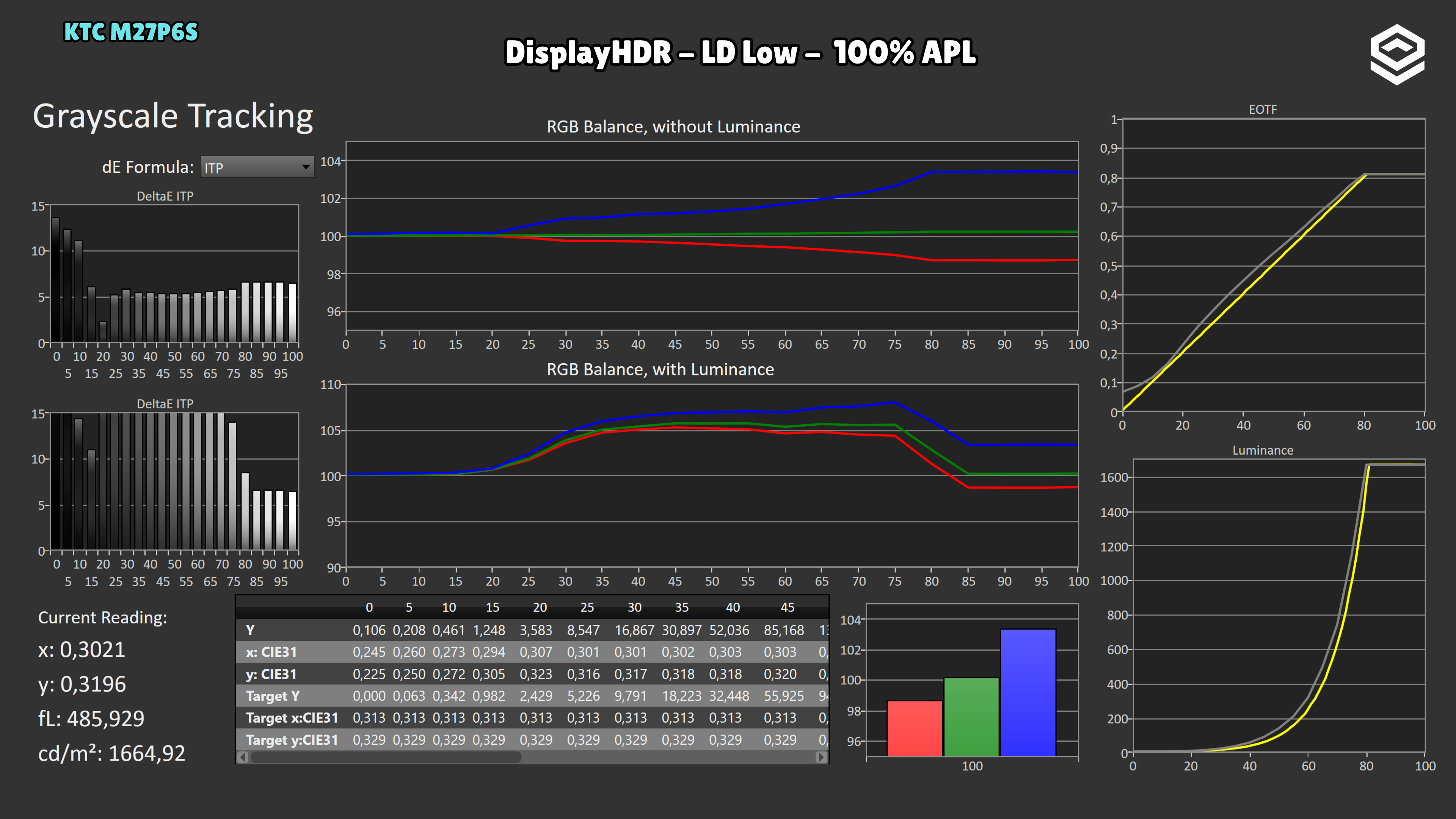
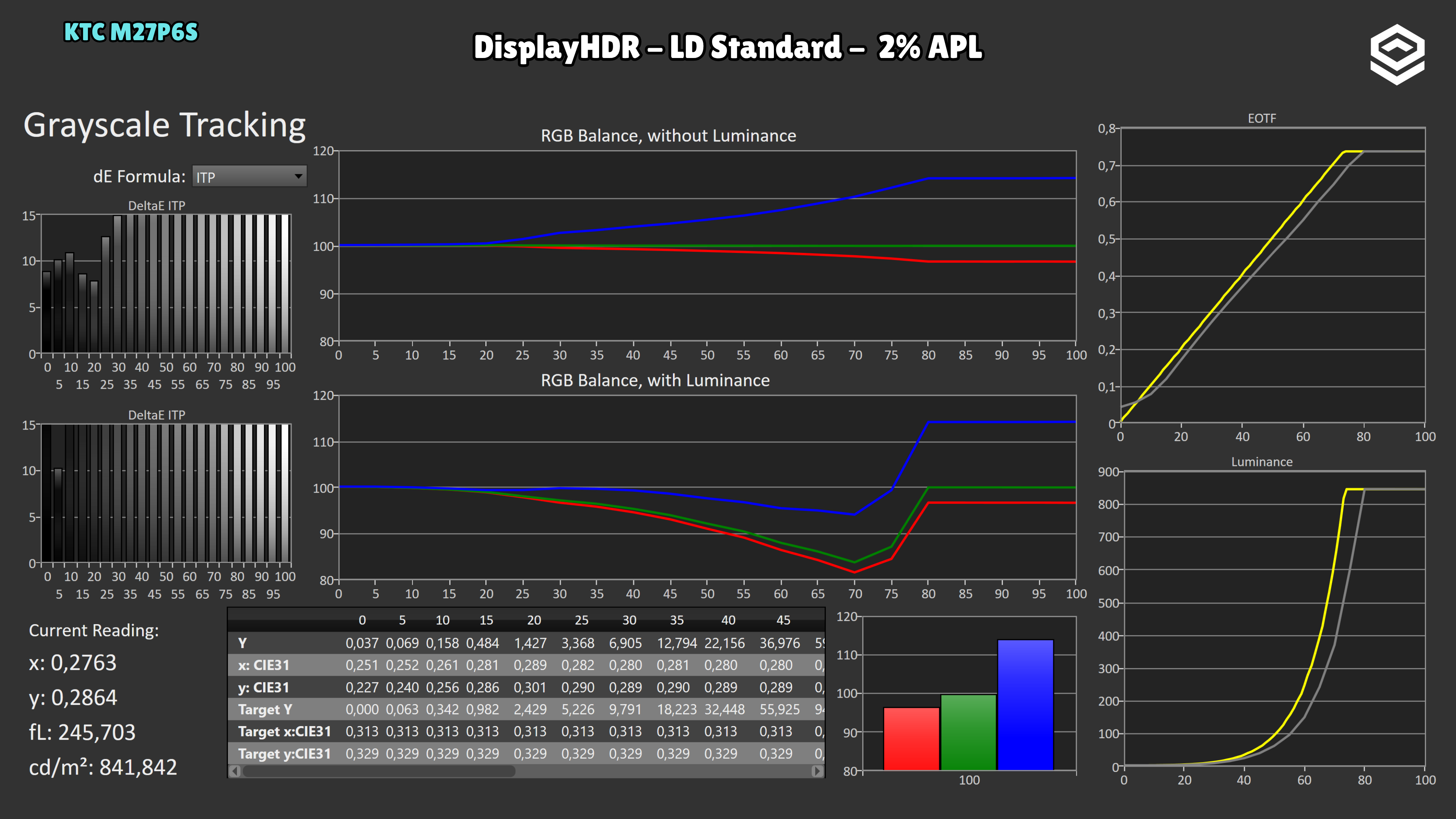
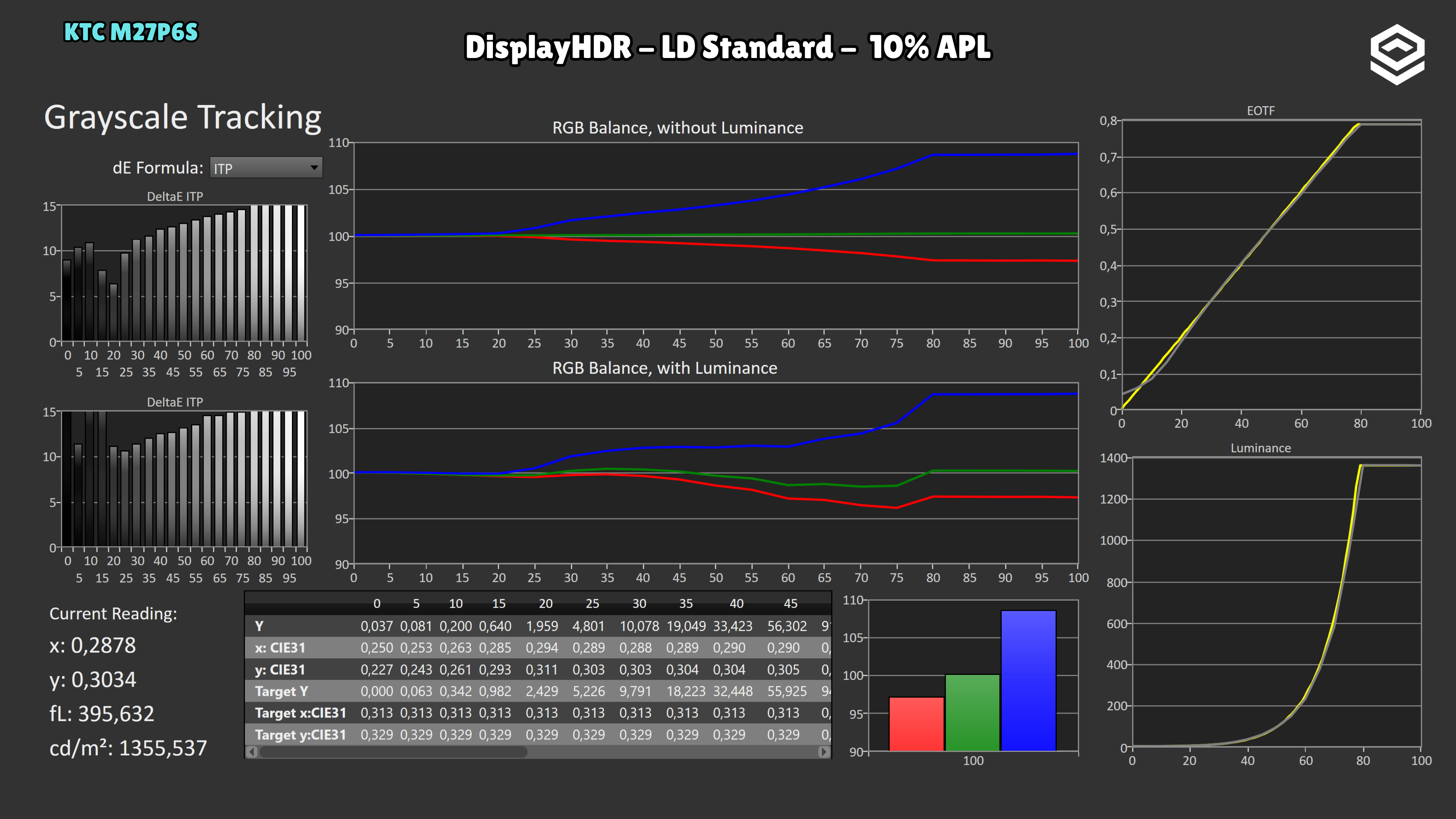
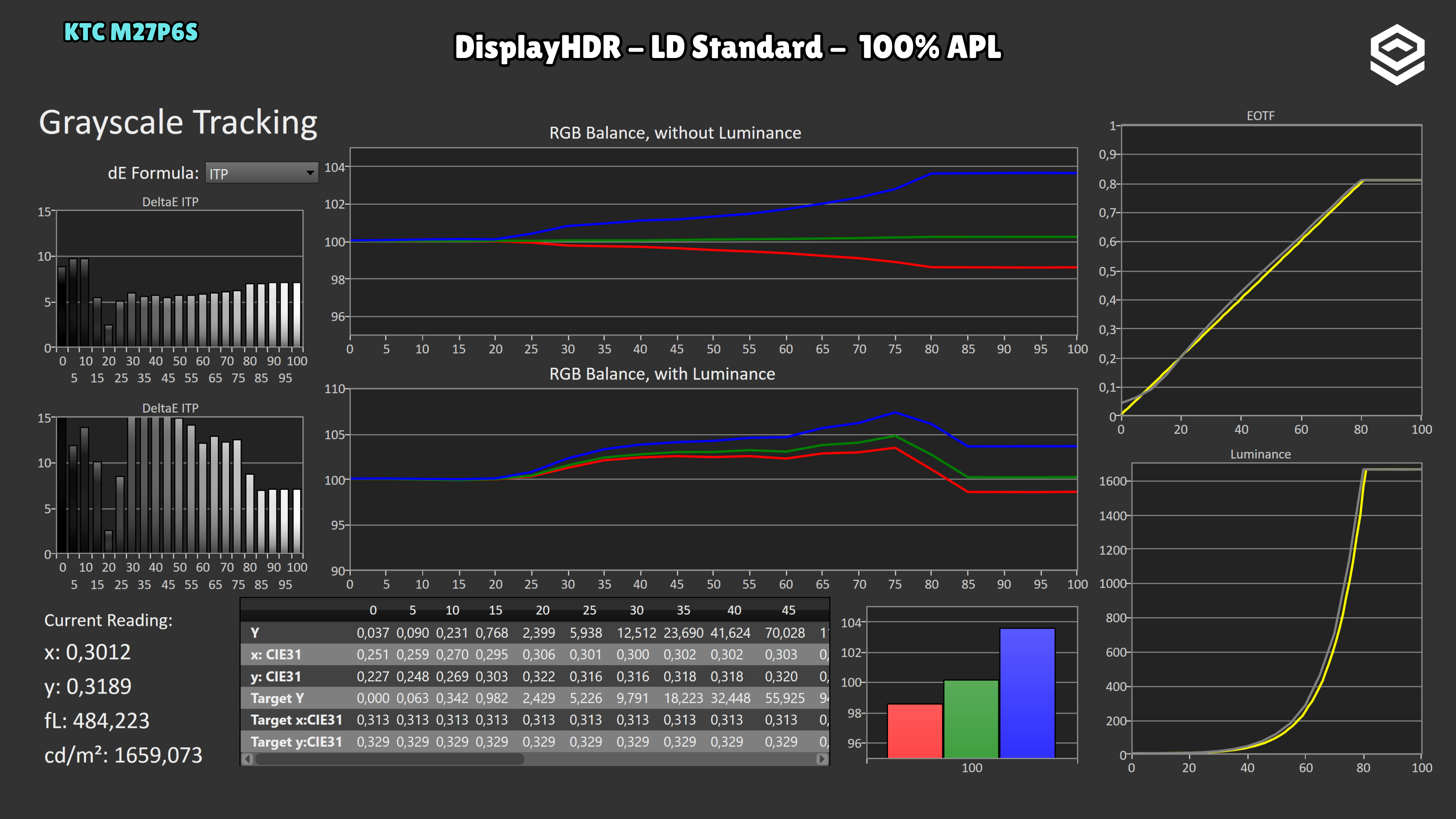
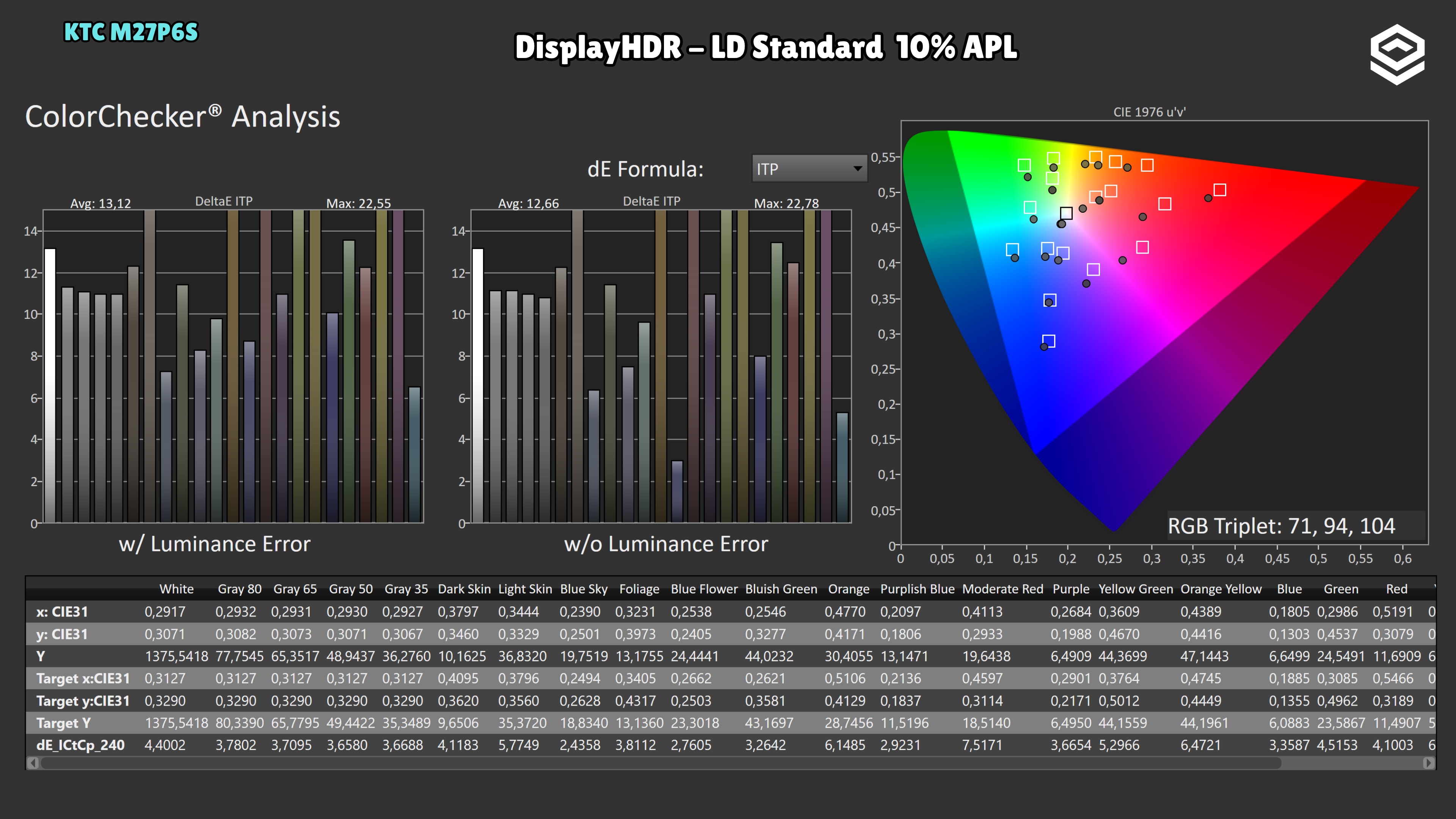
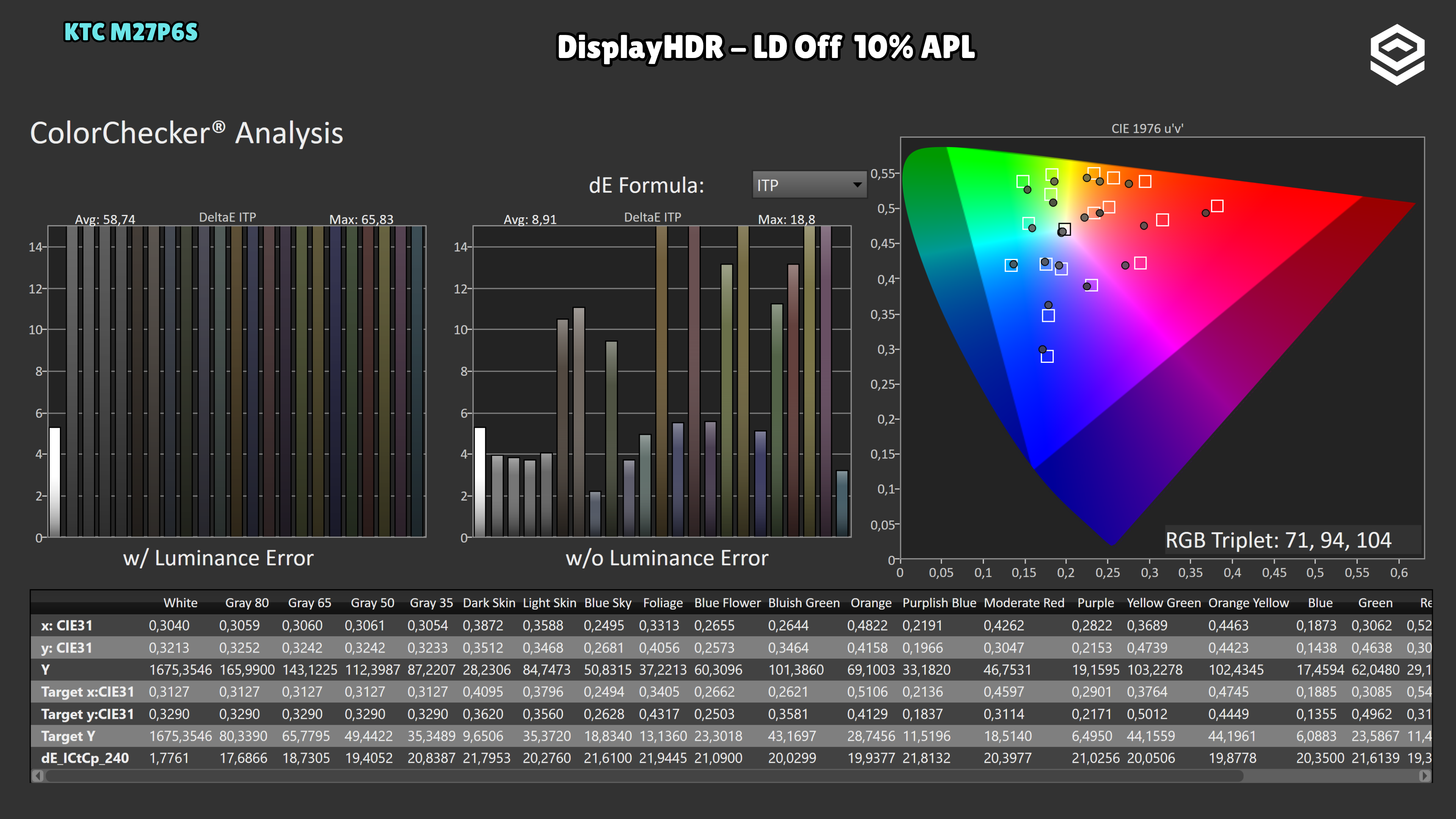
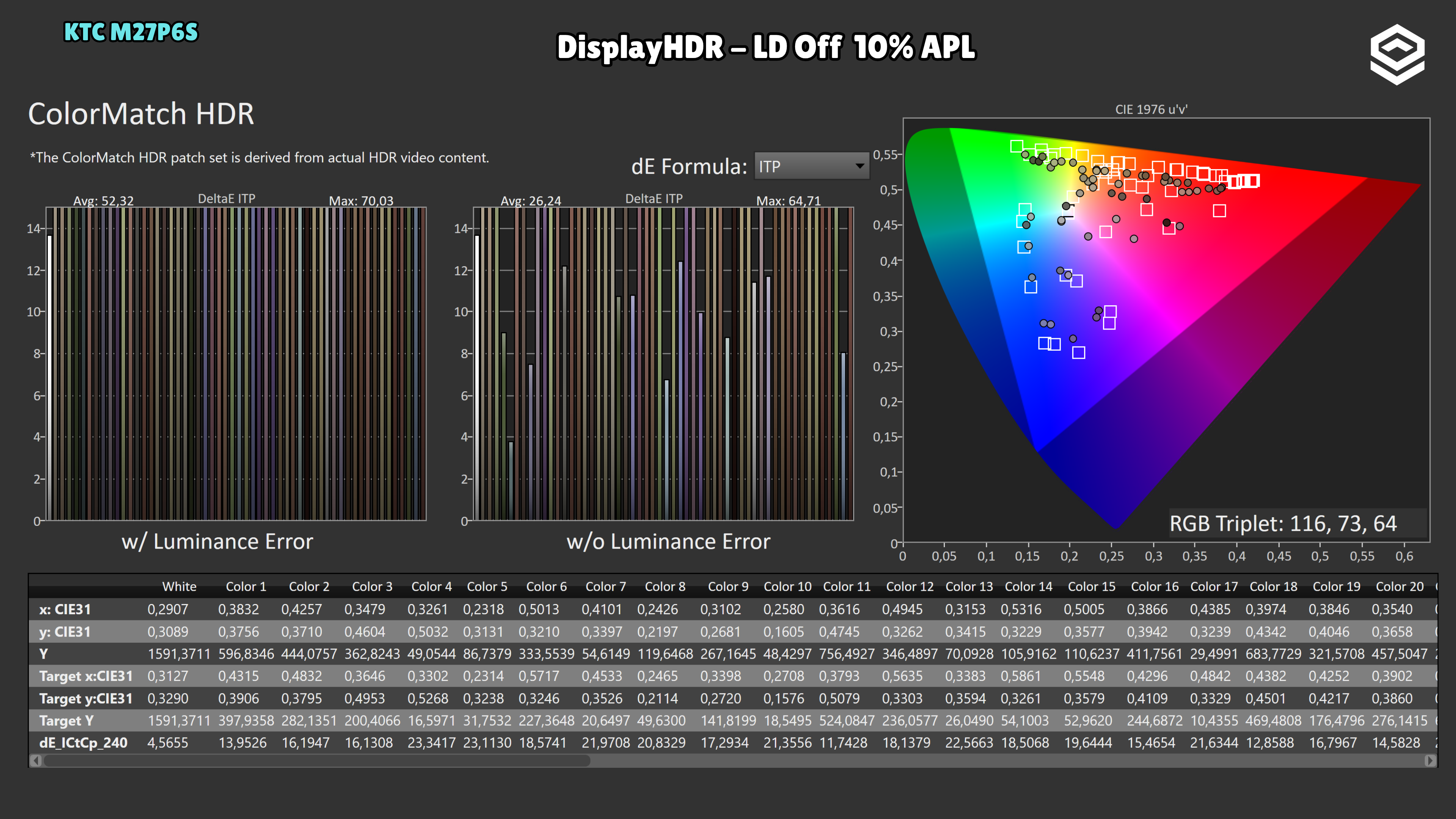
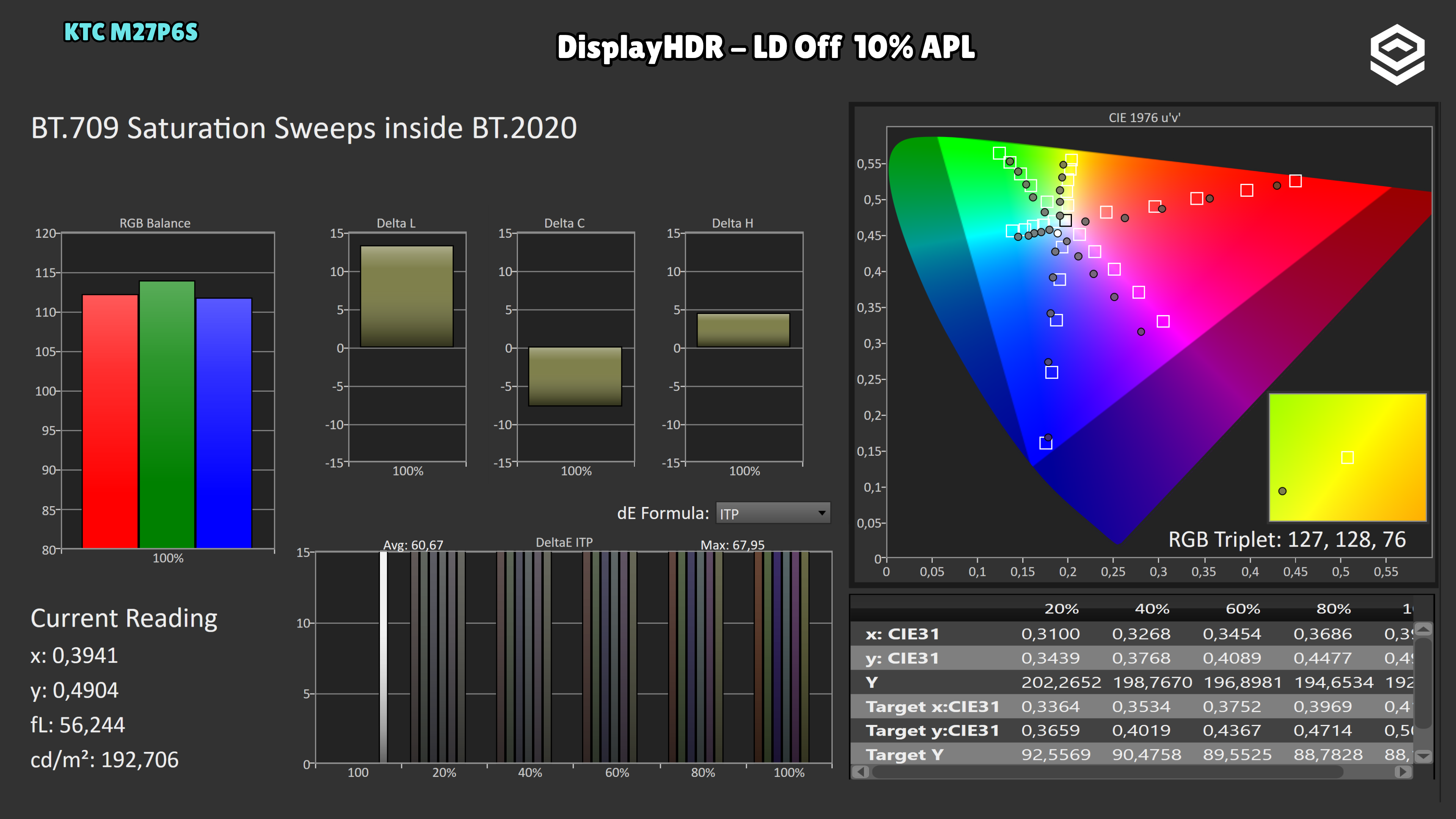
HDR colour accuracy has room for improvement. With LD Standard, the average excluding luminance error rises to 12.66. The LD Off test also shows a substantial luminance error: average ITP including luminance is 58.74. The main 8.91 figure excludes that component and should not be interpreted as overall HDR accuracy.
Test note · EOTF tracking
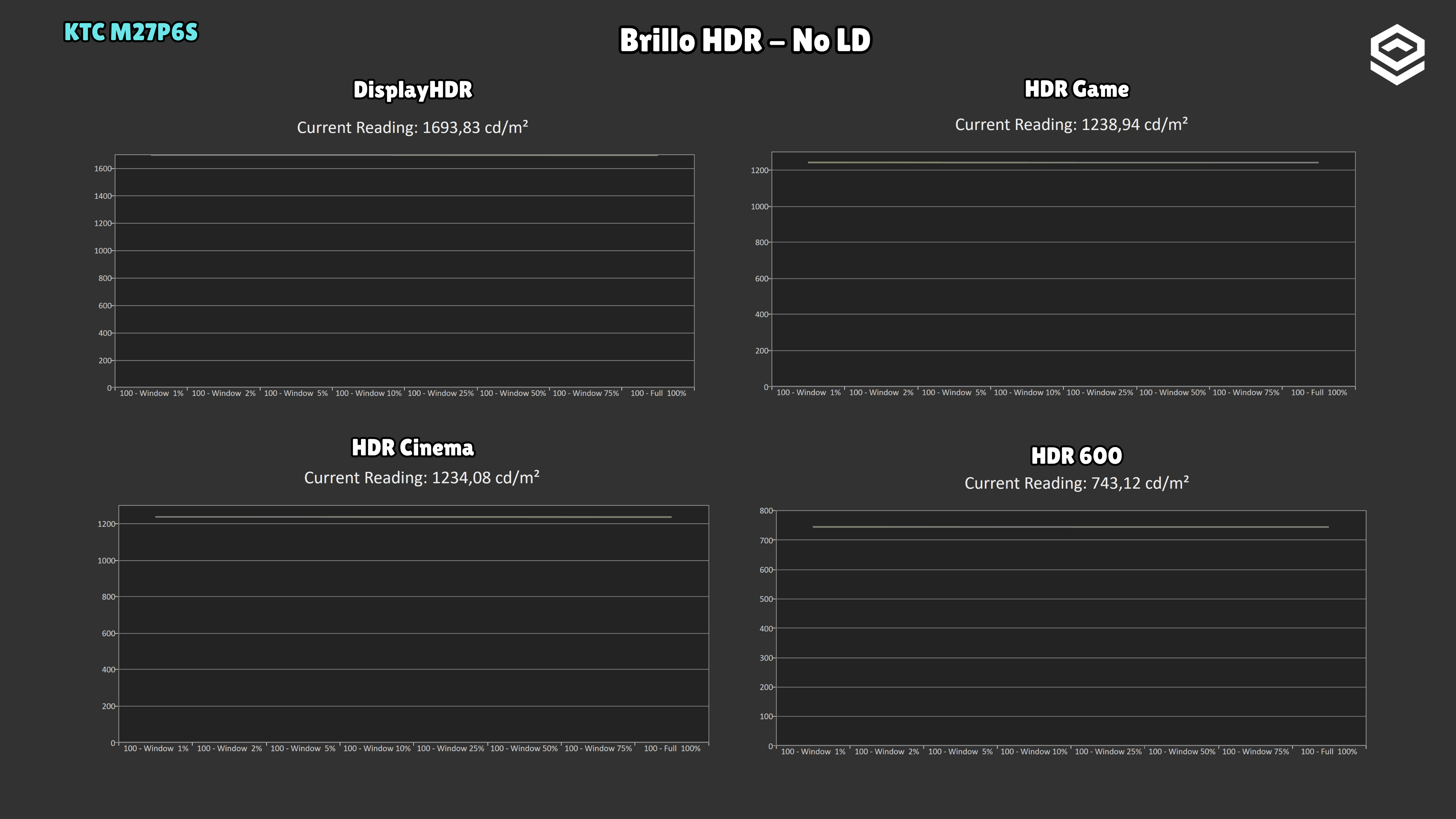
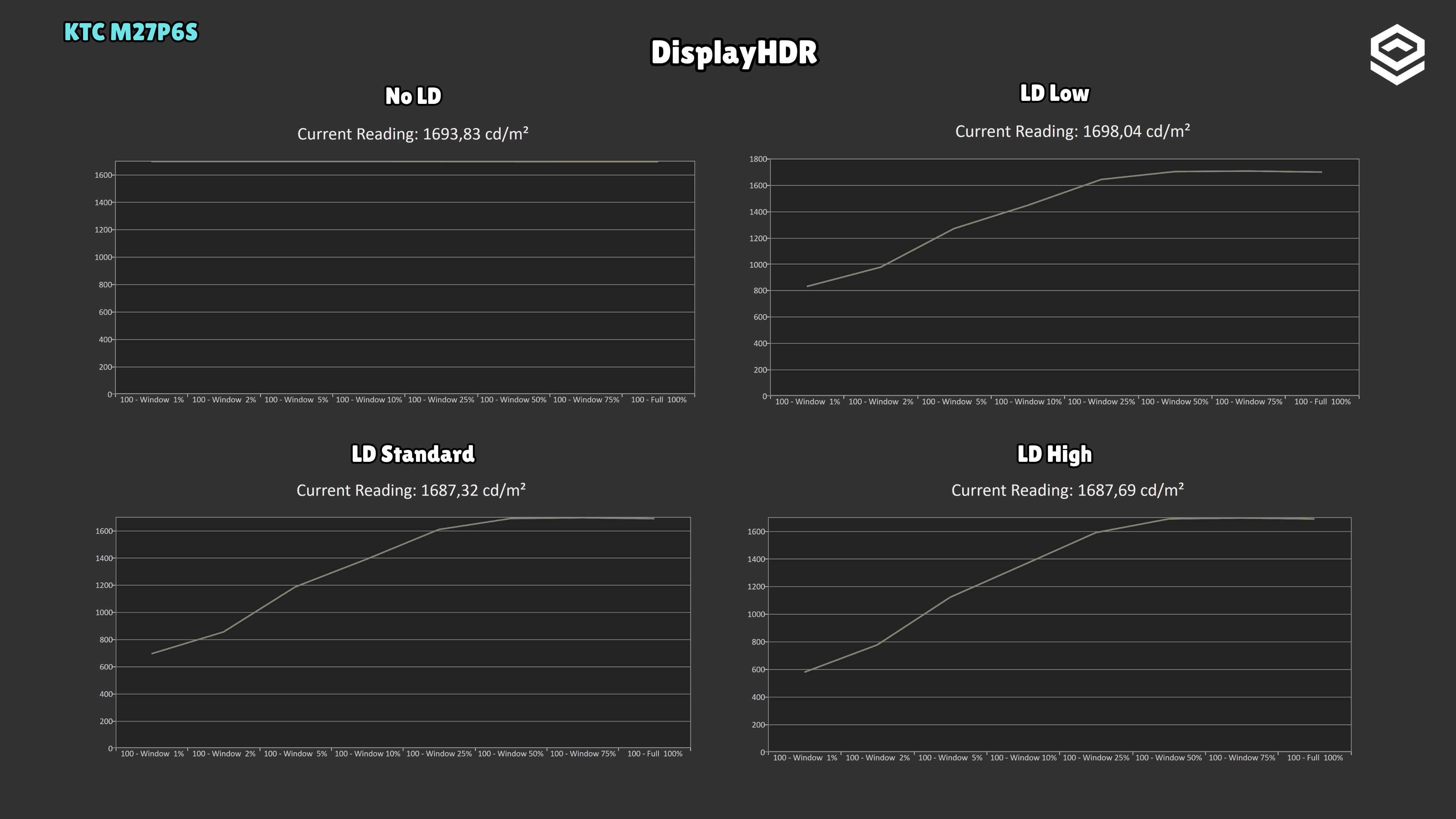
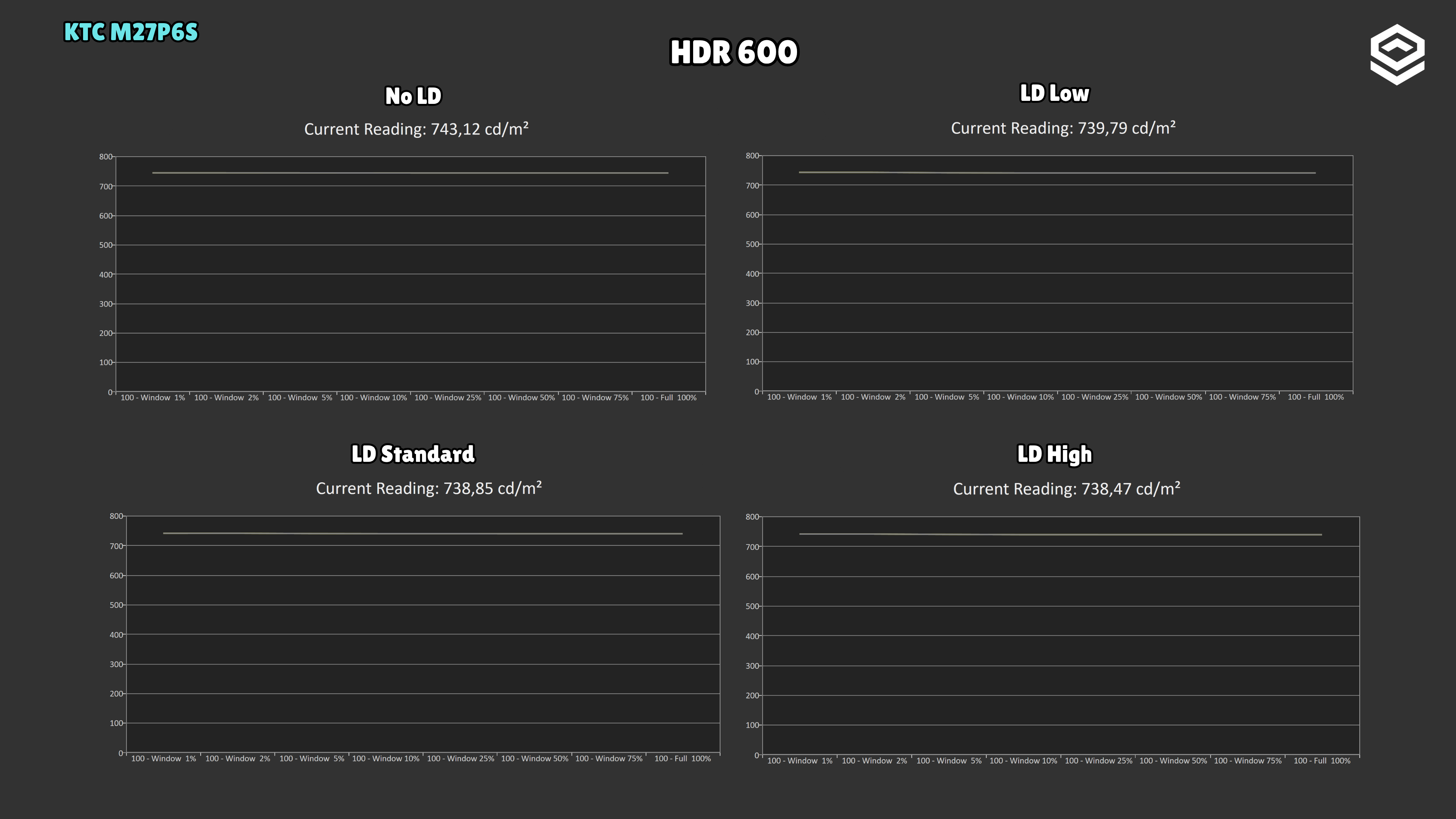
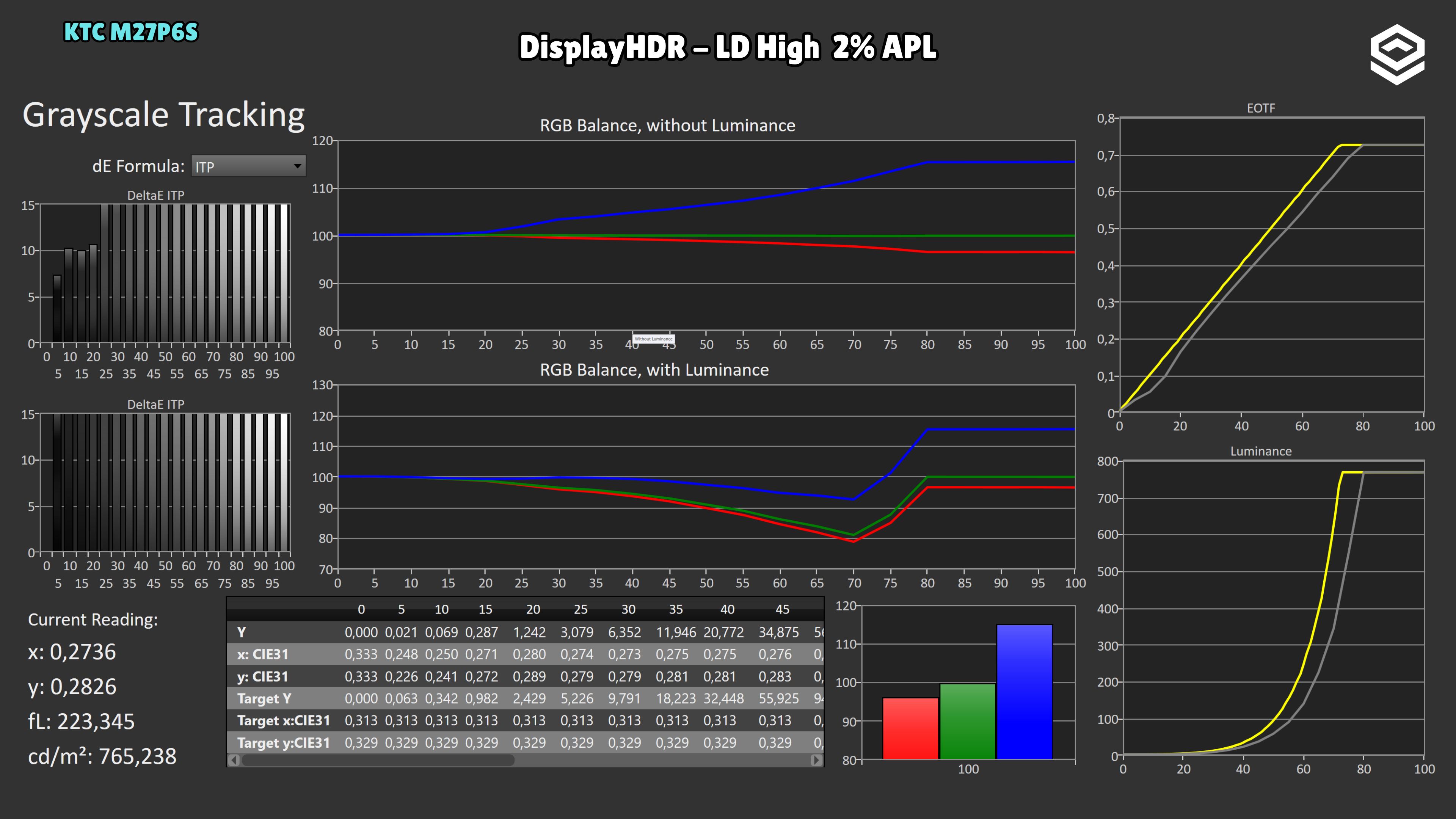
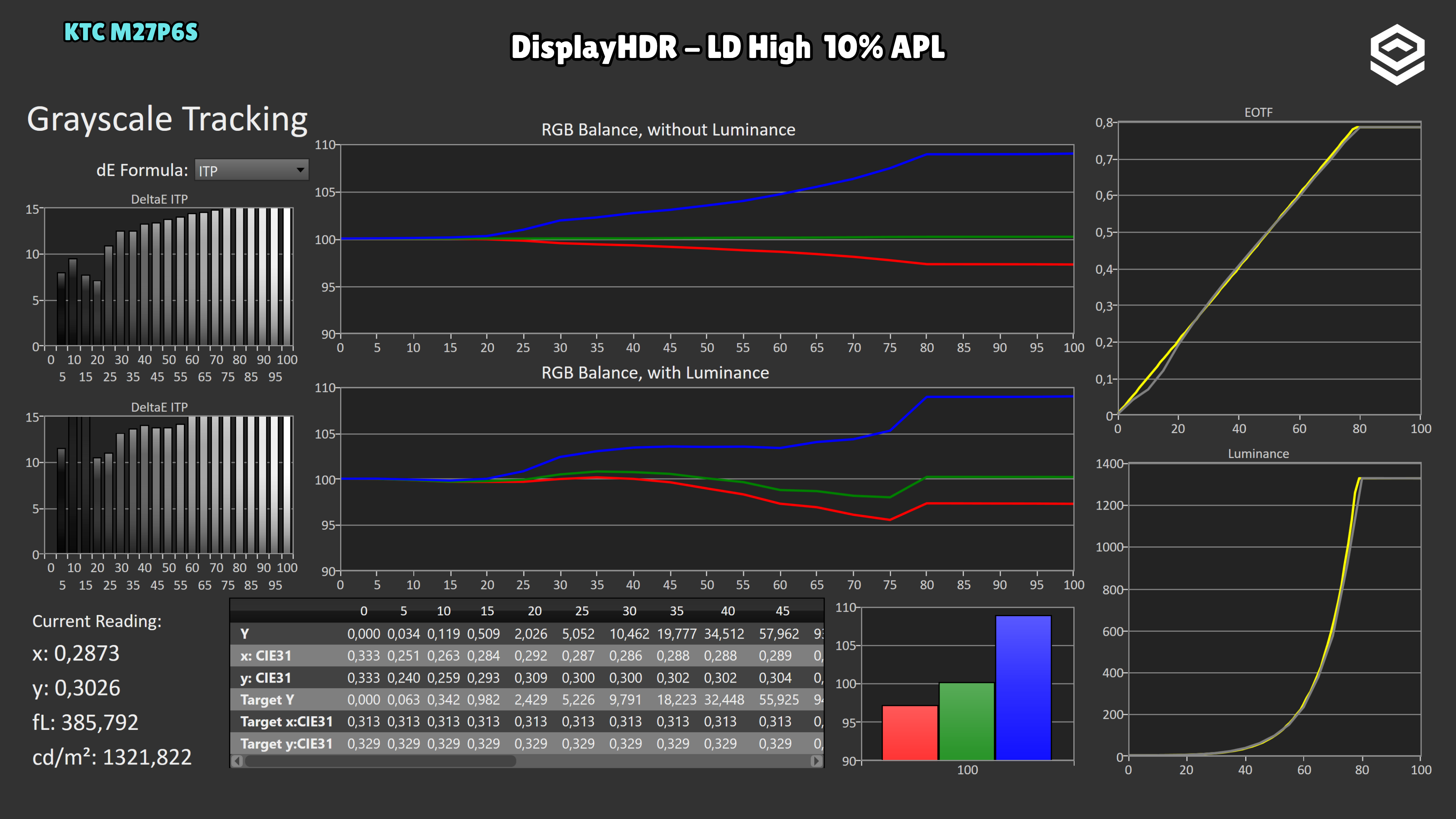
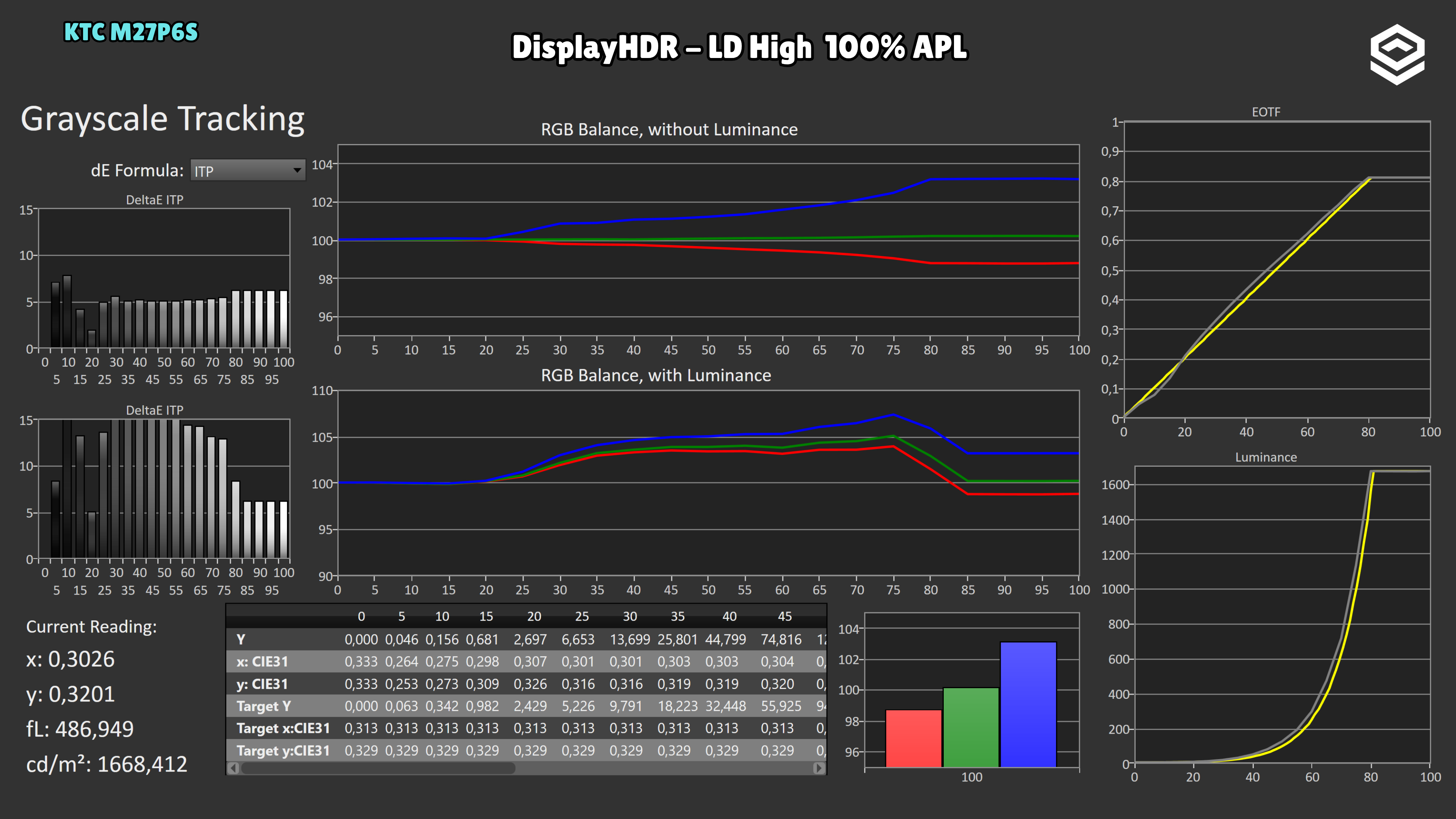
DisplayHDR is the recommended mode. With LD High and a 10% window, tracking is fairly close to the reference from the midtones upwards, although it darkens the lowest shadow steps and grayscale balance remains cool. This does not represent every scene: at 2% it darkens midtones more and limits small highlights to around 765 nits; it reaches 1,322 nits at 10% and 1,668 nits at 100%. Low retains brighter small highlights but raises shadows more and controls halos less effectively. HDR 600 lowers the ceiling to around 735 nits and shows larger deviations along parts of the curve. The best DisplayHDR capture does not remove these differences with window size and LD setting.
Response time and PC gaming
Overdrive, tiempo de respuesta, overshoot, VRR e input lag.
Test note · Response time
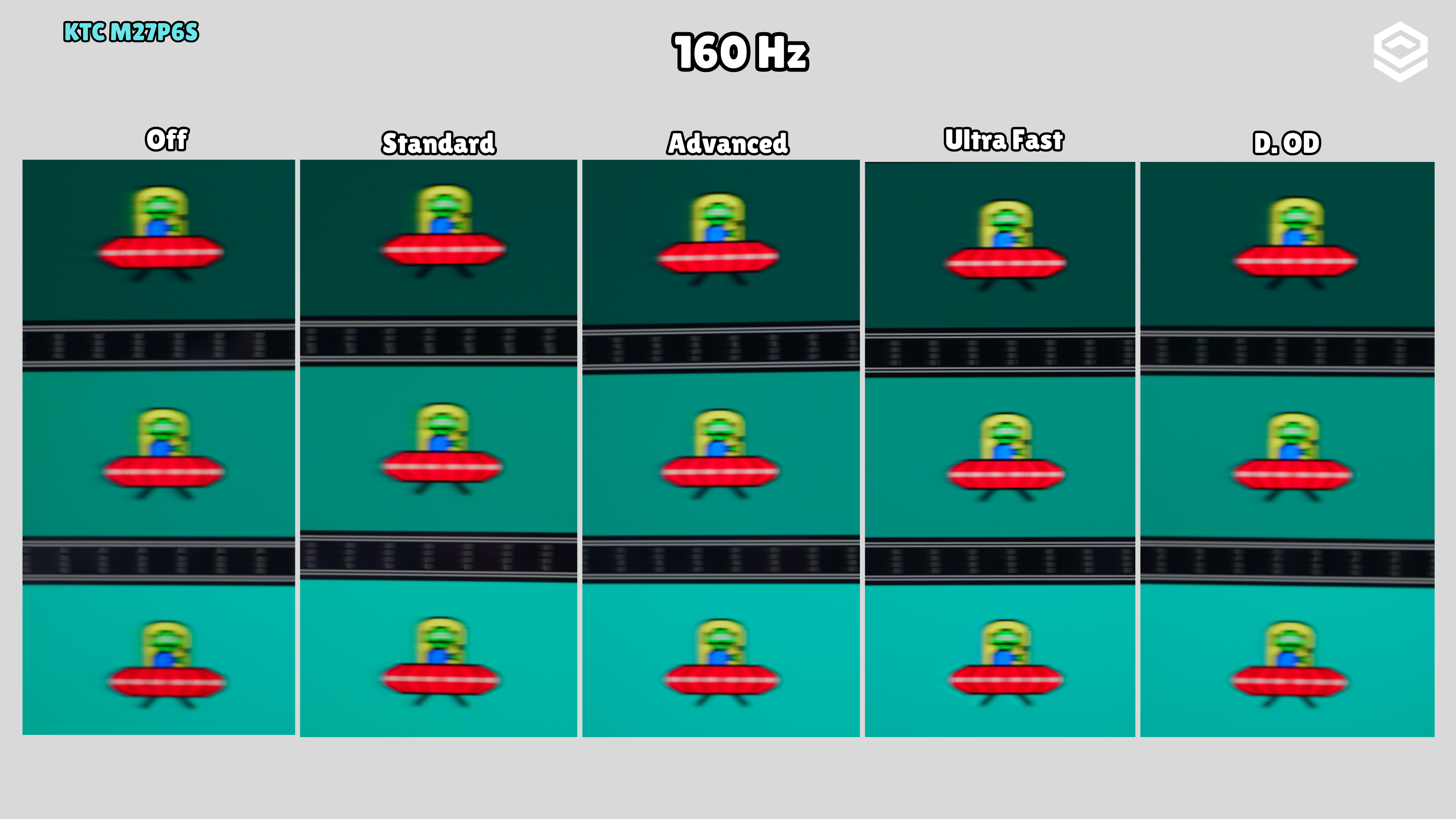
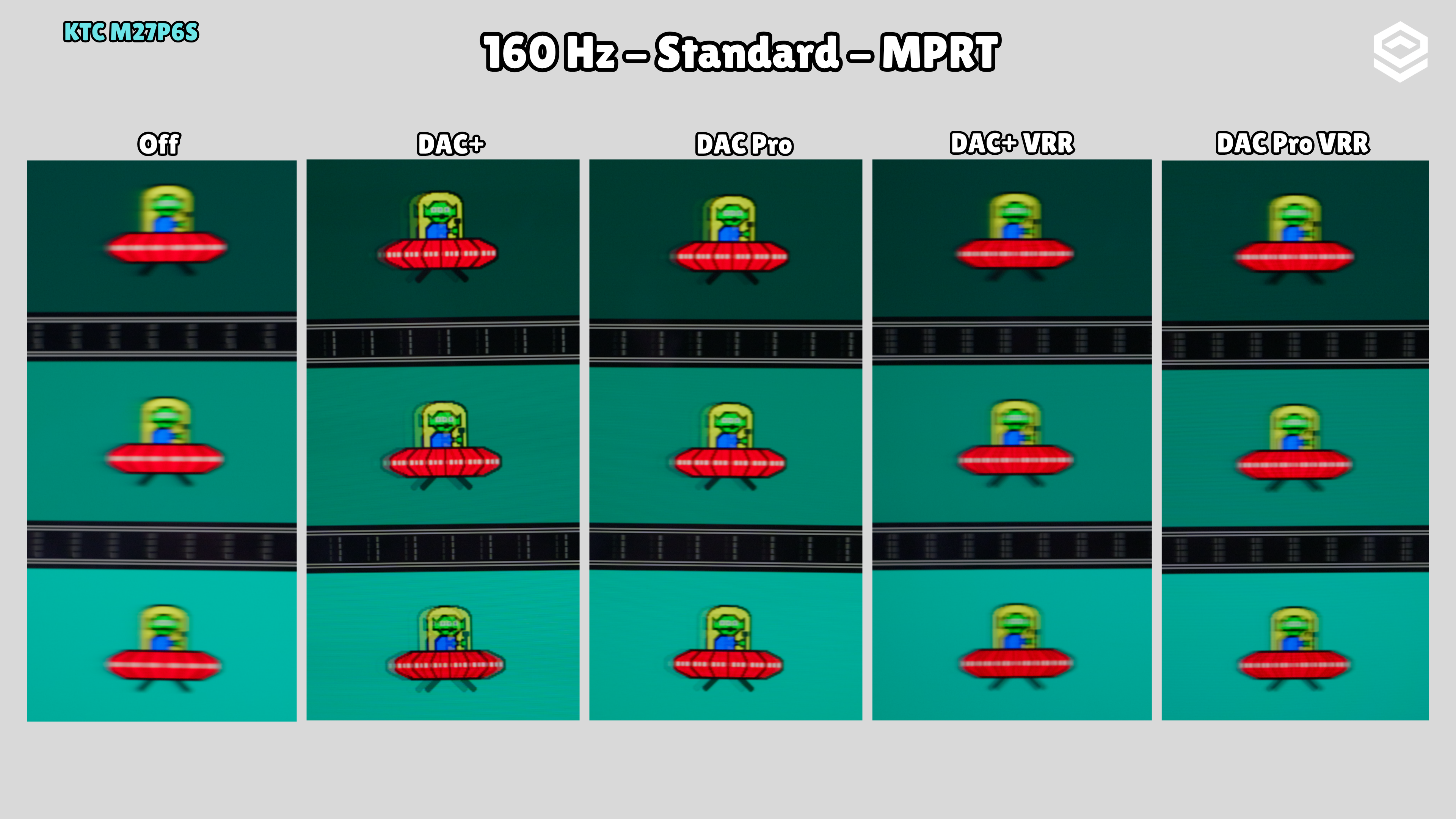
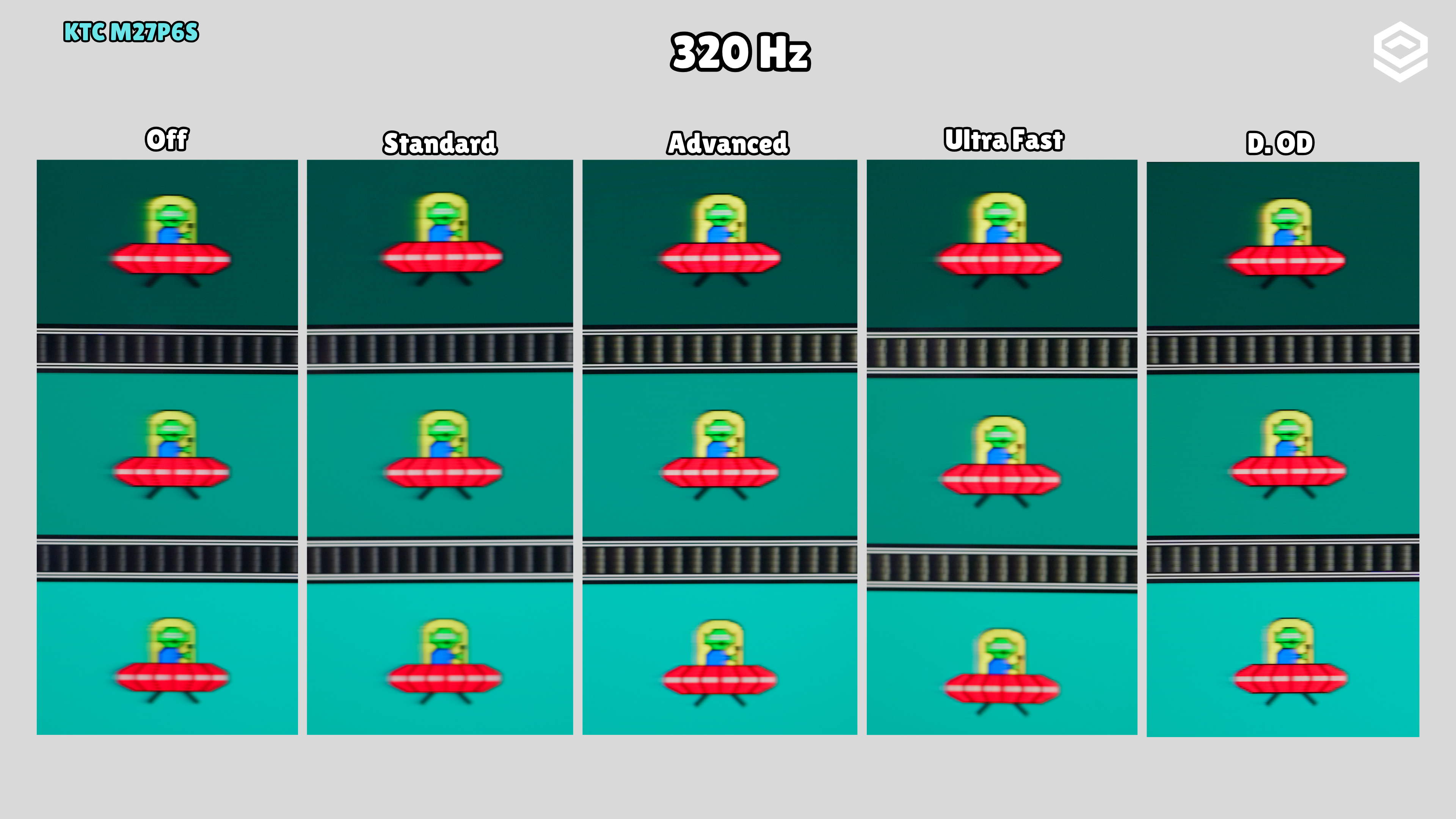
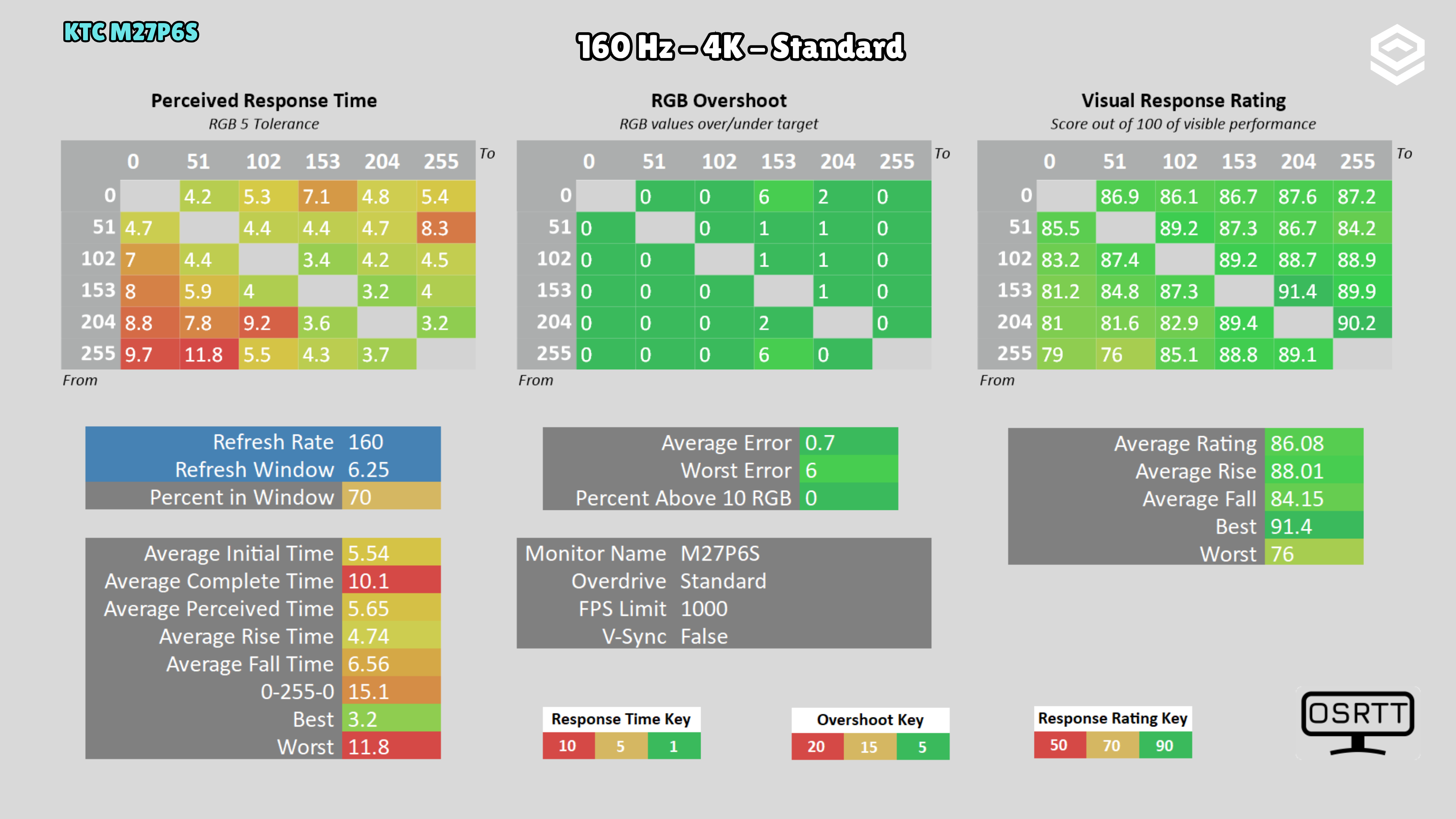
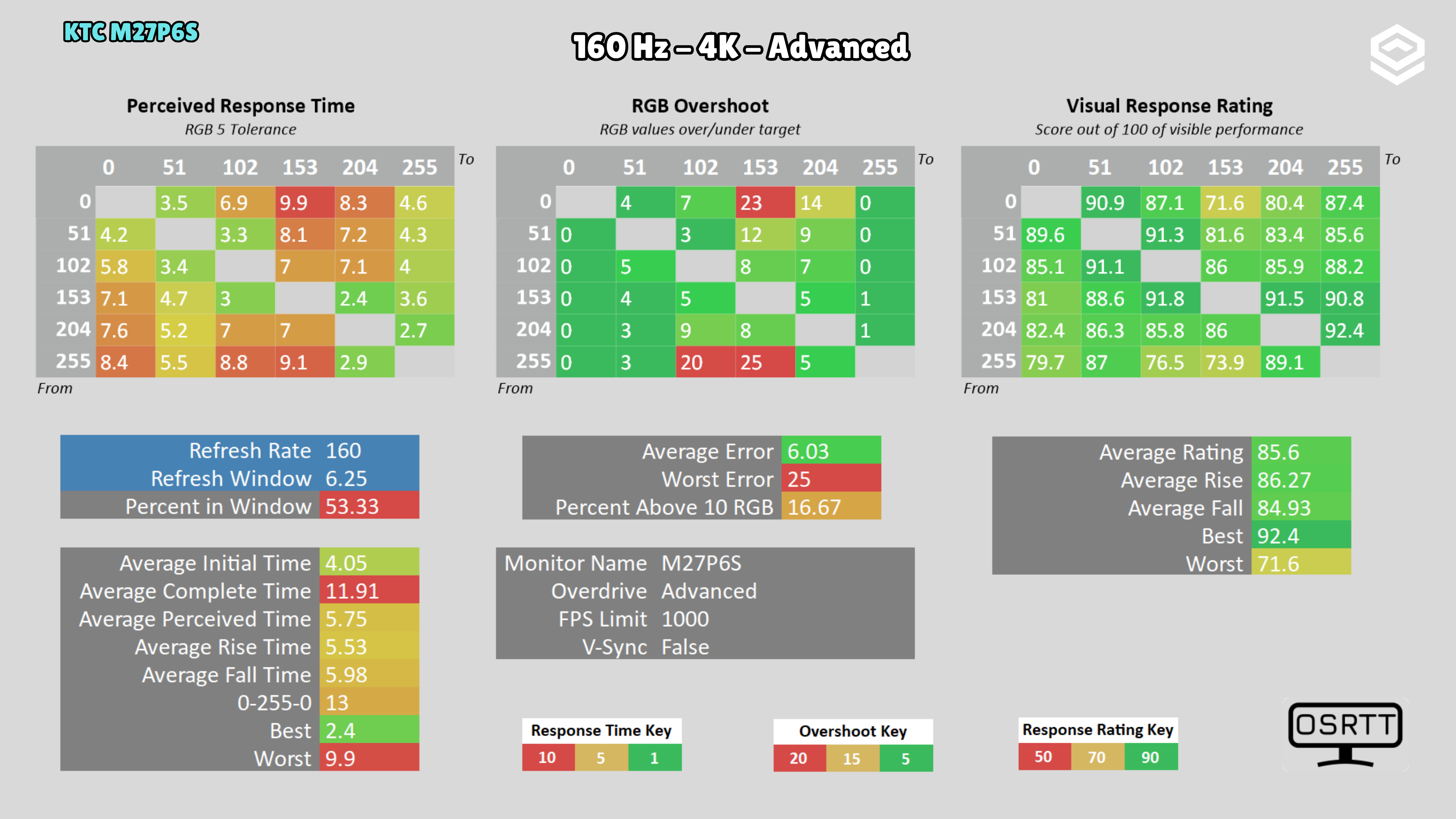
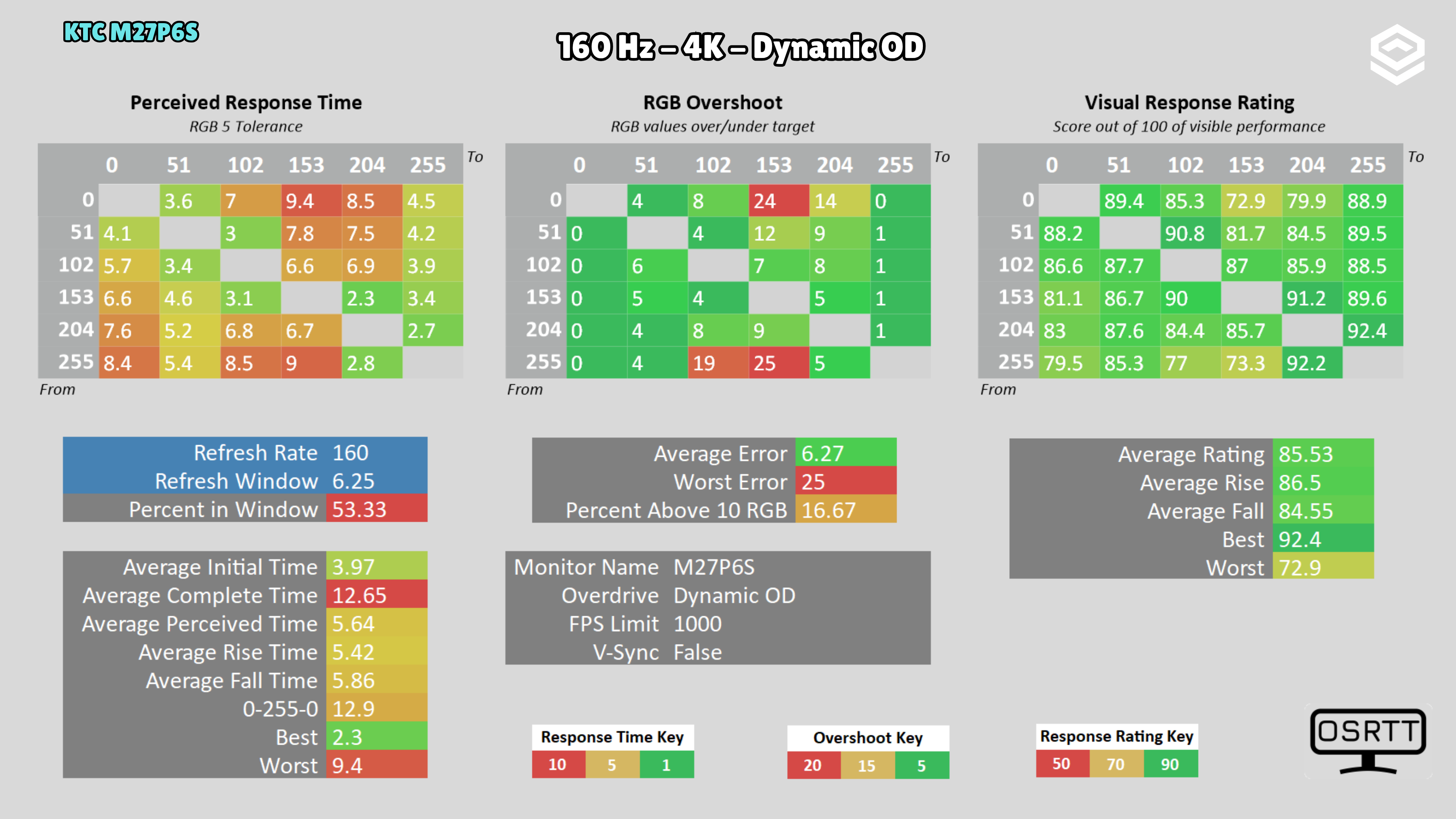
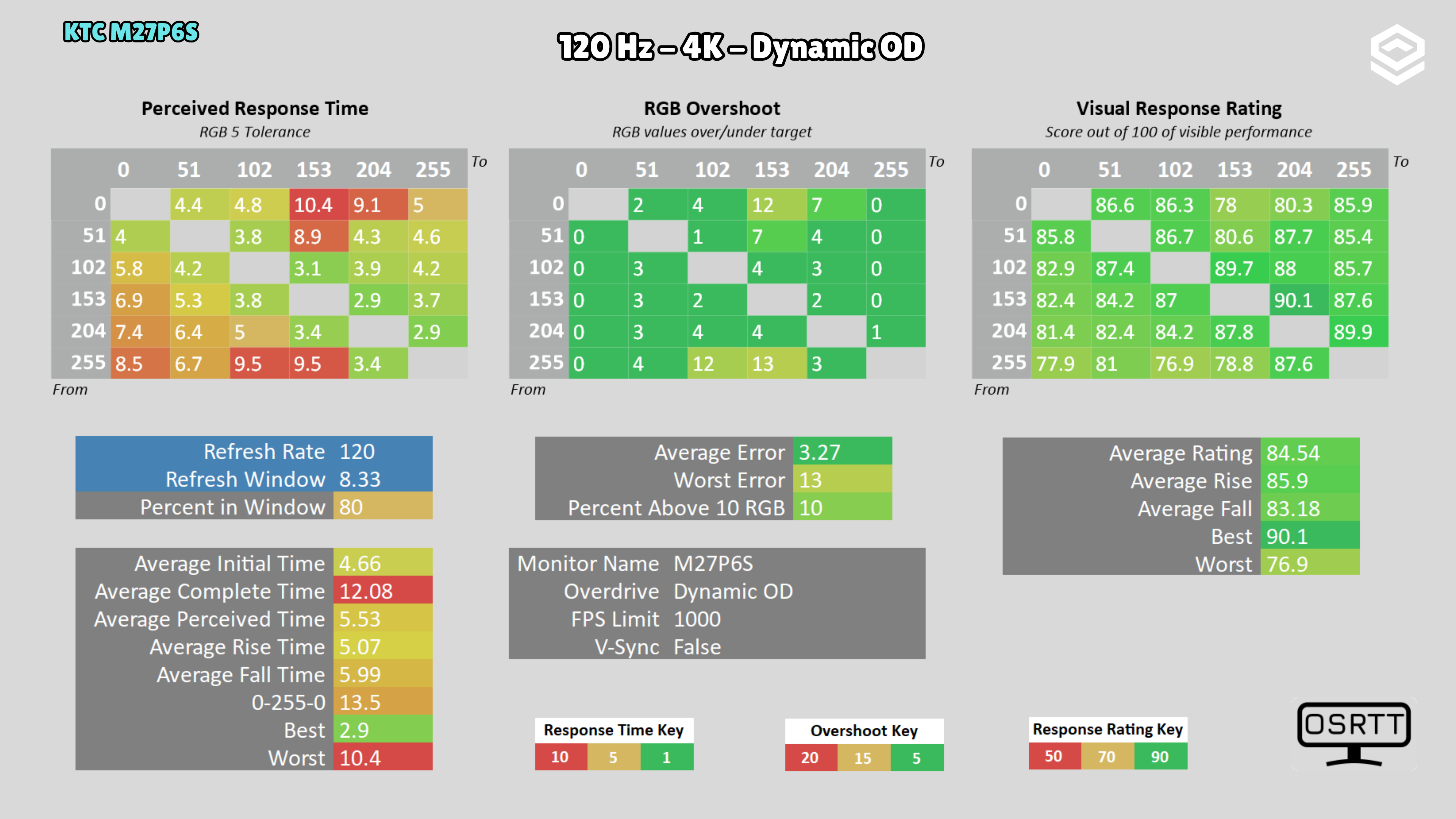
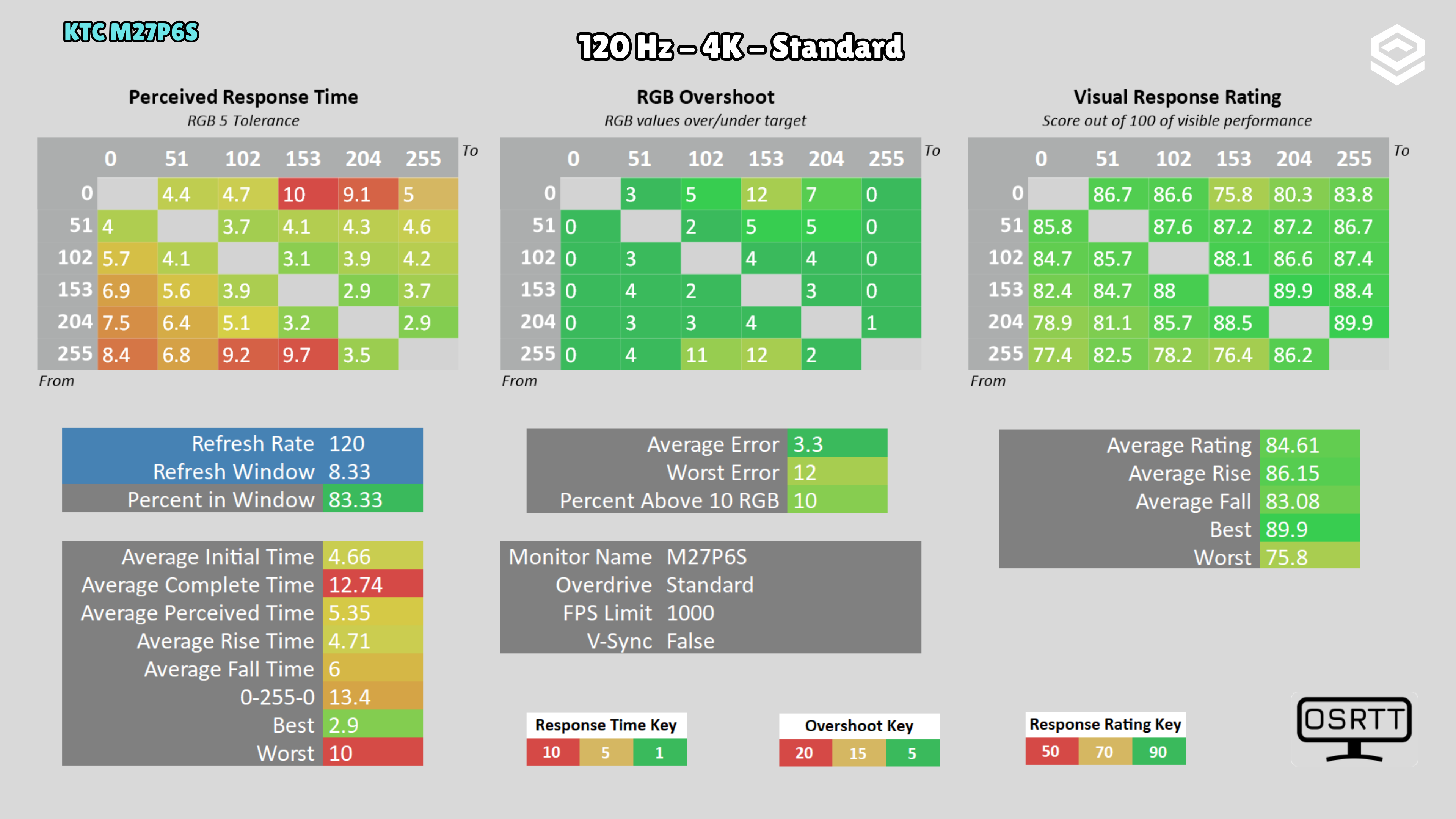
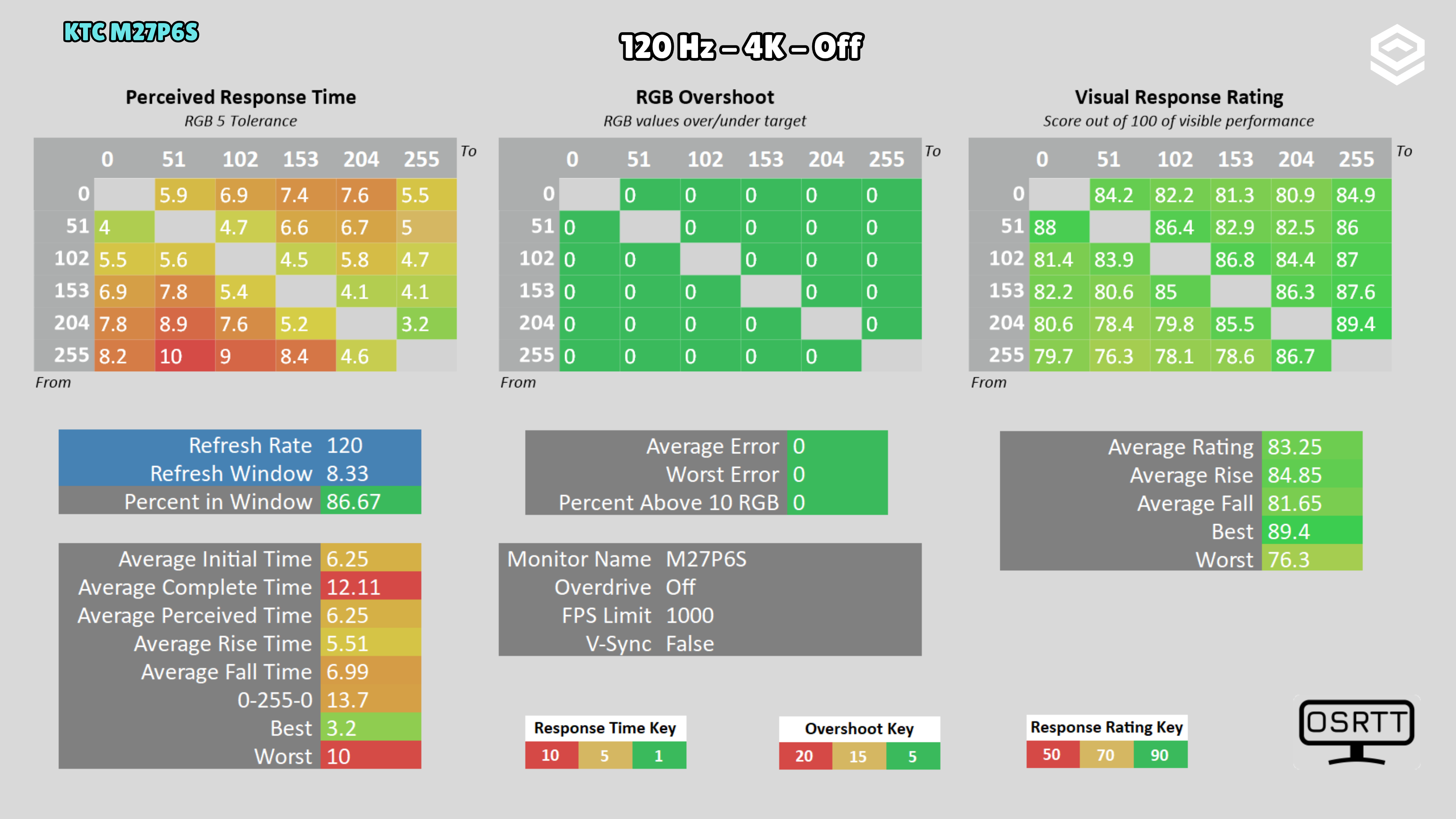
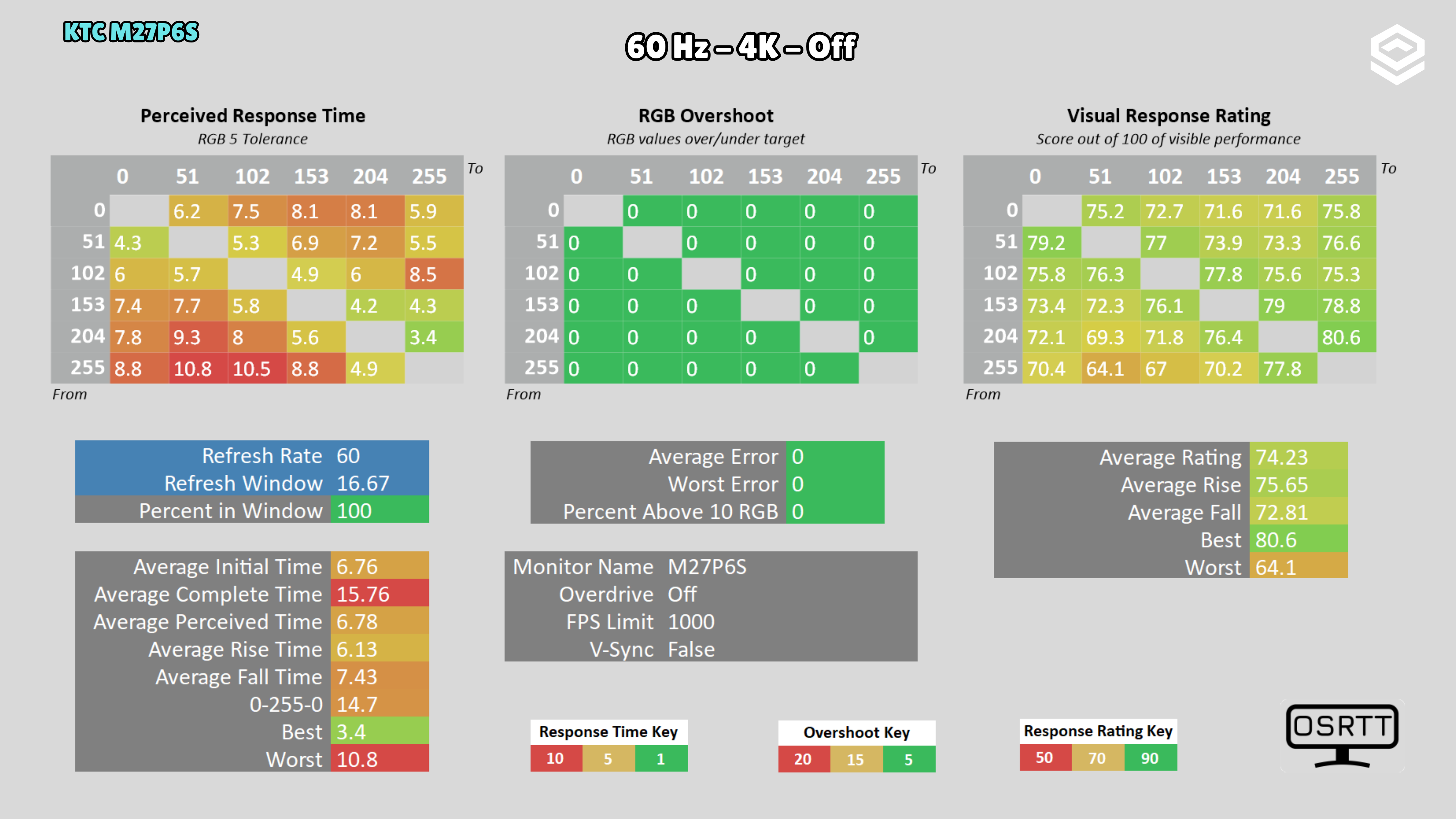
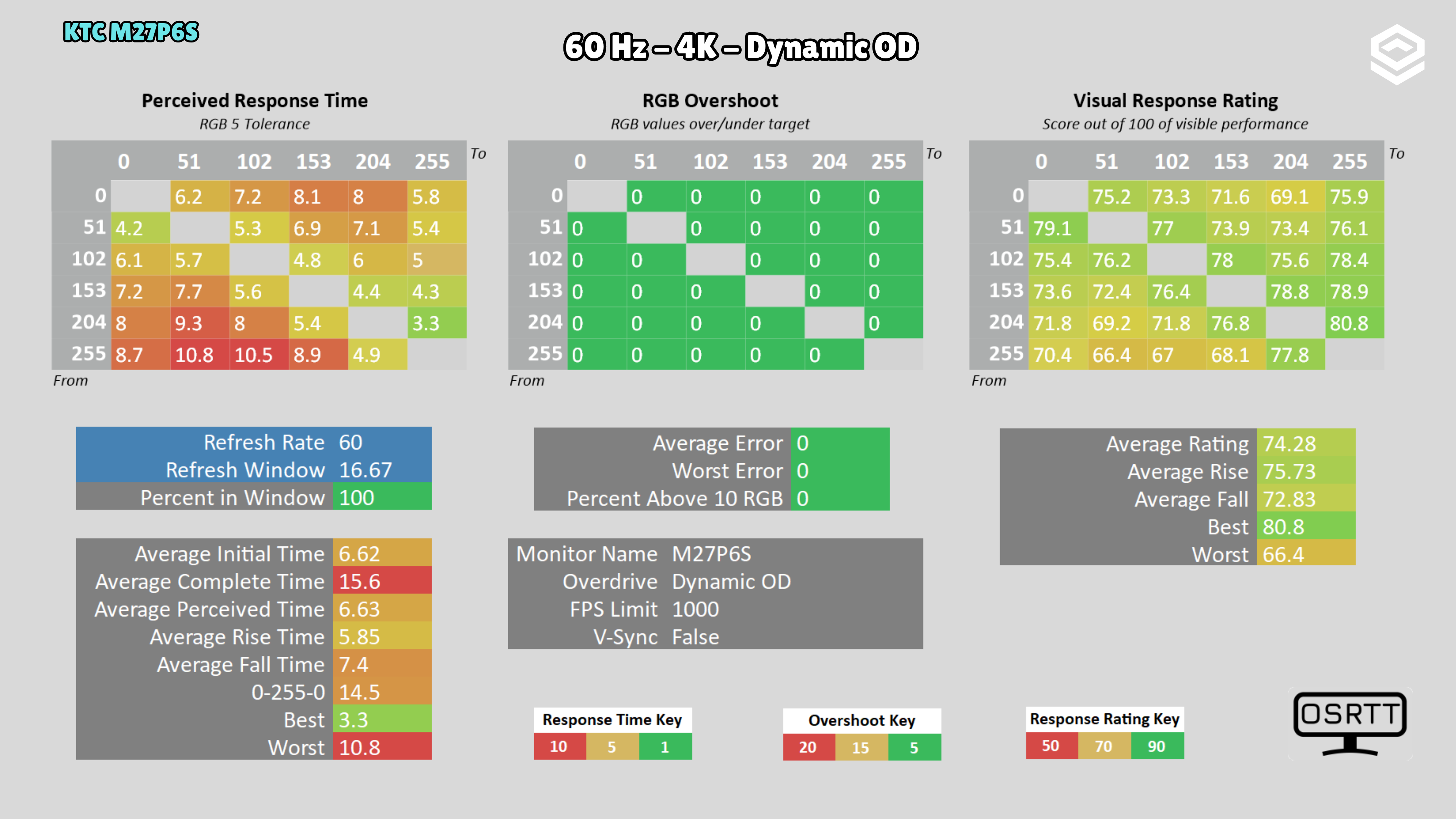
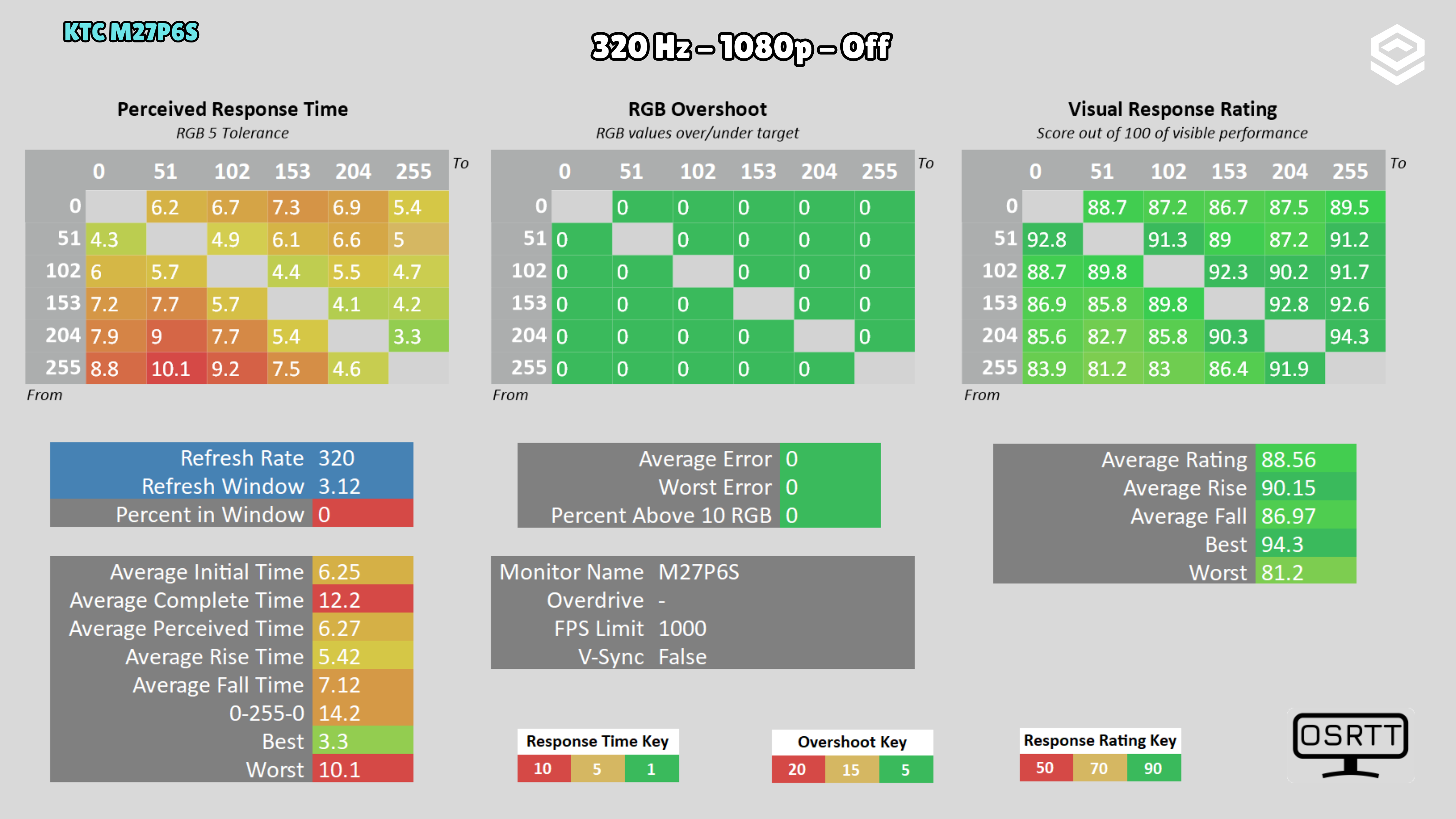
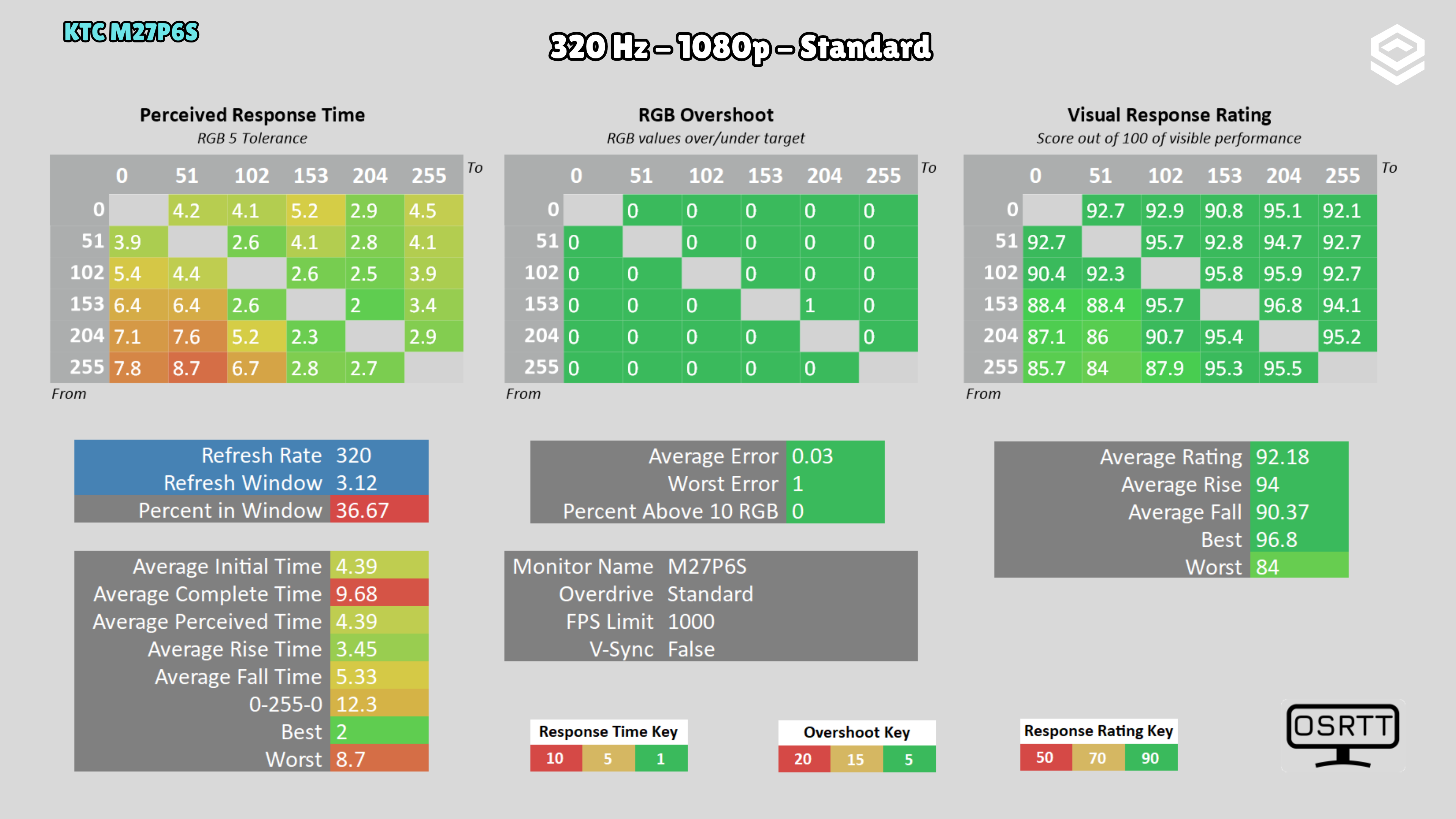
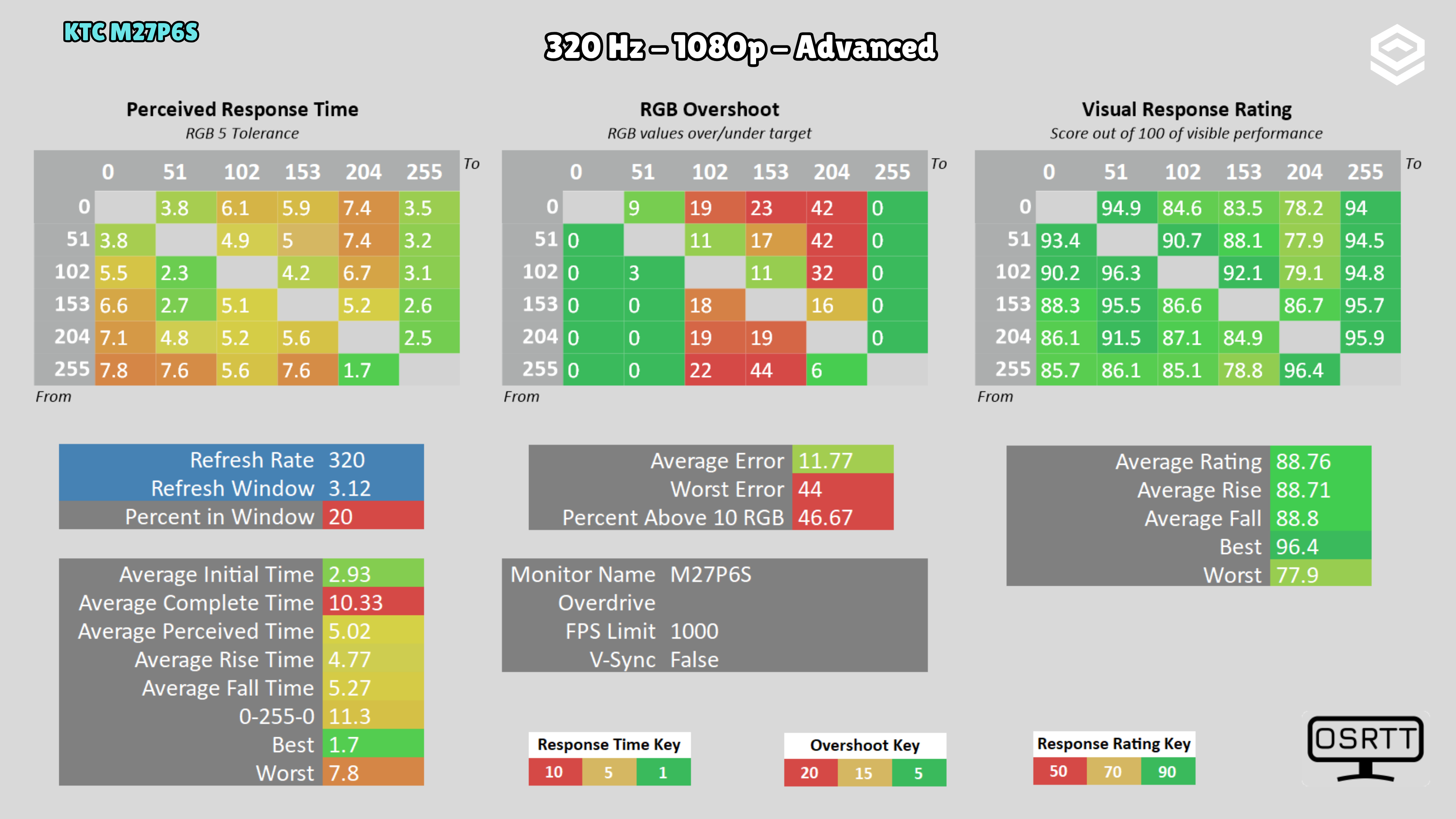
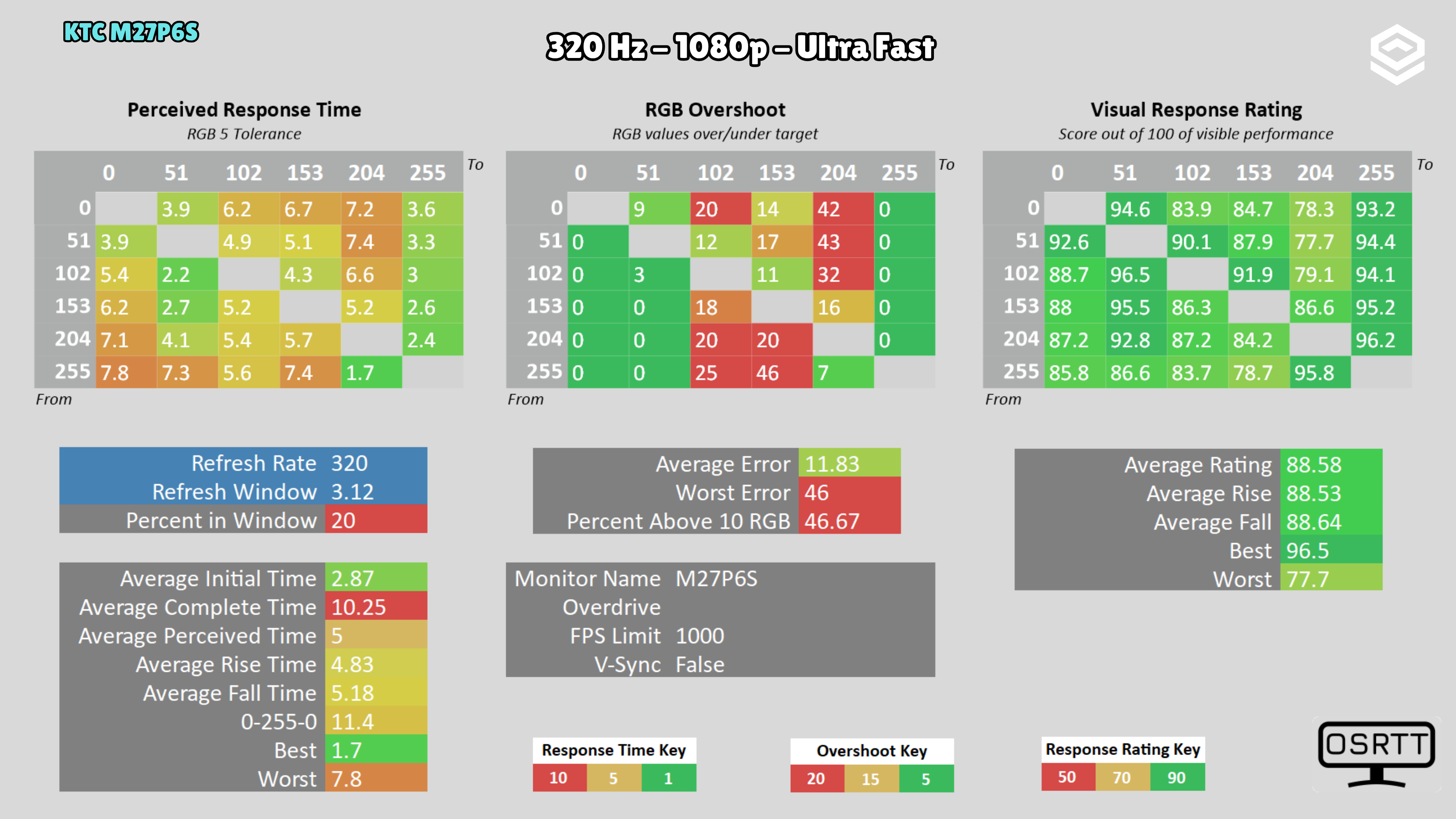
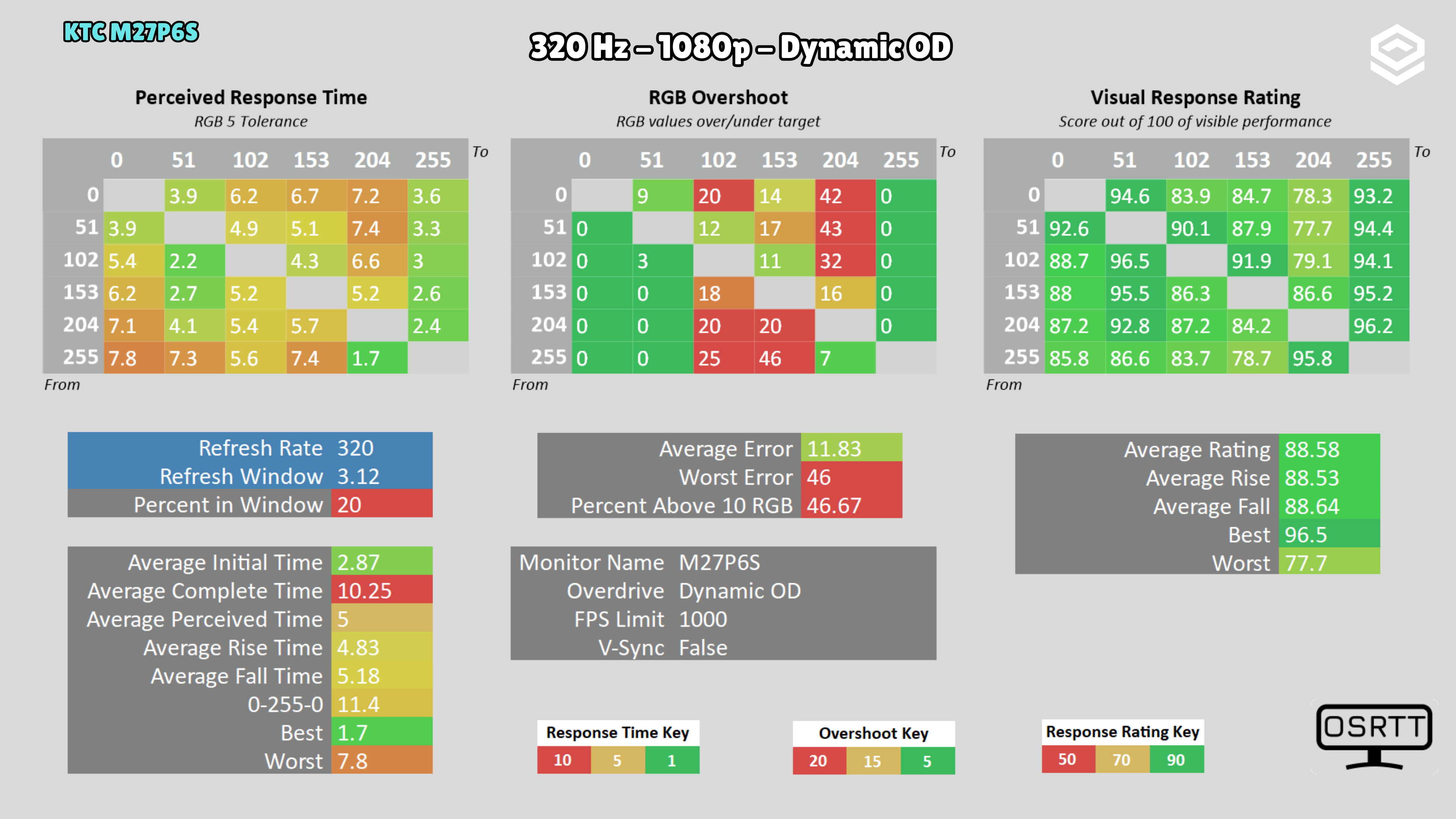
Standard offers a reasonable balance at 160 Hz; Advanced and Dynamic OD exceed 6 RGB average overshoot. In 320 Hz Dual Mode, the menu locks overdrive to Off, so KTC software is needed to change it. With the tested firmware, choosing Off in the software actually applies Standard, with settings shifted by one step. Standard at 320 Hz measures 4.39 ms and 0.03 RGB. At 120 Hz, Standard measures 4.66 ms and 3.3 RGB; Off removes that overshoot at the cost of 6.25 ms.
Test note · Input lag
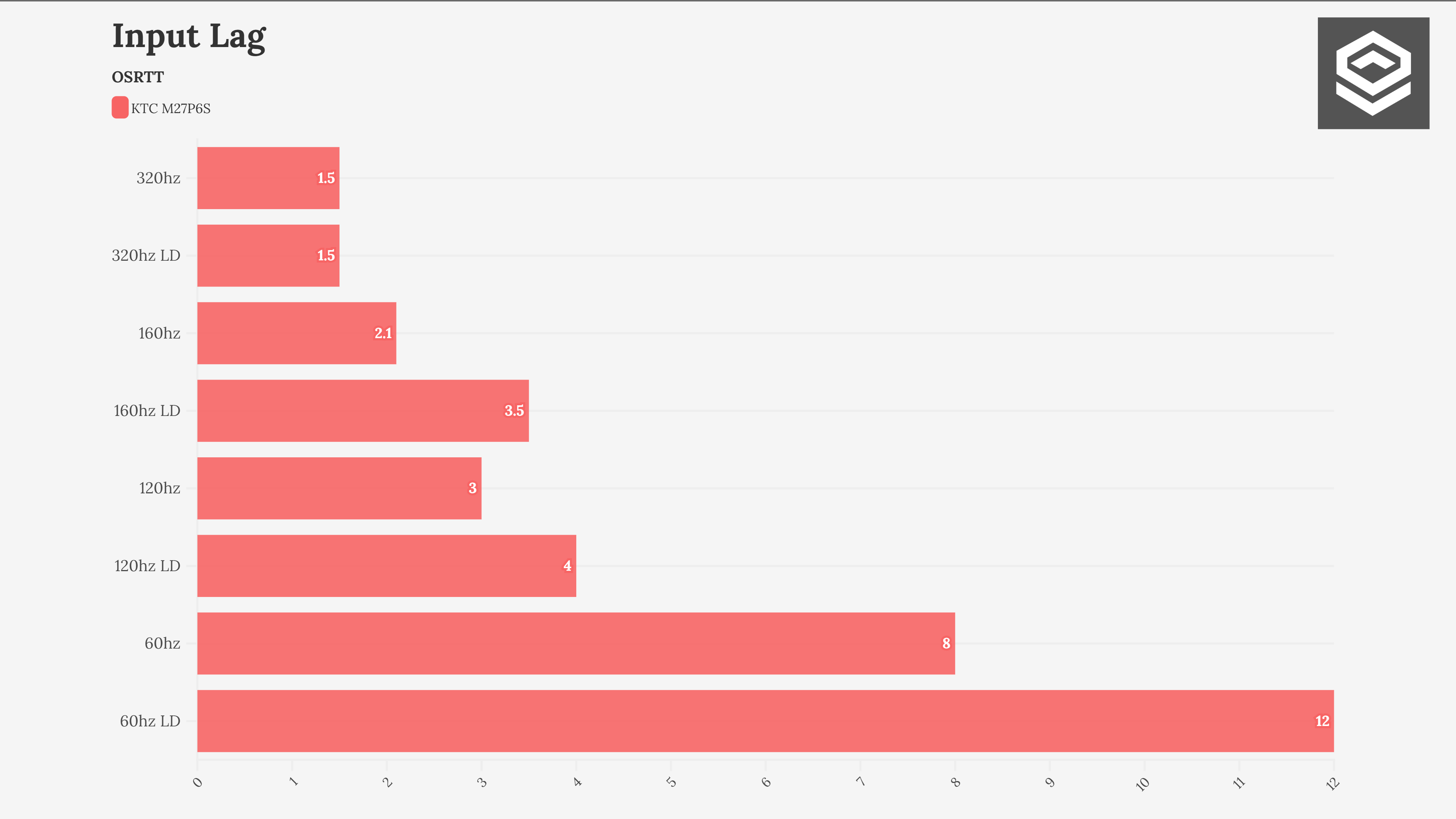
Latency with LD off/on is 1.5/1.5 ms at 320 Hz, 2.1/3.5 ms at 160 Hz, 3/4 ms at 120 Hz and 8/12 ms at 60 Hz. Low latency mode barely reduced the delay in my experience. I did not perceive the extreme increases at 60 Hz with LD mentioned in some external reports, so I do not consider them reproduced on this unit.
PS5 and consoles
Compatibilidad con VRR, ALLM y resoluciones permitidas.
Connectivity
Entradas de vídeo, USB-C, KVM, hub USB y extras de conexión.
Stand, mounting and extras
Calidad física, ergonomía, VESA y detalles destacables.
Contrast and local dimming
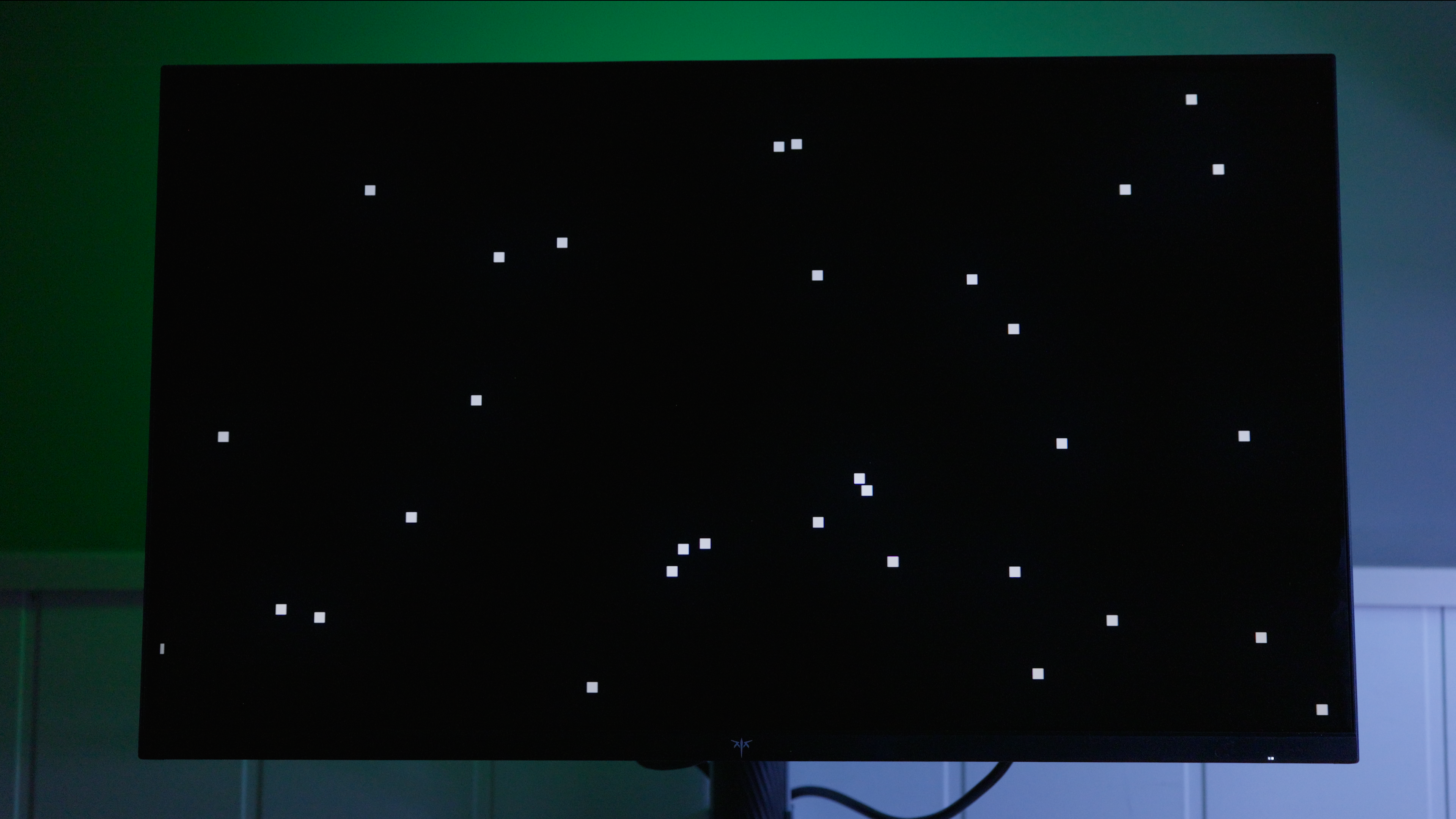
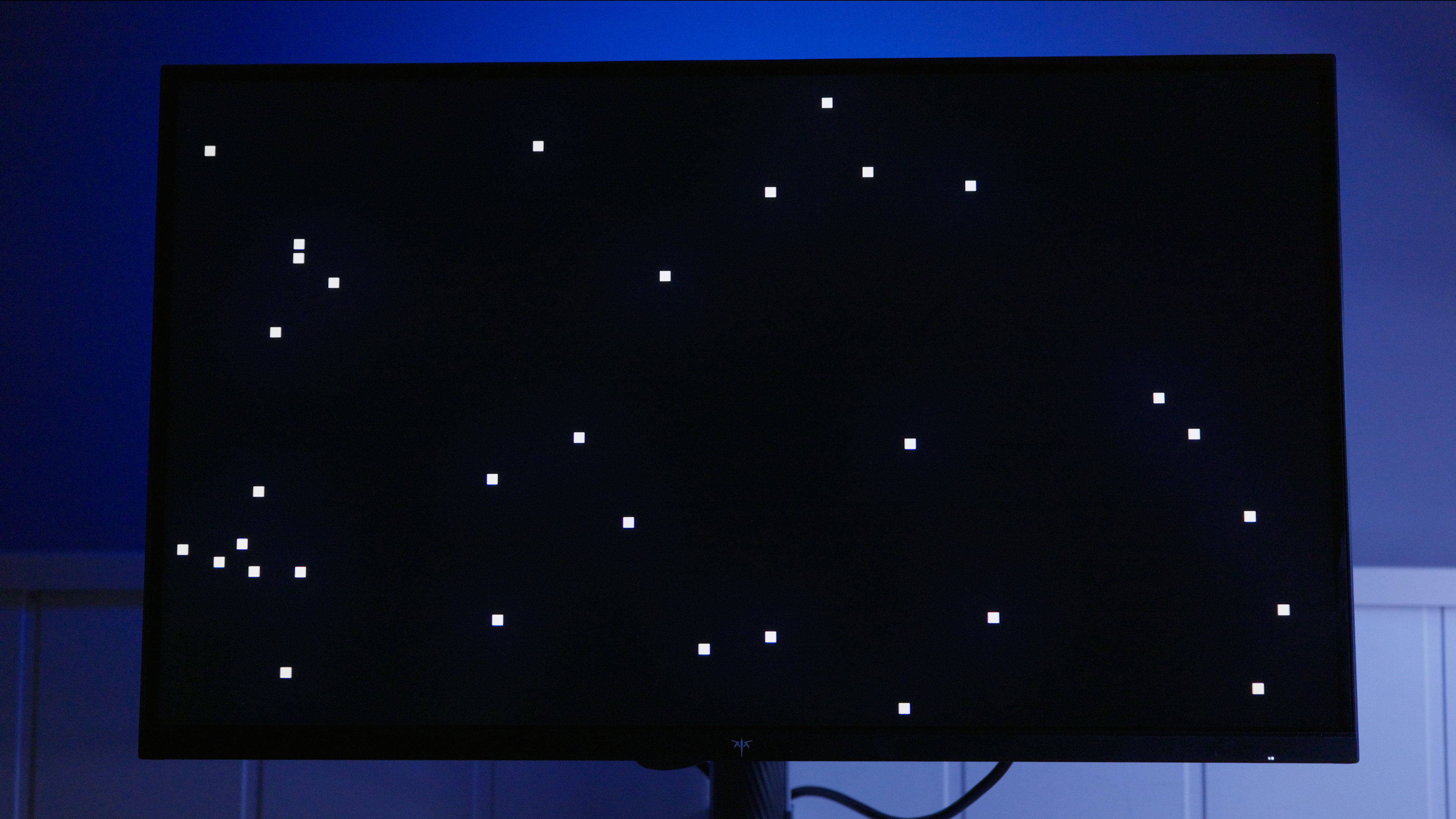
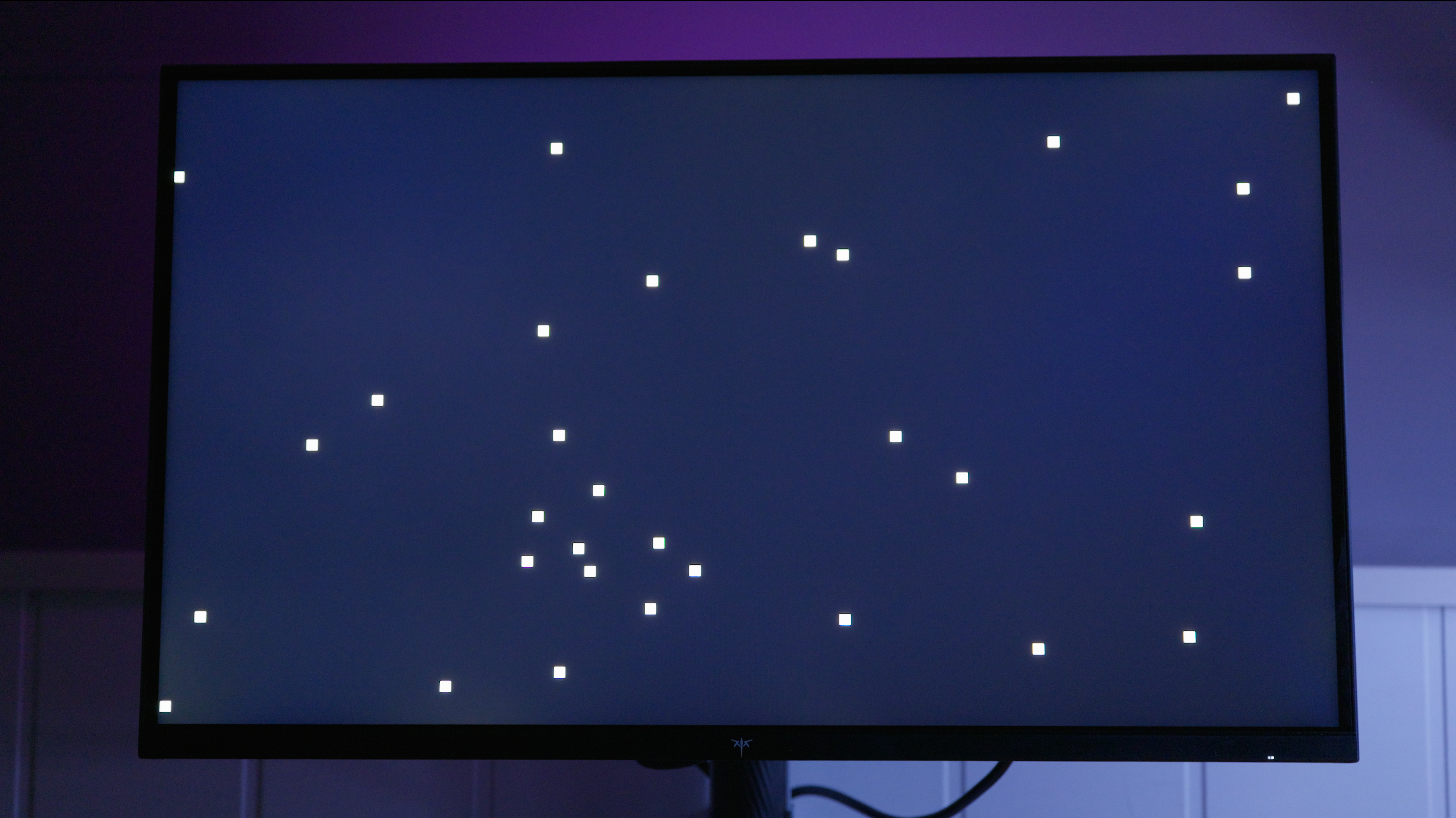
Test note · SDR brightness with local dimming
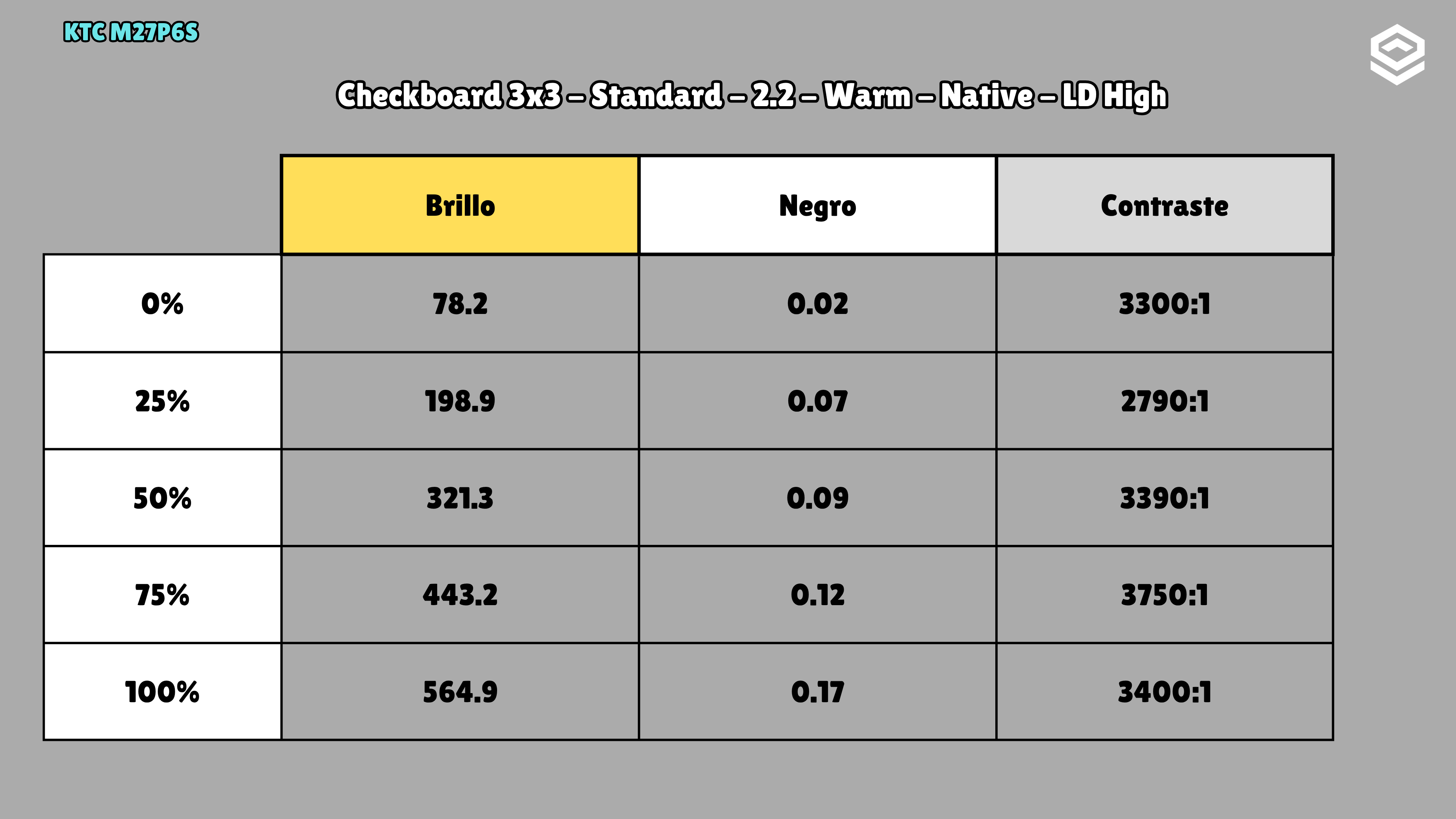
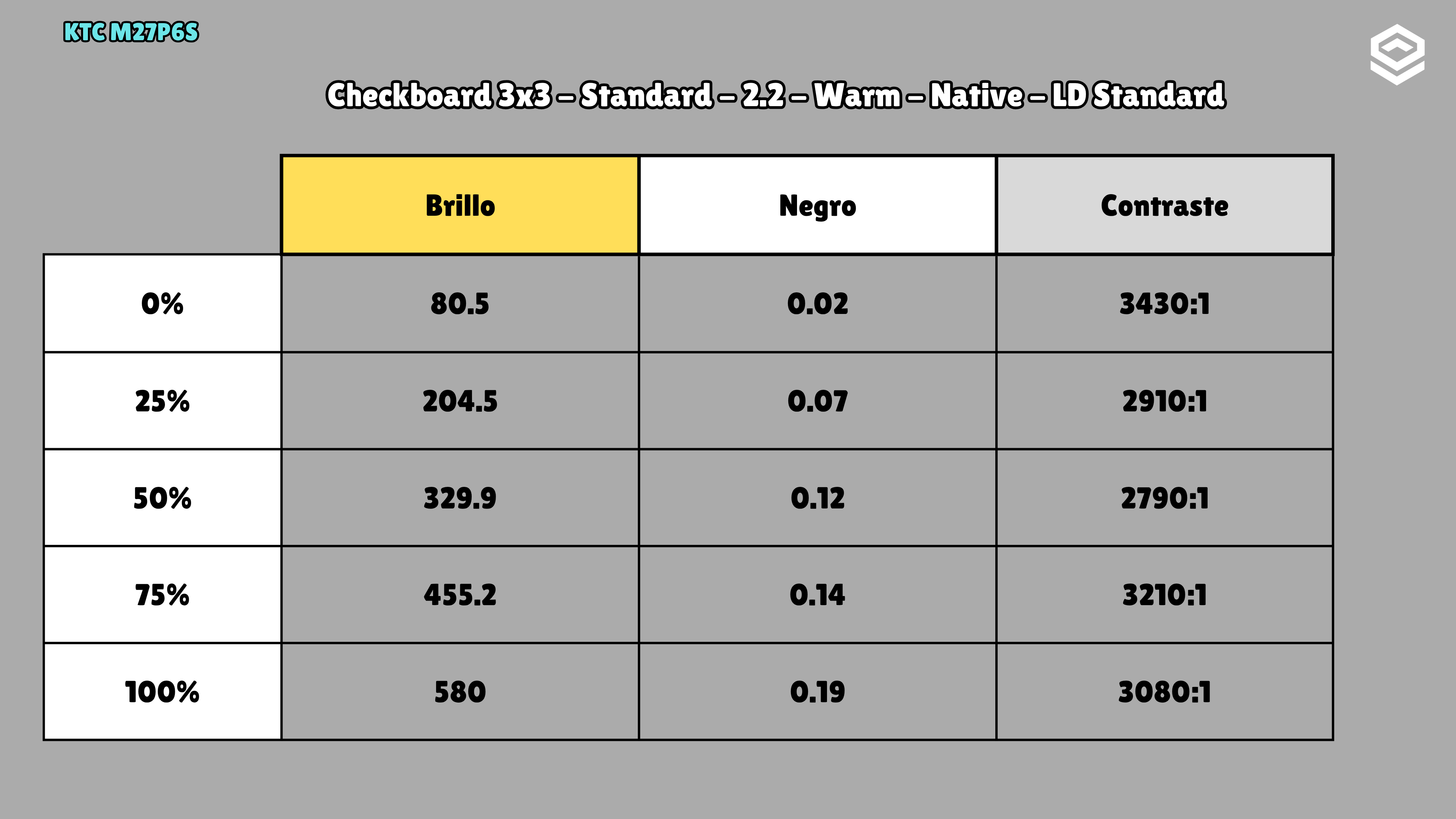
SDR · Standard · Gamma 2.2 · Warm · Native · LD High · OSD brightness 100% · 3×3 checkerboard · LD Standard · OSD 100%: 580 nits · LD Low · OSD 100%: 597 nits
Test note · Contrast with local dimming
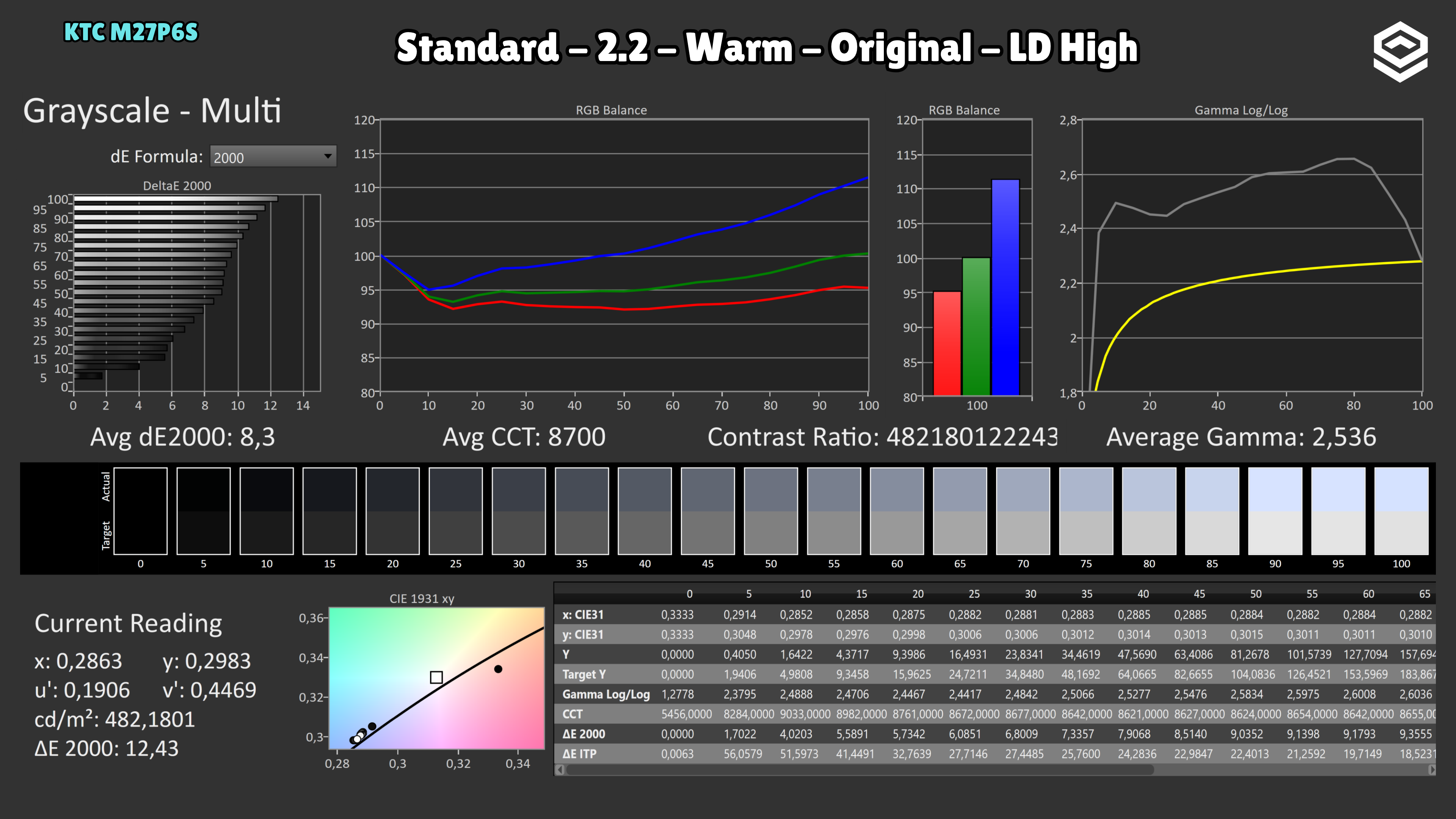
SDR · Standard · Gamma 2.2 · Warm · Native · LD High · OSD brightness 100% · 3×3 checkerboard · Dynamic local dimming substantially changes grayscale: average gamma rises from 2.166 with LD off to 2.536 with LD High, and colour balance worsens. I would not edit with it enabled; I would reserve it for content playback and games. · LD Standard · OSD 100%: 3080 :1 · LD Low · OSD 100%: 2530 :1
Tested unit
These details identify the reviewed unit; other units may use different revisions.
Photos and test results
Open an image to view the full-size charts and browse the tests.
Grayscale and gamma
Colour gamut and accuracy
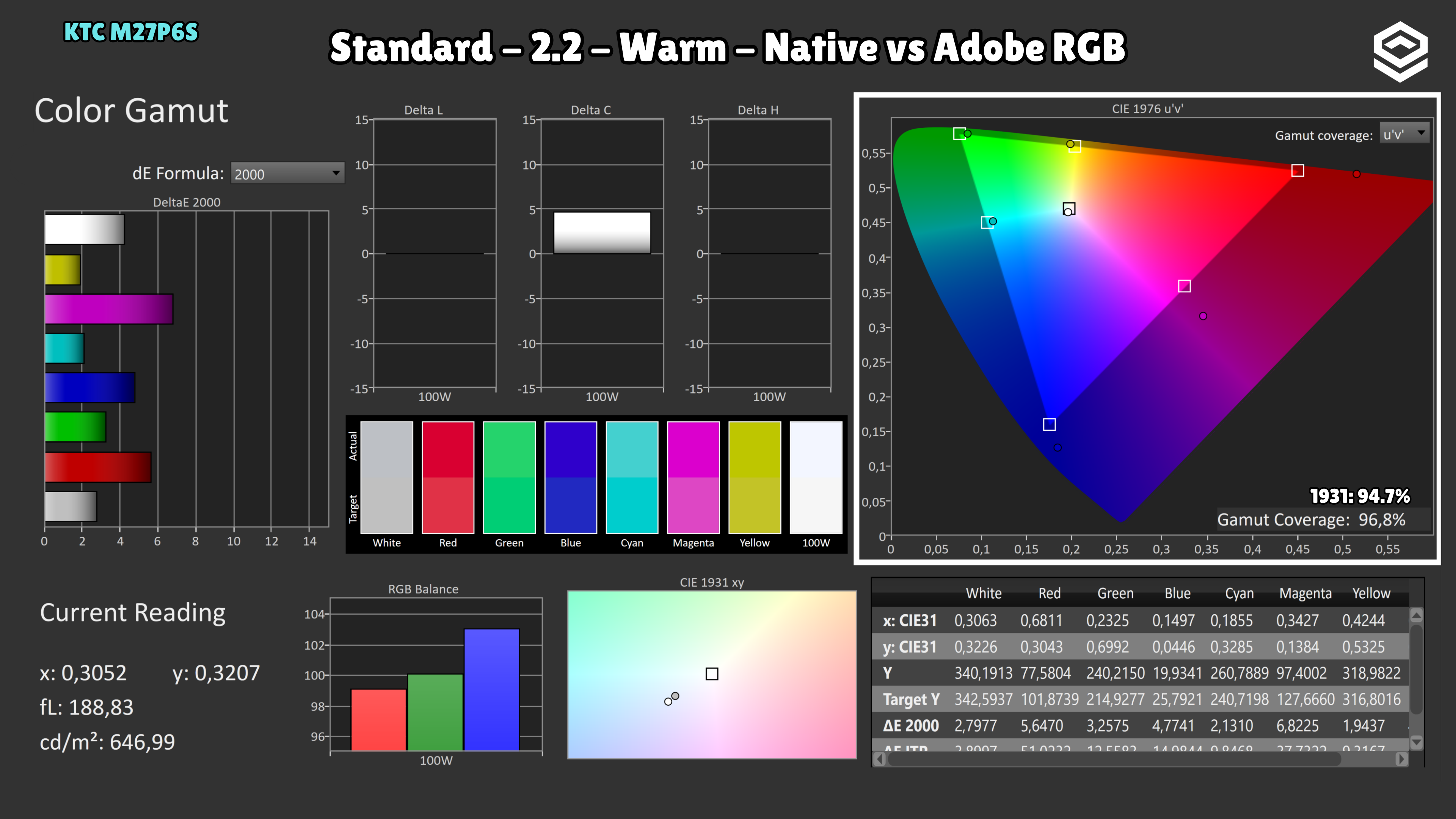
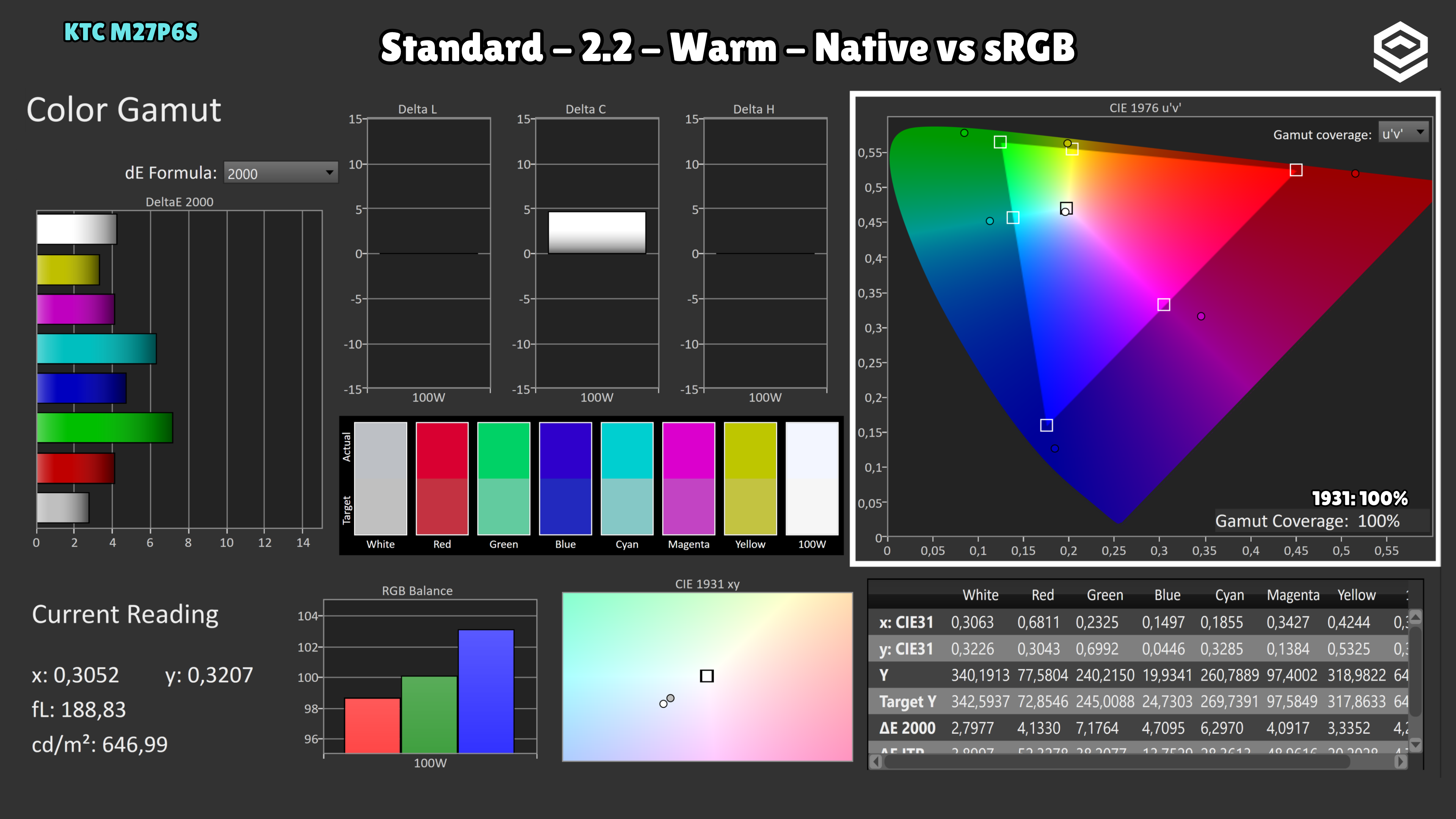
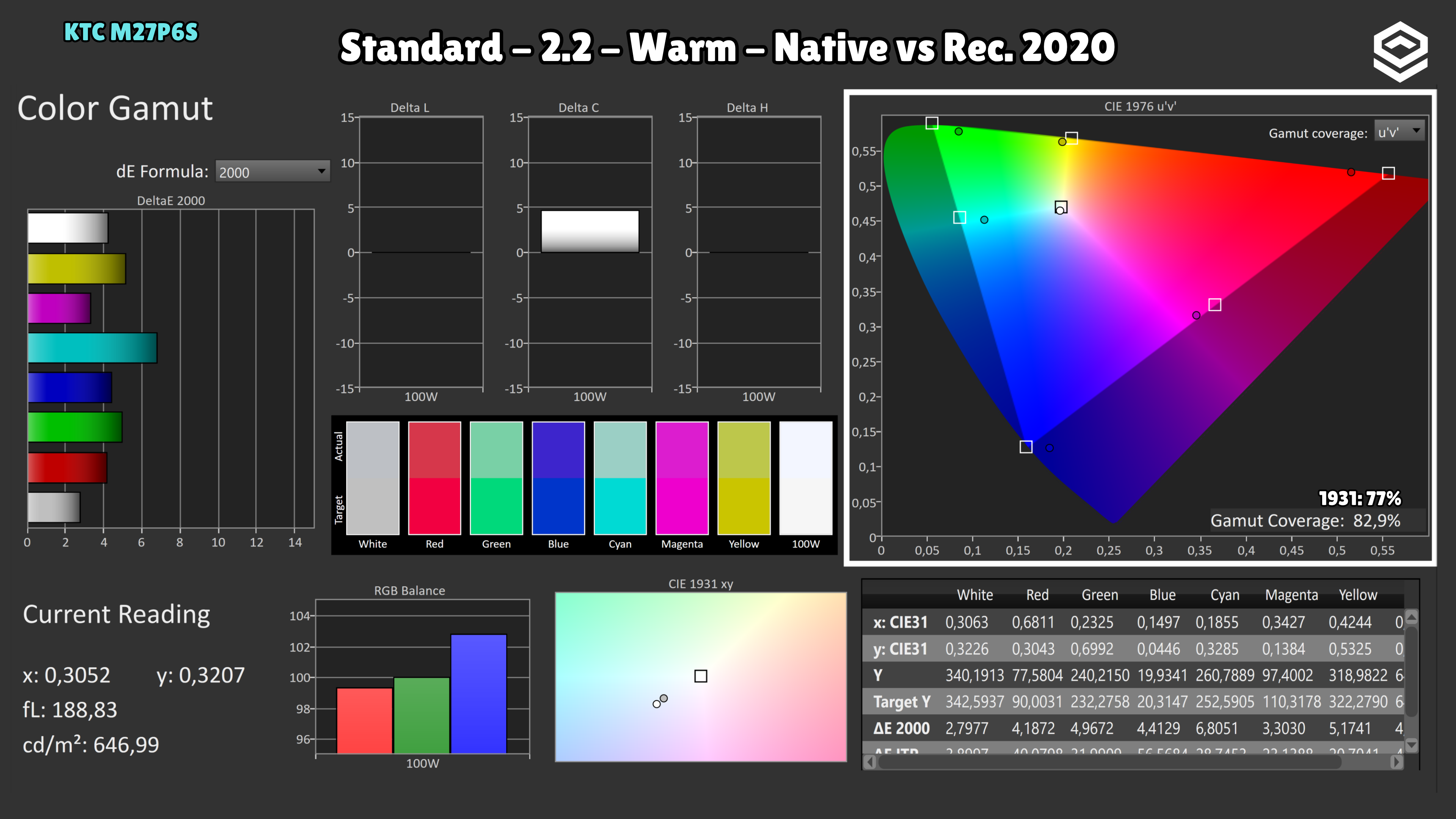
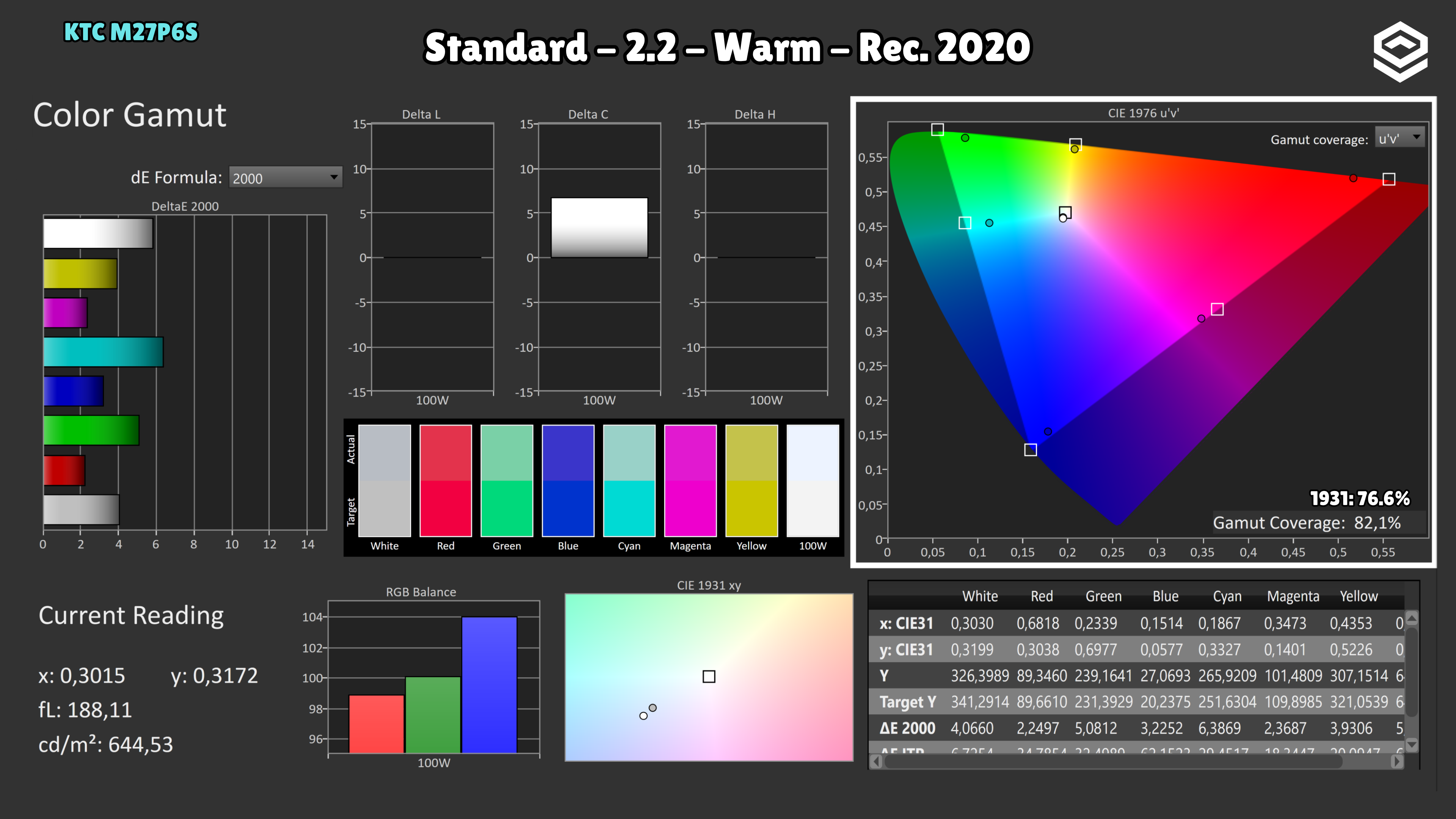
Brightness and contrast
Brightness and uniformity
Luminance and EOTF
HDR colour
Motion clarity
Response time, motion and latency
Alternatives
Other options, each with its own specifications and test results.