Tested by IMartz
Gigabyte MO32U24
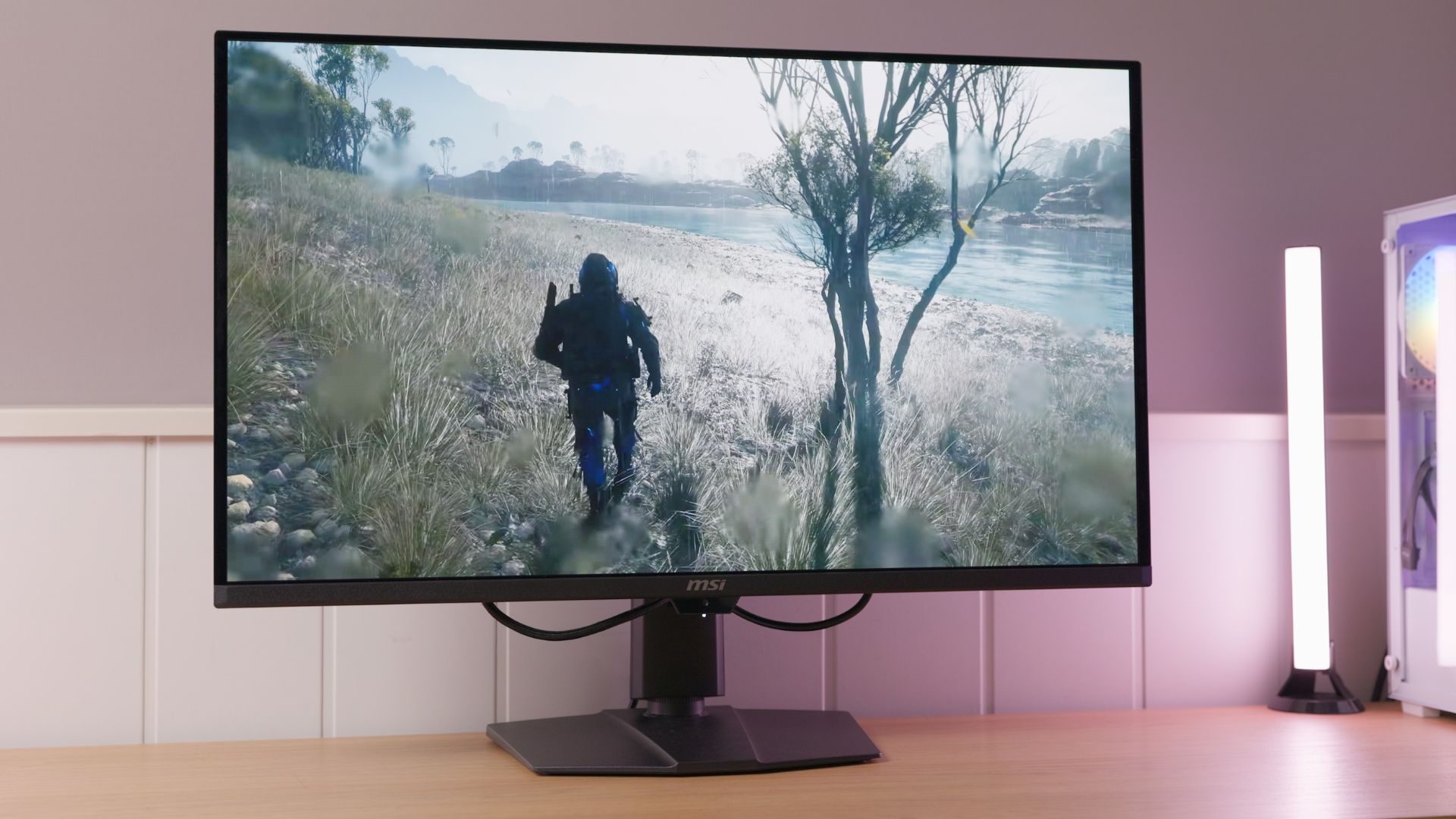
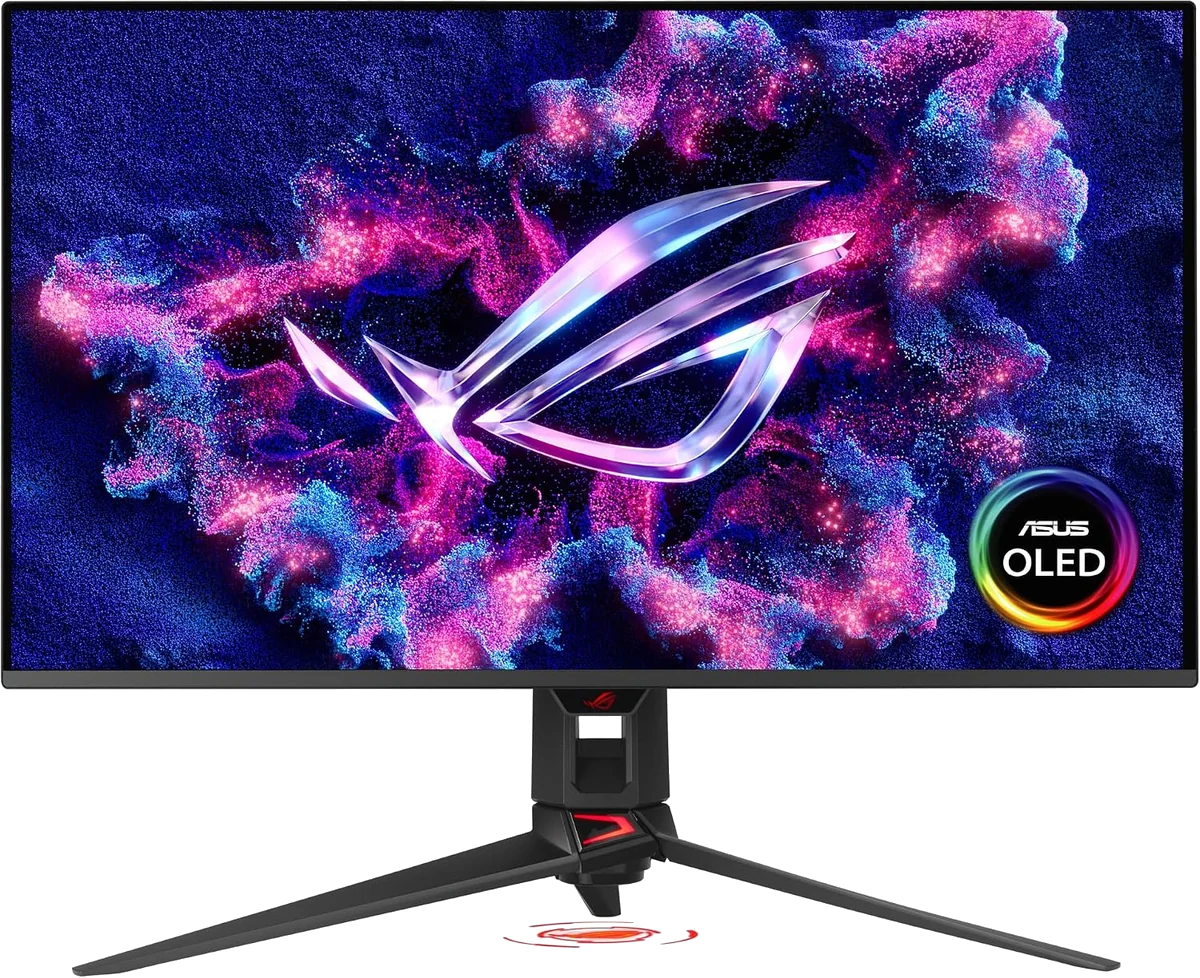
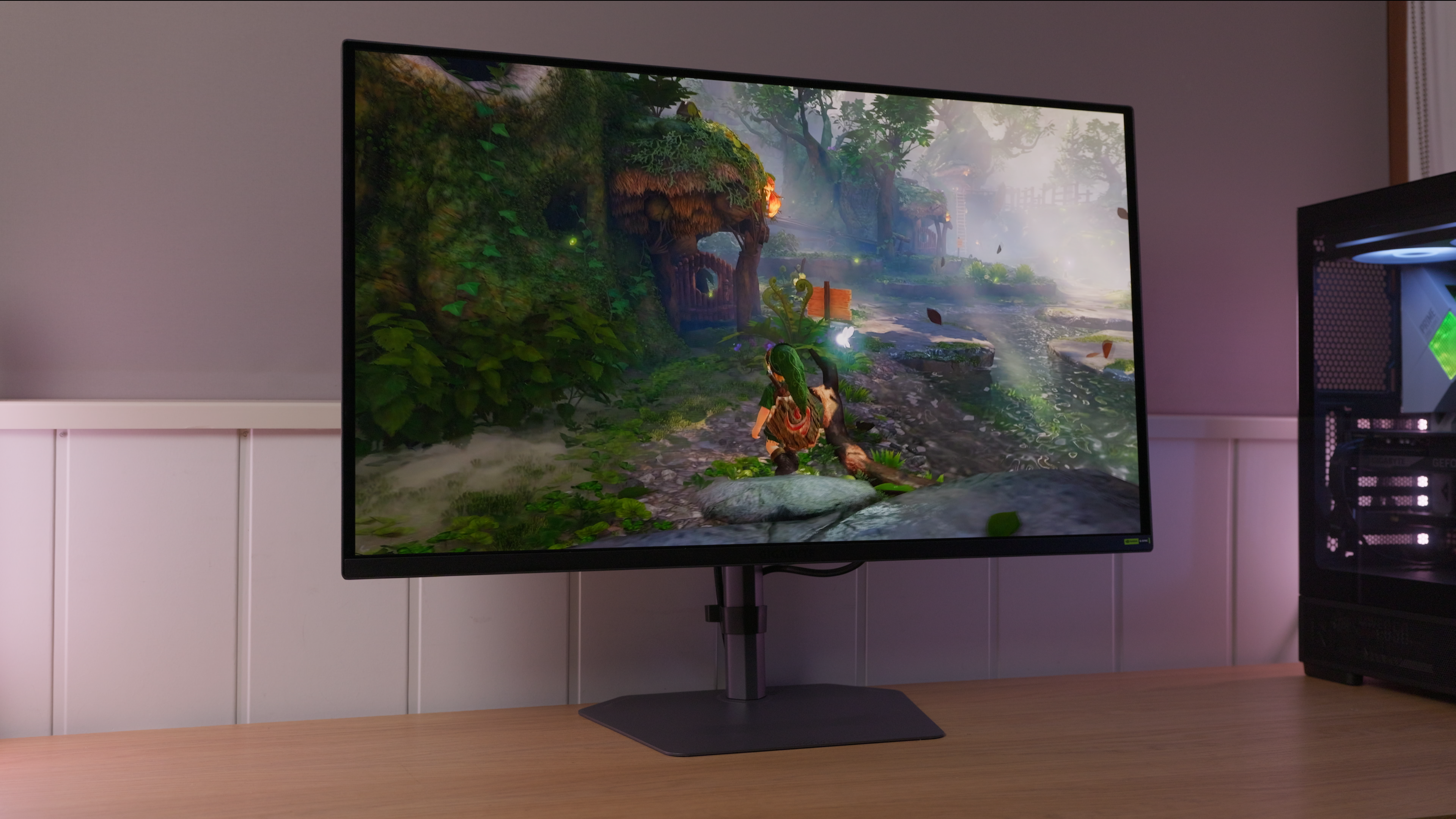
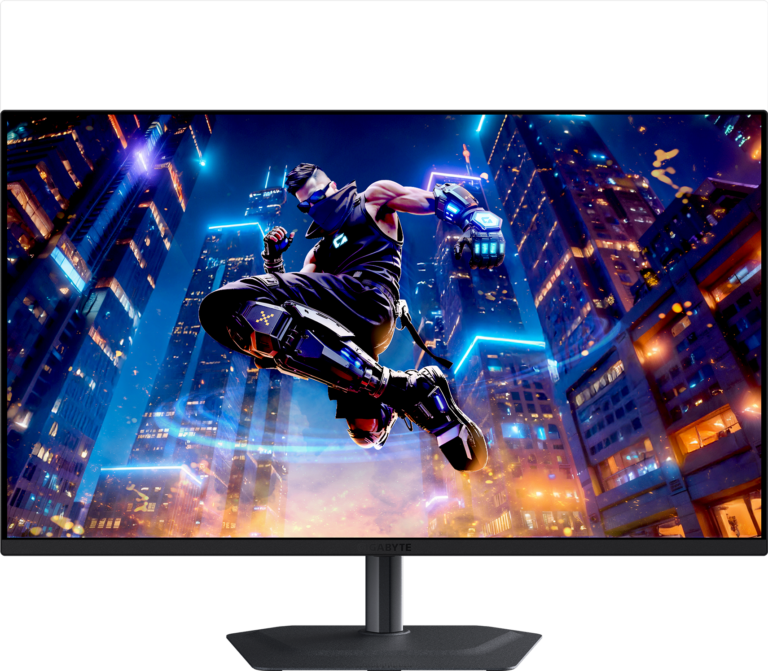
31.5-inch glossy Penta Tandem QD-OLED with 4K and 240 Hz, tested by IMartz. Fast response, stable SDR brightness with APL Low and SDR white balance that needs improvement on the tested unit.
PanelTandem QD-OLED
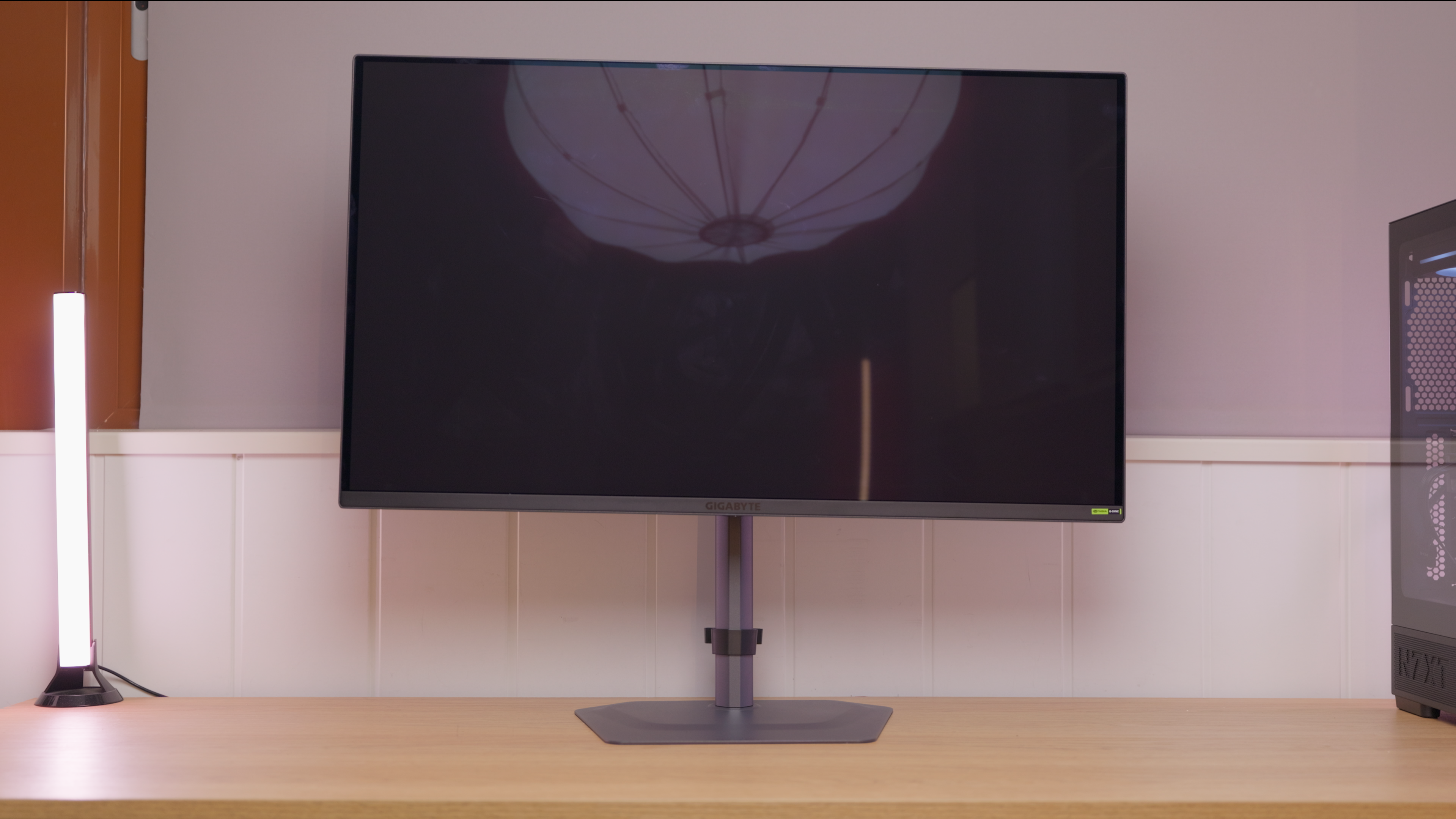
A glossy surface. Reflections tend to look more defined; avoid windows or lights facing the screen.
The coating reduces the magenta tint that can appear under ambient light. This does not mean it removes the tint completely or prevents screen reflections.
Versions and related models
You are viewing Gigabyte MO32U24. Each model retains its own price, specifications and test results.
IMartz verdict
Pros
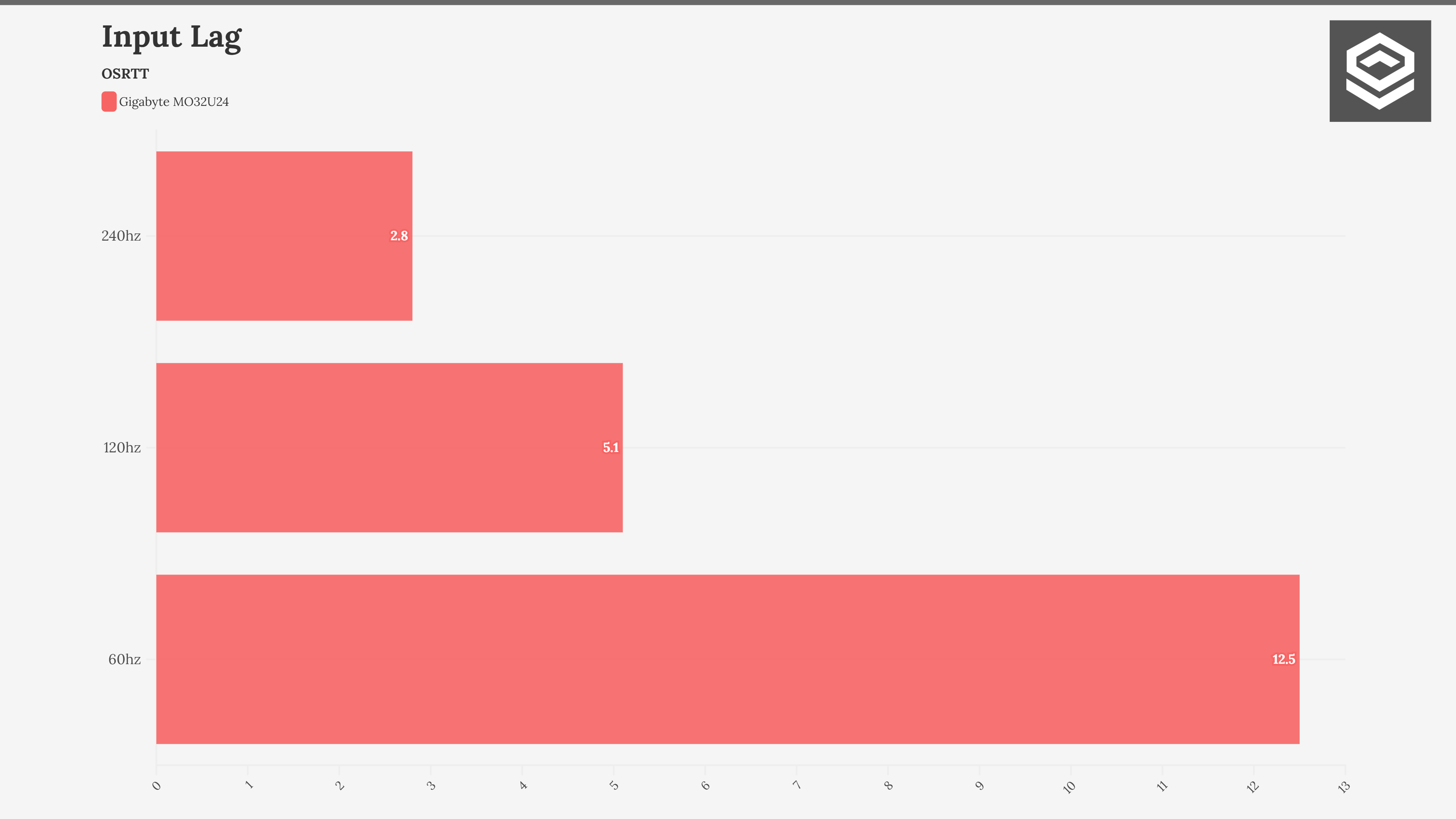
- Fast response and low input lag at 240 Hz.
- Stable SDR brightness as window sizes change with APL Low.
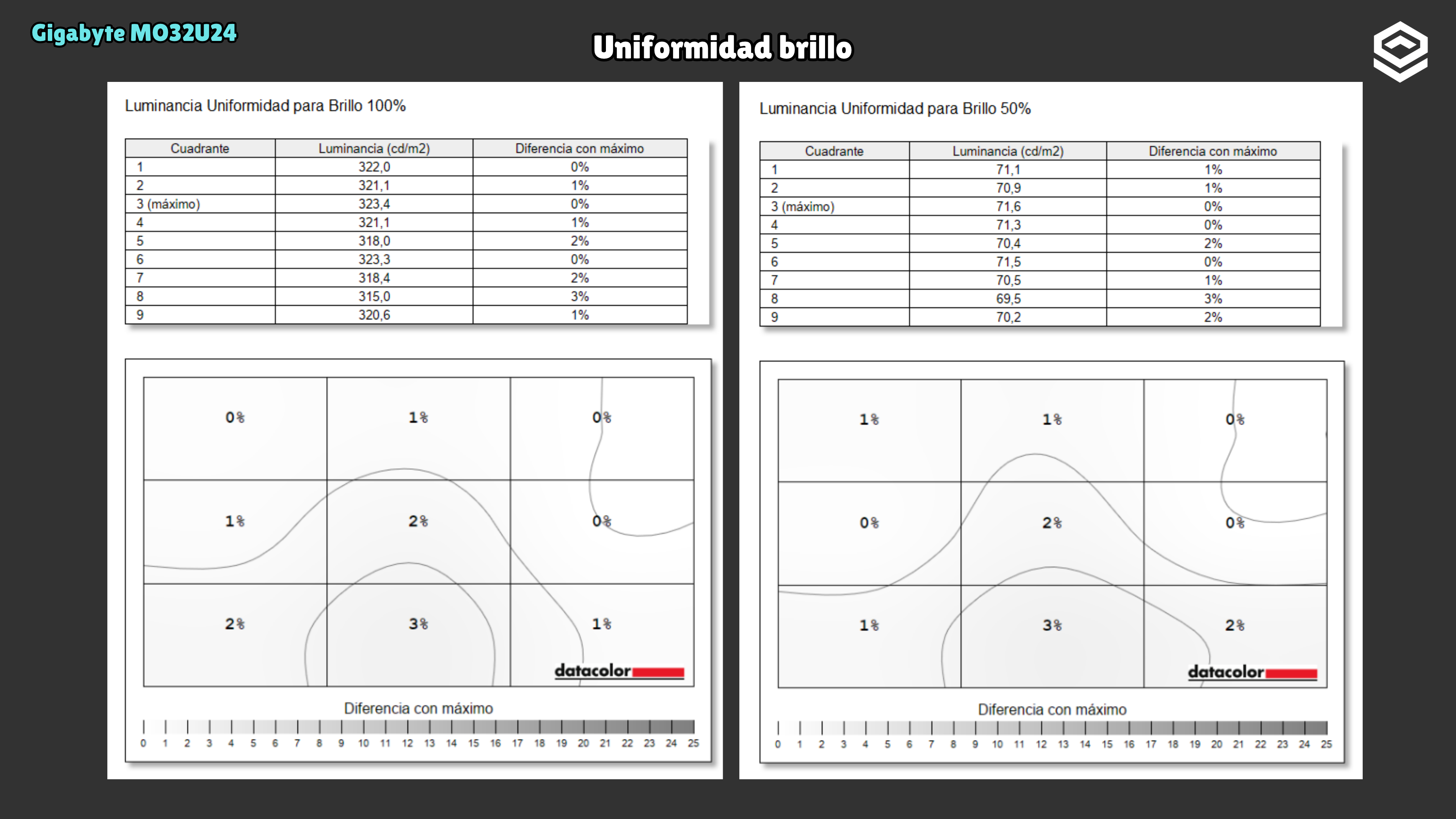
- Usually among the most affordable models using this panel in Spain; very good brightness and colour uniformity on the tested unit.
Things to consider
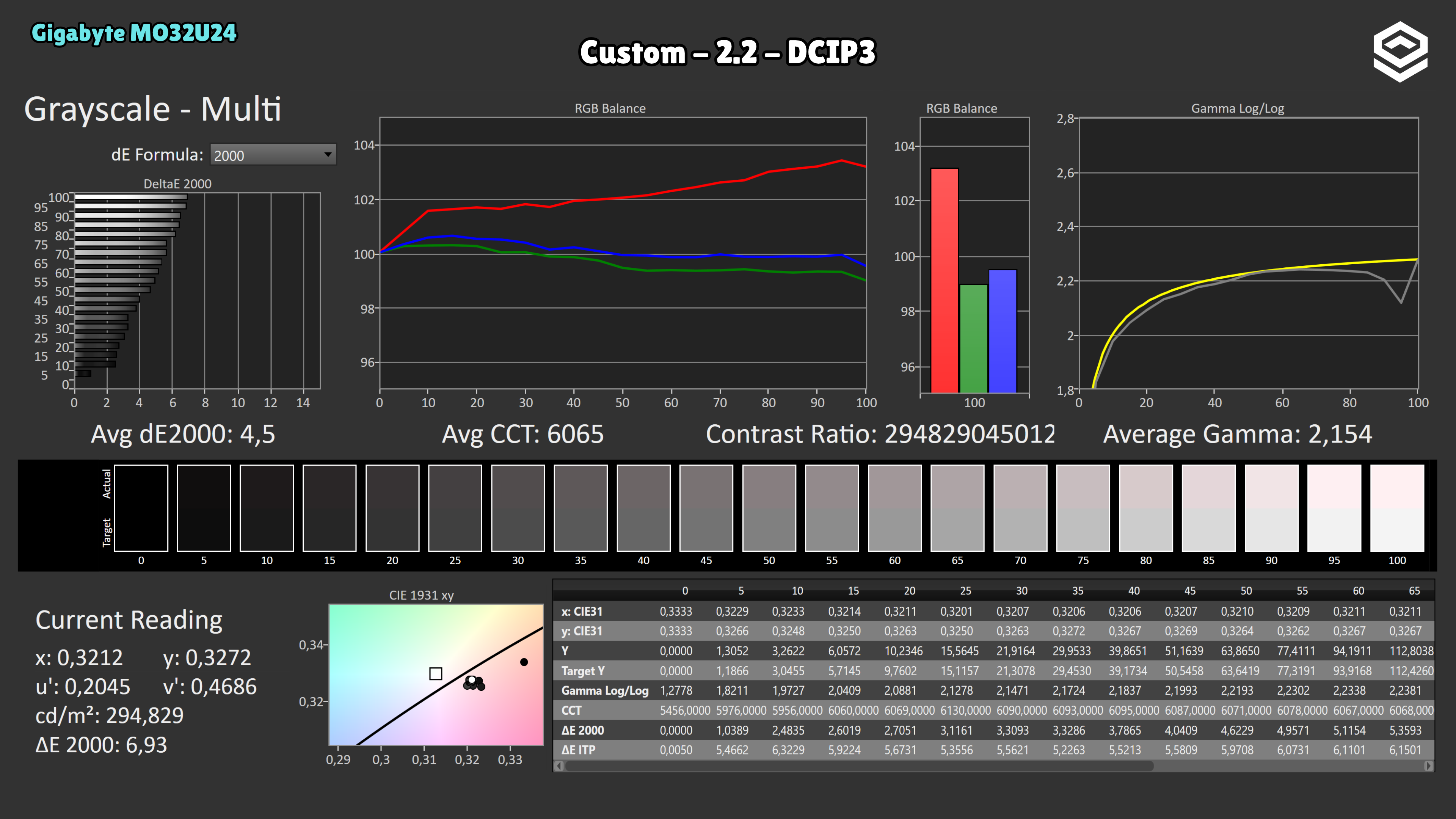
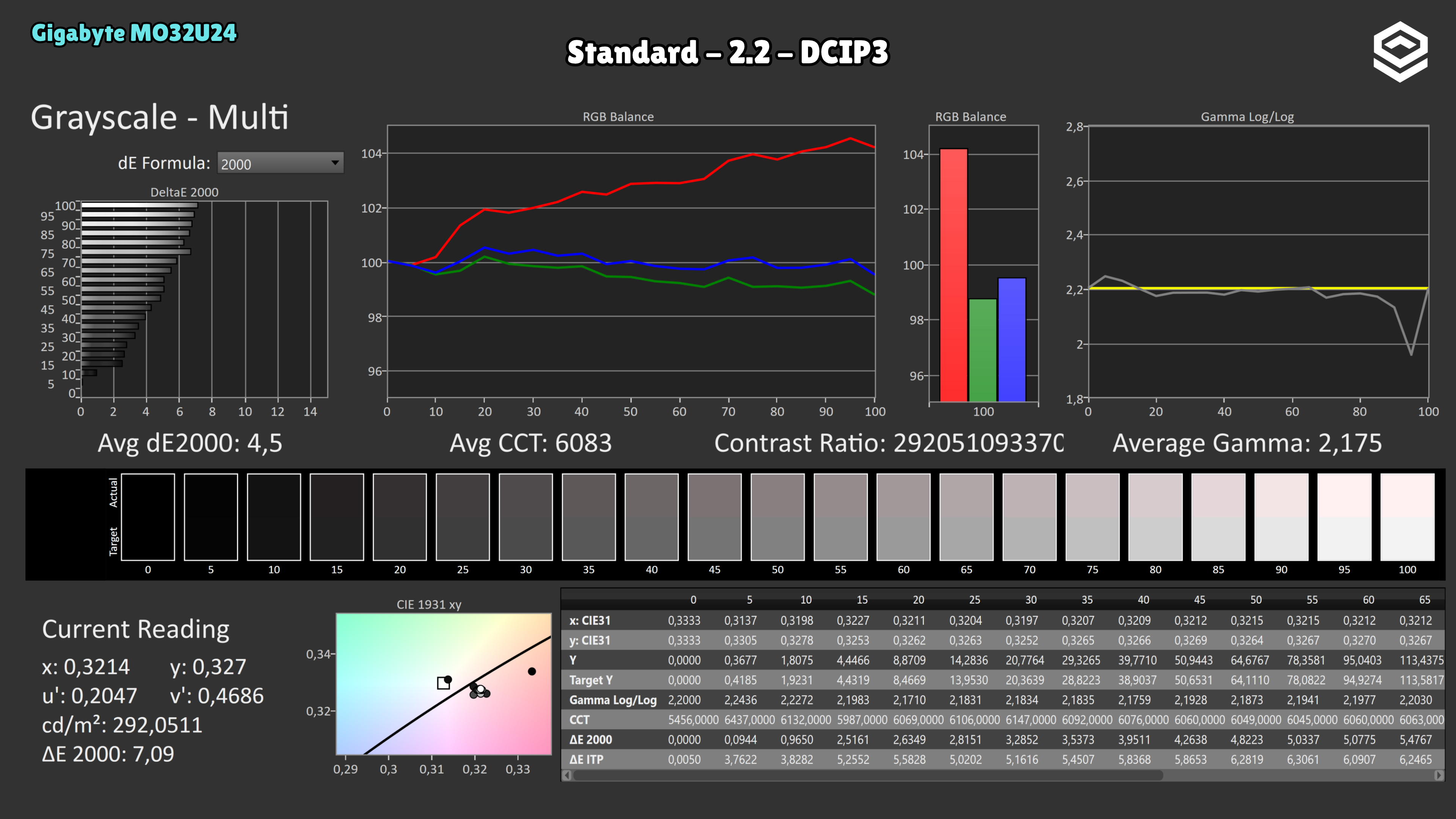
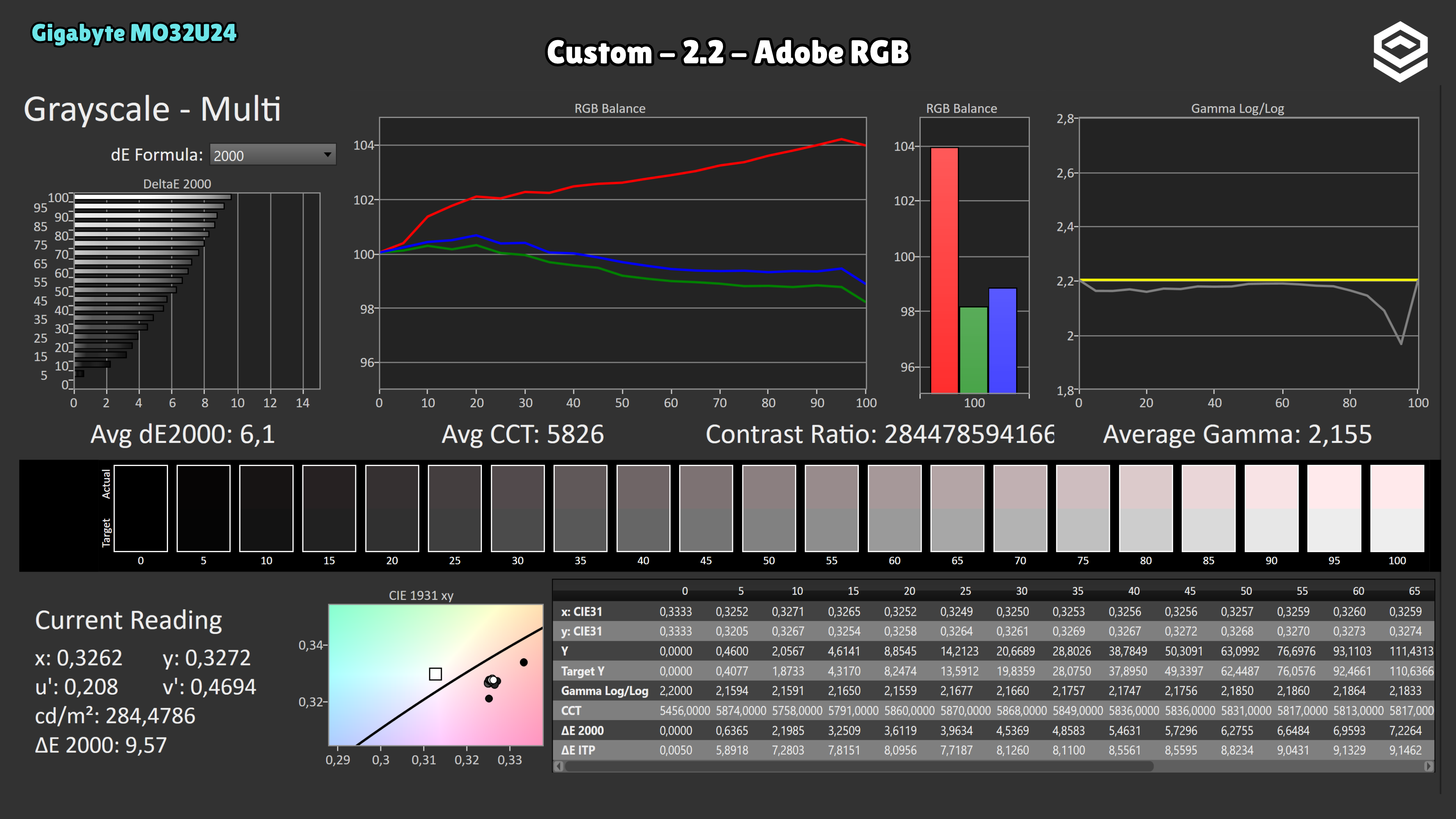
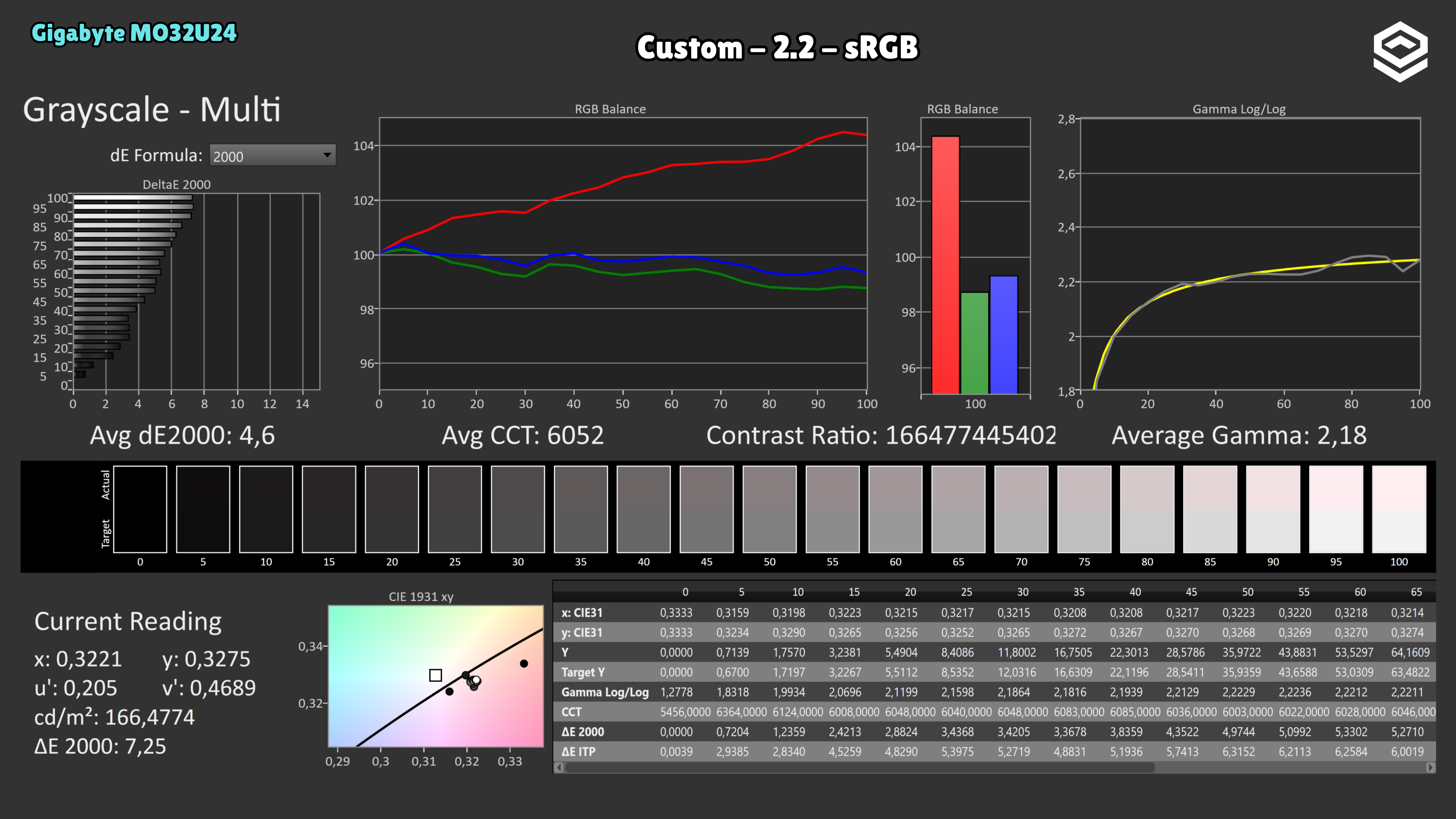
- SDR white balance needs improvement on the tested unit; P3, sRGB and Adobe RGB modes lock colour temperature and gamma.
- Peak 1000 loses brightness over larger areas and darkens some midtones.
- 18 W USB-C power delivery limits laptop charging.
A good fit if…
- You want 4K detail and 240 Hz smoothness in a 32-inch OLED.
Consider another option if…
- You need accurate SDR white balance without adjustment or calibration.
Measurements and specifications
IMartz test results. See each section for the measurement conditions.
Display and format
SDR performance
Color, brillo, contraste y comportamiento básico fuera de HDR.
Test note · DCI-P3 accuracy
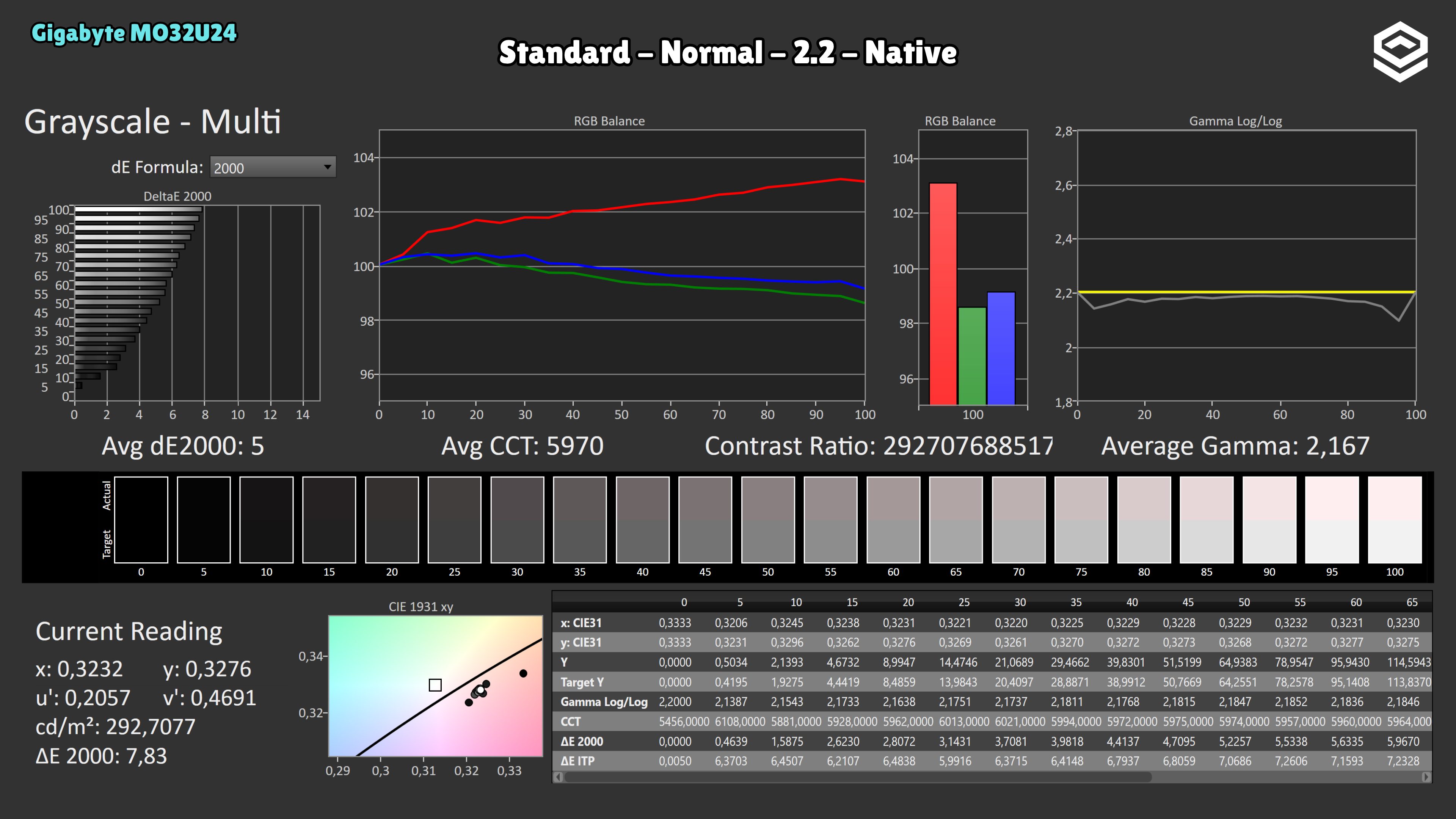
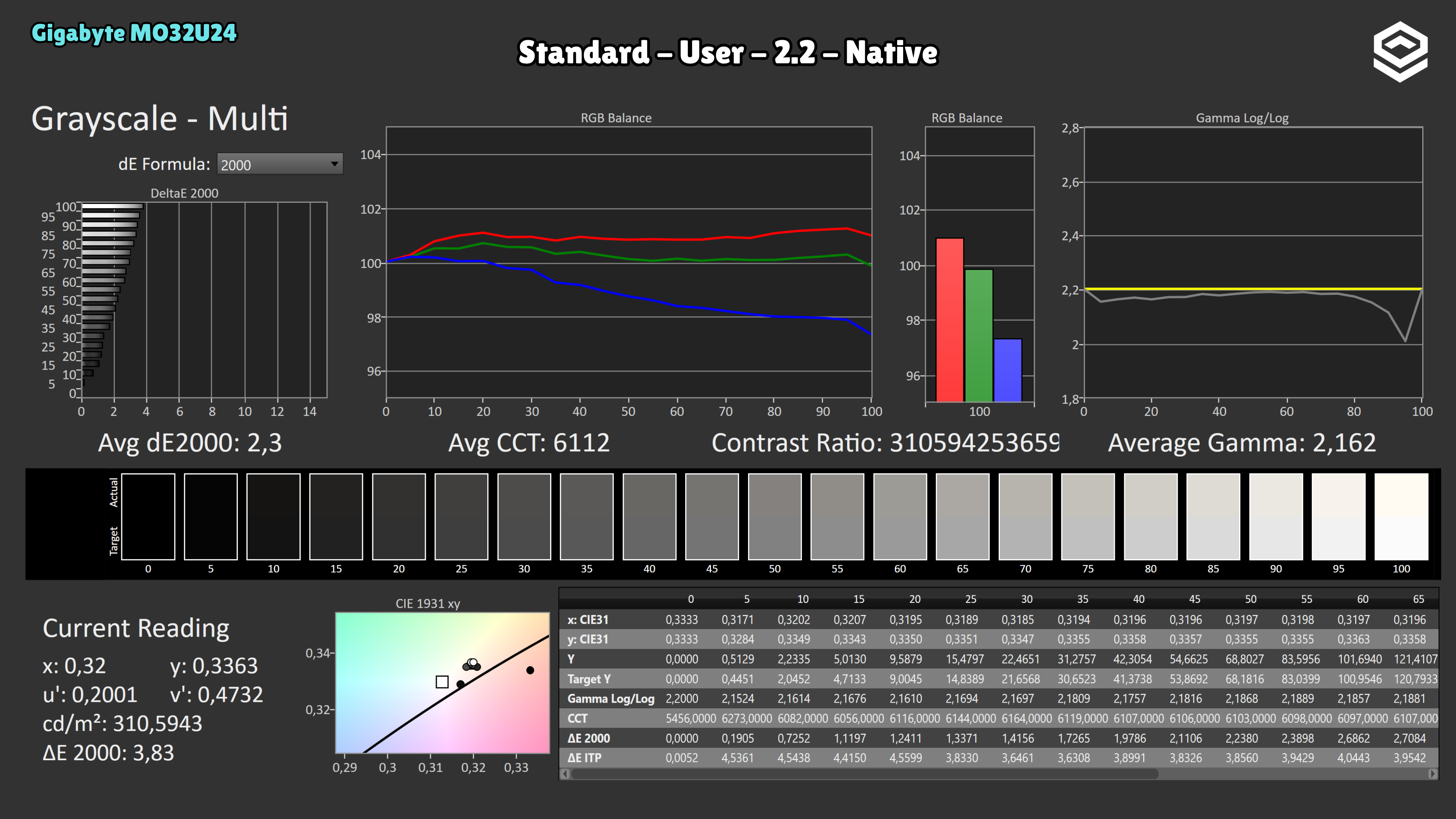
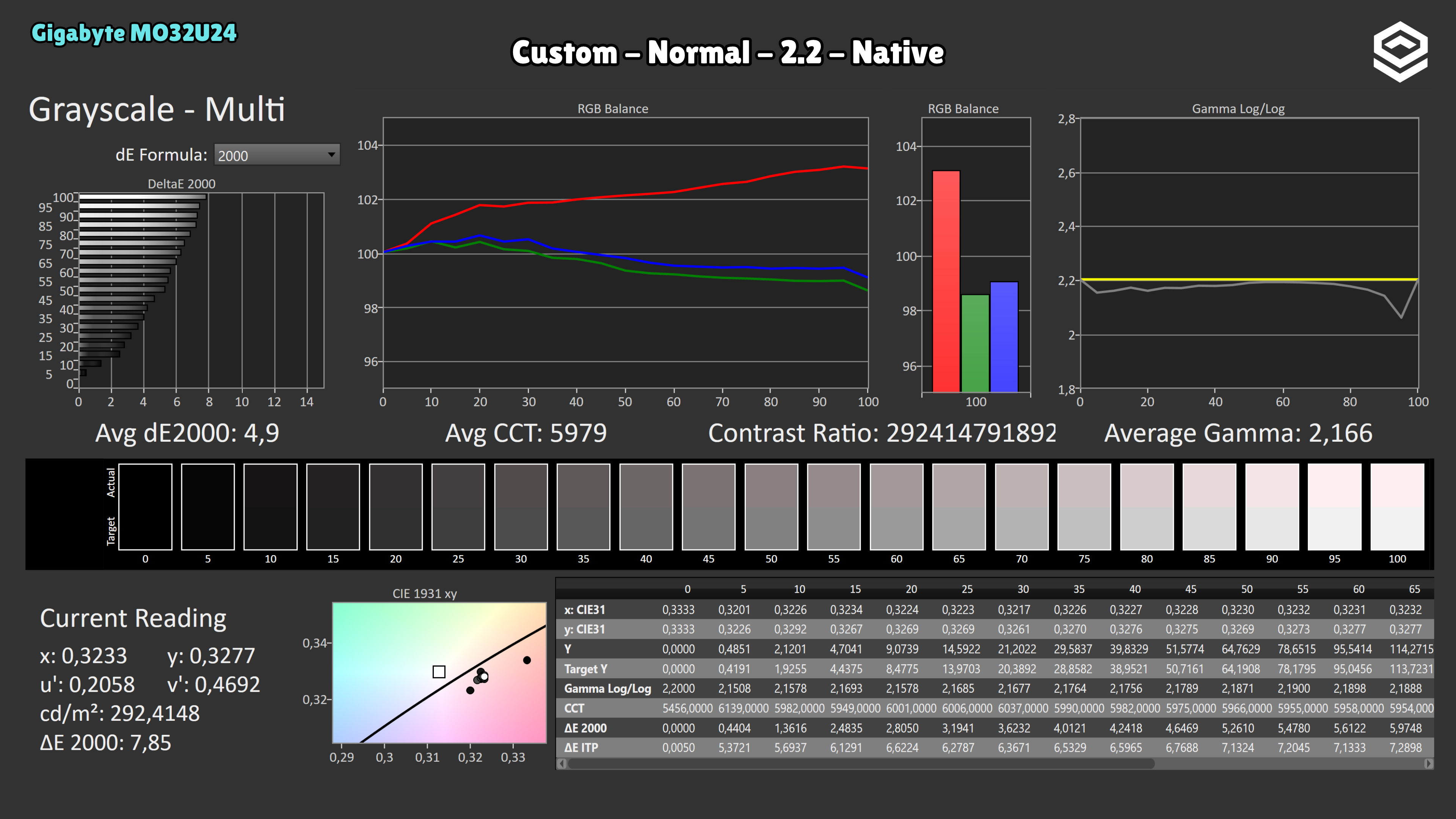
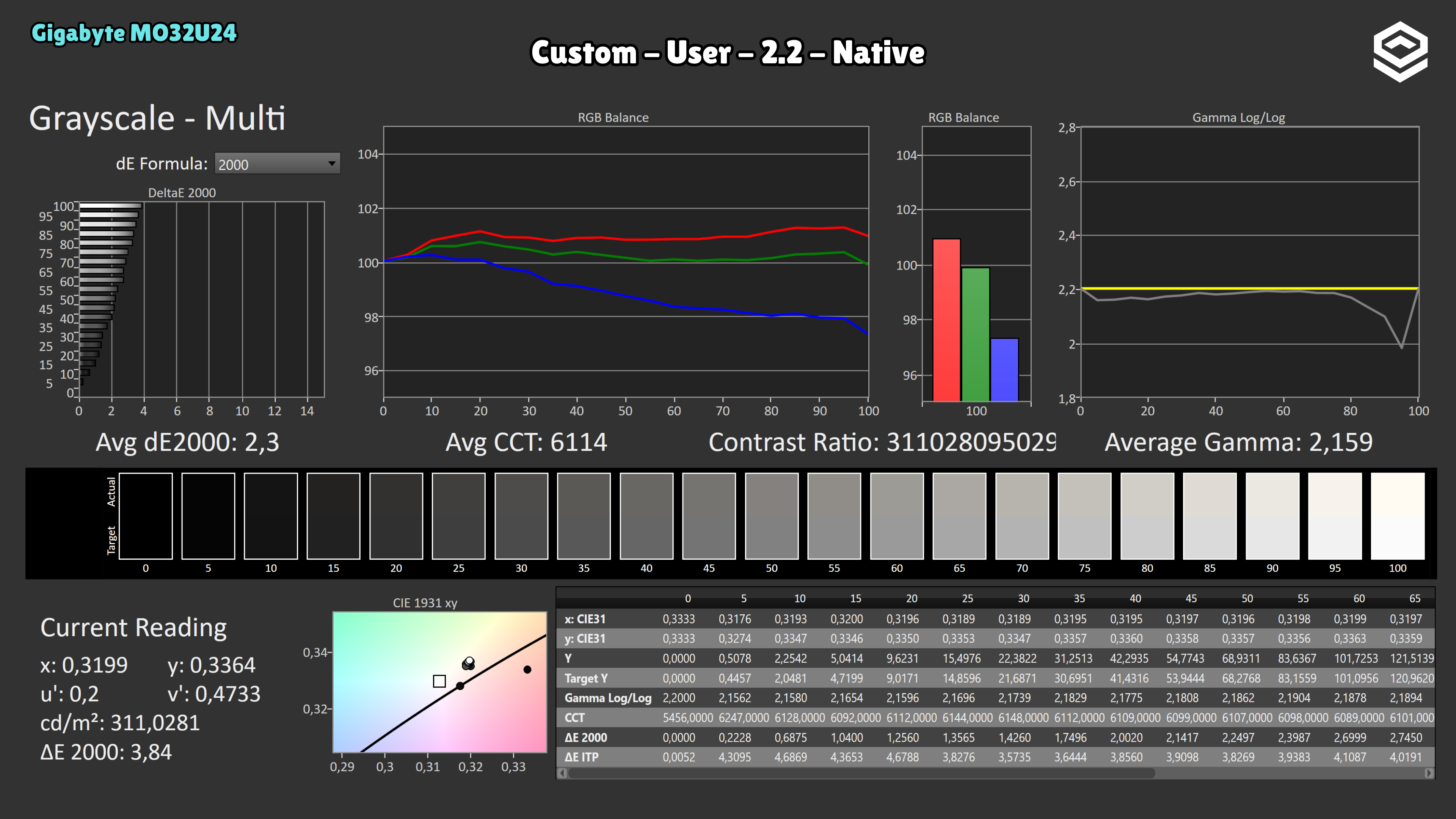
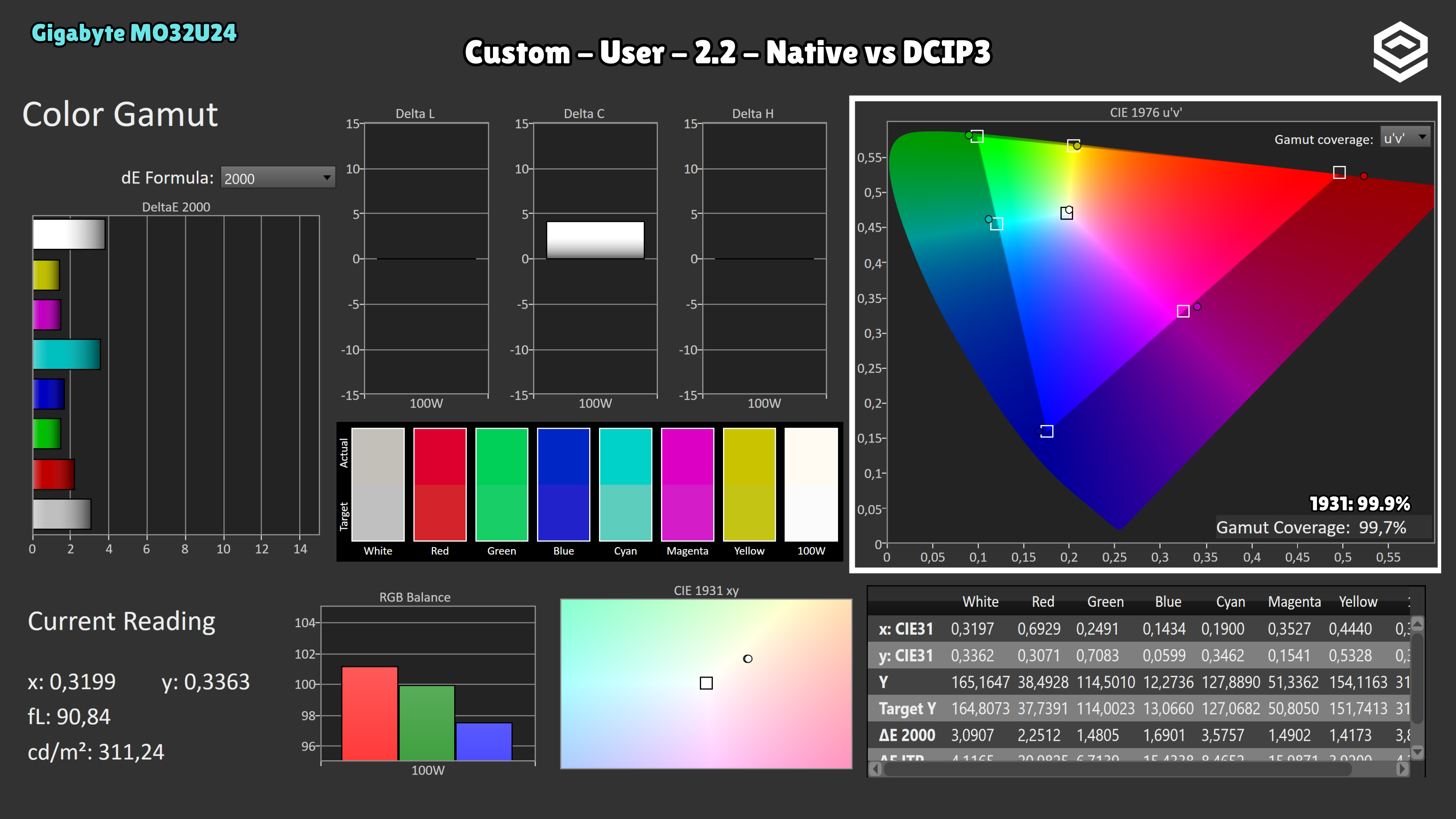
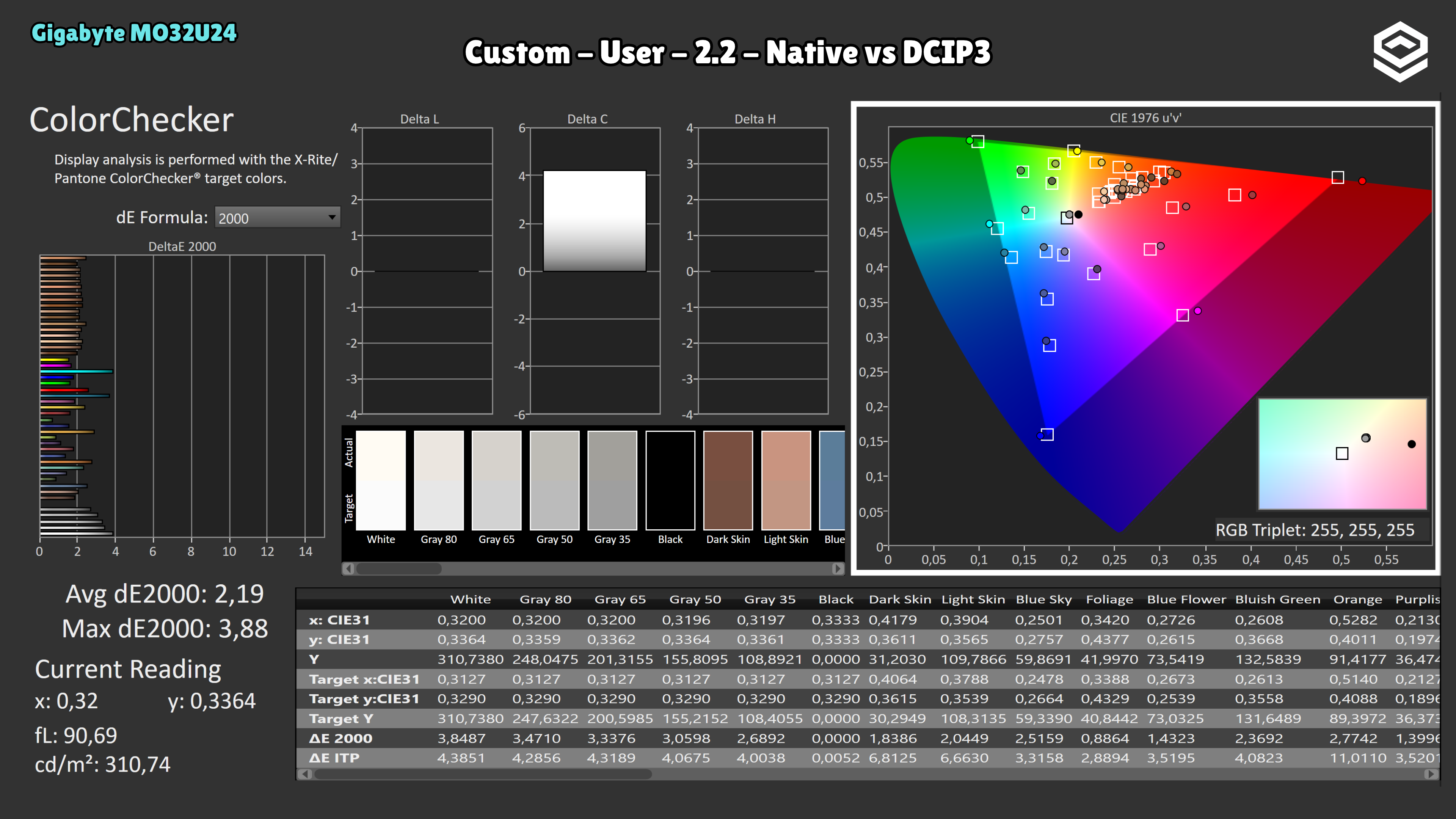
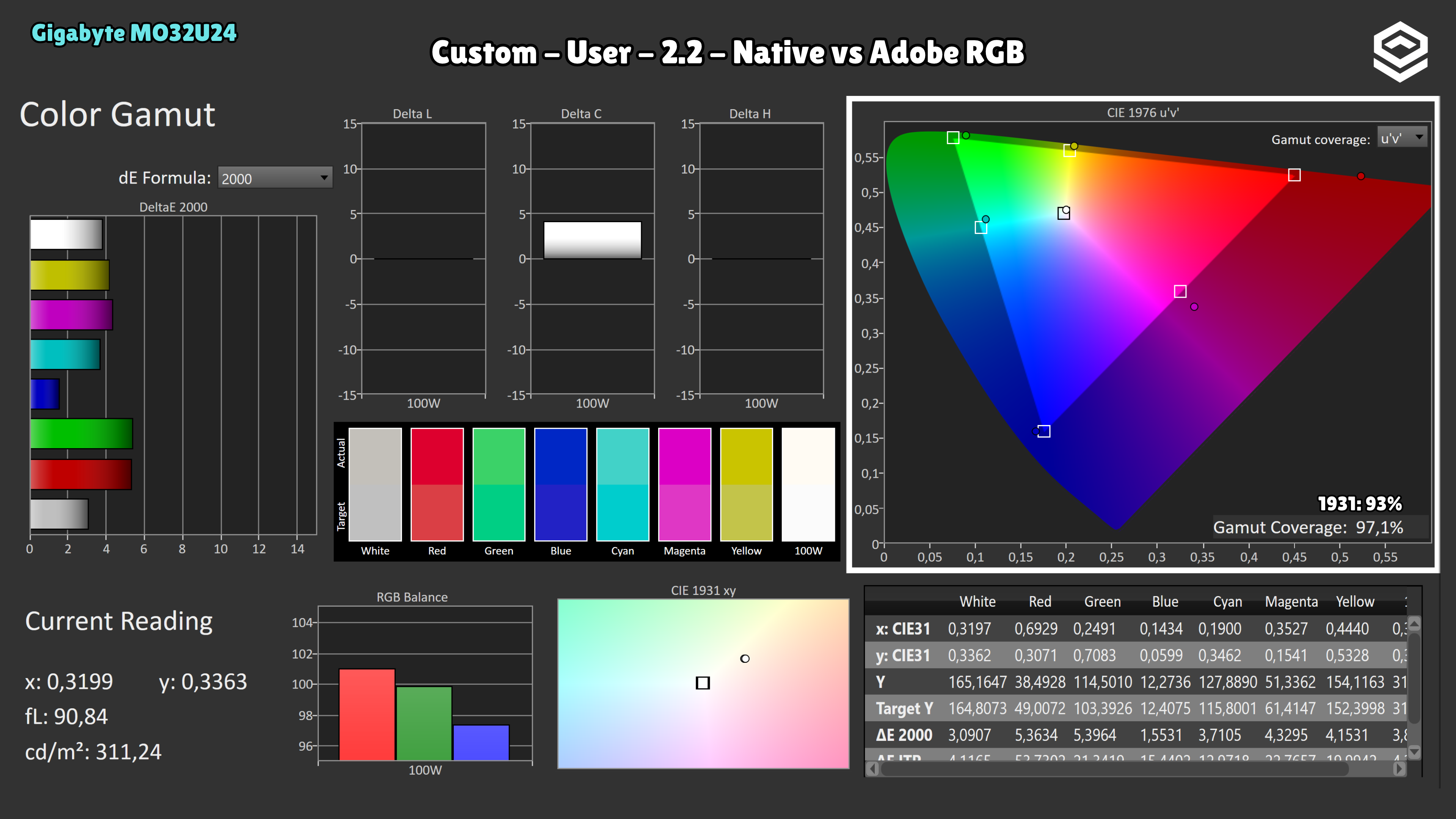
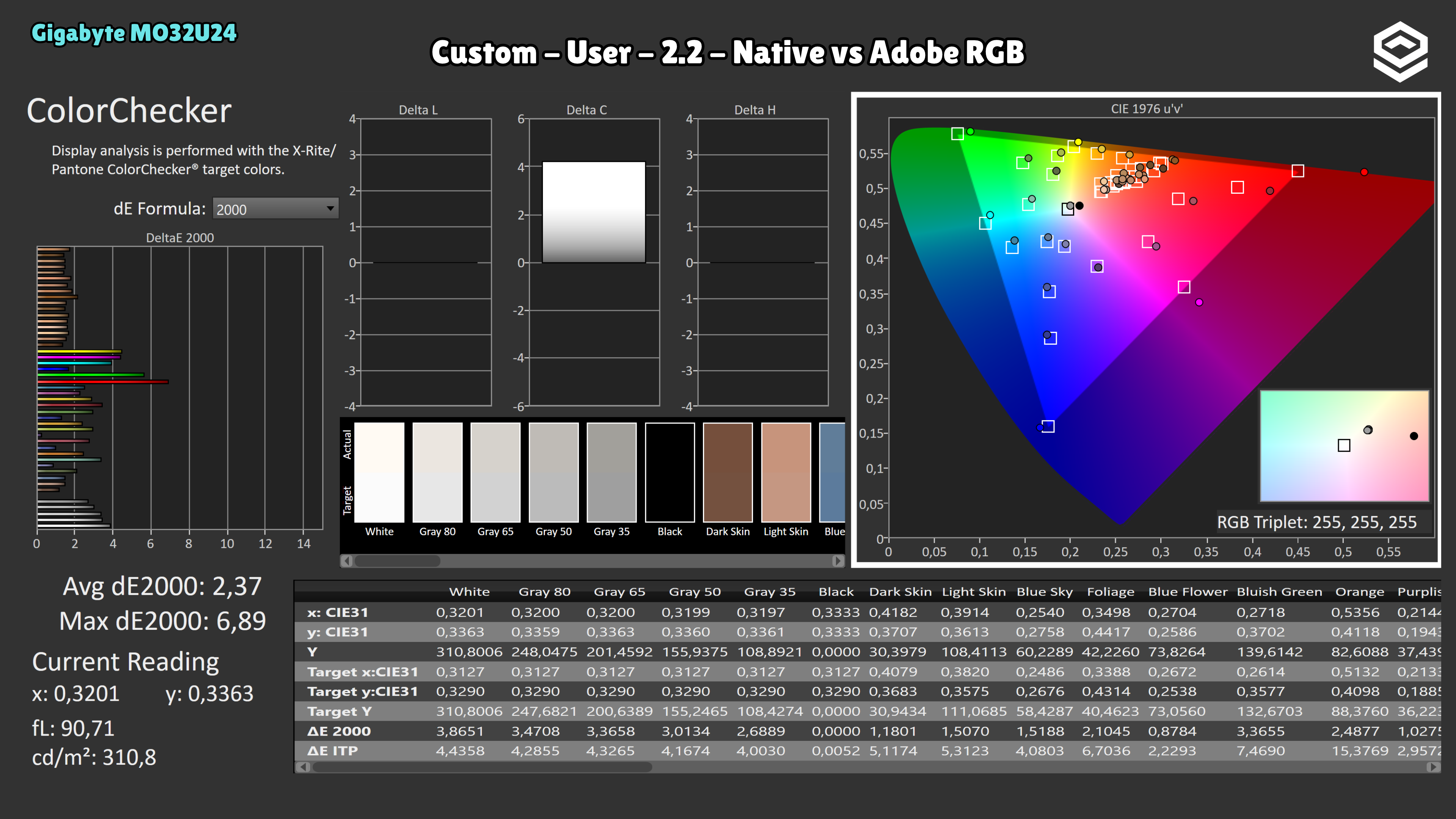
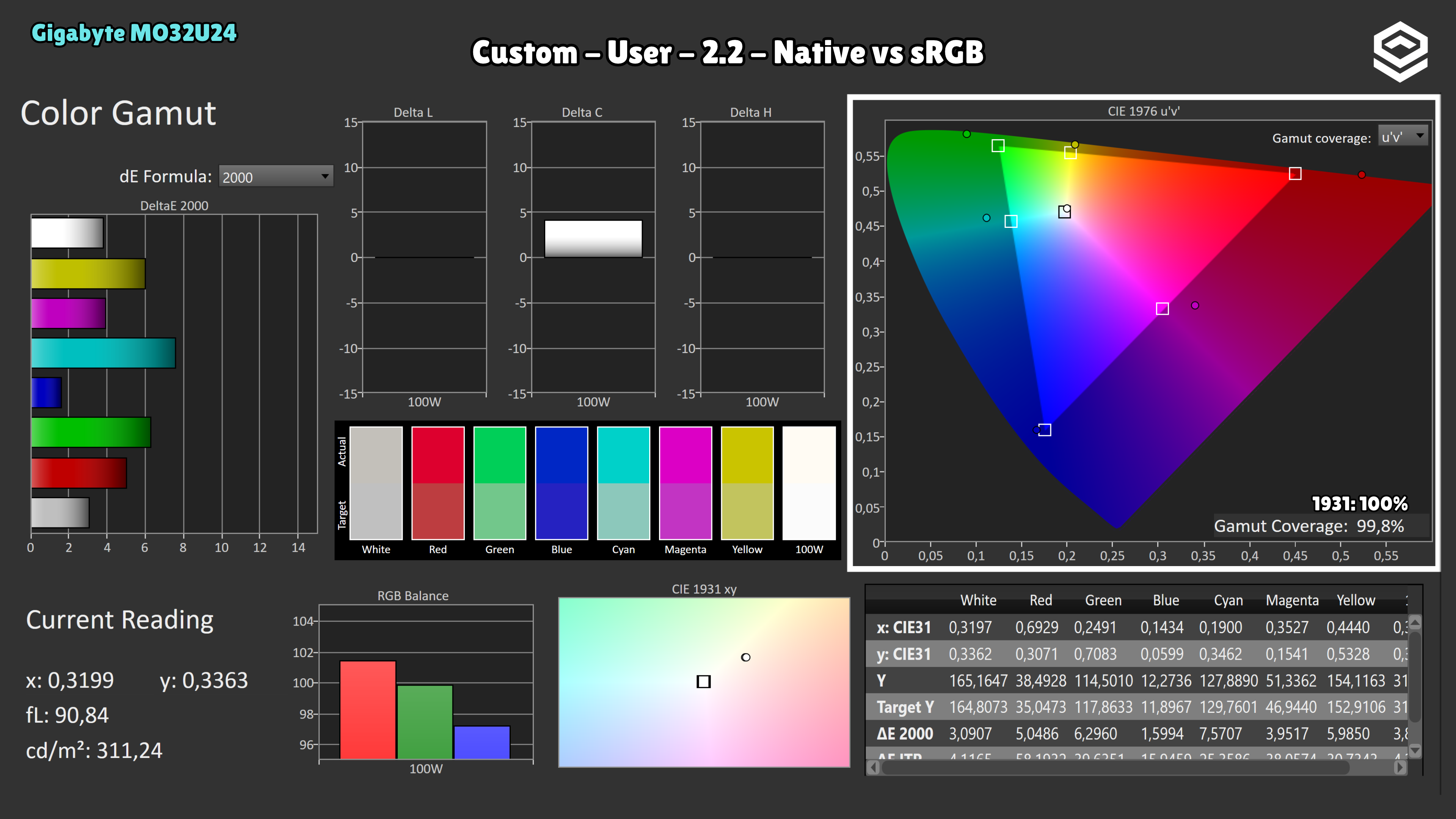
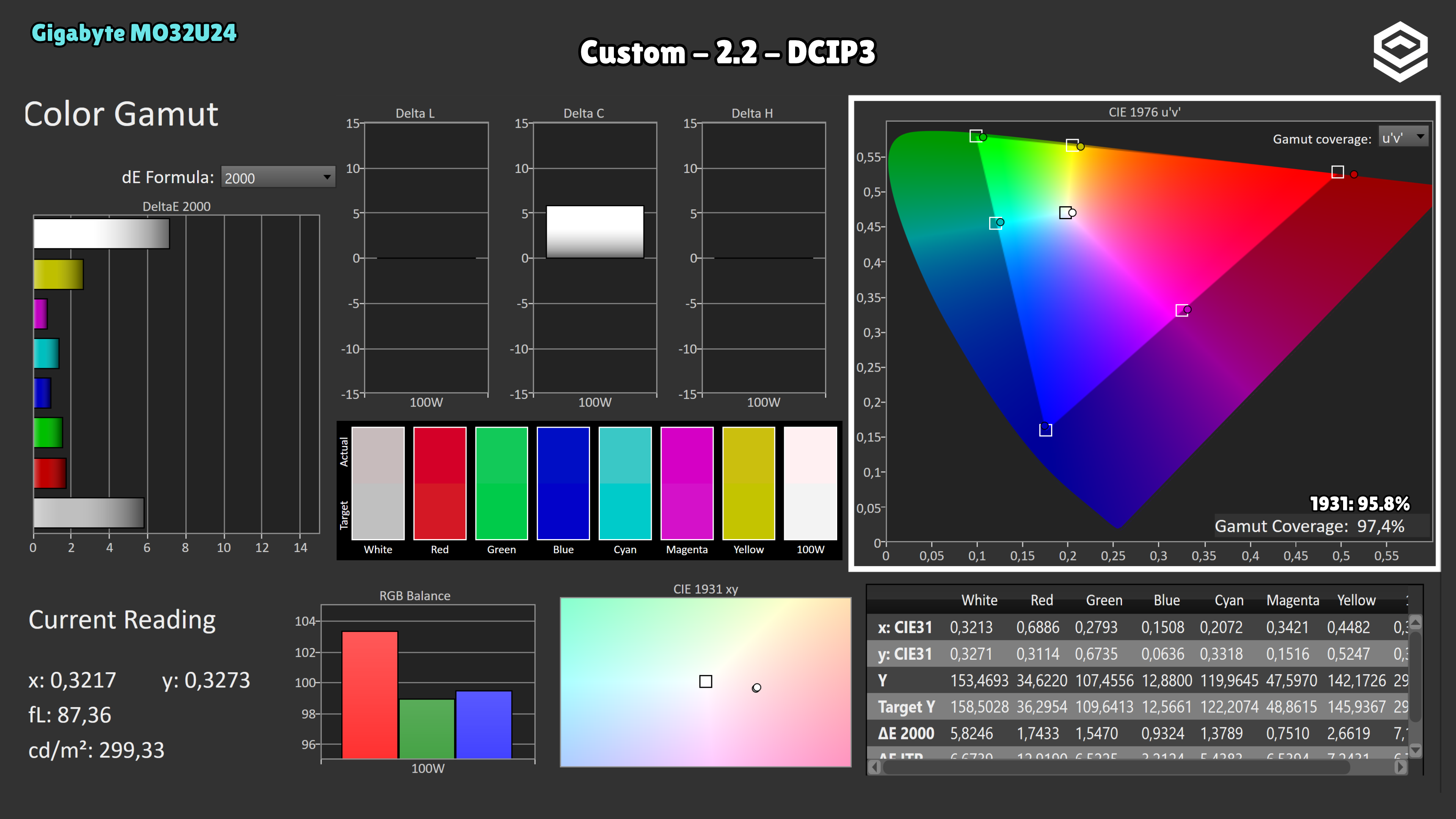
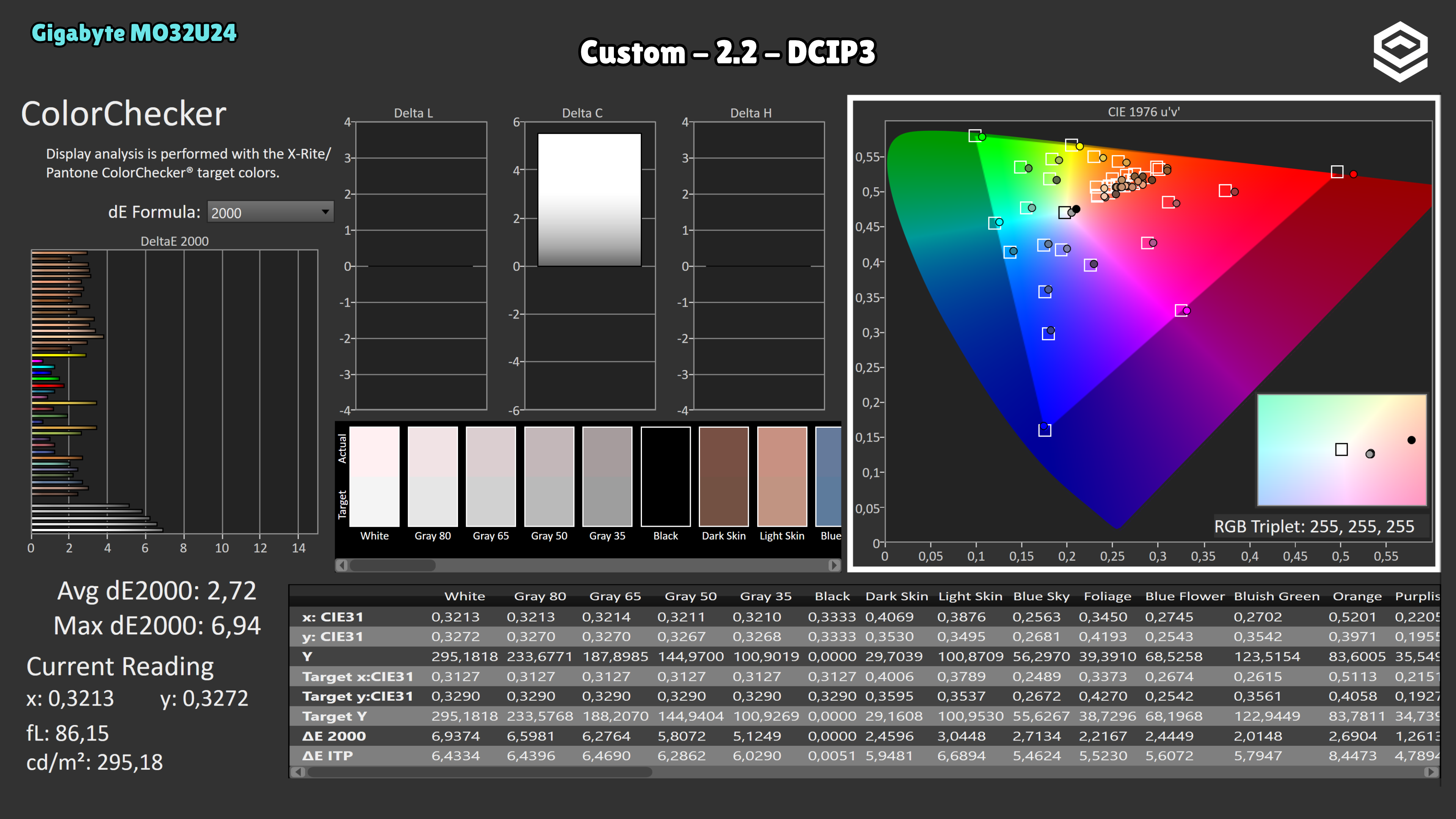
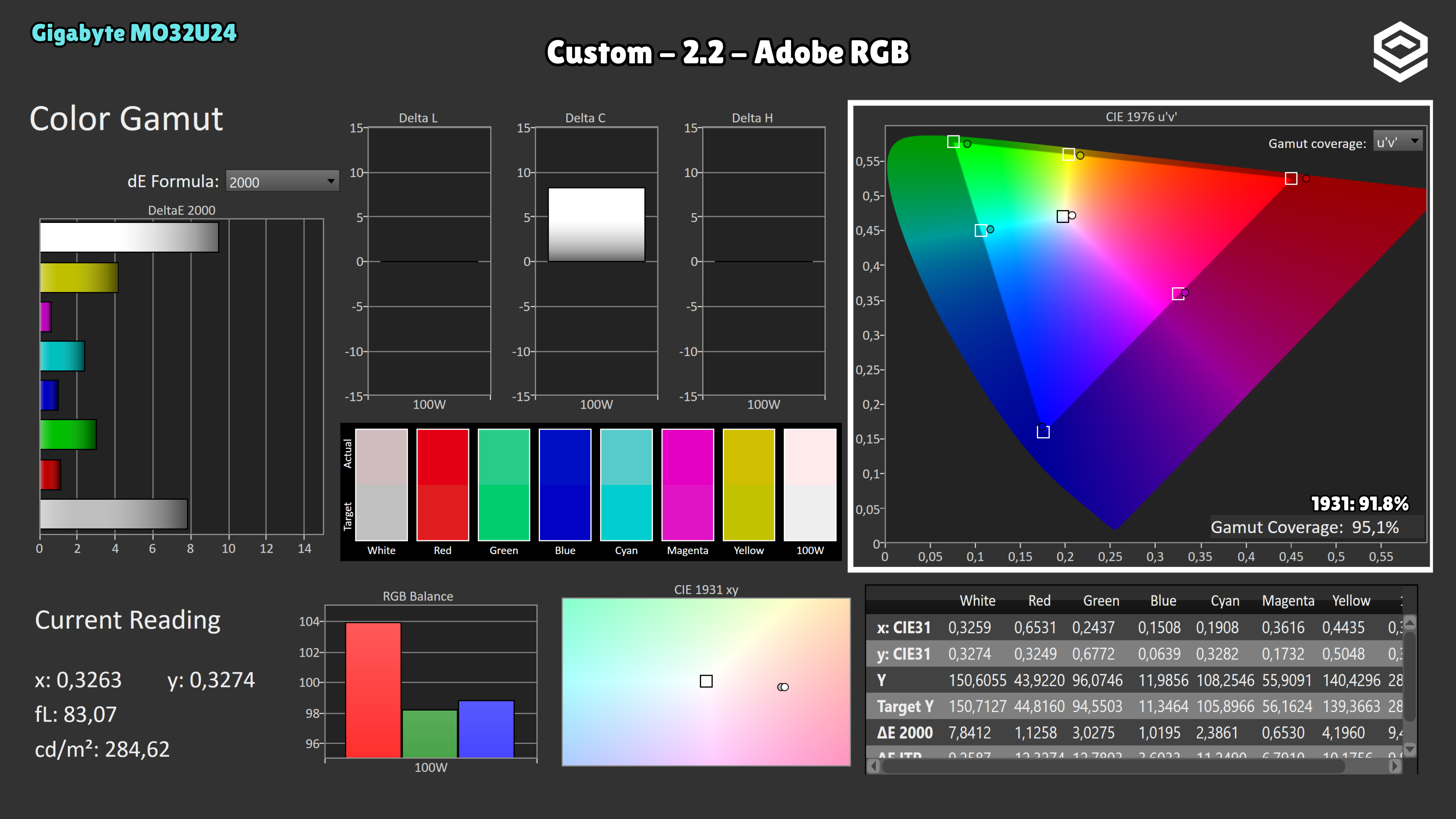
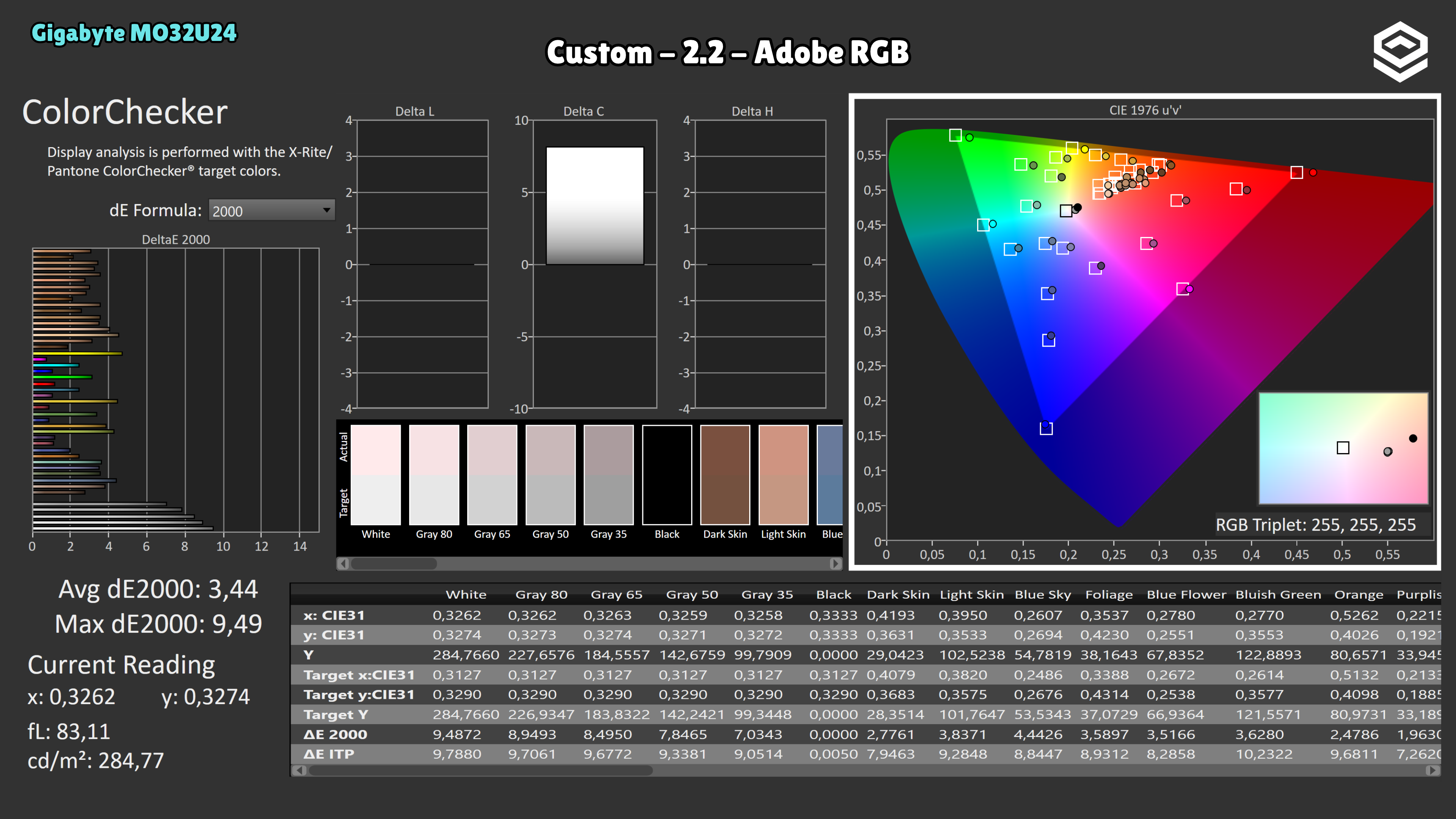
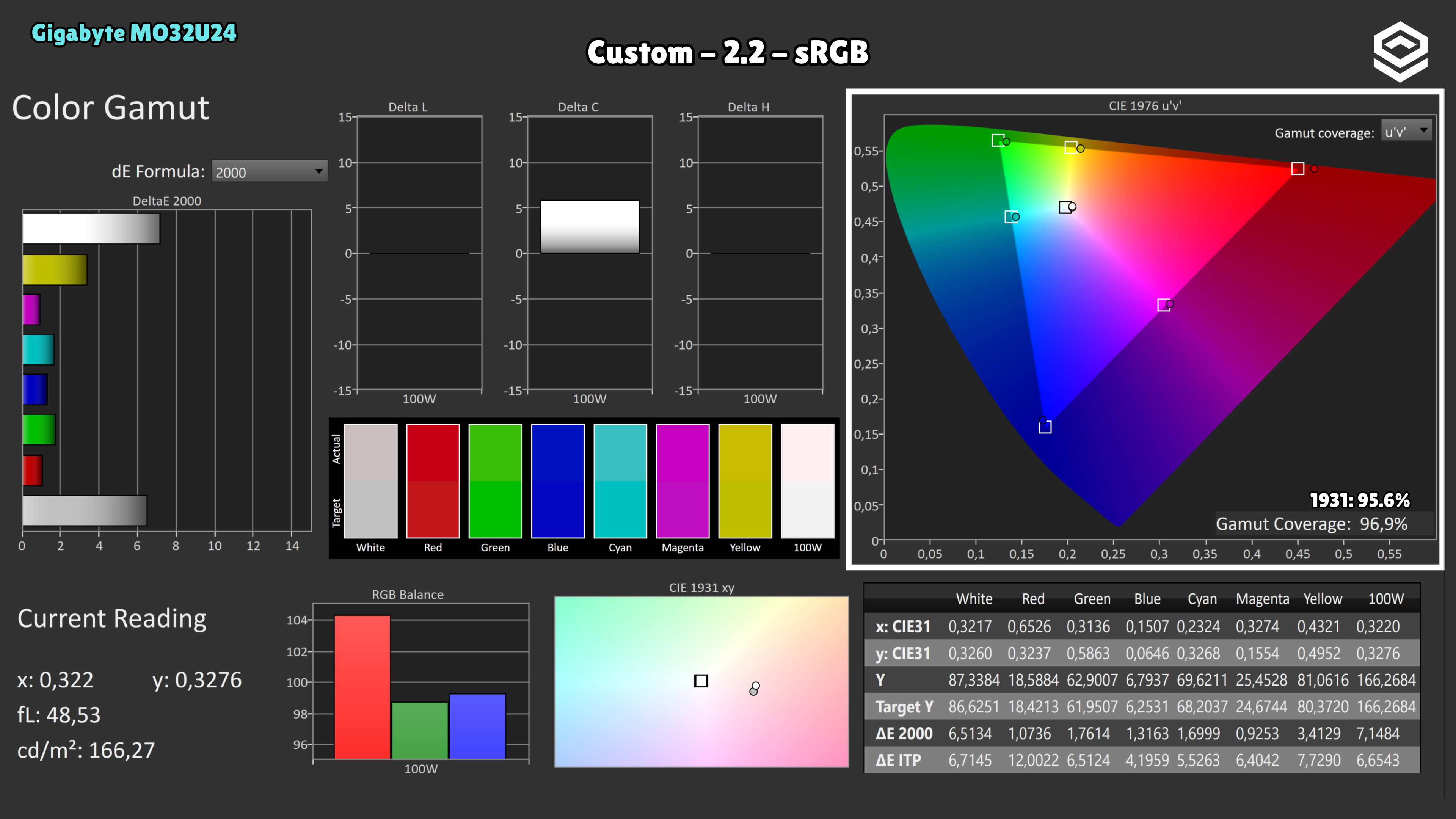
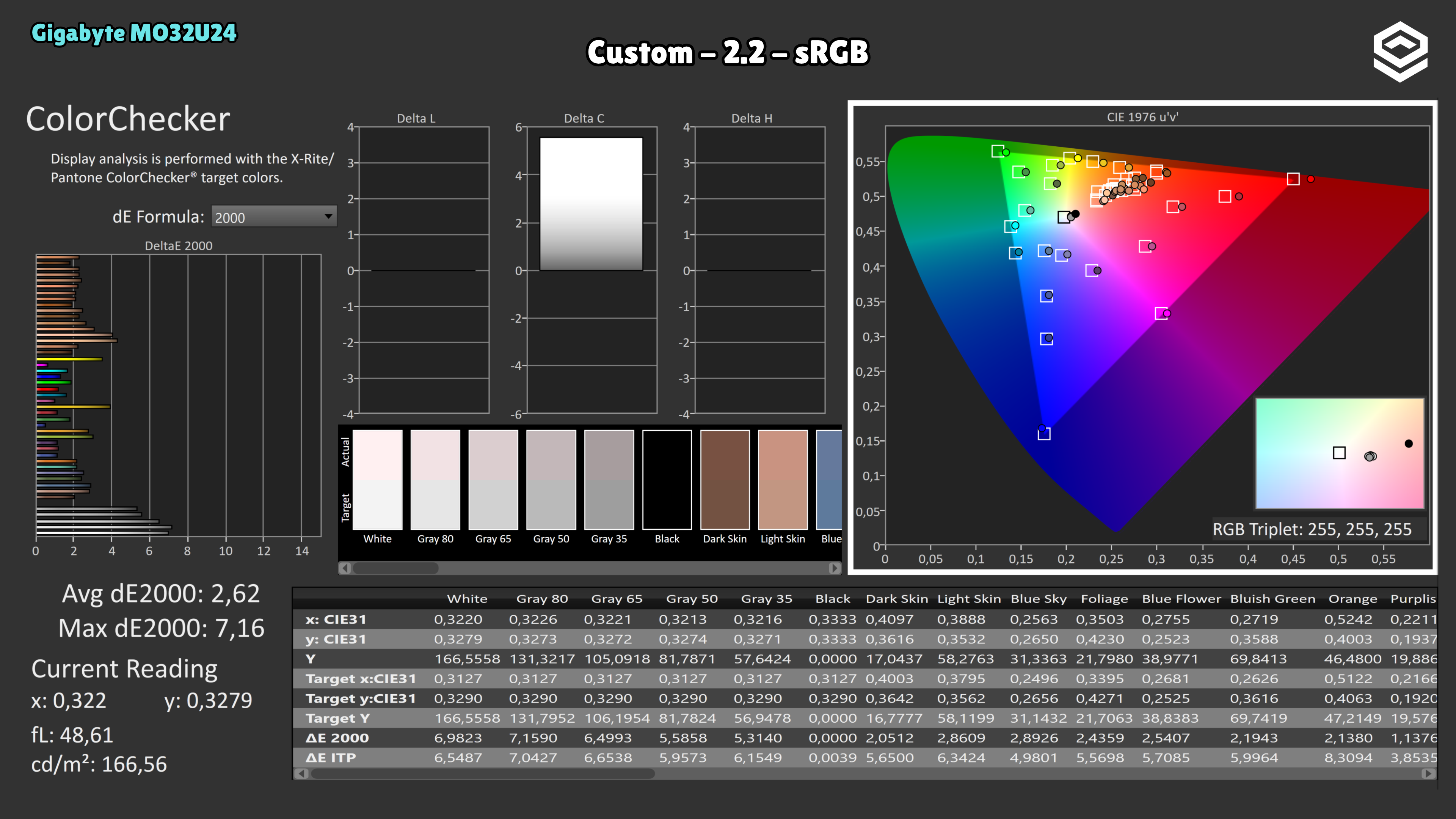
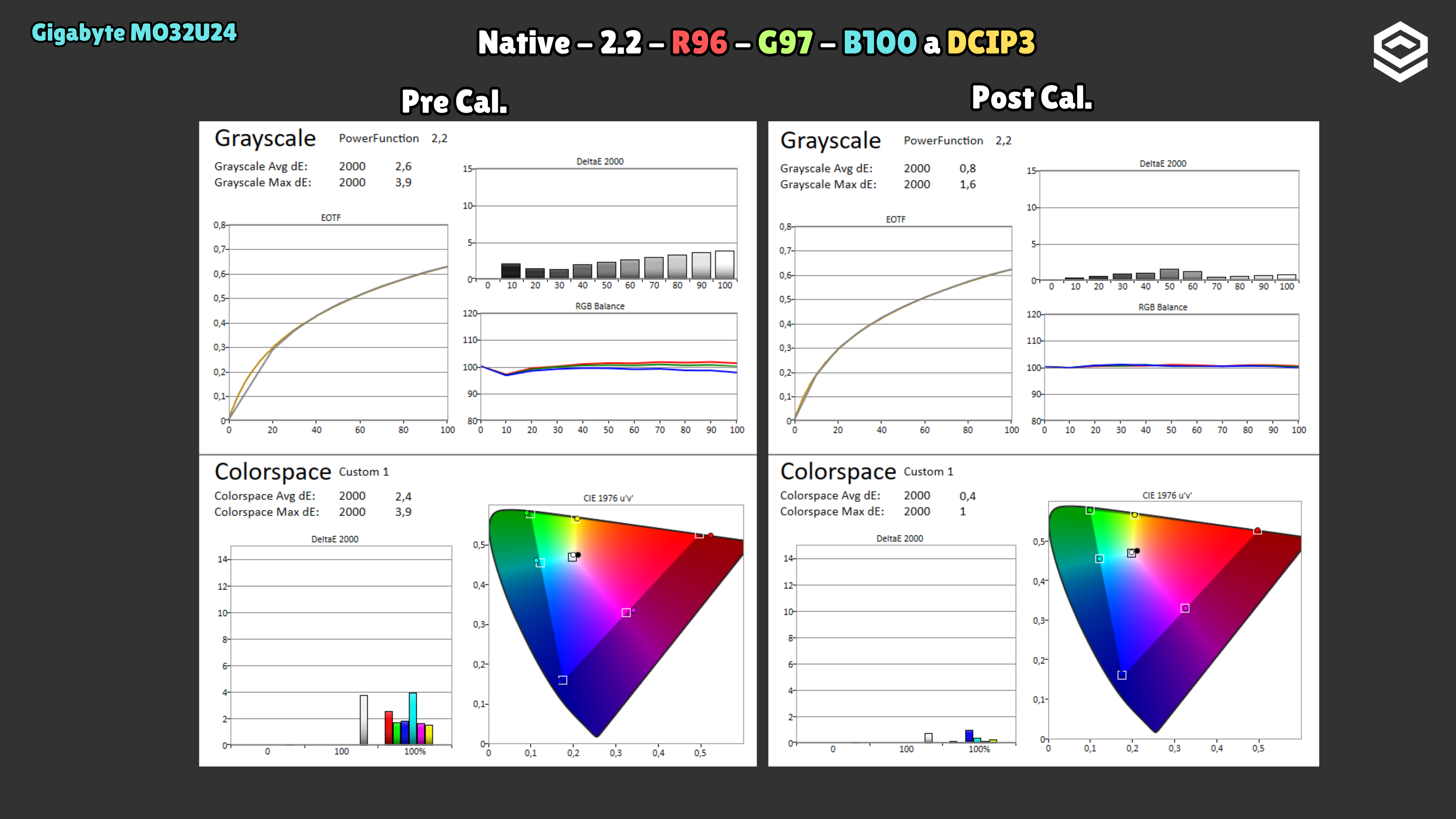
On the tested unit, Standard and Custom with Normal colour temperature measure around 5970–5980 K and average ΔE 4.9–5.0 in grayscale, with excess red. Selecting User reduces the error to 2.3 and brings colour temperature to around 6110 K: balance improves, although the white point remains warm. User is a better starting point in native gamut; it is not a calibration. In ColorChecker against P3, Native + User averages ΔE 2.19 (maximum 3.88), compared with 2.72 (maximum 6.94) in DCI-P3 mode. Against Adobe RGB, Native + User scores 2.37 (maximum 6.89), versus 3.44 (maximum 9.49) in Adobe RGB mode. The dedicated modes do restrict the gamut: CIE 1976 coverage falls from 99.7 to 97.4% for P3 and from 97.1 to 95.1% for Adobe RGB. This comparison changes both gamut and white-point settings; the advantage of Native + User cannot be attributed solely to gamut restriction or extended to sRGB content without colour management. DCI-P3, sRGB and Adobe RGB modes lock several controls, including Colour Temperature (white balance) and gamma. This limits calibration through the monitor menu: white balance and gamma cannot be adjusted while retaining these modes. The review sample appeared to have seen considerable prior use. Colour results may differ from those of a new unit; prior use has not been established as the cause of the deviations.
HDR performance
Brillo pico, volumen de color, EOTF y experiencia HDR real.
Test note · ΔE ITP HDR
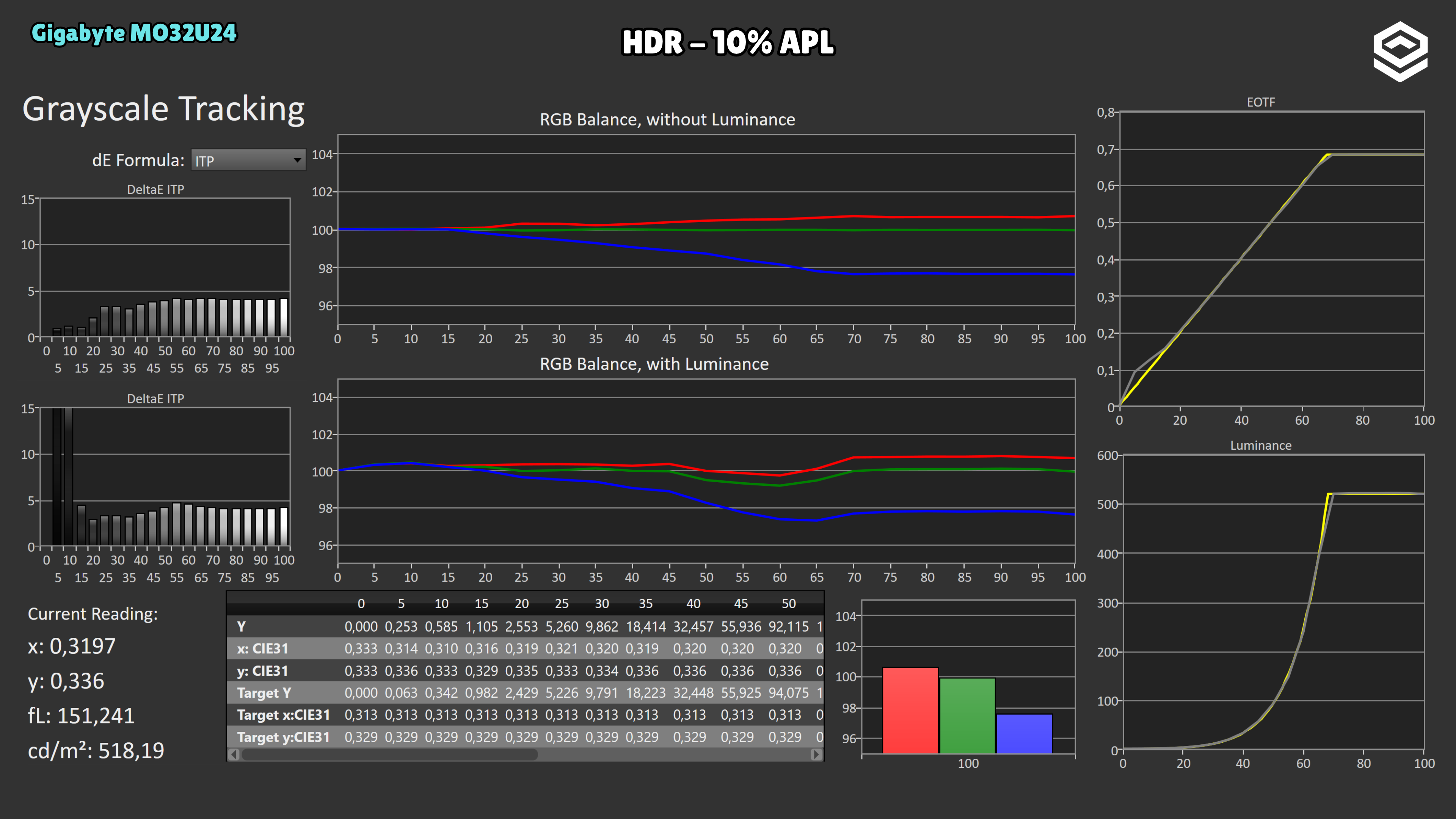
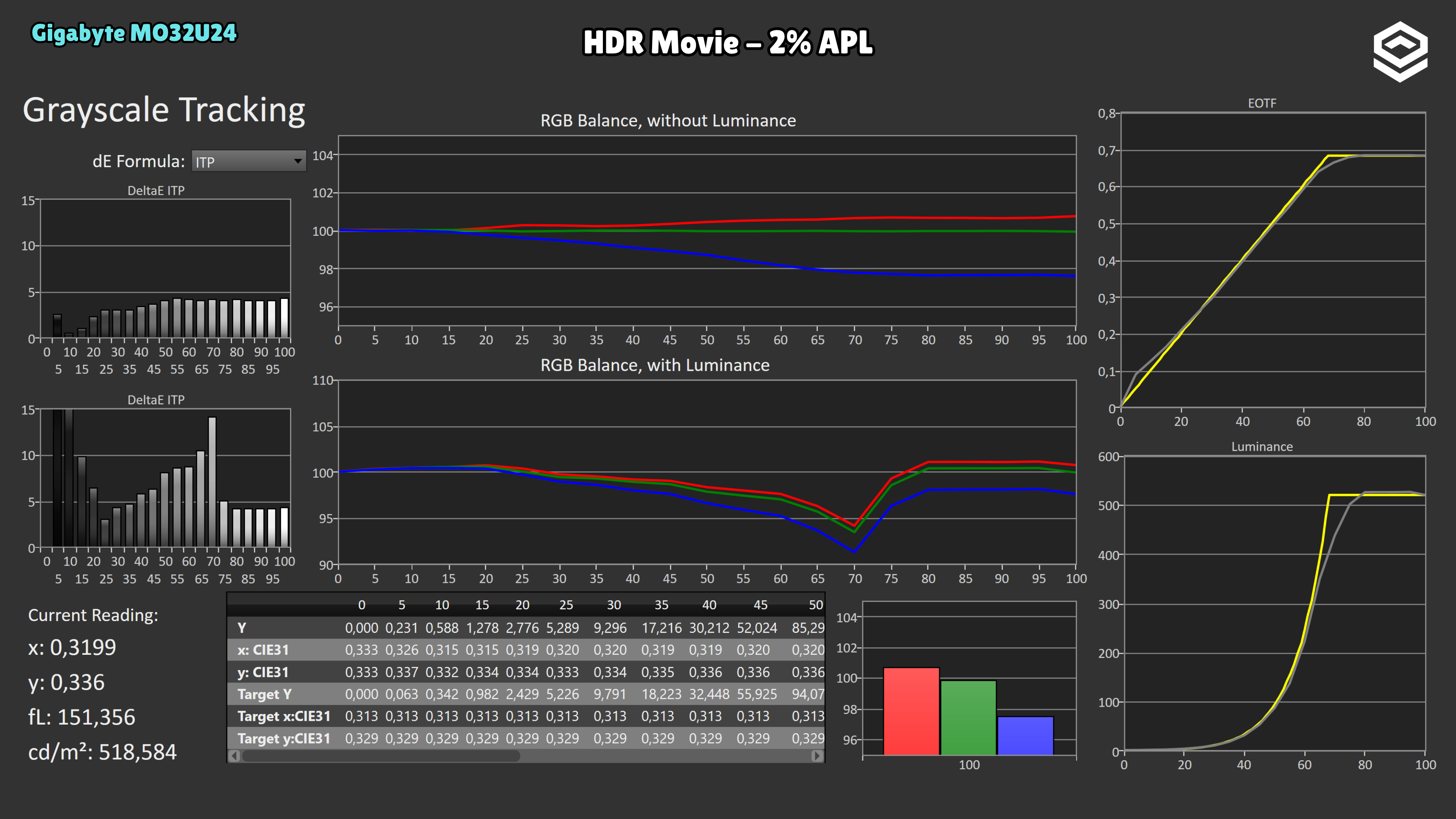
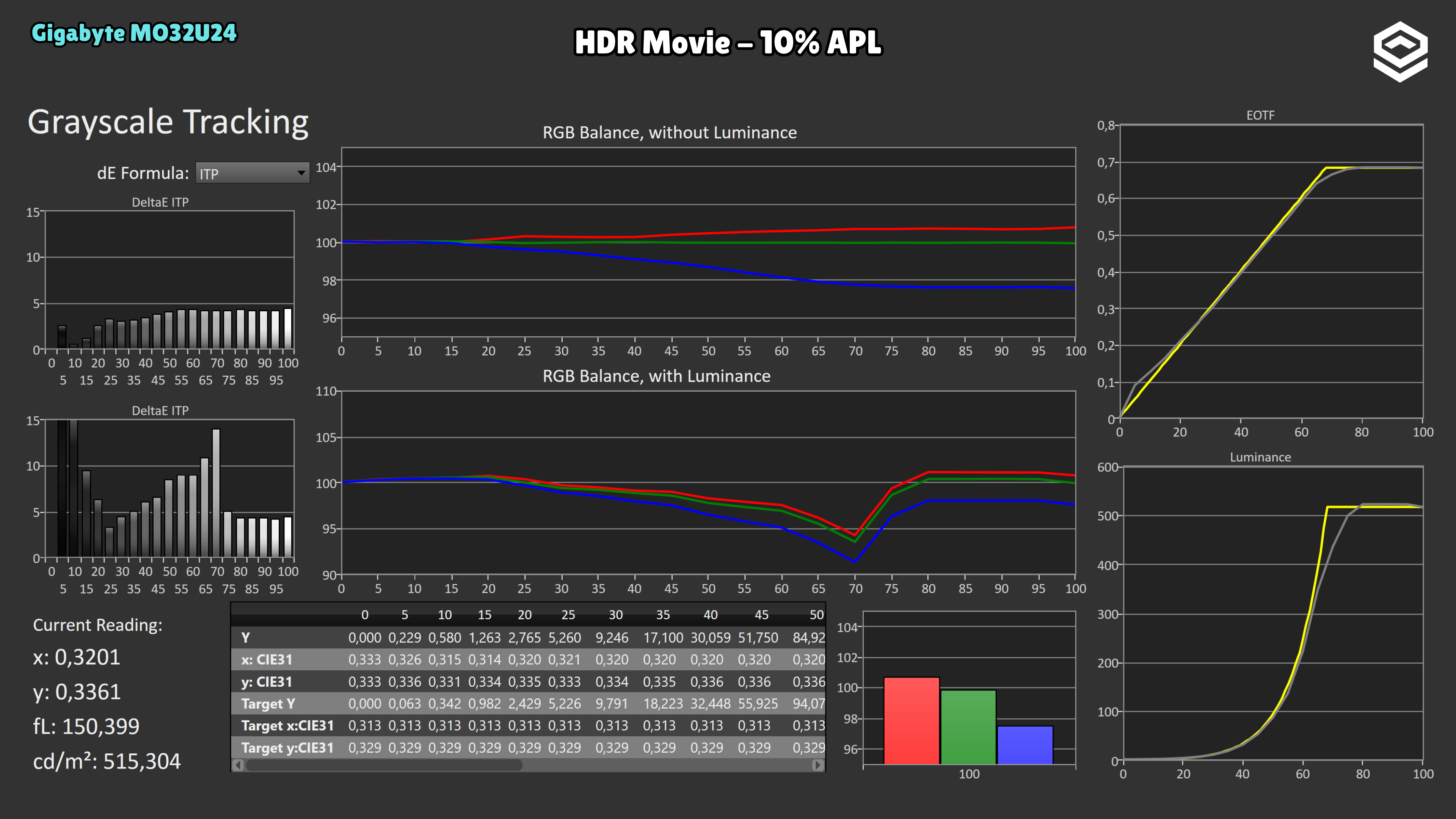
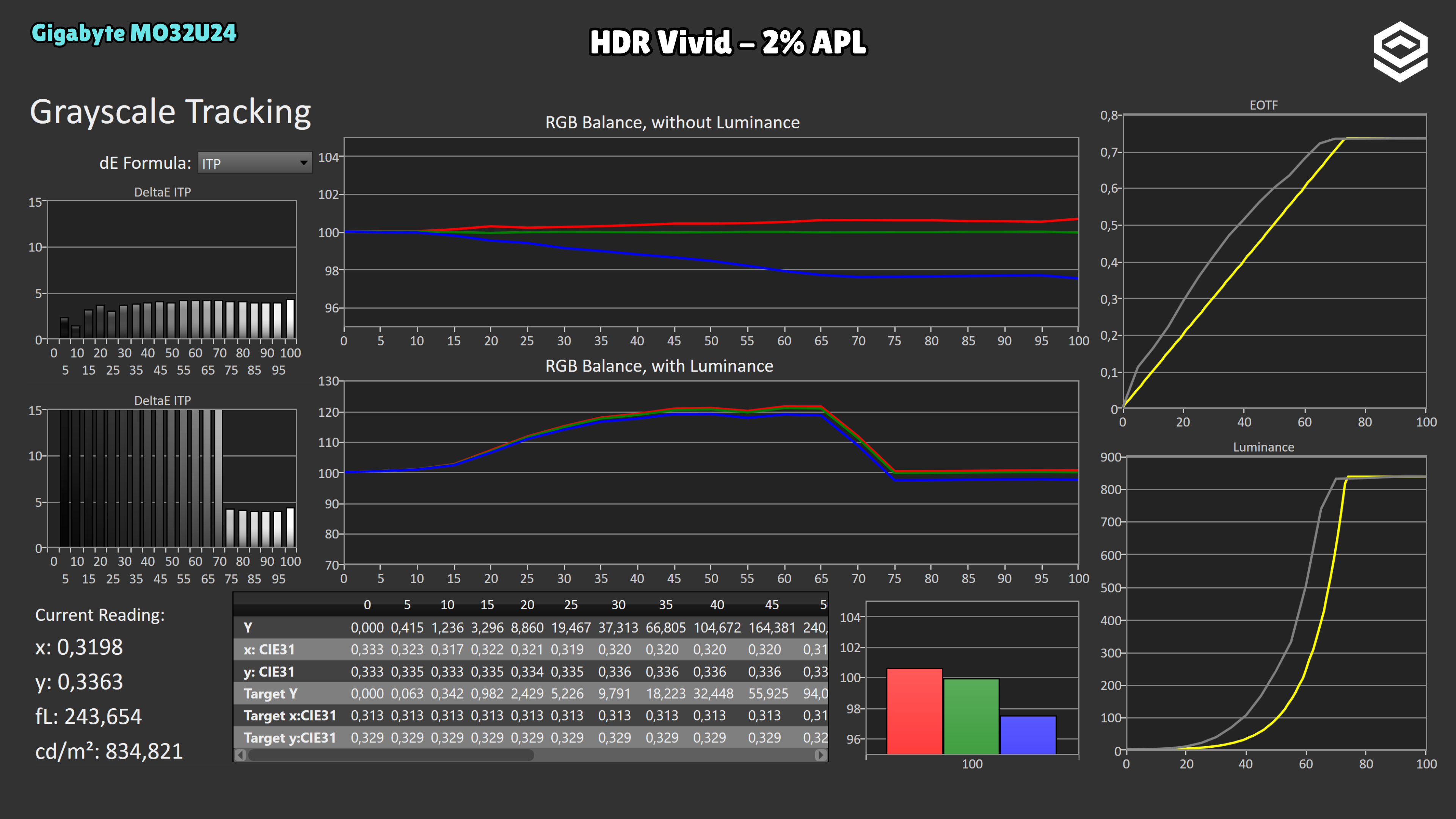
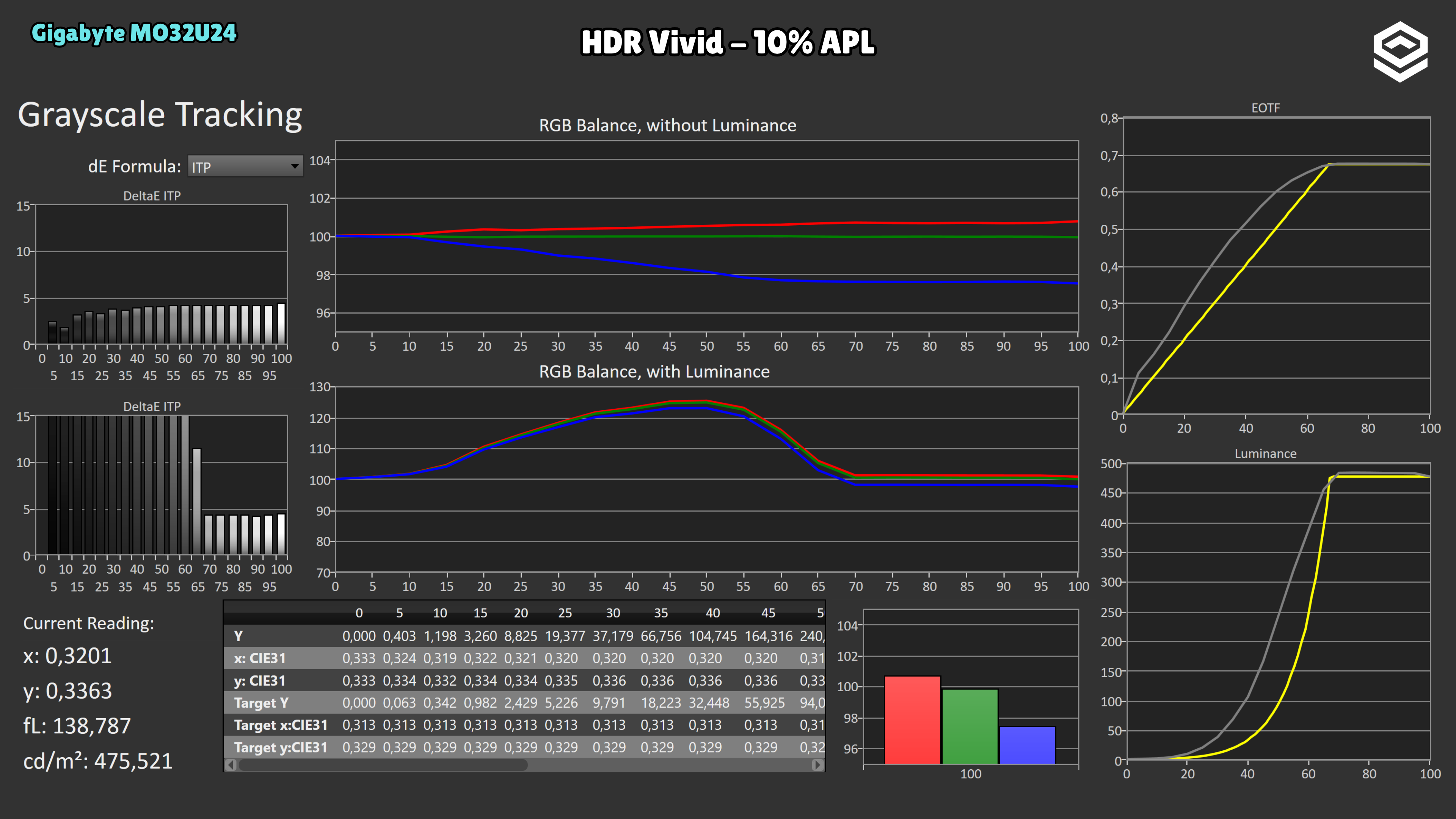
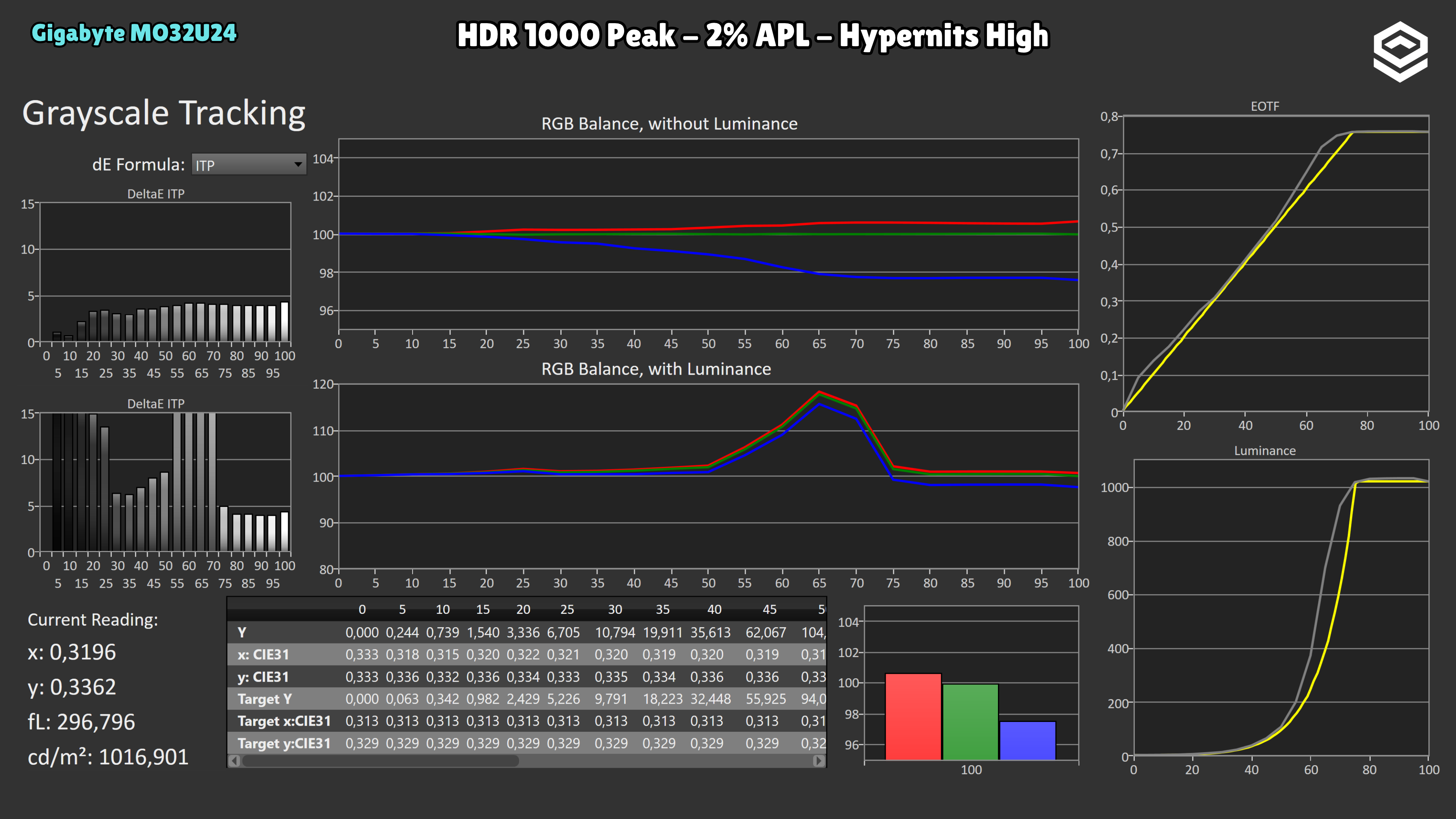
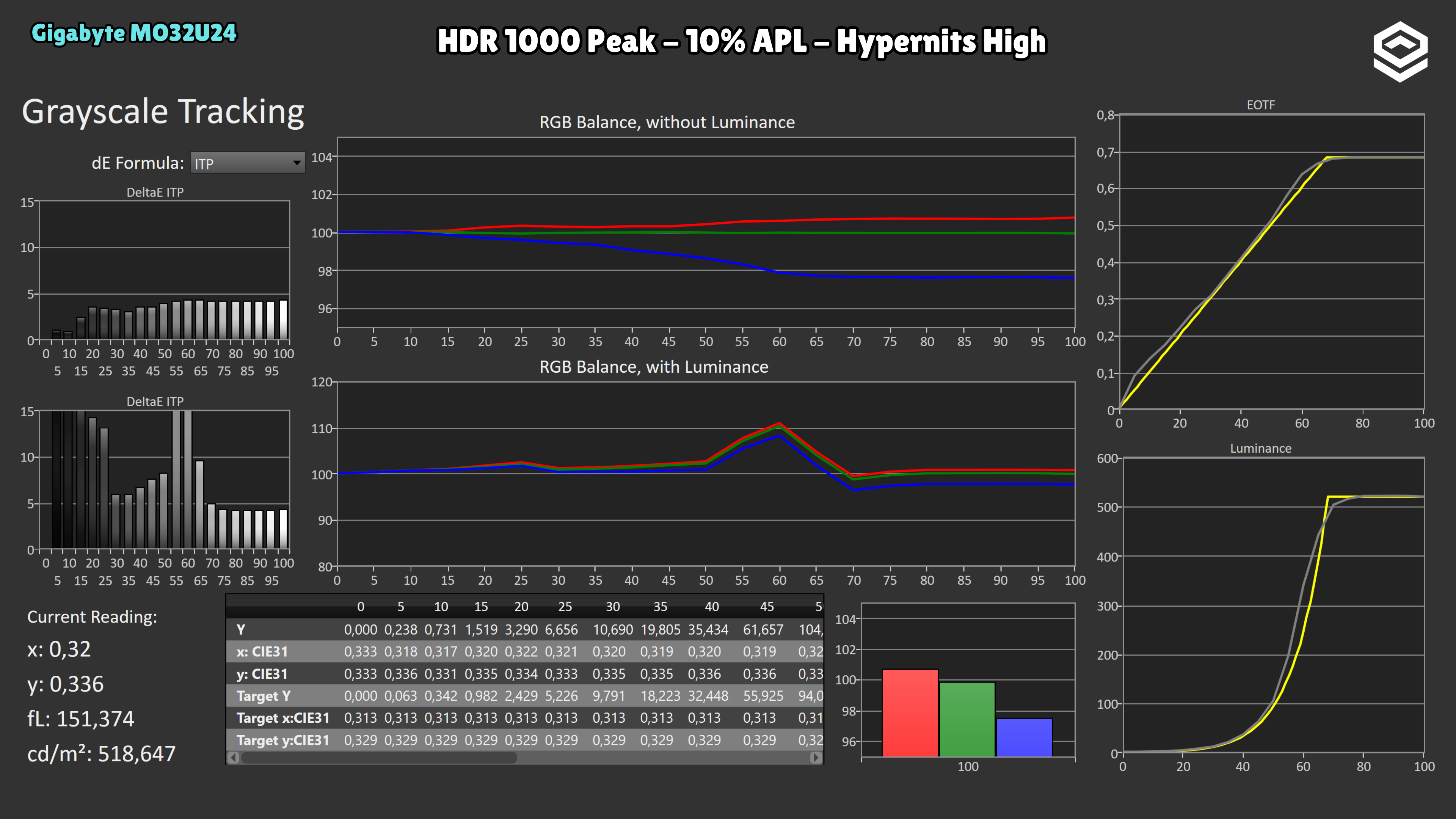
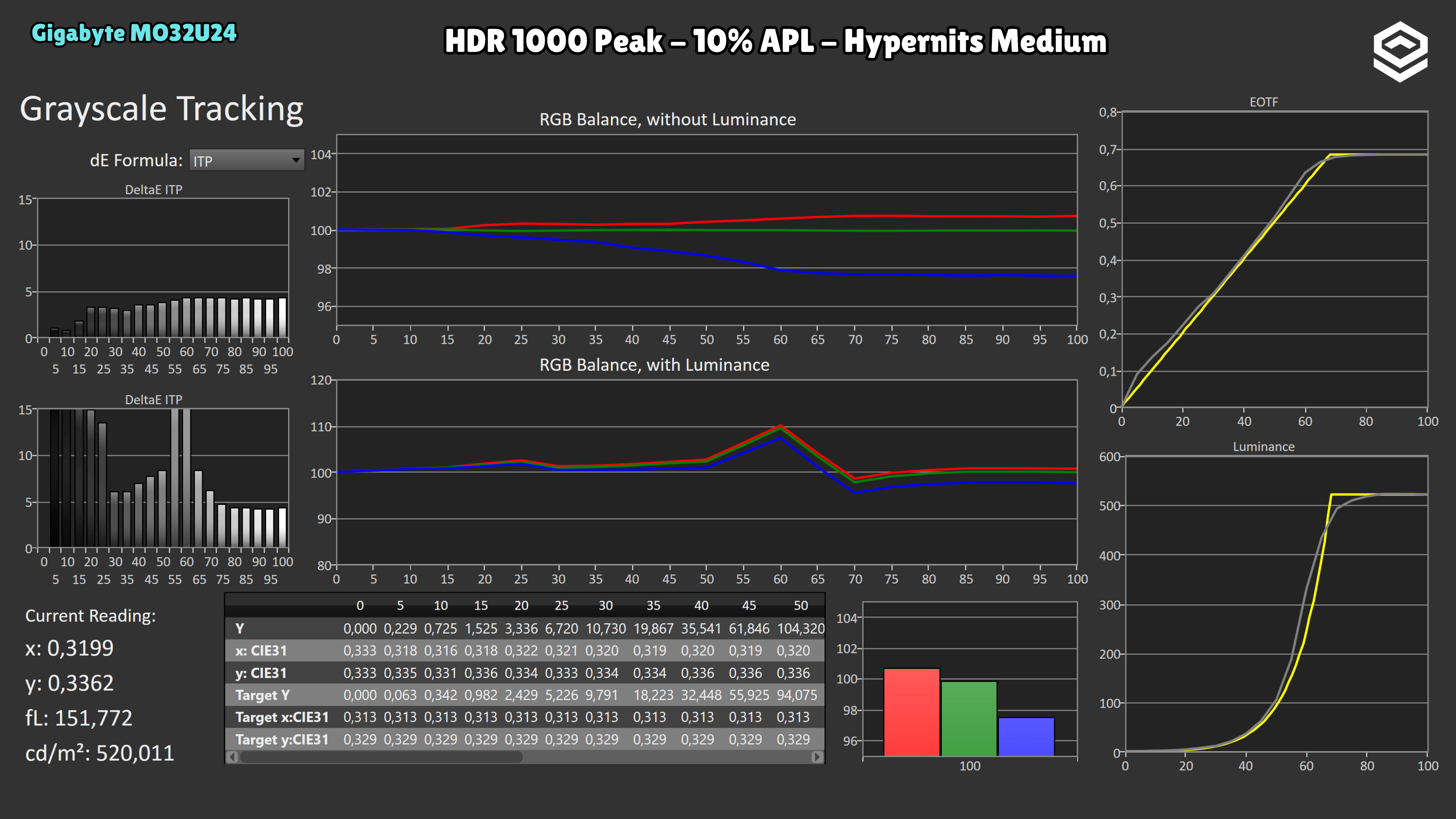
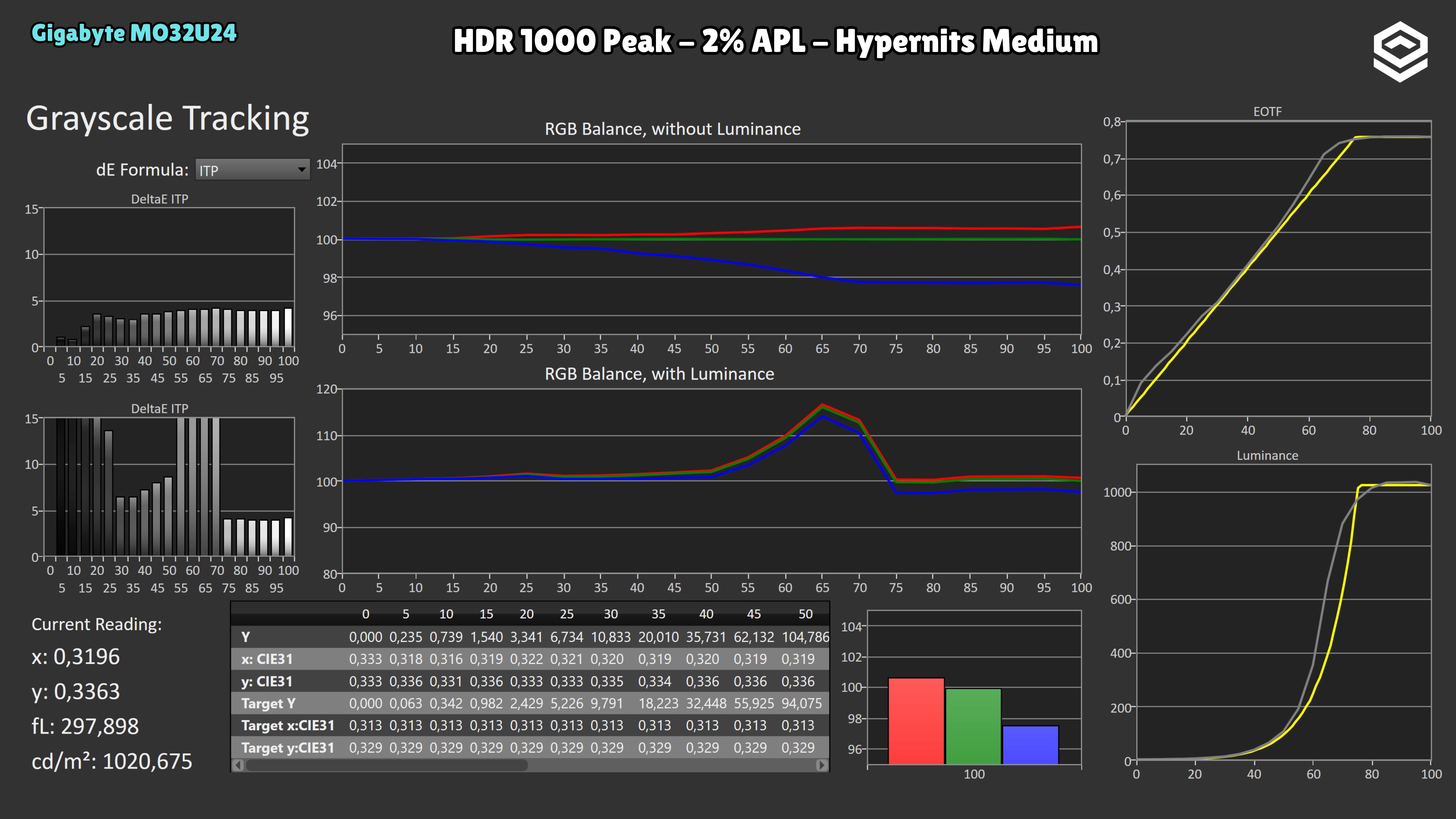
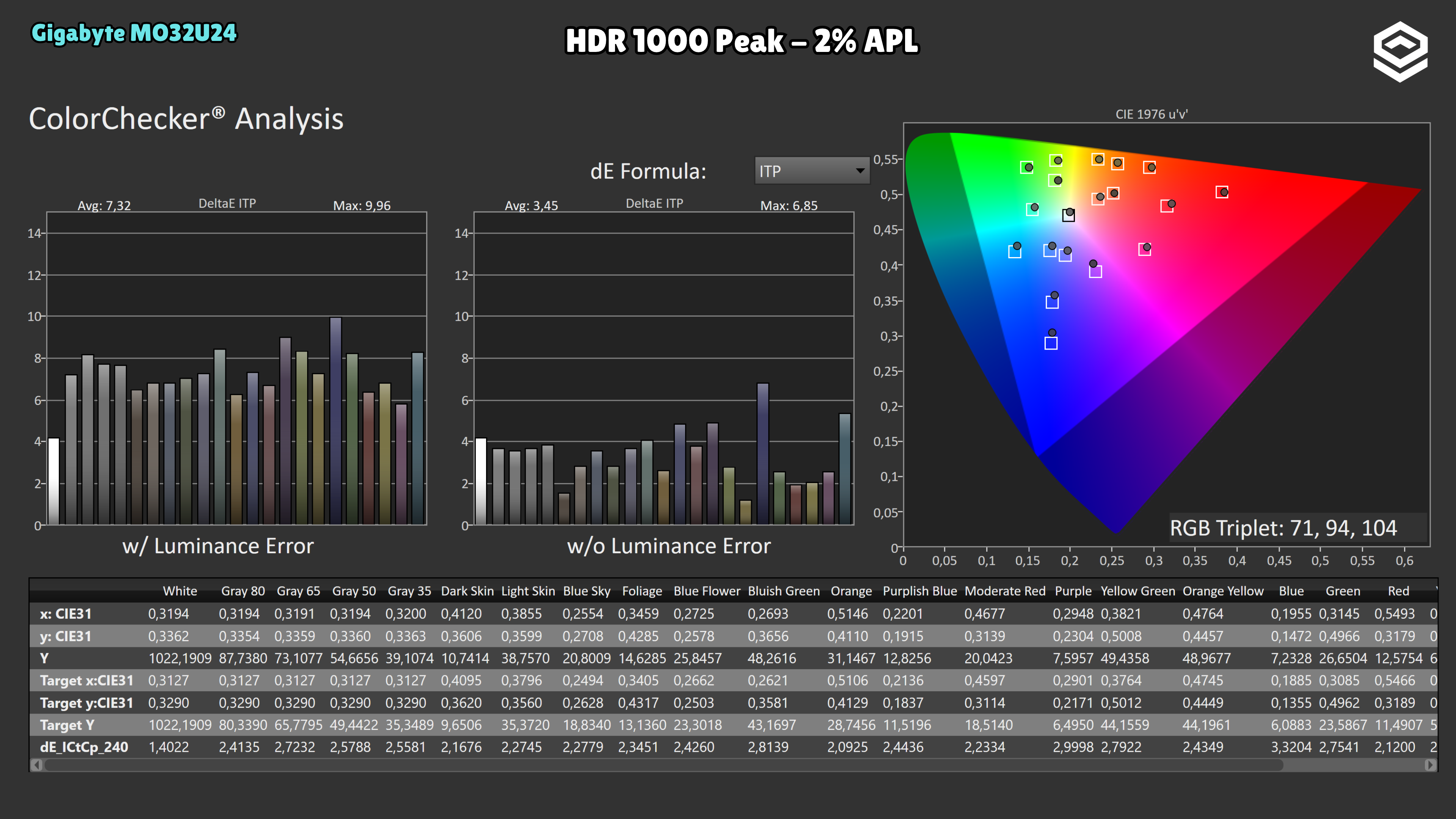
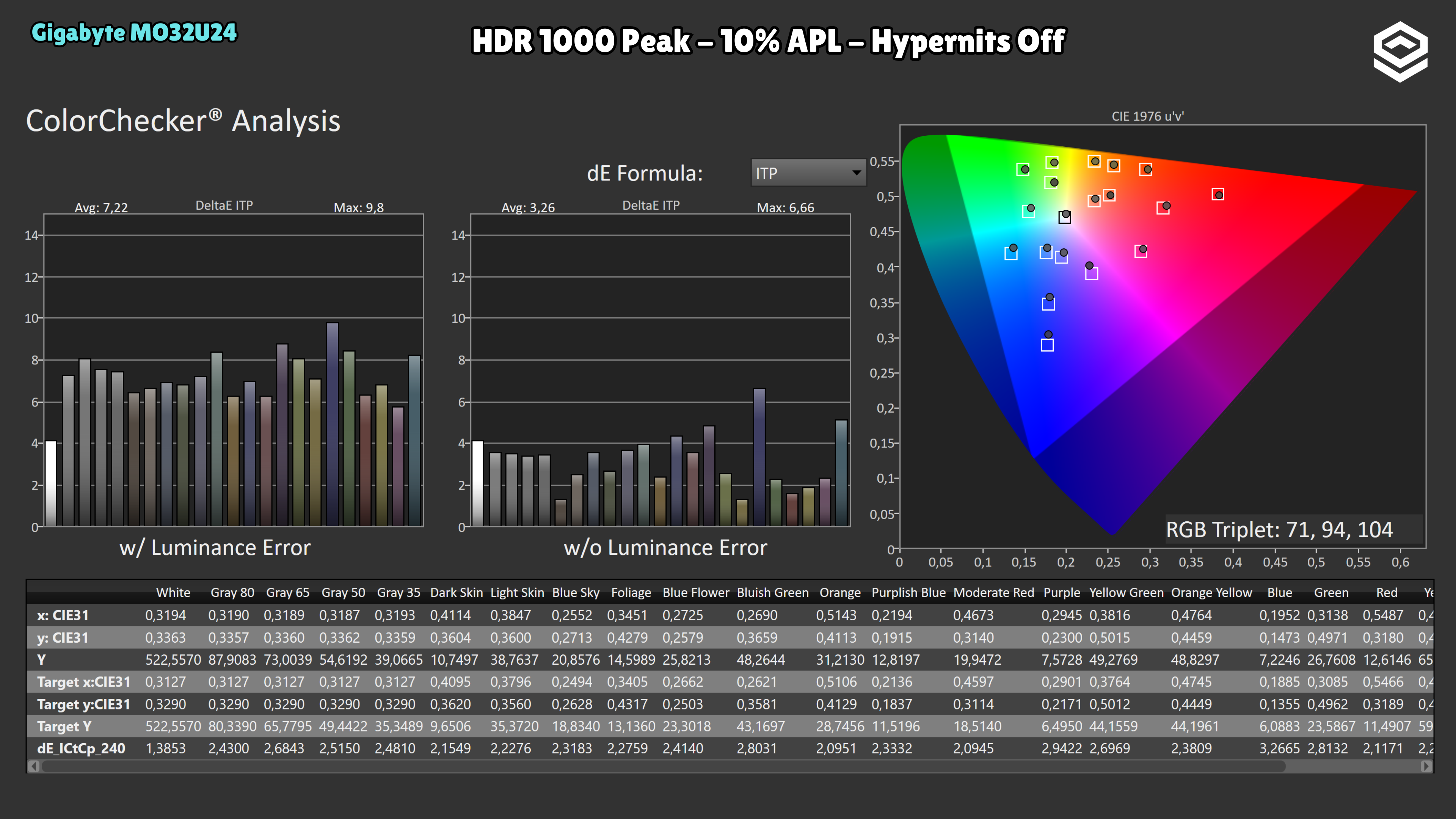
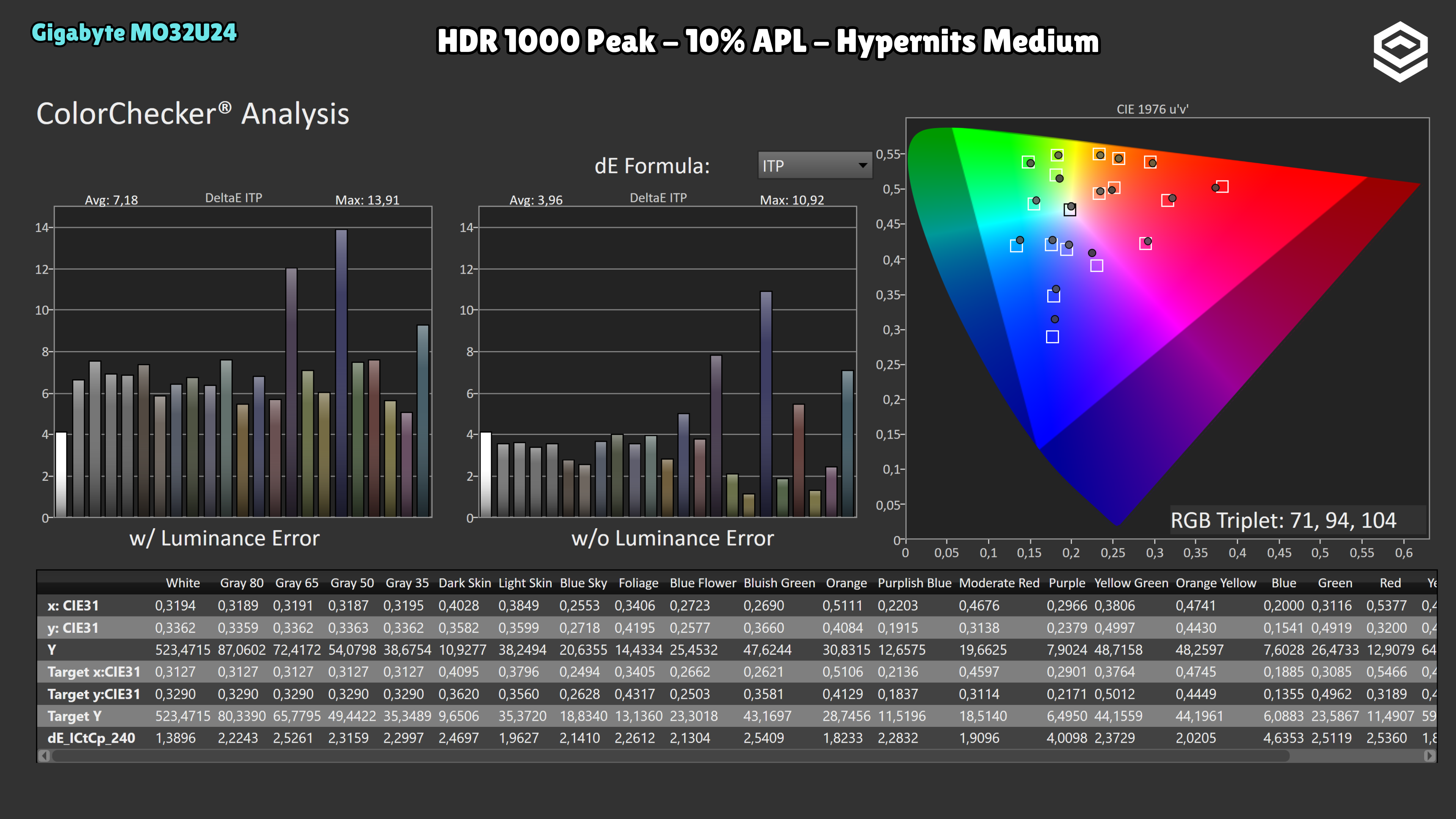
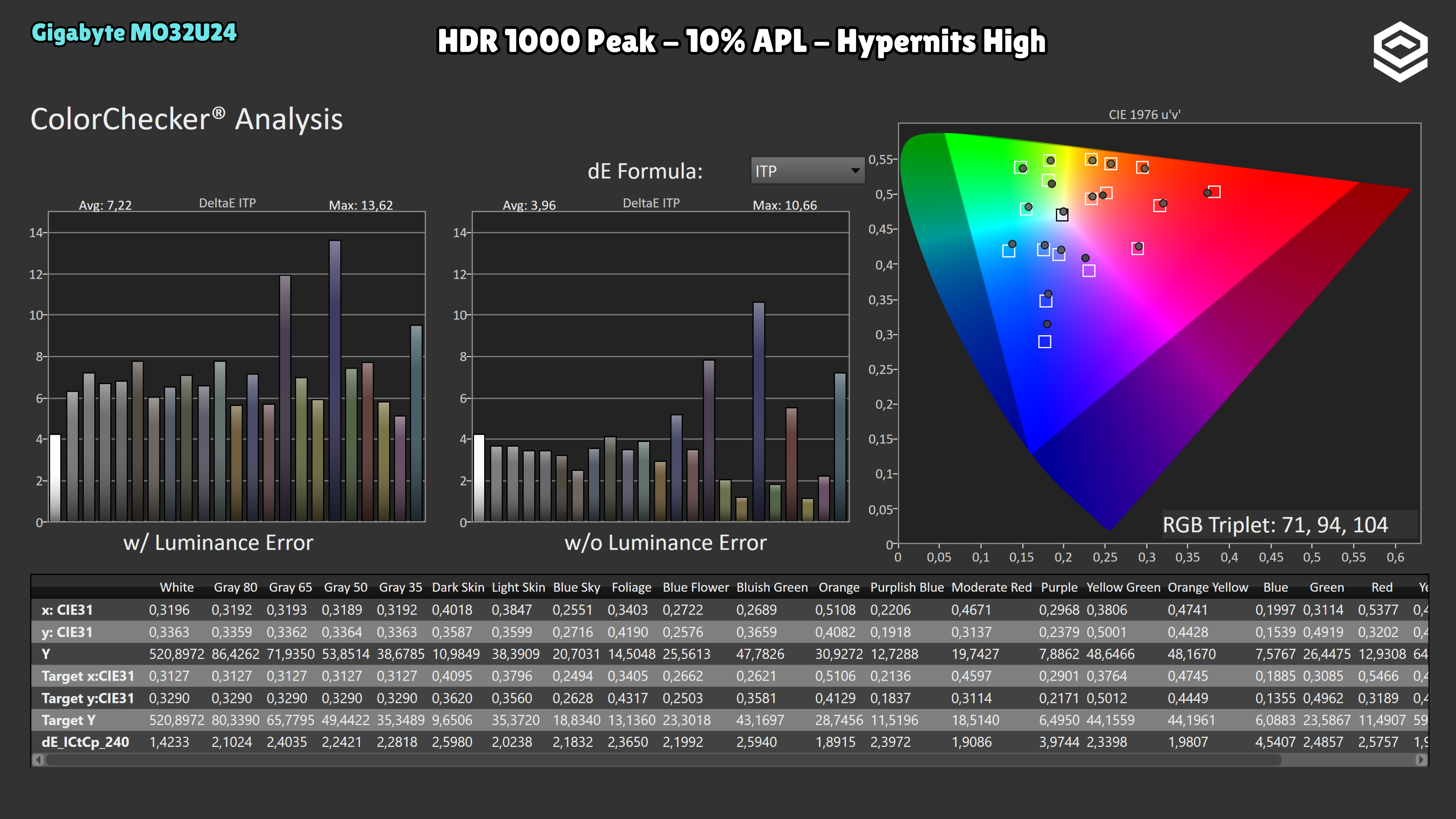
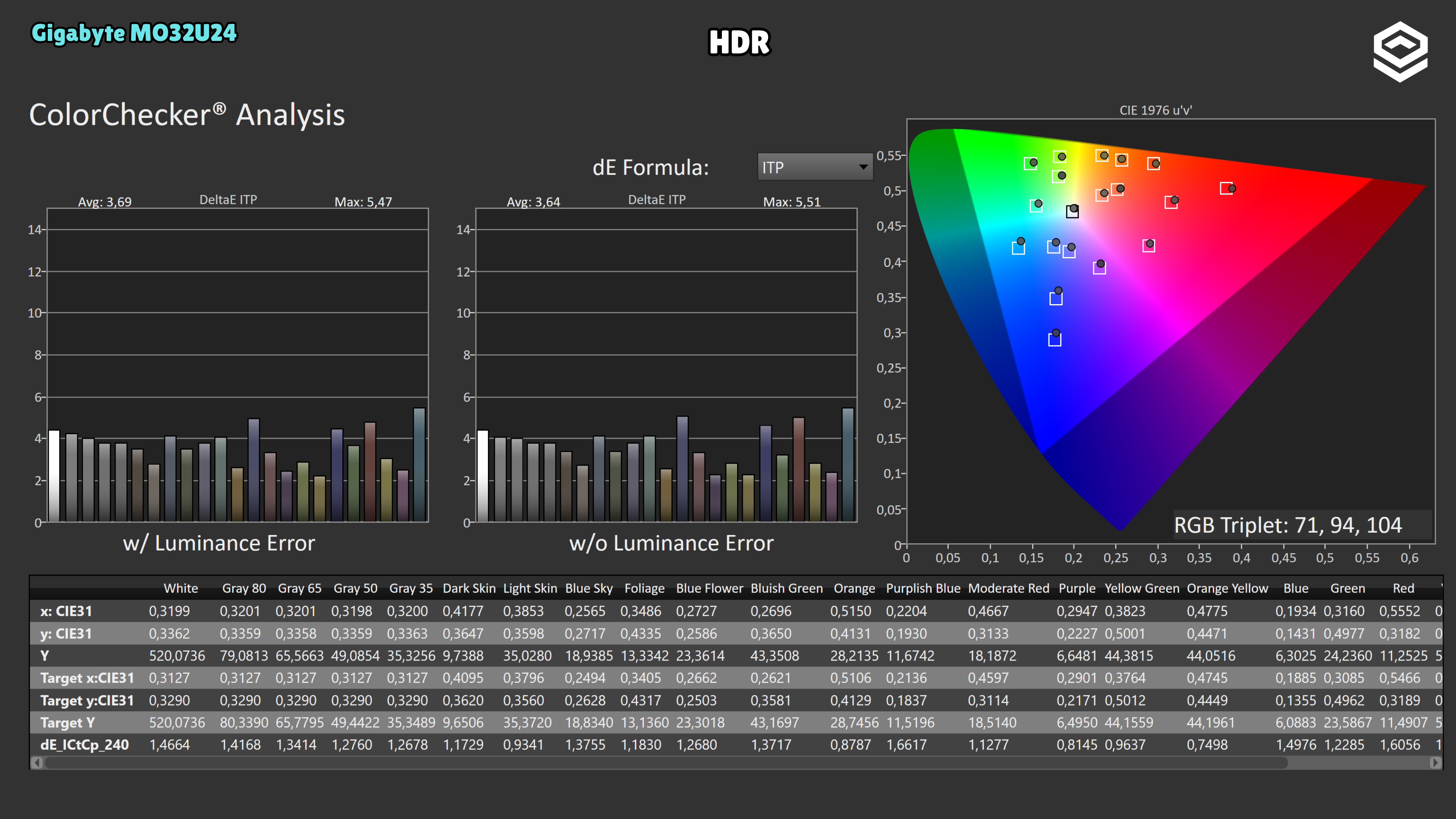
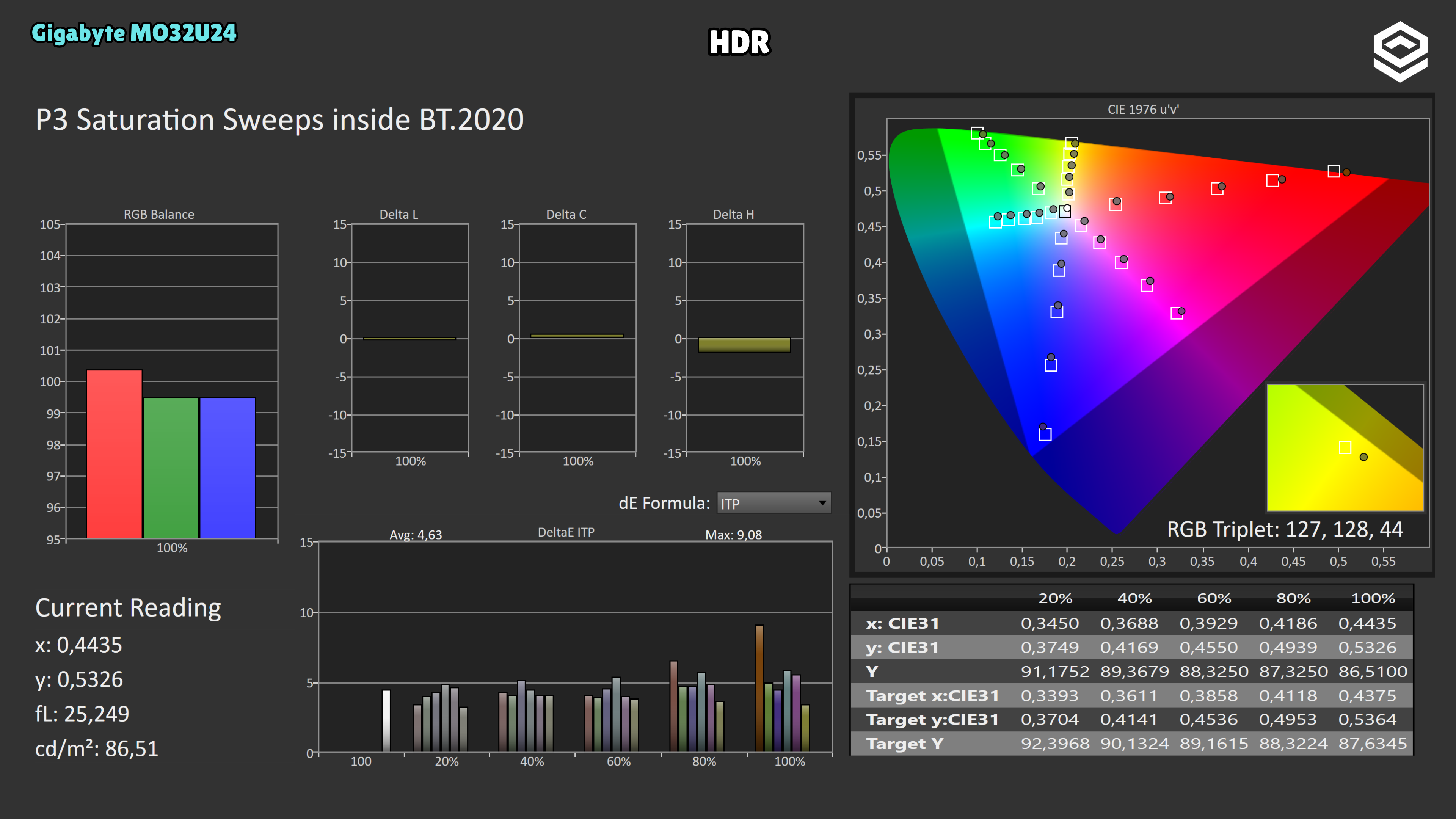
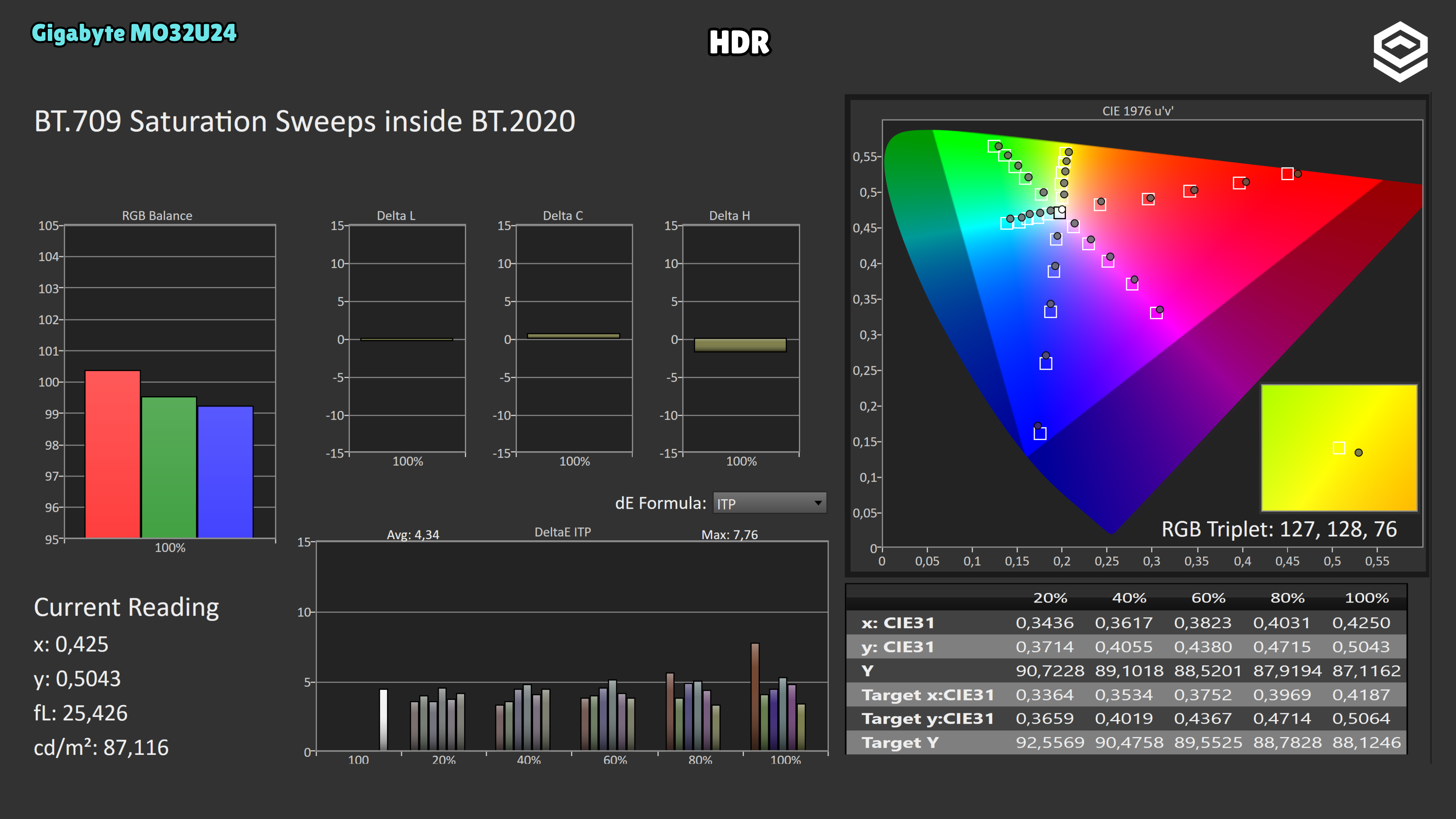
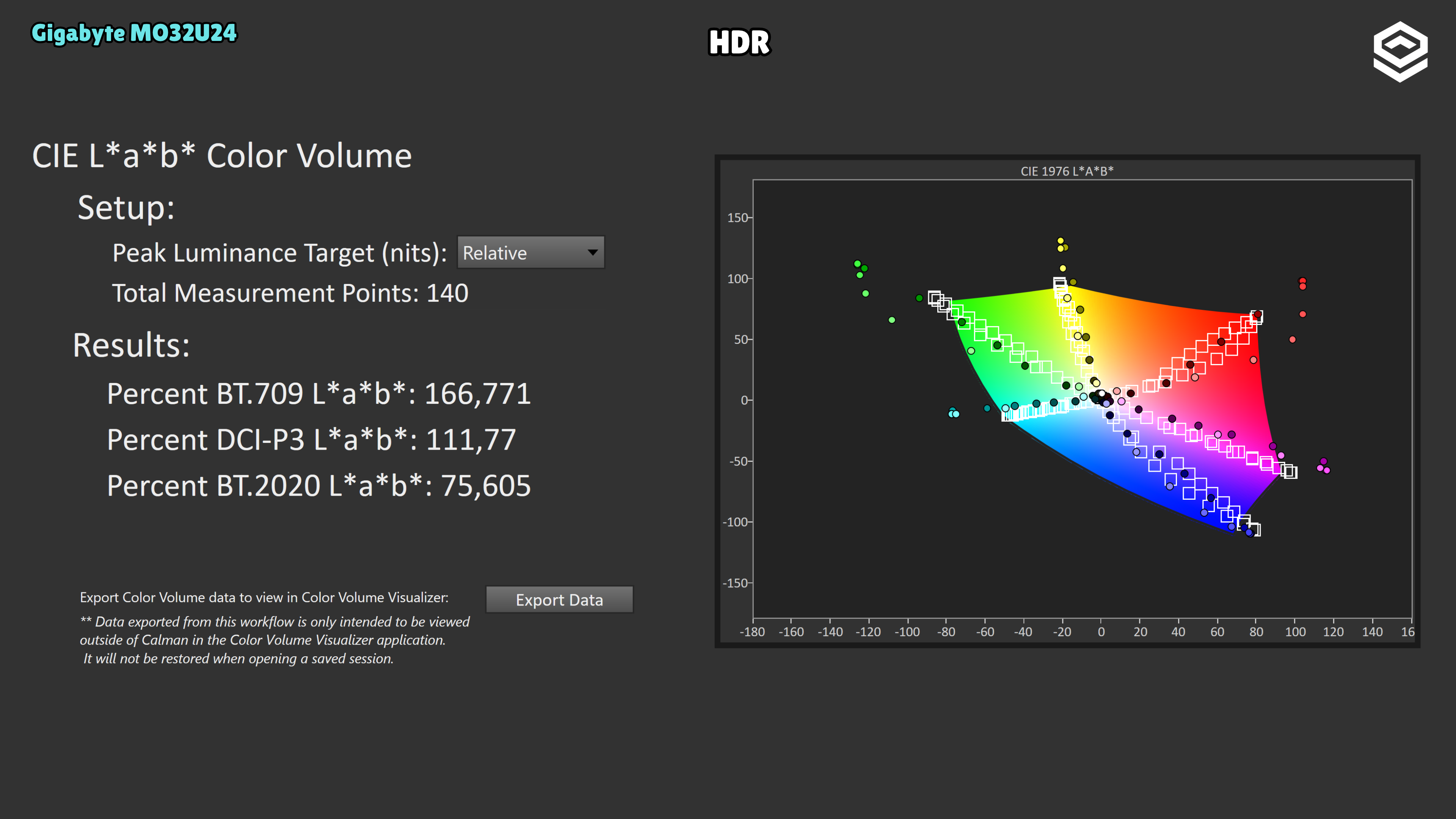
In Peak 1000 at 10% APL, HyperNits Off averages ΔITP 3.26, versus 3.96 with Medium and High, excluding luminance error. The maximum also rises from 6.66 to 10.92 and 10.66, respectively: enabling HyperNits reduces colour accuracy in this series.
Test note · EOTF tracking
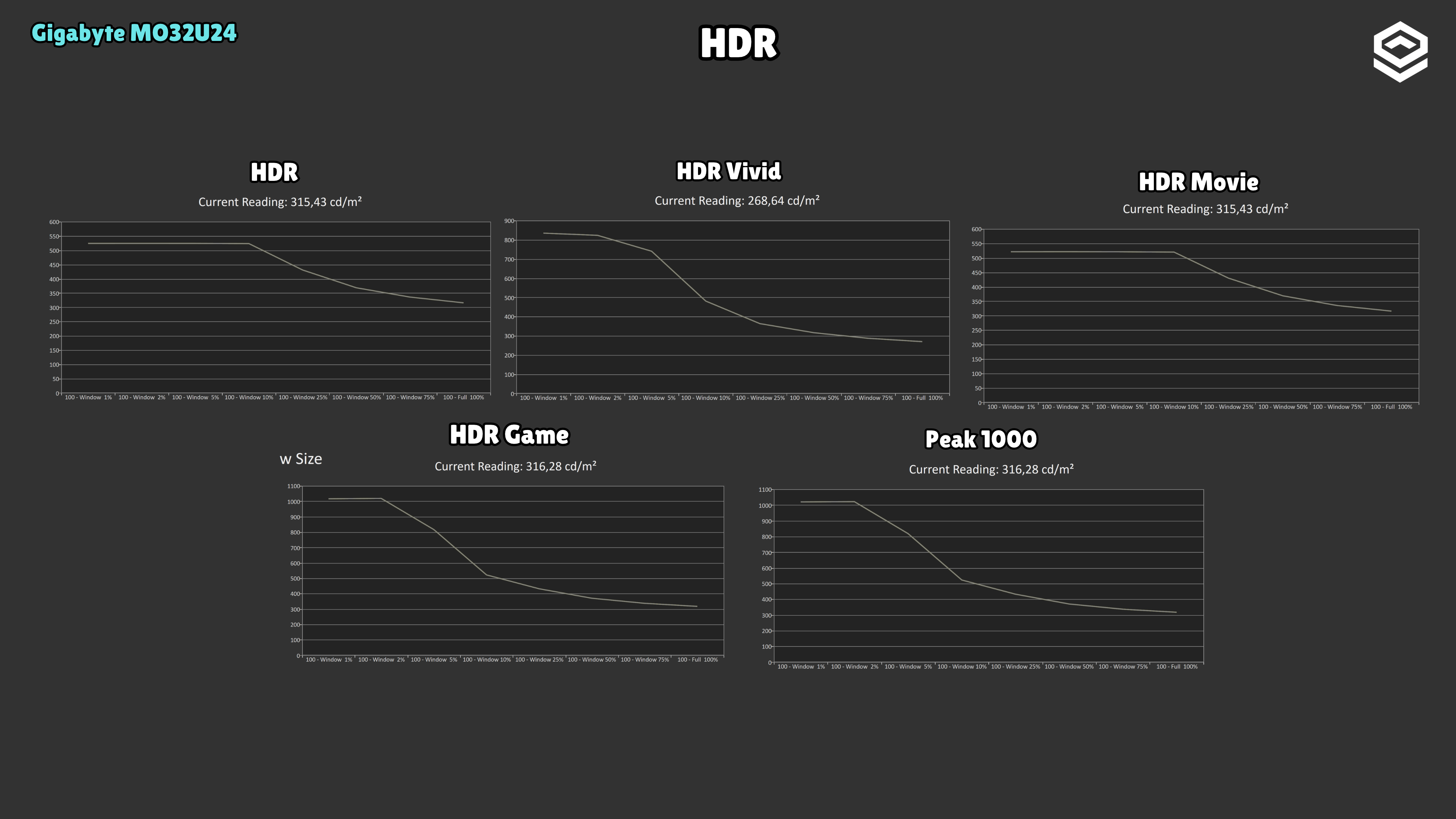
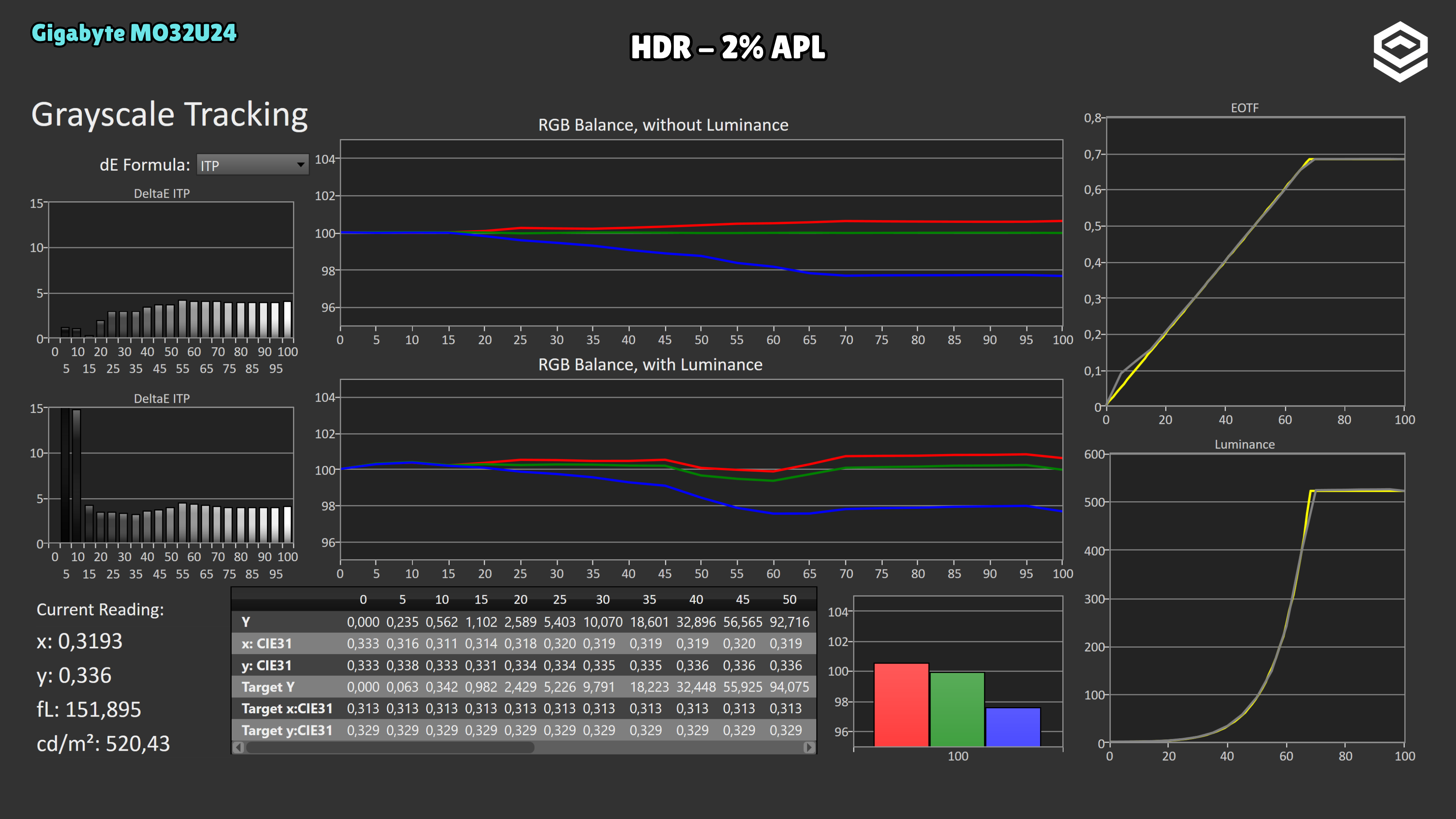
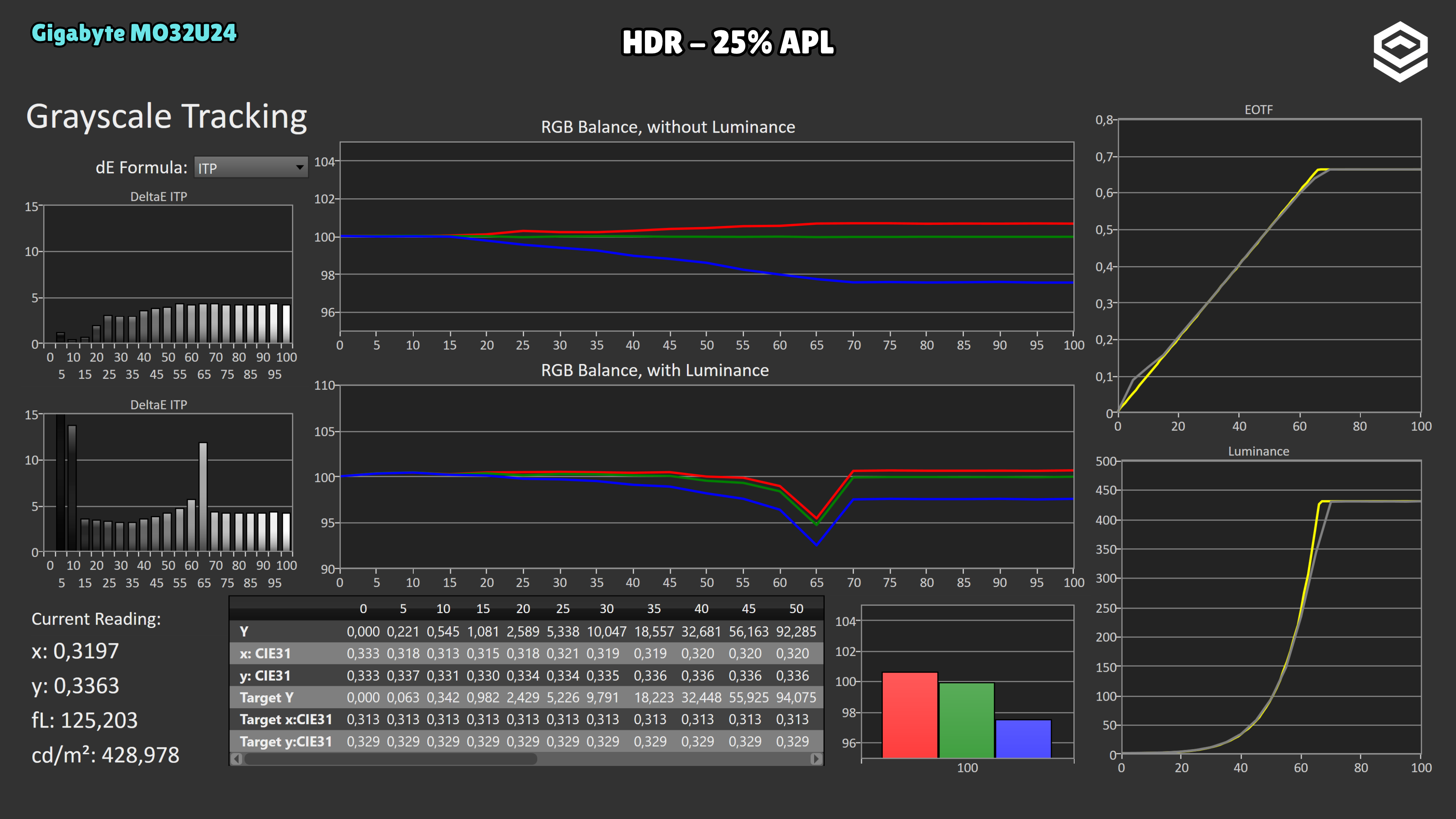
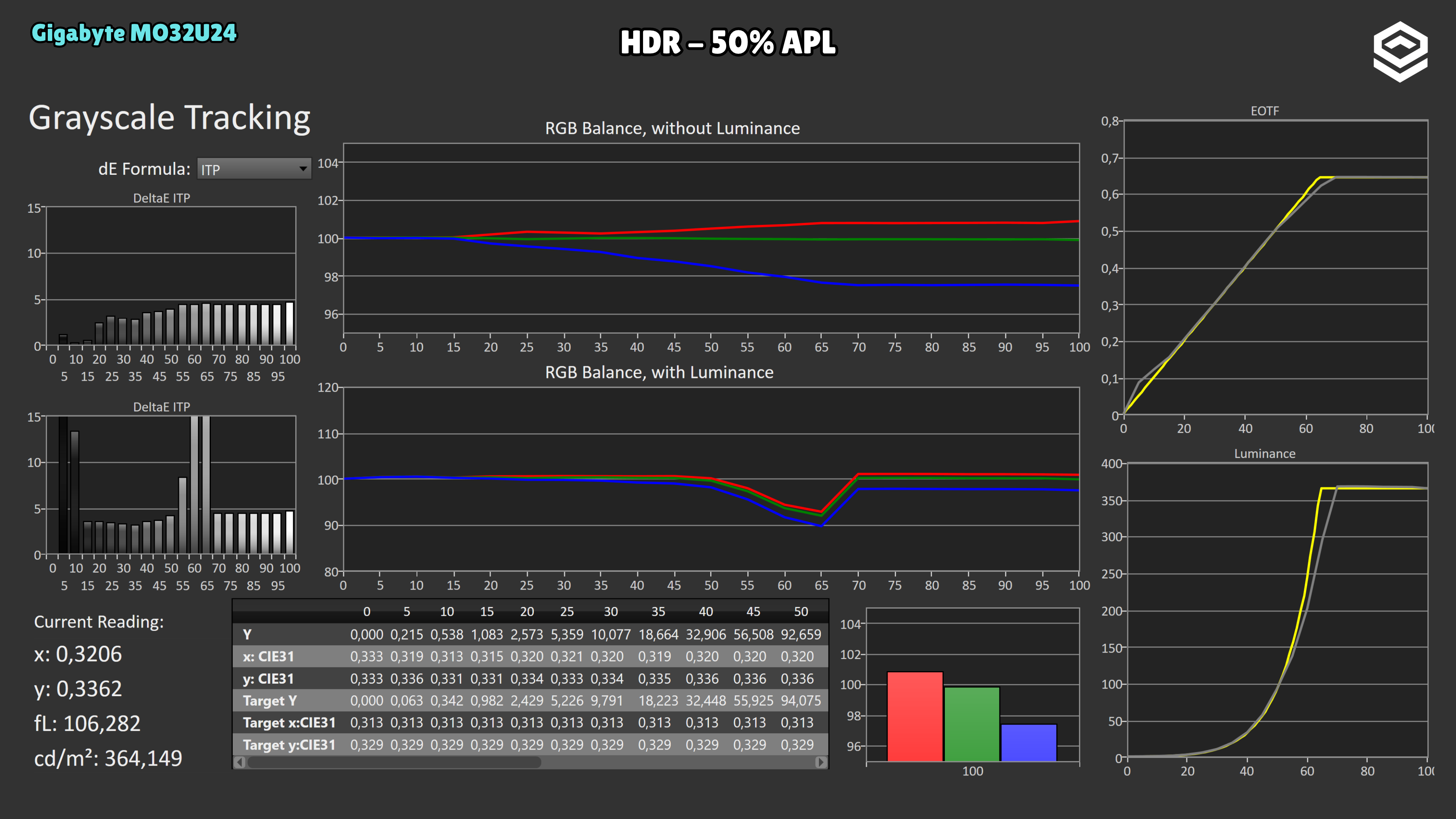
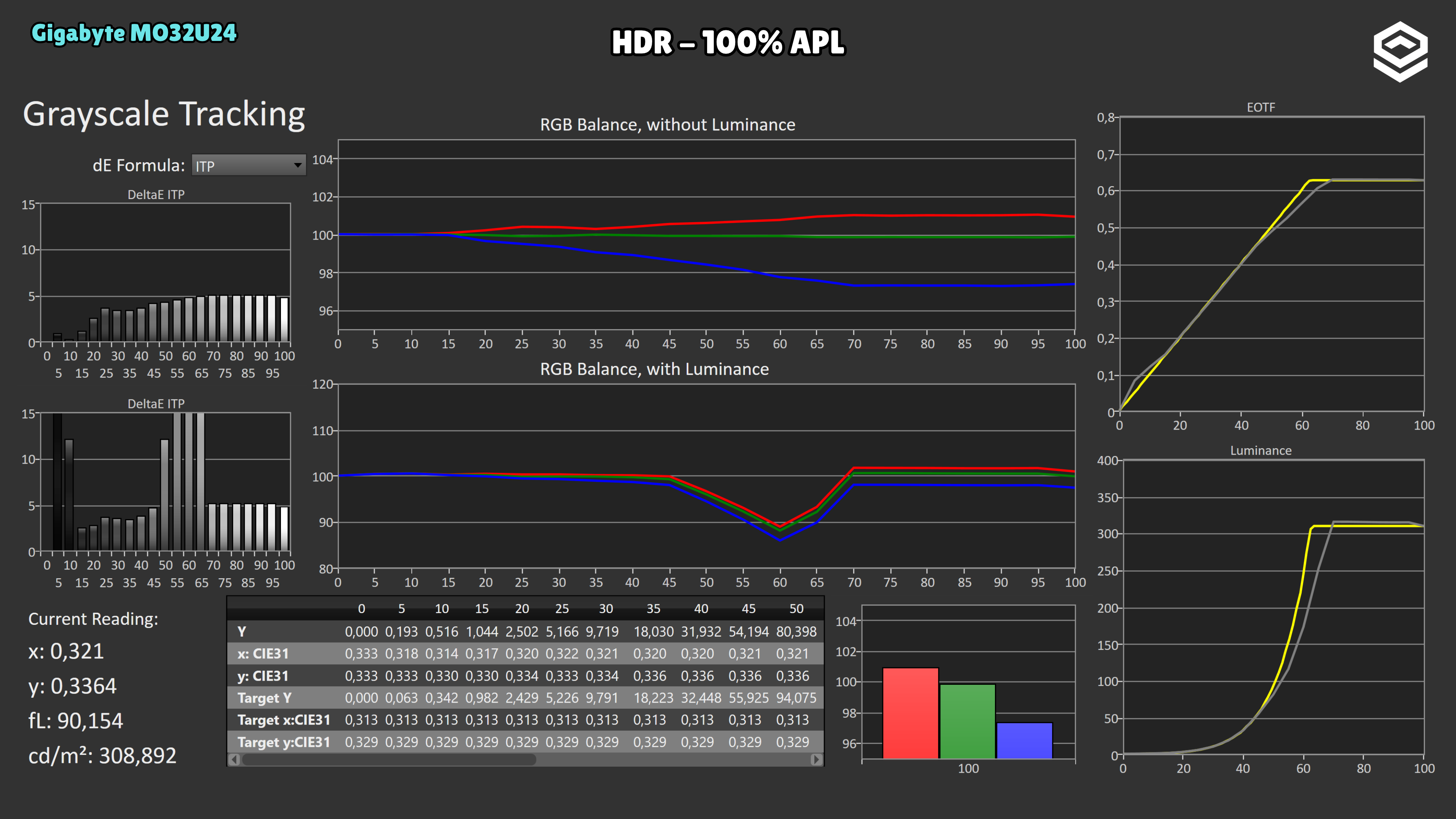
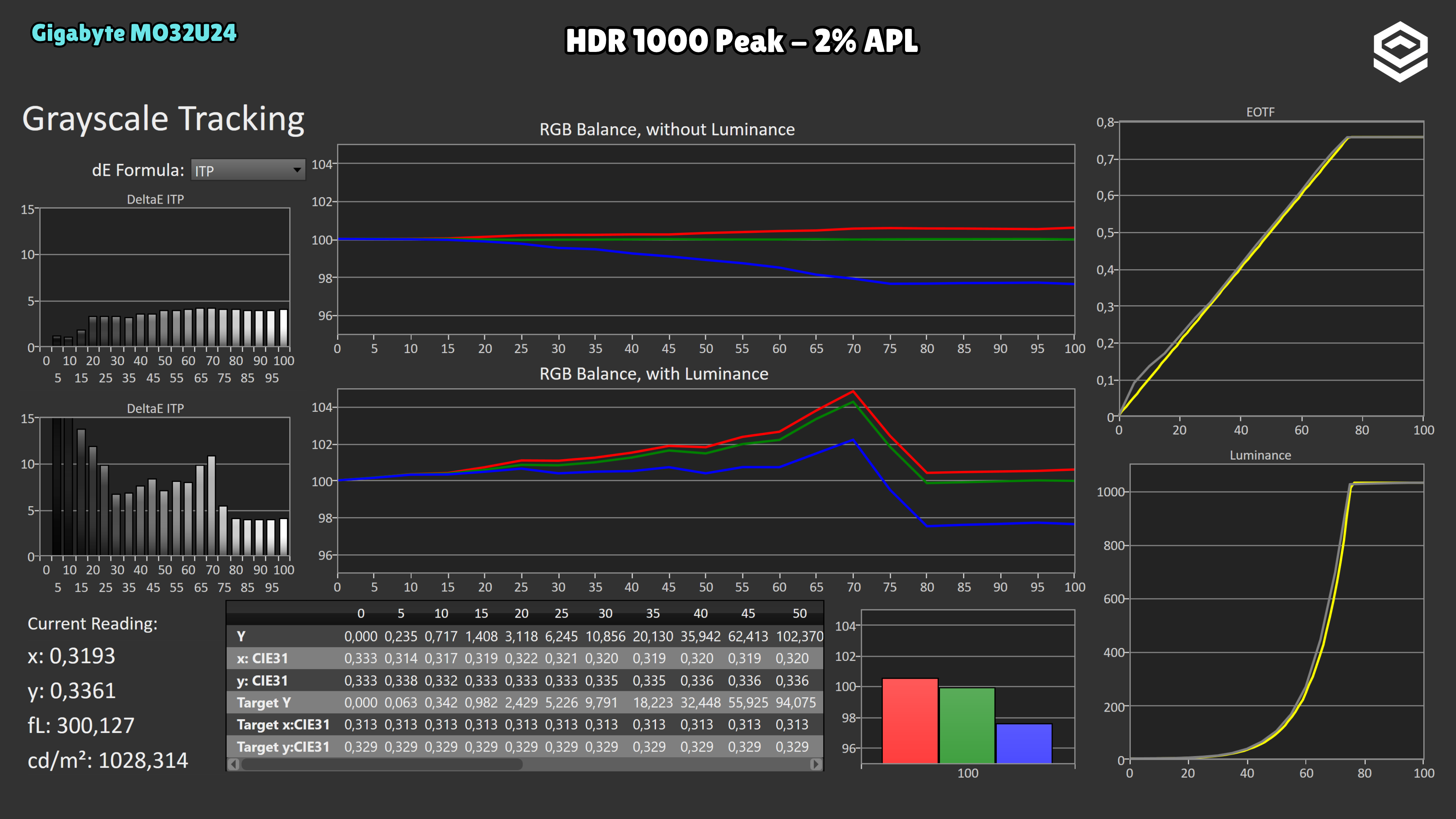
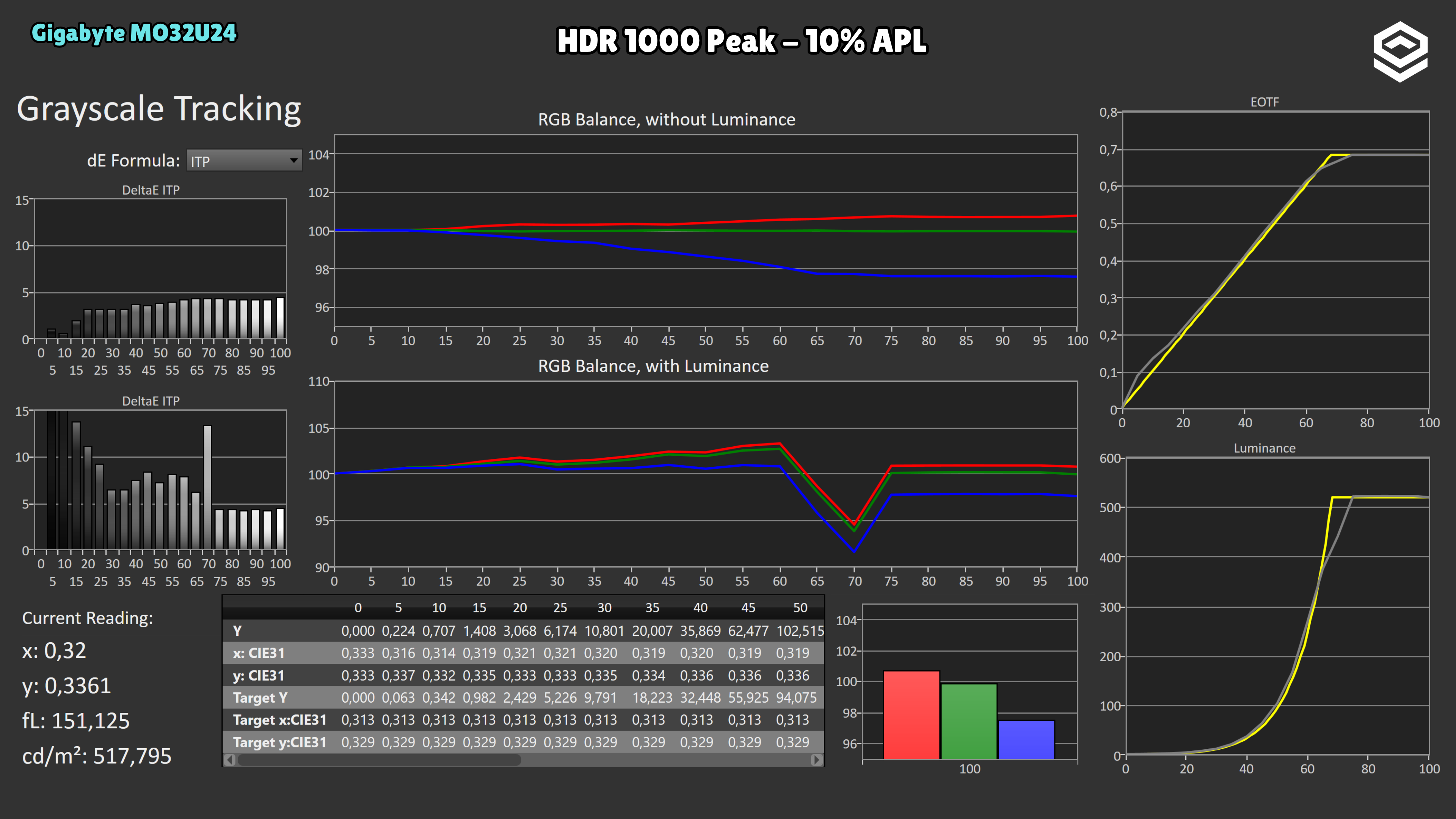
Normal HDR tracks the midtone reference well at 2% and 10% APL, although it raises the first steps near black. It reaches 518 nits at 10%; at 25%, 50% and 100% it falls to 429, 364 and 309 nits. At full screen there is also compression before the ceiling: area-dependent brightness loss and PQ tracking are separate effects.
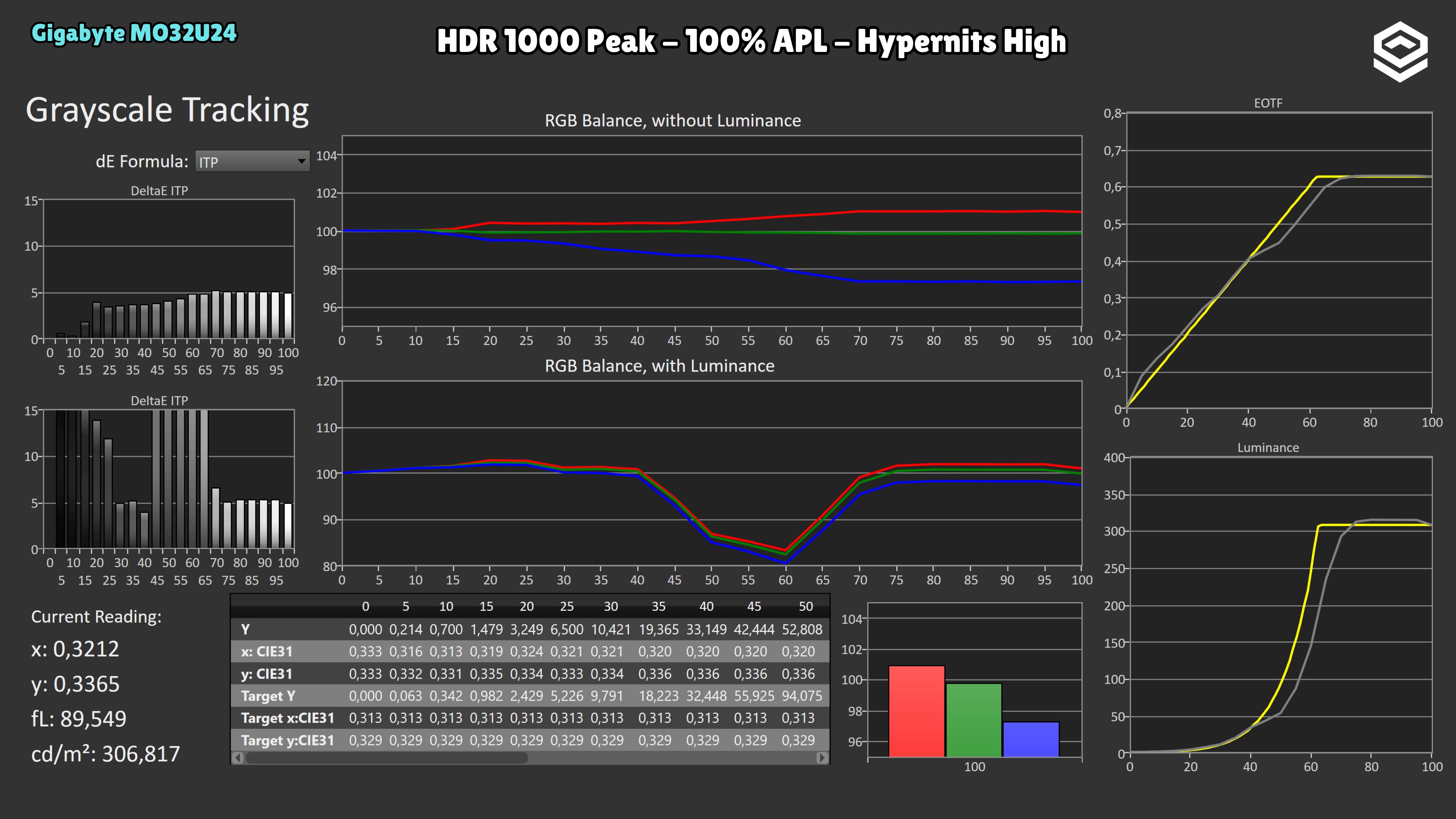
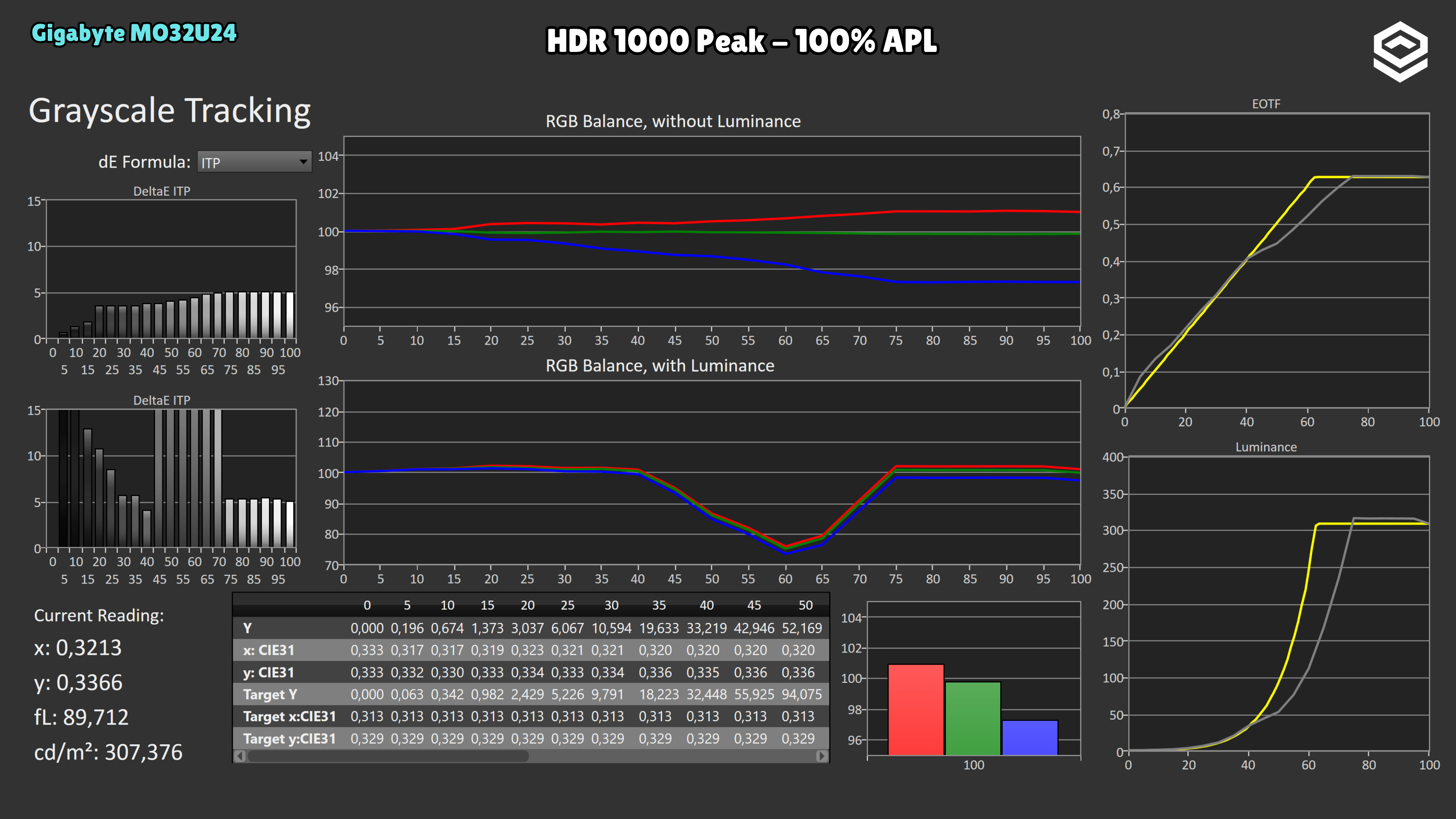
Peak 1000 reaches 1028 nits at 2%, but drops to 518 at 10% and 307 at full screen. Small windows show slightly raised midtones; at 10% there is a dip before the highlights, and at 100% darkening is much stronger: a signal level targeting 94 nits produces 52. Peak brightness alone does not describe how it renders a bright scene.
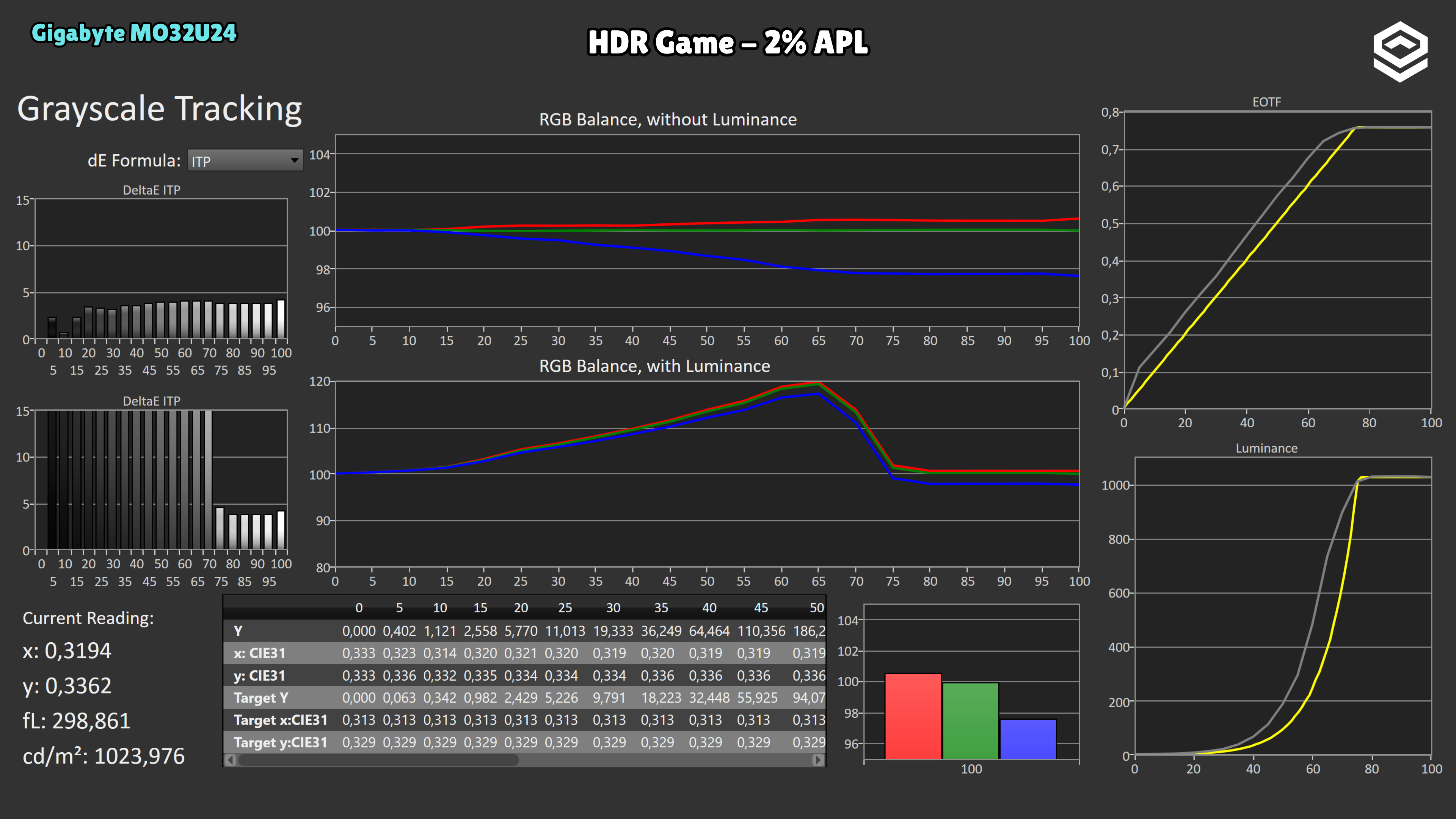
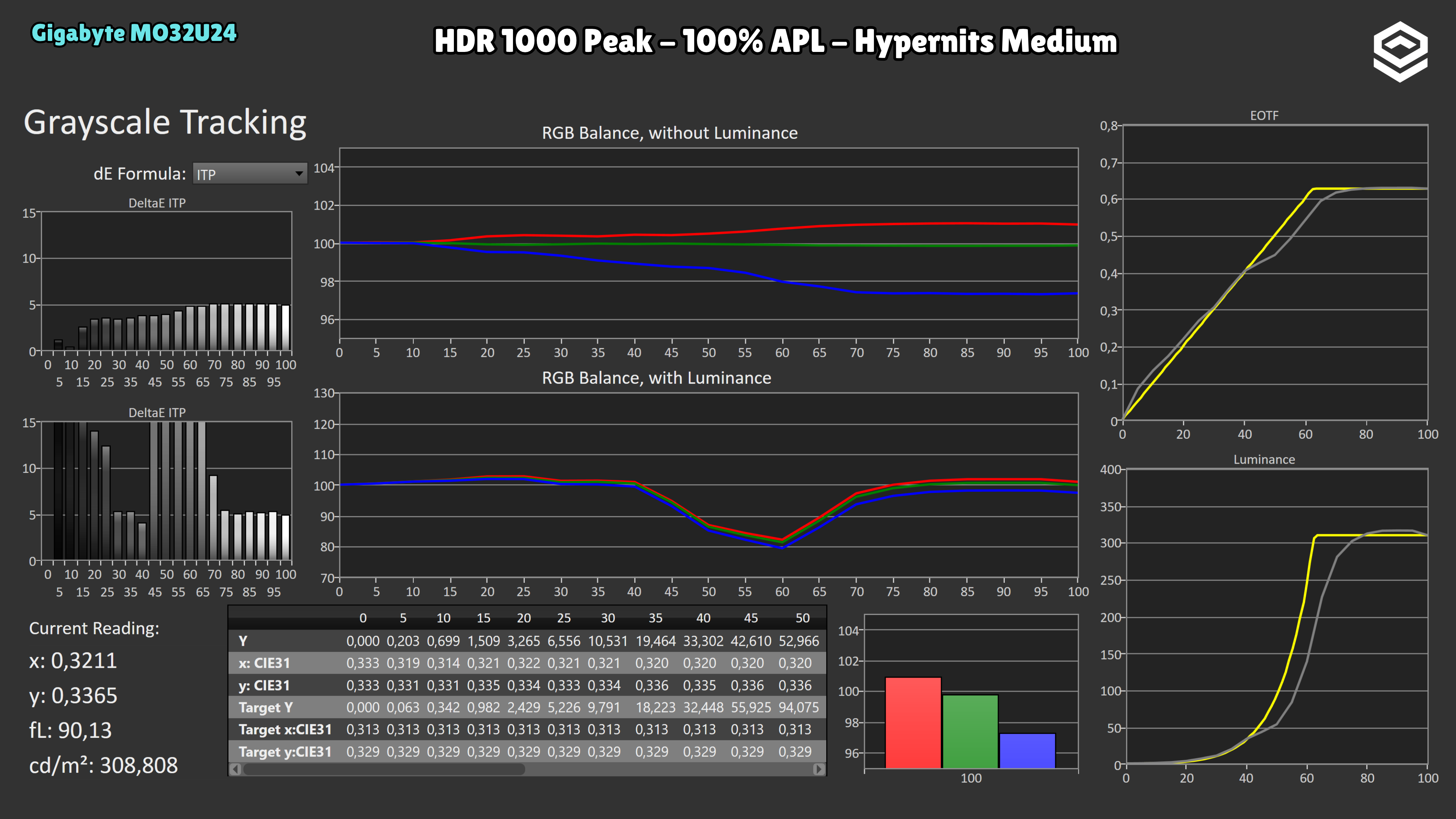
HyperNits Medium and High change the curve, especially upper midtones. They stay around 1020 nits at 2% and 520 at 10%: these measurements show no higher ceiling than Peak 1000. High raises much of the transition towards highlights above PQ. For fidelity, normal HDR is the most balanced reference in this series.
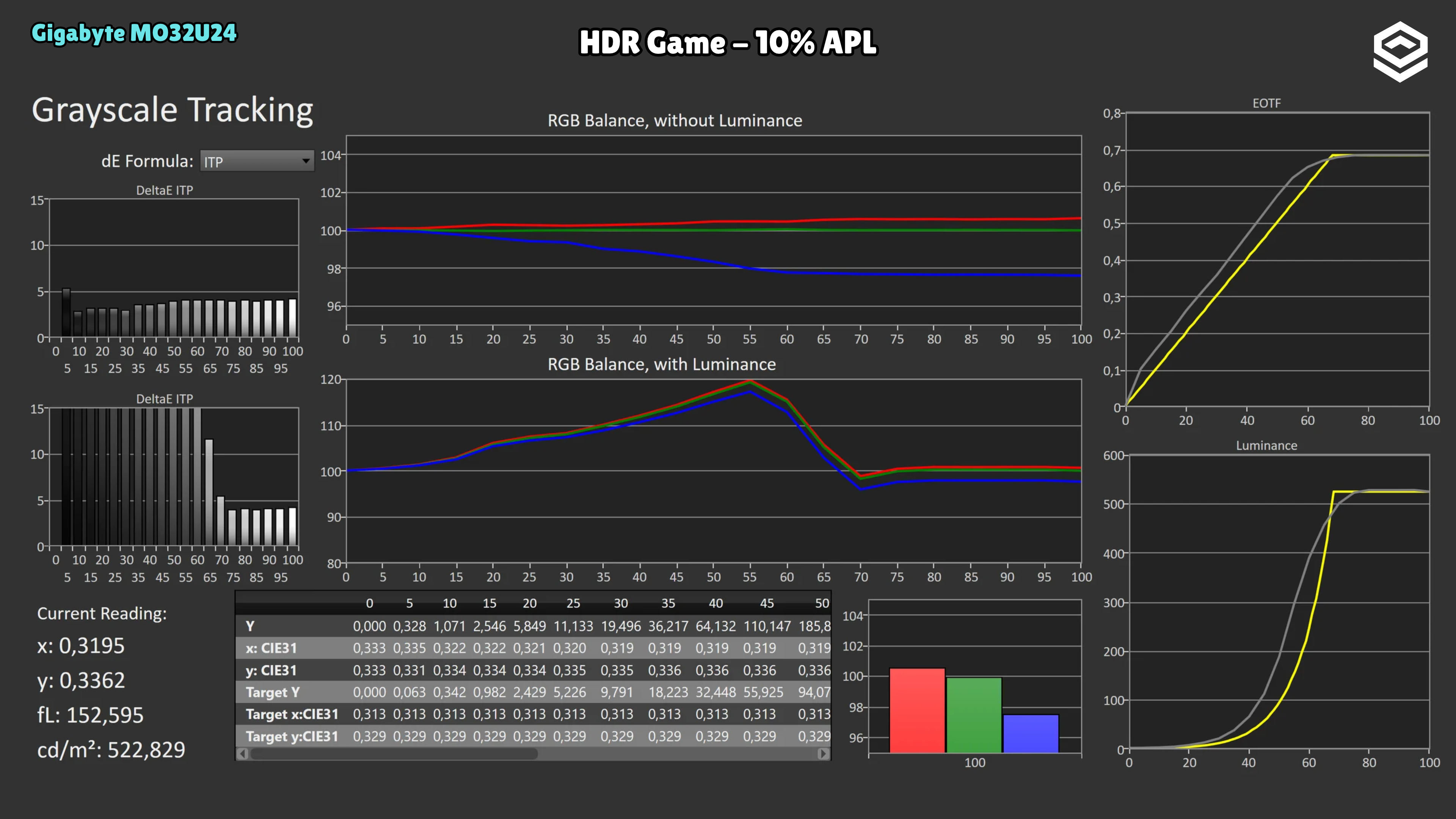
HDR Game at 10% reaches 523 nits, but raises midtones substantially: where the reference calls for 32 nits it produces 64. The brighter scene comes from departing from PQ tracking, rather than a higher peak than normal HDR.
OLED brightness
Datos específicos de brillo en OLED, APL y desbloqueos relevantes.
Test note · SDR 100% APL
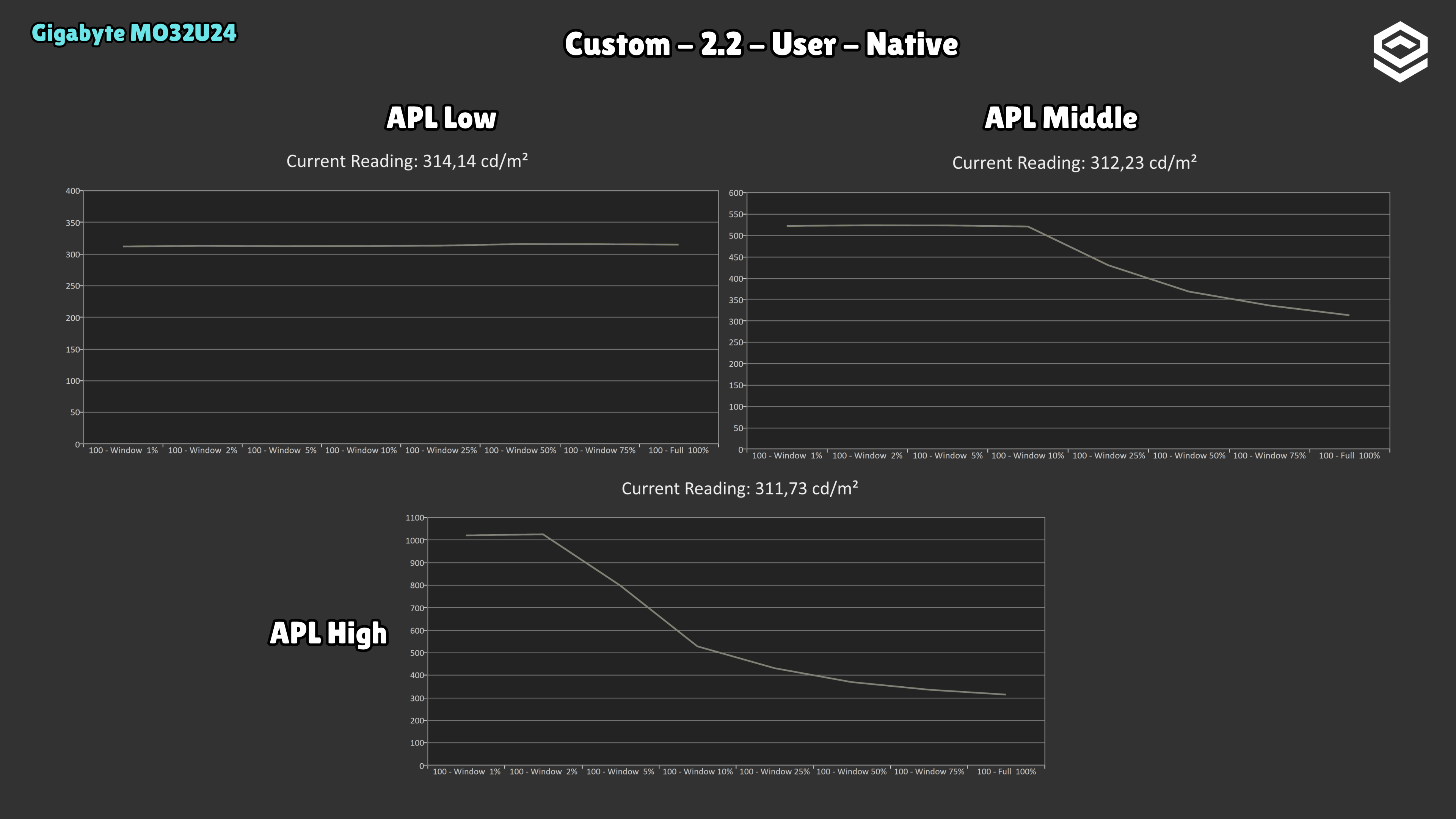
APL Stabilize on Low keeps brightness around 314 nits as the white area changes, making it the most stable desktop option. Middle allows around 520 nits and High around 1000 in small windows, but both return to about 312 nits at full screen. Raising this setting increases brightness variation with content.
Response time and PC gaming
Overdrive, tiempo de respuesta, overshoot, VRR e input lag.
PS5 and consoles
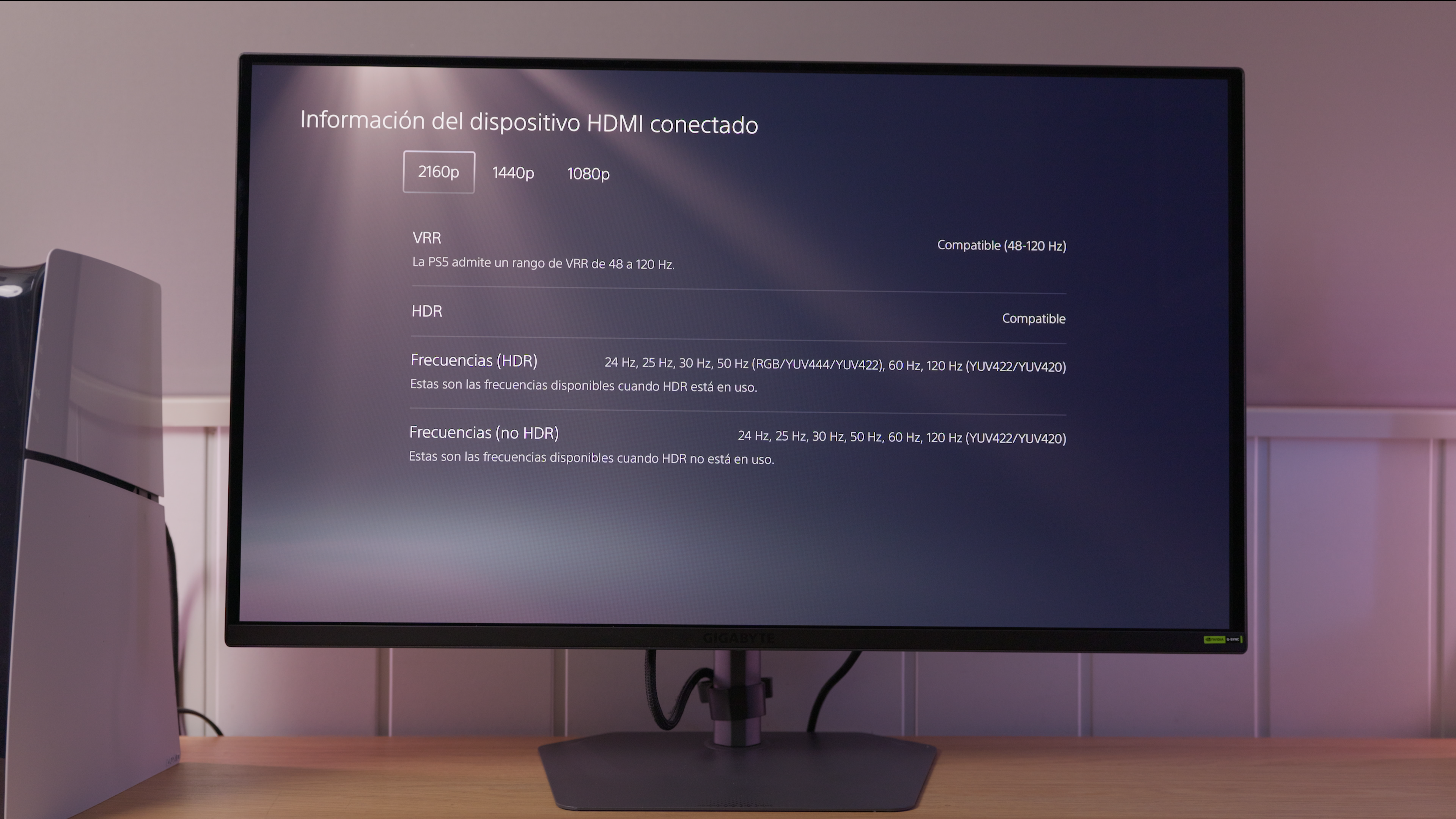
Compatibilidad con VRR, ALLM y resoluciones permitidas.
OLED characteristics
Subpíxel, claridad de texto, protecciones y limitaciones del panel.
Connectivity
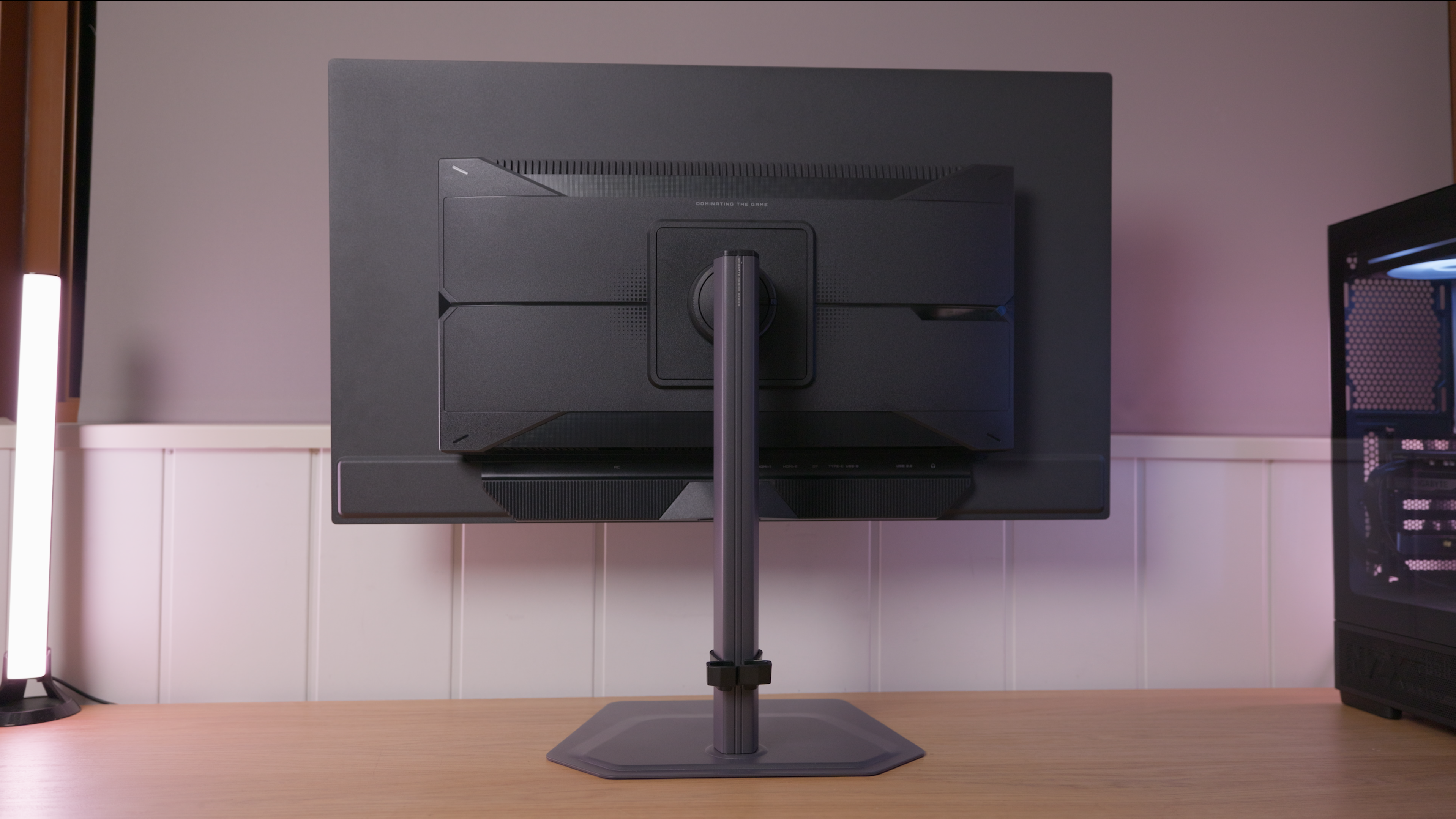
Entradas de vídeo, USB-C, KVM, hub USB y extras de conexión.
Stand, mounting and extras
Calidad física, ergonomía, VESA y detalles destacables.
Tested unit
These details identify the reviewed unit; other units may use different revisions.
Photos and test results
Open an image to view the full-size charts and browse the tests.
Grayscale and gamma
Colour gamut and accuracy
Brightness and contrast
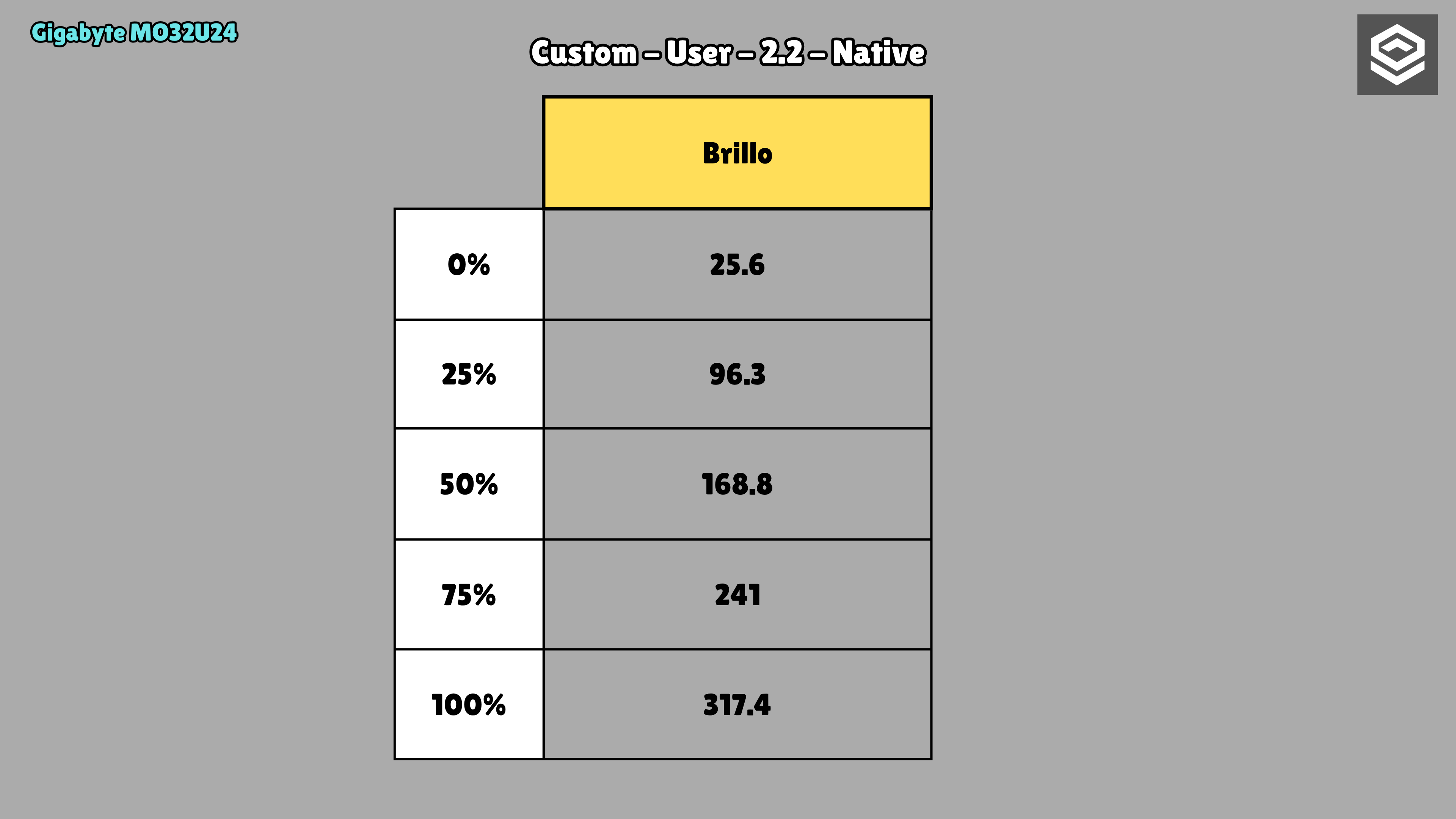
Brightness and uniformity
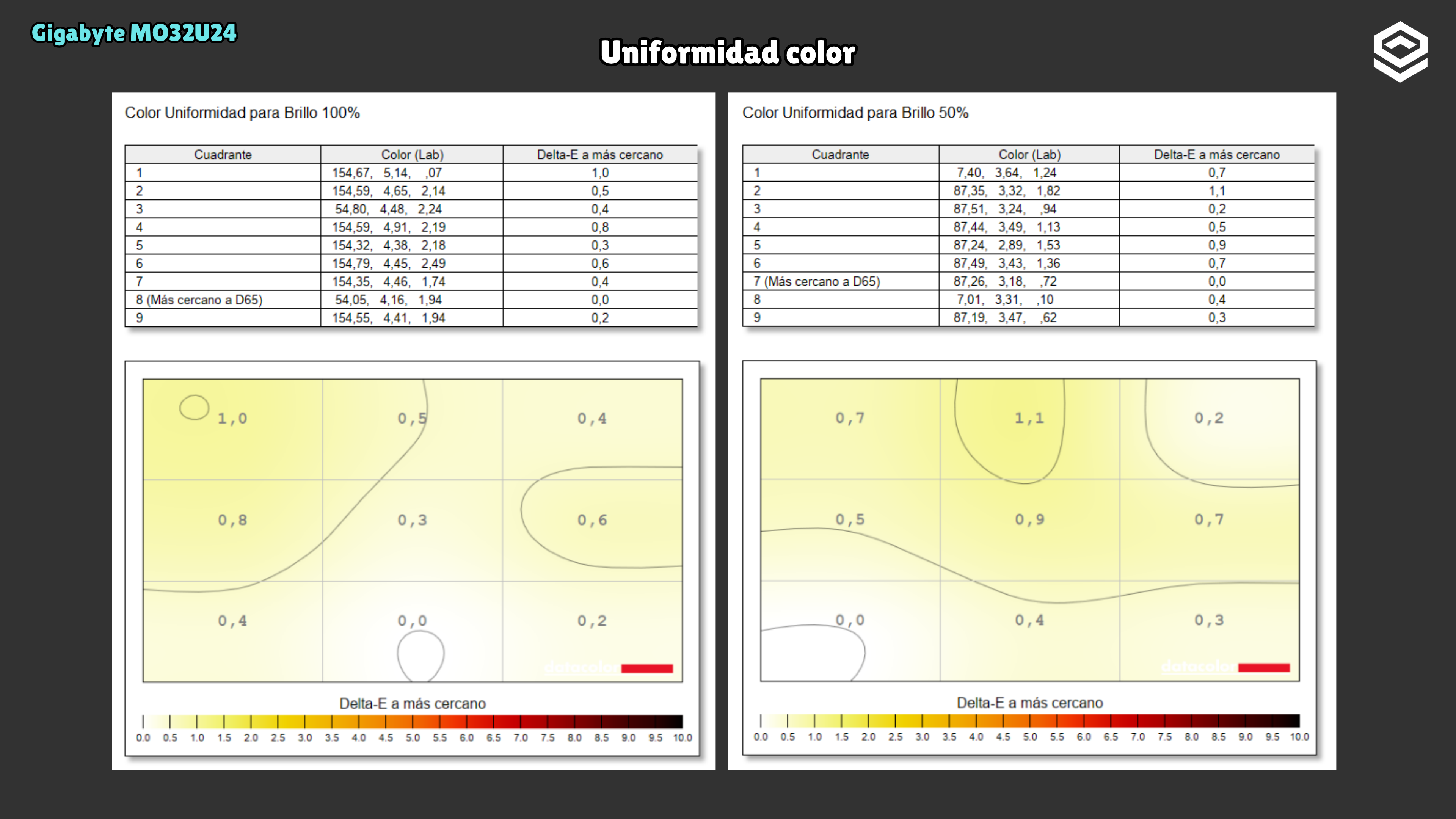
Calibration
HDR luminance
Luminance and EOTF
HDR colour
Response time, motion and latency
Motion clarity
Input lag
Alternatives
Other options, each with its own specifications and test results.