Tested by IMartz
ASUS ROG XG32UQWMS
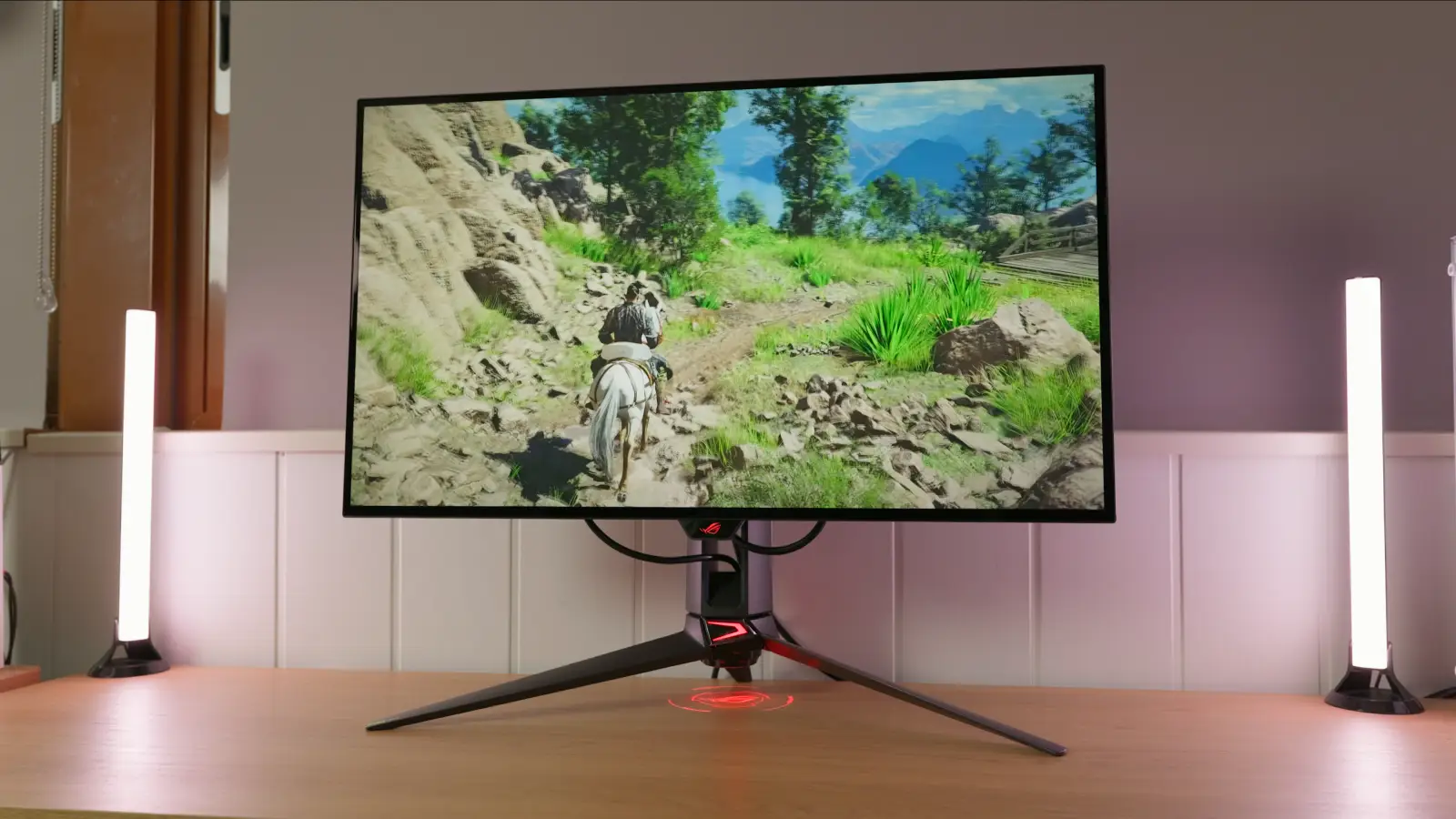
31.5-inch glossy Tandem WOLED with 4K at 240 Hz and 1080p 480 Hz Dual Mode, tested by IMartz. Update to MCM102: it fixes excessively dark shadows in SDR and, especially, HDR.
PanelTandem WOLED
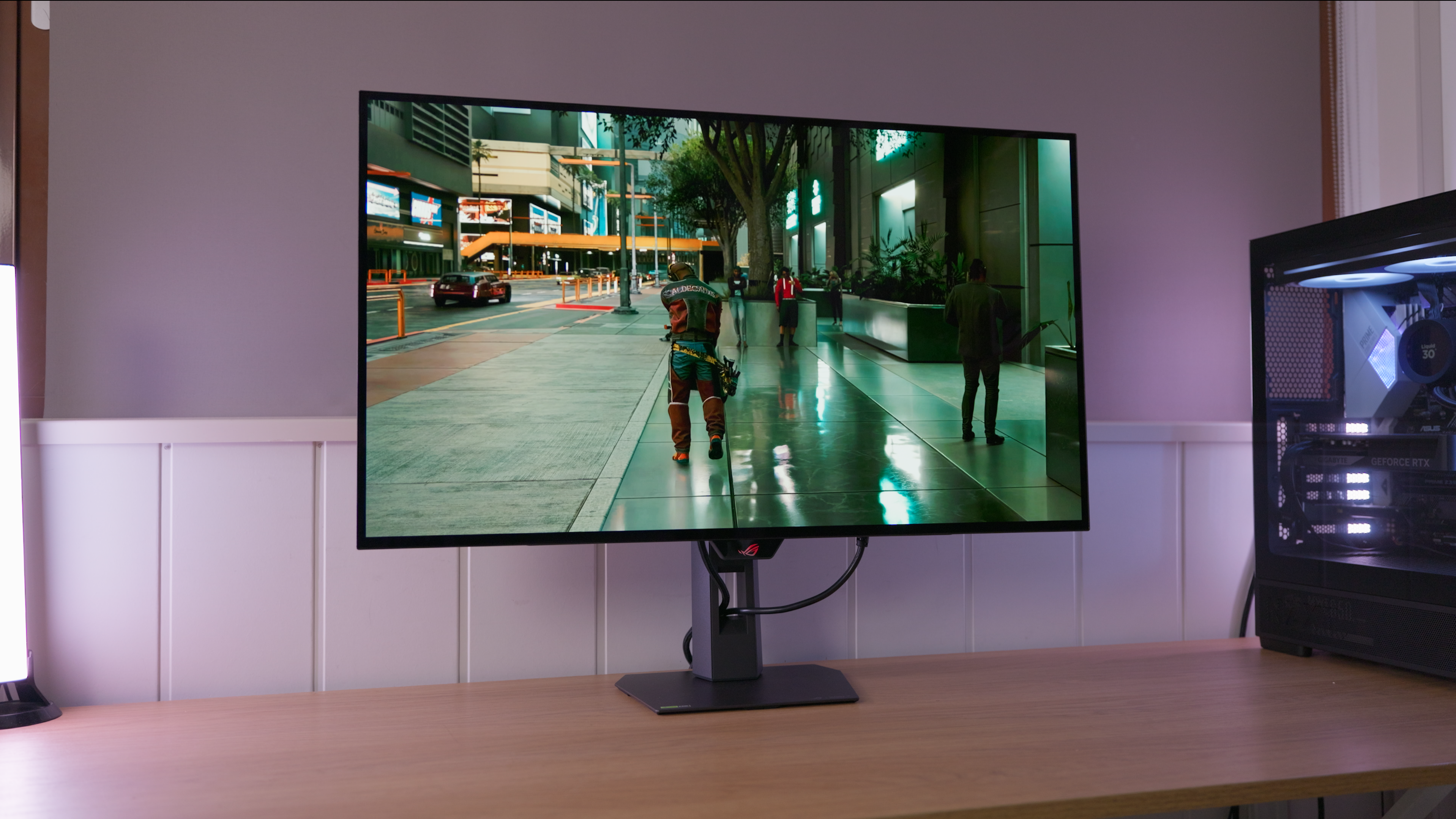
A glossy surface. Reflections tend to look more defined; avoid windows or lights facing the screen.
Choose between two resolution and refresh-rate modes: one prioritises detail and the other a higher refresh rate. See the specifications for the available combinations.
IMartz verdict
Pros
- Combines 4K detail with a high-refresh mode for competitive gaming.
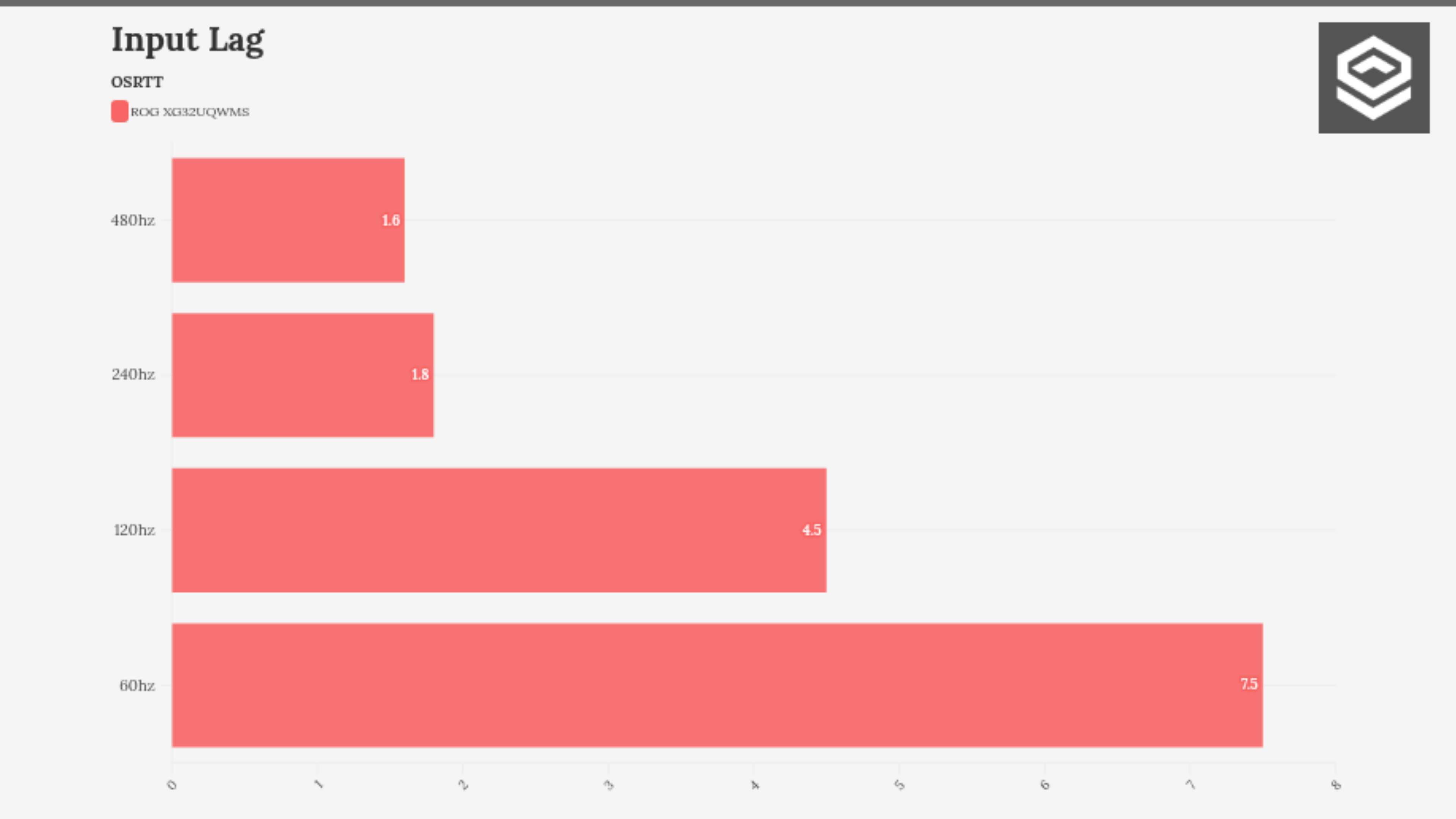
- Fast response and low input lag in IMartz’s tests.
- MCM102 fixes excessively dark shadows.
Things to consider
- Update the firmware before judging picture quality.
- Increasing HDR brightness adds impact but changes midtone luminance.
- The USB cable required for firmware updates was not included.
A good fit if…
- You want to switch between detailed 4K games and competitive titles at 480 Hz.
Consider another option if…
- You need USB-C video and power delivery for a laptop.
Measurements and specifications
IMartz test results. See each section for the measurement conditions.
Display and format
SDR performance
Color, brillo, contraste y comportamiento básico fuera de HDR.
Test note · DCI-P3 accuracy
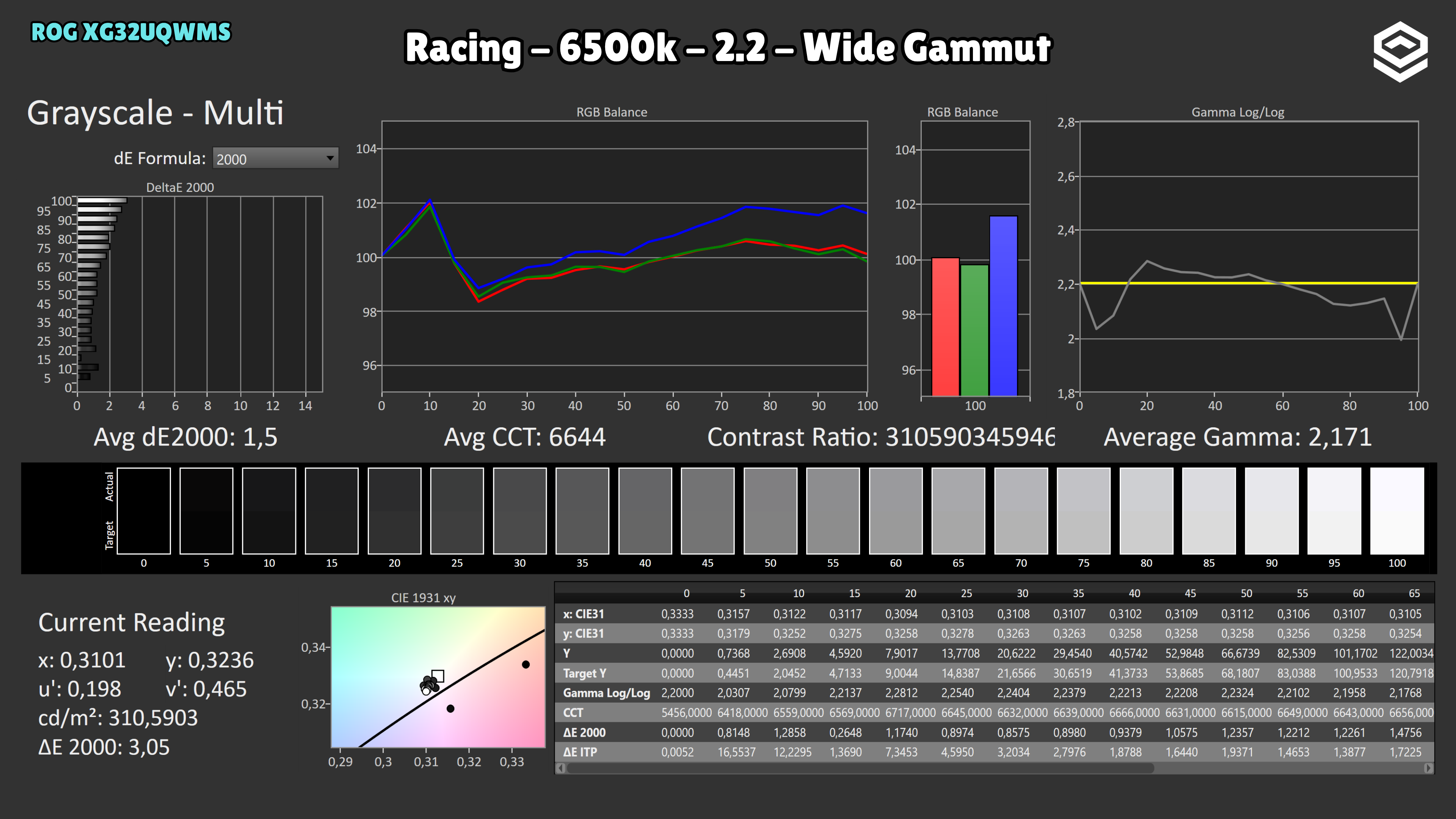
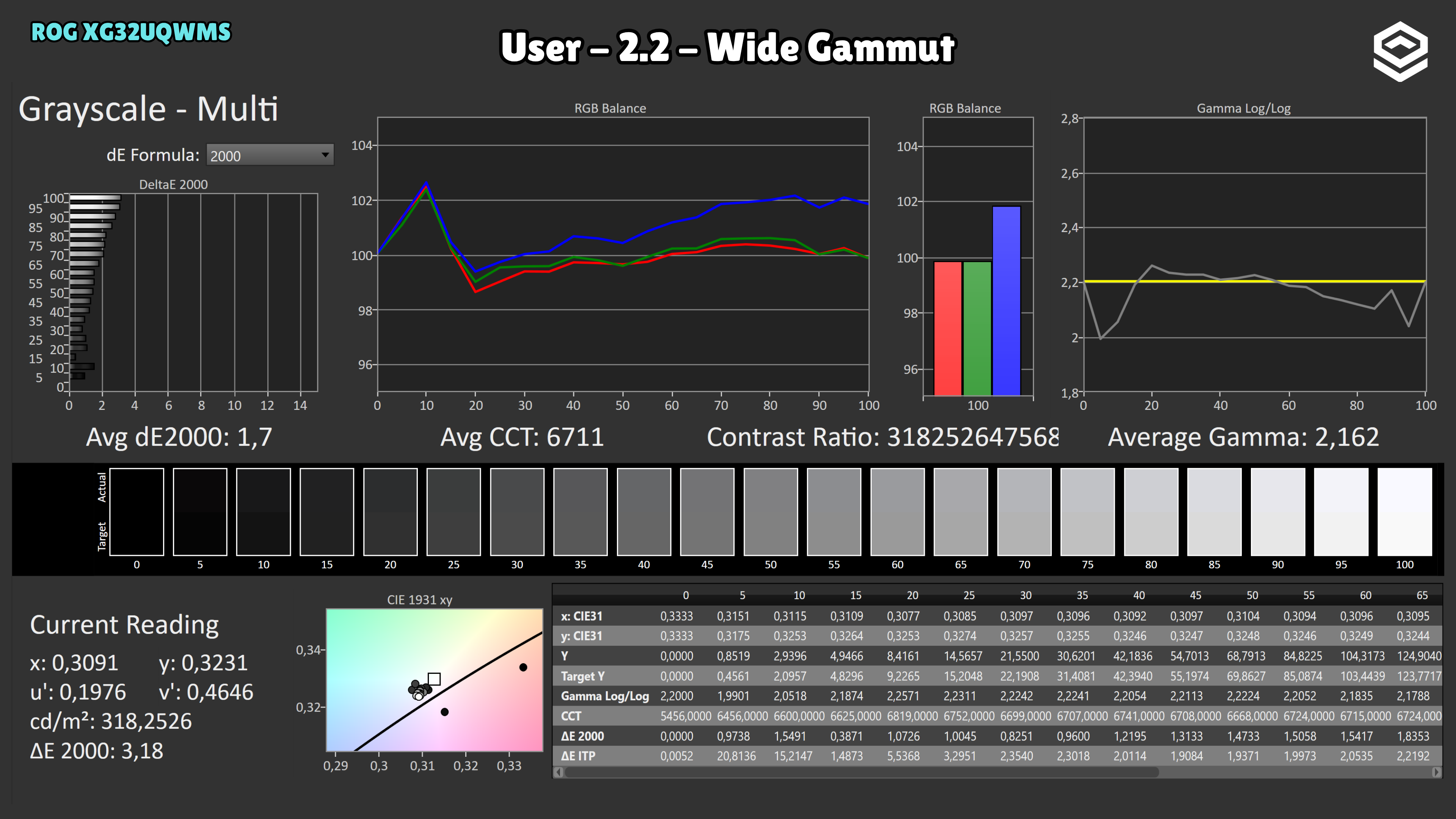
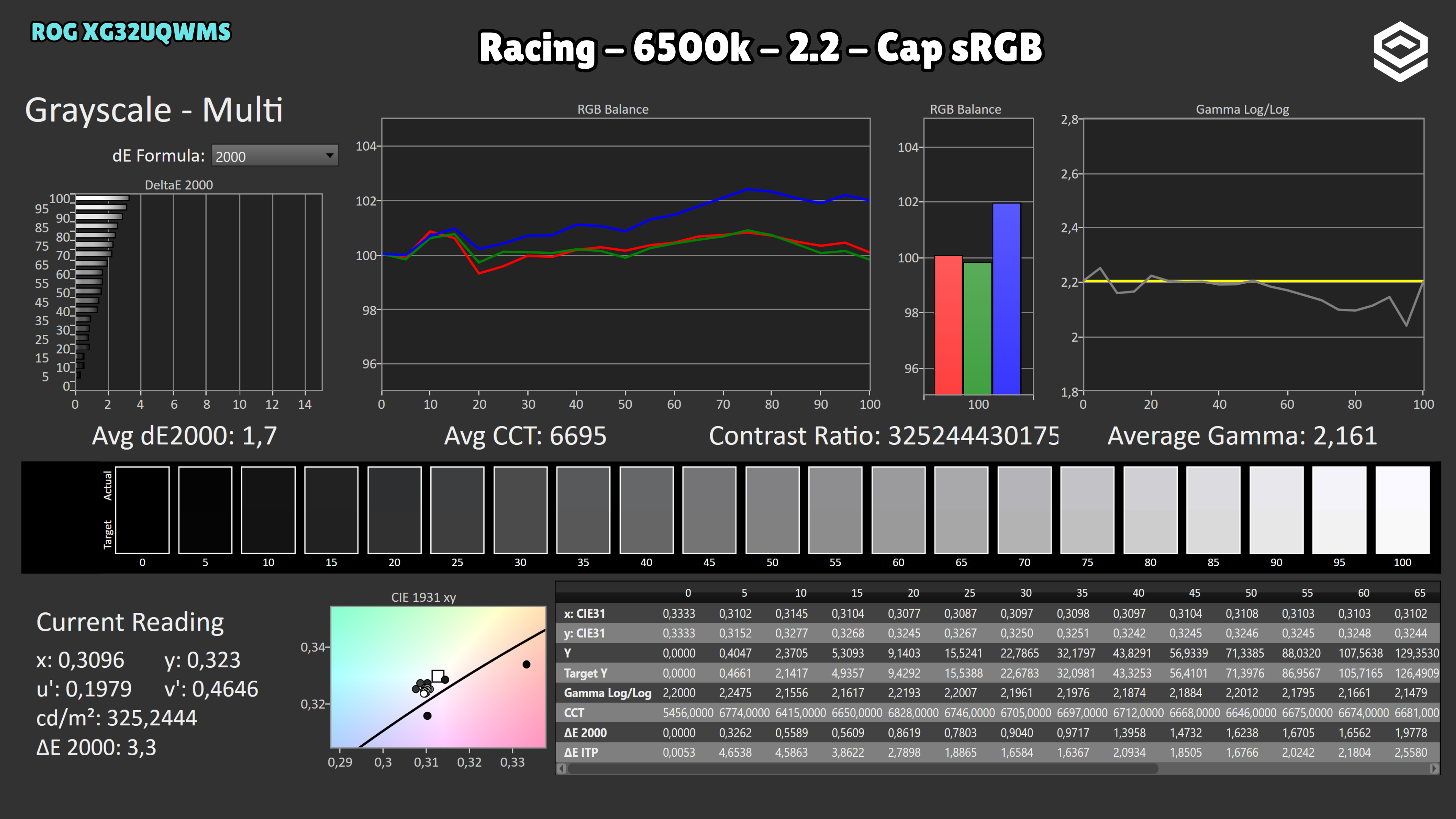
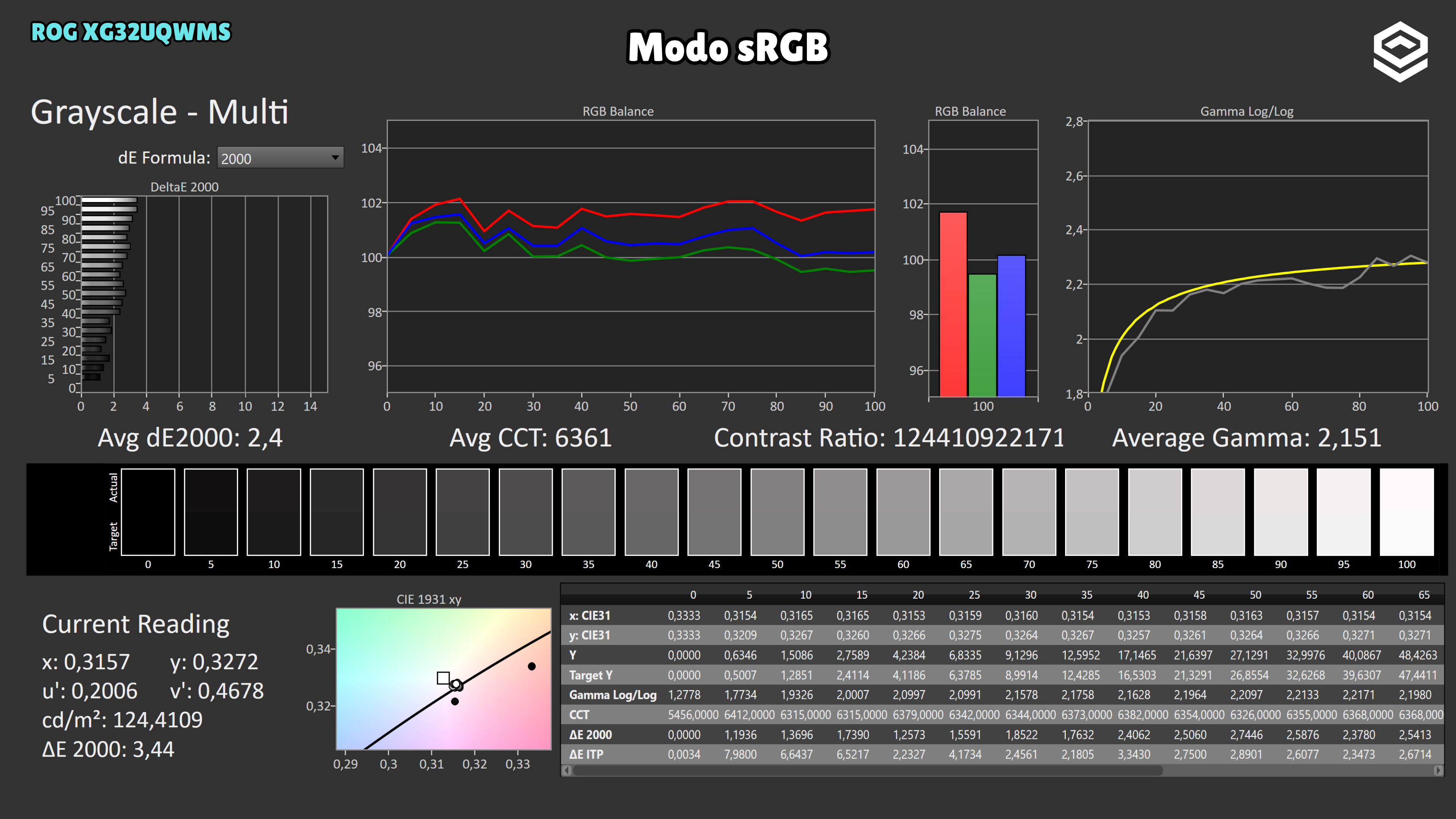
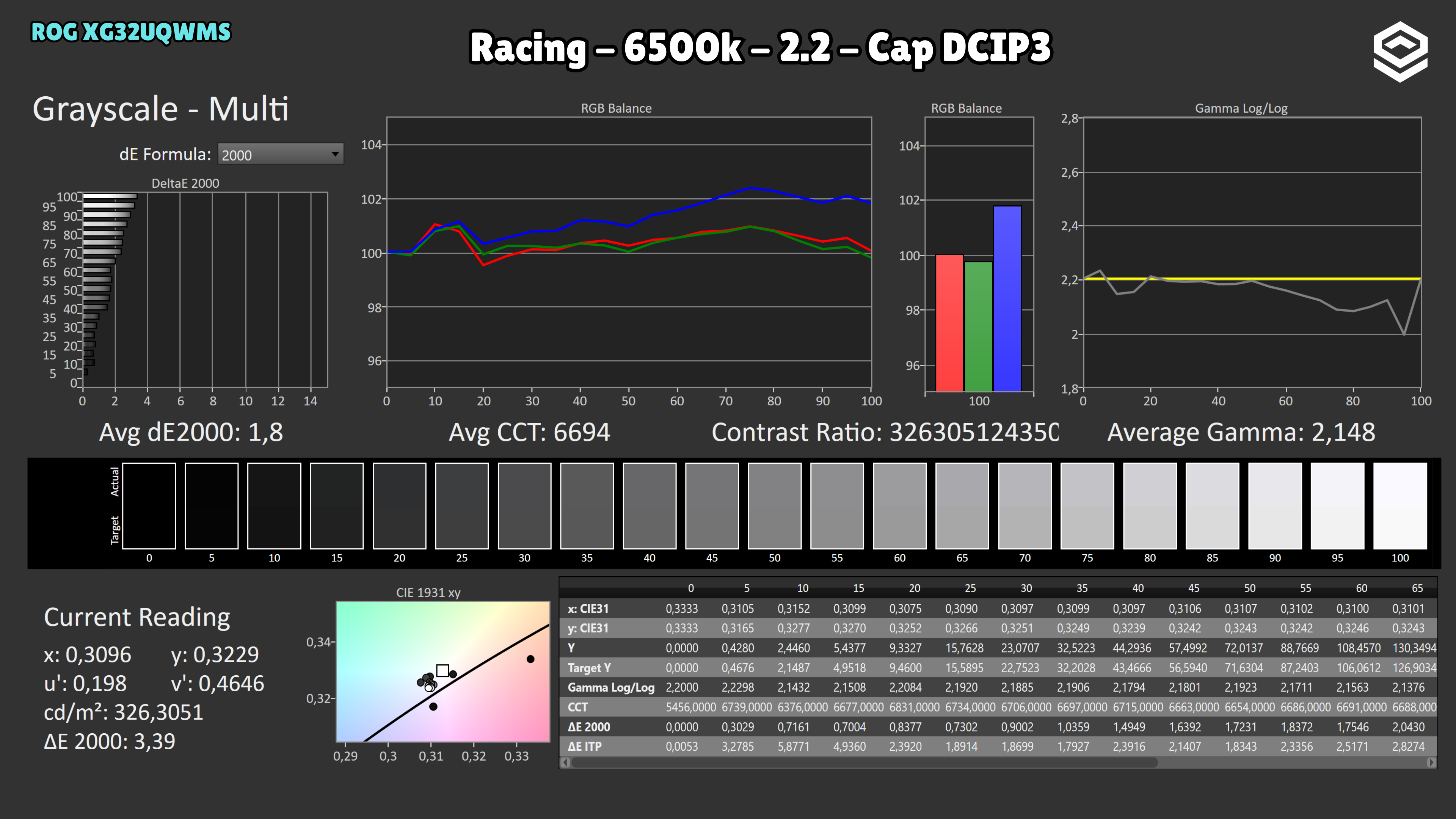
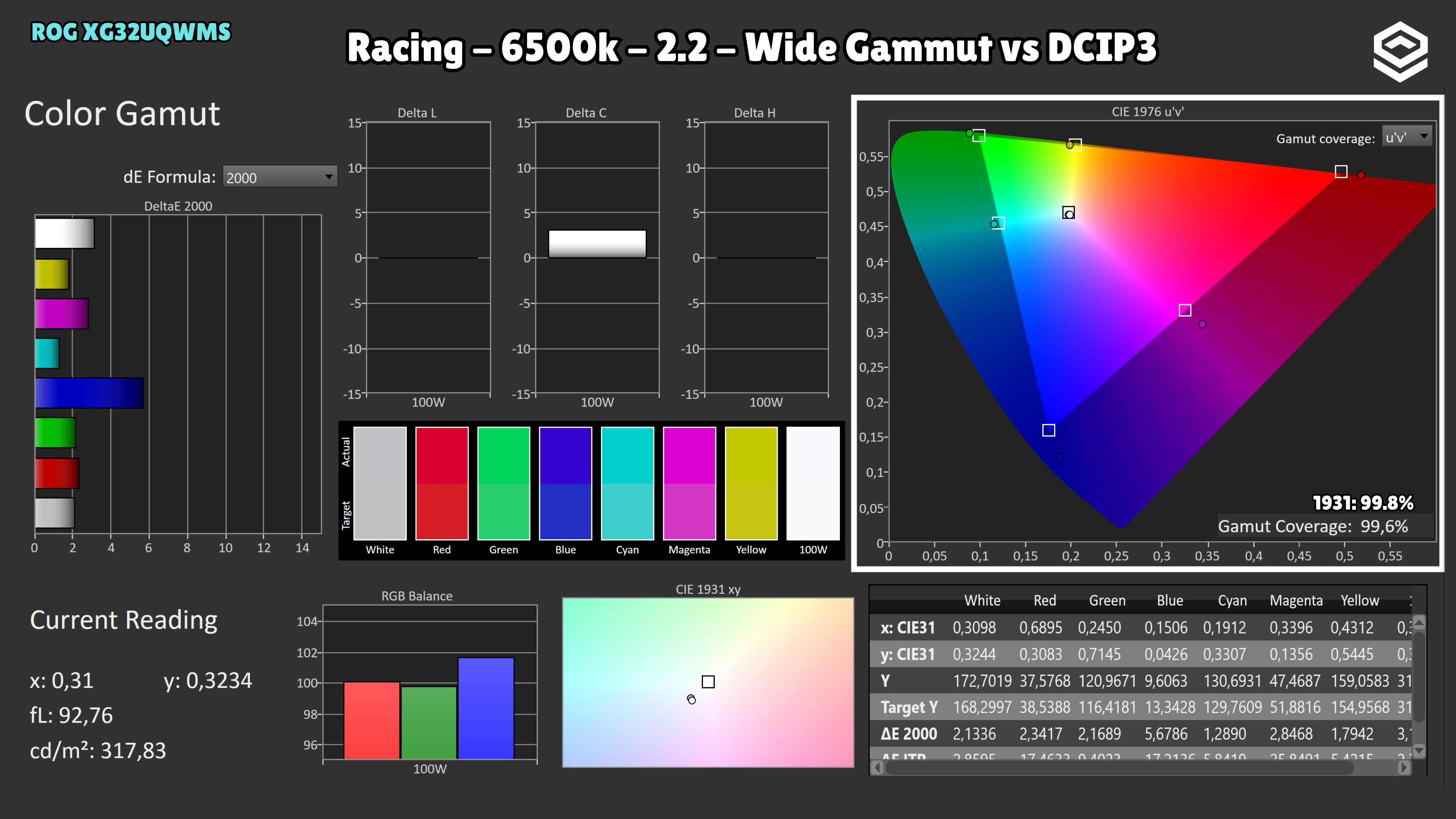
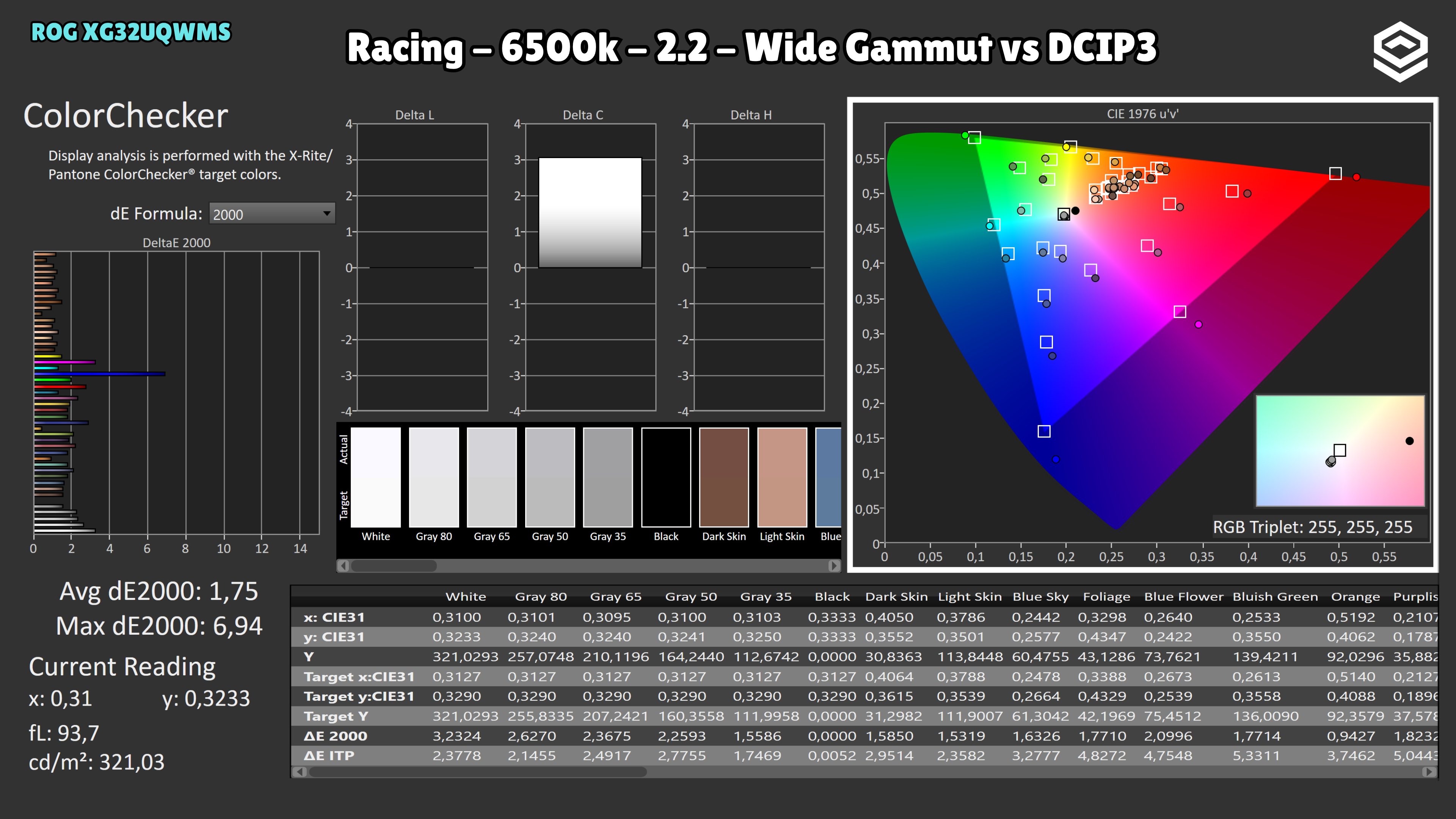
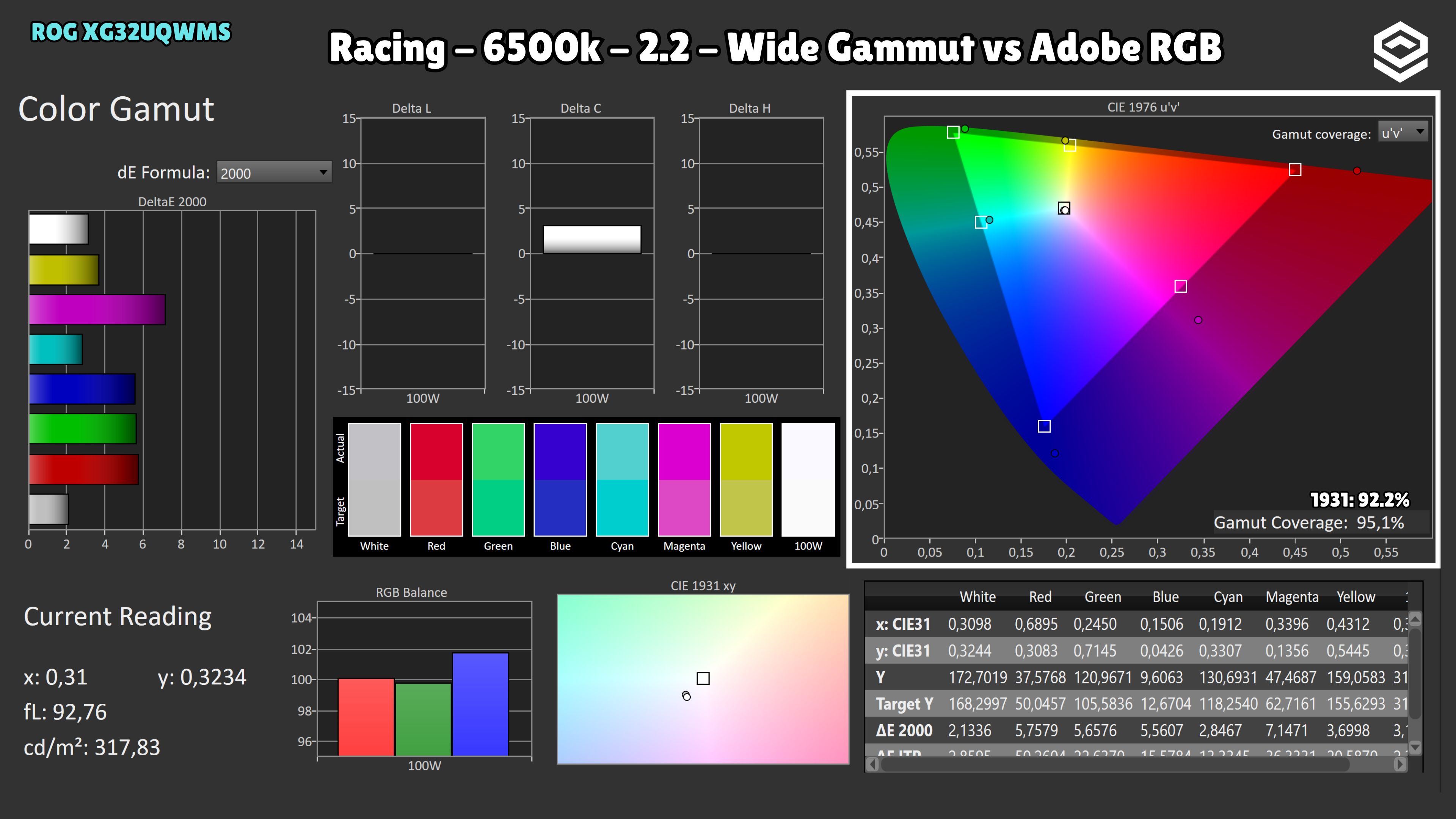
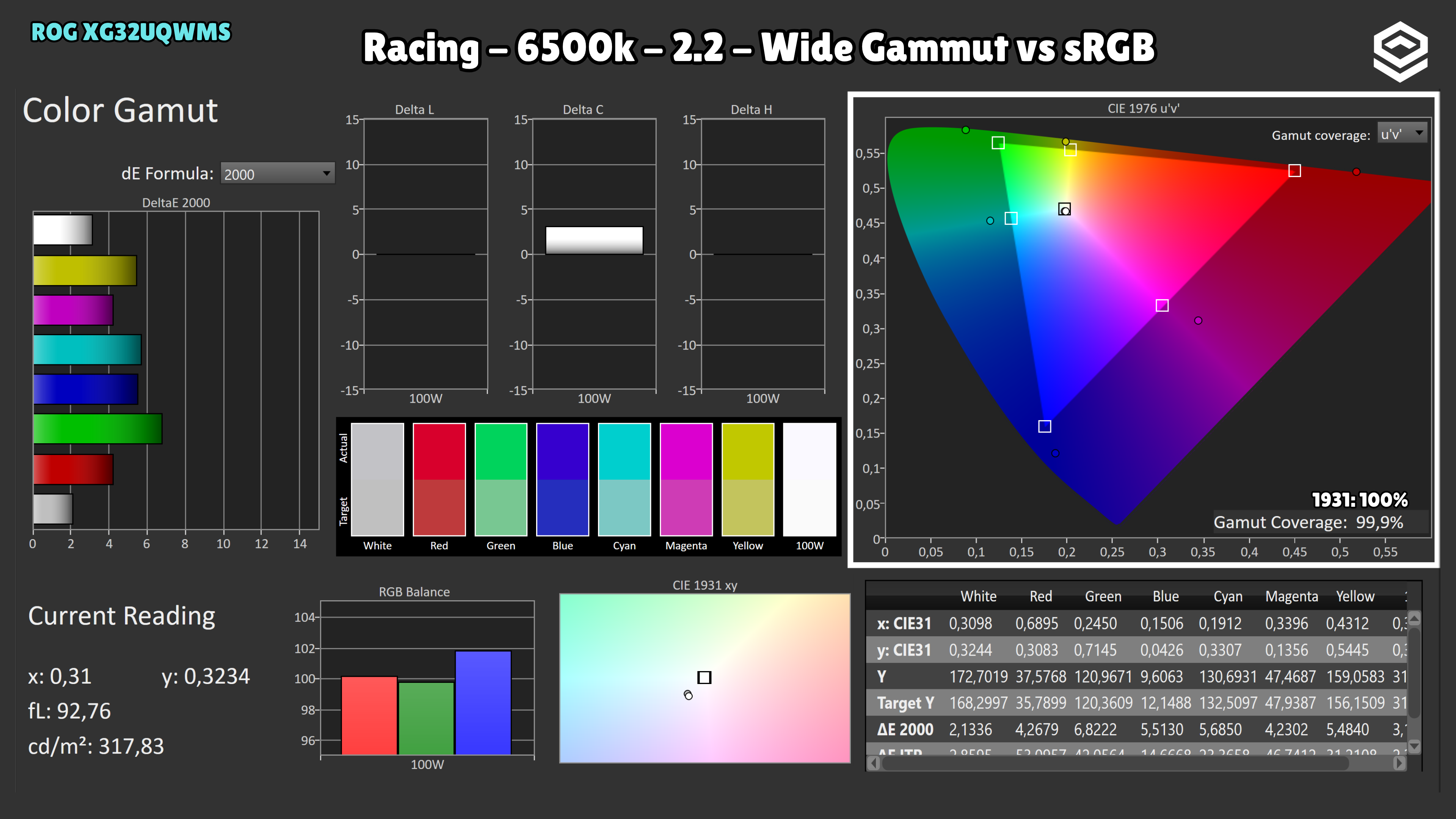
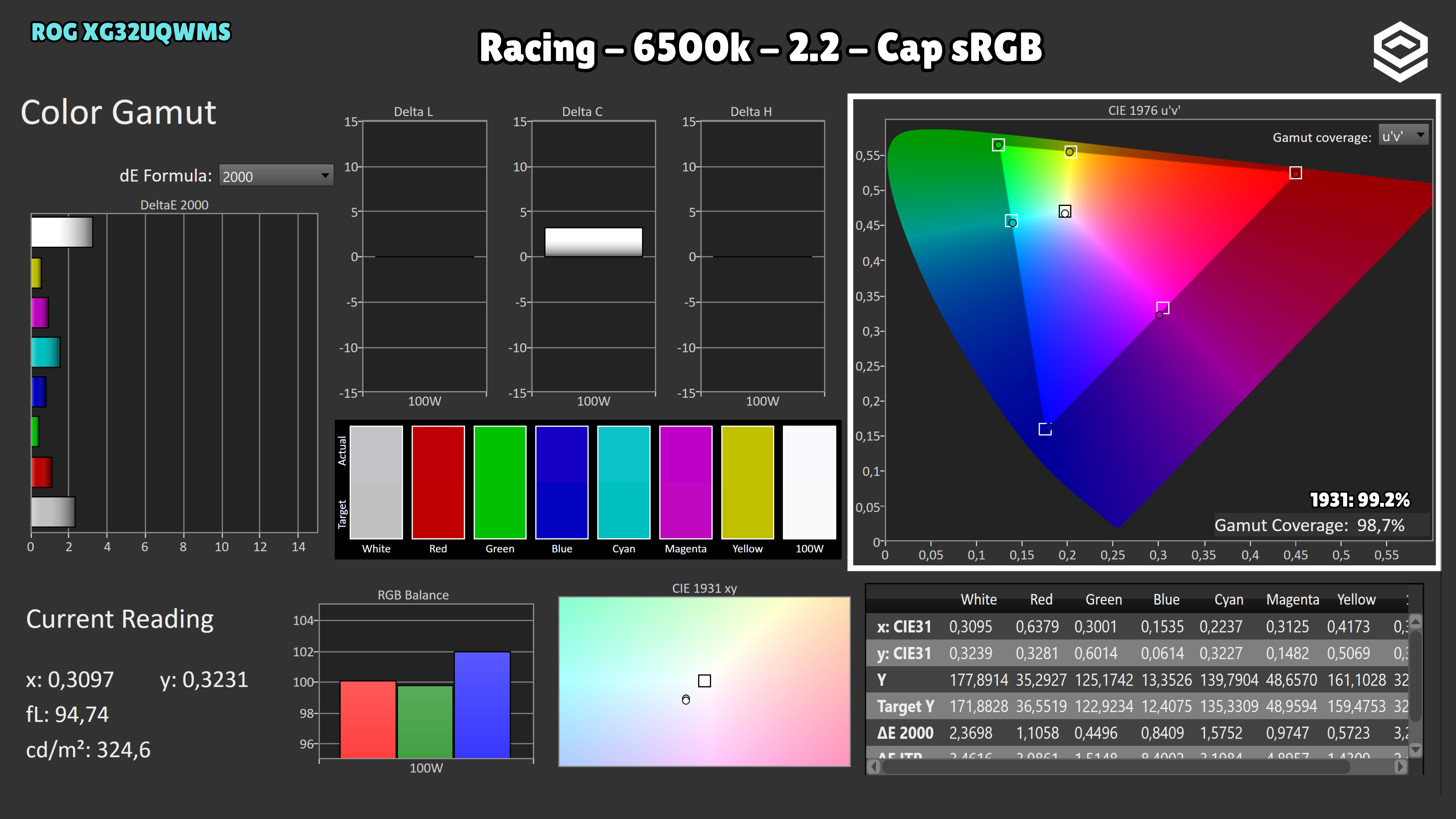
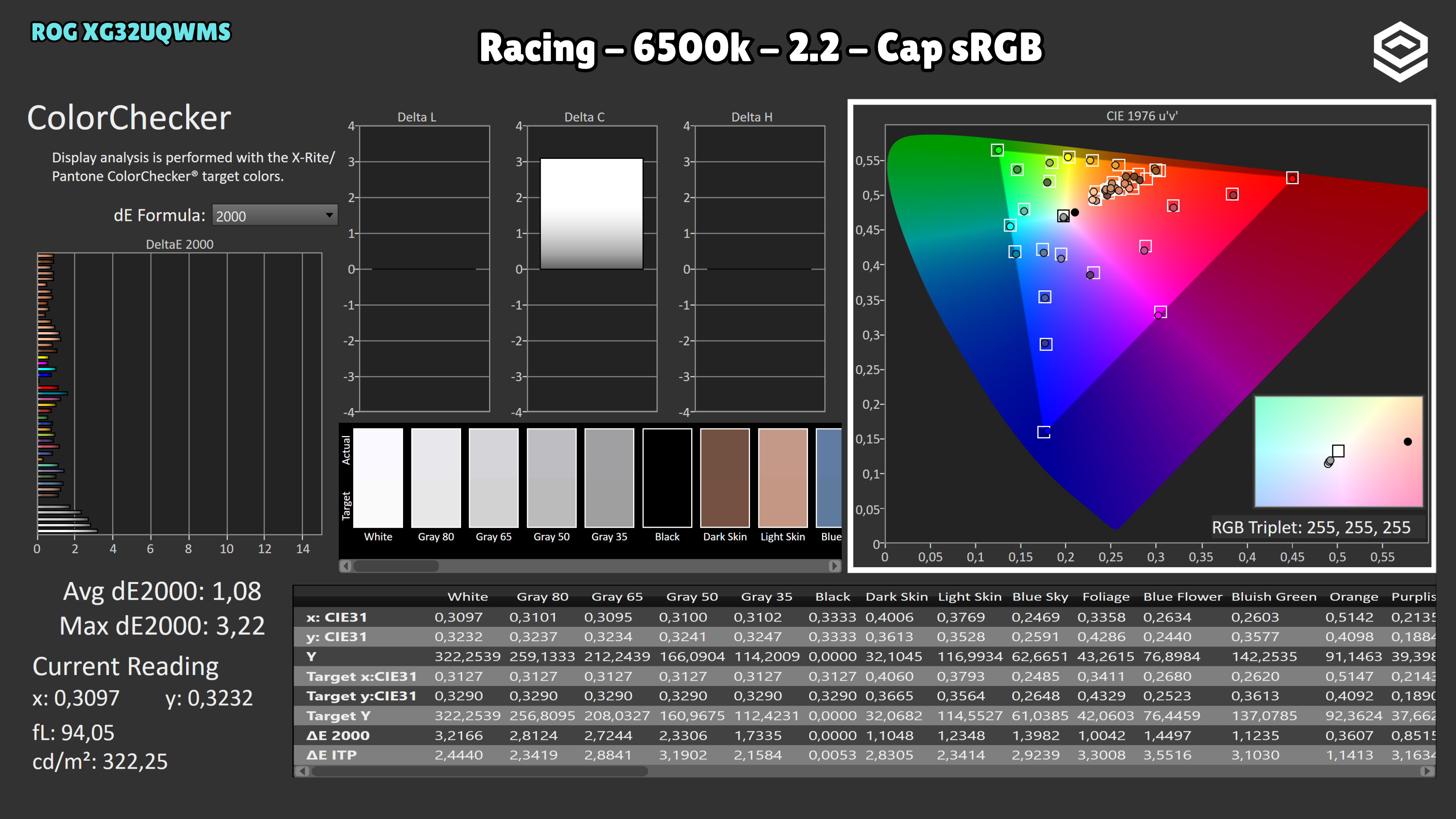
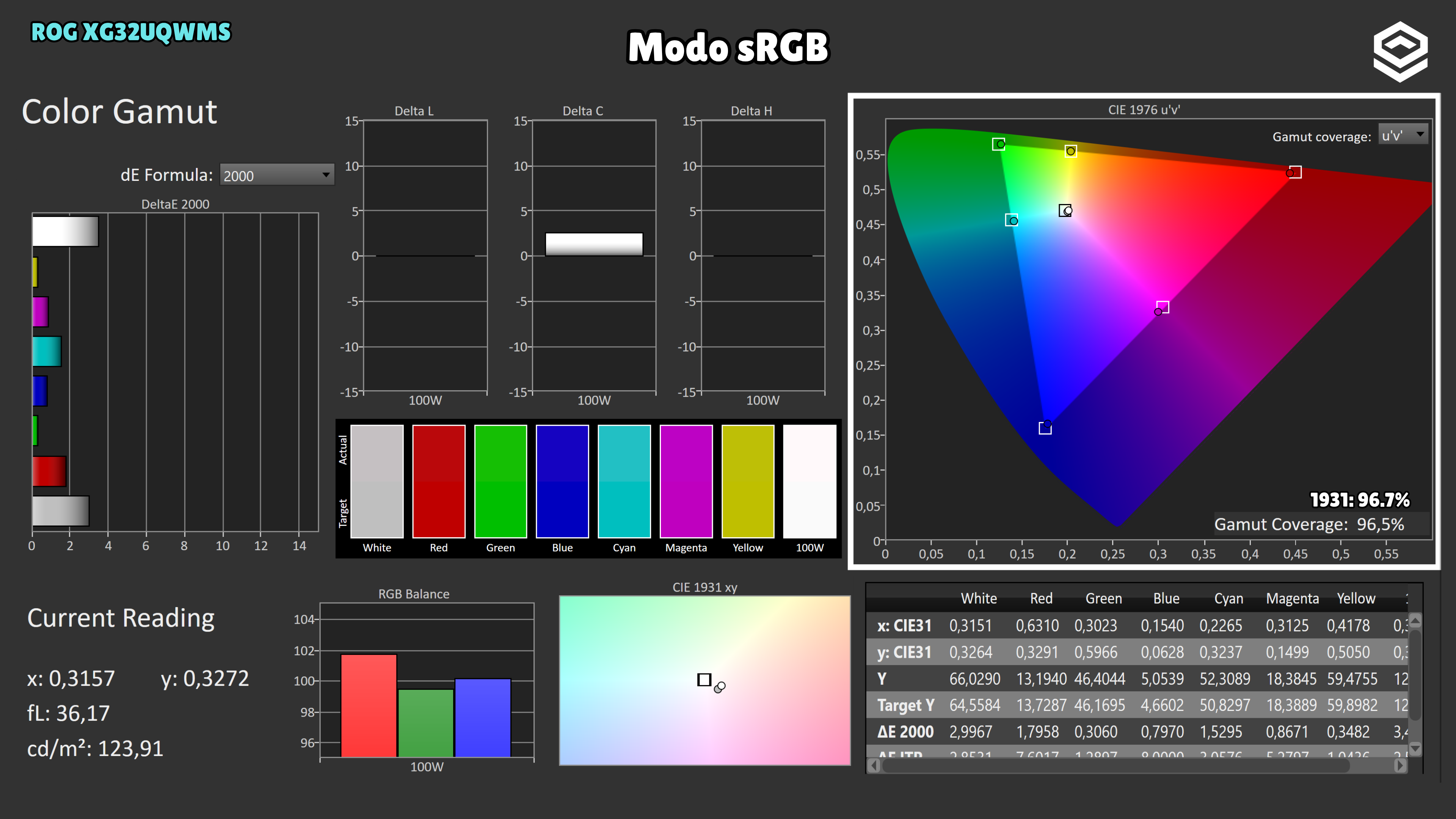
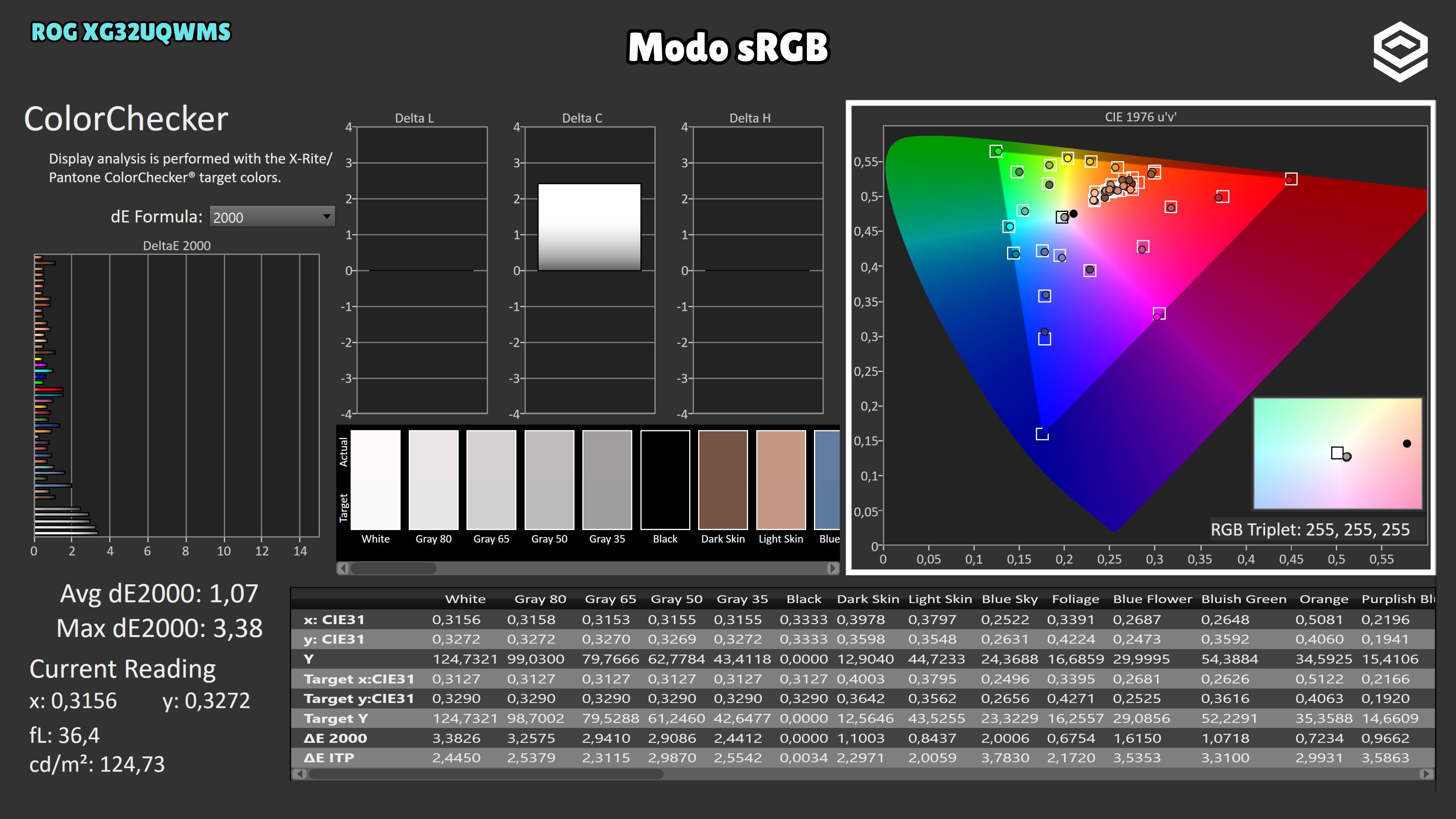
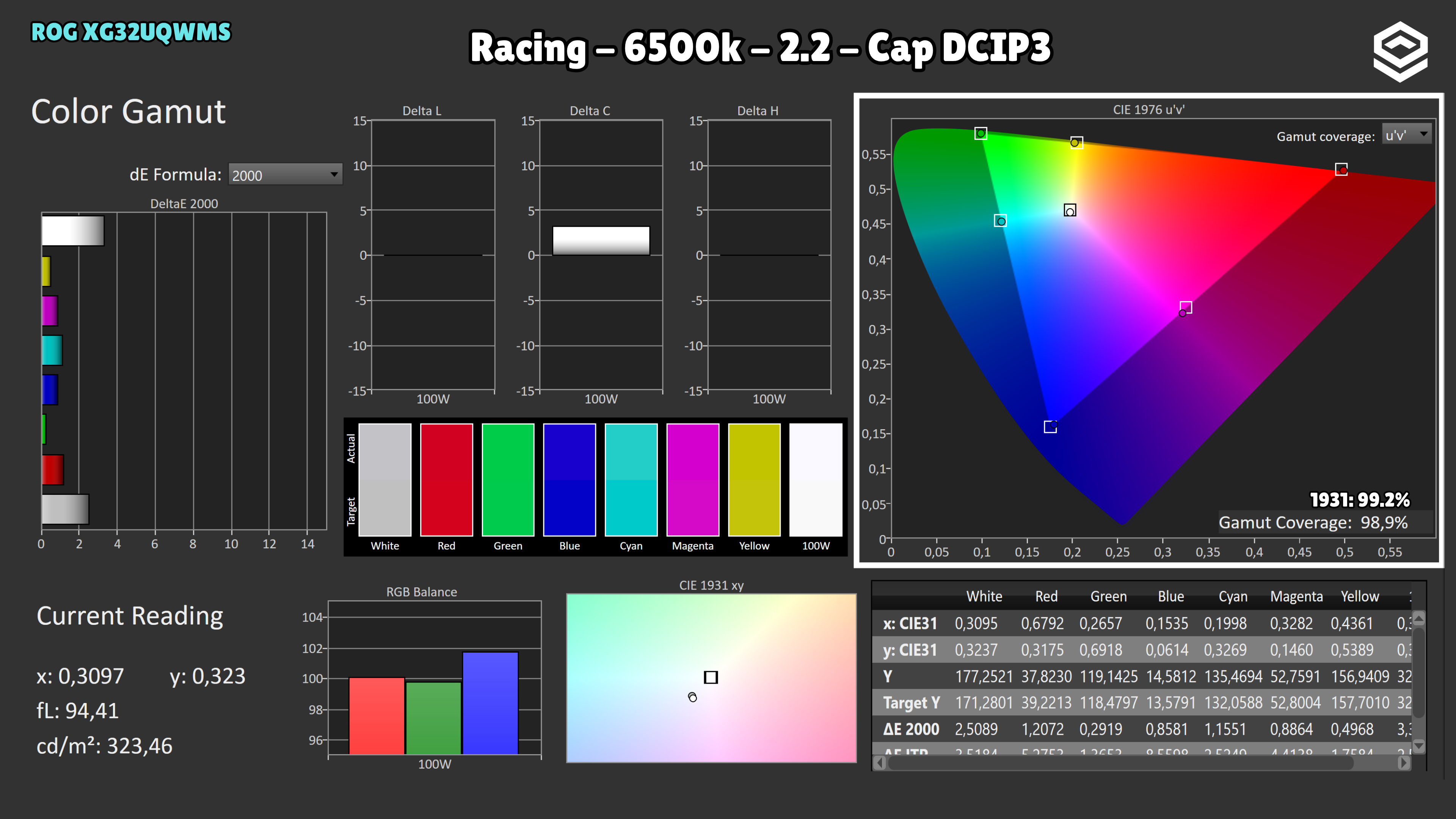
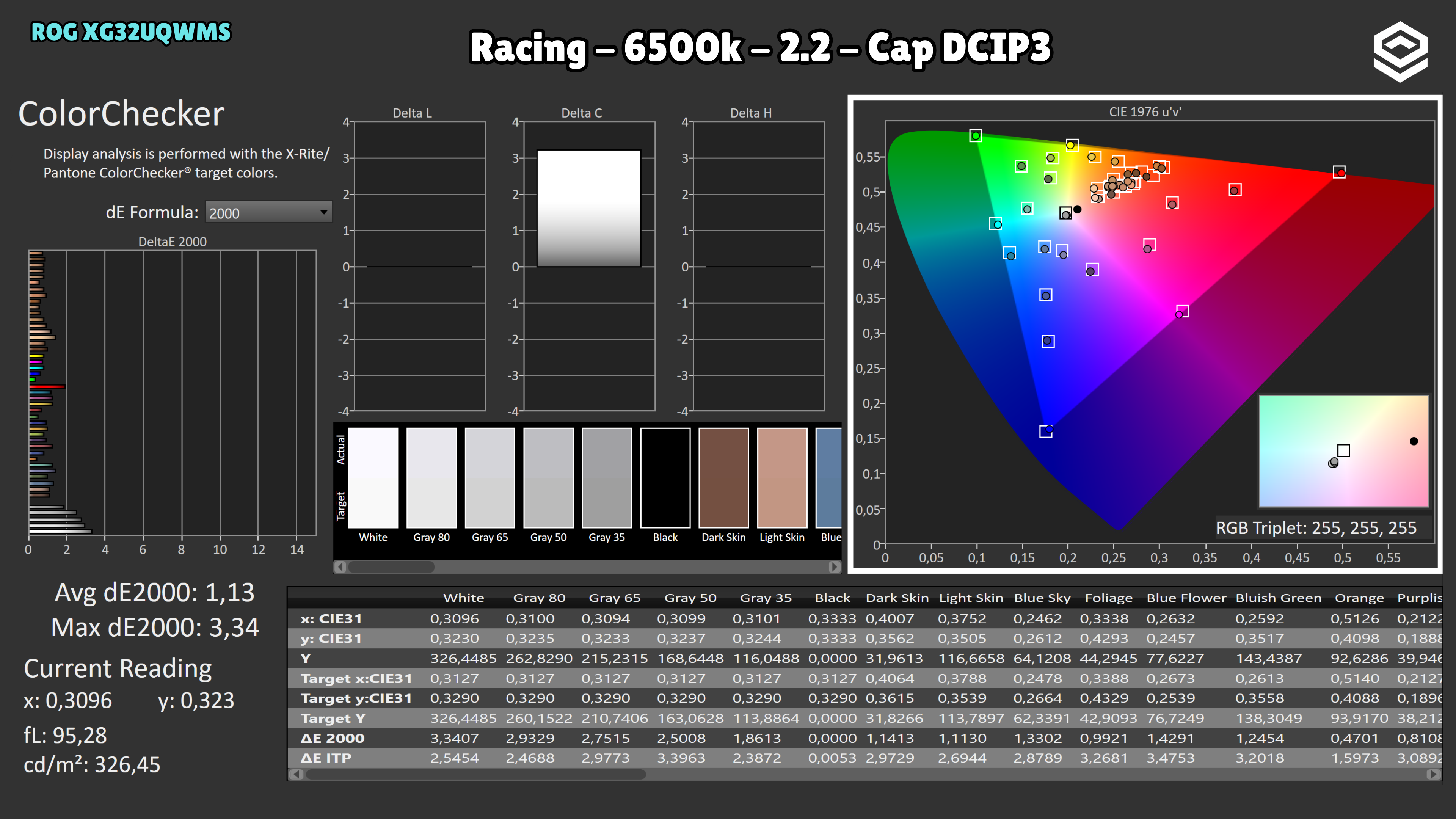
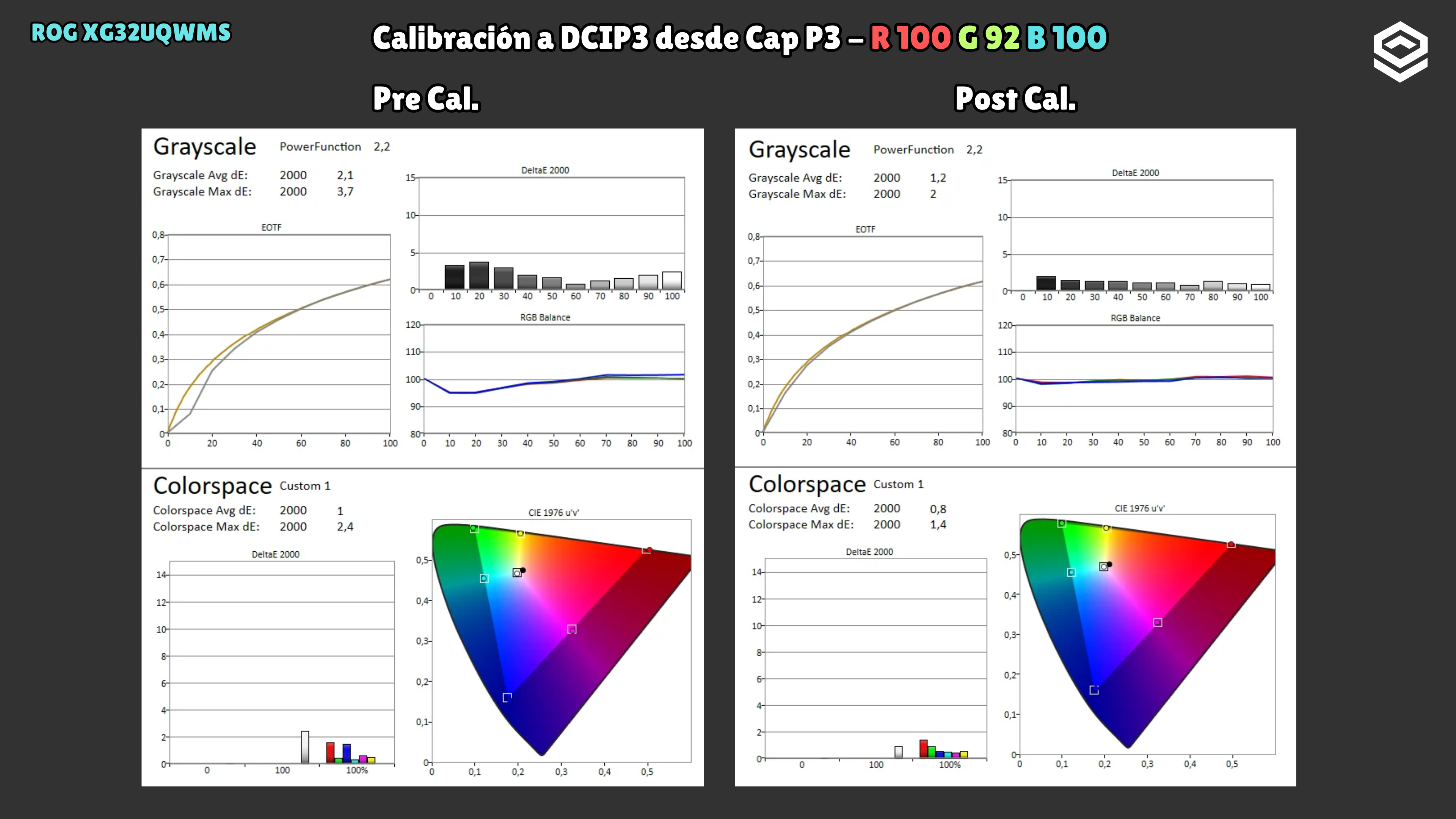
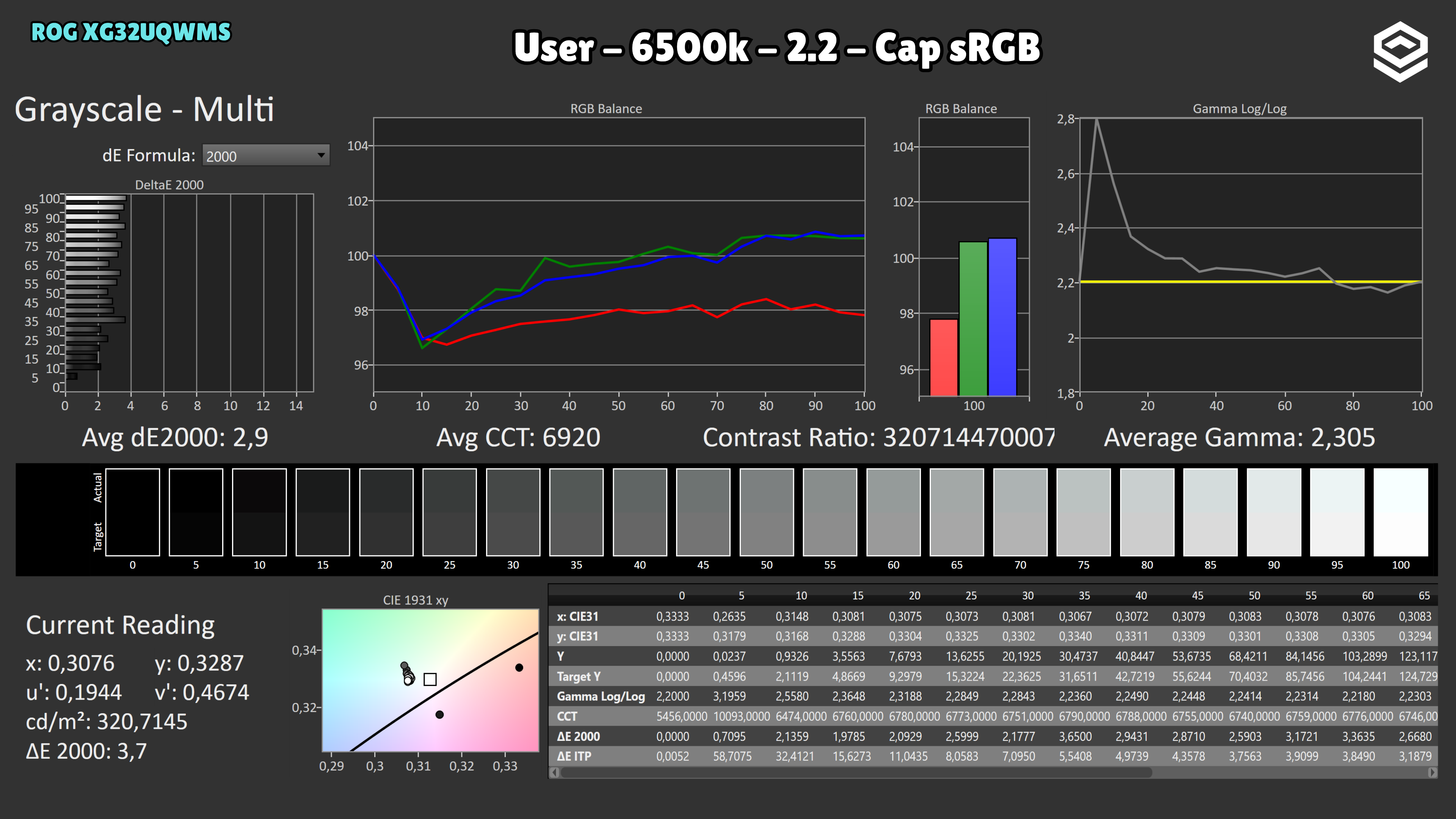
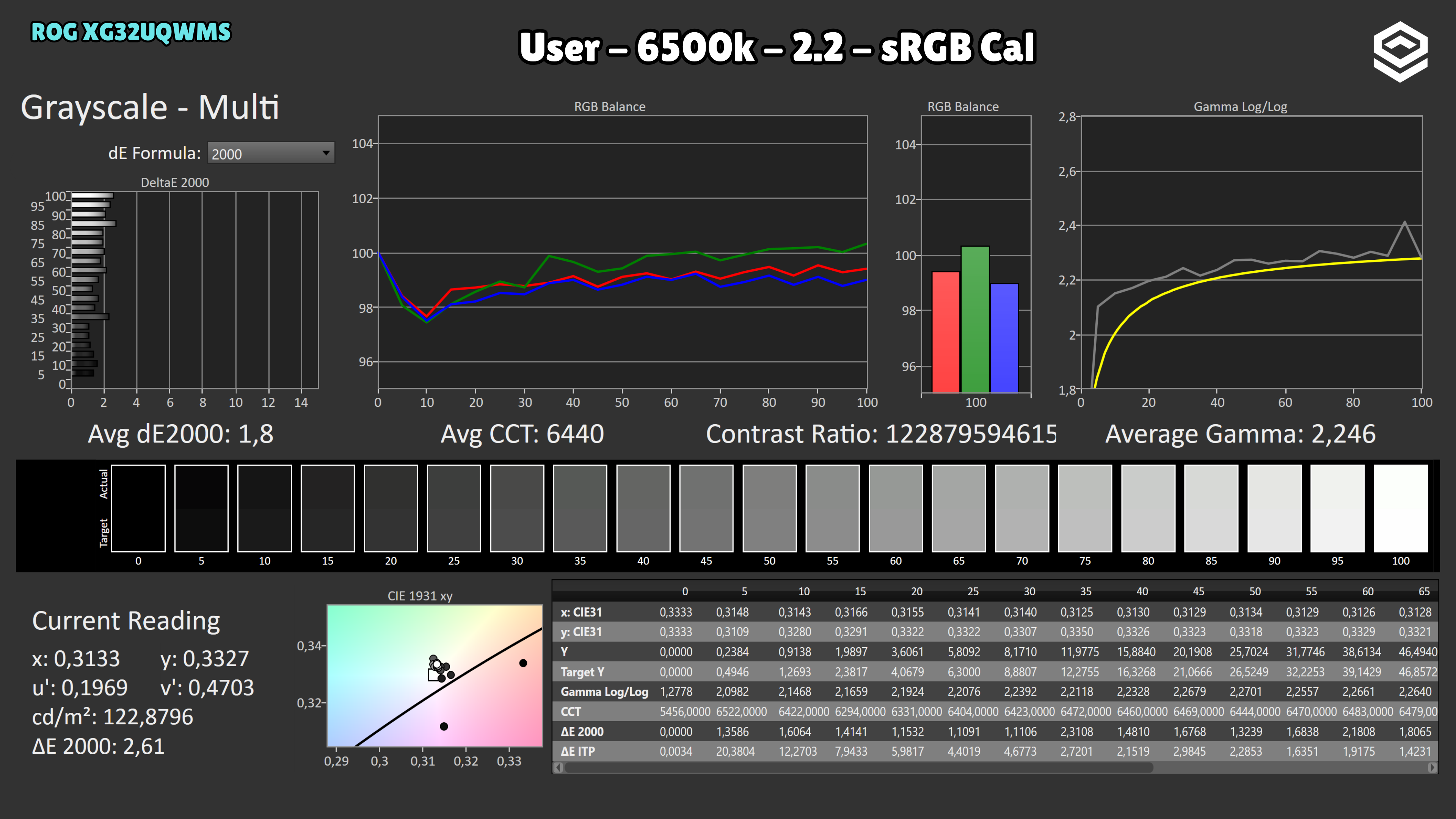
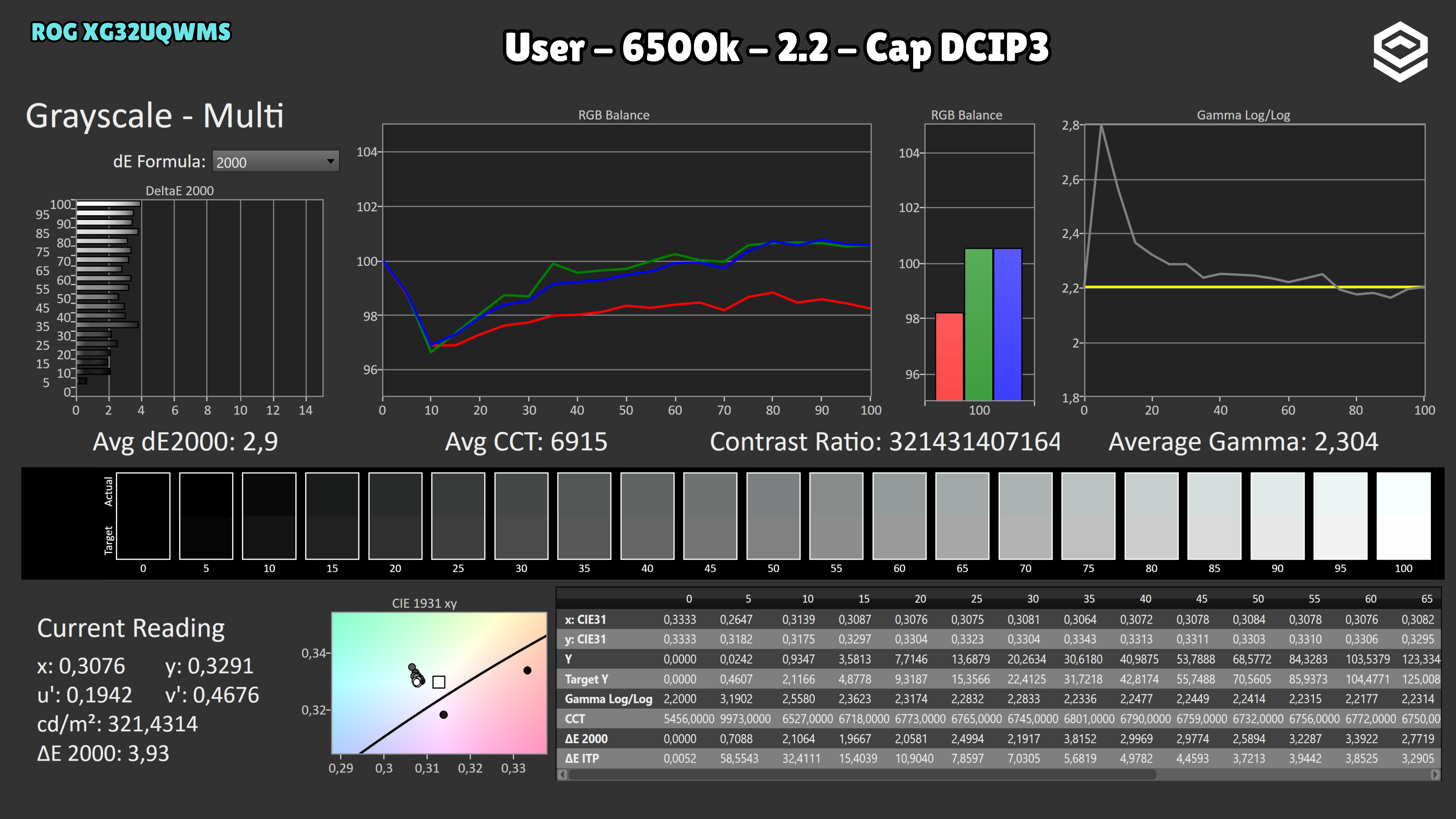
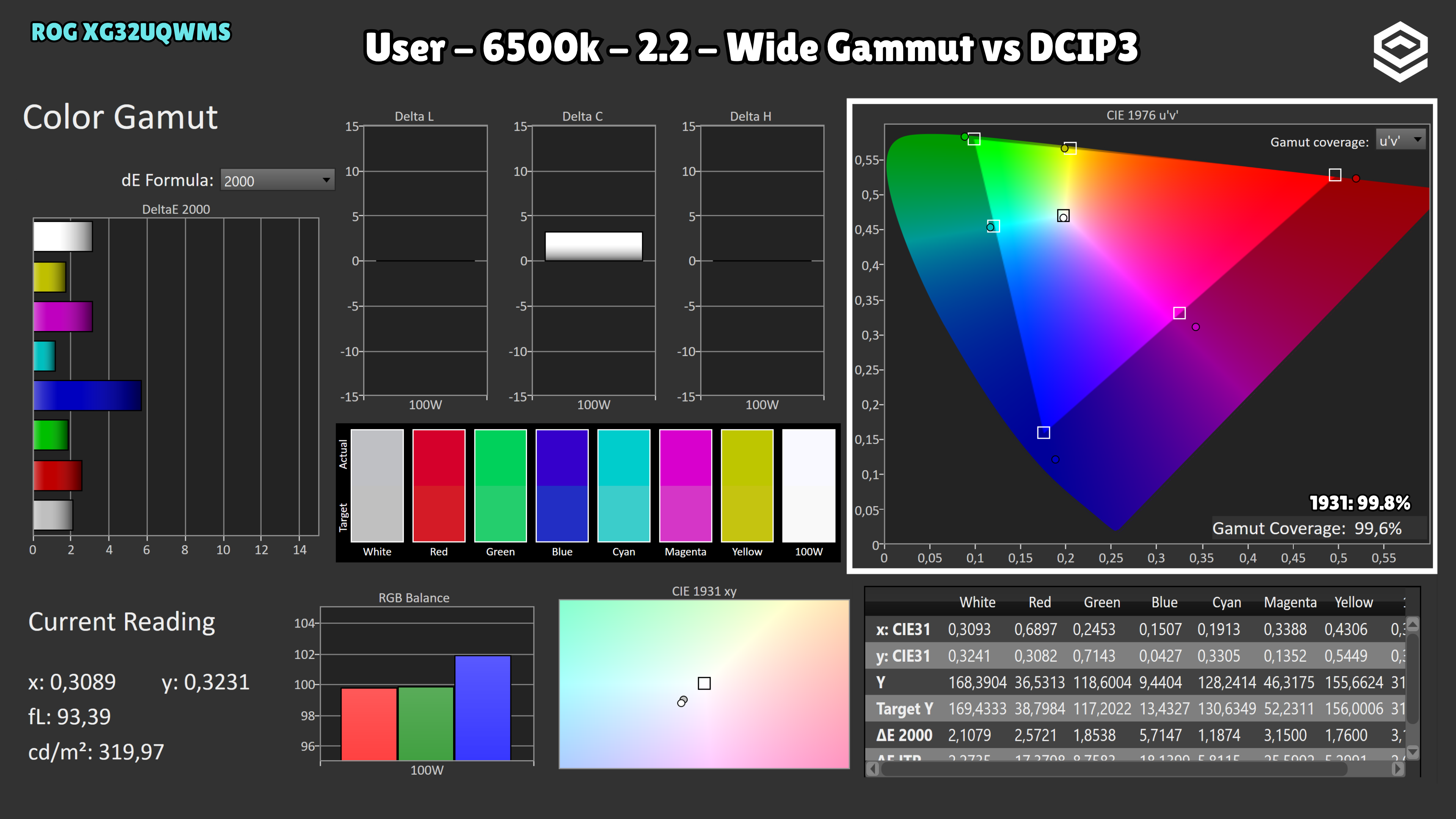
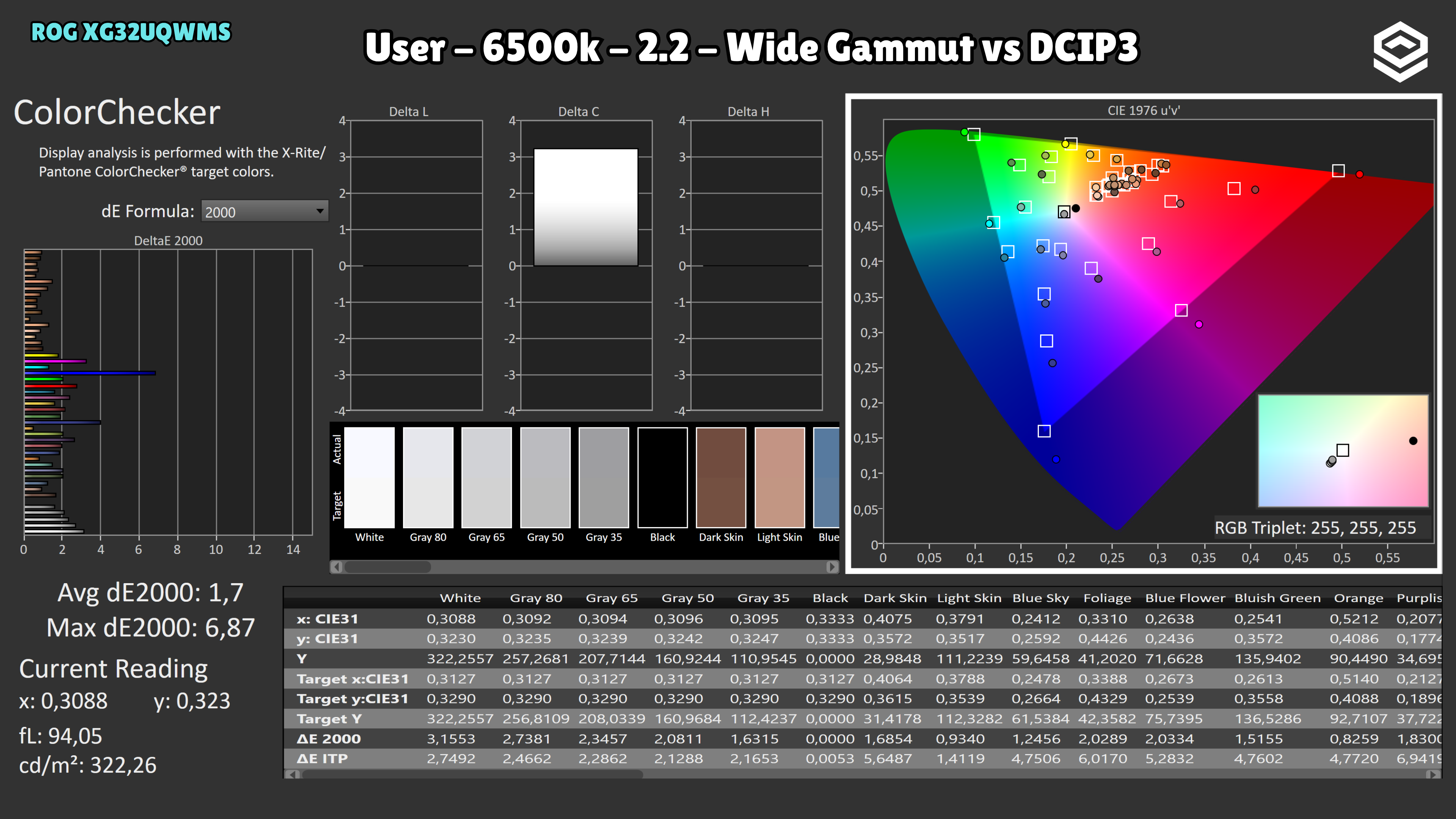
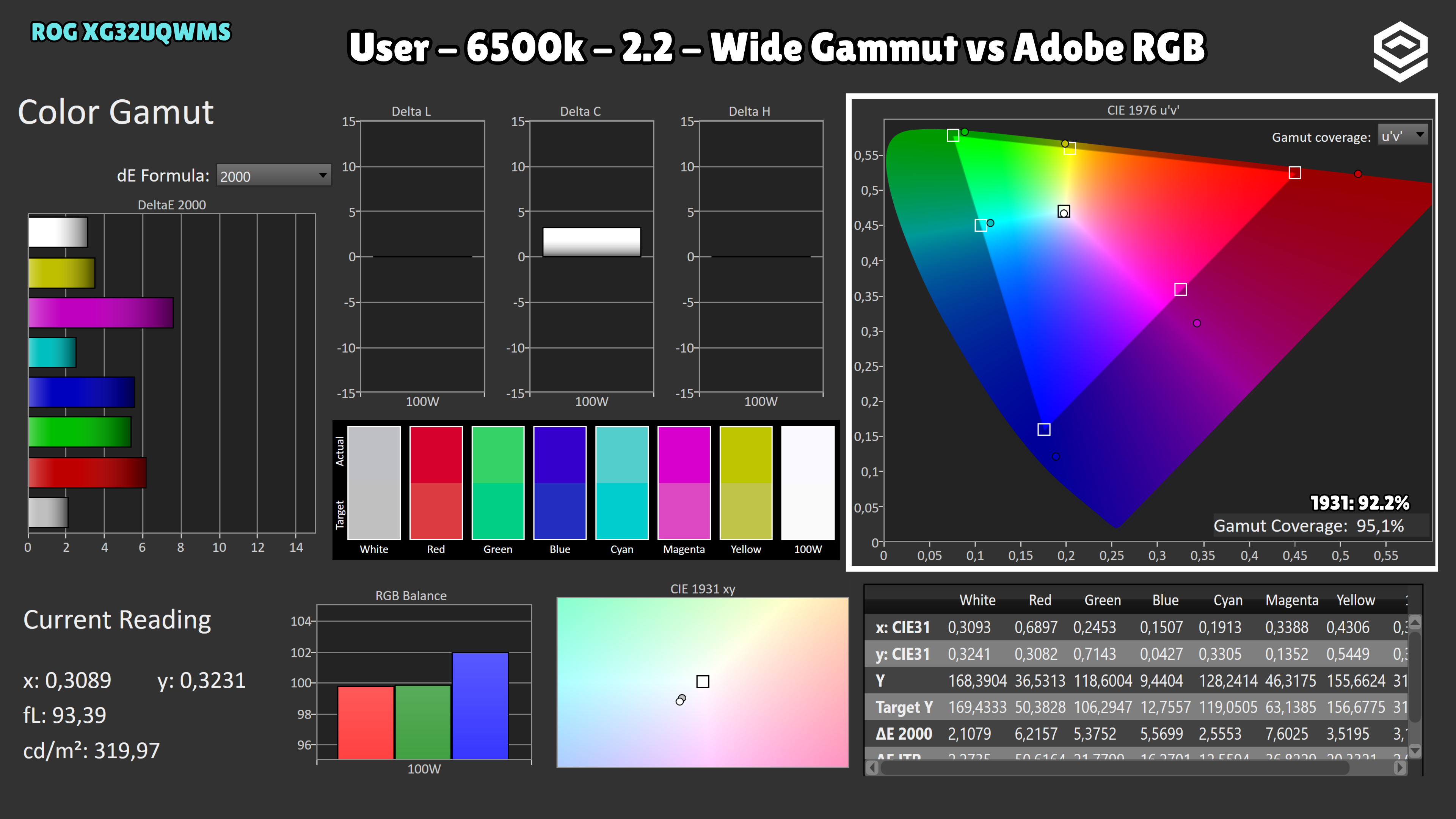
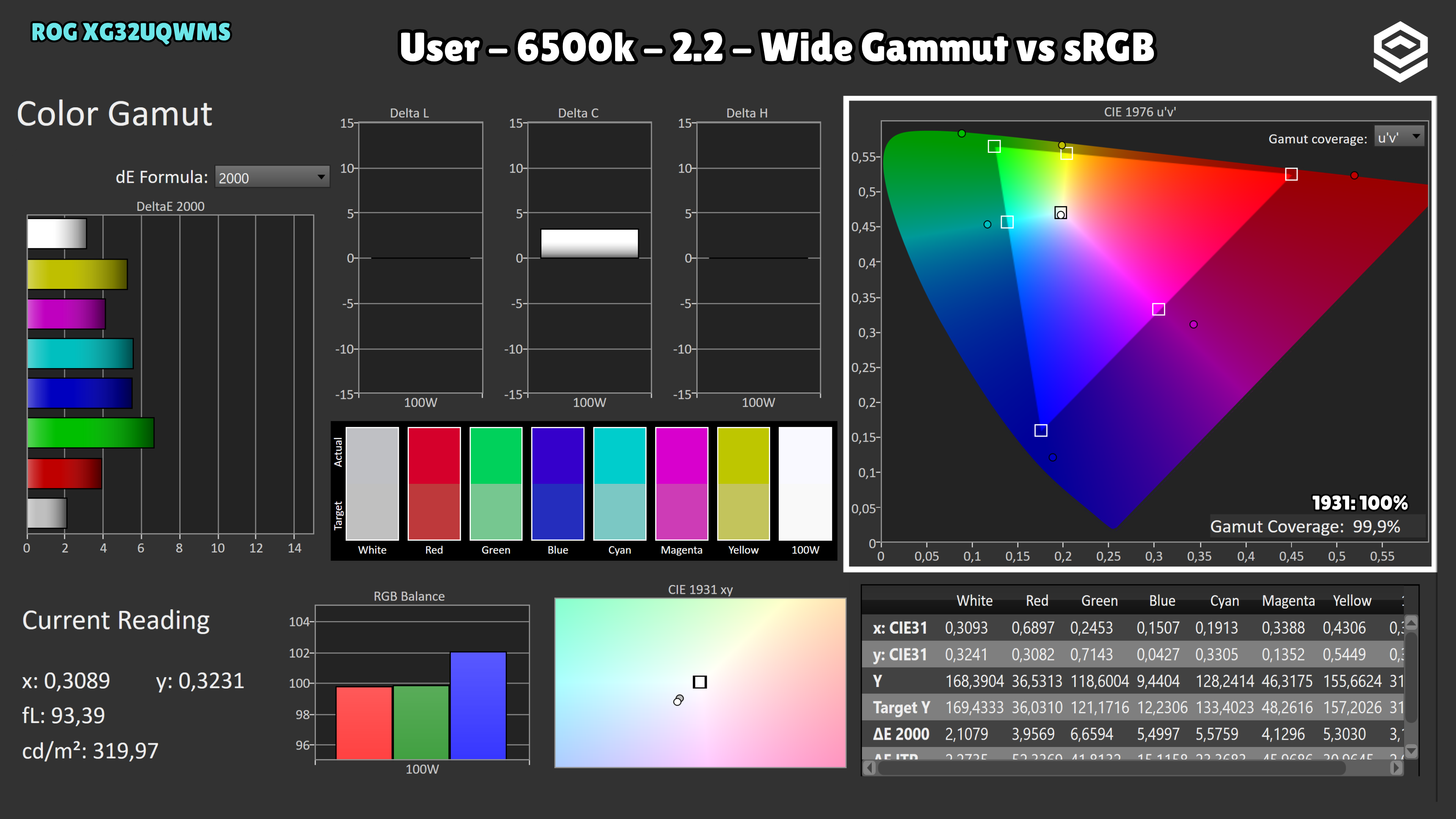
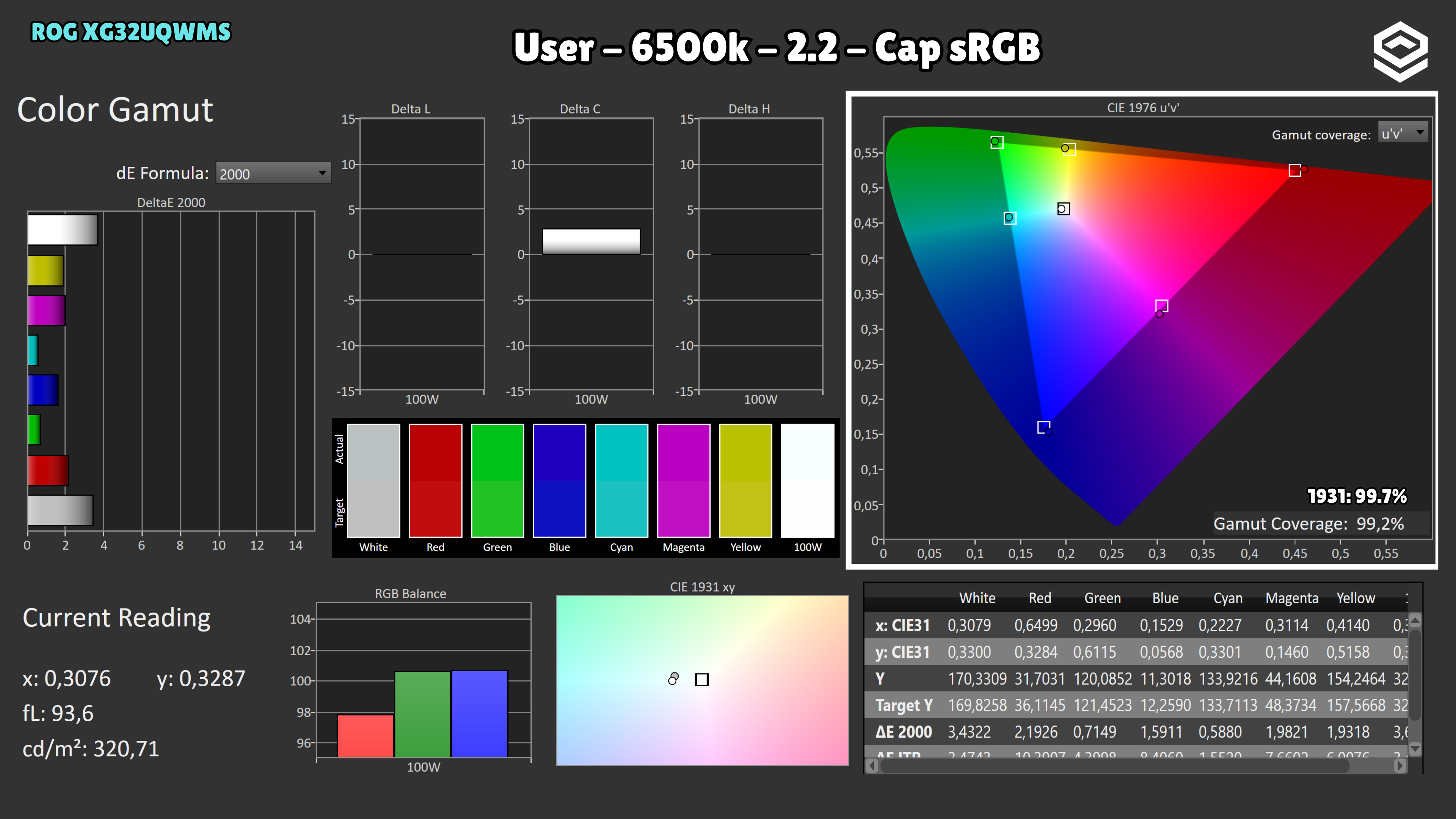
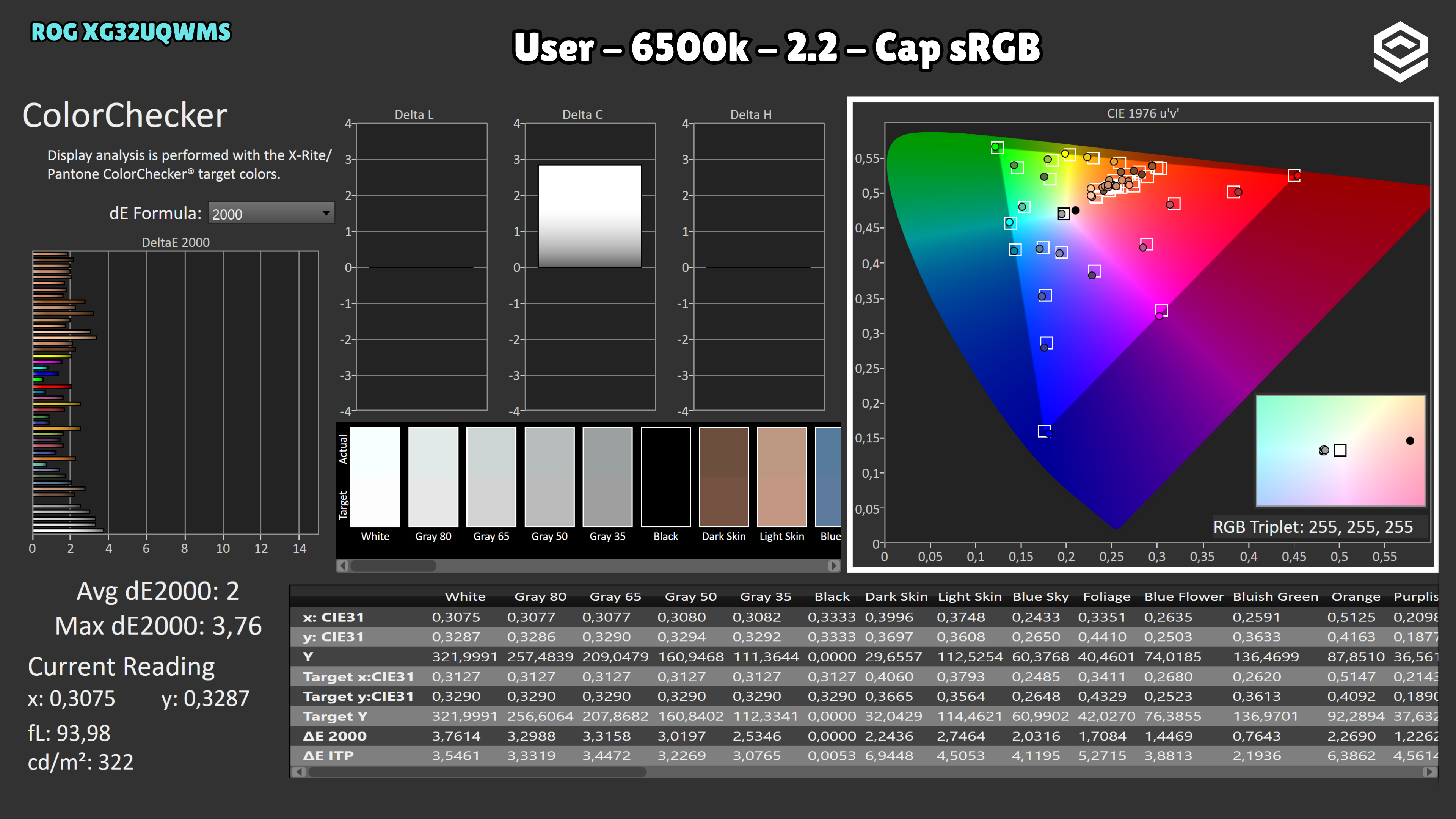
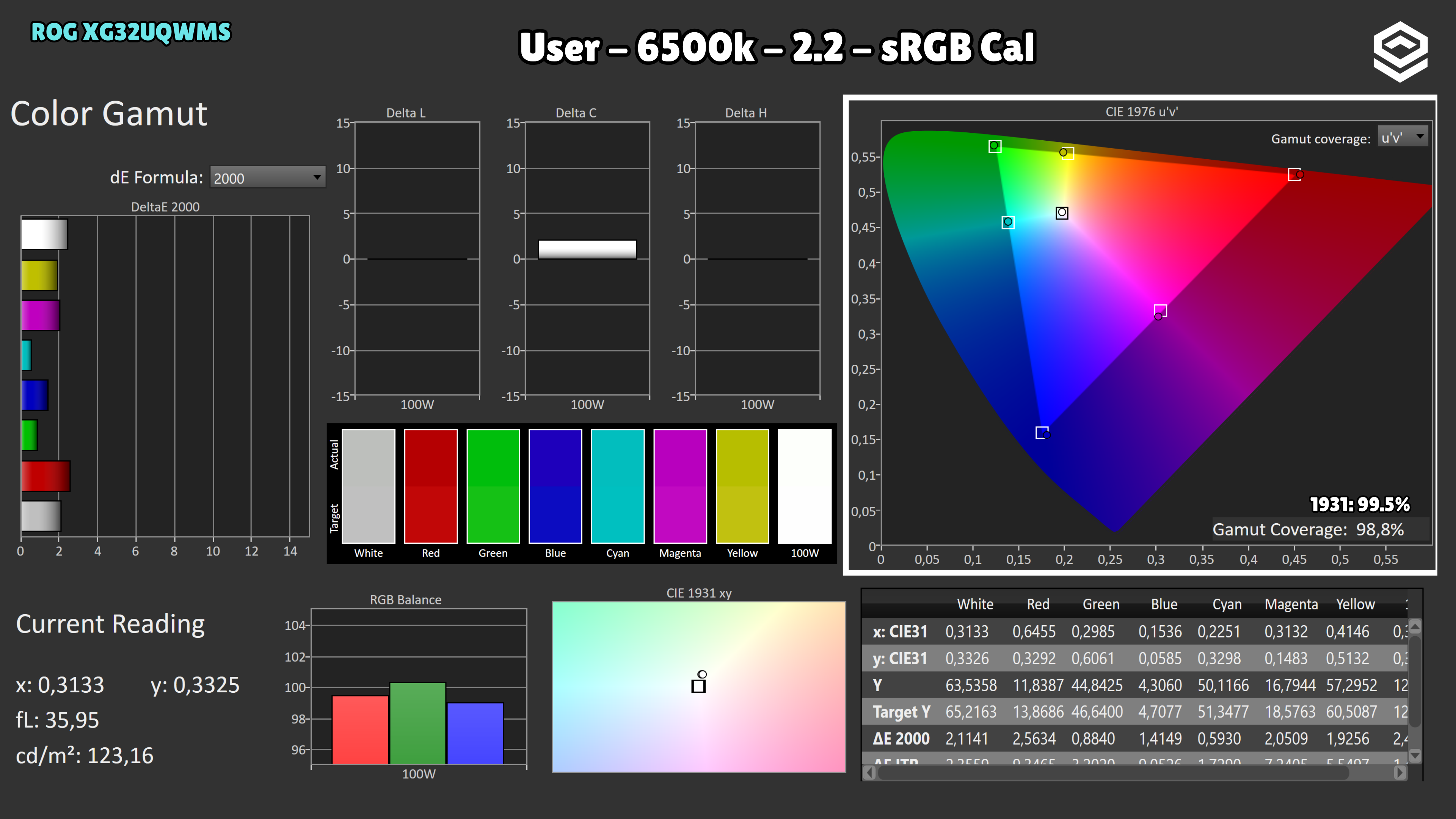
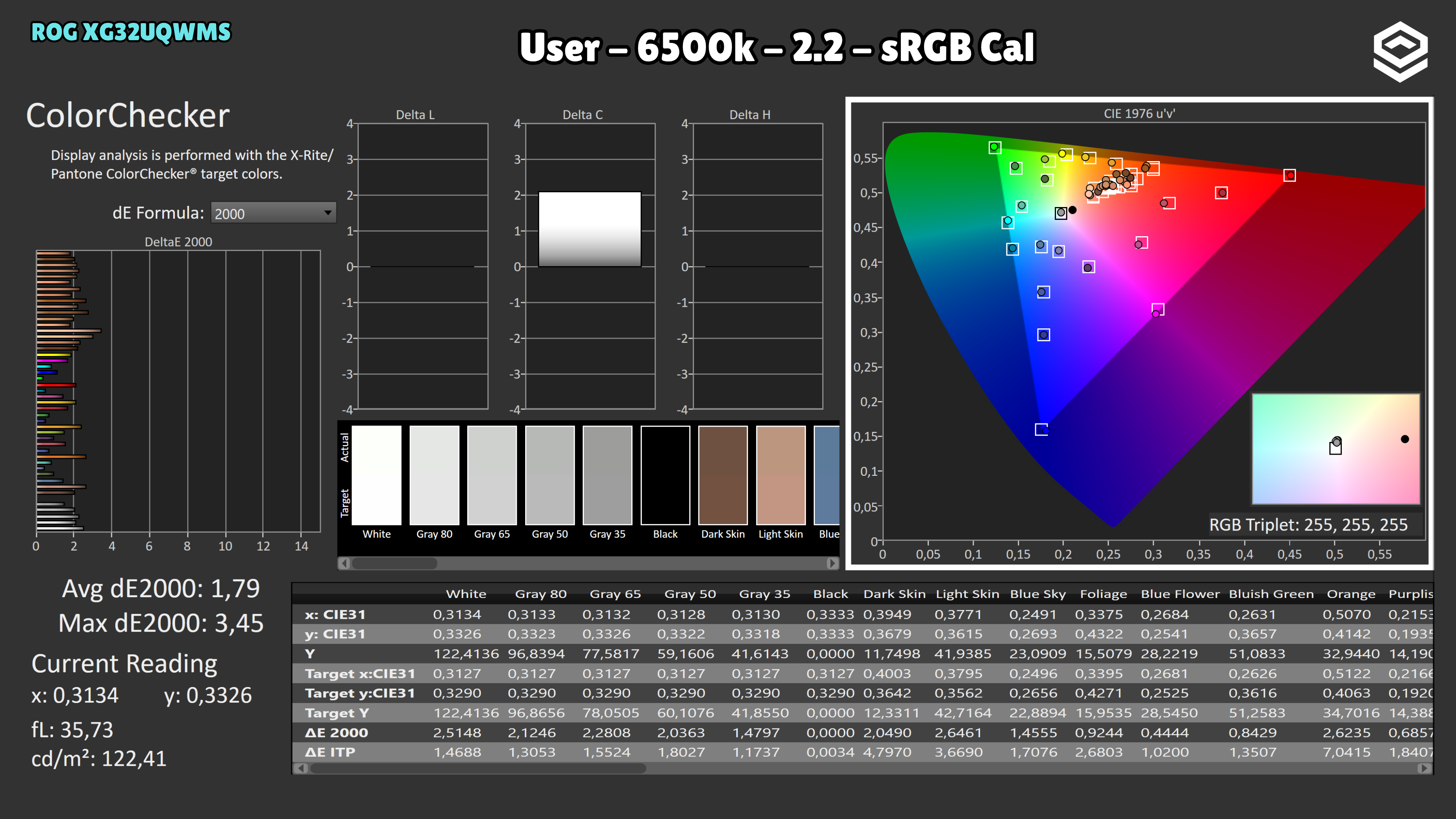
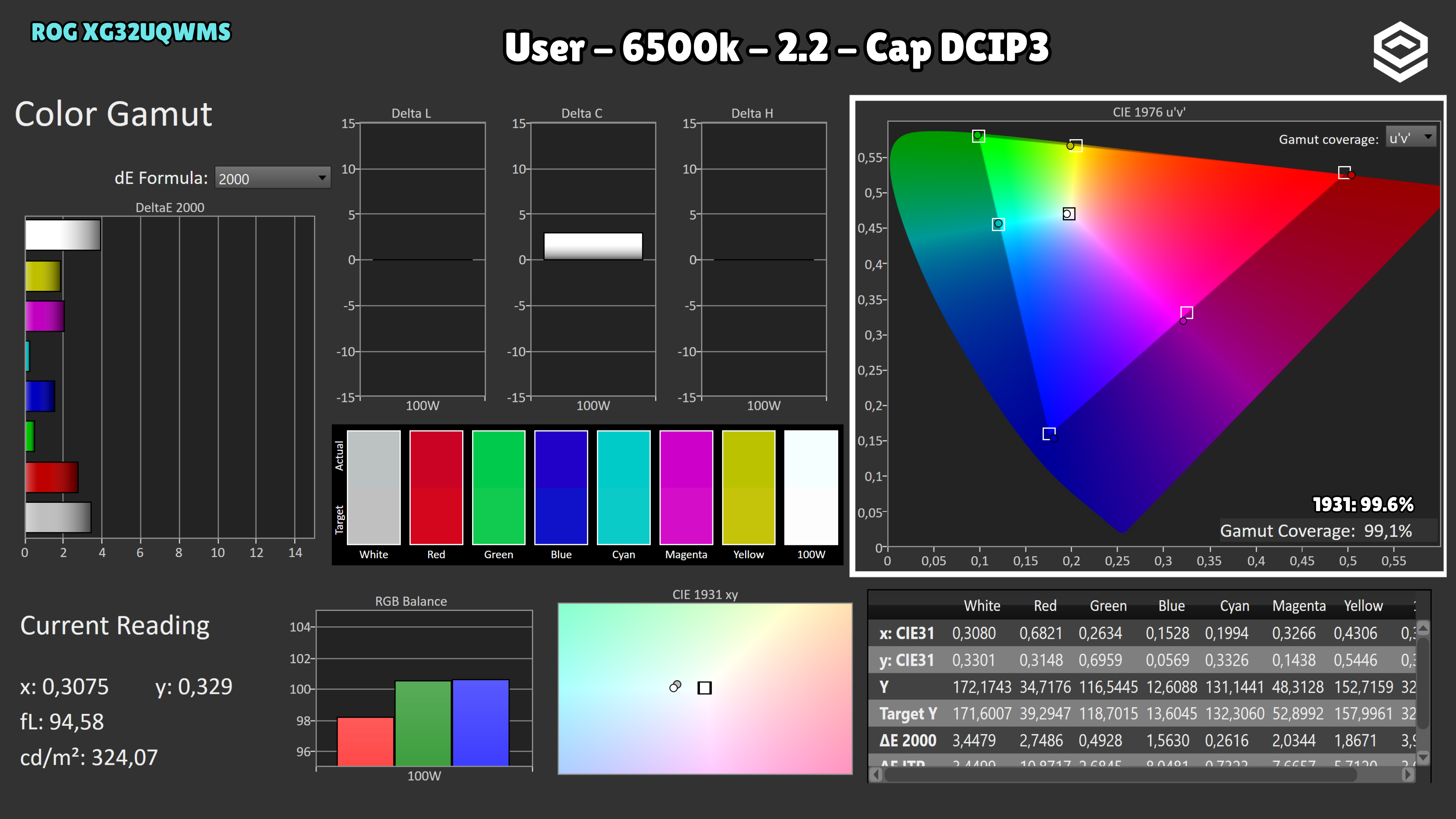
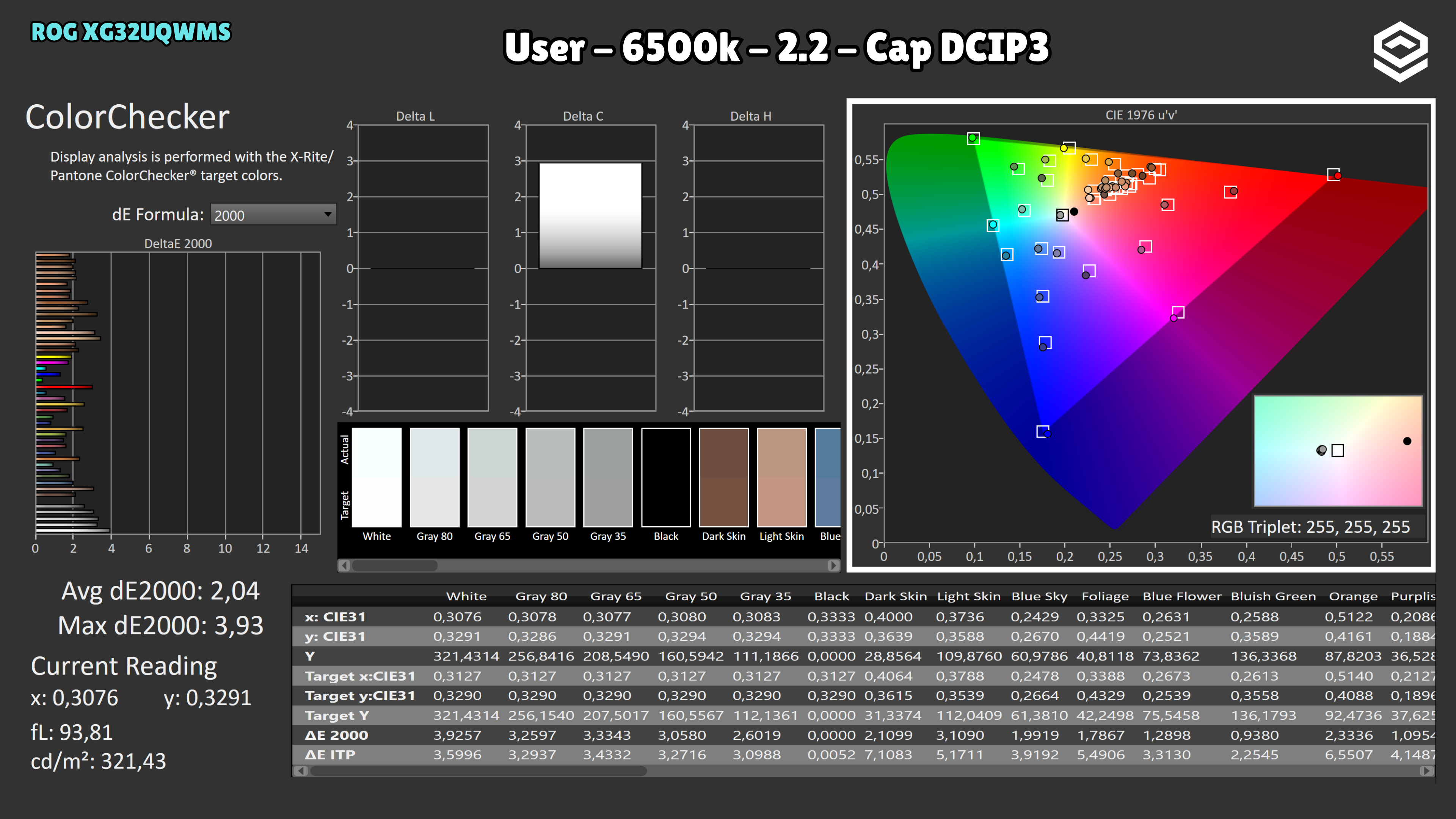
IMartz’s SDR settings: Racing, gamma 2.2 and User colour temperature. Wide Gamut: R100 · G100 · B98; IMartz measured a grayscale average ΔE of 0.7, with no retained capture. Cap DCI-P3: R100 · G92 · B100 to improve white balance; the gallery includes its calibration comparison. These are settings for the tested unit, separate from the factory ColorChecker result.
HDR performance
Brillo pico, volumen de color, EOTF y experiencia HDR real.
Test note · EOTF tracking
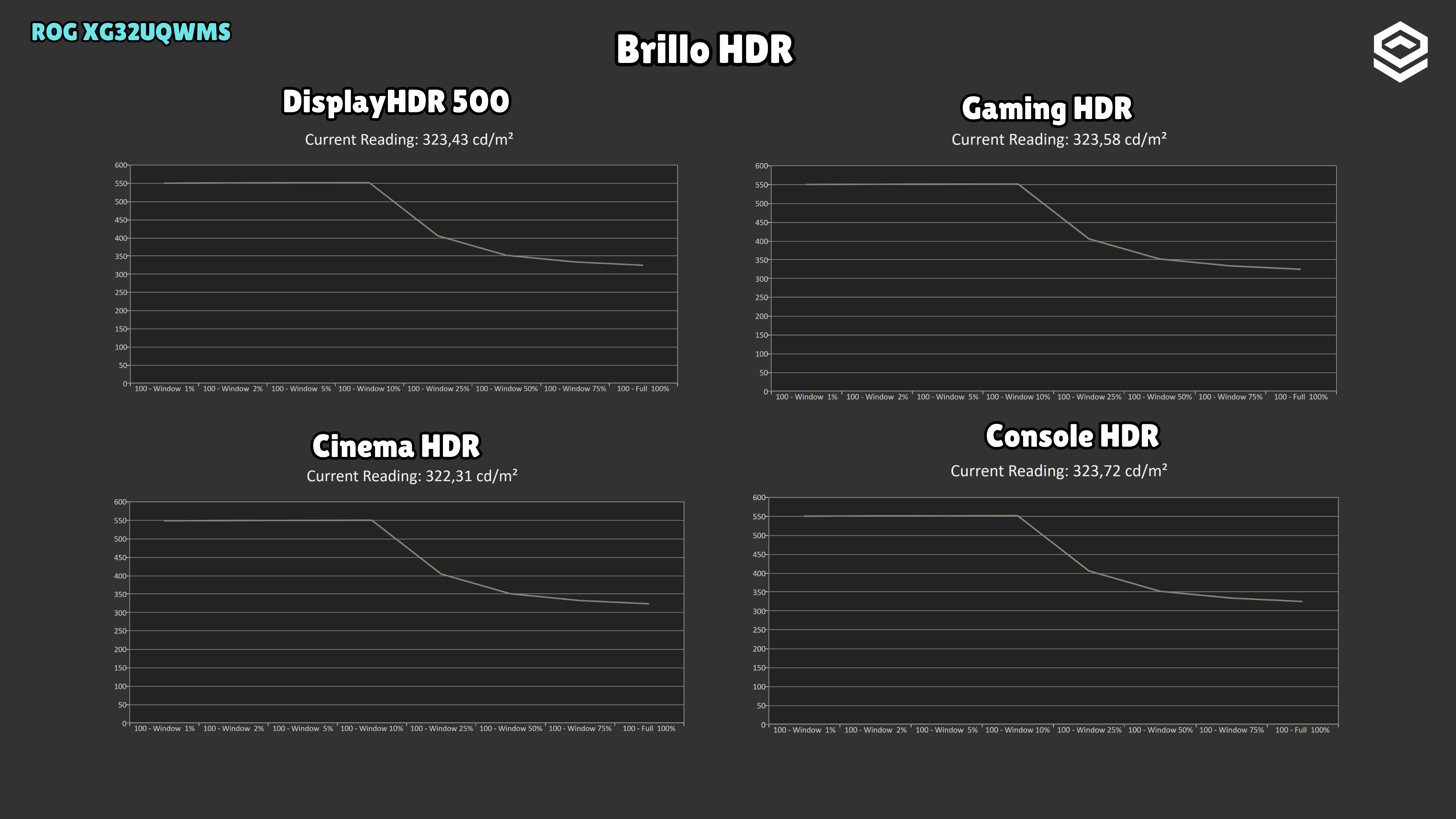
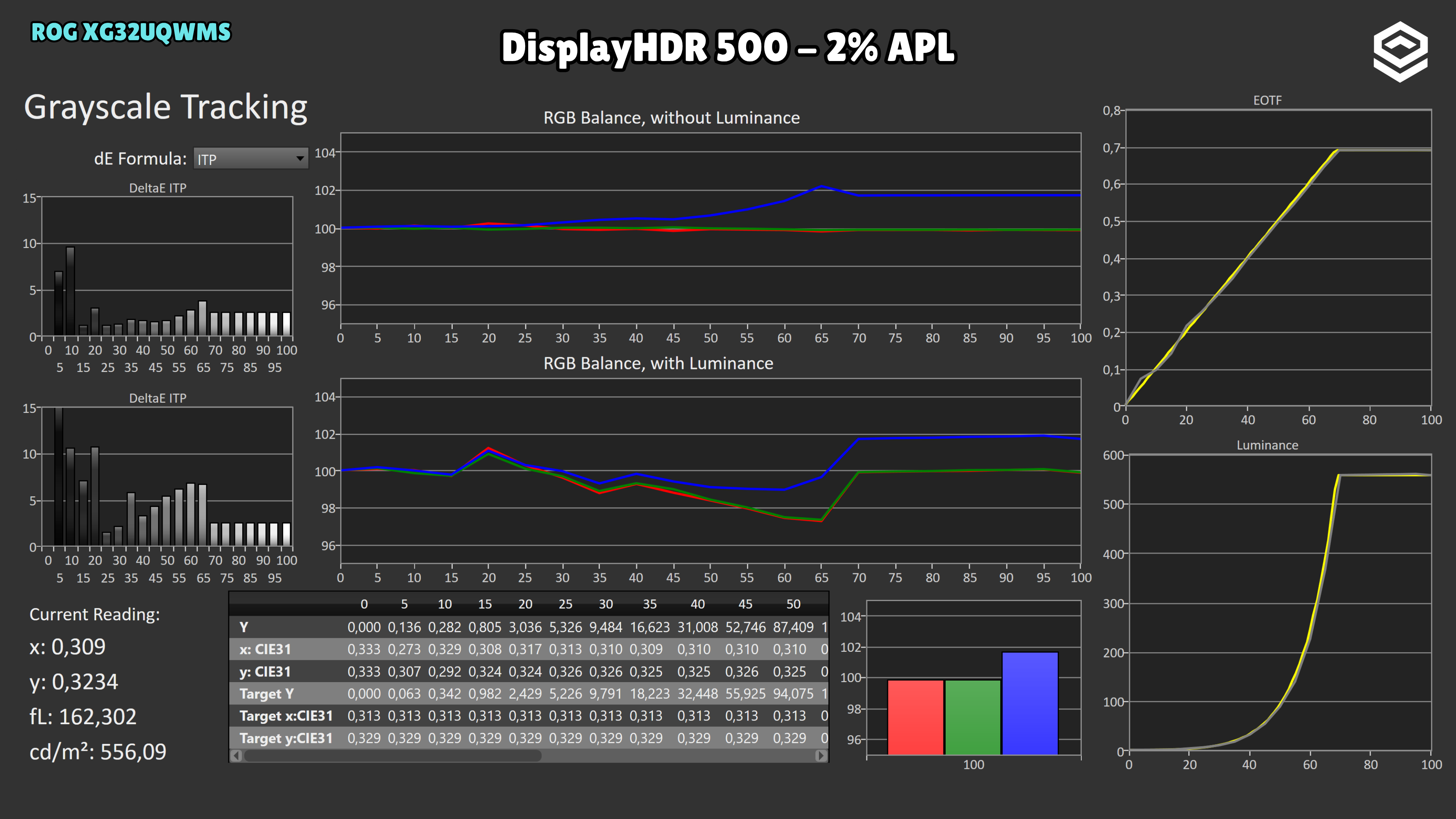
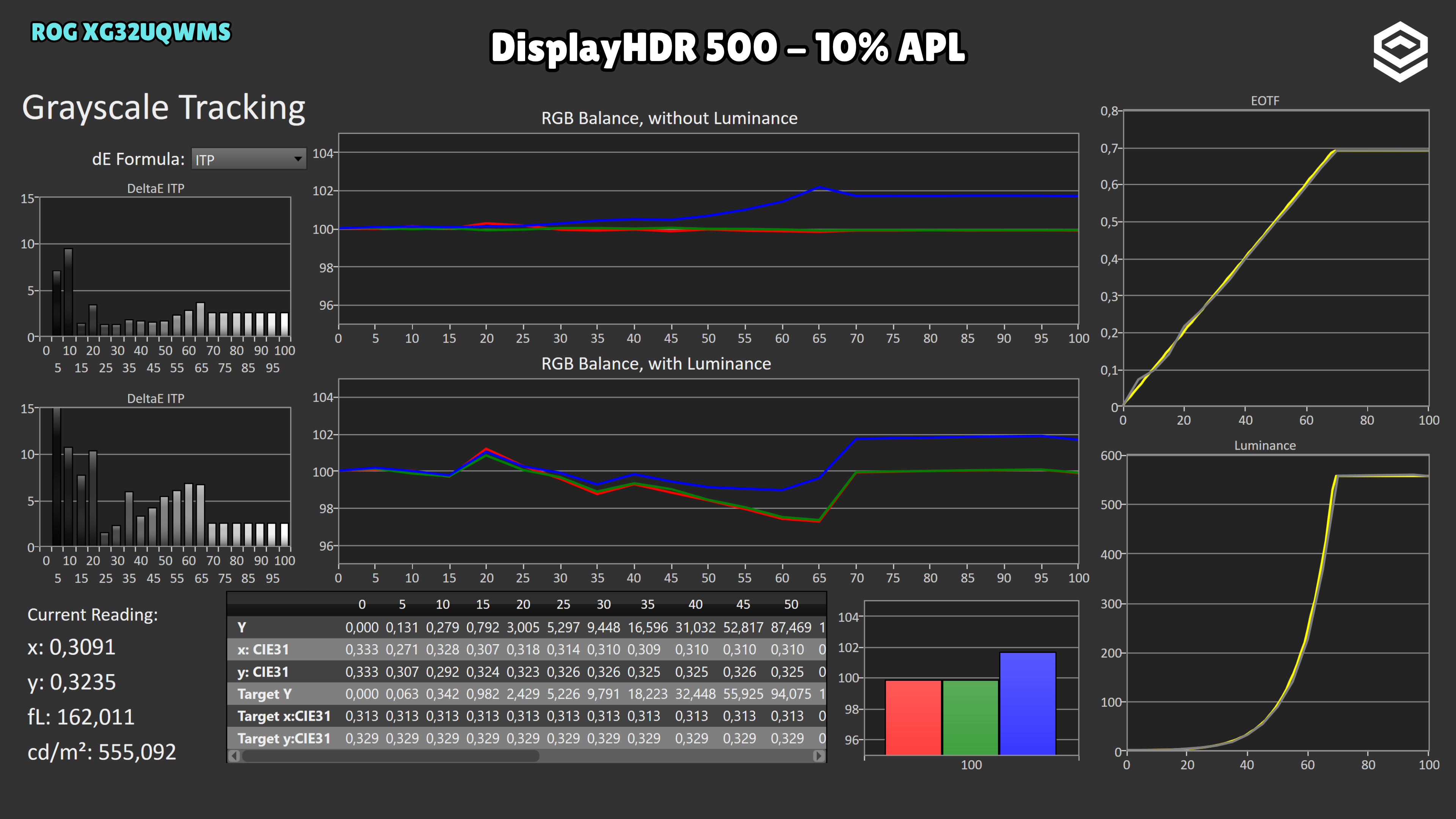
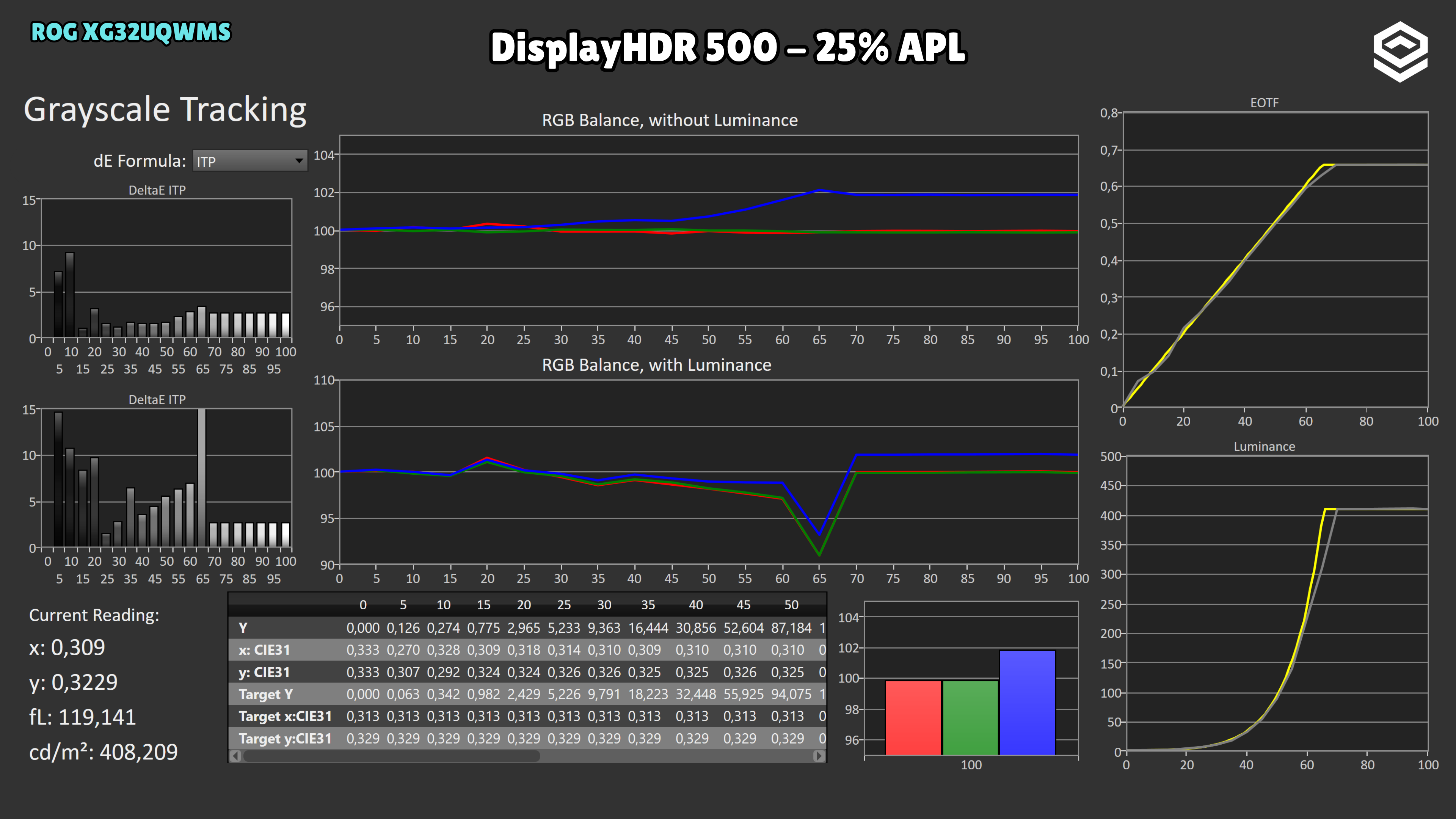
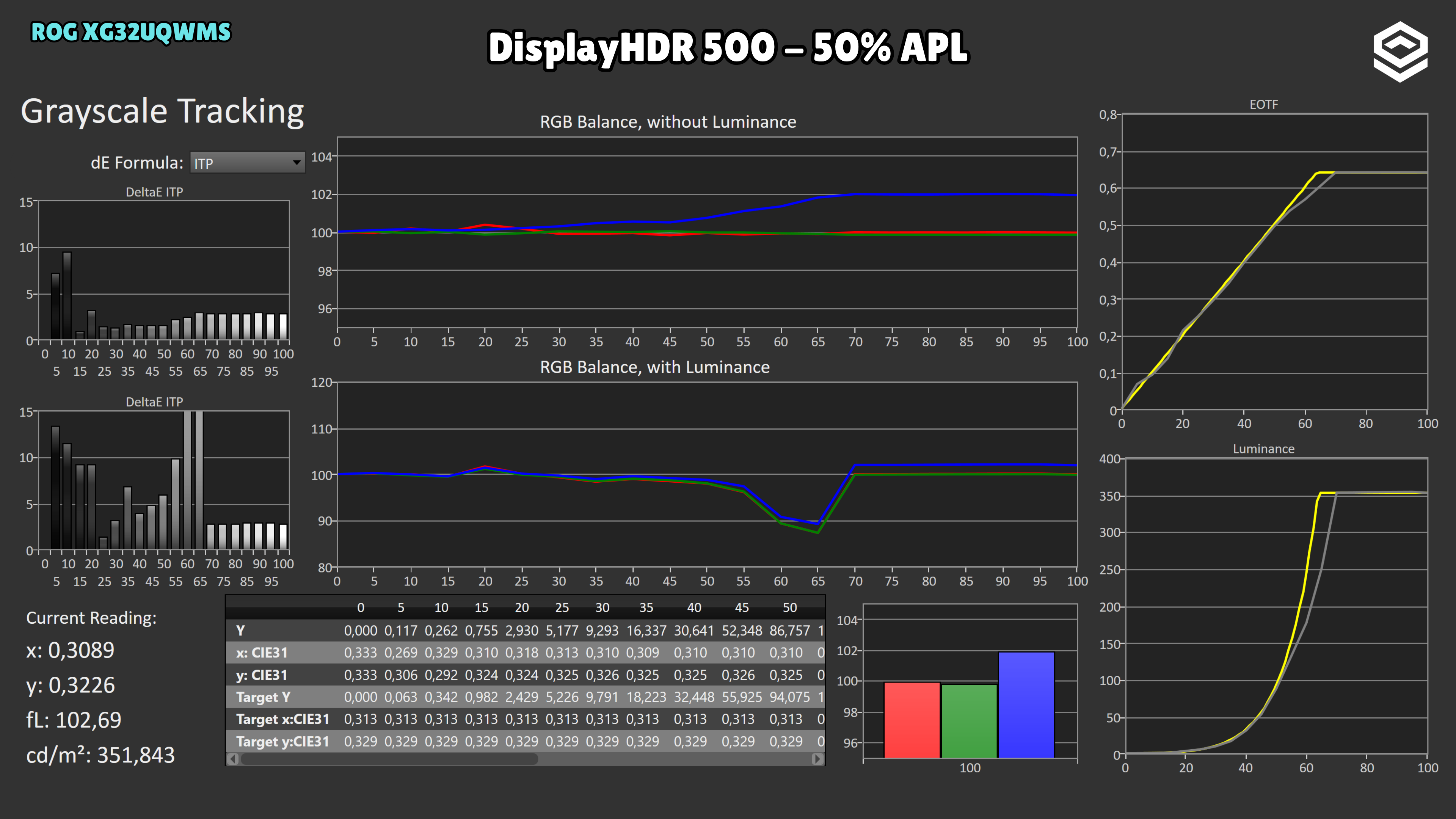
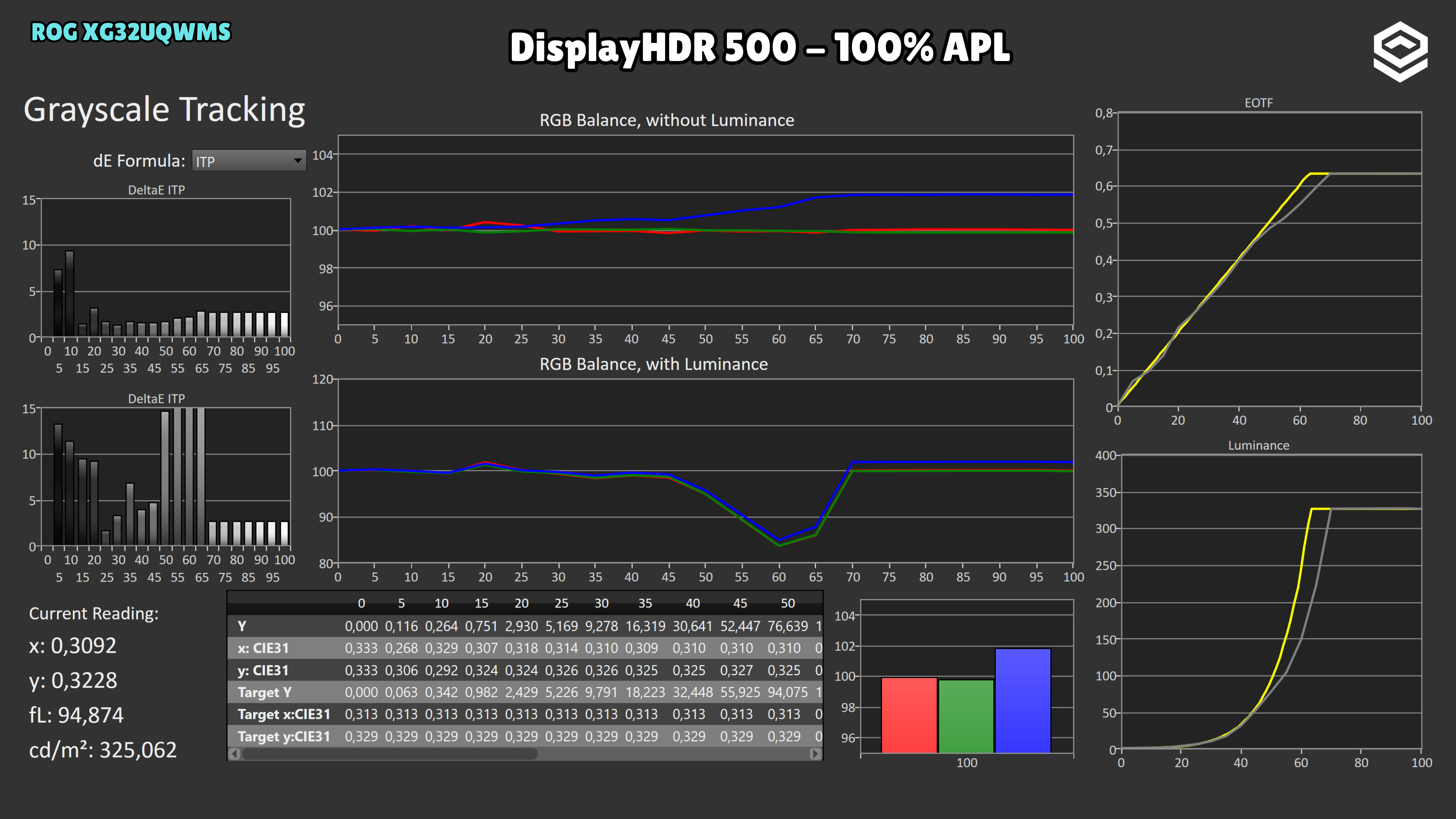
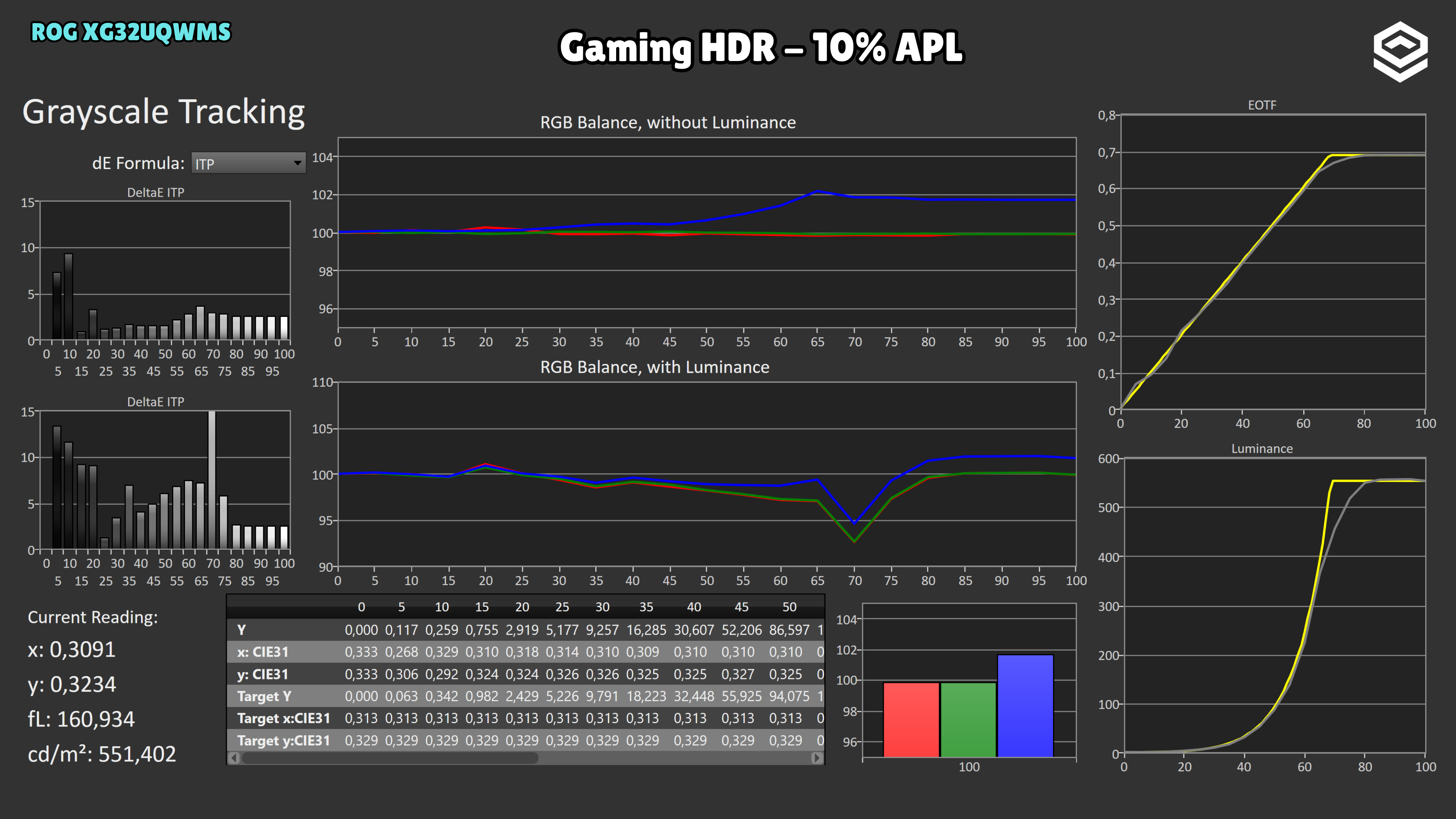
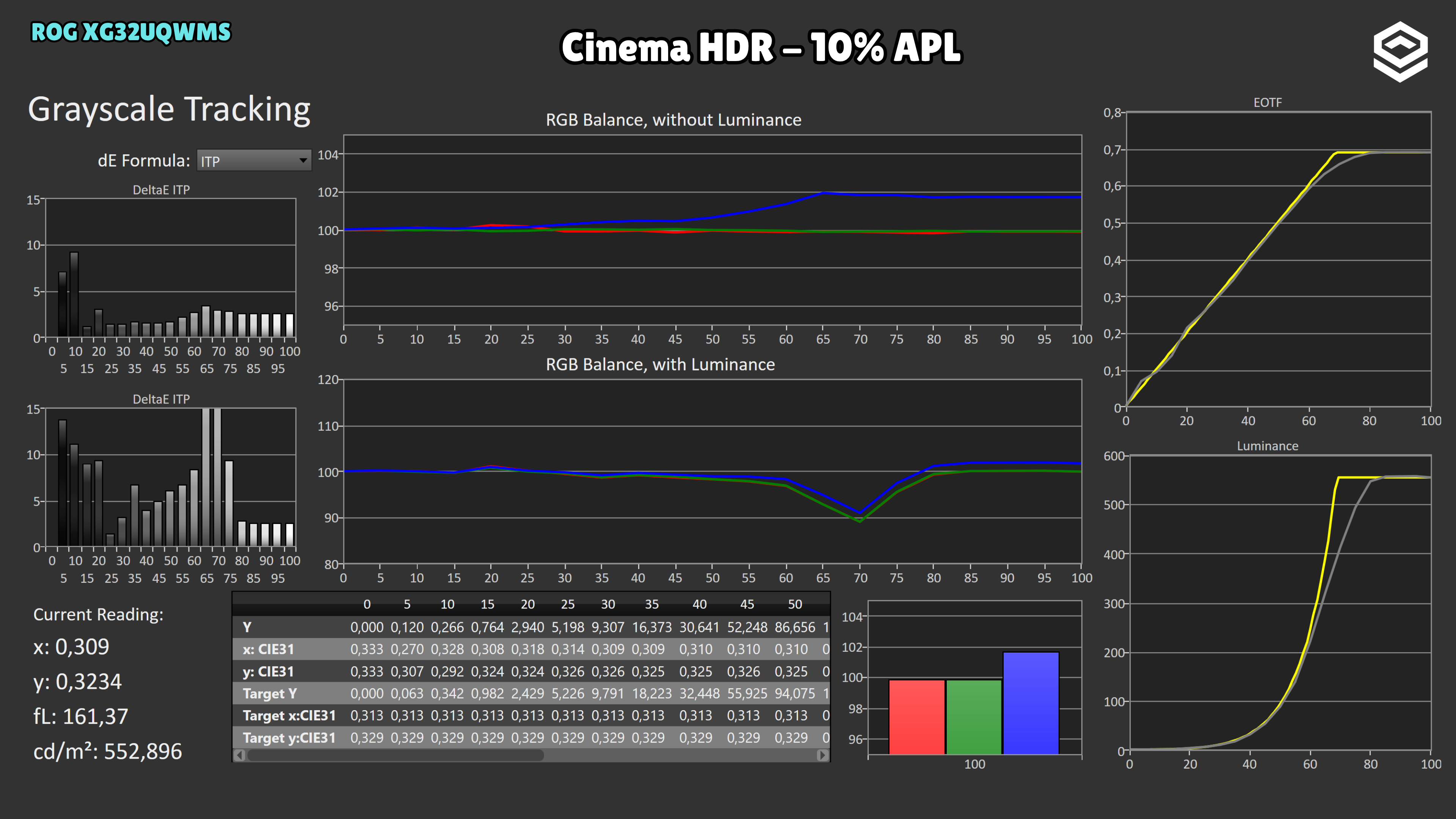
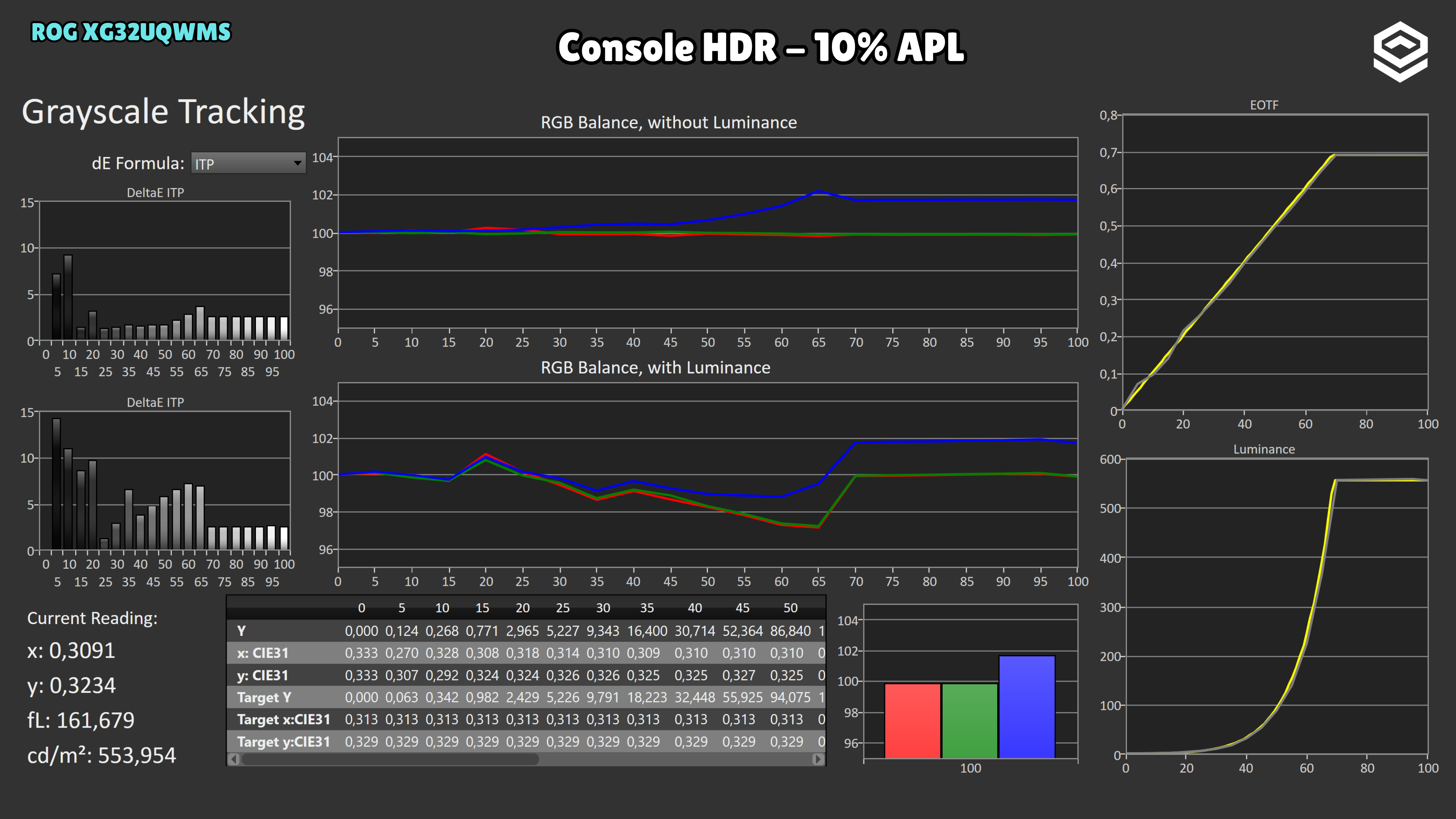
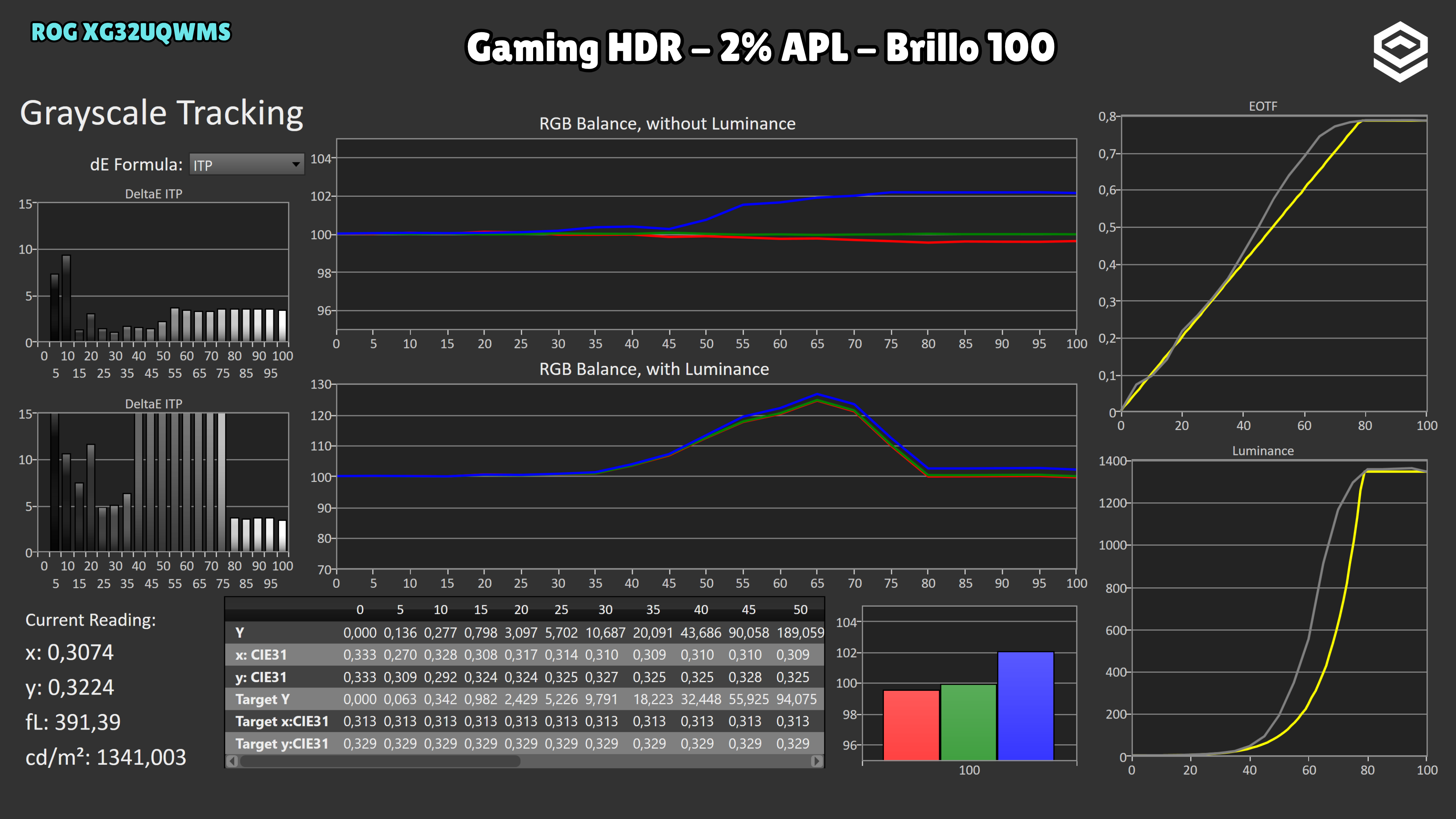
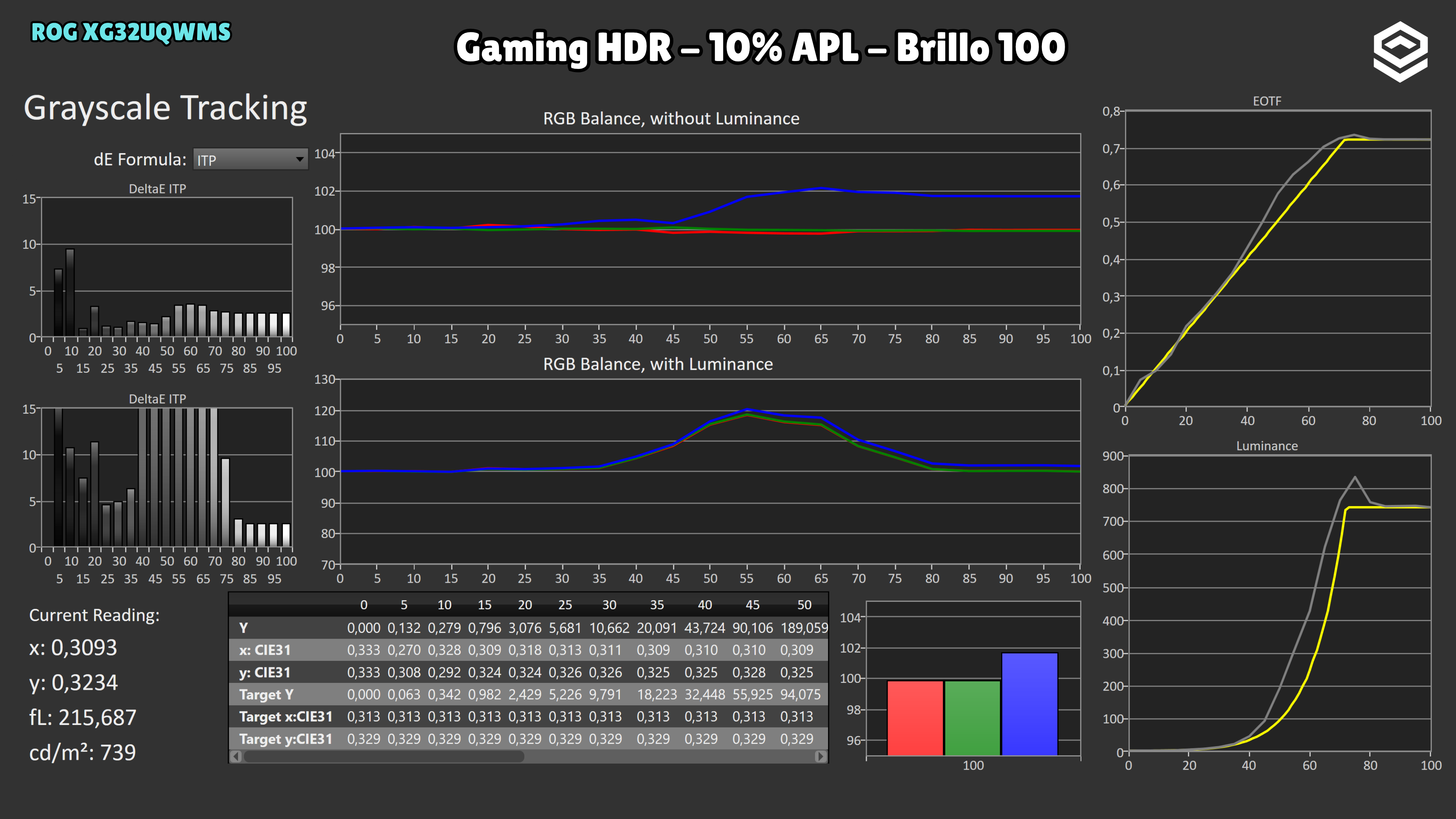
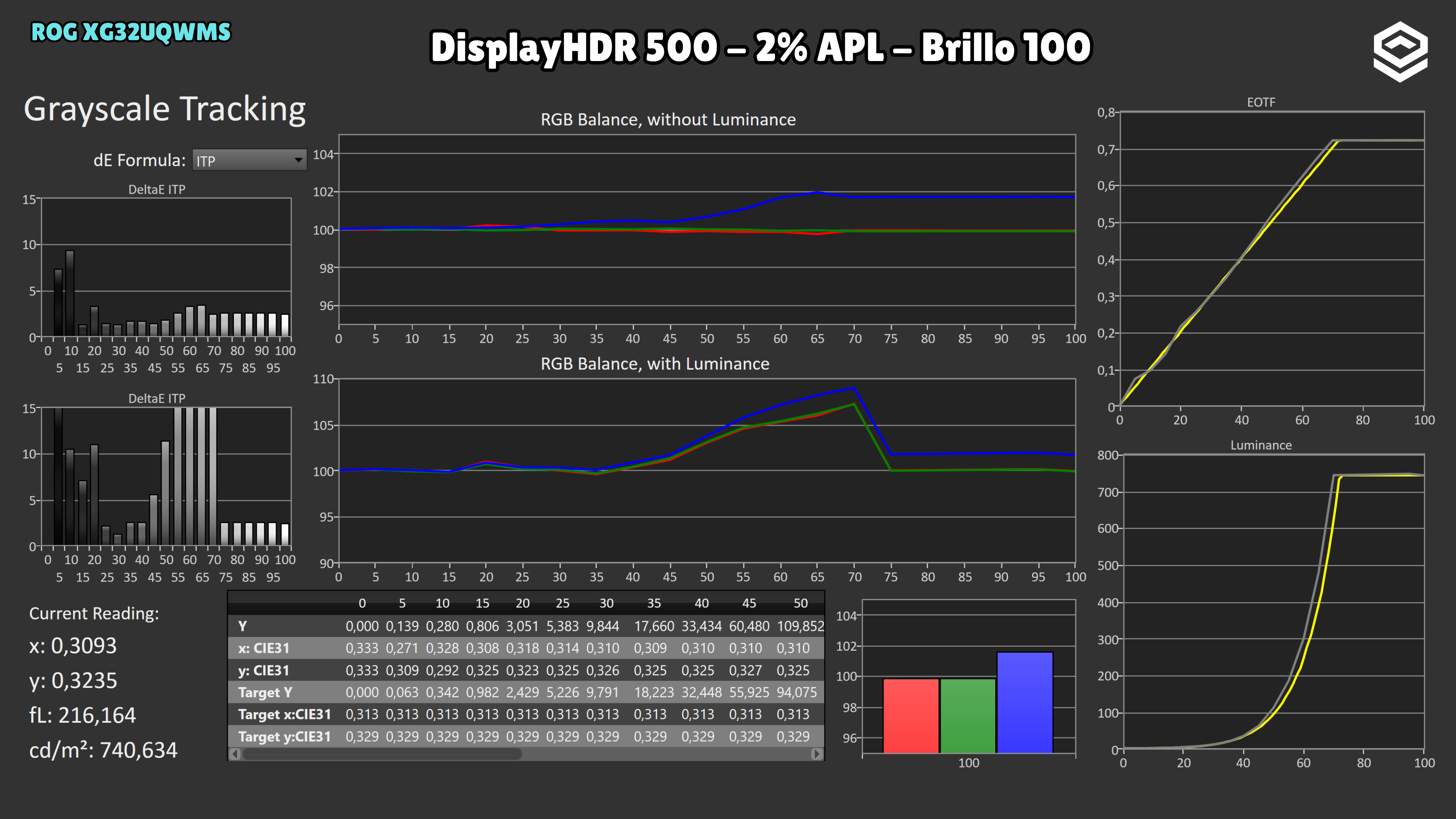
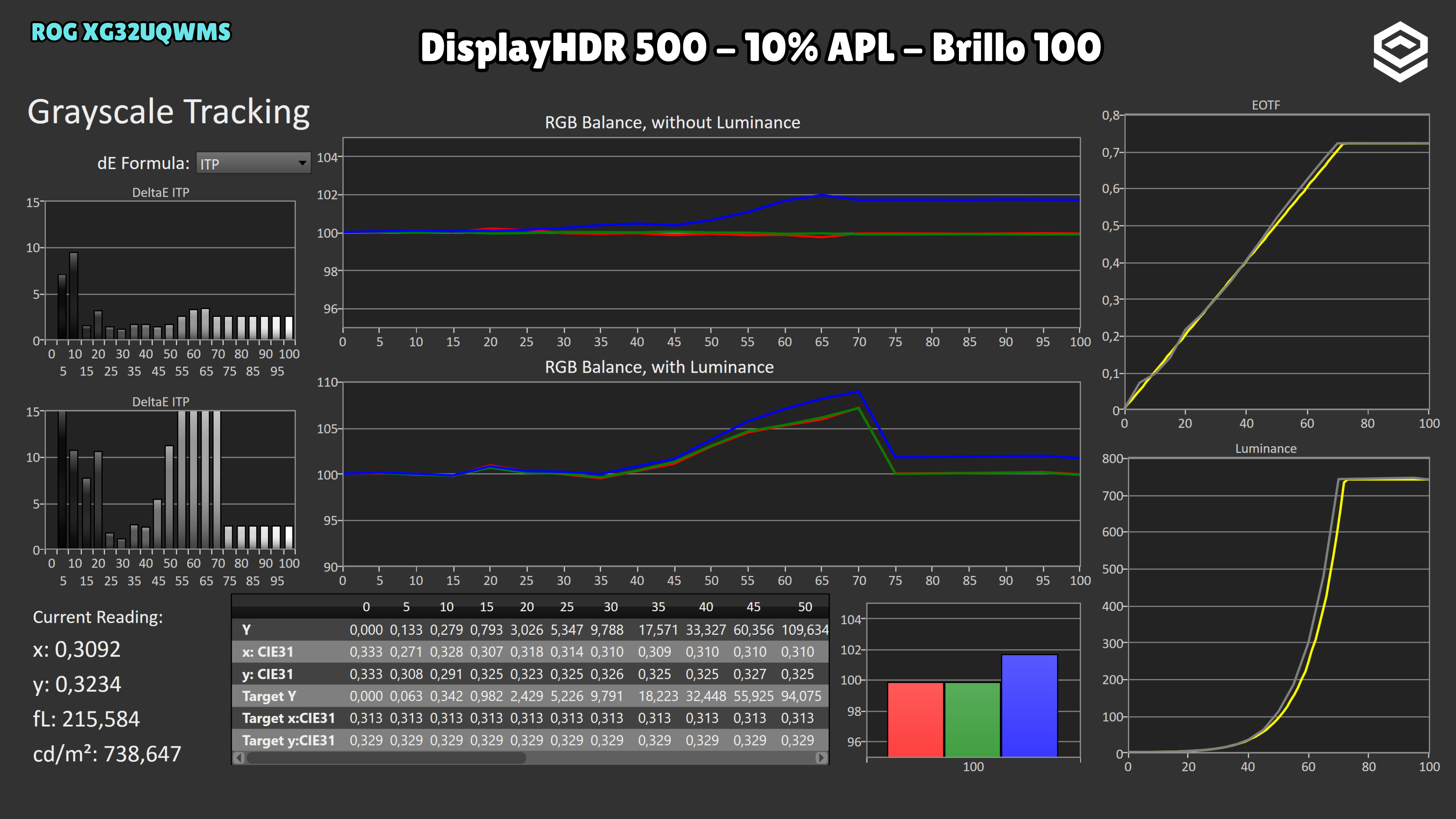
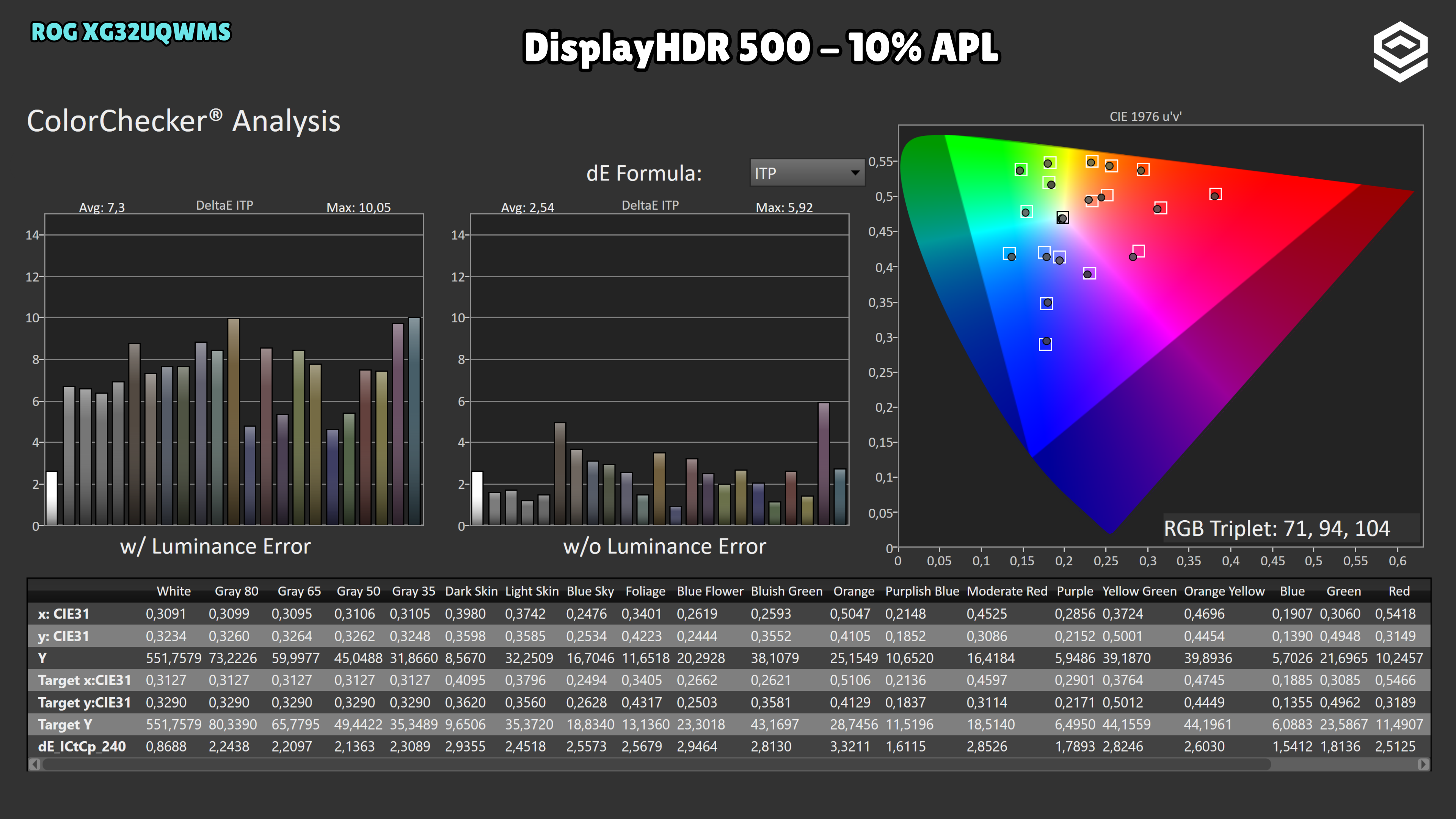
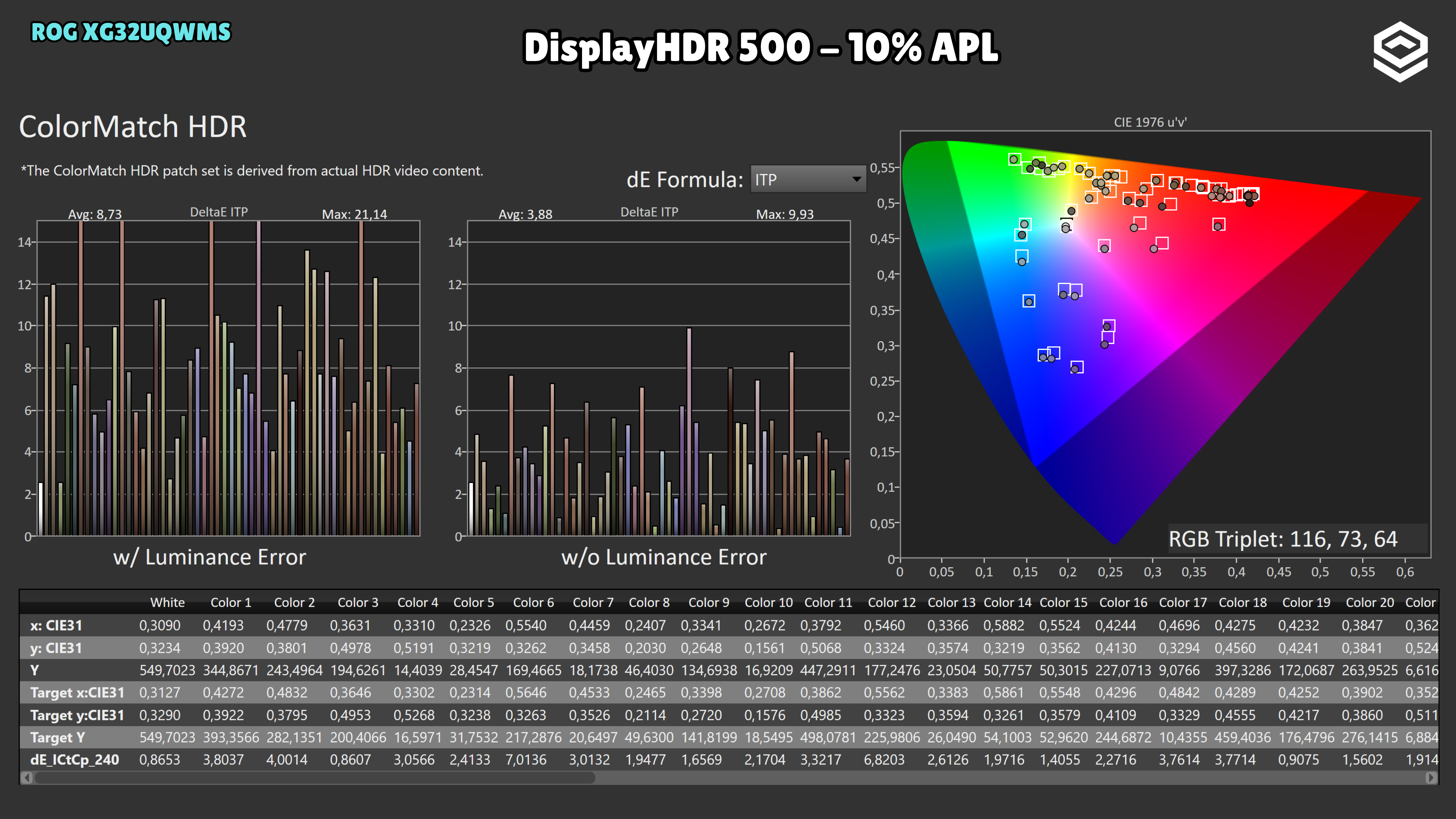
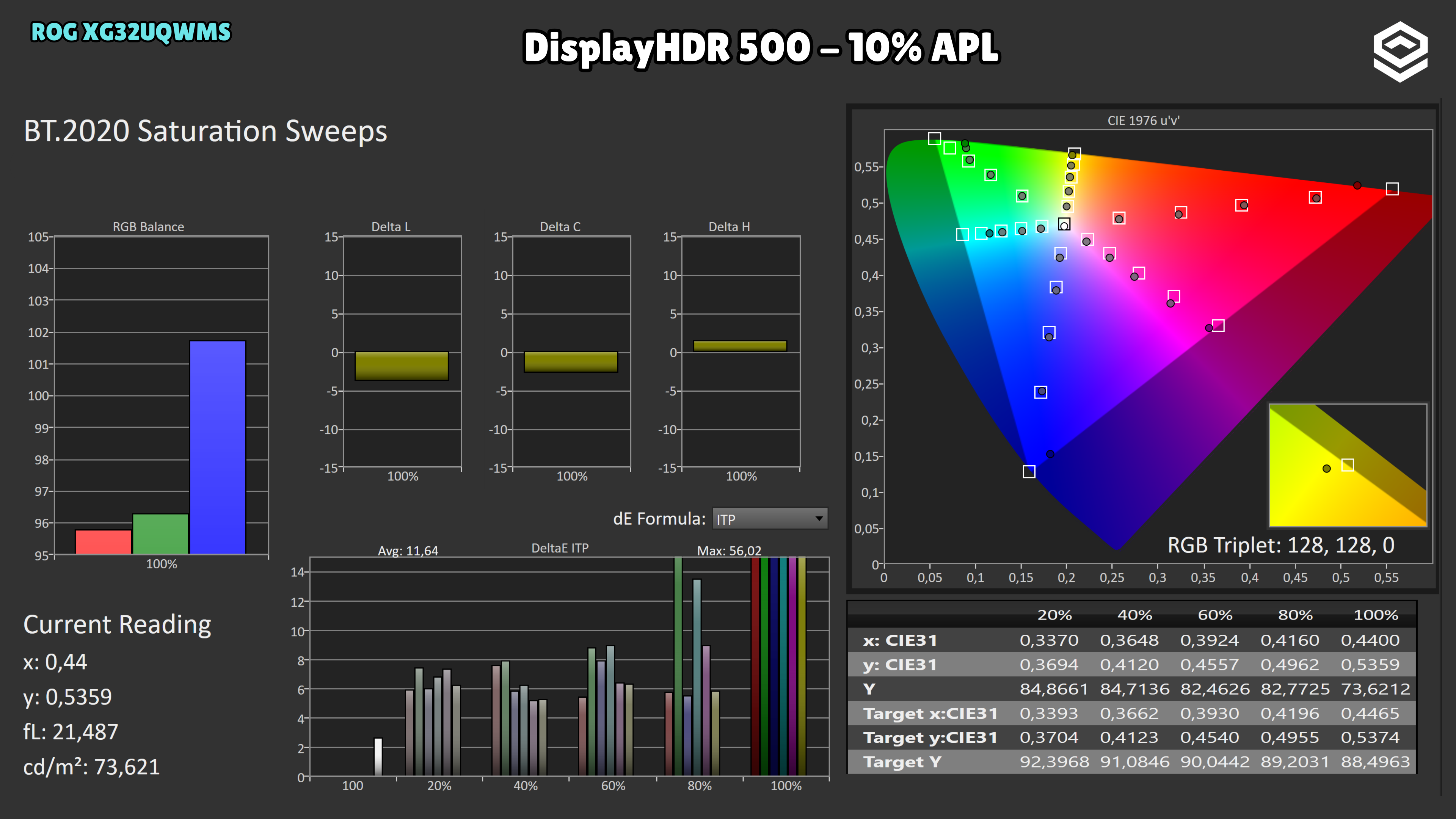
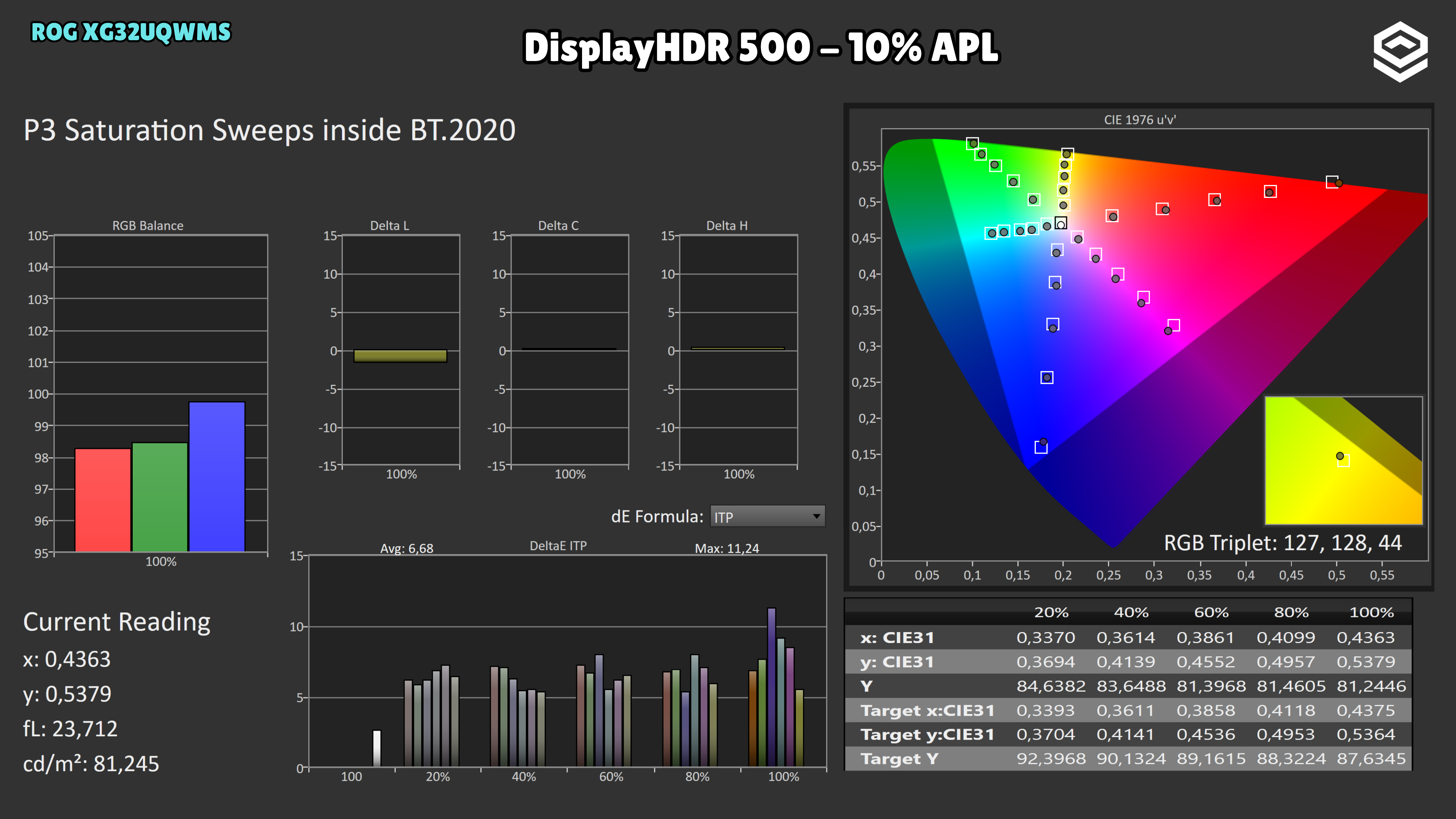
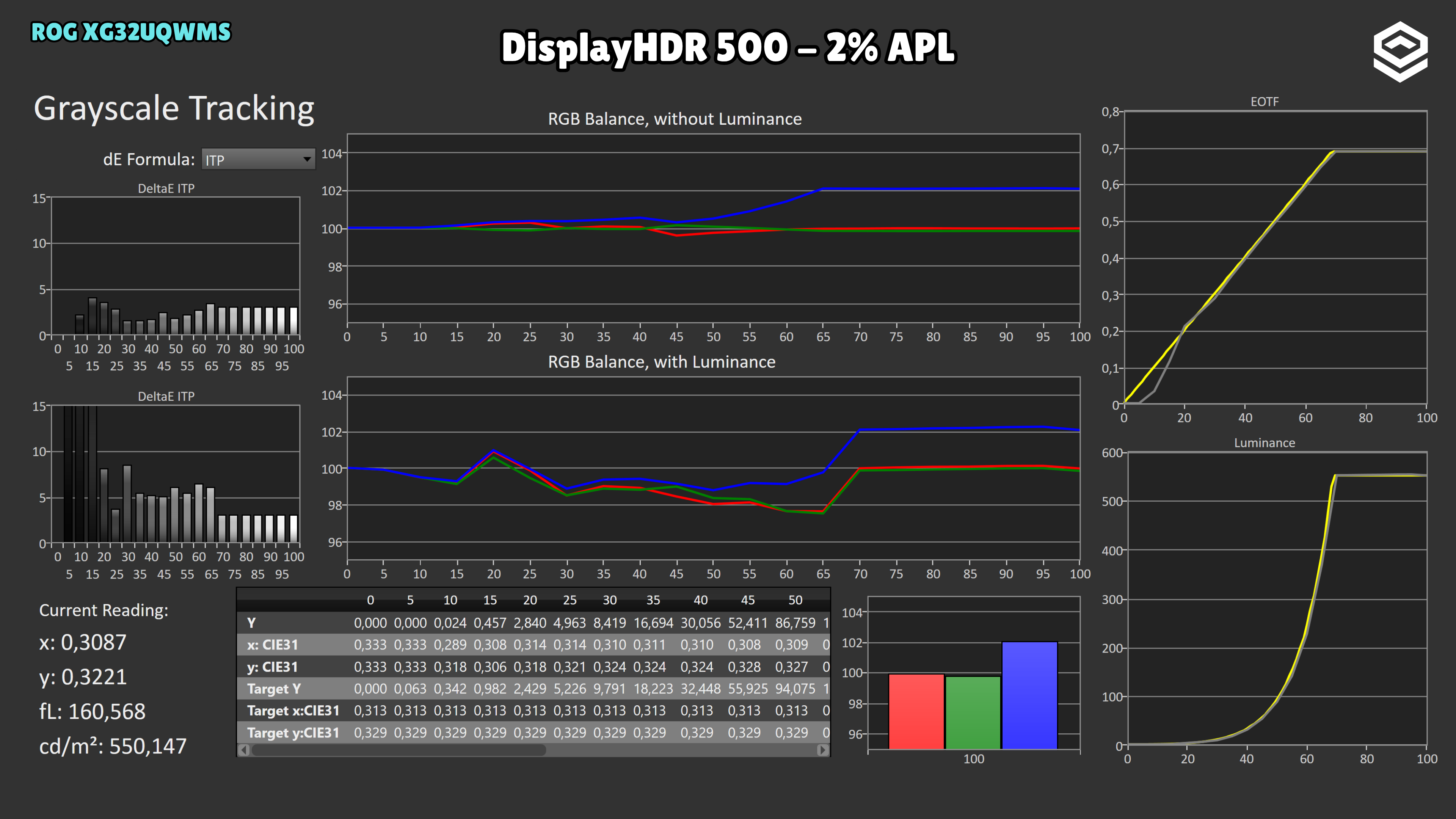
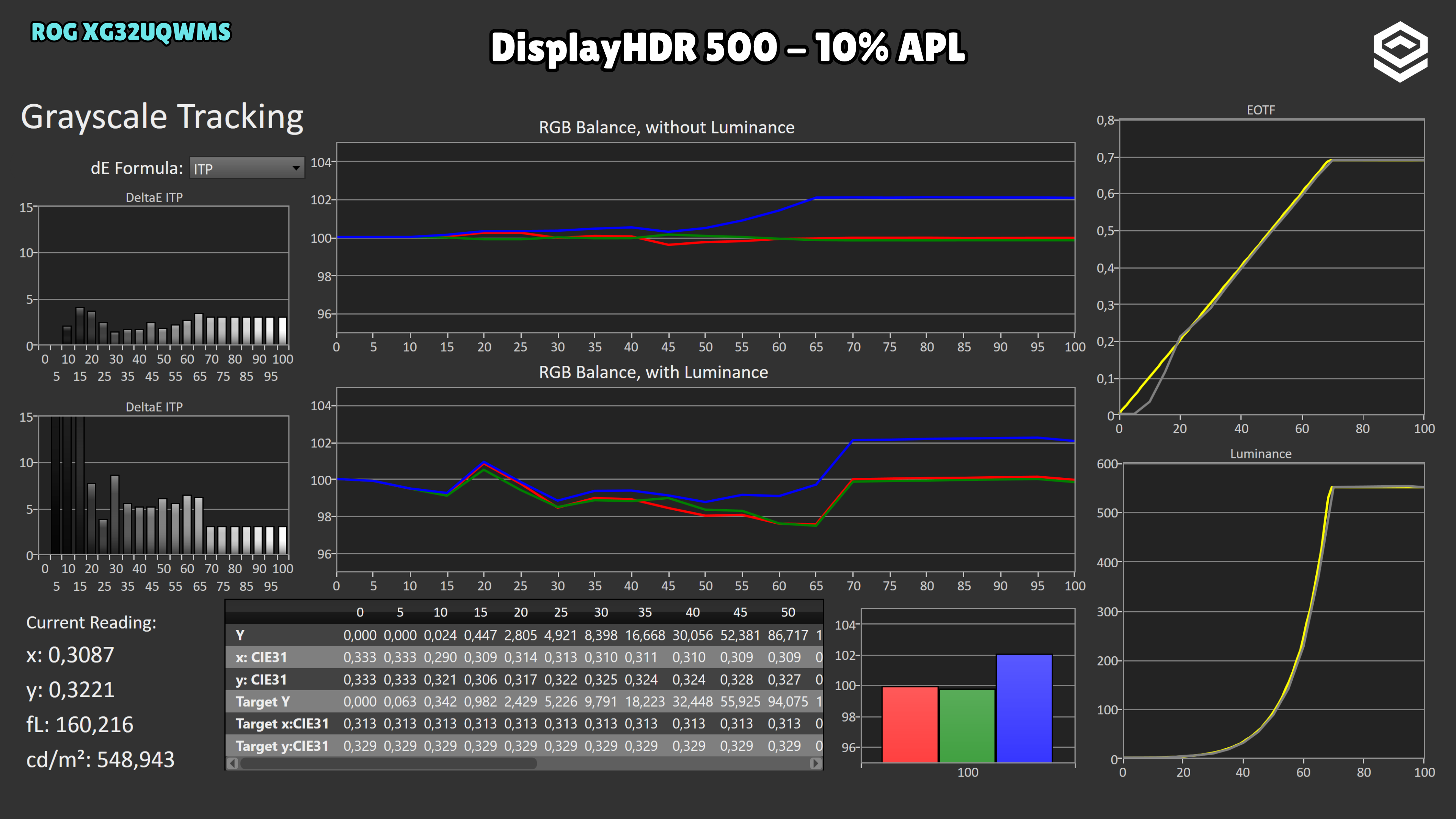
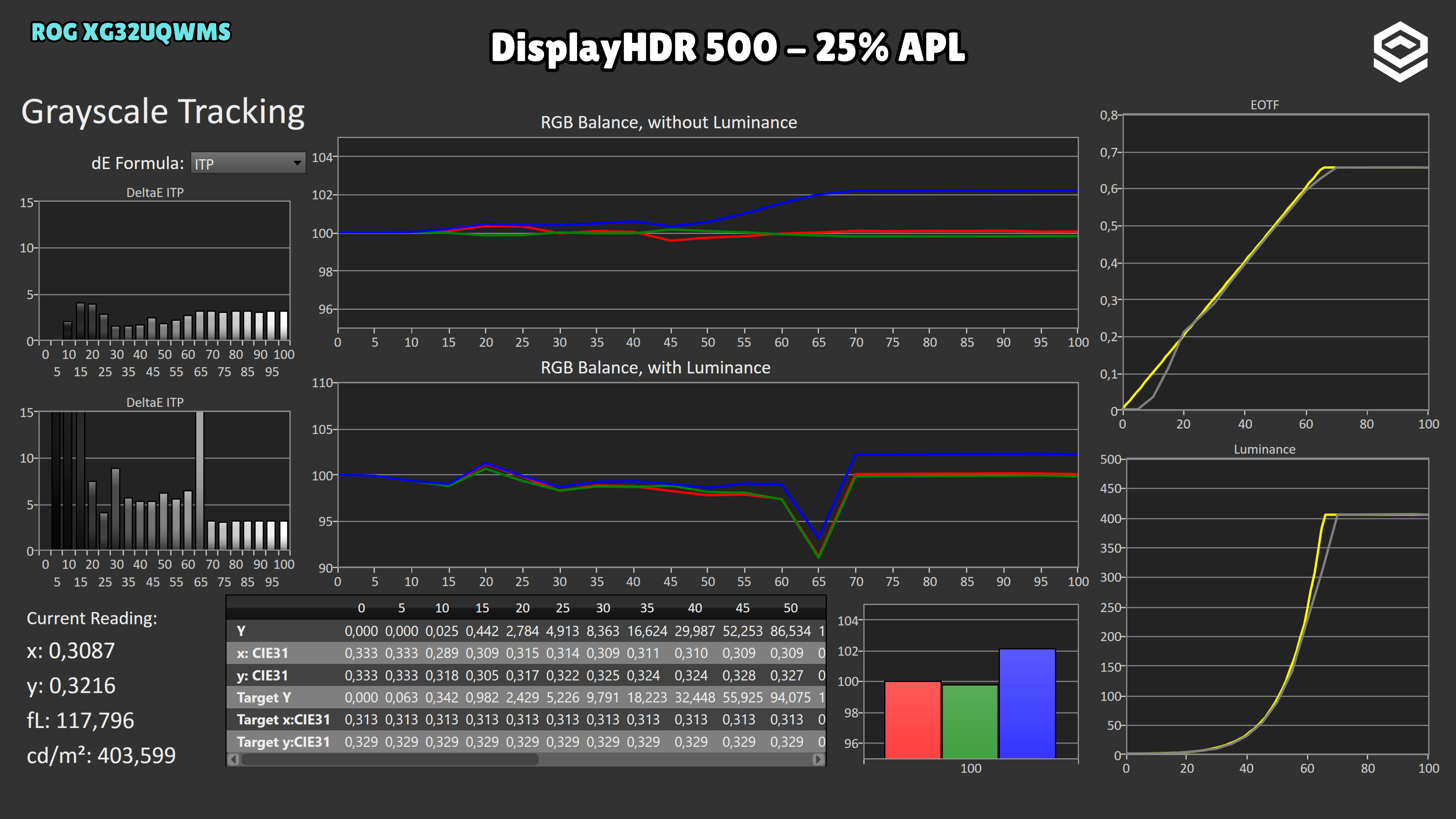
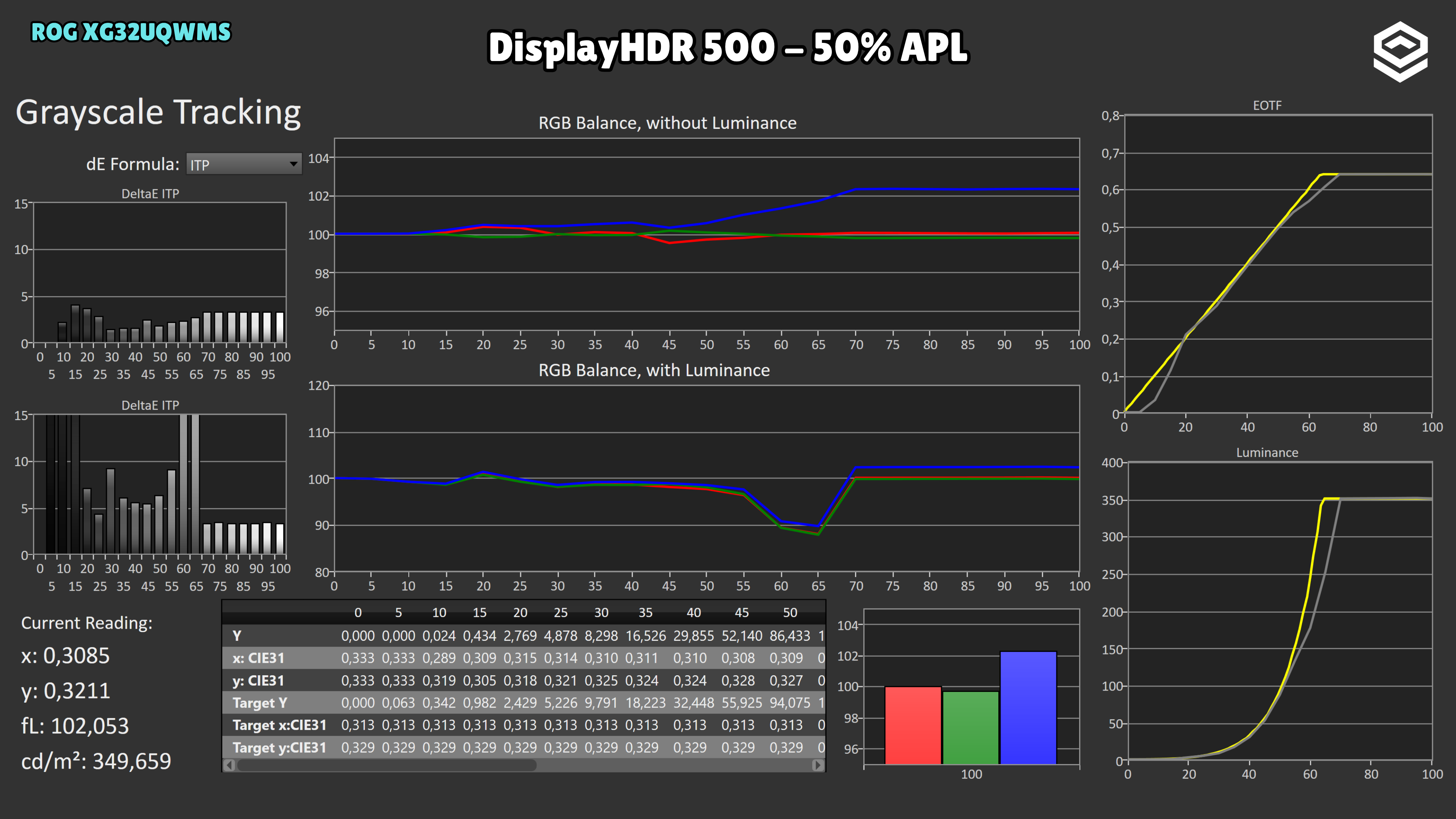
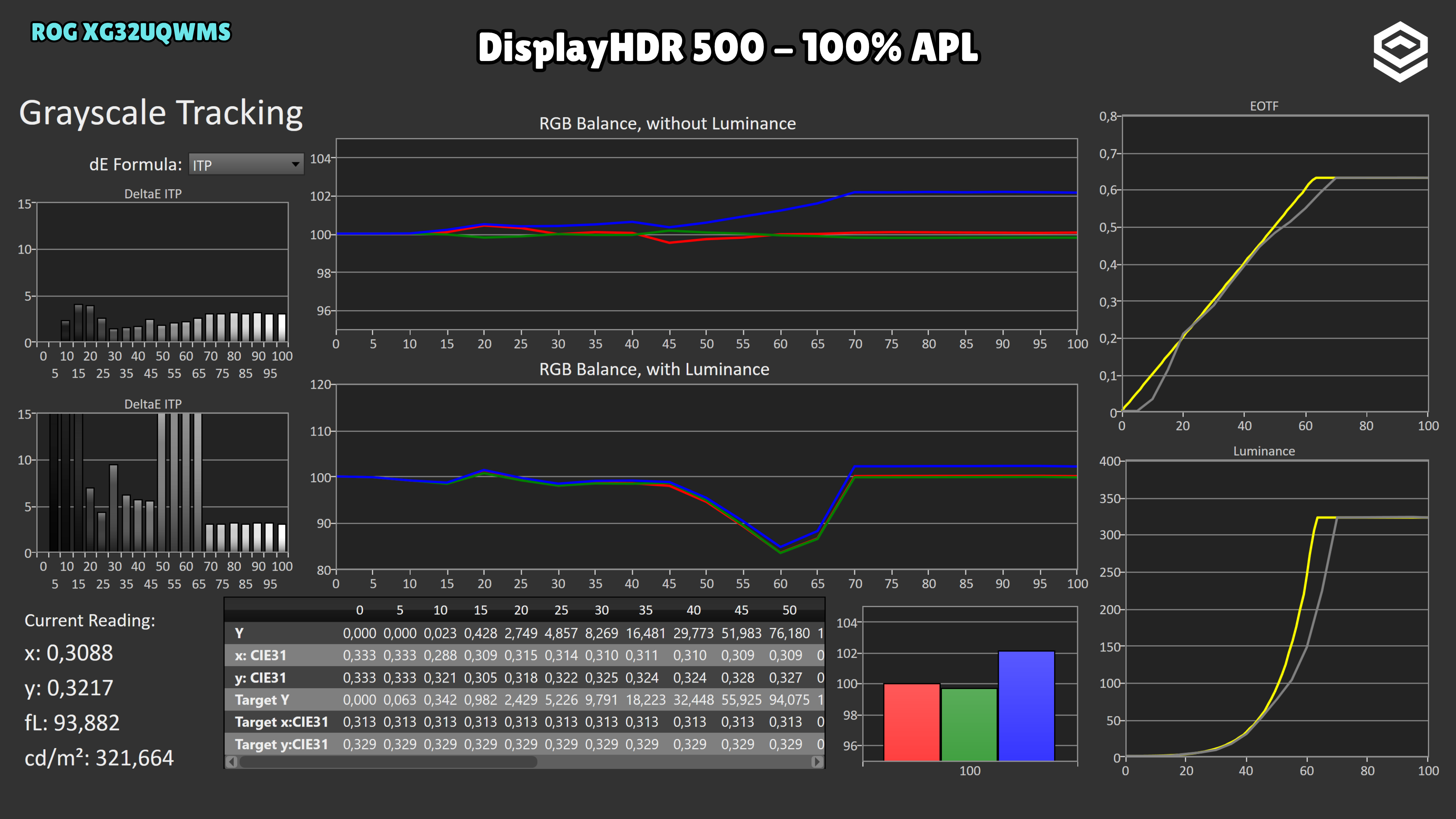
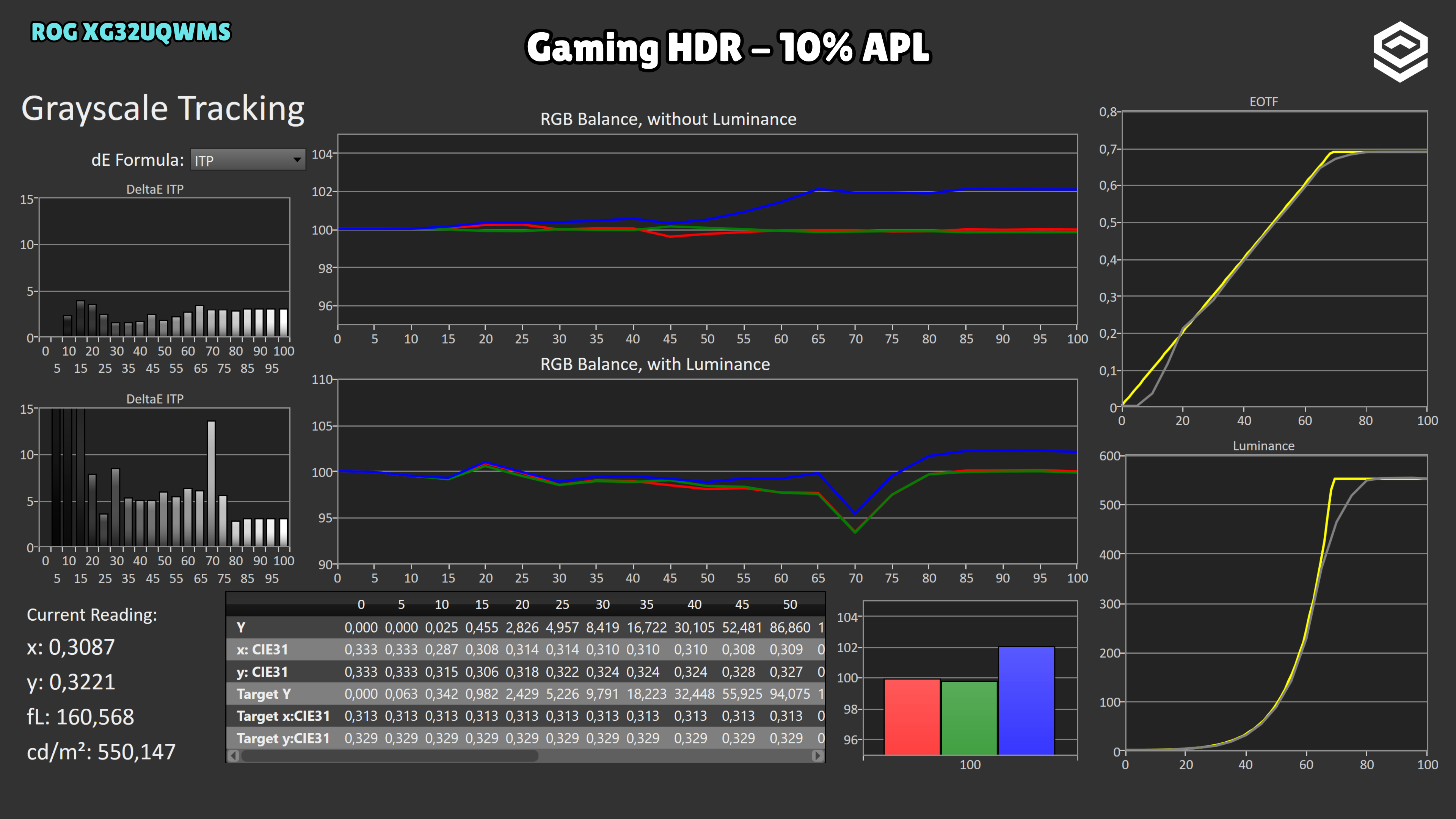
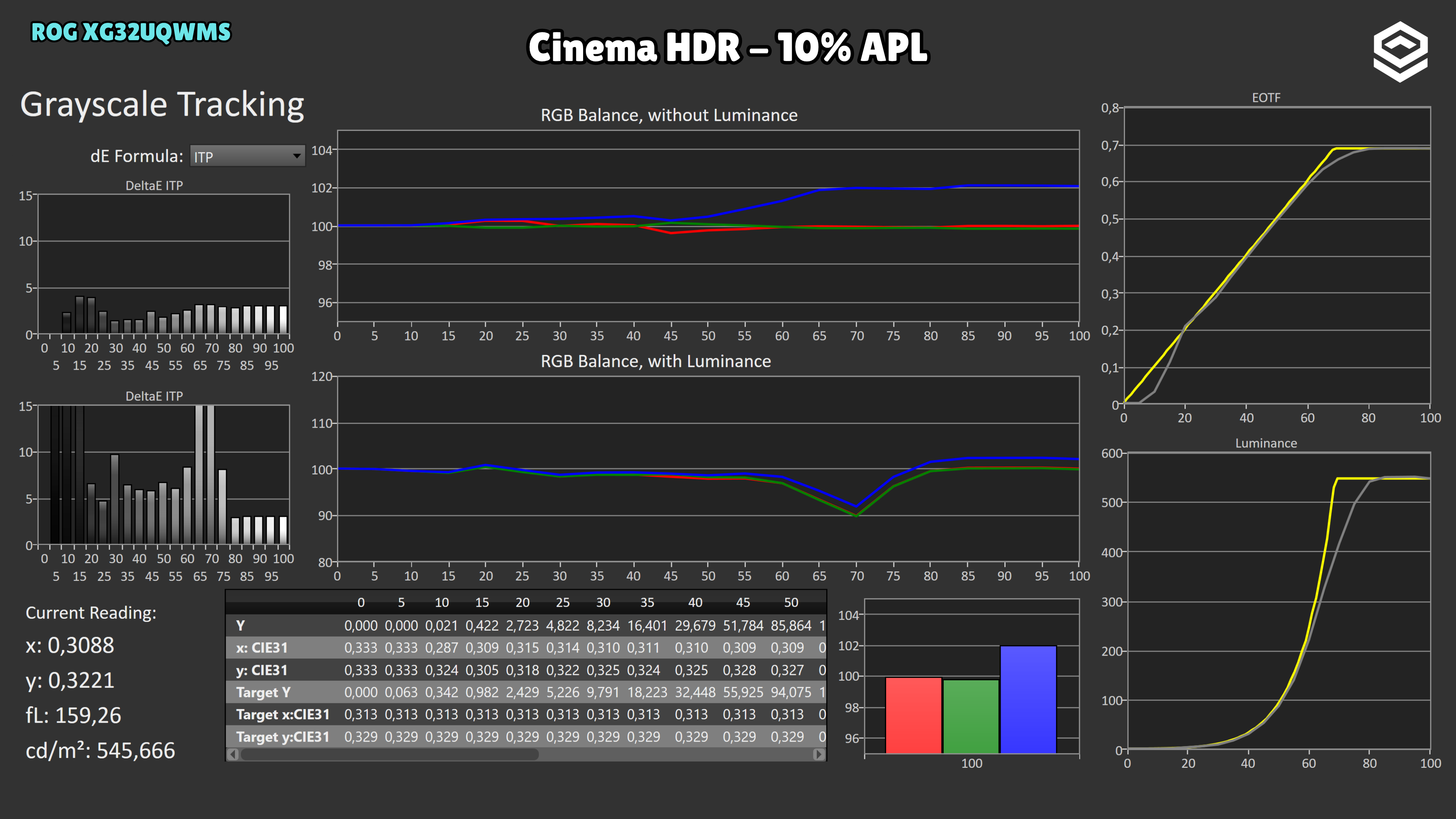
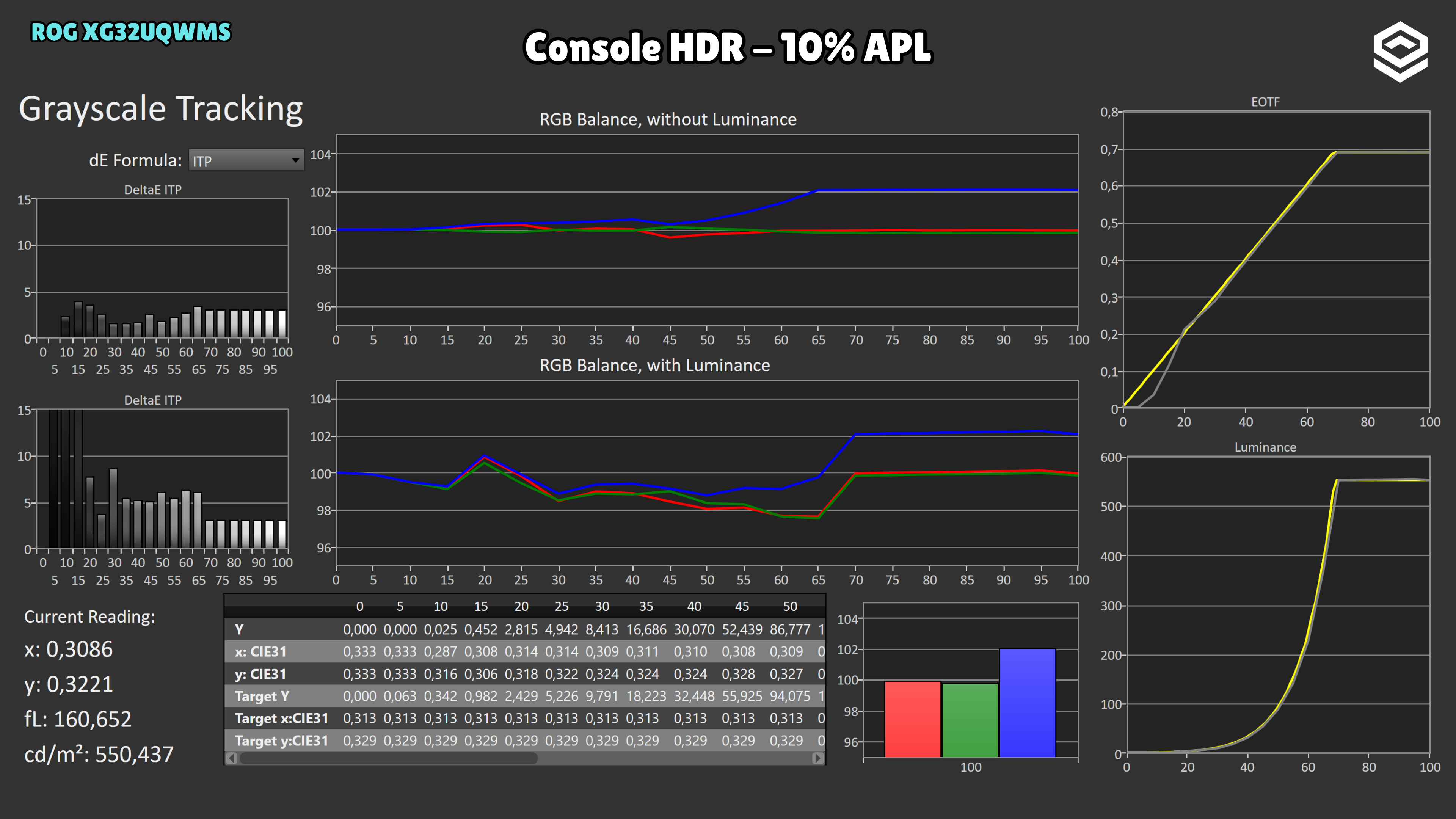
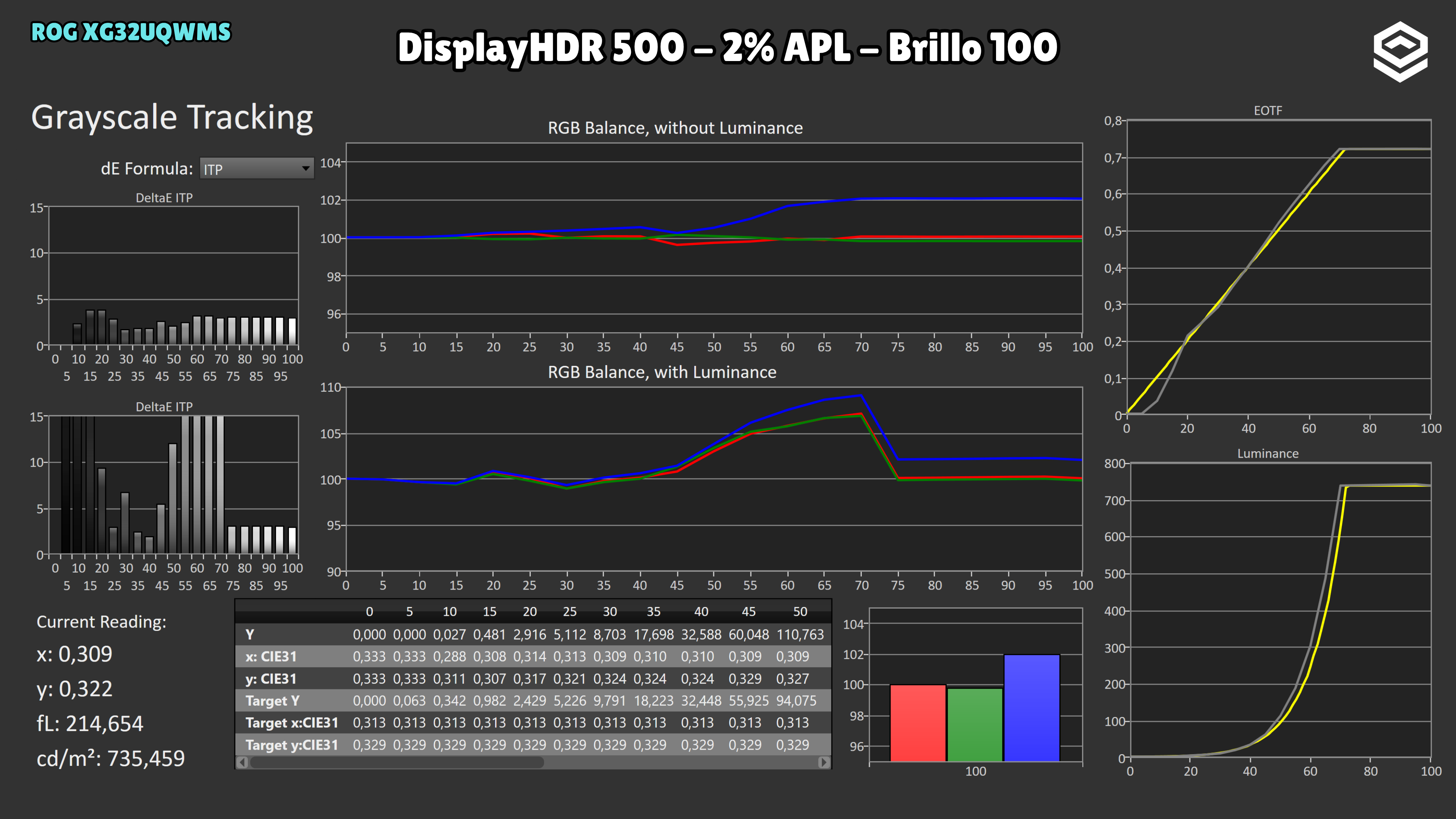
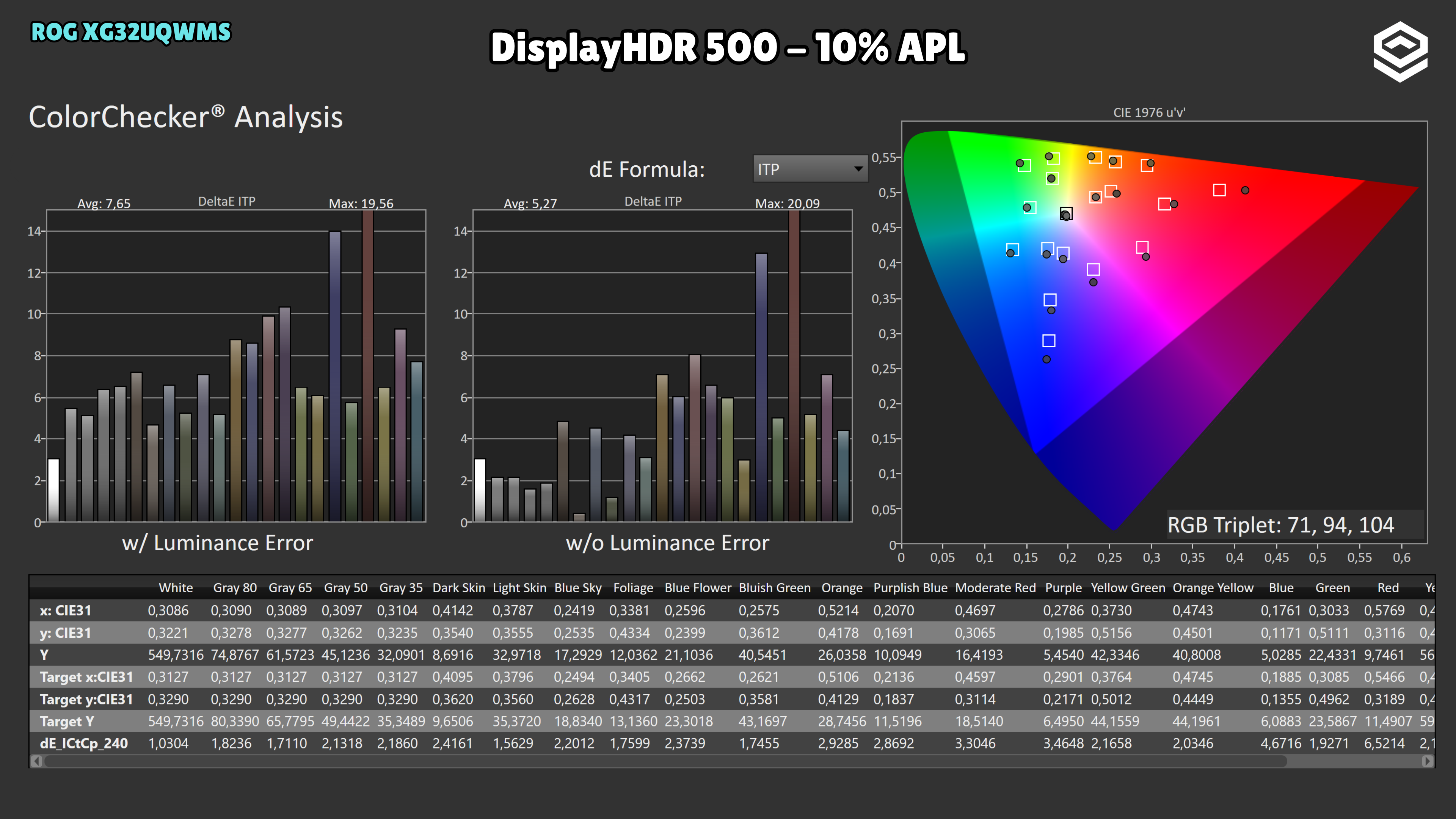
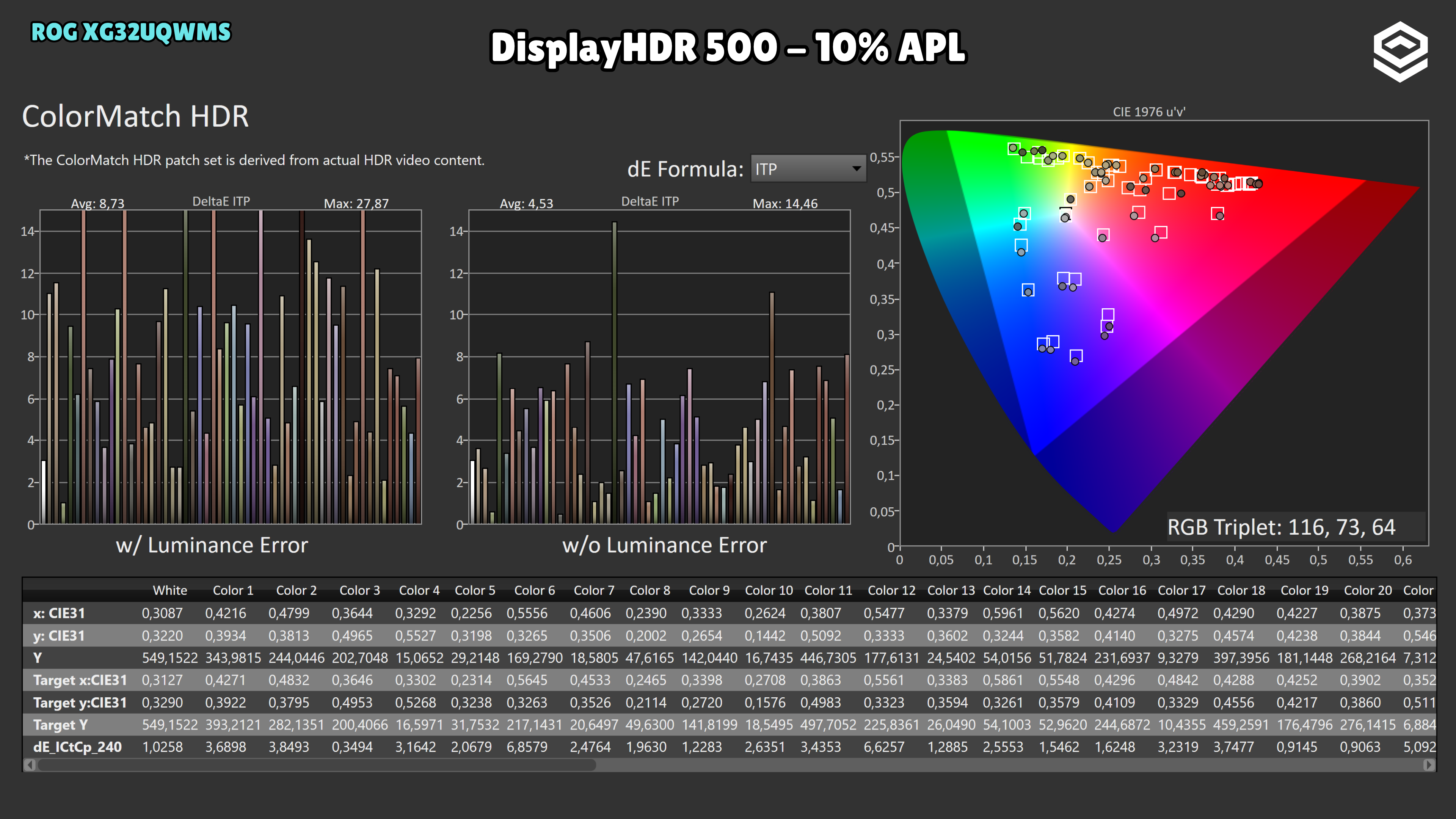
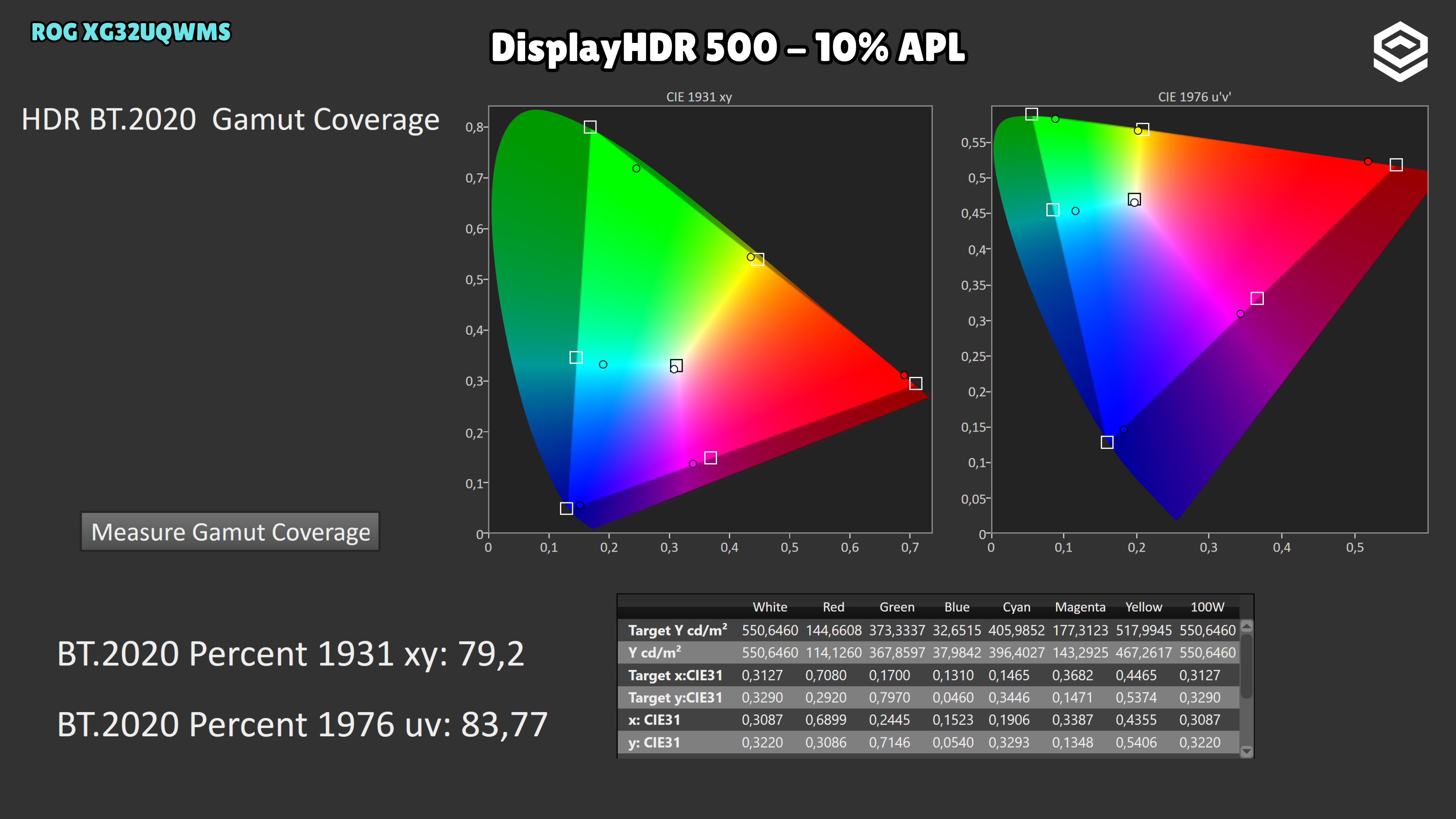
MCM102 fixes excessive darkening near black, although tracking is not perfect at the first steps. In DisplayHDR 500, 2% and 10% windows track the midtone reference well; the 10% window reaches 555 nits. As the lit area grows, the ceiling falls to 408 nits at 25%, 352 at 50% and 325 at full screen: this is an APL limitation and highlight compression, separate from the previous shadow issue.
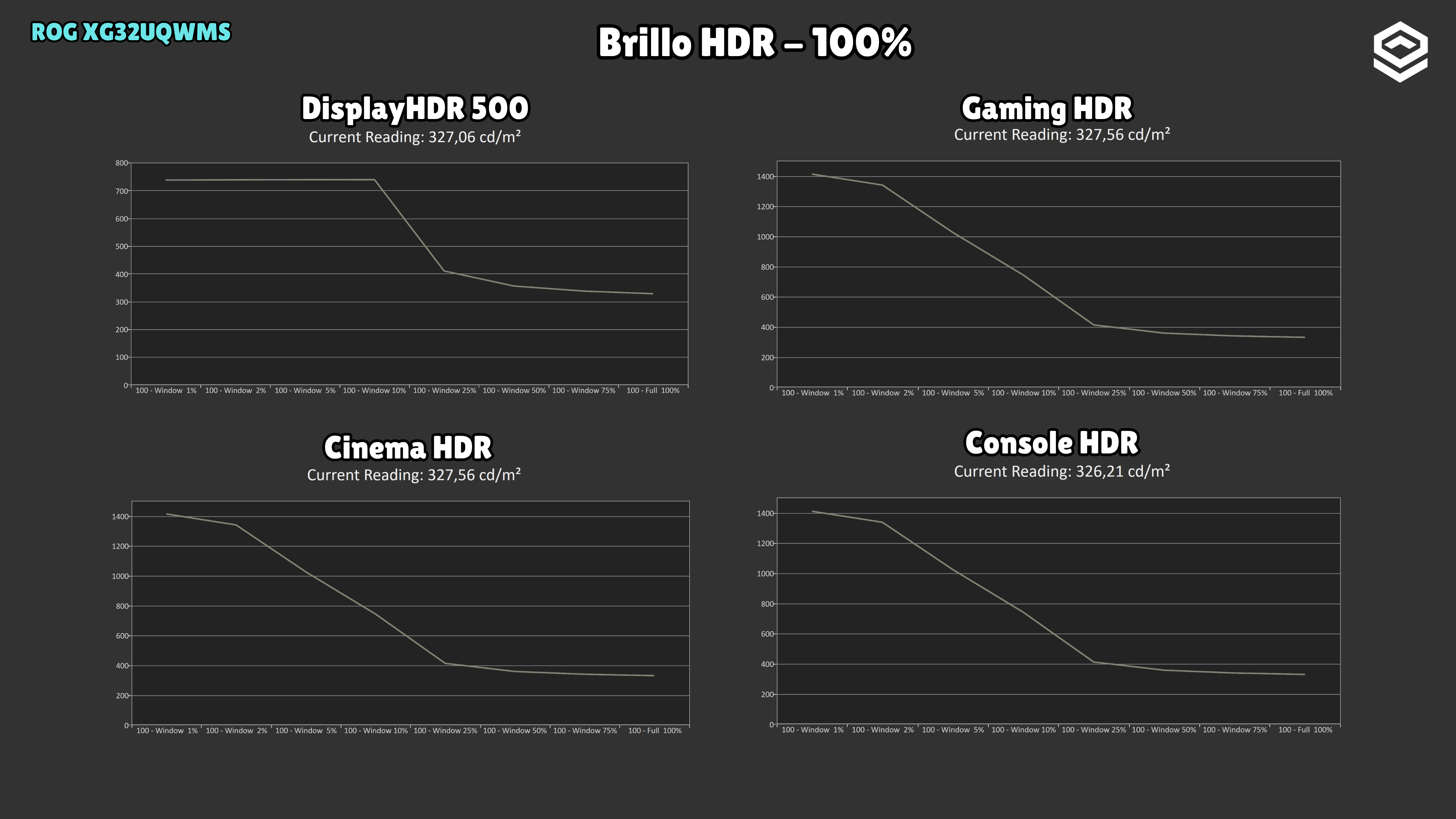
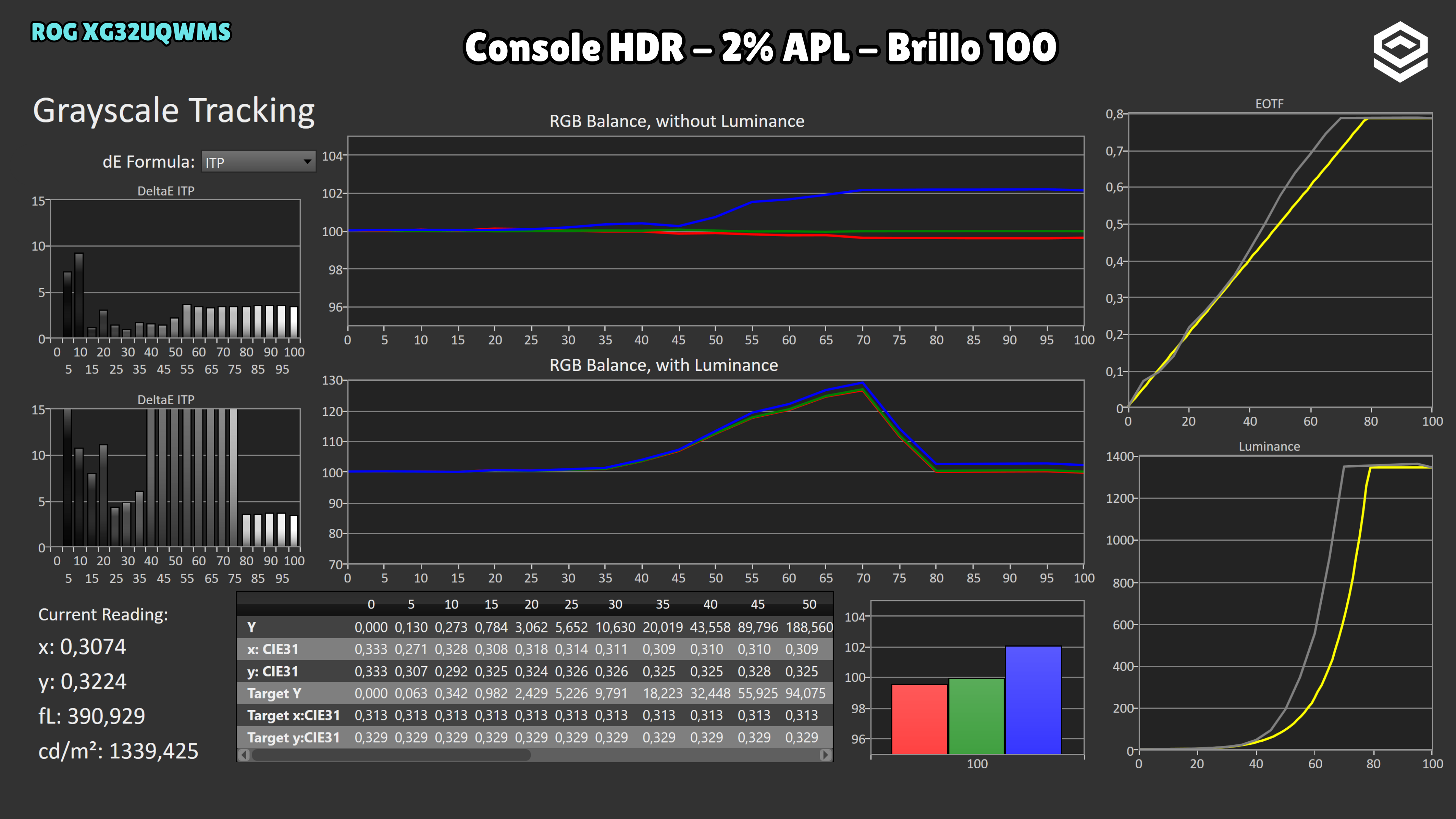
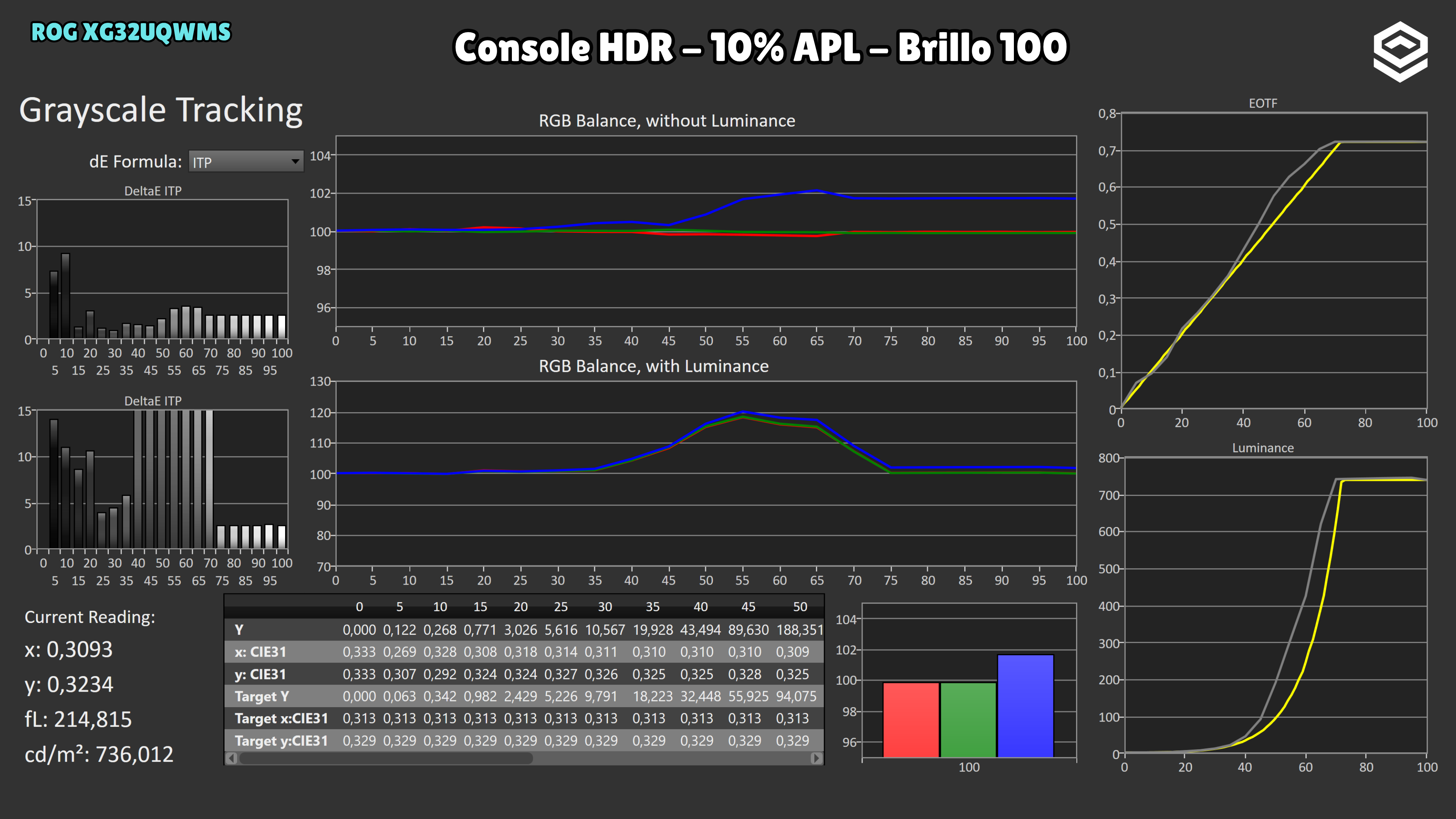
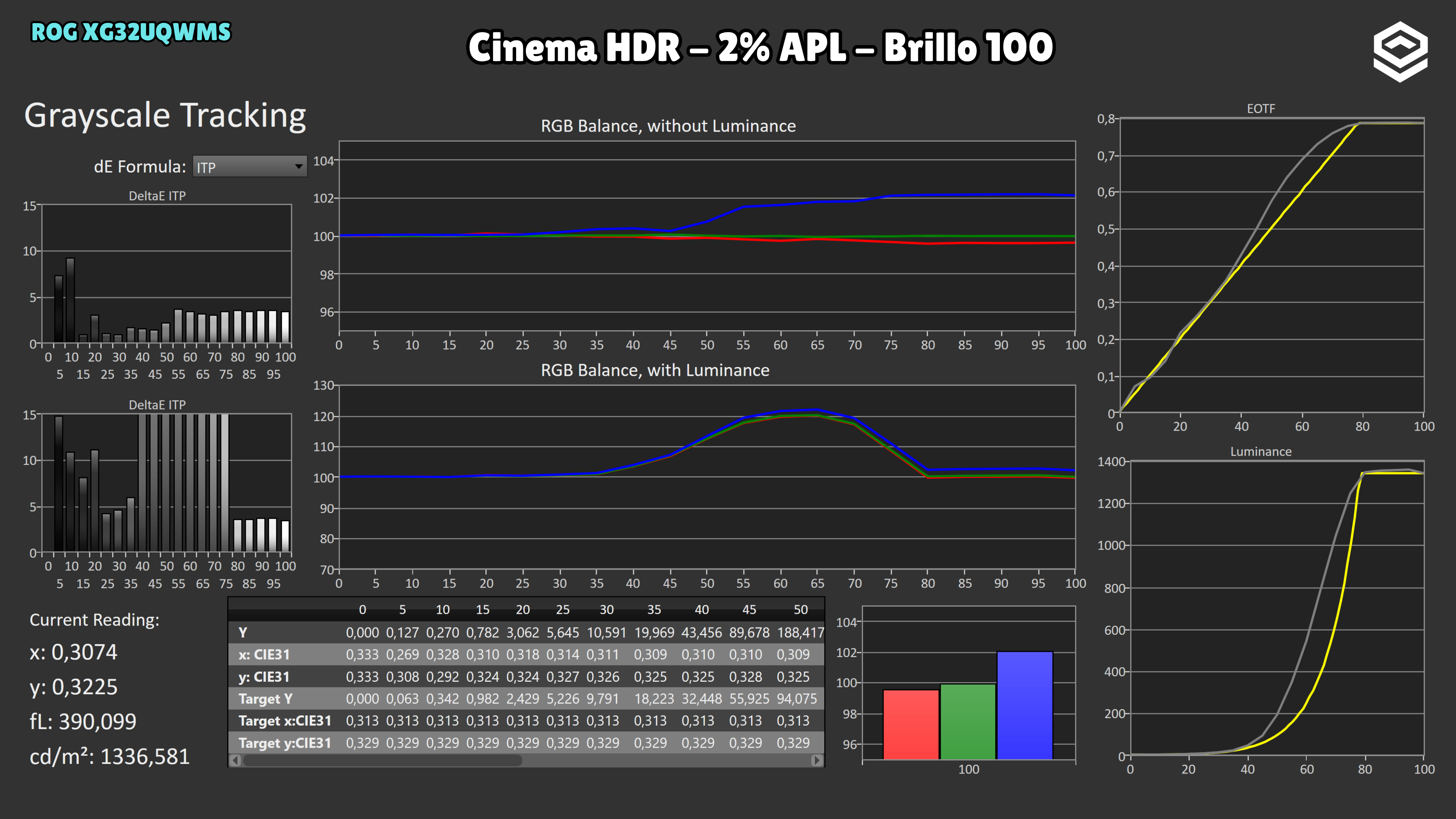
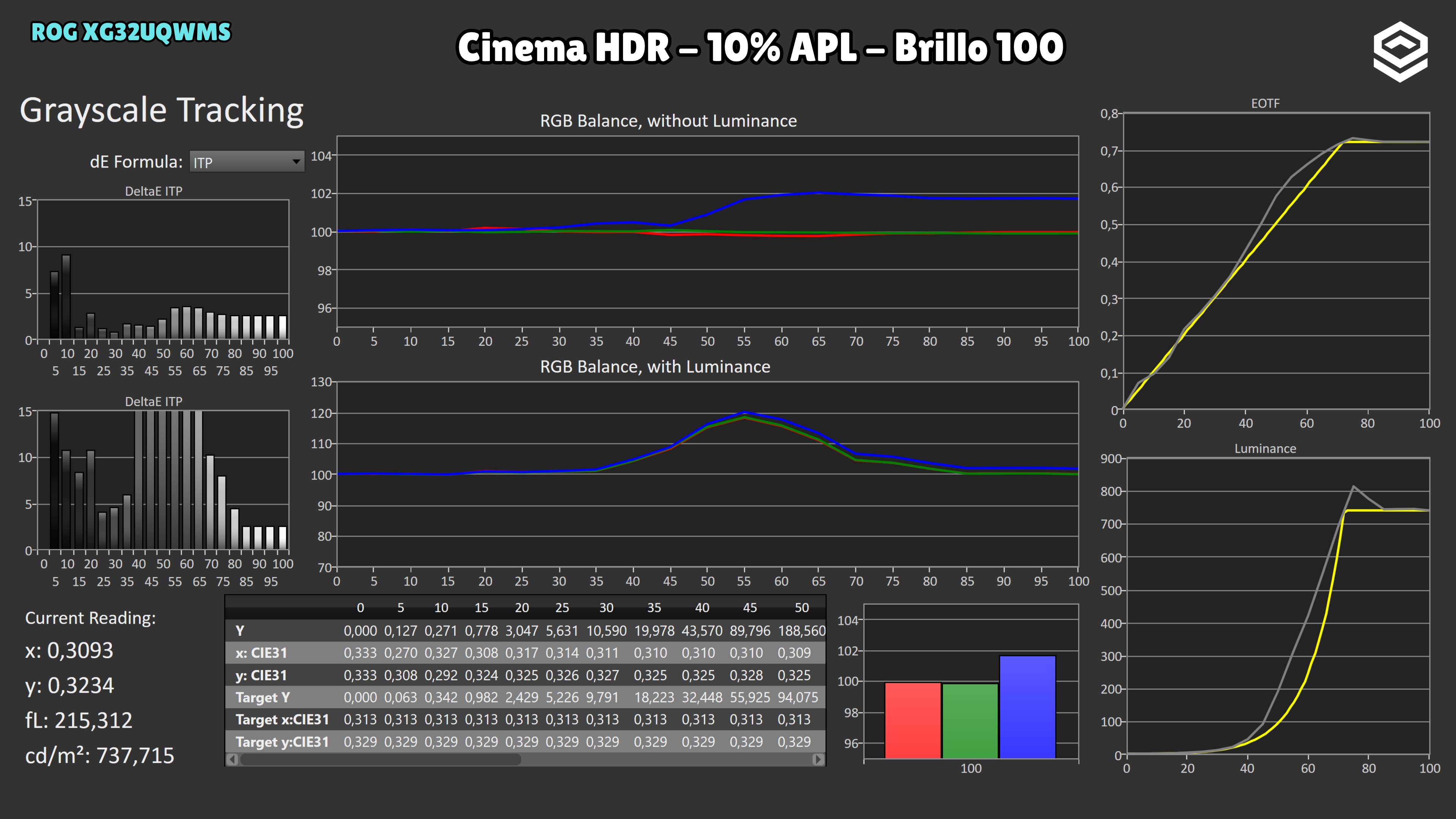
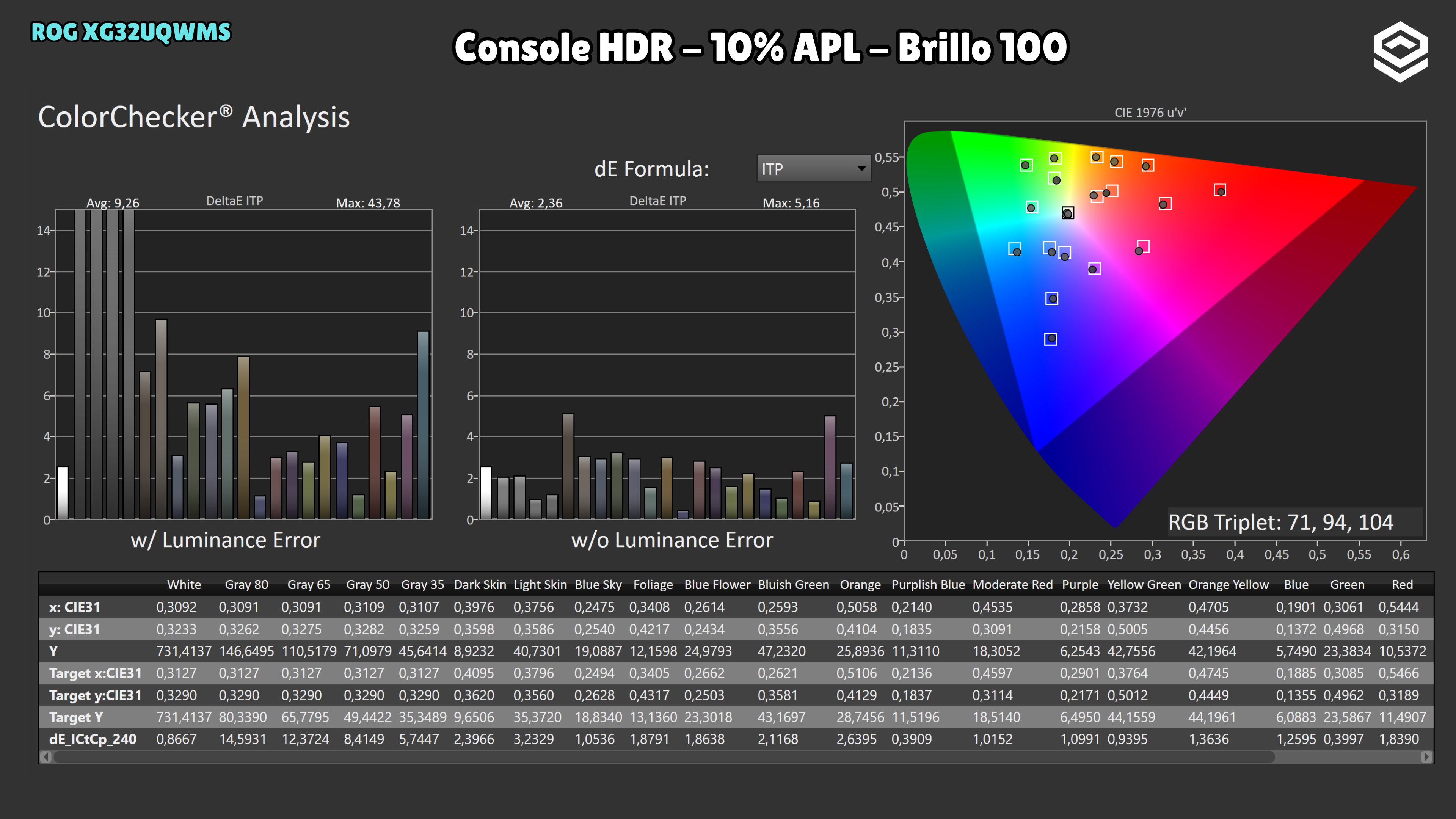
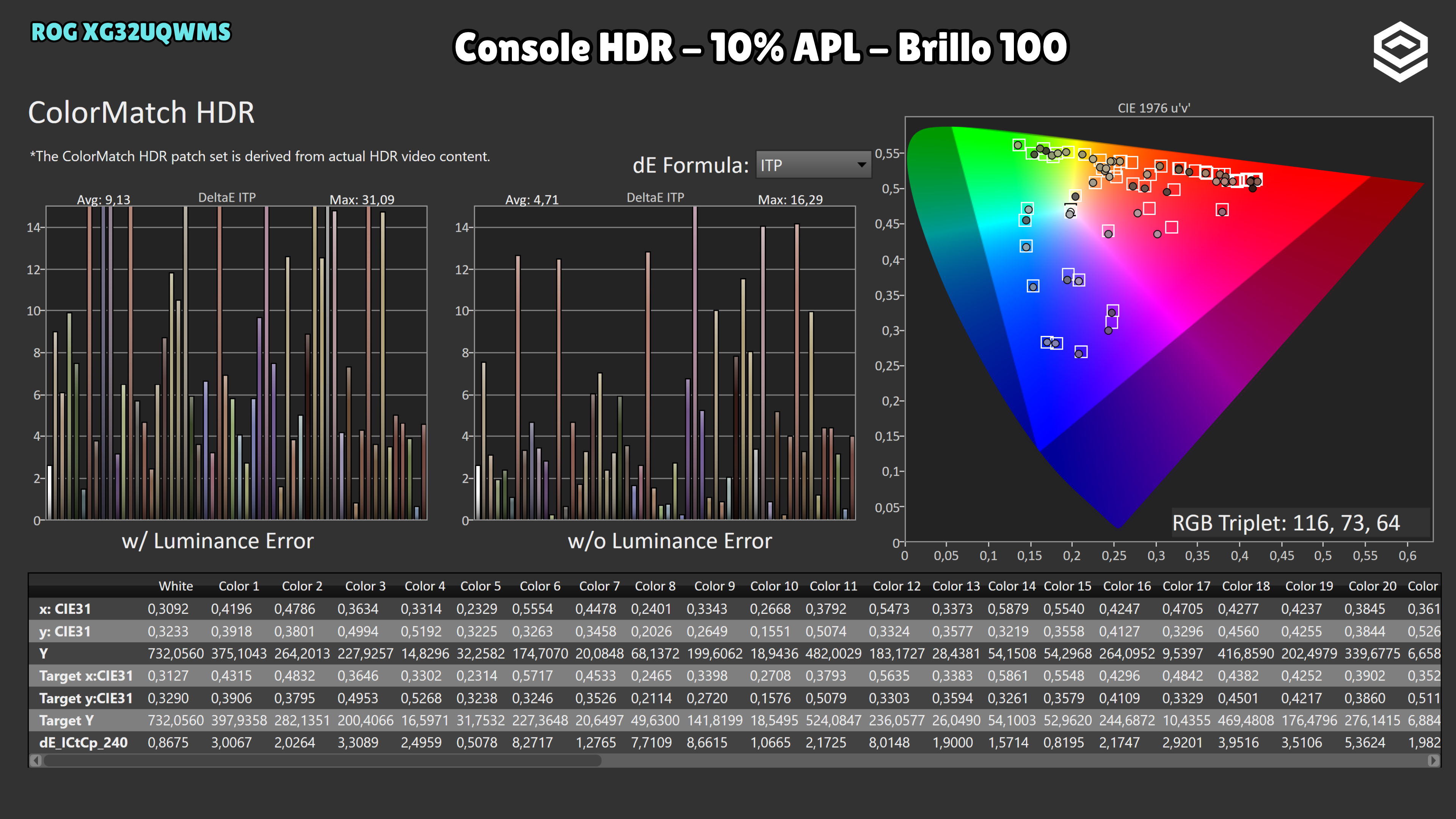
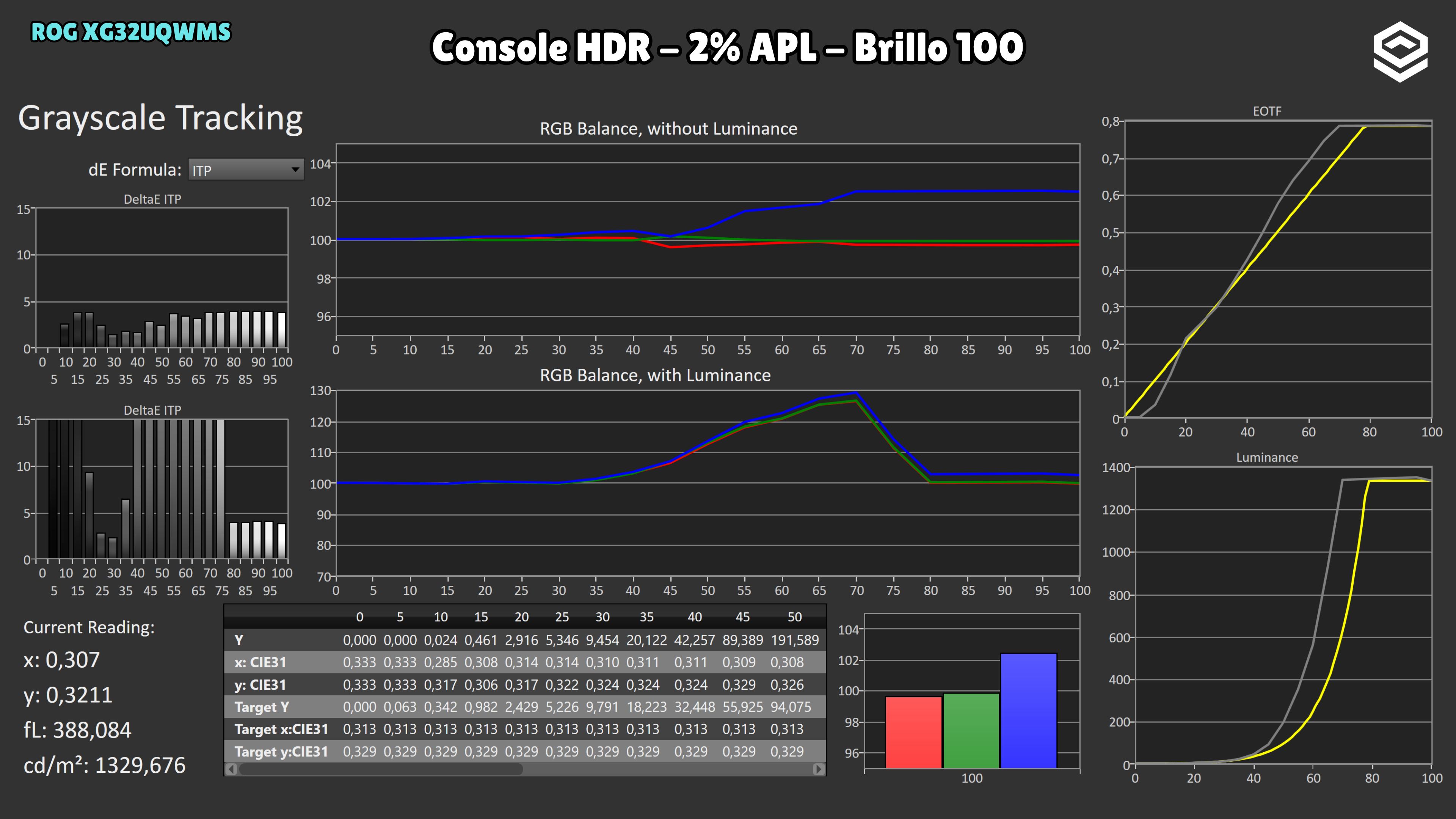
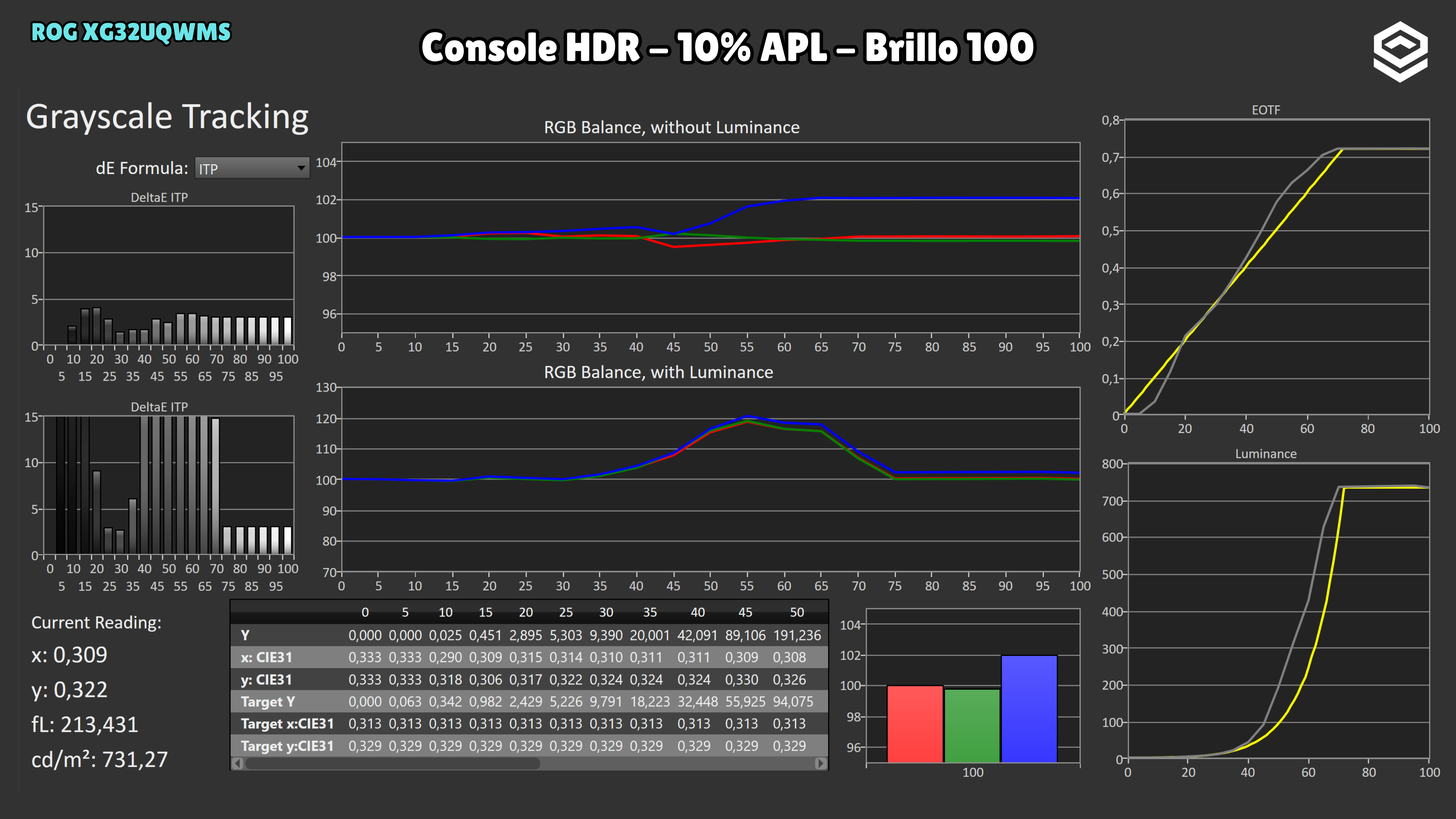
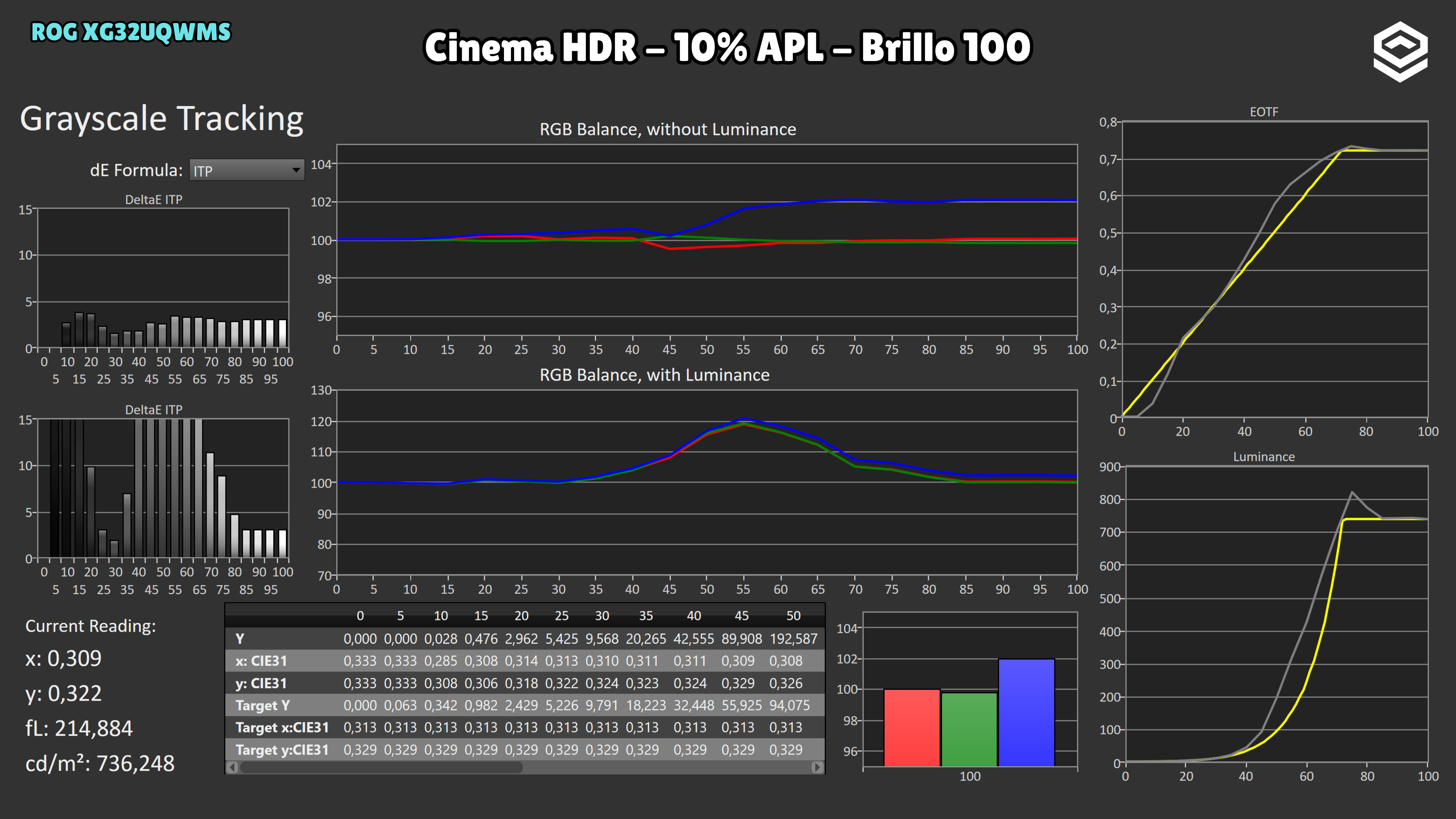
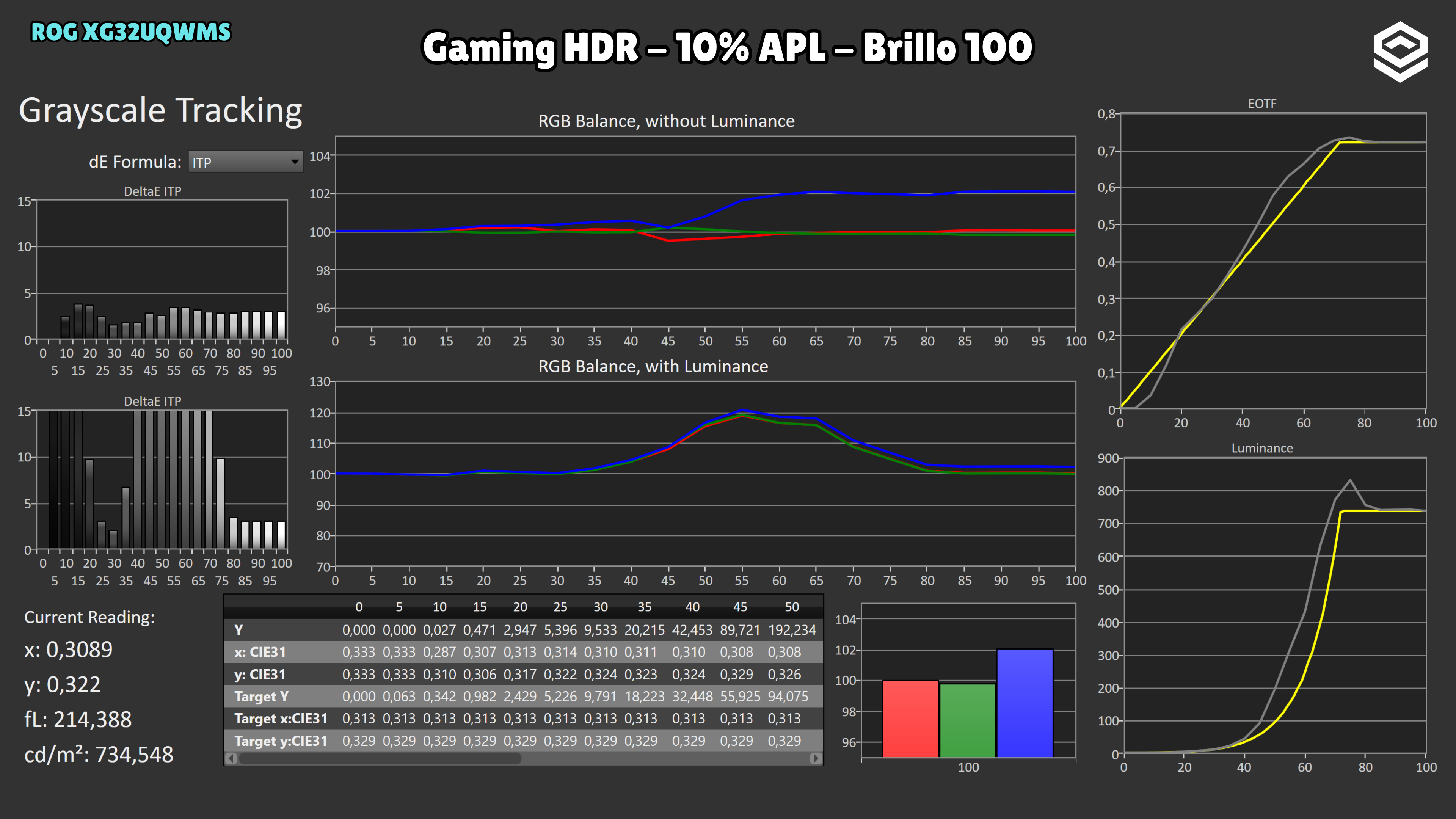
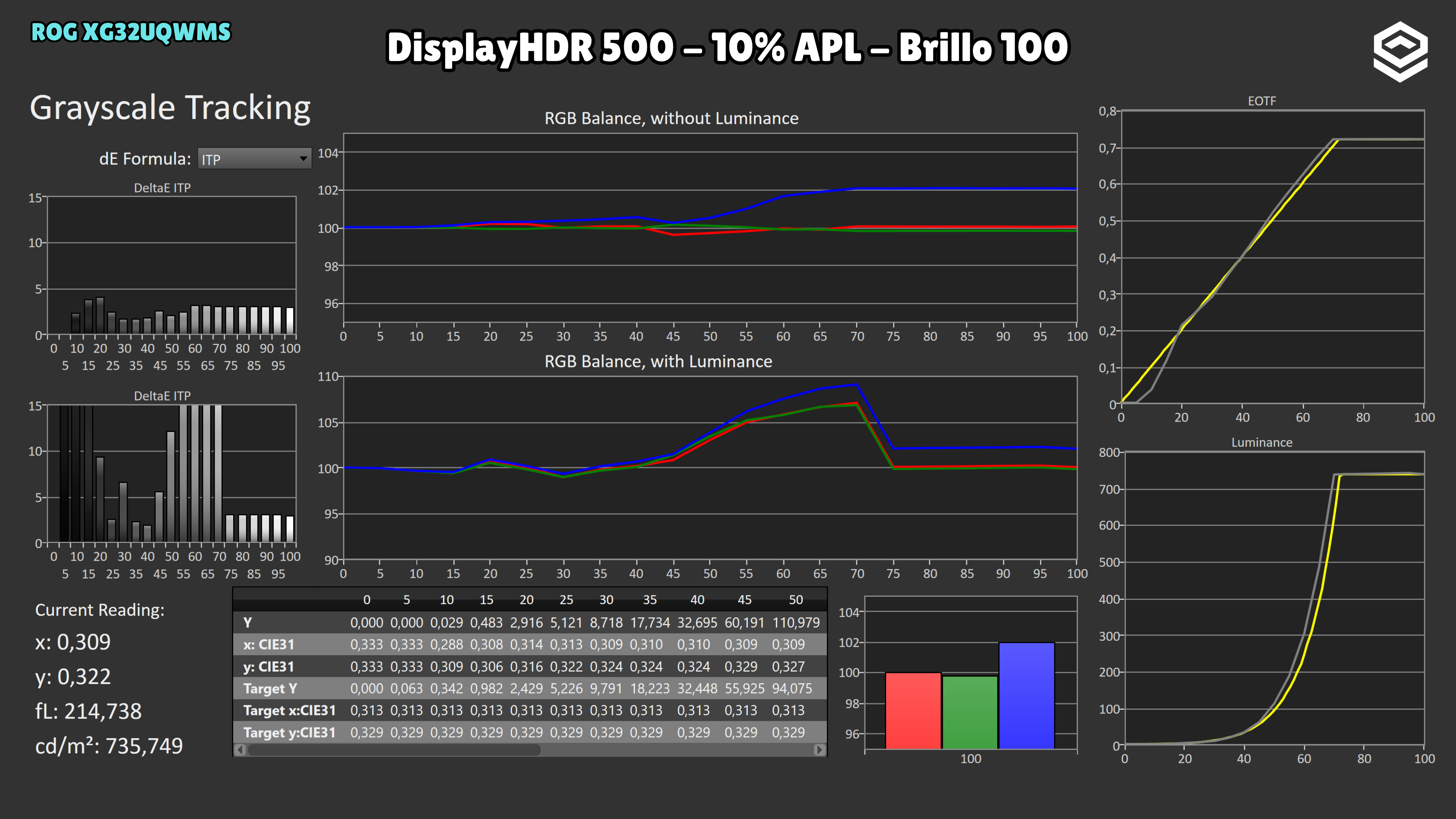
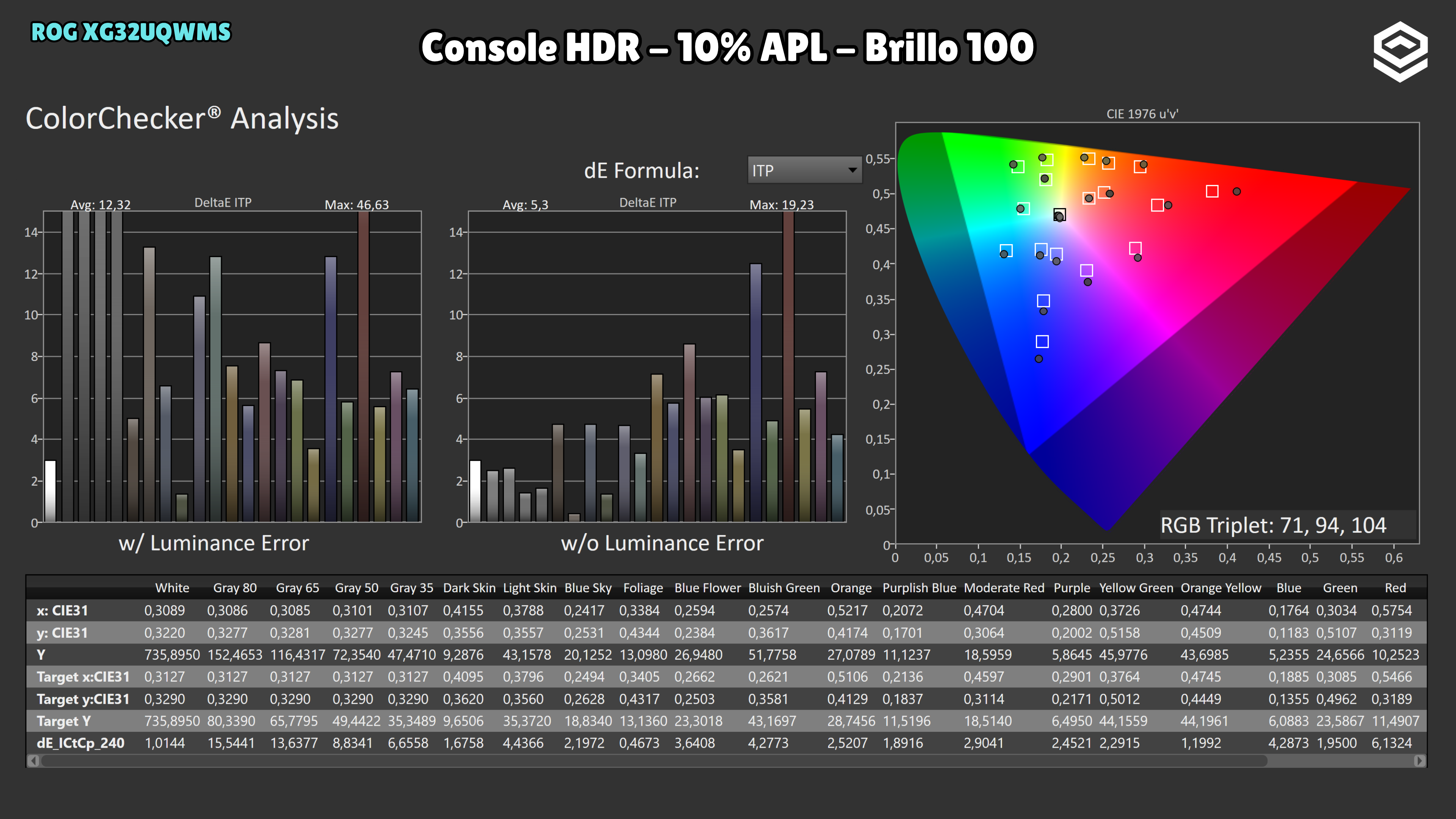
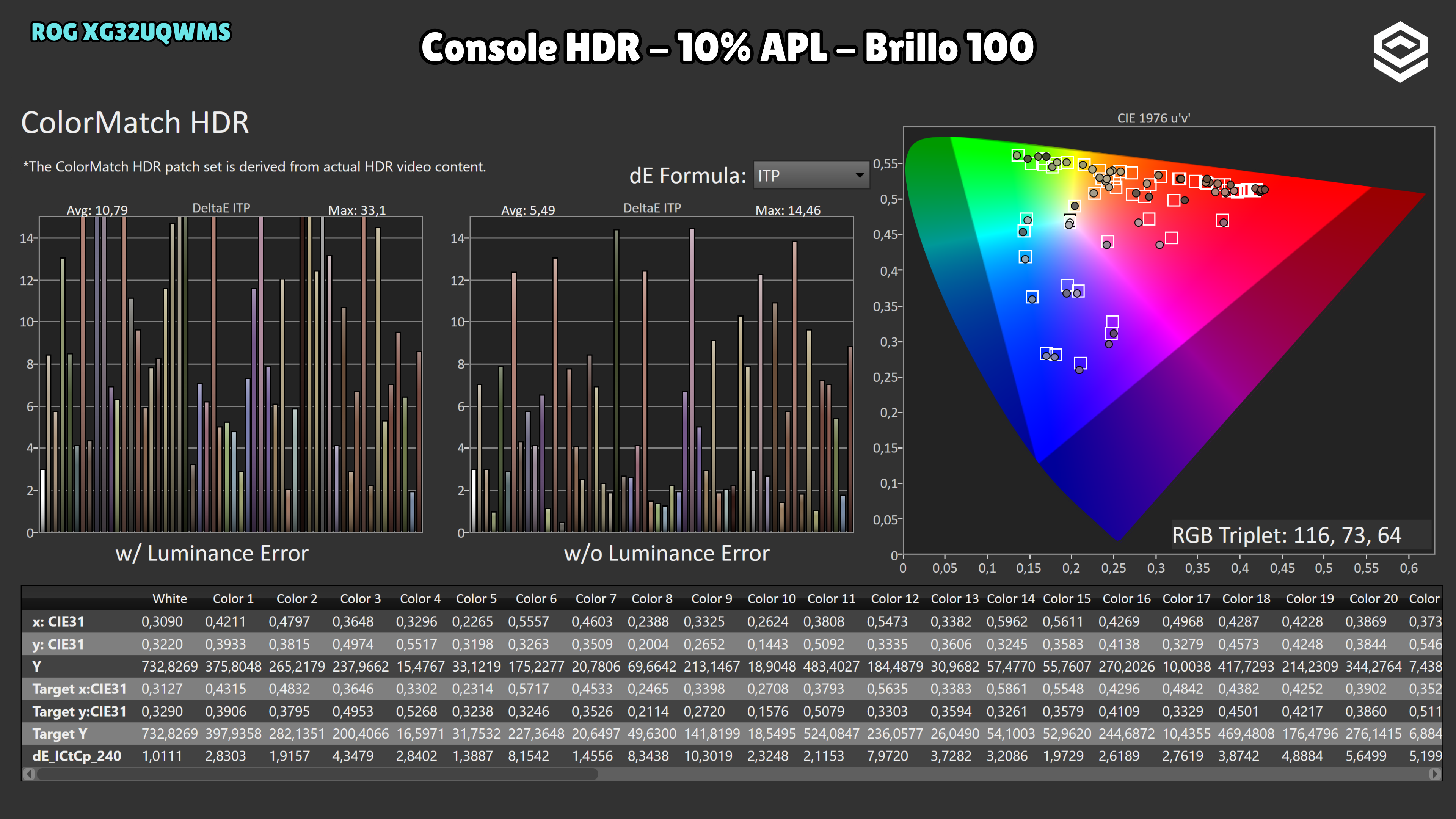
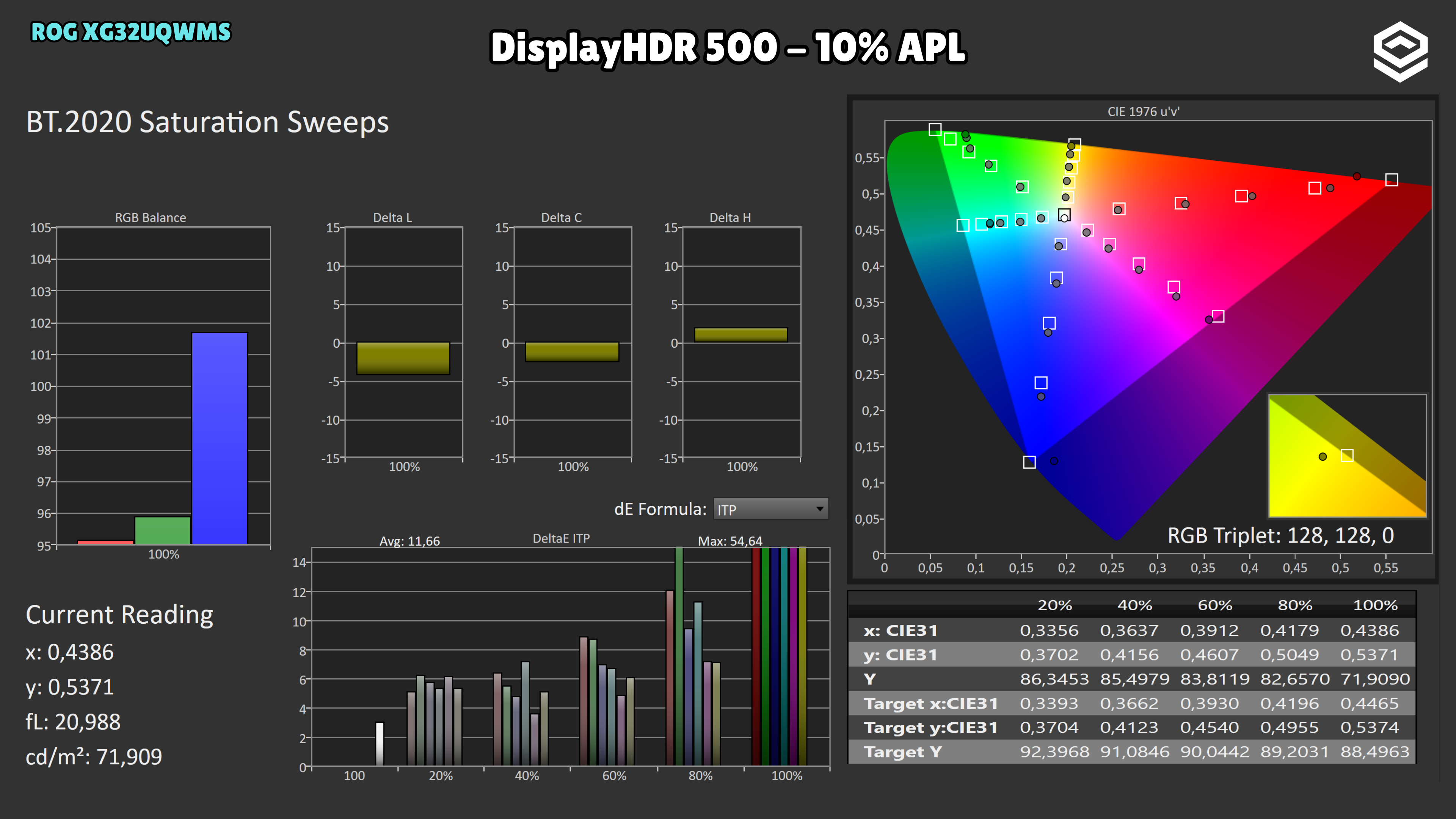
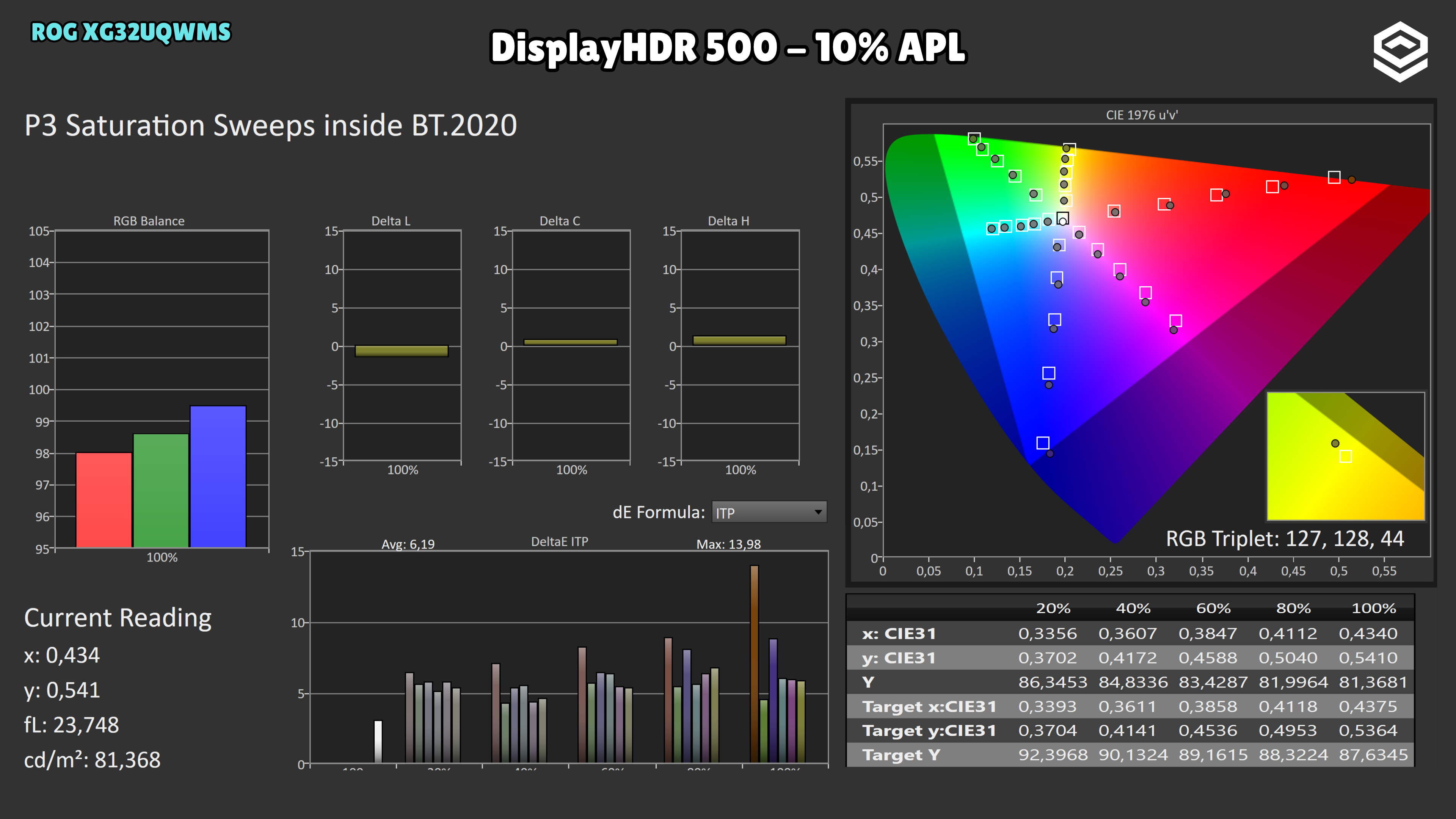
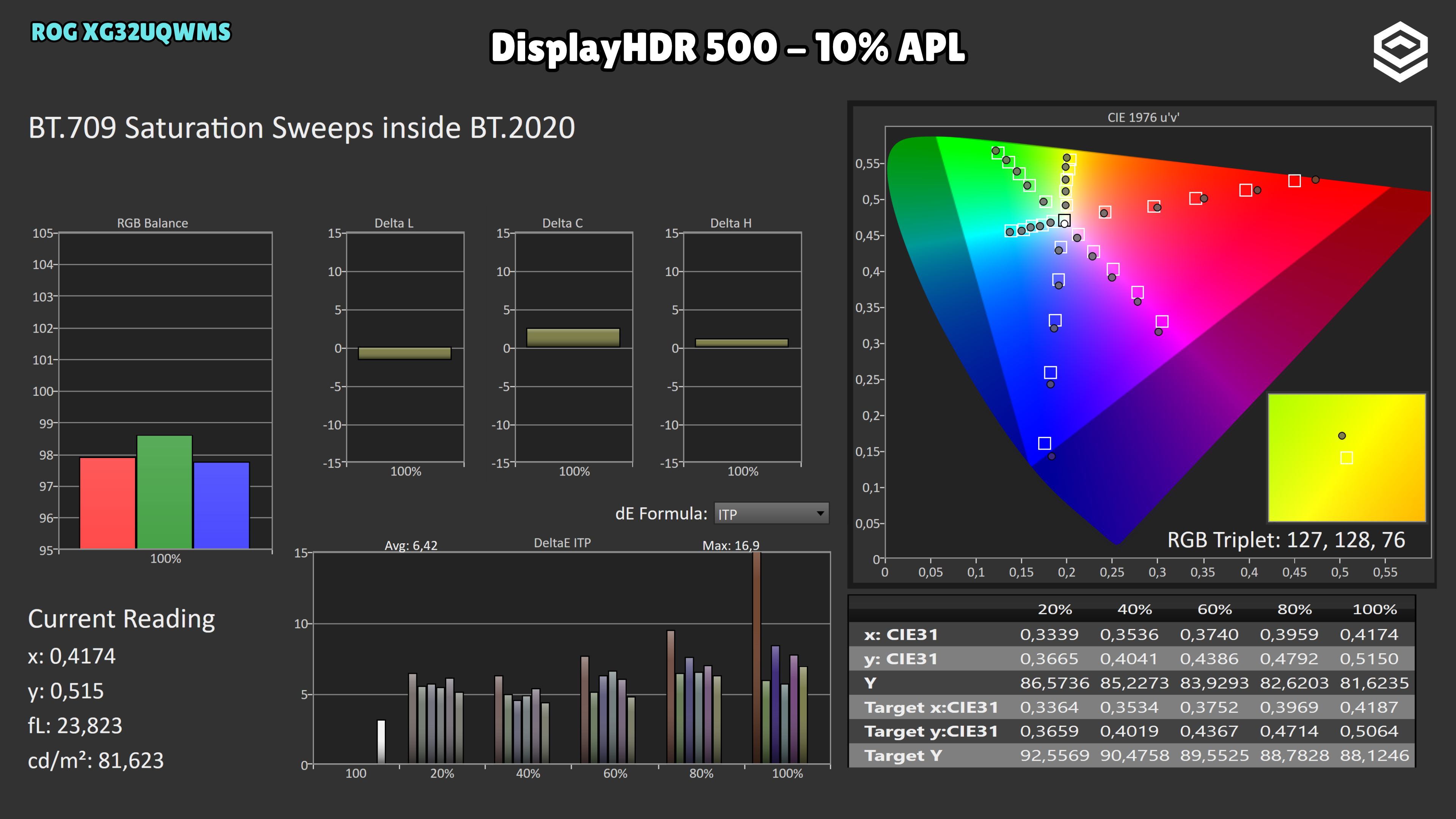
With HDR brightness at 100, Console HDR reaches 1339 nits at 2% and 736 at 10%, but raises midtones and upper midtones above the PQ intent. Cinema and Gaming show a similar increase, with a less even transition near the ceiling at 10%. DisplayHDR 500 at brightness 100 stays around 739–741 nits in both windows and changes midtones less; it does not become the same peak mode as Console HDR. For fidelity, DisplayHDR 500 without raising the control to 100 is the reference for this analysis.
No separate Brightness Boost / Dynamic Brightness Boost control was found on the tested unit. ASUS does not list it in the XG32UQWMS specifications or manual either: it documents Adjustable HDR and the brightness control, which affect the PQ curve. The “Brightness 100” captures use that control, not a separate Boost mode.
OLED brightness
Datos específicos de brillo en OLED, APL y desbloqueos relevantes.
Test note · SDR 100% APL
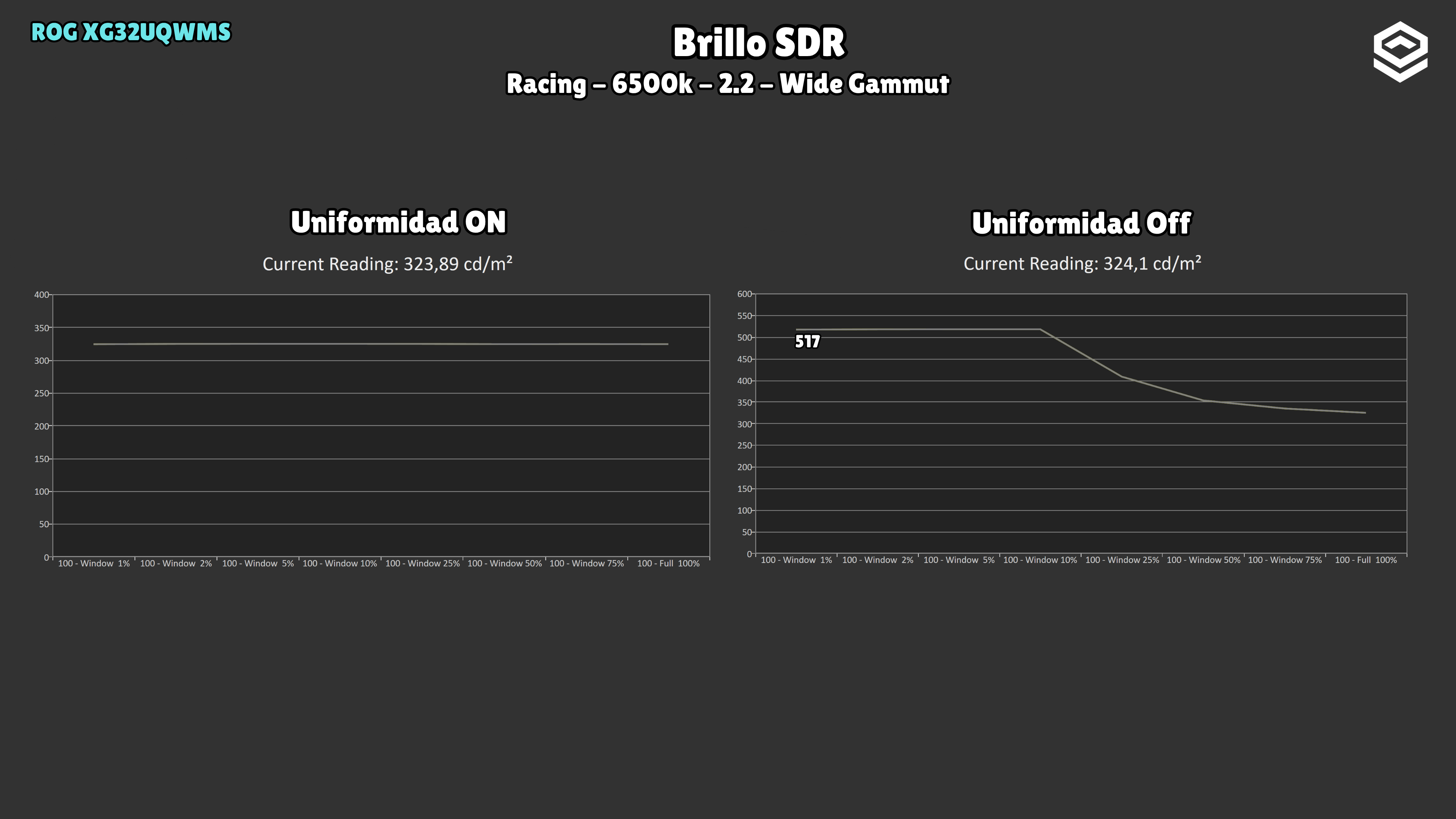
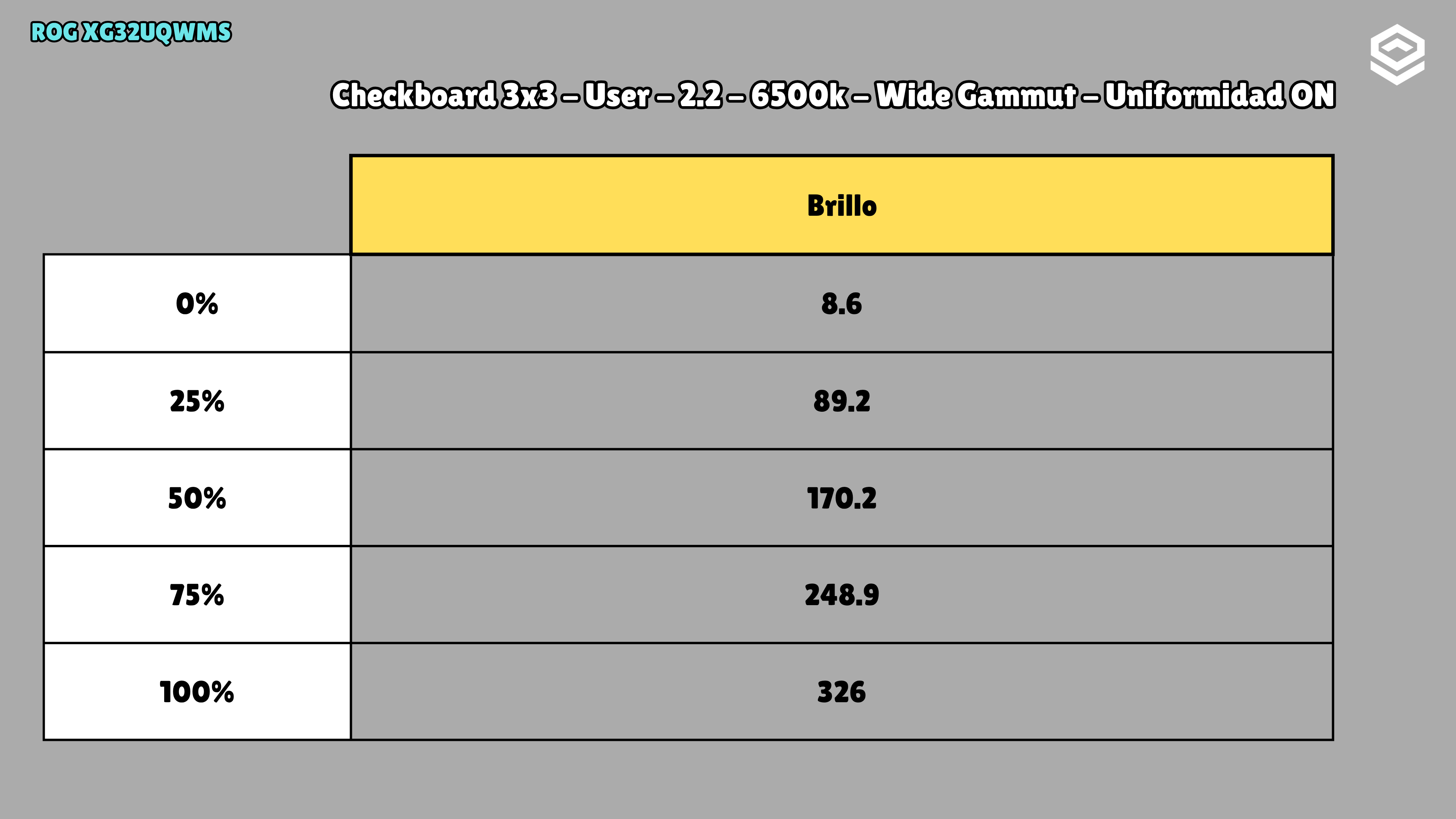
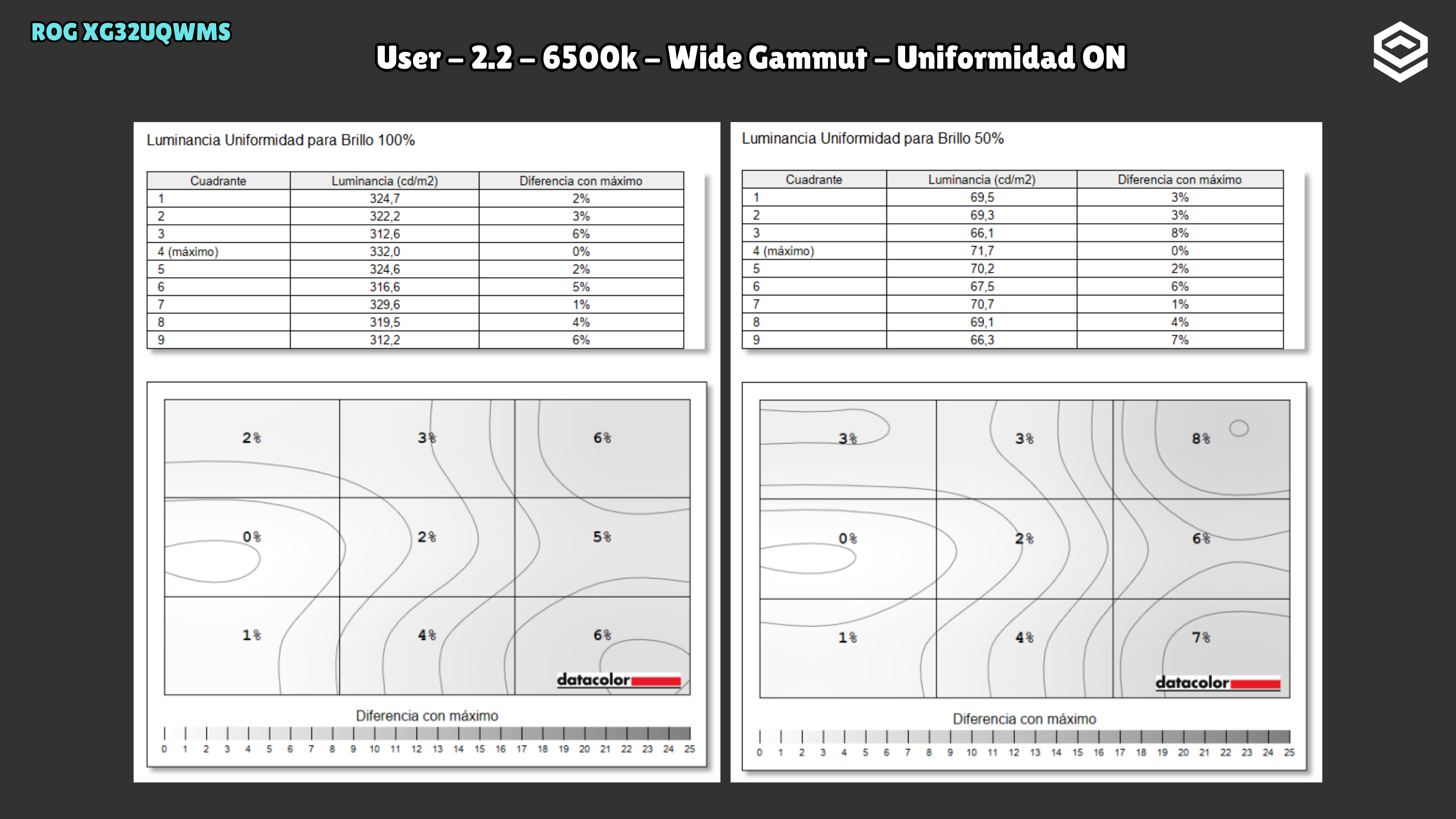
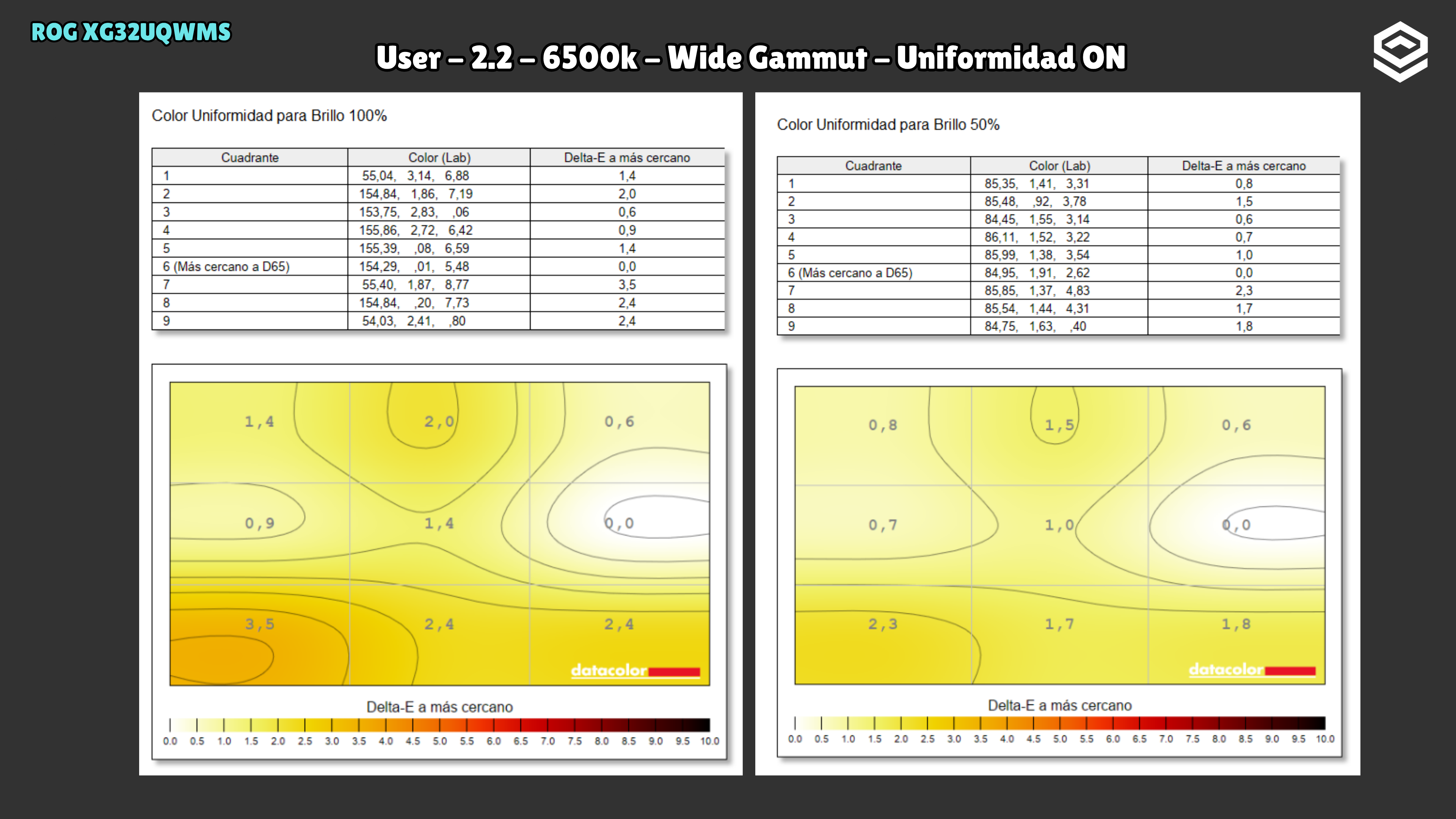
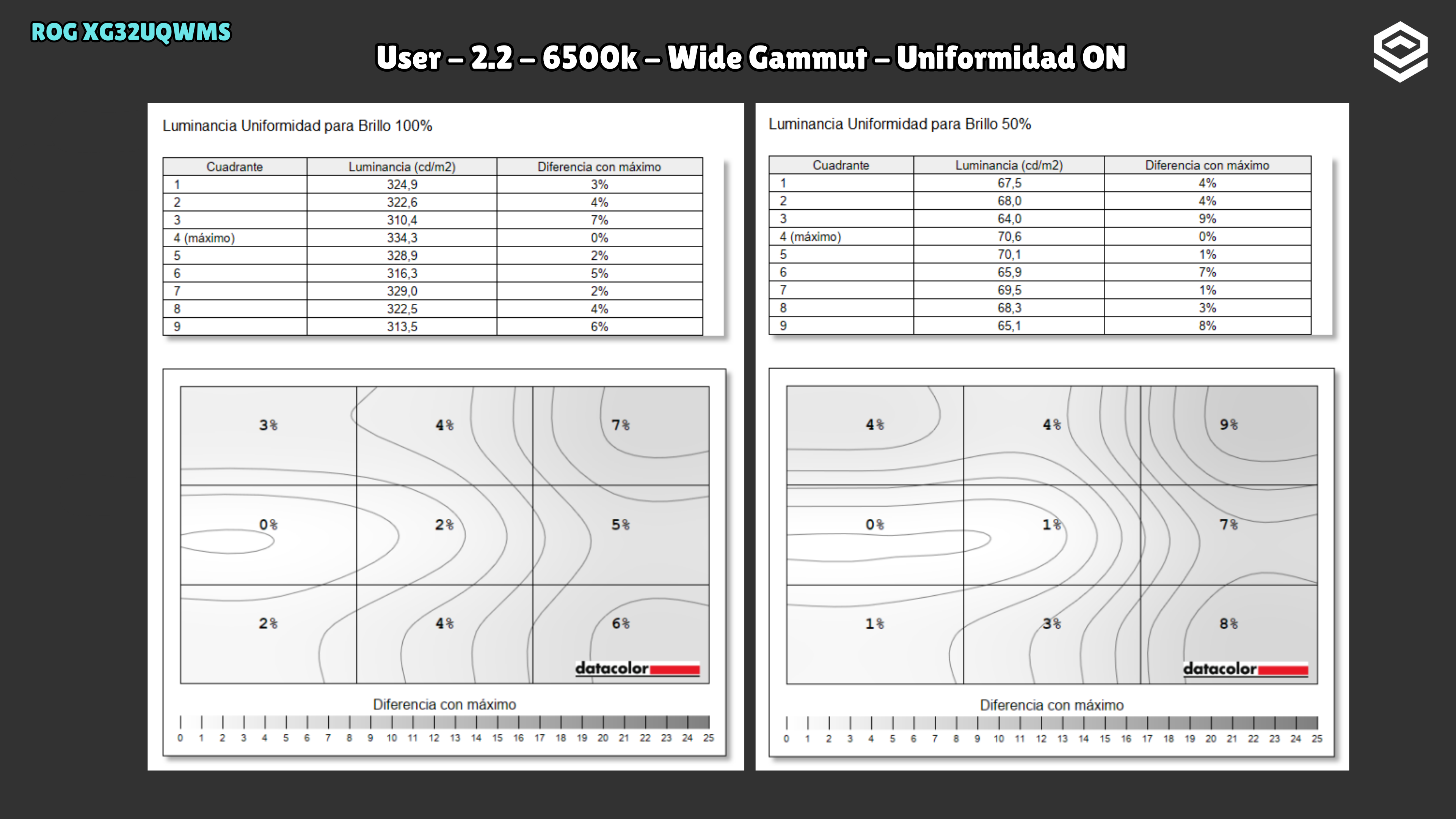
Uniform Brightness maintains about 324 nits as the white area changes. With it disabled, small windows reach 517 nits, but brightness falls as APL rises. The SDR curve is retained from the pre-update test.
Response time and PC gaming
Overdrive, tiempo de respuesta, overshoot, VRR e input lag.
PS5 and consoles
Compatibilidad con VRR, ALLM y resoluciones permitidas.
OLED characteristics
Subpíxel, claridad de texto, protecciones y limitaciones del panel.
Connectivity
Entradas de vídeo, USB-C, KVM, hub USB y extras de conexión.
Stand, mounting and extras
Calidad física, ergonomía, VESA y detalles destacables.
Tested unit
These details identify the reviewed unit; other units may use different revisions.
Photos and test results
Open an image to view the full-size charts and browse the tests.
SDR · Grayscale and gamma
SDR · Colour gamut and accuracy
SDR · Brightness and contrast
SDR · Brightness and uniformity
SDR · Calibration
HDR · HDR luminance
HDR · Luminance and EOTF
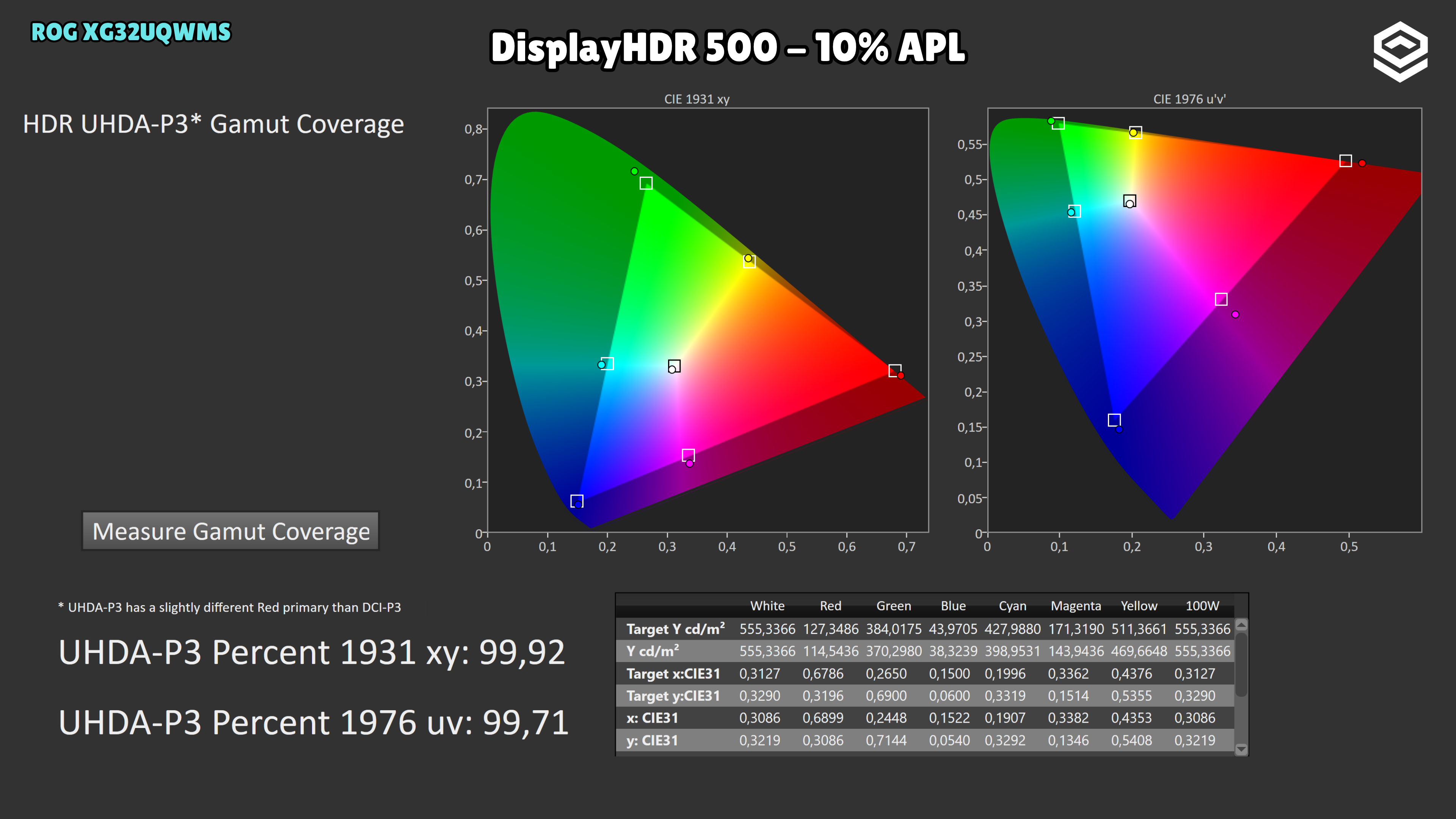
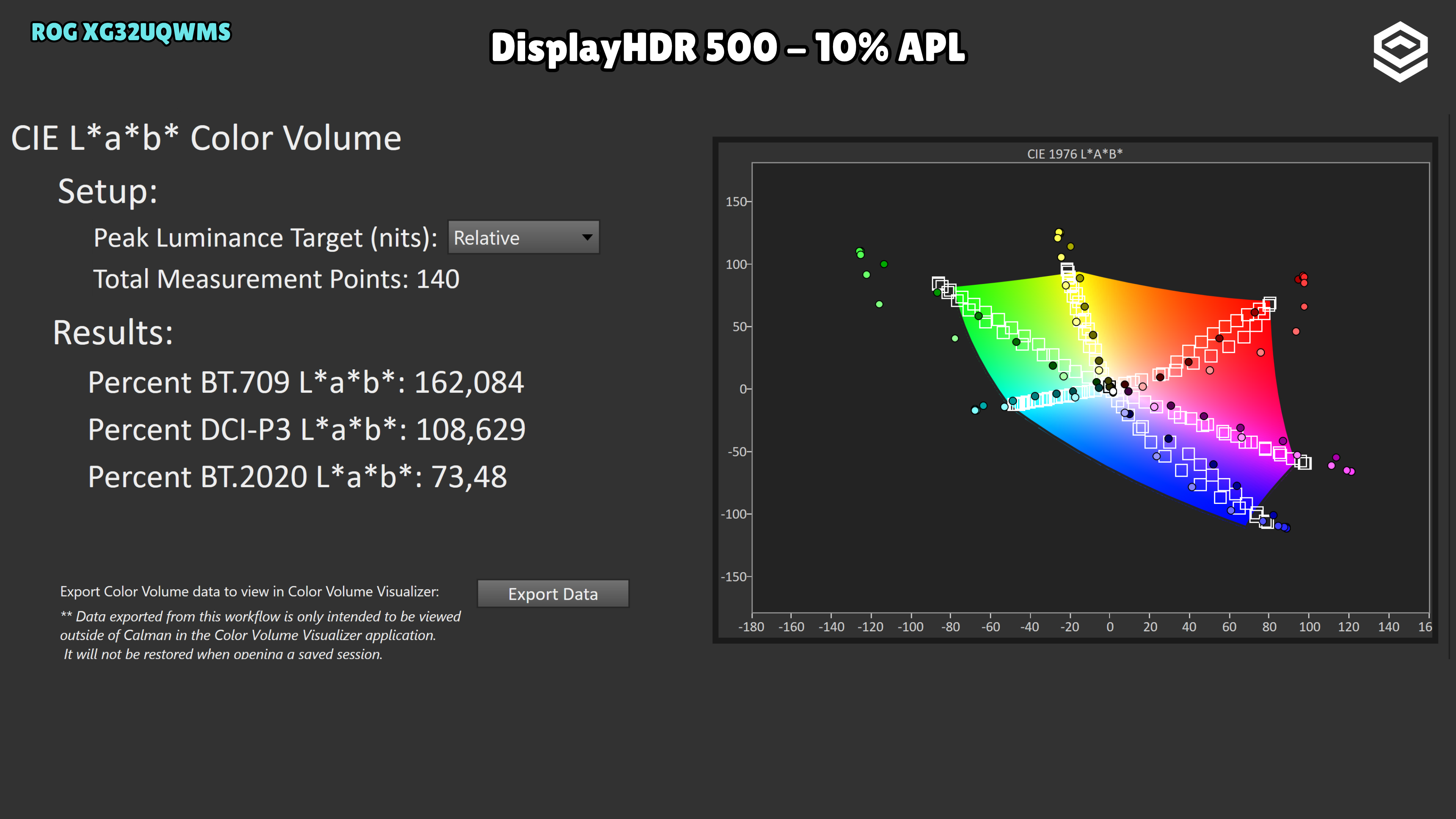
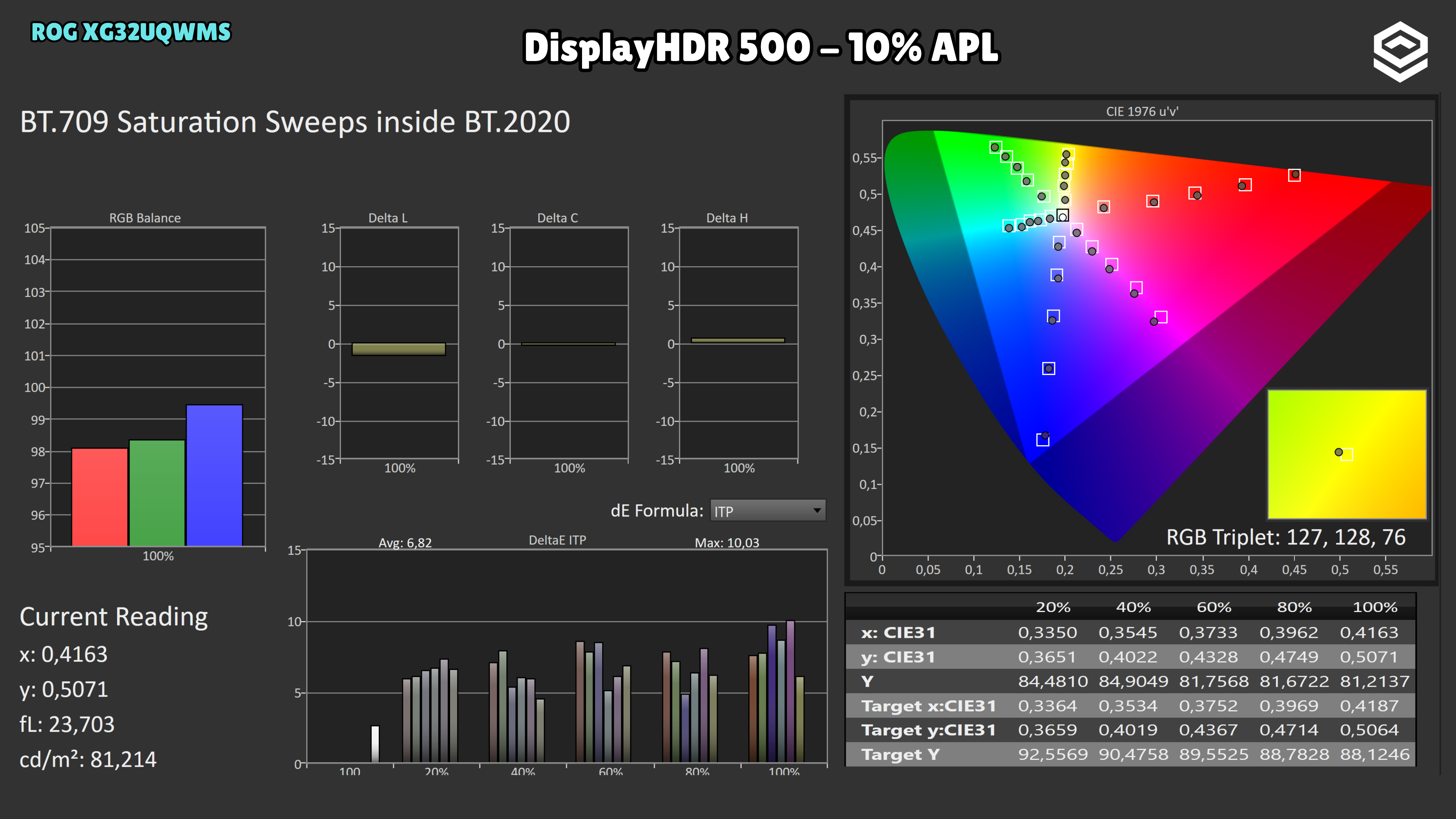
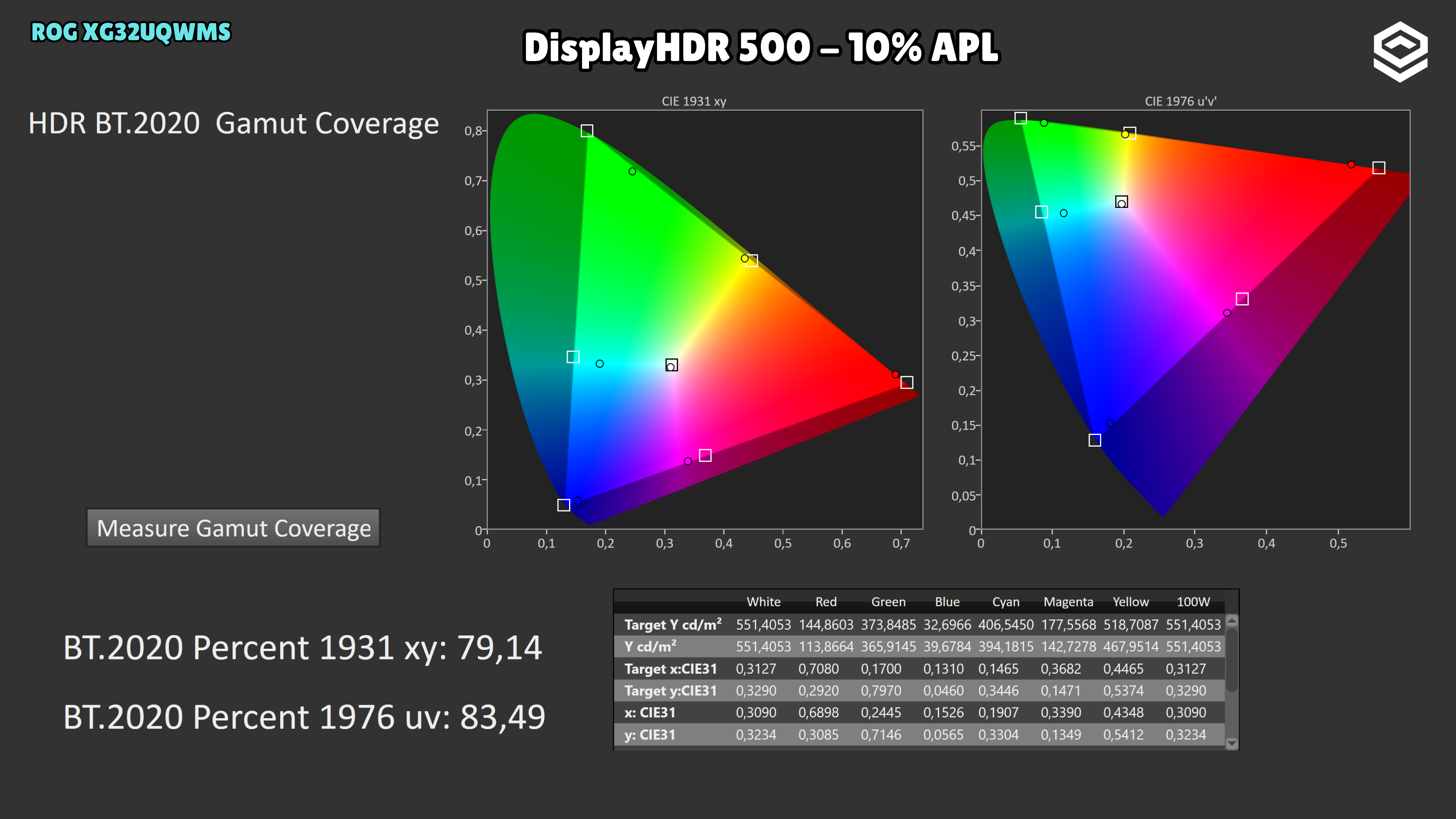
HDR · HDR colour
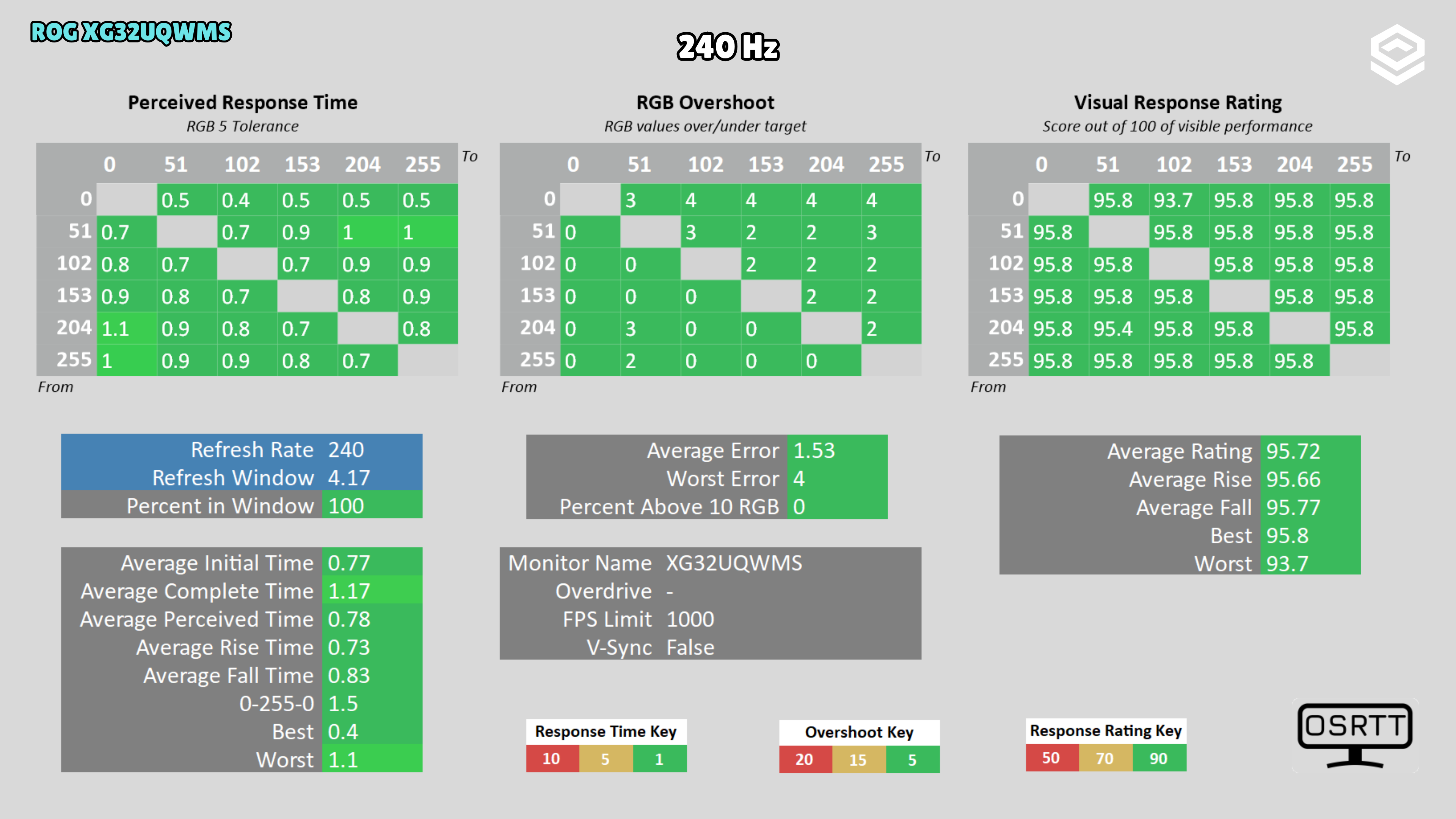
Response time · Response time, motion and latency
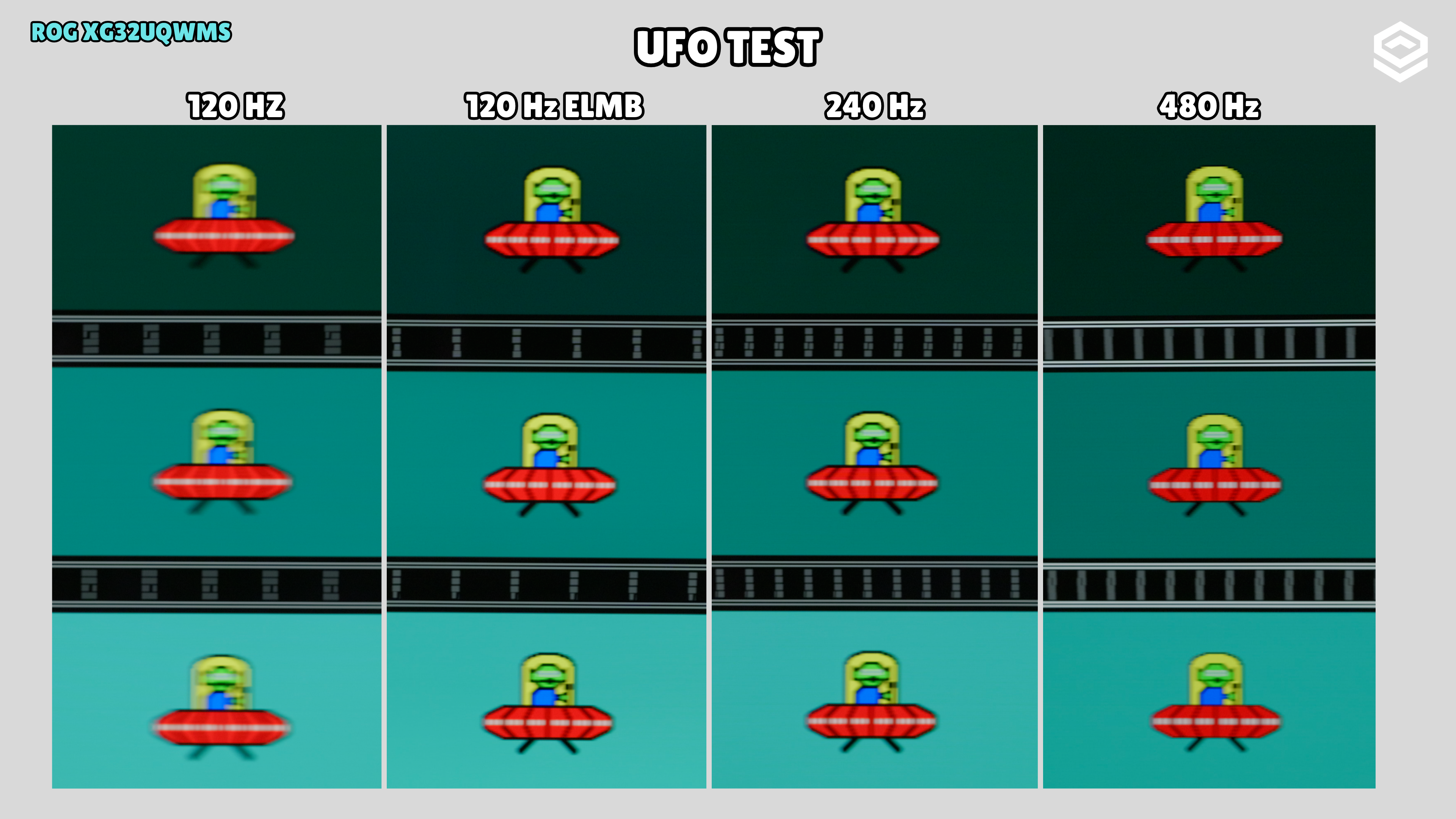
Response time · Motion clarity
Response time · Input lag
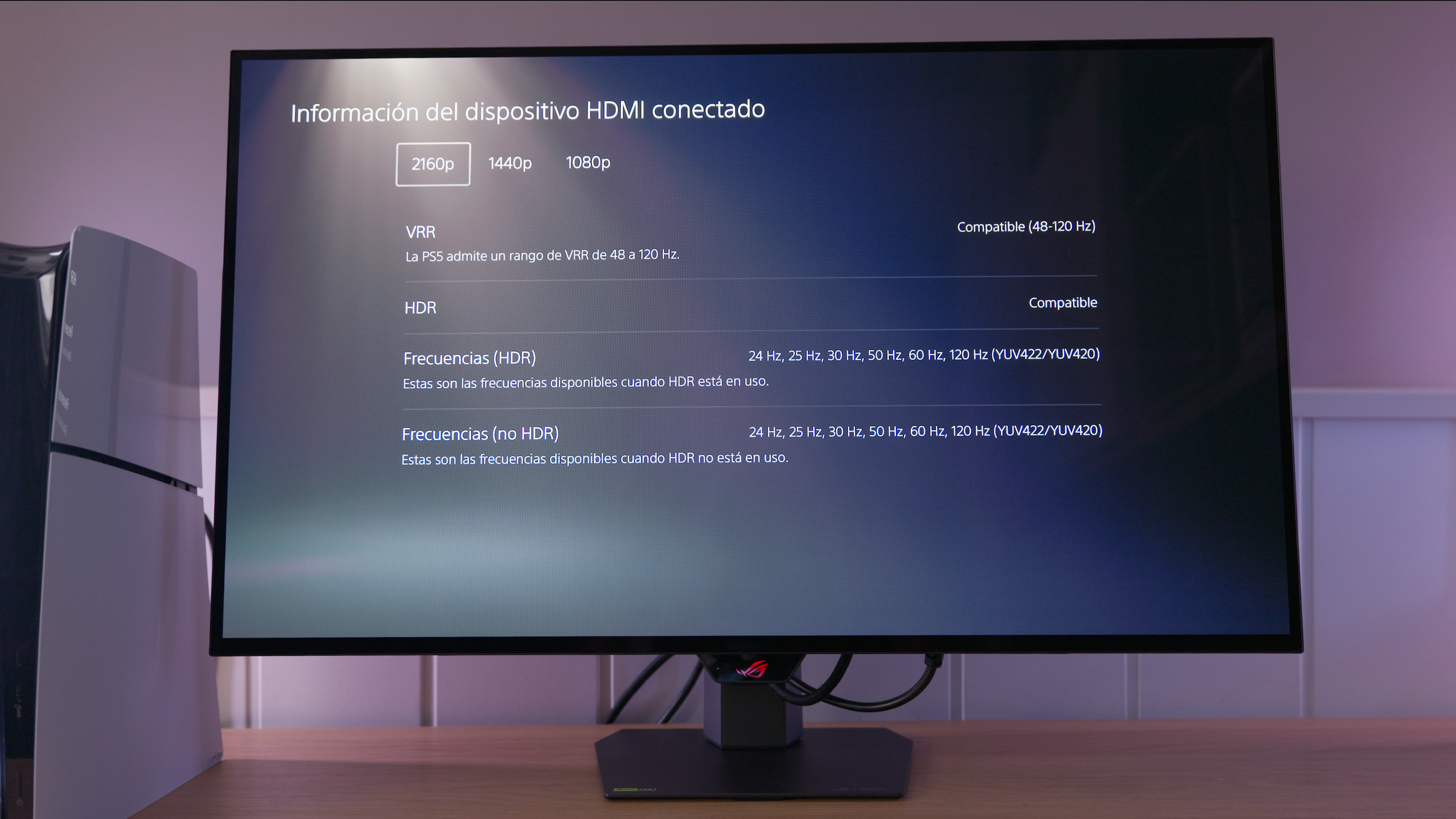
Consoles
SDR · Grayscale and gamma
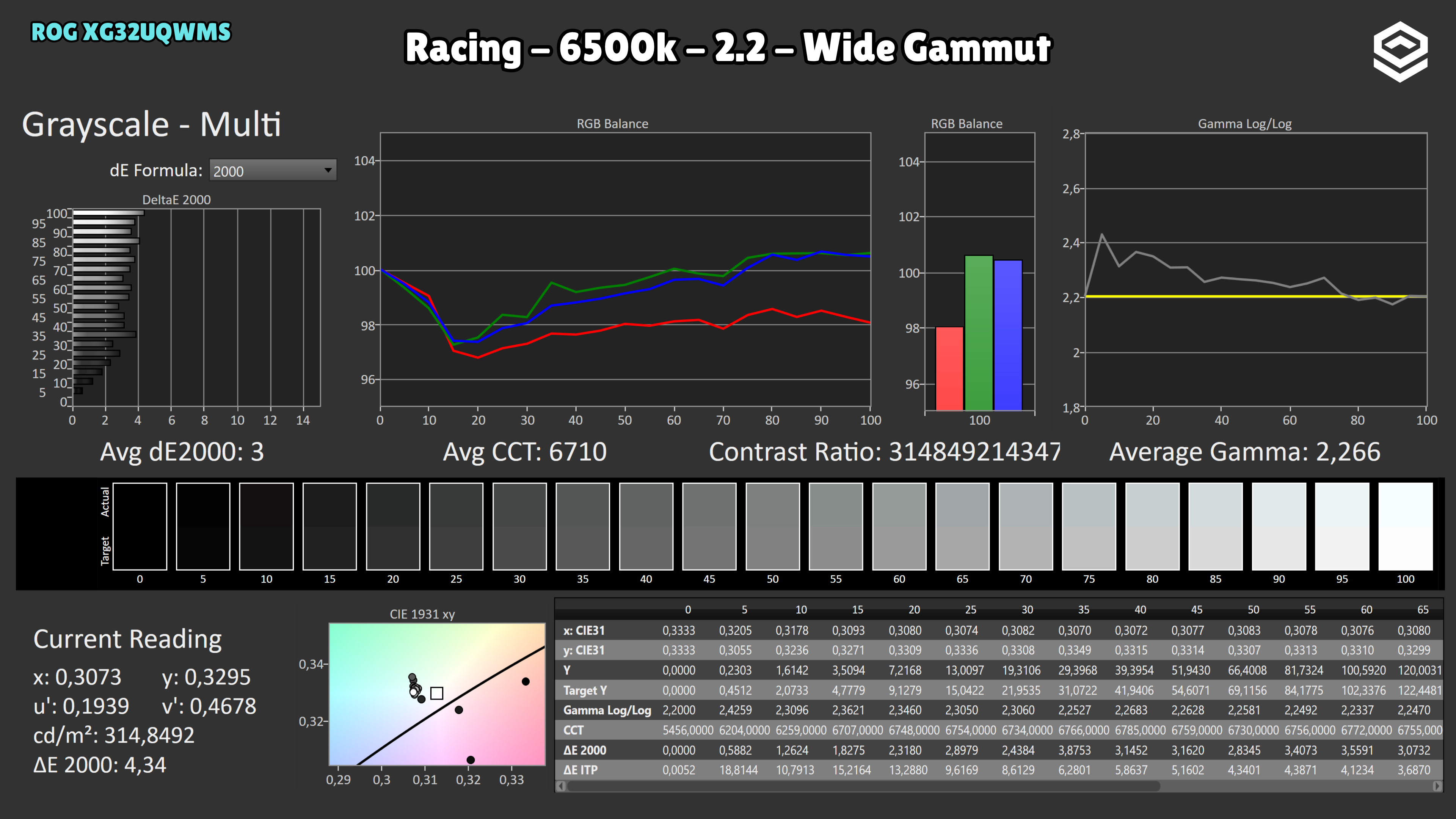
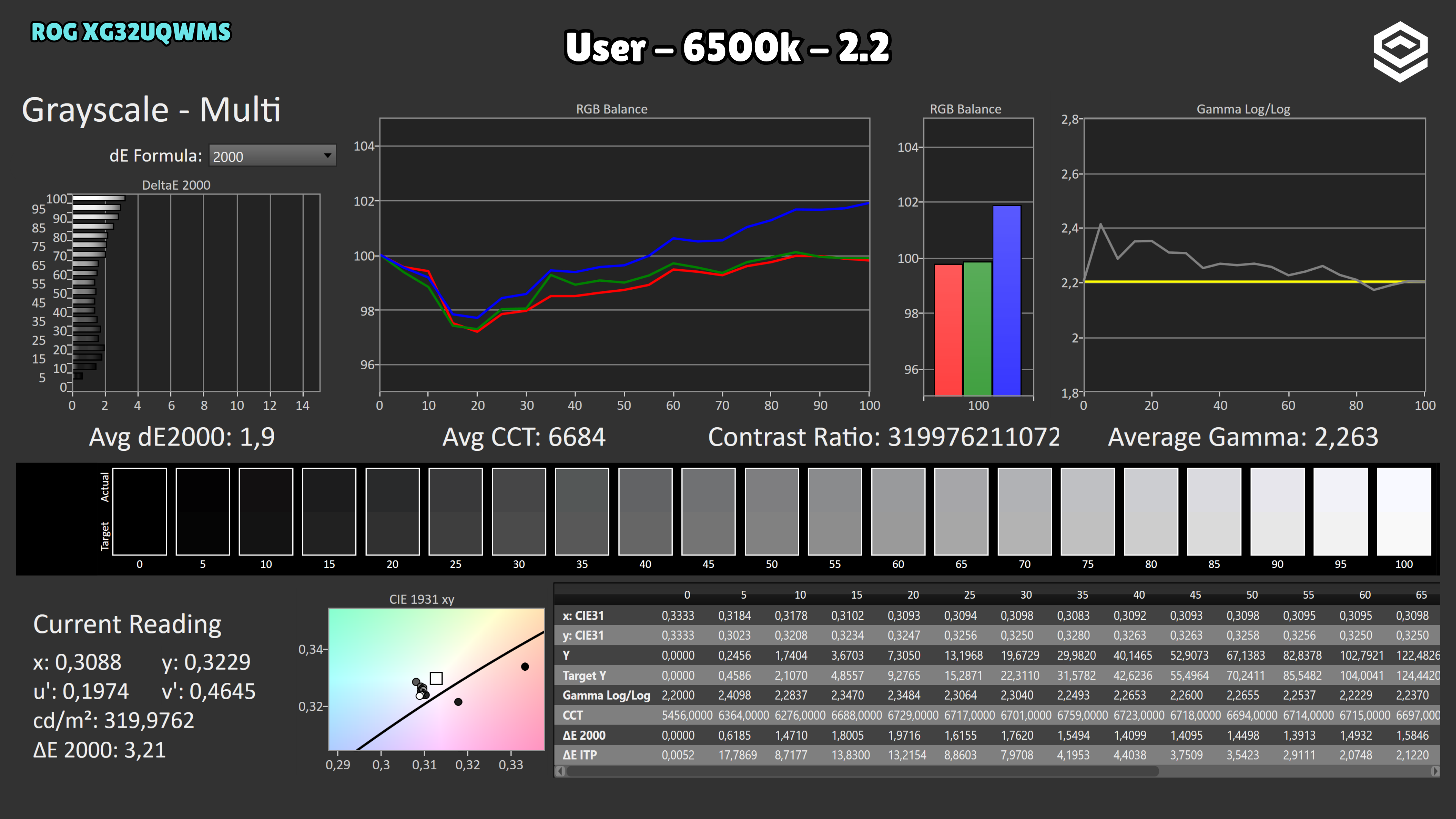
SDR · Colour gamut and accuracy
SDR · Brightness and uniformity
HDR · Luminance and EOTF
HDR · HDR colour
Alternatives
Other options, each with its own specifications and test results.