Partial data
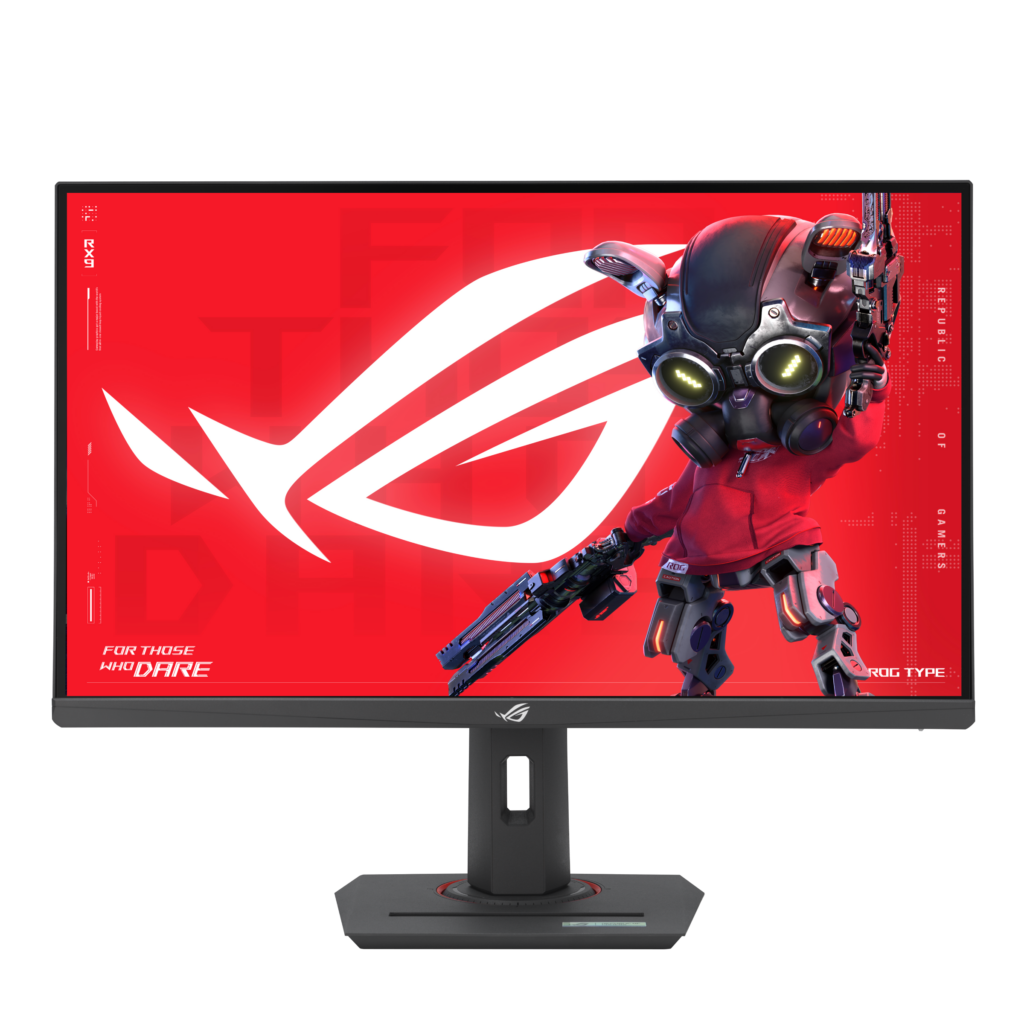
ASUS ROG XG27ACS
27-inch QHD Fast IPS at 180 Hz with USB-C and ELMB Sync. Archive of colour and motion clarity tests.
PanelIPS
Measurements and specifications
IMartz test results. See each section for the measurement conditions.
About these tests
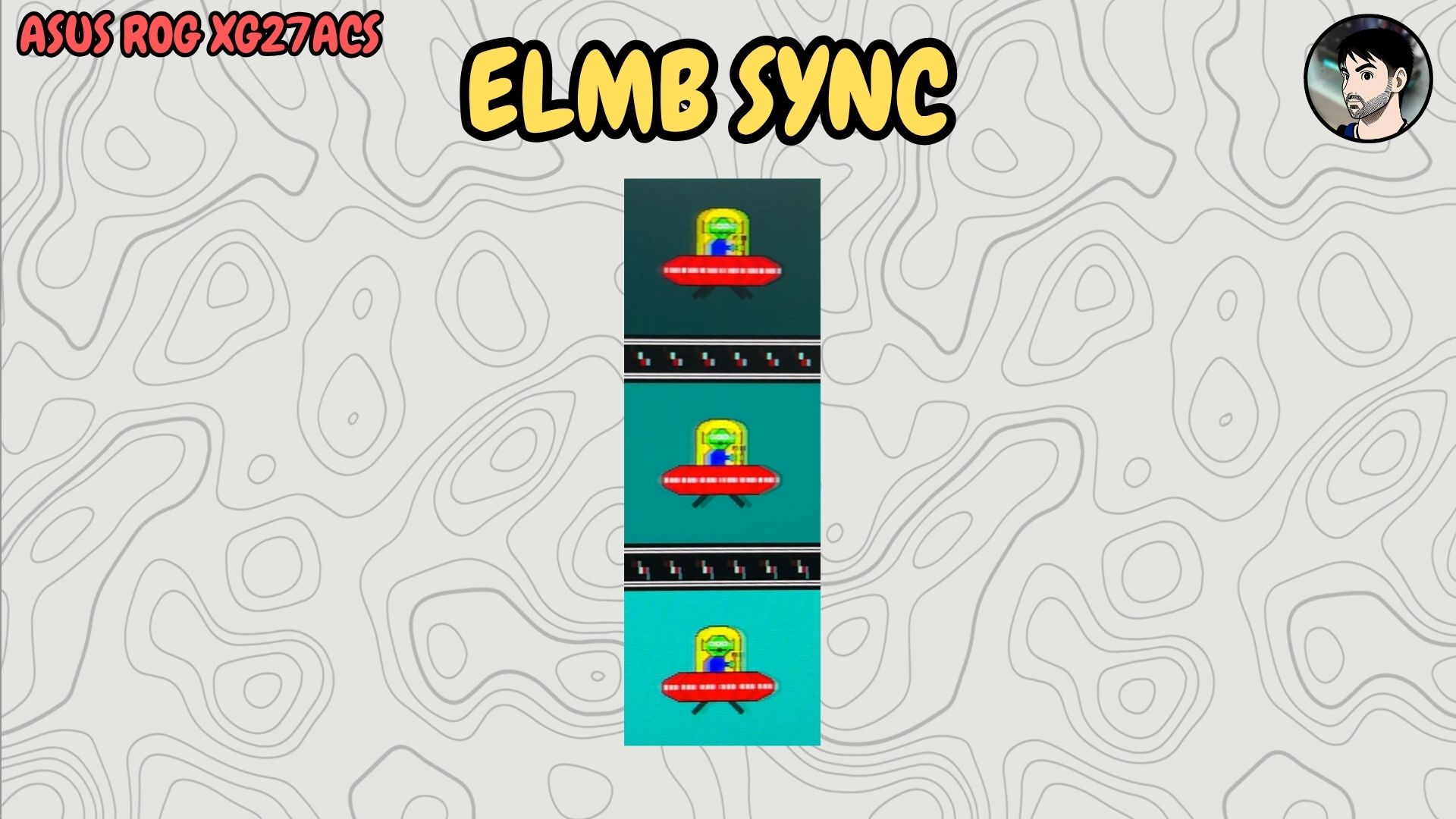
Our partial DisplayCAL colour and ELMB Sync motion clarity tests. No GtG figure is assigned from UFO photographs. Older colour verifications are shown with their methodology. A sample of this model is added to the UFO comparison in the response-time gallery; no GtG figures are inferred from that photograph.
Display and format
SDR performance
Color, brillo, contraste y comportamiento básico fuera de HDR.
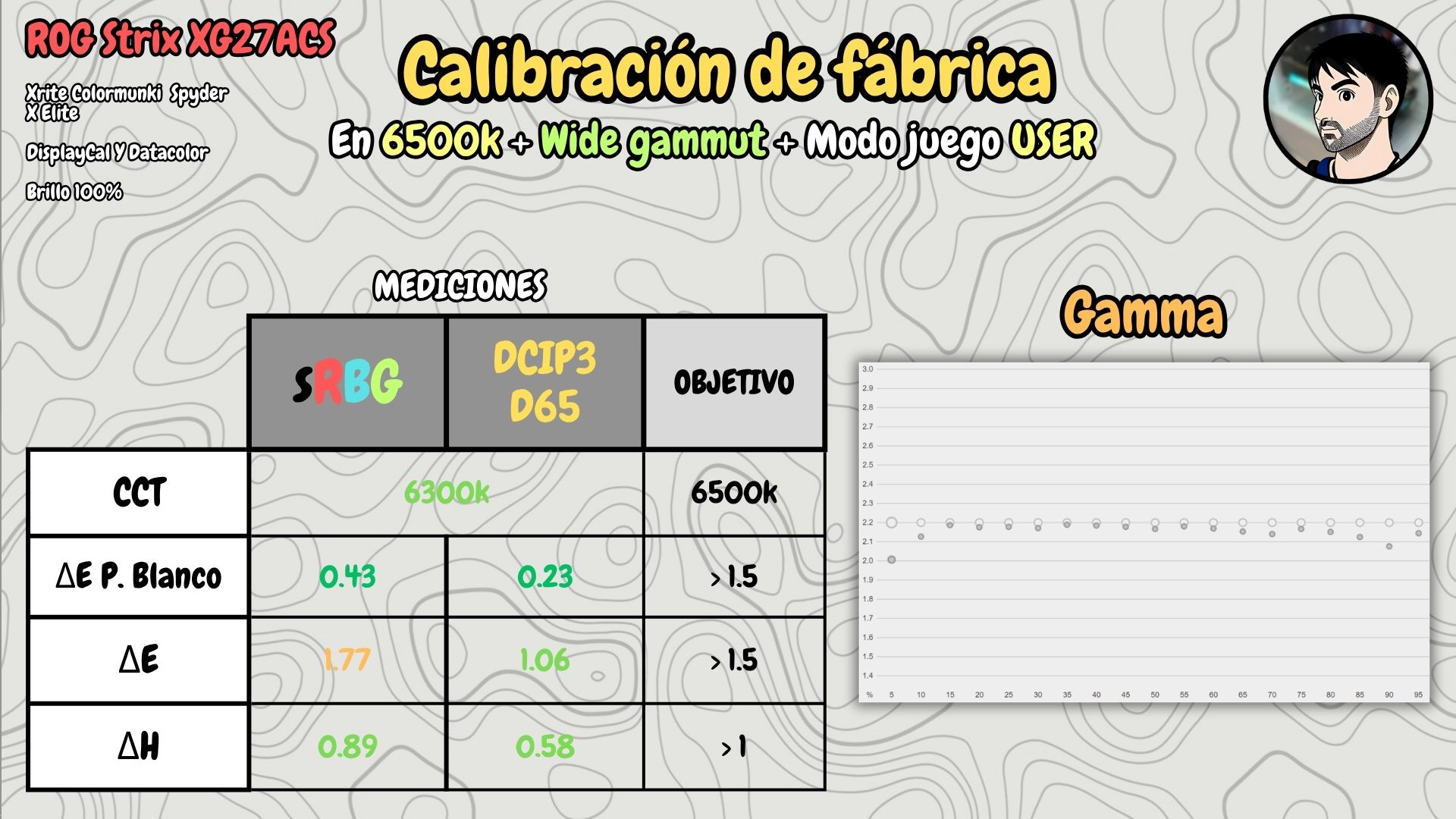
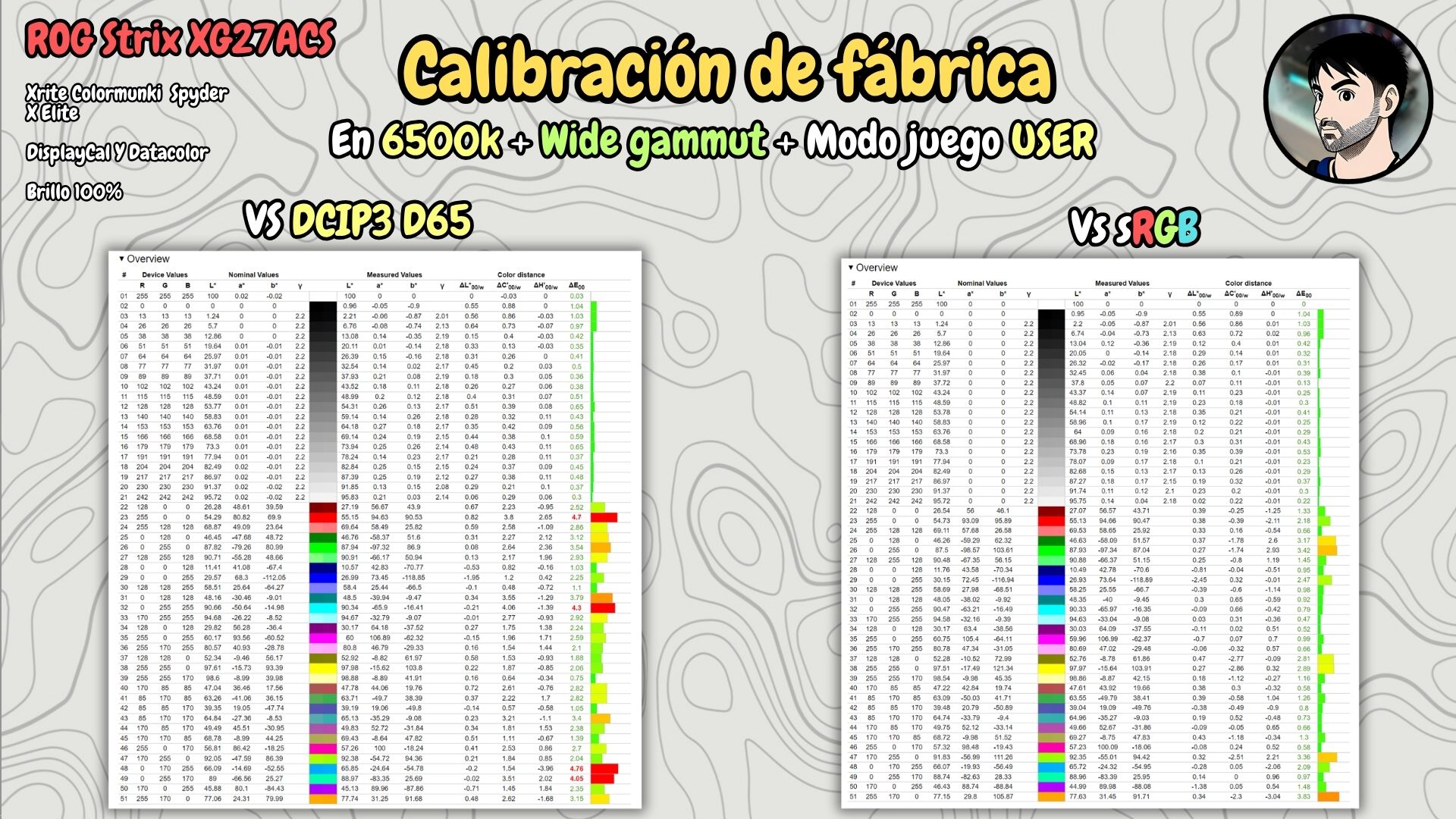
Test note · DCI-P3 accuracy
DisplayCAL / Datacolor · 6500 K · Wide Gamut · Game USER · OSD 100 % · Factory results against P3-D65 from the older review; not a Calman ColorChecker test.
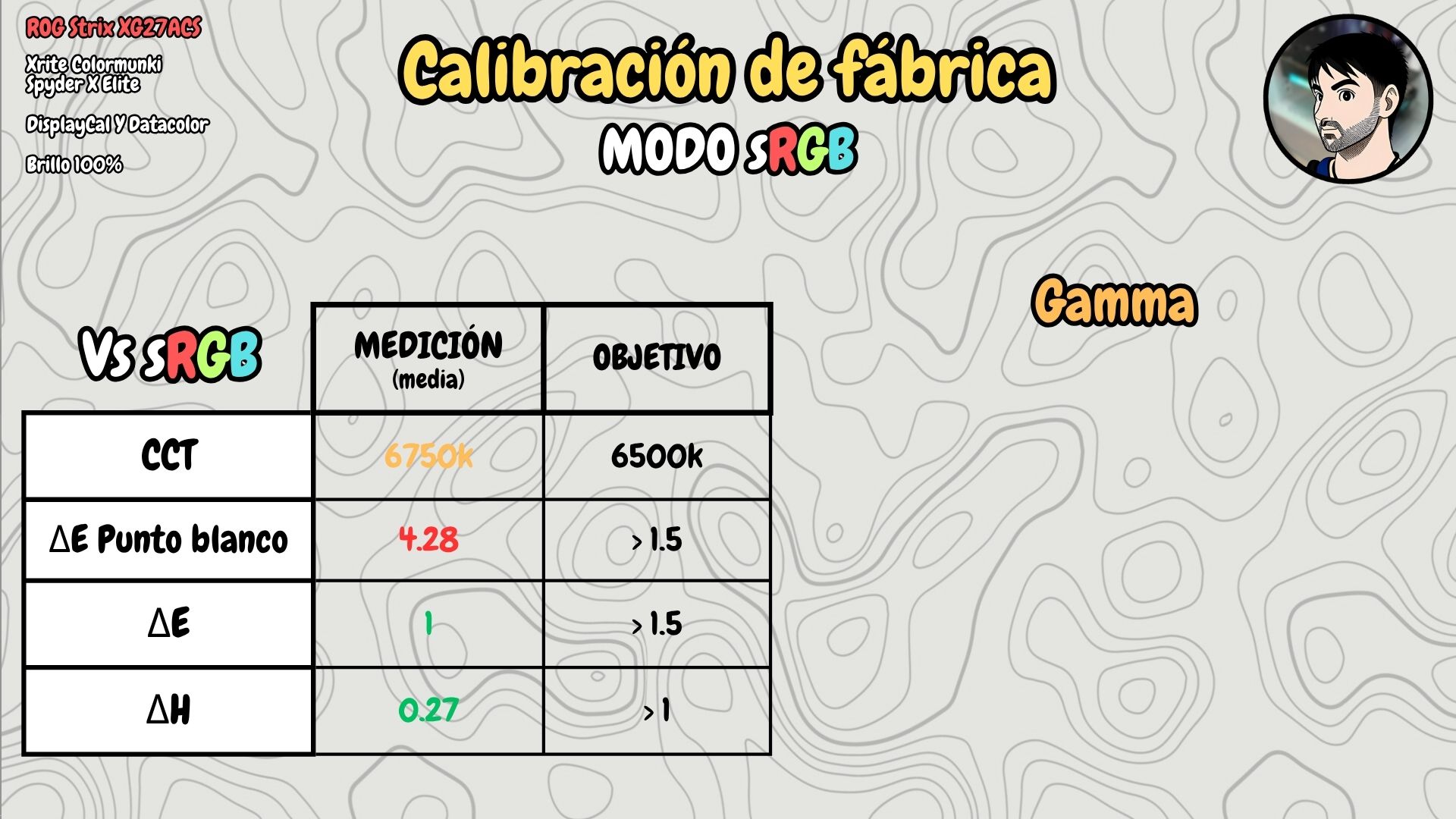
Test note · sRGB accuracy
DisplayCAL · factory sRGB mode · average DeltaE 2000 · Archived DisplayCAL verification, not equivalent to the Calman ColorChecker used in the ranking.
Response time and PC gaming
Overdrive, tiempo de respuesta, overshoot, VRR e input lag.
Connectivity
Entradas de vídeo, USB-C, KVM, hub USB y extras de conexión.
Stand, mounting and extras
Calidad física, ergonomía, VESA y detalles destacables.
Photos and test results
Open an image to view the full-size charts and browse the tests.
ASUS ROG XG27ACS
ASUS ROG XG27ACS

Alternatives
Other options, each with its own specifications and test results.