Tested by IMartz
AOC Q25G4SR
A 24.5-inch, 1440p, 320 Hz Fast IPS monitor for gaming on a compact screen with sharp detail. Its coating is strongly matte, while HDR and the sRGB mode are its main limitations.
PanelIPS
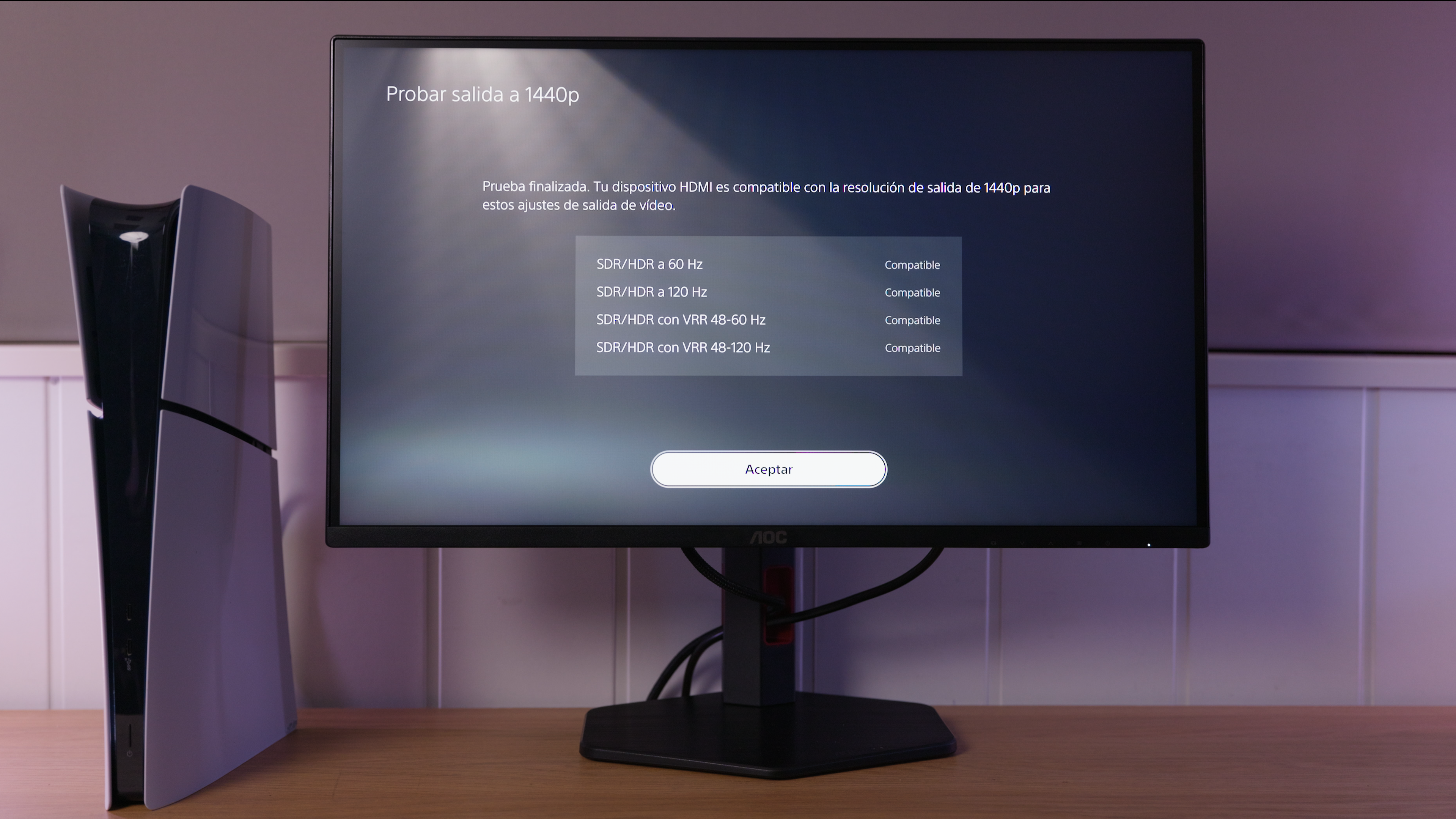
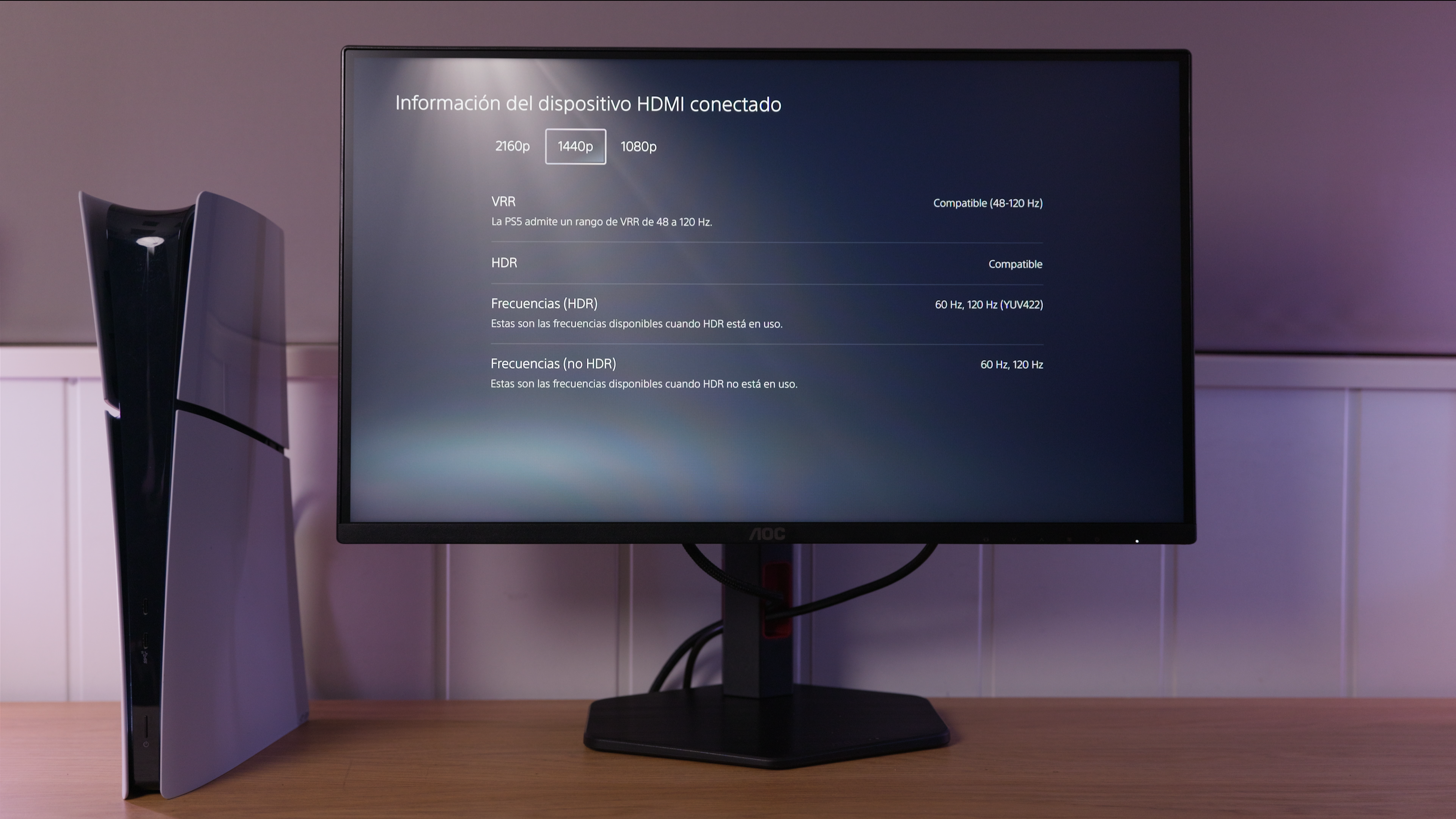
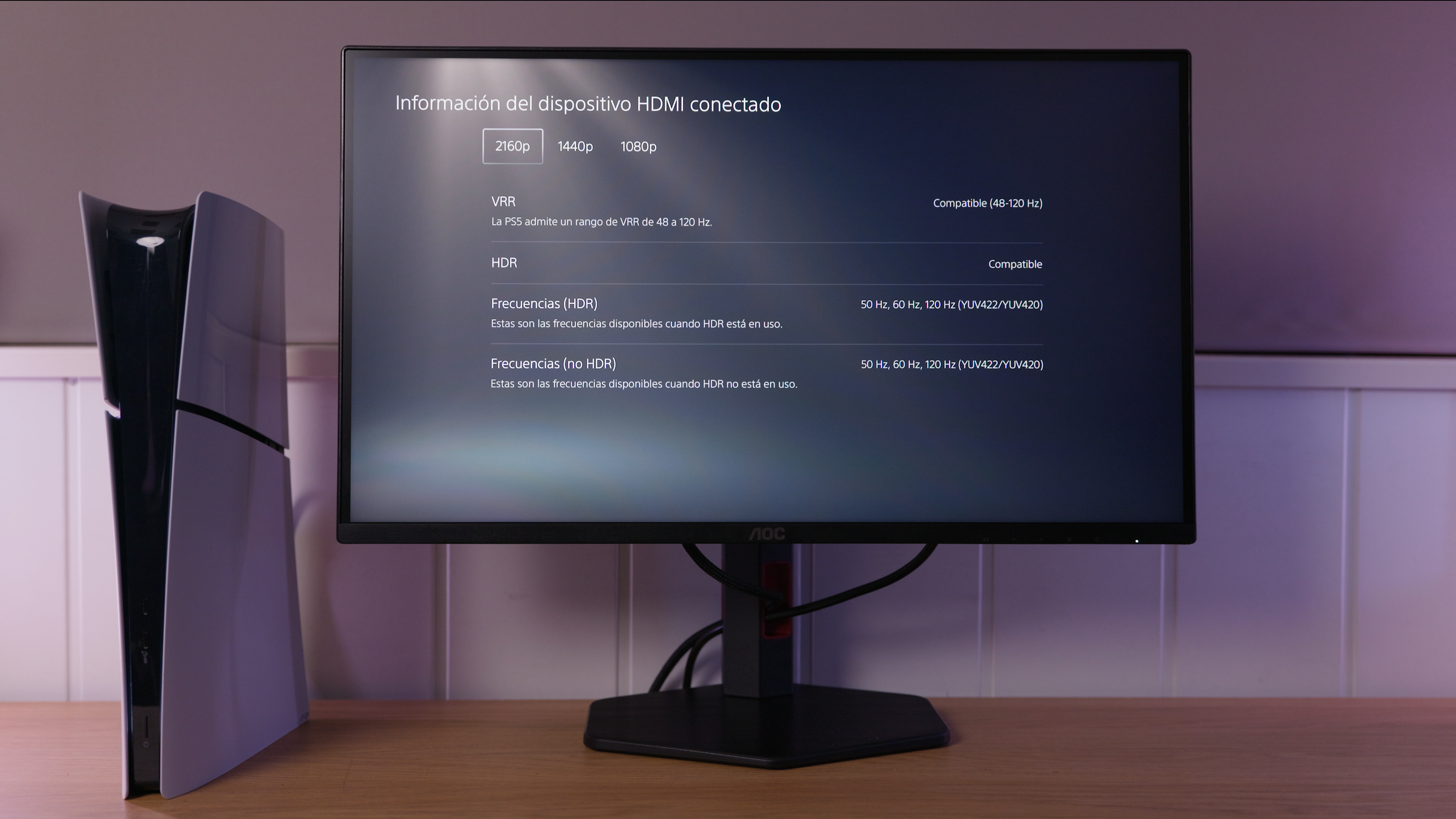
This monitor is listed as supporting variable refresh rate on PS5. See the console section for supported resolutions and refresh rates.
IMartz verdict
Pros
- Sharp detail in a compact format for gaming at a short viewing distance.
- High refresh rate and a stand with all the usual adjustments.
- The PS5 output test accepts 120 Hz gaming with variable refresh rate.
Things to consider
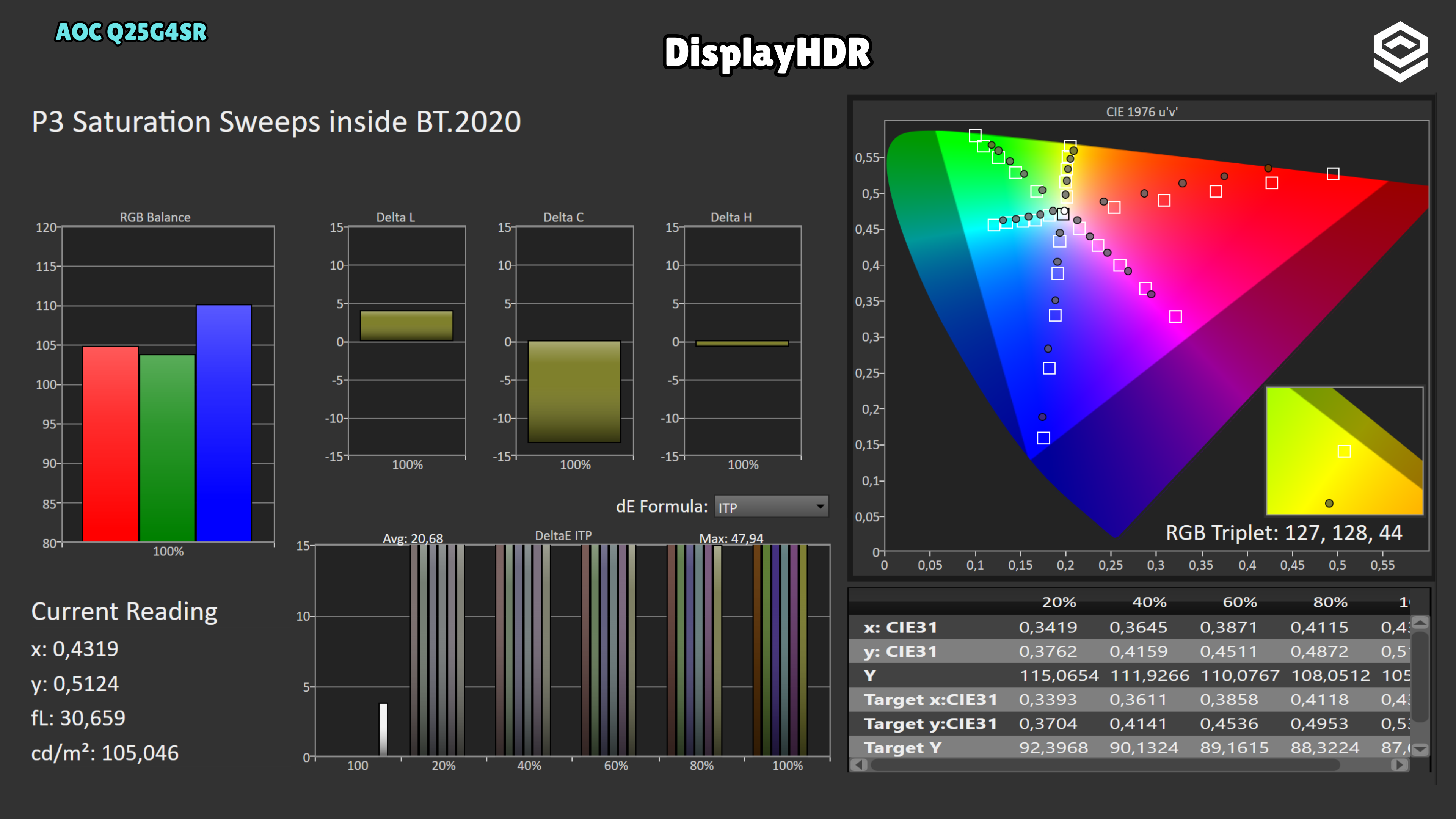
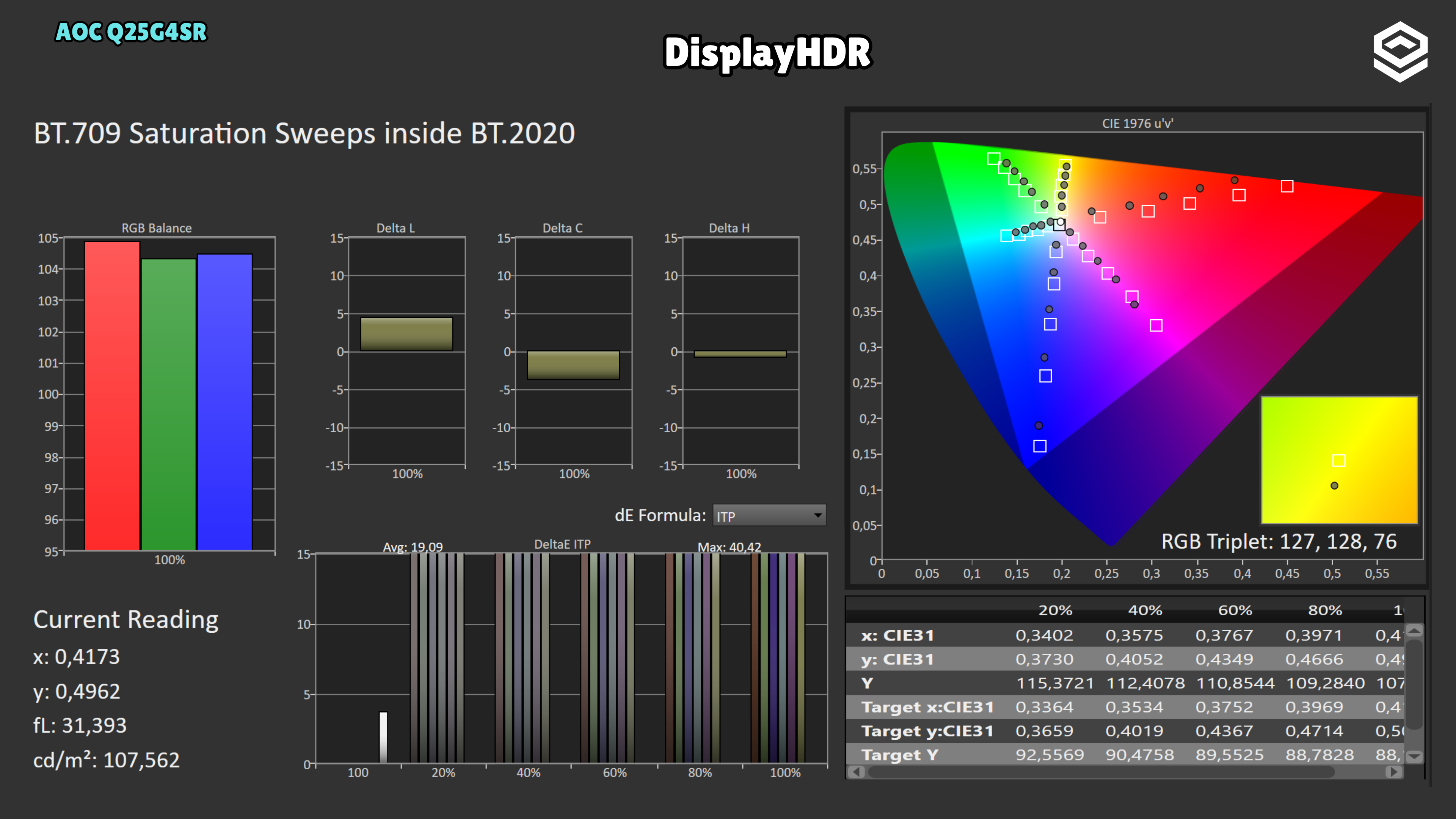
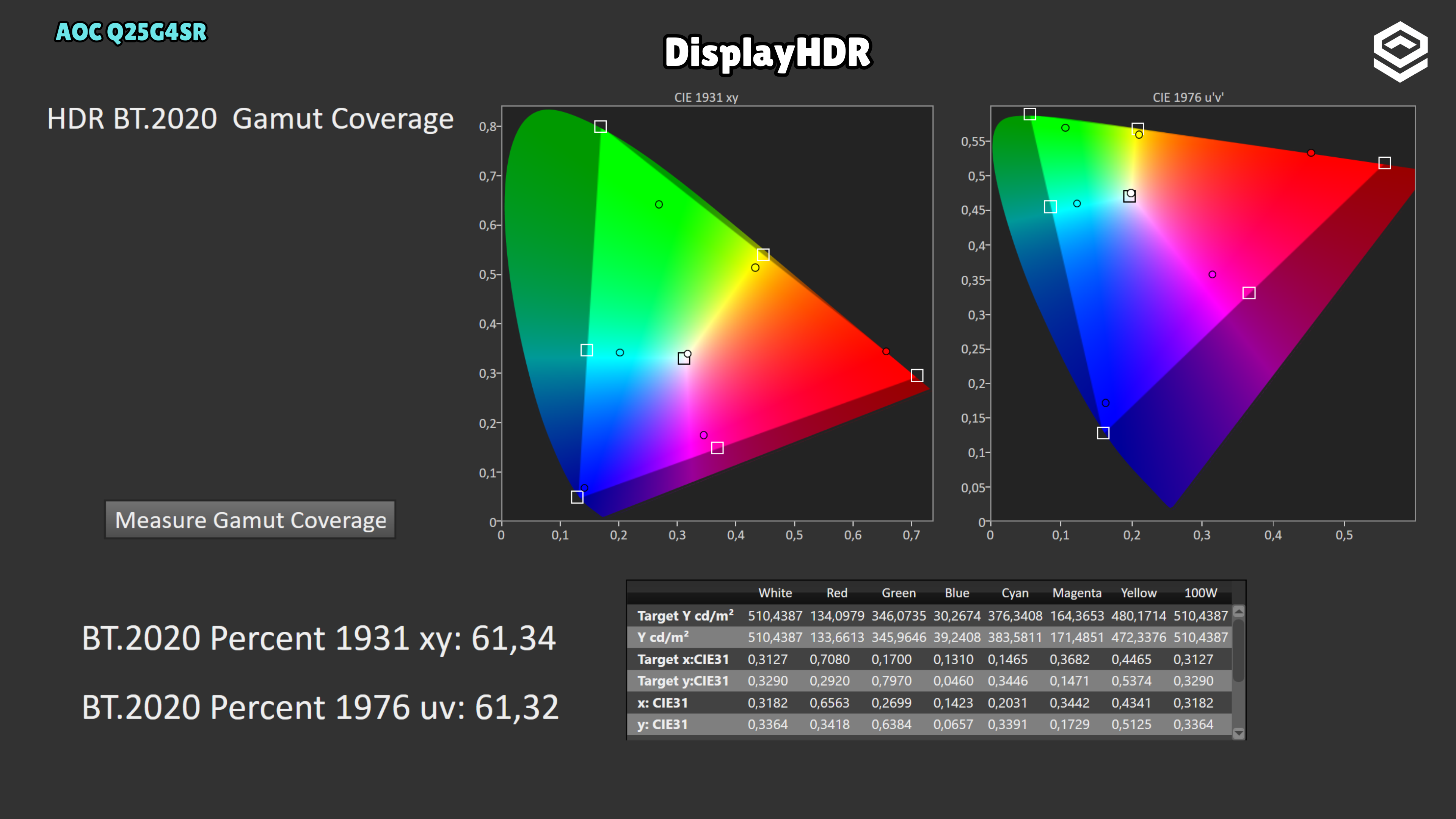
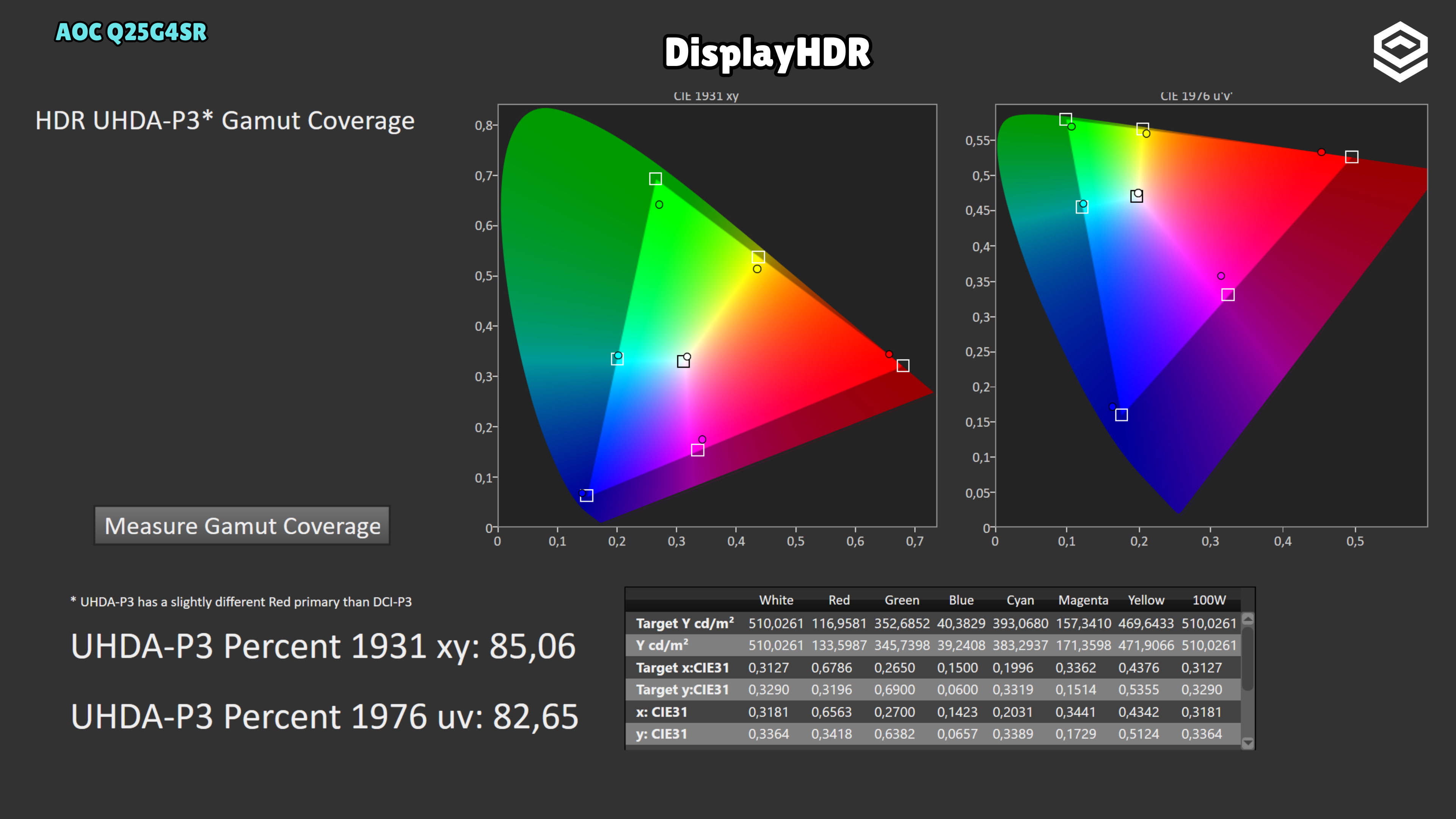
- Unconvincing HDR with reduced colour saturation when enabled.
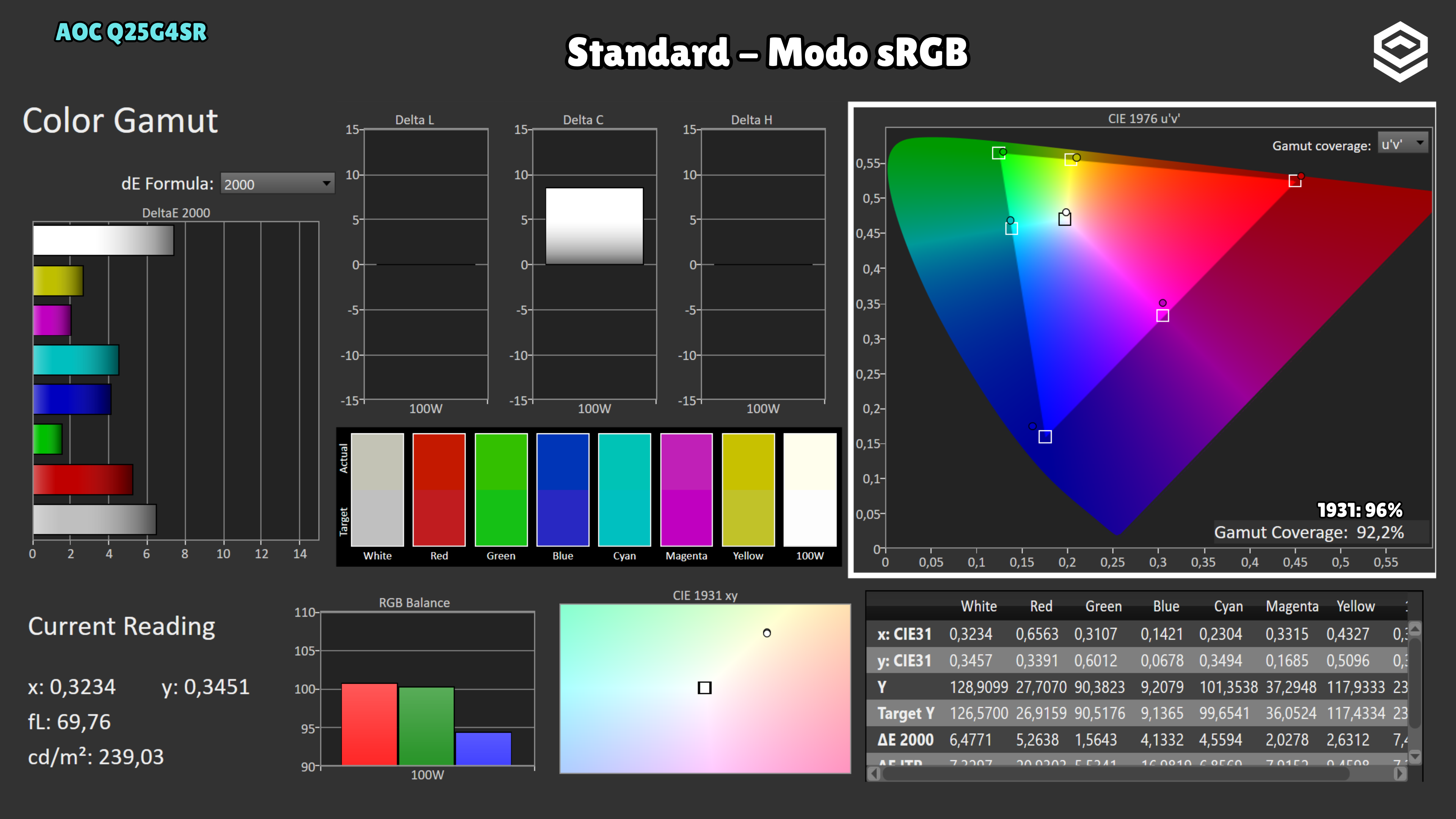
- Poorly tuned sRGB mode with no colour-temperature control.
- Strongly matte coating, worth considering if you prefer a less matte surface.
A good fit if…
- You want a small monitor for competitive gaming and everyday SDR use.
- You want more detail than Full HD without moving up to 27 inches.
Consider another option if…
- HDR is a purchase priority.
- You need a reliable, adjustable sRGB mode for colour work.
Measurements and specifications
IMartz test results. See each section for the measurement conditions.
Display and format
SDR performance
Color, brillo, contraste y comportamiento básico fuera de HDR.
Test note · sRGB accuracy
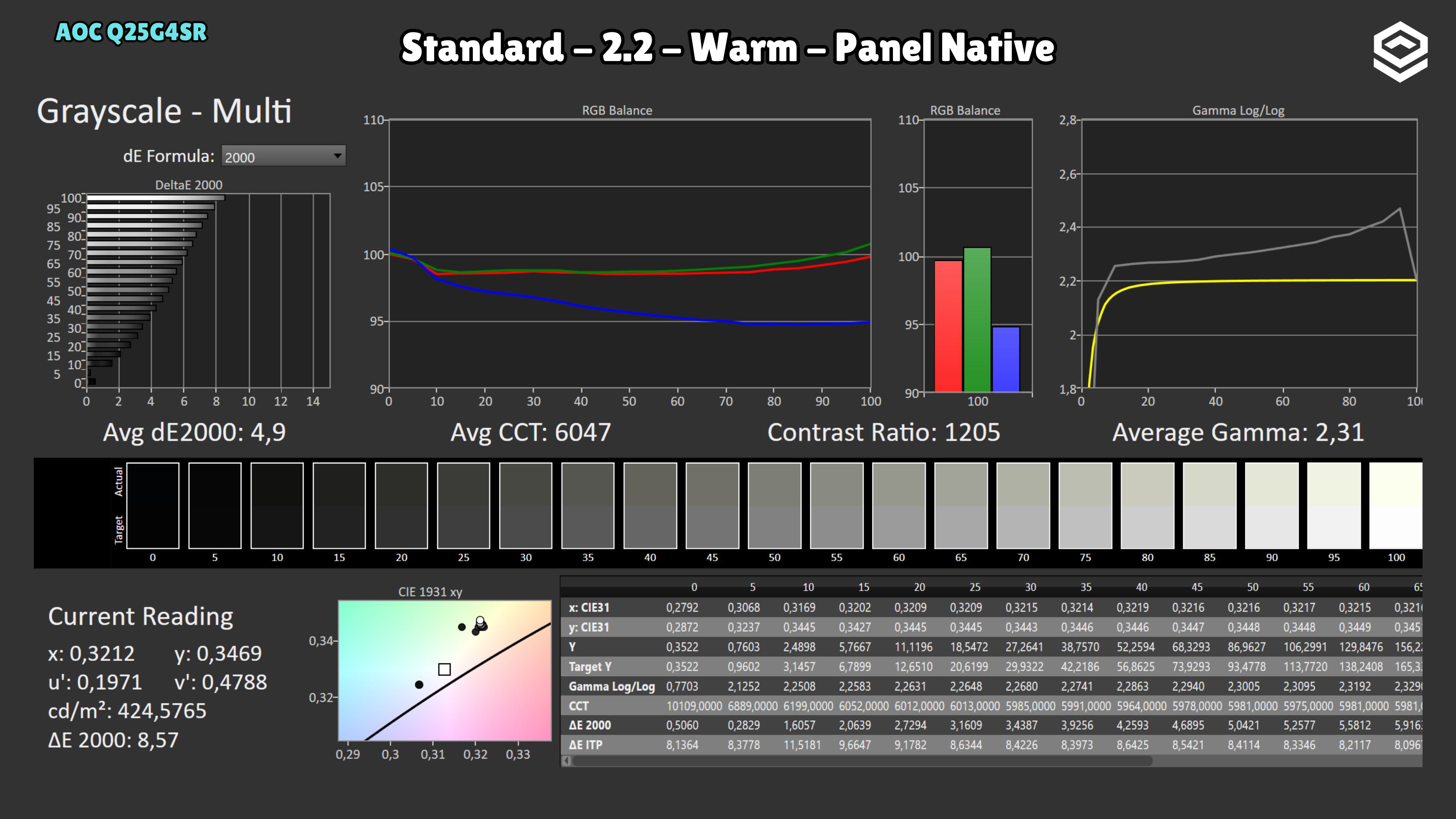
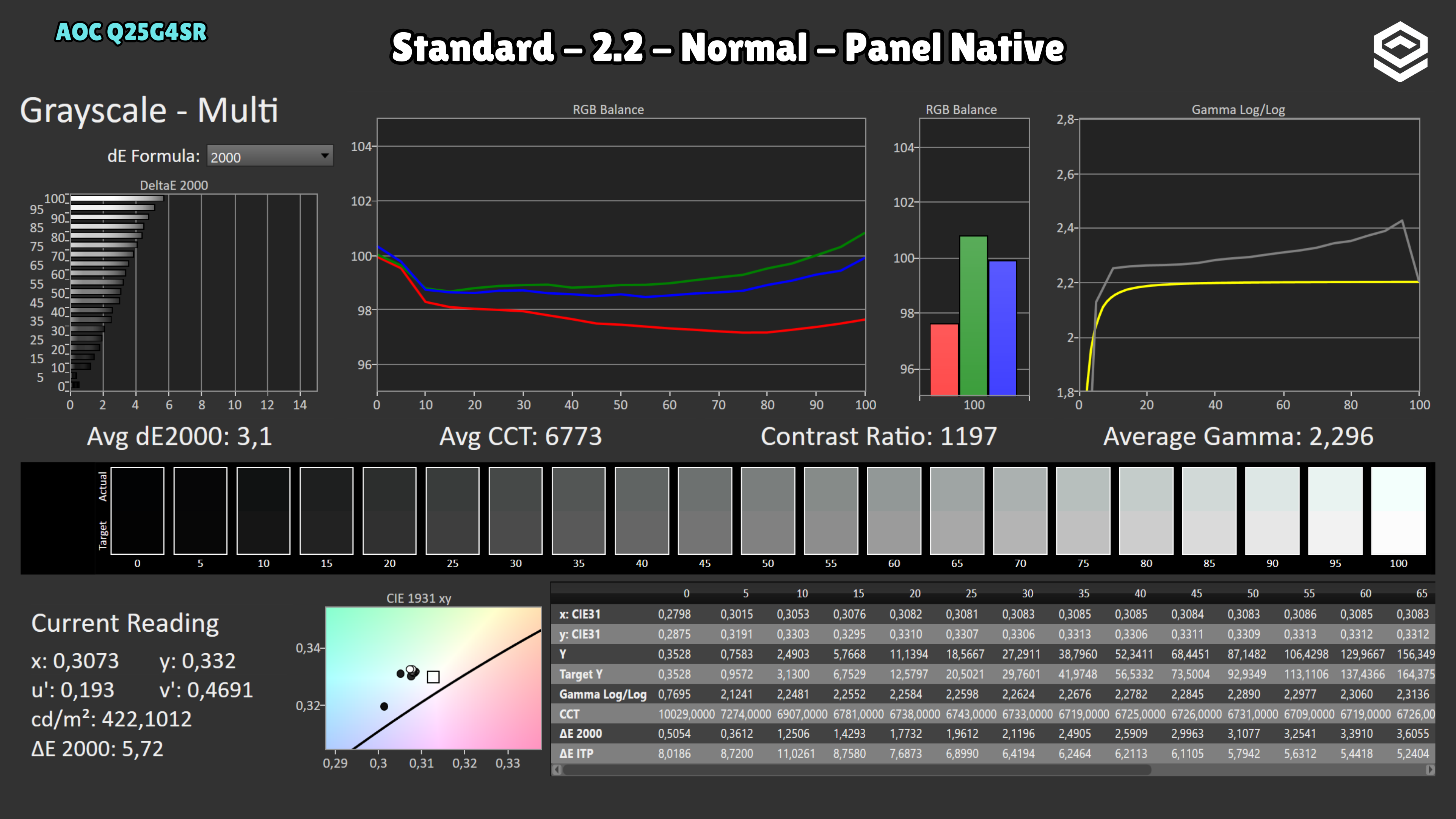
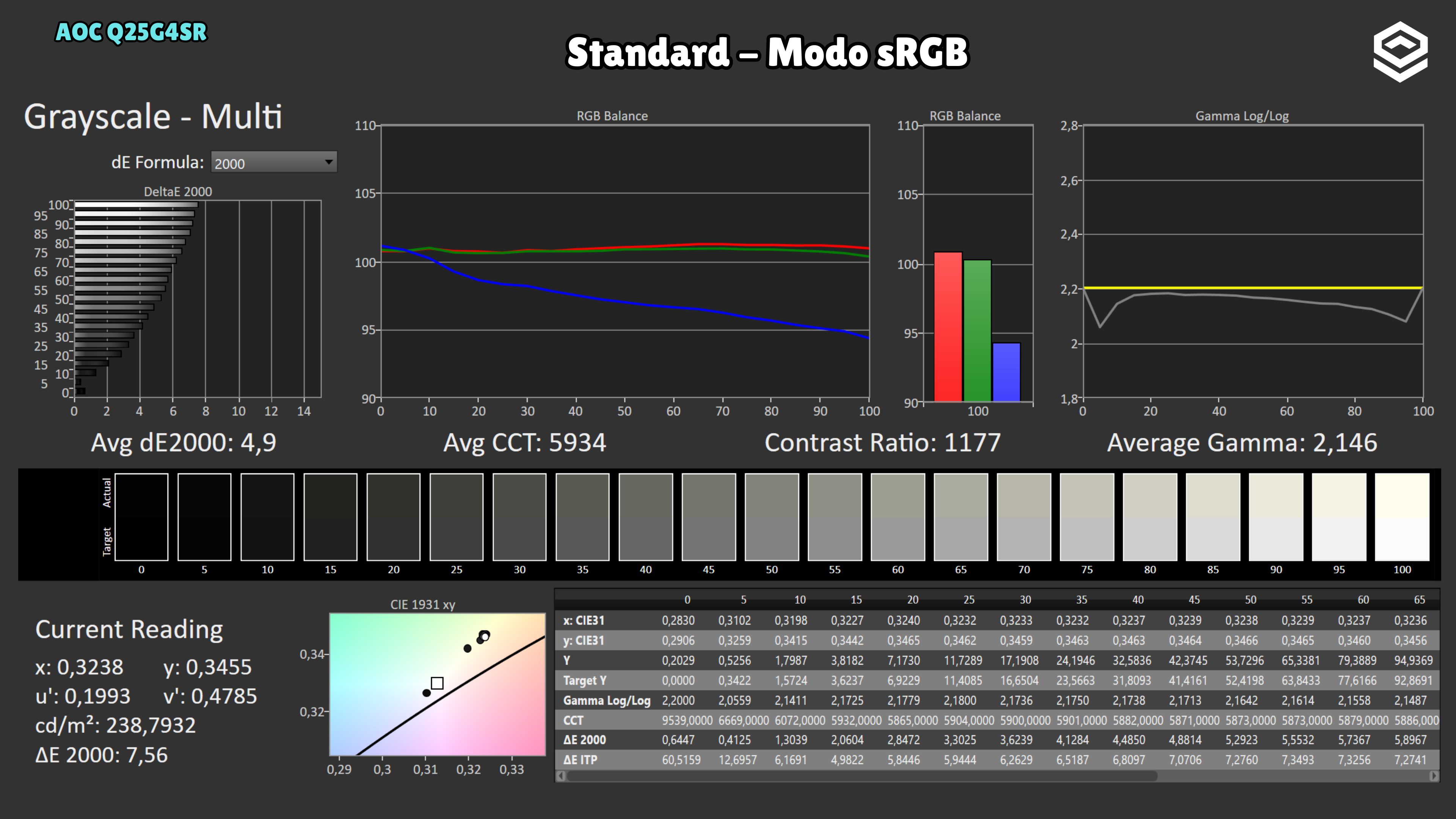
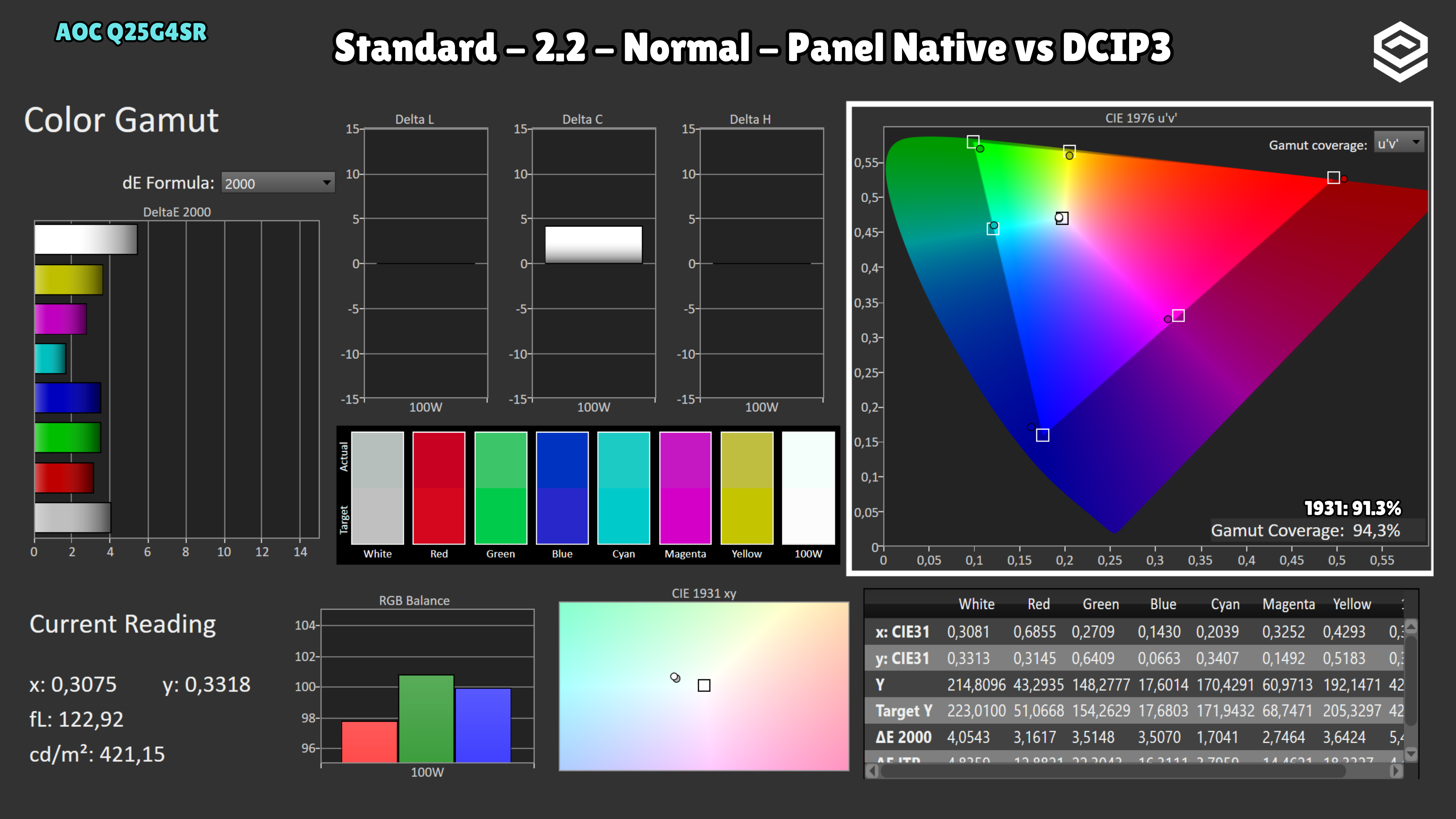
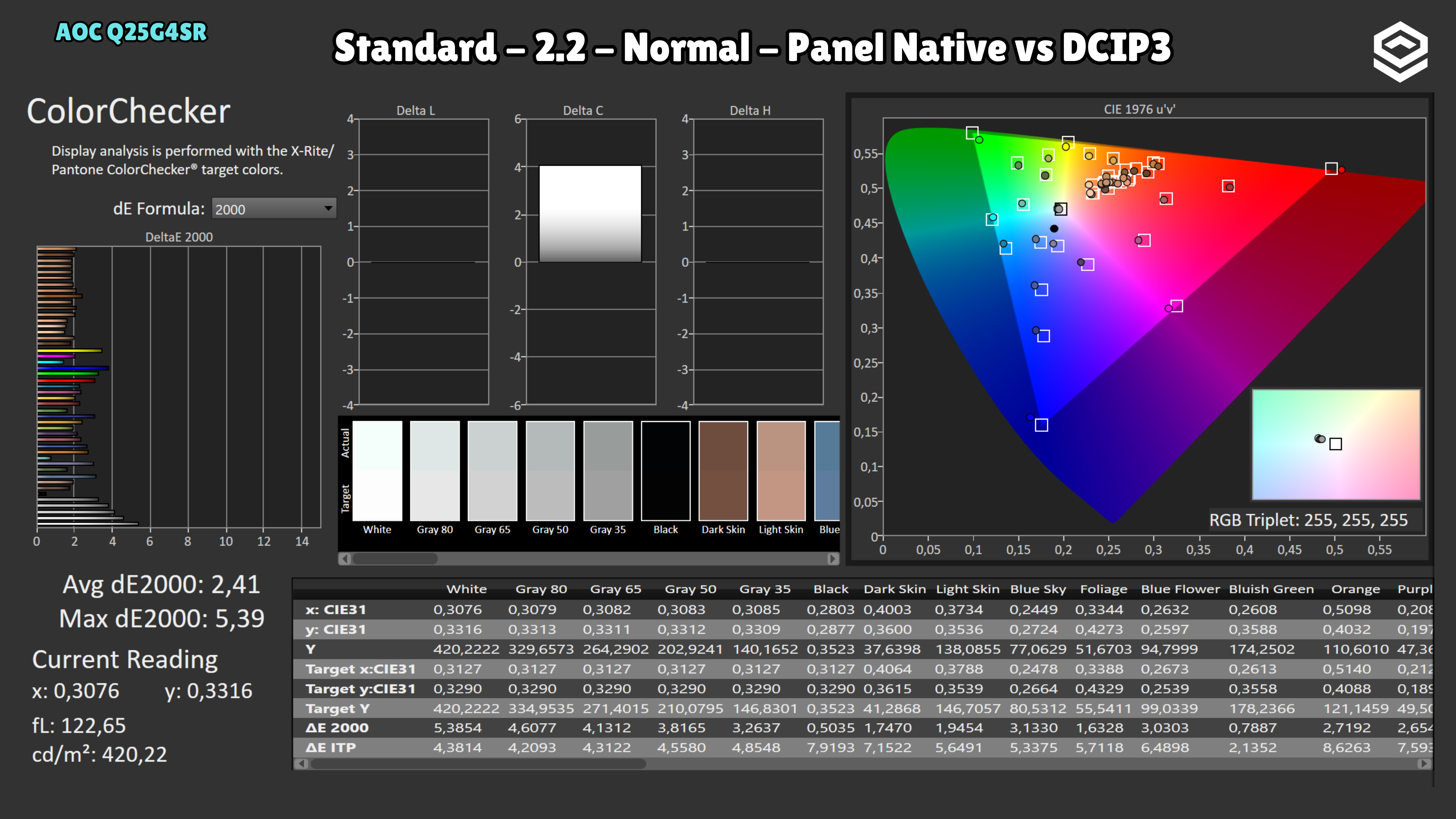
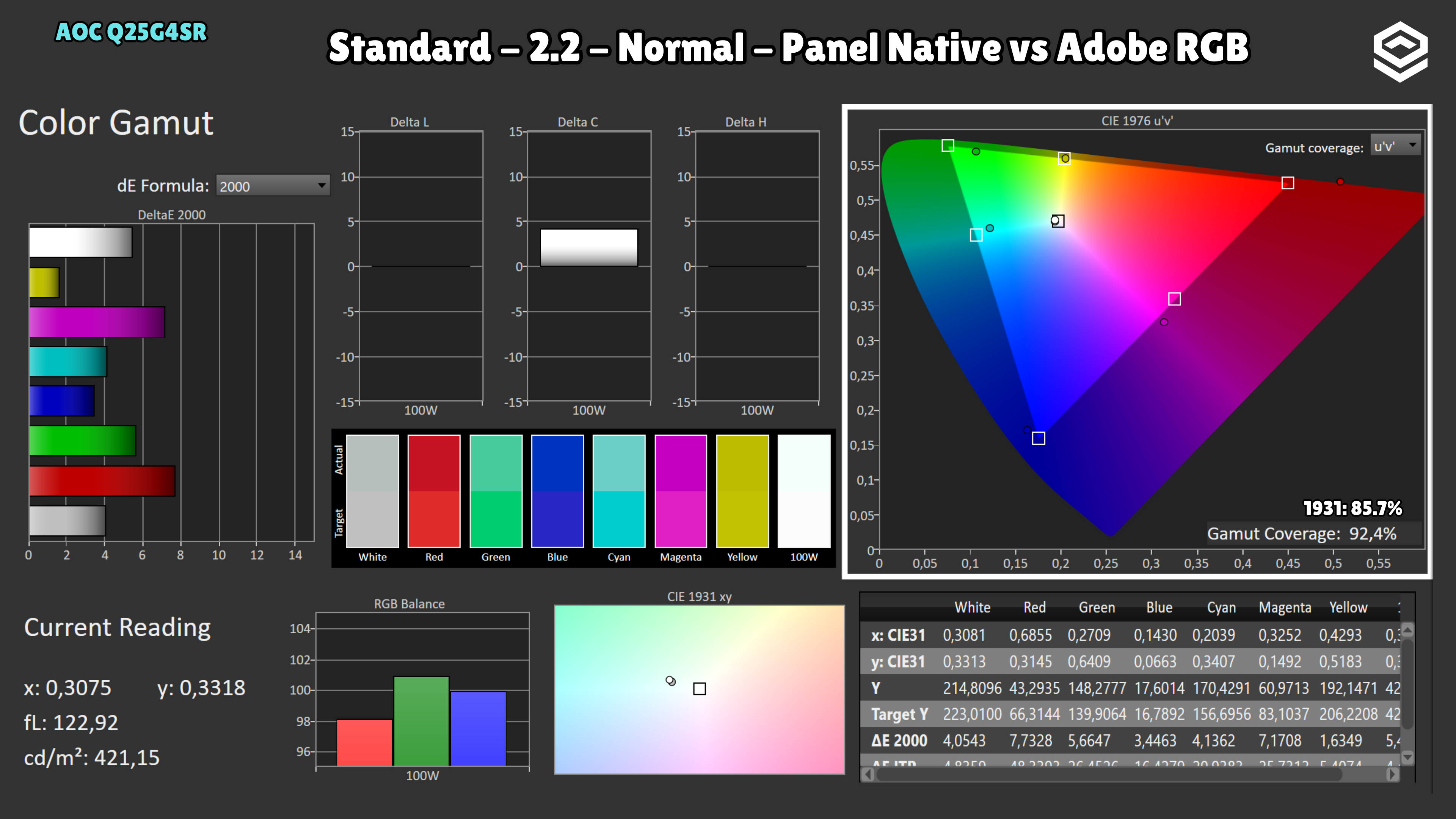
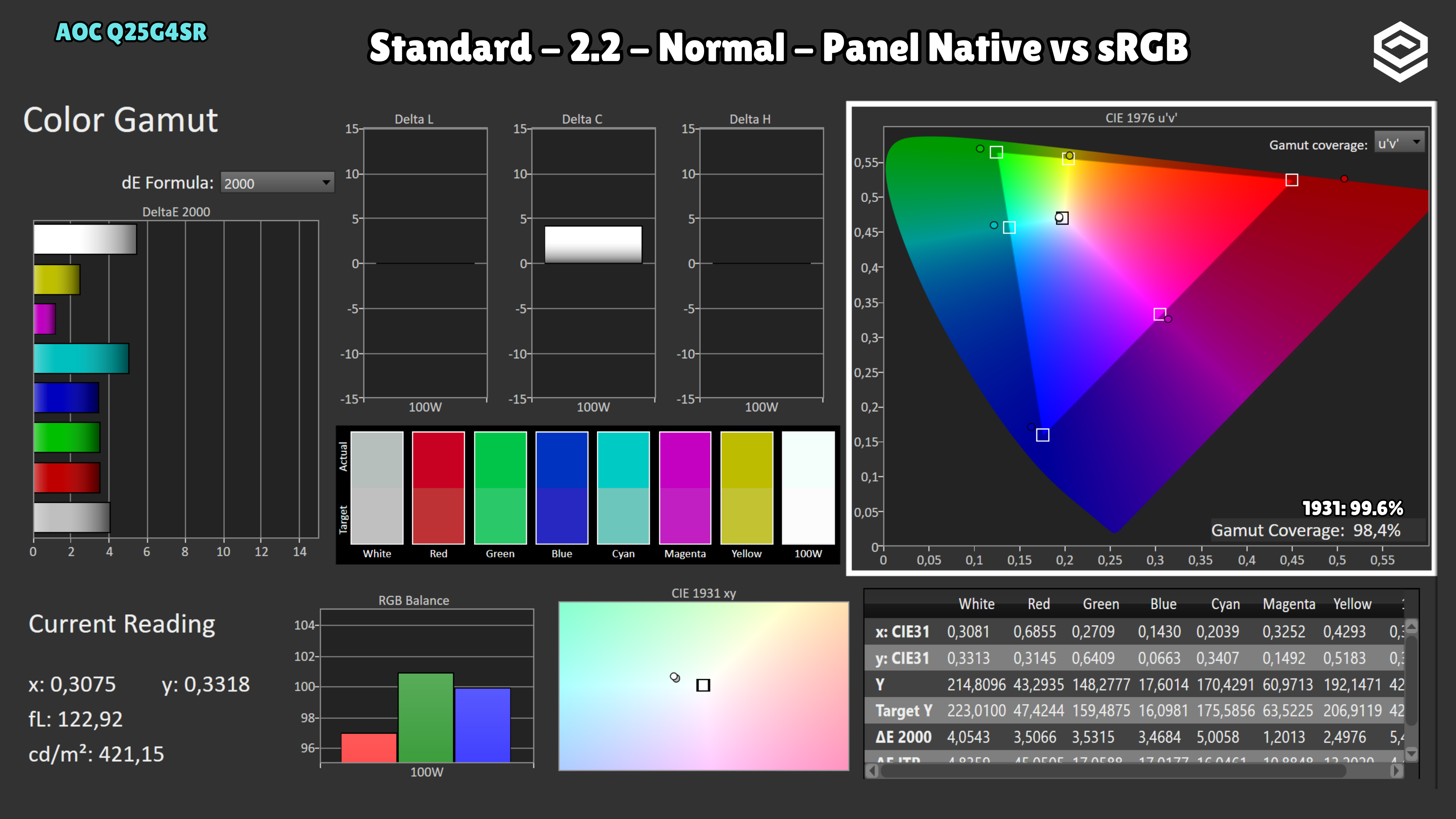
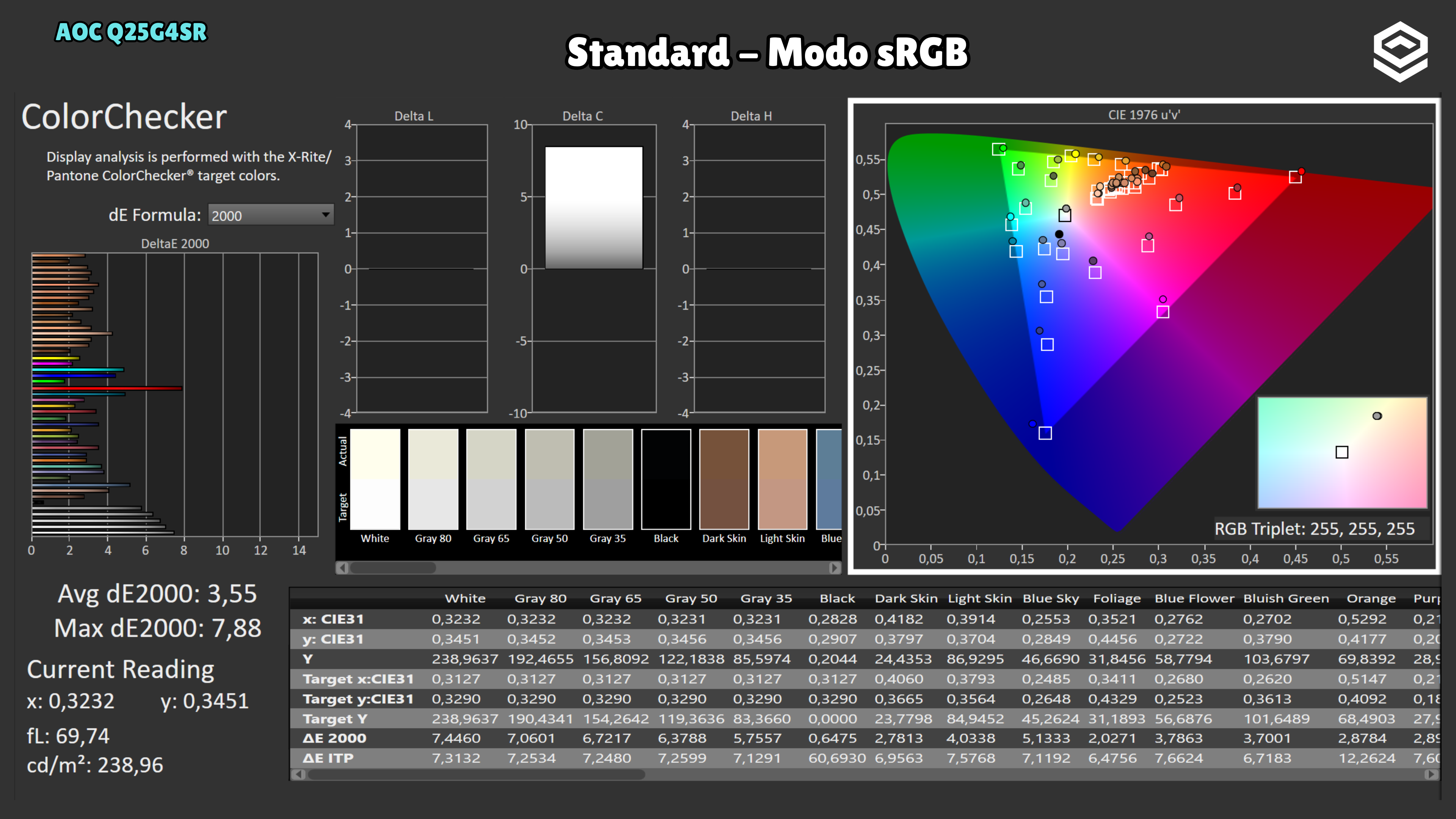
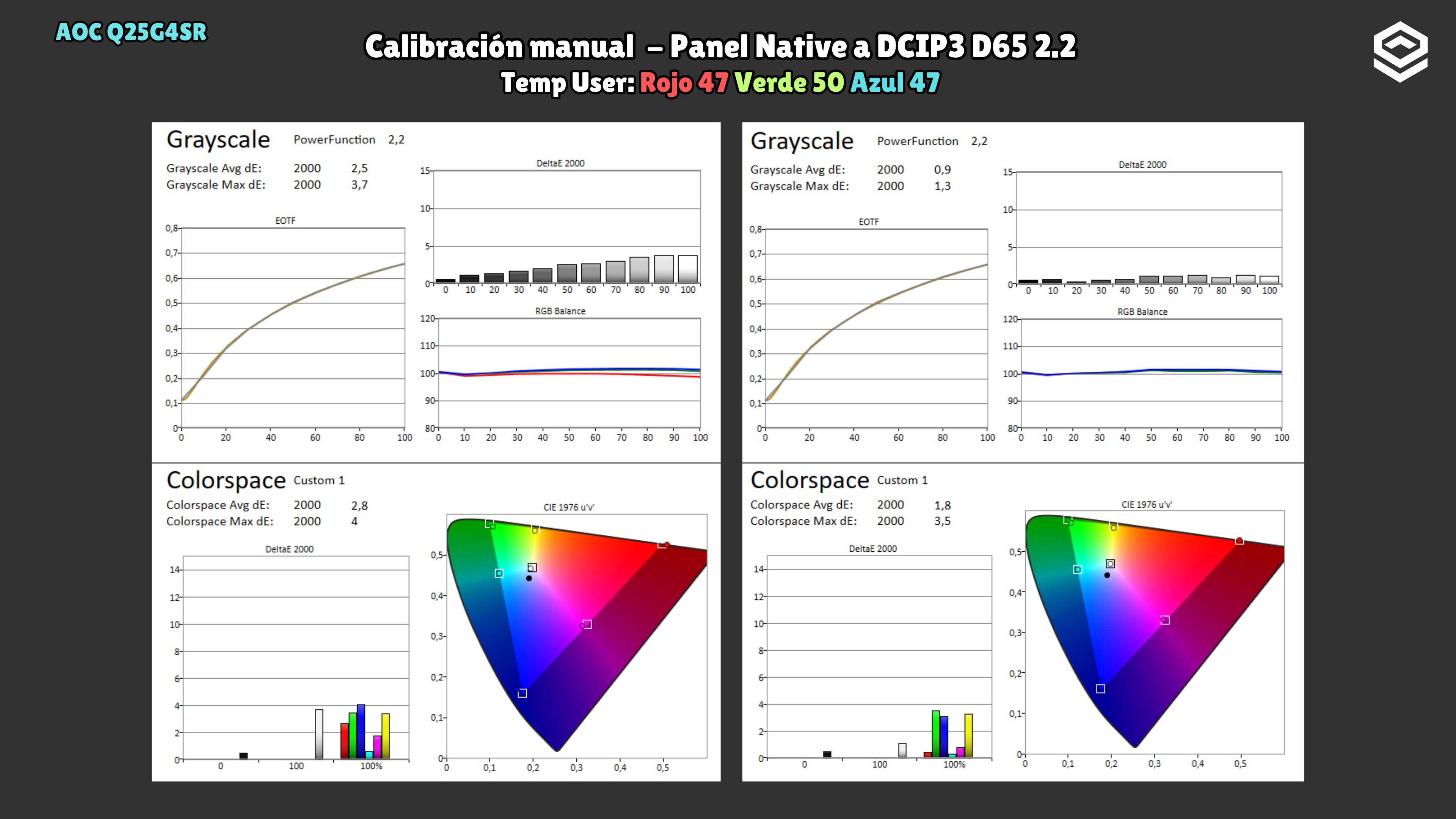
A wide gamut does not guarantee accurate sRGB. In the sRGB-mode captures, the white point is warm with too little blue; only brightness can be adjusted, not colour temperature. In native gamut, Normal is closer to neutral white than Warm, but leaves the gamut unrestricted to sRGB. The manual RGB correction in the gallery applies to that unit and does not remove the sRGB mode lock.
Test note · SDR brightness
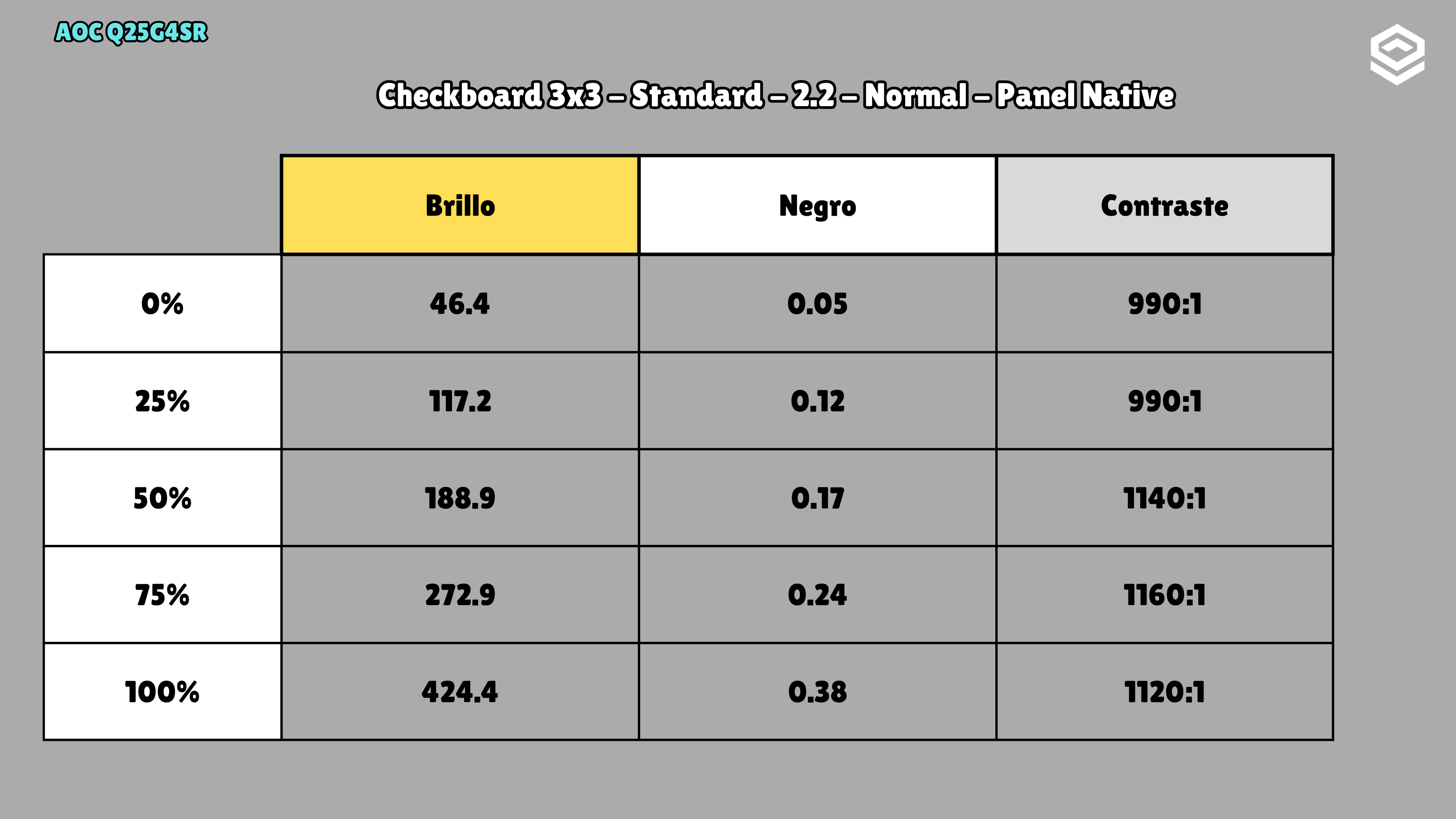
The measured minimum is 46 nits, which may be high if you play in the dark and want a very dim screen.
HDR performance
Brillo pico, volumen de color, EOTF y experiencia HDR real.
Test note · EOTF tracking
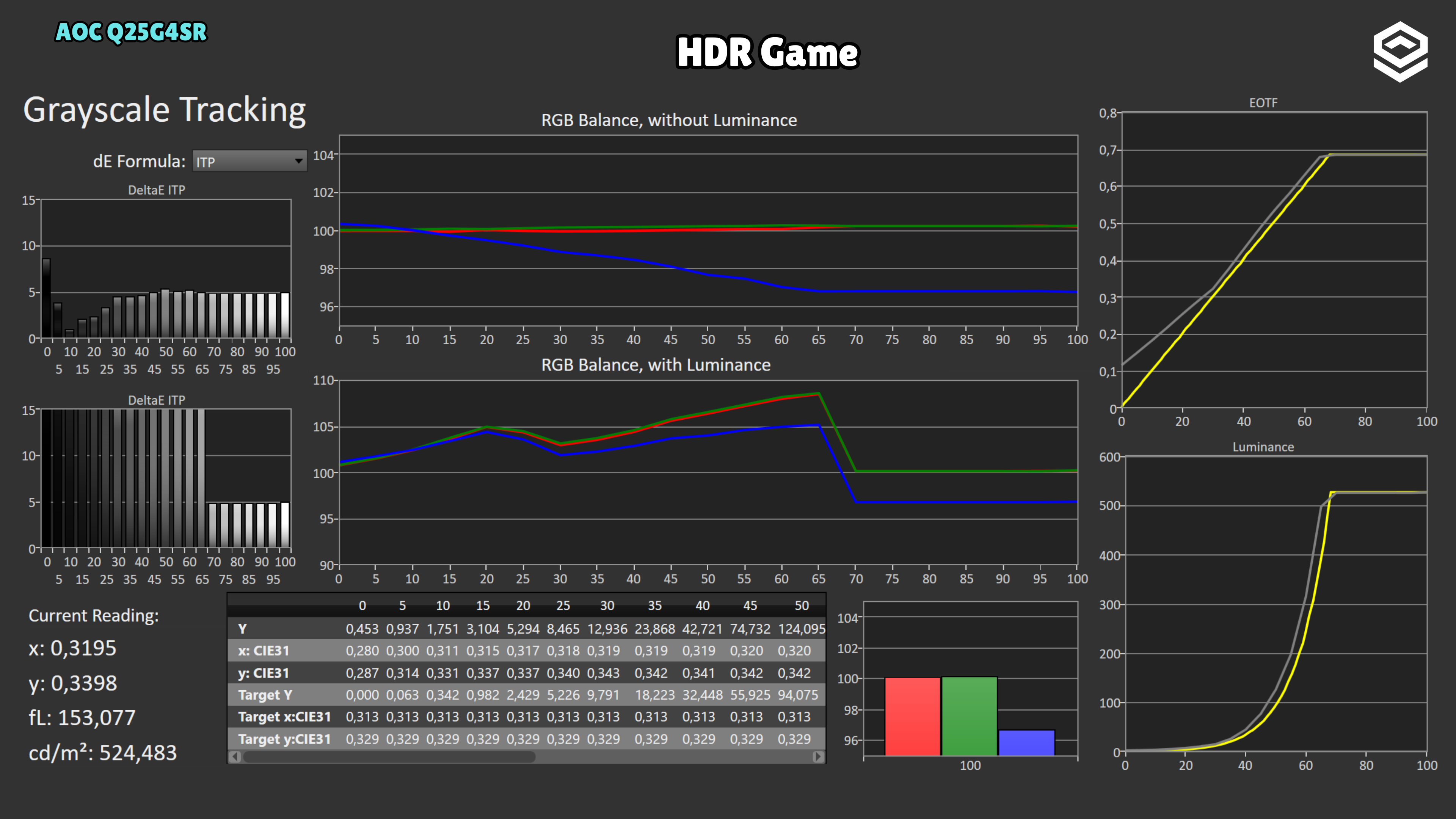
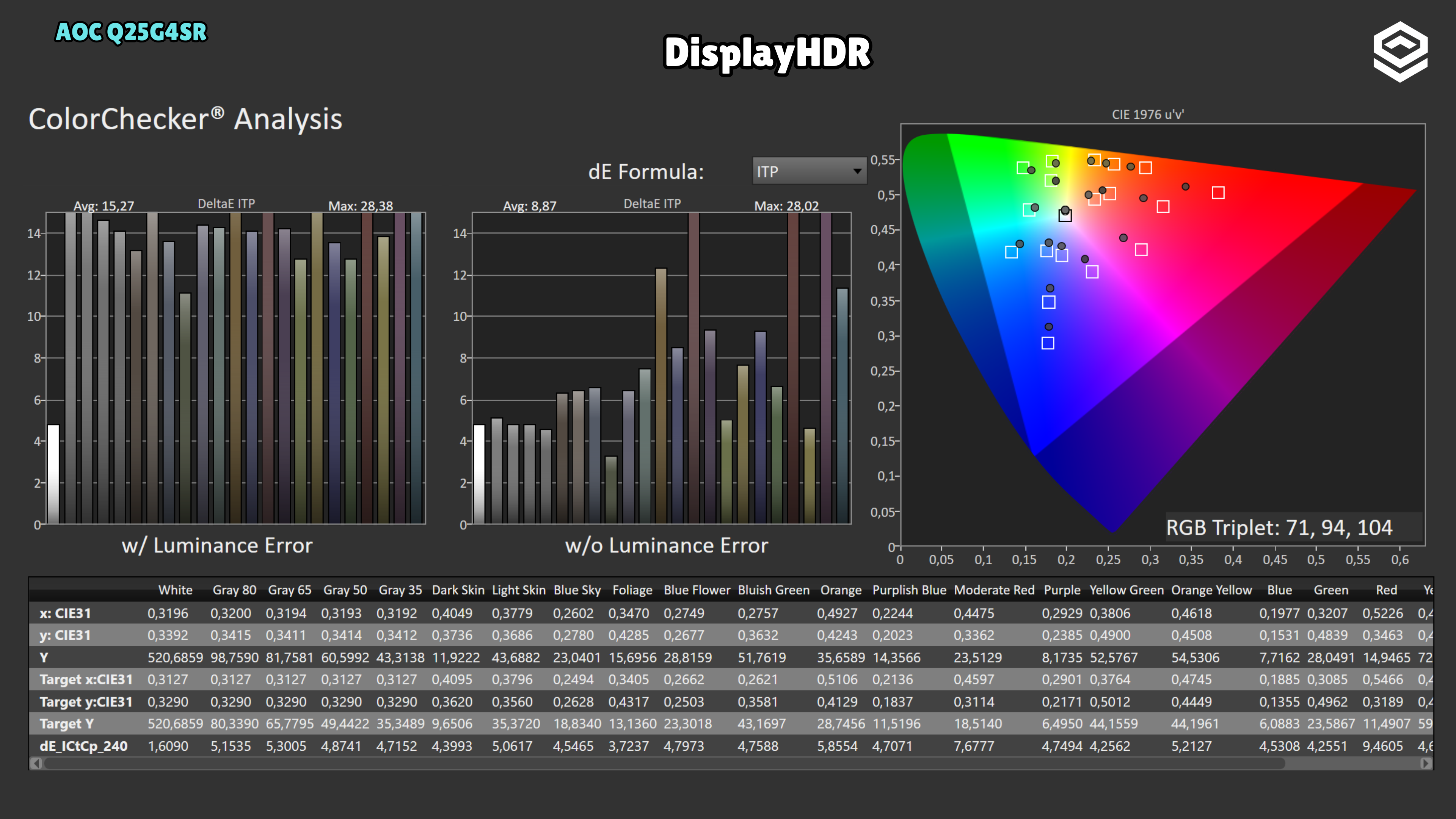
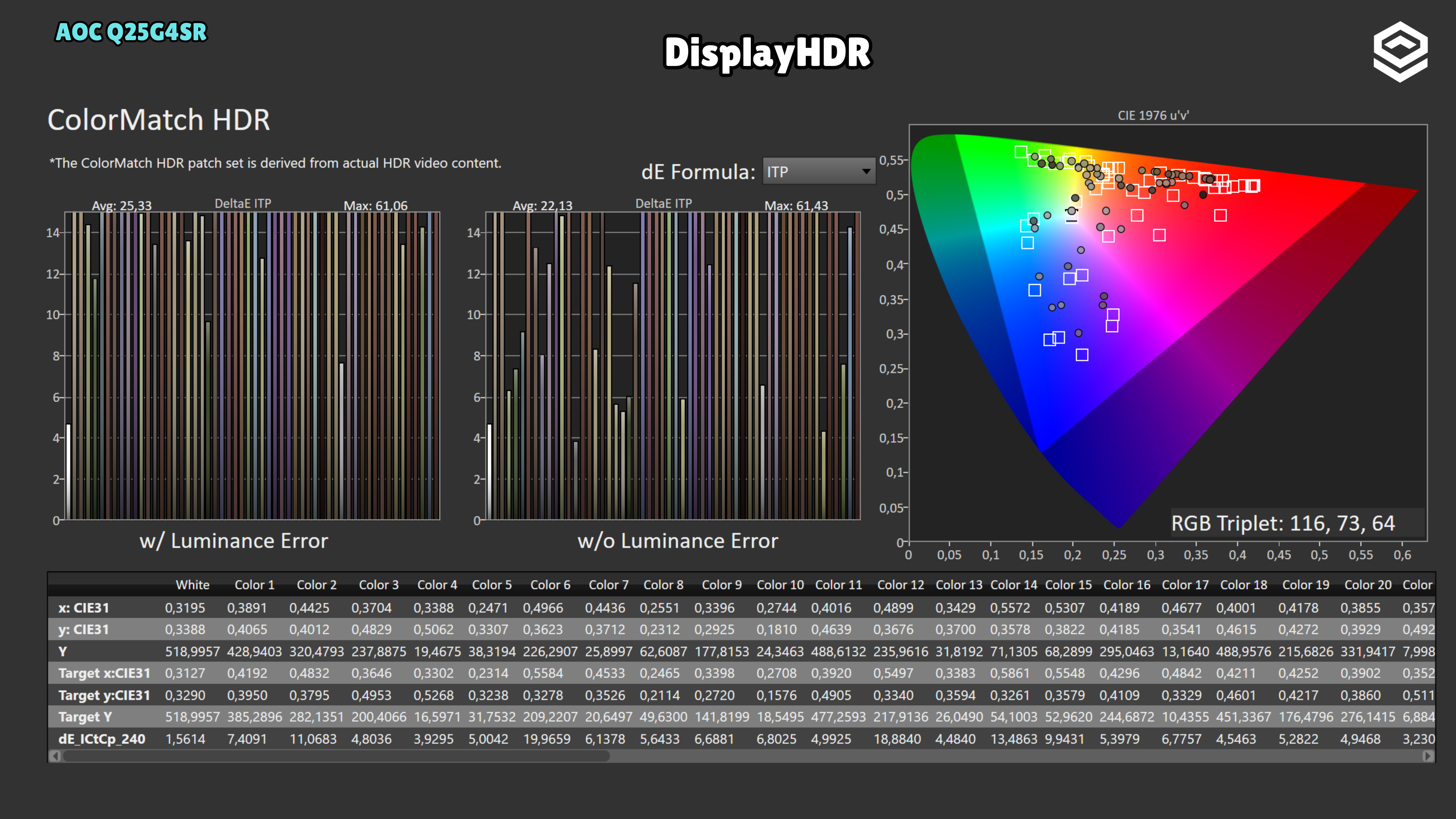
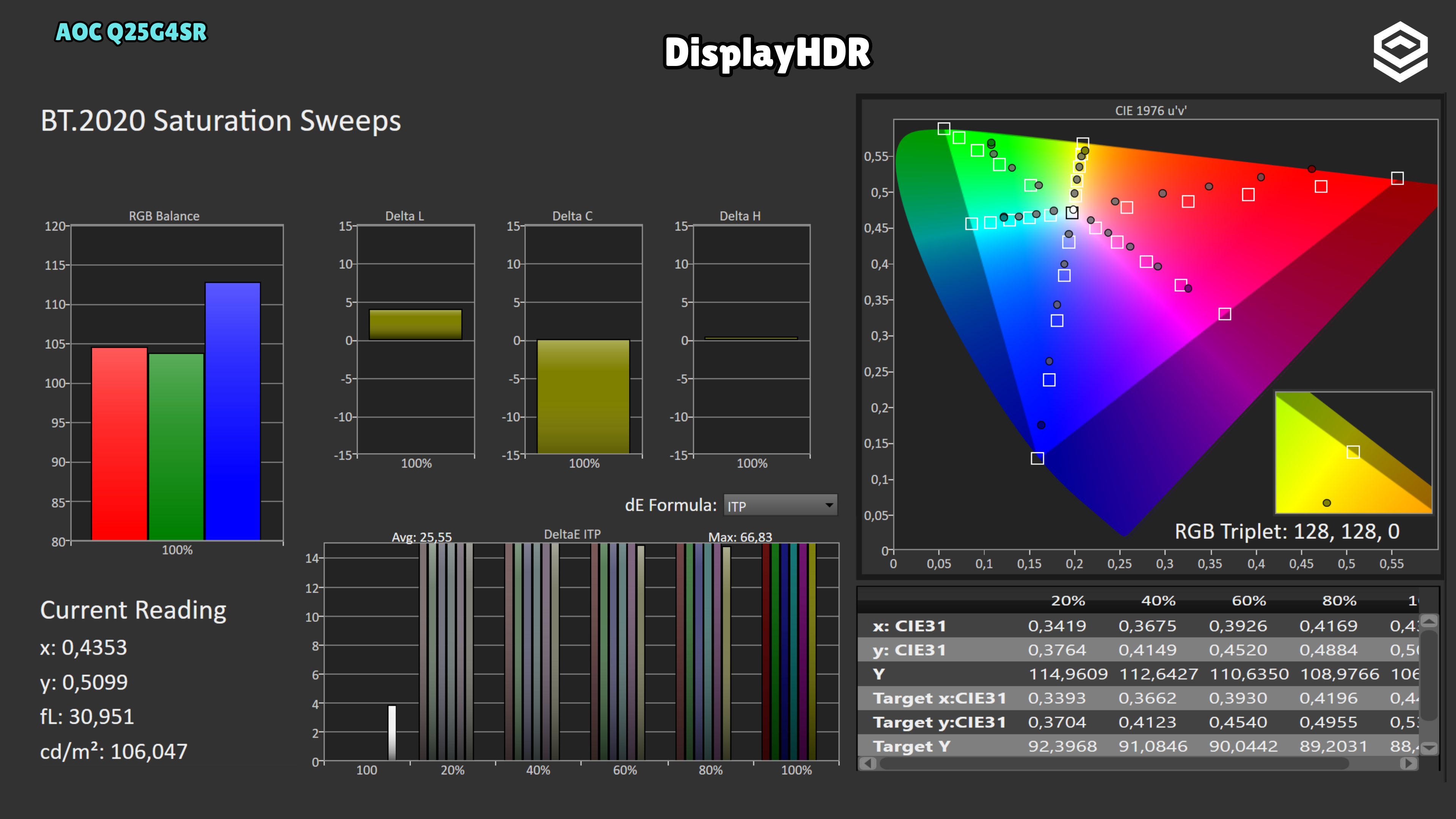
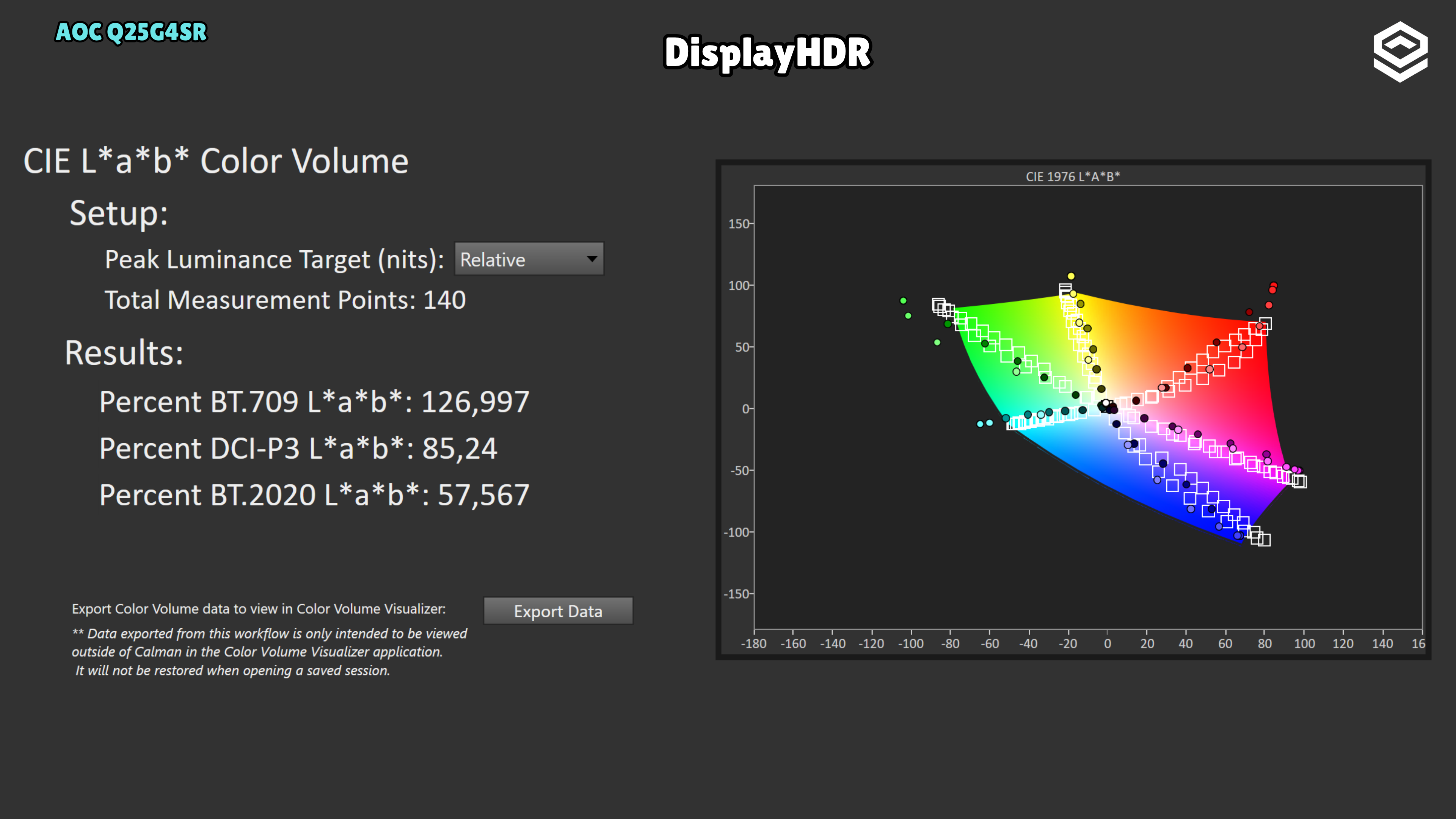
In DisplayHDR mode, the curve raises the black level and delivers more light than the reference through much of the midtones; peak brightness alone does not explain the problem. Saturation sweeps also show deviations even within BT.709, so enabling HDR does not guarantee that SDR colour fidelity is preserved. IMartz observes reduced colour saturation, a behaviour he has also encountered on AOC OLED monitors. It matters less to the purchase decision here because this IPS monitor already offers unconvincing HDR due to its limited contrast; I would prioritise SDR.
Response time and PC gaming
Overdrive, tiempo de respuesta, overshoot, VRR e input lag.
Test note · Response time
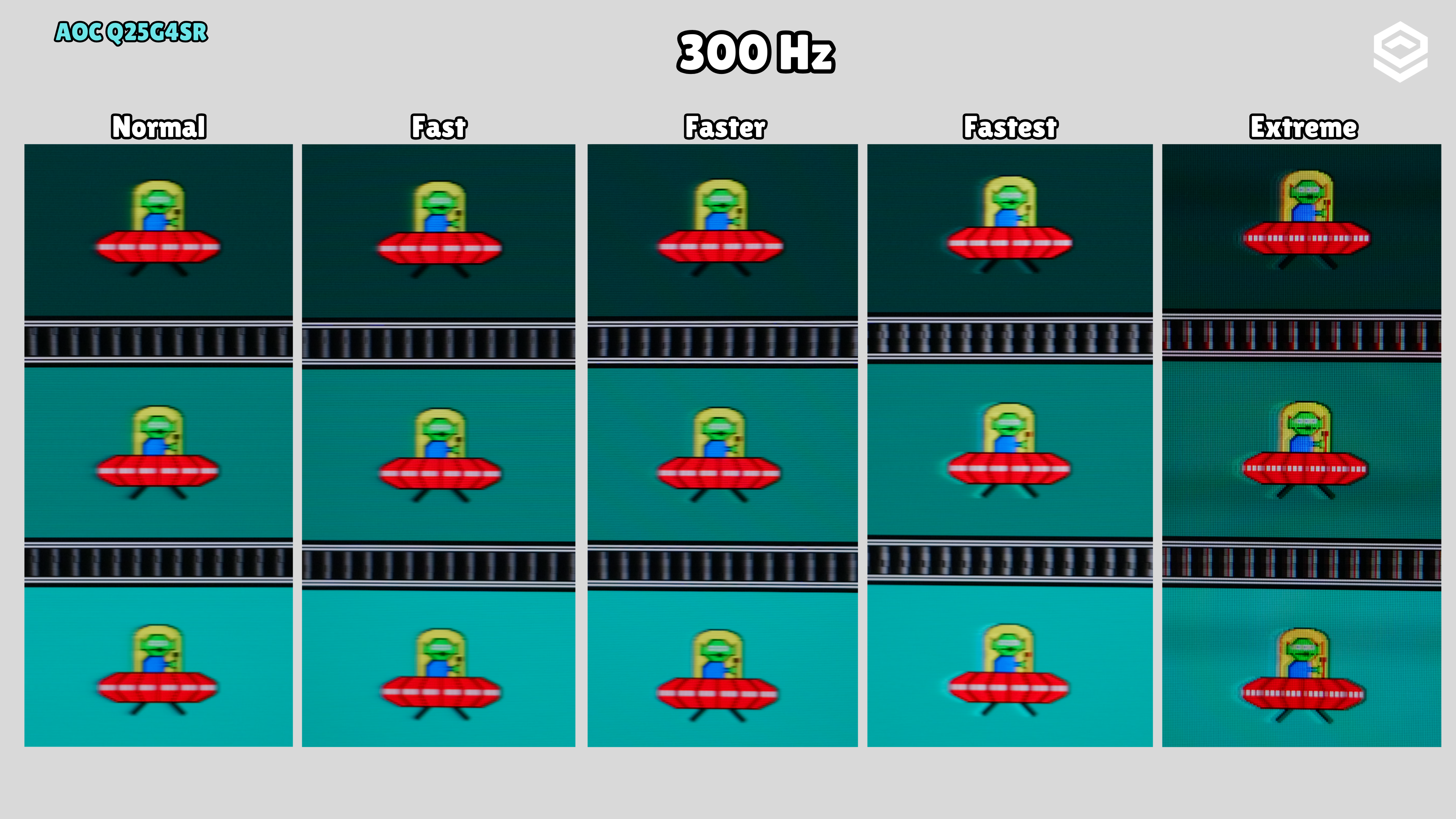
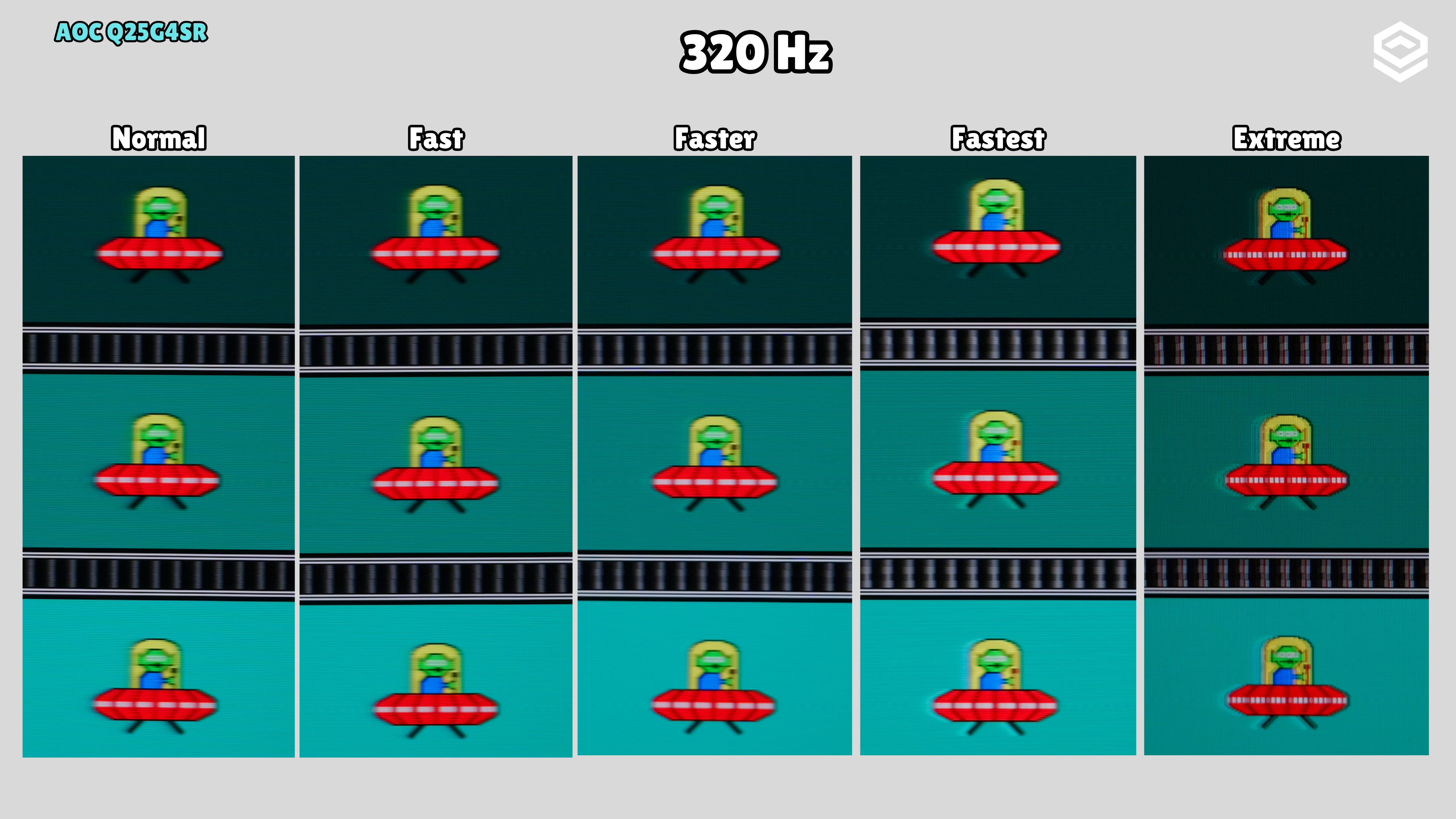
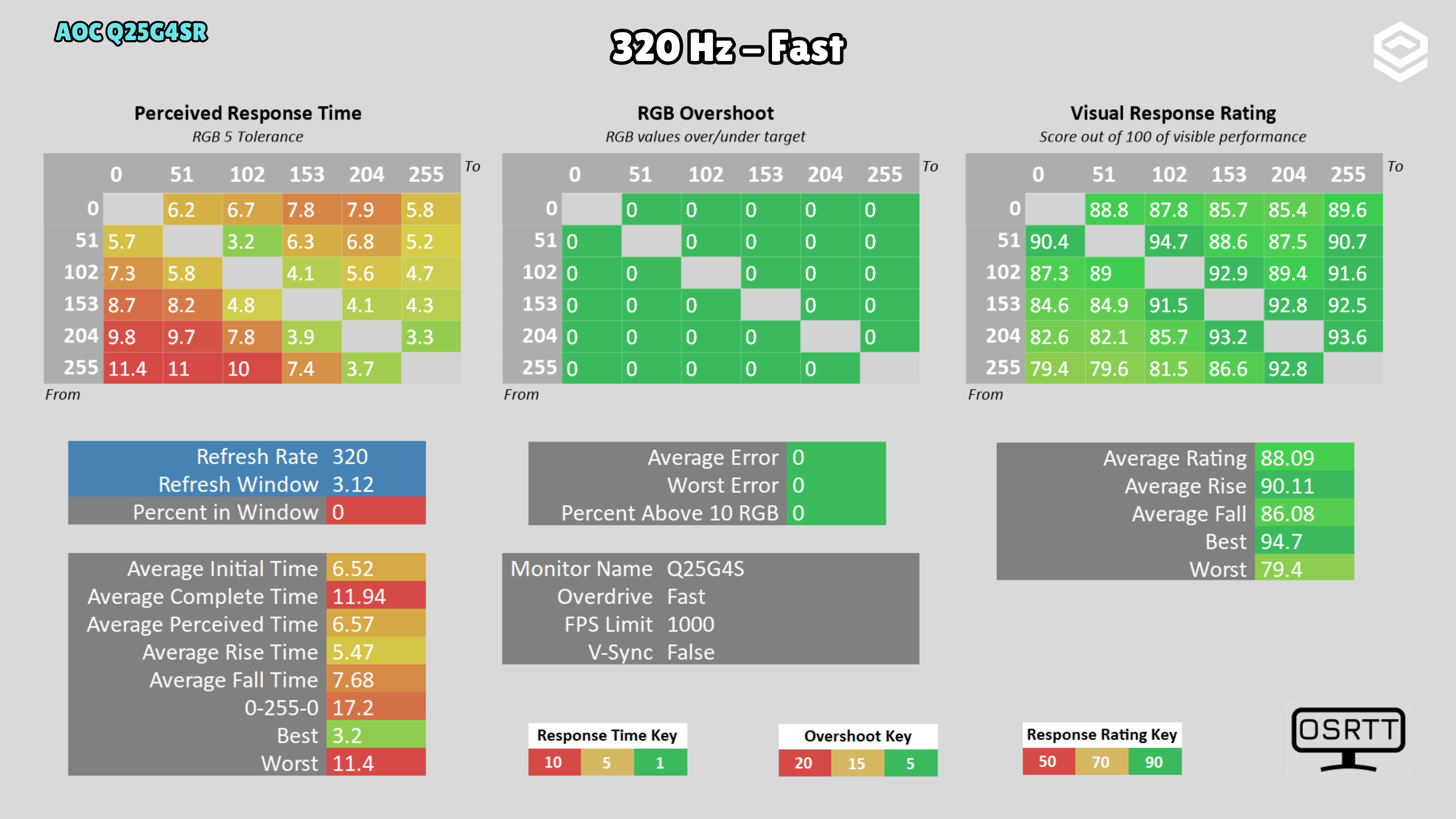
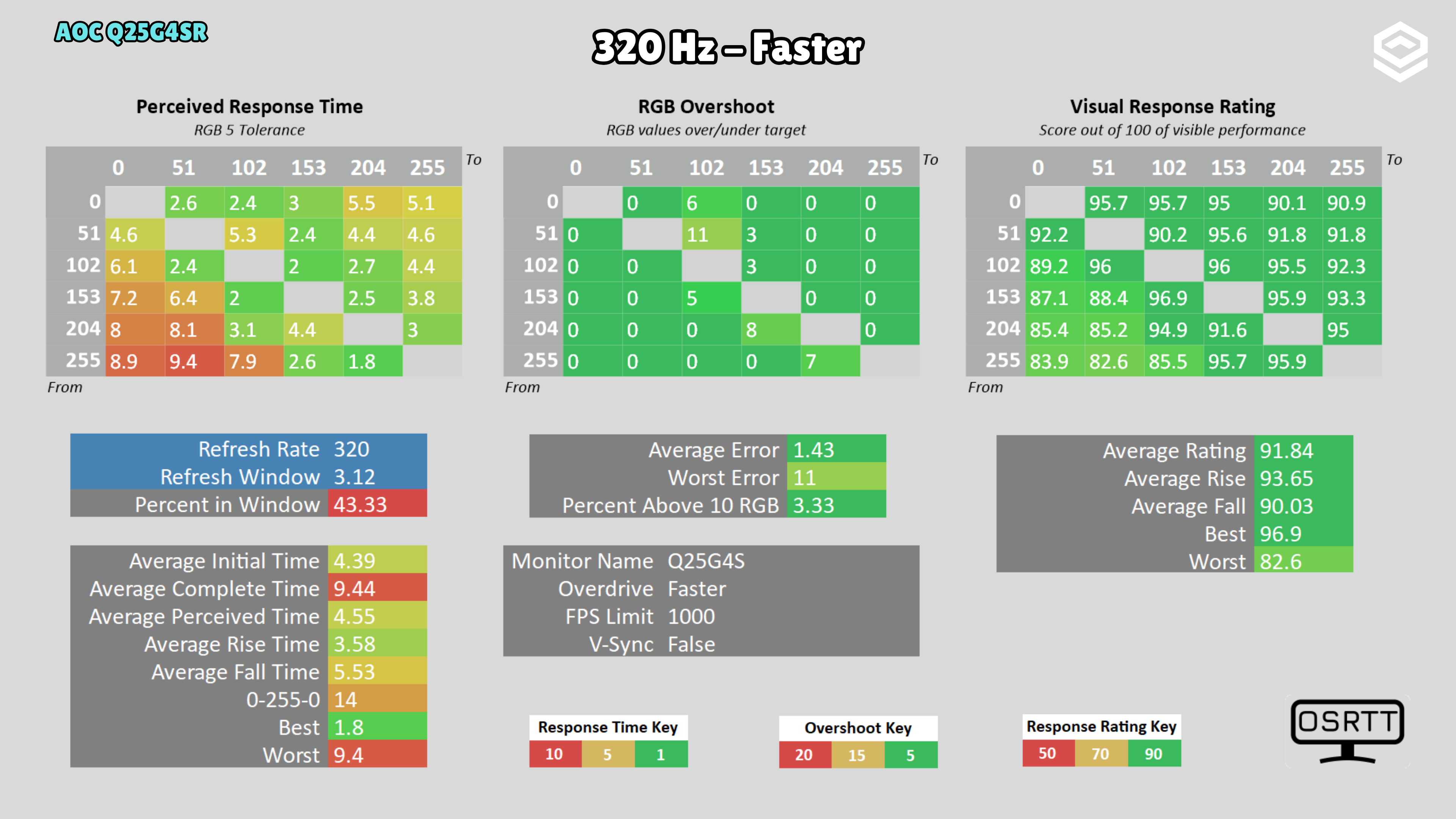
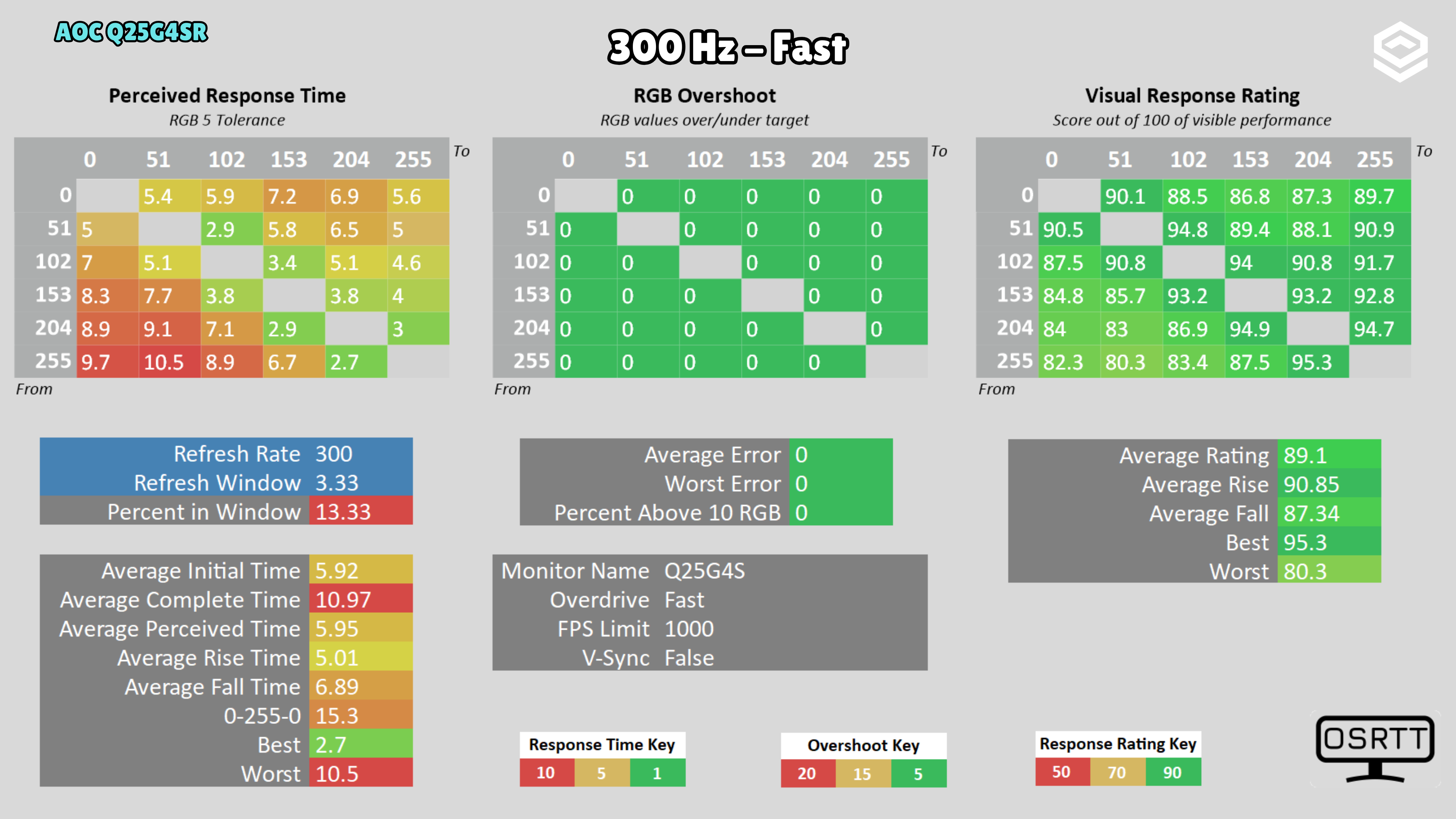
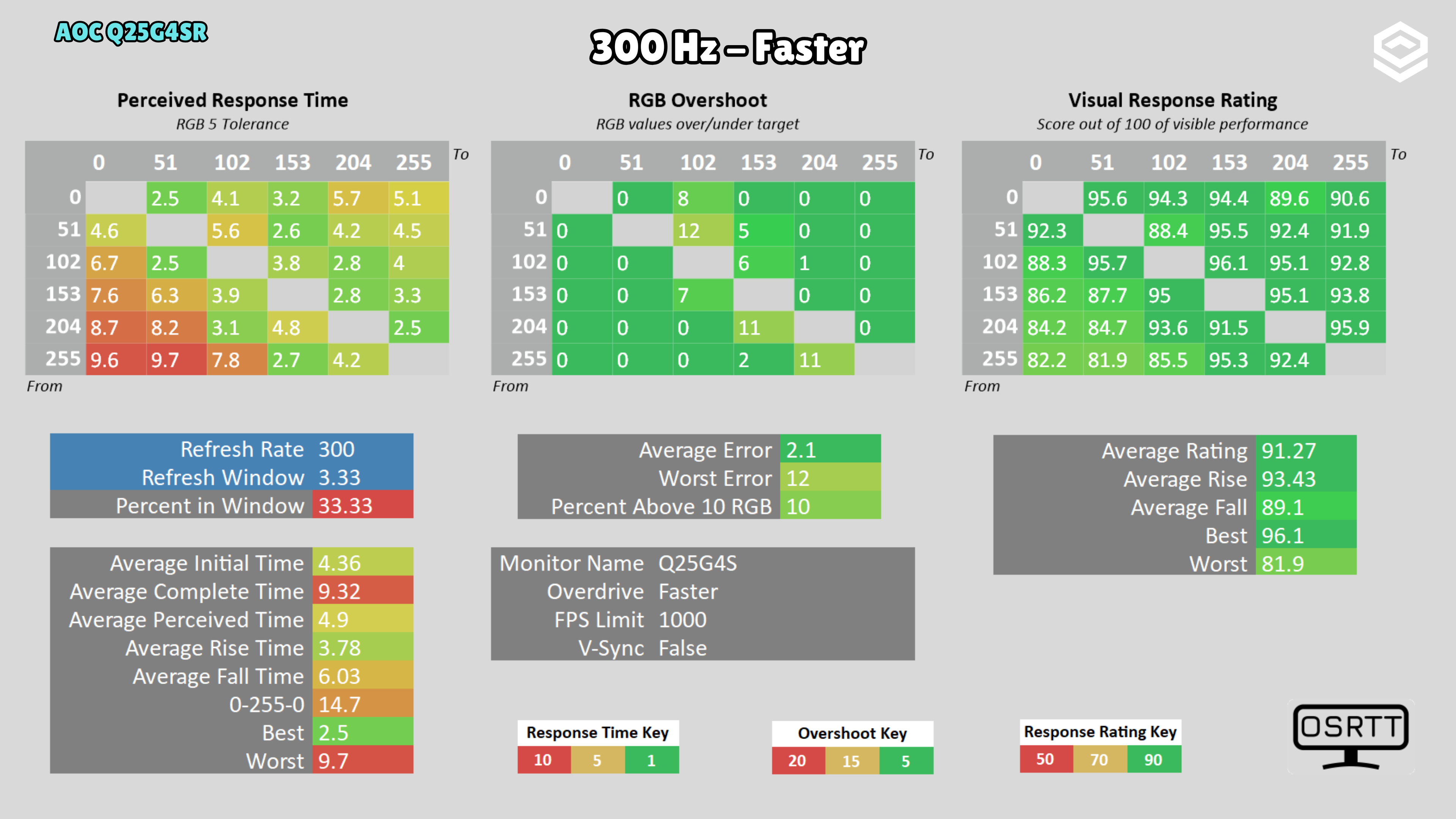
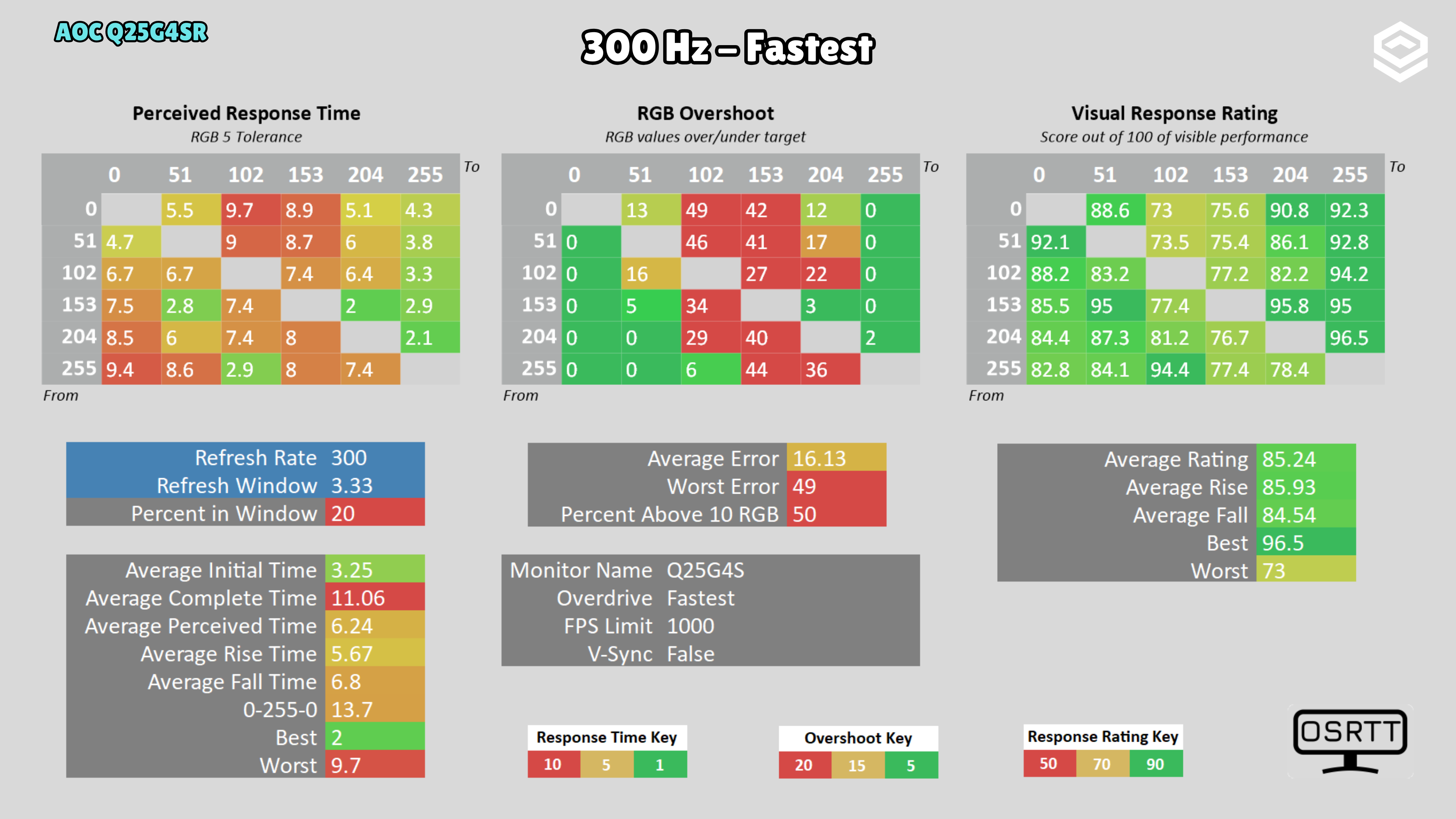
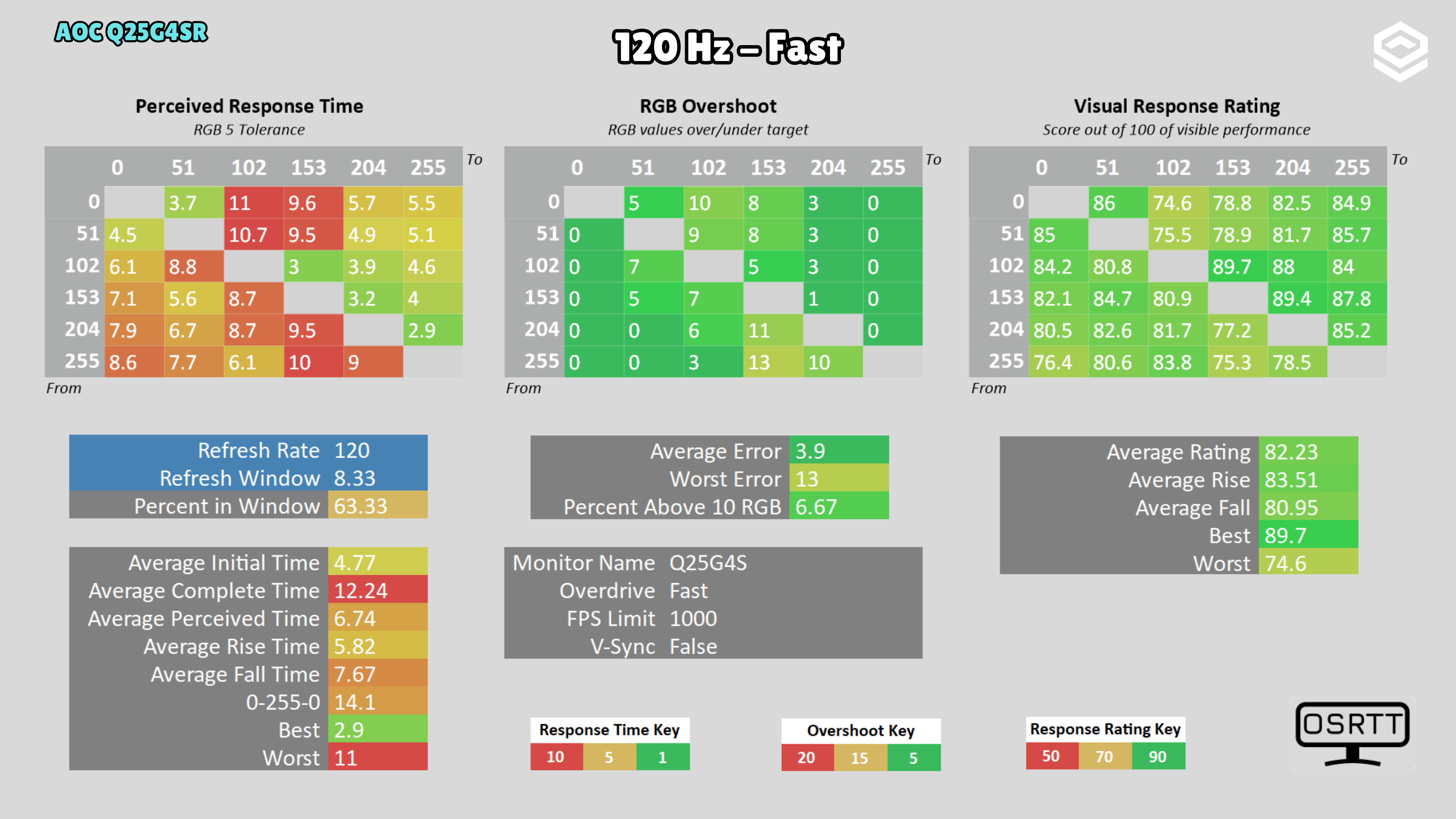
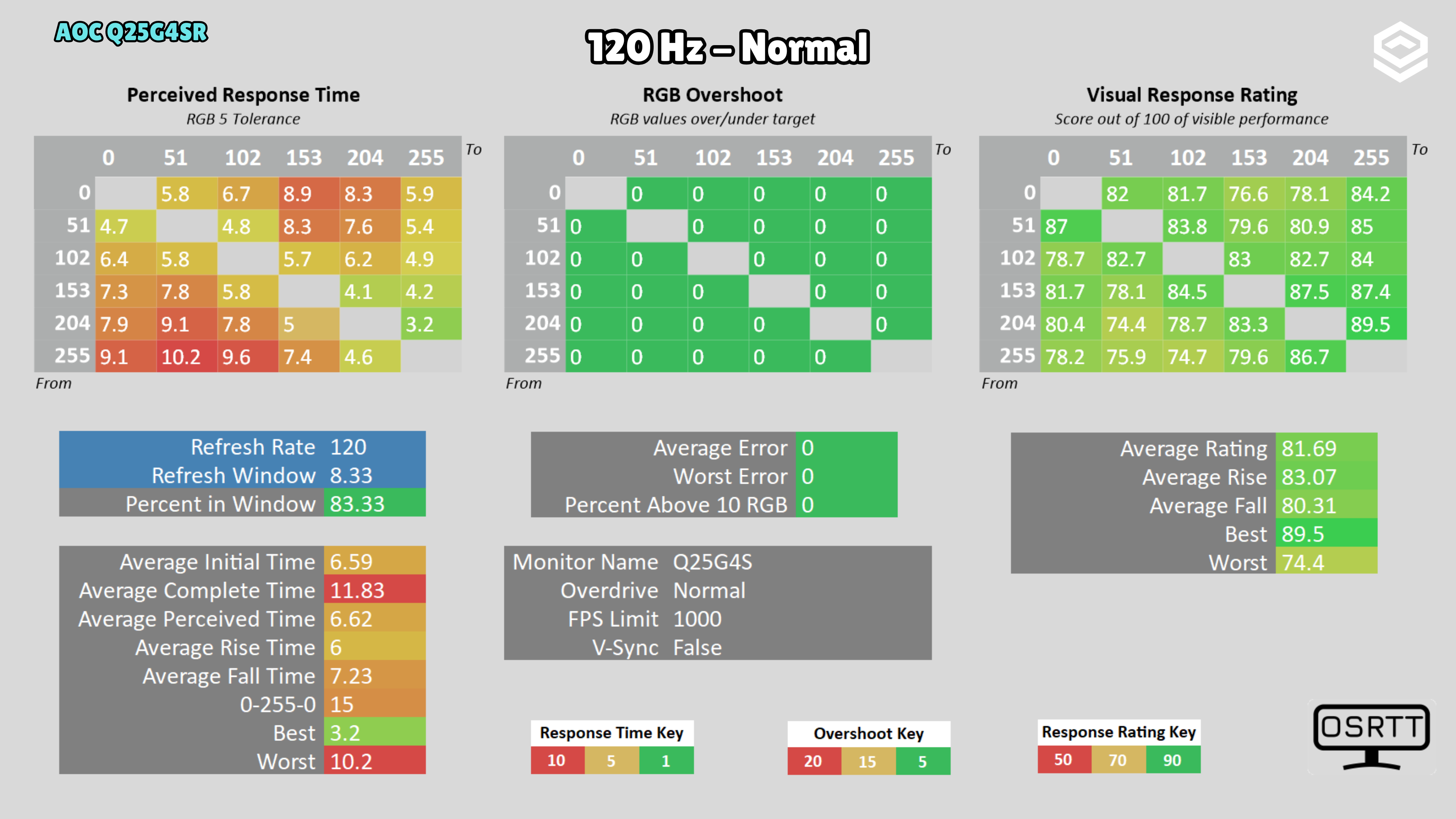
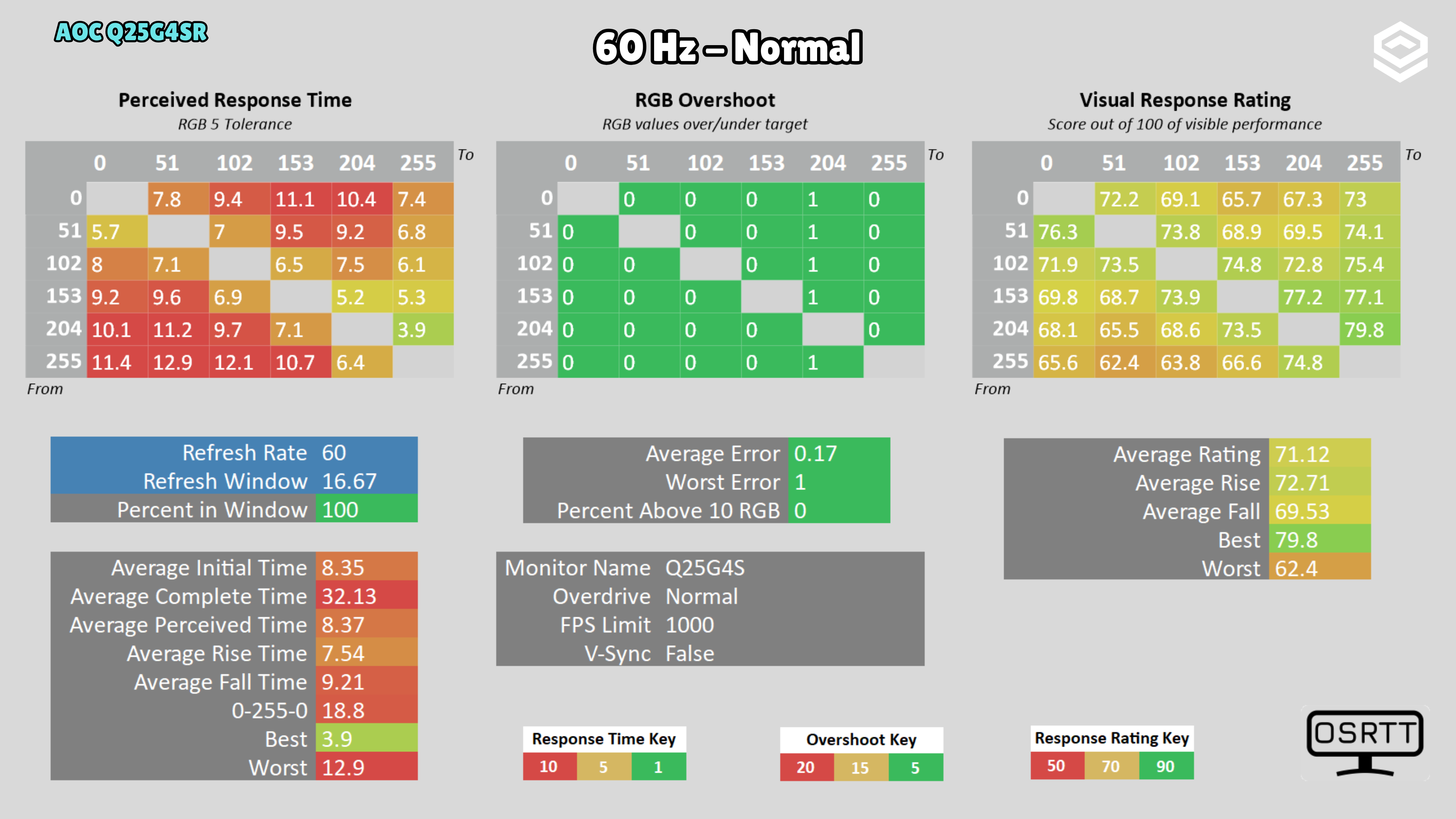
Fastest reduces response time to 3.25 ms, but raises overshoot to 16.13 RGB and worsens halos. At lower refresh rates, Normal reduces overshoot; Faster is not the recommendation across the entire VRR range.
PS5 and consoles
Compatibilidad con VRR, ALLM y resoluciones permitidas.
4K 120 Hz
Connectivity
Entradas de vídeo, USB-C, KVM, hub USB y extras de conexión.
Stand, mounting and extras
Calidad física, ergonomía, VESA y detalles destacables.
Photos and test results
Open an image to view the full-size charts and browse the tests.
Grayscale and gamma
Colour gamut and accuracy
Brightness and contrast
Brightness and uniformity
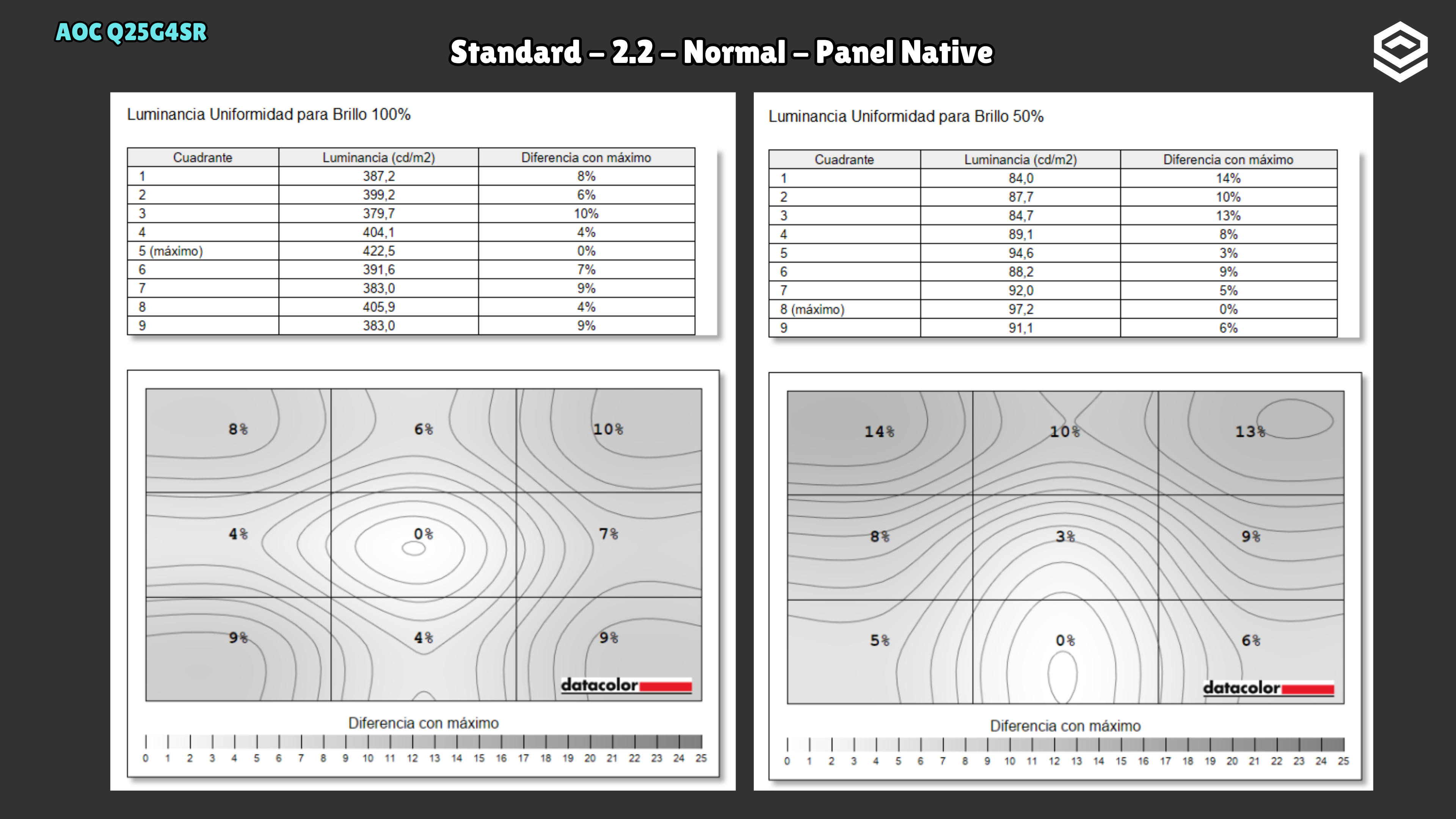
Luminance and EOTF
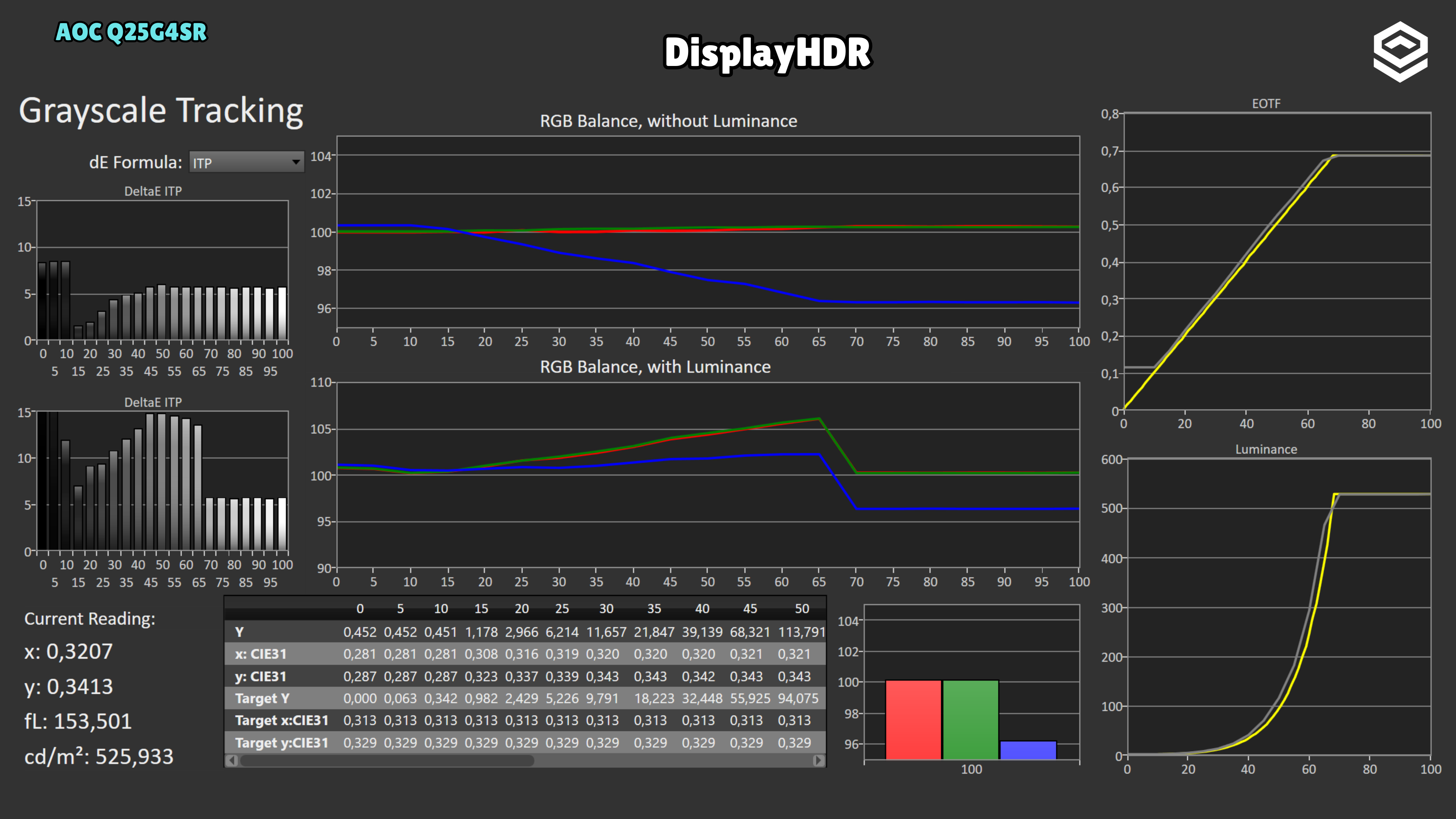
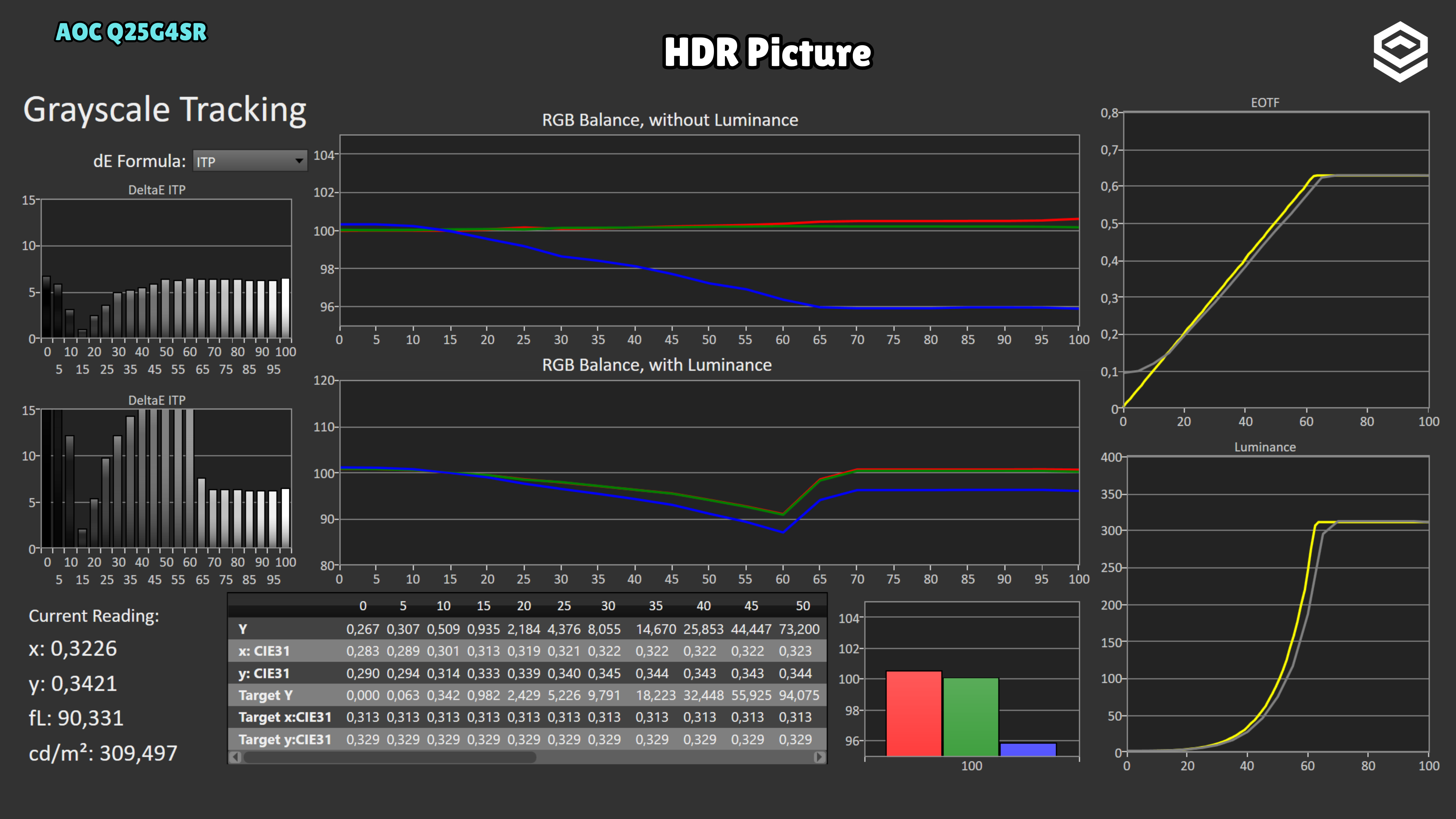
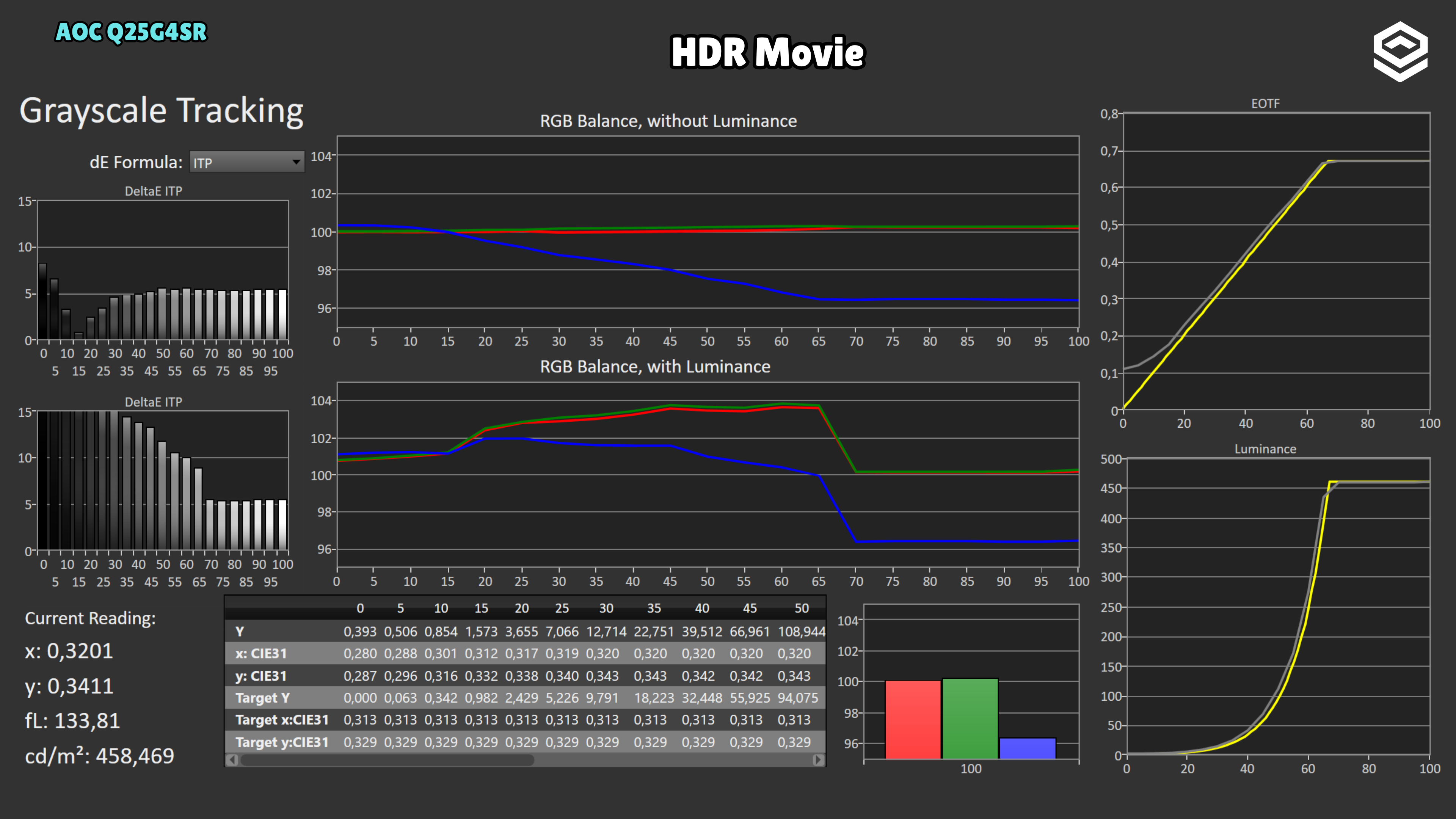
HDR colour
Response time, motion and latency
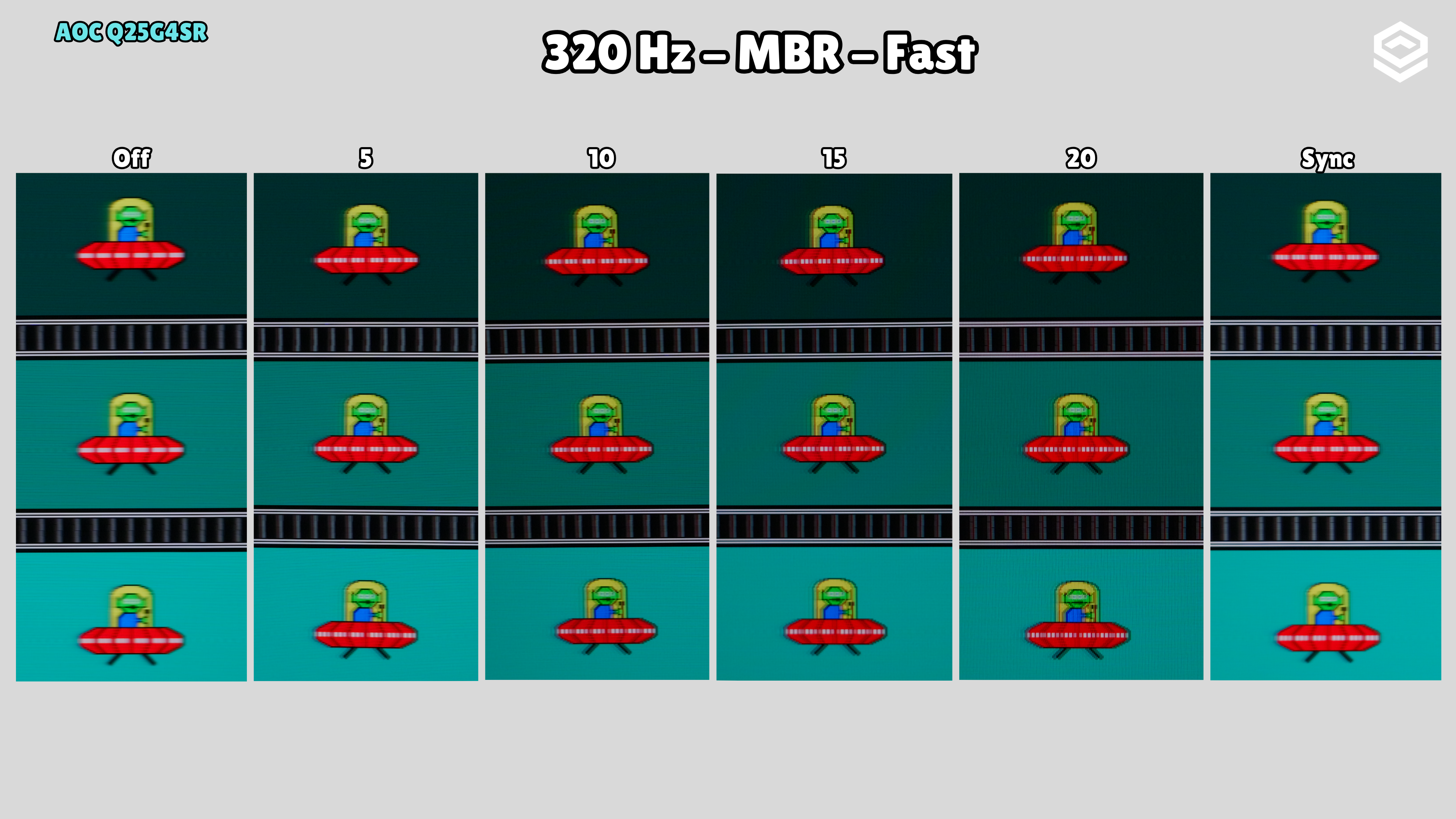
Motion clarity