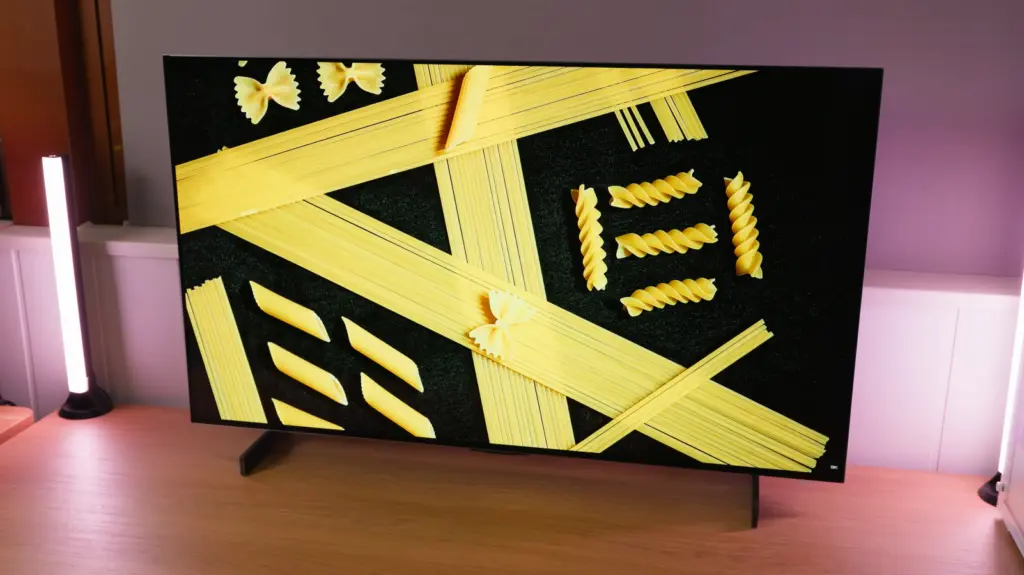
The 42-inch LG C5 makes sense if you want to share a screen between PC, console and movies and have a deep desk. Its size, webOS and remote provide an experience that a desktop monitor usually does not. For long hours working with text or competitive gaming, its dimensions and brightness changes make a screen designed specifically for the desktop more comfortable.
In this review
The box and what you need to assemble it
The accessories remind you that this is a television. It includes a remote, documentation and two feet, but no video cable for the computer. Allow for that cable and check that the desk can accommodate both supports properly without putting the screen too close to your face.
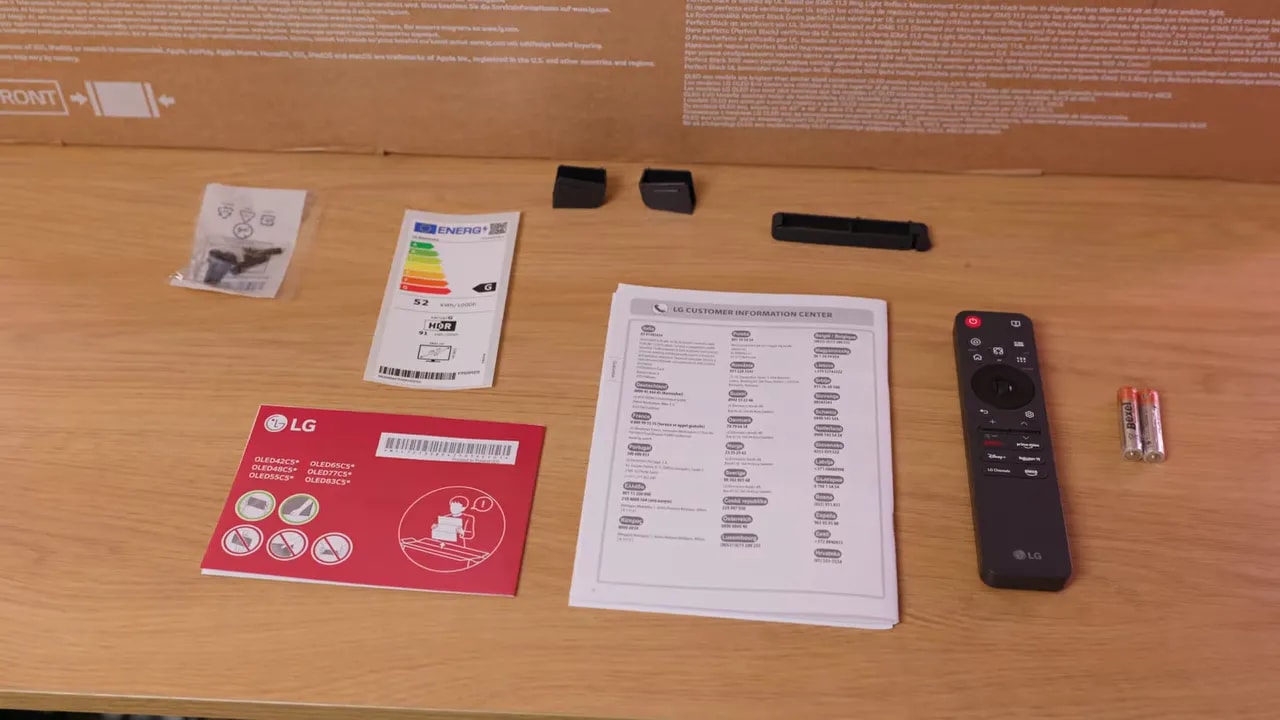
The feet do not provide height, swivel or tilt adjustment like a good monitor stand. VESA mounting lets you use another support if you need to adjust the position. That solution must suit the screen’s size and weight, and its cost belongs in the comparison with a desktop monitor.
The remote and speakers, on the other hand, do have practical value on a screen shared between PC, console and audiovisual content. This mixed use makes the most of a part of the product that does not appear in panel measurements.
42 inches: space, reflections and a TV stand
For single-player games and movies, the format is very immersive. To keep the whole screen in view, you need more distance than with a 27- or 32-inch monitor; on a shallow desk, that size can become a nuisance. You can also use other image formats for gaming, but that does not reduce its physical footprint.
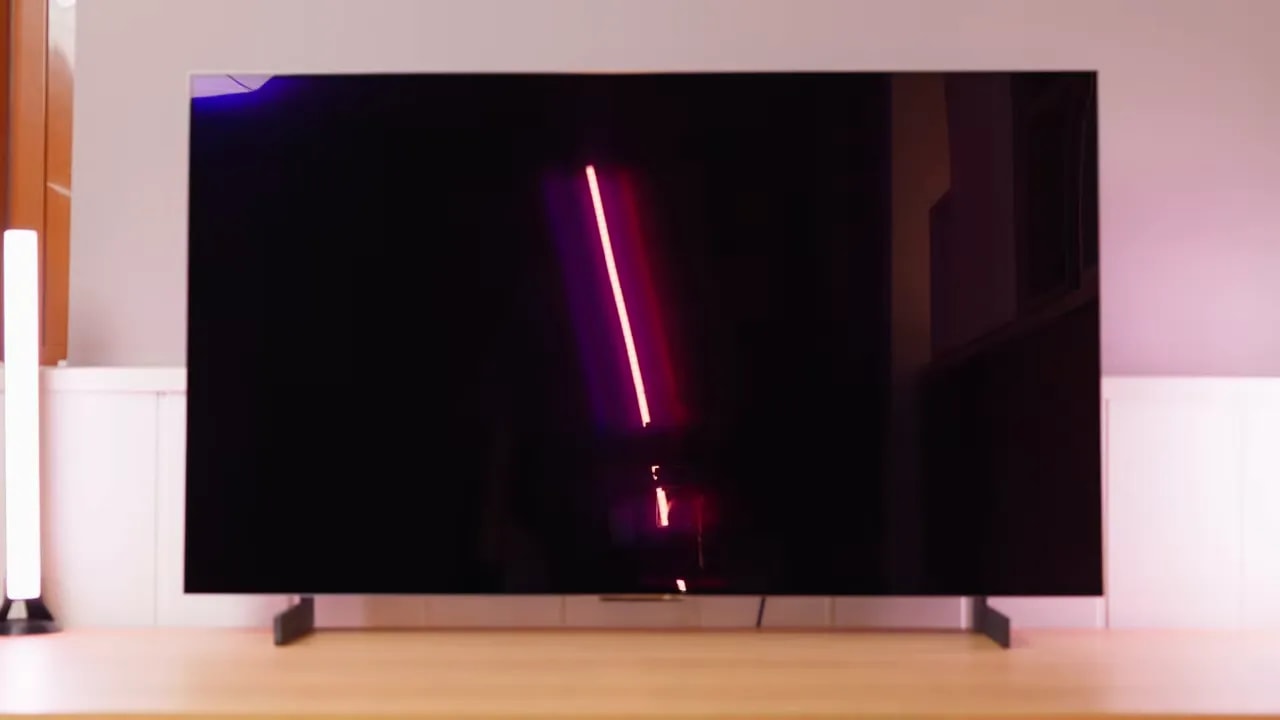
The glossy finish produces a clean image without the grain of a matte coating. During the test, reflections were more pronounced than on other WOLED monitors reviewed. Take care with window and lamp placement: the good impression in a controlled room changes considerably with direct light on the screen.
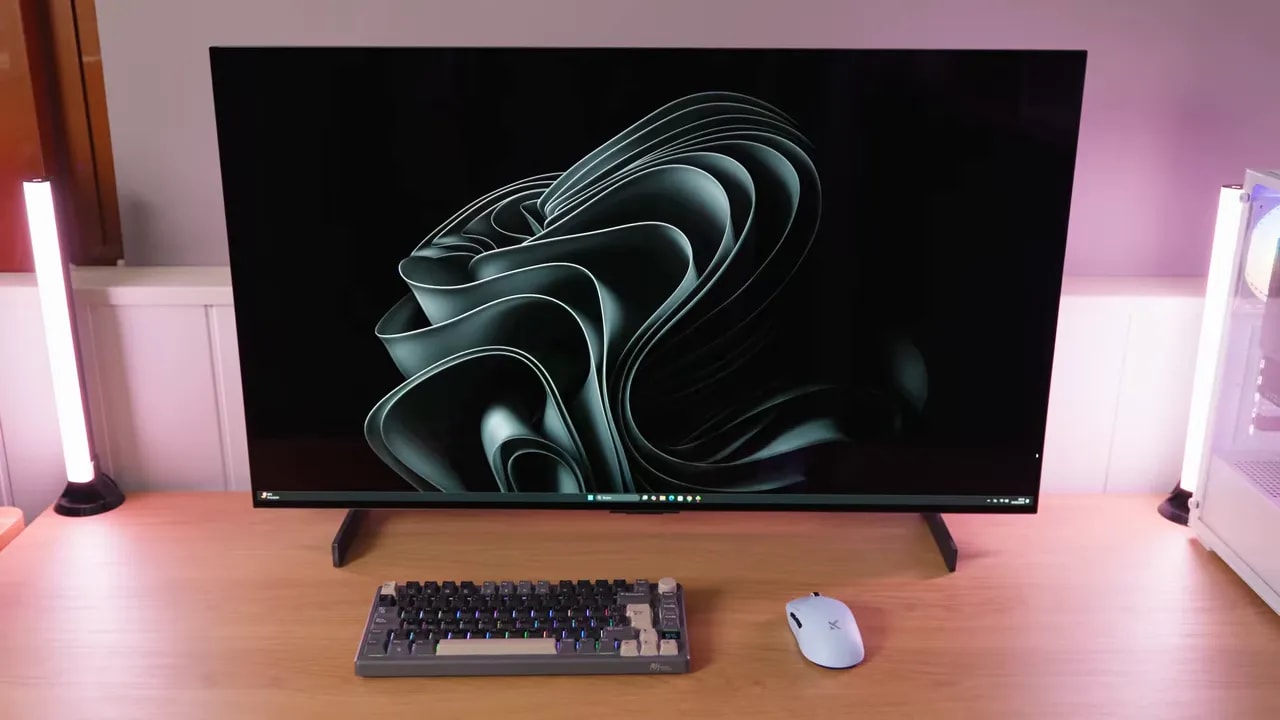
The desk photo helps put the dimensions in context: the C5 has a substantial presence even in the 42-inch version. For single-player games and movies, that is part of its appeal; for a cramped workspace, it may be exactly what rules it out.
webOS and connections: a screen that works on its own
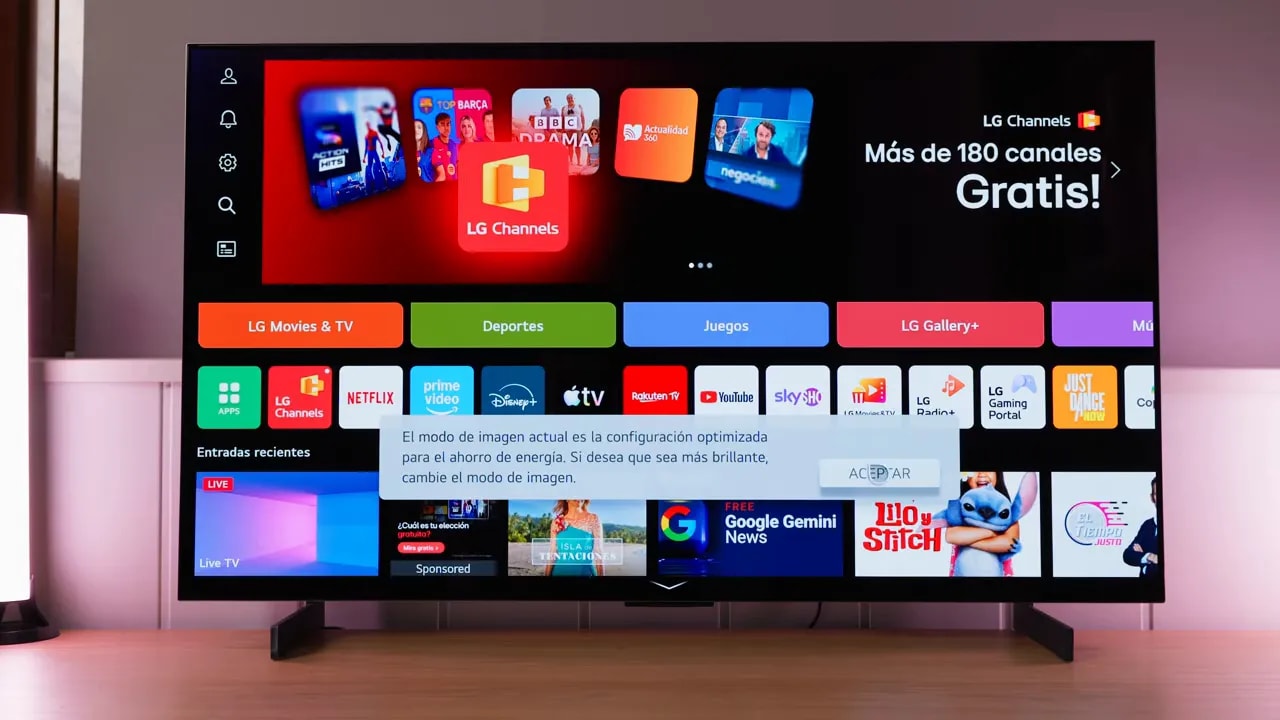
webOS lets you play content and open apps without turning on the computer. The pointer remote makes navigating menus and adjusting the television easier from a distance. If the screen also serves as a TV, that independence makes more sense than a long list of gaming extras you may never use.
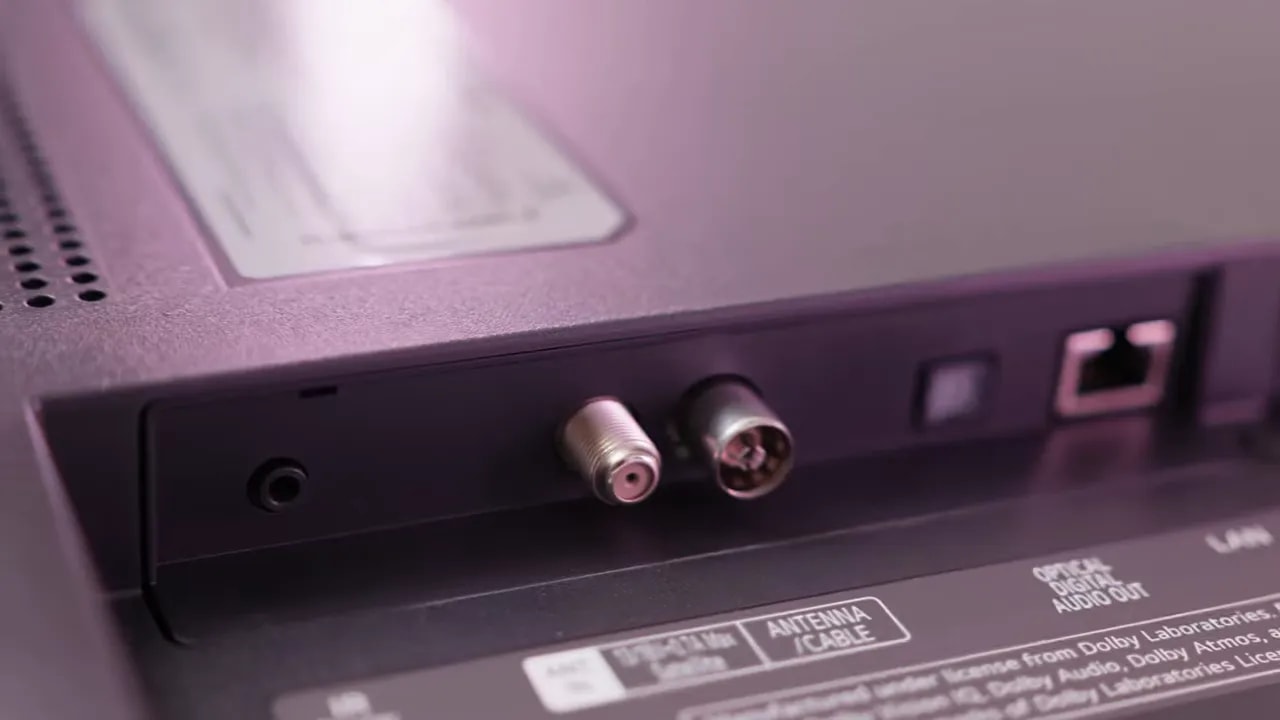
There are four HDMI 2.1 ports, with eARC on the second, along with the television and audio connections. There is no DisplayPort. The USB ports belong to the TV system: they do not work as a PC peripheral hub like those on some monitors.
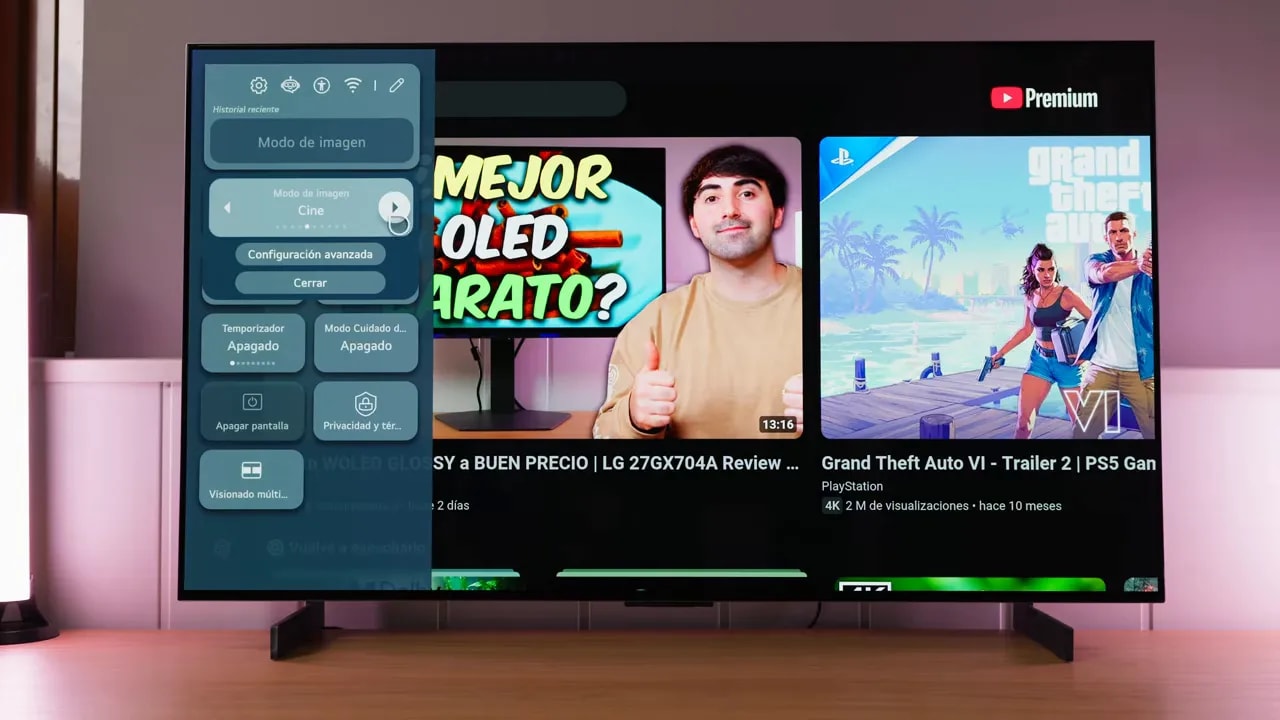
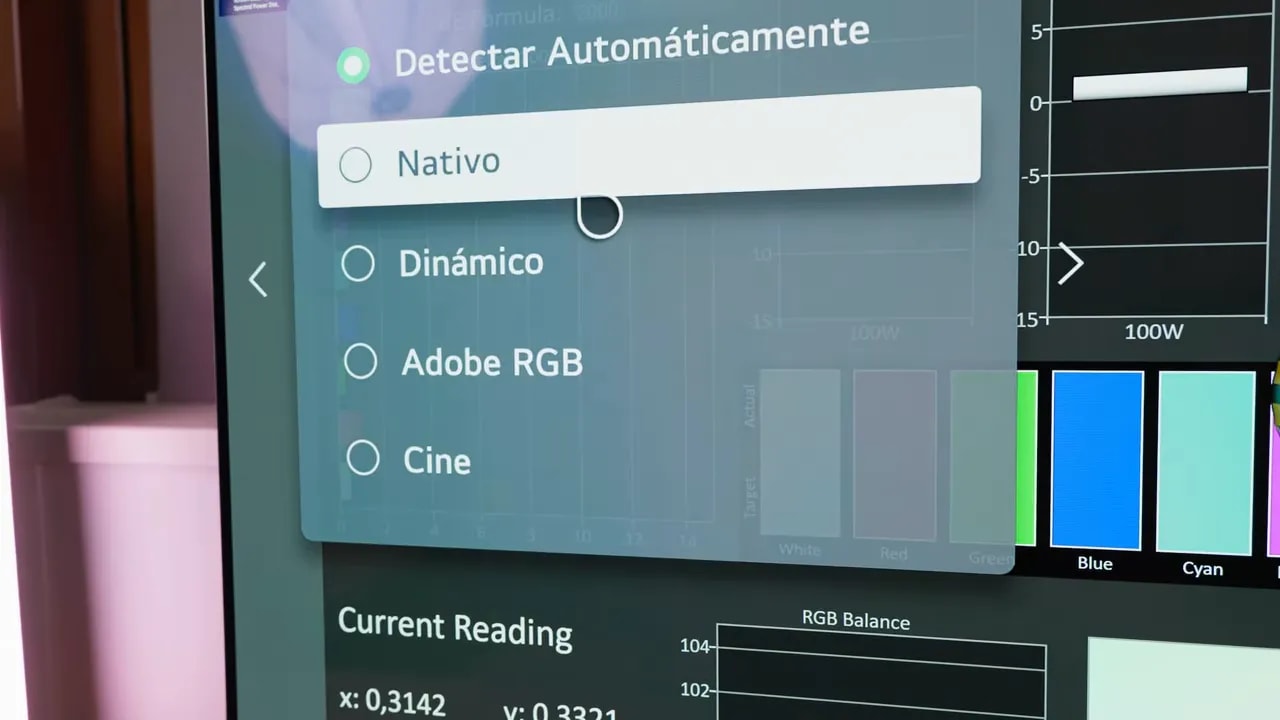
The picture menus are comprehensive, but their organization and names differ from a monitor’s. Distinguish the picture mode, such as Cinema or Filmmaker, from the color gamut setting, which may have a similar name. Selecting one does not automatically configure the other.
SDR and text: which settings to use
Cinema and Filmmaker are the best starting points for an accurate image. In SDR, they limit the gamut to Rec.709; Cinema uses gamma 2.2 and Filmmaker uses BT.1886. Both can be customized. The Cinema gamut setting gets close to P3, whereas Native uses more color at the cost of oversaturation, particularly in blues. I would not choose this panel for demanding Adobe RGB work.
Standard and Game are cooler and less well adjusted. In Game Optimizer, the test achieved a more balanced result with the Cinema gamut and a warm temperature around 36. This is a reference from the tested unit, not a universal calibration. Adjusting that mode lets you retain its gaming options; other preset combinations may lock controls.
Brightness changes with the amount of light content. In the test, Filmmaker reached about 210 nits with full-screen white, and there is no SDR uniform-brightness setting like those on some monitors. When working with windows or editing images, that variation can affect perception. This area-dependent behavior is different from uniformity across the screen.
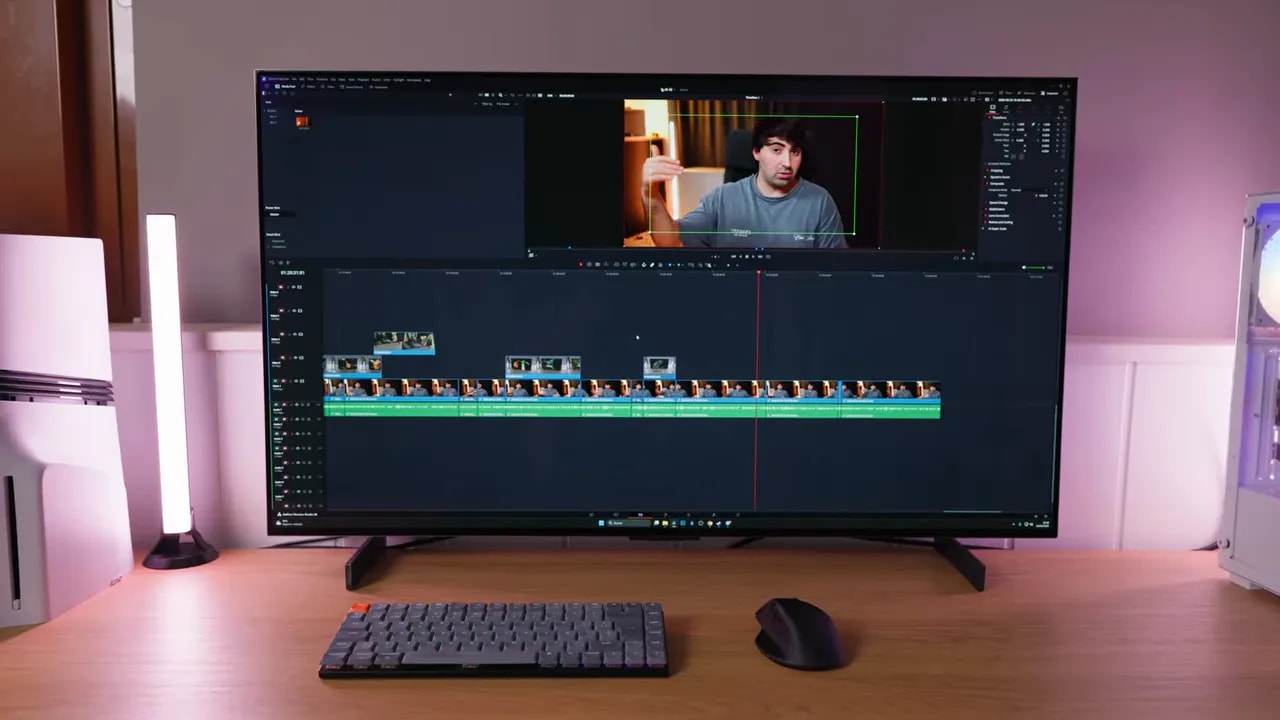
Text is usable at the right distance, although the RWBG subpixel layout and the density of a 42-inch 4K screen become apparent up close. Scaling helps you find a comfortable size: I would not choose 100 % just to gain space if it makes you strain your eyes. Its strength is combining tasks with large-format content, rather than delivering the maximum text definition of a compact 4K monitor.
For video editing, the screen area lets you arrange a wide timeline and a large preview. The compromise is image consistency: when switching from dark content to large light windows, the available luminance varies. If that stability is a priority for your work, a monitor that maintains uniform brightness in SDR may be more comfortable.
That is why I would separate desktop use from movies or gaming. One configuration does not have to serve every purpose, and the television’s most striking modes are not necessarily the best for reading or adjusting a photograph.
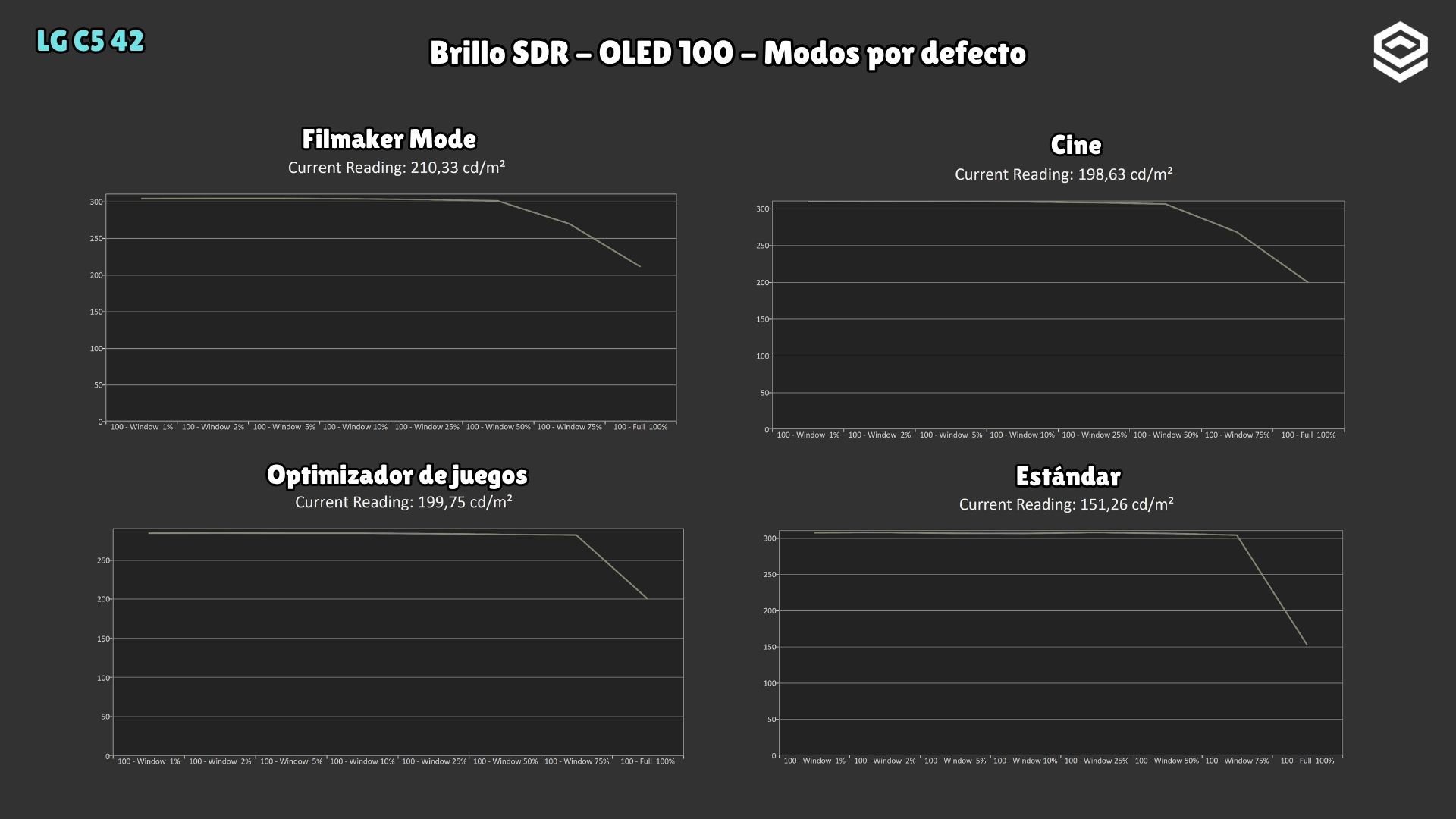
This variation depends on the content filling the screen. It is not a measurement of corner-to-corner uniformity: it explains why a white window can change brightness as you enlarge it.
HDR: good contrast, with limits in bright scenes
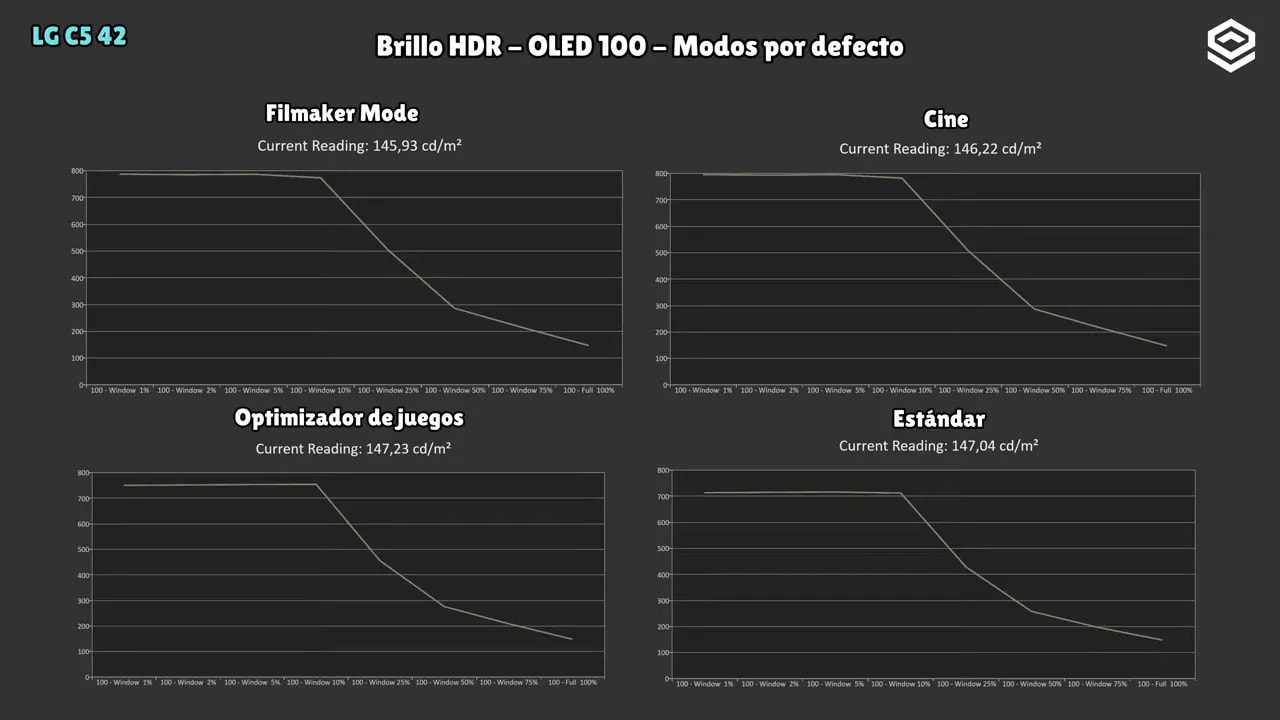
Cinema and Filmmaker again provide a good starting point in HDR. The reference retained in this review is about 800 nits in small areas, with a marked drop as the illuminated area increases. In full-screen tests, it stayed below 150 nits. Highlights against a dark background work better than a large, very bright scene.
PQ tracking is fairly good in small windows; larger areas introduce greater deviations. Game mode tracked the curve well under one condition, but with an excessively blue balance. Choosing a mode solely by one chart or its peak does not capture all of that behavior.
In these tests, reducing Peak Brightness to Medium or Low did not improve accuracy and detail was lost in the brightest areas. The recommended reference is to retain the High setting used in the review. The gallery lets you compare the different illuminated areas and modes tested.
The color gamut is wide and Dolby Vision is supported. During the review, problems were also observed when applying HDR/Dolby Vision AutoCal that required resetting the television. If you plan to use that specialized workflow, check it for the specific firmware; I would not take it as a guarantee of trouble-free automatic calibration.
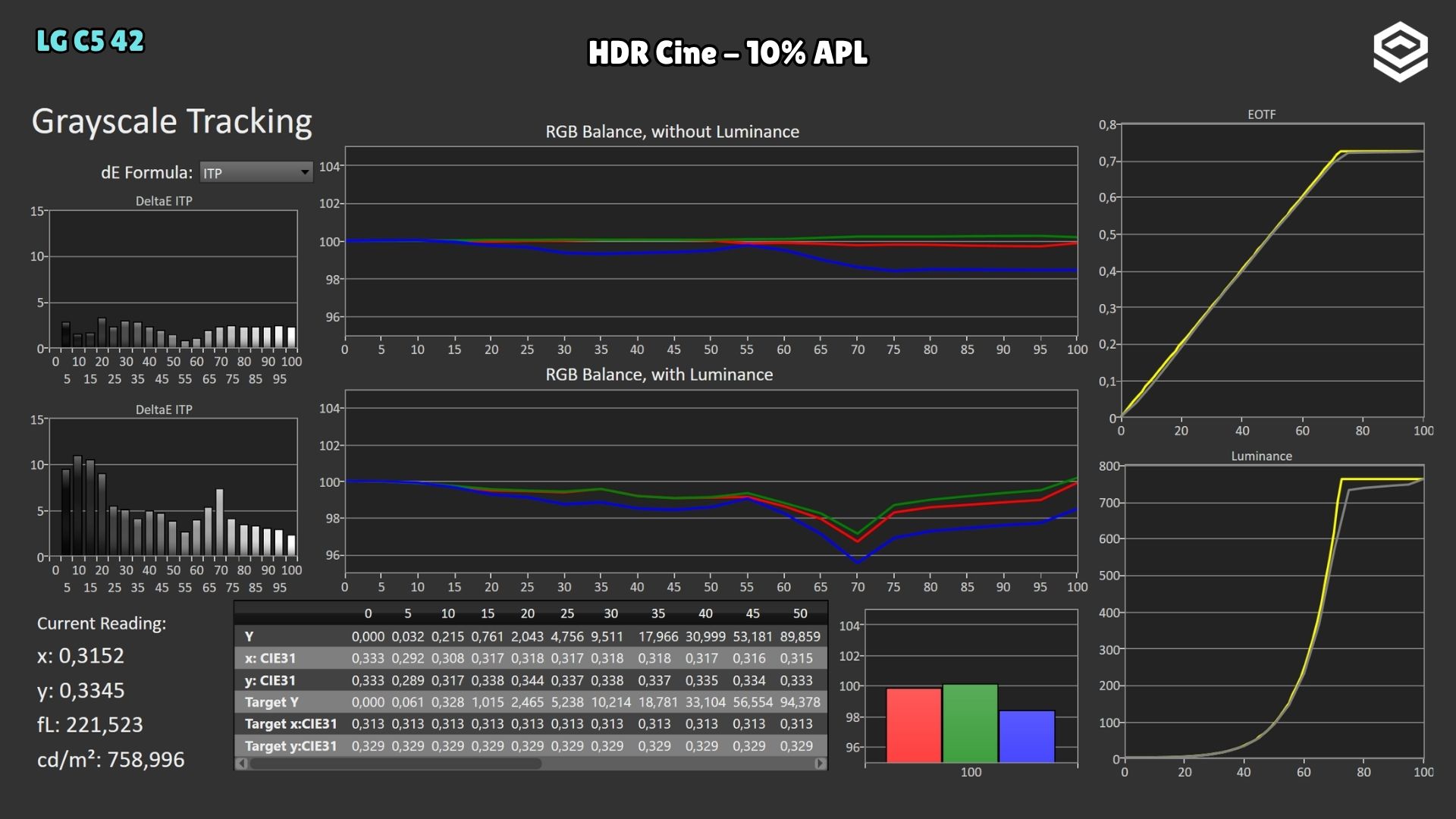
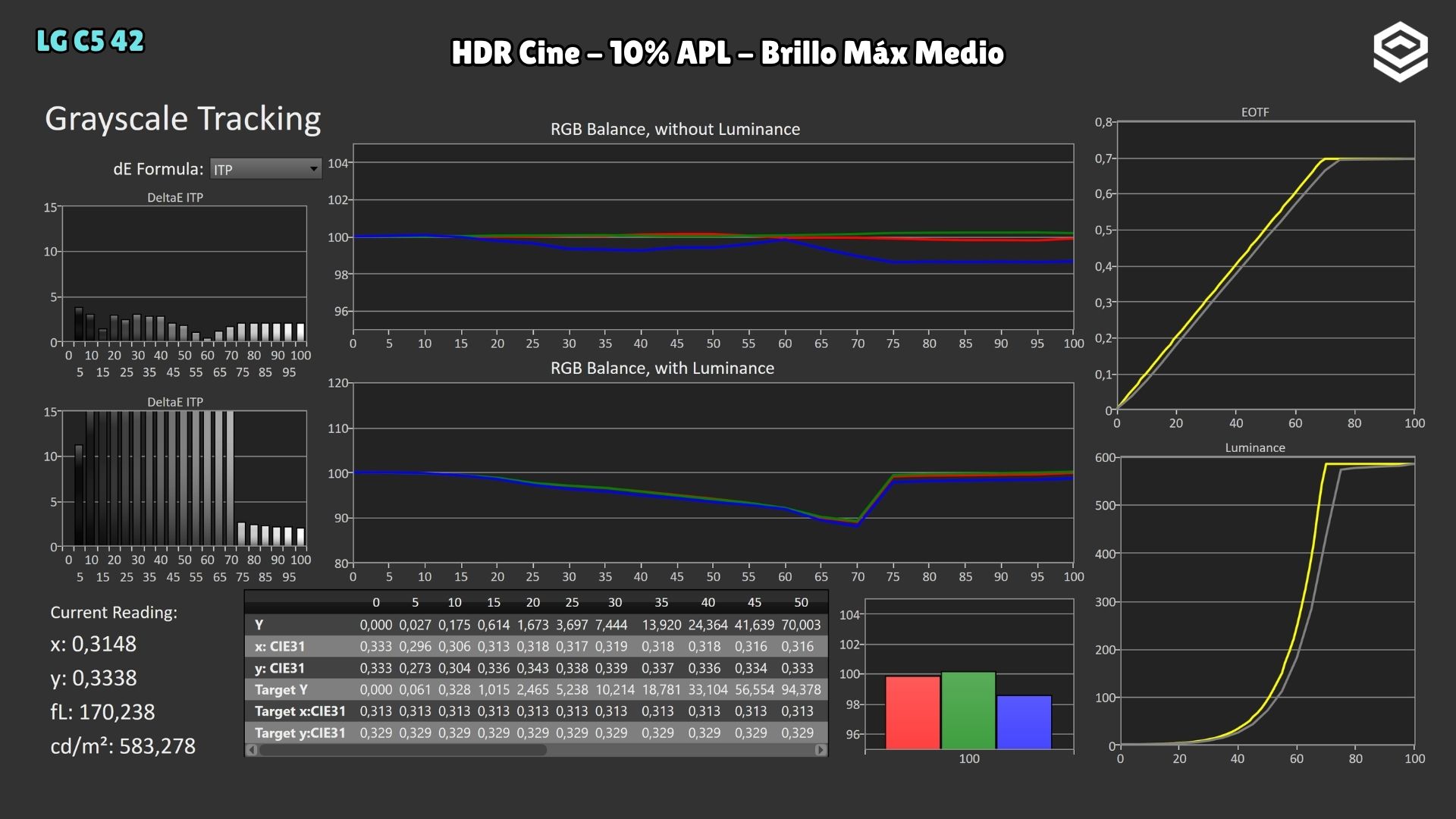
Lowering Peak Brightness to Medium darkens the image further rather than bringing it closer to the reference. I retain the recommendation to use High and the editorial reference of 800 nits for the specific tested conditions.
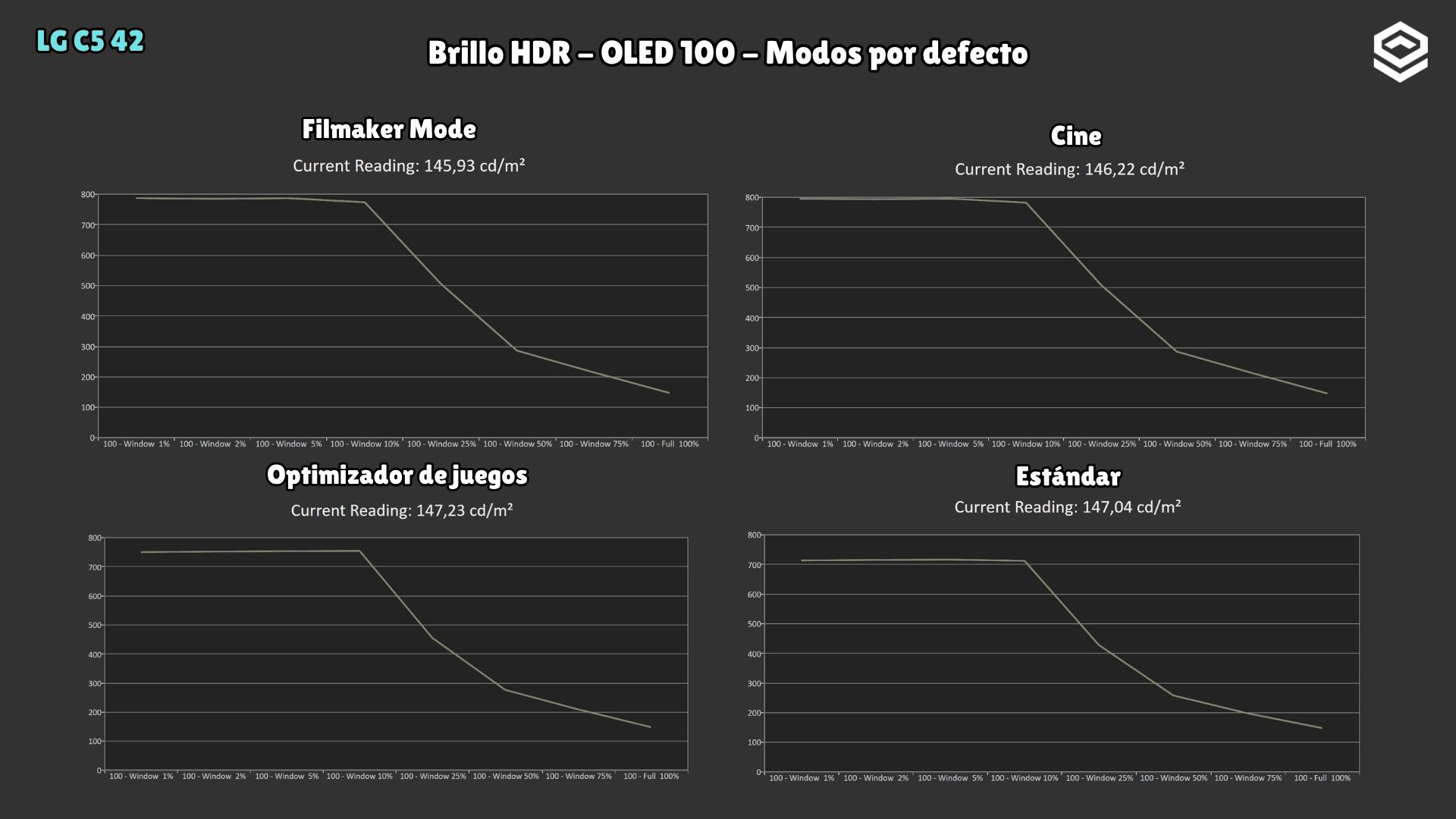
The drop as the area increases explains the contrast between a highlight against a dark background and a bright scene filling the screen. Window size is part of the result, not an incidental detail of the peak figure.
PC and console gaming
The OLED’s response produces very clean motion. In this test, the usual response-time table could not be obtained using the same method because of the television’s flicker: the impression of speed does not replace a measurement that could not be recorded.
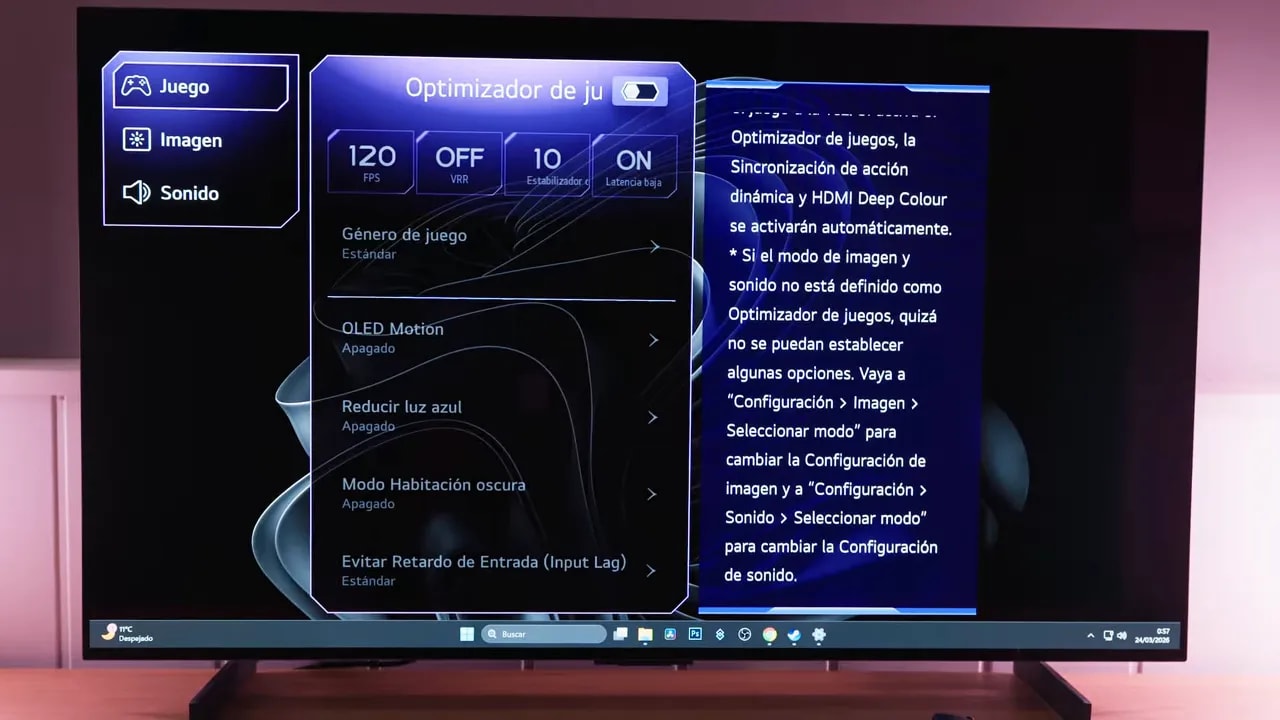
On PC, you need to enable the gaming options to move from the initial 120 Hz to 144 Hz, usable with 10-bit color and HDR. Game Optimizer brings together the VRR and low-latency settings. Its boost option reduced input lag particularly at 60 Hz; control response was already good before it was enabled.
For consoles, the test covers 4K at 120 Hz, HDR and the corresponding gaming features. The tested modes are detailed on the specifications page. Compared with a monitor at 240 Hz or above, the C5 has less refresh-rate headroom on PC; for couch gaming or single-player titles, its size and contrast may matter more.
VRR can produce flicker, especially on PC when frame rates vary significantly. If it is distracting, consider disabling it for the game in question. The size suits single-player games very well; for competitive play, keeping the whole scene in view and having a higher refresh rate tends to favor a smaller monitor.
Banding, retention and the final choice
The unit initially showed banding in grays and improved greatly after its pixel-cleaning cycle. That describes what happened in this test, not a guarantee that any defect on another unit will be corrected. A slight texture remained in some dark grays. Temporary retention also appeared after tests with bright static elements; it disappeared after changing the content and should not be confused with permanent wear.
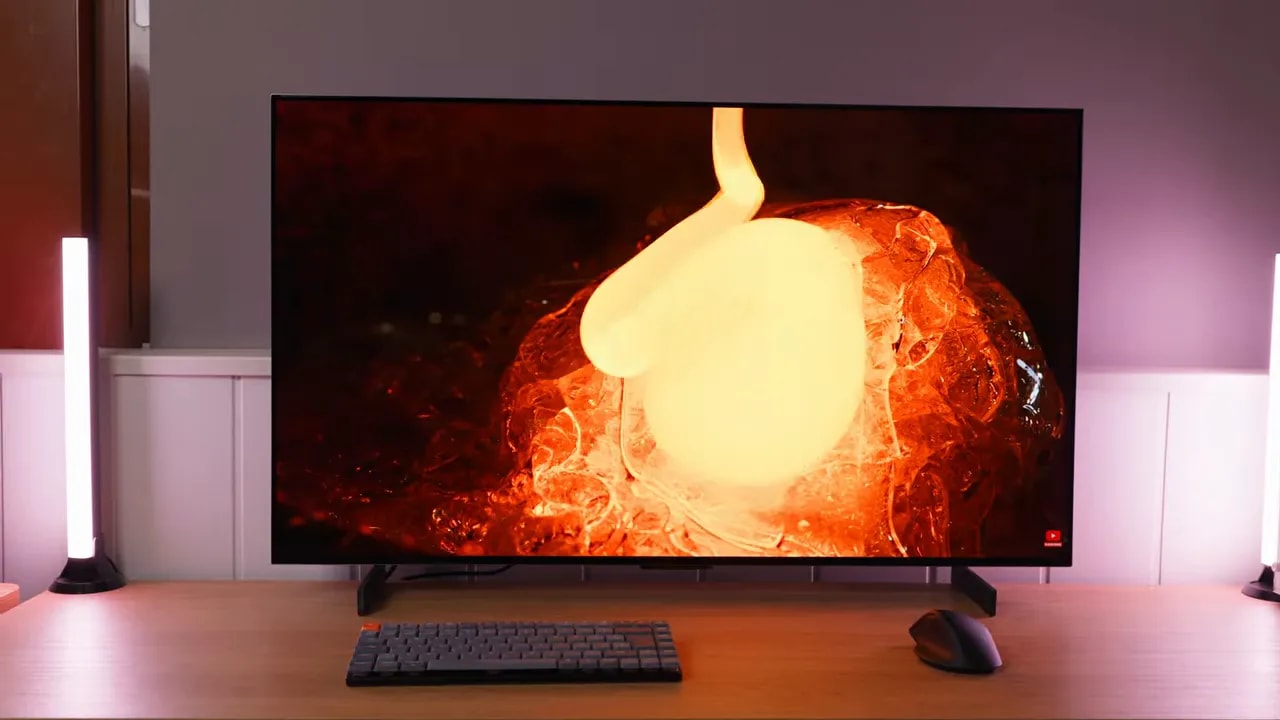
I would choose it for mixed gaming, movie, console and PC use, with enough space and controlled lighting. webOS and the remote weigh as heavily in that decision as the panel. For demanding editing, continuous text work or competitive gaming, I would prioritize a monitor with better ergonomics, a smaller size and more stable brightness.
The purchase price can change that choice. Check the offer in the block above and compare it with current alternatives, without treating the launch price or a past offer as a fixed reference. This C5’s appeal lies in its format and versatility, not in outperforming every OLED monitor for brightness or sharpness.