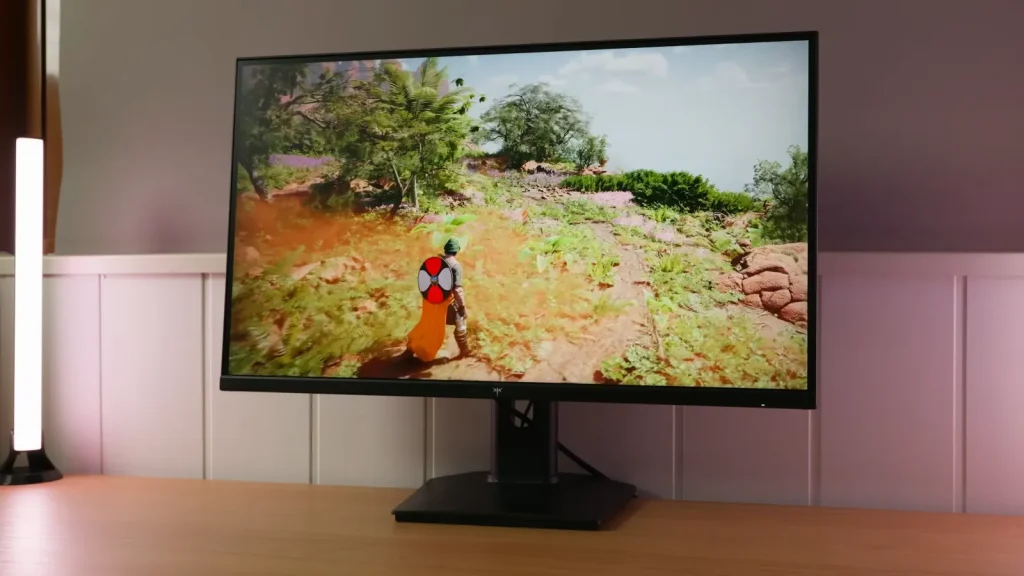
The KTC H27T7P-2 updates the affordable 1440p IPS formula with 200 Hz and a 210 Hz overclock. Its color gamut and response settings are competitive, while stand construction remains one of its compromises.
It does not automatically replace other similarly named KTCs. Price, stand quality, and VRR use help decide between this model, the H27T6, and Gigabyte alternatives.
Packaging, build, and connections
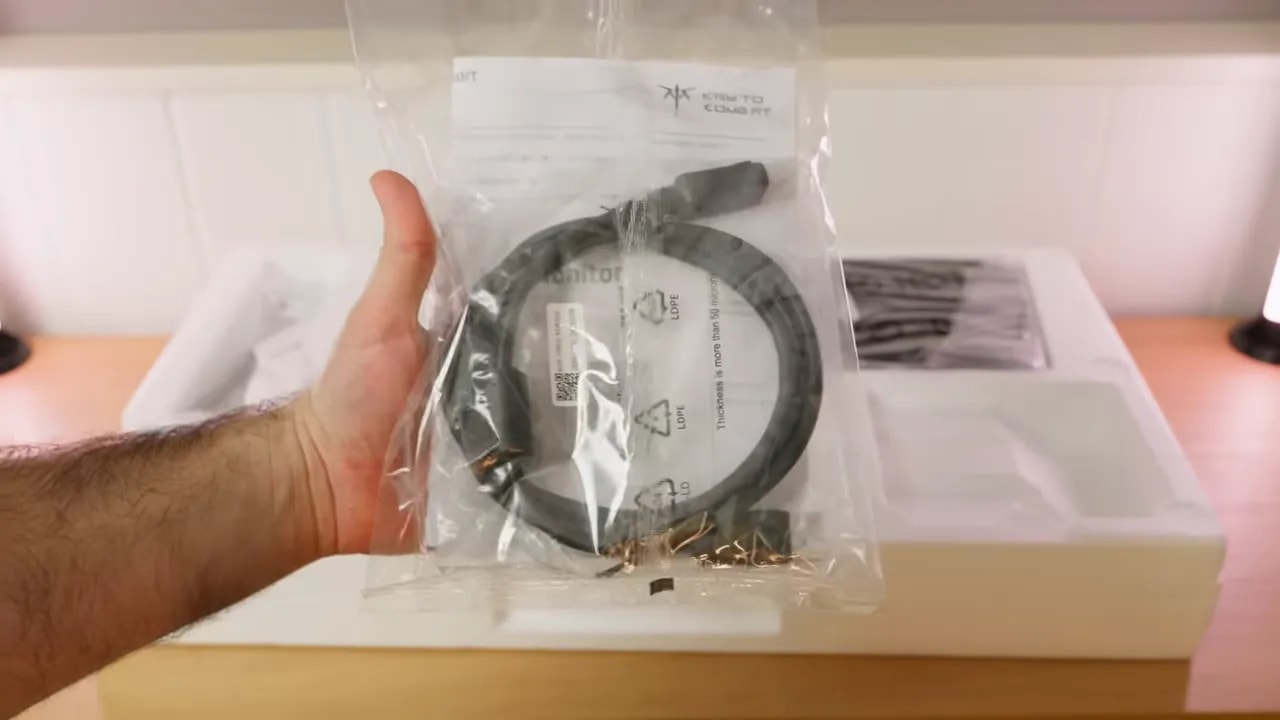
Inside the box are the usual items, without major extras but with what you need to get started:
- External power supply
- DisplayPort cable
- Paperwork and calibration report
The included DisplayPort cable is welcome, since it is the logical connection for taking full advantage of high refresh rates on PC.
Visually, this model is practically identical to the original H27T7. If you know that chassis, there are no surprises. The design is fairly recognizable, with a fairly aggressive matte finish and a stand that, honestly, does not exactly convey quality.
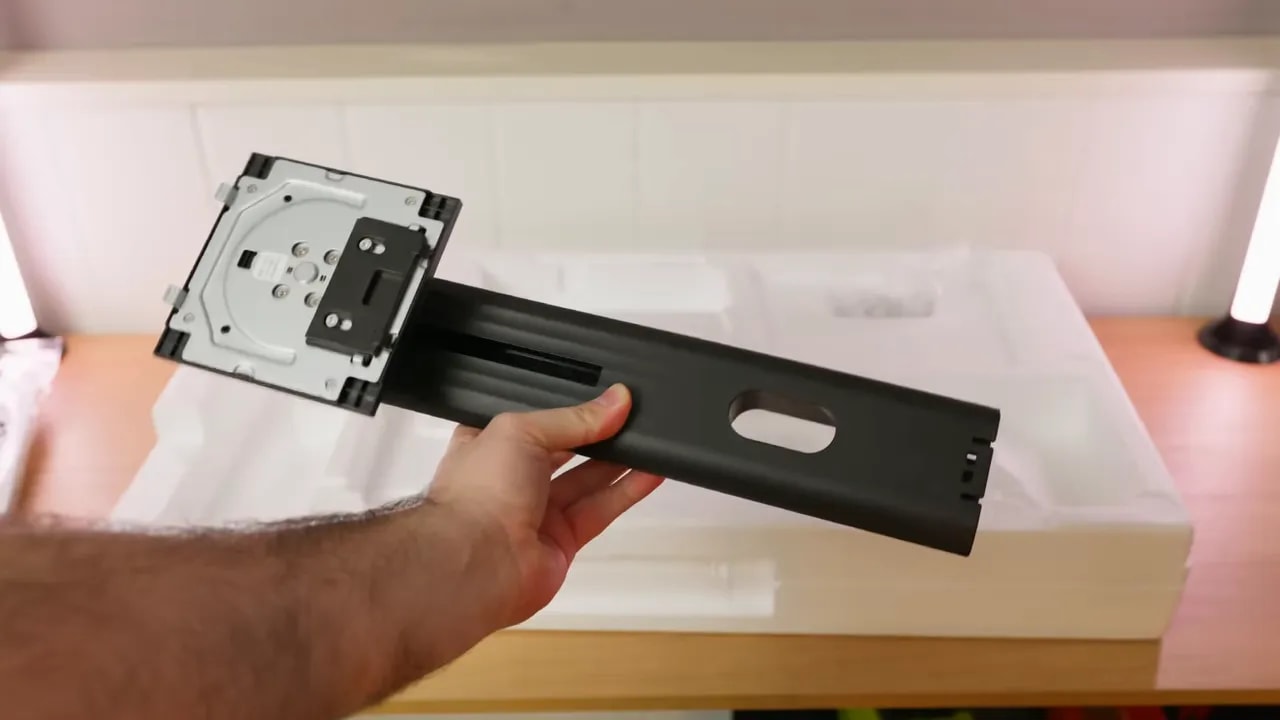
The base and support feel quite plasticky. They are nowhere near premium. However, ergonomically, it performs considerably better than the construction suggests.
- Height adjustment
- Tilt
- Pivot to rotate into portrait orientation in either direction
- No true swivel on the base, so turning it sideways requires moving the whole assembly
In other words, I do not particularly like the materials, but I do like the functionality. If you frequently adjust your monitor position, at least you are fairly well served here.
The finish is matte, and on the stronger side.
The menu is controlled with a joystick, still the most convenient way to navigate the OSD. No complaints here.
Connectivity is fairly complete for its class:
- 2 HDMI
- 2 DisplayPort
- USB for updates
- 3.5 mm jack for audio
One important point, though: does not have built-in speakers. If you hoped to use them in a pinch, they are not here.
SDR color and calibration
Getting to what really matters, this KTC H27T7P-2 Review makes clear that the monitor is reasonably well tuned for its price. For grayscale measurements, the configuration giving the best result was:
- Gamma 2.2
- Color temperature set to Warm
- Native mode
With this setup, grayscale performs quite well. The average Delta E is at an acceptable level, and the color temperature is around 6500K, exactly where you want it for balanced whites.
The less refined aspect is gamma tracking. Gamma 2.2 shows a fairly aggressive upward spike. For gaming, I do not find that dramatic, but for photo or video editing, if you are more sensitive to such issues, you can lower it to gamma 2.0, which in practice behaves more like 2.1 and substantially smooths out the problem.
The default preset, untouched, performs slightly worse. So if you buy this monitor, here is a clear first recommendation: avoid leaving it at factory settings if you want the best color.
One of the H27T7P-2’s most interesting aspects is that it goes beyond a typical decent-looking gaming panel. Color coverage is quite generous.
In native mode, the figures are:
- 96.2% of DCI-P3
- 95.8% of Adobe RGB
For a budget gaming monitor, these figures are very good. And here is one of the surprises in this KTC H27T7P-2 Review: compared with the original H27T7, this model has less DCI-P3 coverage, but offers more Adobe RGB coverage.
That strengthens the impression that this is not a straightforward evolution of the T7, but an unusual mix within KTC’s lineup.
Overall factory calibration in native mode is quite decent. The monitor achieves around an average Delta E of 1.7, good for a product in this category.
I would not call it perfect out of the box, but it is good enough for most people to plug in, make a few adjustments, and be happy. If gaming and content consumption are your main priorities, it is more than adequate.
Since native mode extends well beyond sRGB, KTC includes a dedicated sRGB mode. This matters because many inexpensive monitors either lack one entirely or implement it poorly.
Here, sRGB mode locks certain settings, such as gamma, but allows color temperature adjustment. With temperature set to Warm, performance is quite good:
- Decent grayscale
- Slightly inaccurate whites, but nothing serious
- Gamma tracking better aligned with the sRGB curve
- 99.4% sRGB coverage
- Average Delta E below 1 for color
In other words, this mode is very well implemented. If you want a less oversaturated image for desktop use, browsing, or sRGB content, this is a strong option. With a colorimeter, it can be refined further.


The sRGB mode limits native-gamut oversaturation while retaining color temperature control. Gamma is locked, so coverage and grayscale help assess what can be corrected within this preset.
Calibrated from native mode for DCI-P3, with color temperature set to Custom and the blue channel lowered slightly, the panel improves a little further. The resulting ICC profile mainly helps in two areas:
- Better gamma tracking
- Better grayscale, white, and color tuning
However, remember something many people overlook: copying an ICC profile and identical settings does not guarantee the same result on another unit. Every panel has small factory-calibration variations, so the result will never match perfectly.
Also, ICC profiles mainly make sense for media consumption and production, less so for gaming.
Brightness, uniformity, and HDR
Brightness and contrast figures are quite good for an IPS in this price range.
- Maximum brightness: around 458 nits
- Contrast: 1491:1
Honestly, I think that is a very good result. The original H27T7 had more brightness but less contrast. This H27T7P-2 is much closer to the H27T6’s figures.
Brightness and color uniformity are not perfect, but I would describe them as decent. It is not a flawless panel, but unevenness does not stand out excessively either.
My unit did quite well for backlight bleed. Some clouding on the leftis visible, but overall it is better than what many similarly priced IPS monitors show.
Relatively generous contrast for an IPS also helps make glow less noticeable than on competing models. It is still there, as is normal for IPS, but reasonably well contained.
The important distinction is the usual one:
- Glow: an effect inherent to the panel and viewing angle, especially visible in corners
- Backlight bleed: a fixed area that always remains in the same place
If you want true HDR, you will not find it here. The monitor only offers an automatic HDR mode and, realistically, the experience is quite limited by several factors:
- It does not have local dimming
- It is not OLED
- Brightness, though good for SDR, falls short of truly impactful HDR
So, for practical use, I do not recommend enabling it. Technically, however, the monitor does not perform entirely badly within its limitations.
The PQ EOTF curve tracking and luminance tracking are quite good for such basic HDR400. However, dark details at the start of the EOTF are not clearly visible, entirely expected without local dimming or extreme contrast.
There are no concerning HDR color losses either:
- 96% UHDA-P3, very similar to DCI-P3
- Around 72% of BT.2020
- Color volume close to 67% of BT.2020
In short, HDR measures better than on other similar monitors, but the real experience remains limited. I would not buy it for this.
200 or 210 Hz: choosing overdrive
One of the strengths of the KTC H27T7P-2 is its refresh rate. The panel reaches 210 Hz, but there is a caveat: it runs at 200 Hz by default, with 210 Hz enabled through an overclock in the menu.
Enabling it brings up the usual warning about possible problems, but in practice I found no real downside. For PC use, I would enable it without much hesitation.
I noticed no negative differences or unusual behavior from pushing it to 210 Hz. For me, it is one of those features worth leaving on.
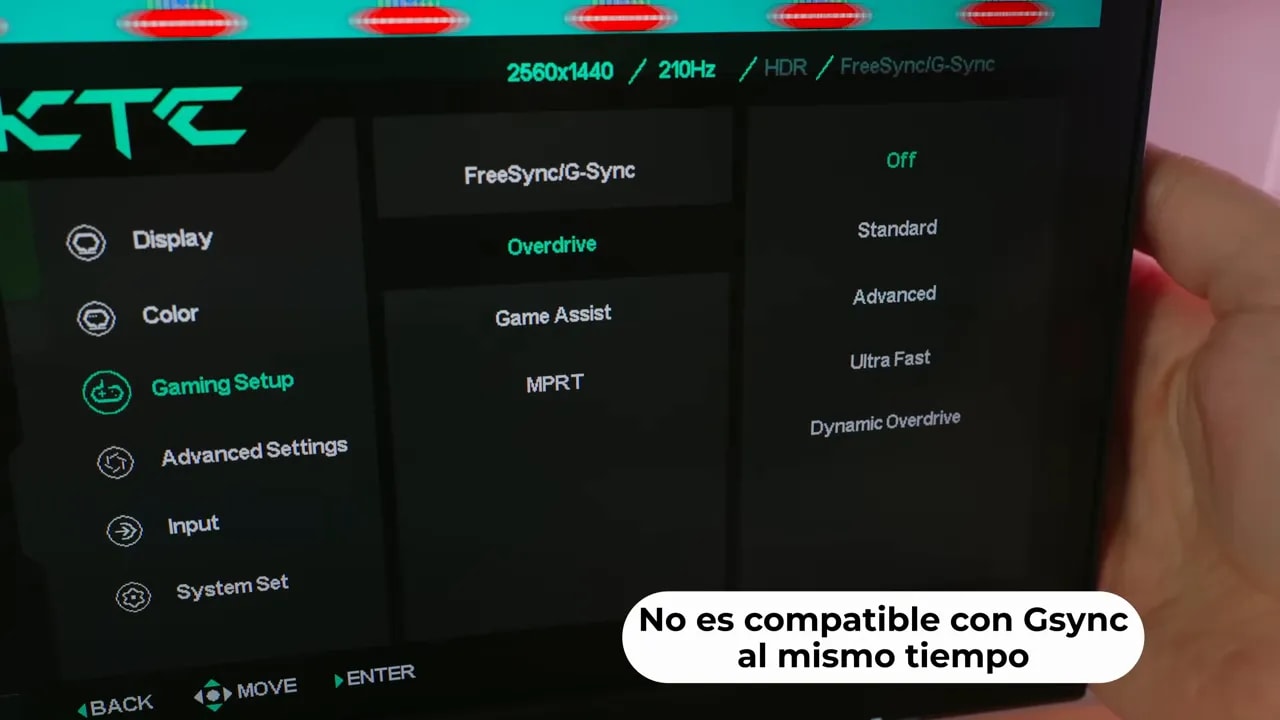
The monitor offers several overdrive modes, and choosing correctly matters considerably more than those extra 10 Hz.
The most interesting options are:


Advanced and Standard are compared here at 210 Hz. Initial response and overshoot should be assessed together; the gallery’s 120 and 60 Hz measurements complete the picture as refresh rate decreases.
Dynamic OD with VRR
This is the most balanced mode when using VRR or G-Sync Compatible. Initial response time is around 5.57 ms with little overshoot, and it also adapts to the refresh rate as frame rate varies.
The monitor is not officially Nvidia validated, but is compatible and worked well in testing, without unusual flicker.
Advanced for a stable high refresh rate
If you will almost always play at 210 Hz or close to 200 Hz, the Advance it is also a very solid option. It delivers around 5.35 ms response time with little overshoot.
For stable high-refresh use, it is probably the best choice alongside Dynamic OD.
Standard
Standard raises response times considerably, to around 6.74 ms, but introduces no overshoot. It is a more conservative mode.
Also, performance at 200 Hz and 210 Hz is practically identical, so do not expect a huge improvement simply from enabling overclocking. The real difference is more in marketing than the final experience.
Motion captures show the panel’s behavior quite clearly. It is not the fastest in its category, but fares reasonably well in the context of its price.
My recommendation remains clear:
- Advance if you always play at very high refresh rates
- Dynamic OD if you want more flexibility with VRR
The mode Ultrafast simply is not worthwhile. Overshoot is excessive and produces obvious artifacts.
In response times, this monitor performs very similarly to the KTC H27T6, the one with the white stand.
If the original H27T7 appears higher in some comparisons, there is a catch: a more aggressive overdrive setting with much more overshoot was used there. Using equal criteria, performance ends up quite similar.
So no, it is not one of the fastest monitors on the market. But for the price, performance is acceptable and it does not feel slow.
MPRT, latency, and PS5
The monitor also includes MPRTmode, which can even be used at 210 Hz with different overdrive levels. That sounds good on paper, but in reality there are considerable double-image artifacts, the classic strobe crosstalk.
That is why I do not recommend it for everyday use. If you enjoy exploring menus and experimenting, great. But for a serious setup, I prefer traditional overdrive.
The input lag is quite good, exactly as expected from a gaming monitor with this refresh rate and focus. There are no major drawbacks here.
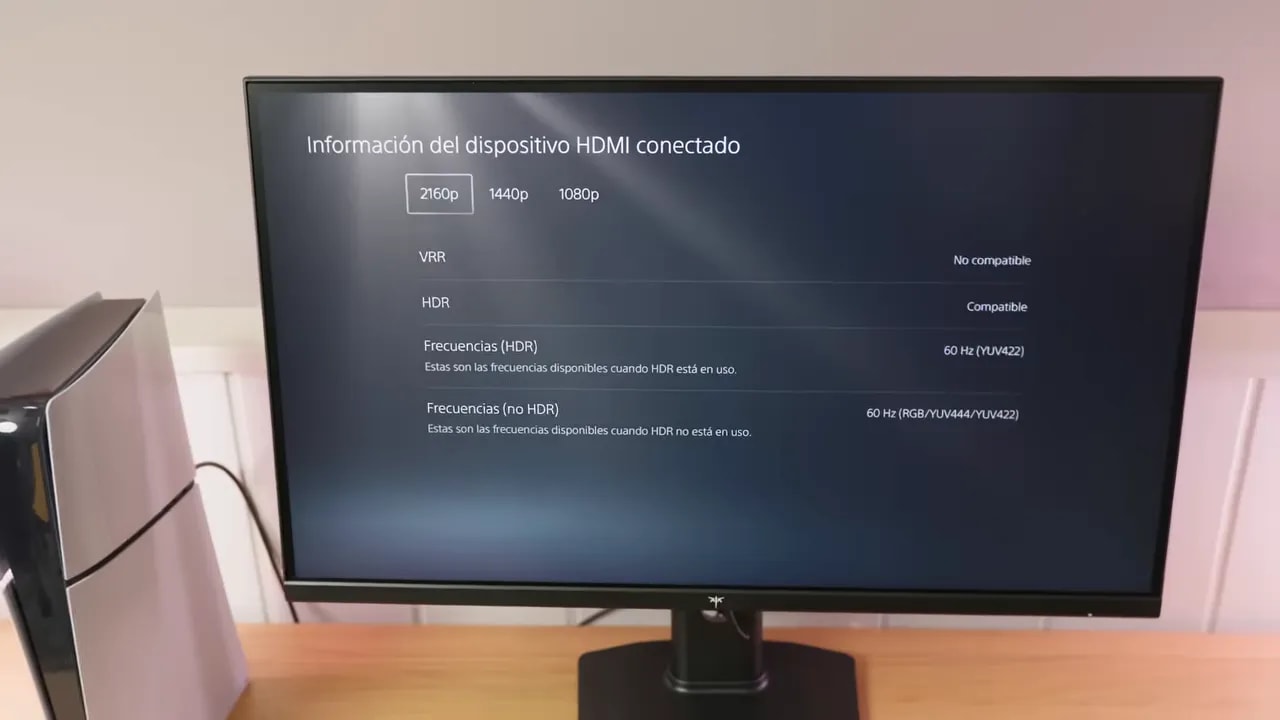
It works on consoles, but without major extras. With PlayStation 5 you can use:
- 4K at 60 Hz
- 1440p at 120 Hz
The downside is that it does not support VRR or ALLM on PS5. That makes it somewhat more basic than desirable.
For console overdrive settings:
- If you want to keep things simple, Dynamic OD
- For 120 Hz, you can also use Standard
- You can even push it to 60 Hz, although some overshoot appears
- If that overshoot bothers you, you can disable overdrive at the cost of worse response times
As usual, it also includes features such as Black Equalizer and various picture presets. Black Equalizer can be useful for lifting shadows in competitive games. The presets, honestly, are the usual assortment and do not add much.
What to consider against other models
At the same price, I would choose the H27T6 for its stand and better construction. The issue is that the H27T7P-2 is usually cheaper, which changes things considerably.
At around 150 euros and potentially dropping to the 130s with coupons or even less on Aliexpress, I find it a very competitivemonitor. In that range, it is hard to find something combining:
- 1440p
- IPS
- 200/210 Hz
- Good color coverage
- Contrast above the budget IPS average
At that price, I consider it a very serious purchase.
Among competitors, one model to watch is the Gigabyte G27Q2, which is also well positioned and has sometimes been available for slightly more on Amazon.
The Gigabyte’s main advantage is a better-built stand. If that matters a lot to you, include it in the comparison.
With KTC, the subject of quality controlalways comes up. Many people feel it could be better. However, measuring this rigorously is very difficult without an enormous sample.
Experience with several models from the brand does not suggest widespread disaster, but cannot support an absolute conclusion either. A handful of units cannot establish reliable statistics. The only reasonable approach is buying from a store with a good return policy in case you get a bad unit.
The conclusion of this KTC H27T7P-2 Review is quite simple: it does not crush the rest of KTC’s monitors, but ranks among the most interesting options at the right price.
It does not excel in construction, lacks useful HDR, and is not the fastest in its class. In exchange, it offers a very good balance of resolution, refresh rate, color, and price. And that matters a great deal in the budget segment.
These are its clearest strengths:
- 1440p and up to 210 Hz
- Good contrast for an IPS
- Wide color coverage
- Very capable sRGB mode
- Reasonably well-tuned overdrive
- Very aggressive sale pricing
And its most obvious drawbacks:
- Fairly cheap-feeling stand
- No speakers
- Very limited HDR
- No VRR or ALLM support on PS5
- Not the response-time champion
At a low price, it is hard not to recommend. At the same price as the H27T6, I would give more thought to that model’s better construction. But when it drops into the 130-something-euro range, this monitor goes from “interesting” to “very hard to ignore.”