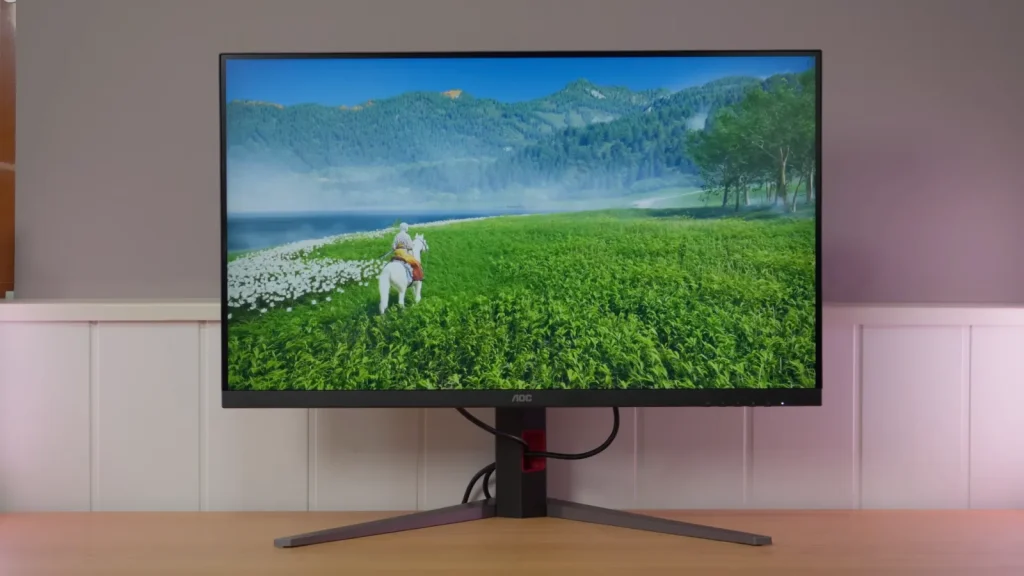
The AOC U32G4U switches between 4K at 160 Hz and 1080p at 320 Hz on a 32-inch IPS. Good factory calibration and console connectivity are just as relevant as dual mode.
Switching to 1080p increases refresh rate at the cost of an obvious loss of definition at this size. Response tests and MBR settings help determine when that tradeoff is worthwhile.
Build, ergonomics, and connections
A complete AOC U32G4U Review also needs to cover practical matters. This type of monitor is bought for how it fits a real setup, not just its spec sheet.
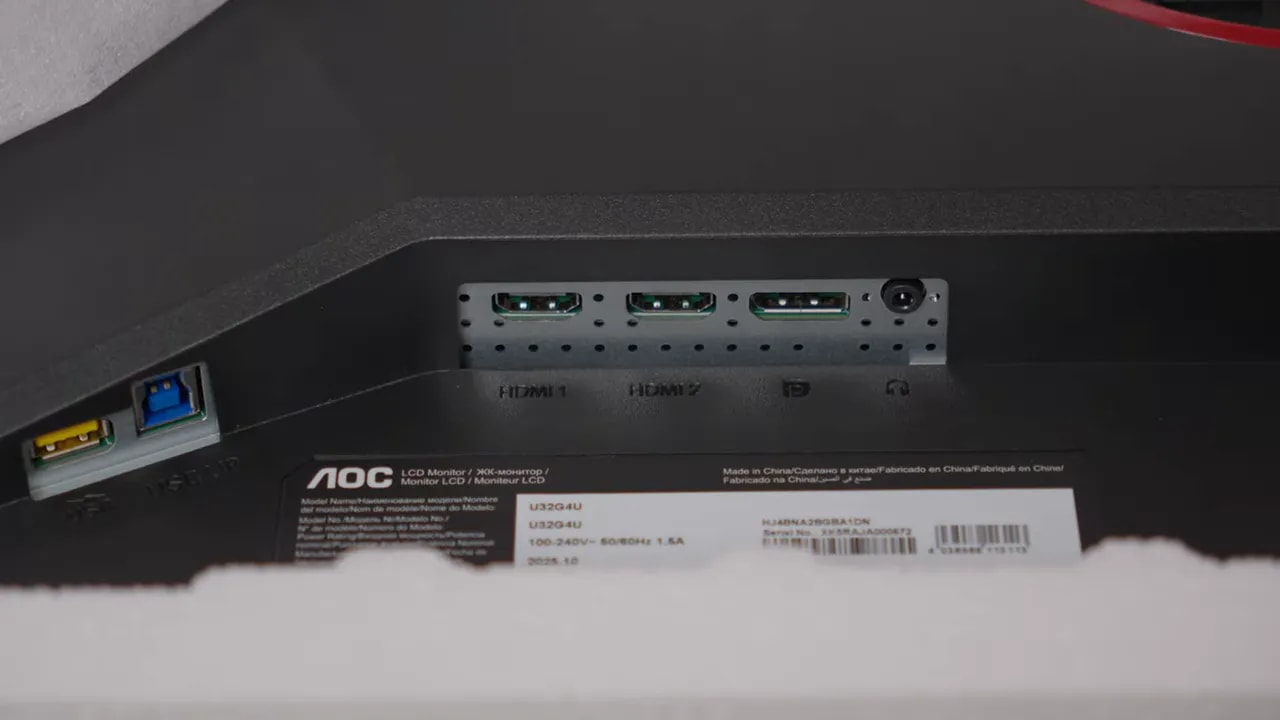
AOC has done a fairly good job with connections. The highlight is full HDMI 2.1, particularly important if you will connect a PlayStation 5 or a modern gaming PC. It allows trouble-free 4K at 120 Hz, VRR, and ALLM on consoles.
The USB hubis also welcome, with side-facing ports that make connecting peripherals or flash drives easier without feeling around behind the monitor.
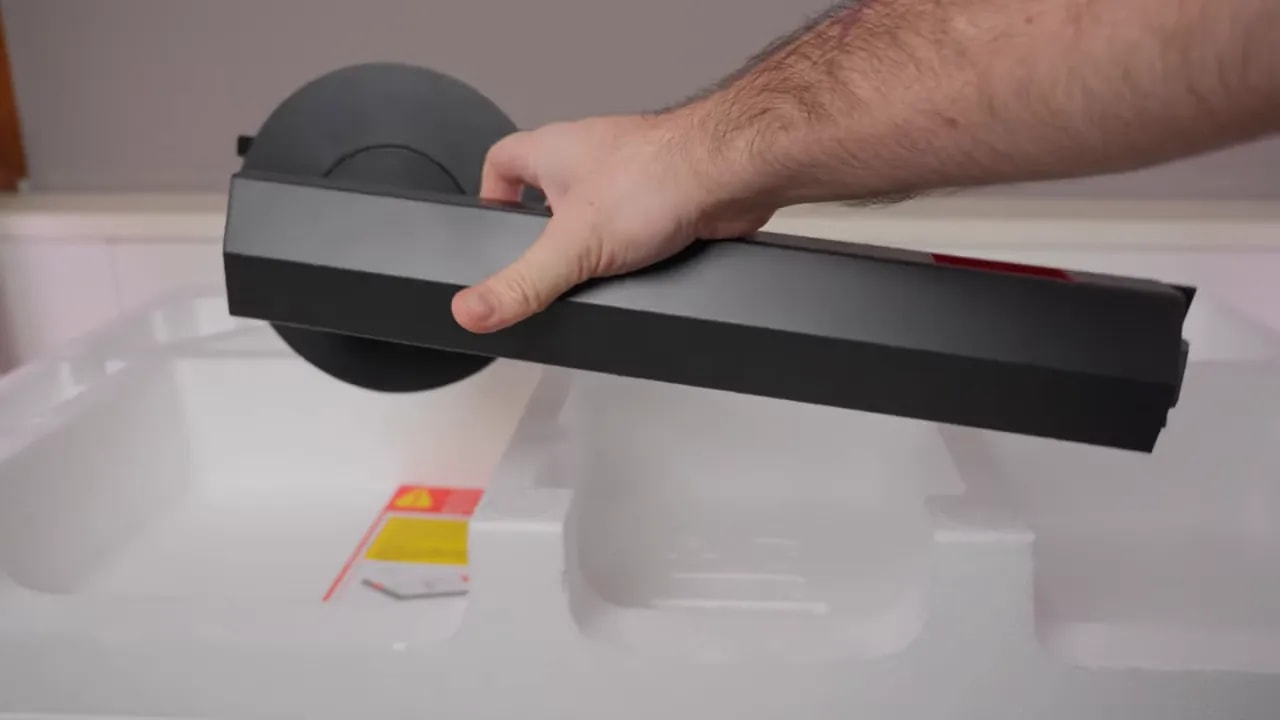
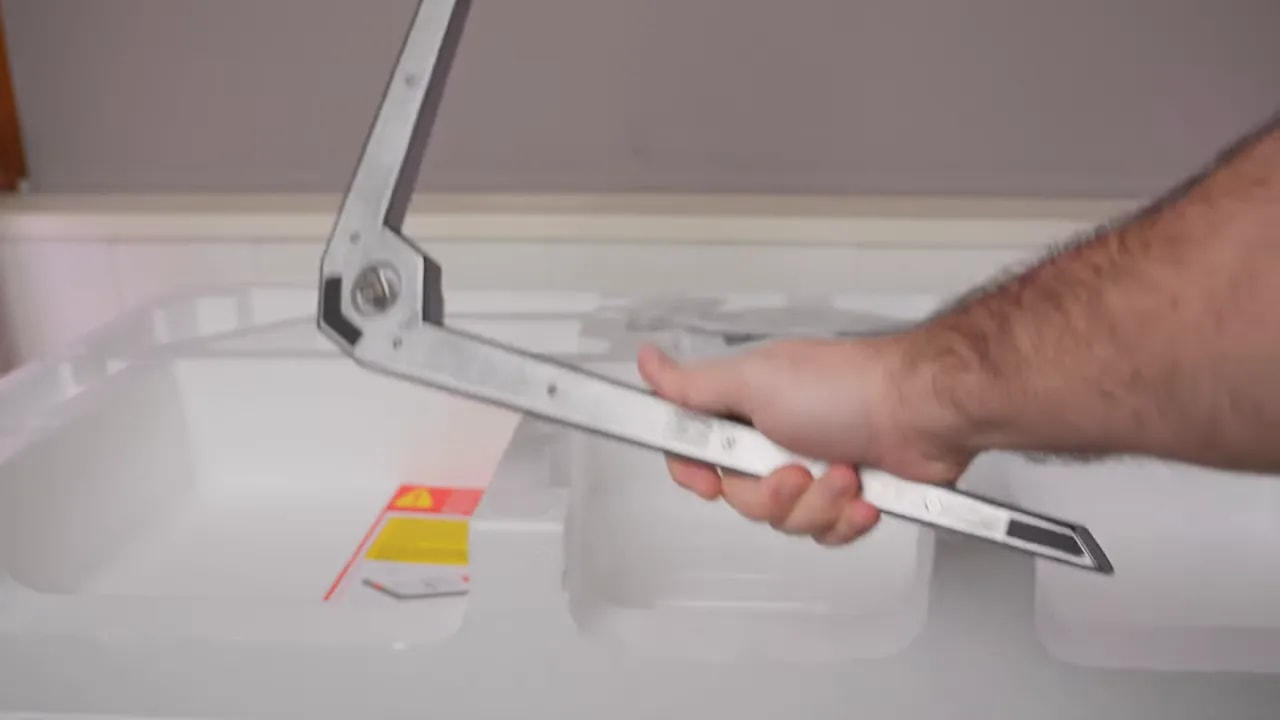
As specifically requested, it is worth checking accessories and box contents too, particularly for a product aimed at desktop use as well as gaming and consoles.
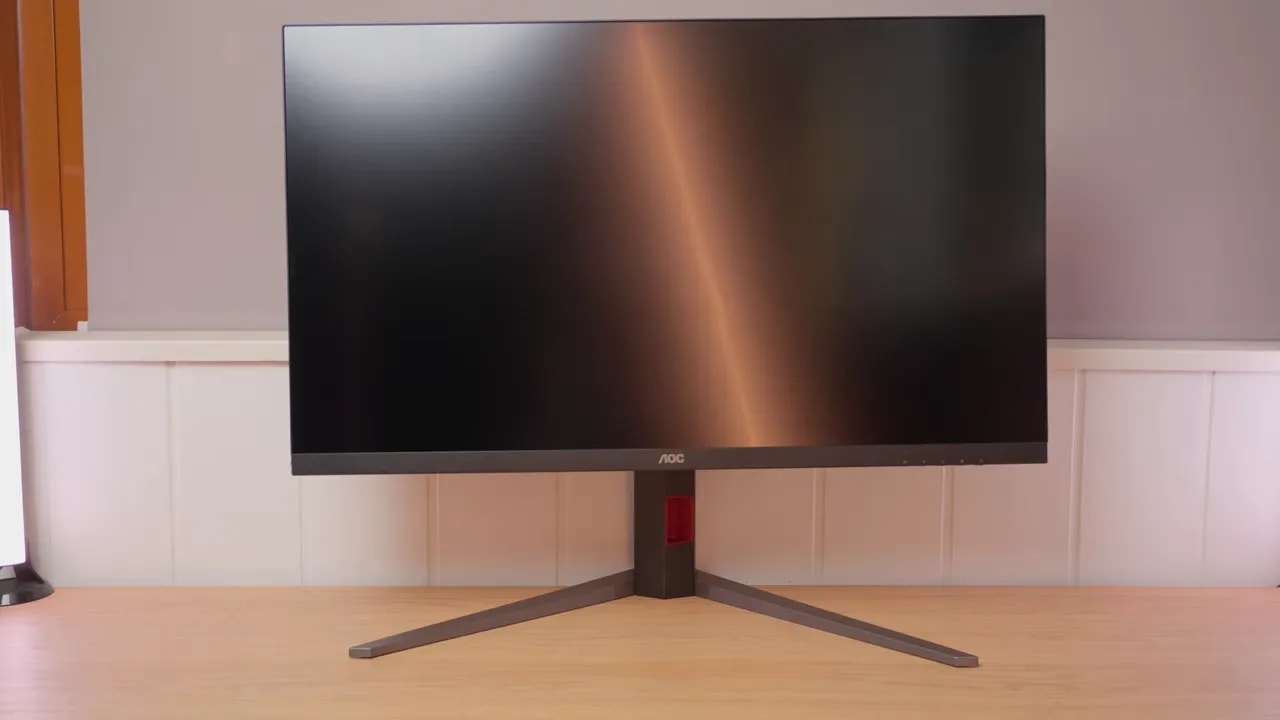
The monitor is mainly plastic. It does not feel like a premium high-end product, but neither does it feel cheap or flimsy. It strikes a fairly reasonable balance for its price.
A pleasant surprise is the stand. Ergonomics are very well handled, which is especially welcome on a 32-inch monitor.
- Adjustment for height
- Tilt
- Swivel without moving the entire base
- Portrait pivot, an unusual feature on such a large display
The least convincing design choice is menu control. At this point, it is hard to understand why some brands still do not use an OSD joystick instead of traditional buttons.
The finish is matte, as expected, but with an interesting detail: it is not the typical aggressive matte that blurs the image. The lighter coating produces a sharper reflection while better preserving image clarity.
Personally, I prefer this finish on monitors also intended for productivity and media, because it reduces perceived sharpness less.
SDR color: a well-tuned foundation
If anything particularly stands out in this AOC U32G4U Review, it is color performance. Factory calibration is very well executed out of the box, which is not always true even of much more expensive models.
Coverage is very good for the segment:
- 96% DCI-P3
- 92% Adobe RGB
- 127% color volume in sRGB / BT.709
This is clearly not a typical dull IPS with barely enough gamut. It has a strong color foundation, sufficient for media, demanding general use, and even some creative work.
With the native gamut, at gamma 2.2, color temperature Warm and picture mode Standard, grayscale tuning is excellent. The standout figure is an average Delta E of 1, remarkable for a monitor in this range.
Also:
- The color temperature is right on target at around 6500K
- Tracking of gamma 2.2 is quite accurate
- Overall factory image quality feels very good
Native-mode accuracy against DCI-P3 is also very good, with an average Delta E below 1.5. An excellent result.
However, not everything is perfect. Some colors deviate slightly, mainly due to insufficient saturation in tones such as yellows and greens. But that is normal without full gamut coverage.
DCI-P3
The monitor also includes a dedicated DCI-P3 mode. It barely clamps the gamut, though it changes grayscale settings and targets gamma 2.6. Tracking could be better, but overall, it remains a well-implemented mode.
Visually, it feels slightly more cinematic. Even so, for normal PC use, the logical choice remains native mode, which best suits a general-purpose desktop.
However, this mode is quite locked down: color temperature and gamma cannot be changed, though brightness remains adjustable.
sRGB
The mode sRGB is also well designed. The gamut is clamped to 99,35%, a very solid figure. Some red oversaturation is visible, but nothing serious.
ColorChecker shows that small deviation more clearly, while other colors are very well tuned. Grayscale performance remains good, although sRGB gamma shows an unusual little spike near the end.


The sRGB preset retains practically the entire reference gamut, with a small red excess visible in ColorChecker. Accuracy is good for this use without needing all the saturation of native mode.
Honestly, this monitor does not need calibration to enjoy it or use it effectively. Factory tuning is already more than good enough.
Even so, custom color temperature values can deliver a slight additional improvement after calibration. There is room to improve, but it does not radically change the experience.
Brightness, uniformity, and HDR
Maximum brightness is around 460 nits, although some measurements approach 480 nits. A more than respectable SDR figure.
The contrast is around 1000:1, not bad at all for an IPS. It will not work miracles in dark scenes, but qualifies as a good result for this technology.
The color uniformity is quite good, especially if you lower brightness somewhat. Luminance uniformity is not bad either. The unit lottery comes into play with backlight bleed.
This unit has some quite noticeable bleed at the top. As for IPS glow, it is roughly average for this panel type. The usual effect on grays and dark scenes appears as viewing angles change, but nothing unusual for a large IPS.
This should be clear in any AOC U32G4U Review: HDR here is not true premium HDR. Without serious local dimming, Mini LED, or OLED, the experience is fundamentally limited.
Even so, within its capabilities, one mode is clearly better tuned: DisplayHDR. If you use HDR, that is the recommended preset.
This mode offers:
- Maximum brightness close to 500 nits
- Tracking of the PQ EOTF curve that is reasonably decent
- Fairly good color performance within the panel’s limitations
However, HDR loses some color coverage:
- DCI-P3 below 95%
- BT.2020 below 70%
- BT.2020 color volume around 60%
In short: usable and acceptable for occasional games and content, but far from a serious HDR experience.
Dual mode: response in 4K and 1080p
Now for an important area. This monitor is not the fastest available, but it does not feel slow either. In practice, that is what matters.
At 4K at 160 Hz there are several overdrive modes, including a Extreme mode unavailable at 1080p 320 Hz.
My general recommendation is clear:
- Fast if you will make full use of 160 Hz
- Normal if overshoot bothers you and you mostly use 120 Hz
- Faster only if you accept more artifacts
- Extreme is not worthwhile for normal use
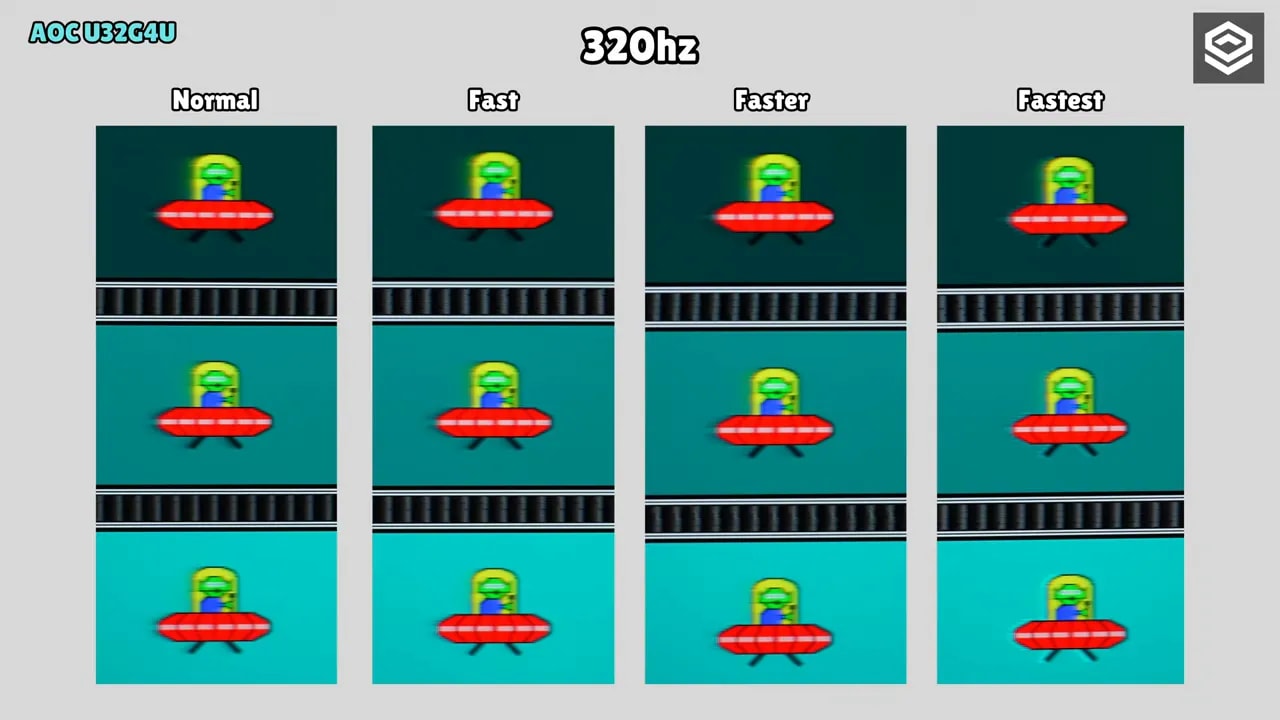
In Fastmode, initial response time is around 5.56 ms, with some overshoot. In UFO-style tests, you can notice it if you look closely, especially in certain transitions.
Dropping to Normalreduces that overshoot, but considerably increases black smearing. A classic compromise. It makes more sense at 120 Hz and may also fit 60 Hz better, though response times obviously rise.
Moving up to Fasterproduces a more obvious white halo. And Extreme mode looks sharper, yes, but introduces double-image artifacts and greatly reduces brightness. It is the typical mode that impresses briefly, then becomes unappealing to use.


Fast at 160 Hz and Normal at 120 Hz represent different use conditions. The latter reduces aggressiveness as refresh rate falls. The gallery’s 320 Hz tests correspond to 1080p mode; they do not describe 4K response.
Dual mode is one of the monitor’s main attractions. Switching from 4K 160 Hz to 1080p 320 Hz sounds great, especially for competitive games. But there are caveats here too.
In this mode, Fast is slightly slow, so the sensible choice is Faster, which achieves around 5.57 ms initial response time with little overshoot. Clarity improves with the higher refresh rate, though some black smearing remains in demanding transitions.
I do not recommend the most aggressive mode at 320 Hz, because overshoot rises dramatically.
However, the obvious needs saying: 1080p at 32 inches has very large visible pixels. There is no miracle possible. Yes, it works for competition and extra smoothness, but the density loss is unmistakable.
Scaling behaves like other dual-mode monitors I have tested. It is not ideal pixel-perfect scaling, but is much better than the poor scaling Windows often applies. A fairly respectable middle ground.
This monitor includes several Motion Blur Reductionsystems, with plenty of room to experiment if you enjoy precise adjustment.
There is the more extreme 4K 160 Hz mode, and also an adjustable MPRT / Motion Blur Reduction mode with a level control, available in both 4K 160 Hz and 1080p 320 Hz.
As you increase intensity:
- The moving image looks sharper
- There is a more pronounced effect of double images
- The visual compromise becomes more apparent
Ultimately, this technology pulses the backlight to simulate greater motion clarity. It works, but almost always introduces artifacts. Personally, I am not a huge fan, though it is good to have the option.
The good part is that it can be combined with any overdrive mode and also works alongside Adaptive Sync, which is not always available.
There is also an additional blur-reduction preset without a level control. Again, it improves clarity somewhat but makes double images more visible.
VRR, PS5, and two video sources
The monitor is Nvidia certified as G-SYNC Compatible. Variable-sync testing showed no flicker problems. That is reassuring, especially on a product with dual mode and adjustable overdrive.
Regarding input lag, the figures are good and there is nothing concerning. This is certainly not a sluggish monitor.
On consoles, as mentioned earlier, compatibility with PS5 is complete thanks to full HDMI 2.1:
- 4K 120 Hz
- VRR
- ALLM
This makes it a versatile choice if you want one monitor for PC, console, and work.
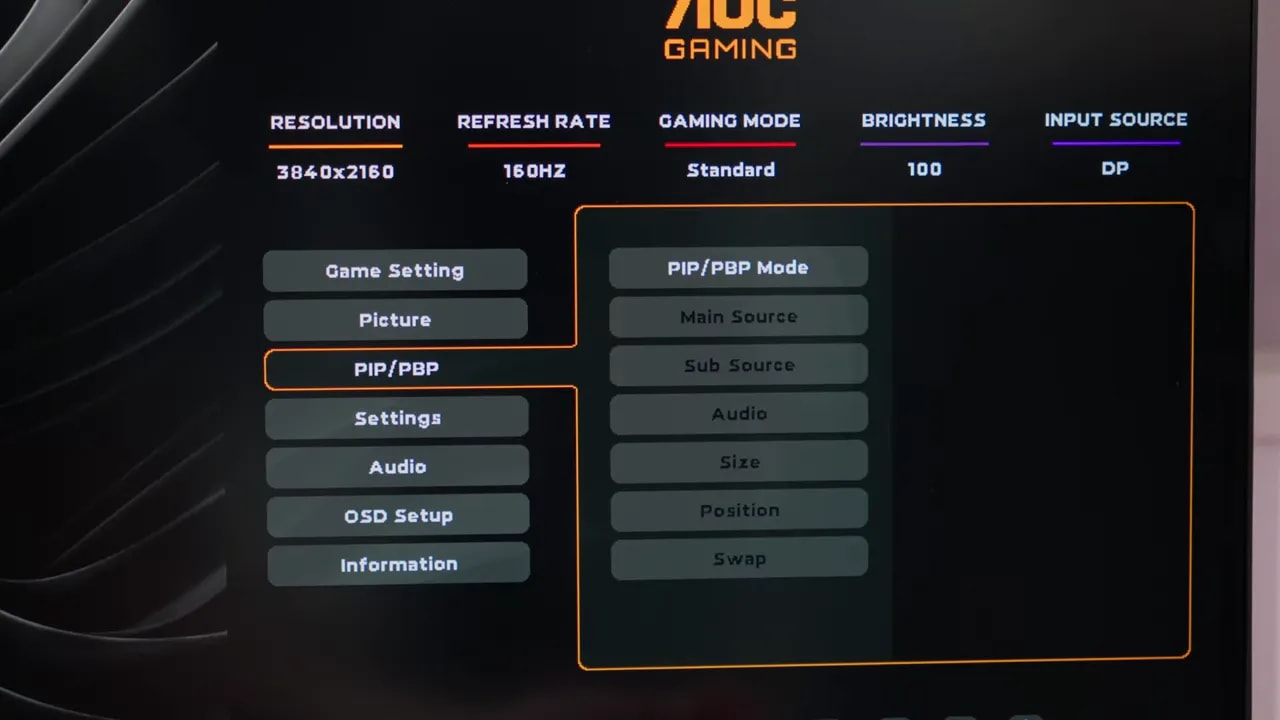
It is not the most striking feature, but can make a difference for many people. The AOC U32G4U supports PIP and PBP, allowing two video sources to be displayed simultaneously.
On a 32-inch monitor, that has real value. You can combine PC and console or use two computers at once, and the size helps make it more than a token feature.
Conclusion: resolution and speed in one monitor
The conclusion of this AOC U32G4U Review is quite simple: impressed me, and it also strikes me as a very timely product.
Color performance is surprisingly well tuned. Brightness and contrast are good for an IPS. Response times are not the best available, but this is far from a slow monitor. In real use, differences from somewhat faster models are usually minimal unless you scrutinize them closely.
Yes, some demanding transitions are slightly noticeable at 320 Hz. Yes, 1080p at 32 inches has a visual cost. And yes, slightly more money may buy more attractive 1440p OLED alternatives if gaming is the sole focus.
But that comparison does not invalidate this monitor. Many people need 32 inches and 4K because they work, produce content, spend hours in office applications, or simply prefer that size and sharpness. For them, adding strong high-refresh gaming and a well-implemented dual mode makes tremendous sense.
Right now, it is hard to find another monitor with such similar specifications at a comparable price. Some Asus models appear to use a similar panel, but at least currently, the price difference is too large to justify.
That is why this model is so interesting: it fills a much-needed gap in the market. If you wanted a fast, versatile 32-inch 4K IPS without an unreasonable price, this AOC firmly belongs in the conversation.
And quite high on the list, too.