If you have been looking at affordable Mini LED monitors, you have probably come across these two models again and again: AOC Q27G3XMN and Xiaomi Mini LED G Pro 27i. That is no coincidence. Right now, they are two of the cheapest and most accessible ways into Mini LED at 1440p and 180 Hz.
They look quite similar on paper, but do not feel the same in practice. Xiaomi opts for an IPS panel, while the AOC uses a VA panel. Almost everything starts there: viewing angles, contrast, blooming, response, VRR, and even which monitor ends up being more enjoyable to use with different types of content.
The important comparison here is not just which one wins on specifications, but which one is less distracting in actual use and which offers the best overall experience for the price.
Two monitors that look very similar on the outside
To get the straightforward part out of the way, in terms of stands and finishes they are quite close. Both have competent stands with good adjustments, and overall they feel similar. The AOC has a slightly greater maximum height, but otherwise there is not a huge difference in ergonomics.
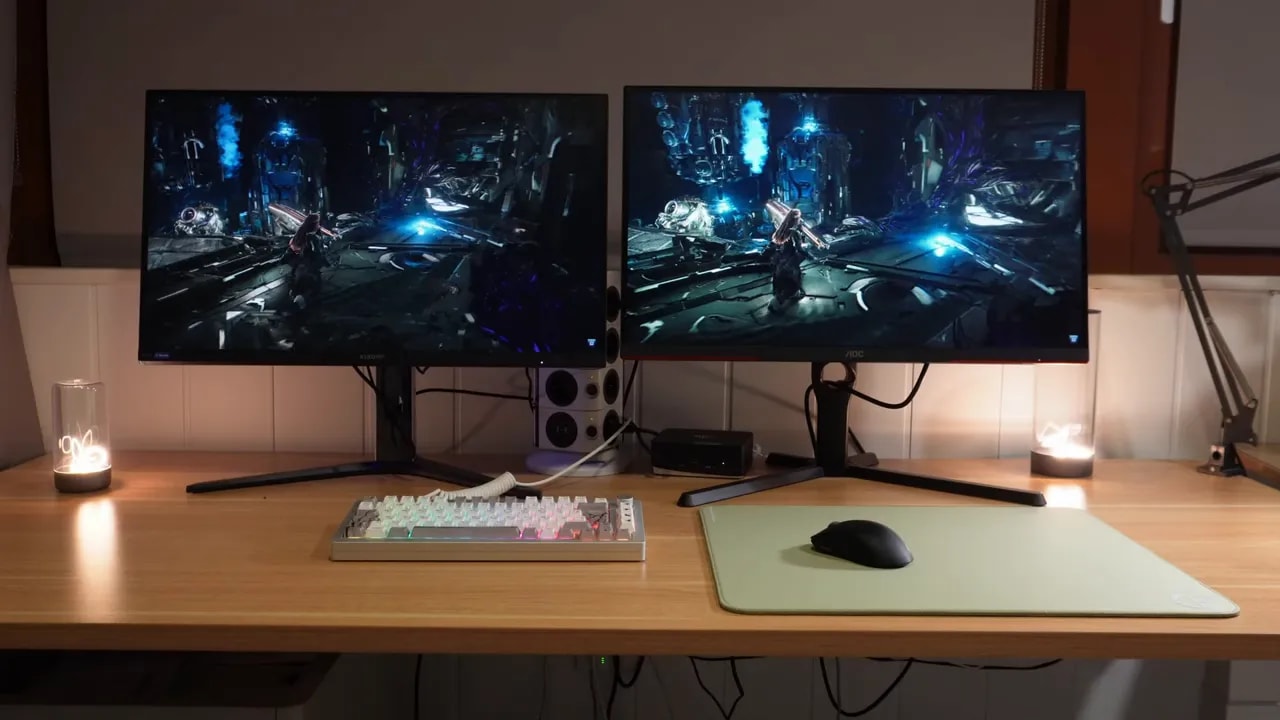
If your concern is construction, the stand, or overall exterior quality, that is not where the major difference lies. Both do well, and this should not be what decides your purchase.
IPS vs. VA: where the real contest begins
Viewing angles
The first clear difference is in viewing angles. Xiaomi’s IPS panel is superior. And not just in the usual case of viewing the screen from an extreme side angle.
There is a real advantage even when viewing it head-on. With the AOC’s VA panel, colors in the corners look slightly more washed out. It is one of those things that is hard to describe, but it affects the overall impression of uniformity: on the Xiaomi, color seems more present across the entire screen, while on the AOC, the edges lose a little more.
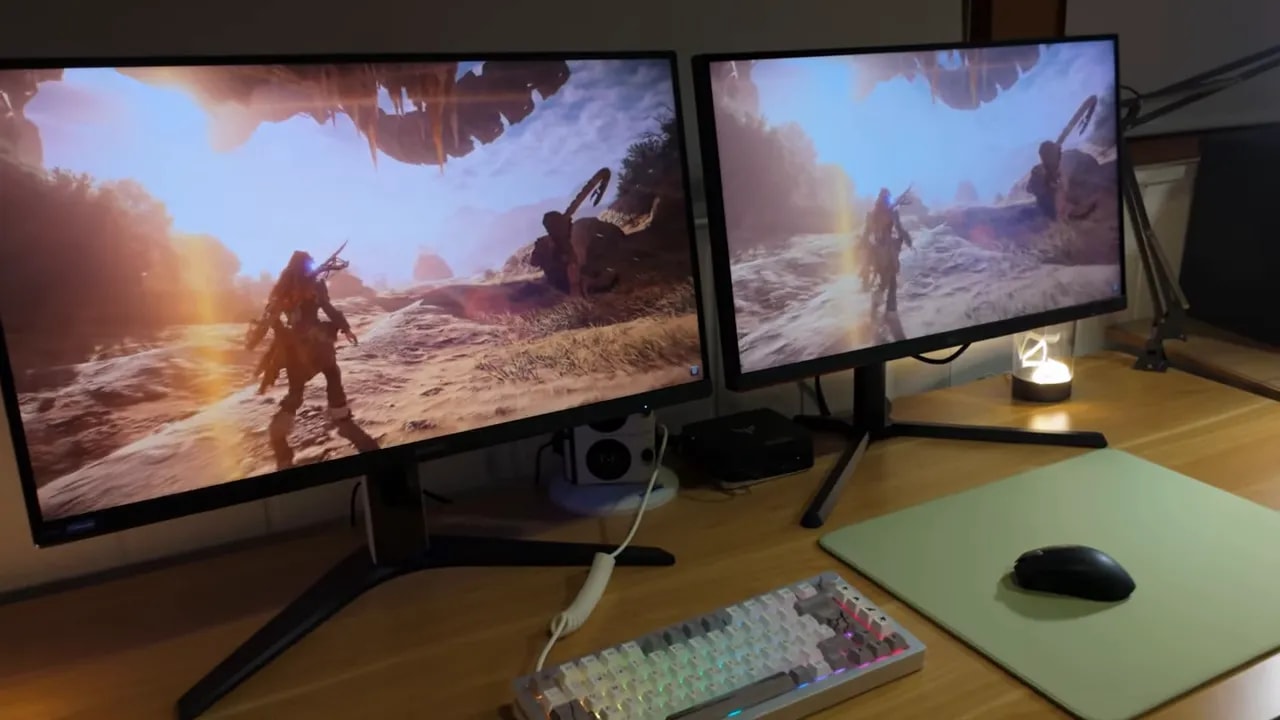
If you want to use it as a secondary monitor or in a less centered position, Xiaomi’s advantage becomes even more obvious.
Color coverage and vibrancy
Xiaomi also has a clear advantage in color. Its Quantum Dot technologycomes into play here, allowing it to offer greater color coverage and volume than the AOC.
That translates into something simple: games look more vibrant on the Xiaomi. That does not mean the AOC has bad color, because it does not, but Xiaomi is a step ahead in this area.
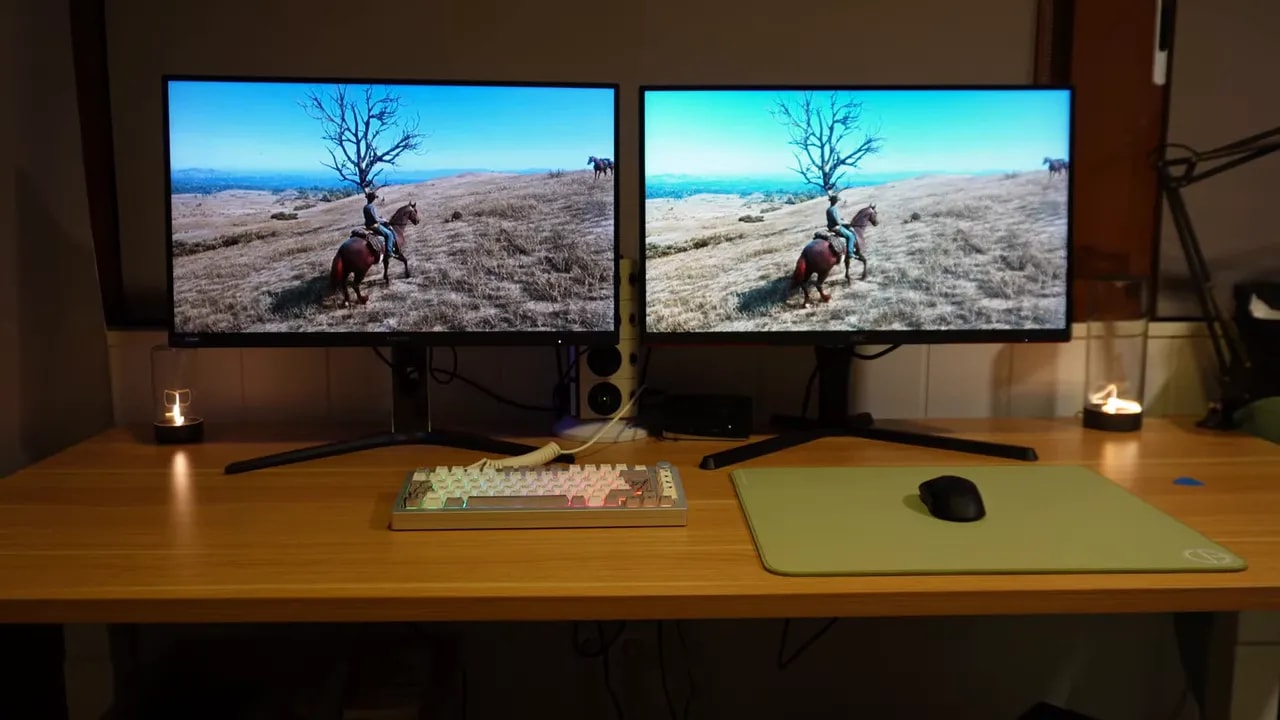
If you want an image with more visual punch, Xiaomi earns another important point here.
Brightness, contrast, and the big issue: local dimming
Without local dimming
In SDR, before we get into zone-based dimming, Xiaomi offers more brightness, and the difference is substantial.
In contrast, however, the AOC shows its strength as a VA. Both perform decently for their panel type, but the AOC delivers deeper native blacks. That is most noticeable in dark scenes, where Xiaomi’s IPS shows more glow and a stronger impression of backlight bleed.
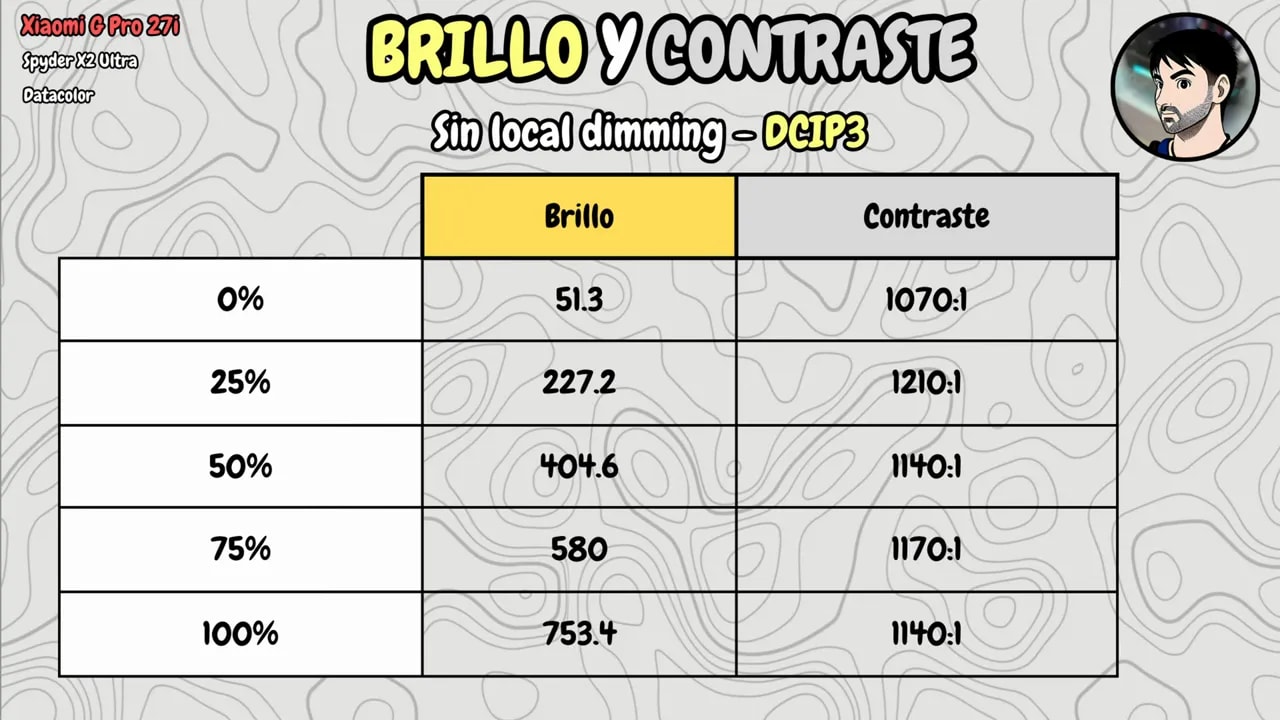
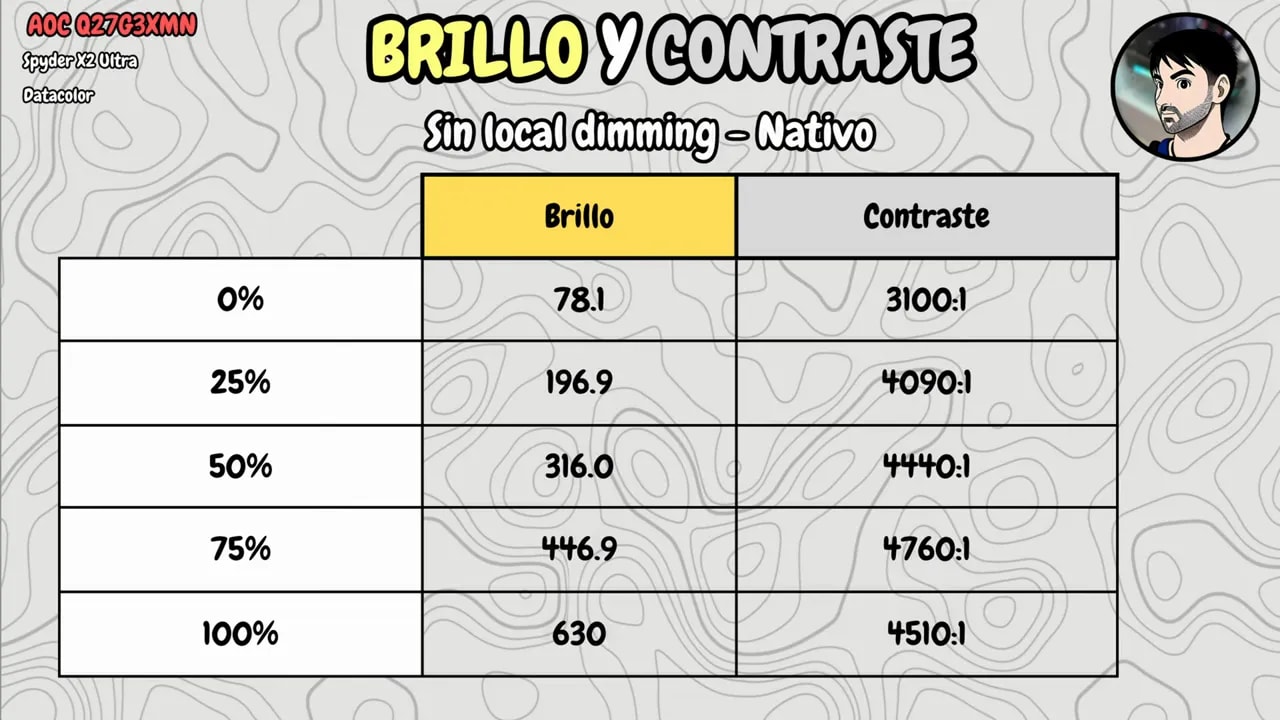
So far, everything is as expected: IPS is better for viewing angles and color, VA for native contrast.
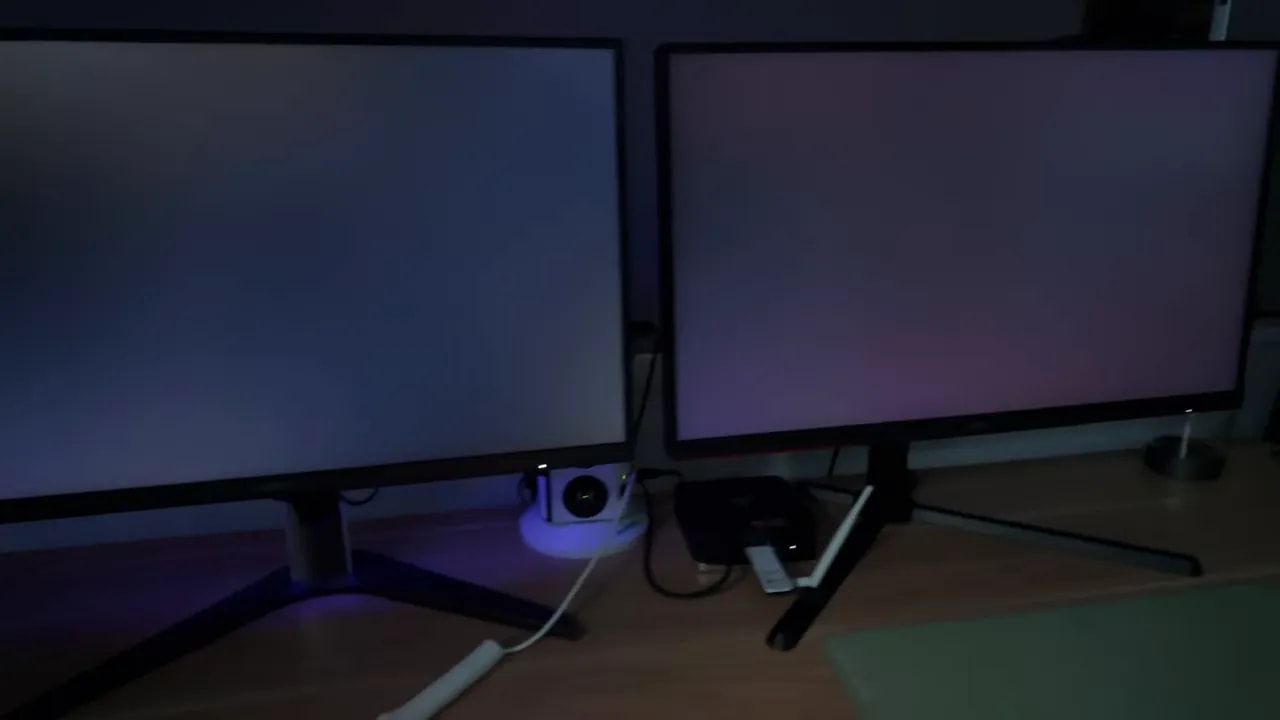
When you really enable Mini LED
The appeal of these monitors lies in local dimming, meaning the ability to dim the backlight by zone to get much closer to deep blacks.
- AOC Q27G3XMN: 336 zones
- Xiaomi Mini LED G Pro 27i: 1152 zones
And yes, in zone count, Xiaomi is in a different league.
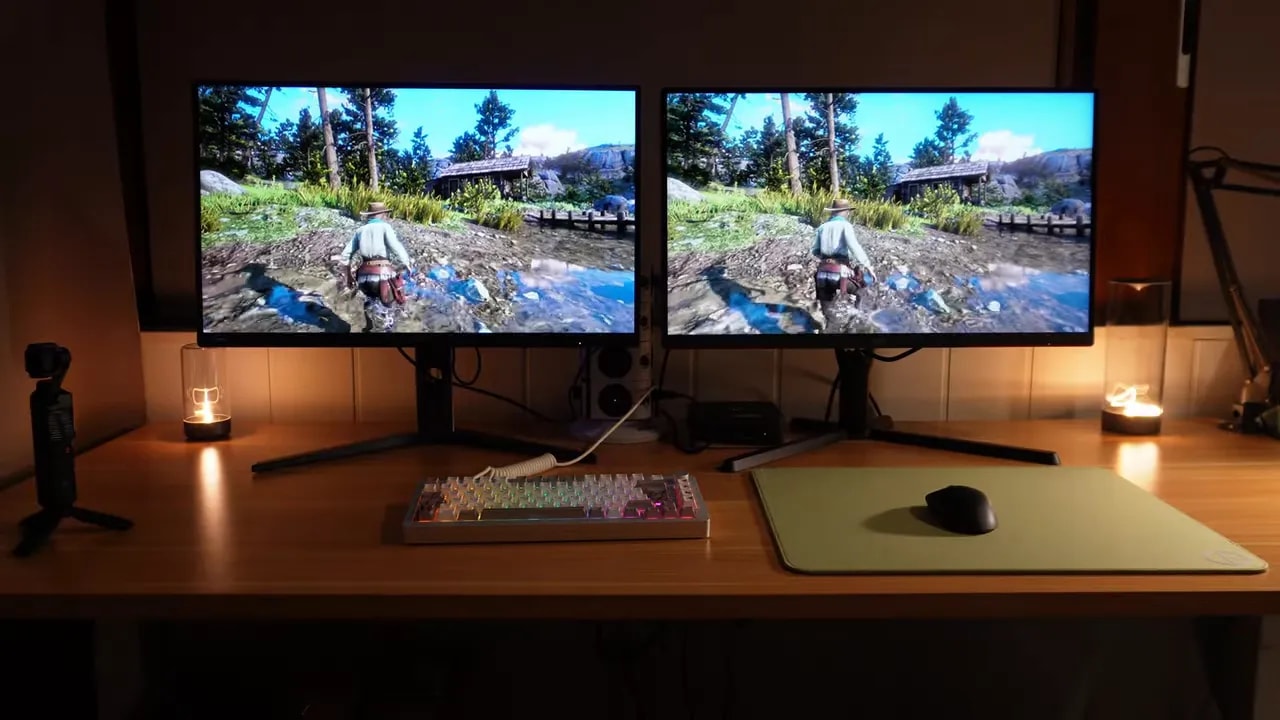
That said, Mini LED is not OLED. Each pixel does not turn off individually here. Zones turn off, so a bright object on a dark background creates the white halo that worries so many people buying this type of monitor: the familiar blooming.
Blooming: which is more noticeable, and when
This is probably the most important point in the entire comparison. Both monitors offer three local dimming levels, but they do not behave the same way.
Strong mode: more contrast, but also more compromises
If you enable the most aggressive level on both and do something as ordinary as moving the mouse over a dark background, some very interesting differences appear:
- On the AOC, blooming is more spread out, because it has fewer zones.
- On the Xiaomi, blooming is more concentrated, but also brighter.
In other words, the AOC spreads the halo farther, and Xiaomi makes it more intense within its area. Which is more distracting? That depends entirely on the scene.
On dark gray backgrounds, such as a dark theme in Chrome, the AOC can seem less intrusive. But on pure black, especially in a dark room, the wider spread of the AOC’s blooming is extremely noticeable.
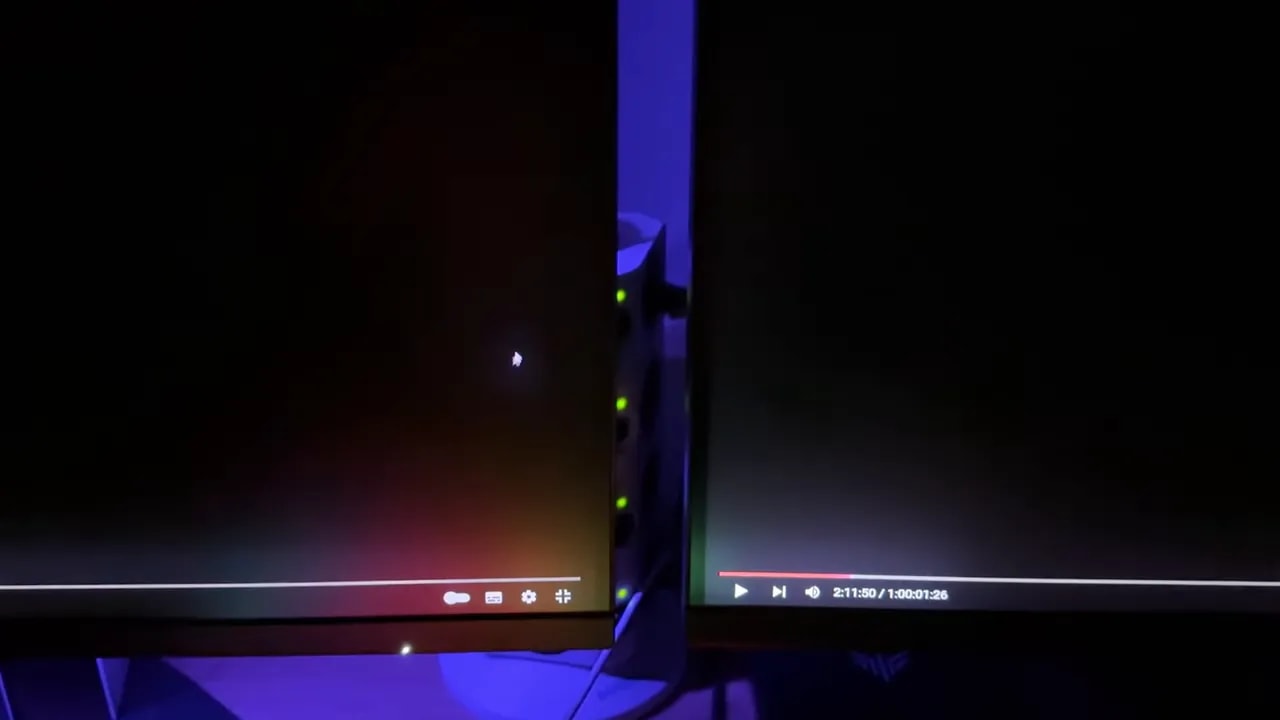
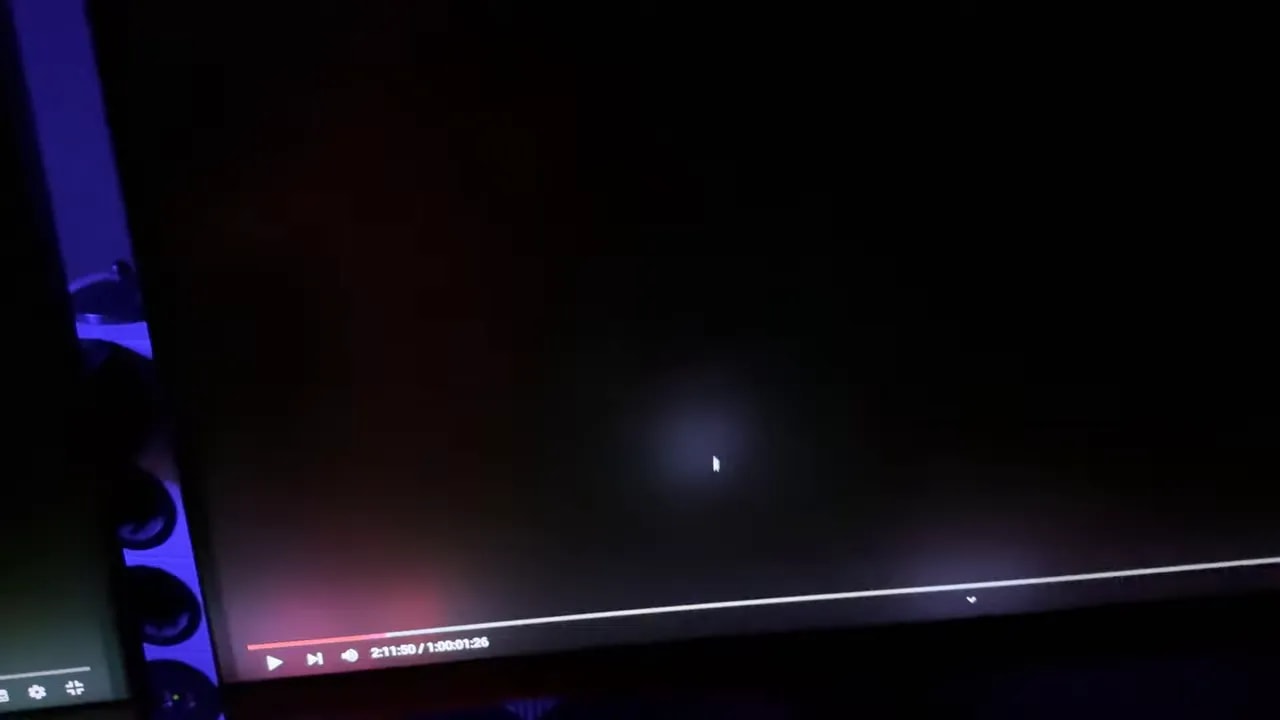

Some room lighting changes the impression a little, but generally, on dark backgrounds, the AOC’s blooming tends to be more visible because of its spread, while Xiaomi’s stands out more for its intensity.
Medium mode: things change substantially here
Using Strong local dimming all the time on the desktop can be annoying on both. The logical question is: what happens if you lower it to medium?
Here, each takes a different approach.
On the Xiaomi, lowering the level still preserves those deep blacks. It slightly reduces the brightness of dimmed zones, reducing blooming somewhat without destroying Mini LED’s appeal.
On the AOC, by contrast, switching to medium does almost the opposite: it substantially reduces the depth of blacks. Yes, there is less blooming, but you also lose much of the contrast that made the monitor special.
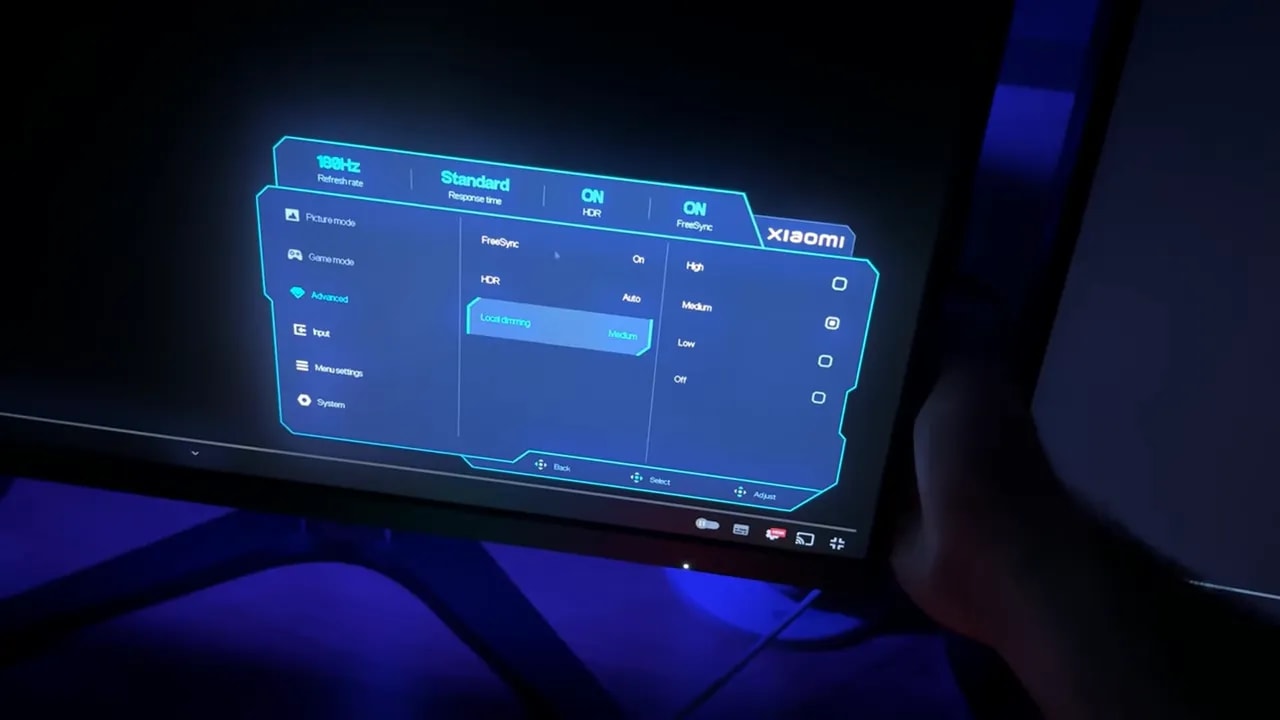
This is one of the key points of the entire comparison. At medium, the AOC looks cleaner, but also gives up a substantial part of the Mini LED experience. Xiaomi better maintains the balance between deep blacks and controlled blooming, although the halo is still there.
Which settings make most sense for each use
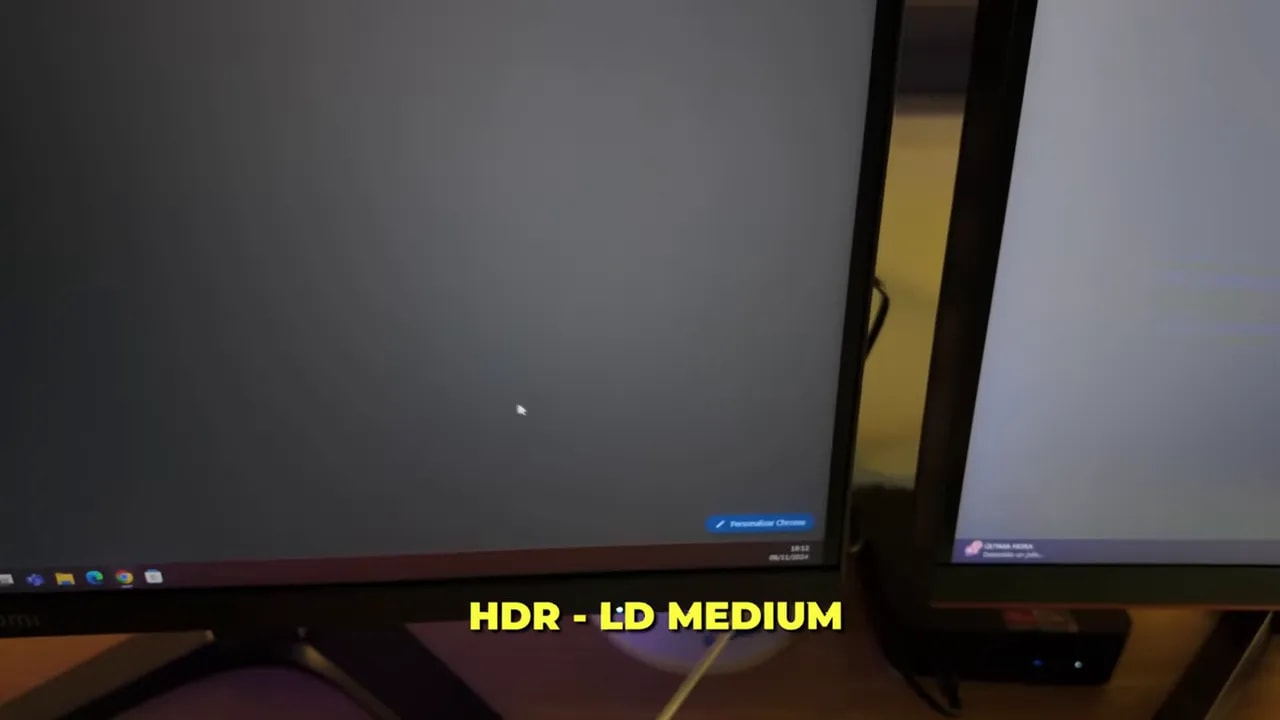
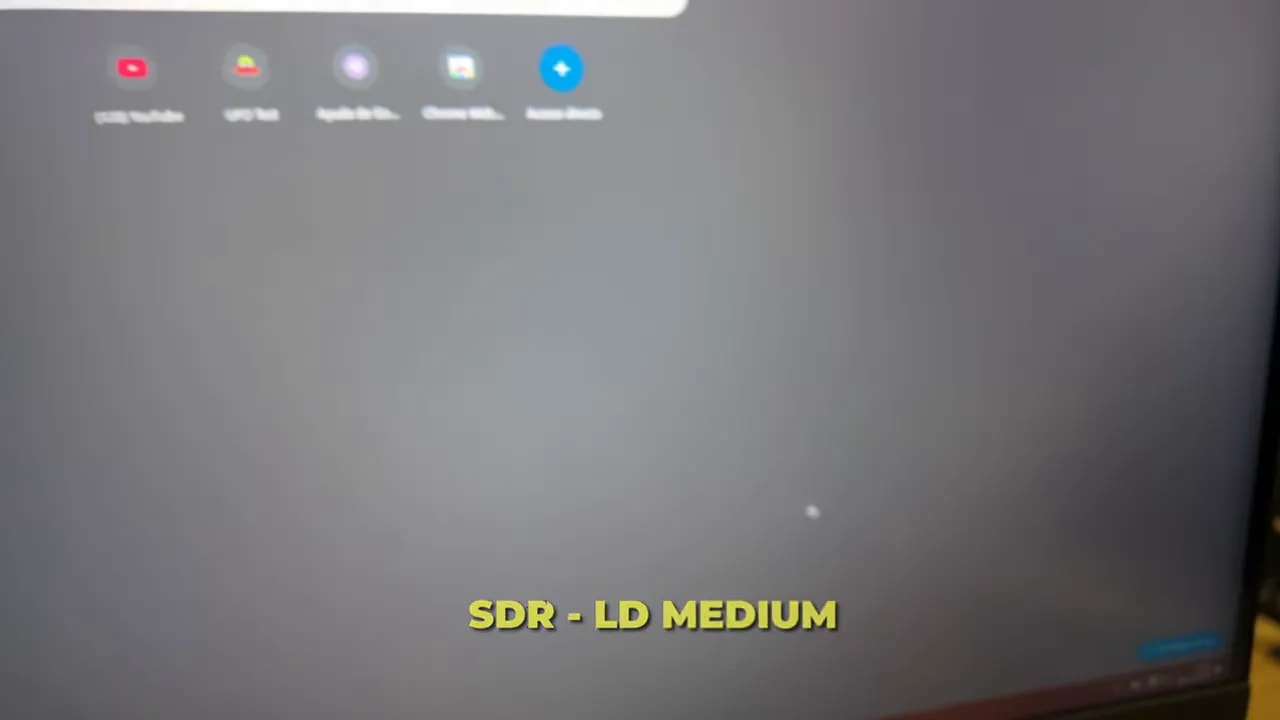
If the main use will be the desktop, browser, Windows, and everyday tasks, I am not entirely sold on keeping local dimming enabled all the time. Brightness changes between zones and blooming become quite obvious in this kind of use.
If you still want to use it, the most sensible approach is to combine it with HDR, because blooming is then somewhat less noticeable within the overall image.
On the desktop:
- The Xiaomi’s medium mode is the most balanced if you want to preserve deep blacks without an excessive halo.
- The AOC’s medium mode greatly reduces blooming, but sacrifices too much contrast.
For full-screen content, movies, or games, using the stronger modes makes more sense, because Mini LED’s visual impact pays off more there.
HDR: the AOC delivers more brightness
There is one clear small victory for the AOC in HDR: it reaches higher peak brightness.
- AOC: around 1700 nits
- Xiaomi: around 1200 nits
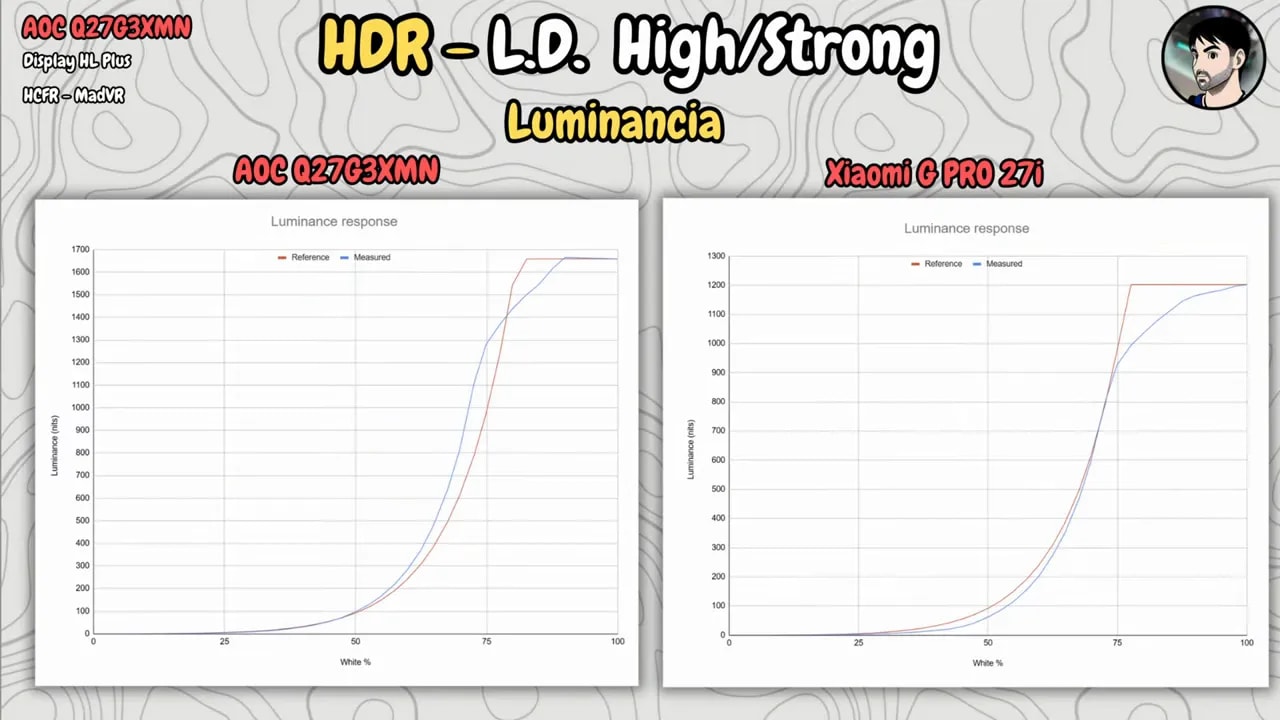
The difference exists and is visible. The AOC also does a better job tracking the PQ EOTF curve, helping preserve more detail in dark HDR areas.
That said, although this earns the AOC points, I do not find it as decisive as blooming. Ultimately, when choosing between these two, what matters most is not simply which reaches more nits, but which monitor you find less distracting day to day.
My choice for image quality: Xiaomi, narrowly
After giving it a lot of thought, if I have to pick, I narrowly prefer the Xiaomi.
That comes with caveats, because I can completely understand someone preferring the AOC if they place more value on:
- the peak HDR brightness
- the superior native contrast
- blooming that in certain scenes may appear less bright
But as an overall image experience, Xiaomi wins me over with its combination of better viewing angles, better color, more Mini LED zones, and better overall balance.
Response times: Xiaomi wins clearly here
Moving into pure gaming territory, one area is fairly clear: response times favor the Xiaomi.
At 180 Hz, Xiaomi is the better gaming monitor, especially for shooters and competitive games. It has faster response and a cleaner moving image.
There is a caveat: enabling HDR on the Xiaomi limits you to Standard mode. For competitive gaming, the most sensible approach is to disable HDR and use more aggressive overdrive.
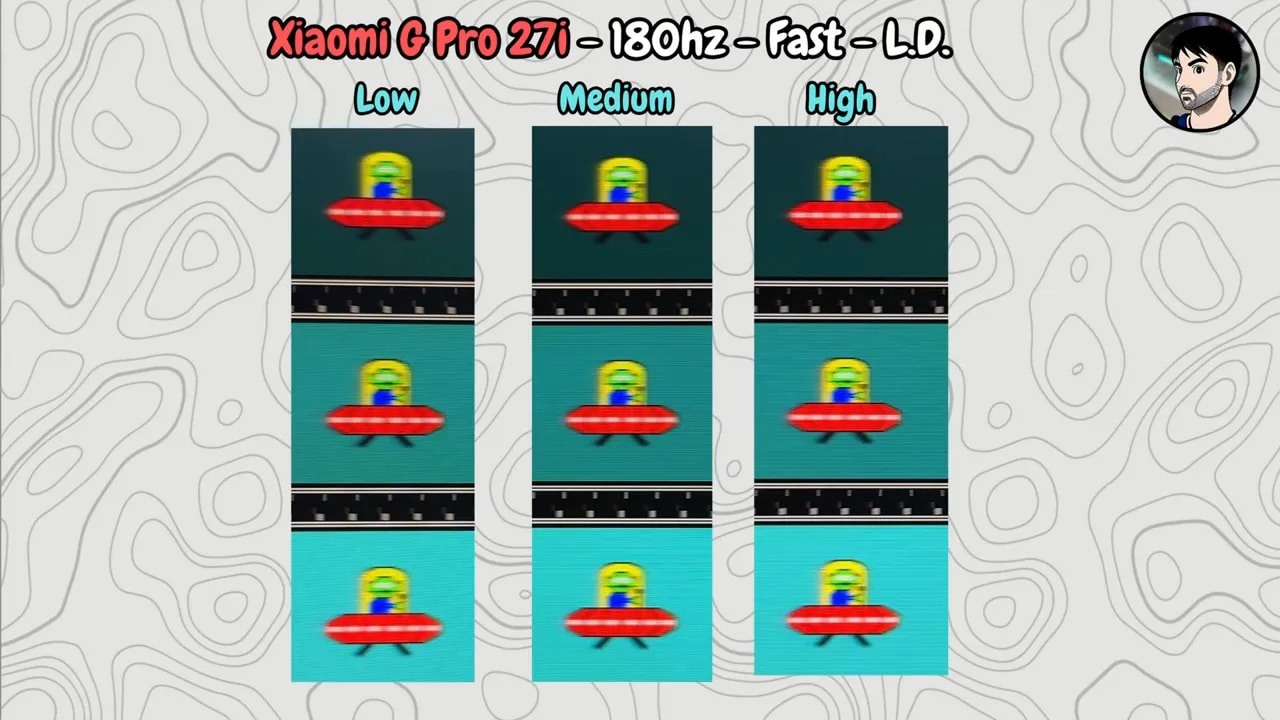
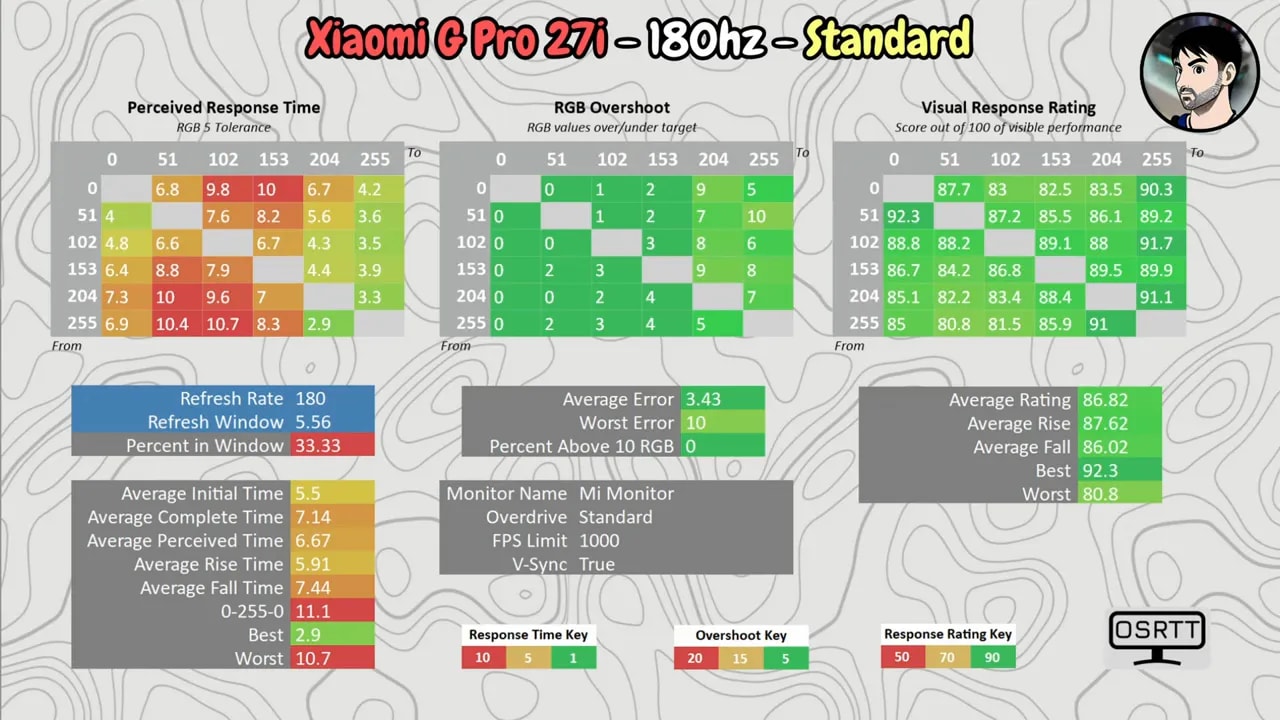
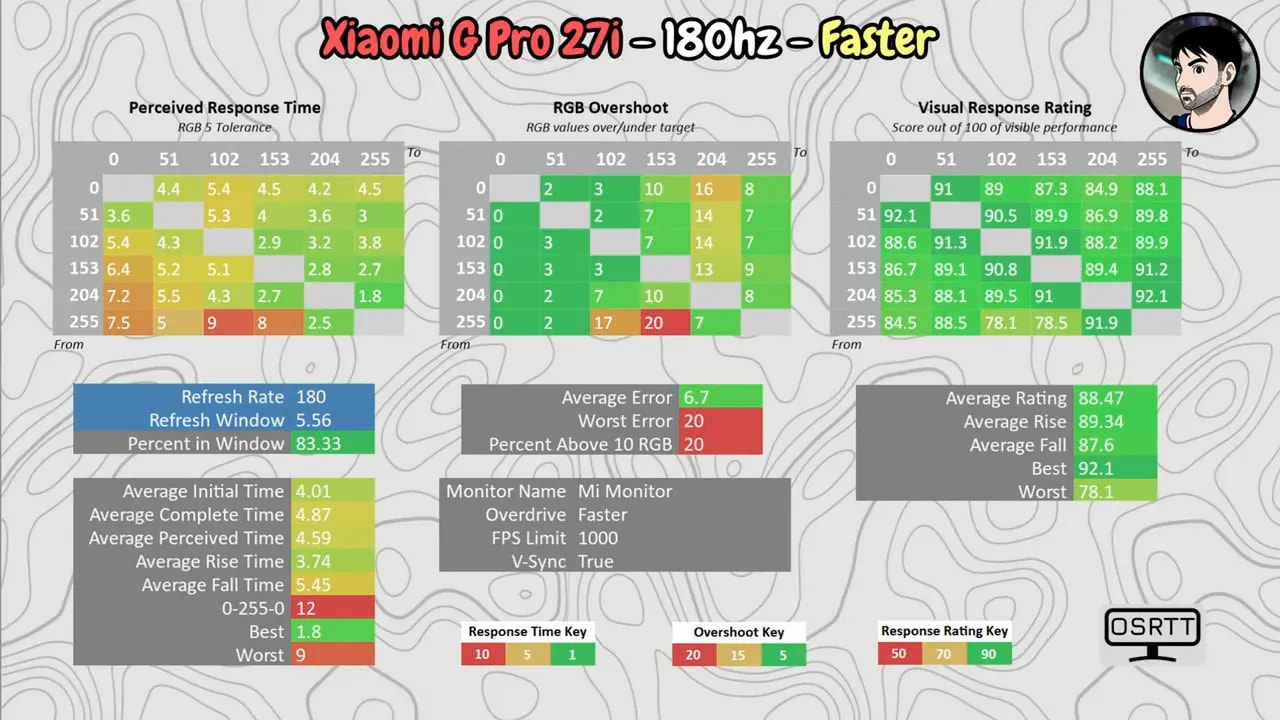
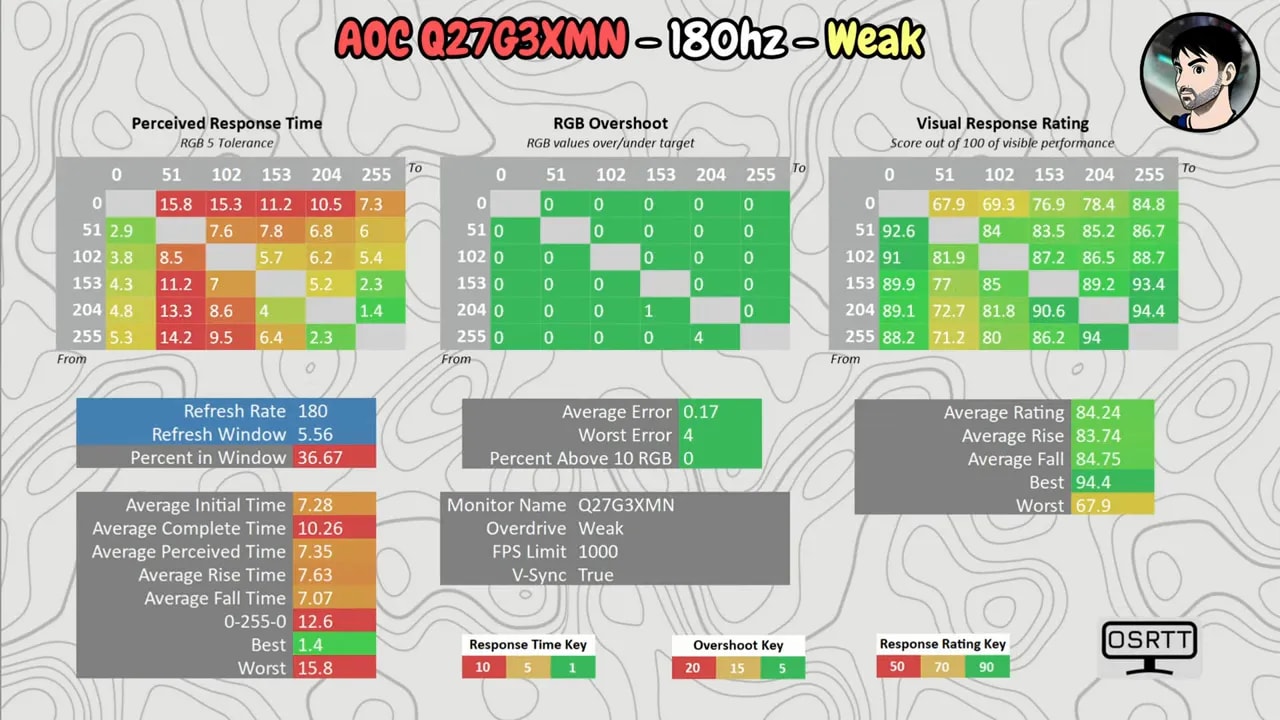
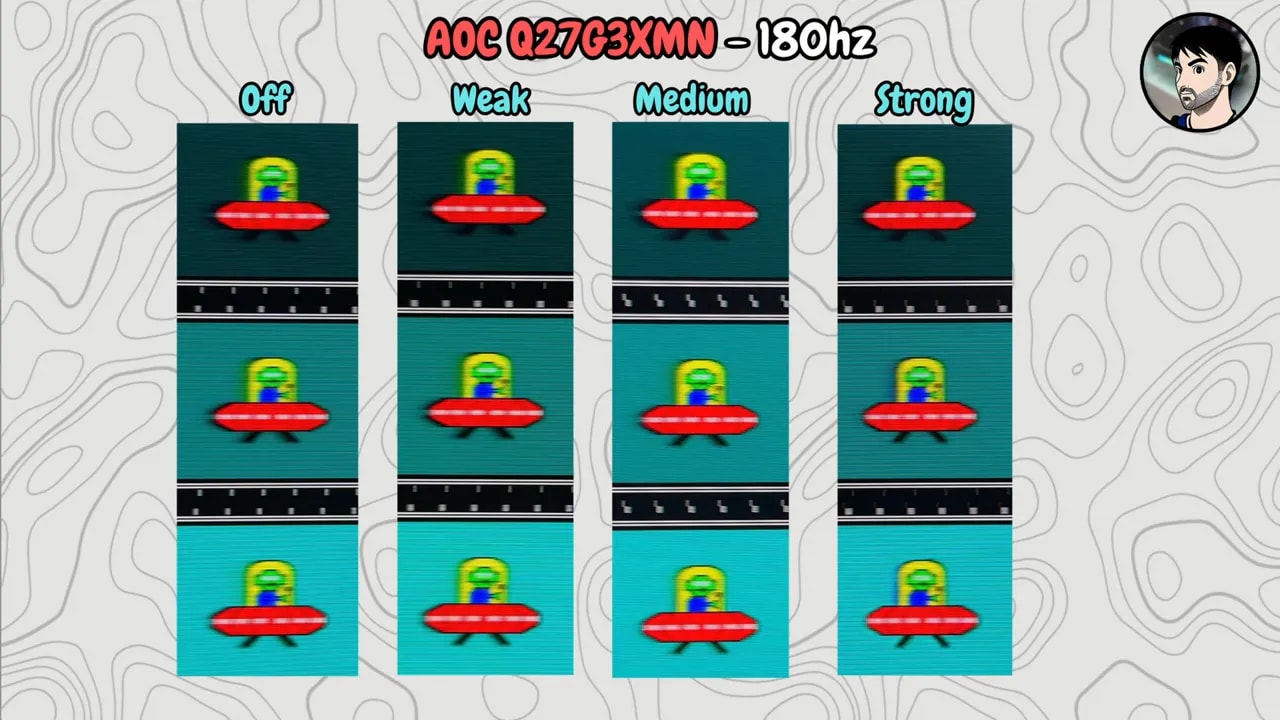
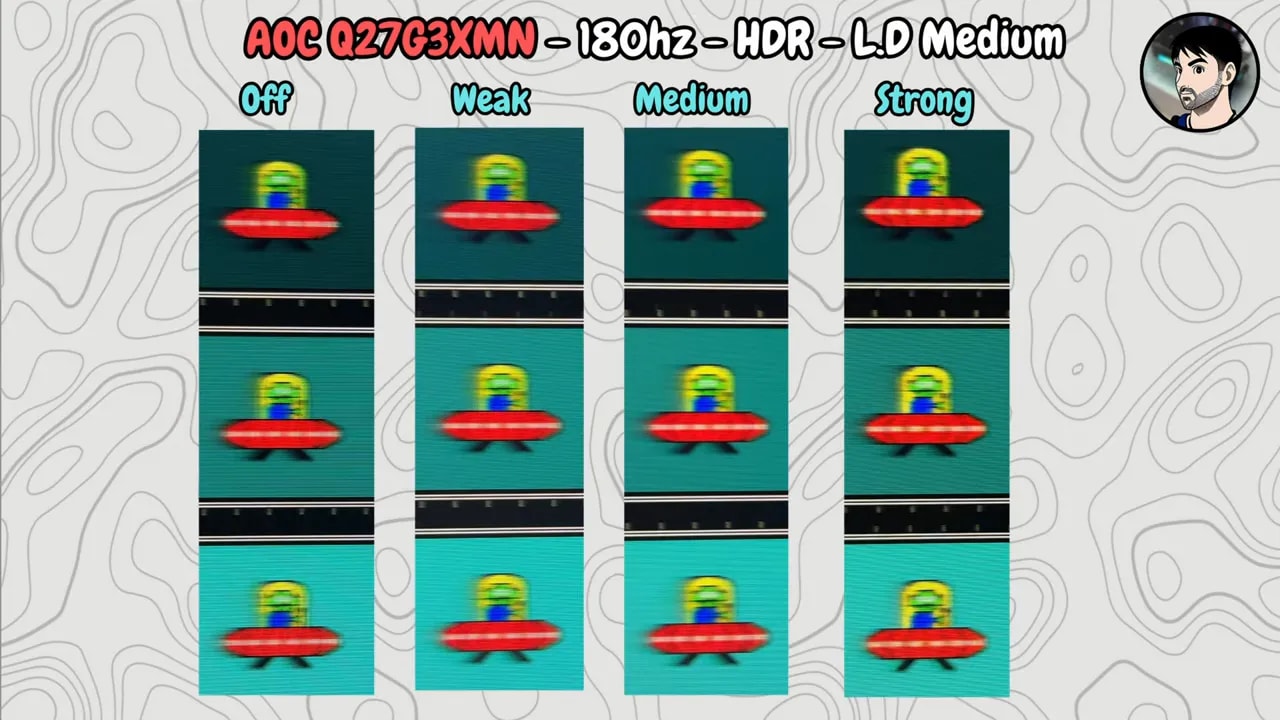
The conclusion here is simple: if you play a lot of fast-paced games, Xiaomi takes the crown.
VRR and flickering: the classic VA issue
The explanation for VRR is short, because the AOC carries a drawback typical of many VA panels: flickering.
When FPS vary significantly, some flickering can appear. This does not happen in the same way on the Xiaomi.
With local dimming enabled on both, certain moving objects can also appear to flicker, but on the AOC that is compounded by the VA panel’s own behavior. So even with good FreeSync specifications, you may simply prefer not to use it in certain games.
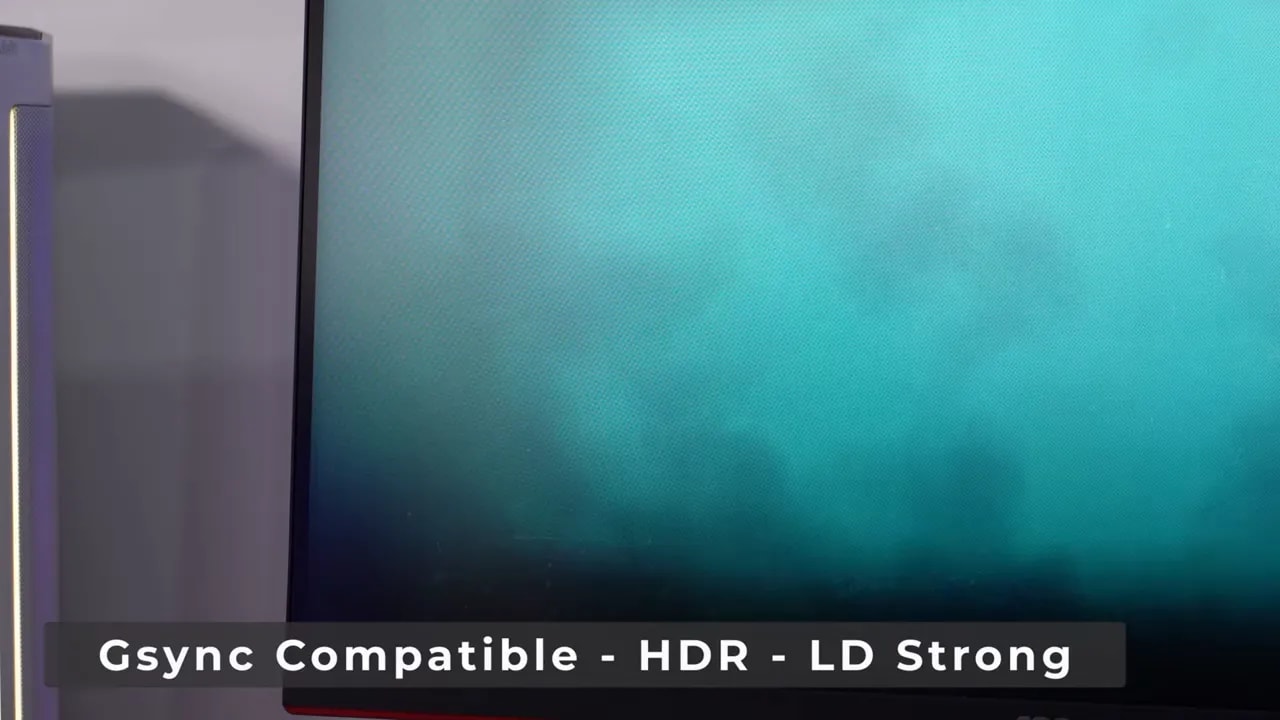
Both support FreeSync and G-Sync Compatible, but in actual use Xiaomi again fares better if visual stability and variable-refresh gaming matter to you.
PWM and eye fatigue
There is another technical detail that should not be confused with VRR: PWM.
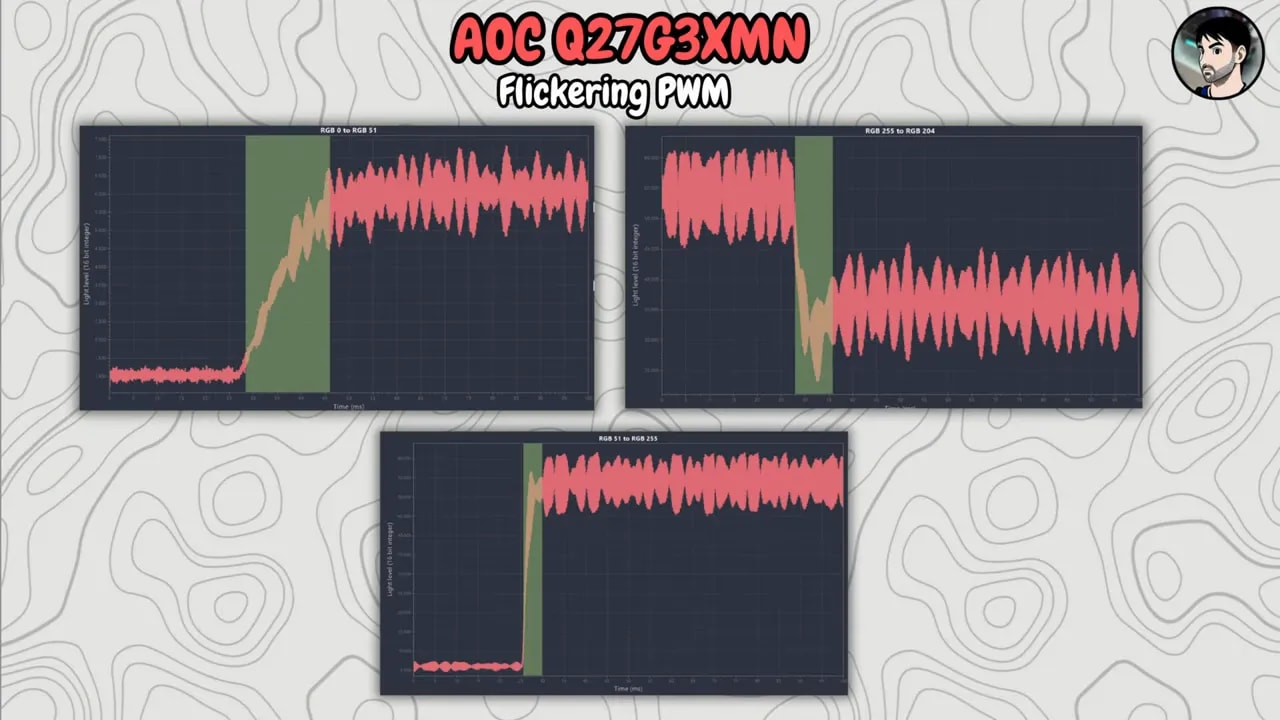
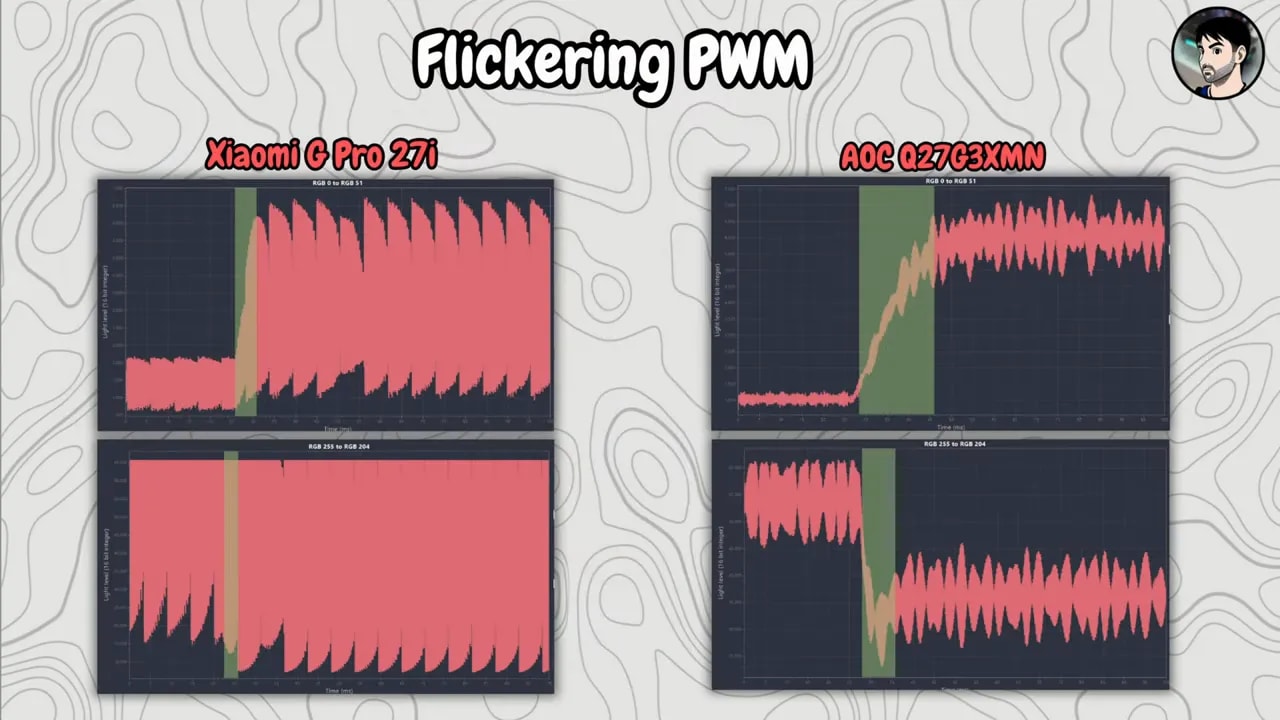
Both monitors use pulse-width modulation for the backlight, meaning the light flickers very quickly. It may be invisible to the naked eye, but for eye fatigue it is not exactly ideal.
There is no definitive conclusion about which is worse, although the measurement charts seemed to show a somewhat wider pattern on the Xiaomi. This should be treated cautiously, though.
PS5 compatibility: this depends entirely on how you play
The comparison also gets interesting on consoles, particularly with PlayStation 5.
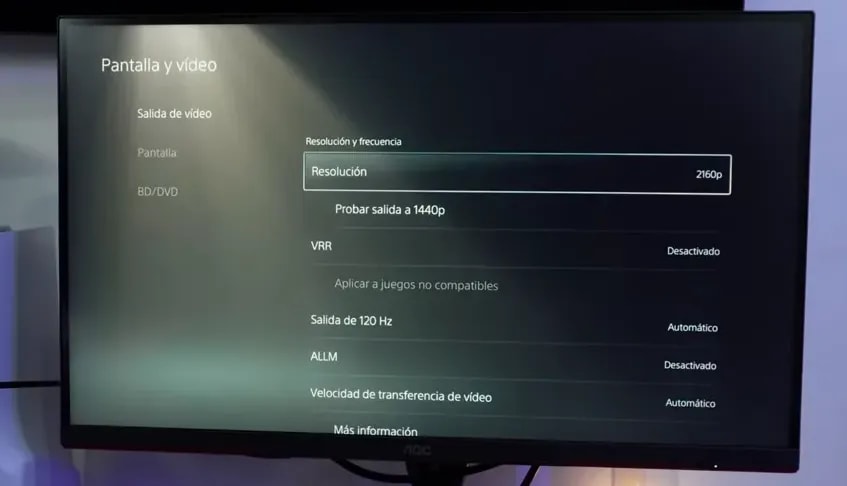
The AOC supports downscaled 4K at 60 Hz, despite being a 1440p monitor. This is already quite common on many monitors with this resolution, and in certain cases it usually produces a slightly better image than native 1440p.
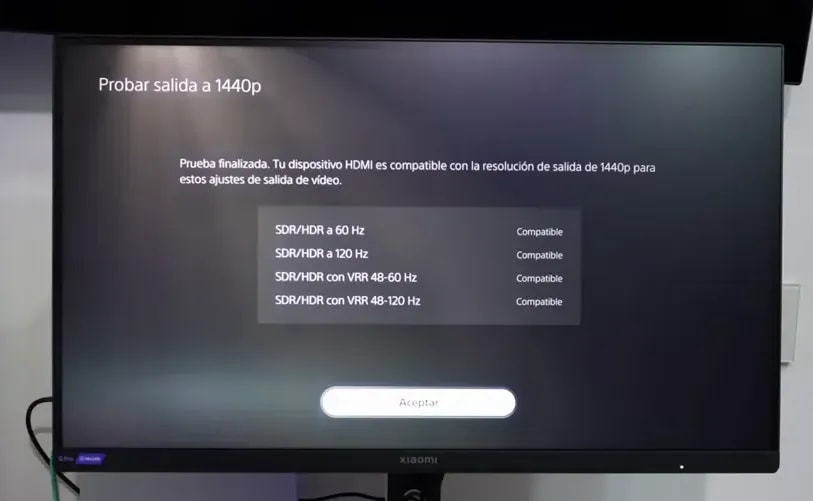
The Xiaomi, meanwhile, has a very welcome surprise: it is one of the few 1440p monitors that support VRR on PS5 without HDMI 2.1.
Therefore:
- If you prioritize 4K at 60 fps, the AOC makes more sense.
- If you prioritize VRR at 1440p, the Xiaomi is the better option.
At 60 Hz and 120 Hz, the AOC also performs somewhat better in response times than Xiaomi, although with slightly more overshoot in certain transitions. Overall, the AOC makes a strong case for console use, especially if you play at 60 Hz or care more about 4K downscaling than VRR.
Price: close enough that usage matters more
There is no enormous price gap; both are around 250 euros or even less. Check prices here:
Ver precio del Xiamoi G Pro 27i
Enlace de afiliado. Ayudas al proyecto sin coste adicional para ti.
Ver precio del AOC Q27G3XMN
Enlace de afiliado. Ayudas al proyecto sin coste adicional para ti.
With such a small difference, the decision should not be based solely on which costs less today, but on what kind of experience you want.
A practical summary of each monitor’s strengths
Where the AOC Q27G3XMN wins
- Better native contrast
- Higher HDR brightness
- Better PQ EOTF tracking
- Better response performance at 60 Hz and 120 Hz
- Useful 4K 60 support for PS5
Where the Xiaomi Mini LED G Pro 27i wins
- Better viewing angles
- Better color and wider gamut coverage
- Higher SDR brightness
- Far more Mini LED zones
- Better overall local dimming behavior at medium
- Better response times at 180 Hz
- Better experience in fast-paced and competitive games
- Better VRR behavior
- VRR on PS5 at 1440p without HDMI 2.1
So, which would I buy?
If you want a more well-rounded, versatile monitor that is better in most important areas, I would choose the Xiaomi Mini LED G Pro 27i.
If your absolute priority is brighter HDR, the native contrast or use with PS5 at 4K 60, then the AOC Q27G3XMN still makes a lot of sense.
But weighing everything up, especially for general use and PC gaming, Xiaomi seems like the better overall buy to me. Not because it dominates everything, but because it loses in a few very specific areas and wins in almost everything else.
In such a close comparison, that ends up counting for a lot.