Guide to QD-OLED monitors and their new generations
QD-OLED generations, formats, sharpness, HDR and 18 MSI models, with IMartz measurements and a look at the upcoming triple-mode monitor.
Guide sponsored by MSIIncludes Monitor Garage’s own measurements and official specifications identified as such.
How this guide is organised
QD-OLED monitors now cover a much wider range of uses. You can choose a fast 27-inch display for gaming, a compact 4K model for sharpness, a 32-inch screen for PC and console, or an ultrawide that fills more of your field of view. Alongside that variety come new emissive structures, subpixel changes, surface treatments and protection features.
The useful question is what each change contributes. In Monitor Garage testing, the MSI MPG 272URX QD-OLED stands out for the sharpness of its 26.5-inch 4K screen; the MSI MPG 322UR QD-OLED X24 improves SDR brightness and ambient-light black handling; and the MSI MPG 341CQR QD-OLED X36 combines faster ultrawide gaming with cleaner text and higher HDR brightness in small highlights. These are different advances, and choosing well depends on which ones you will use.
Guide contents
- What QD-OLED is and how it creates an image
- Understanding QD-OLED generations
- Penta Tandem and RGB Stripe describe different changes
- Screen sizes and formats for different uses
- What is improving in text clarity
- Brightness and HDR from our measurements
- Wide colour and accurate colour
- Reflections and black levels in ambient light
- What 240 360 and 500 Hz contribute
- Panel protection and work use
- Connections and differences between MSI models
- Choosing a QD-OLED around your priorities
- Frequently asked questions
- MSI model guide by screen format and use
- Announced QD-OLED developments from MSI
What QD-OLED is and how it creates an image
QD-OLED combines an OLED light-emitting system with a quantum-dot colour conversion layer. Some of the blue light is converted into red and green, and the red, green and blue subpixels form the image we see.
Each pixel can control its light. In a dark scene, a star can light up while the background remains off. This separates very small bright details from their surroundings without relying on backlight zones.
Response and colour reproduction
That also explains part of the appeal for gaming: pixel transitions are very fast. Even so, motion clarity depends on refresh rate, frame rate and the way each image is presented. A 240 Hz OLED and a 500 Hz OLED share a technological foundation, but offer different possibilities.
Colour is another strength. There is scope for wide gamuts and bright colours, although taking advantage of that requires the monitor to interpret the signal correctly. A screen can produce very vivid colours while oversaturating SDR content if it uses its entire gamut in an application expecting sRGB.
Understanding QD-OLED generations
Generations help organise the evolution, but they need to be accompanied by specific features. Size, resolution and refresh rate progress at different speeds. A brand’s commercial classification can also group panel revisions that introduce improvements without changing the generation number.
| Generation in MSI’s range | Examples | What to identify |
|---|---|---|
| 1st generation | 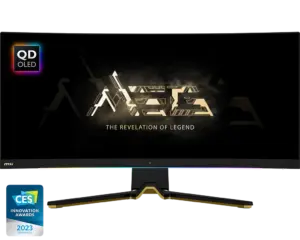 MSI MEG 342C QD-OLED1st generation | 34-inch ultrawide at up to 175 Hz. The early triangular subpixel layout of this QD-OLED family. |
| 2nd generation | 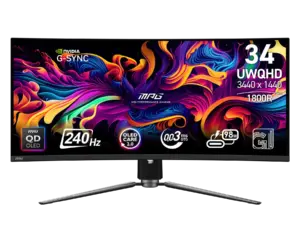 MSI MPG 341CQPX QD-OLED2nd generation | The 34-inch ultrawide reaches 240 Hz. It still does not use the RGB Stripe arrangement. |
| 3rd generation |  MSI MPG 321URX QD-OLED3rd generation  MSI MPG 271QR QD-OLED X503rd generation | 27-inch QHD and 32-inch 4K expand the choice. The triangular subpixel geometry is revised. MSI also places the 500 Hz MSI MPG 271QR QD-OLED X50 here: higher Hz do not automatically mean a later generation. |
| 4th generation |  MSI MPG 272URX QD-OLED4th generation  MSI MPG 322UR QD-OLED X244th generation | Penta Tandem’s five emitting layers reach more formats, including compact 27-inch 4K and 32-inch 4K. Brightness and surface treatment still depend on the exact model. |
| 5th generation |  MSI MPG 341CQR QD-OLED X365th generation  MSI MAG 341CQP QD-OLED X285th generation | RGB Stripe changes the subpixel layout. In the tested MSI MPG 341CQR QD-OLED X36, text improves and the 34-inch ultrawide reaches 360 Hz. The MSI MAG 341CQP QD-OLED X28 offers another configuration at 280 Hz. |
The walkthrough and model labels follow MSI’s full model list by generation. You can use it to locate a specific model. Our examples show what changes in each case; displays from the same generation do not all offer the same features.
Penta Tandem and RGB Stripe describe different changes
Penta Tandem: behind the pixel
Five emissive layers. A change in the light-emitting structure.
RGB Stripe: across the surface
Red, green and blue subpixels arranged in a row.
Penta Tandem therefore does not automatically mean 1300 nits or an identical brightness improvement across every format. The MSI MPG 272URX QD-OLED and MSI MPG 322UR QD-OLED X24 share this technological family, but their results and priorities differ.
Emissive layers and monitor limits
The emissive layers in Penta Tandem
Tandem describes a structure with multiple stacked emissive units. Penta Tandem identifies the five-layer architecture used in certain QD-OLED panels. Those layers are part of the light-emitting structure; quantum dots perform colour conversion at a separate stage.
A more efficient structure can provide room for higher brightness, reduce the effort needed to produce a given luminance, or combine both benefits. What reaches your desk also depends on panel size, pixel density, thermal management, electrical limits and the monitor’s configuration.
Subpixels, generations and OLED Care
The subpixels visible at the surface
RGB Stripe describes the arrangement of the red, green and blue subpixels within each pixel. That is separate from the number of emissive layers behind them. Earlier QD-OLED panels use a triangular arrangement, although its geometry has evolved.
The MSI MPG 322UR QD-OLED X24 uses Penta Tandem and retains a triangular arrangement. The MSI MPG 341CQR QD-OLED X36 combines Penta Tandem with RGB Stripe. The latter is also described as V-Stripe in the panel manufacturer’s documentation.
A third name needs to be kept separate: OLED Care 3.0 is the version of an MSI protection feature suite. It does not identify a third-generation panel. Similarly, EL Gen 3 refers to emissive material technology, not the same monitor-generation numbering.
Screen sizes and formats for different uses
The diagonal alone tells you relatively little. A 34-inch ultrawide is much wider than a 27-inch 16:9 screen, but has a similar height. A 32-inch 16:9 screen grows in both width and height. That changes window layouts, desk space and the feeling of playing on the display.
| Typical format | Resolution | Approximate density | Main benefit |
|---|---|---|---|
| 27-inch QHD with a 26.5-inch panel | 2560 × 1440 | 111 ppi | Compact format and very high refresh rates for competitive gaming. |
| 27-inch 4K with a 26.5-inch panel | 3840 × 2160 | 166 ppi | High definition for text, images and games. |
| 32-inch 4K with a 31.5-inch panel | 3840 × 2160 | 140 ppi | A larger image with good density in a 16:9 format. |
| 34-inch ultrawide | 3440 × 1440 | 110 ppi | More horizontal workspace and a wider field of view in supported games. |
| 49-inch superultrawide | 5120 × 1440 | 109 ppi | A very wide surface, close to two 27-inch QHD displays side by side. |
Densities are calculated using the stated diagonals and rounded. They are not measurements of text clarity: subpixel arrangement, viewing distance and scaling also matter.
Scaling, consoles and graphics workload
A 27-inch 4K monitor has the same number of pixels as a 32-inch 4K monitor, concentrated into a smaller surface. It gains definition, but interface elements appear smaller at the same scaling. For work, adjust Windows or macOS until text is comfortably sized. The Monitor Garage PPI calculator helps compare densities.
Content support matters on an ultrawide. A game may expand the field of view, retain side bars or impose restrictions in particular scenes. Consoles mainly output 16:9; accepting their signal does not turn the game into ultrawide content. On the MSI MPG 341CQR QD-OLED X36, we verified 4K 120 Hz with HDR and VRR on PS5, but the screen is still 3440 × 1440 and side bars should be used to preserve proportions.
Graphics card workload
A QHD frame contains about 3.69 million pixels. At 3440 × 1440, that rises to 4.95 million, approximately 34% more. A 4K frame contains 8.29 million pixels: 2.25 times the QHD pixel count. Superultrawide 5120 × 1440 reaches 7.37 million.
That gives a sense of graphics workload, but frame rates do not change in a fixed proportion. The processor, game, settings, ray tracing and upscaling all contribute. Before choosing 360 or 500 Hz, check performance in the games you actually play.
What is improving in text clarity
Letter edges can reveal small coloured fringes when the subpixel arrangement and the operating system’s rendering do not work well together. QD-OLED’s triangular geometry has made the effect more visible at certain combinations of size, resolution and viewing distance.
The MSI MPG 341CQR QD-OLED X36’s new RGB Stripe layout reduces the problem. In our review, fringing was reduced to the point of being practically imperceptible in the use described. That is a particularly useful advance on a 3440 × 1440 ultrawide with a density of around 110 ppi.
Density provides another route to improved readability. The MSI MPG 272URX QD-OLED retains triangular subpixels, but its approximately 166 ppi allows very well-defined text and detail. Sharpness was one of its main strengths in our review.
Distance, text edges and real-world comparison
Comparing these two monitors therefore requires considering both arrangement and pixel size. RGB Stripe improves the ultrawide’s text, but does not add the pixels of a 4K panel. A 27-inch 4K display can still be preferable for someone prioritising definition on a compact desk.
When assessing a purchase, I would try the text size and viewing distance I intend to use. A macro photograph helps explain the structure, but cannot by itself reproduce how a spreadsheet will look at a normal distance.
Read more in the MSI MPG 272URX QD-OLED review and MSI MPG 341CQR QD-OLED X36 review.
Brightness and HDR from our measurements
OLED brightness changes with the amount of illuminated screen area and the picture mode. Interpreting the figures requires distinguishing a full white screen from a small bright detail against black.
The comparison brings together the values recorded on Monitor Garage’s model pages. SDR represents full screen; HDR retains the 10% and 2% window conditions used in testing. These are results from the units and settings tested, rather than advertised specifications or a guarantee for every firmware version.
| Tested model | Full-screen SDR | HDR at 10% | HDR at 2% |
|---|---|---|---|
| MSI MPG 321URX QD-OLED | 260 nits | 450 nits | 990 nits |
| MSI MPG 272URX QD-OLED | 263 nits | 461 nits | 1026 nits |
| MSI MPG 271QR QD-OLED X50 | 300 nits | 495 nits | 961 nits |
| MSI MPG 322UR QD-OLED X24 | 300 nits | 494 nits | 966 nits |
| MSI MPG 341CQR QD-OLED X36 | 300 nits | 500 nits | 1281 nits |
How to read and compare these measurements
APL means average picture level. In a white-window-on-black test, window percentage lets us compare controlled conditions. A real scene mixes luminances and colours; the size of its brightest object does not fully describe it.
The columns summarise different conditions and do not promise all three results simultaneously in one setting. To compare True Black, Peak and EOTF Boost modes, consult each model’s curves. The full-screen SDR value should not be interpreted as a timed sustained-brightness test: that duration measurement is not included here.
Three useful conclusions follow. First, the MSI MPG 272URX QD-OLED provides high density, but its brightness figures remain close to the MSI MPG 321URX QD-OLED. Second, 300-nit SDR appears across several panel designs, including the MSI MPG 271QR QD-OLED X50. Third, the MSI MPG 341CQR QD-OLED X36’s improvement is especially concentrated in the small HDR window: its 1281 nits at 2% does not carry over to 10% screen illumination.
The MSI MPG 322UR QD-OLED X24 also illustrates the distinction between the advertised capability of a panel family and the behaviour of a particular monitor. Our unit recorded 966 nits at 2%. That is the result we use, even when other figures appear in promotional material about the underlying technology.
True Black and high-peak modes
On the MSI MPG 341CQR QD-OLED X36, True Black 500 delivers around 500 nits in small windows and generally balanced luminance tracking under those conditions. Peak 1300 allows brighter highlights, but the compromises change as more of the screen lights up.
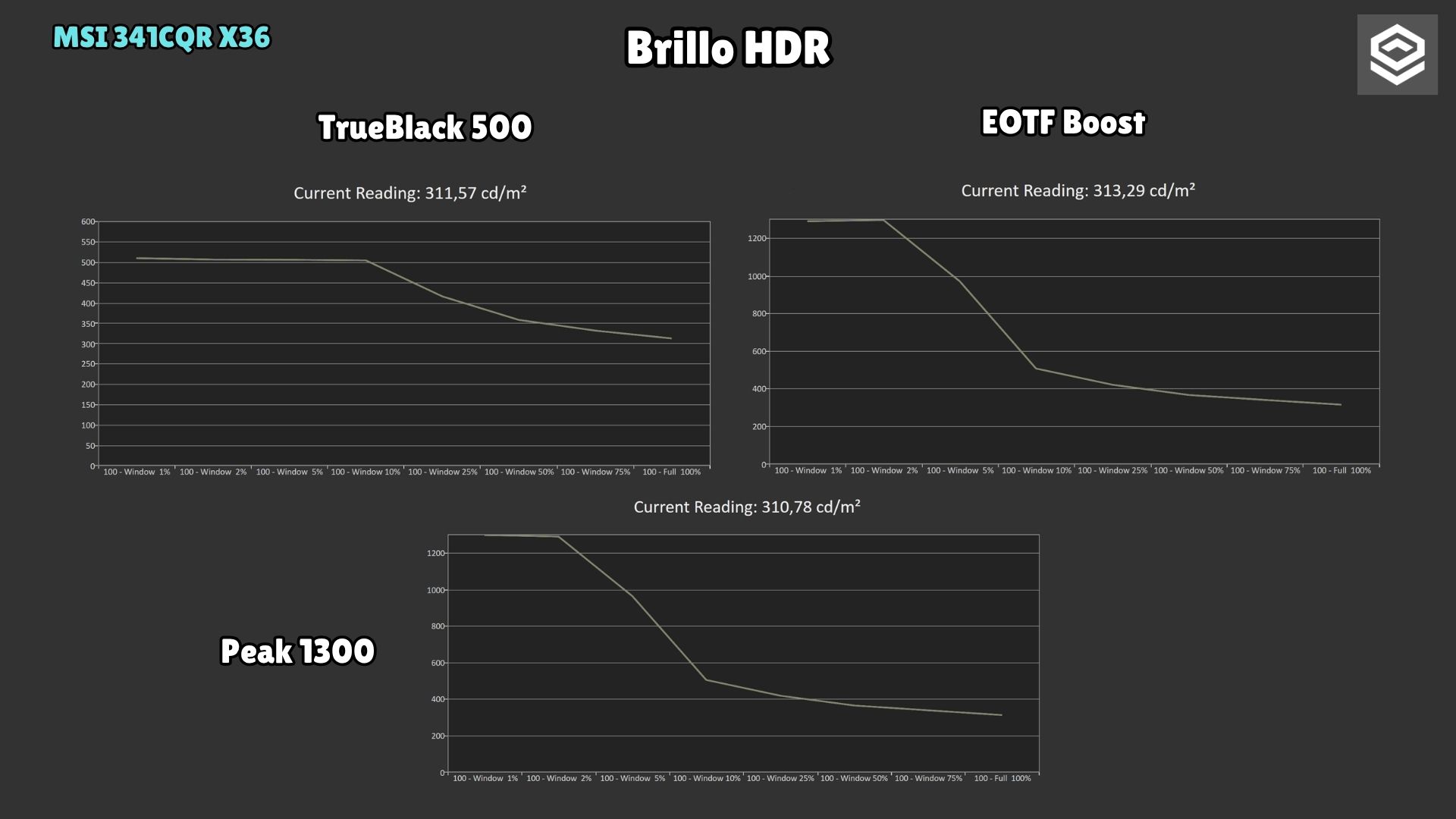
The MSI MPG 341CQR QD-OLED X36 chart shows how the modes’ brightness converges as the illuminated area grows. The examples below show how the same modes track the HDR reference.
Reading a PQ EOTF curve with real examples
PQ EOTF relates the HDR signal to the luminance the display should reproduce. If the measurement is above the reference, that tone is brighter than intended; below it, darker. Near the display’s limit, highlight compression also matters: a higher peak alone cannot describe the whole image.
These are IMartz’s original measurements of the MSI MPG 341CQR QD-OLED X36. Yellow: reference. Grey: measurement. Compare modes at the same window size, then change from 2% to 25%. The window percentage describes the illuminated screen area, not the HDR signal level or the monitor’s brightness setting.
True Black 500 · window 2 %

Reference tracking as a starting point
The grey measurement closely follows the yellow reference, with some tones slightly below it. At a 40% signal level, for example, we measured 30 nits against a 32-nit target. The final flat section reflects this mode’s brightness ceiling.
Peak 1300 · window 2 %

More headroom for a small highlight
With the same 2% window, Peak 1300 allows a higher brightness ceiling than True Black 500. The grey curve stays fairly close to the reference over much of its range: increasing the peak does not require lifting every midtone.
EOTF Boost · window 2 %

More apparent brightness, a different image
The grey curve sits above the yellow reference in shadows and midtones. At a 40% signal level, we measured 90 nits against a 32-nit reference. The relationship changes again in the highlights: this mode brightens the image but does not preserve the same luminance relationships.
True Black 500 · window 25 %

The limit changes with the illuminated area
Moving from a 2% to a 25% window lowers the luminance ceiling. The curve remains relatively close to the reference through much of the midtones and compresses before reaching its limit. Window size matters even without changing modes.
Peak 1300 · window 25 %

The peak does not tell the whole story
The measurement falls below the reference through part of the upper range and compresses transitions before reaching its ceiling. A mode called Peak 1300 does not deliver 1300 nits at every window size or guarantee a brighter image throughout the scene.
EOTF Boost · window 25 %

Lifting midtones does not restore highlights
EOTF Boost still lifts shadows and midtones, but the grey curve then flattens and falls below the reference through part of the upper range. This changes the contrast between image regions; it is not simply the same image with a higher peak.
The EOTF panel uses a PQ scale, not a direct nit scale. Open the full report to see the luminance chart and numeric readings; its nit axis changes between captures. These patterns help explain the behaviour, but do not reproduce every real scene. In our review, the high-peak mode could look darker overall than True Black 500 in some scenes.
EOTF Boost and Uniform Luminance
EOTF Boost changes the presentation to increase apparent brightness in certain scenes. On the tested MSI MPG 271QR QD-OLED X50 and MSI MPG 341CQR QD-OLED X36, it lifts midtones and compresses some highlights. It can suit a picture preference, but would not be my choice for maintaining the closest reference reproduction.
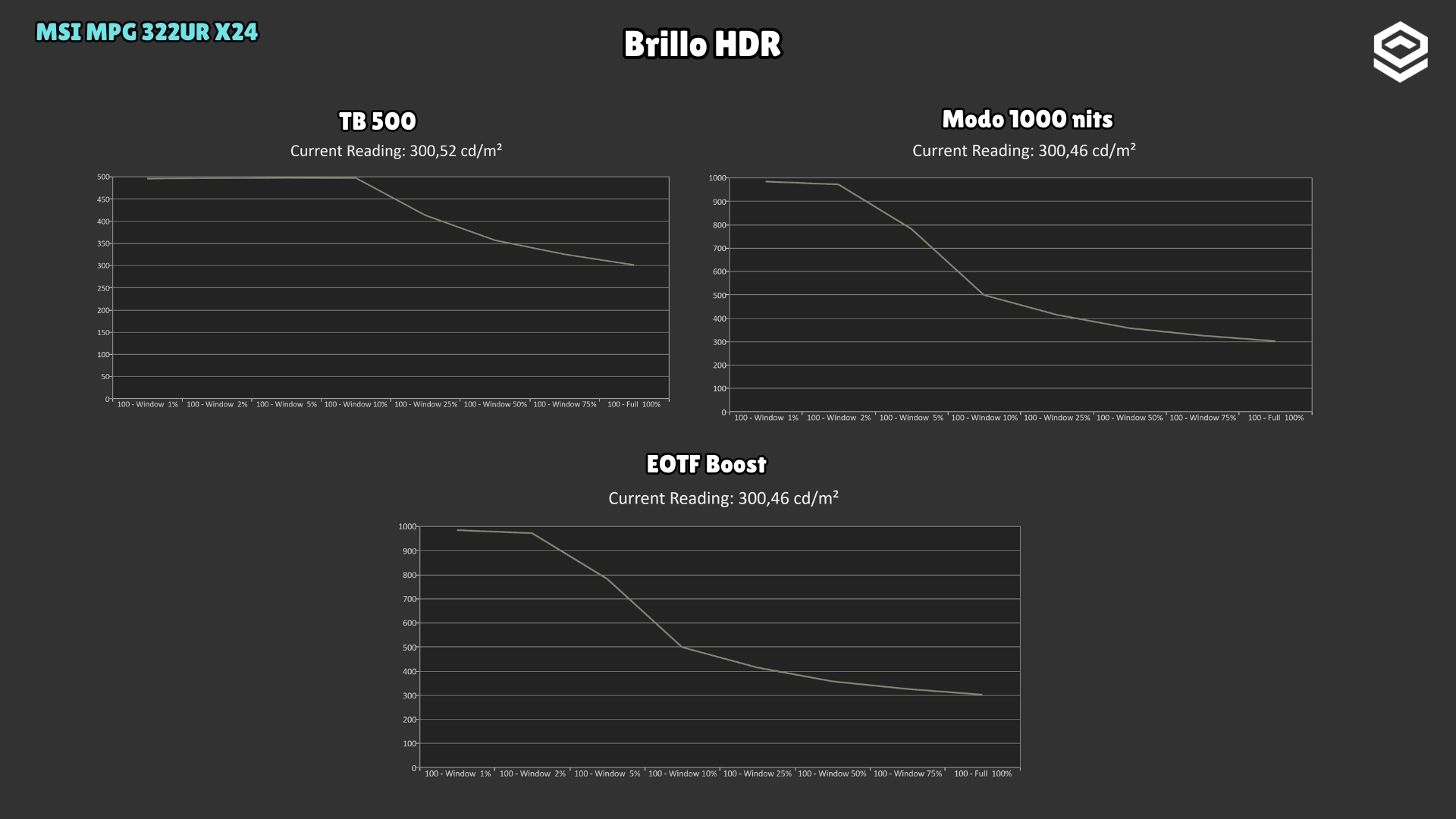
The MSI MPG 322UR QD-OLED X24 chart compares TB500, the 1000-nit peak mode and EOTF Boost over the same sequence of window sizes.
Uniform Luminance and curve adjustment
Uniform Luminance allows the brightness curve to be customised by APL on supported models. It is useful for adapting transitions and the balance between peak brightness and stability. Adjustments stay within the panel’s limits: reducing fluctuations can mean giving up some brightness in small windows.
We found customisable HDR and good tracking on the MSI MPG 322UR QD-OLED X24; on the MSI MPG 341CQR QD-OLED X36, the OSD provides considerable scope for experimentation. Adjusting a curve to taste is not equivalent to calibrating it. A sensible starting point is to understand the factory modes, then change what actually bothers you.
Wide colour and accurate colour
Gamut coverage tells you how much of a colour space the monitor can reproduce. Accuracy describes how closely colours match their targets. Volume also incorporates luminance. These measurements are related, but answer different questions.
In SDR, our model pages record 99.7% DCI-P3 coverage for the MSI MPG 271QR QD-OLED X50, 99.6% for the MSI MPG 322UR QD-OLED X24 and 98.4% for the MSI MPG 341CQR QD-OLED X36. All three cover a wide gamut, although the newest model does not necessarily lead every percentage.
HDR shows a similar pattern. The MSI MPG 271QR QD-OLED X50 records 82.4% BT.2020 coverage and the MSI MPG 341CQR QD-OLED X36 77.5%. That difference alone does not make the former a better HDR monitor: the latter can provide more luminance in a small highlight. Assessing the image requires combining colour, brightness, signal tracking and scene behaviour.
sRGB, calibration and colour management
A well-adjusted sRGB mode is particularly useful for conventional SDR content. It was one of the strongest points in the MSI MPG 271QR QD-OLED X50 review. It helps prevent a very wide native gamut from changing colours excessively when an application does not manage colour.
Photographers and video editors should also consider the target colour space, uniformity and calibration of their particular unit. The QD-OLED name does not replace those checks. An ICC profile can help in a colour-managed workflow; its effect does not automatically carry over to every game.
Reflections and black levels in ambient light
The black we see depends on both light emitted by the panel and light arriving from the room. Even when a pixel is off, ambient illumination can change the surface’s appearance.
DarkArmor Film is MSI’s exclusive screen-coating technology, designed to reduce the purple tint and improve black appearance under ambient light on supported QD-OLED models. MSI explains how DarkArmor Film works.
On the MSI MPG 341CQR QD-OLED X36, we observed a reduction in tint and a more greyish appearance under ambient light. The improvement is noticeable, although some black-level elevation remains and the screen still reflects light.
Reduced tint is also among the MSI MPG 322UR QD-OLED X24’s recorded strengths. That does not establish that every Penta Tandem monitor uses the same finish: check the particular model.
Reflections, lighting and cleaning
On several QD-OLED monitors we tested, direct light raises black levels and produces a magenta tint. A glossy finish preserves a well-defined image, but also makes certain reflections more recognisable. Placing a monitor opposite a window can matter more than a small difference in peak brightness.
MSI advertises 40% deeper blacks and a surface hardness of 3H rather than 2H, with 2.5 times greater scratch resistance. These are the manufacturer’s comparative claims, not measurements from our tests. Greater resistance does not mean that any cleaning product or pressure is safe: use a suitable cloth and follow the manufacturer’s instructions.
What 240 360 and 500 Hz contribute
Increasing the refresh rate reduces the time between refreshes. Use the selector to compare these intervals: they are calculated from frequency, not measurements of input lag or pixel response time.
| Refresh rate | Interval between refreshes |
|---|---|
| 175 Hz | 5.71 ms |
| 240 Hz | 4.17 ms |
| 360 Hz | 2.78 ms |
| 500 Hz | 2.00 ms |
With enough new frames and stable delivery, a shorter interval helps define objects we track with our eyes. On the MSI MPG 271QR QD-OLED X50, 500 Hz motion clarity was a major strength. The difference from 240 and 360 Hz was particularly apparent when examining moving detail.
That does not mean every game will take advantage of it. A demanding title running at 90 FPS does not produce 500 new images per second just because it is connected to a 500 Hz monitor. In that situation, resolution, HDR or size may carry more weight.
Why 0.03 ms does not describe motion performance
The advertised 0.03 ms figure also does not summarise the result. Our model pages record response times of 0.98 ms for the MSI MPG 321URX QD-OLED, 0.86 ms for the MSI MPG 272URX QD-OLED and 0.89 ms for the MSI MPG 271QR QD-OLED X50. Methods and thresholds are not necessarily the same as those behind the manufacturer’s advertised figure. What matters is checking transitions, overshoot and observed clarity.
VRR and BFI still need attention
VRR synchronises refreshes with frame delivery, but some OLEDs show visible luminance fluctuations when the timing changes sharply, especially in dark tones. This flicker remains present in the MSI MPG 271QR QD-OLED X50 and MSI MPG 341CQR QD-OLED X36 reviews.
Antiflicker and BFI: what to check
An antiflicker feature can help under certain conditions, sometimes by changing the VRR range or behaviour. A new generation should not be assumed to have eliminated it. If you are sensitive, checking the specific implementation and maintaining stable game performance matters more.
BFI inserts dark intervals to reduce image persistence. It can improve clarity, but operation, brightness loss and possible artefacts depend on the model. The implementation tested on the MSI MPG 341CQR QD-OLED X36 needed refinement. Its presence in the menu does not make it the best gaming setting.
Panel protection and work use
OLED materials wear with use. When some areas accumulate more exposure than others, permanent uneven wear, or burn-in, can appear. Material improvements, panel management and protection features reduce the risk, but content, brightness and operating hours still matter.
The five MSI models with full reviews discussed in this guide offer an advertised three-year warranty including burn-in, subject to the terms applicable to the product and country. Coverage provides support, while usage habits remain relevant throughout the monitor’s life.
For mixed use, an inactivity timeout, appropriate brightness and allowing automatic cycles to finish are helpful. If your workday involves keeping the same static interface on screen for many hours every day, consider that exposure before choosing. Text clarity and wide colour do not eliminate uneven wear.
What OLED Care and the presence sensor do
Care systems may shift the image slightly, detect static elements, dim selected areas and perform compensation cycles. Each feature has a purpose; there is no need to force manual maintenance cycles more frequently than instructed.
OLED Care 3.0 adds AI Care Sensor on certain MSI monitors. For example, if you leave your desk, presence detection can switch off the screen; when you return, it can wake it again. Adaptive Dimming can also reduce brightness when you look away, depending on which features are enabled. These functions reduce unnecessary screen-on time and help protect the panel. See MSI’s explanation of OLED Care 3.0.
Monitor Mode is configured through the monitor’s OSD and can be used with Windows, macOS, Linux and consoles. System Mode integrates with Windows 11 presence settings, including screen-off when leaving and wake on approach. The available settings depend on the model and selected mode.
For privacy, MSI states that detection is processed locally by a dedicated chip and that images are neither stored nor transmitted. Presence detection does not replace the panel’s compensation cycles or eliminate burn-in risk.
The sensor is part of the feature set on the tested MSI MPG 271QR QD-OLED X50 and MSI MPG 341CQR QD-OLED X36. For colour work, also check whether automatic brightness or colour-temperature adjustments are active: a stable visual reference may require disabling those adaptations while editing.
Connections and differences between MSI models
Two monitors with similar panels can behave quite differently when connecting a laptop, console or multiple computers. USB-C, KVM functionality, power delivery and bandwidth may determine whether the monitor fits your desk.
The MSI MPG 321URX QD-OLED includes 90 W USB-C and DisplayPort 1.4. The MSI MPG 272URX QD-OLED, MSI MPG 271QR QD-OLED X50 and MSI MPG 322UR QD-OLED X24 provide 98 W USB-C and DisplayPort 2.1 UHBR20. The MSI MPG 341CQR QD-OLED X36 also provides 98 W, but its DisplayPort connection uses UHBR13.5. These are meaningful differences lost when every connection is summarised as “DisplayPort 2.1”.
Within MSI’s range, MAG and MPG models can share key panel characteristics while differing in these extras. Our assessments of the MSI MPG 271QR QD-OLED X50 and MSI MPG 322UR QD-OLED X24 already noted that the MAG alternative may offer better value. Before paying the difference, I would check what the exact model adds and which features I will use.
DSC, KVM and USB-C limits
DSC allows a connection to carry modes that would not fit without compression. Checking a configuration requires combining resolution, refresh rate, colour depth and the capabilities of both devices. The port name alone does not resolve that question.
A KVM lets a keyboard and mouse be shared between correctly connected computers. PIP and PBP can display multiple signals, but restrictions depend on the monitor. USB-C charging must also be compared with the laptop’s requirements; 98 W does not mean every computer can maintain maximum performance using that cable alone.
Choosing a QD-OLED around your priorities
For competitive PC gaming, the MSI MPG 271QR QD-OLED X50 represents the QHD 500 Hz approach. It makes sense when maximum motion clarity is the priority and you can supply enough frames. Reflections, VRR flicker and price compared with other variants remain part of the decision.
For a very well-defined image on a compact desk, the MSI MPG 272URX QD-OLED combines 4K and 240 Hz at 26.5 inches. Density is its main argument. I would not choose it expecting a brightness improvement over every 32-inch QD-OLED.
For PC, console and a larger 16:9 image, the MSI MPG 322UR QD-OLED X24 offers 4K 240 Hz, recorded SDR brightness of 300 nits, adjustable HDR and reduced ambient-light tint. Compare it with its MAG alternative and other models in the same format using current prices and the features you actually need.
For immersion and horizontal workspace, the MSI MPG 341CQR QD-OLED X36 adds 360 Hz, RGB Stripe and higher HDR peaks in small windows. Its text improvements may also help with work. In return, you need to accept the particularities of 21:9, VRR flicker and the limitations of the tested settings.
For a good-value deal, an earlier model such as the MSI MPG 321URX QD-OLED can still make sense. It retains 4K 240 Hz, good colour and useful features for multiple devices. The price difference should compensate for newer alternatives’ improvements in surface treatment, brightness or connectivity.
The linked model pages bring together measurements, conditions and retailers. They let you compare current offers without turning a temporary price into a permanent recommendation.
Frequently asked questions
Penta Tandem and fifth generation
Penta refers to five emissive layers. The range discussed includes models classified as fourth generation that use this architecture. Layer count and commercial generation describe different things.
Which monitors have RGB Stripe
Some recent models retain triangular subpixels. The MSI MPG 341CQR QD-OLED X36 has RGB Stripe; the MSI MPG 272URX QD-OLED and MSI MPG 322UR QD-OLED X24 use a different arrangement. Check the exact model.
Ultrawide sharpness compared with 32-inch 4K
A larger diagonal does not imply higher density. A 34-inch 3440 × 1440 screen is around 110 ppi, while a 31.5-inch 4K screen is around 140. Ultrawide offers more relative width; 4K has more pixels and more vertical detail.
Full-screen HDR brightness
Peak brightness is reached under specific conditions, usually with small bright areas. We recorded 1281 nits at 2% and 500 nits at 10% on the MSI MPG 341CQR QD-OLED X36. Those values do not describe a full white screen.
DarkArmor in ambient light
In our tests it reduces tint and improves the appearance of black under illumination, but reflections and some black-level elevation remain. Light placement still matters.
QD-OLED for everyday work
It can be suitable, particularly when colour, response and good definition are valued. Choose appropriate density and scaling, and consider the hours of static content it will accumulate. Editing also requires attention to uniformity, calibration and colour management.
When upgrading a monitor is worthwhile
It depends on the problem you want to solve. RGB Stripe may justify a change if your ultrawide’s text bothers you; higher SDR brightness may help in another environment; and 500 Hz may appeal for competitive gaming. If your monitor already meets your needs, the generation number provides little information on its own.
What to check before buying
Start with format, resolution and viewing distance. Then consider SDR brightness, HDR behaviour, text clarity, reflections and motion. Finally, assess protection features, connectivity and the exact model’s price. Generations place the technology in context; testing helps identify the improvement you will actually notice.
MSI model guide by screen format and use
The range lets you choose a QD-OLED around screen size, resolution, refresh rate and connections. This selection includes models already listed on Monitor Garage and additional alternatives that do not yet have their own listing. Check availability and pricing for the exact reference in your country.
What the evidence labels mean
Tested by IMartz identifies models with a full review. Partial data means original testing with a limited scope. Official specifications describes features published by MSI, without assigning our own measurements or hands-on assessment to those models. Matching resolution, refresh rate or panel family does not guarantee the same brightness, calibration or VRR behaviour.
QHD monitors around 27 inches for PC gaming
Every model in this table has a 26.5-inch viewable screen and 2560 × 1440 resolution. Differences include HDR, connectivity and panel care as well as refresh rate.
| Model | Refresh rate | What it offers and what to check |
|---|---|---|
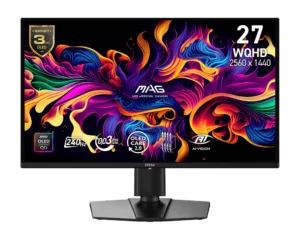 MSI MAG 274QP QD-OLED X243rd generation | 240 Hz | Official specifications. A reduced-specification option: MSI lists 200 nits SDR and 400 nits HDR. Its brightness specification is not equivalent to the high-peak models. |
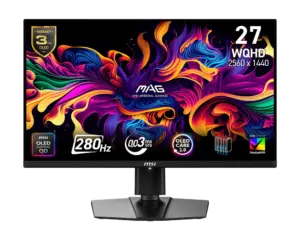 MSI MAG 271QP QD-OLED X283rd generation | 280 Hz | Official specifications. Adds 15 W USB-C and an advertised Peak 1000 mode. Compare its price with the 240 and 360 Hz options. |
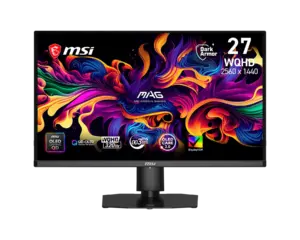 MSI MAG OLED 271QPX324th generation | 320 Hz | Official specifications. Fourth-generation Penta Tandem, DarkArmor and Uniform Luminance broaden the QHD choices in panel structure and surface treatment. |
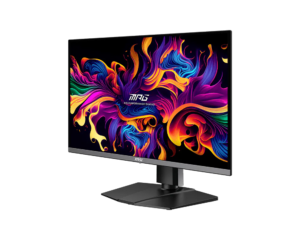 MSI MPG 271QRX QD-OLED3rd generation | 360 Hz | Partial data. Original motion tests are available. Includes 90 W USB-C and KVM; the listing is not a full brightness and colour review. |
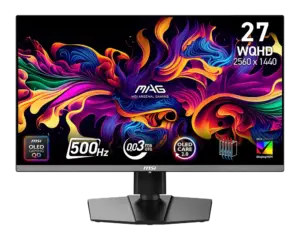 MSI MAG 272QP QD-OLED X503rd generation | 500 Hz | Official specifications. A 500 Hz alternative with 15 W USB-C and OLED Care 2.0. Its performance cannot be inferred from the MSI MPG 271QR QD-OLED X50’s results. |
| MSI MPG 271QR QD-OLED X503rd generation | 500 Hz | Tested by IMartz. Adds 98 W USB-C, UHBR20 DisplayPort and a presence sensor. Its tests also document reflections and VRR flicker. |
The MSI MAG 274QP QD-OLED X24 deserves attention because of its lower brightness specification. A good offer may make sense if that compromise suits your use, but it would be misleading to describe it as a high-end QD-OLED with only some extras removed. Its advertised figures must also remain separate from the measurements in the earlier HDR table.
Comparing the MSI MAG OLED 271QPX32 with the 500 Hz models involves two priorities: the former’s panel architecture and surface treatment versus the latter’s higher refresh-rate ceiling. The generation number alone cannot settle that choice. The available MSI MPG 271QRX QD-OLED motion comparisons provide specific evidence, without supporting broader conclusions about HDR or calibration.
4K monitors around 27 inches for sharpness
These three models combine a 26.5-inch viewable screen with 3840 × 2160 pixels. They share a high pixel density, while maximum refresh rate and laptop connectivity differ.
| Model | Refresh rate | What it offers and what to check |
|---|---|---|
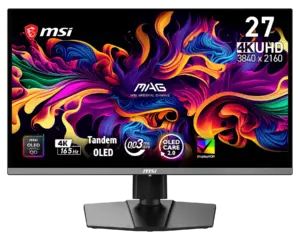 MSI MAG 272UP QD-OLED E164th generation | 165 Hz | Official specifications. Compact 4K, DisplayPort 1.4a and 15 W USB-C. An option if you do not need to reach 240 Hz. |
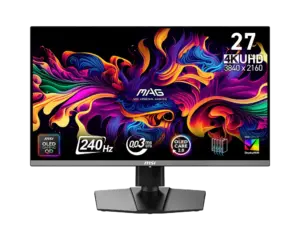 MSI MAG 272UP QD-OLED X244th generation | 240 Hz | Official specifications. Keeps 4K at 240 Hz with DisplayPort 1.4a and 15 W USB-C. Compare its features and price with the MSI MPG 272URX QD-OLED. |
| MSI MPG 272URX QD-OLED4th generation | 240 Hz | Tested by IMartz. Very high sharpness, UHBR20 DisplayPort, 98 W USB-C and KVM. The measurements apply to this exact model. |
USB-C charging may matter little if you only connect a desktop PC. If you switch between that PC and a laptop, the difference between 15 and 98 W and the presence of KVM may justify a different configuration. Those features do not replace checking which text size and scaling settings work comfortably for you.
4K monitors around 32 inches for PC and console
This group uses 31.5-inch viewable screens and 3840 × 2160 resolution. Read the full model name carefully: MSI MAG 321UP QD-OLED, MSI MAG 321UPX QD-OLED and MSI MAG 321UP QD-OLED X24 are different references.
| Model | Refresh rate | What it offers and what to check |
|---|---|---|
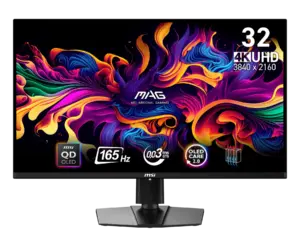 MSI MAG 321UP QD-OLED3rd generation | 165 Hz | Official specifications. A 4K option for users who do not need 240 Hz. Its appeal depends on the actual saving over higher-specification models. |
 MSI MAG 321UPX QD-OLED3rd generation | 240 Hz | Official specifications. 4K at 240 Hz with 15 W USB-C. An earlier alternative that should not be confused with the MSI MAG 321UP QD-OLED X24. |
| MSI MPG 321URX QD-OLED3rd generation | 240 Hz | Tested by IMartz. 90 W USB-C, KVM and documented image performance. Still a useful reference when comparing offers. |
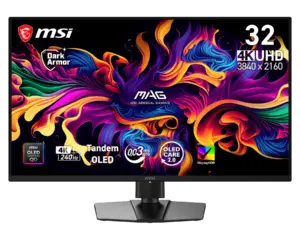 MSI MAG 321UP QD-OLED X244th generation | 240 Hz | Official specifications. Penta Tandem, DarkArmor and Uniform Luminance, with 15 W USB-C and DisplayPort 1.4a. No KVM. |
| MSI MPG 322UR QD-OLED X244th generation | 240 Hz | Tested by IMartz. DarkArmor, adjustable HDR, 98 W USB-C and UHBR20 DisplayPort. We recorded 300 nits in full-screen SDR. |
The MSI MAG 321UP QD-OLED X24 is a natural comparison if you are interested in the MSI MPG 322UR QD-OLED X24’s panel and coating but make less use of its additional connections. Similar specifications do not allow us to assign the MSI MPG 322UR QD-OLED X24’s measured 966 nits HDR to it or assume identical calibration.
For console users, refresh rates above 120 Hz become relevant through additional PC use. Before choosing by that ceiling, check the exact model’s input modes, VRR and HDR support.
Ultrawide for immersion and workspace
The 34-inch models use 3440 × 1440 resolution and a 21:9 aspect ratio. The 49-inch model expands the desktop to 5120 × 1440 and 32:9. Both increase horizontal space while retaining 1440 vertical pixels.
| Model | Format and refresh rate | What it offers and what to check |
|---|---|---|
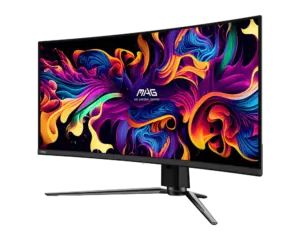 MSI MAG 341CQPA QD-OLEDGeneration unconfirmed | 34-inch, 175 Hz | Official specifications. An ultrawide with KVM. An earlier option without the RGB Stripe changes found in the X28 and X36. |
| MSI MAG 341CQP QD-OLED X285th generation | 34-inch, 280 Hz | Official specifications. Fifth generation, RGB Stripe, DarkArmor and Uniform Luminance. 15 W USB-C and DisplayPort 1.4a, without KVM. |
| MSI MPG 341CQR QD-OLED X365th generation | 34-inch, 360 Hz | Tested by IMartz. Verified text and HDR improvements, 98 W USB-C and KVM. Retains the VRR and settings trade-offs described in the review. |
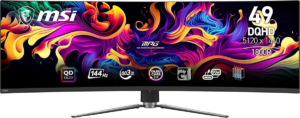 MSI MPG 491CQPA QD-OLEDGeneration unconfirmed | 49-inch, 144 Hz | Official specifications. A very wide 32:9 display with KVM. Check desk space and game compatibility. |
The MSI MAG 341CQP QD-OLED X28 adds an RGB Stripe ultrawide option beyond the 360 Hz MSI MPG 341CQR QD-OLED X36. A useful comparison considers refresh rate, connections and price; the text improvement observed on the MSI MPG 341CQR QD-OLED X36 should not be presented as our own test result for the MSI MAG 341CQP QD-OLED X28.
Before buying a 32:9 monitor, I would check how your actual games and applications display on that format. The width can be useful for multiple windows or simulators, but it does not add vertical resolution over a 34-inch ultrawide.
Announced QD-OLED developments from MSI
The models below were shown at COMPUTEX 2026 and explore greater flexibility in resolution, refresh rate and monitor features. MSI MEG X now has an official product page; the triple-mode model is still described here from its announcement. Local pricing and availability remain unconfirmed for this guide, and neither has an assessment based on our own testing here.
MSI MPG OLED 322URDX36 and triple mode
The announced MSI MPG OLED 322URDX36 combines a 31.5-inch screen, fifth-generation QD-OLED, Penta Tandem and RGB Stripe. Its main new feature is switching between three modes:
| Announced mode | Priority | Trade-off |
|---|---|---|
| 3840 × 2160 at 360 Hz | Detail and high refresh rate | Higher graphics load when targeting high FPS. |
| 2560 × 1440 at 520 Hz | Higher refresh rate with fewer pixels | Less detail than 4K and a resolution different from the panel’s native matrix. |
| 1920 × 1080 at 680 Hz | Maximum refresh rate | A substantial reduction in definition on a screen of this size. |
The expected benefit is combining visually demanding games in 4K with competitive titles where you prefer to prioritise FPS. The 680 Hz figure belongs to the Full HD mode: the monitor does not display 4K at that refresh rate. Nor does it automatically deliver 680 FPS if the CPU or GPU limits performance.
Scaling and HDR: what still needs testing
At lower resolutions, the monitor’s scaling implementation and image-size options will matter. Full-screen QHD does not map to a 4K matrix by an integer ratio. Full HD has a two-to-one ratio along each axis, but that does not guarantee integer scaling or identical processing in every mode. These details need checking on the final unit.
MSI also advertises a 1500-nit HDR peak and DisplayHDR True Black 600. That advertised peak cannot establish brightness across a whole scene, EOTF tracking or sustained performance. Comparing it with the MSI MPG 322UR QD-OLED X24 or MSI MPG 341CQR QD-OLED X36 will require measurements under equivalent conditions.
The combination of RGB Stripe and 4K is also interesting for text, although its actual effect at this size needs assessment. It is a model to watch if you specifically want a 32-inch display with high definition and several competitive modes; waiting makes less sense if those features do not address a need in your use.
MSI MEG X and control features
The MSI MEG X is a 34-inch ultrawide at 3440 × 1440 and 360 Hz, with fifth-generation QD-OLED and RGB Stripe. Its current product page lists a dedicated processor for features such as AI Super Resolution and AI Scene, alongside Gaming Intelligence for adjusting the monitor from a PC. These are manufacturer-described features; their usefulness and image processing still need assessment in our own testing.
Control features versus image quality
Assessment should distinguish the software’s usefulness from image quality. Matching the MSI MPG 341CQR QD-OLED X36’s format and refresh rate does not demonstrate better HDR, reflections or VRR flicker. The control features will matter if they simplify routine tasks and let the user decide which settings are applied.
These announcements illustrate two directions: more operating modes on a 16:9 display and more automation on an ultrawide. When buying, I would still start with format, resolution, measured behaviour where available, and the exact model’s price. A future feature is worth waiting for when it offers something you will actually use.