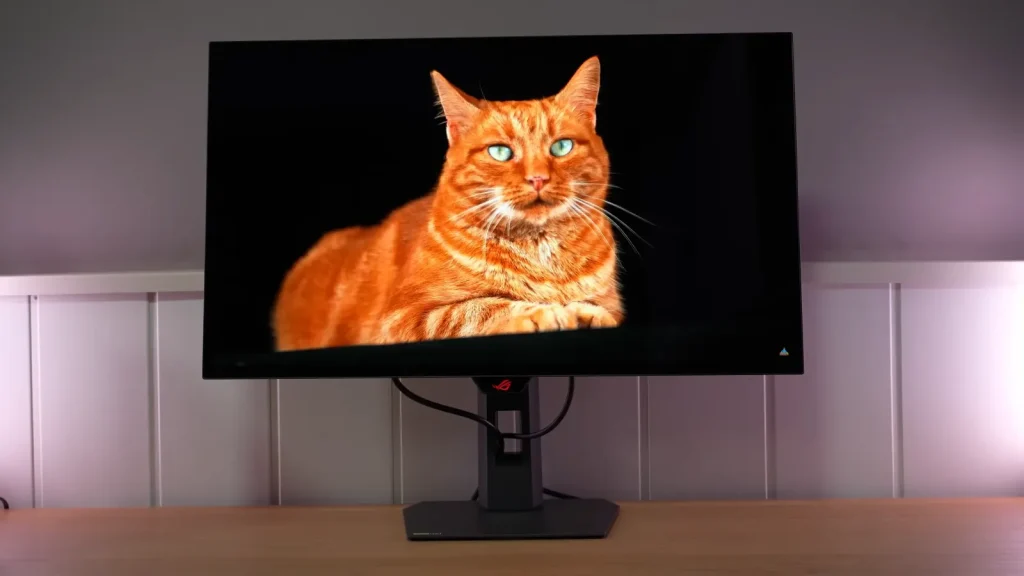
The ASUS ROG XG27AQWMG combines a 27-inch Tandem WOLED panel with a glossy finish and 280 Hz. Its strengths include both SDR image quality and HDR brightness capabilities, although not every mode aims for the same accuracy.
The sRGB clamp, uniform brightness, and HDR unlock let you adapt the screen to different uses. Choosing carefully among them does more than leaving every control at its highest setting.
Assembly, stand, and connections
Before getting into measurements, we need to discuss it as a desktop monitor, because there are also some welcome physical changes.
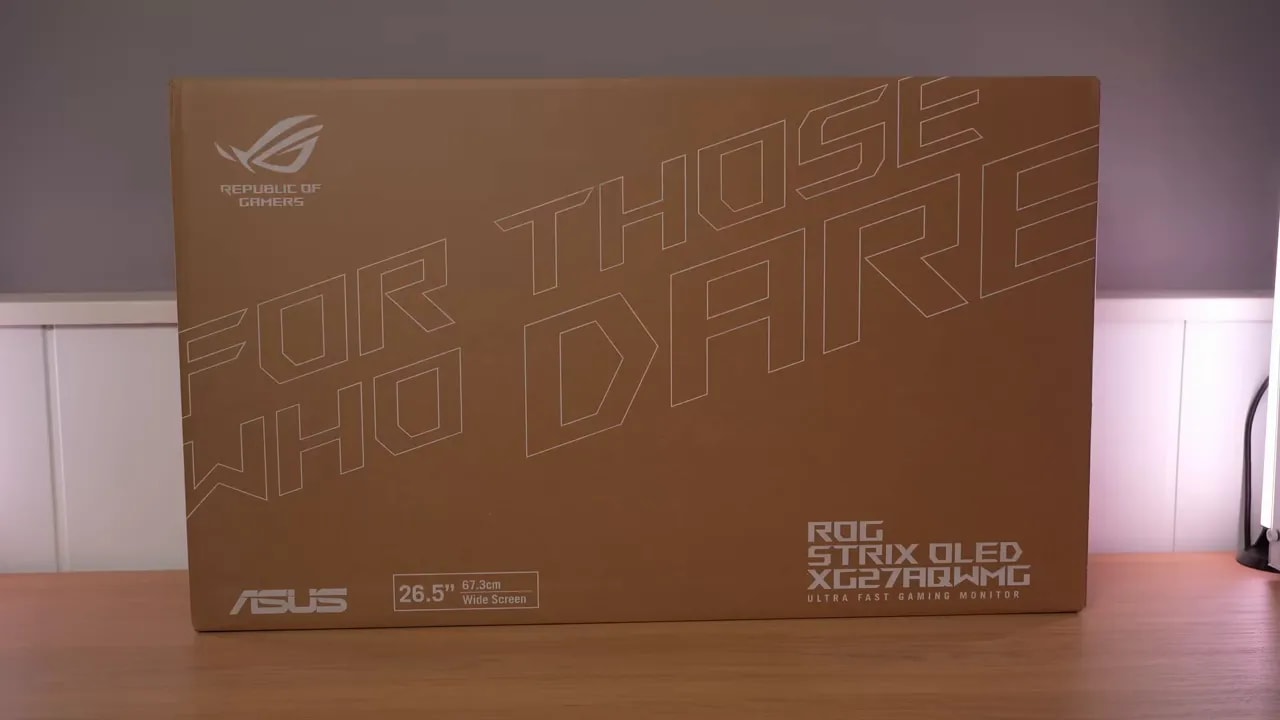
The packaging is very well thought out, as is usually the case with Asus. It includes that cable storage pouch, which is always welcome and feels more premium than you might expect.
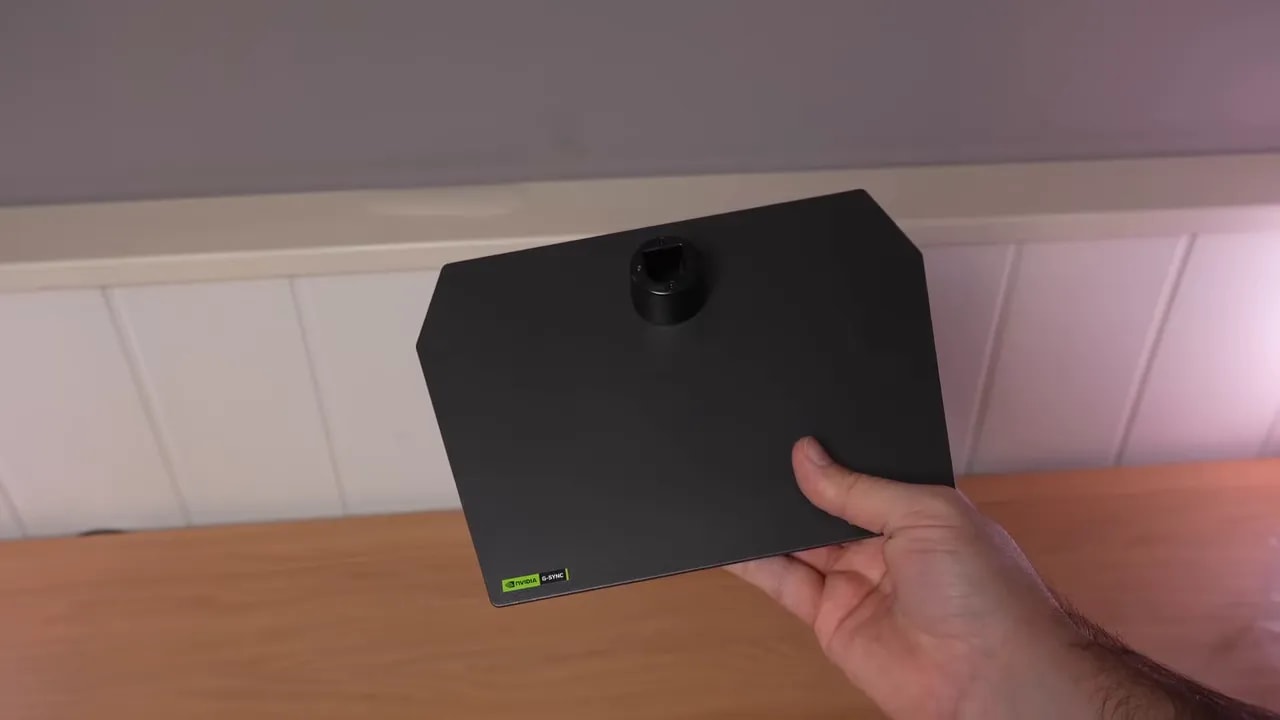
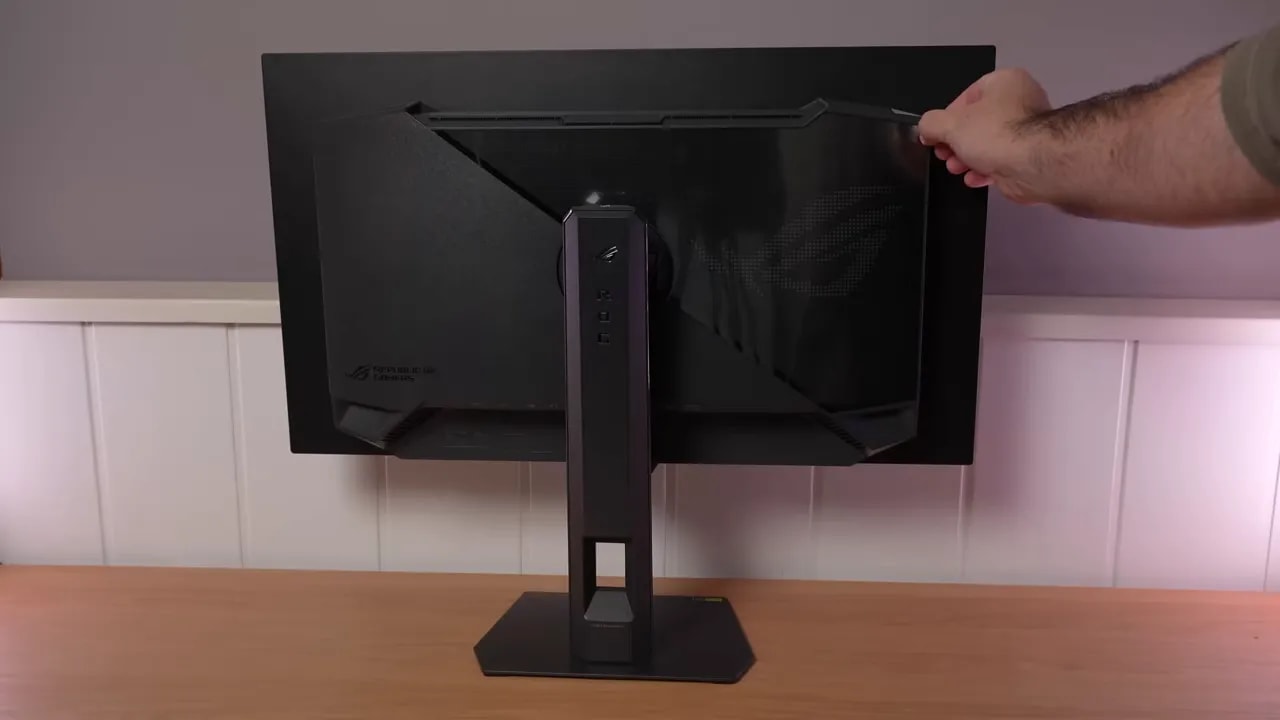
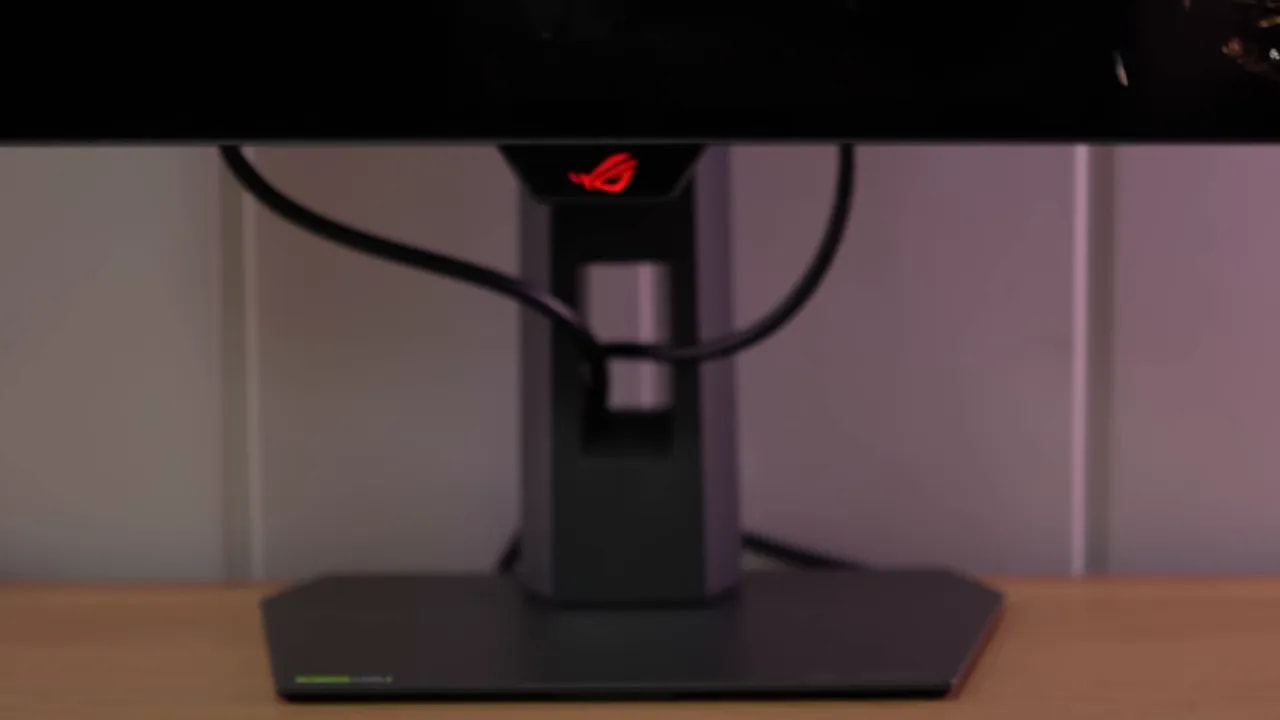
The stand has also been redesigned, and honestly, I like it more. It is more compact, very well made, and has a metal base. It takes up less space, feels solid, and retains a useful detail: the threaded mount on top of the stand for accessories such as a camera.
Its ergonomic adjustments are very comprehensive:
- Height adjustment
- Tilt
- Backward tilt
- Portrait mode in both directions
- Swivel without moving the base
Build quality is good, and the OSD joystick remains convenient to use.
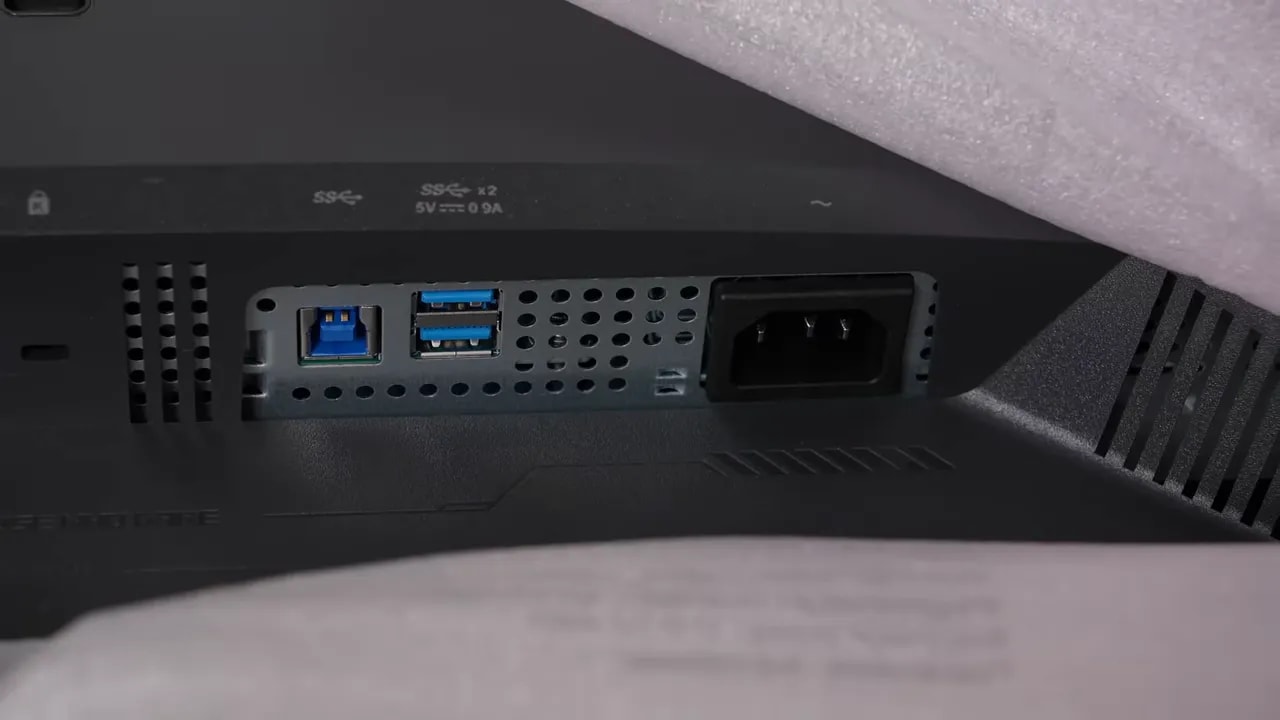
Connectivity is also well covered:
- 2 HDMI 2.1 ports
- 1 DisplayPort 1.4
- USB hub
What changes with Tandem and the glossy finish
Third-generation WOLED monitors used a three-layer internal structure. To greatly simplify it, this was a sandwich of two blue layers with a middle layer incorporating red and green elements.
In this new generation, that middle layer is split into two independent emissive layers: one red and one green. In other words, we now move to a four-layerstructure, with a dedicated layer for each primary color within the emissive design. This is why it is also called Primary RGB Tandem.
One important point: this refers to the light-emitting layers, not the final subpixel as we see it on the panel. The white subpixel still exists, so the two should not be confused.
In fact, the subpixel layout changes compared with some earlier models. On monitors such as the Asus XG27AQDMG, the pattern was RWG, whereas here it becomes RGW. This is not entirely new, since it has already appeared on some 480 Hz 1440p WOLEDs, but it was uncommon in more affordable ranges with lower refresh rates.
In other words, that new layout is now reaching a more reasonably priced segment.
Asus and the panel manufacturer did not make this change for no reason. Fourth-generation WOLED promises clear improvements in:
- Brightness
- Color
- Energy efficiency
- Overall image quality
It also removes the MLA or micro lens array. This generation no longer needs that solution to boost panel performance.
And it shows. The Asus ROG XG27AQWMG does more than increase brightness; it also brings WOLED much closer to the areas where QD-OLED traditionally led, especially color.
For me, one of the key strengths of the Asus ROG XG27AQWMG is this. All the other monitors announced with this new panel have a matte finish, but this model opts for glossy finish.
And that changes the experience quite a bit.
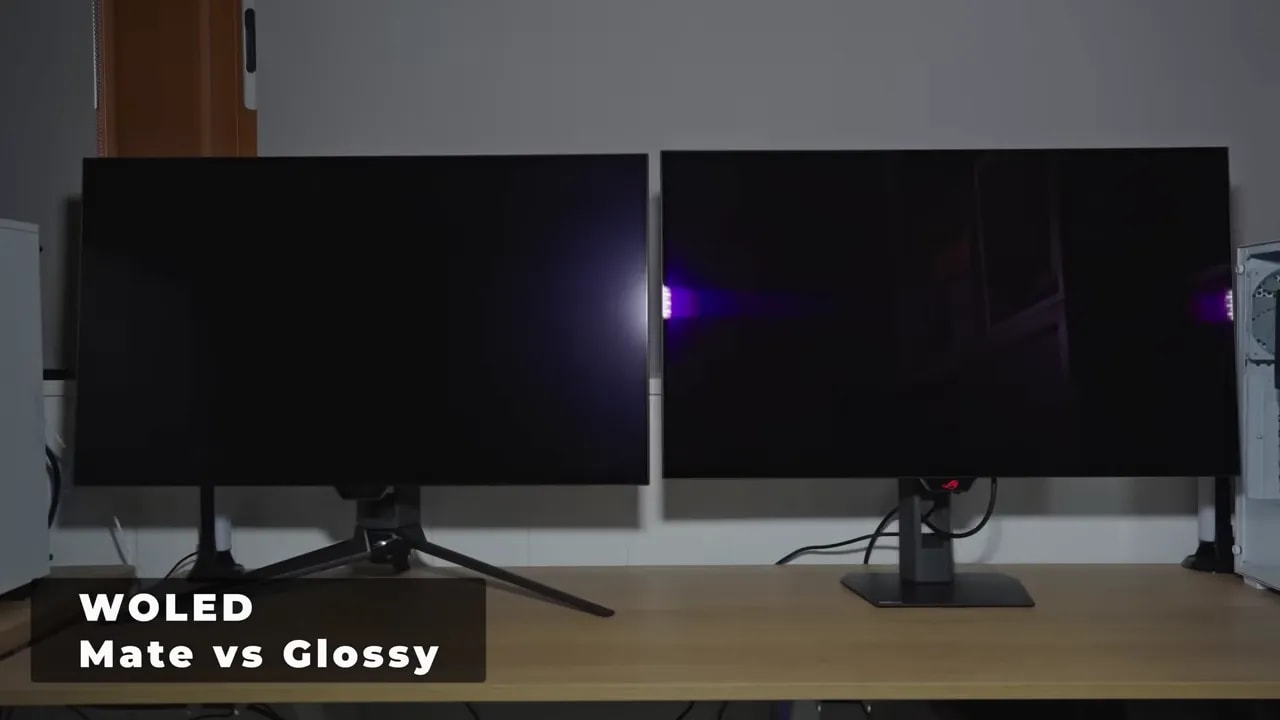
The matte coating has a clear advantage: better reflection handling. The problem is that it introduces a kind of grain or haze on the surface that takes away some image sharpness.
Glossy does the opposite. Reflections are more obvious and more defined, almost mirror-like if a light source is poorly positioned, but in exchange you lose that typical matte blur. The image looks cleaner and sharper.
On a desktop monitor that will normally stay in the same place, I see this as a fairly significant advantage. You can adjust the room lighting, better control how light falls on the screen, and keep the visual benefit of glossy.
That said, it is not for everyone. If a window or lamp shines directly on the screen, you need to take that seriously.
There is another interesting point here. Many glossy QD-OLEDs have a known problem: when a more or less direct light source hits them, the panel can take on a kind of magenta tint and that breaks the impression of deep blacks.
That does not happen on this WOLED. In fact, even in a dimly lit room, perceived blacks remain better. Black looks blacker.
That said, it is also worth being clear: this glossy WOLED reflects more than a glossy QD-OLED. Controlling direct reflections is therefore even more important.
But when light is not hitting it directly, the result is very good. Right now, at 27 inches and 1440p, the Asus ROG XG27AQWMG offers a combination that is very hard to find: extremely deep blacks and a glossy finish.
There is another recurring concern with these WOLED panels: gray banding. It is more noticeable here than on QD-OLED. With a static gray image, you may see a kind of grid effect or some unevenness, and in some cases even an odd gradient.
The positive side is that there is a very simple solution. Run pixel cleaning and it usually disappears completely or almost completely. If it does not fully go away, run it again, and that should do it. The effect should be greatly reduced; it is impossible to eliminate 100%, but in my view it becomes much less noticeable and therefore less annoying. If it still does not go away, your unit may be defective. We have more posts discussing this subject.
It is not a sign that the panel is defective. It can occur on WOLEDs, both earlier generations and these new Tandem models.
SDR: native gamut and modes for controlling color
By default, the Asus ROG XG27AQWMG uses the Racingpreset, with:
- 6500K color temperature
- Gamma 2.2
- Wide Gamut
My general recommendation is fairly simple: leave it that way if your priority is gaming and enjoying the panel’s full color range.
Grayscale calibration is already very good out of the box. Color temperature is a touch warmer than 6500K, but within reason, and sRGB gamma tracking is quite good for OLED.
This Wide Gamut mode extends beyond DCI-P3, but usable coverage is almost complete: 99,8%. Color accuracy is also good, although some colors appear oversaturated, especially blue.
At Adobe RGB coverage comes in at 94,6%. That is not bad, but this is clearly not a monitor aimed at that color space, and it shows in the actual accuracy of several hues.
With sRGB is similar if you do not limit the gamut: it covers practically all of it, but there is significant oversaturation.
DCI-P3
If you clamp the gamut to DCI-P3, performance becomes excellent. Coverage comes in at 96,2% and oversaturation disappears.
Accuracy here is outstanding:
- Maximum Delta E of almost 2
- average Delta E of 0.88
Grayscale performance also remains very good, much like Wide Gamut mode.
sRGB clamp in Racing
If you limit it to sRGB, coverage comes in at 95,3%. I would like to see a little more, yes, but the important thing is that color accuracy is excellent again.
Gamma tracking has a few more pronounced spikes, but performance is still good for OLED. These modes also let you customize gamma and color temperature, which is always helpful.
Calibrated sRGB preset
In addition to manual gamut limiting, Asus includes a calibrated sRGB mode that defaults to around 130 nits.
Here, coverage increases to 98,7% and color accuracy remains excellent. There is a little more deviation in red than with the sRGB clamp, but grayscale performance is even better in exchange.
sRGB gamma tracking improves, color temperature moves closer to 6500K, and grayscale accuracy gets a little better still.
In short, the Asus ROG XG27AQWMG’s factory calibration is very good indeed. I do not think much needs changing. If you start adjusting it, you will spend time for almost no gain.


The calibrated sRGB mode retains more coverage than Racing’s limiter and offers good grayscale tuning. These are two different menu options: for accurate sRGB content, the calibrated preset is the recommended reference in this review.
Not everything is perfect. I miss a dedicated Adobe RGB mode, even if it did not cover the full gamut.
And there is an interesting detail: when measuring at 100% APL yellow was noticeably displaced, something that did not occur at 10% APL. This is unusual behavior, and these measurements are normally taken at 10% APL on OLED anyway, so it does not invalidate the overall assessment.
The important conclusion is something else: in SDR this new WOLED is now practically on par with QD-OLED for color, although it still falls a little behind in Adobe RGB.
Stable SDR brightness and different HDR trade-offs
Here is another of the major improvements in the Asus ROG XG27AQWMG. The monitor includes a brightness uniformity setting that limits ABL. This means you can maintain constant brightness regardless of the content on screen.
With that setting enabled, the monitor stays at around 335 nits consistently.
With it disabled, brightness can rise to approximately 550 nits at around 10% APL, then falls as the illuminated area increases.
What I do think could improve is color deviation with this uniformity system. Even when enabled, color consistency is not as well controlled as I would like, especially at 100% brightness, and I have seen other OLEDs do a little better in that respect.
In HDR, the Asus ROG XG27AQWMG takes a substantial leap forward. It includes several modes by default, including a particularly interesting one: True Black 500.
That is already significant because for quite some time the usual standard was True Black 400. The brightness improvement here is real.
With the default HDR modes, brightness at 100% APL is around 340 nits. But at 10% APL and below, it already exceeds 600 nits.
That puts it ahead of many OLEDs that remain stuck at lower figures with small bright areas and specular highlights.
There is something very interesting here. Although there is no mode explicitly called “Peak Brightness,” you can achieve it.
Here is what you need to do:
- Unlock HDR
- Raise brightness to 100%
Doing this lets you adjust more settings, but the monitor also warns that there may be inaccuracies in the PQ EOTFcurve. And there certainly are.
The reward? A huge brightness increase. At 2% APL it reaches around 1000 nits, which is an extraordinary figure for an OLED monitor of this type.
It also slightly improves brightness at 100% APL, reaching around 370 nits.
As of today, this is the brightest OLED monitor I have tested in both SDR and HDR across different APL levels.
As usual, that comes at a cost. As soon as you unlock brightness, grayscale accuracy gets worse.
Among the default HDR modes, the best performers are:
- True Black 500
- Console HDR
From 2% to 10% APL accuracy holds up reasonably well, although some deviation is already visible at the lower end of the EOTF. From 25% APL to 100% is where it breaks down the most, which is fairly typical behavior for OLED.
True Black 500 gains the least when brightness is unlocked, but even there accuracy degrades considerably from 2% to 100% APL.
Put simply:
- If you want more accurate HDR, use the default modes
- If you want more visual impact and brightness, unlock HDR and turn brightness all the way up


With a 10% window, TrueBlack 500 tracks fairly close to the reference. Gaming with brightness at 100 lifts midtones much more: it adds impact but changes the intended image. As the illuminated area increases, available brightness drops and highlights are compressed.
HDR color also improves. Coverage of BT.2020 comes in at 82,76%, a figure that lets it beat, albeit narrowly, other QD-OLED and WOLED monitors included in the comparison.
At DCI-P3 within the UHD container fully covers the gamut and even exceeds it.
Some additional calibration captures are included for enthusiasts; HDR color accuracy is very high.
The result that caught my attention most was color volume. This is not pure gamut coverage, but how that gamut holds up when brightness is also taken into account. In BT.2020 it drops from 70%, which is a little weaker than I expected.
Even so, the overall balance remains very good: more brightness, better color, and a WOLED that is finally very close to the best QD-OLED has to offer in this area.
280 Hz, ELMB, and variable refresh rate
For refresh rate, the Asus ROG XG27AQWMG steps up from the usual 240 Hz to 280 Hz. It is not revolutionary, but it is a welcome extra.
There are few surprises in response times, which is good news. The gray-to-gray are instantaneous, as is usually the case with OLED. There is a tiny bit of overshoot, but it is not noticeable in practice.
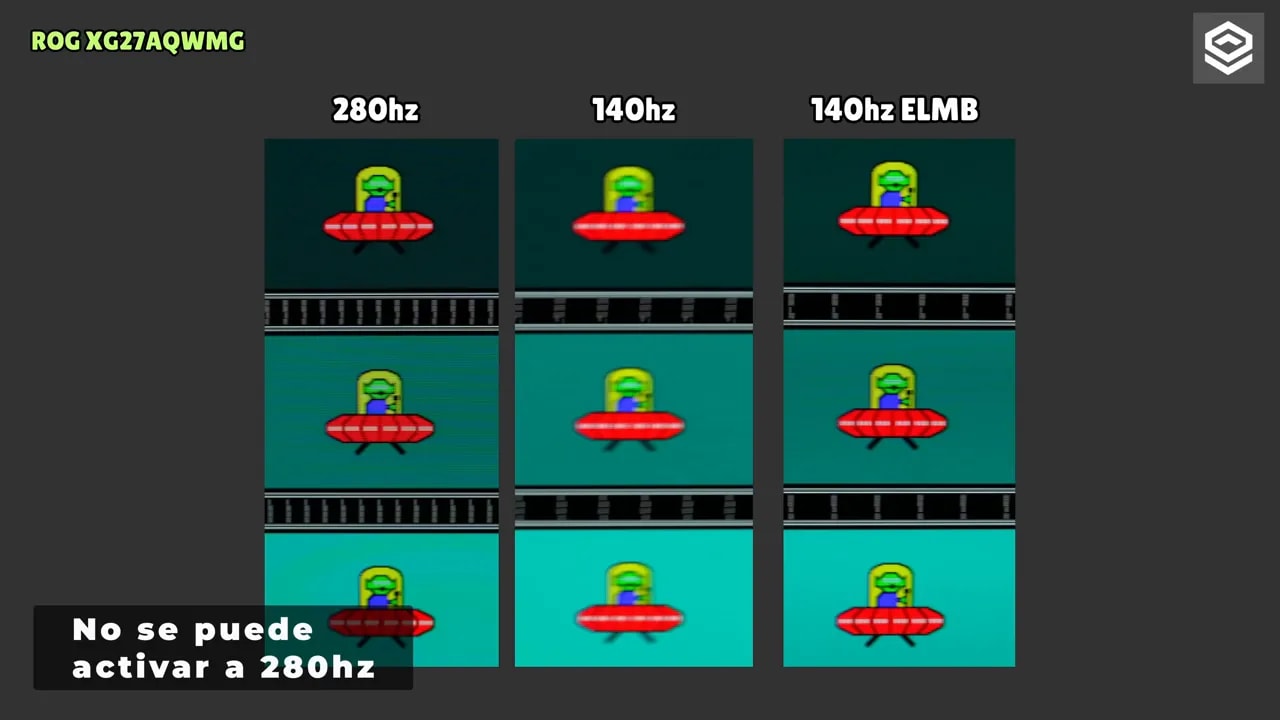
The most interesting feature here is ELMBmode. On OLED, this works as a system of black frame insertion.
The idea is simple: if you set the monitor to 140 Hz and enable ELMB, black frame insertion can give you motion clarity very similar to 280 Hz.
It is useful if your PC cannot reach very high frame rates and tends to hover around 140 FPS. It is not magic, but it does considerably improve motion sharpness.
However, there are trade-offs:
- Brightness drops
- It imposes limitations
- It requires disabling uniform brightness
The monitor supports VRR, Adaptive Sync and G-Sync, although there is an interesting detail here. The stand carries G-Sync branding, but the Nvidia control panel lists it as not officially validated by Nvidia. This is not the first time that has happened with an Asus.
As for actual performance, there is the typical mild flickering that occurs on OLED when using VRR in certain situations. It does not reach the annoying levels of some VA panels, but it exists.
To mitigate it, Asus includes its OLED Anti-Flickertechnology. We have seen it on other models from the brand, and it can reduce flickering in certain scenarios, but it is not a perfect solution.
Why is it not perfect? Because what it actually does is change the effective VRR range, raise the threshold for LFC and, in Highmode, even introduce some dead zones.
In fact, in specific tests, High mode can flicker more than leaving this technology disabled, which is quite ironic. For me, if you are going to use it, the setting that makes the most sense is Middle.
PS5 and panel protection
Another positive aspect of the Asus ROG XG27AQWMG is input lag. There are no strange issues when dropping to 60 Hz, something that did happen on some older OLEDs.
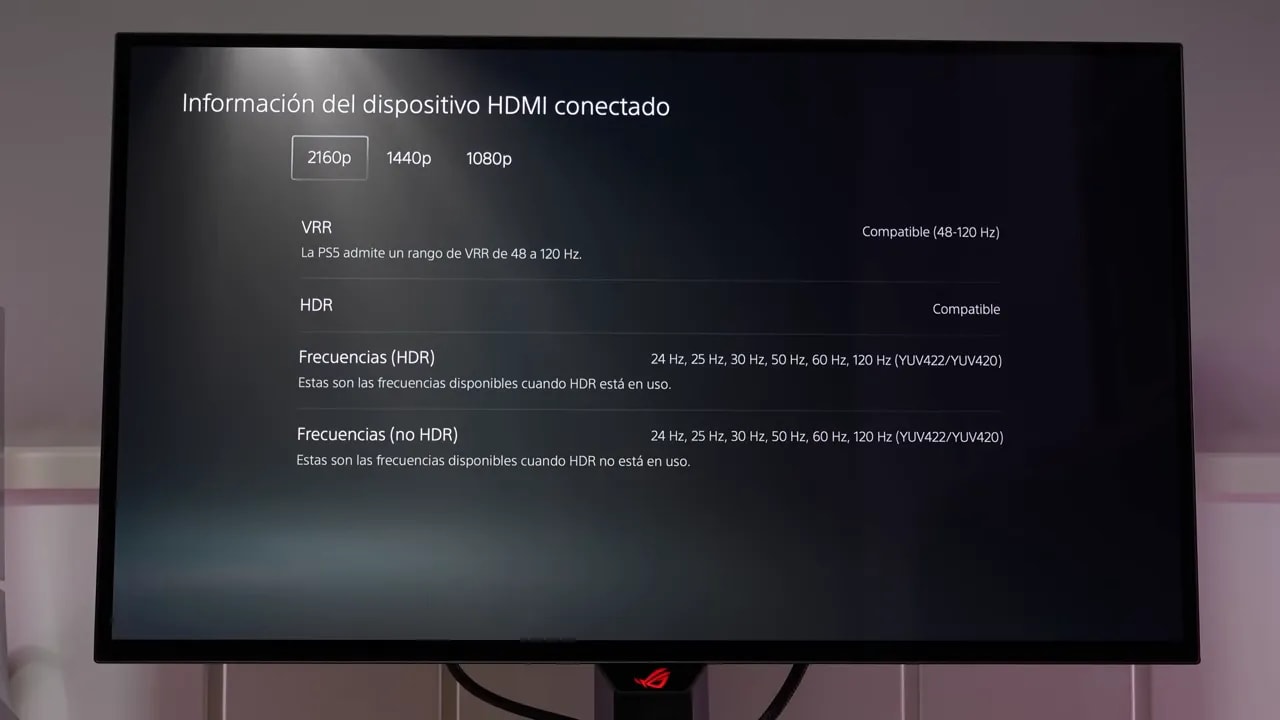
That makes it a very good candidate for consoles, especially considering that it includes HDMI 2.1.
Although it is a 1440pmonitor, a console can set it to as high as 4K 120 Hz with:
- VRR
- ALLM
- No color compromises
You can also take advantage of that 4K mode even when using it at 1440p. Obviously, it will not look like a native 4K monitor, but it does improve definition in games where PlayStation 5 renders internally above 1440p, because you are ultimately packing more information into the same screen.
As expected, the monitor includes the usual burn-in protection technologies:
The highlight here is the proximity sensor. It has already appeared on other models and works fairly well. It does not reach the level of some more advanced systems with dedicated hardware for distinguishing people from objects, but it is still entirely usable and genuinely useful for helping care for the panel.
Conclusion: image quality and settings are its strengths
The Asus ROG XG27AQWMG strikes me as one of the most interesting OLED monitors available right now because it delivers more than a single isolated improvement.
It brings a new panel that really improves several things at once:
- More brightness in SDR and HDR
- Much better colors
- Extremely deep blacks
- Lower power consumption
- A glossy finish exclusive within its category
It is not the ideal monitor if your only priority is getting the highest possible refresh rate, because a 360 Hz QD-OLED may make more sense there.
But if you want the best possible image quality on a 1440p OLED, with a panel that finally makes a substantial leap over previous generations while keeping a glossy finish, the Asus ROG XG27AQWMG is very hard to ignore.
And honestly, Asus has scored a real win here, making it the 1440p OLED monitor with the best image quality on the market.