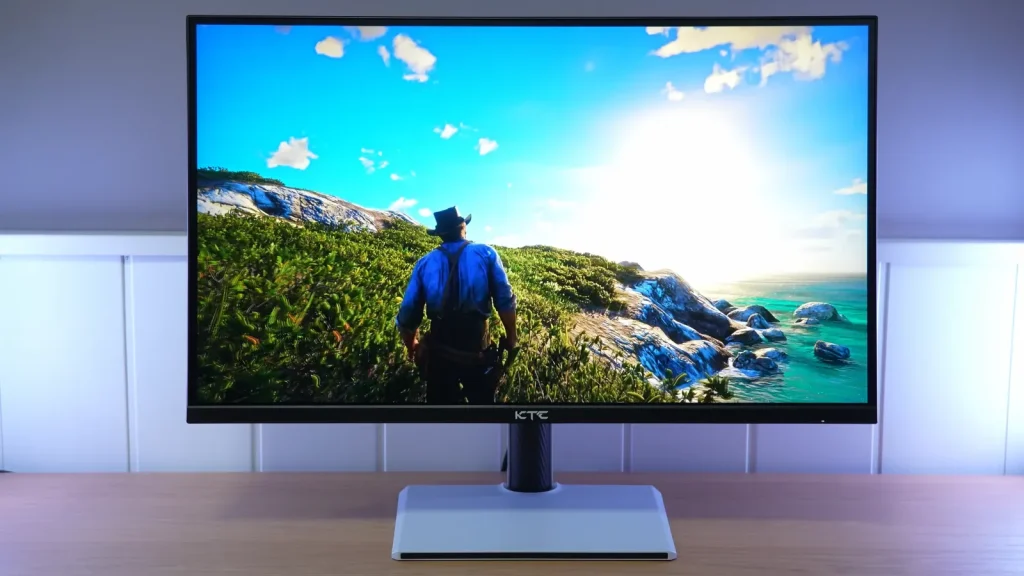
The KTC H27E6 combines 27 inches, 1440p resolution, and a 300 Hz IPS that can reach 320 Hz through overclocking. Its appeal is that speed alongside an adjustable stand and wide color gamut at an affordable price.
Overdrive, the matte finish, and gamut clamps determine much of the experience. HDR remains secondary; SDR gaming provides more reasons to consider it.
Assembly, ergonomics, and connections
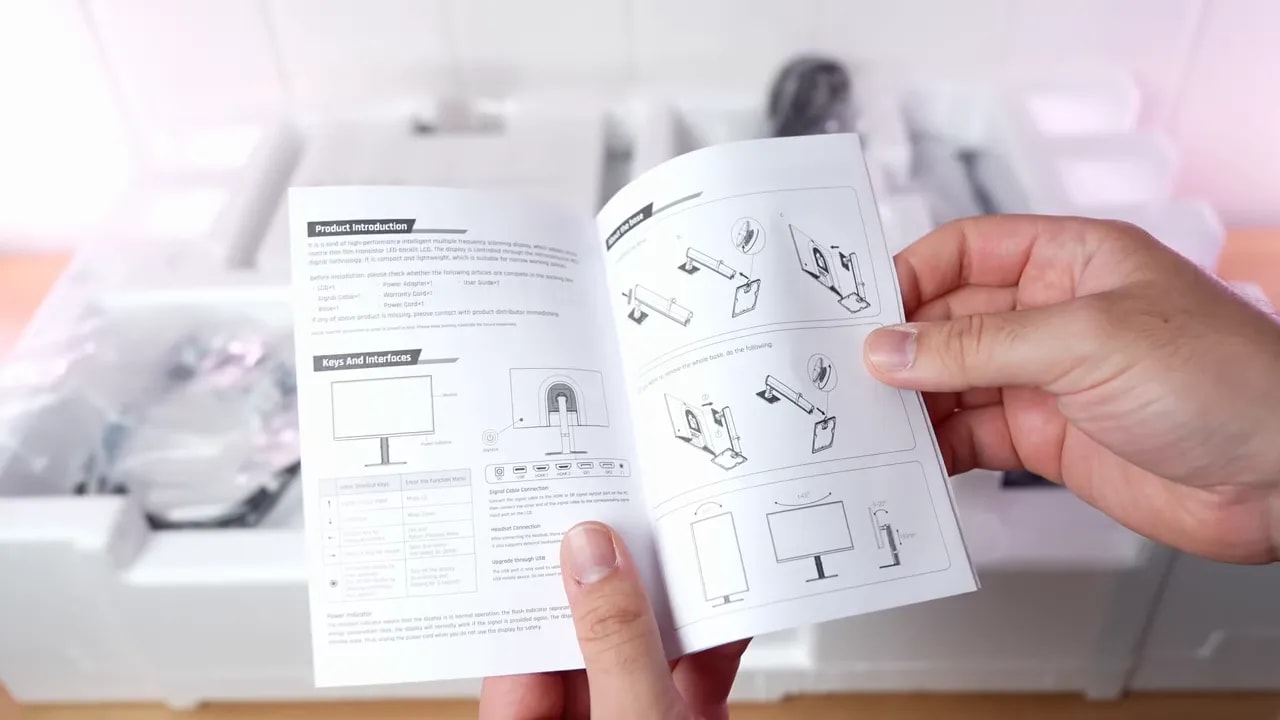
Box contents are fairly standard. There are few surprises, but everything needed to get running without complications:
- DisplayPort cable
- Power cable
- Documentation
- Base and stand
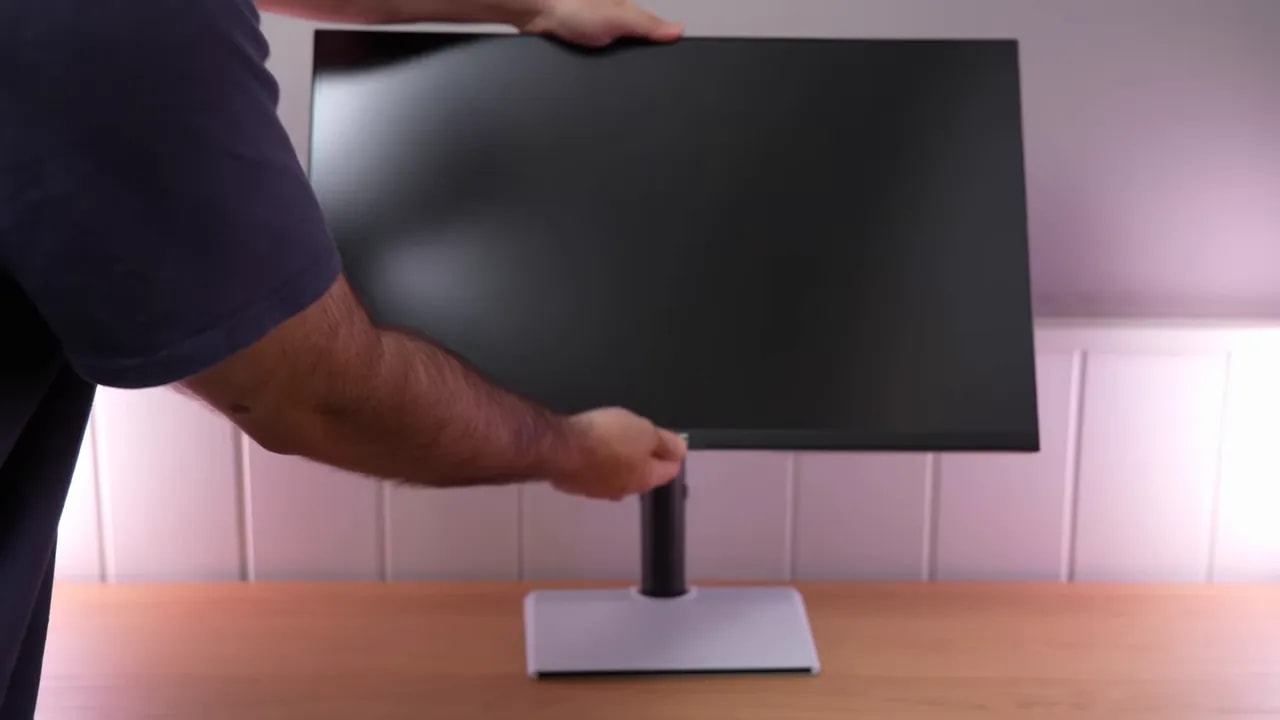
I particularly liked the stand. Not only does it look quite good, but despite being plastic it feels better than expected at this price. The base also takes up little desk space, which is always welcome.
In construction, the KTC H27E6 is well executed. It has an OSD joystick, includes RGB lighting, and overall does not feel like a poorly finished budget product.
Where it really stands out is ergonomics. It is very fully equipped here:
- Height adjustment
- Forward and backward tilt
- Swivel
- Portrait mode in both directions
It does not just have these adjustments; it also offers substantial range. That makes positioning it properly very easy for gaming, work, or portrait use.
The only drawback here is a little wobble. Nothing dramatic, but it is there.
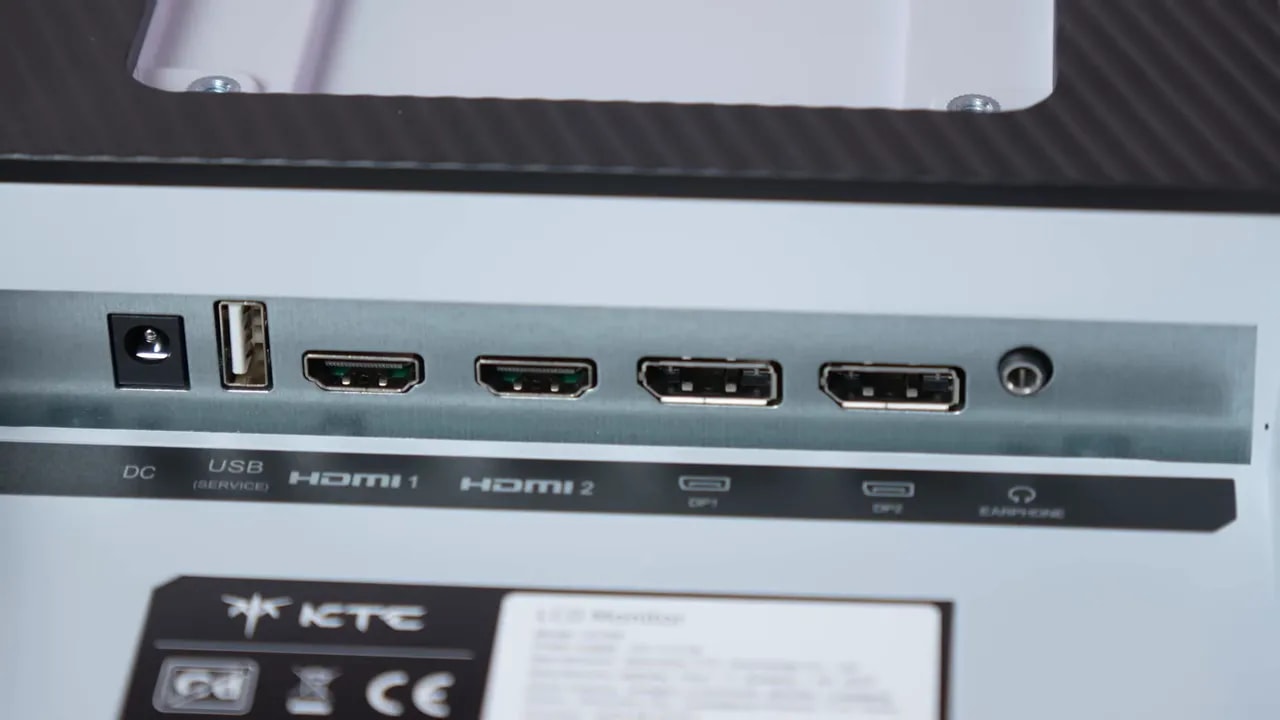
For connections, the KTC H27E6 has plenty for its segment:
- 2 x HDMI
- 2 x DisplayPort
- Audio jack
- 1 x USB for updates
That USB port is not a hub, but at least it suggests some firmware support.
Finish and color modes
The screen finish is not the usual light matte. It is somewhere in the middle, leaning fairly heavy. In practice, that has two consequences.
The first is good: it suppresses reflections quite well. The second is a matter of taste: those reflections become blurrier and less distinct.
Interestingly, despite the stronger antireflective treatment, I did not notice a serious loss of color vibrancy. That matters because some monitors with aggressive coatings wash out the image excessively, which did not seem to happen here.
This monitor includes the usual color modes that are welcome even on a clearly gaming-focused product. It is not designed as a professional monitor, but offers usable profiles for anyone wanting more controlled output.
sRGB
The sRGB mode on the KTC H27E6 seems decent to me, although it clamps the gamut too much. Color accuracy is quite good, with an average Delta E below 2, already a strong figure for a monitor at this price.
Grayscale results are decent but not perfect. Several things could be refined:
- The blue channel drops too much
- Red and green are slightly high
- Gamma more or less follows the sRGB standard, but below it
- Color temperature does not offer an exact 6500K point
By default, Professional mode is set to “Warm,” around 6200K. Switching to “Normal” raises it to 6800-6900K. In other words, there is no intermediate setting that precisely matches D65.


Color accuracy is good, although the limiter clamps slightly more gamut than desired. These measurements explain why low DeltaE and full coverage are not the same thing.
P3
The P3 profile follows the usual pattern of many gaming monitors. It clamps the gamut to around 92% and maintains quite acceptable color accuracy. Again, it is not reference calibration, but it is not bad at all out of the box.
Its grayscale behavior is quite similar to sRGB mode, including those RGB imbalances and slightly low gamma.
DCI-P3
Here is one of the monitor’s curiosities. The KTC H27E6 includes a DCI-P3 mode configured more authentically than most gaming monitors. Instead of targeting an sRGB-like DCI-P3 D65, it attempts to approach the actual cinema standard more closely.
That means two things:
- Higher gamma, around 2.4
- A white point away from D65
The visual result is different. It has a more cinematic look, more suited to movies than desktop or general use. It is not perfectly adjusted, but it strikes me as an interesting, unusual addition.
Native gamut
If you want striking colors rather than a restrained image, the best gaming mode on the KTC H27E6 is clearly native gamut with the Standard preset.
Here, the gamut expands dramatically. Usable coverage exceeds 96% DCI-P3, above the average I usually see at this price. Although there is no dedicated Adobe RGB mode, coverage of that space is also very good. In fact, it is among the best I have seen from a 1440p monitor tested here.
As usual, however, native mode sacrifices some color accuracy compared with clamped profiles. Even so, I do not think it looks bad. Color temperature is closer to 6500K here, although RGB balance still needs work and gamma again falls slightly below target.
Manual calibration can improve grayscale considerably and reduce error if the gamut is also limited. But for a gaming monitor, honestly, native mode makes most sense if you want a more vibrant image.
For a more refined result, custom color-temperature settings and an ICC profile can be used. However, that makes much more sense for color work than gaming.
Brightness, contrast, and HDR
In SDR, the KTC H27E6 leaves a fairly good impression. Maximum brightness comes close to 500 nitswithout quite reaching it, already a very respectable figure for general use and gaming.
What surprised me most was contrast. It is around 1450:1, which is frankly good for IPS. It does not make the monitor a black-level champion, but it reduces some of the washed-out appearance often seen on weaker IPS panels.
Uniformity is less positive. Both brightness and color could be better, with the upper-left corner weakest. Some bleed is also visible, which probably contributes to that result.
Even so, thanks to relatively high contrast, typical IPS glow is less noticeable than on other monitors of this type.
If anyone is considering buying the KTC H27E6 for HDR, expectations should be lowered. HDR is fairly mediocre.
There is only one mode, and it is not well tuned. There are considerable inaccuracies, peak brightness does not improve over SDR and may even be slightly lower, and PQ EOTF is not tracked correctly.
The only genuinely strong area is BT.2020 color coverage, where the monitor shows its wide color capabilities. But good coverage alone cannot rescue HDR with weak brightness and tone mapping.
300 or 320 Hz: choosing overdrive
Now we reach what matters most to many people. The KTC H27E6 runs at 300 Hz by default but includes a 320 Hz overclock mode. It worked well for me, which is great. If a unit does not handle it well, you can always return to 300 Hz.
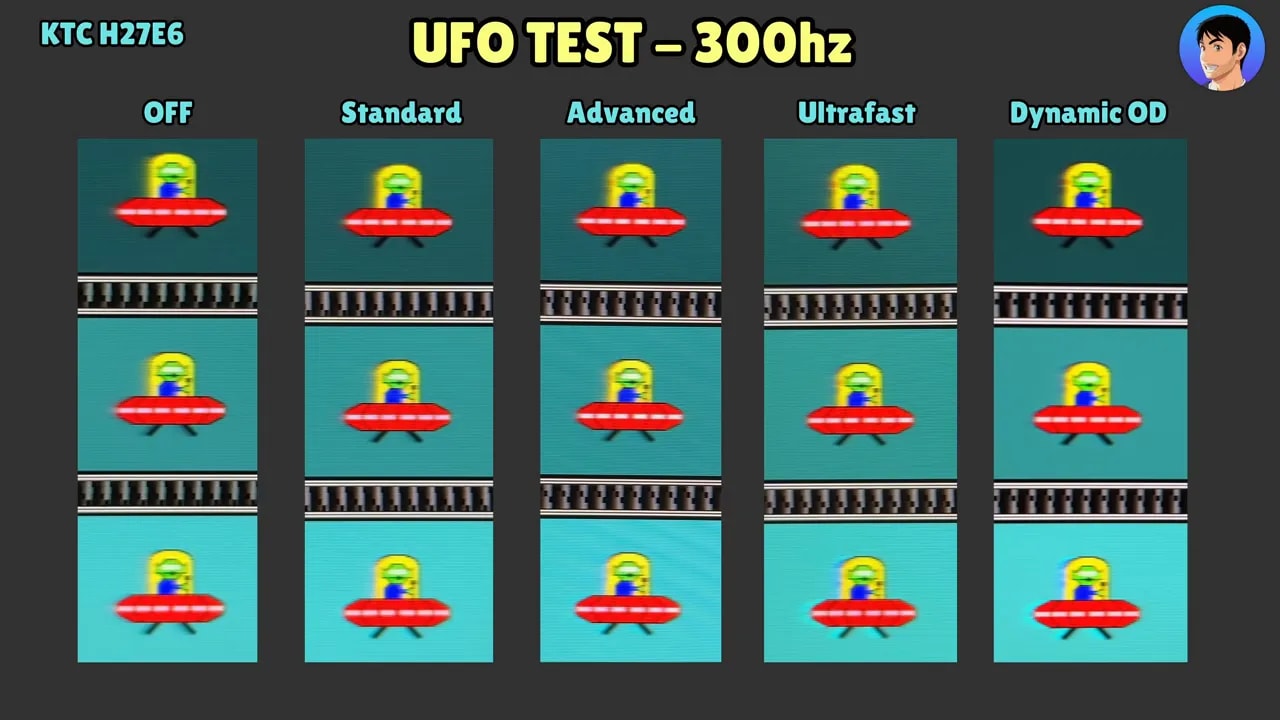
There are several overdrive levels, but I would really choose between two:
Standard
This is the balanced option. It has very little overshoot and average initial response below 6 ms. Nothing extraordinary, but it does the job.
Advanced
If you want to push harder, Advance mode reduces average initial response to around 4.5 ms. The issue is that overshoot rises substantially and is noticeable in motion.
Personal preference comes into play: either a cleaner image with slightly less speed, or more artifacts to gain a little response performance.
At 300 Hz, the story is very similar. Numbers change a little, but the overall picture barely changes. Off has too much ghosting, and the most aggressive levels go too far with overshoot.


At the same 320 Hz, Advanced speeds up transitions relative to Standard at the cost of more overshoot. Standard prioritizes a cleaner image. Overclocking and overdrive are separate decisions: return to 300 Hz if your unit does not work well at 320 Hz.
There is also a kind of MBR mode. Clarity is not bad and artifacts are reasonable, but the monitor loses a huge amount of brightness, reducing its appeal considerably. It is also not adjustable: there is just one mode.
Personally, I would not use it, although I understand the appeal for someone prioritizing motion clarity above everything else.
There is no complaint about input lag. Results are very good at the different refresh rates, and the monitor responds as expected for a product aimed at serious gaming.
For VRR, the KTC H27E6 supports:
- G-Sync
- FreeSync
- Adaptive Sync
However, G-Sync is not officially verified by Nvidia. Even so, it works quite well. If you are extremely particular, you may get an impression of minimal flickering in specific tests such as the pendulum, but in practice it is almost imperceptible.
Also, as an IPS, its VRR behavior is usually considerably less distracting than on many OLED or VA panels.
What it allows on PS5
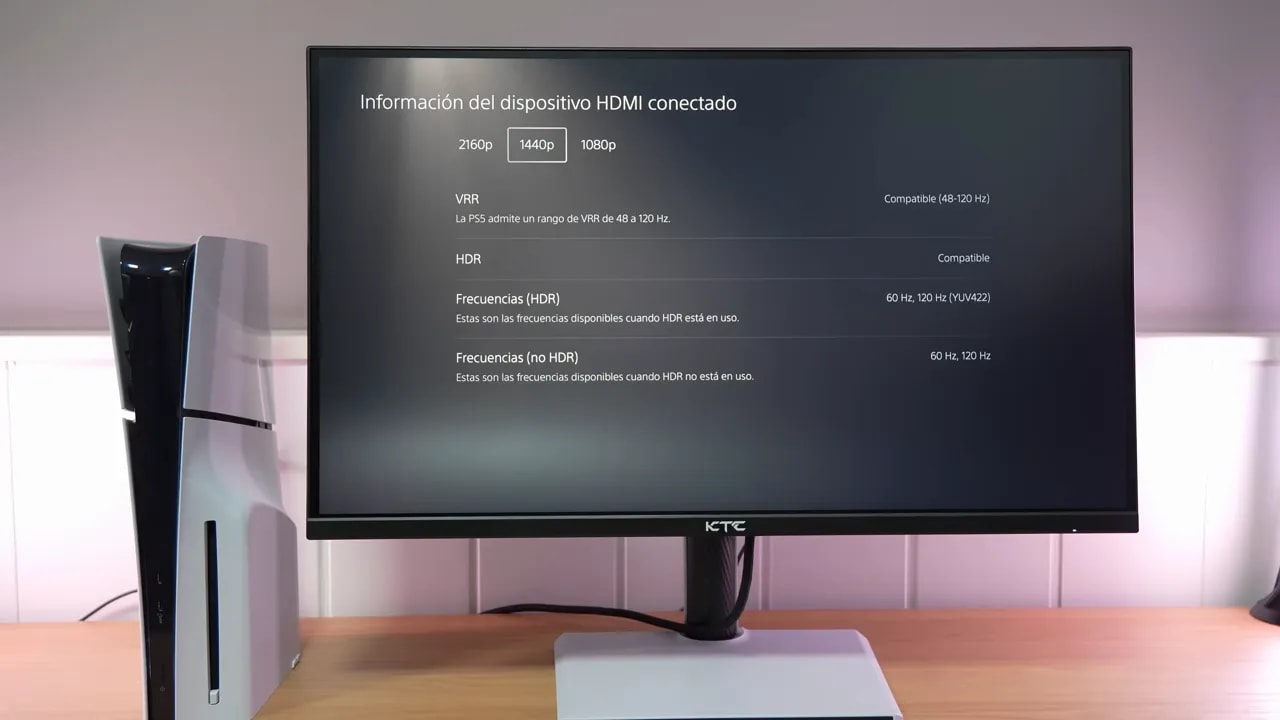
If you plan to use the KTC H27E6 with PS5, there is good news. The monitor supports:
- VRR
- ALLM
- 4K input
These are the usable combinations:
- 4K 60 Hz with VRR
- 1440p 120 Hz with VRR
What it does not allow is 4K 120 Hz with VRR. Like other 1440p monitors, it supersamples a 4K signal, so you can choose between prioritizing input sharpness or high refresh at 1440p.
There is an important caveat here: when using it at 120 Hz on console, it is better to disable overdrive. Any other mode introduces enormous overshoot and also considerably worsens gray-to-gray times. Something similar happens at 60 Hz.
So, although feature compatibility is good, it does not seem like the world’s best 1440p PS5 monitor strictly in terms of GtG behavior at low refresh rates.
Conclusion: what you get for the price
If you ask me directly, yes: the KTC H27E6 seems like a very appealing option for its price.
I do not know many other monitors offering 27 inches, 1440p, IPS, and 320 Hz for even less than 200 euros. That alone puts it in a very interesting position.
Obviously, I cannot assess quality control on a large scale, since that would require testing many units. Mine arrived in good condition, with no dead pixels and satisfactory overall performance.
So my conclusion is quite clear: the KTC H27E6 is undoubtedly one of the best monitors you can buy for under 250 euros if you want an experience strongly focused on competitive gaming without giving up good image quality.