Tested by IMartz
TCL 27P2A Pro
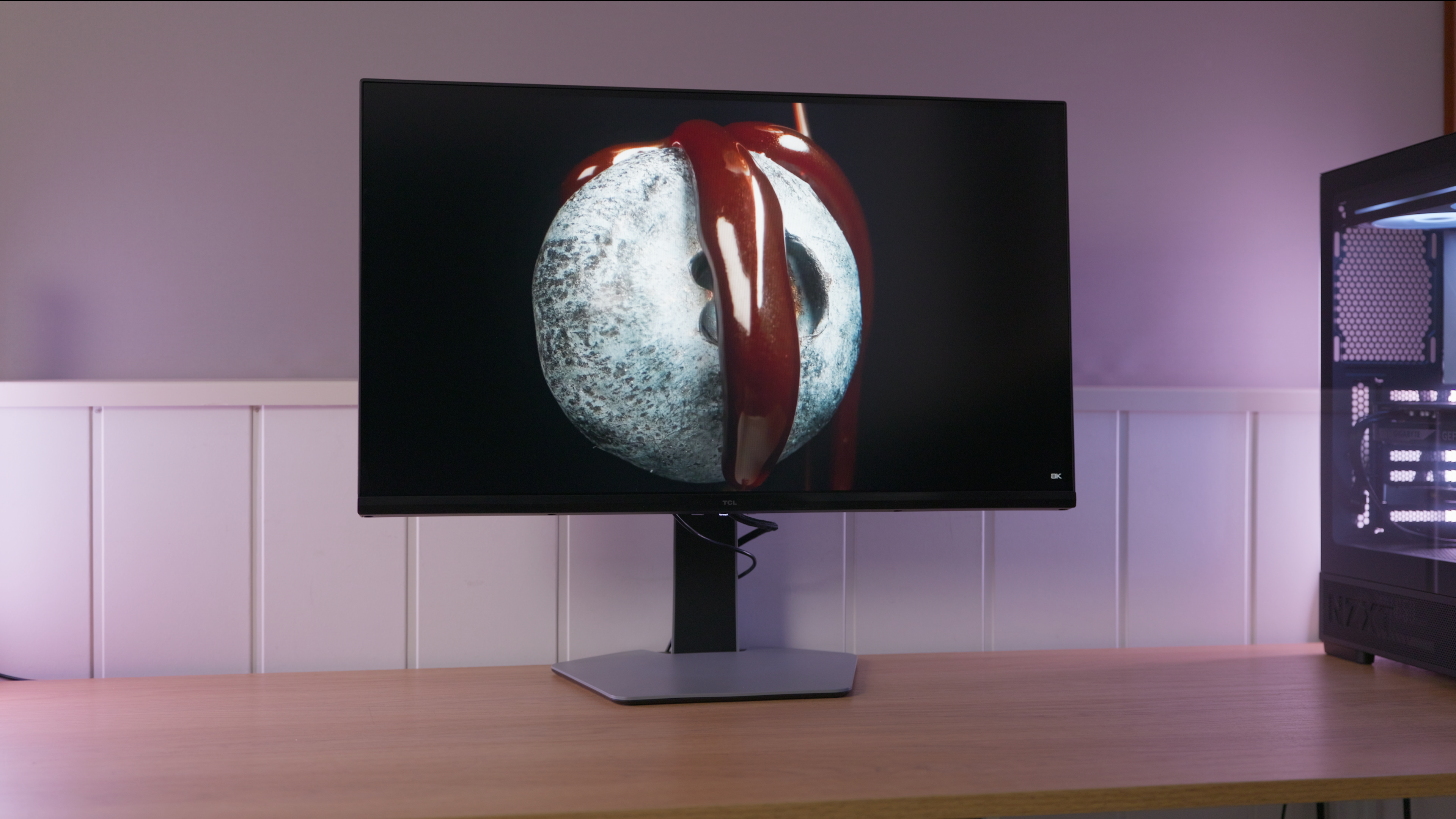
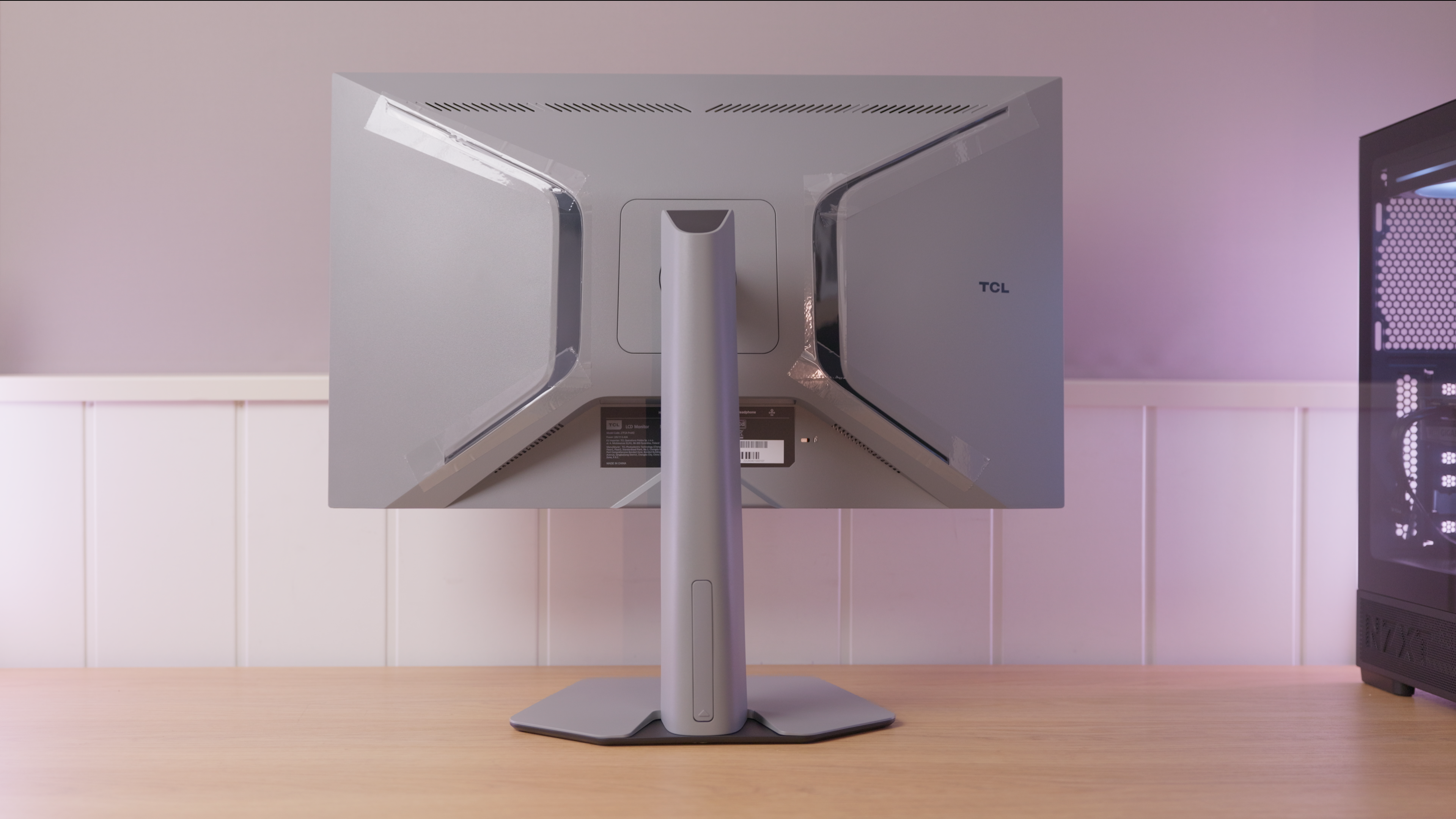
A 27-inch, 1440p, 320 Hz Mini LED IPS combining fast gaming and HDR, with well-controlled blooming and colour settings best chosen for each use.
PanelMini LED IPS
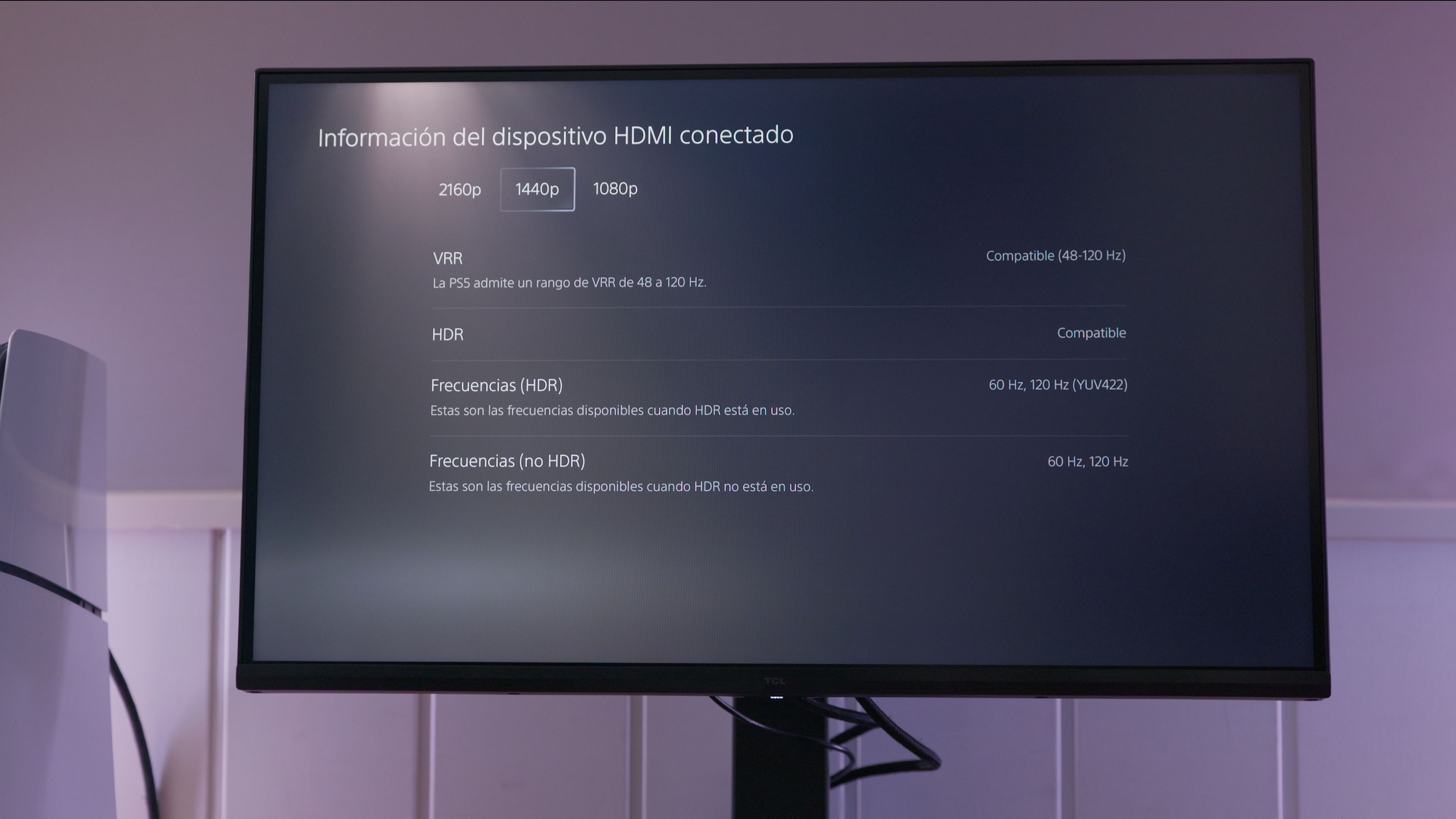
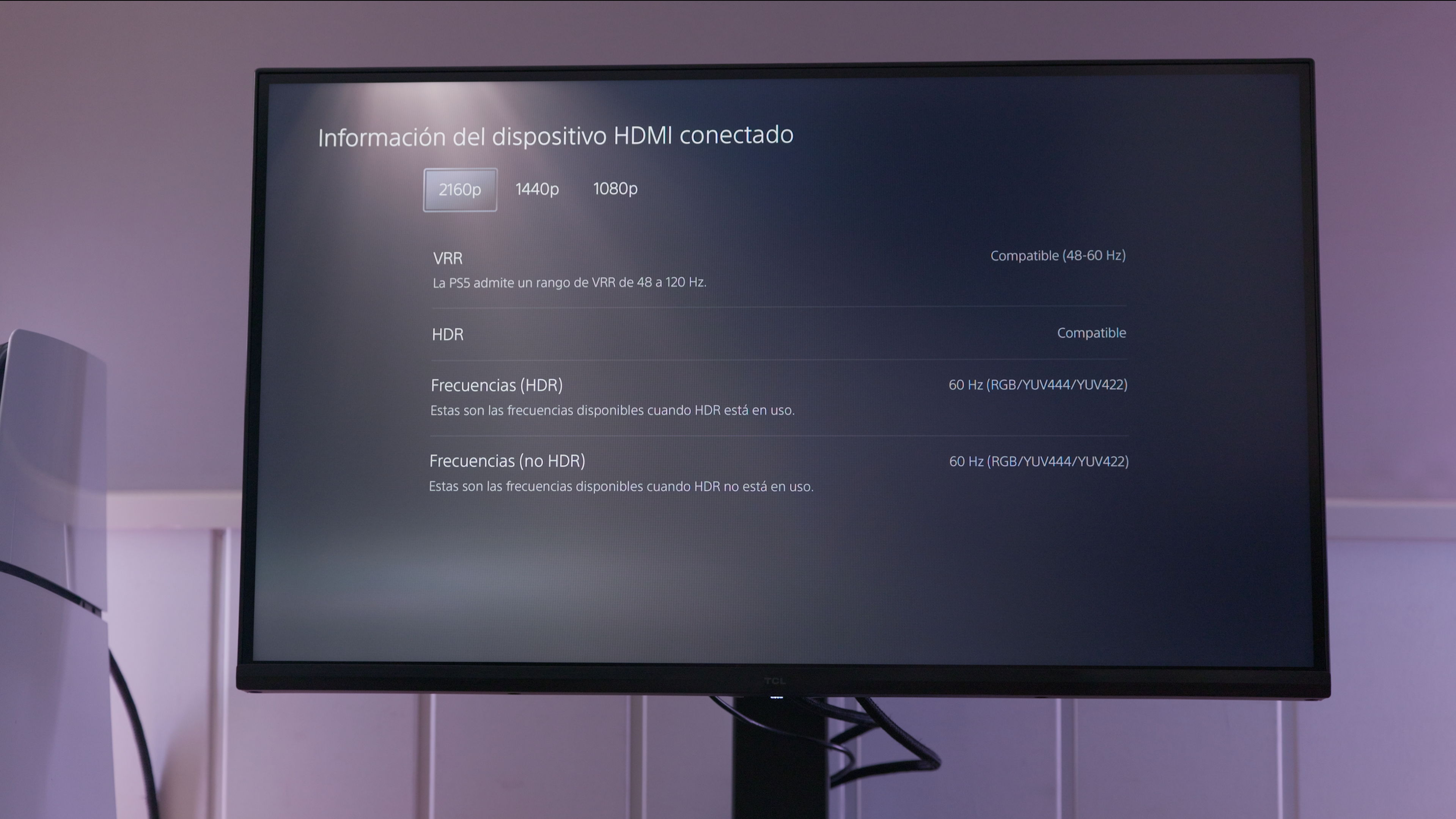
This monitor is listed as supporting variable refresh rate on PS5. See the console section for supported resolutions and refresh rates.
IMartz verdict
Pros
- Very smooth gaming with a balanced overdrive setting.
- Well-controlled halos and smooth backlight transitions.
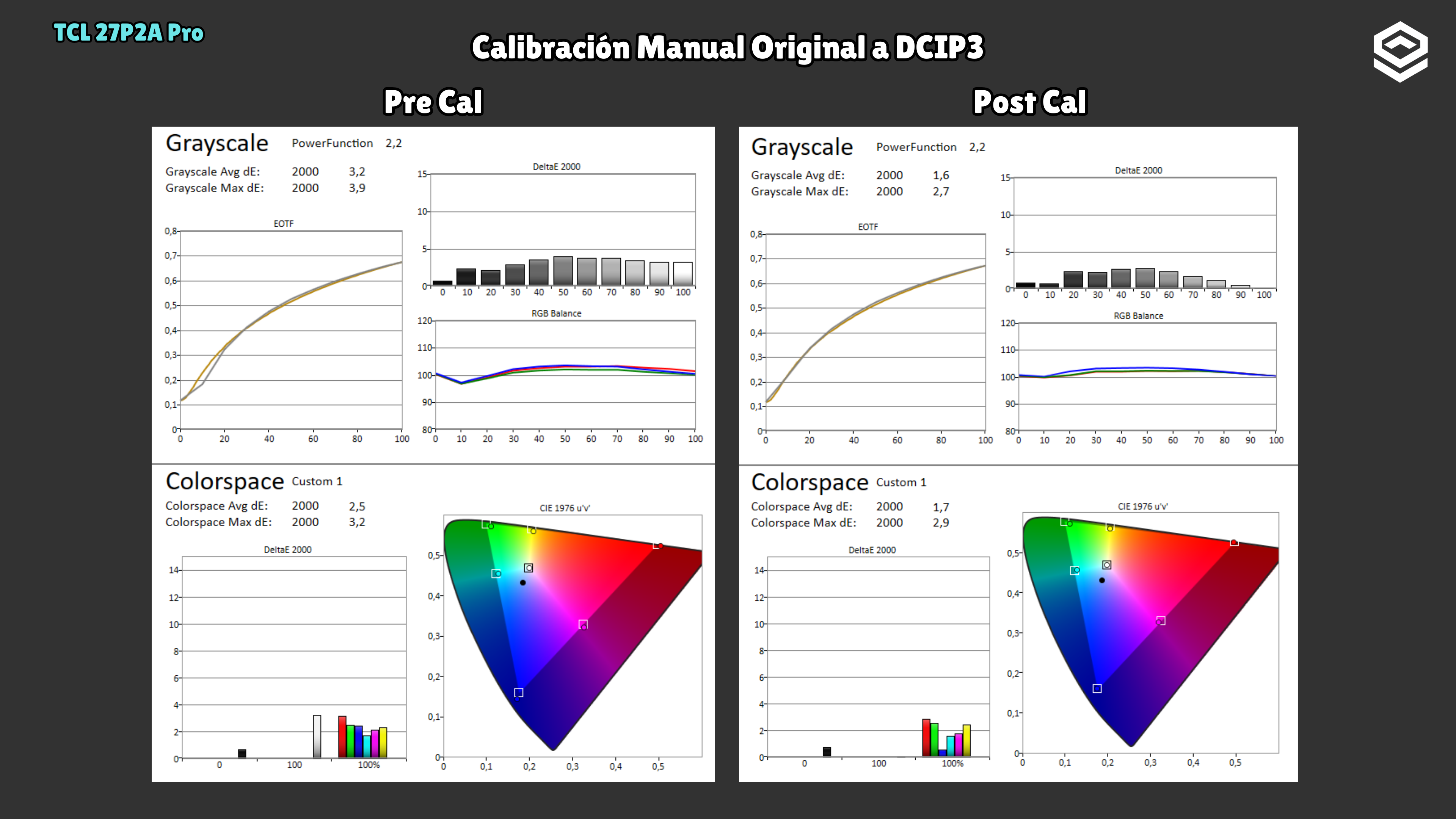
- Good colour accuracy with the right picture modes.
Things to consider
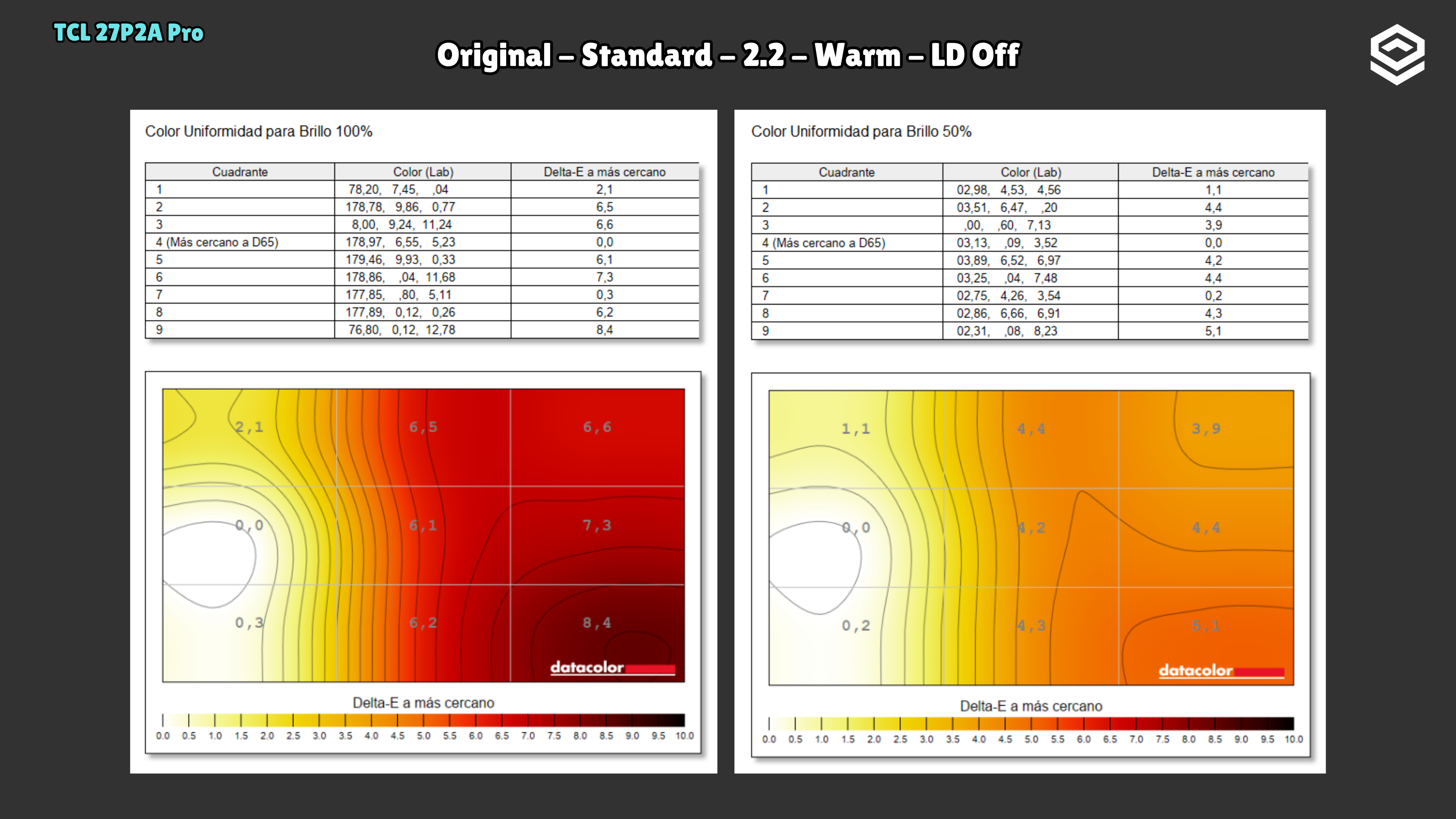
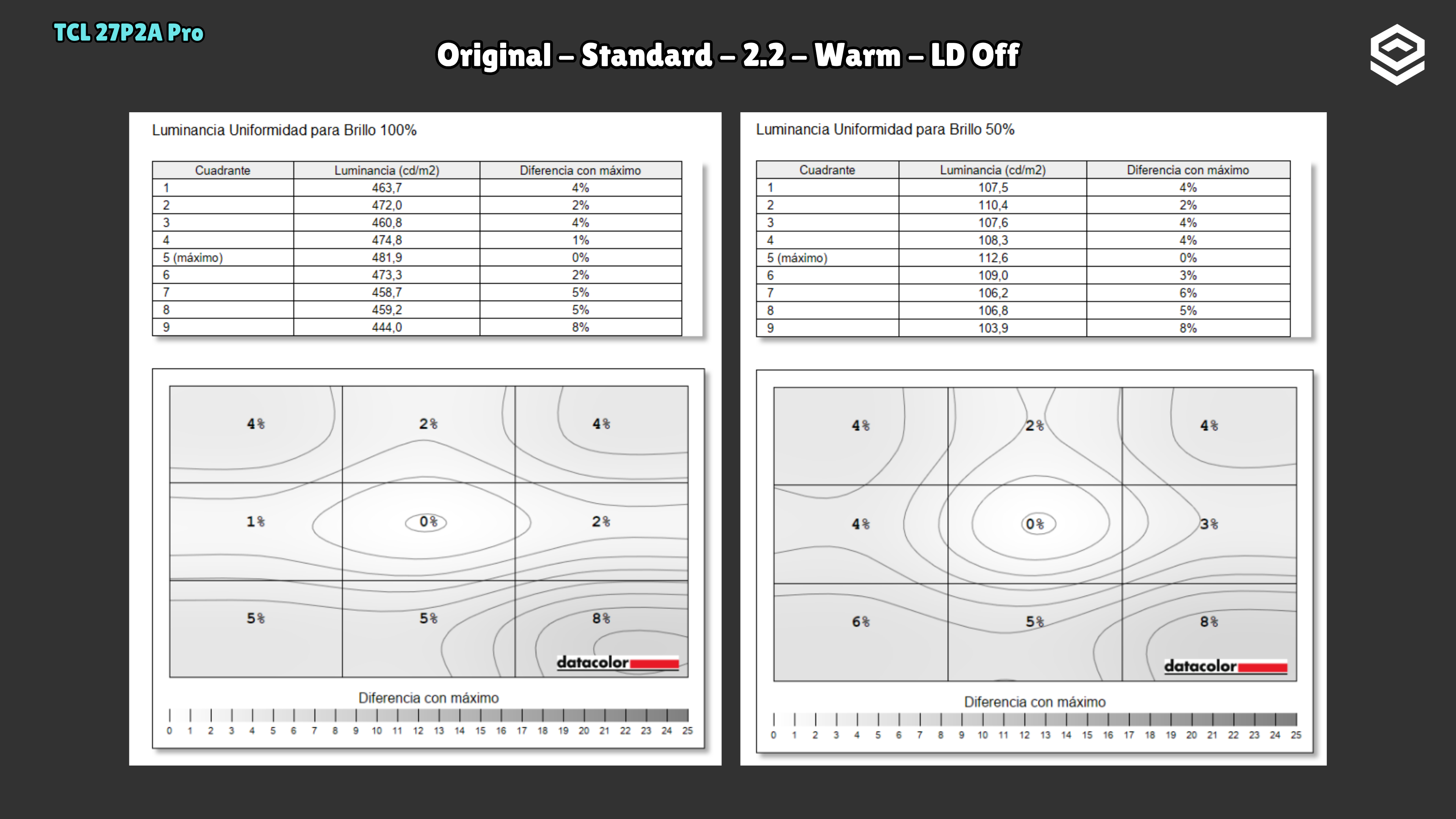
- Colour differences across the screen and some image retention during motion testing.
- Local dimming changes calibration, and HDR performance depends on the scene.
- In many situations and for most people, I would recommend an OLED instead; this monitor is a more niche option.
A good fit if…
- You want fast-paced games and HDR content on one monitor.
- You play PC games at high refresh rates and also want to connect a PS5.
Consider another option if…
- You need demanding colour uniformity for work.
- You want halo-free blacks even when viewing from the sides.
Measurements and specifications
IMartz test results. See each section for the measurement conditions.
Display and format
SDR performance
Color, brillo, contraste y comportamiento básico fuera de HDR.
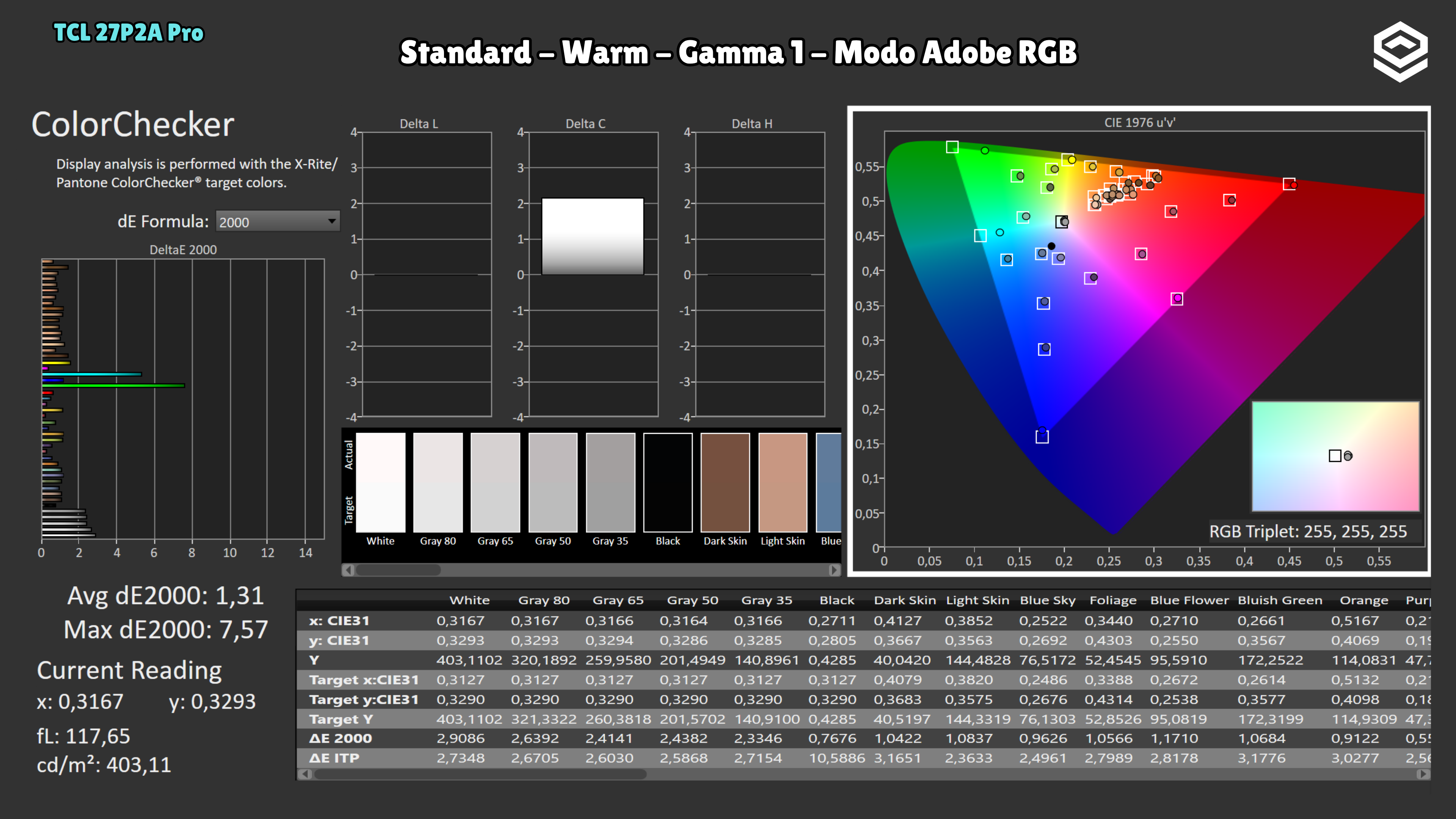
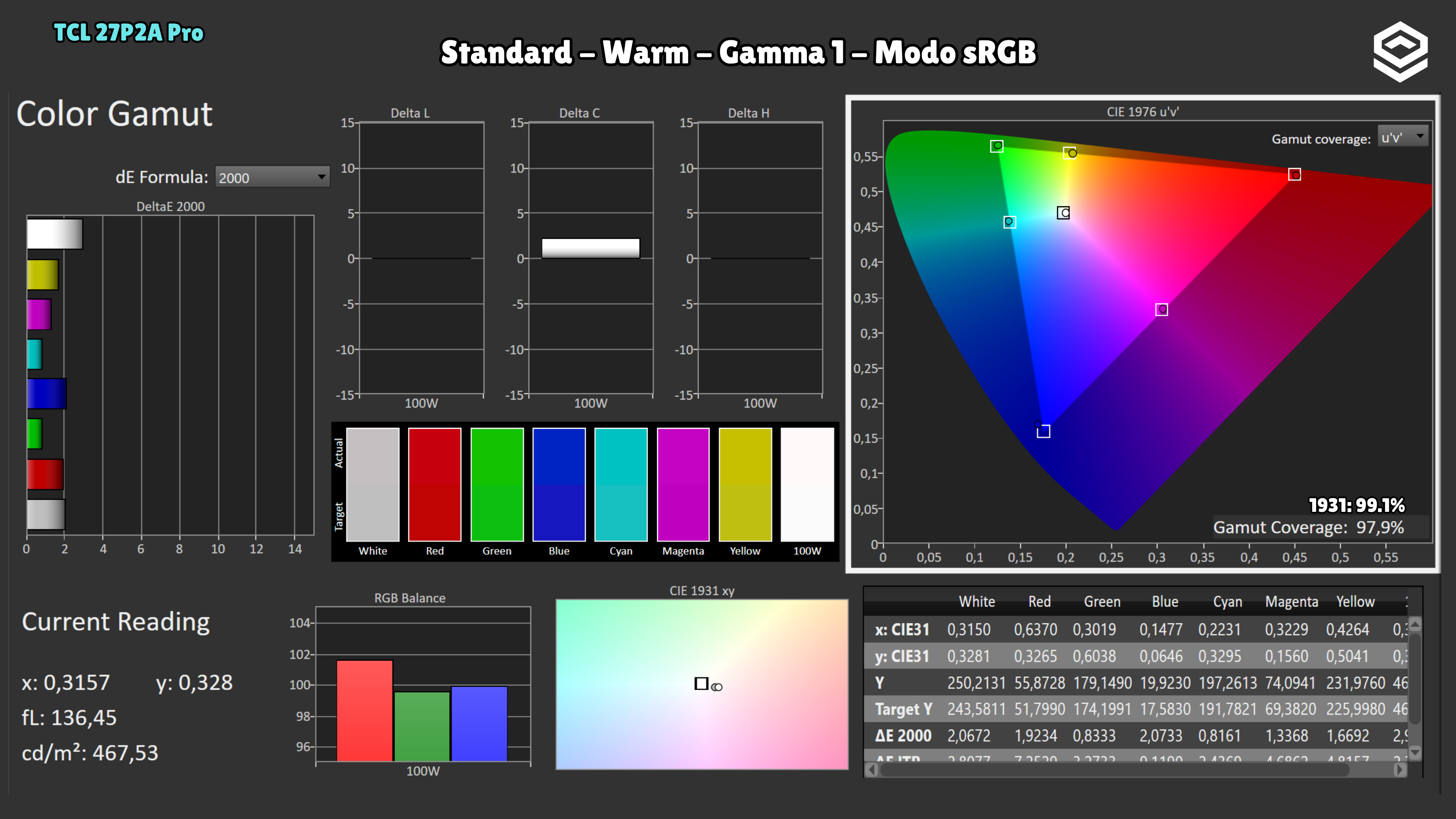
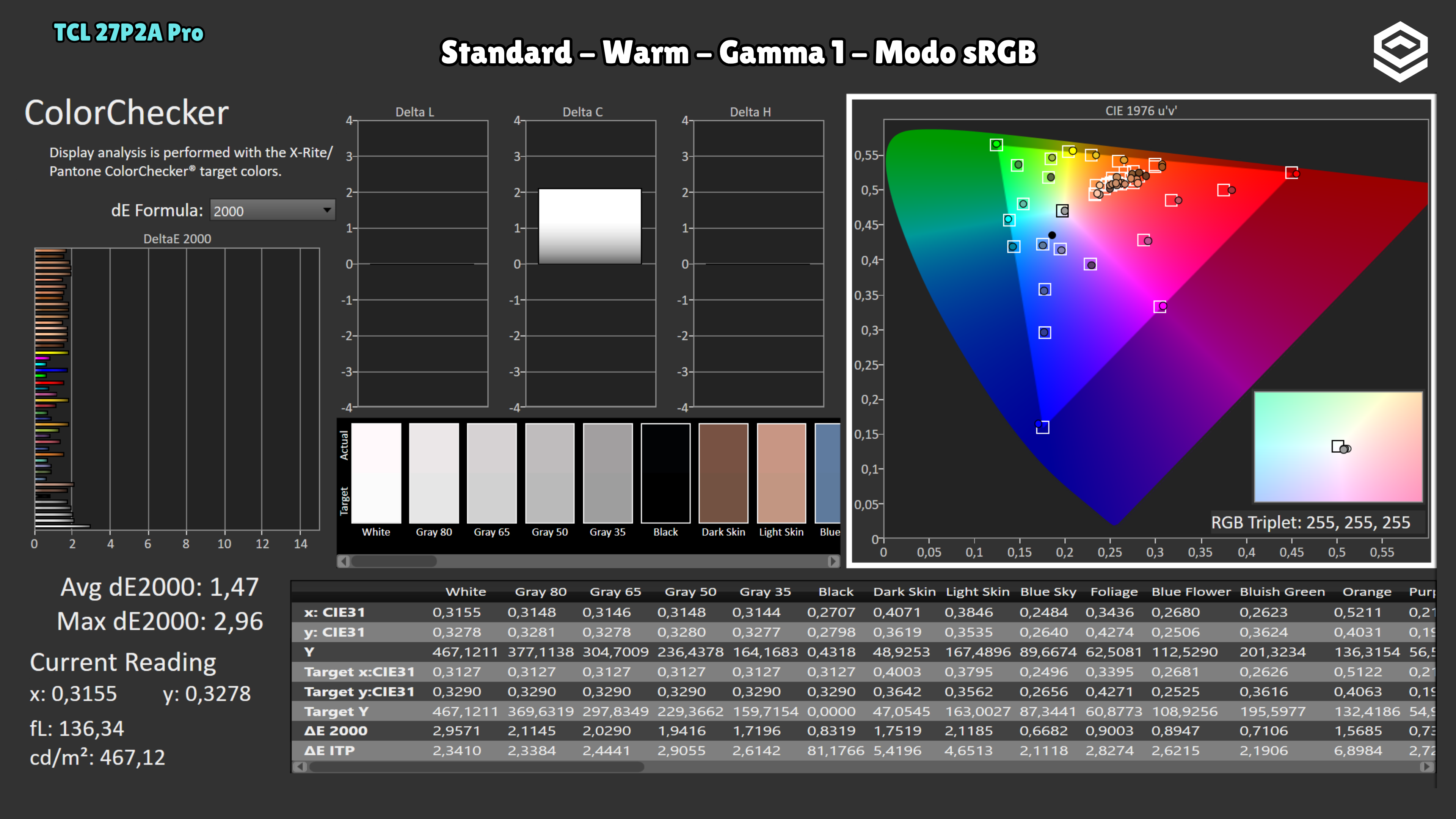
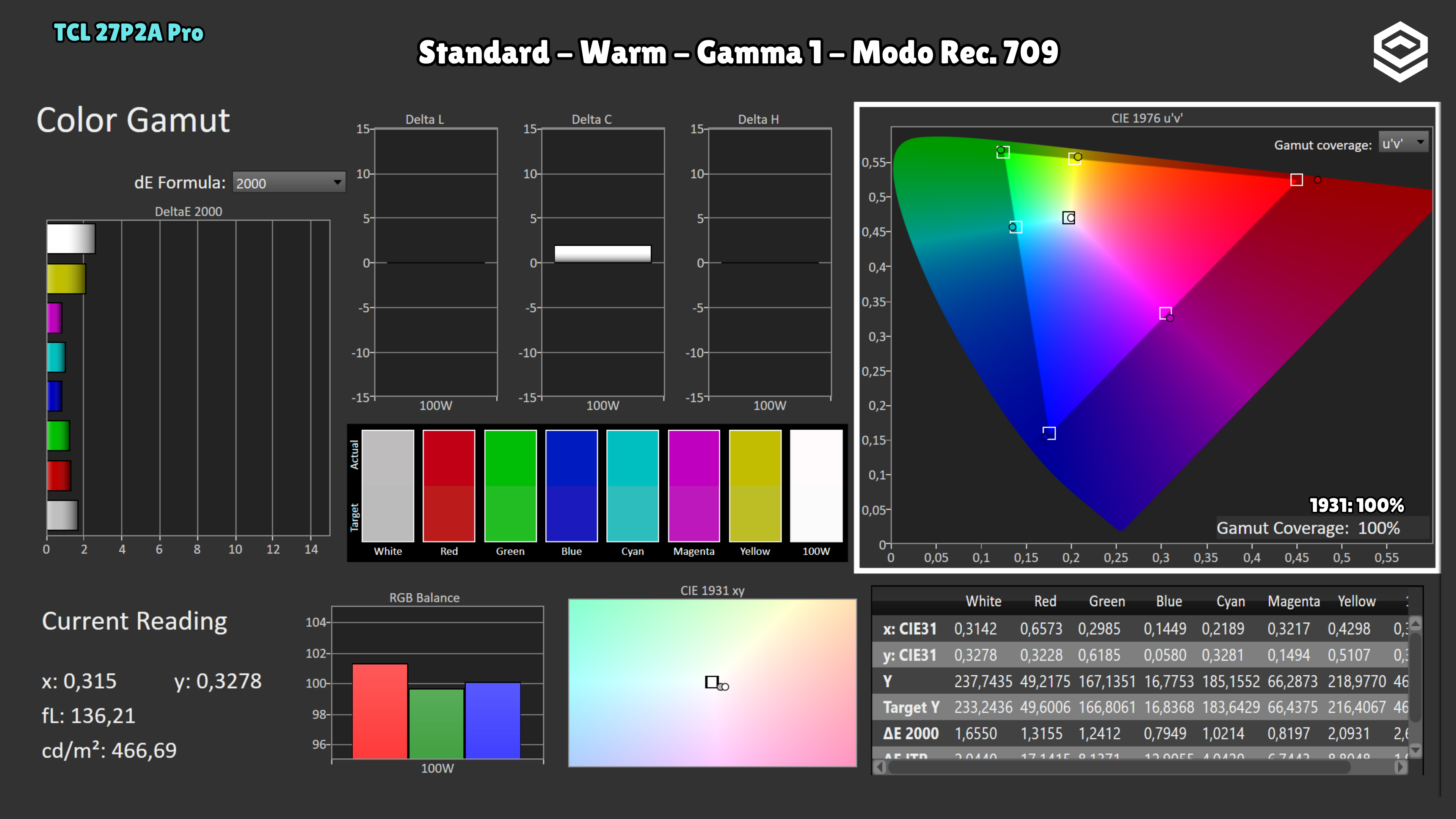
Test note · sRGB accuracy
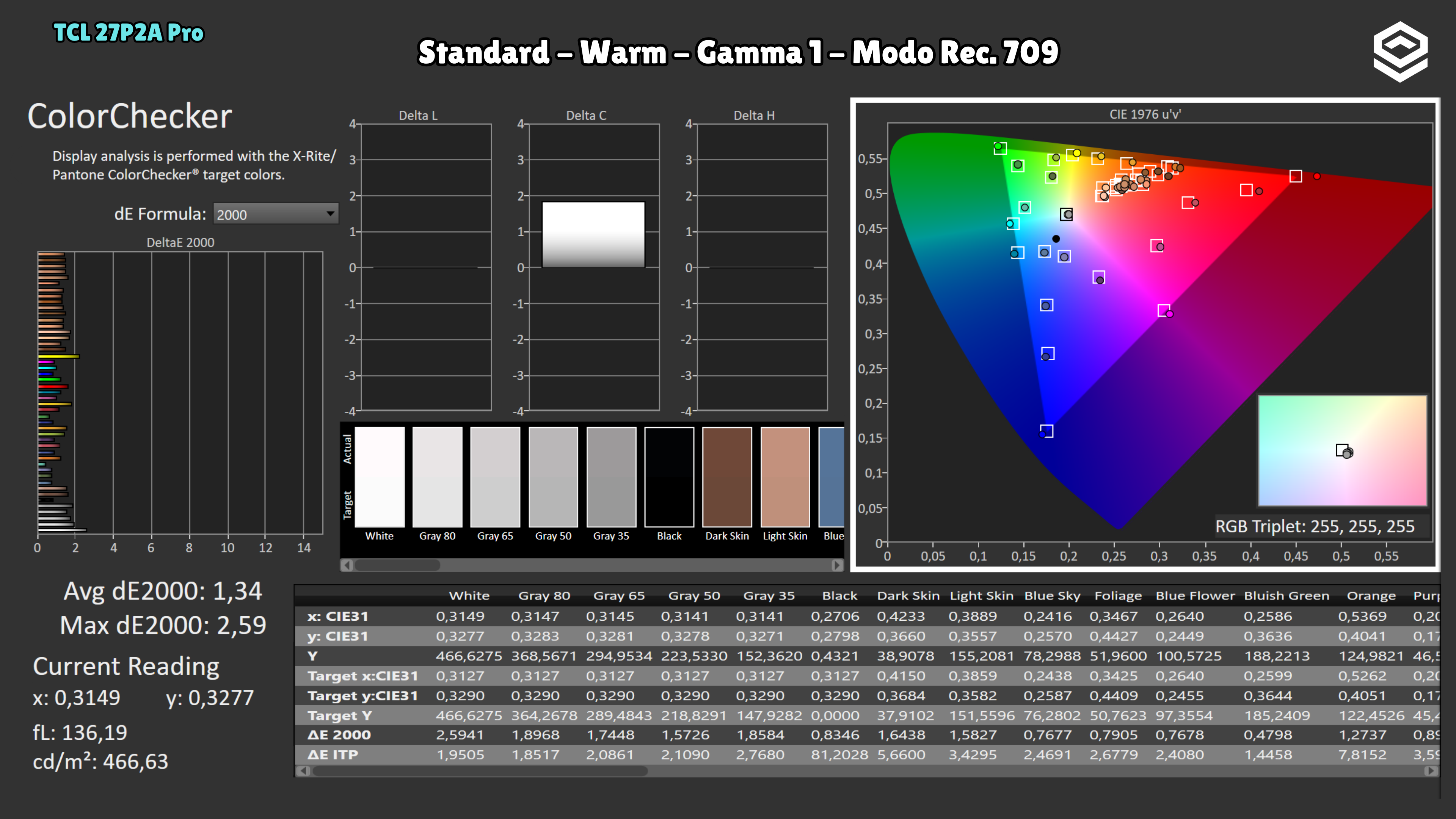
An additional Rec.709 mode is similar to sRGB but targets gamma 2.4.
HDR performance
Brillo pico, volumen de color, EOTF y experiencia HDR real.
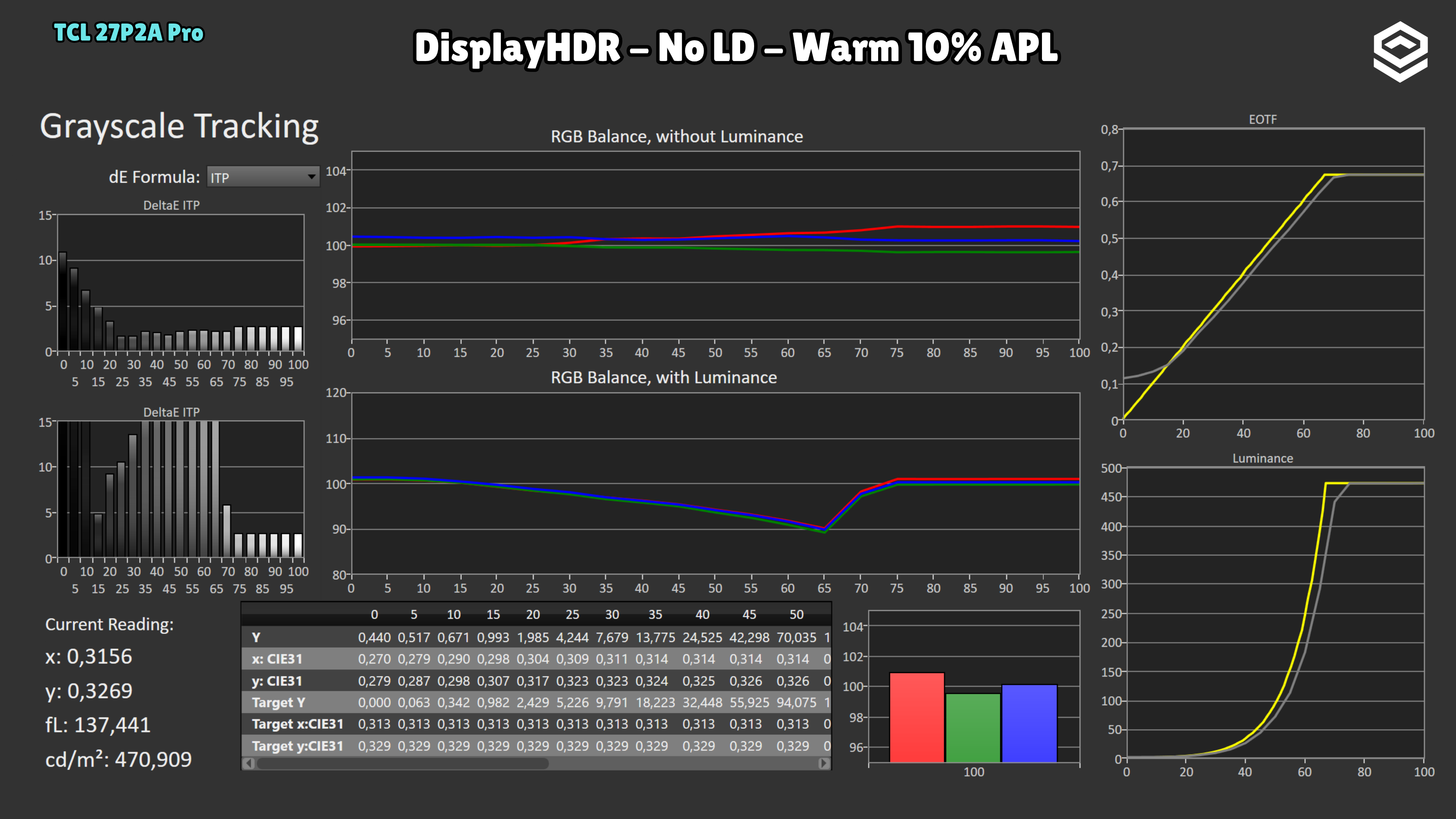
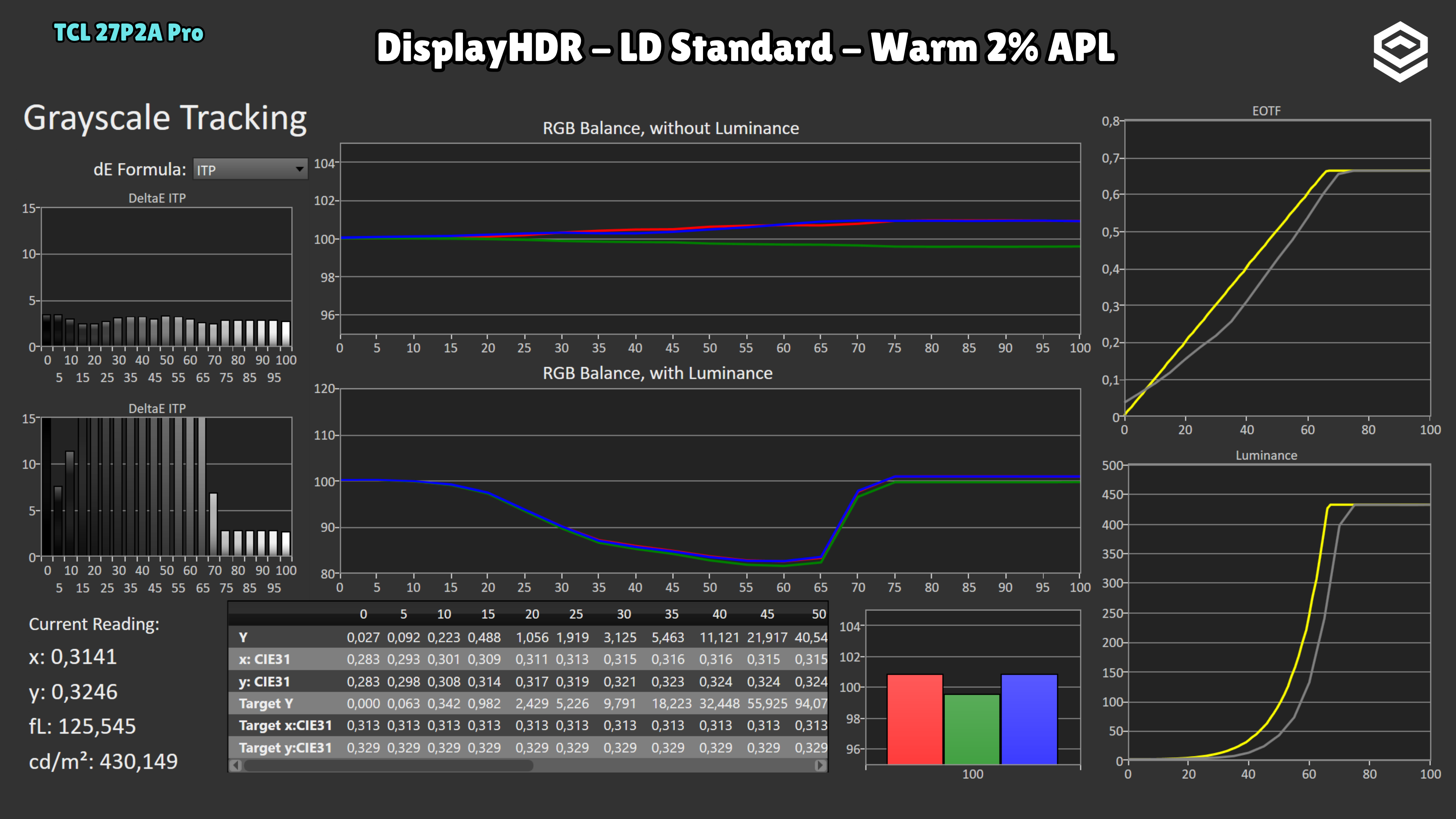
Test note · ΔE ITP HDR
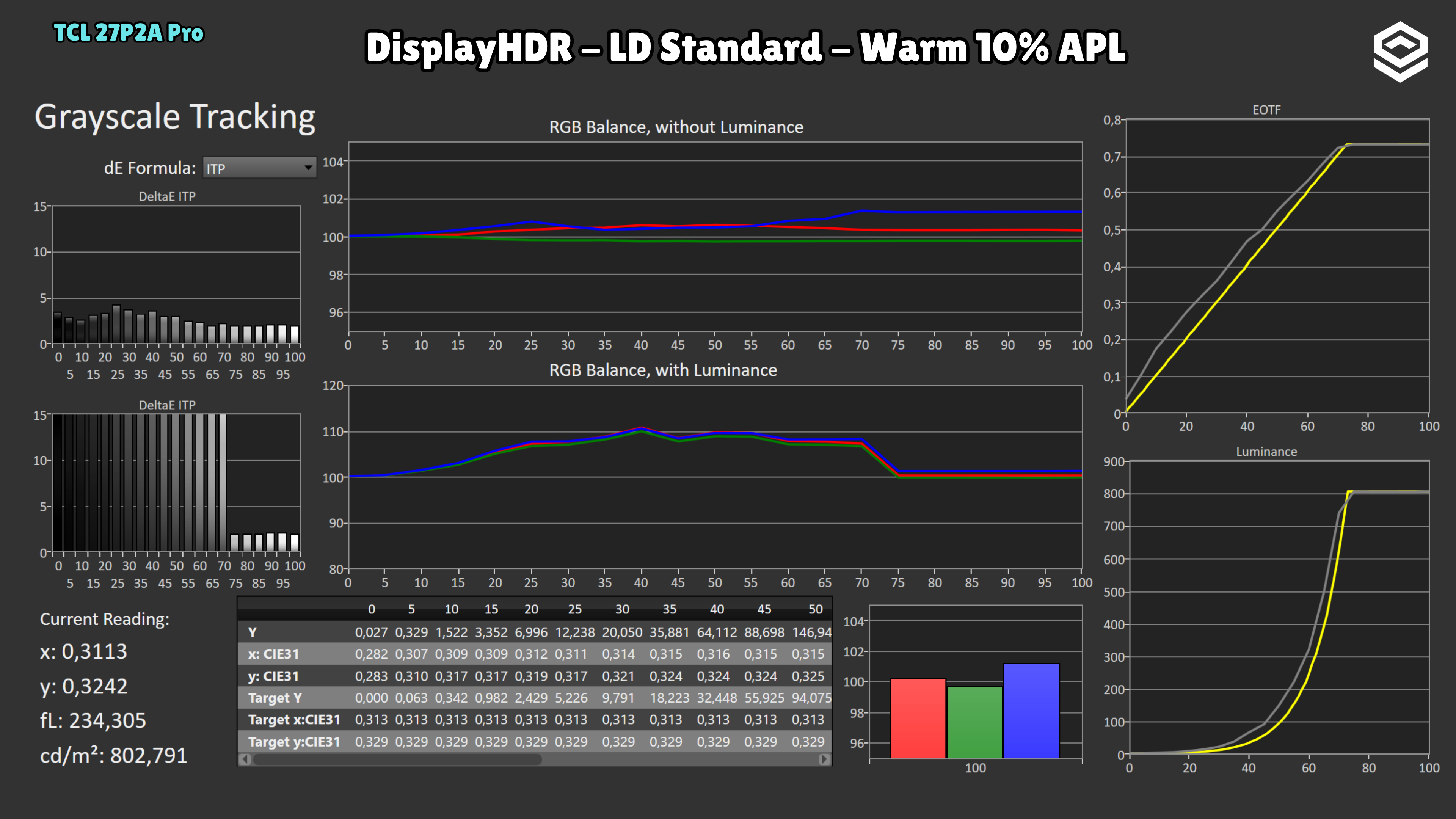
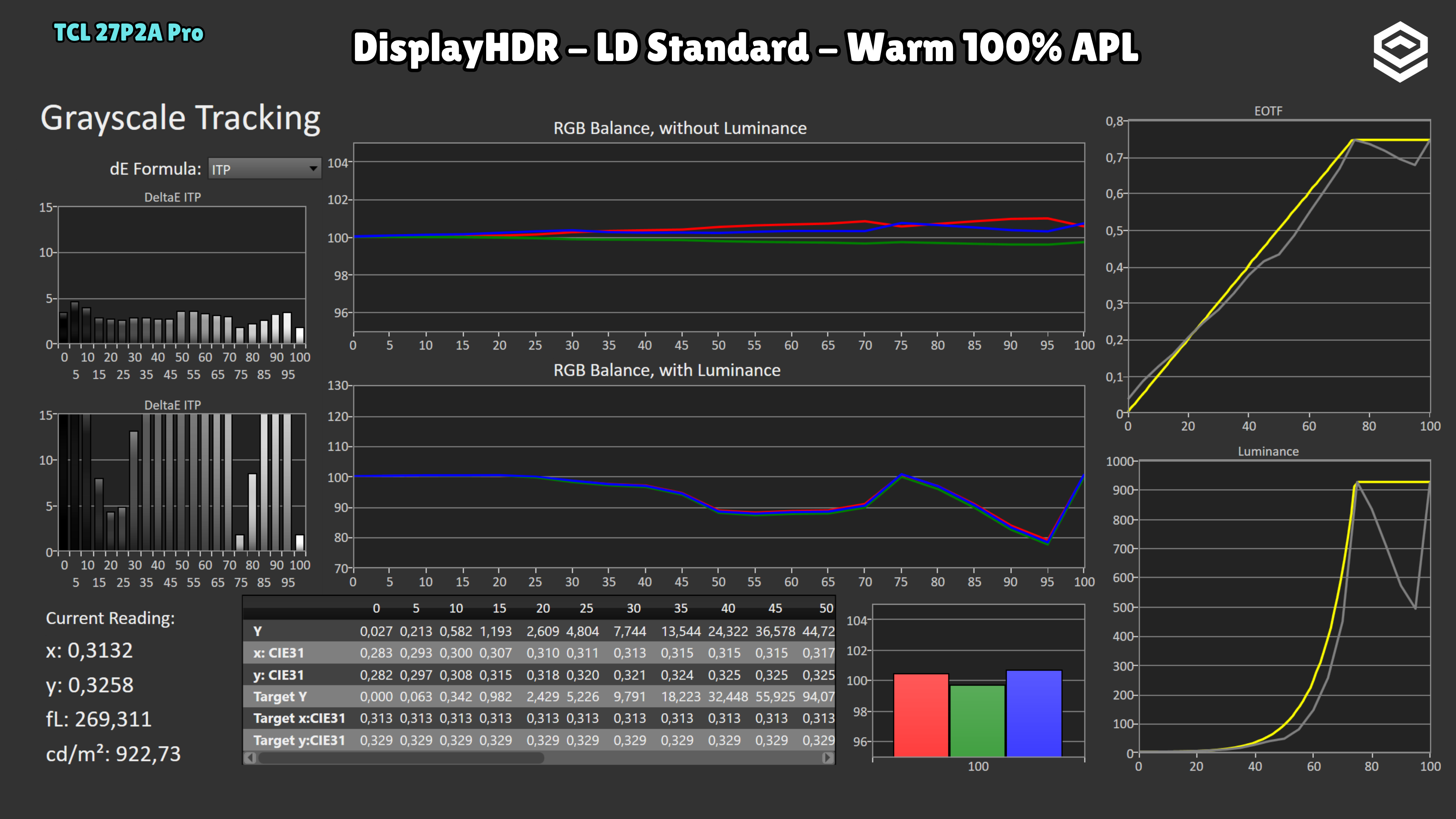
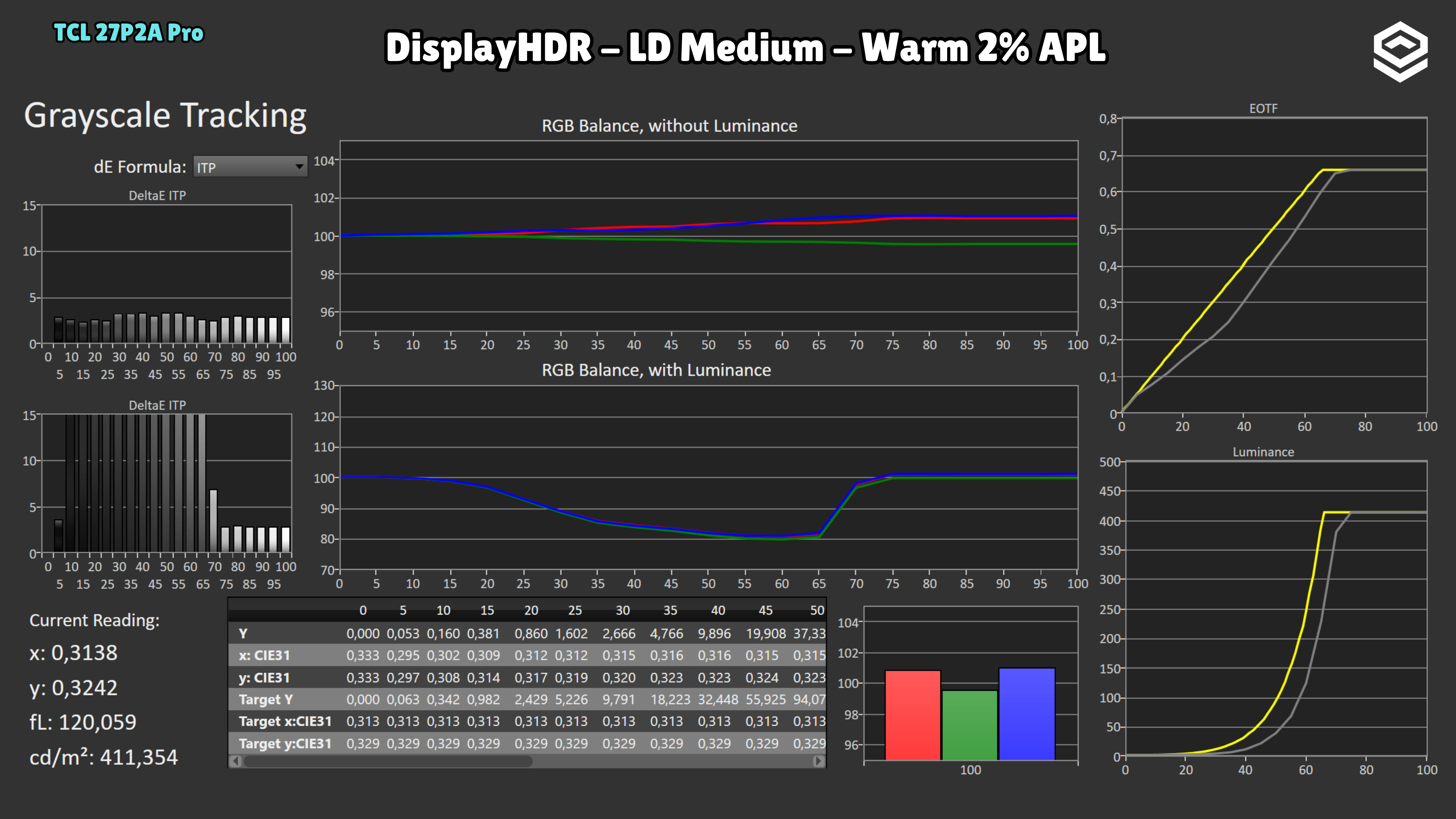
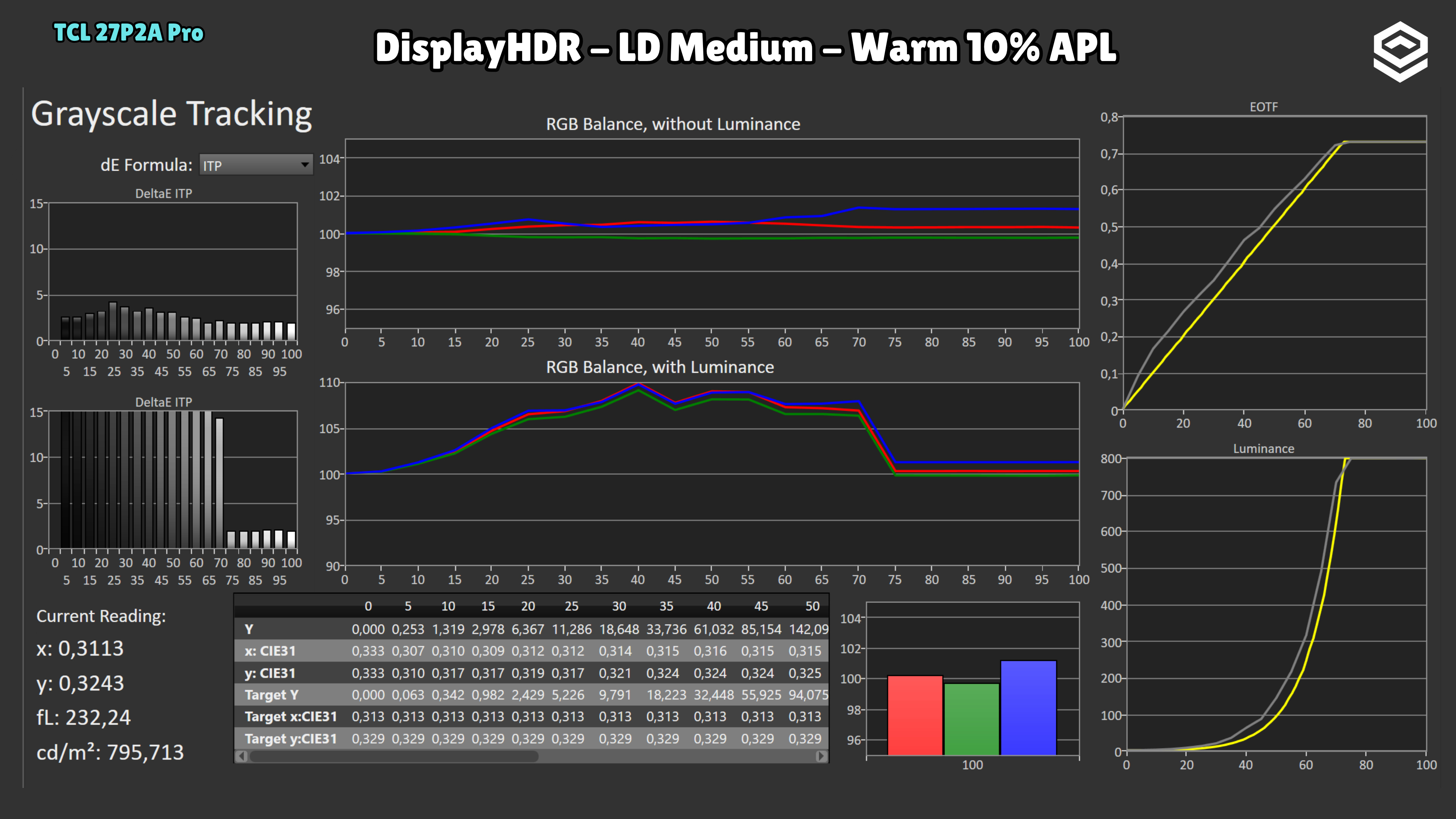
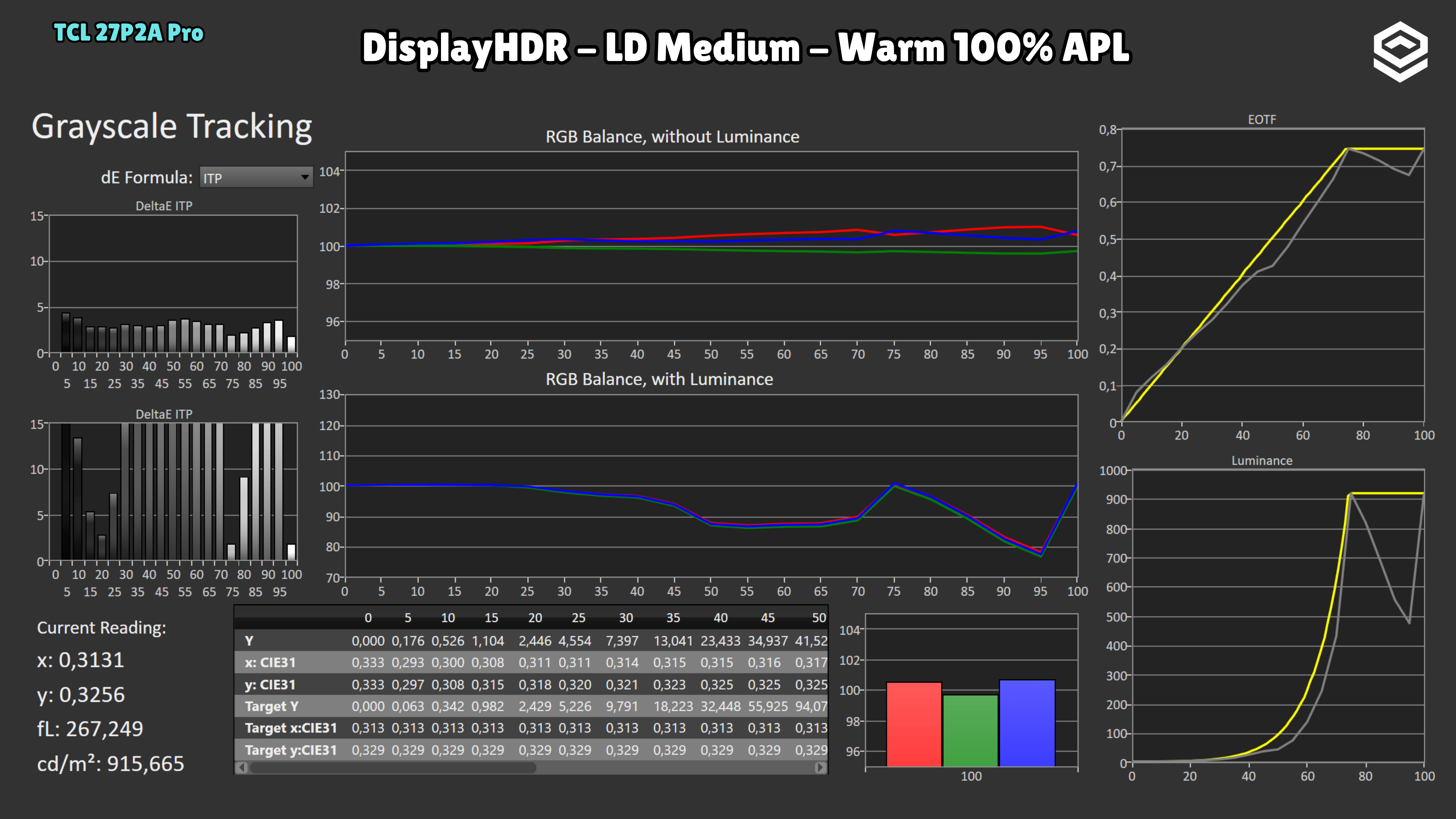
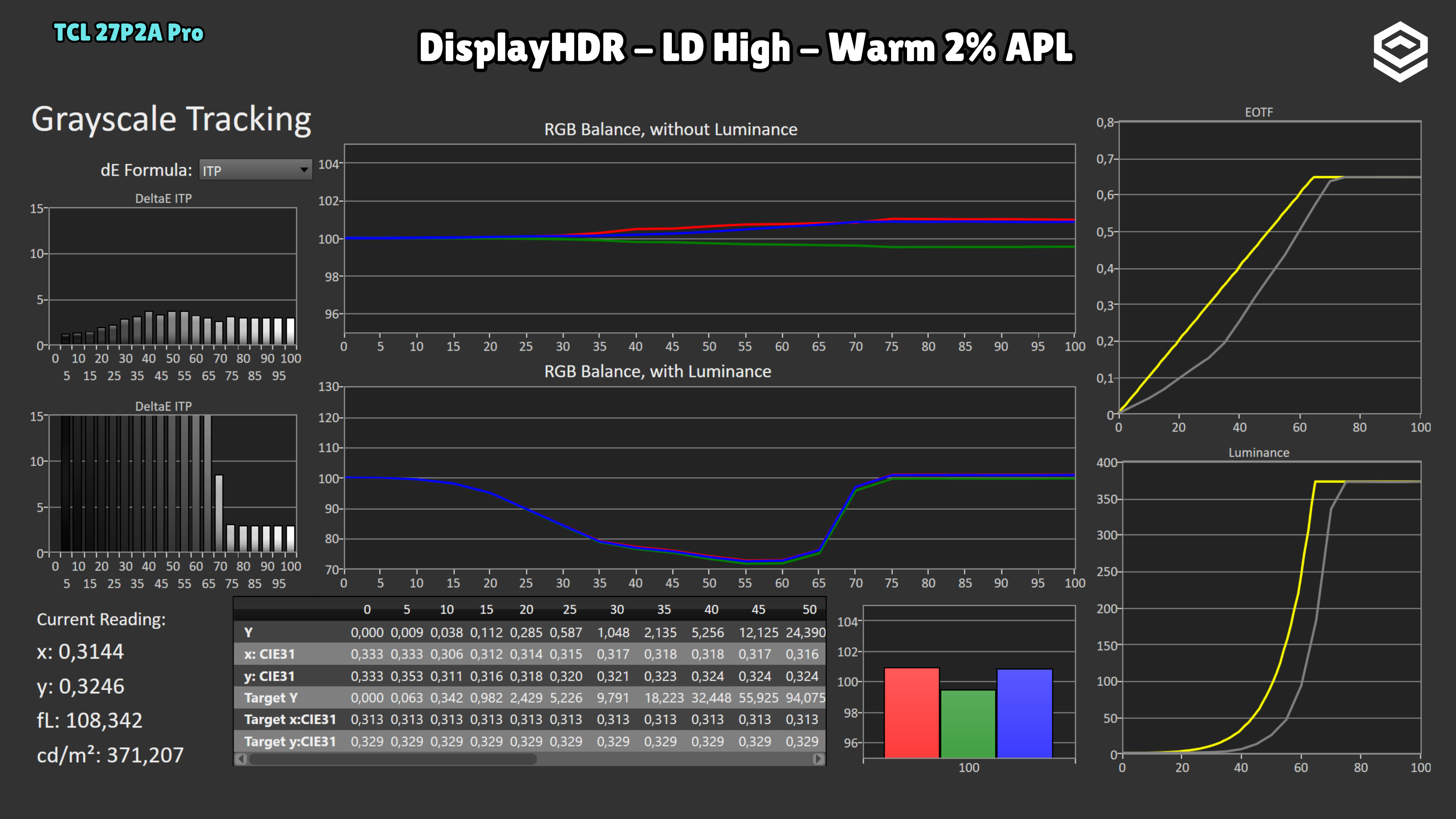
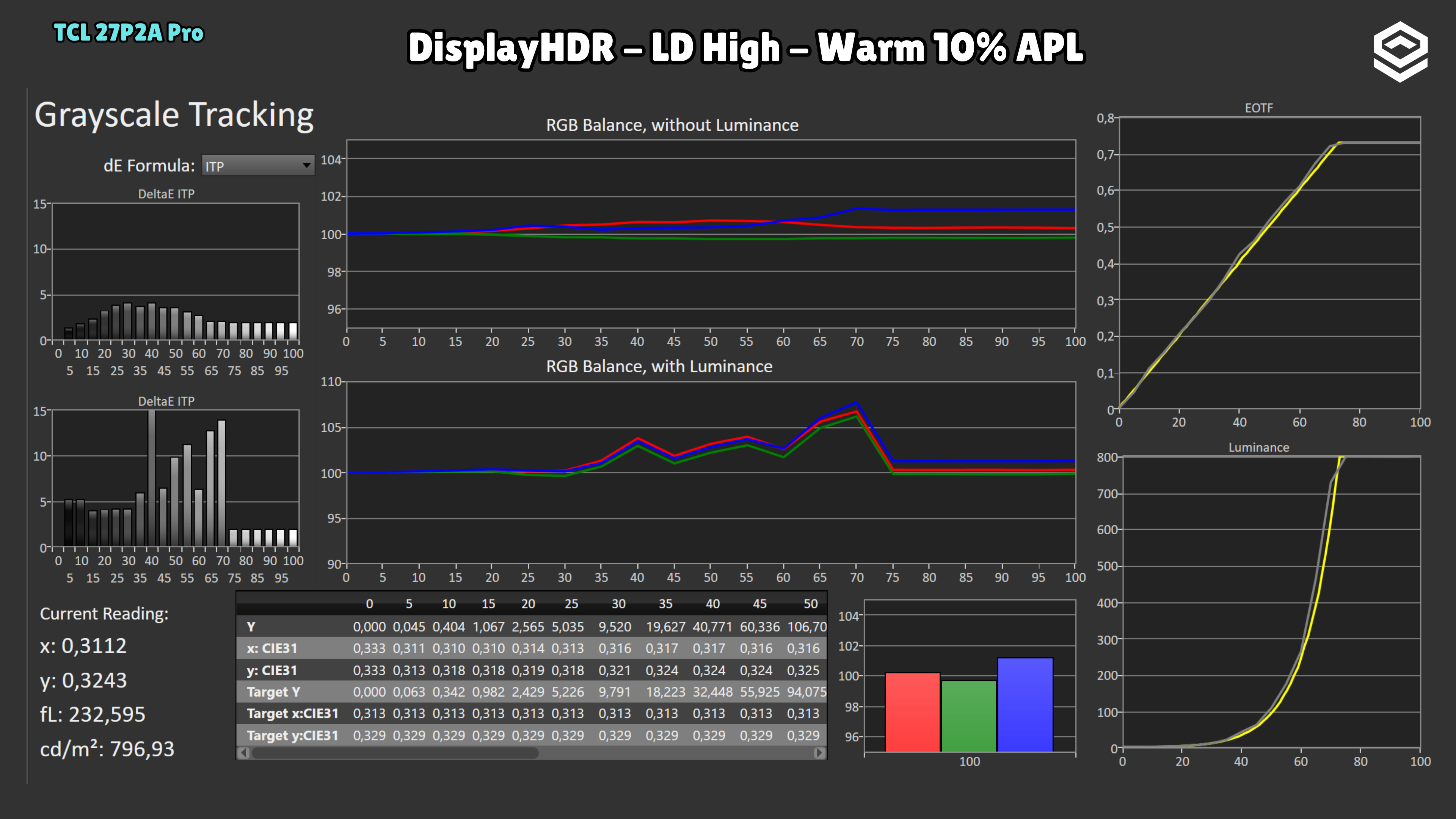
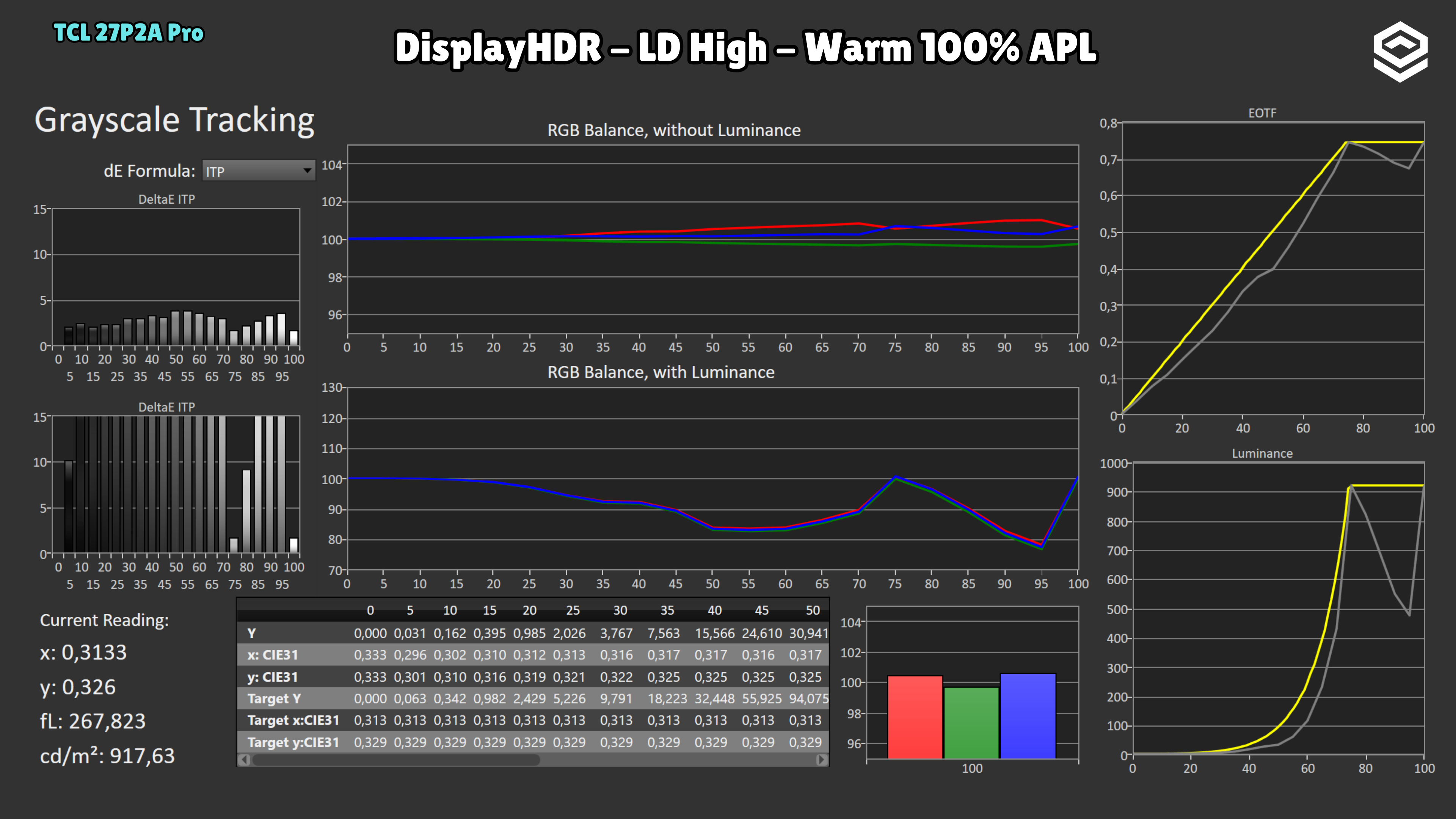
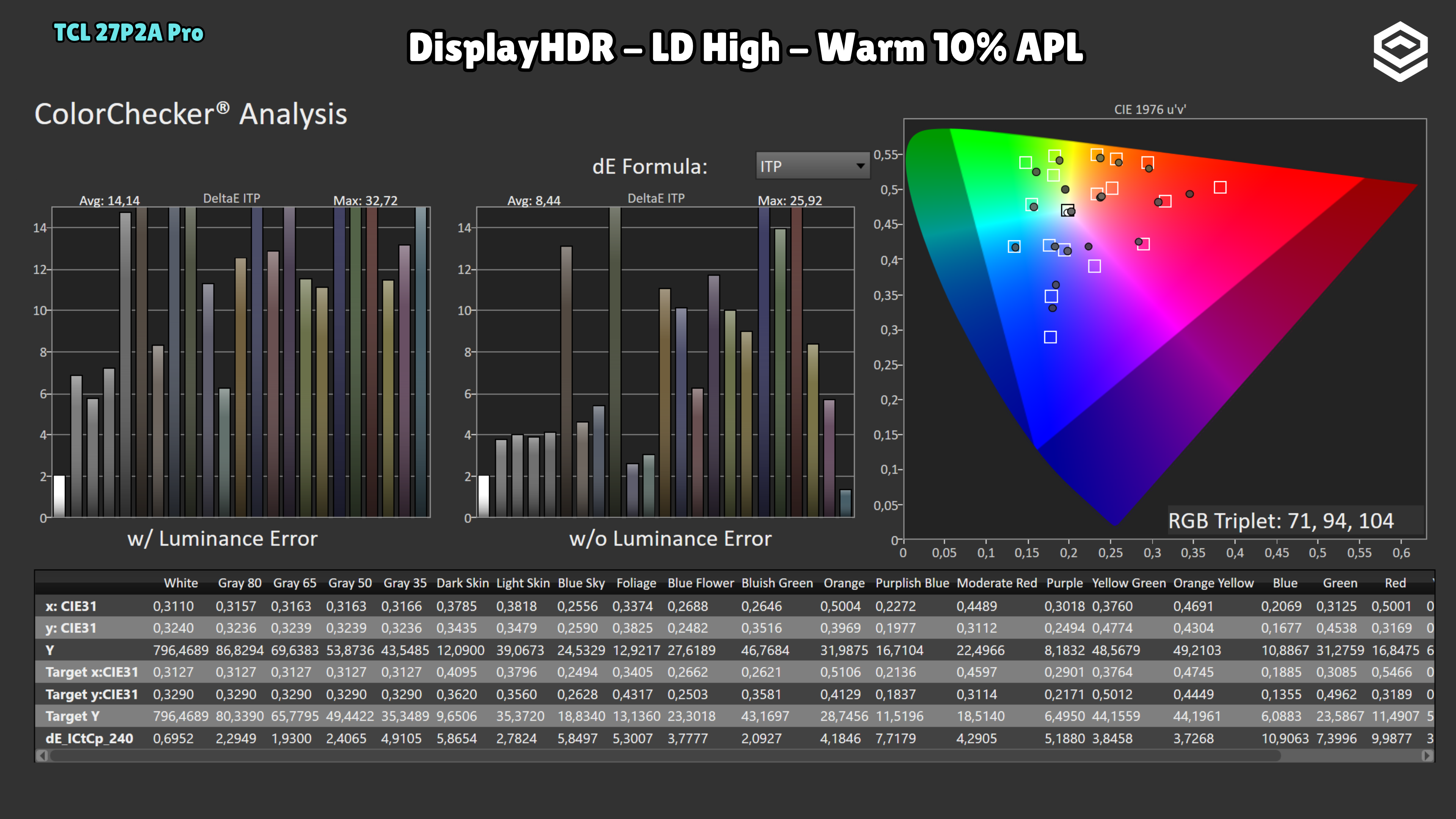
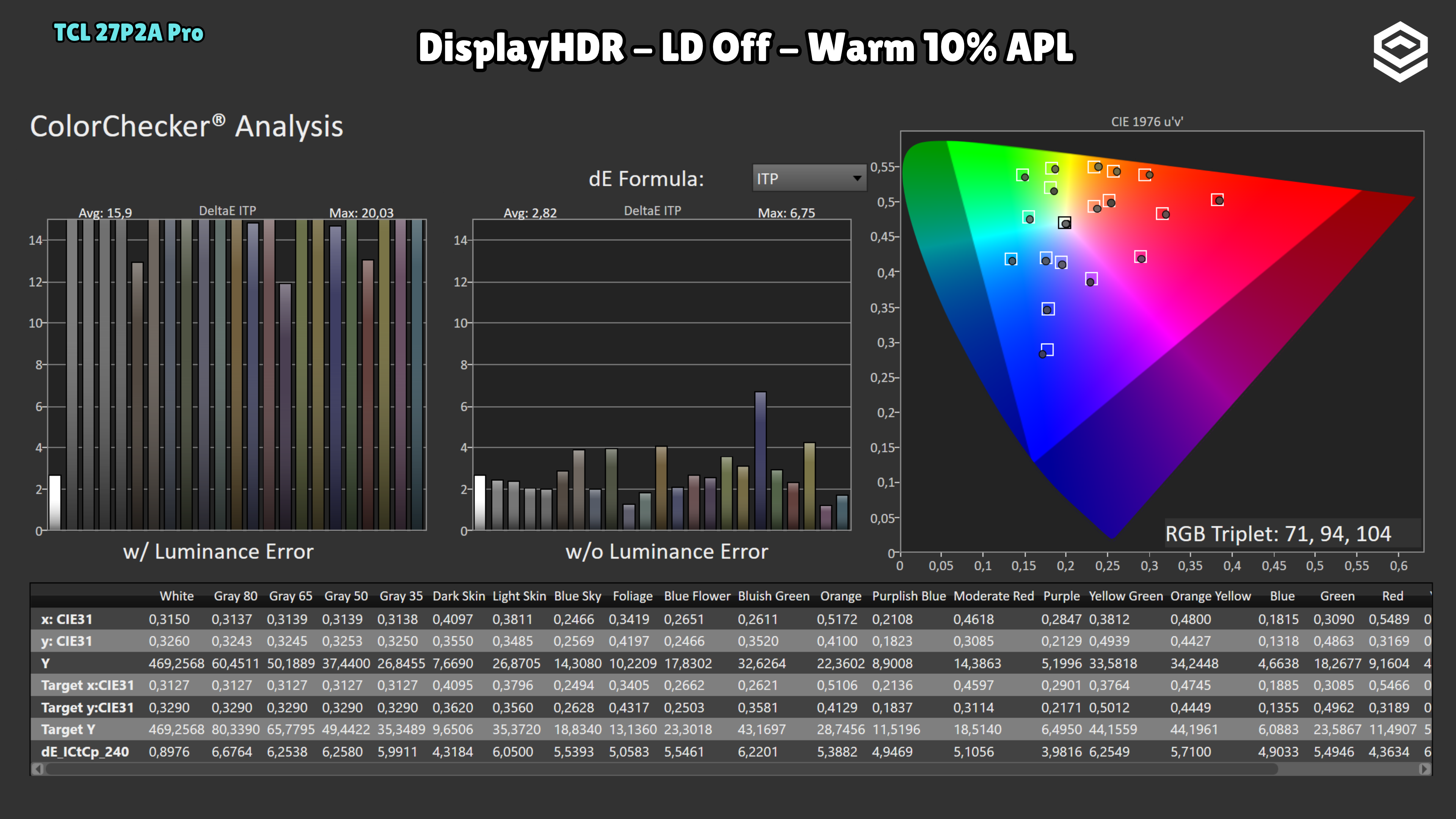
Colour error increases with local dimming: the average rises from 2.82 with LD Off to 8.44 with LD High. The colour reference measured with LD disabled does not describe the accuracy of the setting recommended for HDR contrast.
Test note · EOTF tracking
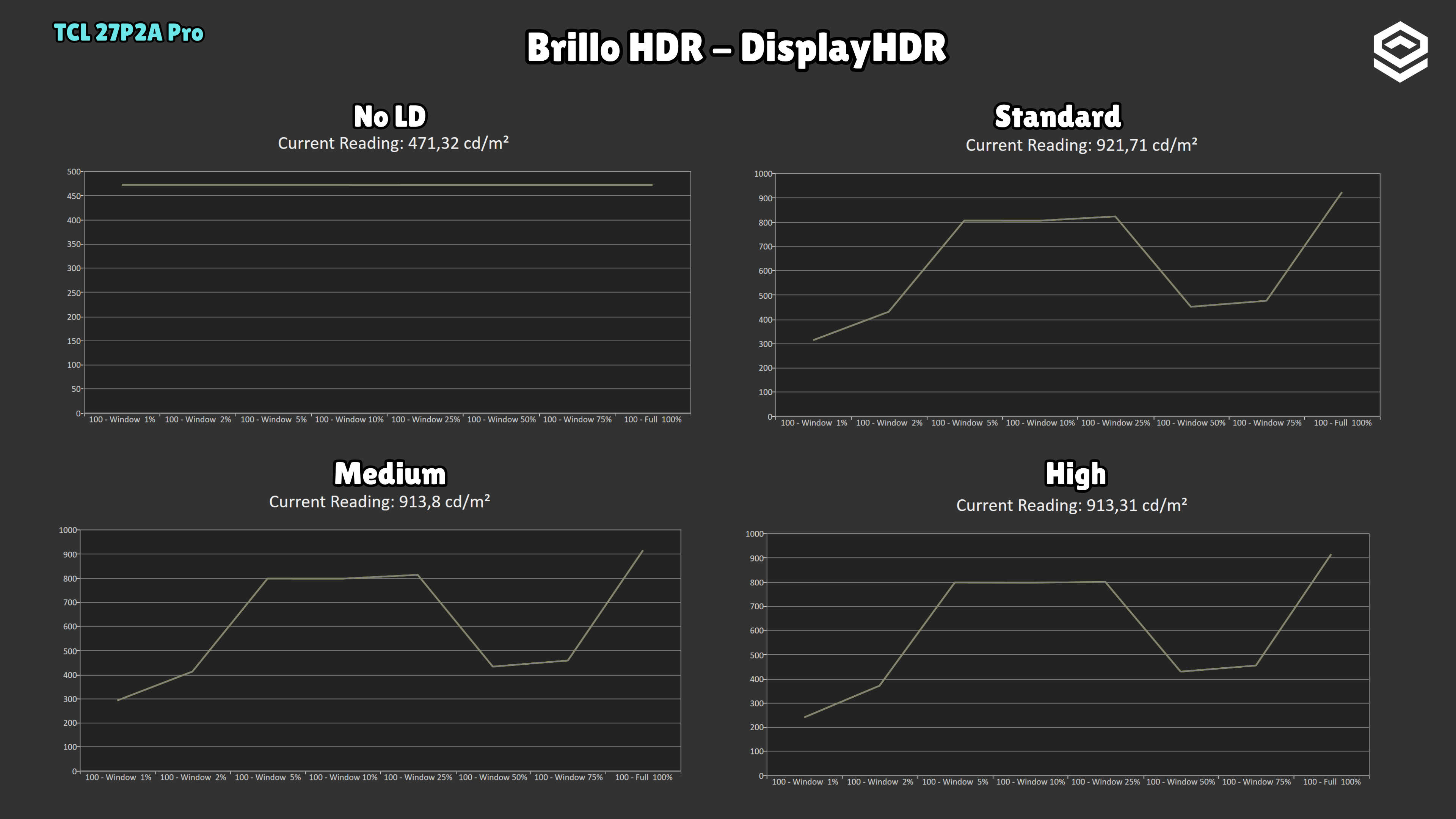
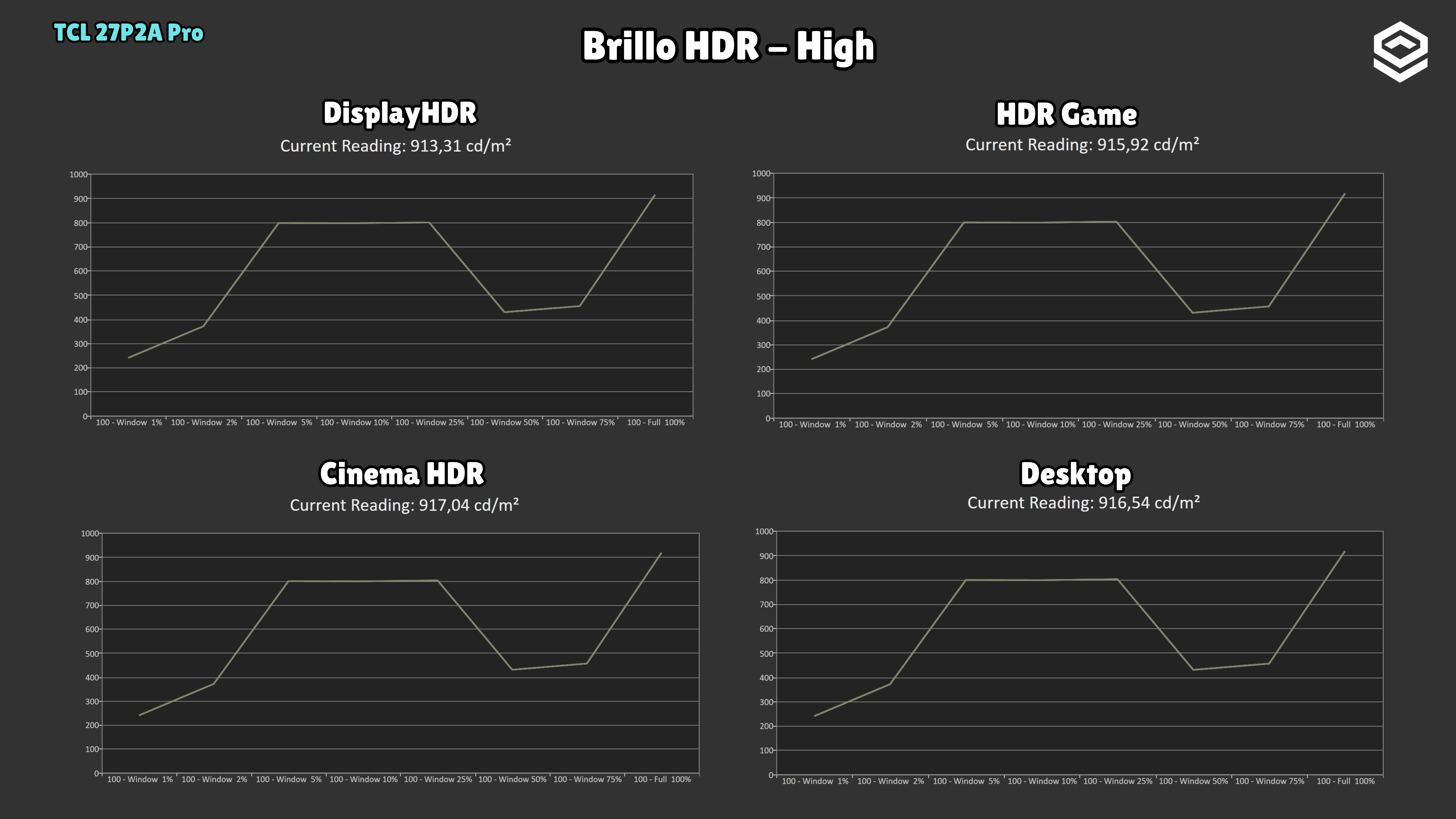
DisplayHDR with Local Dimming High is the recommended setting. Tracking is most accurate at 10% APL, though small deviations remain. It changes considerably with the illuminated area: at 2% APL the brightness ceiling drops and some midtones fall below the reference; at 100% APL peak brightness rises, but the curve is less consistent. With Local Dimming disabled, tracking in the dark region is incomplete and could also improve. The 10% APL result does not represent every scene.
Response time and PC gaming
Overdrive, tiempo de respuesta, overshoot, VRR e input lag.
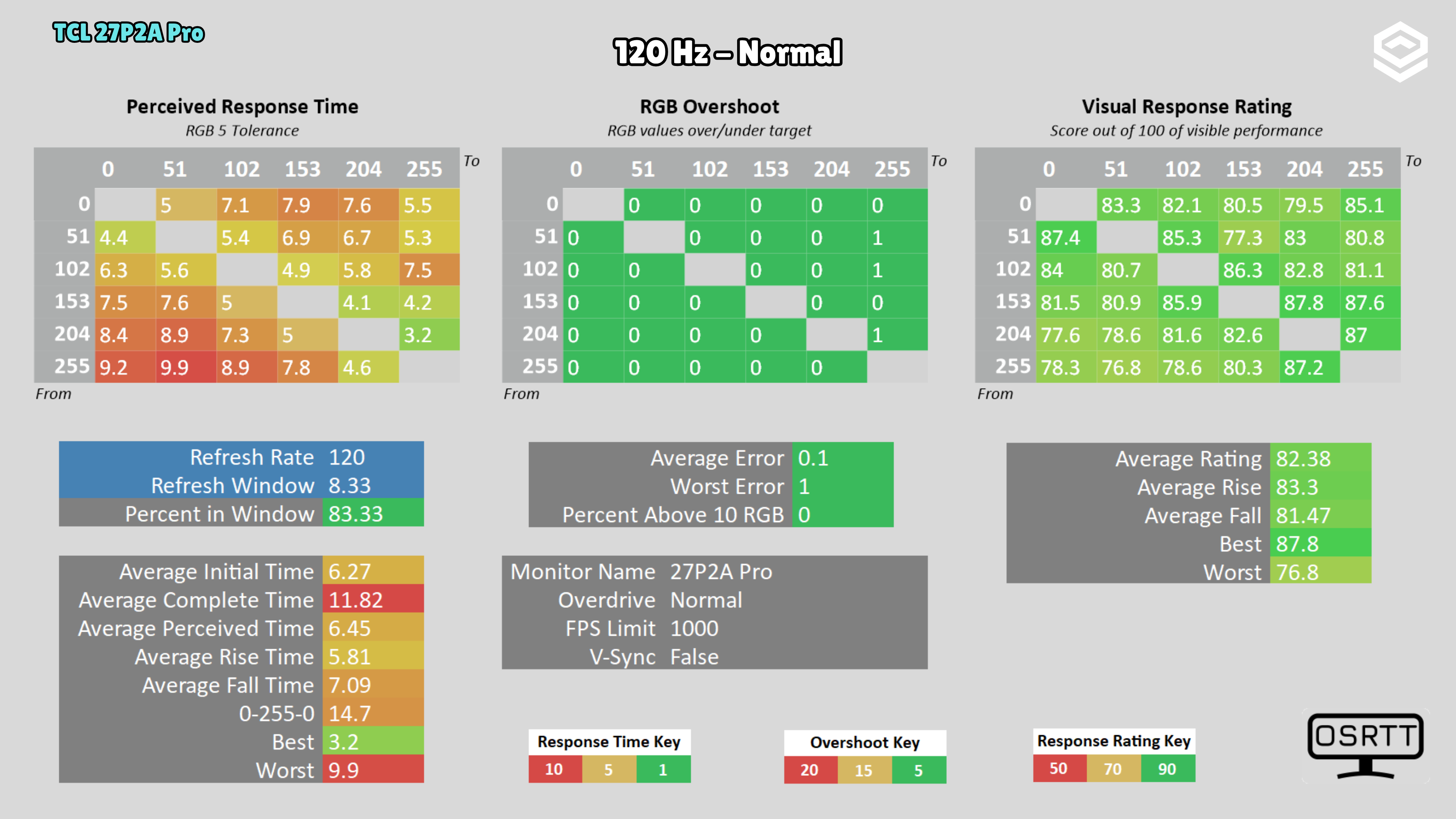
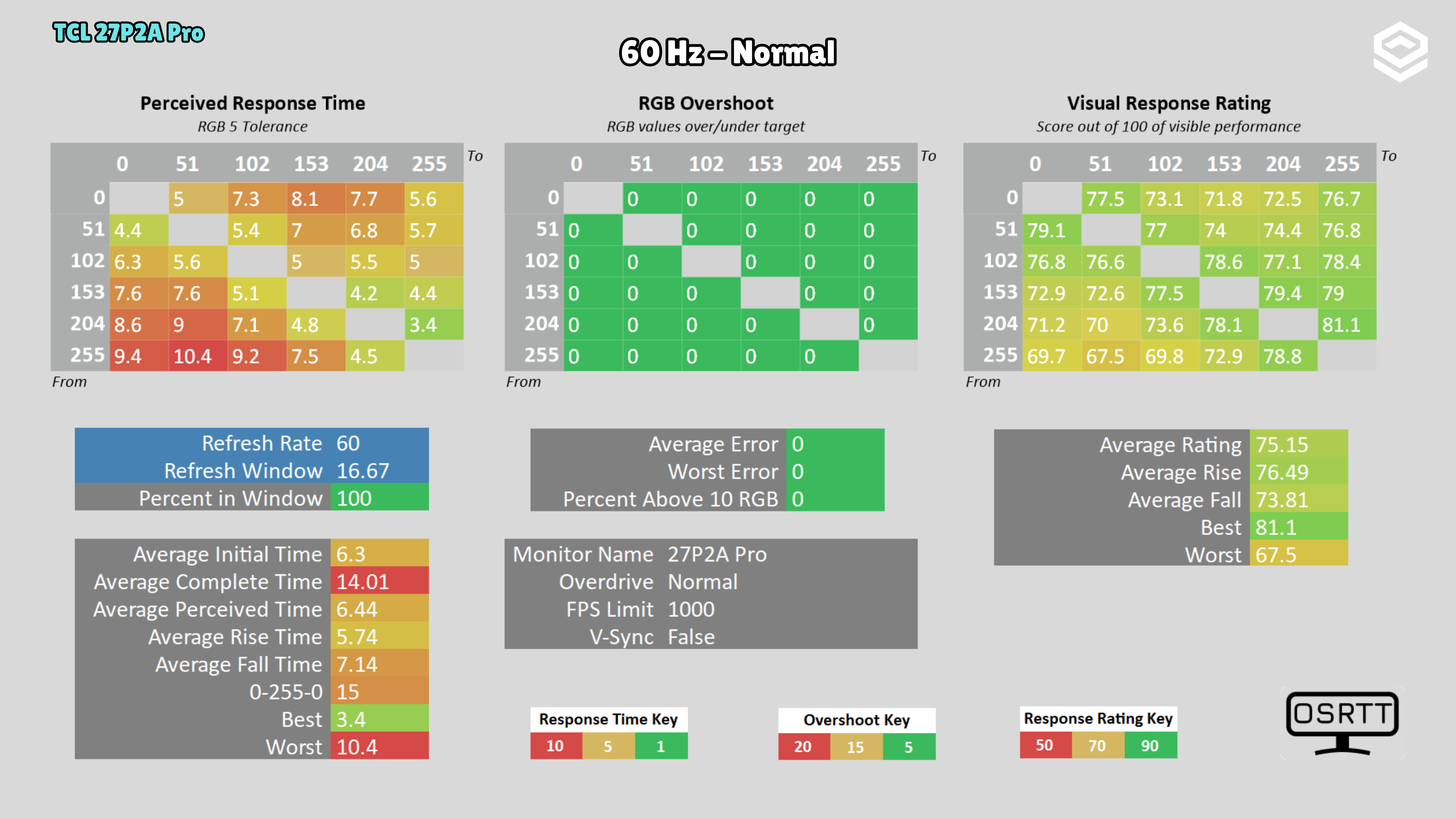
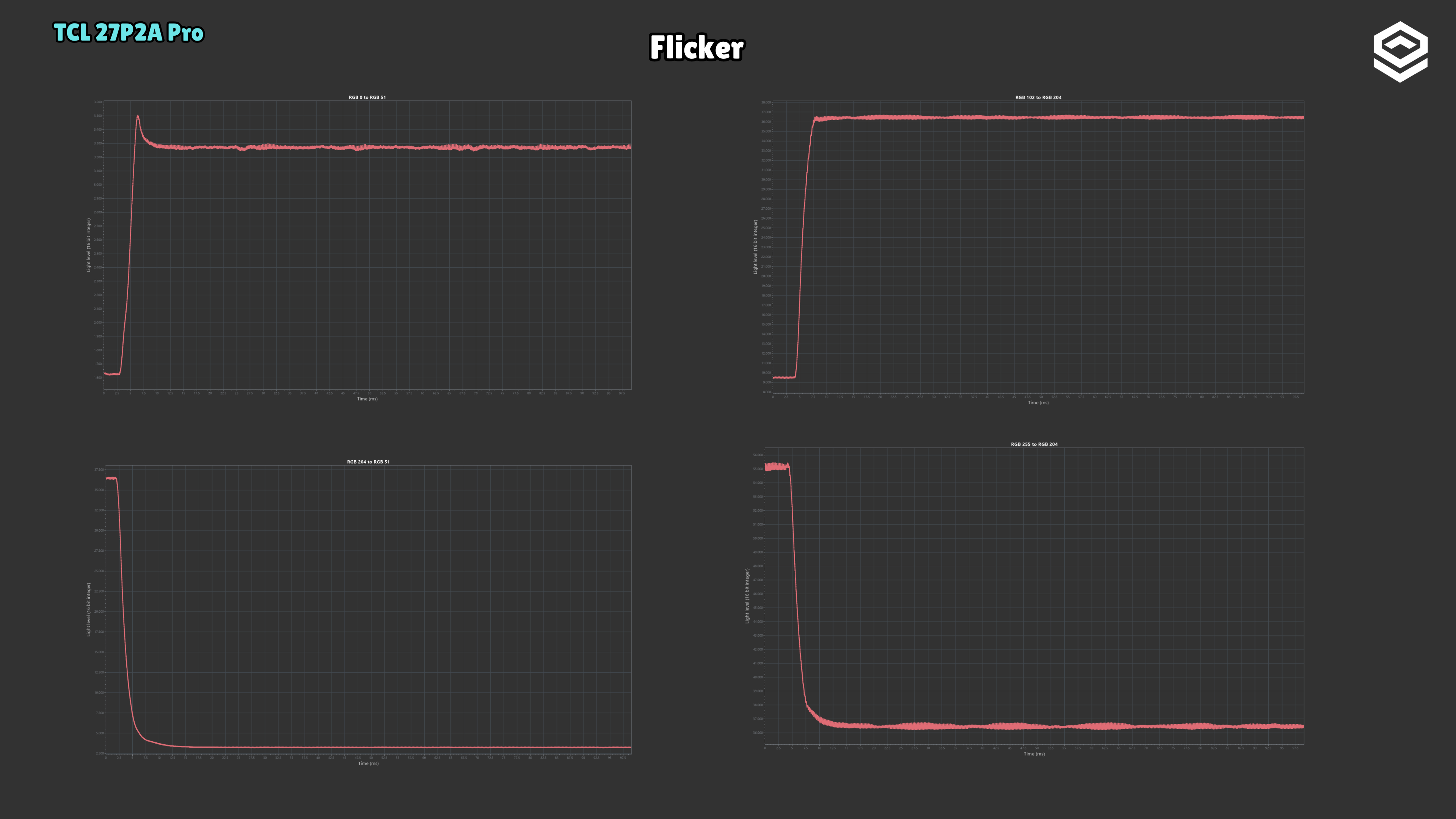
Test note · Response time
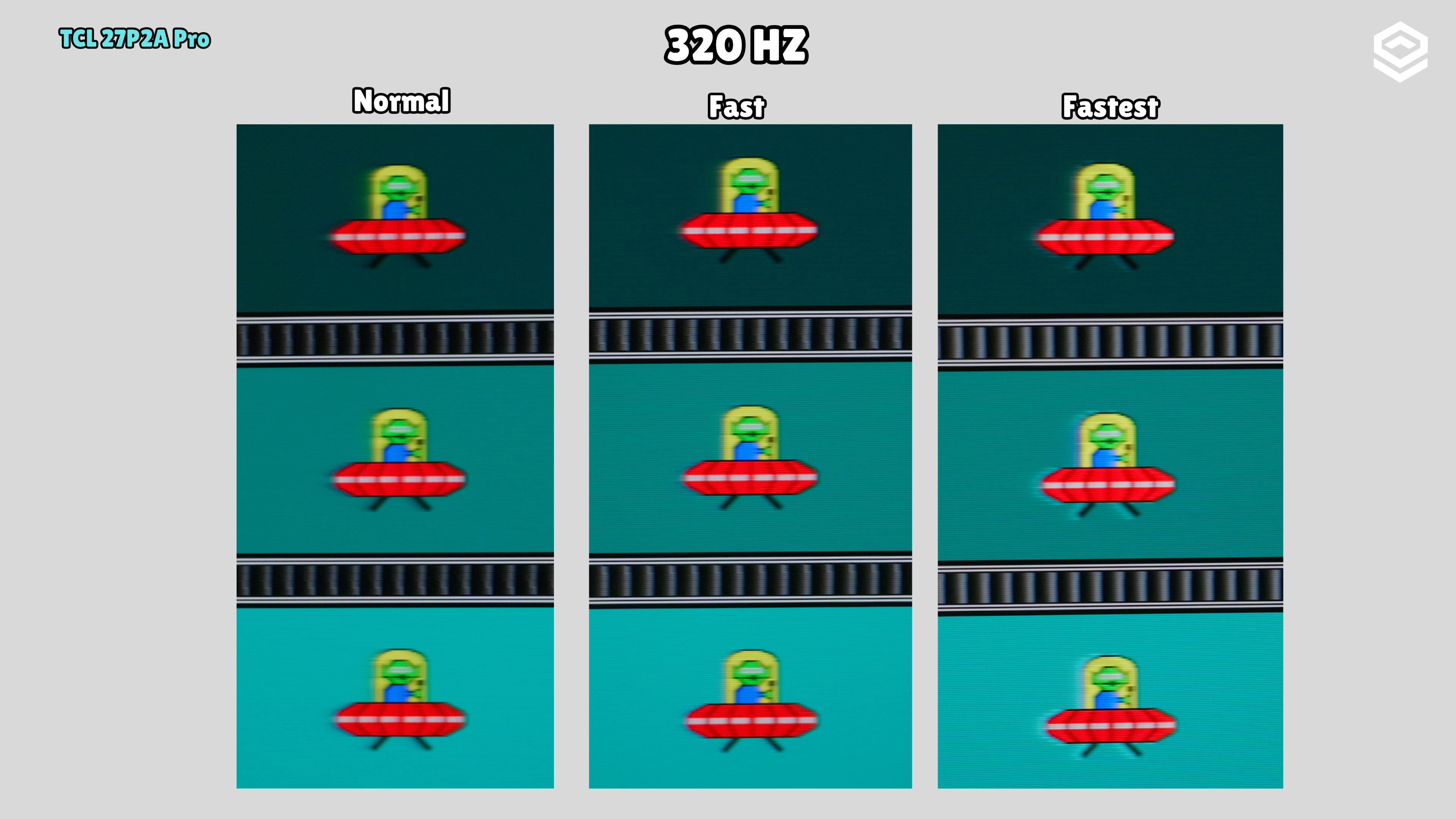
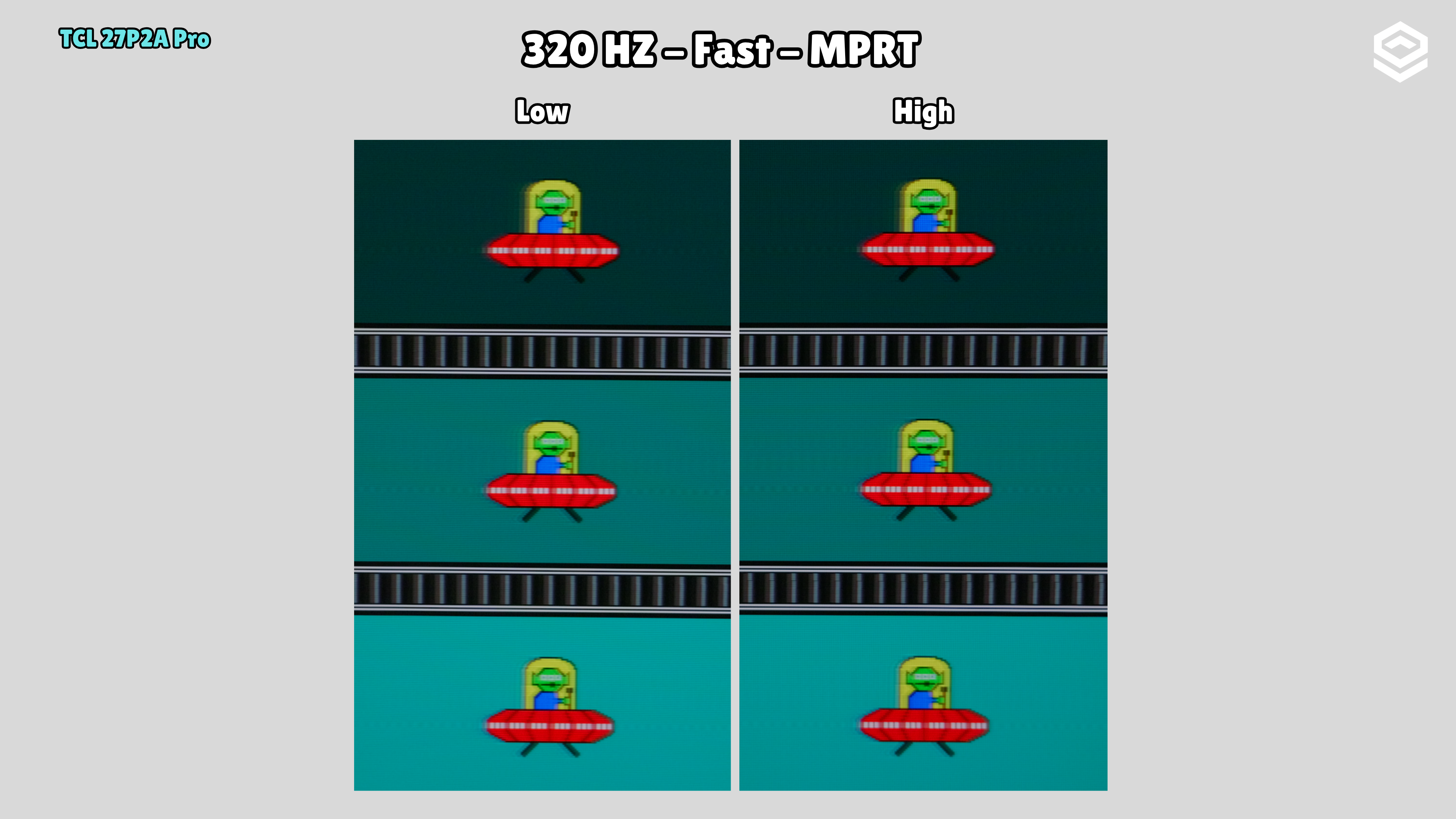
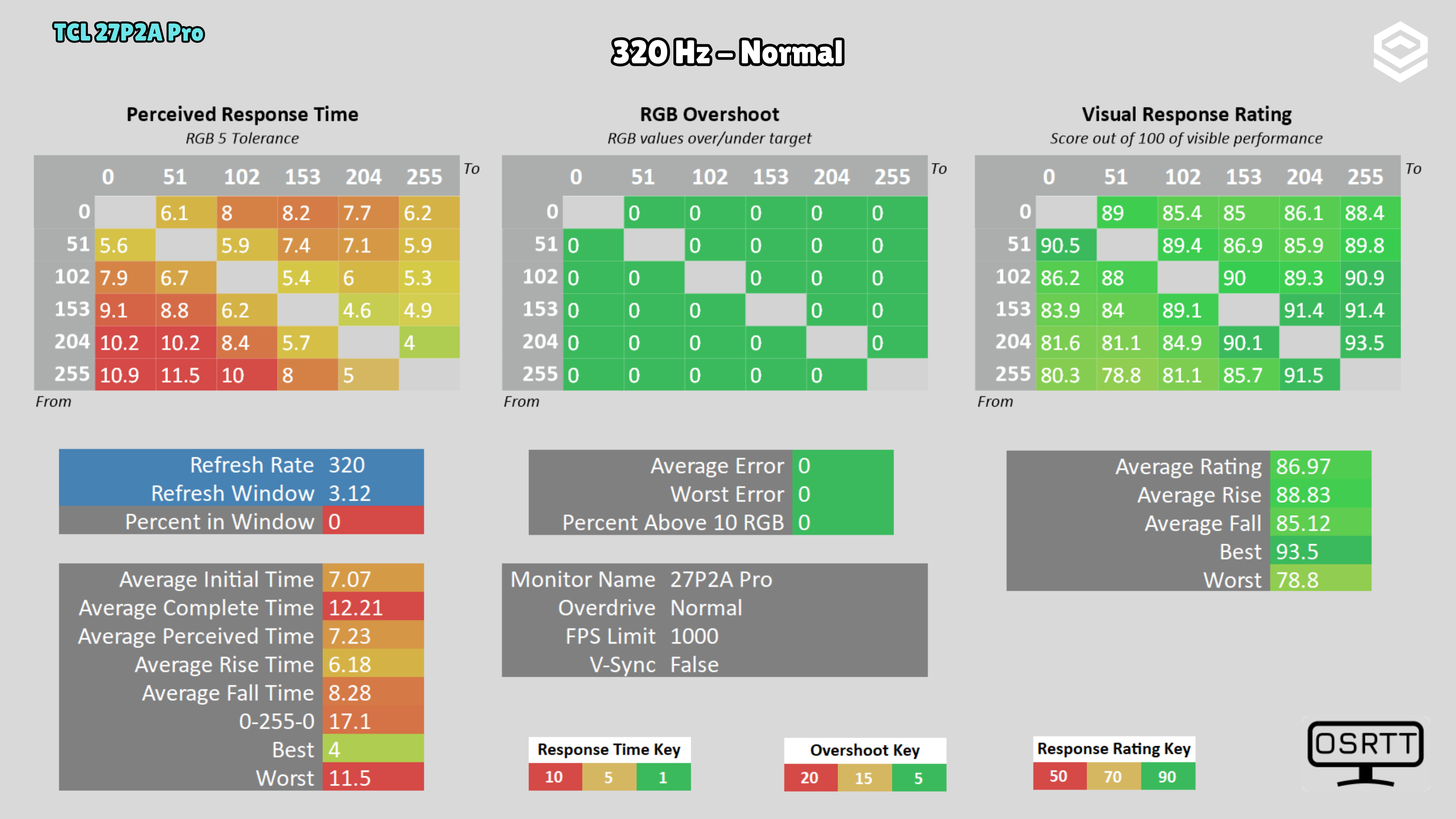
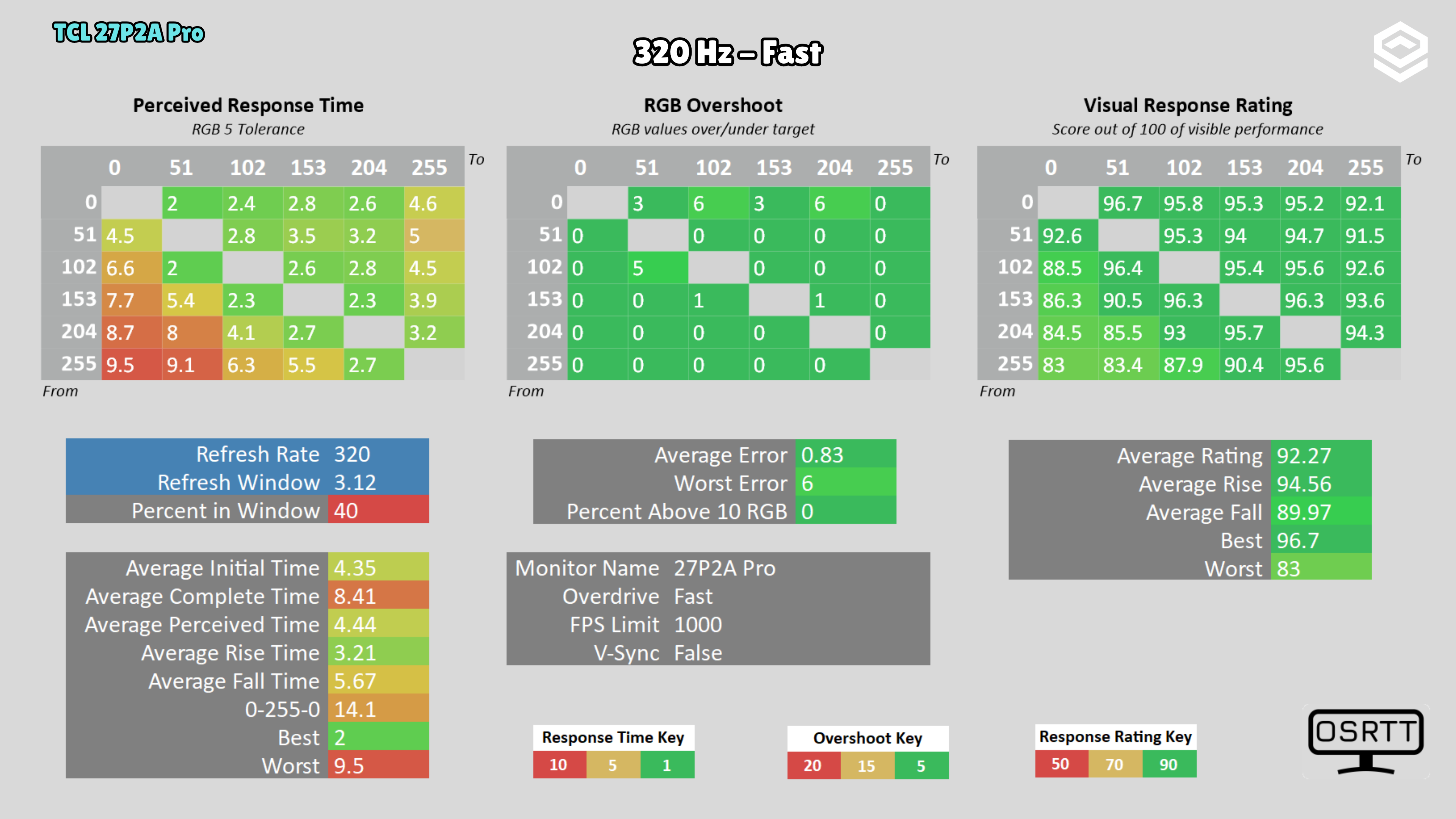
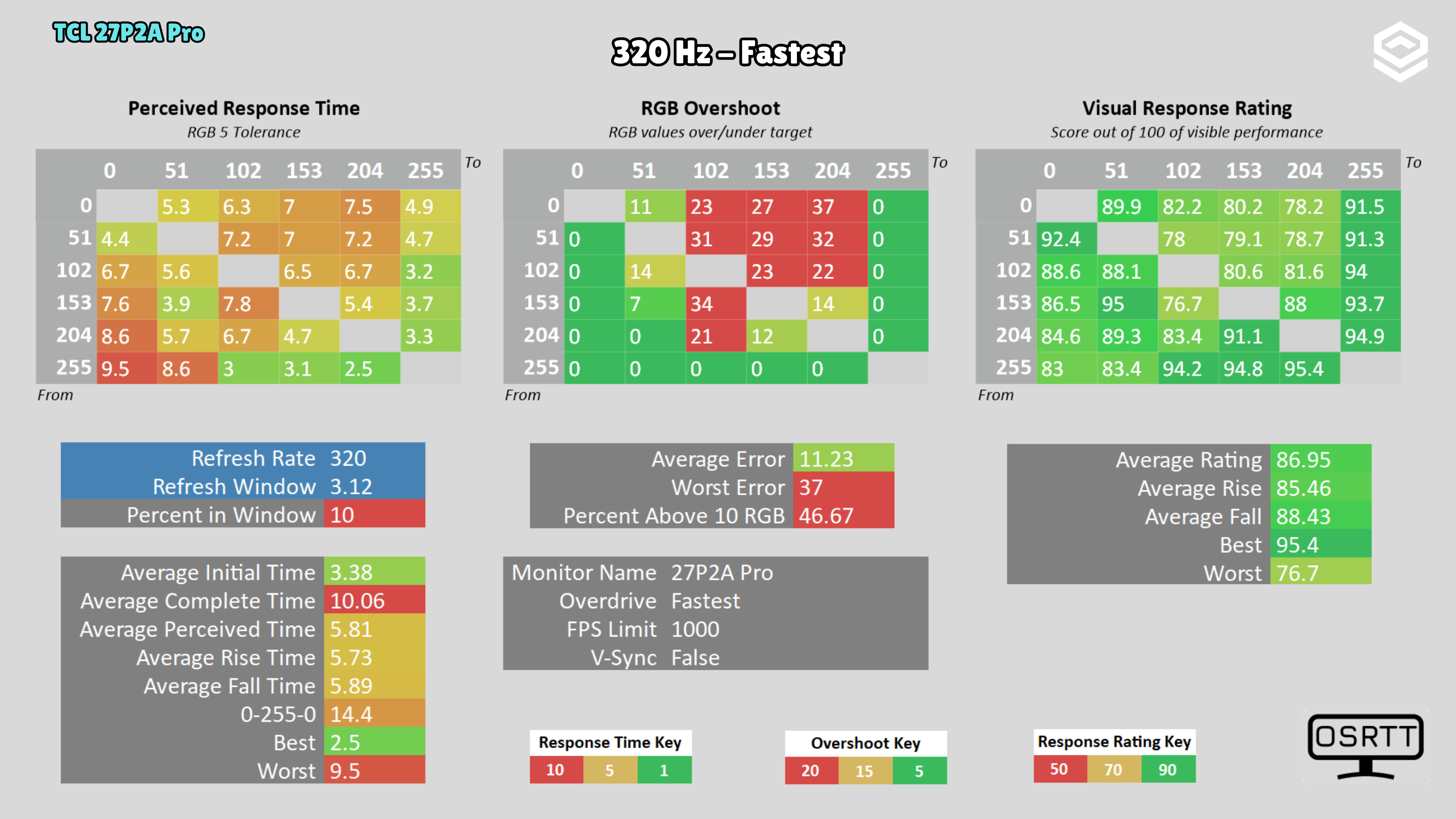
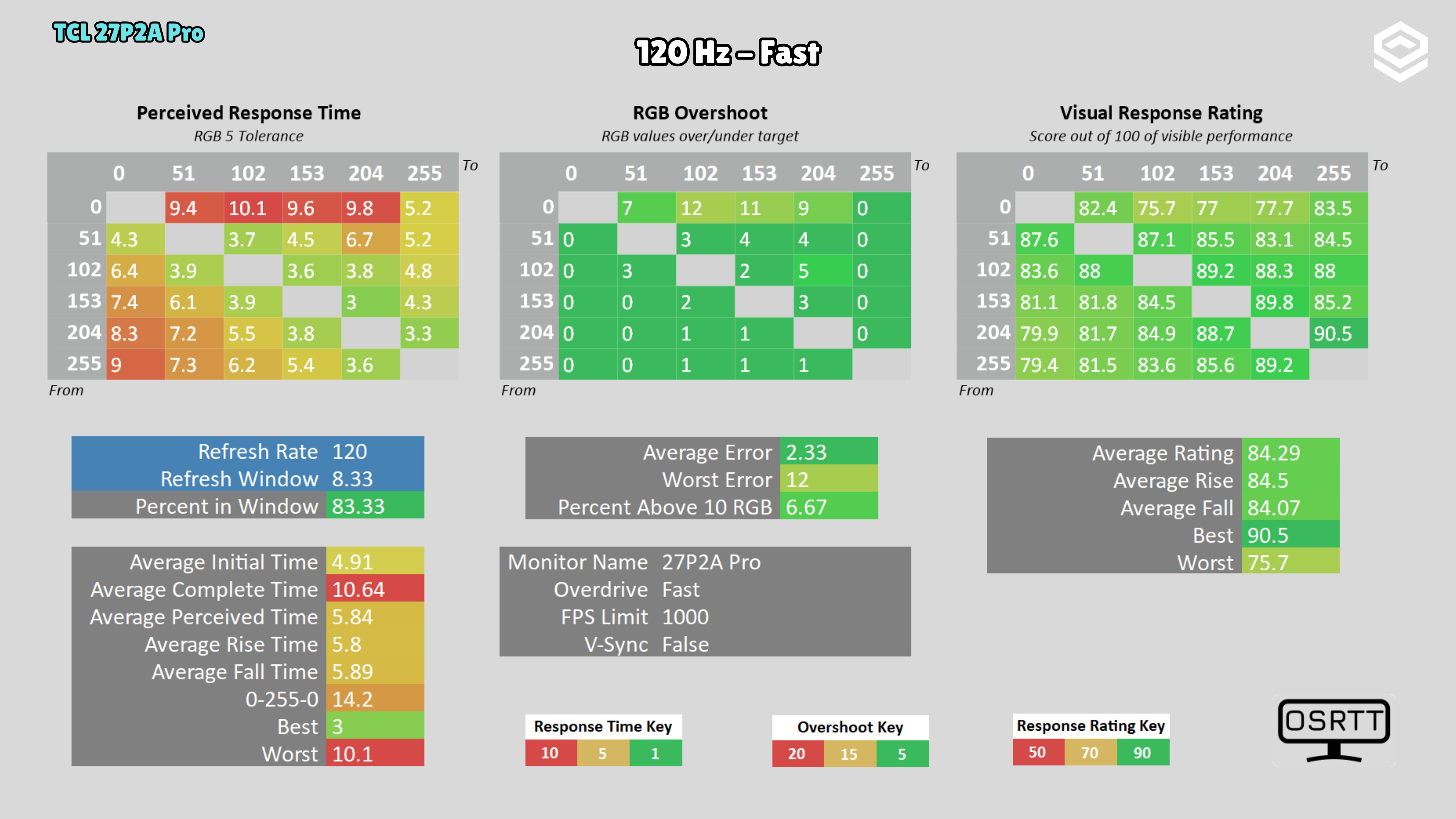
I observed some image retention during the UFO test.
PS5 and consoles
Compatibilidad con VRR, ALLM y resoluciones permitidas.
4K 60 Hz
Stand, mounting and extras
Calidad física, ergonomía, VESA y detalles destacables.
Contrast and local dimming
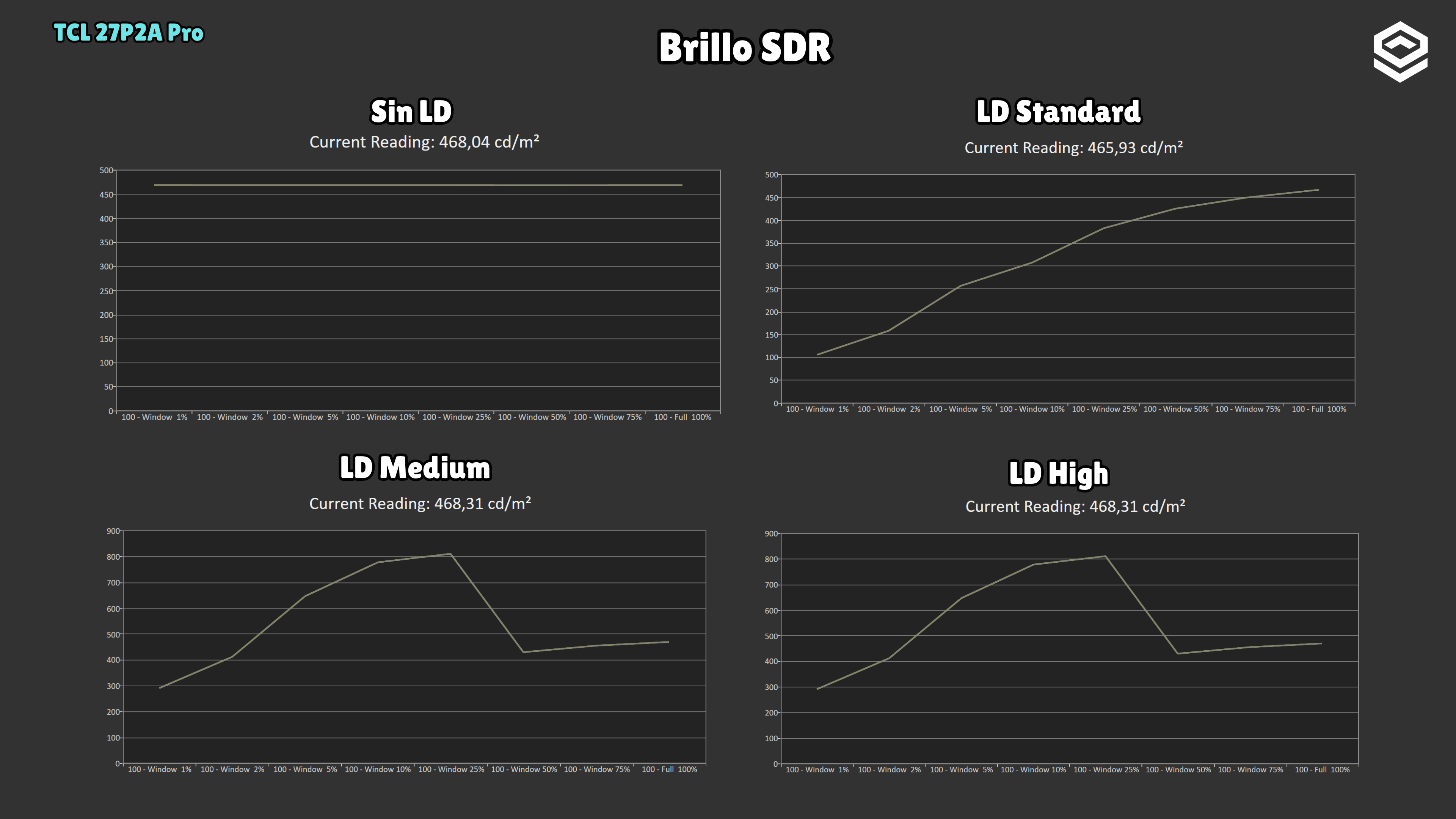
Test note · SDR brightness with local dimming
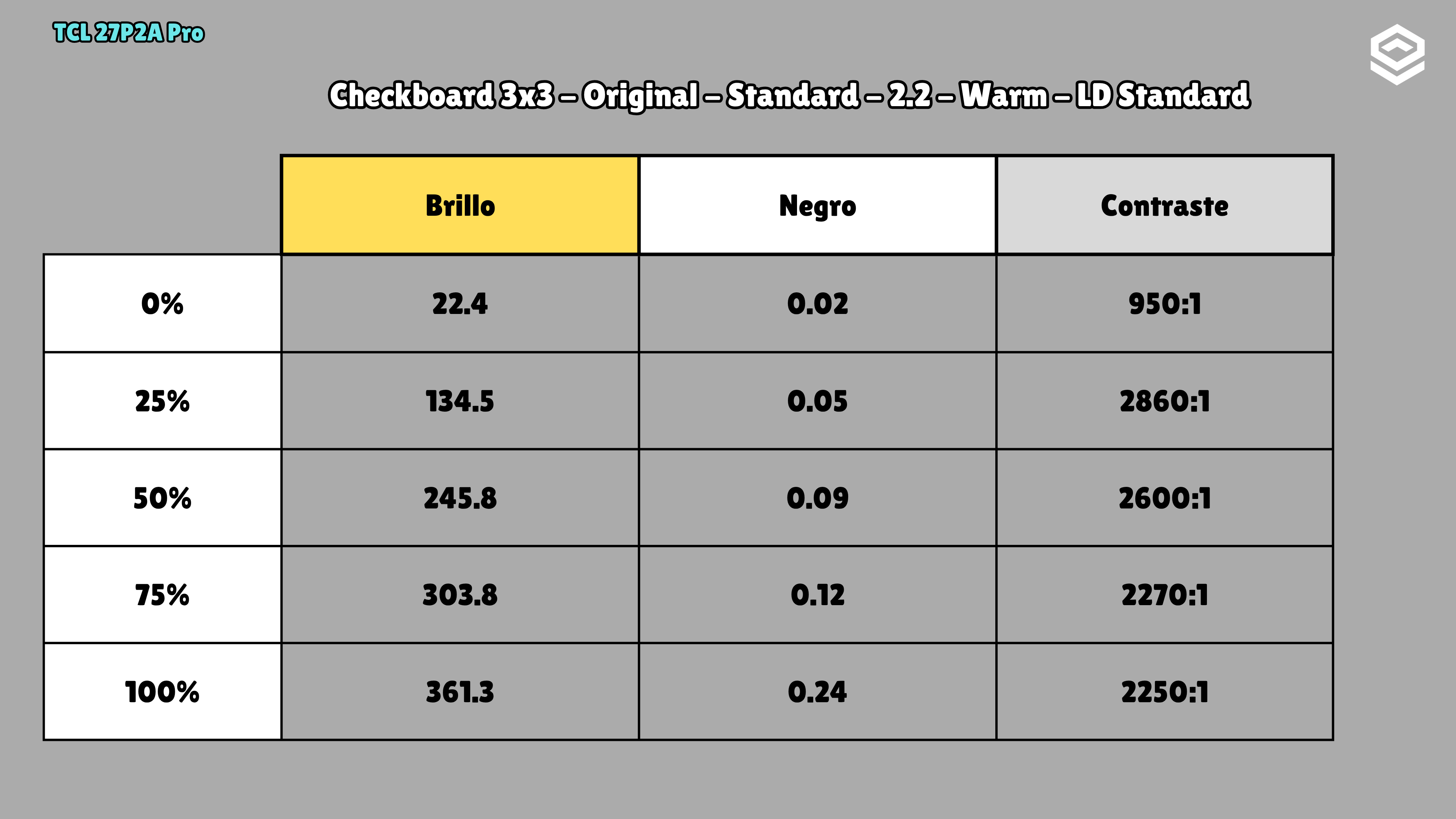
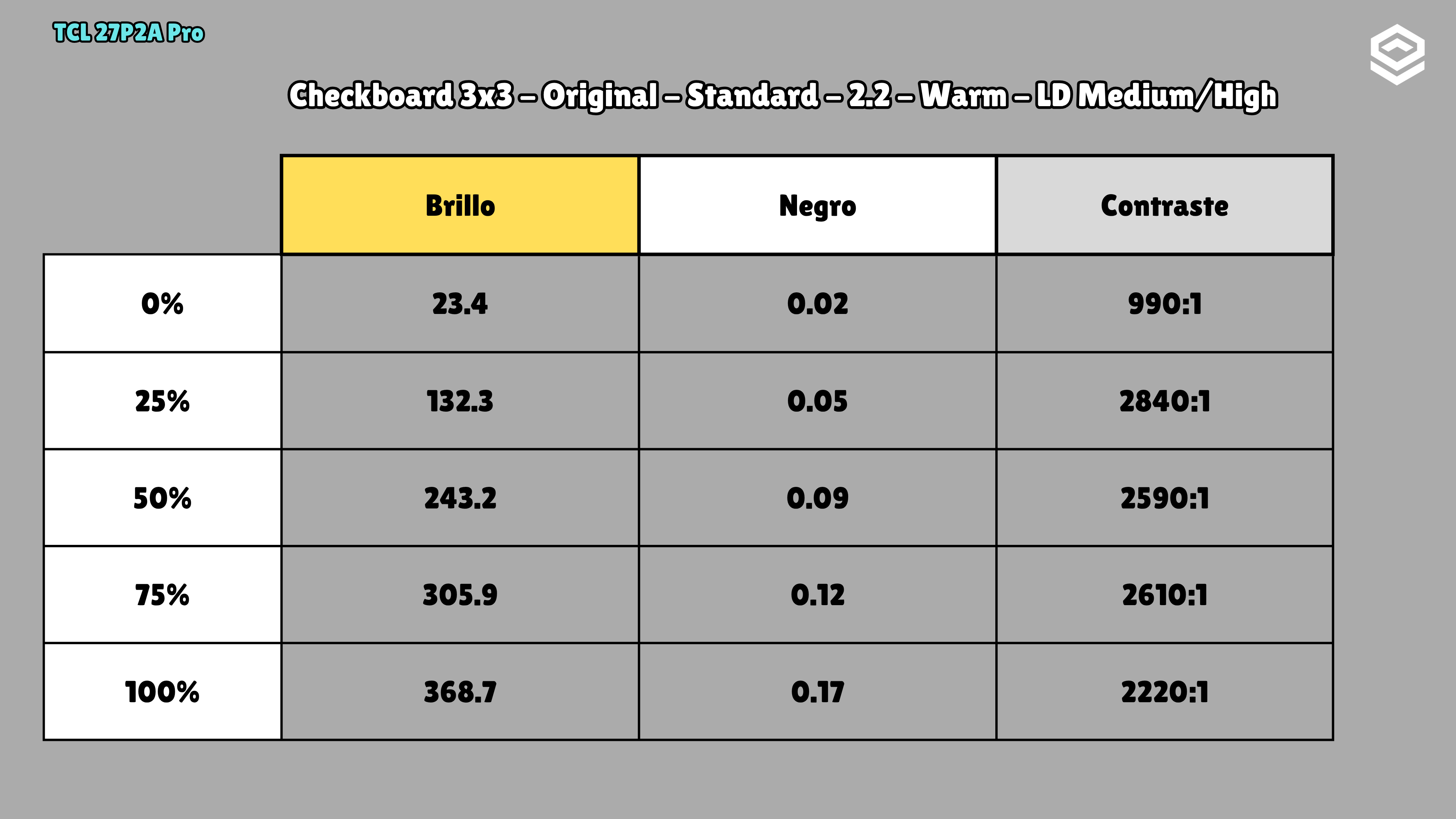
SDR · Standard · Warm · Gamma 2.2 · Original · LD Medium/High · OSD brightness 100% · 3×3 checkerboard
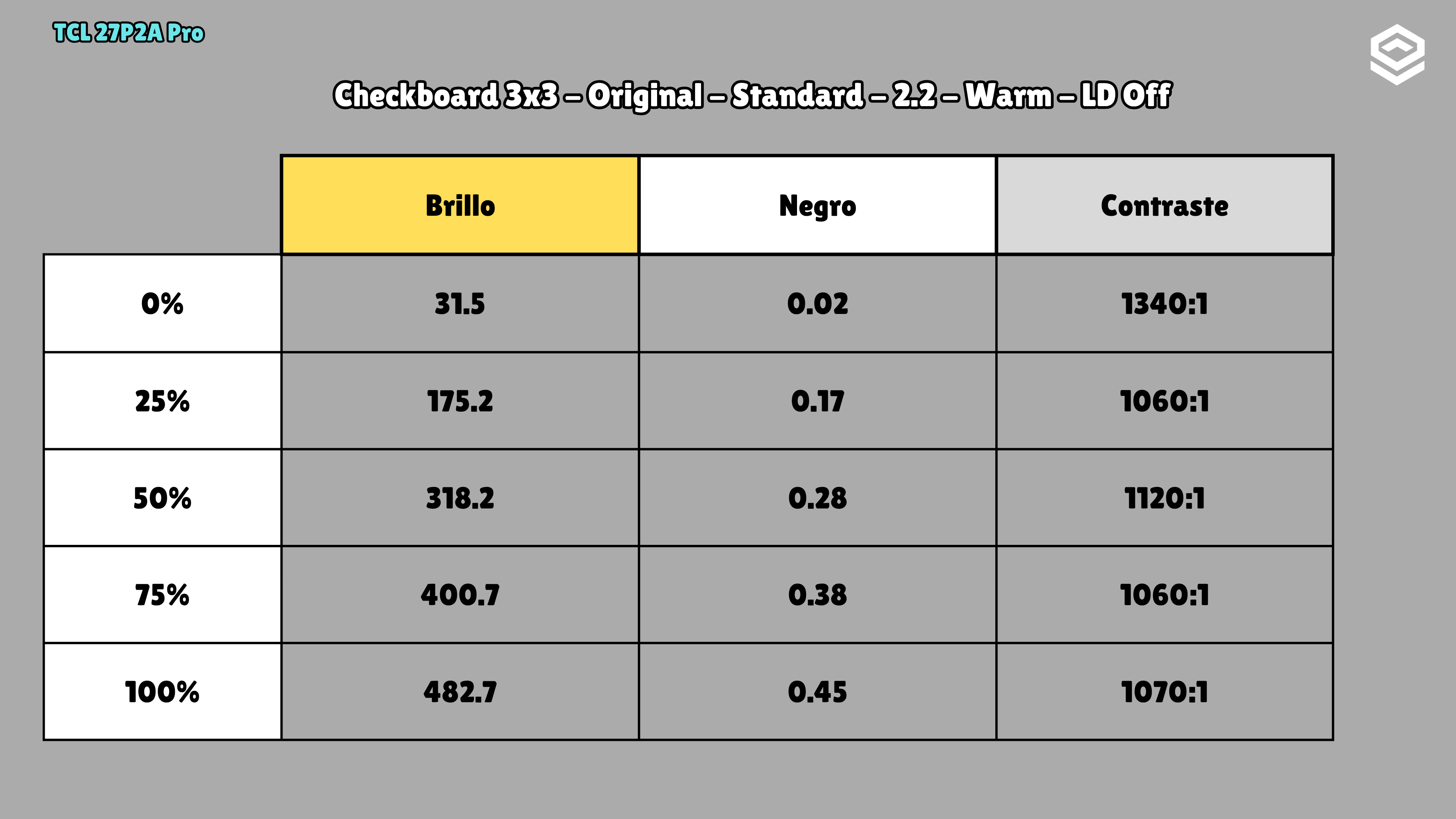
Test note · Contrast with local dimming
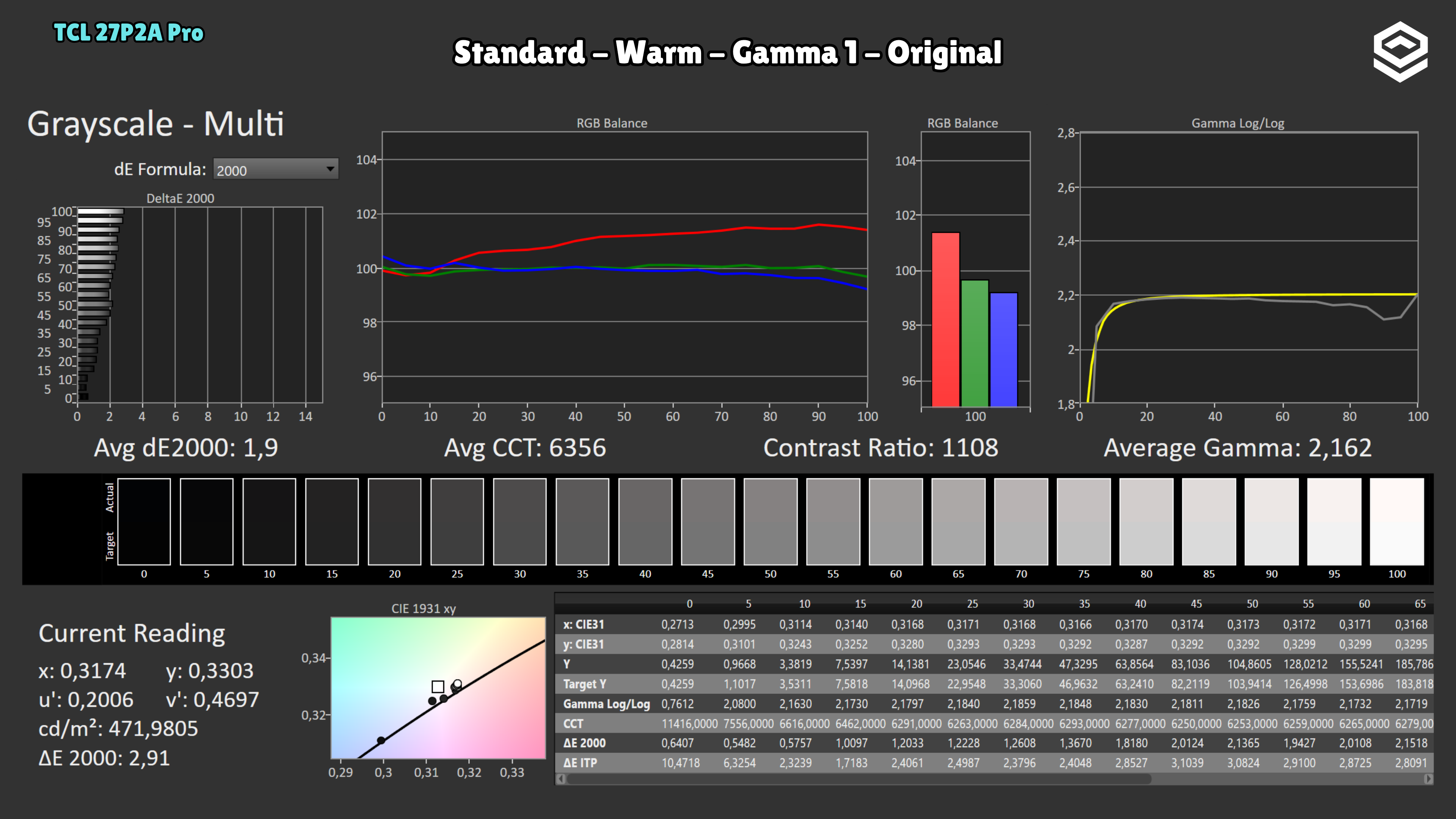
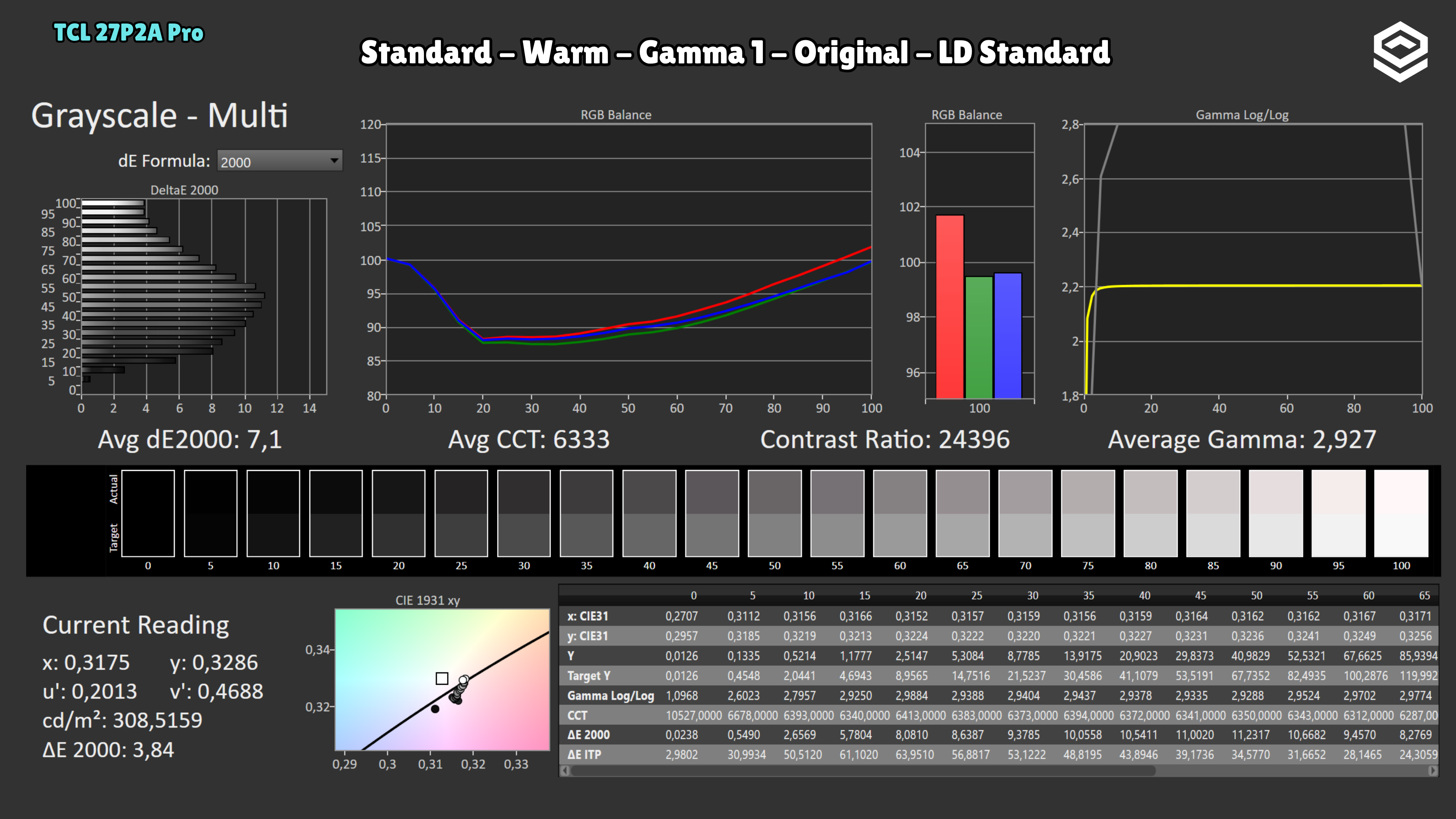
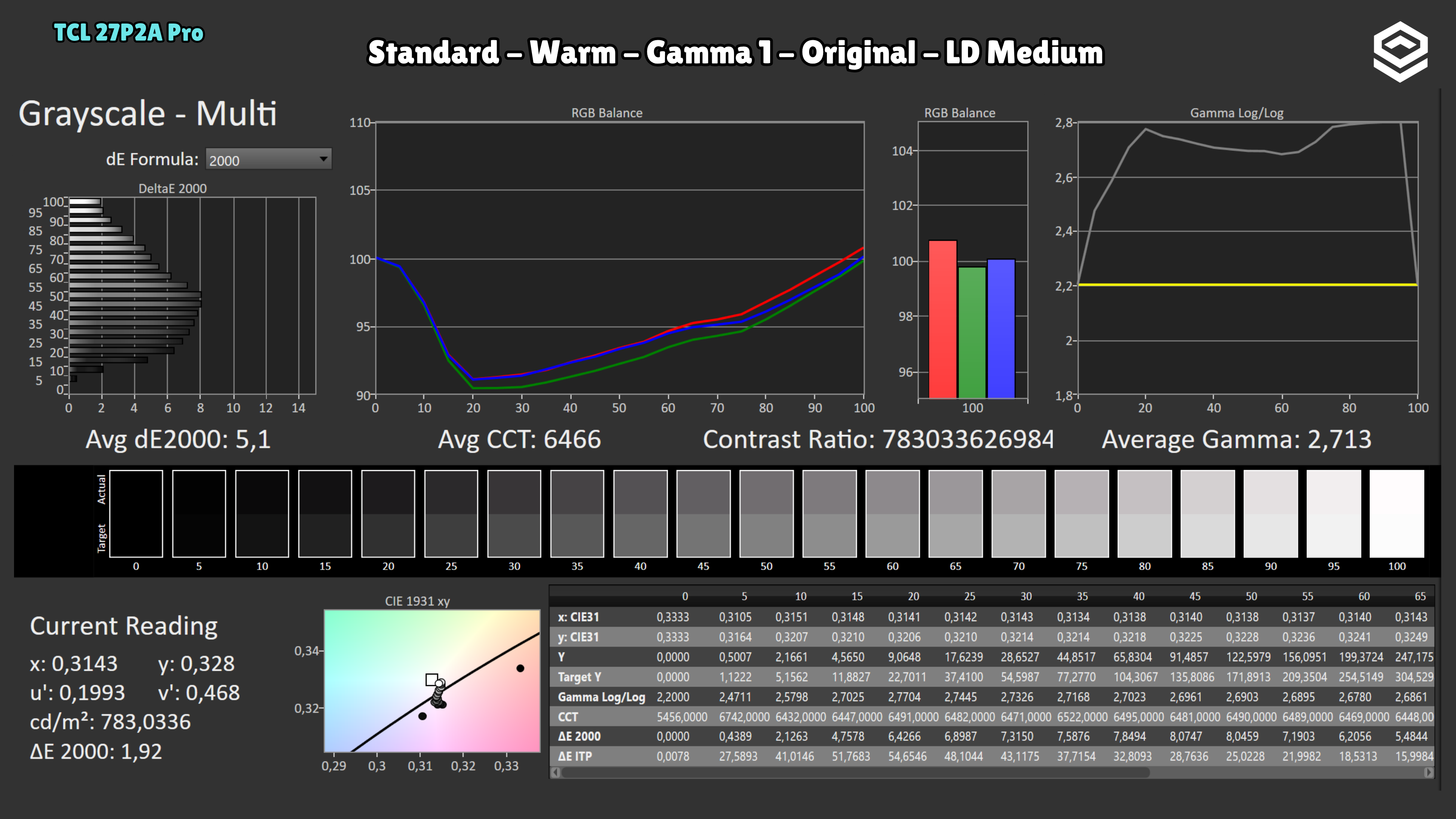
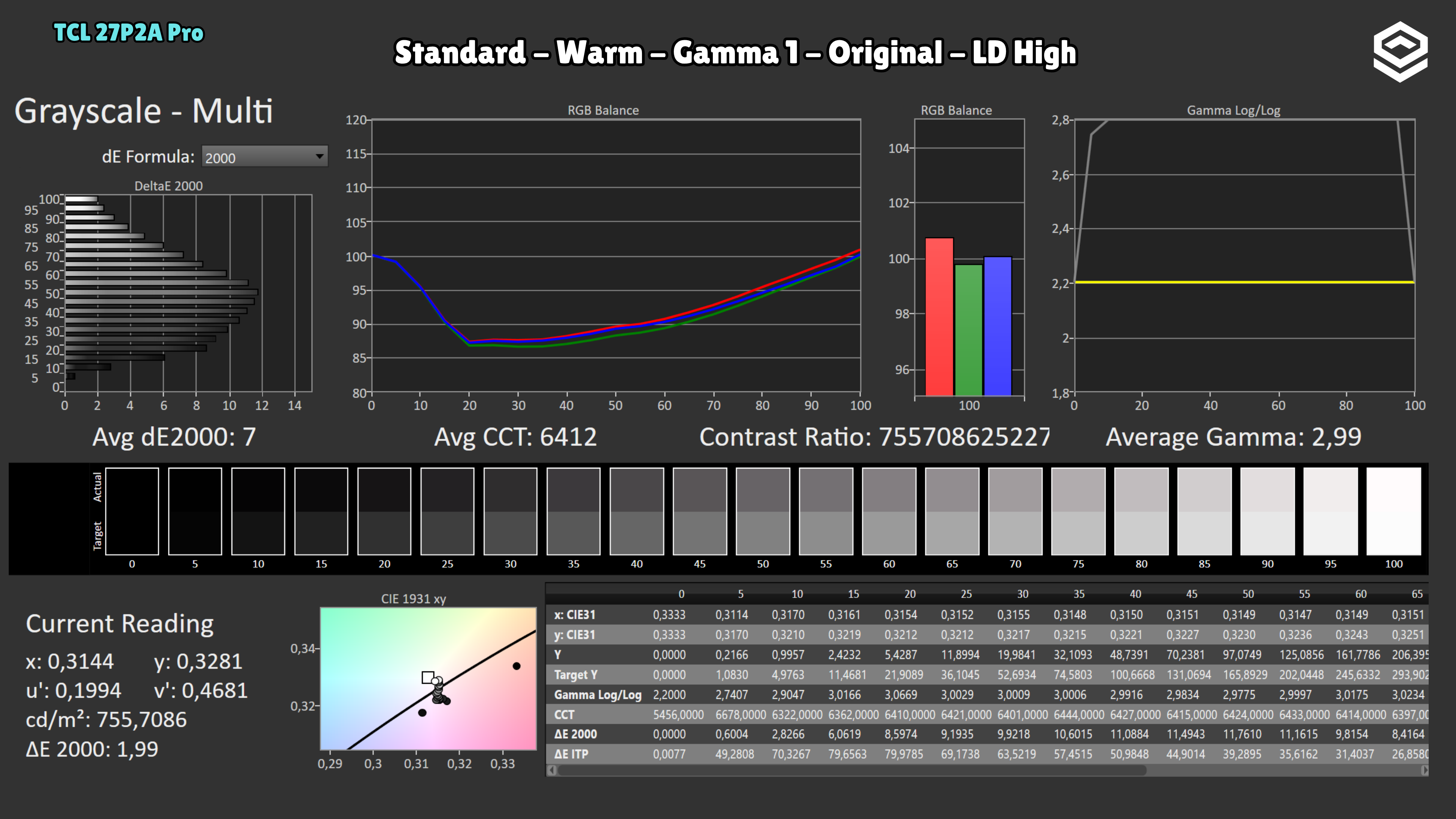
SDR · Standard · Warm · Gamma 2.2 · Original · LD Medium/High · OSD brightness 100% · 3×3 checkerboard · Local dimming improves contrast but can worsen calibration on Mini LED monitors. Here, average gamma rises from 2.162 with LD off to approximately 2.71–2.99 with LD enabled, darkening midtones. I recommend disabling it when SDR accuracy is the priority.
Photos and test results
Open an image to view the full-size charts and browse the tests.
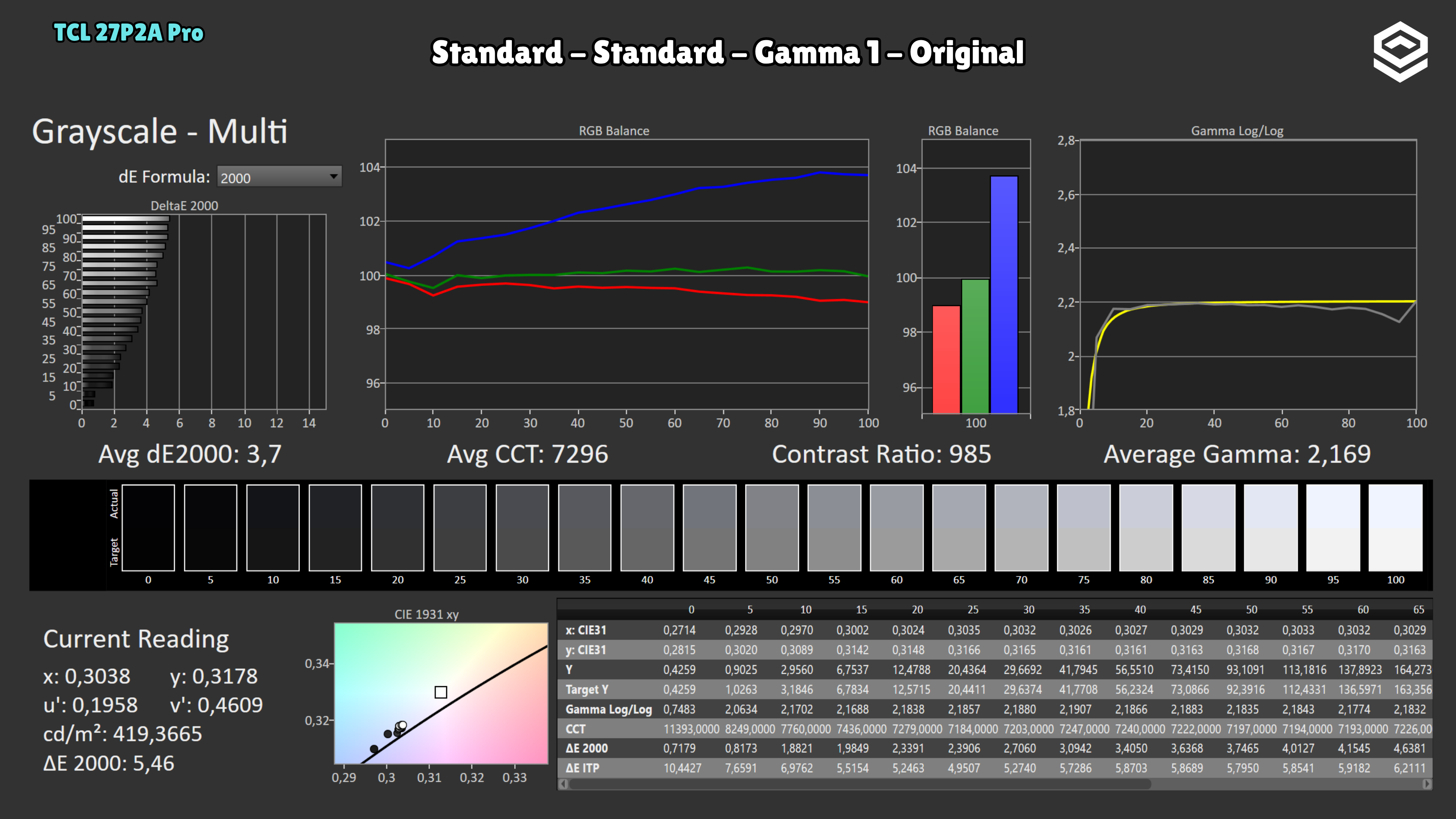
Grayscale and gamma
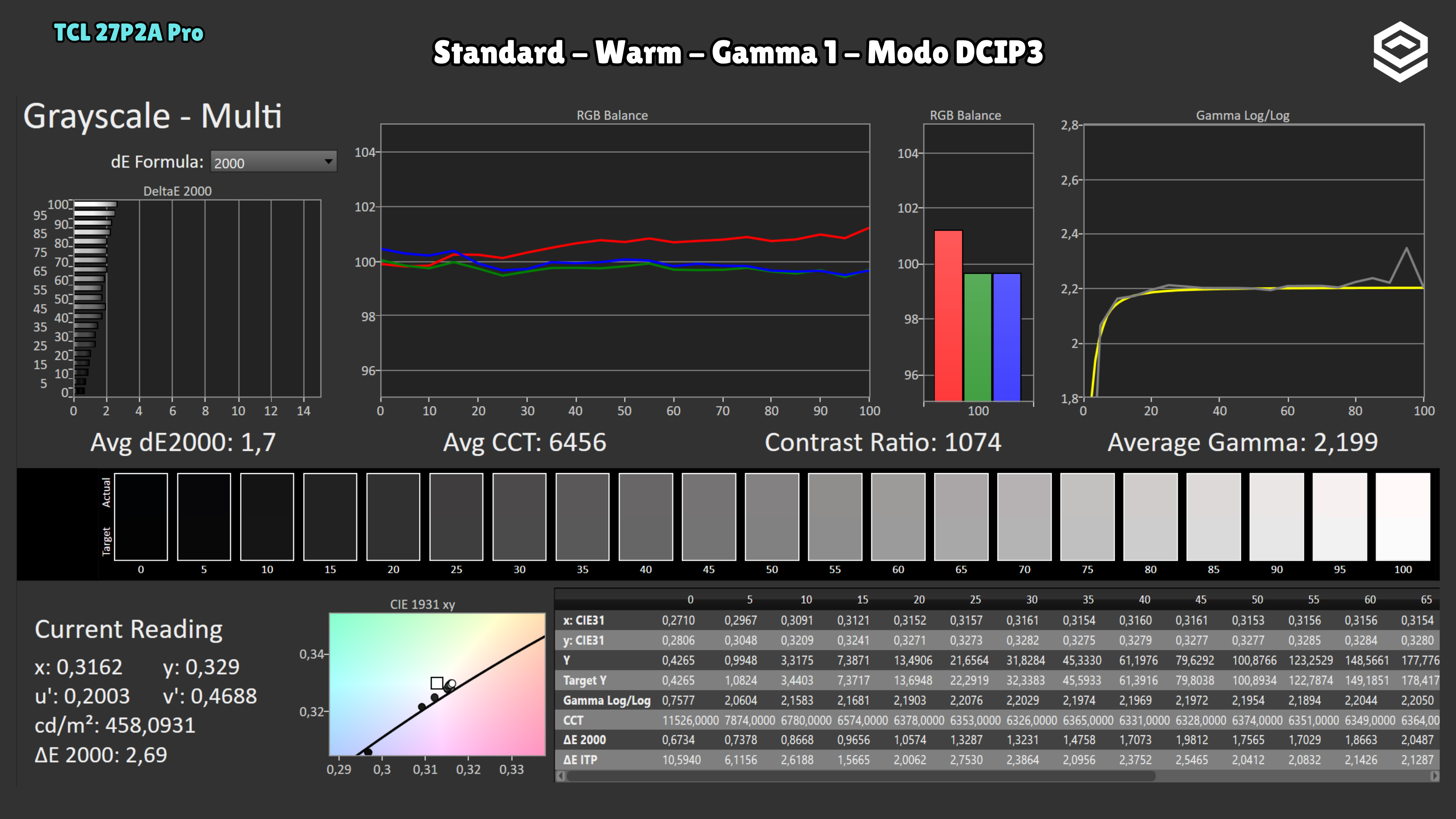
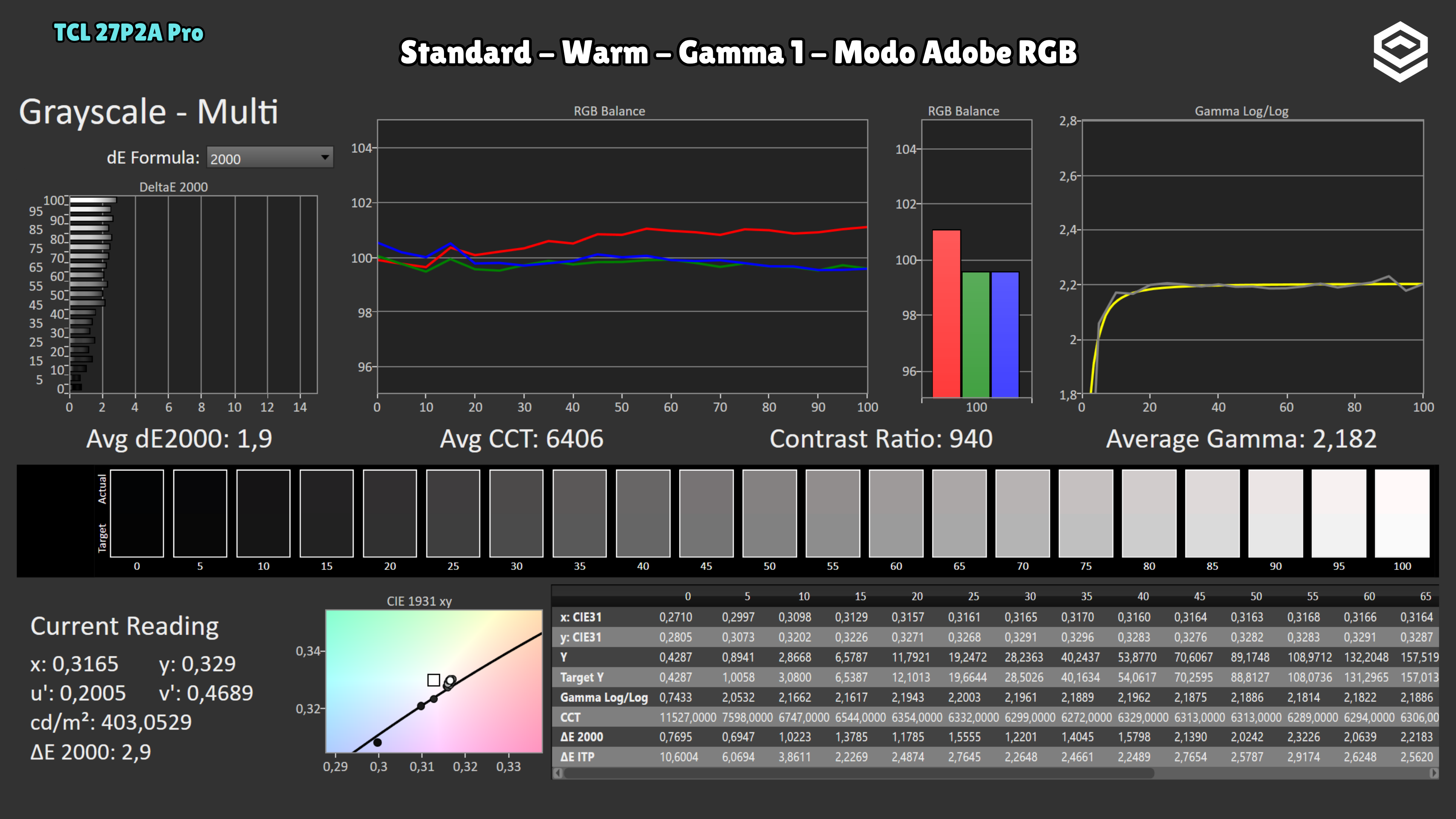
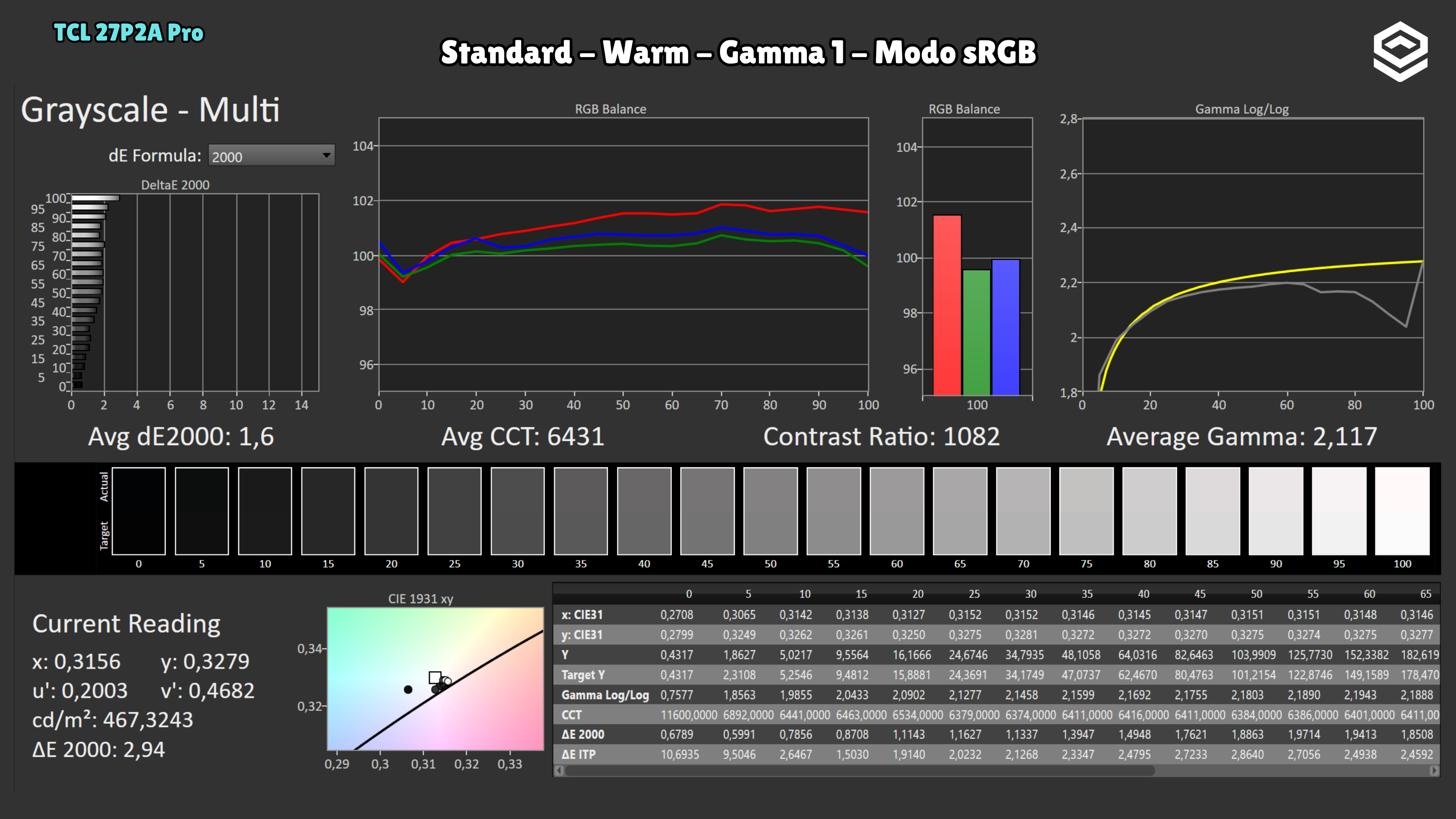
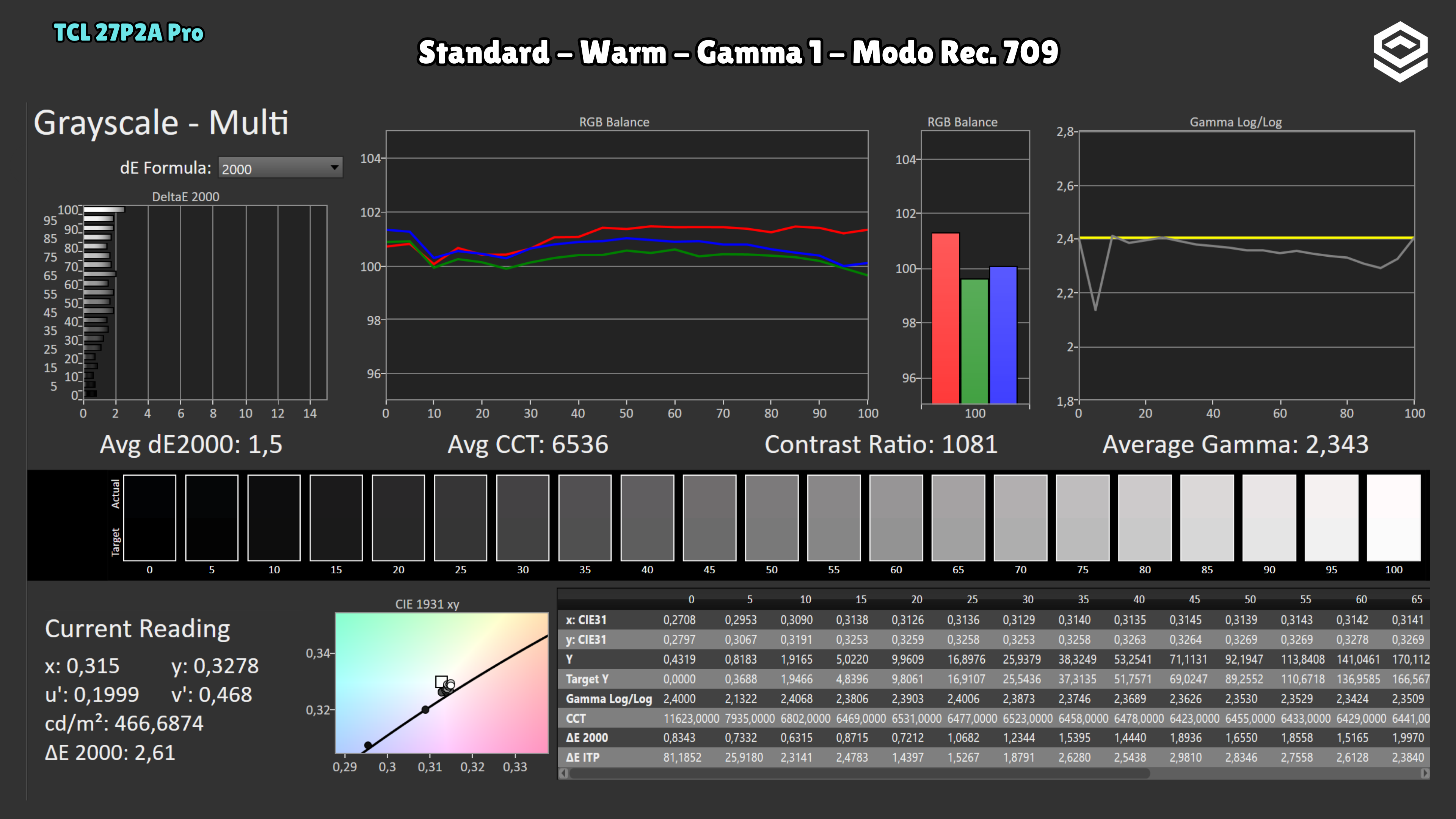
Colour gamut and accuracy
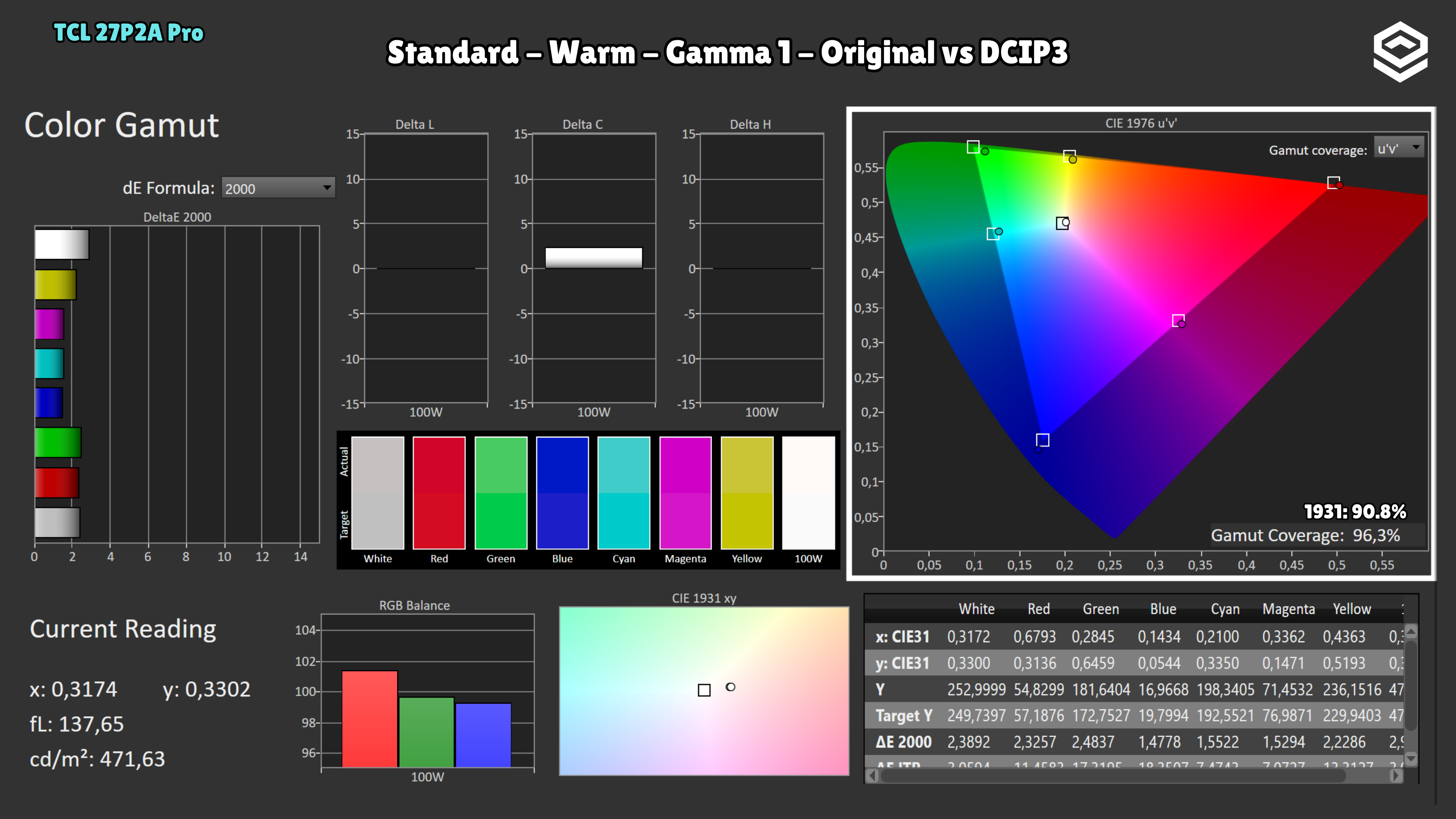
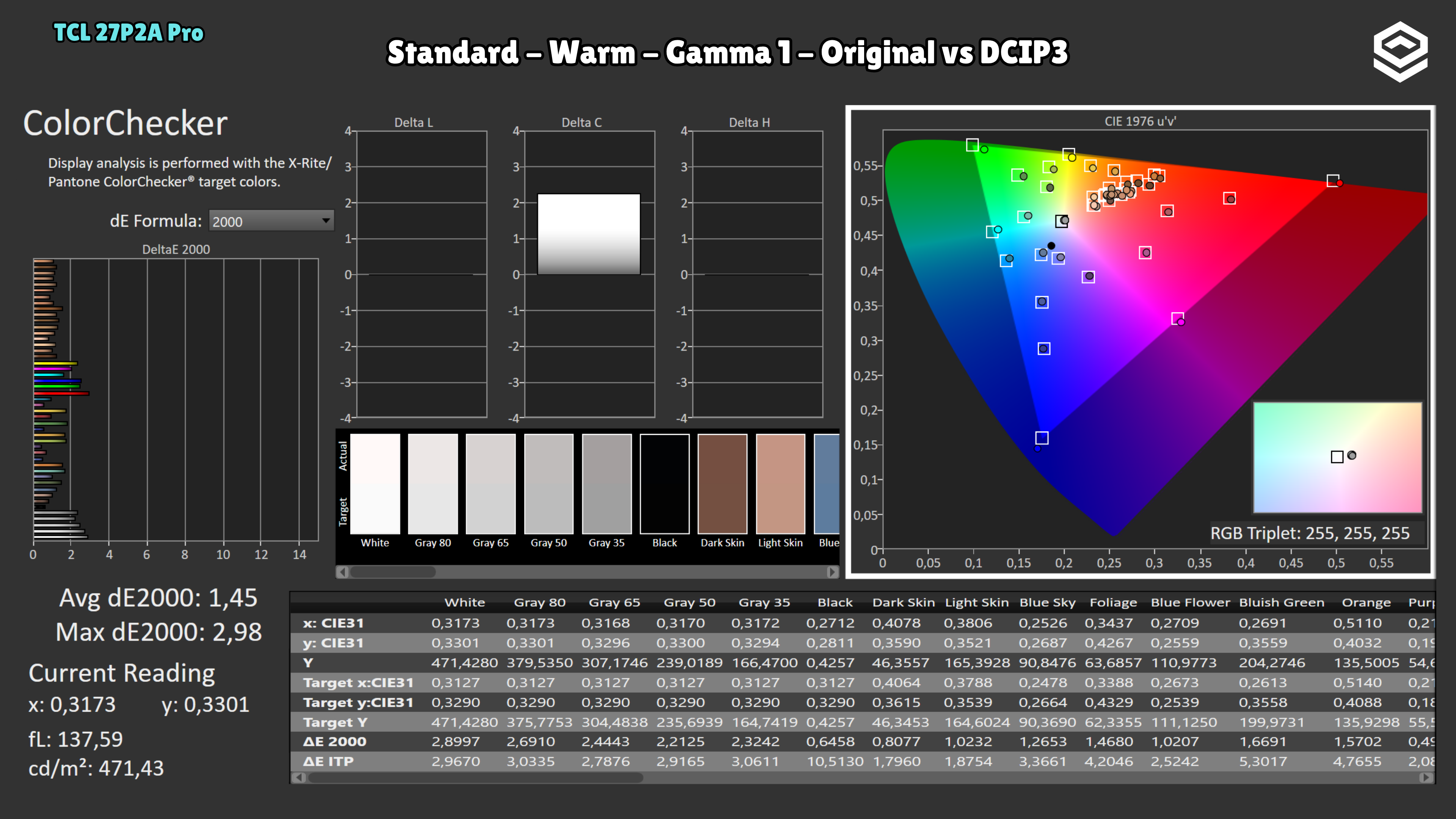
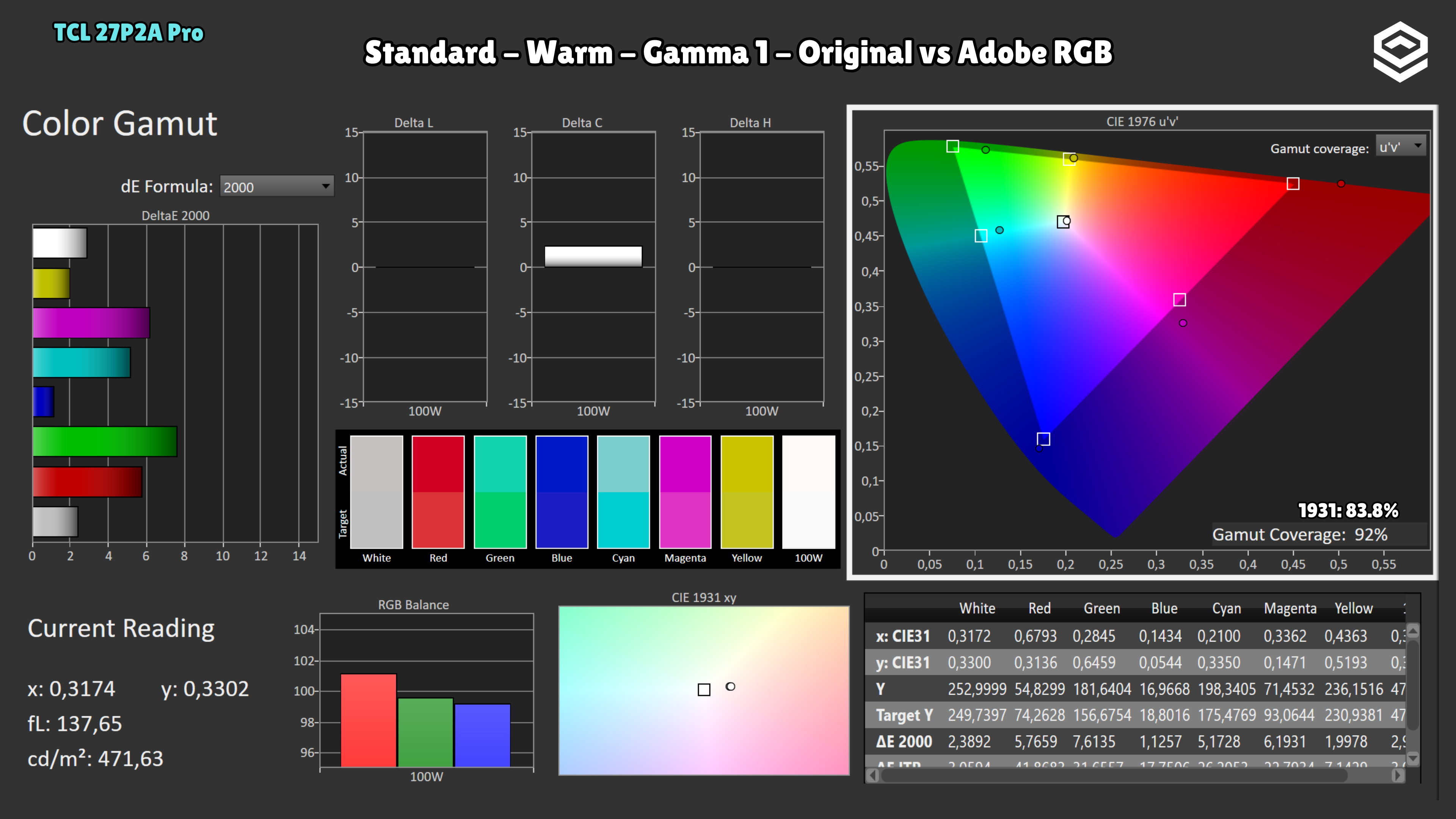
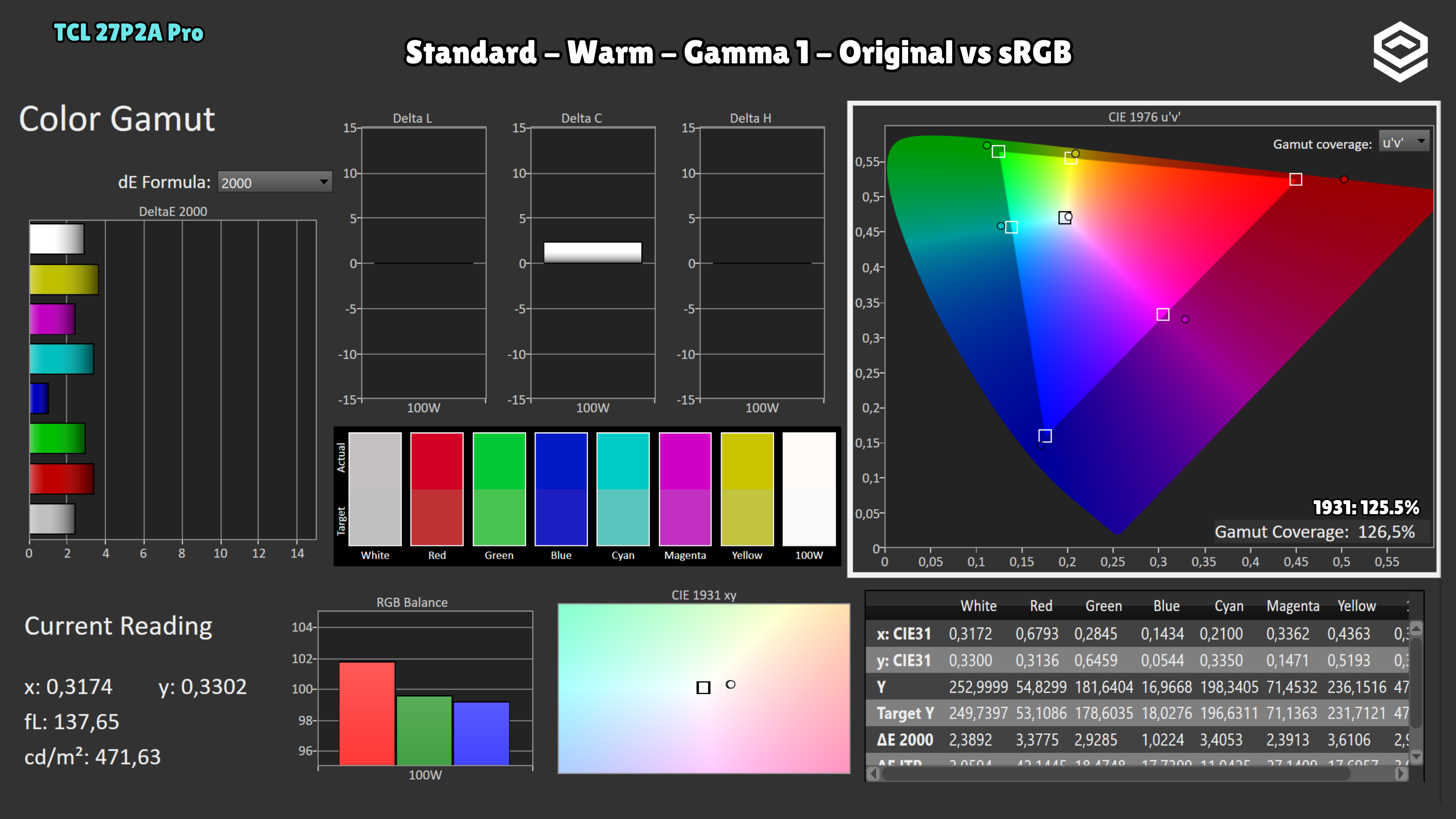
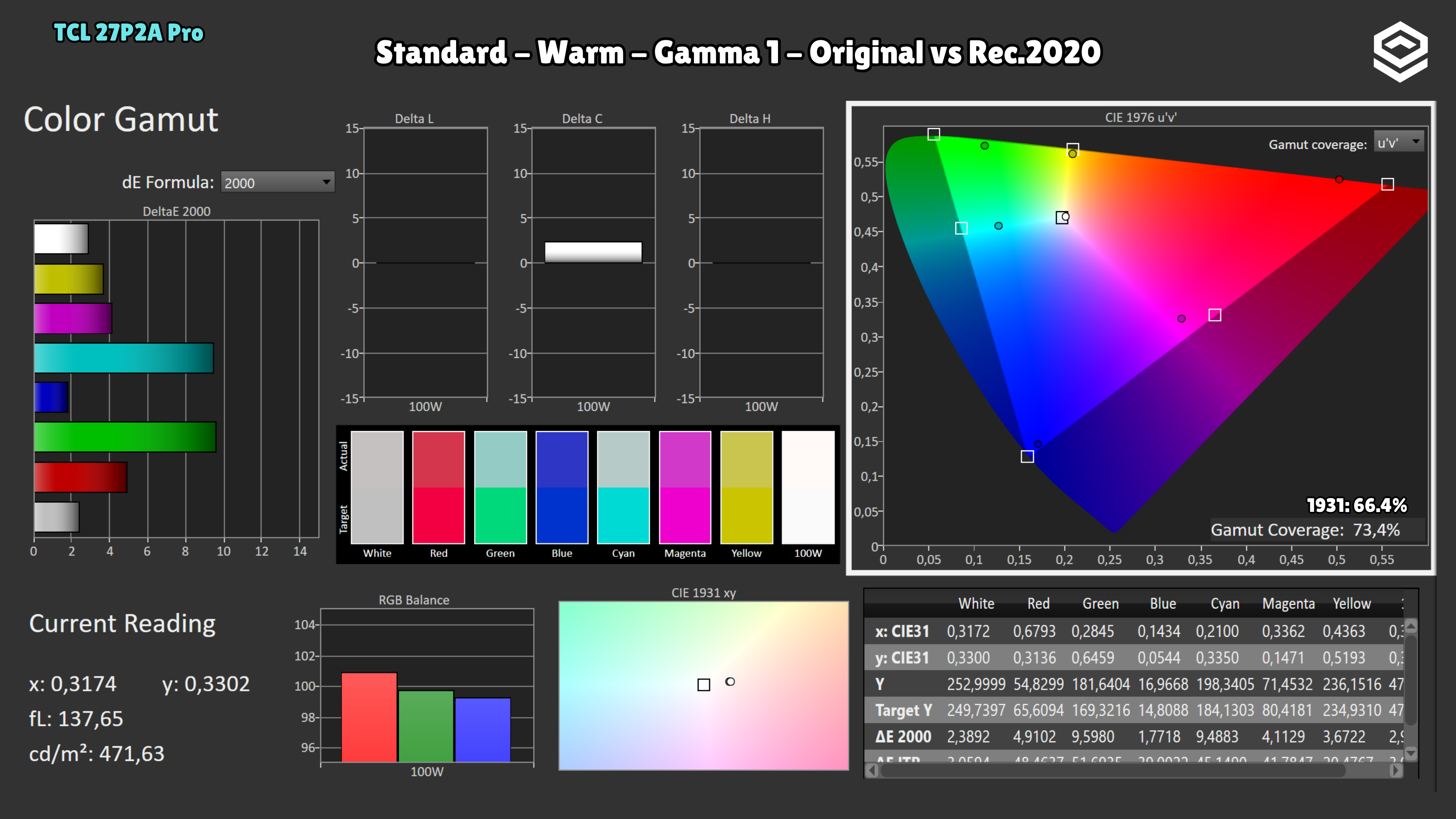
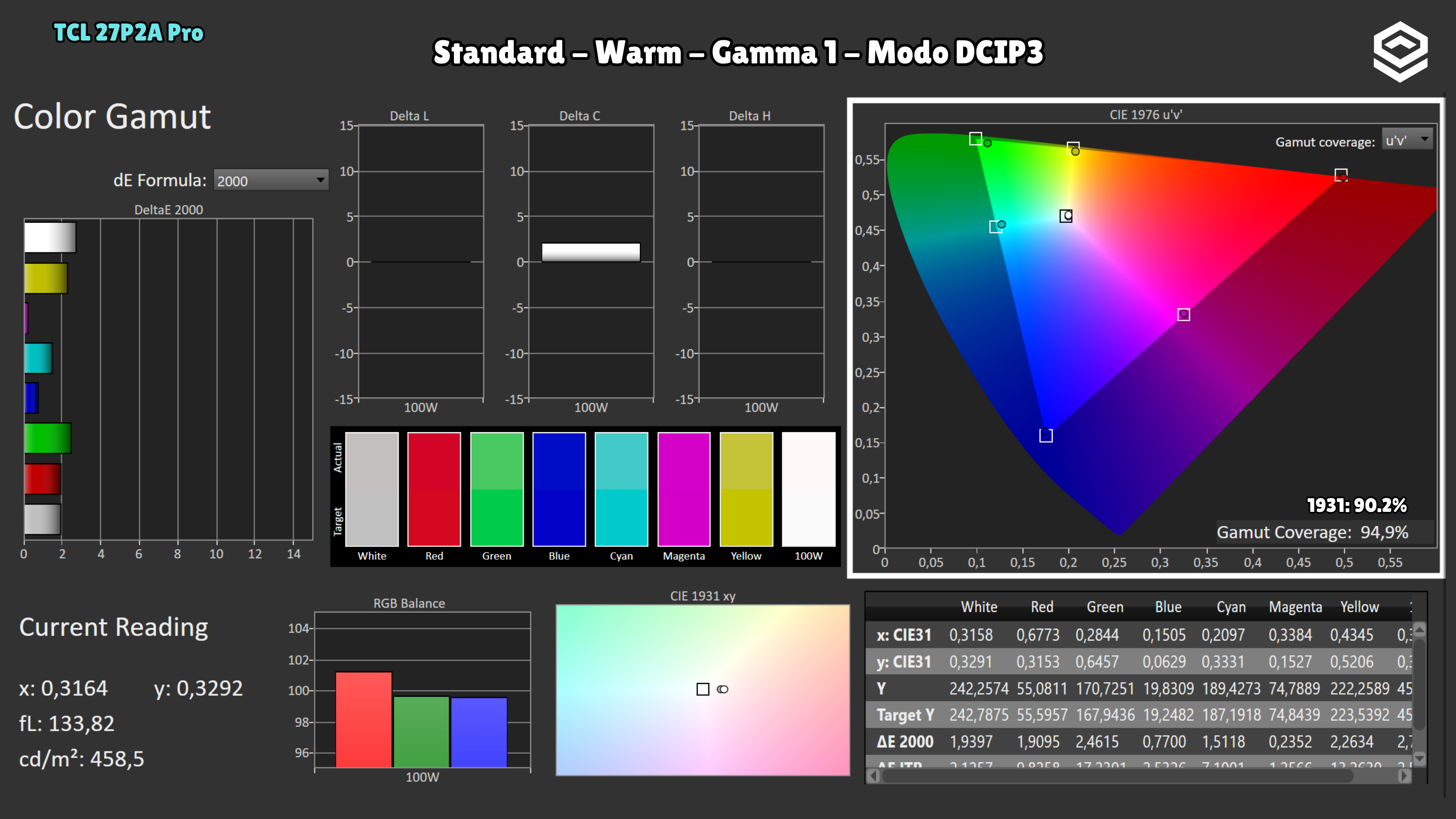
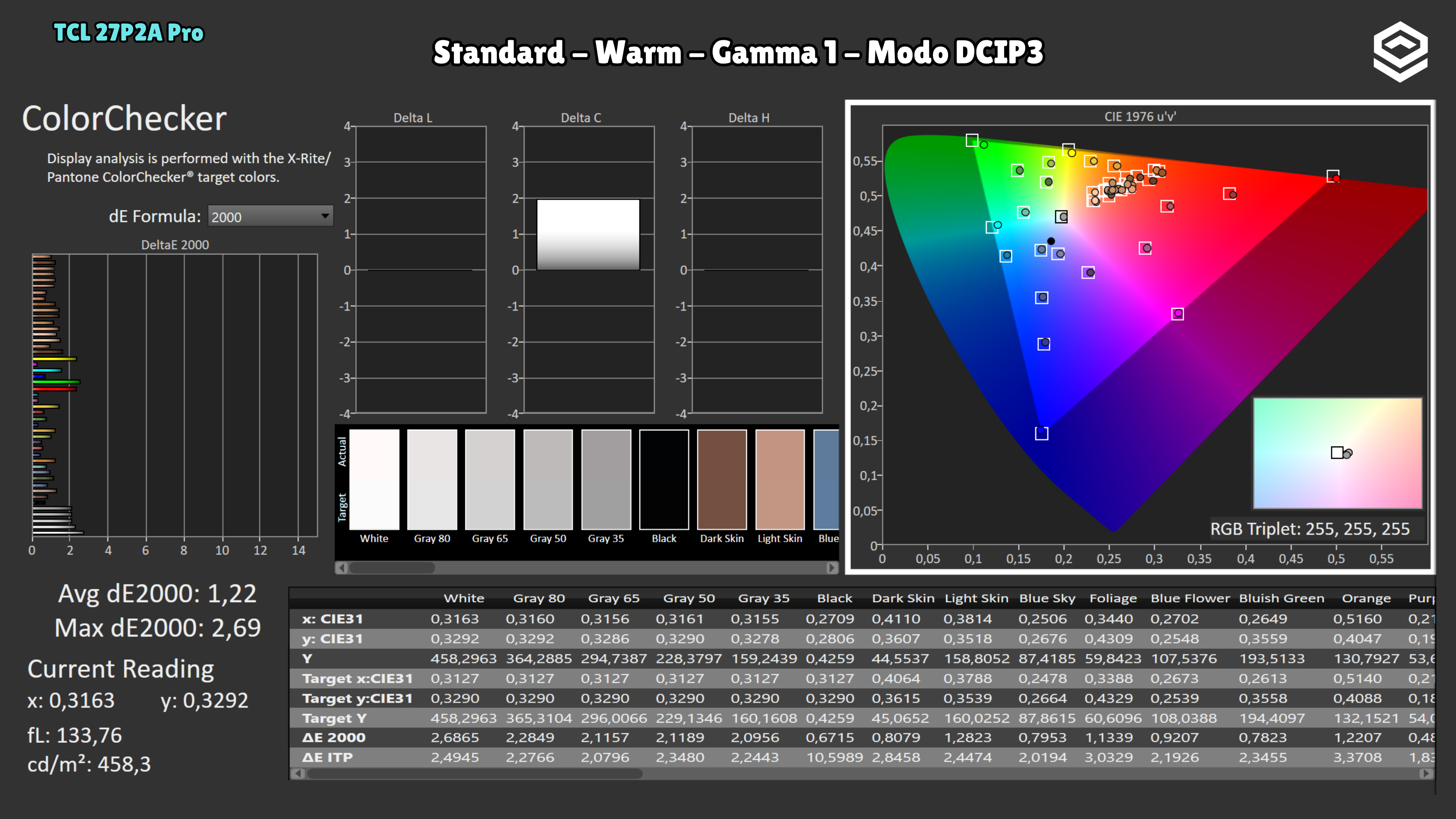
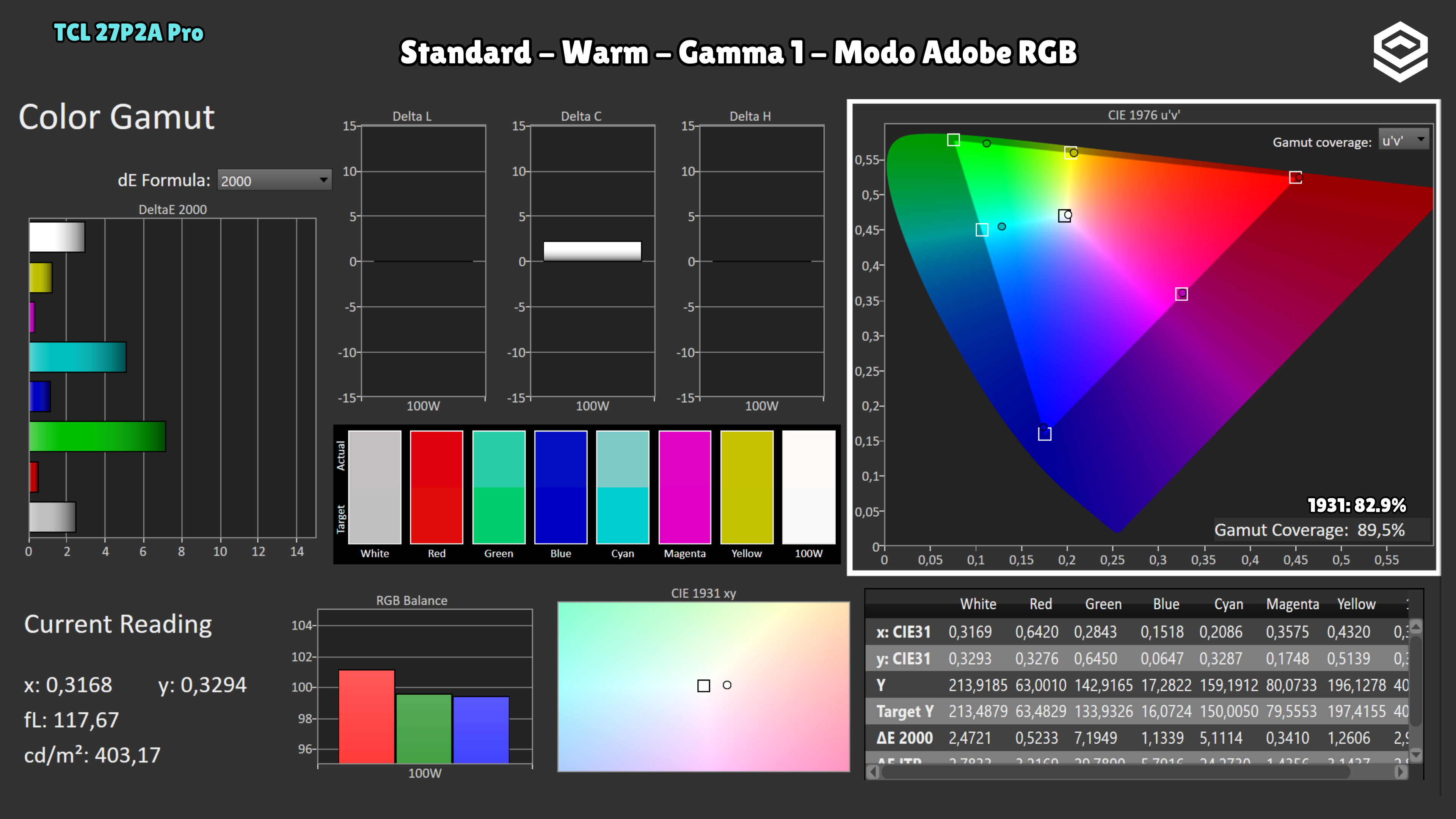
Brightness and contrast
Brightness and uniformity
HDR luminance
Luminance and EOTF
HDR colour
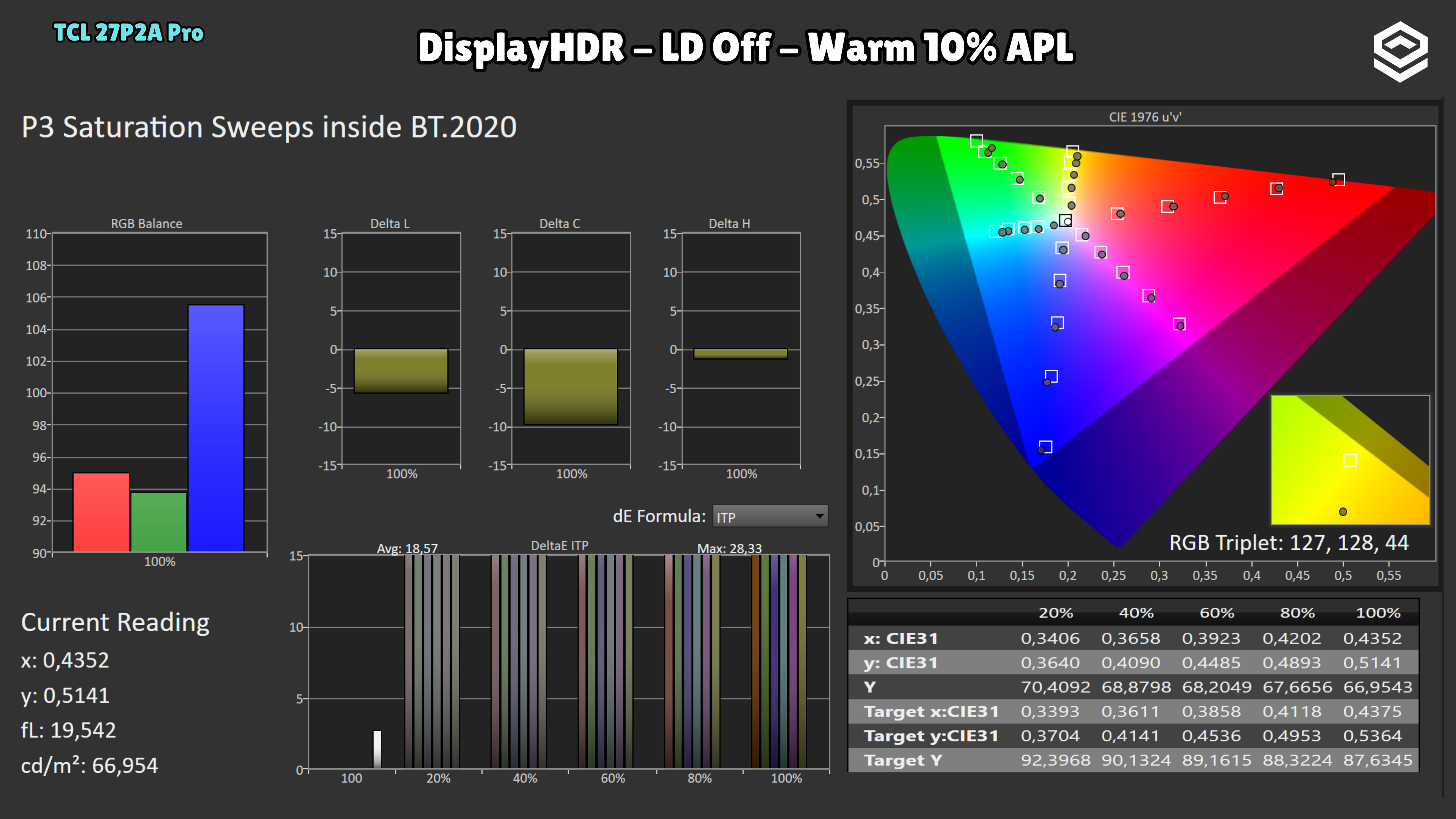
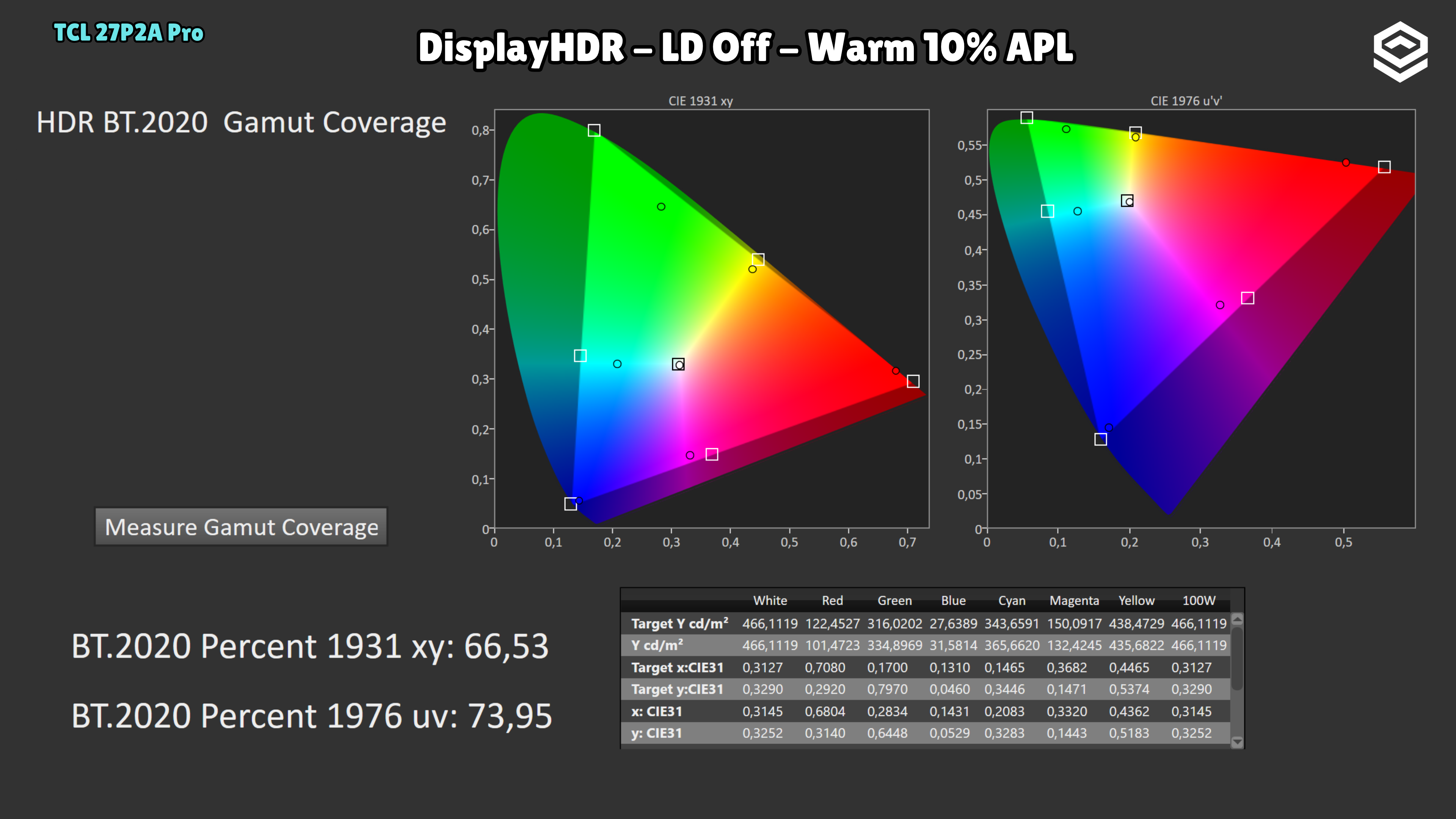
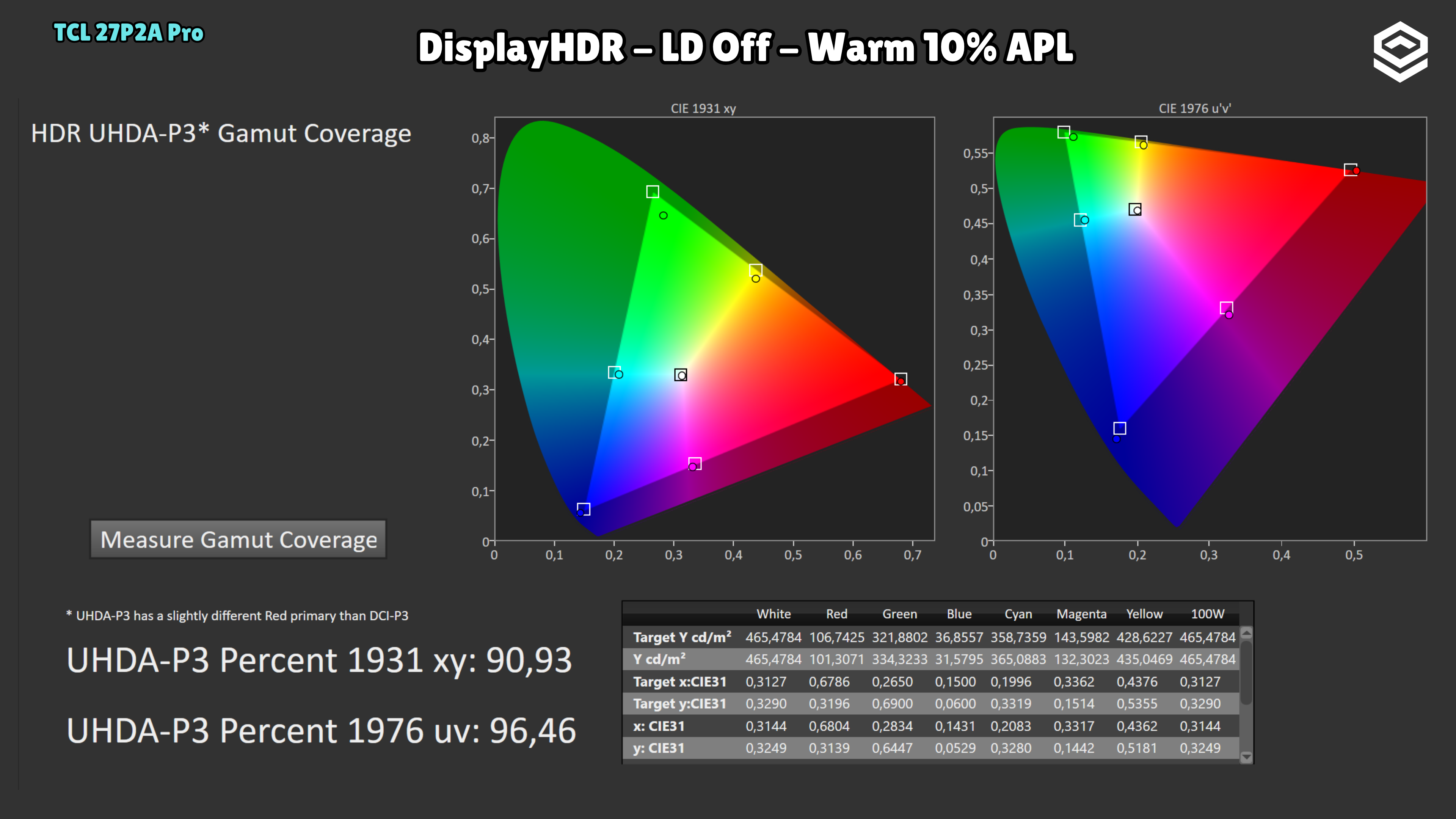
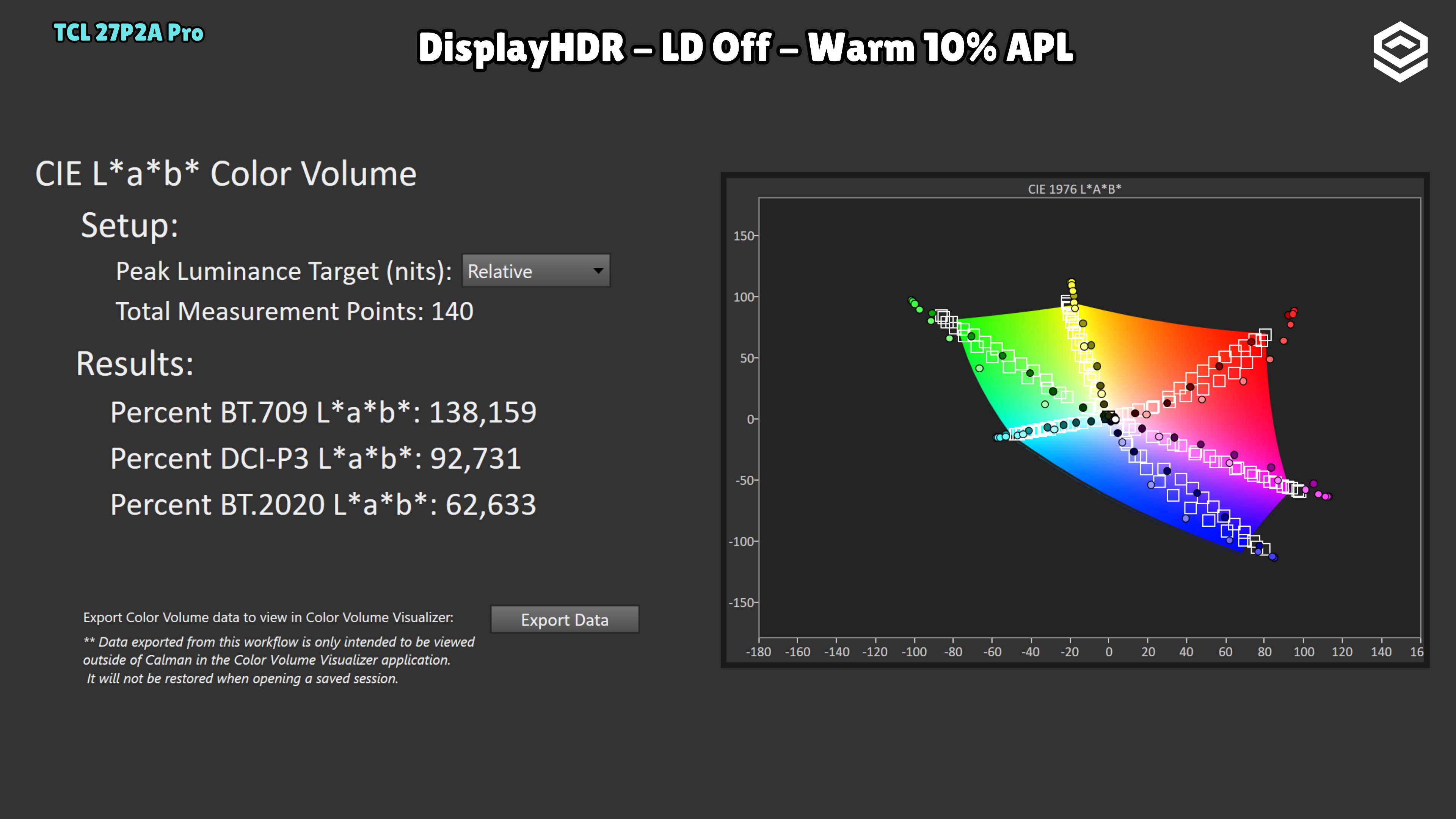
Response time, motion and latency
Motion clarity