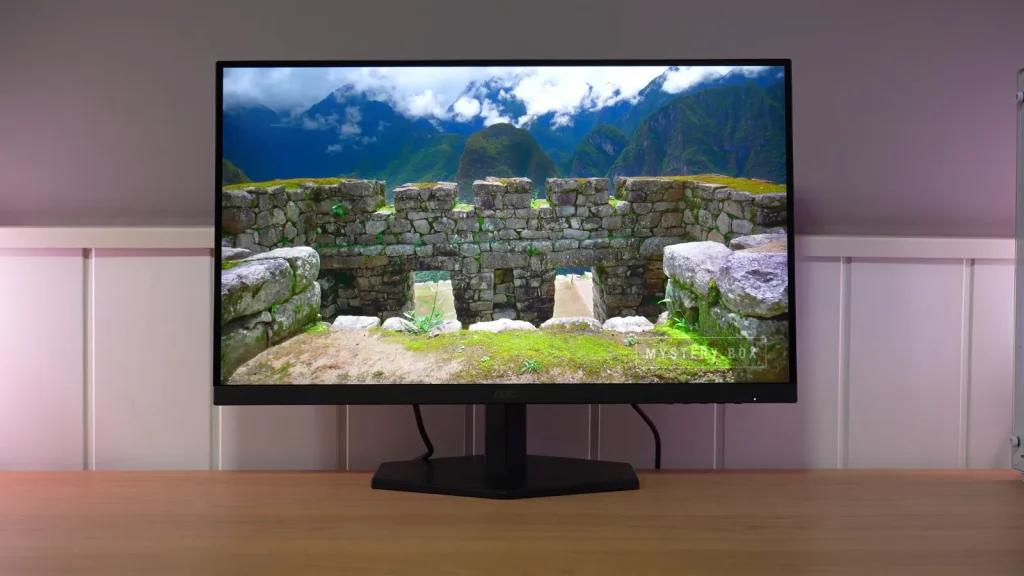
The AOC Q27G4ZE combines a 1440p IPS panel with up to 260 Hz and an affordable price. Its sRGB mode and response are strengths; the basic stand and review unit’s condition also factor into the assessment.
Distinguish it from the Q27G4ZR and adjust overdrive to the refresh rate. Similar names or panels do not make every variant the same purchase.
Box, stand, and connections
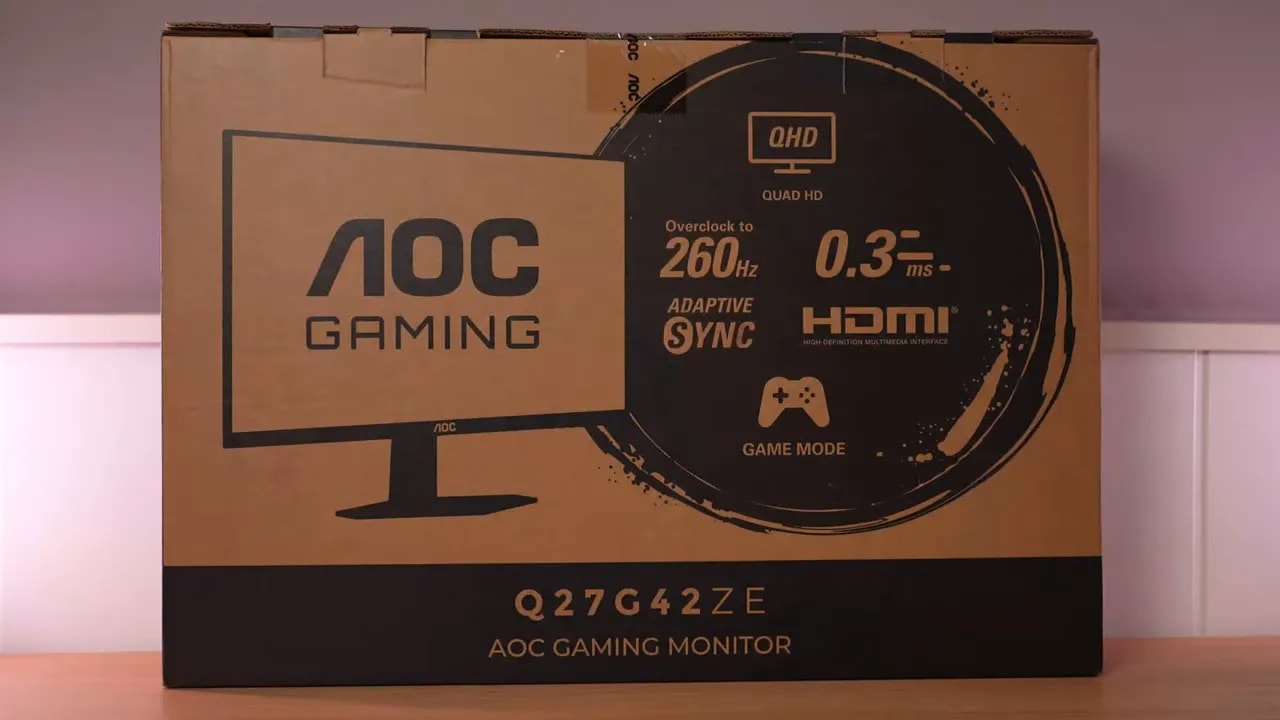
Packaging is fairly basic. This is not a product trying to impress with presentation, but at least the essentials are included:
- HDMI cable
- DisplayPort cable
- Power cable
- Usual documentation
- The stand
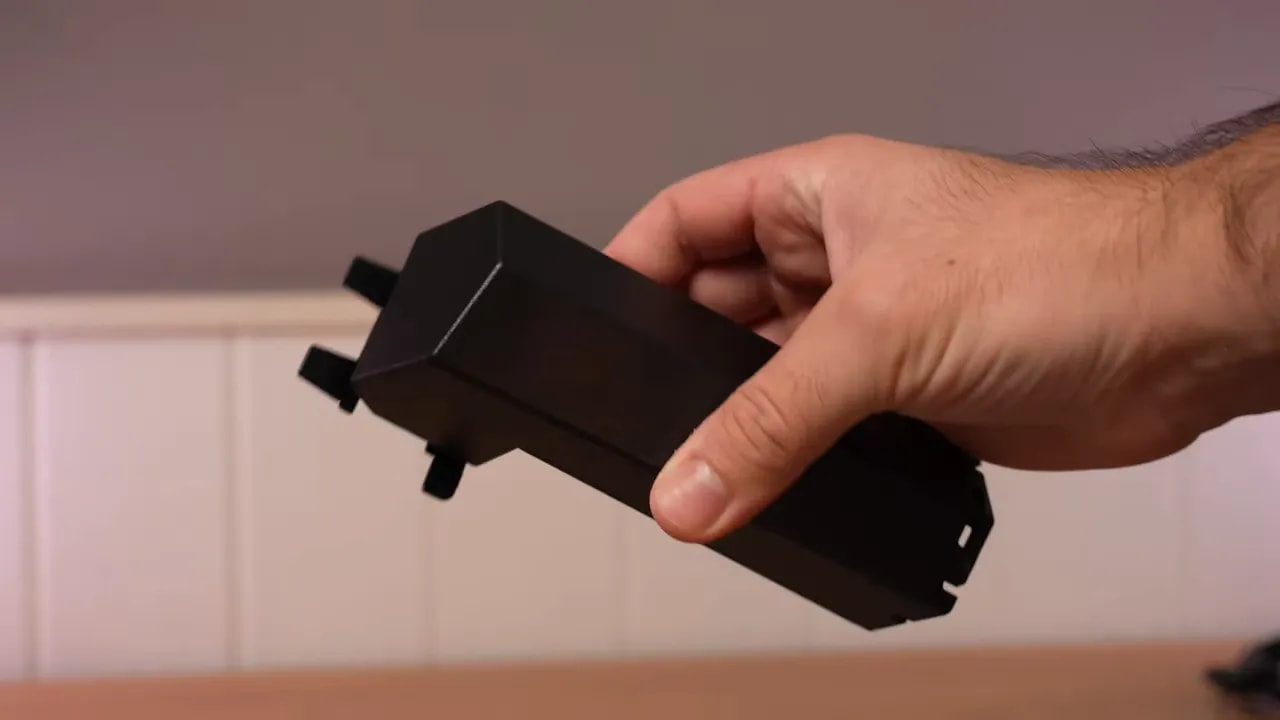
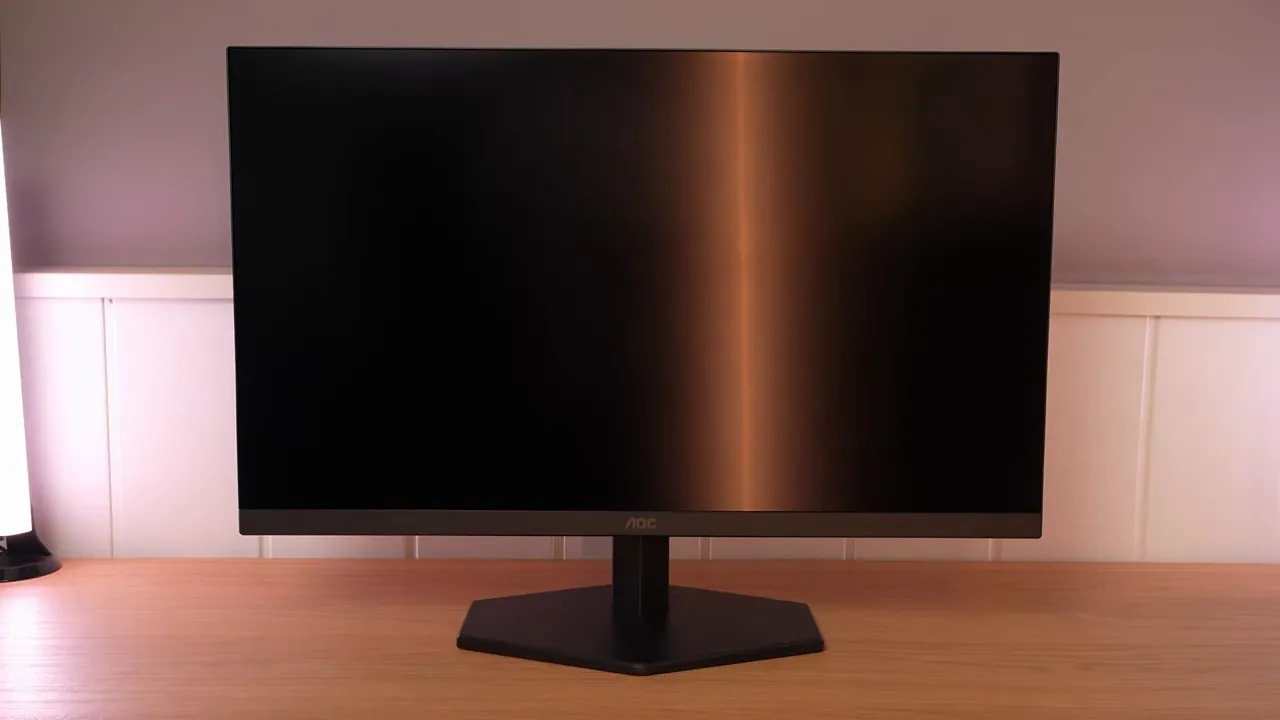
The least inspired part is clearly the stand. Of all the AOC stands I have tested, this is among the worst. Quality is mediocre, there is no cable routing, and ergonomics are very limited because only offers tilt adjustment.
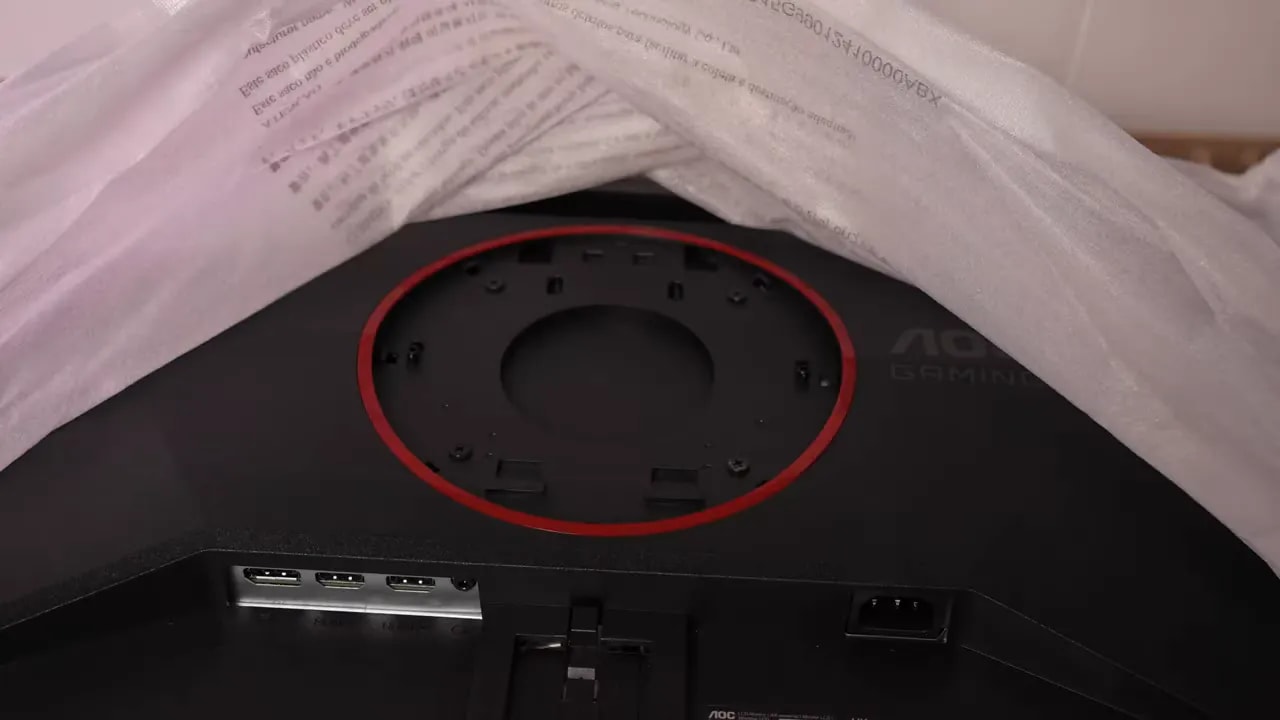
If you already planned to use an arm, there is good news. Although it may initially seem to lack VESA mounting, it is actually hidden under an easily removed protective cover.
There are no major design surprises. It is a functional, no-frills gaming monitor. Connections do the job without anything especially notable, and the panel uses a relatively light matte finish.
The coating matters. A light matte finish reduces reflections less than stronger coatings, but leaves the image less blurred. Colors come through somewhat better, and the overall image looks cleaner. Personally, I prefer this to very heavy matte coatings.
AOC still does not include a joystick here, so menu navigation uses the same old cheap-feeling buttons. They work, but it is not a particularly pleasant experience.
The menu contains several gaming modes that add little, but also genuinely important image settings. In particular, you can switch between the native gamut and sRGB mode, which considerably changes monitor behavior depending on your intended use.
SDR color: native gamut and sRGB
With the AOC Q27G4ZE set to native gamut, color temperature at Warm and gamma 2.2, results are quite decent for the price.
The key points are:
- Color temperature close to 6500 K
- Grayscale quite well tuned
- Gamma 2.2 followed reasonably well
- Contrast slightly above 1000:1
- Brightness around 350 nits, exceeding 360 nits in measurement
For a little more brightness, you can select User color temperature without changing values. That raises output to around 375 nits, even approaching 400 nits with another colorimeter. The problem is worse grayscale accuracy, so I do not think it is the best tradeoff. I would keep the previous mode.
At DCI-P3, the monitor covers around 94%. Not bad at all for this type of product. Color accuracy within that coverage is also quite good. There are limitations in greens and yellows because it simply cannot cover them fully, but the overall result is good.
Against Adobe RGB, it exceeds 90%, approaching 91%, but this monitor is not intended for that gamut. This is most apparent in greens and cyans, where it falls clearly short.
Compared with sRGB, you see the typical oversaturation of a moderately wide, unclamped gamut. Excess is mainly in reds and greens, with around 120% gamut volume.
This is where the AOC Q27G4ZE gains considerable appeal. It includes an sRGB mode that locks gamma and color temperature but allows brightness adjustment. Above all, it is very well implemented.
The figures are quite good:
- Gamut clamp at 97.5%
- Grayscale very good
- Brightness and contrast similar to native mode
- Color accuracy excellent, with average Delta E below 1
For an inexpensive gaming monitor, this is among its best features. For desktop use, general content, or games where you prefer a more controlled image, this mode is very worthwhile.
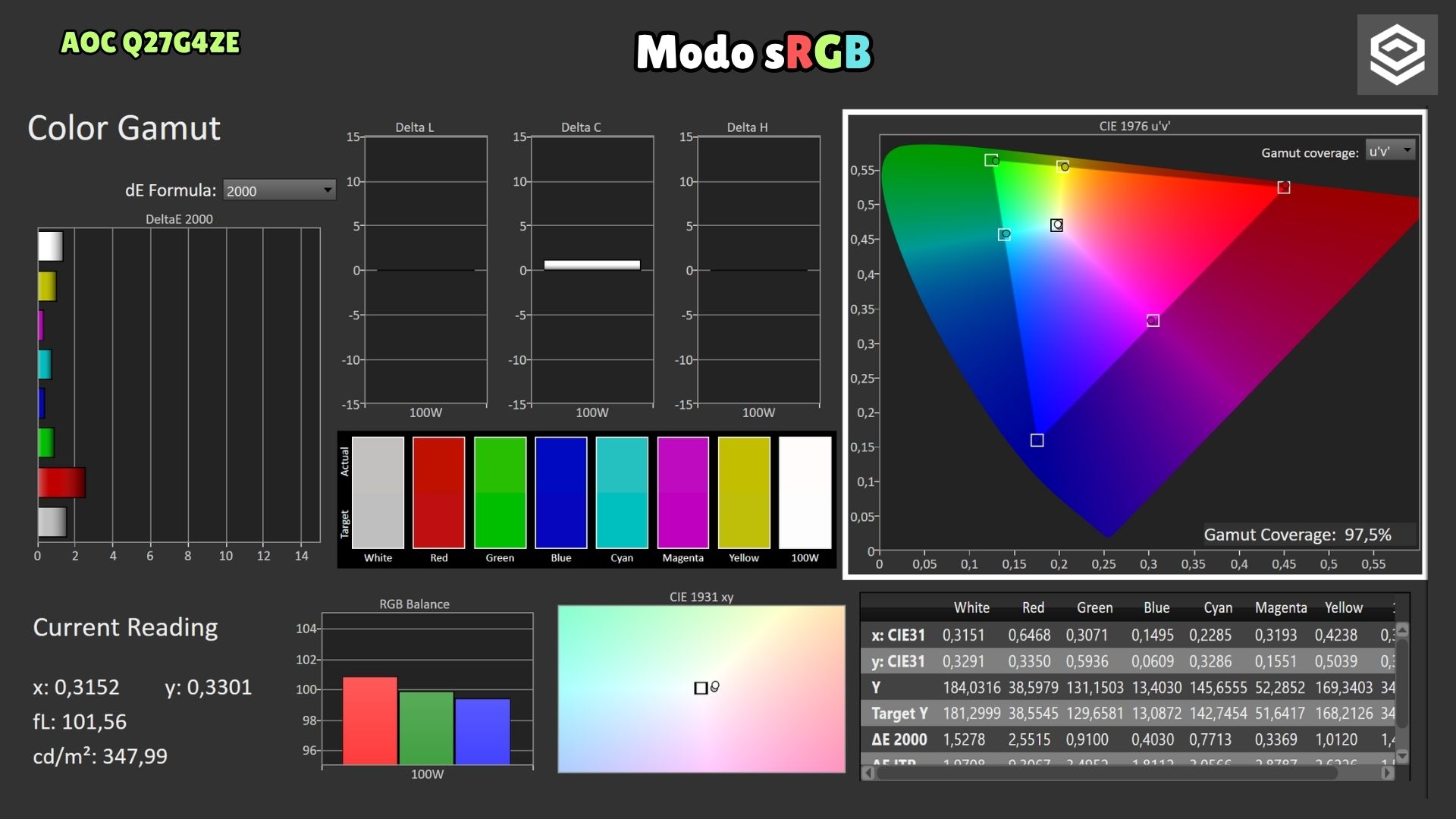
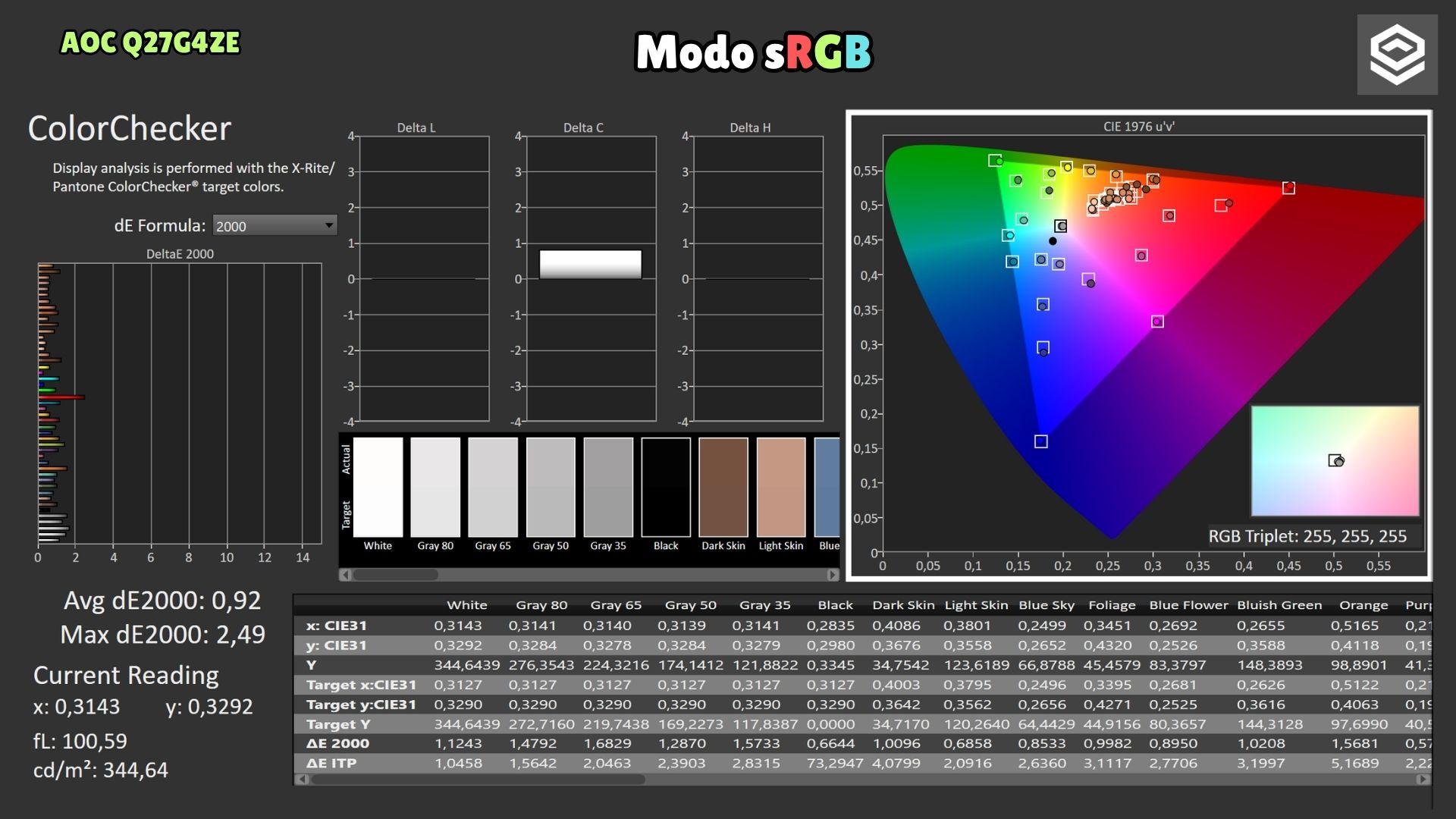
The sRGB preset retains much of the gamut and achieves very good color accuracy. Although gamma and temperature are locked, brightness remains adjustable, allowing desktop adaptation without relying on the oversaturated native gamut.
Manual calibration and an ICC profile can get more from native mode, bringing it closer to DCI-P3. Adjusting color temperature and applying a colorimeter-generated profile improves RGB balance and refines grayscale slightly further.
Be realistic, though: no magic can fill the gamut the panel does not cover. Primaries improve little beyond a slight blue improvement. Elsewhere, the panel’s physical limitation determines the result.
HDR, uniformity, and unit inspection
The monitor supports HDR, but that does not mean a serious HDR experience. That would need considerably more brightness and, above all, much more contrast.
Even so, it underwent grayscale calibration, PQ EOTF curve, and luminance tests, and does not perform entirely badly with the hardware available. All modes behave quite similarly here.
HDR color figures are:
- BT.2020: around 67%
- UHDA-P3: around 92%
When measuring color volume, which considers brightness as well as coverage, figures fall slightly below pure coverage.
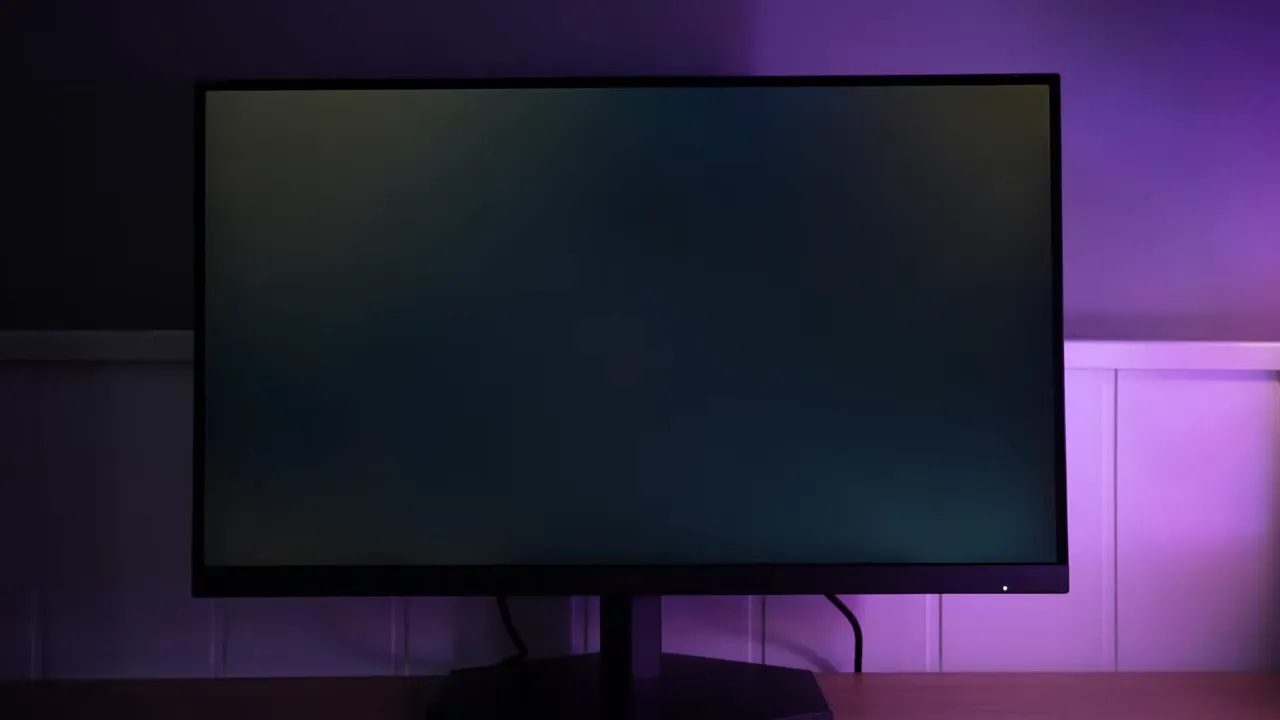
There are strengths and weaknesses here. Some bleed may be present, but the most bothersome part is IPS glow. On this unit, side viewing reveals considerable brownish glow typical of certain modest-contrast IPS panels.
That is common around 1000:1. IPS panels with 1300:1 or more usually show less. Keep it in mind if you play in the dark or are particularly sensitive to it.
On the positive side, the Color uniformity pleasantly surprised me, as it is quite good. The brightness uniformity has more room for improvement, though I have seen much worse.
This unit had a stuck red pixel visible on a white background. It is the first time this has happened with all the AOC monitors I have tested, but you know how it goes: it is a lottery.
Be cautious about quality-control judgments. Serious conclusions about whether one brand or model has more manufacturing defects than another would require buying dozens of units, testing them all, and building a proper sample. Anything else is isolated experience: useful, but limited.
Online feedback also requires care. Most people post when they have a problem, not when everything works perfectly, so forums and Reddit tend to concentrate complaints rather than neutral experiences.

260 Hz, Adaptive Sync, and MBR
The 260 Hz on the AOC Q27G4ZE is achieved by enabling overclocking in the OSD. I saw no unusual tradeoffs: it retains 8 bits at both 240 and 260 Hz, which is good.
The overdrive mode that convinced me most is Faster. With it, initial response time is around 5.84 ms. Slightly slower than the average of similar monitors I have tested, but not noticeably poor either.
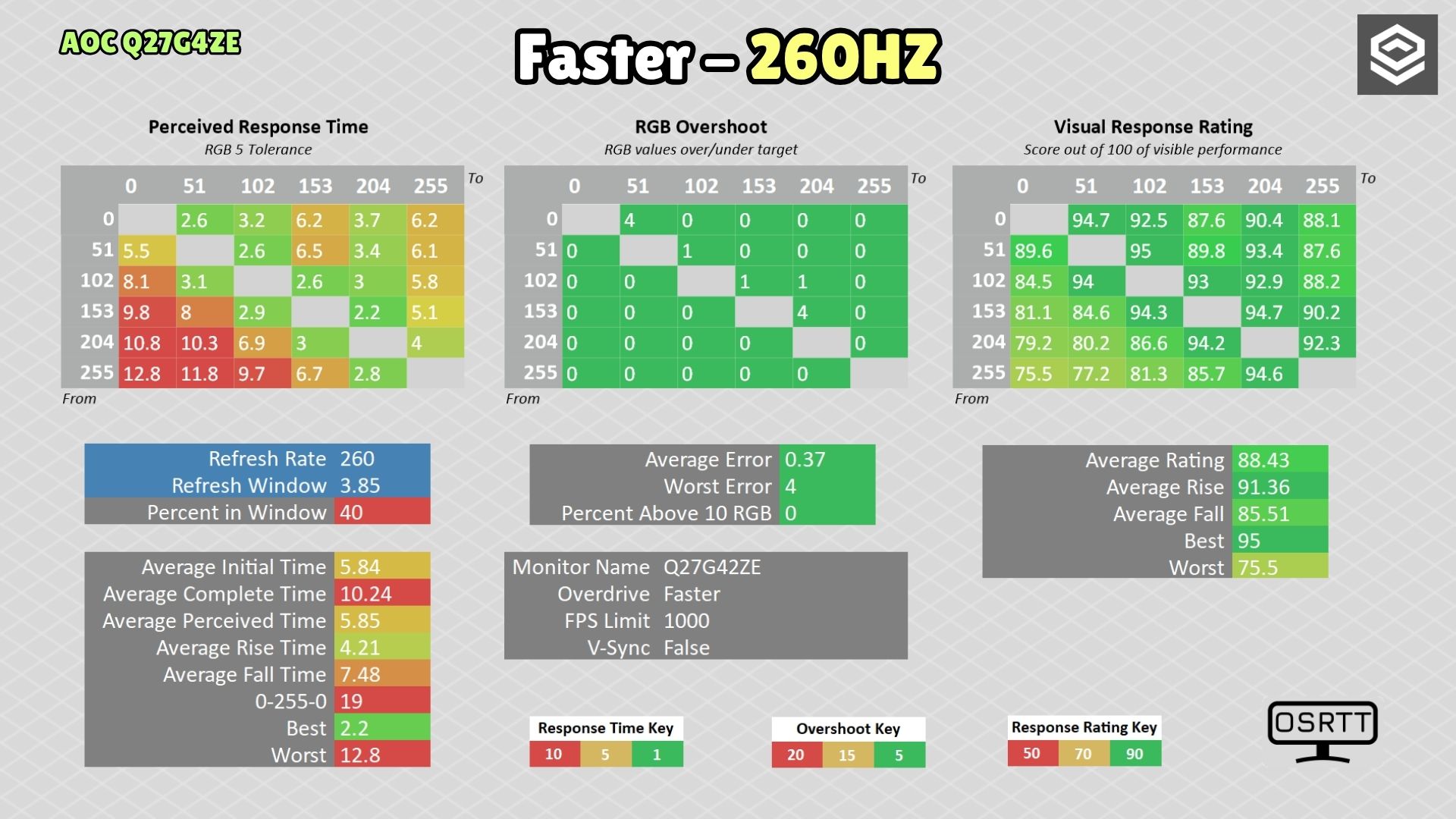
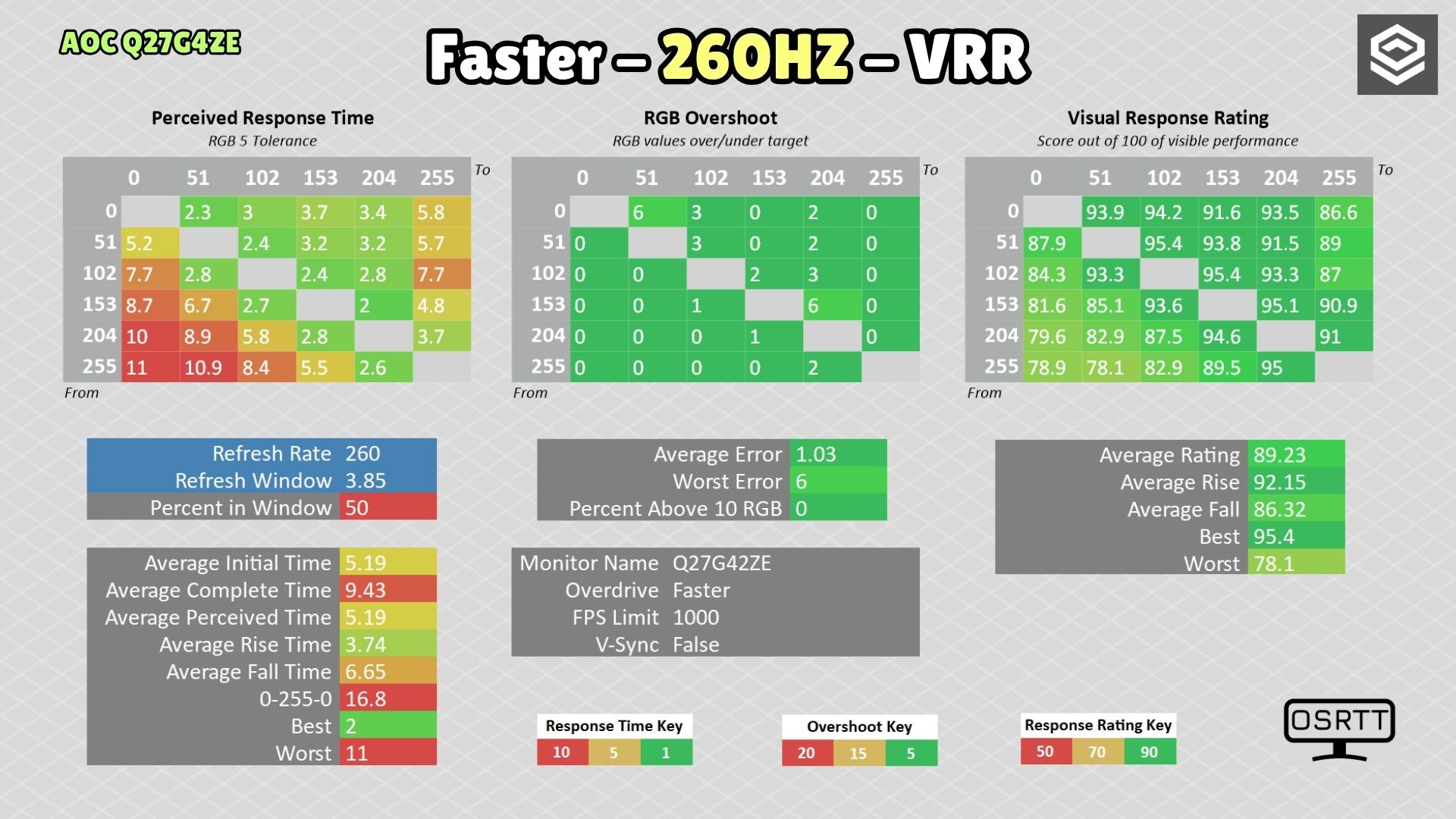
This comparison keeps Faster and 260 Hz, with and without VRR. That condition should be specified when assessing overdrive. Tests at 120 and 60 Hz complete the recommendation for variable-refresh gaming.
There is an interesting detail I have seen on other AOCs. Enabling the monitor’s Adaptive Syncsetting changes overdrive behavior and makes the panel slightly faster, even without subsequently enabling FreeSync or G-Sync on the graphics card.
With that enabled, initial response drops to around 5.19 ms. Overshoot increases somewhat, but overall I find it a reasonable tradeoff. The visual difference is not enormous, though.
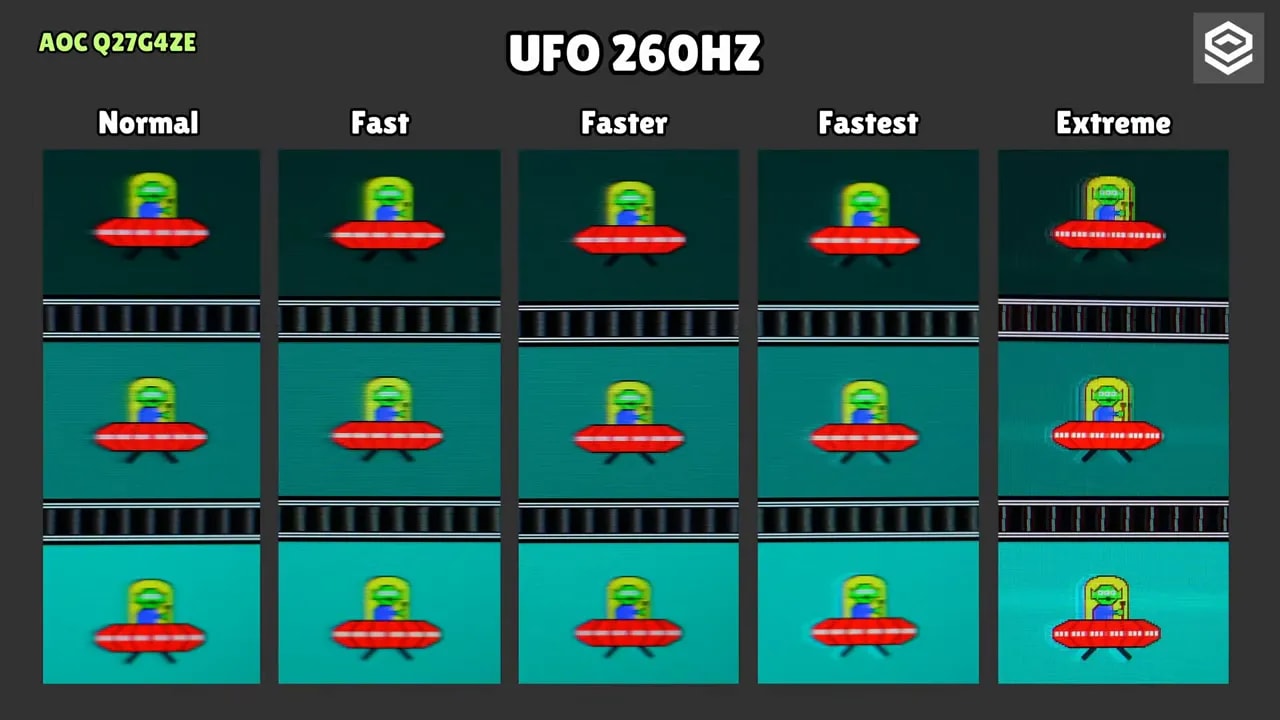
In practice, ghosting is roughly average for inexpensive fast IPS monitors of this type.
Also, with an Nvidia graphics card operating as G-Sync Compatible, I had no tearing or flicker problems despite the lack of official Nvidia validation. Behavior was good in that respect.
The monitor also includes a dedicated Motion Blur Reduction adjustable from 1 to 20, like some Asus ROG models. Intermediate levels tend to be most useful, but my view remains the same as with most such modes: truly good, sharp results without double images require much more expensive products.
It can be combined with different overdrive modes and Adaptive Sync, though with the latter it uses a specific preset rather than full adjustment. Having the option is good, but performance worsens compared with use without Adaptive Sync, and more sharpness is lost.
In short: better to have it than not, but I do not consider it a decisive feature on this model.
There is a Low Input Lag mode available when Adaptive Sync is off. The problem—or reassurance, depending on your view—is that the difference is tiny. In practice, it seems imperceptible, so I would not obsess over it.
PS5: supported signal and recommended overdrive
If you want to use the AOC Q27G4ZE with PS5, there is one piece of good news and a couple of less positive ones.
The good news is that it accepts supersampling from 4K. The console can render at 4K and fit that signal into 1440p for added sharpness, depending on the game.
The downsides are:
- No VRR support
- No ALLM
- 4K is limited to 60 Hz
Even so, it can be used at 1440p and 120 Hz, which matters for many competitive console games.
For 120 Hz use, you can try Fastmode, which gives around 5.35 msinitial response time. The problem is increased, more noticeable overshoot, so sensitive users may prefer lowering it to Normal.
For 60 Hz, I would simply leave it on Normal, because Fast produces too much overshoot.
It is also worth enabling Adaptive Sync on the monitor even though PS5 does not support VRR on this model, because in theory it helps overdrive run in its faster state. That was checked on PC, so this is a reasonable recommendation rather than an absolute guarantee.
Differences from the Q27G4ZR and conclusion
This is one of the key purchase considerations. The model ending in R, the AOC Q27G4ZR, according to official information, adds several improvements over the AOC Q27G4ZE:
- Two built-in speakers, though quality is likely weak
- Higher advertised brightness
- Considerably better stand
- Height adjustment
- Portrait/pivot mode
For brightness, the E version is listed at 300 nits online, though as shown, it delivers more in practice. The R version advertises 400 nits, so it probably is somewhat brighter.
The stand is simply on another level. At the same price, the choice seems clear: choose the Q27G4ZR.
The AOC Q27G4ZE is easy to understand. It does not try to be premium, promise life-changing HDR, or hide its mediocre stand. What it does offer is 1440p, IPS, 260 Hz, and capable performance at a very low price.
Its strengths are quite clear:
- Very good price-to-performance ratio
- sRGB mode really good
- Better brightness than the spec sheet suggests
- Adaptive Sync working well with Nvidia too
- Capable gaming performance for its class
And so are its drawbacks:
- Poor stand
- IPS glow quite visible on this unit
- Very limited HDR
- Good response times, but not class-leading
- Possible panel lottery, as with any monitor
At around 180 euros, the AOC Q27G4ZE is a very interesting purchase for high-refresh PC gaming without spending a fortune. However, if the Q27G4ZR costs the same, I would choose the R without much hesitation for its improved brightness and ergonomics.