The TCL C6K makes one thing clear from the start: for under 500 euros, you can now find a very capable TV for gaming and content consumption, with a technical foundation considerably better than usual in this range.
The model reviewed is the TCL C6K, though depending on the store, it may appear as Q6C or Q6MK. Keep an eye on that: the commercial name changes, but it is actually the same product. This particular unit is the 55-inchversion, purchased on Black Friday for around 430 euros on Amazon.
On paper, its headline specifications are very good for the price: HVA panel with Quantum Dot, Mini LED backlighting, and up to 144 Hz native refresh rate. And since this is a review with a technical focus, the important part is not simply repeating specifications, but seeing how it actually performs in image quality, HDR, local dimming, gaming, and real use.
Design, assembly, operating system, and connections
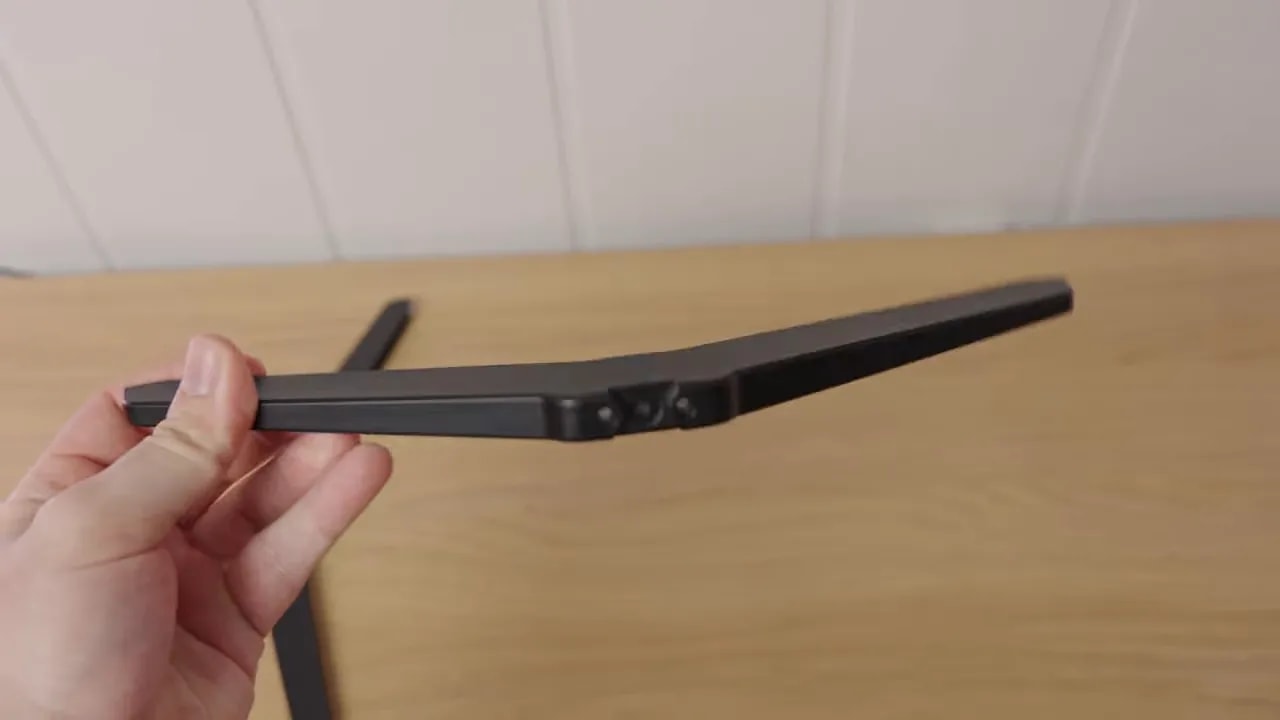
Before measurements, several practical points need clarifying. Assembly is simple. The TV uses two screw-on feet and is straightforward. They are not premium, but do not feel toy-like either.
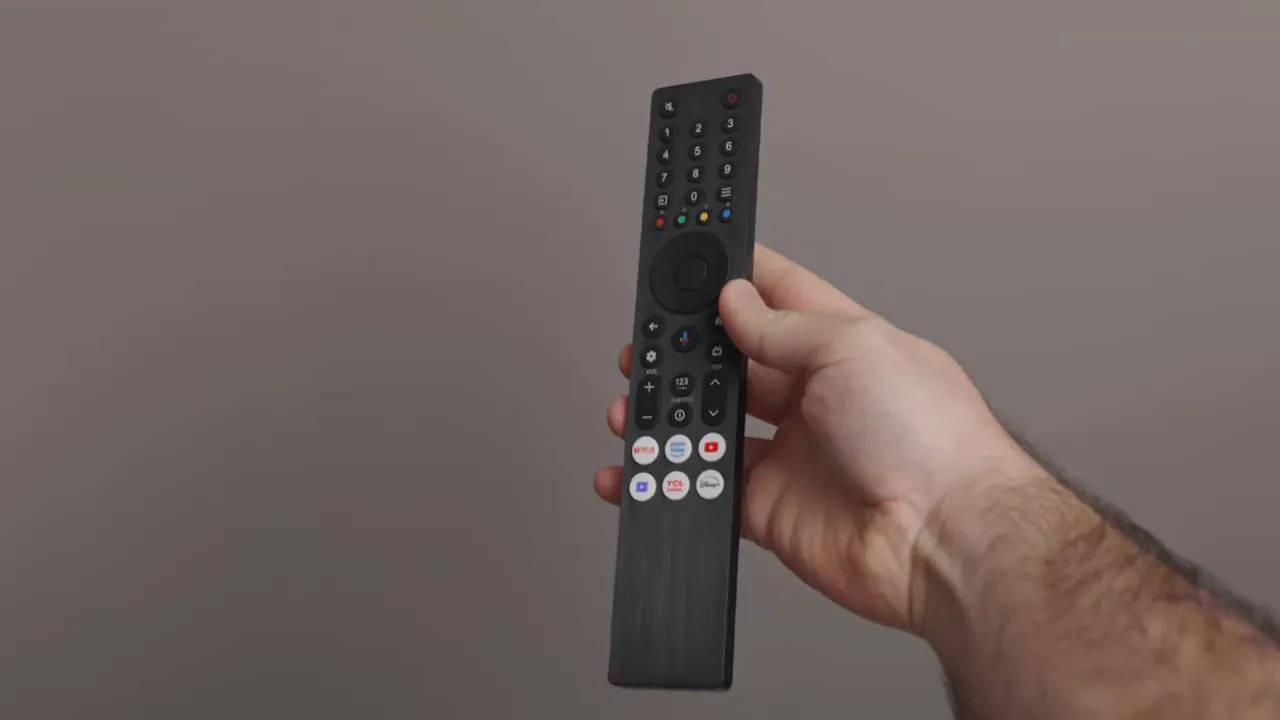
The remote matches the product’s price. It is not particularly luxurious or backlit, but includes a built-in microphone, so at least it handles functionality well.
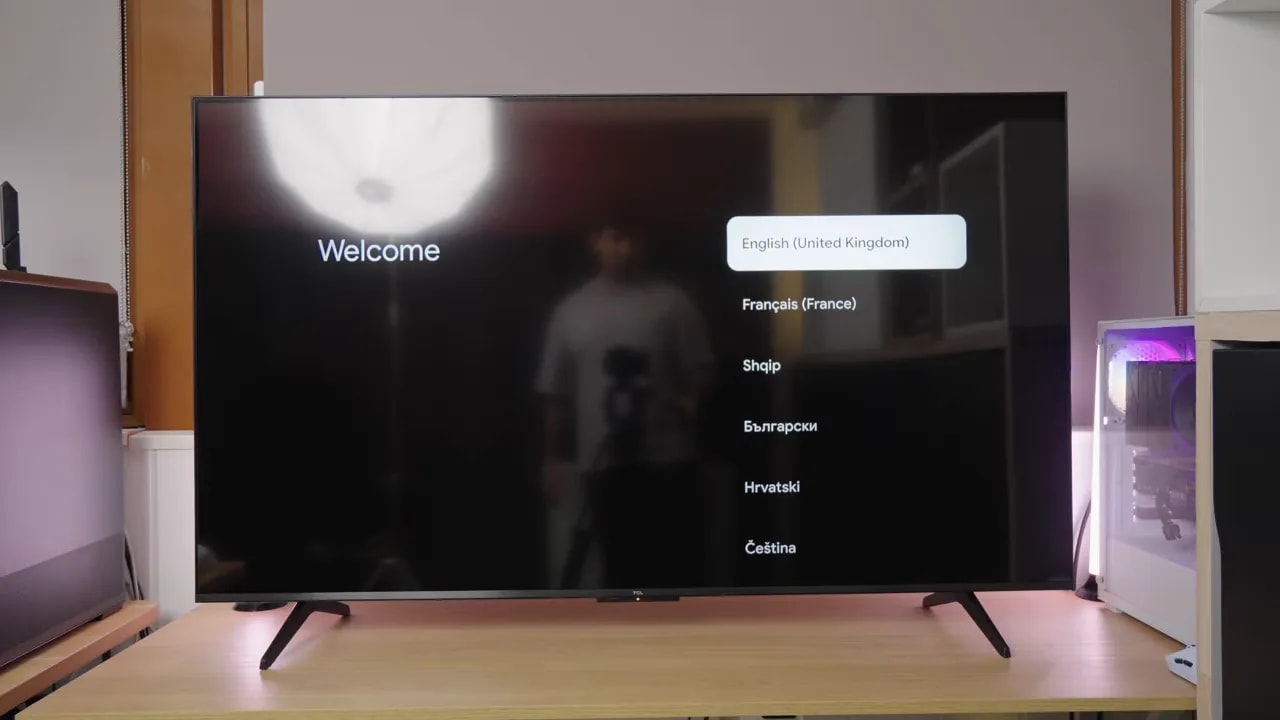
Software is very good. It runs Google TV, still my favorite operating system for a consumer TV. The interface is responsive, the hardware performs well, and there is also 32 GB of storage, more useful than it may sound if you install plenty of apps.
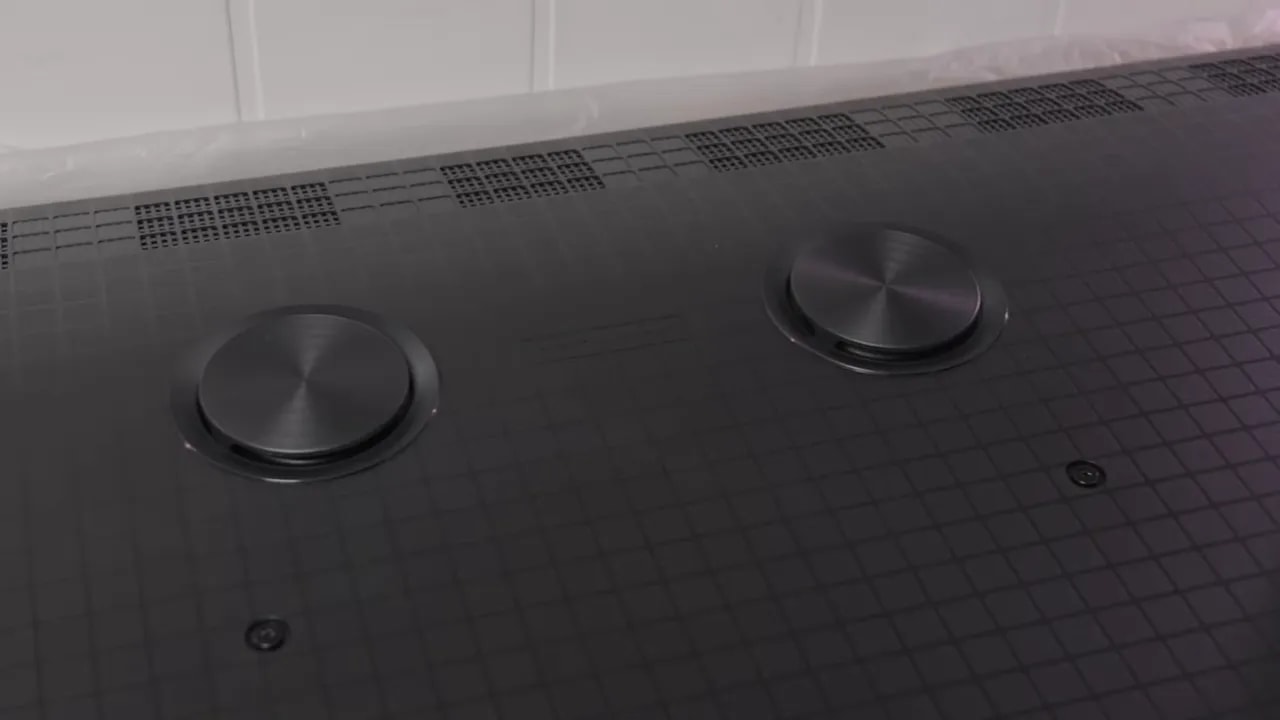
There is also VESA compatibility for mounting it, and on the back, part of the audio system is visibly exposed. TCL included a 2.1 system with an integrated subwoofer and, honestly, it is quite decent for the price.
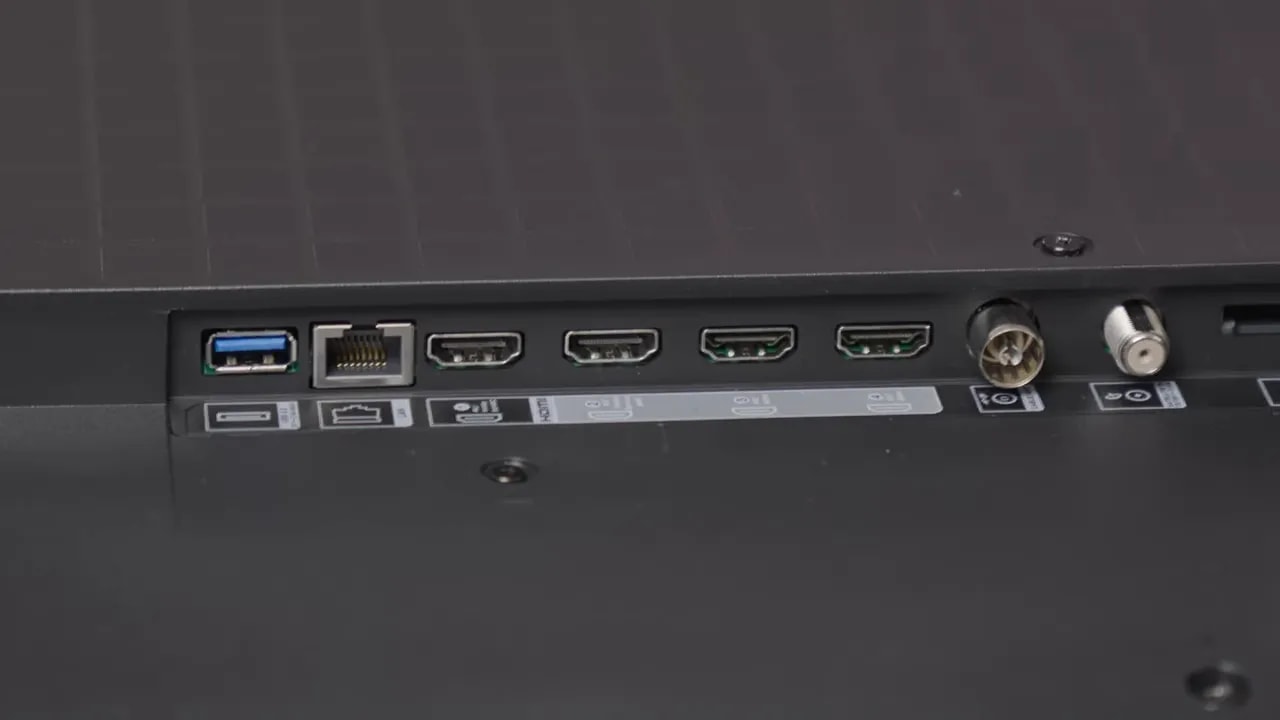
Connectivity is well covered. There are ports with HDMI 2.1, eARC and a sufficiently complete foundation for a console, soundbar, PC, and other devices.
Color and coverage: a good starting point for this range
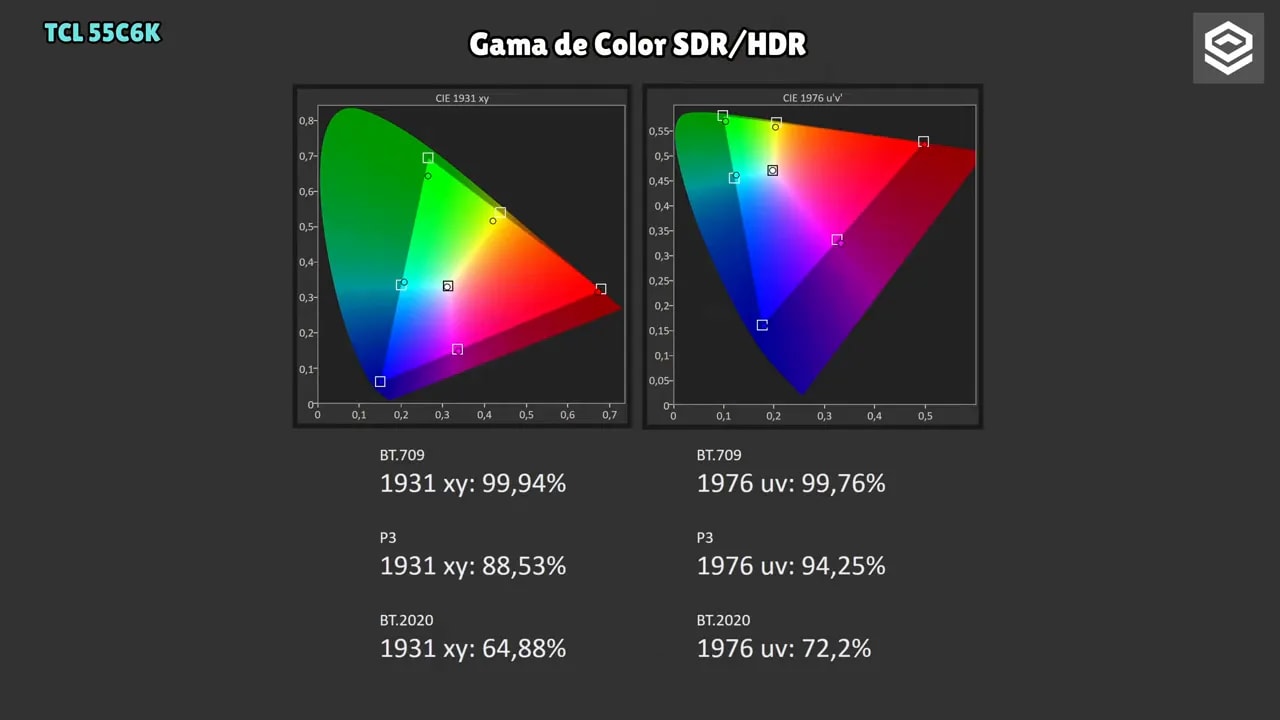
If there is one thing this TCL C6K Q6C QD MINI REVIEW shows positively from the outset, it is color. In both SDR and HDR, I measured around 94% DCI-P3 coverage. HDR color volume drops somewhat, entirely normal because that measurement also depends on brightness, but the foundation is good.
It obviously does not reach OLED levels, but for a TV in this range, colors are wide-ranging and quite attractive.
Picture modes and recommended settings
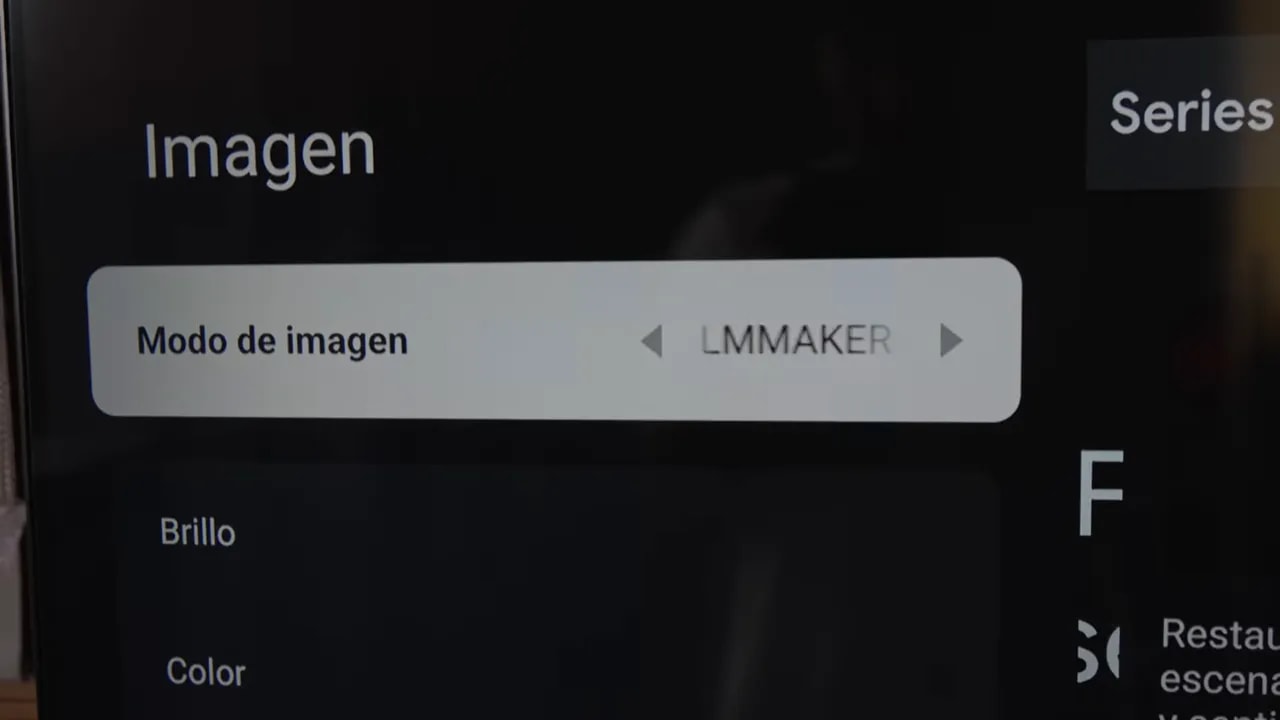
The TV offers plenty of adjustments, always good news if you like fine-tuning. Settings can be opened in a fuller side menu or a more convenient bottom menu.
For a reasonable starting point, my recommended modes are:
- Cinema
- Filmmaker
- Game if gaming is the priority
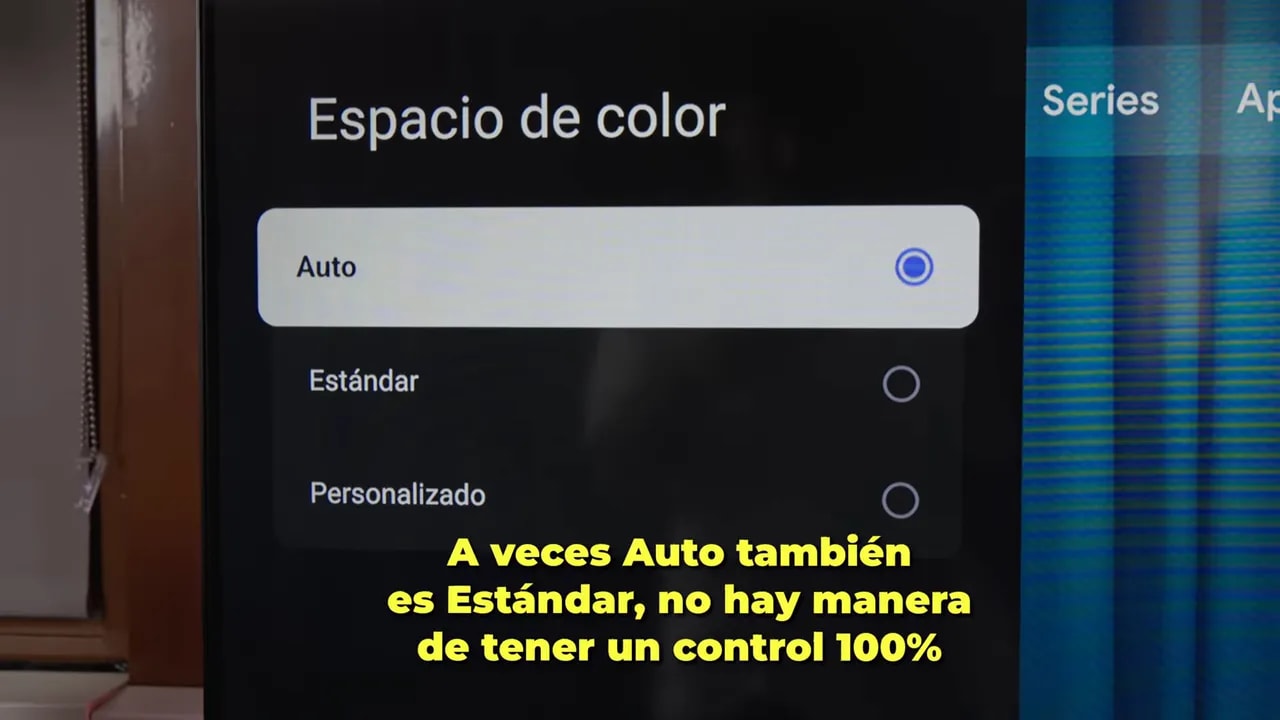
Filmmaker and Cinema are practically identical. The important detail here is the color space. In these modes, “Auto” clamps the TV to Rec.709. Personally, I am not enthusiastic about TCL calling it “Auto” instead of showing the actual gamut, because it creates unnecessary confusion.
To make use of the panel and approach that 94% DCI-P3, change the setting to “Standard”.
There are also controls for:
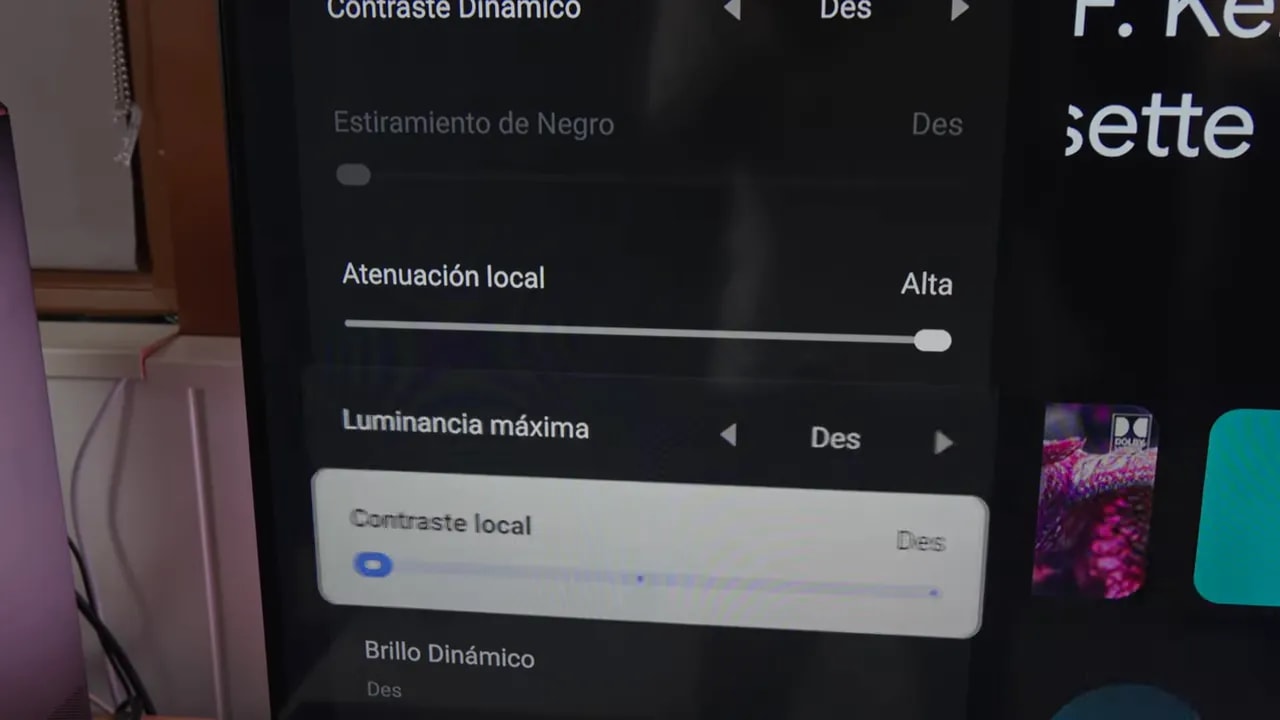
- Local dimming
- Dynamic contrast
- Noise reduction
- White balance
- Gamma
In Filmmaker, if I recall correctly, the default is BT.1886. In Cinema, it is gamma 2.2. The good part is that you can adapt it to taste.
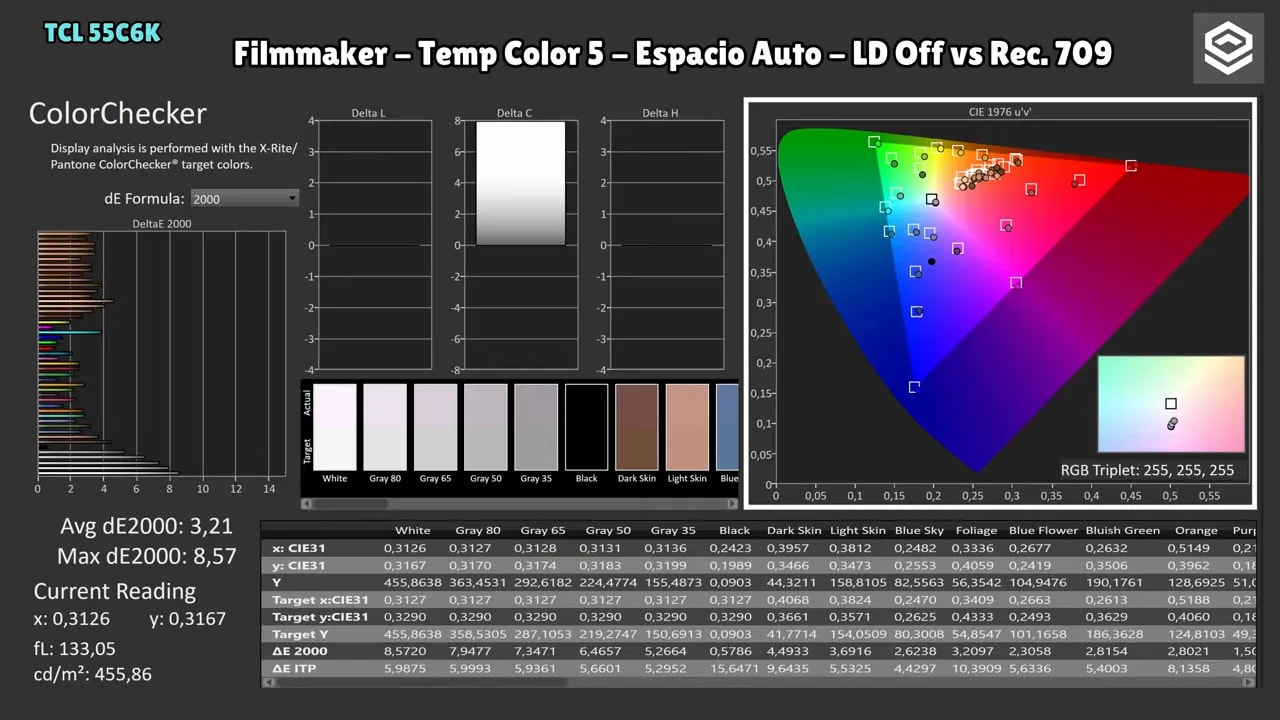
SDR factory calibration: good color, mediocre grayscale
Here is my unit’s main drawback. In Rec.709, Filmmaker mode provides quite decent color accuracy. It is not reference-grade, but it is good. The serious problem is white balance.
Grays, especially bright areas and pure white, are less well tuned than I would like. The BT.1886 gamma curve is not bad, and color temperature is not extremely far from the 6500K standard, but RGB balance could clearly be better.
On the Game mode, measured with Standard color space against DCI-P3, tells a similar story. Colors are slightly less refined, coverage is incomplete, and again, grayscale is the weak point. Gamma 2.2 also falls slightly below the ideal.
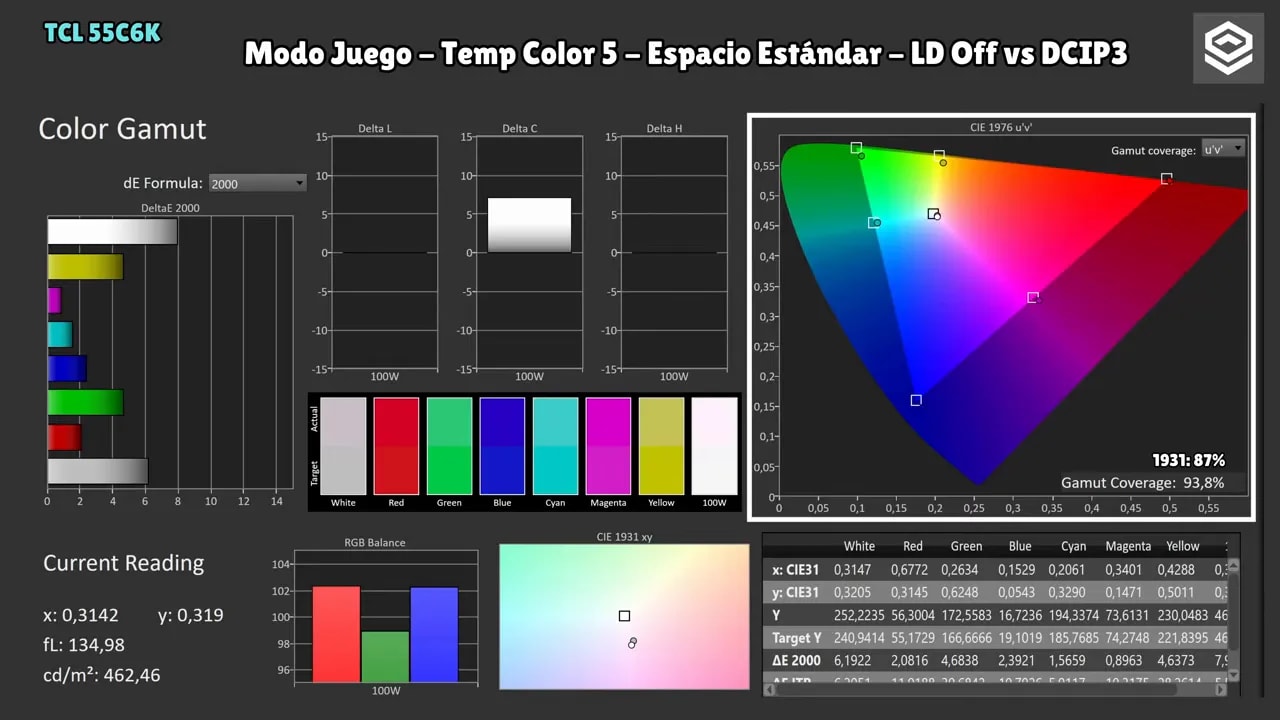
To put this part plainly: the TV has good colors, but grayscale needs improvement. Fortunately, the important part is that this can be substantially corrected.
Calibration: an excellent surprise for the price
One of the most interesting aspects of this whole TCL C6K Q6C QD MINI REVIEW is that the TV supports hardware calibration. At this price, that is remarkable.
With the appropriate setting, you can connect it to calibration software and use AutoCal. In my case, I used it with Calman, the program I normally use for reviews and calibration.
Official support is not listed as I would like, but I got it working with practically no problems. There are limitations, though:
- It only allows calibration of Cinema modes
- It applies to both SDR and HDR
- The TV supports Dolby Vision and HLG
In HDR, factory tracking of the PQ EOTF curve and luminance are not perfect, but are reasonably good for the price. AutoCal lets you refine it without constantly adjusting menus by hand, because it installs a kind of internal 3D LUT to correct the image much more precisely.
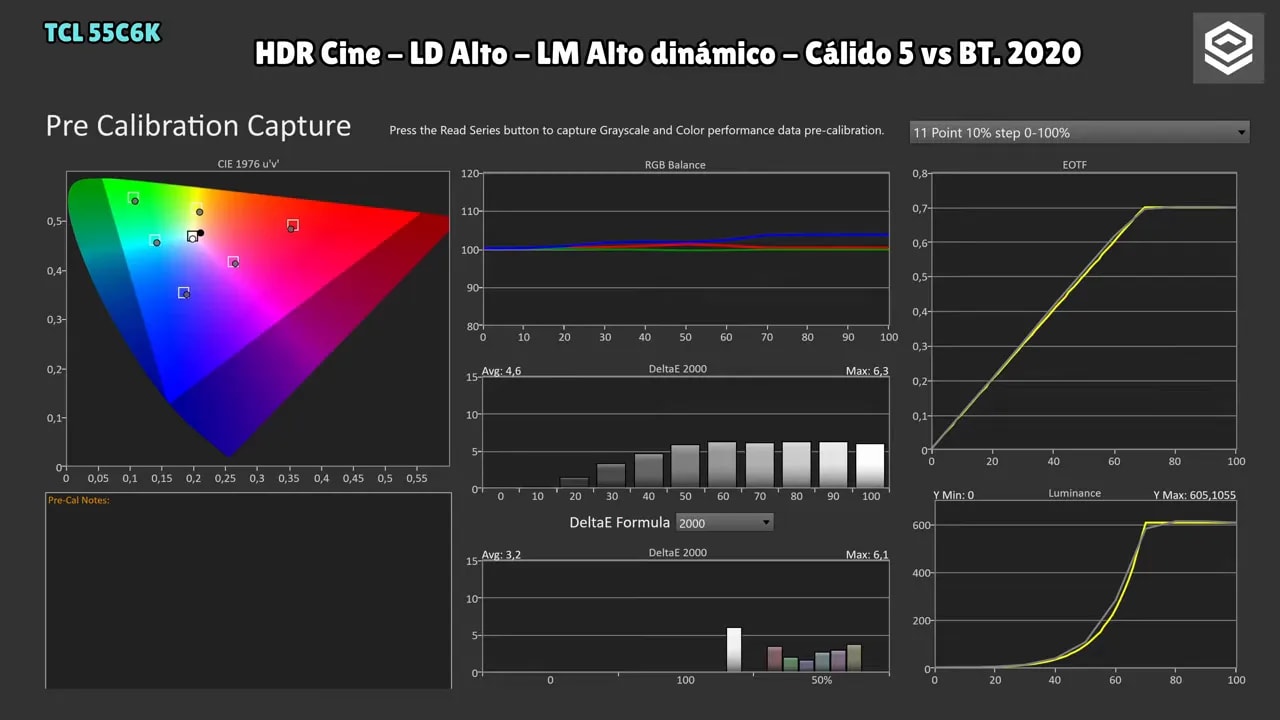
In fact, I managed to get HDR and Dolby Vision very well tuned. SDR has one specific issue: I do not know why it will not let me load that internal 3D LUT exactly as I want, though other corrections such as the 3×3 matrix are available. Even so, it can be refined considerably.
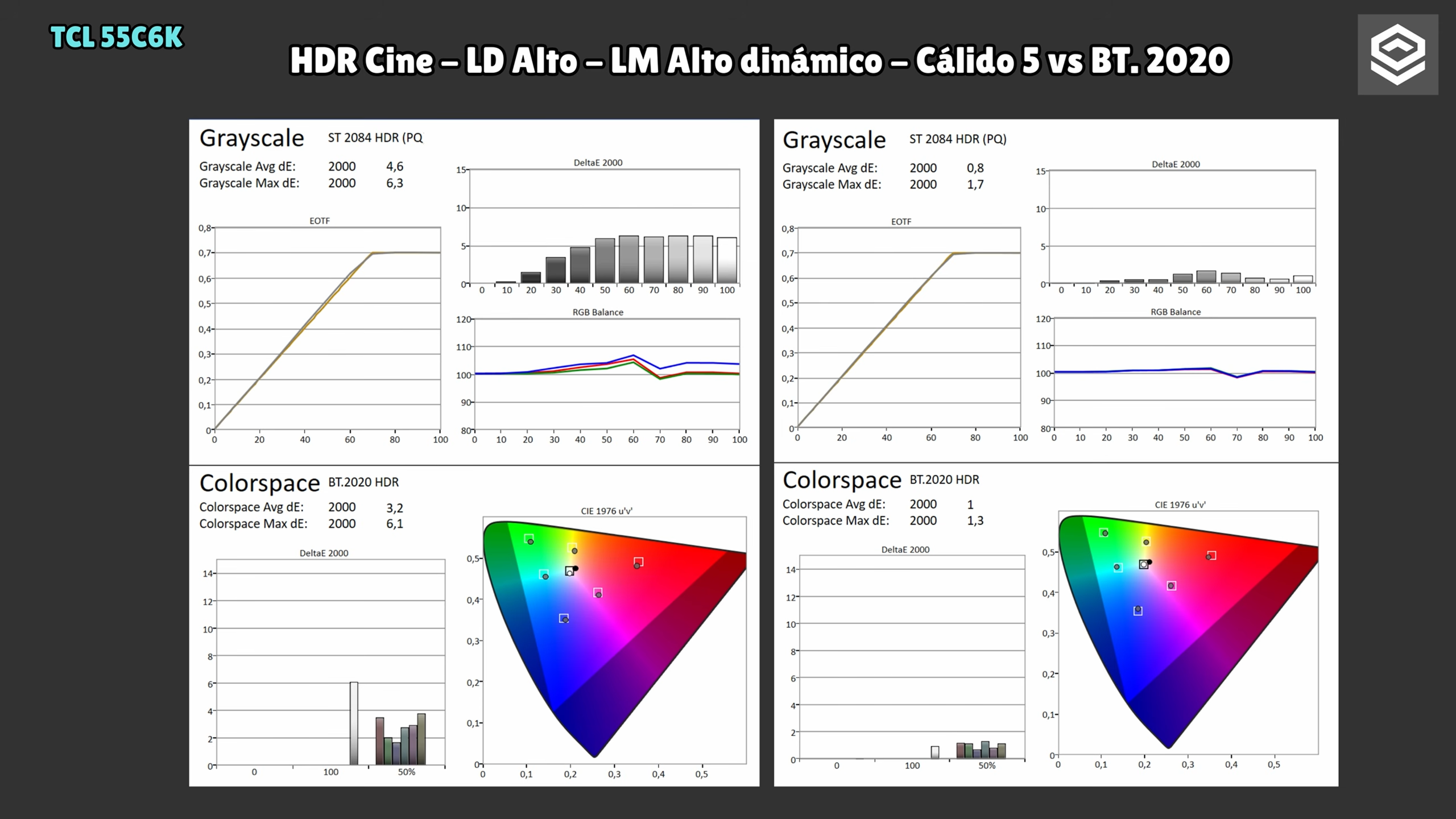
However, remember a basic but extremely important point: every unit is slightly different. Even sharing settings will not produce exactly the same result. Improvement is likely, but copying a calibration will not magically make it identical.
HDR in practice: acceptable, with room to improve whites and tracking
Testing other HDR modes outside the AutoCal workflow showed that in both Filmmaker HDR and Game HDR the PQ EOTF curve and luminance fall somewhat below ideal.
Curiously, in real use it does not always feel as bad as some graphs suggest. In HDR Cinema, using another workflow, I did achieve accurate results, so some internal TV behavior is not entirely transparent here.
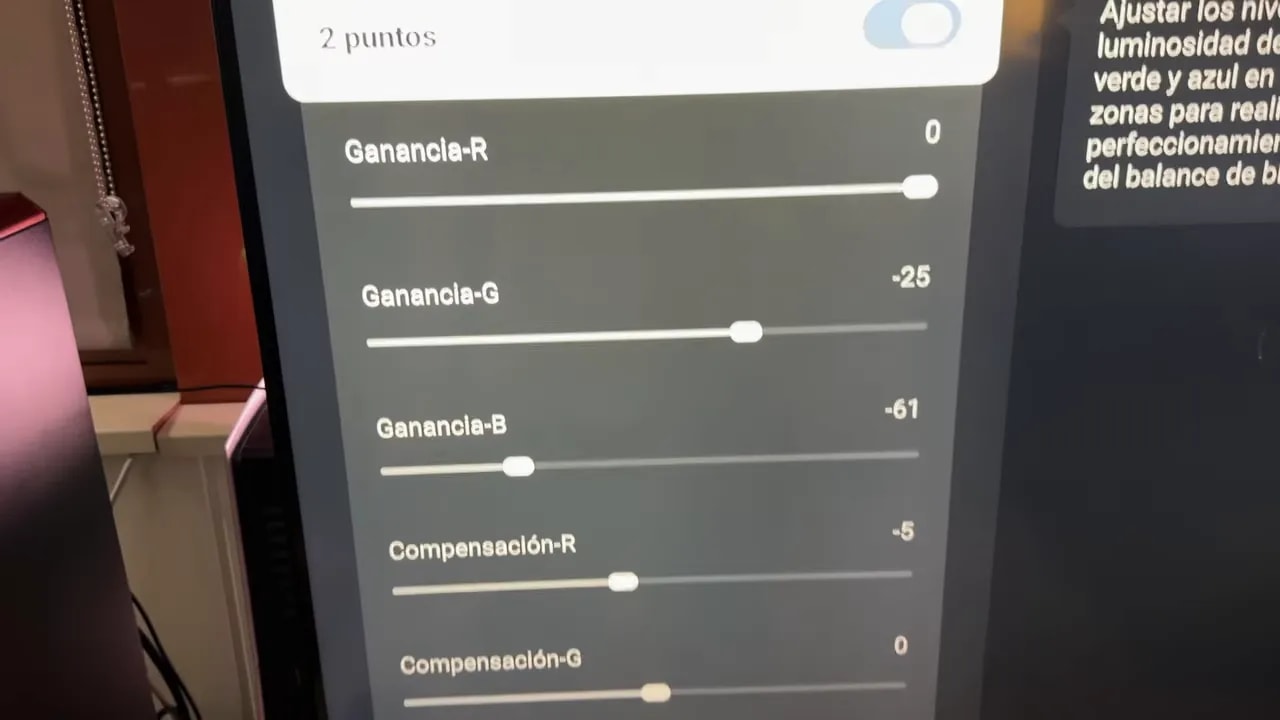
What I recommend almost without qualification is disabling extra processing:
- Dynamic contrast
- Noise reduction
- Similar filters
I do not think they are particularly well implemented, and for maximum accuracy, they hinder more than they help.
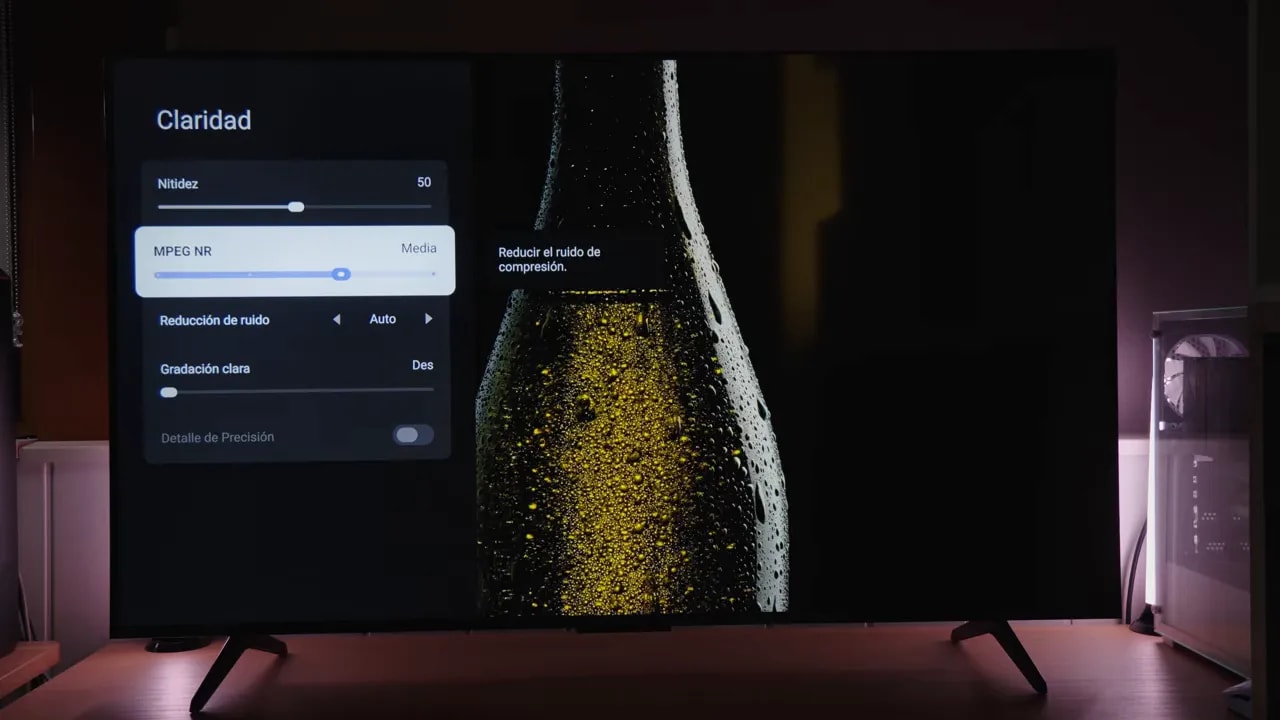
In HDR, I also kept seeing the same general issue on my unit: white balance is off out of the box. Local dimming does complicate measurements somewhat by changing overall panel behavior, but once calibrated, with local dimming enabled and maximum brightness, it can be quite refined.
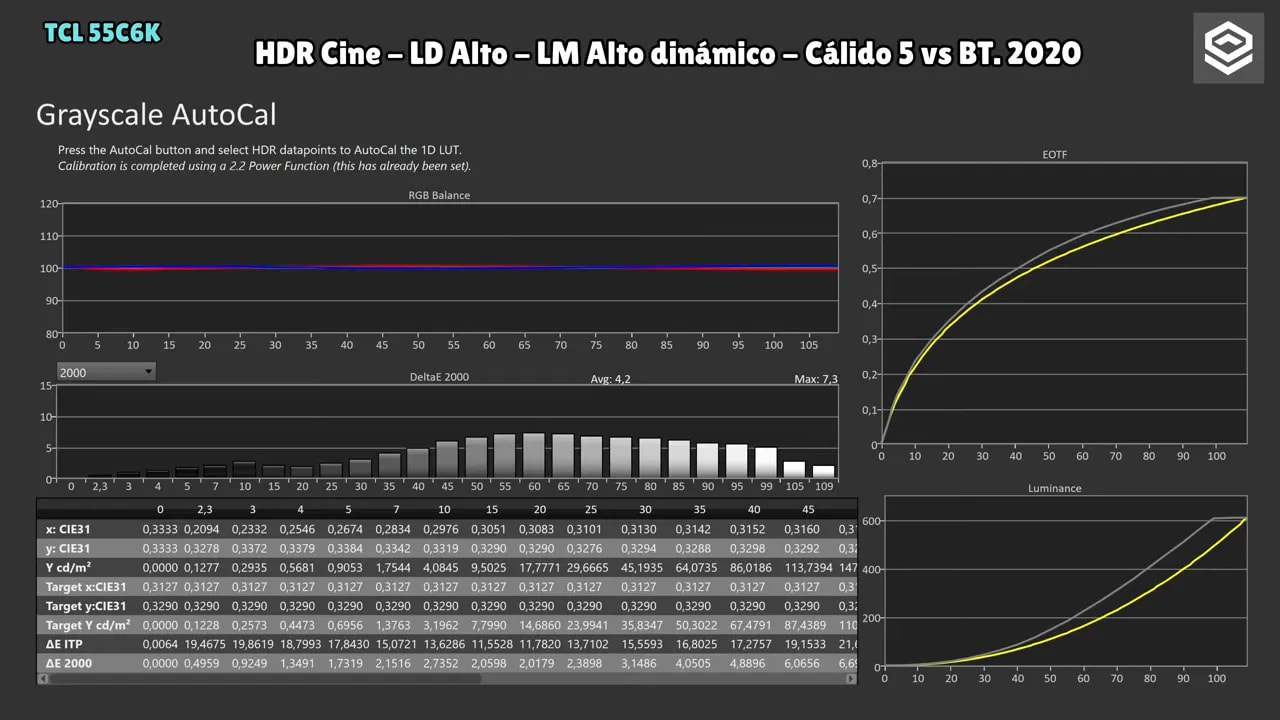
If I had to summarize all the color performance in one sentence: colors are quite decent, but grayscale is clearly the area needing the most improvement from factory settings. Depending on the gray level, you may notice a redder or bluer cast.
Brightness, contrast, and local dimming: few zones, but better than expected
Now for one of the most important sections of this TCL C6K Q6C QD MINI REVIEW: brightness, contrast, and local dimming.
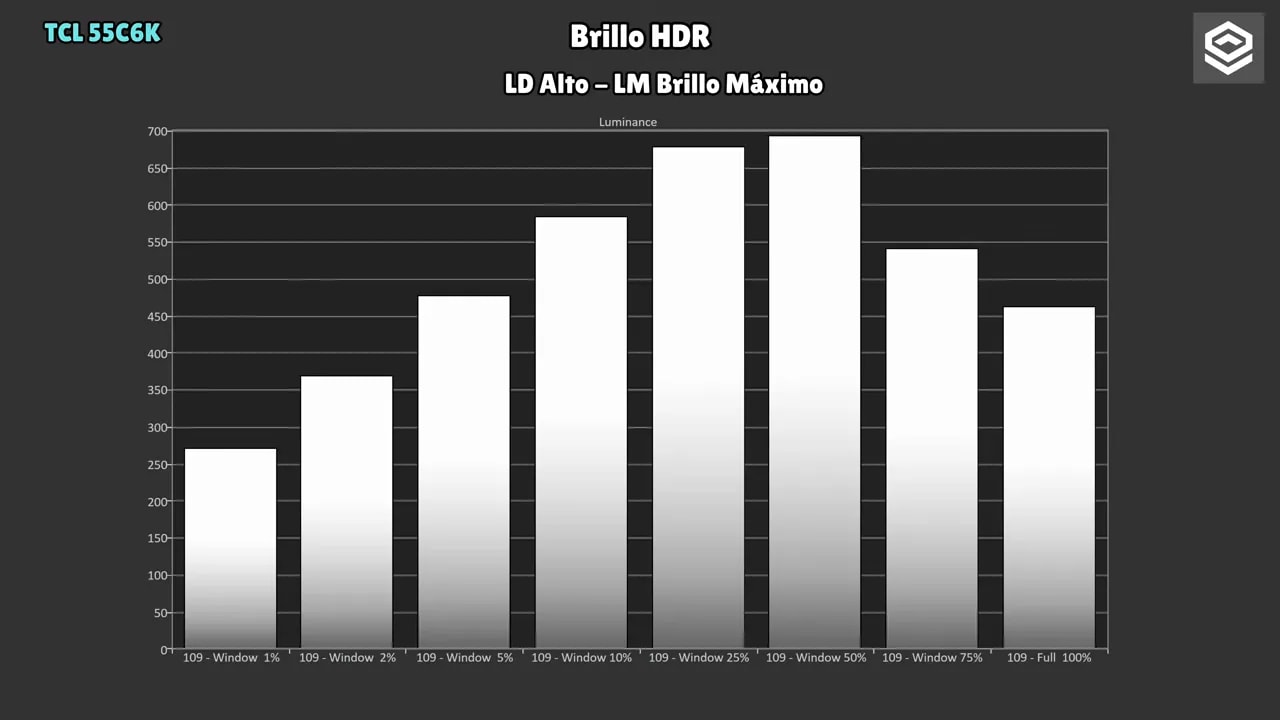
With local dimming disabled to assess the underlying panel, maximum brightness is around 460 nits. Nothing outrageous, but not bad at all for this range.
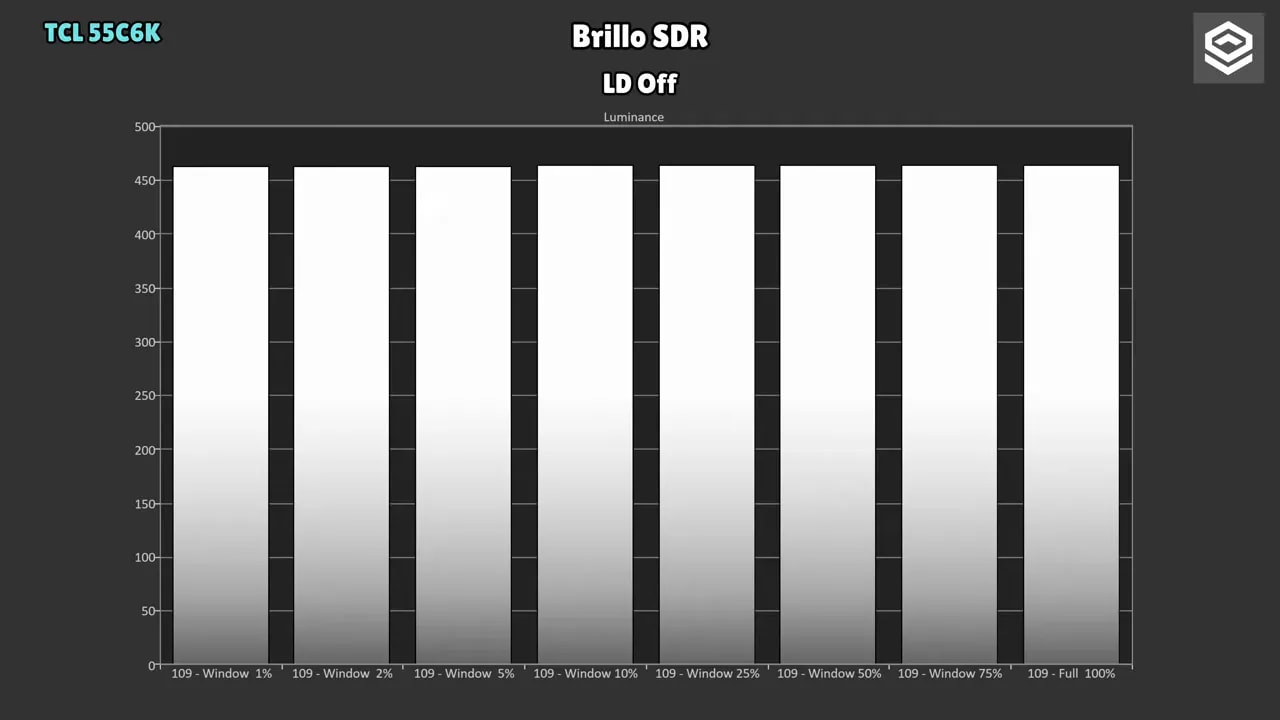
Enabling local dimming, which has three levels, improves things. My general recommendation is High almost all the time. You can also adjust the luminance associated with that system. For maximum brightness, leave it at maximum luminance.
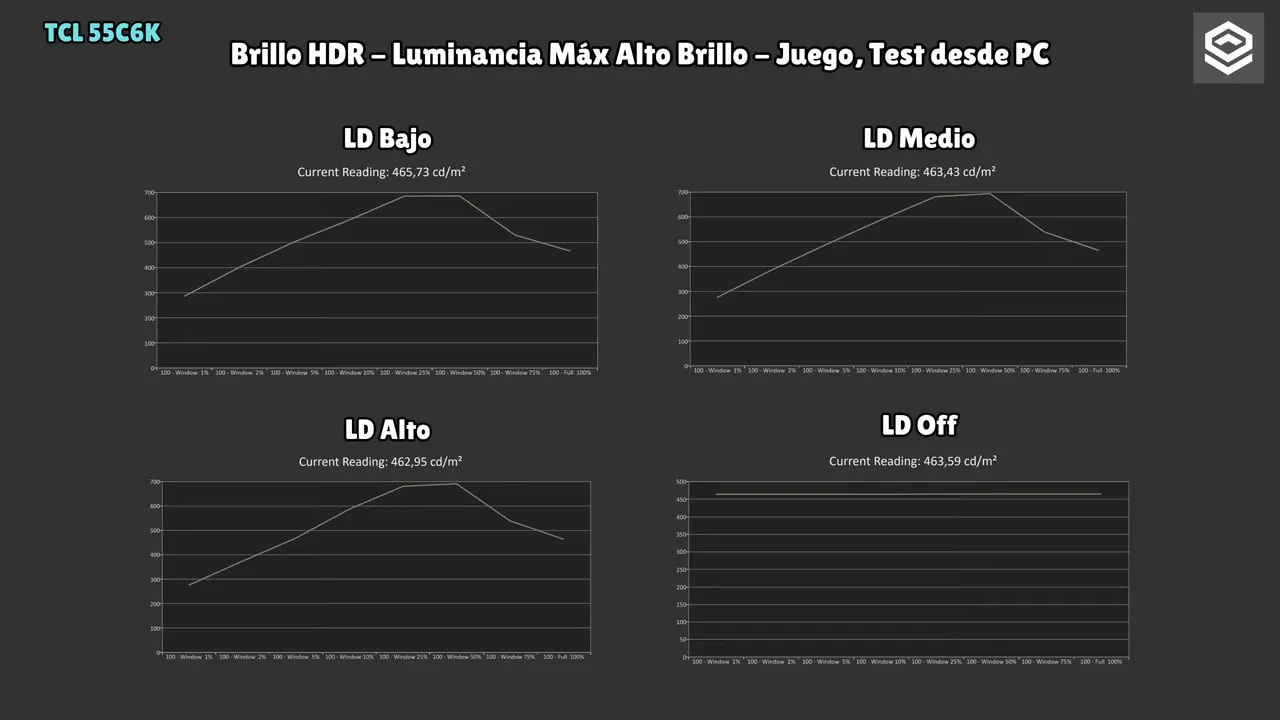
With that configuration, brightness increases depending on the scene. This introduces the concept of APL, meaning the amount of bright image on screen. On this TV, the strongest peak occurs at around 50% APL, where it comes quite close to 700 nits.
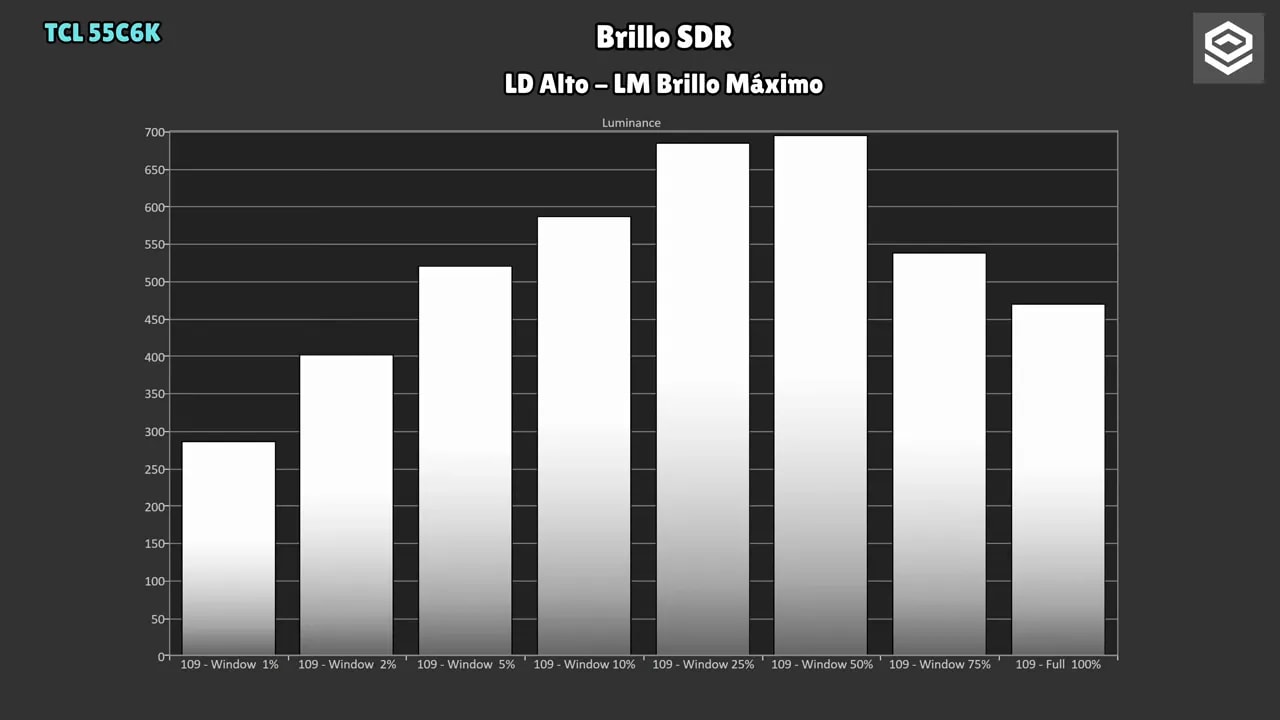
At very low APL, such as 1%, it does not stand out as much as OLED. It reaches around 260 nitsthere. There is a clear explanation: it does not have a huge number of dimming zones.
On the 55-inchmodel, if I remember the figure correctly, there are 180 zones. On paper, that may seem low, and it is compared with higher-end models, but TCL has done quite a good job with the algorithm.
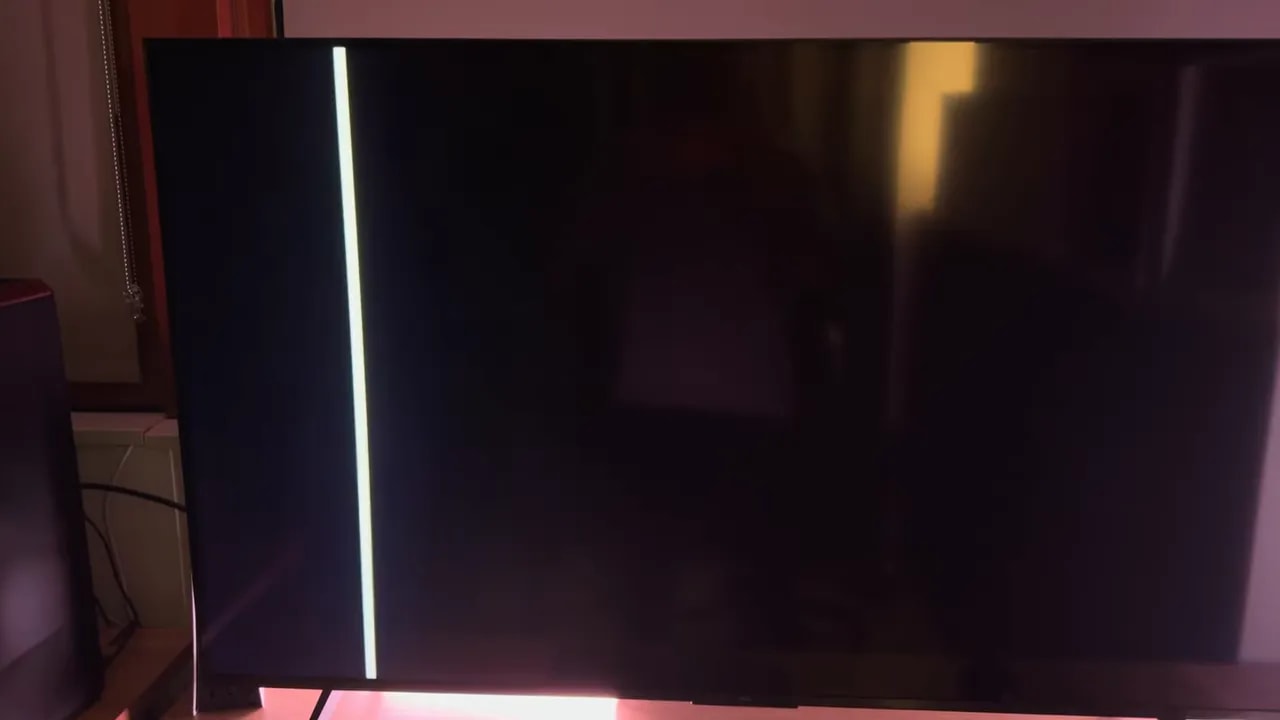
In practice, blooming is better controlled than I expected. Obviously, a very bright object on a dark background raises blacks slightly around it and creates a halo. That is unavoidable with this zone count. But it is not excessive.
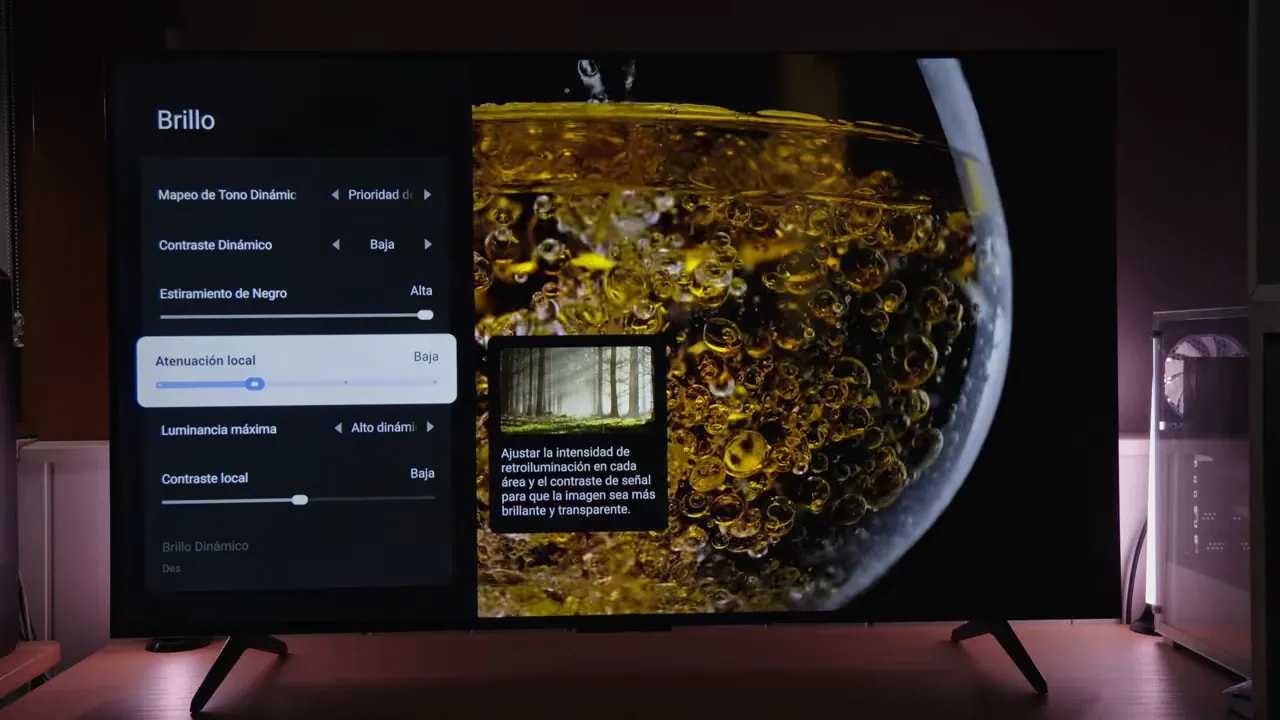
Synthetic tests reveal it immediately, of course. If you look hard enough for flaws, you will find them. But with real content—movies, games, or HDR videos—the experience is better than the specifications suggest.
Another interesting point: even as a PC display, local dimming behavior seemed more pleasant than on many Mini LED monitors I typically test. It sometimes still “chases” the white cursor or certain desktop elements, but overall, it felt quite well implemented.
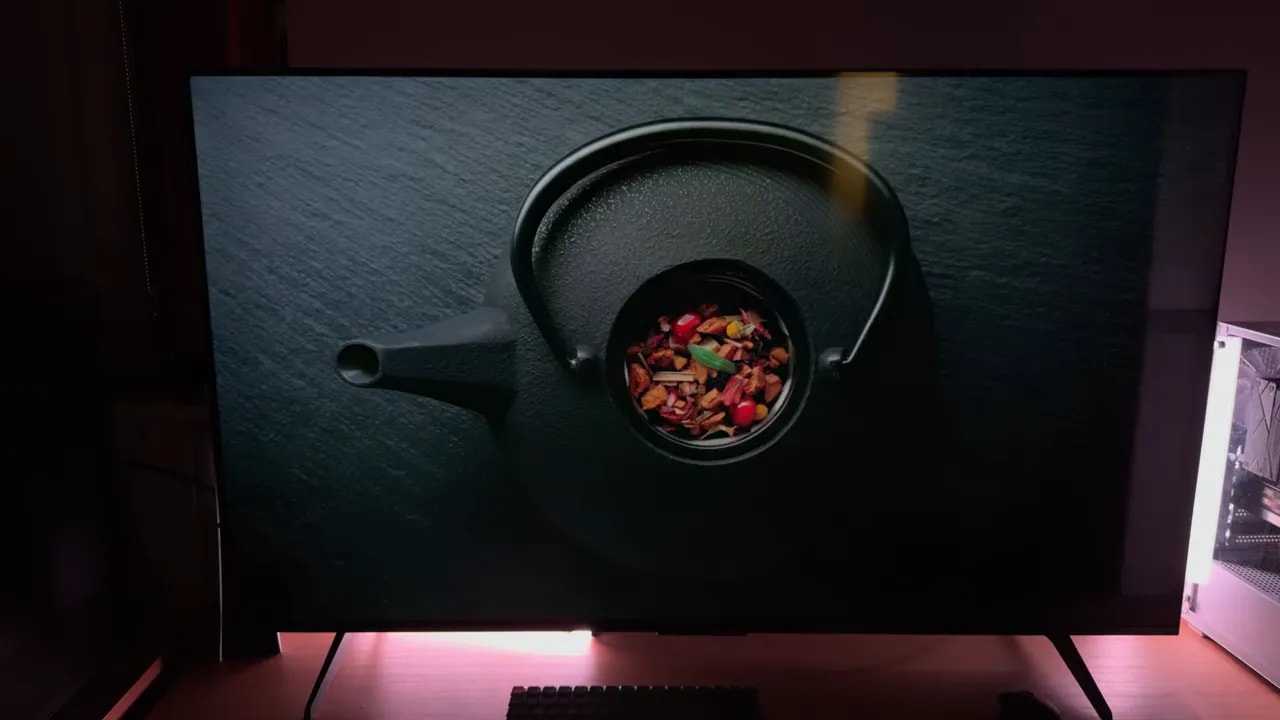
Native contrast, without assistance, is around 5000:1, not bad for a VA. Using a 3×3 checkerboard test to avoid a misleading “infinite contrast” result from fully disabled zones, I measured approximately 13.000:1.
Gaming: genuinely well equipped for PS5, PC, and high refresh rates
For gaming, this TV is very well prepared. We have 144 Hz native refresh rate, HDMI 2.1, support for VRR, ALLM and all the features currently worth asking of a gaming TV.
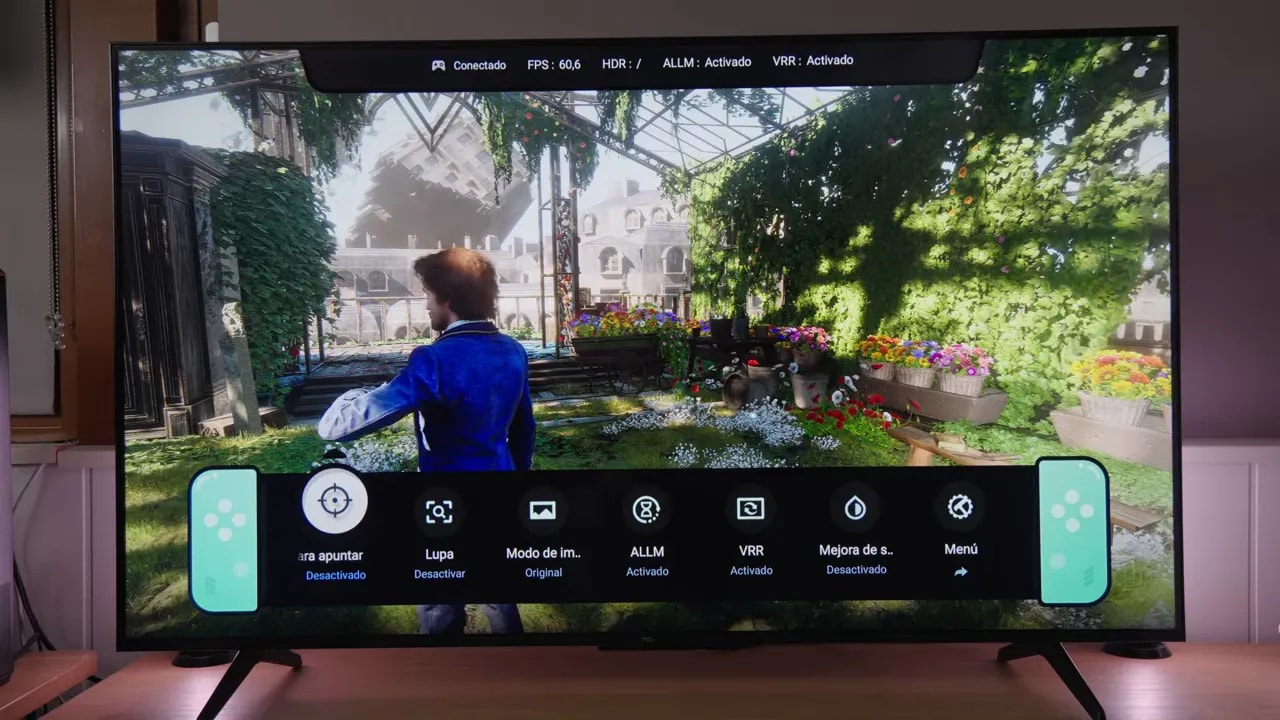
However, this is straightforward: without Game mode, input lag rises considerably. The difference is clear, so use it whenever you play.
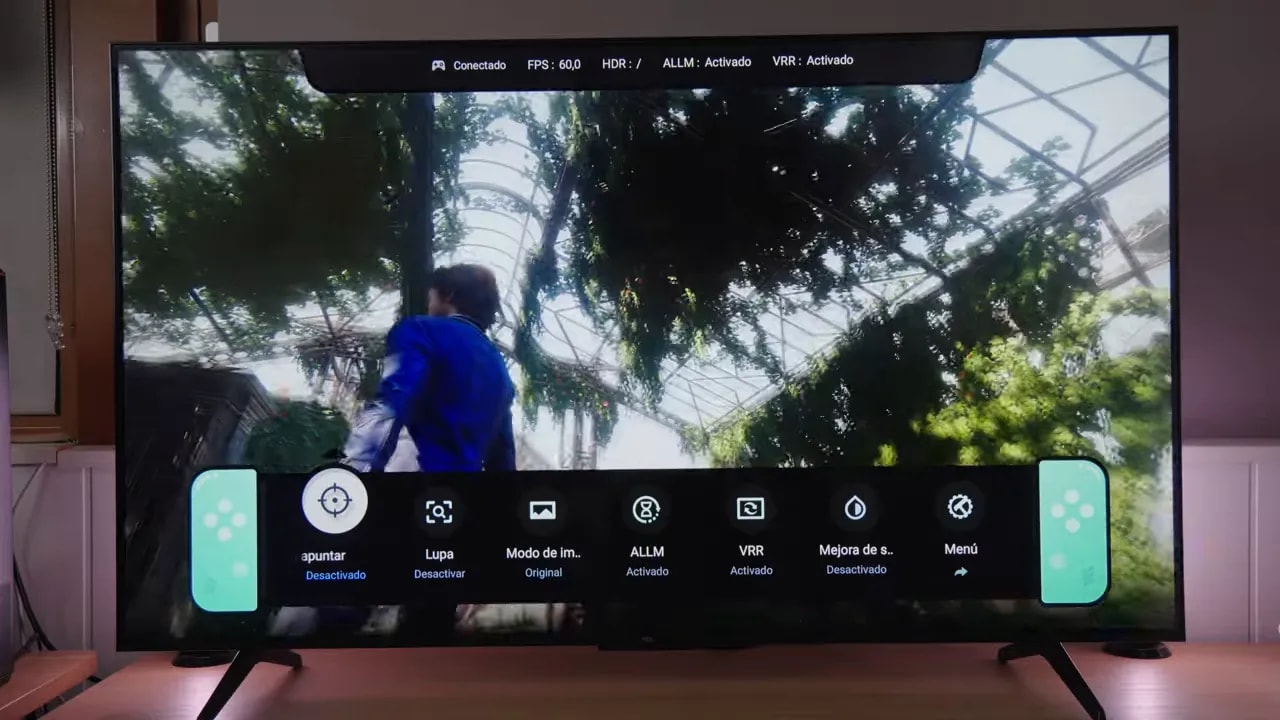
To unlock the useful features, enable the gaming bar, Game Master or whatever TCL calls it in your firmware. Switching takes a few seconds, but the important options then appear.
An important detail: 144 Hz is not enabled by default. Enable it in the gaming menu. Also, it is only available from a PC, because current consoles are limited to 120 Hz.
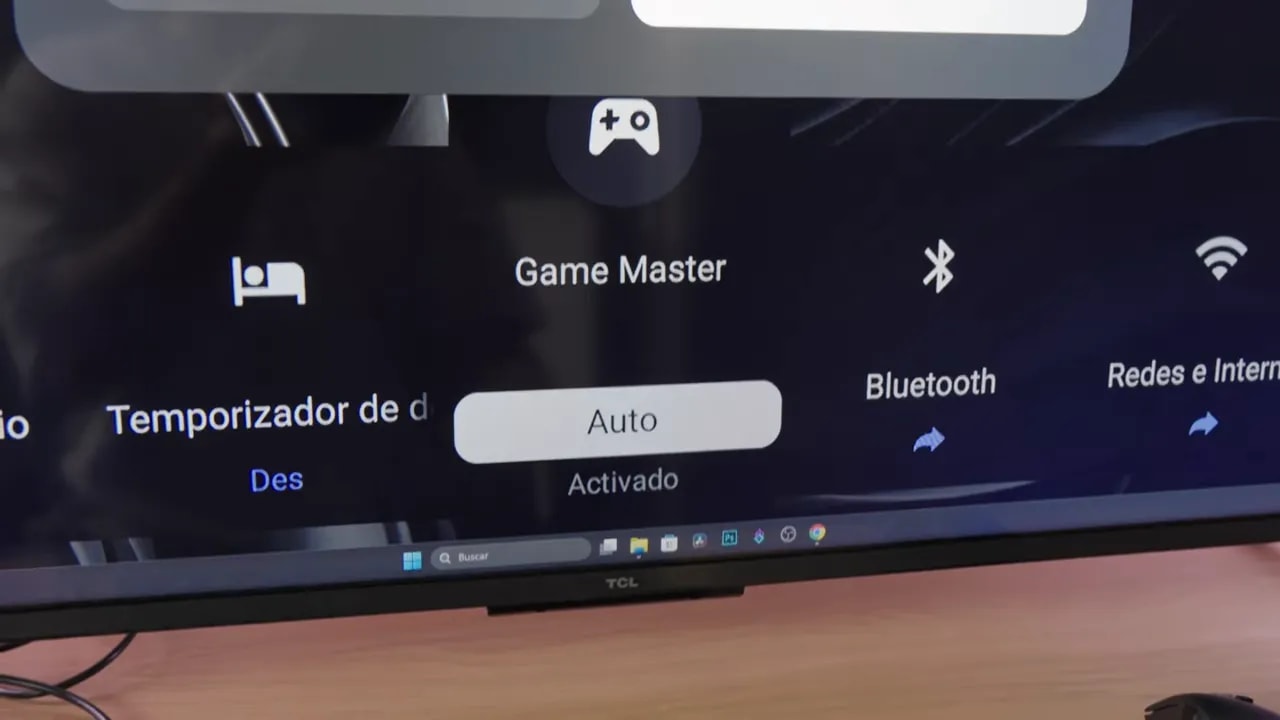
Enabling Game Master locks the other presets. For ordinary users, that is not a major issue. But if you want to combine internal Cinema mode calibration with Game mode’s low latency, you encounter a rather absurd limitation.
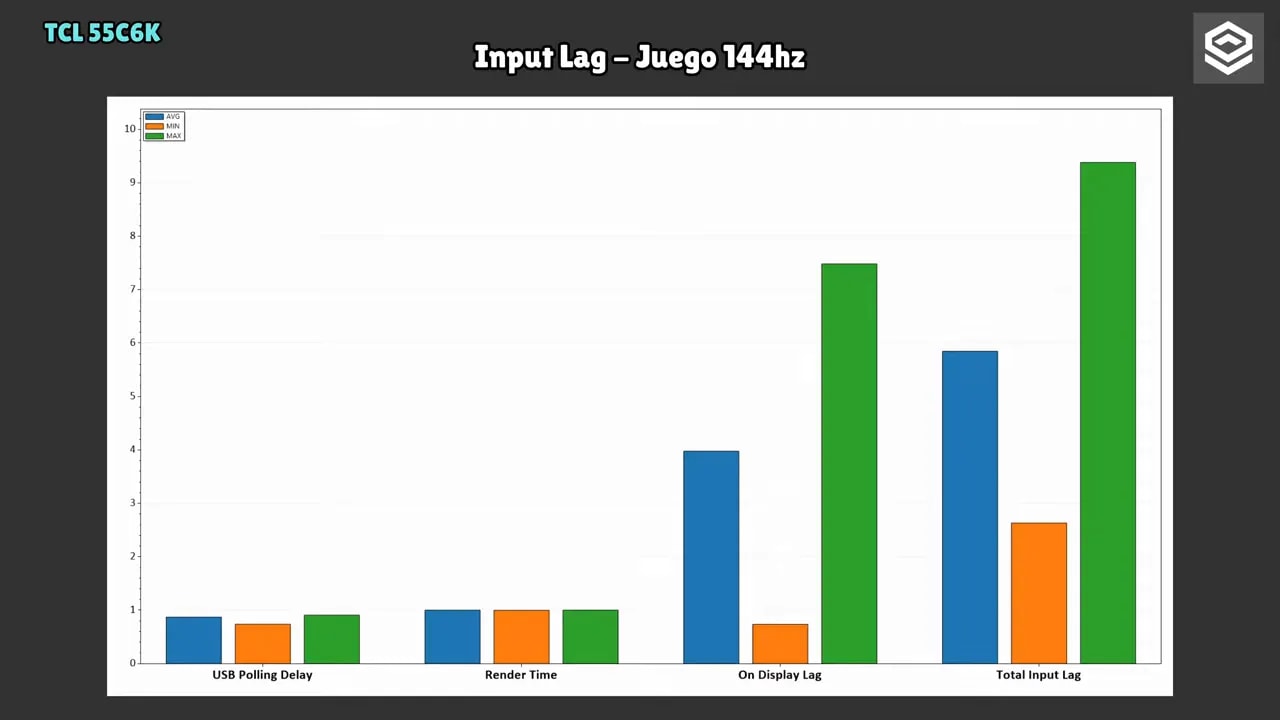
Even so, I found a partial PC workaround. Enable Game Master, set Windows to 144 Hz , then disable the mode, and the 144 Hz option remains available. This lets you leave the TV in SDR Cinema at 144 Hz, keep the calibrated settings, and retain reduced latency.
The downside is that this way, I could not retain VRR. It only really works at 144 Hz. Dropping to 120 or 60 Hz brings back the usual non-gaming-mode input lag.
A surprise: native 240 Hz at 1080p
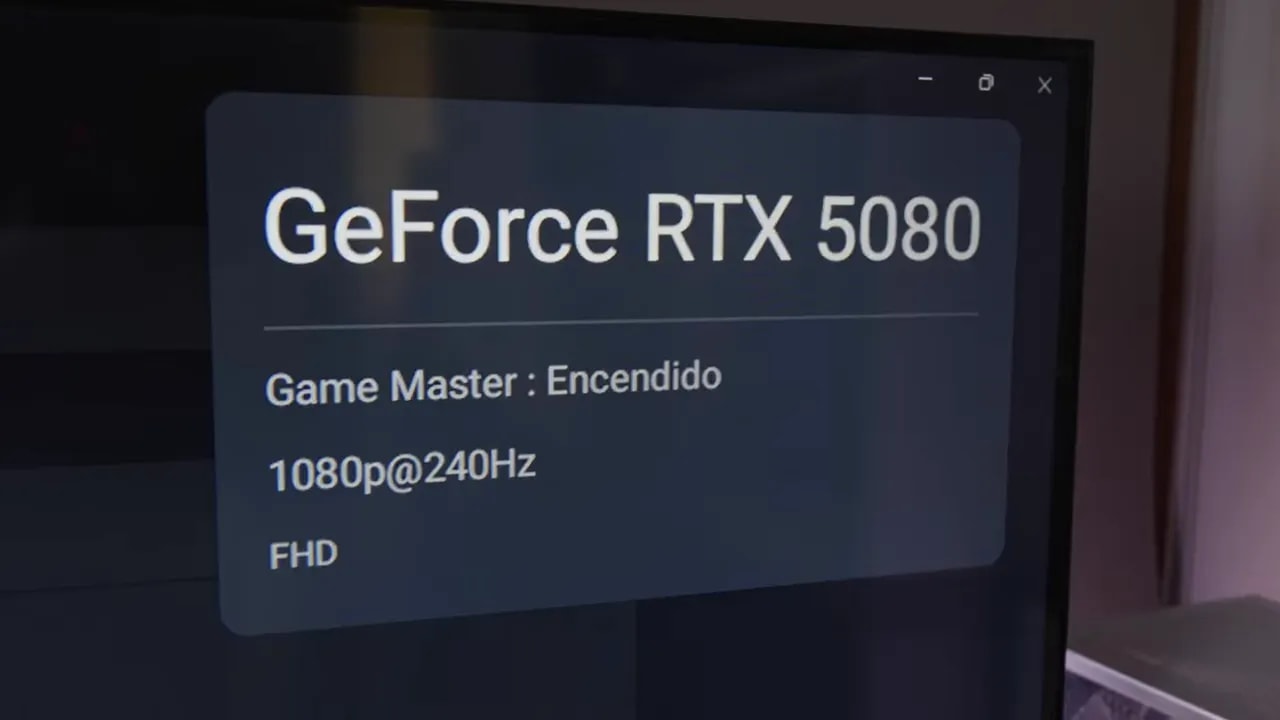
This caught my attention because I have barely seen it mentioned in any other review. Once Game Master is enabled, an option appears to set the TV to 240 Hz. However, resolution drops to 1080p.
And no, it is not interpolation. It is native 240 Hz.
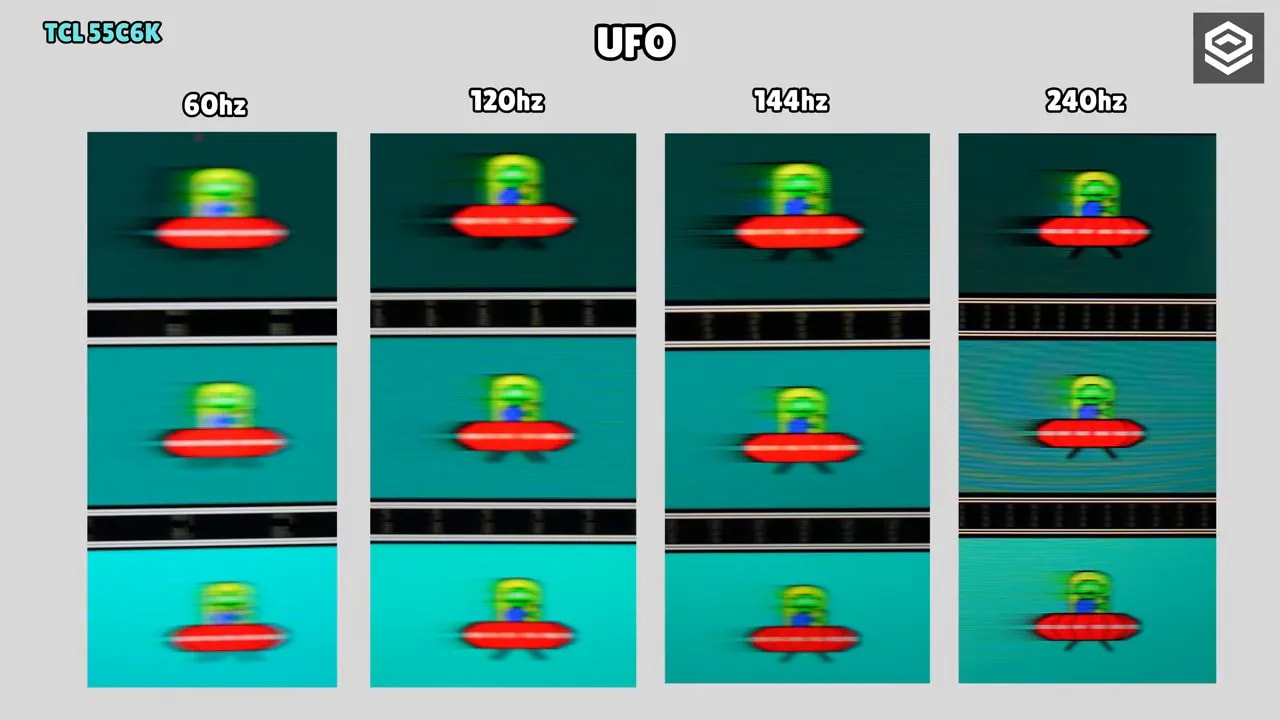
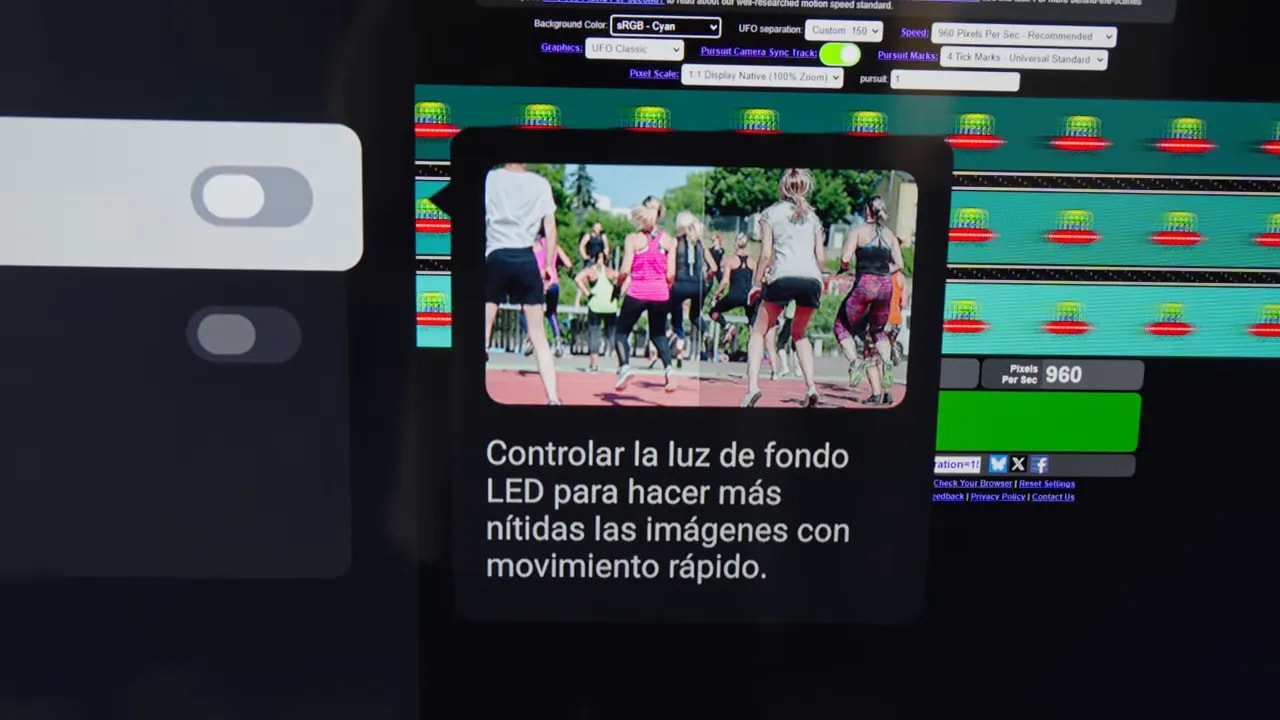
Testing with the UFO Testshows a clear motion-clarity improvement over 120 or 144 Hz, though you obviously pay for it in lost resolution.
Response times, ghosting, and overshoot: time to be realistic
As expected from a VA panel, this TV has ghosting. TV reviews often gloss over this, but coming from the monitor world, it needs to be stated clearly.
In motion, the panel is noticeably slow in transitions. There is trailing and some artifacts in certain scenes. This is not unique to this model, but a fairly typical limitation of VA Mini LED.
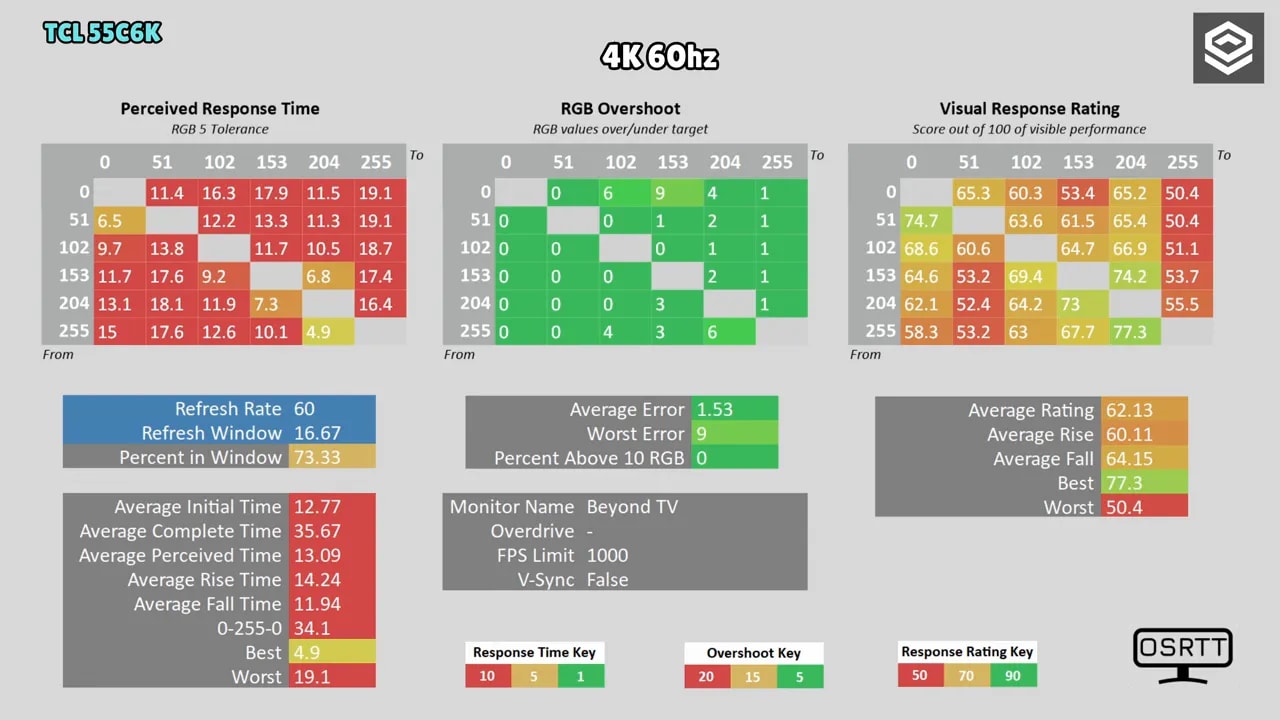
I was able to measure gray-to-gray times, and the figures are not especially good. At 144 Hzmode, initial response time is around 12.83 ms. At 120 Hz, the situation is very similar, and it remains slow at 60 Hz.
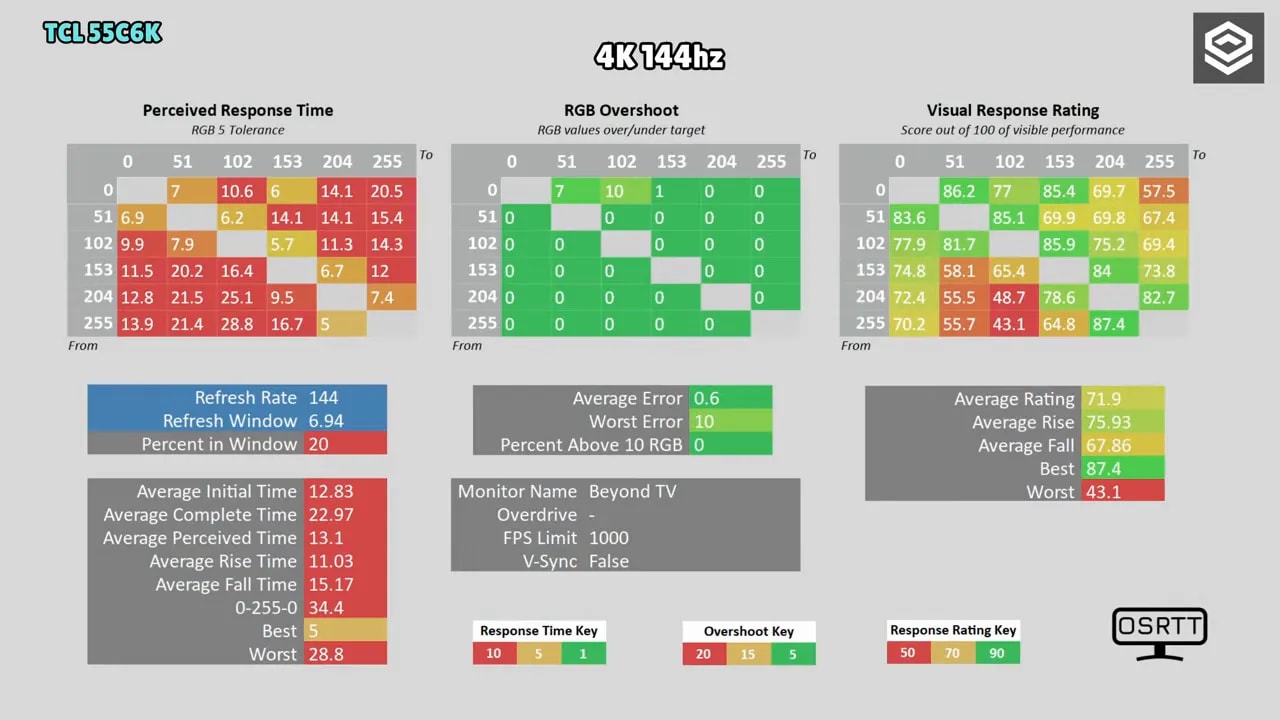
There is also some overshoot, meaning TCL applies a small voltage boost to accelerate the pixels. The good news is that this artifact is not too obvious.
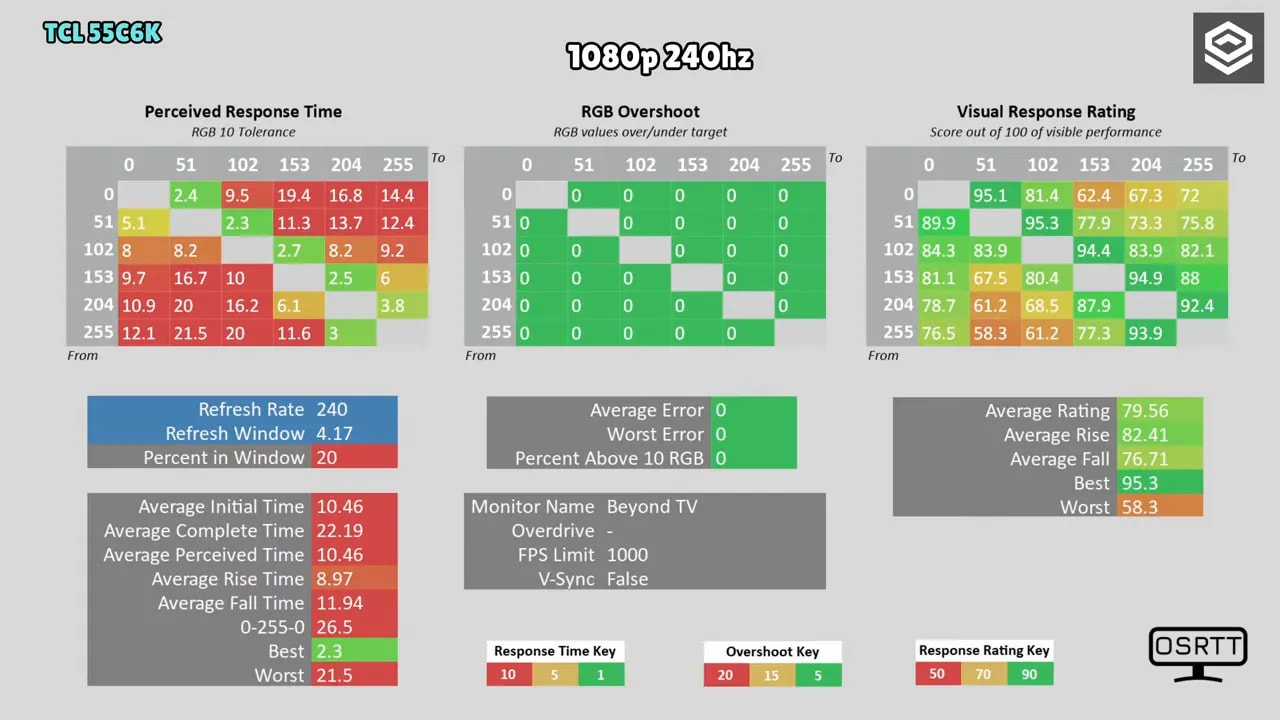
At 1080p and 240 Hz I measured behavior again. Initial times fall a little, but still show the panel’s inherent limitations. There are no miracles.
Motion settings can help somewhat, and certain filters or a small black-level lift can disguise some ghosting, but they do not transform the TV into something it is not. Practically instantaneous transitions remain OLED territory.
VRR flicker and LFC: compatible, but not immune
Another topic rarely discussed with TVs is VRR flickering. The TCL is not exempt. Both VA and OLED panels can flicker in certain situations with variable refresh rate, and this model does too.
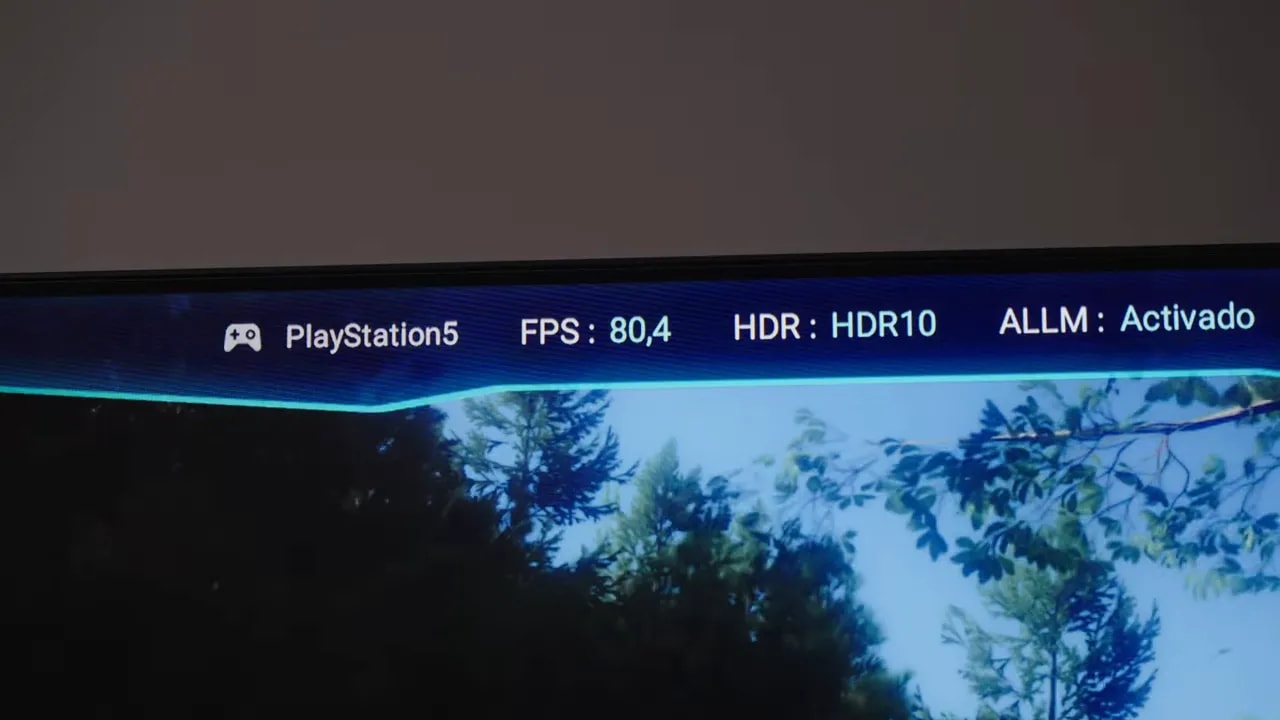
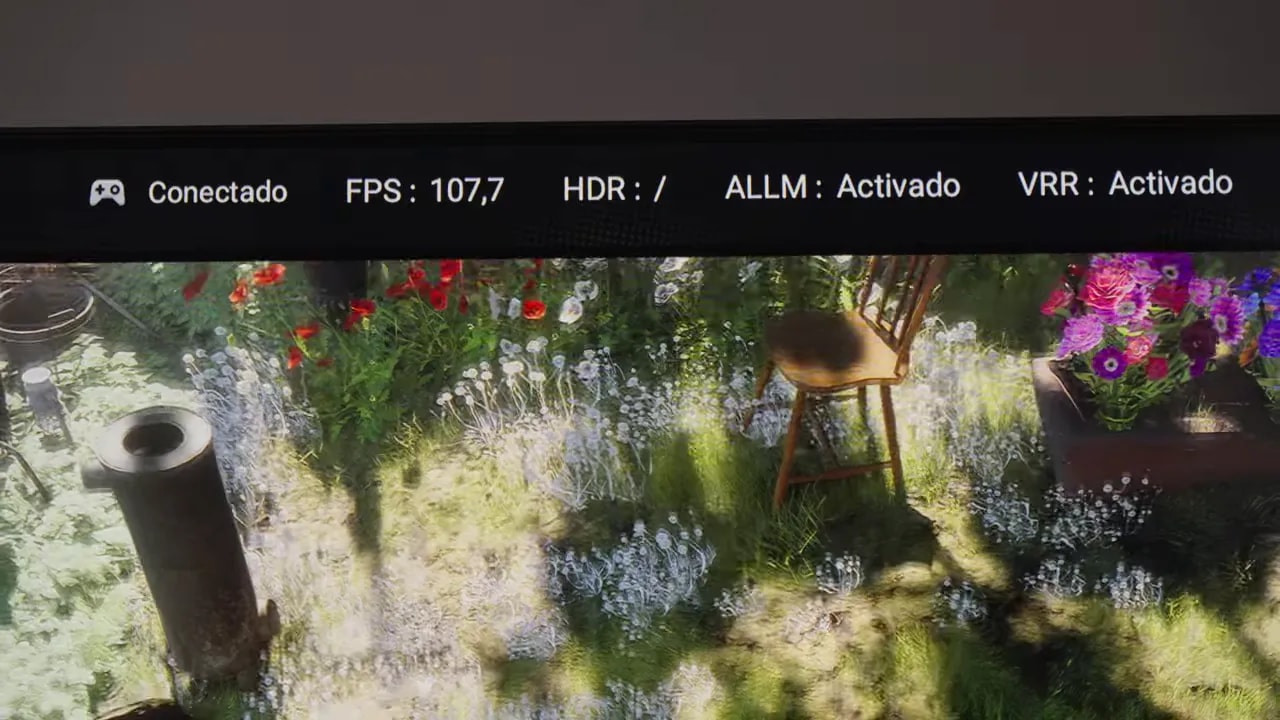
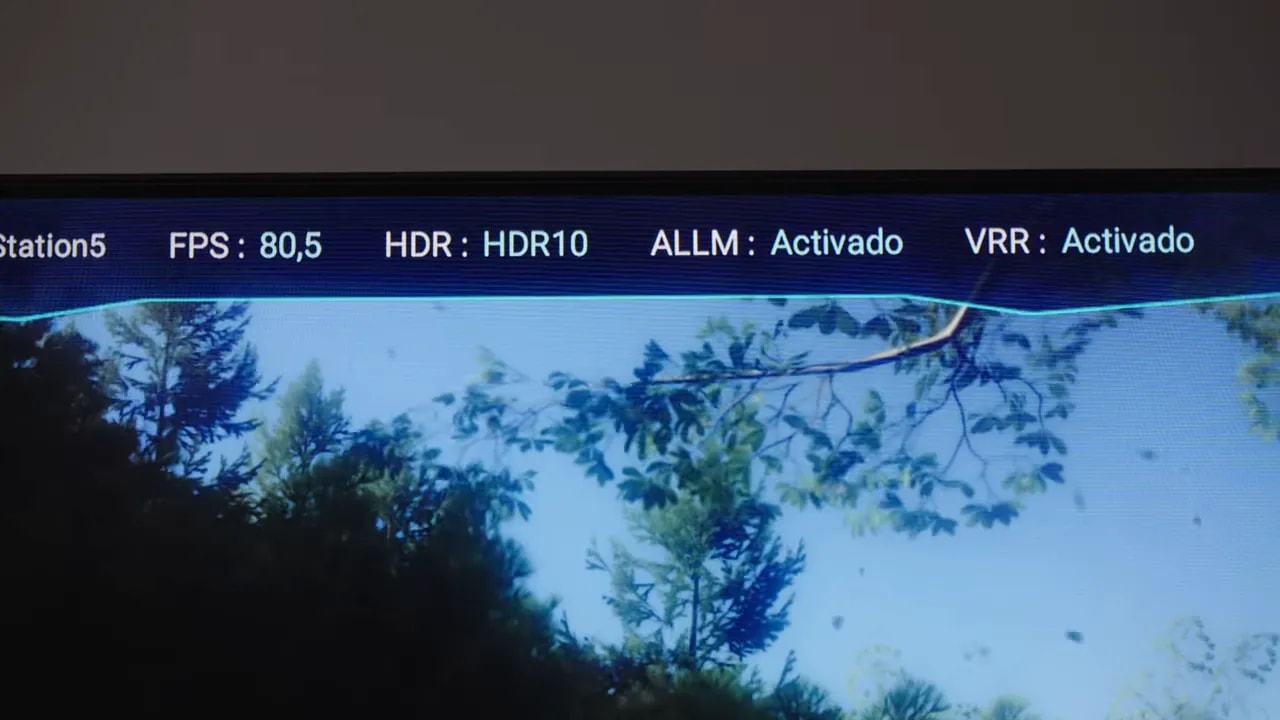
Some tests show it clearly. The game bar also displays refresh rate in real time. TCL labels it FPS, but what it actually shows is the screen’s refresh rate in hertz , not a true system frame counter.
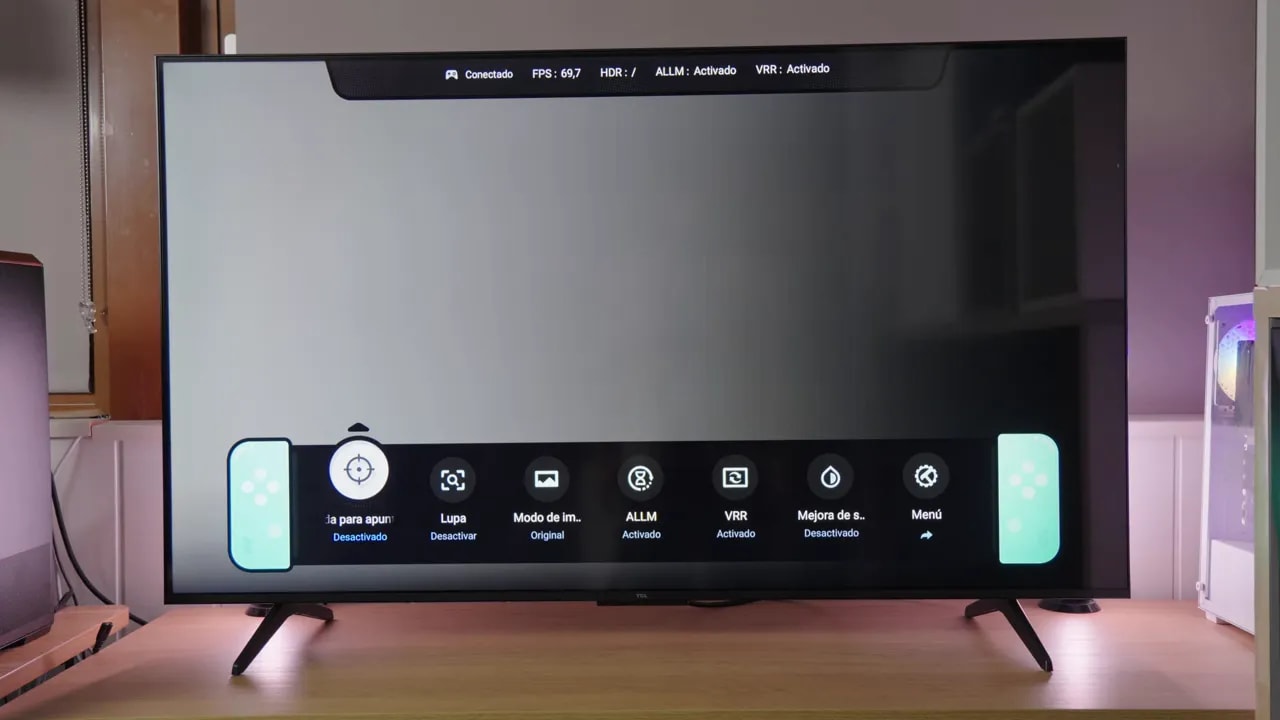
This also let me verify that the TV fully supports LFC or Low Framerate Compensation. When frame rate falls below the VRR range, the TV doubles refresh rate to return within that range.
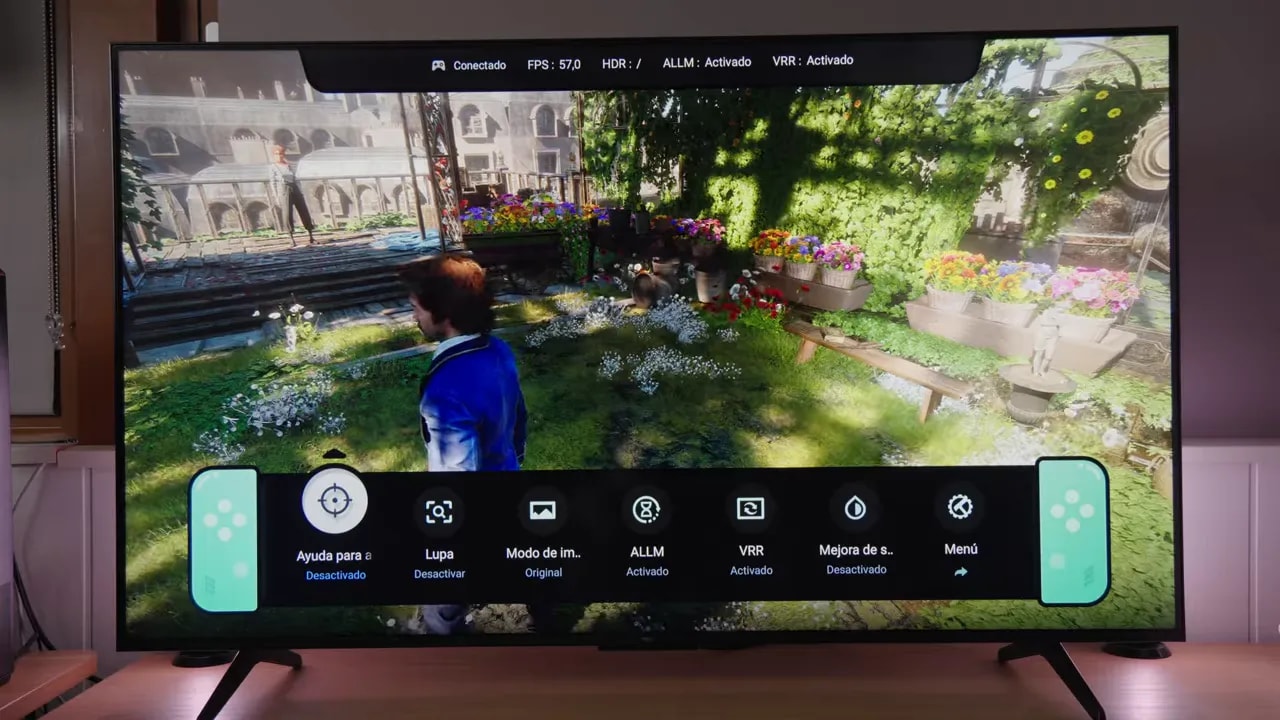
This is useful on both PC and consoles. For example, on PS5 it works with 4K, 120 Hz, VRR, and ALLM without problems. If the menu shows something like 70 “FPS” but it feels nowhere near that smooth, the game is probably actually running at 35 fps and LFC is doubling refresh rate to 70 Hz.
Viewing angles: improved, yes; impressive, no
TCL advertises improved viewing angles for this new VA generation. There is some improvement, but do not expect magic. From the sides, the TV loses considerable color and also shows more of that reddish tint associated with the Quantum Dot layer.
If you view it off-center and see a redder image, your unit is not broken. It is a fairly normal technological limitation for this panel type.
Matte finish and reflections: one of its less convincing aspects
One aspect I did not particularly like is the surface finish. The screen is matte, but not strongly matte. What does that mean? Reflections are more diffuse than on glossy, yes, but they remain quite bothersome.
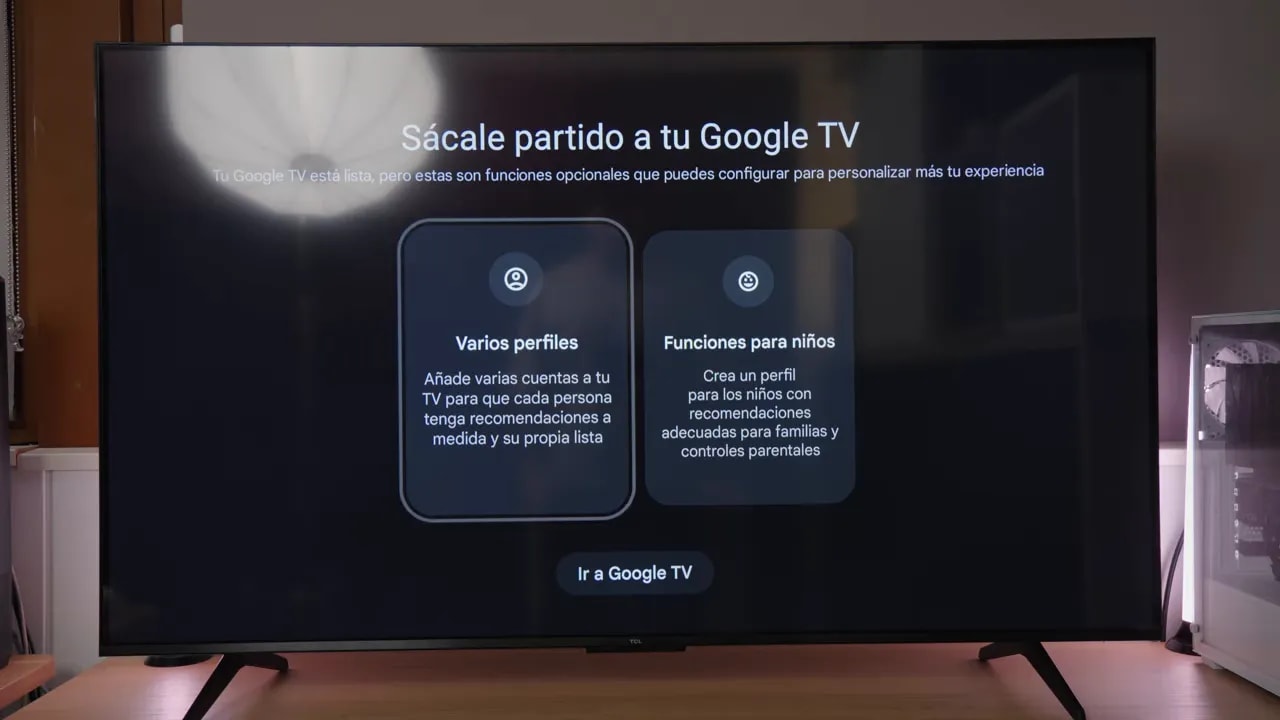
Honestly, this middle ground does not quite convince me. On gaming monitors, I sometimes appreciate light matte coatings for their clearer image, but a TV’s viewing distance changes things. You gain less visual cleanliness here, while reflections remain almost as intrusive.
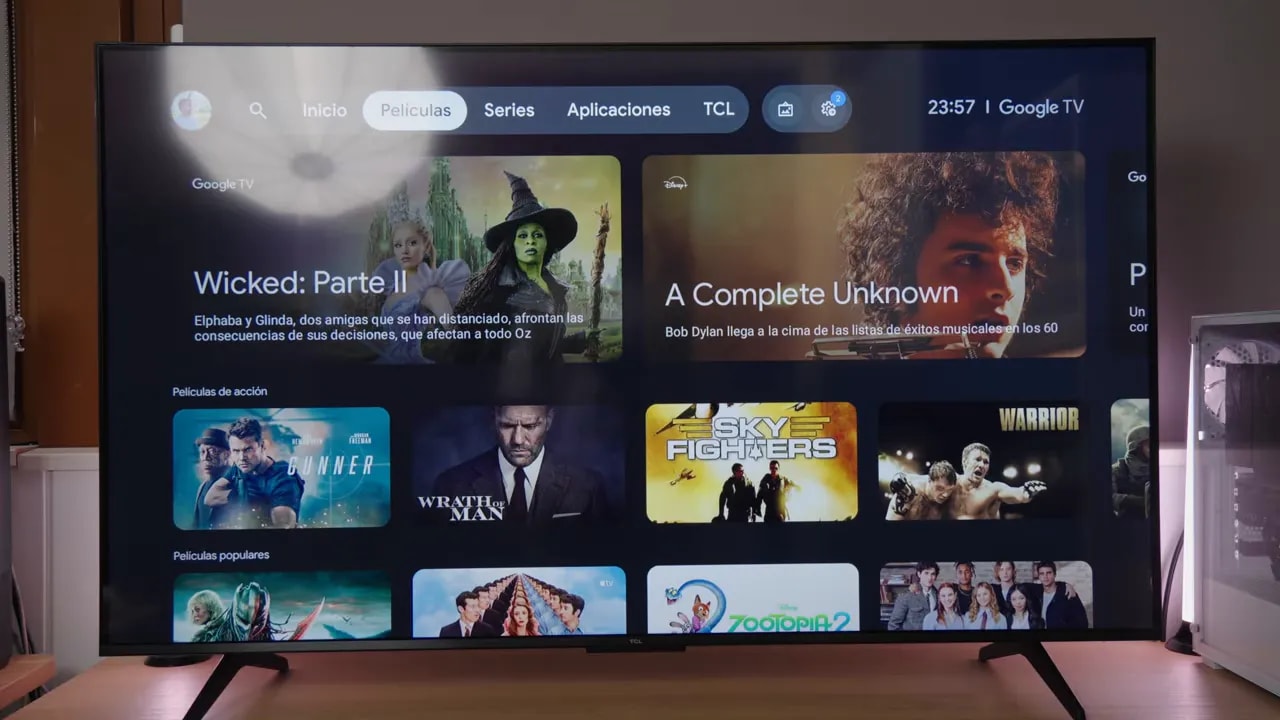
My preference is clear: either a well-implemented glossy with that cleaner, clearer panel feel, or a strong matte finish that truly fights light. This middle ground, not especially well executed either, does little for me.
So if you plan to place it in a living room with large bright windows or plenty of direct lighting, bear in mind that reflections will be bothersome.
Quick settings I do recommend
To keep things simple, these are the most sensible baseline settings:
- Picture mode: Cinema or Filmmaker for content, Game for gaming
- Color space: Standard for a wider gamut
- Local dimming: High
- HDR luminance: prioritize brightness or detail as preferred
- Dynamic contrast: off
- Noise reduction: off
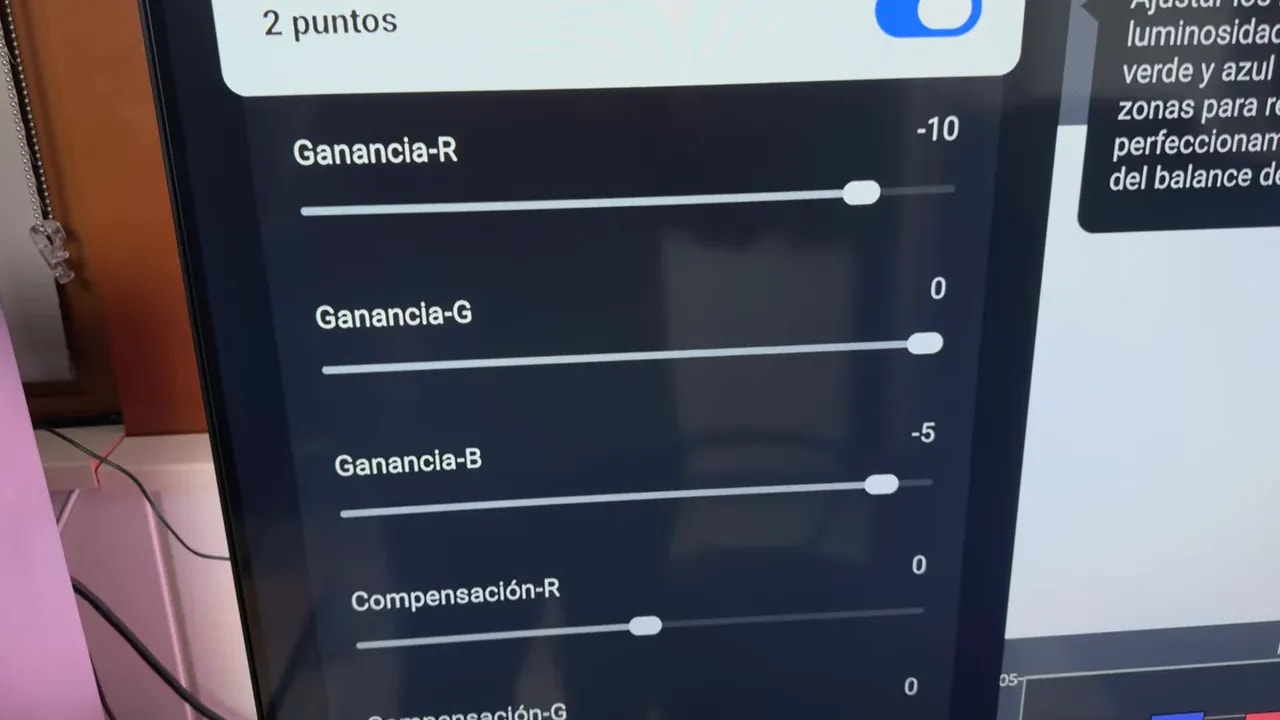
- 2-point white balance for SDR/HDR Game mode: -10 R gain, -5 B gain, everything else at 0
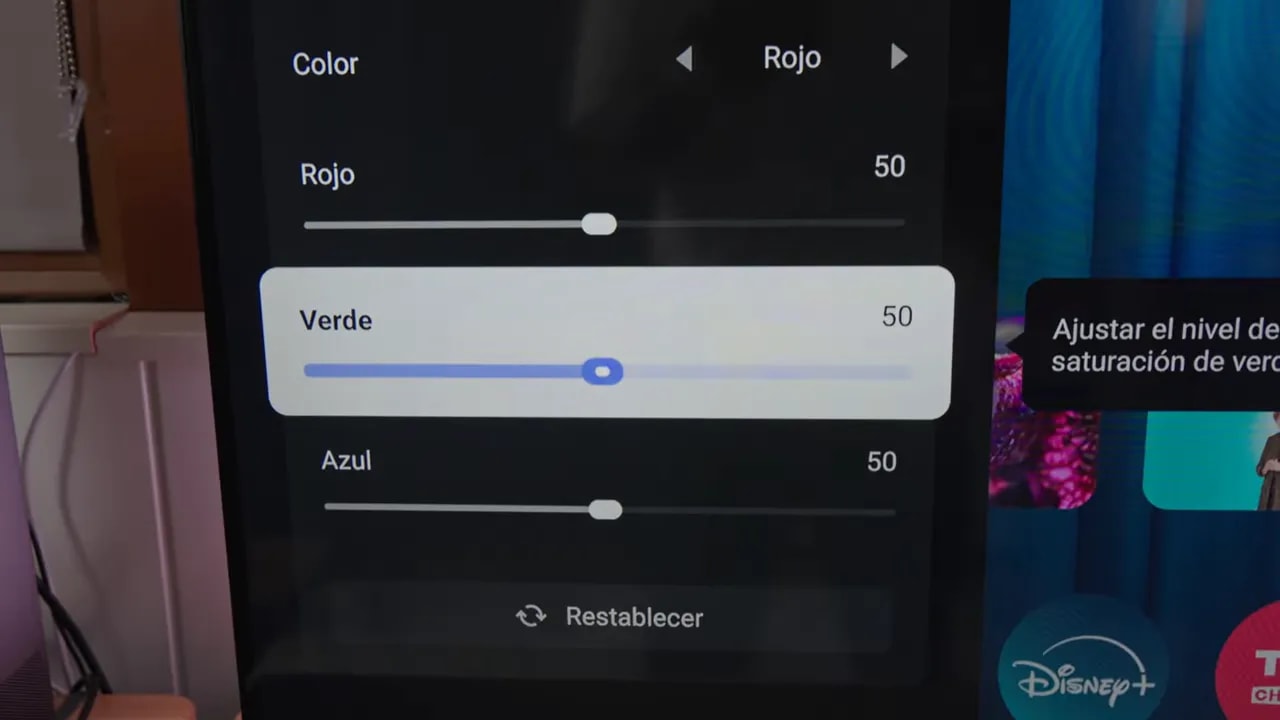
More advanced settings, particularly those depending on a 3D LUT, require a more serious calibration workflow.
Final conclusion
After this review, my overall opinion is quite positive. For the price, I find it a TV that is very well executed.
It does not have spectacular brightness or high-end HDR like higher models such as C8K, but those cost considerably more. Here, for 400 to 500 euros, you get a very strong package:
- Wide color gamut
- Responsive Google TV
- HDMI 2.1
- 4K 120 Hz for consoles
- 144 Hz on PC
- 240 Hz at 1080p
- Better-implemented local dimming than expected
- Full support for modern gaming features
Its weaker areas are clear too:
- Factory white balance and grayscale need improvement
- VA panel ghosting
- VRR flicker present
- Unconvincing matte finish against reflections
- Merely acceptable viewing angles
If you have a PS5 and want an inexpensive TV that truly does the console justice, honestly, this is roughly the reasonable minimum I would buy. Spending 400 or 500 euros on a console and connecting it to a 200-euro TV is usually the quickest way to waste its potential.
With this TCL, you reach a level where technology and image quality match the device you are using.
So yes: recommended. Not because it is perfect, but because at this price it is hard to ask for much more without equally large compromises elsewhere.