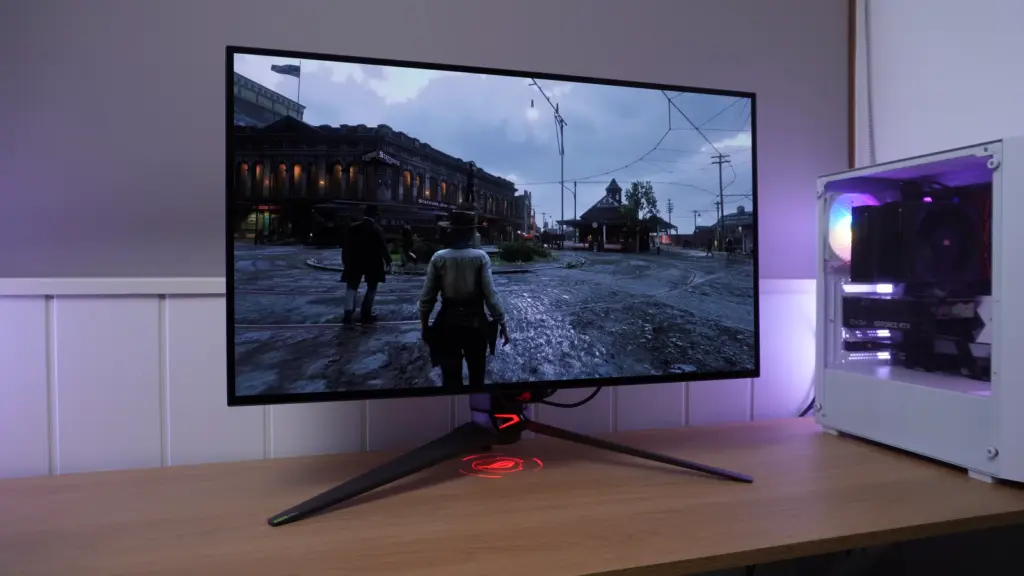
Two monitors almost identical outside, very different inside
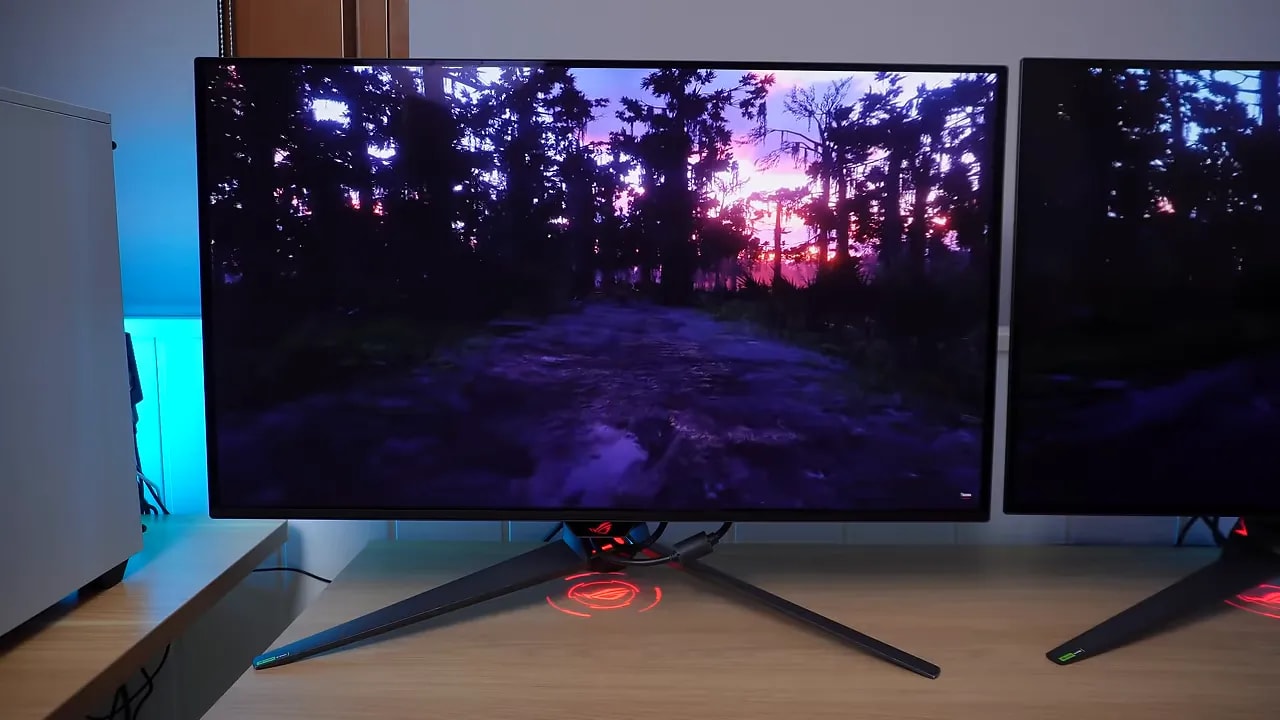
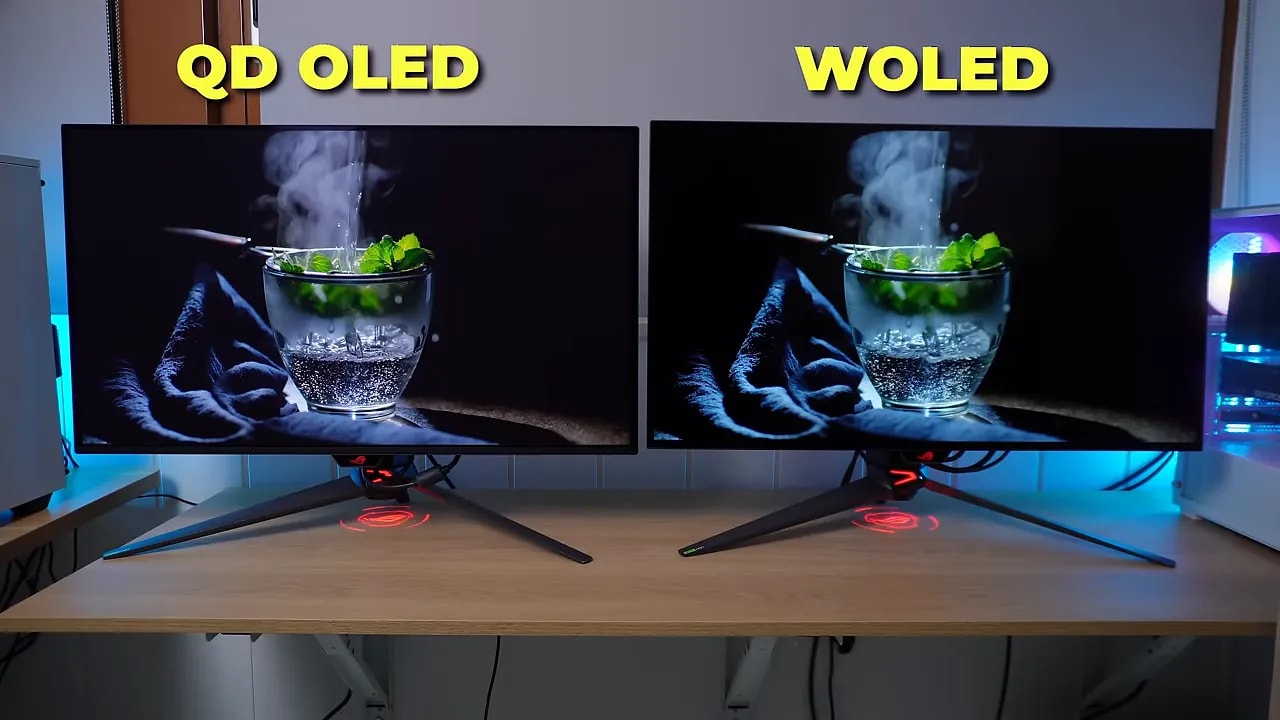
ASUS has followed a very similar design approach for both models. We get premium packaging, a height-adjustable tripod-style stand and virtually identical styling. Side by side, they do not look as though they embody such different panel approaches.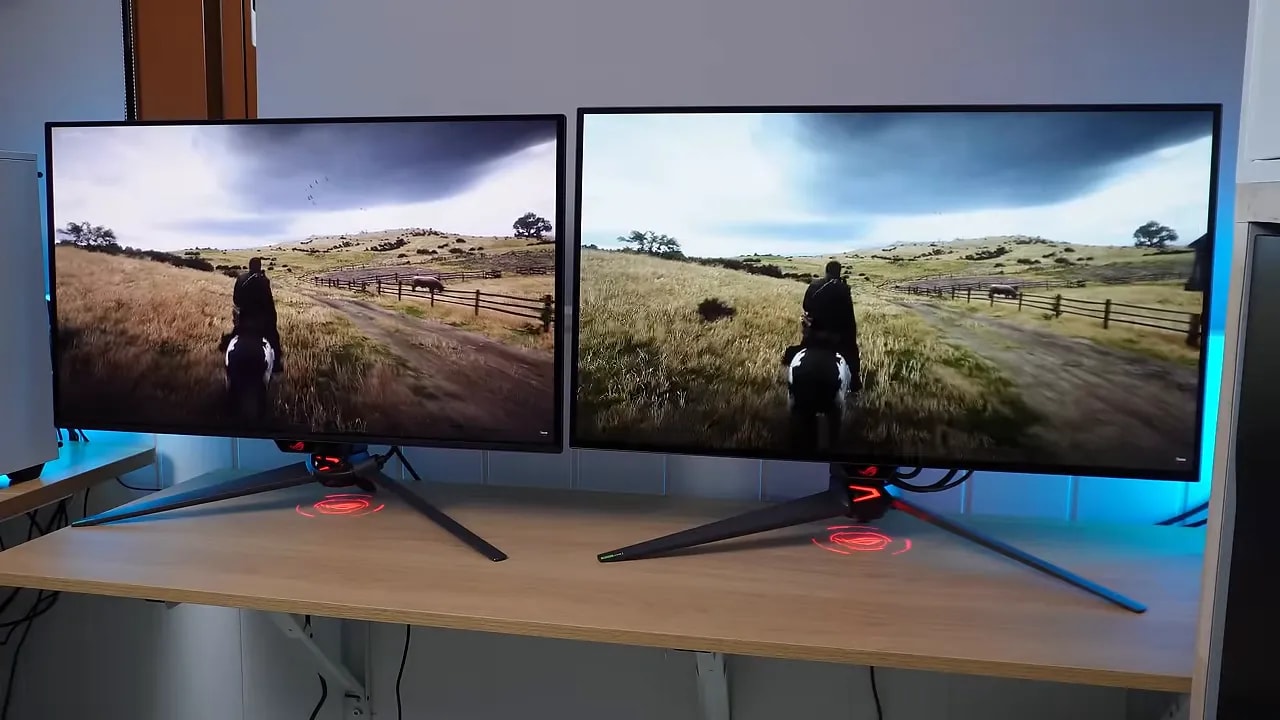 The real distinction lies in the panel:
- PG32UCDM: QD-OLED made by Samsung.
- PG32UCDP: WOLED made by LG.
Glossy vs. semi-gloss: the first difference that really matters
The most common pattern in this market remains:- The QD-OLED usually come with a glossy.
- The WOLED usually opt for matte or semi-gloss.
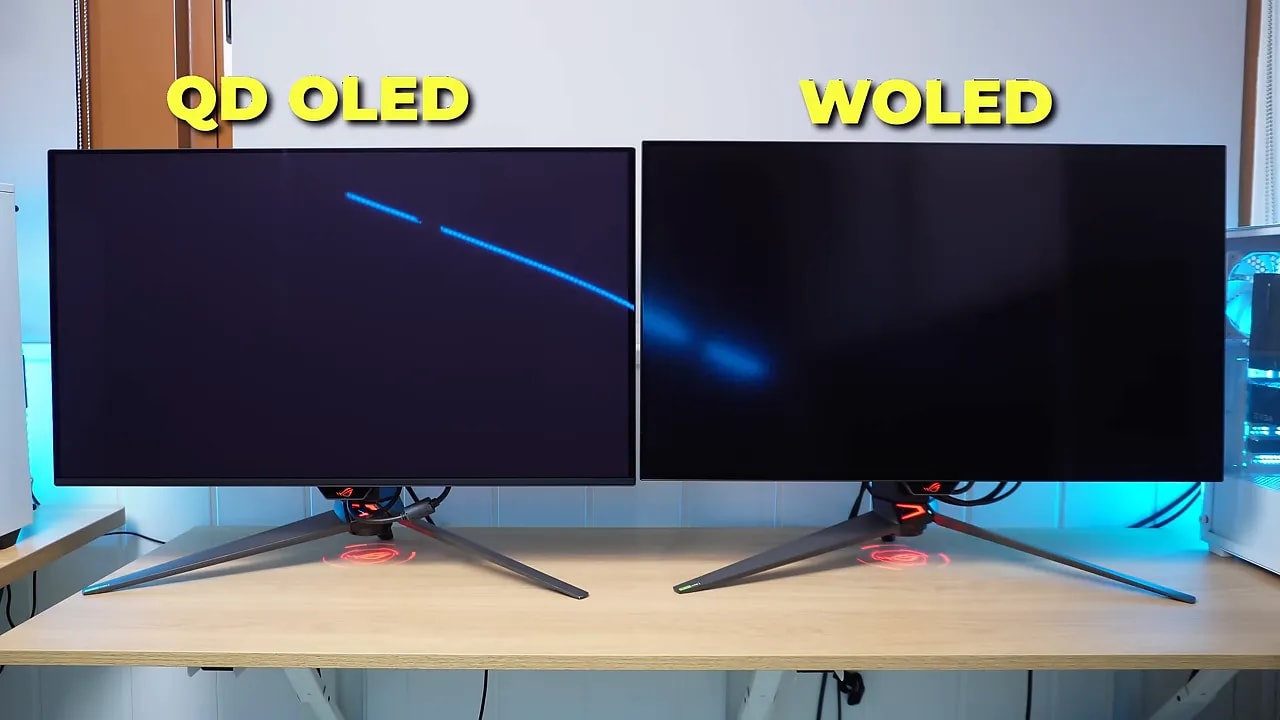 What does this mean day to day?
Glossy QD-OLED
- Reflections are less controlled and more distinct.
- The image feels more vivid.
- Colors stand out more.
Semi-gloss WOLED
- Handles ambient light better.
- Reflections are more diffused.
- The image looks somewhat less striking, with slightly more restrained color.
QD-OLED’s reddish tint and blacks in ambient light
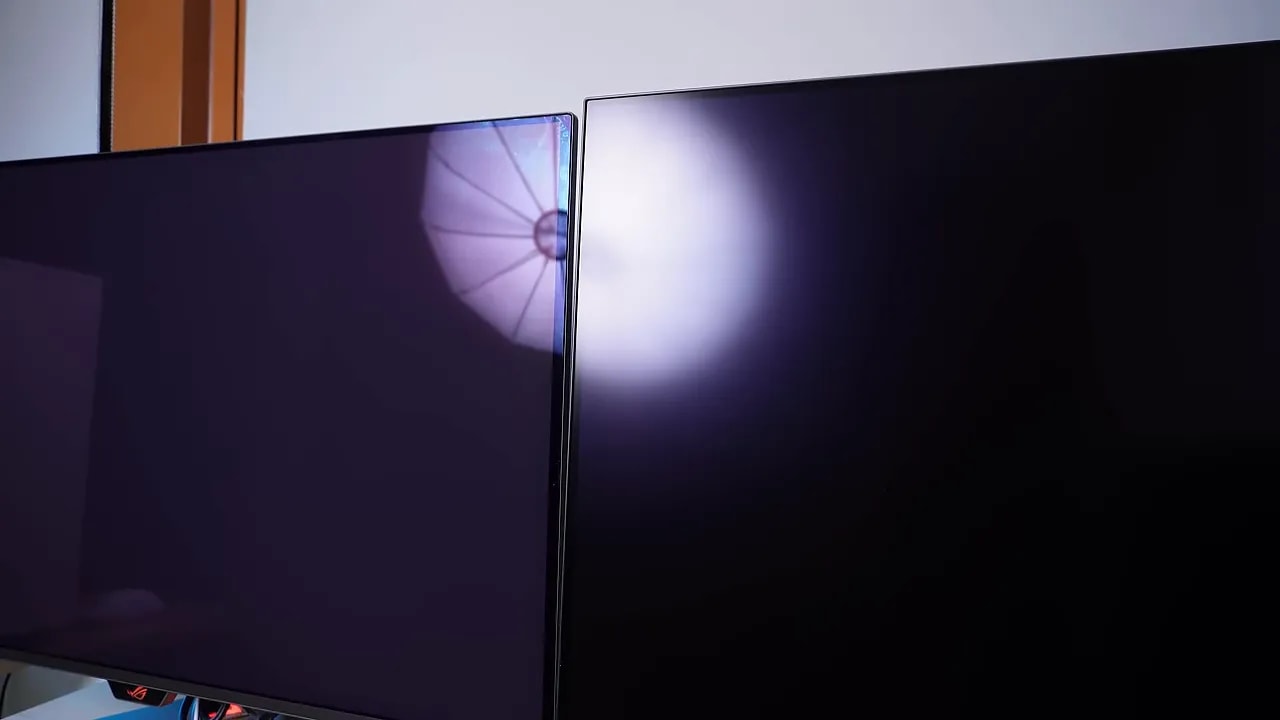
One thing is clearly visible when both monitors are off or under direct light: the QD-OLED panel tends to show a more reddish or purplish tint on its surface, while the WOLED retains a more neutral black.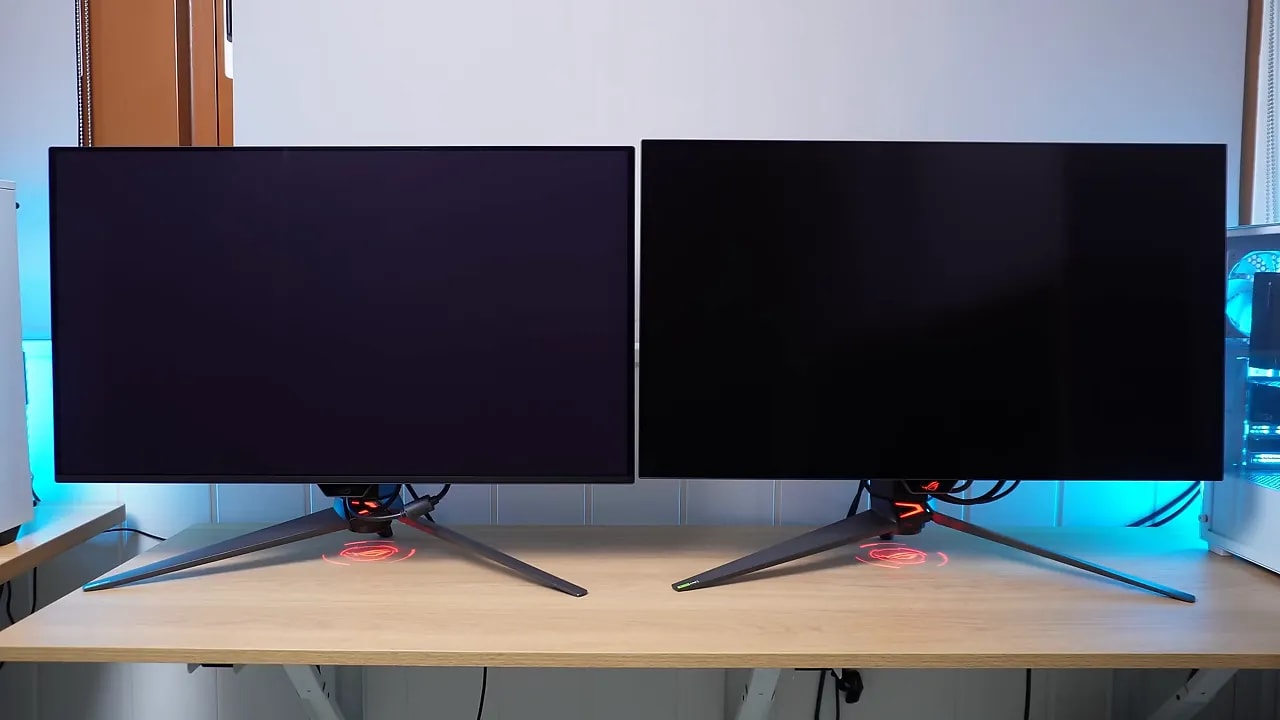 That is more than an aesthetic curiosity. In a very bright room, this behavior can make QD-OLED lose some of that pure-black impression in dark scenes. WOLED fares better in that context.
In a room with controlled lighting, however, the difference shrinks enormously. It does not disappear completely, but stops being a serious issue for most people.
Another small characteristic is also noticeable: in grays and whites, QD-OLED tends to look a little warmer or slightly redder than WOLED. That is not a calibration fault. Even after manual calibration, the tonal difference remains, suggesting it is more closely related to the light spectrum of each technology.
That is more than an aesthetic curiosity. In a very bright room, this behavior can make QD-OLED lose some of that pure-black impression in dark scenes. WOLED fares better in that context.
In a room with controlled lighting, however, the difference shrinks enormously. It does not disappear completely, but stops being a serious issue for most people.
Another small characteristic is also noticeable: in grays and whites, QD-OLED tends to look a little warmer or slightly redder than WOLED. That is not a calibration fault. Even after manual calibration, the tonal difference remains, suggesting it is more closely related to the light spectrum of each technology.
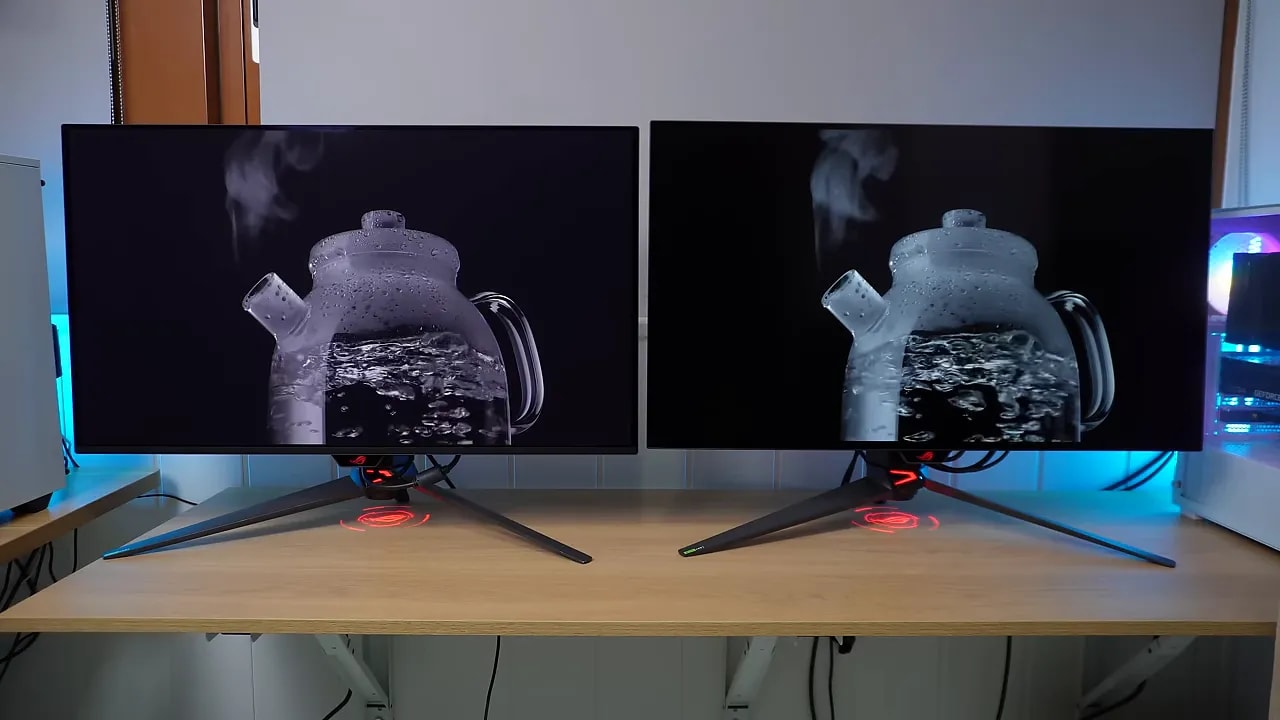 That said, without them side by side, you probably would not even notice.
Color: QD-OLED is strong here
The Quantum Dot layer is not decorative. For color coverage and volume, QD-OLED has an advantage. That translates into more intense, saturated colors with a stronger wow factor. That does not mean WOLED is weak. Far from it. Modern WOLEDs also cover wide gamuts and look very good. But between the glossy finish and extra color, QD-OLED generally looks more visually striking.Color modes and factory calibration
Both monitors include the usual well-implemented modes:- sRGB
- DCI-P3
- Wide Gamut

This capture is from the PG32UCDP WOLED. Its sRGB tuning is a positive in the comparison; it should not be attributed to the PG32UCDM QD-OLED, which retains its own results and color-mode limitations.
SDR brightness: very similar, with a useful uniformity feature
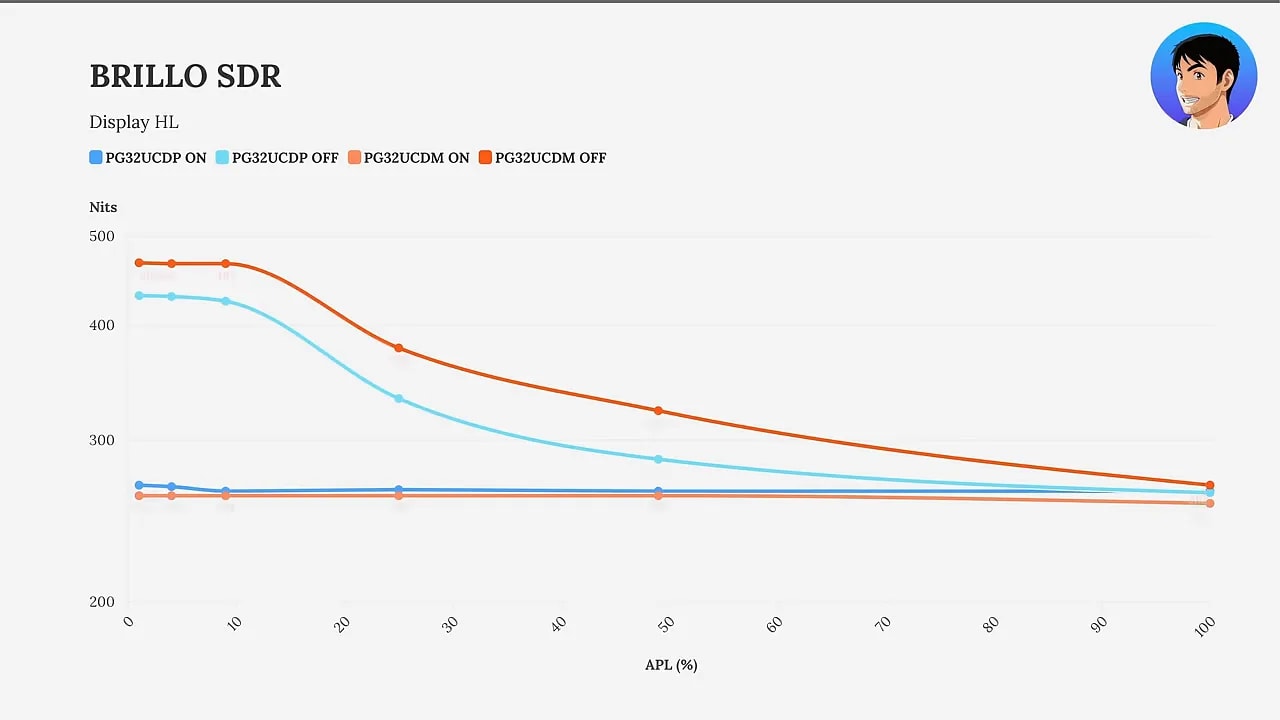
OLED brightness does not work like a traditional LCD. It depends heavily on screen content. That is why measurements use white windows of different sizes against a black background. The smaller the window, the more peak brightness the panel can concentrate there. ASUS includes a setting on both monitors for brightness uniformity to maintain more stable behavior across situations. It is useful if you prefer to avoid content-dependent brightness changes.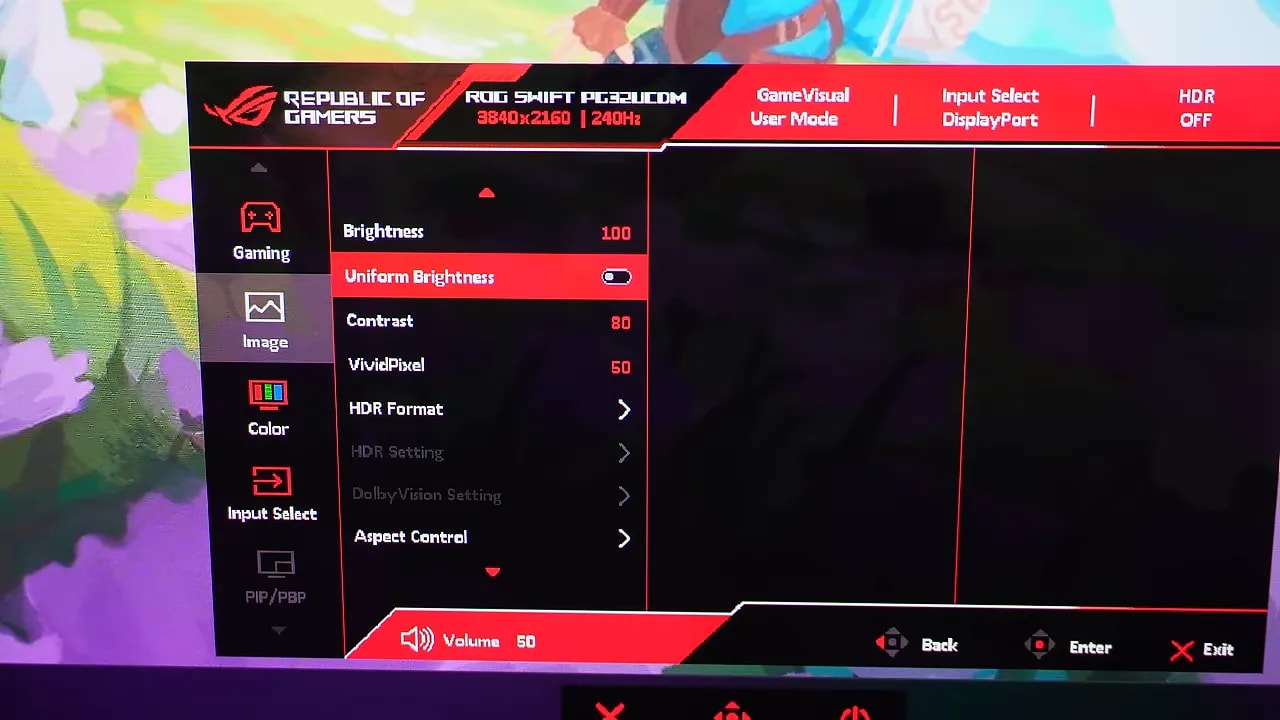 In SDR, results on both are very similar, with uniform brightness both enabled and disabled. There are differences, yes, but they are not particularly large.
HDR: WOLED gets brighter, QD-OLED tracks the curve better
HDR is where the difference grows. Both monitors include several presets and perform reasonably well overall, but neither stands out for an enormous brightness peak straight out of the box. In fact, getting more brightness requires unlocking the relevant setting and raising it to 100%. That is where the panel starts showing more strength, particularly at low APL.

The comparison identifies both models within each capture. On the PG32UCDP, True Black 400 keeps midtones closer to the reference, while Gaming HDR with brightness at 100 adds intensity and brightens some of those tones. Larger areas reduce the brightness ceiling.
What happens with each technology
- WOLED: achieves a higher peak nit level.
- QD-OLED: maintains better tracking of the PQ EOTF.
An interesting extra: Dolby Vision on QD-OLED
The ASUS QD-OLED in this comparison also adds Dolby Vision support, and it is quite well calibrated too. If that is a priority, it is a real benefit.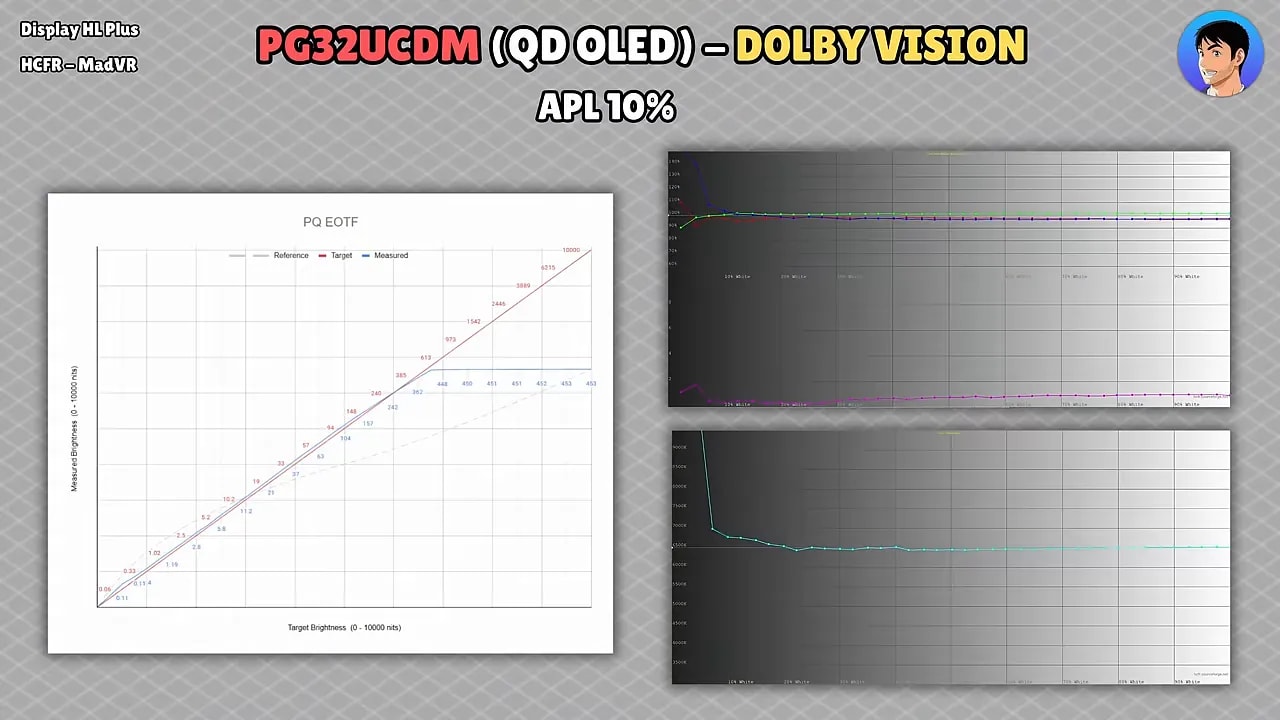
Response times: both fly, but WOLED gains a slight edge
As we know with OLED, transitions are virtually instant, and in normal use both feel extremely fast. But technical measurements put the WOLED slightly ahead. The difference is not enormous, but it exists:- The gray-to-gray times are somewhat lower on WOLED.
- It has slightly less overshoot.
- Comparing both at 240 Hz, WOLED is slightly faster.


Both tables belong to the WOLED PG32UCDP and represent its two Dual Mode uses. Switching to 480 Hz requires dropping to 1080p: the higher refresh rate does not retain 4K-mode detail. The product page preserves the response reference under the specified condition for data comparison.
Dual Mode at 480 Hz: WOLED’s major selling point
WOLED gets serious here. At 1080p and 480 Hz, gray-to-gray times fall slightly further, but above all there is a clear improvement in motion clarity. Motion blur drops, and moving images look much more defined.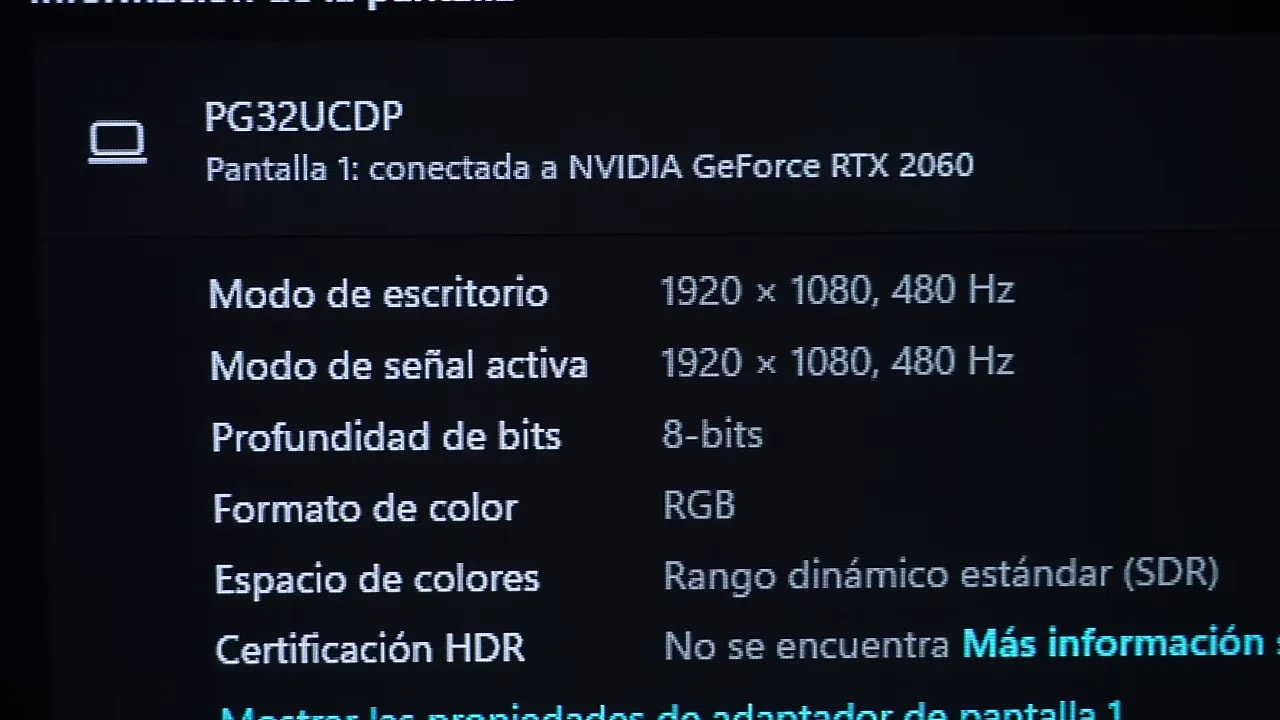 If you play competitive games and place maximum value on motion clarity, those 480 Hz are noticeable compared with 240 Hz. It is not empty marketing.
And 32 inches at 1080p? Yes, but with a trick
The usual objection is obvious: 32 inches and 1080p sounds like enormous pixels. And yes, there is some truth to that. But ASUS has done one important thing right: the monitor supports Pixel Perfect Scaling. Because 4K has exactly four times as many pixels as 1080p, perfect scaling is possible by grouping 4 pixels into 1, without the ugly blur of poorly scaled non-native resolution.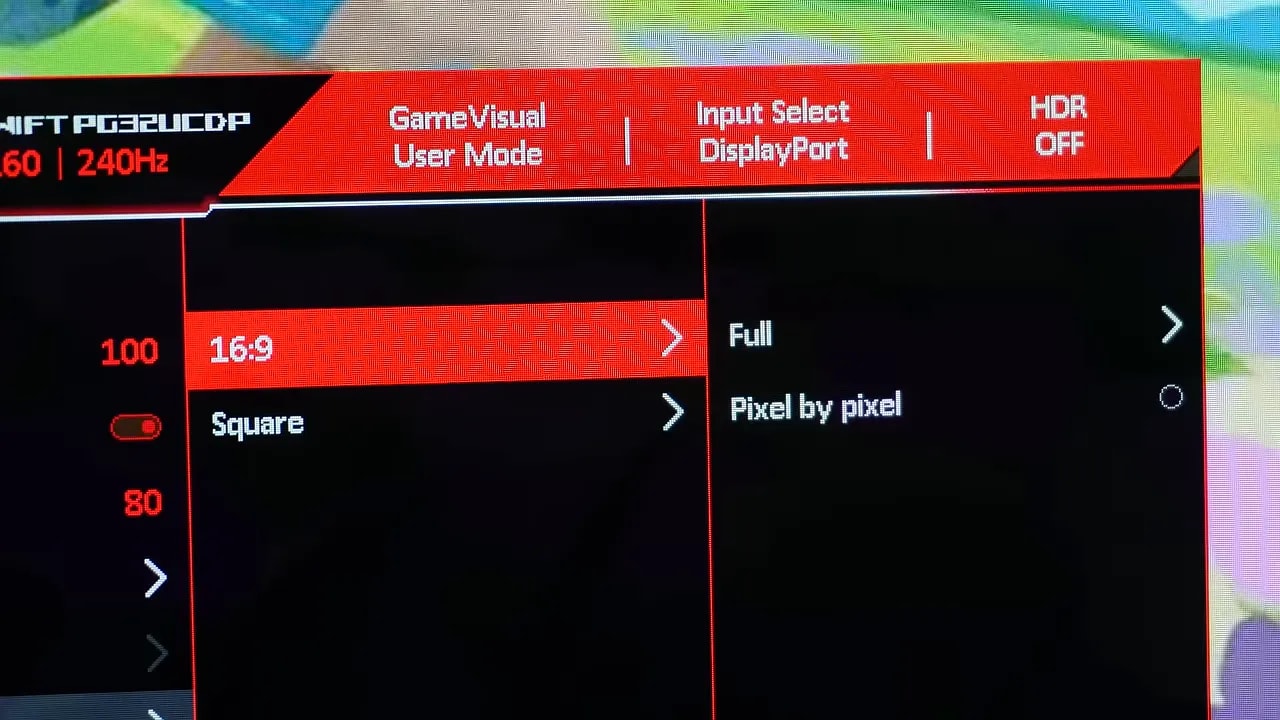 Are jagged edges more visible? Yes. Does it look sharper than conventional blurry scaling? Also yes. Many people will prefer it that way.
Importantly, this works well with resolutions that are exact multiples. 1080p on 4K works perfectly. 1440p does not. That gives you the usual blurry scaling.
Are jagged edges more visible? Yes. Does it look sharper than conventional blurry scaling? Also yes. Many people will prefer it that way.
Importantly, this works well with resolutions that are exact multiples. 1080p on 4K works perfectly. 1440p does not. That gives you the usual blurry scaling.
Emulation modes for competitive gaming
In addition to Dual Mode, the monitor can emulate screen sizes of 24.5 and 27 inches by adding black borders while retaining Pixel Perfect Scaling. For competitive games, that makes it a much more versatile monitor.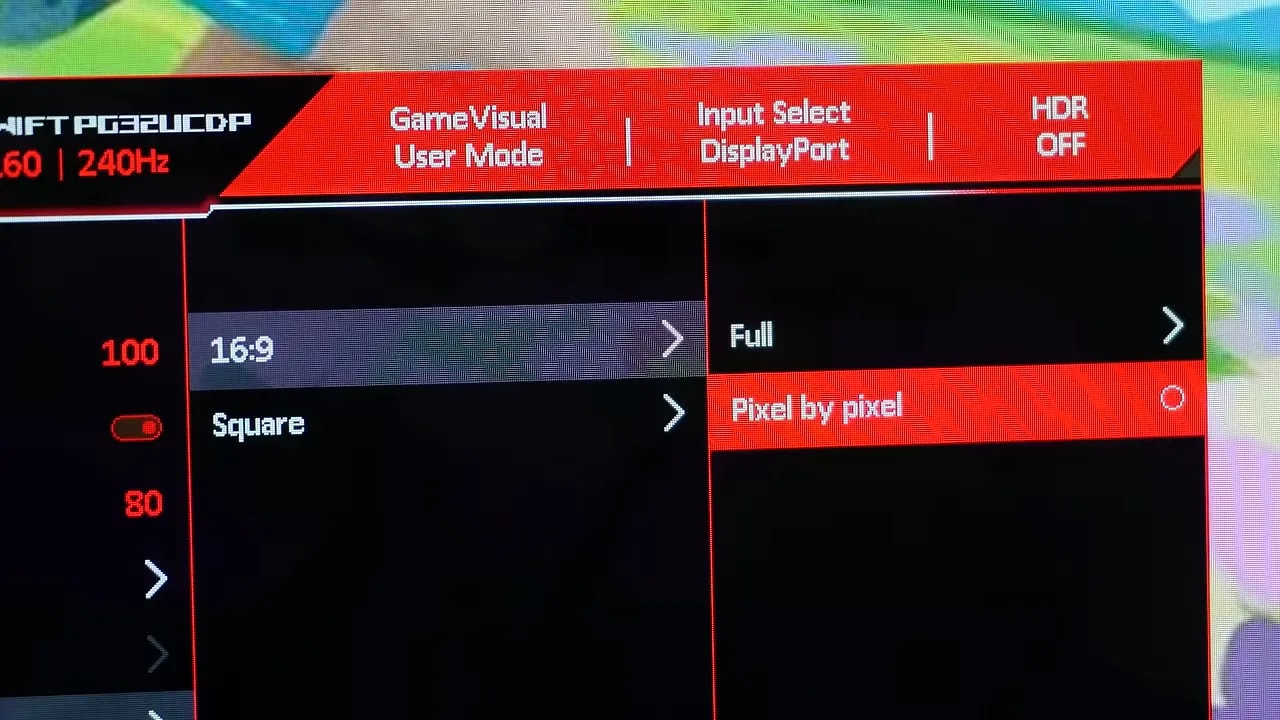
Black Frame Insertion / ELMB: useful if you know when to use it
Both monitors include an implementation of Black Frame Insertion, which ASUS calls ELMB. Enabled at 120 Hz, it achieves motion clarity similar to 240 Hz, which is very useful in certain situations.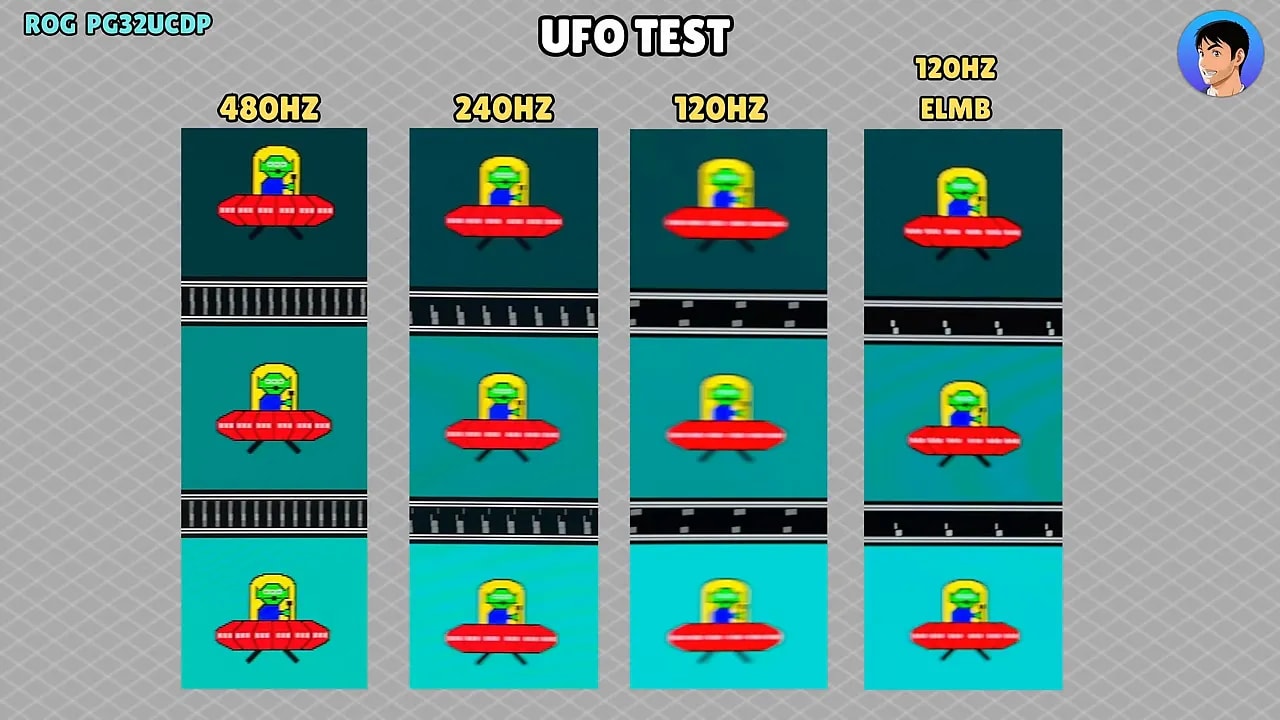
 However, as always with this kind of mode:
- Brightness drops.
- You lose the ability to use VRR.
Input lag: practically a tie
For input lag, both perform as expected at this level: very well. Interestingly, in the measurement taken, the QD-OLED at 240 Hz comes out a hair ahead of the WOLED even at 480 Hz, but the difference is about two tenths, so it could easily fall within the measuring device’s margin of error.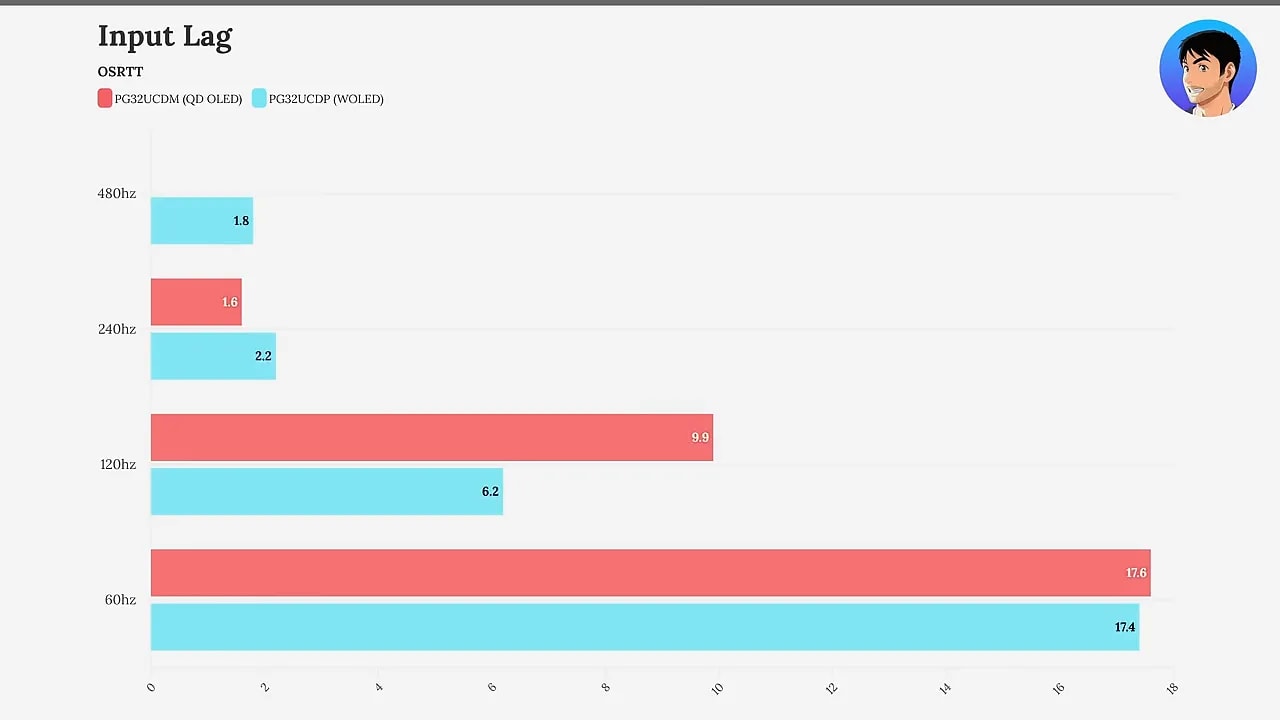 The sensible conclusion is simple: both have more than enough performance.
VRR, G-Sync, FreeSync, and flickering: neither escapes entirely
Both monitors support G-Sync, FreeSync and Adaptive-Syncand include HDMI 2.1, so PC and console compatibility, including PlayStation 5, is complete.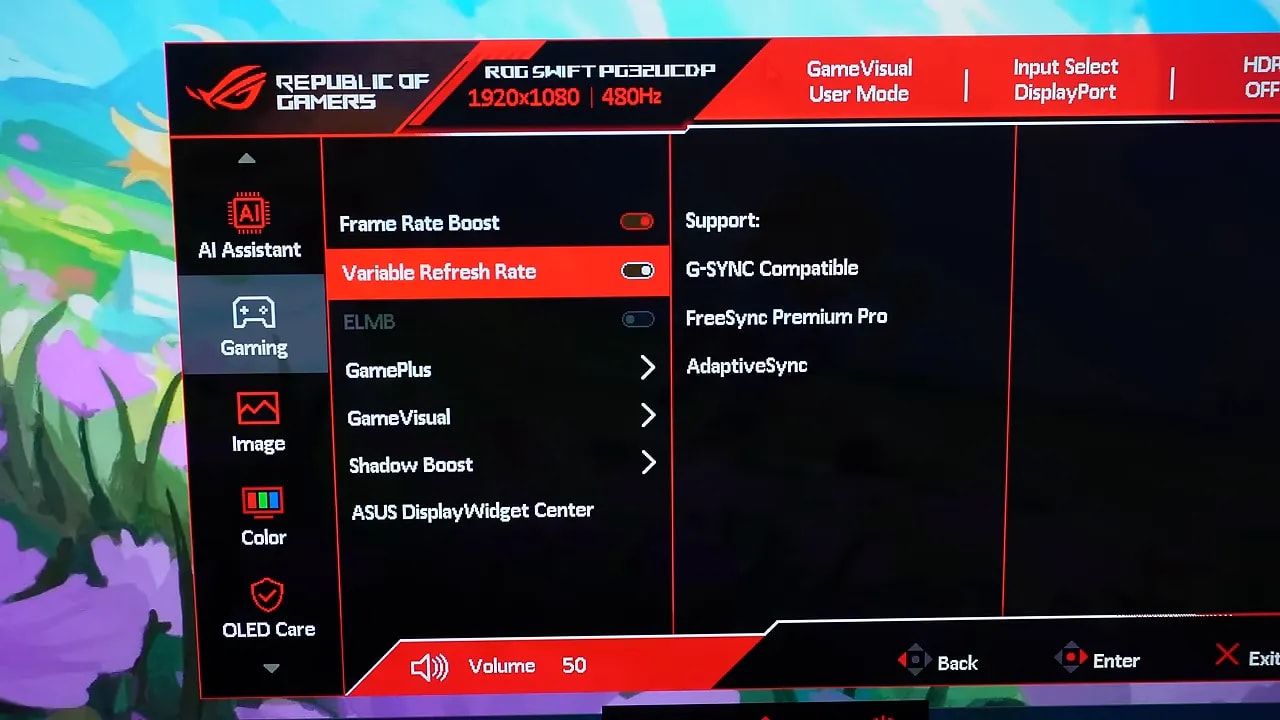 The familiar issue with many gaming OLEDs remains: enabling VRRcan produce flickering or flickering in certain situations. These two models are no exception.
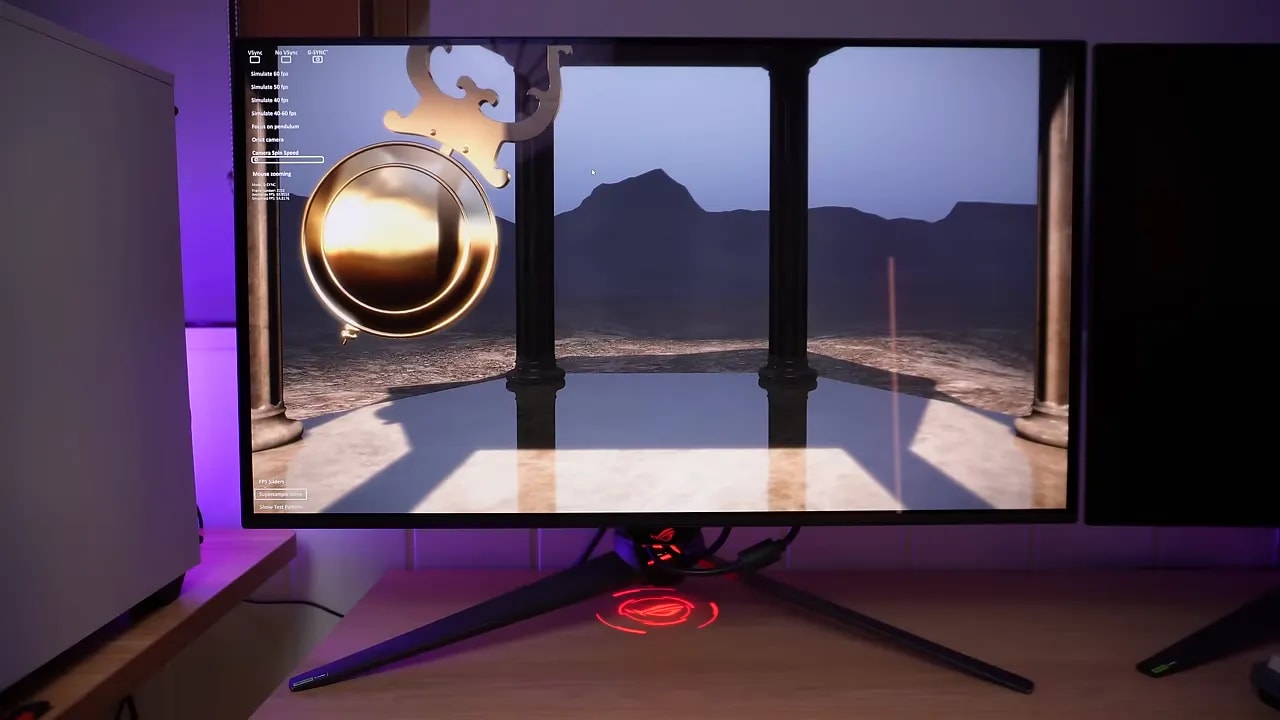 It is not an unbearable flicker fest, but it does exist. WOLED has a small extra aid: an anti-flickering technology that reduces the issue somewhat at the cost of limiting the VRR range according to the selected level.
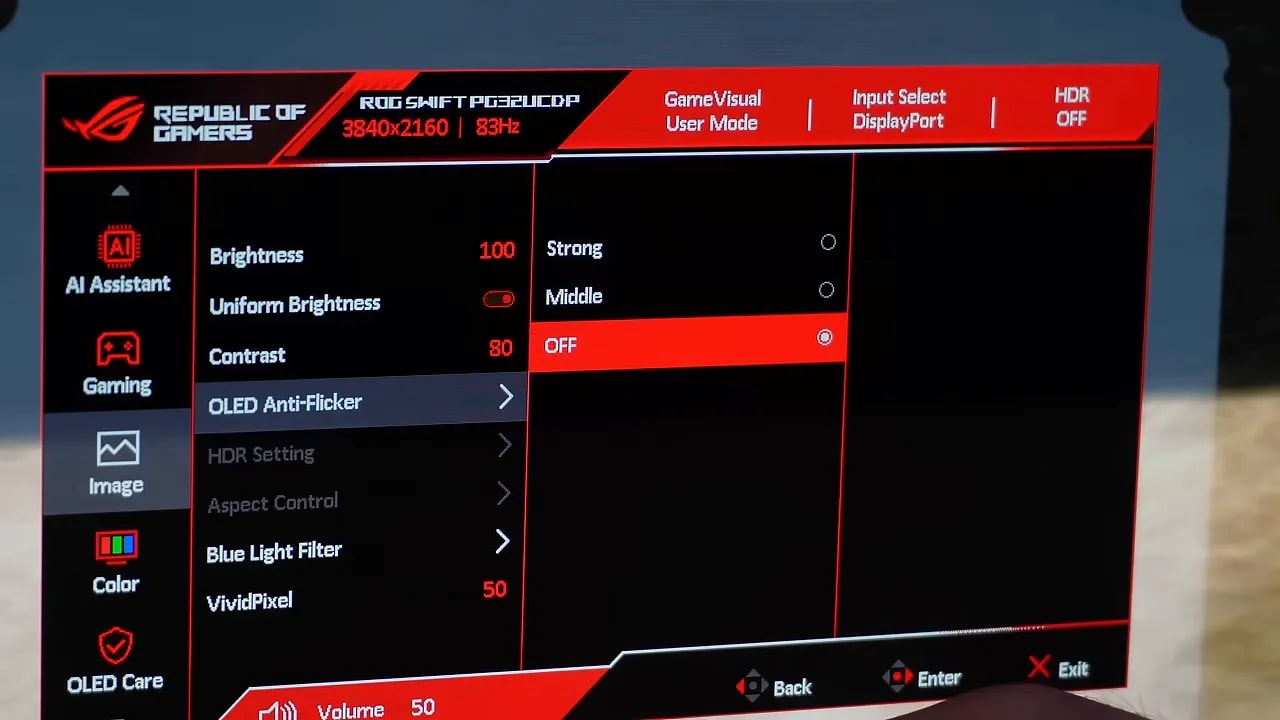 It is no magic fix, but it helps somewhat. If you are especially sensitive to VRR flicker, it is a point in WOLED’s favor.
Text clarity: little to worry about at 4K 32 inches
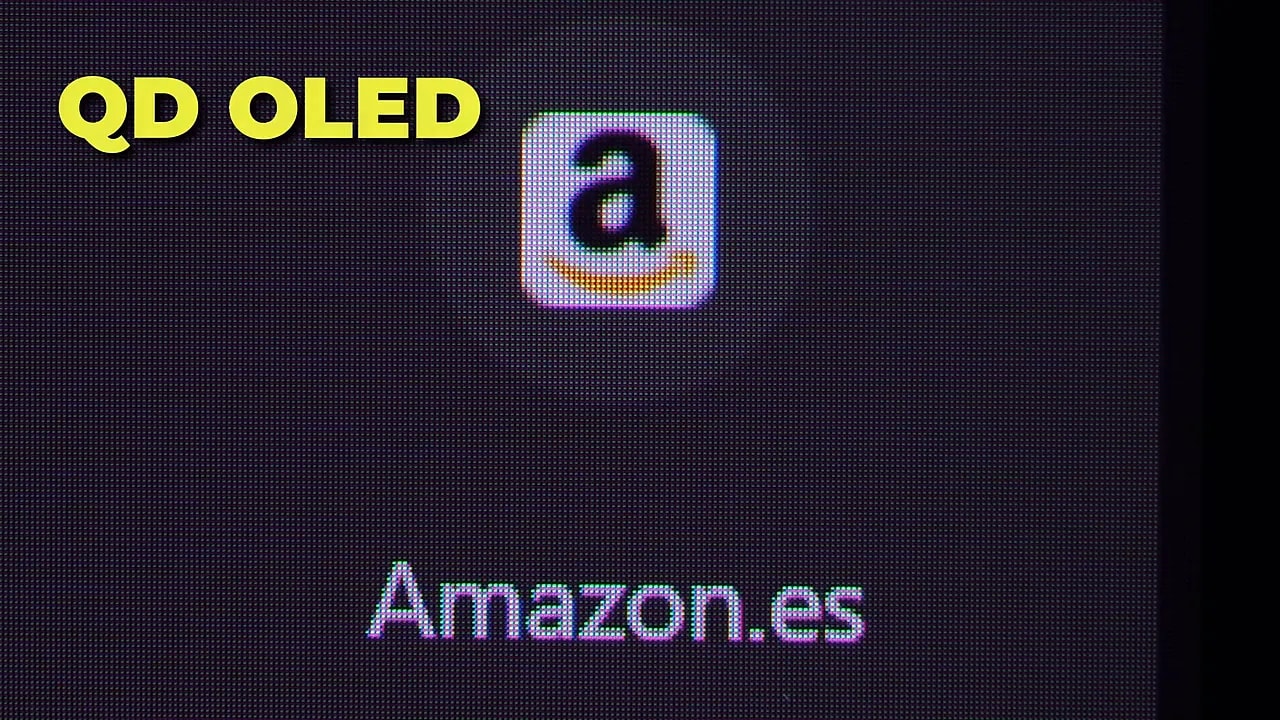
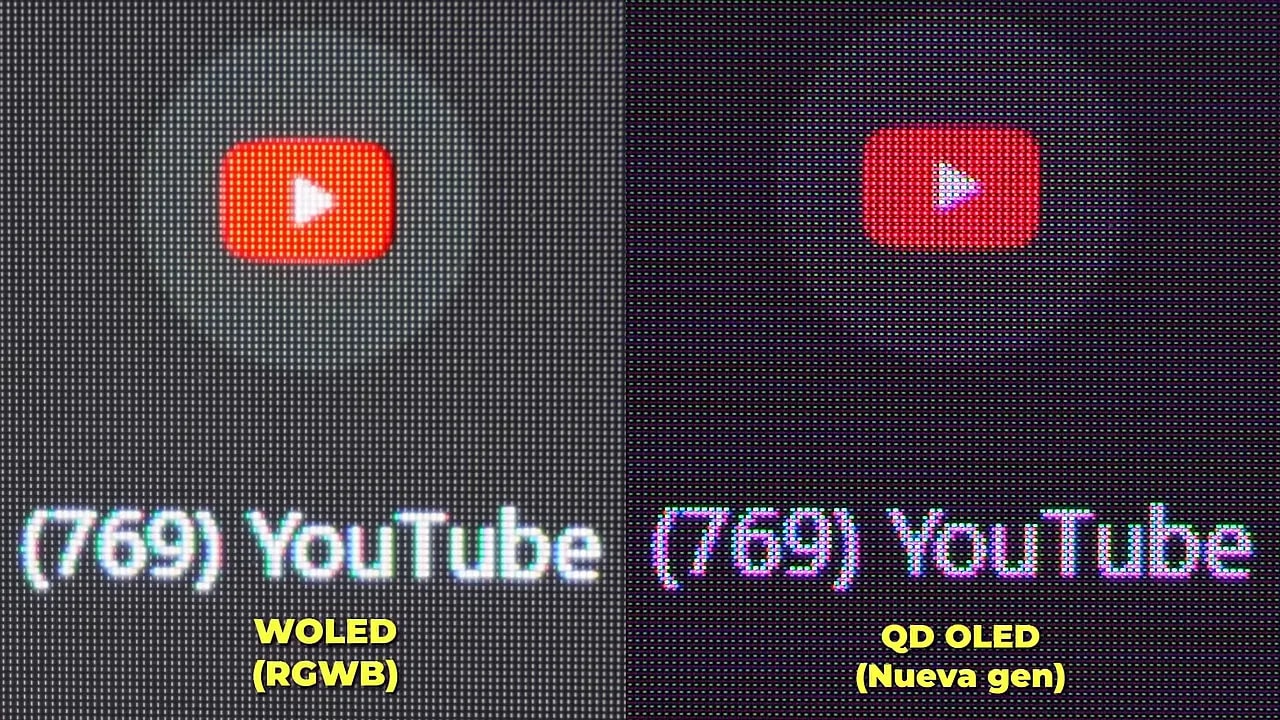
Another much-debated OLED topic is text clarity. Subpixel layouts come into play here.- At QD-OLED, early generations had a triangular structure that affected text more, although it has been refined over time.
- At WOLED, the white subpixel also plays a role, and newer generations have improved by moving from a less favorable layout to a better one.
 The good news is that at 32-inch 4K this matters much less. Pixel density is so high that text fringing or edge defects are practically no bother.

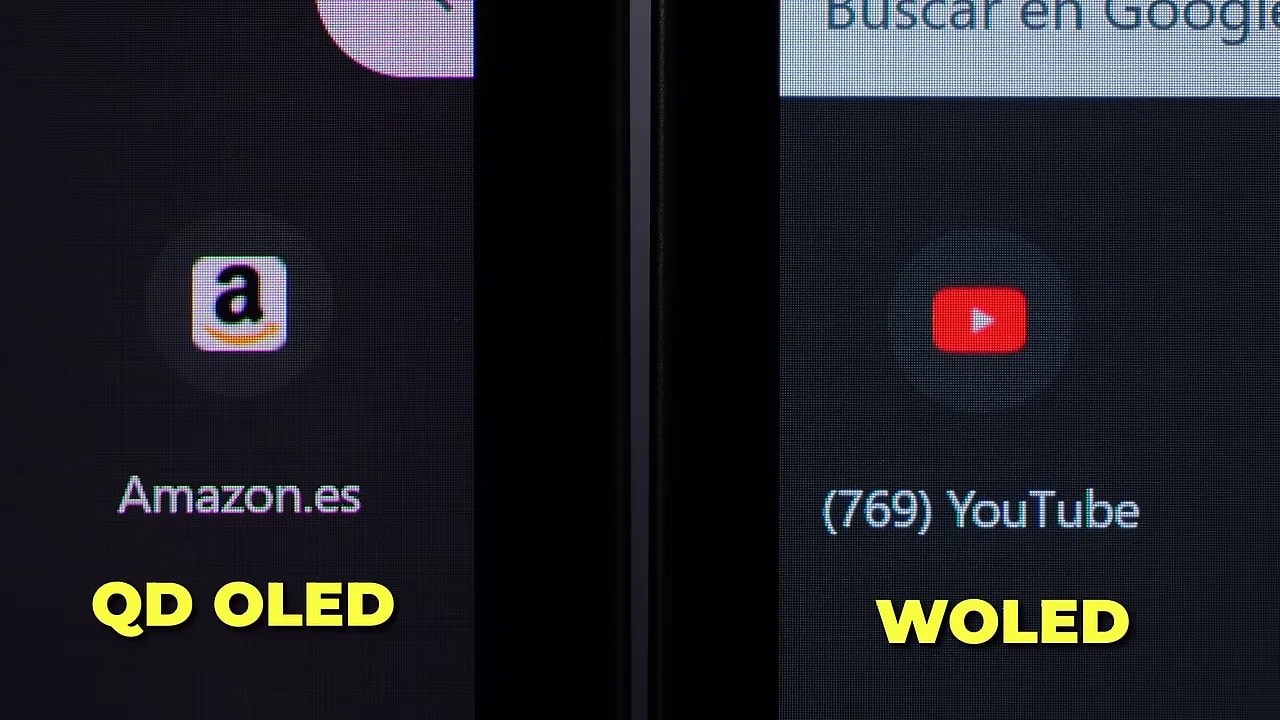 At 1440p, things change more. There, within the same generation, QD-OLED usually fares better for text definition, although personal preference also plays a role.
Durability and burn-in: no clear winner
For burn-in, the honest answer is the least exciting one: there is no definitive conclusion showing QD-OLED lasts longer than WOLED, or vice versa. Both include protection features that should remain enabled. But isolating which technology lasts longer is complicated, because it depends on:- Each monitor’s protection algorithm.
- The type of content displayed.
- How aggressively burn-in protection operates.
- The manufacturer’s specific implementation.
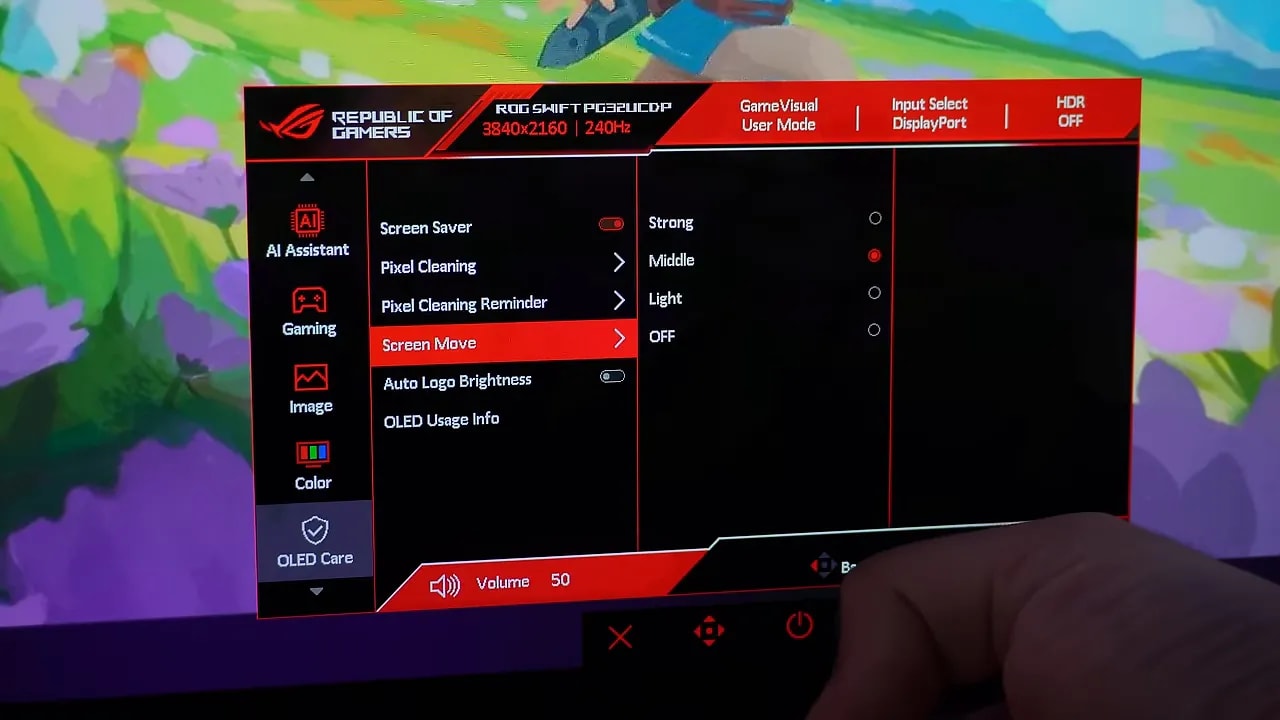 The reasonable approach is not to make empty promises: solid data will take years, and by then newer generations will probably already be on the market.
Micro-scratches and cleaning: a serious QD-OLED weakness
If there is an area to take seriously, this is it. The Glossy QD-OLED have a very delicate surface, and the issue of micro-scratches has generated considerable discussion for some time. Extreme care is needed when cleaning them. The recommended materials are:
- Microfiber cloth
- Distilled water for most stains
 For tougher stains, some recommend 70% ethanol, but others consider it too harsh for the coating. That alone gives you an idea of how delicate the issue is.
If you obsess over keeping everything spotless and any mark drives you crazy, the advice here is very clear: better avoid QD-OLED.
On the WOLED, this issue does not disappear 100%, but is much less concerning. The panel is more resistant and easier to keep clean.
For tougher stains, some recommend 70% ethanol, but others consider it too harsh for the coating. That alone gives you an idea of how delicate the issue is.
If you obsess over keeping everything spotless and any mark drives you crazy, the advice here is very clear: better avoid QD-OLED.
On the WOLED, this issue does not disappear 100%, but is much less concerning. The panel is more resistant and easier to keep clean.
So, which is better: QD-OLED or WOLED?
The short answer is the usual one: it depends on what you value most.If price is all you care about
Get whichever is cheaper. No drama. With monitors at this level, a good deal can outweigh several small technical differences.
If you want the most versatile monitor
The WOLED PG32UCDP has several practical advantages:- Dual Mode 4K 240 Hz / 1080p 480 Hz
- Less reliance on controlled lighting
- Fewer reflection issues
- Greater resistance to micro-scratches
- More user-friendly day-to-day use
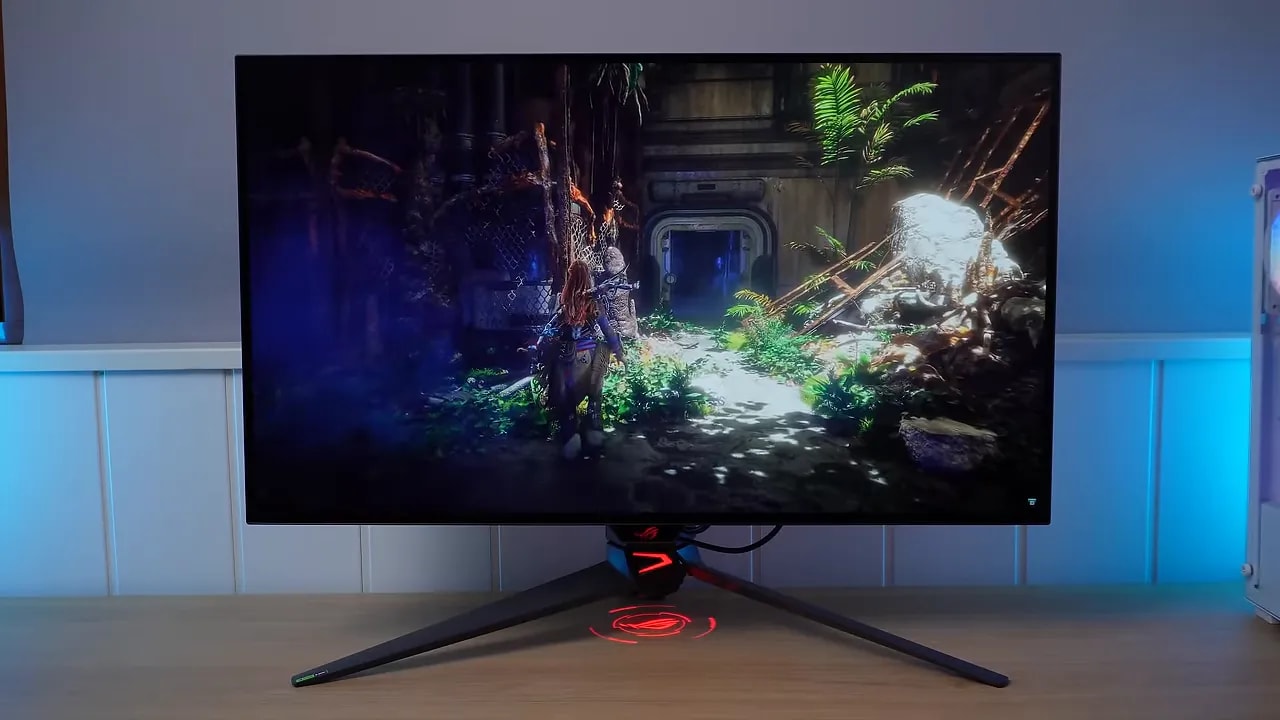 If you combine competitive gaming with general use, it is very hard to ignore how well executed this monitor is.
If you want the most visually impressive option
The QD-OLED PG32UCDM has that immediately appealing image quality: The version ending in Z is the refresh of this model, retaining the same panel quality and changing only the extras.- Glossy finish
- Greater color volume
- A more vivid, spectacular-looking image
 It does demand more care, though. It needs more controlled lighting to look its best and more care in cleaning and physical handling.
My conclusion for 4K 32-inch monitors
In this specific format, the contest is very close. Personally, the QD-OLED appeals to me more visually. It has that spectacular premium image quality that draws you in. But looking at it objectively, the WOLED may suit more people because it is easier to live with and adds 480 Hz on top.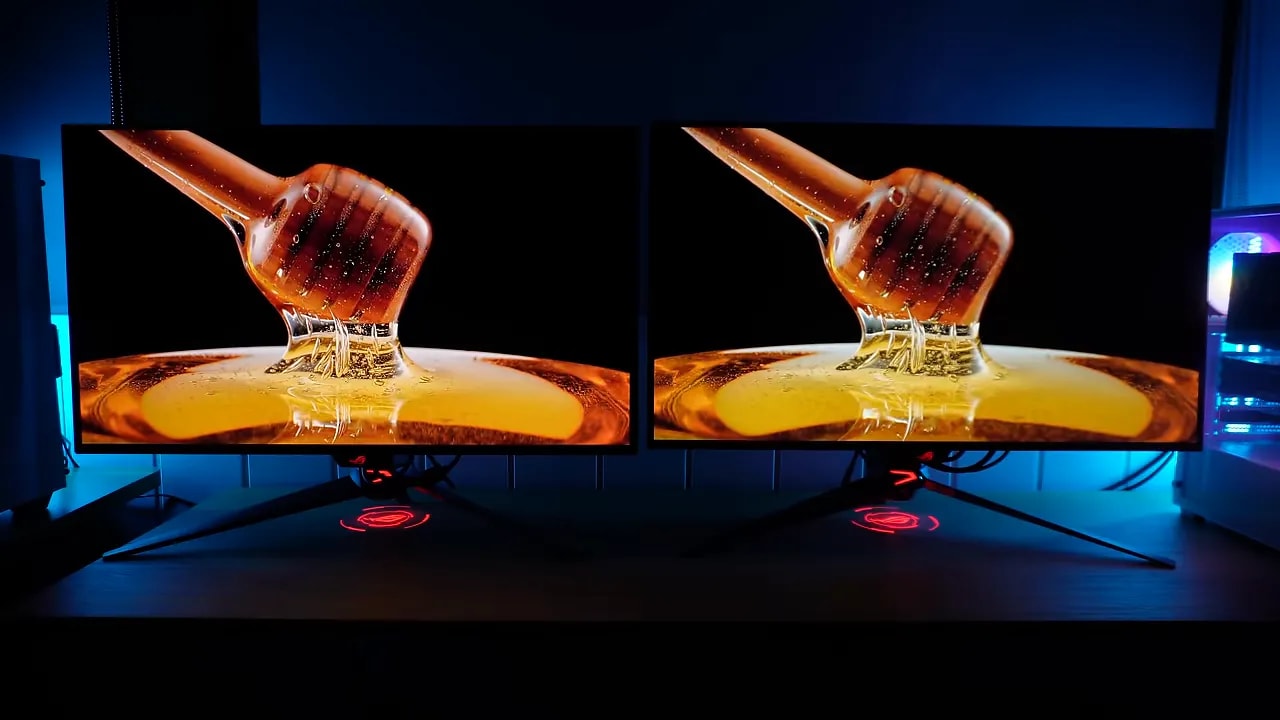 Put simply:
- QD-OLED: better pure visual experience.
- WOLED Dual Mode: better balance of visual impact, versatility, and ease of use.
And at 1440p? The story changes considerably
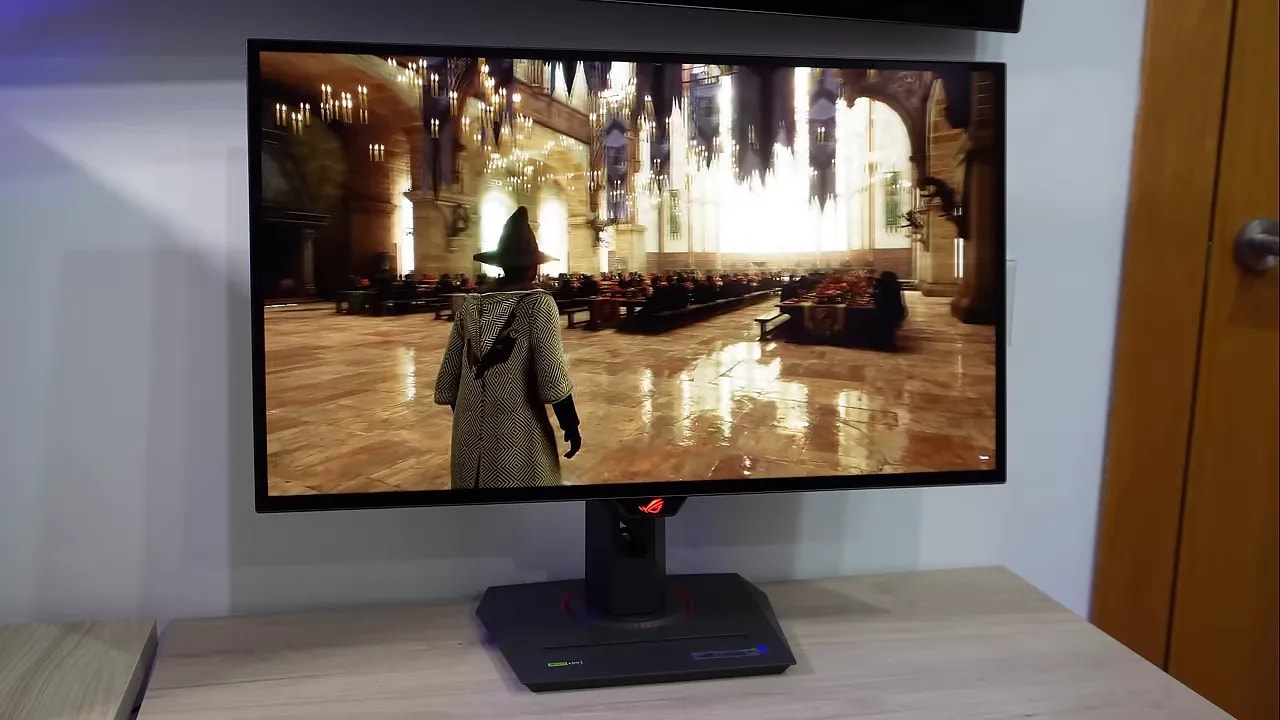
On 27-inch 1440pmonitors, the situation is different. Comparing alternatives with similar refresh rates and prices, QD-OLED usually comes out ahead. Why?- Text looks slightly worse on WOLED at 1440p.
- There is no equivalent higher-refresh Dual Mode selling point.
- QD-OLED better retains its visual advantage.
A clear guide to getting the purchase right
For a quick guide, I would use this:- Buy QD-OLED if you prioritize image quality, more spectacular colors, and the glossy finish that makes everything look more premium.
- Buy WOLED if you want greater versatility, better tolerance of bright environments, fewer cleaning and scratching concerns, and are also interested in 480 Hz mode.
- At 4K 32″, WOLED Dual Mode makes a lot of sense.
- At 1440p 27″, QD-OLED seems more well-rounded to me in most cases.